I consider Firefox to be a fast browser, even though installing too many extensions, search engines or themes can slow it down. If you want to speed up even more your browsing experience on the Mozilla browser all you need to do is delve in the options menu (preferences on Mac). Make sure new pages open in tabs instead of new windows, that pop-ups are blocked and try to clean up all your private data regularly (I’d say once a week). You can also have Firefox remember your passwords and set a Master Password to activate them all in your session. Also read up on our post to get more out of Firefox.
Another useful tip I came upon today comes from makeuseof.com. It teaches you how to enable quick searches in your favorite websites’ search engines. Now you probably know that you don’t need to type the whole address of a website in the url bar to be taken to it. For example, if you want to go to the Softonic site, all you need to do is type softonic in the address bar. You can perform a similar trick to access specific search results faster.
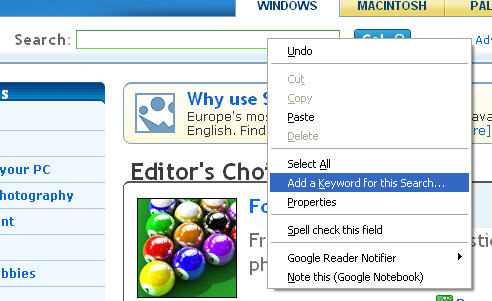
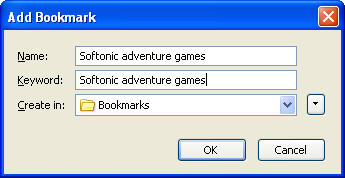
Go to your favourite site, right click on the search box and select “Add a keyword for this search”. A little window will pop up into which you’ll need to type the name of the search, the keywords you want to use, and the bookmark folder to save it in. In the screenshot you can see I’ve searched for adventure games on Softonic and saved it with the keyword Softonic adventure games. To get taken to the search result page, all you’ll need to do is type Softonic adventure games in your address bar. As makeuseof.com point out, this a good way to save searches on different web sites and make quick comparisons. A good tip for Christmas!
 Do you get bored quickly with your Windows theme? If you haven’t by now customised part of Windows rather uninspiring default theme then you have no excuses with
  Drivers are some of the most important files on your operating system enabling everything from programs to external hardware to function correctly. Without them, or if they become damaged, your PC can be effectively crippled. If you’re experiencing problems with a program or especially an external piece of hardware, then drivers are one of the first things you should check. Have you got the right ones? Are they corrupted? Have they been installed correctly. Here are 5 top tools to make all this a little easier.
 Don’t get me wrong, I love the voice notes feature on the Nokia S60 Series, but the one minute recording time limit is a real drag for me. If you too find this a little restrictive then get a load of Extended Recorder, which allows you to capture as much audio as your phone’s memory can take.
 FooBillard is a pool game originally designed for Linux that has been successfully ported to the Windows platform. Enjoy four kinds of pool (8-ball, 9-ball, carom and snooker) in single games or complete tournaments against the computer or other people, with support for online competition. FooBillard features excellent graphics and highly realistic physics.
 The Facebook Dashboard Widget makes sure you take your social networking experience straight to your desktop. It displays the typical Facebook notifications, i.e. messages, friend requests, pokes and group invites and can be customized from its preferences menu.
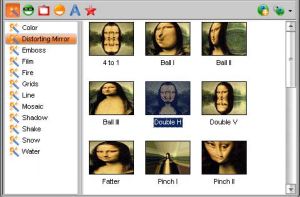 I recently spoke to a friend who told me that her main reason for buying a MacBook was because of the ‘camera thing that makes your face go funny’. She was, of course, referring to the
  This story comes via our sister blog,
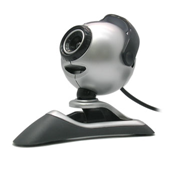 Your PC can be your best friend when it comes to surveillance. Recently