 Being able to access the news from your mobile is great, but it’s even better if you have an RSS reader so you don’t need to sift through lots of slow-loading sites to find the content you want to read. Simply install NewsCopier and you’ll get access to the latest headlines on your Windows Mobile via RSS.
Month: November 2007
Play and record online radio stations with FStream
 FStream is an unobtrusive application that allows you to play and record radio streams. With preset lists from ShoutCast and SourceMac, FStreams has loads of stations available to you. It can also very easily import streams directly from your iTunes.
Manage all your active processes in Windows
 When you want to have a precise view of what’s going on in your system, the Windows task manager usually falls short. Move on to Webkeysoft Process Manager and you’ll have access to all currently active applications. The program includes extended information about each process, as well as shortcuts to the file’s location and its dependencies.
Software for churches and ministers
 The software world can be a very unholy one at the best of times but it can also help those with a faith to spread the word. In particular, developers have identified churches and ministers as those two key areas of Christianity where software can really help.
Need to keep track of your congregation or church members? Church Basics Membership helps you manage church activities such as prayer groups, choir sessions and contact details. Want to test your or your congregations knowledge of the good book? Scripture Challenge has over 3000 questions and answers based on the Bible. This is also an original way for ministers to teach their congregation about important passages from the Bible.
If you’re a minister, maybe you’re tired of all the paperwork getting in the way of more important things. Ministry Assistant helps keep track of all the essential work and tasks that need to be done around your church. Last but not least, keeping donations flowing in may always be tough but it can be made a lot easier by using Donarius. This cross network application allows you to share your findings with other ministries to make your funding sources a little clearer.
Top 10 PDF tips
 PDF is a cross-platform standard format document used around the globe for all kinds of purposes. Its main advantage is that it keeps the document’s layout in exactly the same way, no matter what operating system or PDF viewer the reader is using. But beyond these initial considerations, there are many interesting tricks involving the creation, edition and management of PDF documents, some of which you may not know. Don’t worry: we’re willing to share them with you!
- The most popular PDF viewer is Adobe Reader, but remember that there are excellent alternatives like Foxit Reader, a lighter, faster and more reliable PDF viewer.
- If you prefer to remain on the Adobe side, Adobe Reader SpeedUp is a must-have: it significantly reduces Acrobat’s loading time.
- Want to edit a PDF document? Use PDFill PDF Editor, a complete editing tool at a very reasonable price. You can add comments, annotations and even draw shapes.
- Sometimes what you want to do is not editing, but combining several PDF files into one PDF document. If this is your case, then PDFFactory is what you’re looking for.
- Combine several images in a single PDF file with Swift PDF and create unique collages that can be easily printed or shared by email.
- Securing PDF files is important. PDFCreator enables you to password protect your PDF documents, as well as disabling printing or copying.
- There are many ways to save any document as a PDF file, such as doPDF. But there are also apps to convert PDF documents to any format, like ABC Amber PDF Converter.
- For those who prefer not to install a program, you can use pdfonline.com or rsstopdf.com to convert documents or your favorite RSS feed to PDF respectively.
- Another online PDF tool, scanR, enables you to turn any text taken with your digital camera or phone camera into a PDF document.
- Finally, the PDF Download Extension enables you to open PDF documents right into the Firefox browser, without having to wait for the PDF viewer to load.
How to: Apply hair to 3D models
 I watched The Polar Express for the first time last night and was very impressed with the realistic rendering of the 3D human characters in it. I felt a little let down by the quality of the characters’ hair though. After all, this was the biggest budget animated film of all time so you’d think they could afford to make the hair-dos a little more lifelike. It’s not like the technology doesn’t exist for modeling hair either, and there are plenty of ways to add a realistic barnet to a 3D model on your home computer.
The latest version of 3ds Max added a whole new Hair and Fur system enabling you to create and manipulate hair directly in the viewports using its selection and styling tool. Hair can be copied and pasted from one object to another, and artists can derive hair from splines and convert it to splines or meshes. Notably, any source object can now been instanced as hair strands, allowing you to accurately mimic a person’s real style.
If you’re a LightWave user then you’ll no doubt have a tougher time of rendering hair because the app doesn’t have the same fibre system as its rival. However, there are some decent plug-ins available that can help you dress the head of your models. Sasquatch is one of the most popular, integrating its own photoreal hair rendering engine into LightWave. Over 50 texturable controls give you precise control over the style, color, and shading of fur and hair. You could also try Fiber Factory, a cheaper solution, which creates polygonal fibre models such as fat hair, feathers and triangle strips.
Top 30 Firefox themes
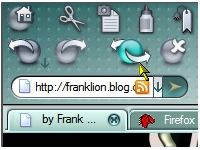 Don’t particularly like the default theme on Firefox? One good thing about Mozilla’s browser is that you can install a new one, choosing from hundreds with different, original styles. From your top menu bar, just select Tools>Add-ons. When the window pops up select the ‘Themes’ tab and press the ‘get themes’ link at the bottom right of the window. You’ll be taken to a Mozilla page which lists up loads of different themes, organized by category, from retro to animals, sport, modern or more. On Softonic, we’ve selected a few that we particularly like, including the Vista-aero theme, Mostly Crystal and Doodle Plastik.
If you aren’t convinced by these, we suggest taking a look at Mashable’s list of 30 Firefox themes. I quite like FOXSCAPE, with its Netscape-like interface, iFox Smooth, with its Safari for Mac feel, or Ubuntu Human theme, great for Linux fans. There’s also special themes for Halloween, NASA, or The Simpsons. Not all themes look great so I suggest taking the time to select the ones you like most. Also install them, one at a time of course, to really see what they look like on your screen and if you’re comfortable with them. You’ll enjoy freshening up your Firefox’s look.
Tweak your system to boost your router
 There are tons of tools out there that claim they can boost your modem or router. However, it’s not always a good idea to allow a third party program to change the configuration of your router which is set exactly the way you want it. It’s also very hard to identify what a program has changed within your router after it has been executed. That’s why I was quite impressed by NETEagle because it takes the novel approach of optimising your operating system to boost your router.
According to the developers, NETEagle can improve up to a 200% return on your connection simply by changing the configuration of your operating system. In reality, you won’t experience anything near this kind of improvement but you should notice a marked change in the speed of your connection. The program simply modifies a number of key settings in Windows to take advantage of all the bandwidth at your disposal. The only problem is that after time, the system eventually returns to its former state and your speed will drop so you’ll have to keep running NETEagle from time-to-time to maintain the benefits.
Top 5 font tools
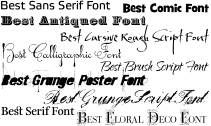 Fonts are one of the most important aspect of typography and presentation but an area that too many websites, and even publications, fail to give enough attention. There are several tools out there that are dedicated exclusively to font management, creation and correction. And if you thought that you were limited to the default fonts provided by your word processor, then think again. There are literally thousands of variations out there plus software that can help you create your own. Here are 5 of the best:
- Fix Fonts Folder – Fixes fonts that have become corrupted in Windows
- LaFonte – Transform your fonts by turning them 3D
- Font Creator – The ultimate font creation tool
- dp4 Font Viewer – Allows you to view all the fonts stored on your system
- Font Fitting Room – Thousands of stylish fonts to preview and download
Paint pretty pictures on your PDA
 If you cannot stand to be away from your digital illustration tools then check out this fabulous Pocket PC application. Vspainter lets you transform yourself into some sort of 21st Century Van Gogh, allowing you to accessing advanced design and illustration tools from the palm of your hand. The customisable interface makes it very easy to set up your own workspace.