 For those of you not lucky enough to make it to Barcelona for this year’s Mobile World Congress (we’re actually here all year round, lucky us!), you may have missed out on some of the software news stories floating about and intermingling with complaints about the gPhone handsets (and the weather), we’re planning a full round-up at the end of the Congress.
One particularly interesting announcement has come from Yahoo! whose ‘Go’ mobile software is already pretty popular. oneConnect, expected next quarter, aims to unite all your communication needs (email, IM, Facebook etc) in one convenient piece of software. It’ll also connect with other social networks and tools like Twitter, Last.fm, Flickr, Linkedin, MySpace and more.
Of course, you’ll have to have a usable Yahoo! address book for all this to work, but you will also be able to use services from other providers like MSN and Google Talk. The most intriguing feature announced today is the “innovative location-sensing technology” which will apparently let you know when contacts are nearby. I guess this will use cell tower triangulation but this remains to be seen. Either way, oneConnect basically looks to be a big improvement on Yahoo! Go which will probably help the Internet firm cement their position as the leading web/mobile crossover merchants.
[Via: Yahoo!]
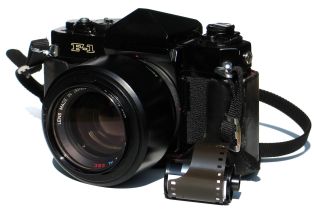 If you’re like me and you’ve recently acquired a new camera, you’re probably playing around with it a lot and still learning about all its different settings. What I really like about digital photography though is the wealth of applications there are to work with your pics.
 Microsoft Word must be the most widely used word processing application out there but there’s nothing more annoying than when someone sends you a Word document and you either can’t open it in Microsoft Office for some reason or you no longer have the suite installed.
 If you’re on the the move a lot, then file security is always a concern. There’s not much you can do to protect your laptop from security breaches other than making sure that you’ve password protected your log-on screen and disguised your most confidential folders as well as possible. However, this is neither very secure or convenient and if you’re like me, you’ll only end up confusing yourself by hiding private folders in your Windows folders. It’s far better and often very simple, to encrypt your hard drive so that it’s only accessible via passkeys or by running a certain program. The good thing too is that there’s several portable solutions that you can carry around on a USB drive which can encrypt your hard drive periodically or on-the-fly. Here’s 5 of the best:
 I love the film Jaws, so I was particularly saddened to hear today that its star
 So what really is ActiveX and is it really an endangered species? ActiveX is a technology developed by Microsoft and which you often find in the form of Internet Explorer browser plugins or ActiveX controls. Now the thing is, ActiveX is not renowned for its security and is often named as the cause of vulnerabilities on PCs. What usually happens is that, by accepting any ActiveX plugin on your PC, you can open it up to any attack. According to Johannes Ullrich, CTO of the
  If you’re bored this weekend and the weather is wet and wild why not sit down and have a blast at a classic video game? Forget going out and buying a game for your console though, because some of the greatest titles new and old are available to download for free on your PC. Some are available as officially-licenced abandonware, while others are out-and-out copies, but I’ve put together a collection of top games that will keep you amused for the whole weekend. In fact, you’ll probably end up calling in sick the whole of next week too.
 If there’s one thing PC users know it’s that nothing works forever. Files get corrupted, drivers stop working and programs that have worked perfectly sometimes suddenly stop doing so for no apparent reason. Sometimes there’s no other solution but to reinstall the software but that can be a long drawn out and messy affair.
 Battlezone, Space Invaders or Asteroids: you name it, the arcade shooter genre is still one of the best when it comes to gaming. One reason is probably that games that you played 20 years back are still as fun and exciting today on your Mac as they were in the 80s on your Amstrad or in a classic arcade room.