It’s amazing how quickly Super Bowl Sunday seems to come around. This weekend sees the Colts take on the Saints in a game which could be one of the most exciting ever given the offensive nature of both teams. Super Bowl night is always special, but to make it even more enjoyable, why not grab a hold of some football apps for your iPhone? Here are some choices that will help make this Super Bowl Sunday the best ever, regardless of what happens in the match. Note that many of these apps are only available on the US App Store.
Experience the magic with Madden NFL 10
 EA’s John Madden series is one of the longest running in the history of sports games. For seven dollars you can experience the thrills and spills of an NFL season on your iPhone. With great graphics and real teams, players and stadiums, this is the most realistic football game you’ll find. The in-depth gameplay includes almost 300 different plays, and an Action Time Control slo-mo mode to help you perfect the.
Get closer to the action with NFL 2010
 Although it lacks the ability to trade players like you can do in Madden, Gameloft’s NFL 2010 is an altogether more polished game. The 3D graphics are slicker than those in Madden, and the fact that there are three difficulty levels means that it’s a lot tougher. It’s also pretty addictive, so make sure you keep NFL 2010 well away from you during the game, or you’ll end up missing the whole thing!
Order food with the Pizza Hut app
 Pizza is a key ingredient in the recipe for a good Super Bowl Sunday. Don’t even think about getting up out of your chair to get one though. Just install the Pizza Hut app on your iPhone and you’ll be able to order food from your local Pizza Hut without even speaking to anyone! Choosing what to order is as simple as spinning a wheel and tapping the item you want.
Get some virtual booze down you with iBeer
 Drinking beer on Super Bowl night is great fun. However, drinking a virtual beer from your iPhone will make you look cooler. So, grab hold of iBeer, tilt back your phone and watch as the succulent amber nectar froths and disappears slowly just like a real beer. There are five drinks to choose from, and you can refill your glass as many times as you like – all for just 99 cents. How many bars offer a promotion like that?
Learn your trivia with Super Bowl Winners
 Now it’s time to bone up on your Super Bowl trivia. Install Super Bowl Winners, and you’ll have an at-a-glance reference to the outcome of every final, since Super Bowl I in 1967. Besides listing the winners, the app arms you with enough stats and data to be impressing your buddies all night with your “knowledge” of this great competition.
Scope out the teams with Pro Football Indianapolis/New Orleans Fan
 The Colts and Saints versions of Pro Football’s series of fan apps for iPhone are perfect for brushing up on your knowledge of the finalists. They do cost two dollars a piece, but they provide so much information that they’re worth downloading even if you don’t support either team. You get all the latest news, player profiles, stadium plans, standings, plus detailed team histories.
Follow the action with Pro Football Live
 Once all the hype is over and the game has started, you can follow all the action with Pro Football Live. The free app will provide live coverage of Super Bowl XLIV, offering end-zone to end-zone updates and impressive game time visuals. It’s packed with social networking elements too, so you can interact with other fans.
Listen live with ESPN Radio
 Of course, you’ll almost certainly be watching the game on TV, but what happens if you need to go to the toilet or dash out for more popcorn? Well, just make sure you’ve got the ESPN Radio app installed and you won’t miss a second of the action. The station will be offering live commentary of the Colts v Saints, and the only costs three dollars then it’s yours forever.
Make some noise with Air Horn
 The atmosphere is sure to be exciting in Miami come 7pm E.S.T. You can bring a taste of this excitement into to your home by installing Air Horn. Press down the horn and it will release a sound from your iPhone that’s just like the real thing. It’s guaranteed to provide endless amusement during the course of the game. Either that, or it will annoy the hell out of your buddies.
Make your point with 3D Foam Finger
 If you forgot to buy the most crucial Super Bowl accessory of them all – the foam finger – then stop fretting because, naturally, there’s an app for that too. 3D Foam Finger places a giant hand on your screen which you can wave around to show your support. You can even change the color! It does cost 99 cents, but I guess you can’t put a price on fun.




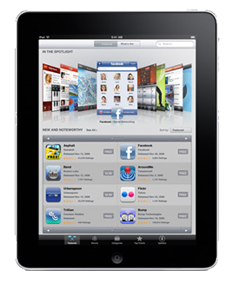 Well, Apple launched their long-awaited iPad last week and reactions were mixed – to say the least! Some people think it’s the slickest, most beautiful device they’ve ever laid eyes on, while others think it’s a world-class let down. Personally, I was underwhelmed by the news. I couldn’t figure out what the target market was, or who Apple thought would want to buy it.