This might be the most Microsoft thing ever

Ever since Microsoft decided that Windows 10 was going to be its definitive operating system and that it would simply roll out updates to keep users safe and up to date with new features, Windows updates have been problematic, to say the least. Unfortunately, this problem has carried over to Windows 11, which also regularly sees regular update problems. Well, in that context, the news we have for you today might just be the most Microsoft thing ever. Let’s take a look.

Windows 11 Download Now

Users had been noticing on the Windows Insider Program that a recent update wasn’t working so Microsoft started working on an update that would fix the update. Perhaps unsurprisingly at this point, the update to fix the update needs fixing itself. Yep, it didn’t work meaning Microsoft now has two broken updates to fix instead of one.

It wasn’t too long ago that we reported on a faulty update that Microsoft was having to take down because it was unable to fix the issue that was causing it to fail. This, however, is a completely new one for us with Microsoft releasing a faulty fix to a faulty fix.

The problem with the new update, which is called KB5014668 is that it won’t install on devices. Users of the Windows Insider Program have been turning to the Microsoft Feedback hub to voice their frustrations about the bug but until now there hasn’t been any official response from Microsoft on an overall fi.

It does look like some users have been able to force through a fix by mounting Windows 11, with the update already installed and essentially reinstalling Windows 11 and the update together, but that will be too drastic and frustrating a way to fix the problem for most.

Fortunately, the Windows Insider Program is designed to catch these types of failures before they end up on regular users’ computers so the users there will be able to deal with more complicated issues than regular users.

One thing is for sure though. Microsoft will be working overtime to ensure that Windows 11’s first major update will roll out without any issues. If you will want to take advantage of that then should check if your PC will be eligible for the update.

Windows inline pop-ups bringing a handy mobile feature to PCs

The Windows Insider Program gives more advanced users a chance to test out new and upcoming features before they roll out to all users. Sometimes, these advanced test versions of the operating system can be packed with problems but in others, they offer insiders the chance to try and cool and handy new features before everybody else. That is what happening here as we have a nice new Windows 11 feature to report on for you.

Windows 11 Download Now

Windows Insider Build 22622.290 comes loaded with a new feature that will make it easier and quicker to perform certain simple tasks by prompting you with little inline action buttons when you perform certain actions.

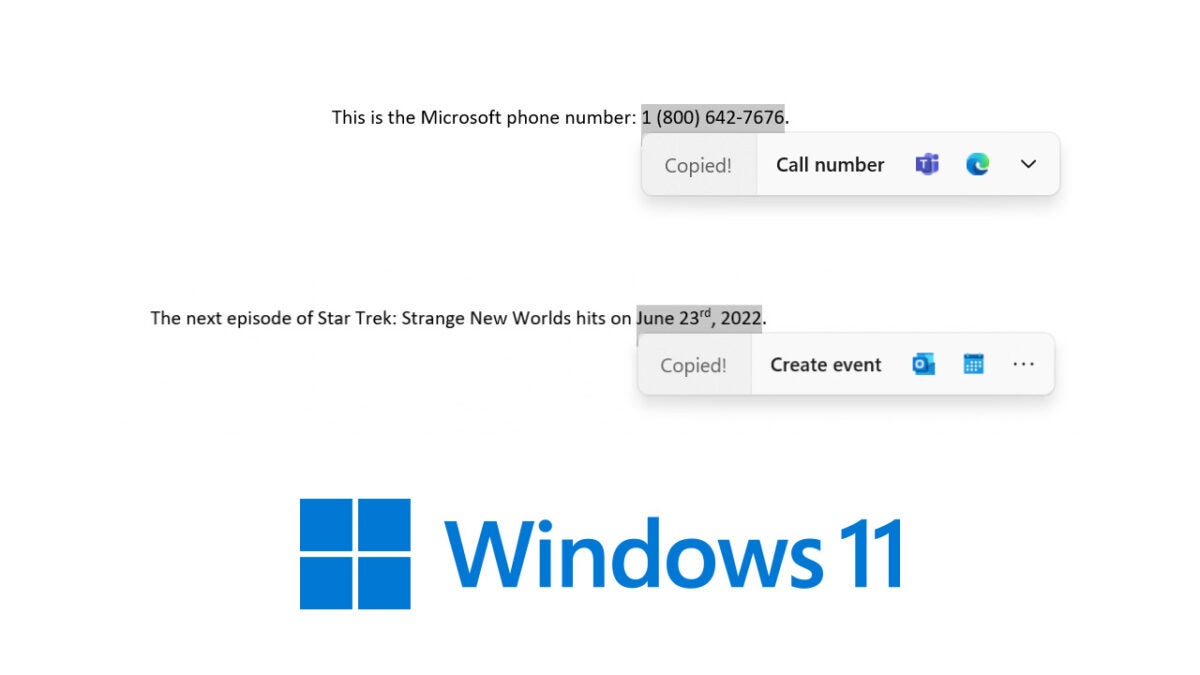
The new inline menus will show up when you cop a date, time, or phone number. Doing so will cause Windows to prompt you with certain actions such as creating a calendar event for the date or time or making a phone call to the phone number.

Windows outlines both features and you can see examples of what they look like in the screenshot above:

“On copying a phone number, Windows will pop up an inline light dismissible UI that suggests ways to call the phone number using Teams or other installed apps that offer click-to-dial call functions.

On copying a future date and/or time, Windows will pop up an inline light dismissible UI that suggests creating the event using supported calendar apps. Upon user selection of preference, the app is launched with its corresponding calendar event creation page with auto-filled date and/or time.”

For now, the feature is available for Windows Insider users in the US, Canada, and Mexico but we don’t have any news about when we can expect to see it roll out to all users. Depending on the results of the Insider Program tests, though maybe it will roll out with Windows 11’s first major update, Sun Valley 2.

Thanks to Fortnite, the EU has taken steps to curb big tech companies

Likely spurred on by Epic Games’ recent stateside legal battle with Apple concerning antitrust violations against Fortnite, the European Union has taken steps to curb the control that big tech companies have over application platforms. 

Fortnite DOWNLOAD

This recent legislation adopted by the European Parliament is likely to impact companies like Google and Apple, along with any others who operate and control access to mobile application platforms.

Apple and Epic Games went head to head in the U.S., but the developer was largely unsuccessful as Apple won the majority of the lower-court rulings. In a subsequent Tweet, Richard Hoeg, a litigator at Hoeg Law, stated that ‘Apple is going to sue on this until the heat death of the universe.’

While it is in the best interest of big tech corporations like Apple and Google to keep fighting smaller suits like this, the legislation in Europe may prove these lawsuits irrelevant, at least as pertains to usage and regulation within European territories. 

Under the new legislation, first proposed in 2020 as the Digital Markets Act (DMA) and Digital Services Act (DSA), companies like Google and Apple will be classified as ‘gatekeepers’ due to their size and controlling interest in the mobile application market. As gatekeepers, these big tech mega-corporations will have to abide by new laws and regulations that prevent them from being able to exercise totalitarian control over gaming marketplaces and application platforms. 

Some of these new regulations and laws are as follows:

  • The gatekeepers will now have to allow users to install applications from third-party app stores and digital marketplaces. This is exactly what Epic Games is suing Apple for, so you can see how reluctant big tech is to allow third-party app store use. 
  • Gatekeepers will henceforth have to offer third-party payment systems within applications and allow developers to promote their products outside of the gatekeeper’s platforms. 
  • Gatekeepers will from this point have to allow developers to integrate their applications and digital services with those that the gatekeeper already operates. 

Essentially, what this means for the average consumer is that big tech companies like Google and Apple will no longer have totalitarian control over the use of apps, software, operating systems or application platforms, at least in the EU. There are, however, whispers of bipartisan regulations coming to the U.S. that will restrict companies like Google and Apple in similar ways. 

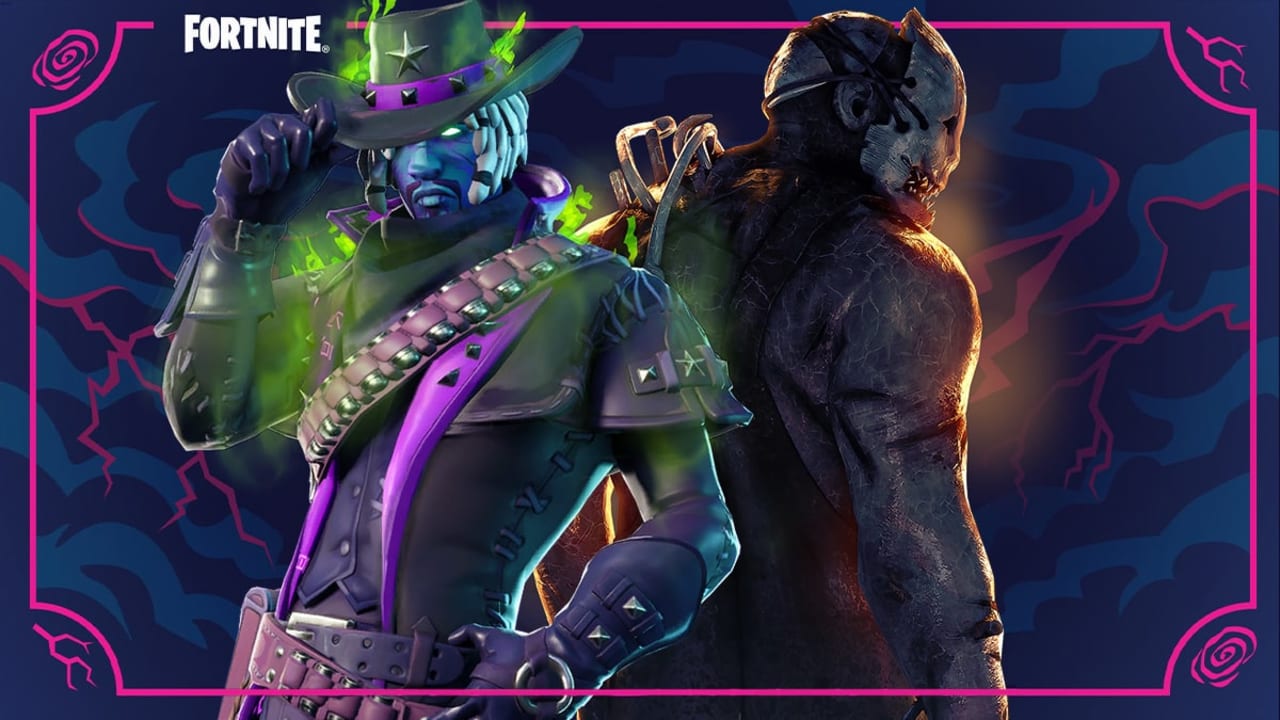
Getting back to Fortnite news, there are rumors that Dead by Daylight is going to team up with Fortnite for a collaboration soon.

Will Fortnite and Dead by Daylight be teaming up? READ MORE

Rockstar Games is shelving remastering and focusing on GTA 6

It would seem that Rockstar Games has decided to shift its focus to the future with GTA 6 and move away from the past. This is according to sources close to the gaming studio that brought us Red Dead Redemption and GTA. Following the massive failure of the remake of the Grand Theft Auto: The Trilogy – Definitive Edition, the studio is apparently shelving all other remakes.

GTA VI DOWNLOAD

Tez, a reliable GTA insider, released a tweet that shocked many Rockstar fans. In his tweet, he stated that the remasters of GTA IV and Red Dead Redemption were no longer on the table. He also speculated that the poor reception of the GTA trilogy might be the reason for this decision.

Other sources close to the developers have confirmed that the gaming giant hopes that everyone will forget about the badly messed up release of the remastered GTA trilogy. At the same time, they focus all of their attention and resources on GTA 6, which Rockstar confirmed to be in development earlier this year.

While the focus is to get GTA 6 done and released to players globally, it seems that GTA IV and Red Dead Redemption remastered aren’t completely out of the picture. Some sources believe that we might still see future remakes of these popular games after GTA 6.

We just hope that they’ve learned from the mistakes made with the GTA Trilogy’s remakes released last year. These games were released broken and were plagued with graphic bugs. These made it difficult to enjoy the games on any platform. Although updates were released to fix these issues, many considered it to be too little, too late. 

So far, there’s no official release date for GTA 6, but with it being their most ambitious project to date, we’re hoping it’ll be worth the wait. We look forward to seeing what the next installment in the series has in store.

GTA 6 might be the most ambitious project READ MORE

Warzone Mobile leaks Modern Warfare 2 map images

Since Infinity Ward released the extended single-player gameplay for CoD Modern Warfare 2, we haven’t really seen anything more surrounding the game. It’s been silent over at the Infinity Ward studios. Luckily, we have leaks to go by. Recently, leaks were found in the game files of another CoD game, Call of Duty: Warzone Mobile. 

Call of Duty: Modern Warfare 2 DOWNLOAD

This kind of thing happens quite frequently within the gaming community. If a developer is silent for too long about a game that is nearing release, fans and researchers will take apart the studio’s other intellectual property in order to find more information to quench the growing thirst of the anxiously waiting gamers. This is exactly what has happened with Call of Duty and their soon-to-be-released title Modern Warfare 2. 

The images in this case came from a now-deleted Twitter account and reportedly feature maps from CoD Modern Warfare 2, and another game known currently as Call of Duty 2024.

We say reportedly because while the author of the post claimed the images were taken from the game files of an in-development build of Call of Duty: Warzone Mobile, we cannot know that for sure and the Tweet has since been relegated to the black hole of other deleted Twitter accounts. 

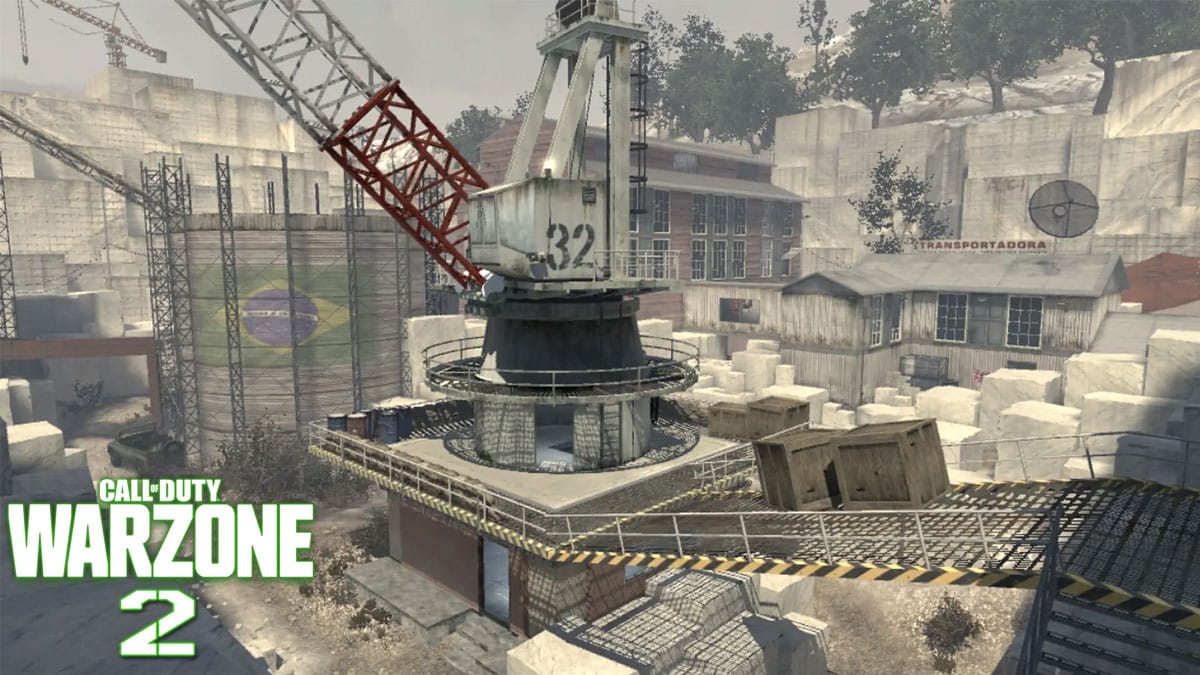
The images apparently show three Ground War maps. four multiplayer maps, and the keyart for Modern Warfare 2’s extraction royale mode, DMZ. The first map of interest is called Grand Prix and resembles an Asian F1 circuit. According to Charlie Intel, Infinity Ward talked about this map during a pre-reveal event.

The next multiplayer map is called Oilfield and if you’ve played Rust it may look a little familiar. The images also featured a map called Museum that takes place inside an artistic structure. The last multiplayer map is currently called SABA, but its name could change by the time we get to play MWII. 

As for the Ground War maps, we have one resembling a classic modern warfare TV station called Sira, a fishing village called Fishtown, and a dam that may feature a power generator known as Hydro. Unfortunately, the DMZ keyart is underwhelming as it’s a granulated and blurry image of a few soldiers that could be from anywhere within the game. 

While we don’t have any other information about MWII at the moment, we do have an article detailing how much fun Call of Duty’s behind-the-scenes teams have with players who cheat in CoD. 

Don’t cheat in Call of Duty READ MORE

New Skyrim online co-op mod gets released this week

Mods for The Elder Scrolls V: Skyrim have become increasingly popular as it gives players new ways to explore the game while waiting for the next installment. However, this next mod, Skyrim Together Reborn, released on July 8th, could change the entire experience. 

The Elder Scrolls V: Skyrim DOWNLOAD

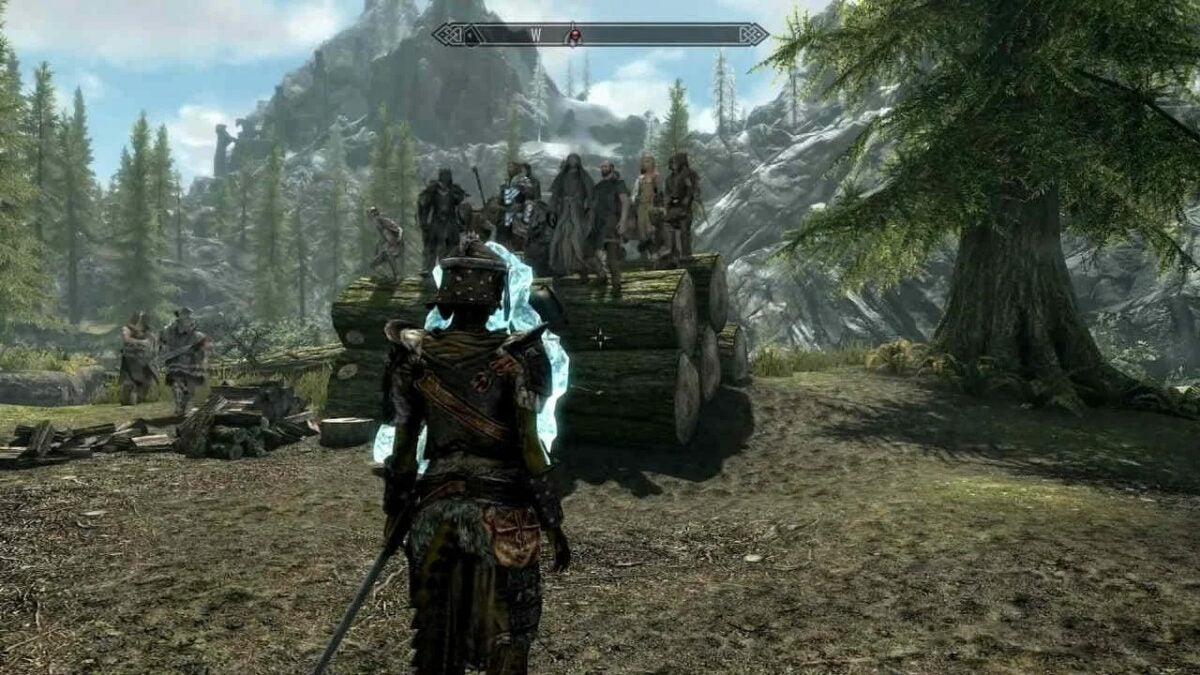
Skyrim Together Reborn is a multiplayer mod that transforms the game into an online co-op where up to eight players can play together. The mod syncs almost everything in the game, including the quests, dialogue, and loot. It will also feature a PvP mode which can be enabled for those that wish to see who the ultimate Dragonborn will be.

The mod was created by Tilted Online and is a complete remaster of their first attempt at a co-op mod, Skyrim Together. Unfortunately, the original was very buggy. However, this new version was built completely new and features many improvements over the original.

Despite being much better, there are and will always be a few flaws. These are unavoidable when trying to change single-player games into multiplayer versions. Tilted Online confirmed just how difficult this is in a recent Reddit post. They also announced that the mod isn’t perfect, there will be a few bugs, and some quests may break – but it’s still enjoyable and gives players a whole new way to experience one of Bethesda’s masterpieces, Skyrim.

Considering that this mod was achieved by a few individuals who only work on it in their spare time and without the backing and support of a major gaming studio, the results are still pretty amazing.

Bethesda fans have always had a decent modding community, as seen in this latest Skyrim mod and the recent Fallout: London mod announced. The modding communities keep the fandom alive as we await the release of Starfield next year, followed by the next installment of Elder Scrolls and Fallout.

Brand new trailer for Fallout: London READ MORE

4 Best Free Translator Apps for Windows 11

We live in a day and age where language barriers are decreasing with each passing moment. Now, more than ever, people are learning additional languages on Windows 11 or traveling abroad and picking up foreign dialects. But what if you’re not big on further education in languages or traveling abroad doesn’t really appeal to you? That’s where translator apps come in.

Windows 11 DOWNLOAD

What if you merely want to be able to communicate with like-minded individuals in a different country or broaden your corporate ecosystem with clients and business partners abroad? Luckily, there are so many translation utilities available to you online! Here are our four favorite free translation apps for Windows 11

Translator for Microsoft Edge

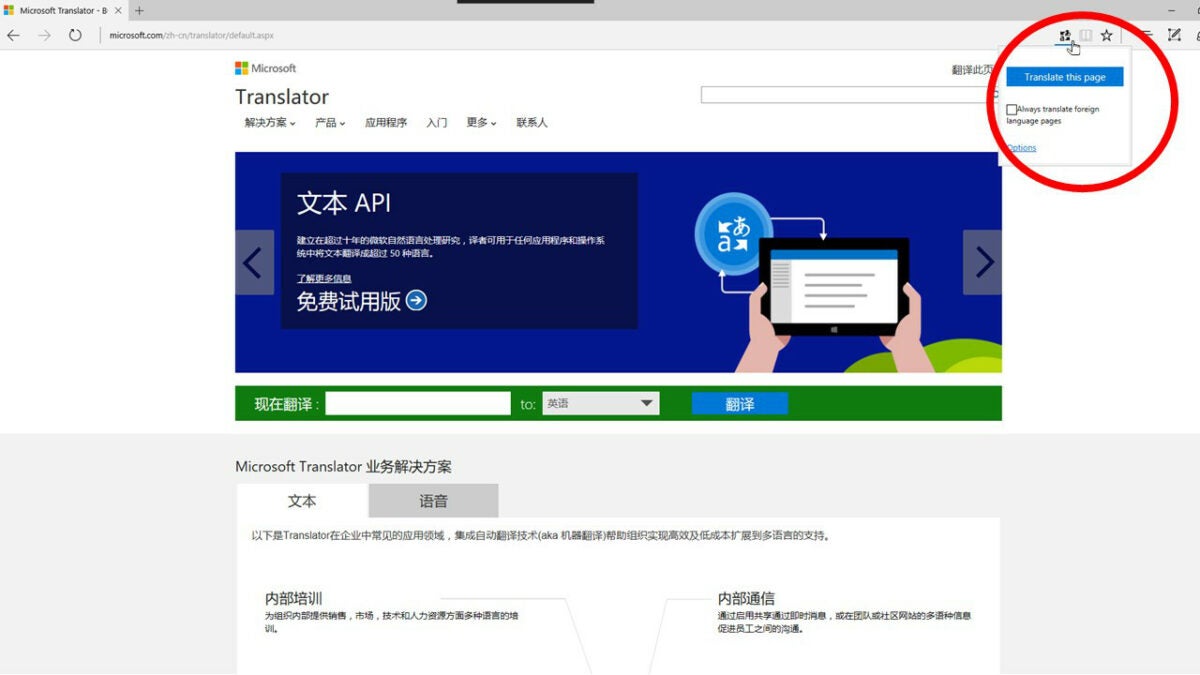
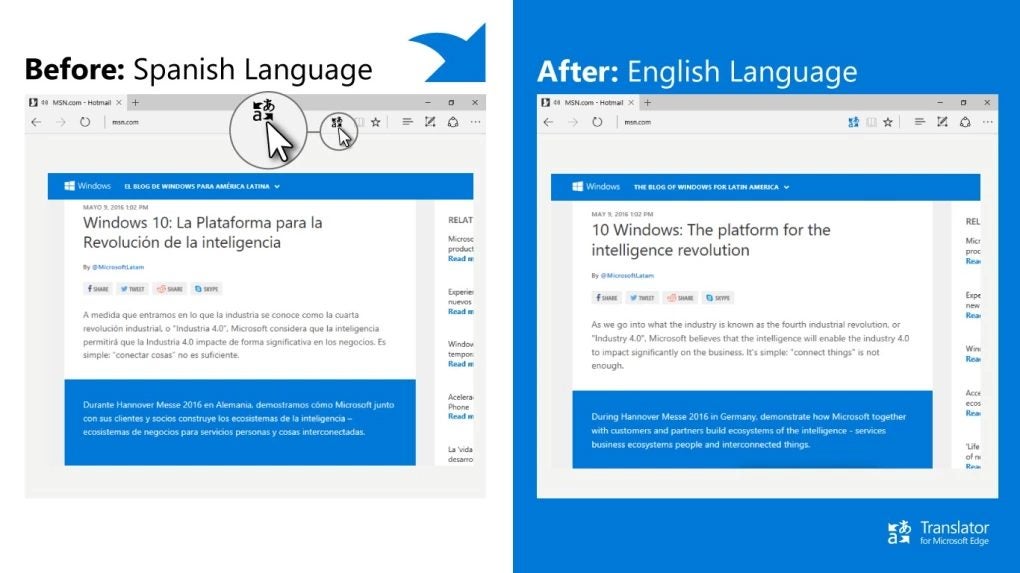
Translator for Microsoft Edge is a utility that lets you translate text directly in your browser. While this tool is specifically designed to be used on Microsoft Edge, it should work on other Chromium-based browsers like Google Chrome and Brave.

This application is incredibly easy to download from the link above and integrates seamlessly with your Microsoft Edge browser to give you access to quick and accurate translations at the tap of a button. 

This utility is easy to use and doesn’t require any specific expertise or advanced skills. Even though this application is designed to give you fast and accurate translations, these can be a little robotic at times, lacking the more natural phrasing capabilities that other translators may have.

This app also doesn’t have any verbal pronunciation features, and at the time of writing, the app only supports 60 languages. Still, if you’re looking for speedy and accurate translations on the go, this is the utility for you. 

Translator for Microsoft Edge DOWNLOAD
4 Best Free Translator Apps for Windows 11 1

Bing Translator

Bing Translator for Windows 10 is a free app that lets you translate between more than 60 languages from your desktop. The best thing about this specific translator is that you don’t need an internet connection for it to work – it’s built to function offline.

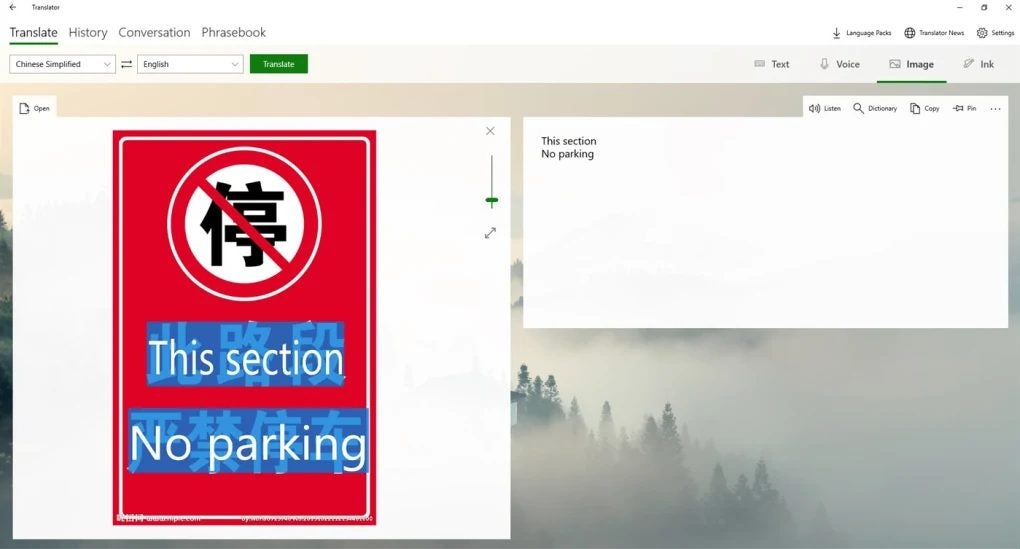
With this utility, you’re not limited to text translations; you can translate images, text, audio input and even full conversations. This is a feature-packed translation utility for Windows 10 devices. 

The reason this app is so feature-rich and capable is that it runs on the same engine that powers the translation utility in Microsoft Office. Bing Translator for Windows 10 isn’t even only limited to Windows 10 devices; you can use this app on Windows 8, all versions of Windows 10, and Windows 11.

You can even use this app on Android and iOS. Never let words and phrases get lost in translation again. With this app you can translate nearly anything from nearly any device. 

Bing Translator DOWNLOAD
4 Best Free Translator Apps for Windows 11 1

Skype Translator

This is the official Microsoft translator add-on for Skype. As of the time of writing of this article, the app is still in active development and therefore may still contain a few bugs and minor issues. Issues aside, Skype Translator is a preview app available for Windows devices that lets you communicate with speakers of different languages on Skype. Skype is a business-focused utility and add-ons like this help to bridge the language gap in the corporate world and connect like-minded individuals from all over the world. 

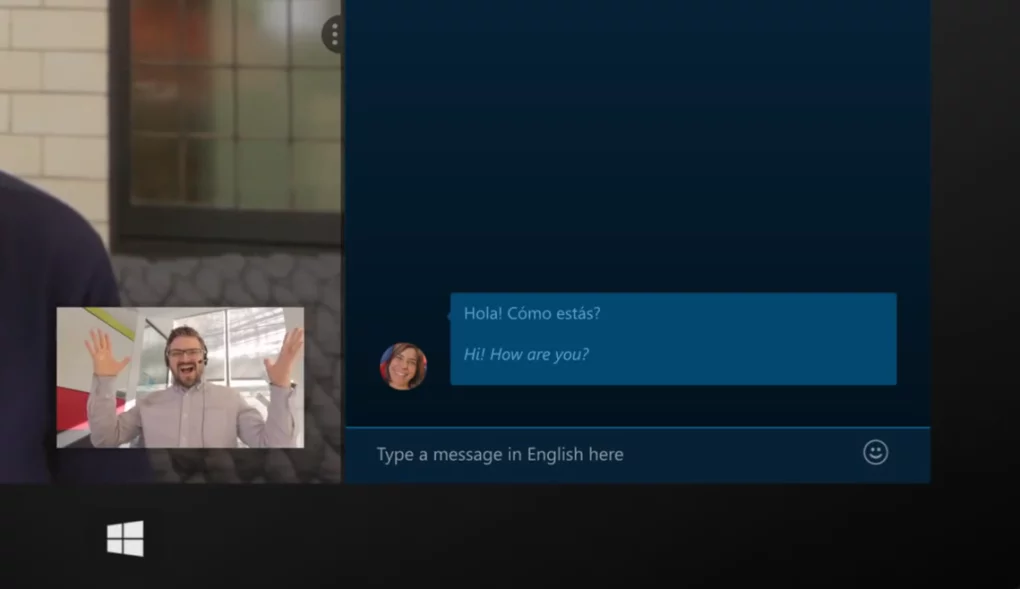
This app was designed to be used with the now largely out-of-use Windows 8 and 8.1, but the app works just as well for the more recent versions of Microsoft’s desktop OS. This is a live translator, meaning the utility is able to translate the words you speak as you speak them. The team behind the app is working to make the translations even more fluid and immediate.

This add-on is designed to fit into the standard Skype interface, so if you use Skype regularly, this is a brilliant way to keep in touch with people from other language groups without having to translate manually or fiddle with too many other applications. 

Skype Translator DOWNLOAD

Google Translate for Chrome

This is likely the most widely used translation software on the planet and for a very good reason. Google Translate for Chrome is a convenient, fast, and accurate web-based translation utility for Chromium-based browsers. You can pick this gem up by heading to the link above.

Once downloaded, you can interact with this add-on through the Google Translate icon in your browser’s toolbar and translate all sorts of media, from text and audio recordings to photographs, and even handwriting. You can also simply highlight text, right-click, and select Google Translate from the context menu. 

The one thing this specific Google Translate utility cannot do is translate full web pages. For that, you’ll want to try the Google Translate extension for Chromium-based browsers. Both of these utilities, while designed for Google Chrome, function perfectly well with browsers like Microsoft Edge and Brave. This app offers many options for translation and has a vast catalog of languages from which you can choose.


Google Translate for Chrome DOWNLOAD

Governments are scrutinizing TikTok’s data security procedures

More than any other app or website right now, even Google, TikTok is absolutely killing it. TikTok trends get so big and rag in so many people that their effects often spill out into the real world, such as with some people crediting the video-sharing app for the success of the new Minions movie, thanks to its Dress up for Minions trend. The flip of this, however, is that all of this leads to a lot of data flowing through TikTok’s servers and this has some governments worried.

TikTok Download Now

Last week TikTok said that certain employees in China can access the information that is collected on TikTok users in the US, which ruffled some feathers.

Nine US Senators sent ByteDance Ltd. a letter asking key questions about these employees. The letter included questions like, “Do China-based employees have access to US users’ data? What role do those employees play in shaping TikTok’s algorithm? Is any of that information shared with the Chinese government?”

ByteDance has given assurances that the employees who can access user data from the US do not work with the Chinese government and has said that it is actively working with the US government to strengthen data security about that information.

This week, however, the scrutiny came a little closer to home for TikTok as an Australian Senator tweeted that, following the revelation about US data being accessible in mainland China, he had written to TikTok to ask similar questions about the data of Australian TikTok users.

TikTok has long come under scrutiny both in the US and in Australia. This ties into a wider trend that sees nations increasingly interested in what they call data sovereignty, which is the idea that any data on national citizens should be held within national borders. With TikTok, however, this will only be amplified by a growing fear of China due to the country’s growing strength and rather far-reaching and invasive national surveillance systems and networks.

TikTok has always downplayed criticisms relating to its data security practices but if the pressure continues to grow from within governments, we may soon see national TikTok servers set up in different countries around the world.

If you are a big TikTok user and you’d like to offset your privacy concerns by making some cash money, you should check out our guide to making money on TikTok.

Microsoft Defender is officially a top-rated antivirus option and now offers enhanced mobile network protection for iOS and Android users

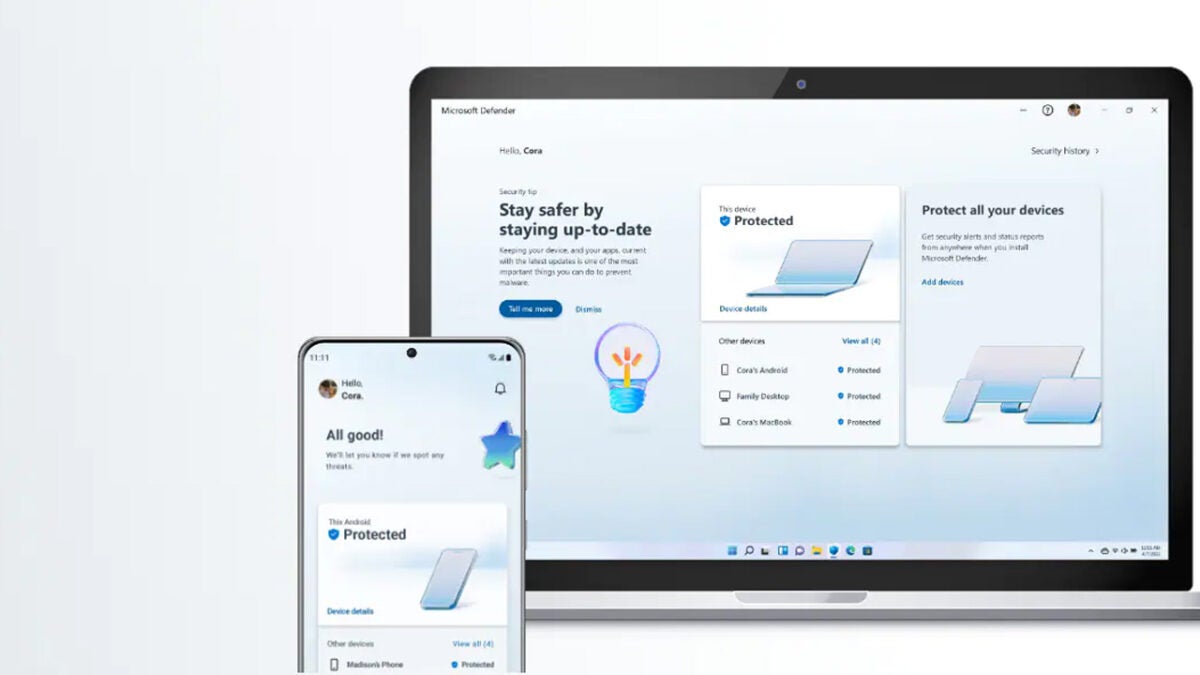
Microsoft’s new security suite, Microsoft Defender has been impressing users and reviewers alike since it launched. It is free for all Microsoft 365 subscribers and offers a boost in security performance over Windows Defender, which comes as the standard cybersecurity suite for Windows 10 and Windows 11 users. It now looks like the free security offering has some official plaudits too as it has scored highly in one of the industry’s recognized anti-virus comparisons. Let’s take a look.

Microsoft Defender Download Now

AV-TEST is an independent IT-Security Institute that puts prominent cybersecurity programs through their paces. In a recent Advanced Threat Protection Test Against Ransomware, Microsoft Defender scored in the top bracket for the protection offered for both personal and business and enterprise users. This means that the free offering from Microsoft is up there with premium options like Kaspersky, Avast, Symantec, and AVG.

AV-TEST describes the Threat Protection Test like this:

“All the products have to successfully defend against ransomware in 10 real-life scenarios under Windows 10. The test involves threats such as files containing hidden malware in archives, PowerPoint files with scripts or HTML files with malicious content.”

In the personal user test, Microsoft Defender was able to detect the threat at the initial point of access with just one threat making it to the Execution stage before it was detected and stopped. In the business and enterprise user test, the threat never made it past the initial point of access.

In other Microsoft Defender news, Microsoft has recently announced that the program is getting advanced End Point protection that will help it combat network attacks on Android and iOS devices. In the blog post, announcing the update, Microsoft said it will provide:

  1. Protection against rogue Wi-Fi-related threats and rogue hardware like pineapple devices
  2. Notifications when a Wi-Fi-related threat is detected
  3. An in-app guided experience to connect to secure networks
  4. Remediation options to change networks when a network is determined as unsecure or suspicious
  5. A medium priority alert when a suspicious network is detected, and an informational alert when an open network is detected.

This new feature is mostly an enterprise-level upgrade as it helps protect networks from being exploited via their weakest point. If you like the sound of Microsoft Defender keeping you and your network safe, you should read our guide, which will help you set up Microsoft Defender for maximum protection.

Learn to fix the Microsoft Teams error code 500 on a Windows PC in 5 steps

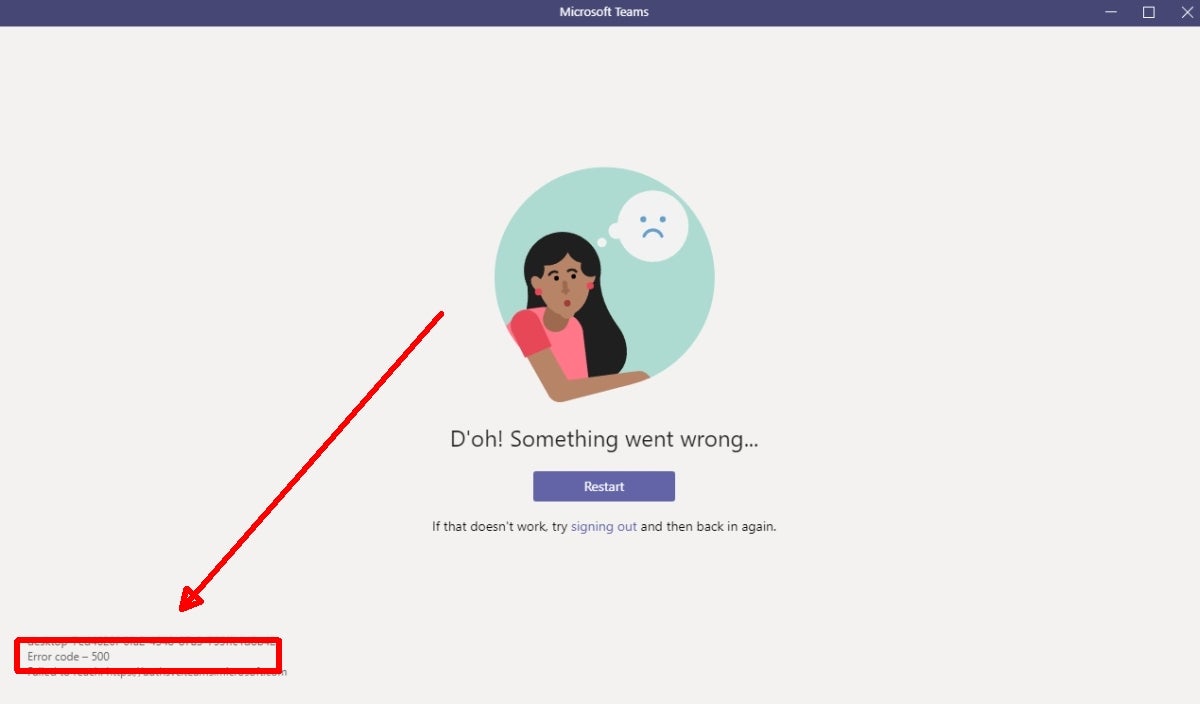
Despite its large user base, Microsoft Teams is not without its issues. The most recent problem facing users is the code 500 error that appears and prevents users from connecting to Microsoft Teams. 

Microsoft Teams DOWNLOAD

In this article, we’ll be taking a look at what causes this irritating error code and how to fix the Microsoft Teams error code 500 on a Windows PC.

What causes the Microsoft Teams error code 500?

Errors can vary from mild annoyances to significant frustrations, and a lot of this depends on how difficult the issue is to resolve. Some errors can be resolved by restarting the program or computer. Luckily for Microsoft Teams users, the error code 500 is a rather simple issue to resolve.

At its base, the error points to an issue with internet connectivity. However, it’s not just slow internet that causes this problem. Some of the other reasons why you might be experiencing this error include:

  • In-app issues
  • Running Microsoft Teams without administrator privileges
  • Corrupt DNS cache
  • Not removing previous files correctly
  • Not installing Office correctly
  • A firewall or antivirus blocking your Office installation
  • Proxy settings blocking Office installation
  • An older version of Office blocking your new installation

5 Steps to Fix the Microsoft Teams Error Code 500 on a Windows PC

Logging out of your Teams account and then logging back in is usually the easiest way to fix this error. However, if you’ve already tried that and you’re still faced with the error code 500, then the next solution should help you solve the issue.

  1. Exit Teams on your PC

    How to fix the Microsoft Teams error code 500

    Log out of Teams and close the window on your computer. Also, make sure that you end all processes related to Teams in the Windows Task Manager.

  2. Open the Credentials Manager and open

    How to fix the Microsoft Teams error code 500

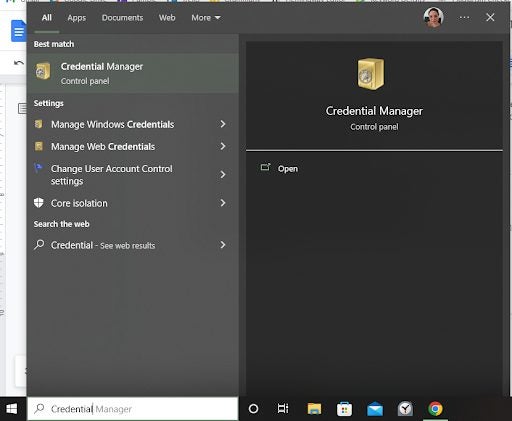
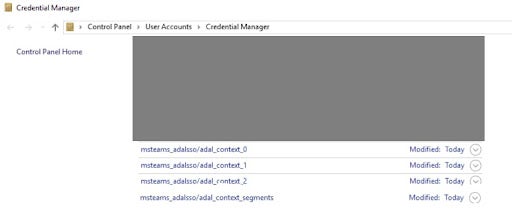
    Next, type in ‘Credentials Manager’ in the search bar located in your Windows toolbar at the bottom of your screen. Open the ‘Credentials Manager’ by clicking on it. In the window that opens, click on ‘Windows Credentials’ to manage all the accounts related to programs.

  3. Find MSTeams

    How to fix the Microsoft Teams error code 500

    In the list of programs, look for MSTeams (there may be a few), and click on the down arrow next to it to expand the entry.

  4. Remove credentials

    How to fix the Microsoft Teams error code 500

    Once the entry has been expanded, click on ‘Remove.’ Make sure to repeat the process for all other instances of MSTeams in the list.

  5. Restart PC and log in to Teams

    How to fix the Microsoft Teams error code 500

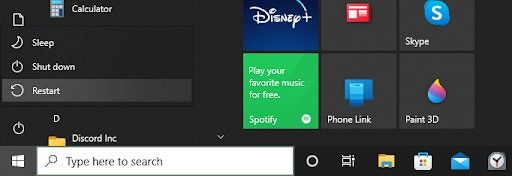
    Once you’ve removed the credentials for all instances of MSTeams, restart your Windows computer. Once it’s been restarted, open Teams and log in.

Other solutions to try

While re-logging into Teams or removing the credentials and starting fresh should resolve the error code 500, some users have reported that it didn’t solve their problem. If you’re one of these, then here are a few more solutions to help you fix the error code 500.

Check your internet connection

Check the internet connection on your Windows PC, and use a speed checker to ensure you have a stable connection. If needed, forget your connection and restart it. If you notice the internet connection is still weak, try restarting your router or contact your service provider.

Clear Teams cache

You may also be able to resolve the error code 500 in Teams by clearing your Teams cache. You can find the cache under your ‘Users’ folder, or alternatively, press the ‘Windows+R’ keys on your keyboard to open the Run terminal. Next, copy and paste ‘C:\Users\%username%\AppData\Roaming\Microsoft\Teams’ and then double click on ‘Cache.’ Select and delete all the files within the folder but keep the original ‘Cache’ folder.

Fix Microsoft Teams application

You could also be getting the error due to a corrupt file. Open your Control Panel and find Microsoft Teams. Then click on the ‘Change’ button and then ‘Fix.’ 

Reinstall Microsoft Teams

If nothing else works, you’ll have to uninstall Microsoft Teams. Once it has been uninstalled, reboot your PC, and reinstall Microsoft Teams. Once you log into your account, you should no longer have an error code 500 and can start using Teams like normal.