When Microsoft moved from Windows 10 to Windows 11 one of the most prominent changes was the centralization of all the icons in the taskbar. This change was noticeable because it looked like Microsoft was taking a leaf out of Apple’s book and copying the MacOS taskbar, which has always sat at the center of the screen. Well, it now looks like Microsoft is about to roll out a simple fix that will help it extend the power of that new centralized taskbar. Here is what you need to know.
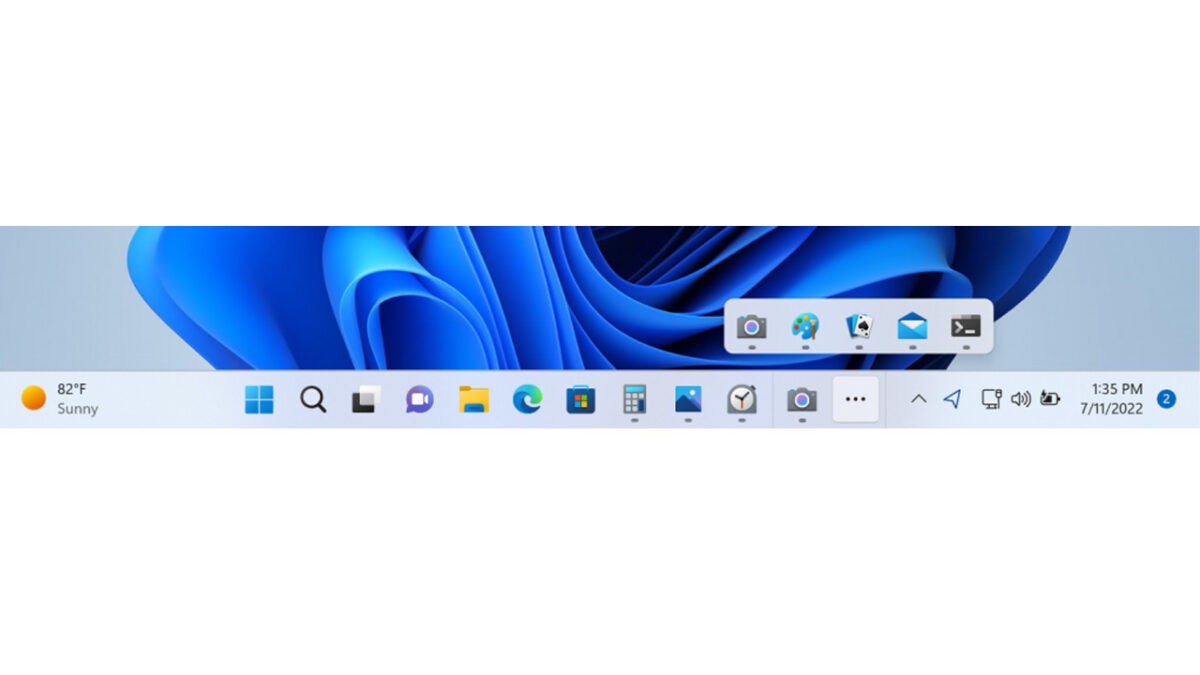
In a blog post announcing Windows Insider Preview Build 25163, Microsoft has included a minor little tweak that will literally open up a world of possibilities. The new feature is called Taskbar Overflow and will come in handy if you like to pin a lot of apps to your Windows Taskbar.
These days people are increasingly using Windows on multiple screens at once. These screens are often different sizes and sometimes are in different aspect ratios with some being in landscape mode and other in portrait. In this context, you don’t even need to have a lot of apps pinned to the taskbar before they start getting lost down the sides. That is why it is nice to see Microsoft reintroducing Taskbar Overflow. Of the feature, Microsoft said:
“This taskbar experience has been thoughtfully crafted to offer you a more productive switching and launching experience when space is constrained. Your taskbar will automatically transition into this new overflow state when it has hit its maximum capacity. In this state, taskbar will offer an entry point to an overflow menu that allows you to view all your overflowed apps in one space.”
Since Microsoft decided to switch its Edge browser over to the Chromium source code, making it able to use Chrome plugins and take advantage of other compatibility boosts, it has grown in popularity and now sits as the third most popular of all web browsers. A new Edge update looks set to keep pushing forward in the same direction, as it looks like Microsoft is building a new command bar option into the browser. Let’s go through the details.
Microsoft tests out new features for Edge in test versions called Microsoft Edge Canary. In Microsoft Edge Canary 105, ghacks.net have spotted a new command bar that will allow Edge users to issue various commands such as opening office web apps, opening new tabs, or even opening other apps.
In other browsers like Chrome and Firefox, this type of feature is built into the address bar, but it looks like Microsoft is building a standalone tool for Edge users. This might be due to the added power it will have over competitors such as being able to open new programs.
Microsoft has been building several tools into Edge recently that bring a bit of Windows directly into the browser. This includes a native calculator tool for the browser, a unit converter, and even a unit converter. Adding a standalone command bar to the browser will make it a very powerful tool indeed and could even see users launching the browser at startup as it will have pretty much everything, they need right there at their fingertips.
This feature is still in development mode, so it is still a way off from a general rollout for now. To use it in Canary, you need to press CTRL+Shift+Space together and it will open just below the address bar. There is a good chance that when this feature does receive a general rollout to all users it will likely work the same way, but we will update you when we learn for sure how to use it.
With more and more Microsoft Edge updates coming all the time, and the browser growing in popularity every day make sure you don’t miss any updates by bookmarking our Microsoft Edge News page and subscribing to push notifications.
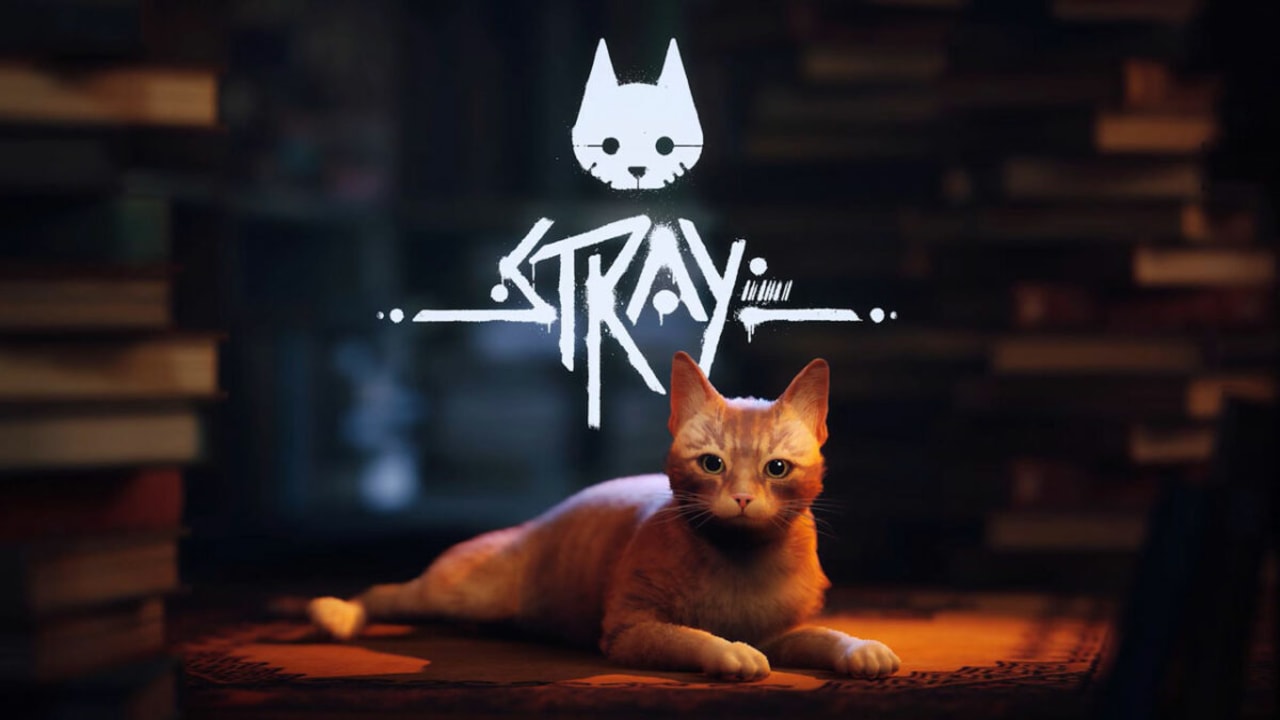
Stray is an incredible new experience on Steam brought to you by Annapurna Interactive. Stray has been hailed the publisher’s most successful game to date, and has garnered much attention from the media since its Steam debut. But the approximately 63,000 players the game already has on PC isn’t the only attention it’s getting. Stray has also captured the interest of modders.
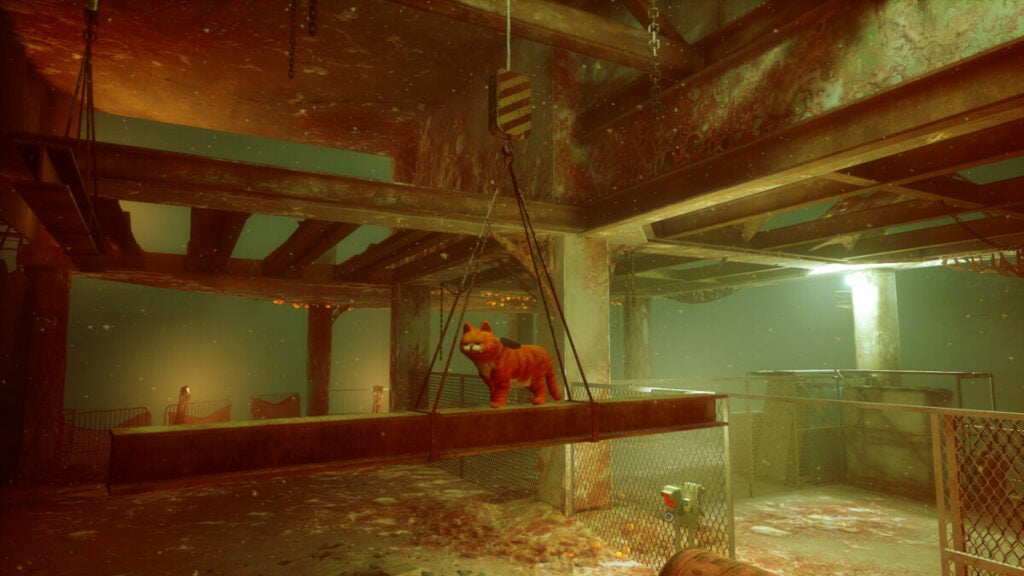
One such modder, Chris Rubino, created a new skin for the main protagonist of the Stray story that looks almost identical to lasagna-loving Garfield. To put things into perspective, Stray has been out for less than a week and it already has a thriving modding community. The Garfield mod sees everyone’s favorite orange cat take on the world without his beloved Jon. Those familiar with the plot of Stray will know that this is not by the modder’s choice, but rather simply the sequence of events that the game follows.
Stray takes place during a time when humans have been wiped off the face of the earth by a biological outbreak on the surface. Humanity is survived by its Companions, robotic counterparts that have since become self-aware. The titular stray cat has become separated from its family and has fallen into a walled underground city. In this city, the cat will face Zurks, bacteria that have evolved to consume both organic and inorganic matter, and sentinels, robots that will try to kill the cat.
As grim a situation this is to drop often-pampered Garfield into, the game does give players an interesting perspective. Garfield and the protagonist cat also have a lot in common as the original stray is a ginger based off of one or more cats kept by the dev team. Notably, Garfield’s fur is a lot more orange than the original protagonist, and his body looks a good deal more rotund than the svelte protagonist cat.
The modding community for Stray has definitely been quite busy, even churning out such horrors as CJ from Grand Theft Auto San Andreas cat-sized and on all fours. For slightly less disturbing content though, why not check out our top 5 tips to live your best cyberpunk street cat life in Stray?
Game development is a modern form of digital wizardry, and game devs are nothing short of real-life wizards. The pristine playthroughs that we see are – in many cases – illusions created by the absolute chaos going on under the surface. Recently, a GTA V player has dug into the game’s code to uncover an example of the trickery involved with game development, and it’s quite a scream reminiscent of the train hat incident from Fallout.
If you enjoy GTA V, you’ve likely played a good deal of the game’s protagonist-specific missions. GTA V player LucasIsPersonal noticed a peculiarity during one of Michael’s early missions, Father/Son. The mission centers around Michael and fellow protagonist Franklin attempting to recover Michael’s stolen yacht, and his delinquent son who trapped himself in the yacht’s bathroom after trying to sell the yacht without his dad’s permission.
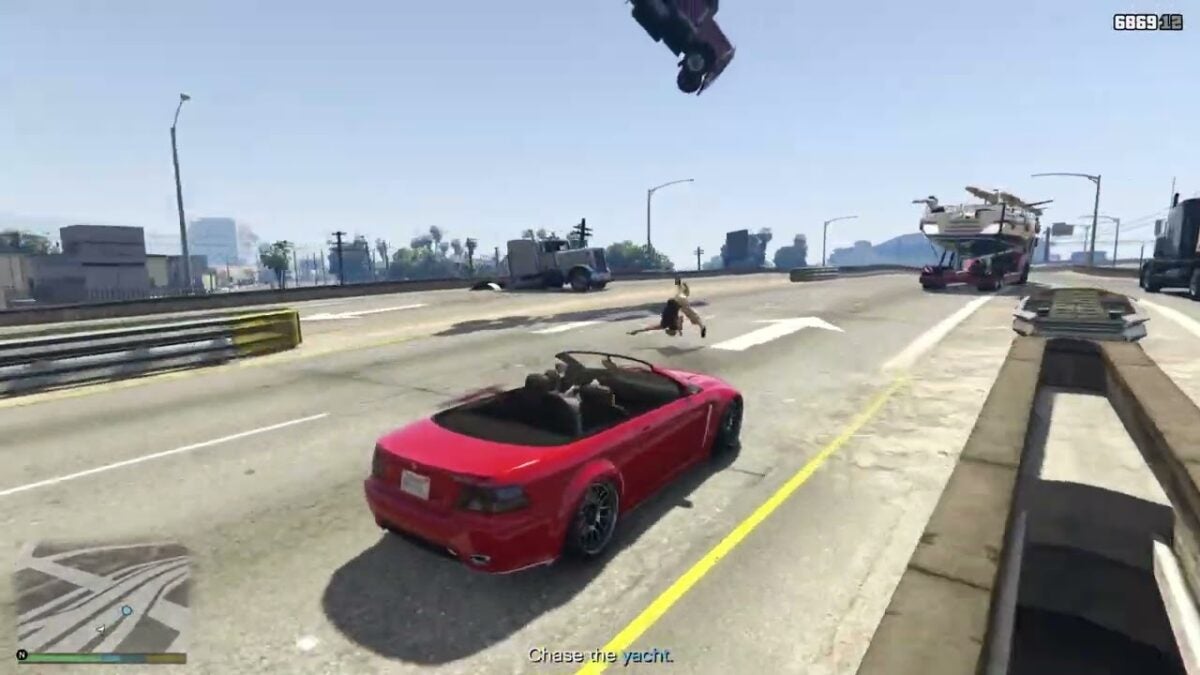
GTA V makes use of two flying, normally invisible trucks playing back vehicle movement as cinematic cameras.
To no one’s surprise, the sale did not go to plan and the prospective buyers elected to simply load the yacht onto a truck and call it a day – after quite an exciting chase across the Del Perro Freeway.
While controlling Michael’s Wife’s Sentinel during the chase, LucasIsPersonal noticed the most peculiar air traffic – an inverted 18-wheeler truck cabin floating above the thieves’ truck. As the chase intensifies, LucasIsPersonal notices an additional truck cabin skimming over the pavement, pointed at the thieves’ truck. This is something you definitely shouldn’t see on the road, unless there truly is a glitch in the matrix.
The explanation for these peculiarities is simple, however. In the stock GTA V experience, these trucks are meant to be hidden. LucasIsPersonal dove into the game’s code to ‘unhide’ these assets. But why are they there in the first place? The answer is simple; perspective. During the mission, you have the option to switch to a cinematic camera mode.
In this mode, the camera angle is exactly where these trucks are positioned. As it turns out, the developers behind GTA V used these truck assets as cameras. This is because the truck asset was already loaded into the game as that’s what the thieves drive. Therefore, it saves memory to use a repeat asset for more than one purpose – in this case, additional camera rigs. No pun intended.
Floating trucks aren’t the weirdest thing to strike Los Santos though. The latest update to the game will introduce a record-high heatwave and surging gas prices.
Announced by David Weston, Microsoft’s VP for Enterprise and operating system security, the security feature is already available in recent Windows 11 Insider builds.
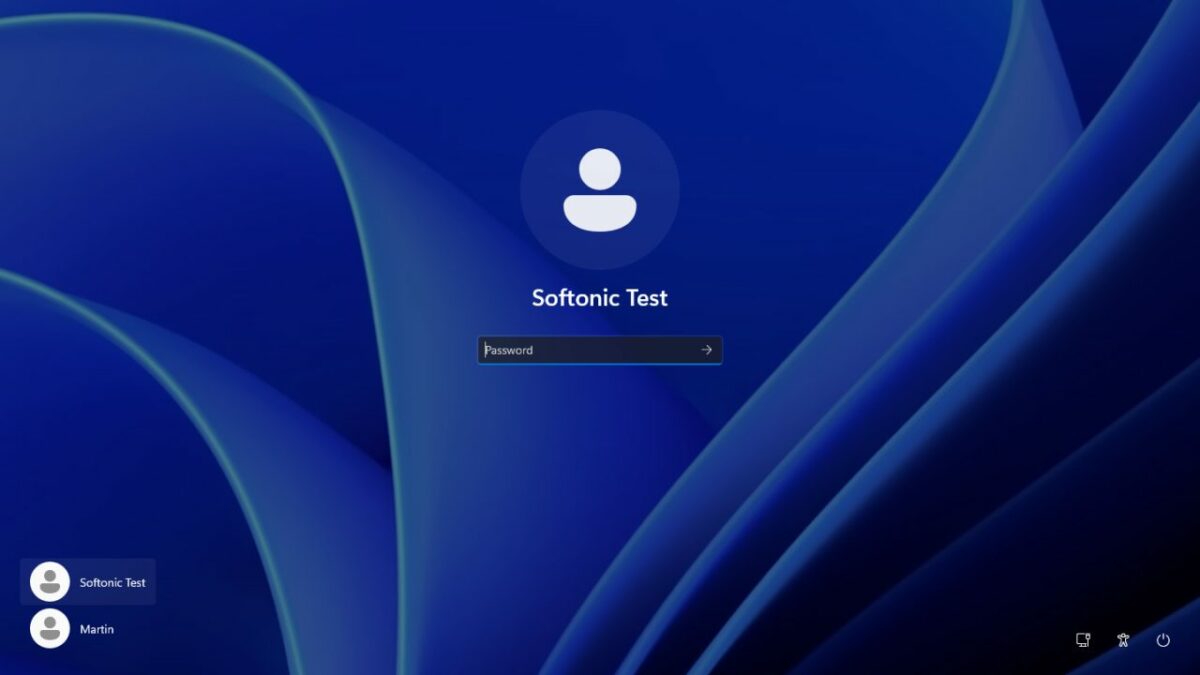
Malicious actors use brute force attacks to gain access to computer systems that they don’t have passwords or other means of authentication for.
These attack can be compared to users trying to sign in to a device they lost access to. Often, these users try different passwords to gain access.
Brute force attacks may use password lists to try commonly used passwords and variations.
Local brute force attacks are not common, but attacks that use remote desktop protocol connections are. Microsoft notes that Remote Desktop Protocol brute force attacks are commonly used by human-operated ransomware.
[Human-operated ransomware attacks] are known to take advantage of network configuration weaknesses and vulnerable services to deploy ransomware payloads. And while ransomware is the very visible action taken in these attacks, human operators also deliver other malicious payloads, steal credentials, and access and exfiltrate data from compromised networks.
Brute force attacks attempt to guess account passwords, often by using password lists and variation. Variations may add a number or special character to the end of common words.
The attacks work well thanks to the use of weak passwords. Weak passwords are short, often reused and easy to guess. Leaked password lists, which are readily available on the Internet, contain tens of thousand of weak passwords that criminals may use in brute force attempts.
Computer users may protect their accounts with unique strong passwords. While these are more difficult or even impossible to remember, they do provide a good level of protection against brute force attacks. The use of two-factor authentication protections, if supported by a service or operating system, adds another layer of protection to the account.
Password managers such as KeePass, Last Pass, or Bitwarden store all passwords locally or in the cloud, and help with the generation of secure passwords.
Complex passwords may still be brute forced, but the chance of success becomes slimmer and slimmer because of time constraints and the chance of detection.
Windows 11’s Brute Force protection
image credit: David Weston / Microsoft
One of the best protections against brute force attacks is to limit the number of invalid login attempts. Brute force attacks may check hundreds of passwords each minute if no limitation is in place.
Considering that password lists may contain tens of thousand of entries, or even more, limiting attempts will severely hinder attacks.
Low limits may lock accounts temporarily to prevent further attempts.
Microsoft added new default account lockout policies to mitigate “RDP and other brute force password vectors”. These are available in the latest Windows 11 development builds.
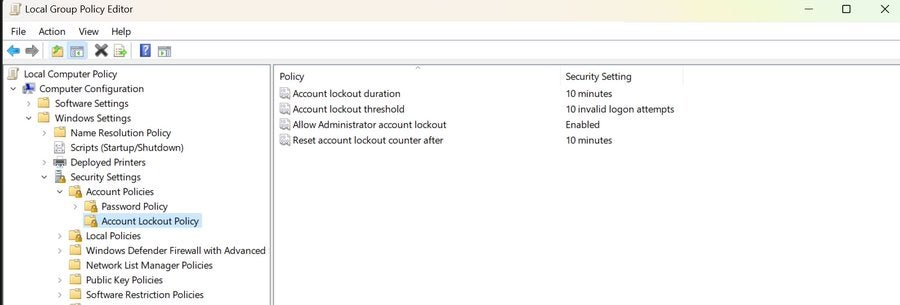
The following Account Lockout Policy settings are configured by default, according to Microsoft:
Account lockout duration — Defines the lockout duration of attacked accounts.
Account lockout threshold — The number of invalid login attempts before the account is locked temporarily.
Allow Administrators account lockout — Whether administrator accounts will be locked as well if too many invalid login attempts are noticed by the system.
Reset account lockout counter after — When to reset the invalid logon attempts counter.
Windows 11 administrators find the policies in the Group Policy Editor under Local Computer Policy > Computer Configuration > Windows Settings > Security Settings > Account Lockout Policy.
A check of the latest Insider build of Windows 11 confirmed the defaults for these policies.
Note that the policies are available only in development builds of Windows 11. Microsoft has not revealed a target release version yet. The most likely candidate is the upcoming Windows 11 version 22H2 feature update. The feature update is expected in the coming months.
Verdict
The new anti brute force policy improves protections against local and remote brute force attacks. Administrators may modify the defaults, to make them more or less restrictive.
Some Windows users, those who use passwordless authentication, may not require them.
All things considered, the new security policies will improve the security of Windows 11 user accounts.
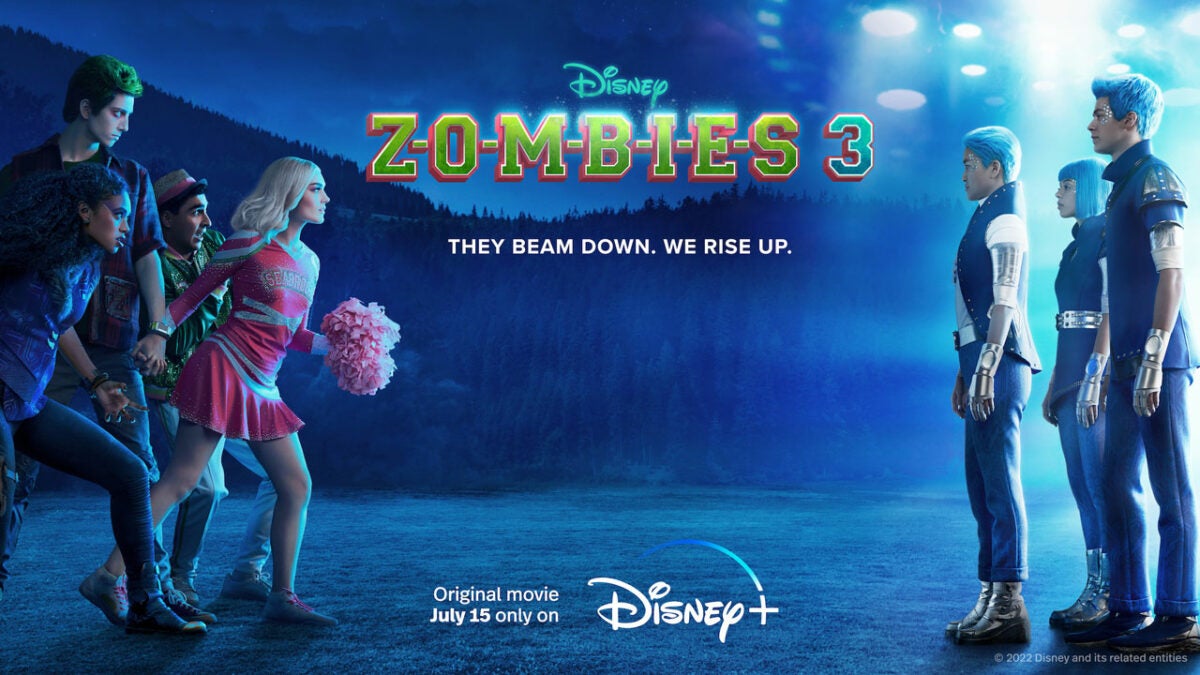
After a long two-year wait, Zombies 3 will be shown exclusively on the Disney Plus streaming platform on July 15. In the third installment of this Disney Channel-born musical saga, this time Zed the Zombie and the head cheerleader Addison will face a visit from another planet. An even crazier adventure, if that’s possible, where aliens, music and love will be the protagonists.
You’re a fan of the saga and you don’t want to miss this new installment? Subscribe to Disney+now and get a saving of more than 15% with the annual subscription. That way, you can be the first to watch Zombies 3, as well as reliving the two previous films. In addition, you will have access to one of the best catalogues of series, films and documentaries currently available.
*Savings applicable to annual subscriptions compared to the price of twelve months atthe monthly subscription price.
Zed and Addison are back in charge in Zombies 3
Under the slogan of “They beam down. We rise up” the third installment of the Zombies musical saga finally arrives at Disney +. After the overwhelming success of Zombies 1 and 2 on the Disney Channel, the saga jumps to the streaming platform with the aim of conquering a wider audience. What exciting new story does Zombies 3 have for us?
Milo Manheim stars in Zombies 3 as Zed the Zombie, and Meg Donnelly is the cheerleader Addison, who start their senior year at Seabrook High, in the city that has become a safe haven where monsters and humans live together in harmony. Zed hopes to obtain an athletic scholarship, while Addison prepares for the first international cheerleading competition at Seabrook. All of a sudden alien beings arrive at Seabrook, and what they bring is not exactly a friendly competition.
It’s Zed and Addison’s senior year at Seabrook and everything’s better than ever. The city finally accepts that monsters are part of Seabrook and has become a haven for monsters and humans. Zed is about to receive a football scholarship and become the first zombie to go to college (and is excited to go with Addison who has already been admitted). Addison is excited that she will invite teams from around the world to the Cheerleader Competition to inaugurate the first “cheerleader pavilion.”
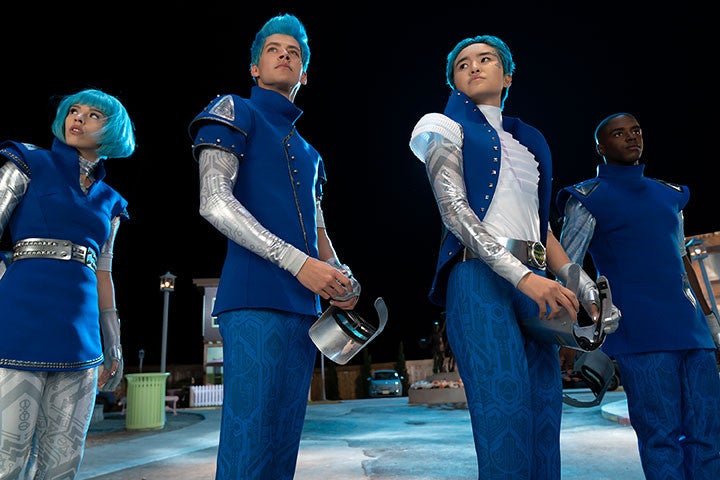
But the city is surprised when a new team of intergalactic (alien) invaders arrives to participate in the competition. They grudgingly let the aliens stay in the competition, but the monsters and humans of Seabrook suspect them when they discover that they may not just be looking to participate in a friendly event.
Zombies 1 and 2 became a success
If you don’t know this saga don’t worry because both Zombies 1 and Zombies 2 are also available on Disney Plus. Premiering in 2018, the first installment of the saga became a success. In it we can see the origin of the whole story and how Zombies and humans come to live together in Seabrook. In this setting, Zed, a teenage zombie, falls in love with Addison. Together they will try to make Zombies and humans live together in harmony.
In the second installment of the saga, werewolves came to Seabrook to make everything even more difficult. They try to find the so-called moonstone, from which they get the energy to survive. While all this is happening, there is no lack of laughter, love and above all, music and dances in the purest High School Musical style. At the end of the second installment we saw the aliens heading for Seabrook, which leads us directly to Zombies 3.
Get to know the Zombies 3 cast
The film also features Chandler Kinney as Willa, Ariel Martin as Wynter, Pearce Joza as Wyatt, Carla Jeffery as Bree, Trevor Tordjman as Bucky, Kylee Russell as Eliza, Terry Hu as A-Spen, Matt Cornett as A-Lan, Kyra Tantao as A-Li, James Godfrey as Bonzo and Kingston Foster as Zoey. RuPaul Charles joins the cast as the voice of the Mothership.
Zombies 3is an original Disney+ film produced by Disney Branded Television, directed by Paul Hoen from the screenplay of David Light and Joseph Raso. Hoen, Light, Raso and Suzanne Farwell are the executive producers.
Zombies 3 is now available on Disney Plus, a film suitable for all audiences which you will definitely enjoy. If you liked Zombies or Zombies 2, this third installment will not disappoint you, we assure you. Remember that if you purchase an annual Disney Plus subscription you can get 12 months of full access for the price of 10. Take advantage of this opportunity and enjoy the entire Disney Plus catalogue this summer.
Zombies 3: Exclusive premiere at Disney Plus
The original Disney Zombies 3 musical is already on Disney Plus. What new adventures will Zed and Allison have?
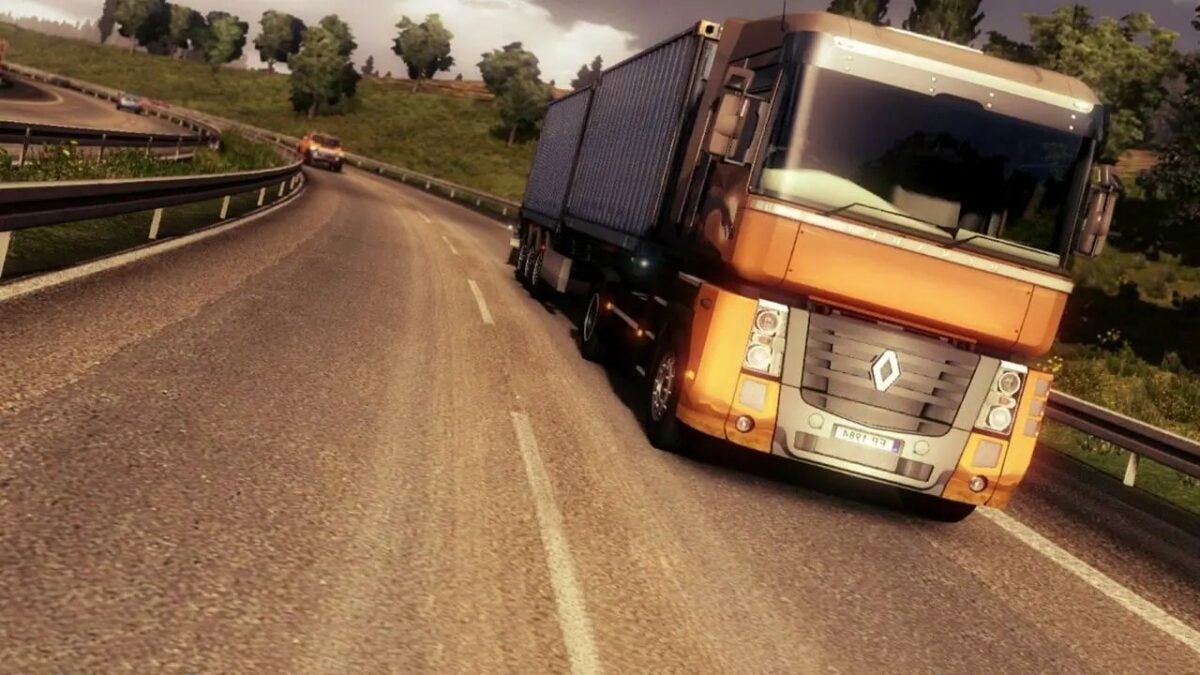
Euro Truck Simulator 2 first launched in 2012, but the driving simulation game has received plenty of updates and DLCs since then. There’s a vast gaming community behind this SCS Software title, and for good reason. It’s an exceptional game that has many of us delivering cargo for hours on end.
With several years of ETS2 gaming experience, I’m excited to provide a complete guide on Euro Truck Simulator 2. You’ll see how to get started, the best ways to make money, and how to expand your business into a trucking empire, online and offline.
Getting started in Euro Truck Simulator 2
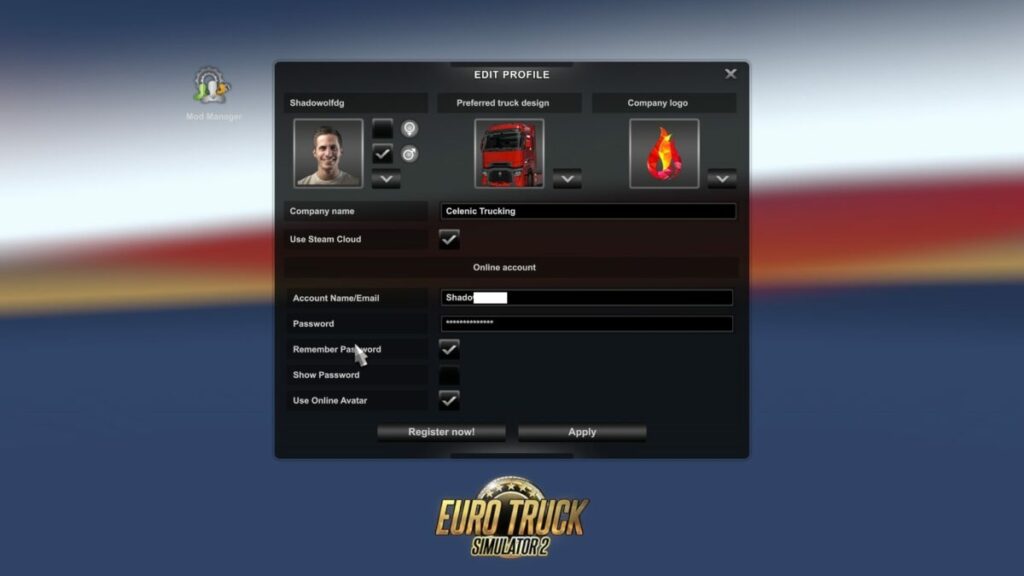
Let me begin with the basics. When you load Euro Truck Simulator 2 for the first time, you’ll need to create a profile. You can always make a new one later if you don’t get things right the first time or you want to try again.
Creating your profile
The profile screen is where you’ll place the details that will carry across your trucking career in Euro Truck Simulator 2. Besides your name, you’ll need to select a default profile image, the name of your truck company, and a company logo. It also lets you set your language and on which server you’d like to play.
Configuring your controls
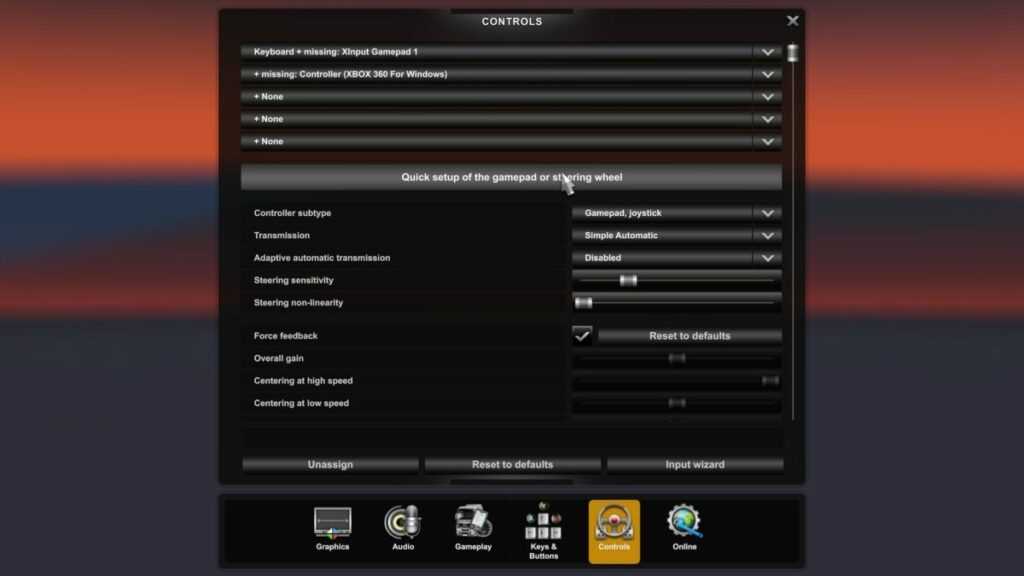
Once you’re happy with your profile, the Input Wizard screen will appear. The default method is keyboard and mouse, but you can also select a controller. I use an Xbox 360 wireless controller, but you can switch options at any time when playing Euro Truck Simulator 2.
Where to begin your Euro Truck Simulator 2 career
It’s time to decide in which city you want to set your headquarters. You’ll have a starting garage with three slots, but no truck as yet. You can select a city in one of the base countries unless you’ve purchased one of the additional DLCs. I suggest you select a town in a massive country, as you’ll have more choices for orders early in the game. I began in the United Kingdom in Manchester.
Completing the Euro Truck Simulator 2 tutorial
You now have headquarters for your company, and you’re ready to roll. Euro Truck Simulator 2 now enters the tutorial, which will show you how jobs work. You’ll have a test truck to drive in to become used to the controls. With the first order accepted, you’ll learn how to obey traffic rules, transport the cargo, and park the truck at your destination.
Accepting quick jobs
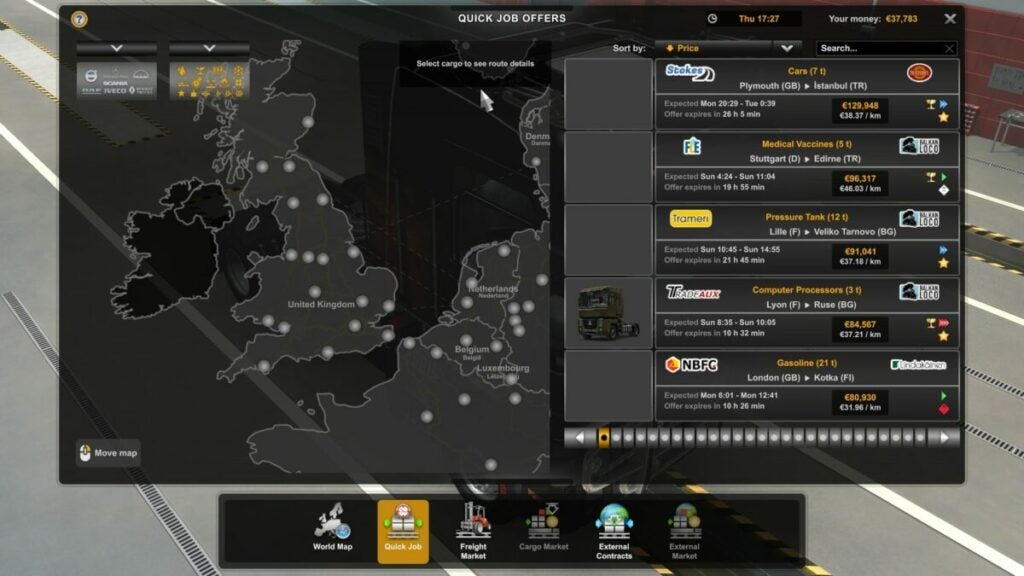
You won’t have a truck at first. The only way to proceed is to accept Quick Jobs from the job market menu. The companies will loan you vehicles, but any damages or fines will come from your paycheck at the end of the delivery. However, the company will pay for fuel, so you won’t need to worry about that.
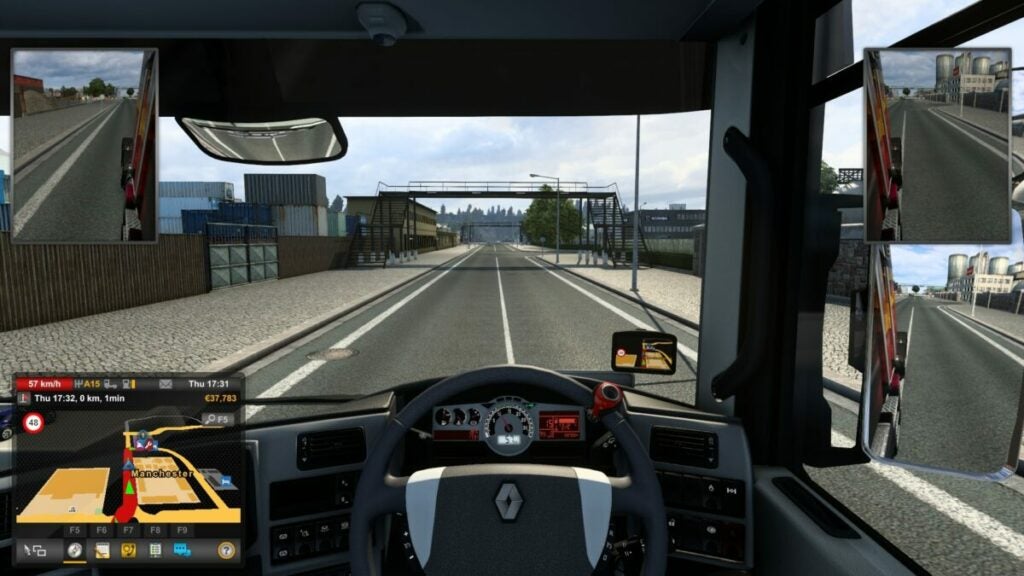
In the jobs menu, there are a few elements to take note of. You should pay attention to which jobs pay the most, what the distance is, and how much they pay you per kilometer. When you’re driving, each minute in real life equates to about 3 minutes in the game. So an estimated trip of 30 mins in the game should take you about 10 mins to complete in real life. Well, that’s what I’ve experienced anyway.
Pay attention to your map
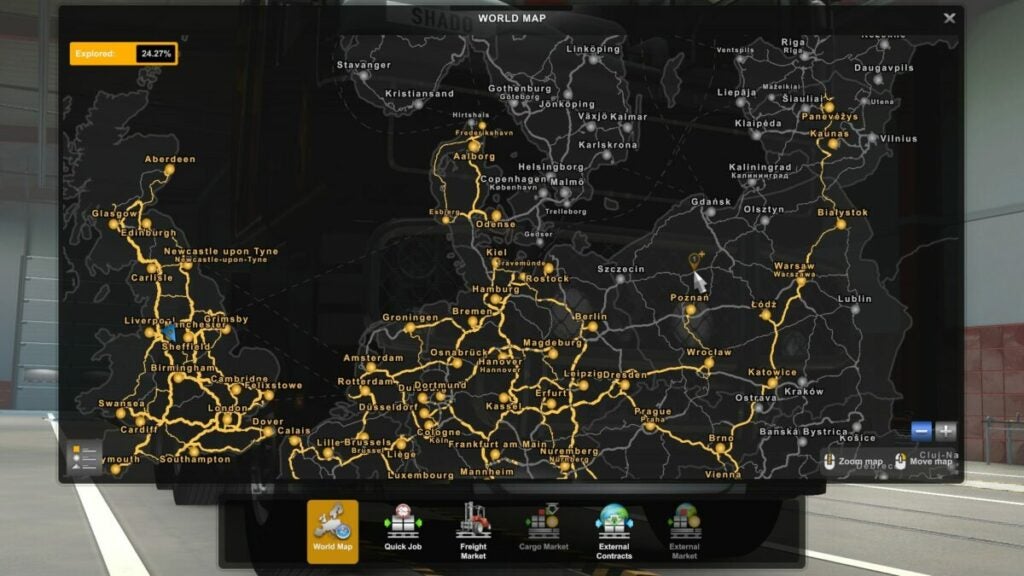
When you reach a new town and waypoints, you’ll unlock them on your map. You’ll see how white lines and icons on the map become yellow, showing that you’ve discovered them. Each new city will have different orders, so choose a destination you haven’t unlocked yet to progress further in Euro Truck Simulator 2.
Skill assignments and earning experience
As you deliver cargo to the specified destinations, you’ll see a window appear that showcases your experience. You’ll receive points for how well you drove, whether or not you parked the vehicle where requested, and the distance traveled.
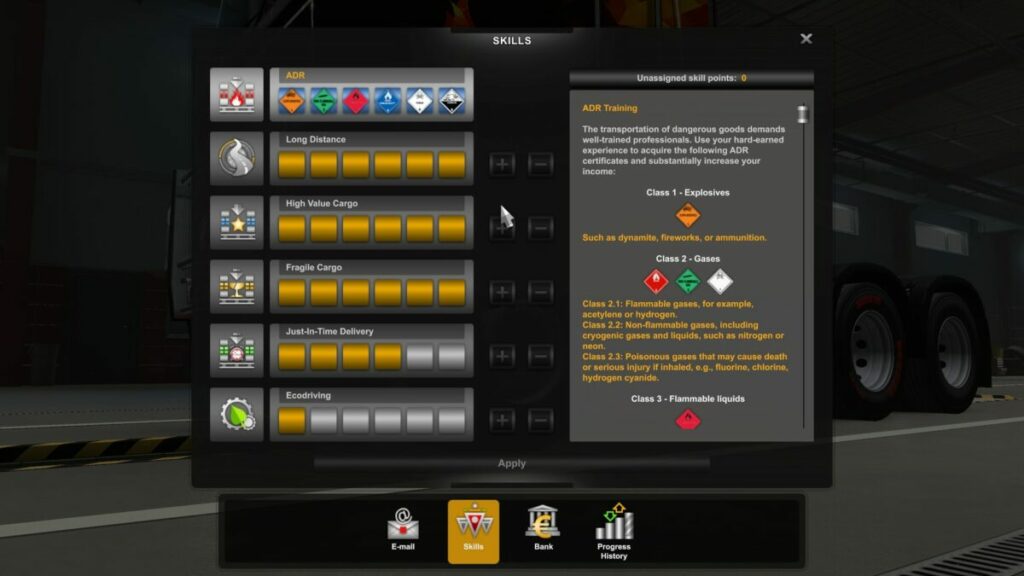
There are also skills you can unlock and upgrade, but you’ll need to select them before they level up. When you have one selected, it will earn experience as you deliver your orders, so choose wisely. Here are your options, which will become more important later:
ADR: unlocks new job classes and increases experience points
Long Distance: reveals orders with longer distances, with XP and cash bonuses
High Value Cargo: can accept cargo with higher cash values
Fragile Cargo: items you need to be careful with, offering higher pay and XP
Just-In-Time Delivery: urgent deliveries with a time limit
Ecodriving: reduces fuel costs
As you level up each of these, you’ll gain more XP and cash bonuses, and you’ll receive orders with higher values.
Expanding your ETS business
The basics will only let you get so far in Euro Truck Simulator 2. If you really want to make money and grow a massive trucking company, you need to expand your business. Here’s what you’ll need to do next once you’ve mastered the previous section.
Buying your first truck
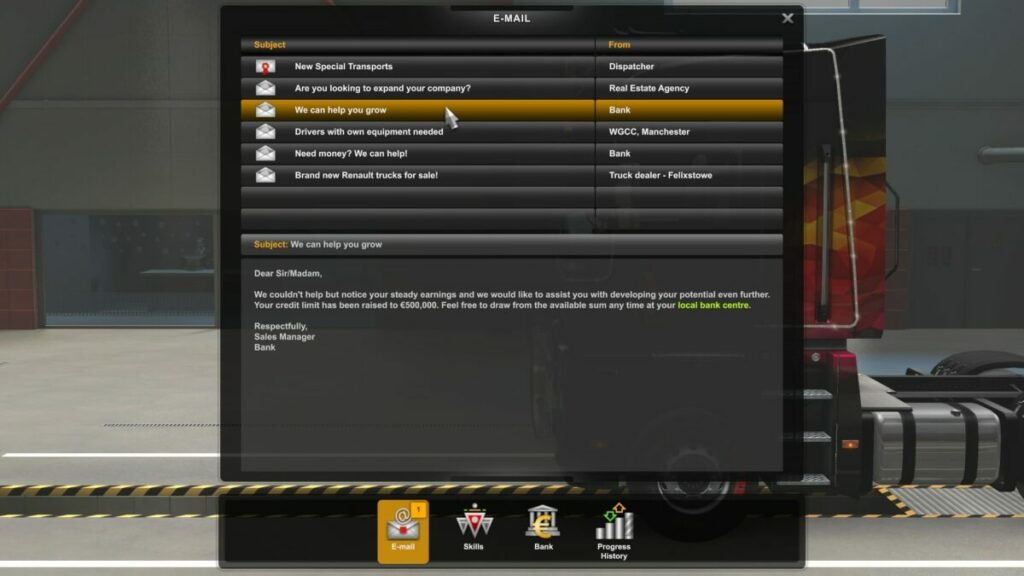
When you’ve done some beginner jobs, you’ll notice an email appear in your inbox. The bank offers you a loan for your first truck. You can evaluate the terms and decide if you want to take it or not. If you do enough quick jobs, you might be able to afford a truck without a loan. However, you’ll shortly pay that loan off when you see how much more the orders pay for using your own truck.
Once you’ve selected one of the loans and received the funds, head to one of the local truck dealers. For now, you should opt for one of the cheaper vehicles, as you can always save up for a more expensive one later. Purchasing a truck will send it to your garage and unlock new jobs.
Accepting new orders
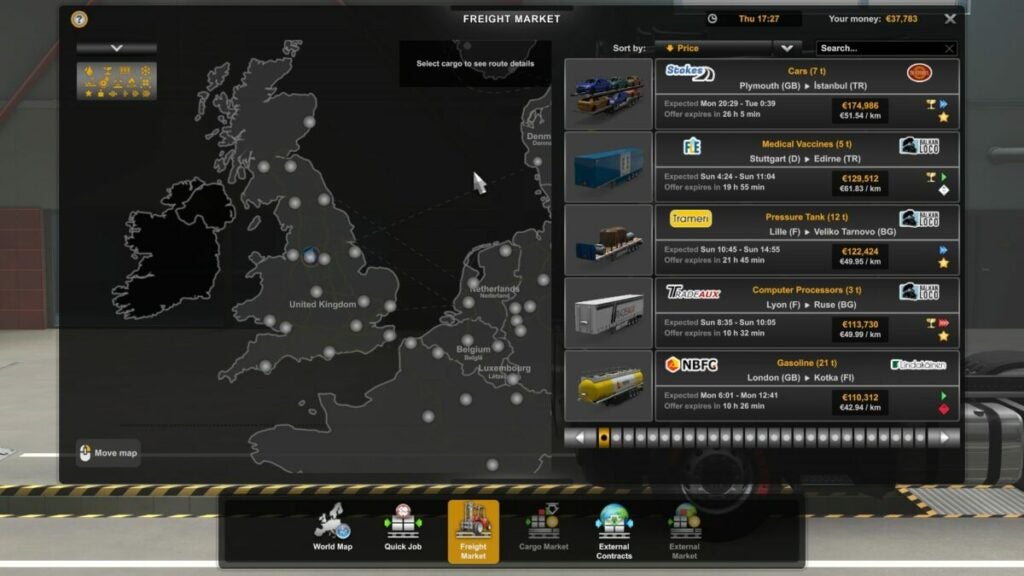
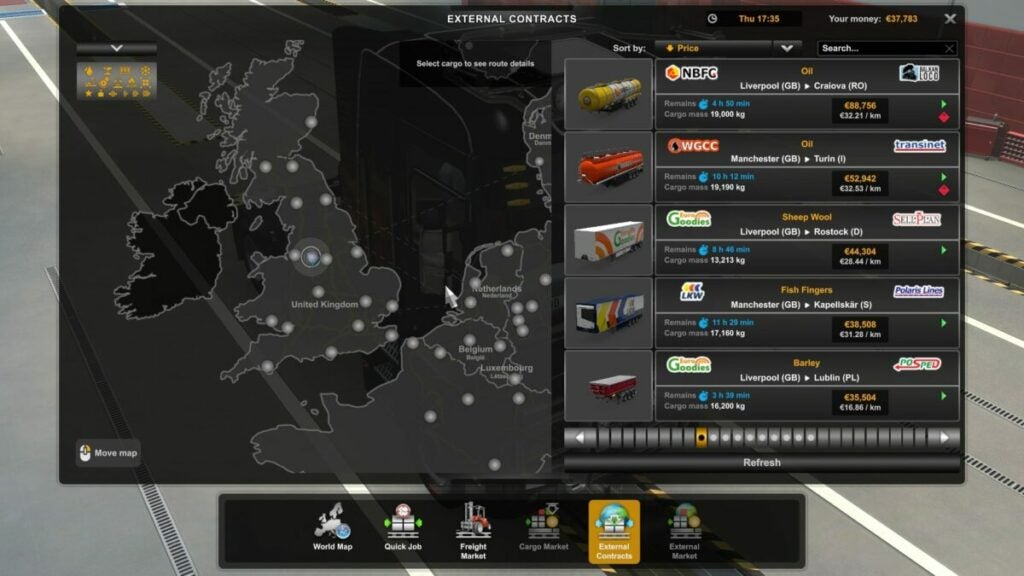
You’ll now have access to the Euro Truck Simulator 2 Freight Market. Companies want cargo on trailers delivered to new destinations. There’s a massive difference with this new mode, changing how you receive the orders.
When you do quick jobs, you are teleported directly into the company’s truck you’ll use for the delivery. When you accept freight orders, you need to drive to the building where the cargo is waiting for you. From there, you need to hitch it to your truck before driving to the destination. You’ll receive a massive payment and XP bonus, but you’ll need to pay for your own fuel this time.
Purchasing a trailer in Euro Truck Simulator 2
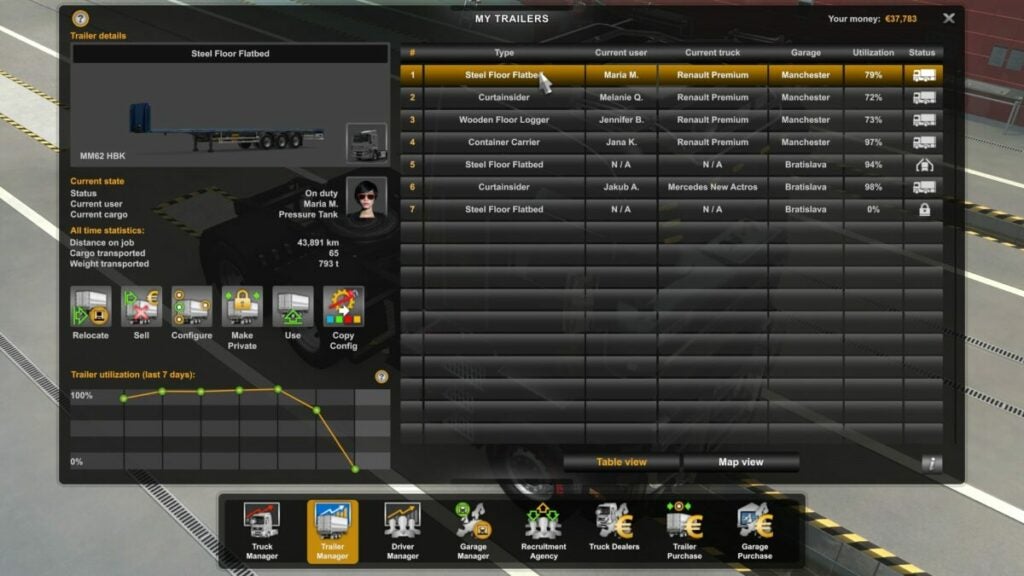
At some stage, you’ll earn enough money to buy a new trailer. You can head to any of the truck stores to see which ones are available. Each trailer can accept specific cargo types, so you may need more than one at a later stage. Once you have a trailer, you can accept Cargo orders, where the company will load the cargo onto your trailer for delivery.
Hiring drivers
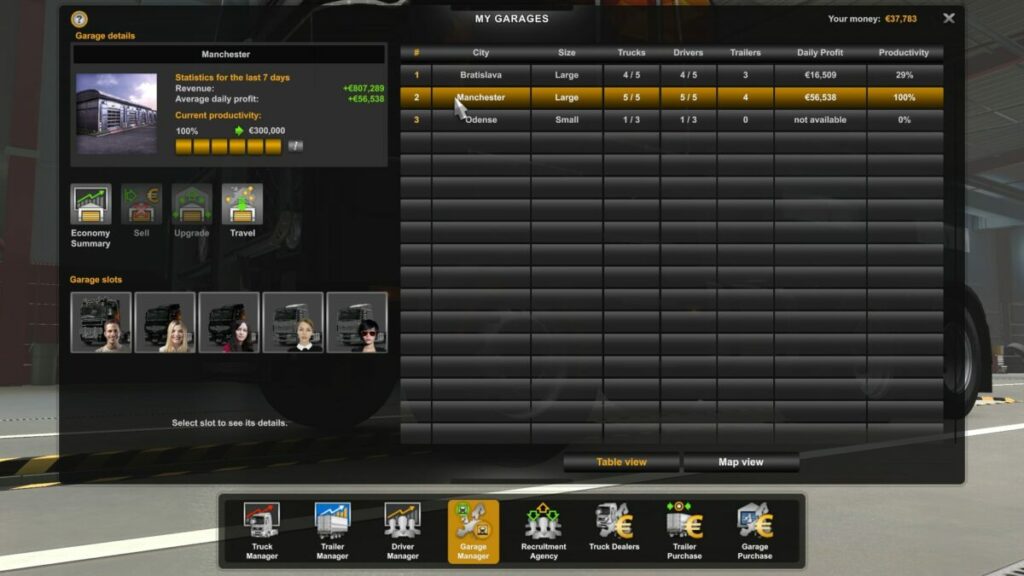
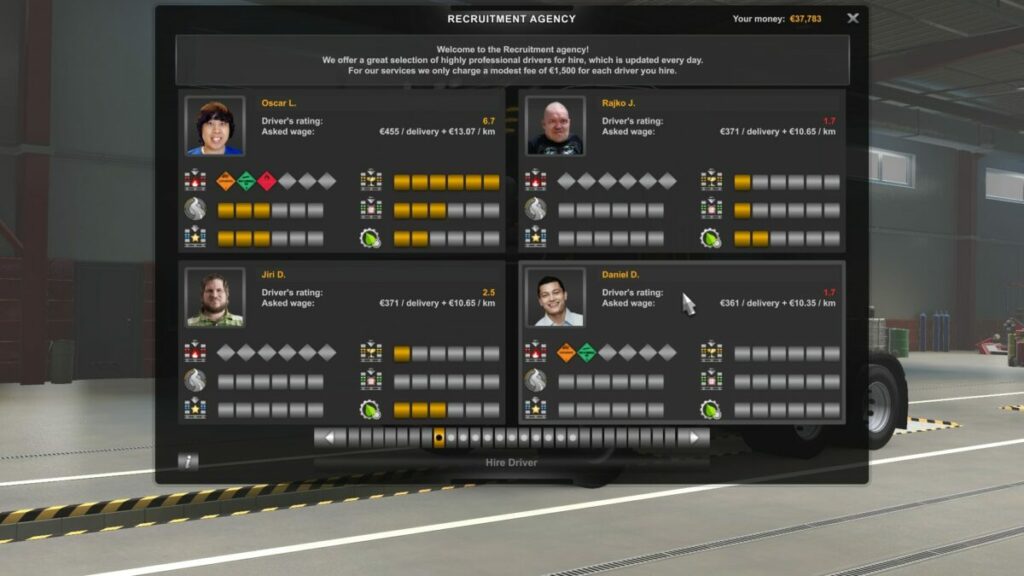
There’s a reason you have so many slots in your garage. When you find a recruitment agency in one of the cities, you’ll be able to hire drivers for the extra trucks you buy at a later stage. It may seem like a massive expense at first, as you’ll need to pay for their fuel and salaries.
However, it eventually serves as a lovely passive income. You’ll need to upgrade their skills just like yours, telling them which ones you want them to focus on individually. While you’re delivering your cargo, you’ll notice messages on your GPS device, stating how much you received from their deliveries.
Upgrading and buying new garages
If you have the hang of Euro Truck Simulator 2 now, you’ll be raking in the dough. It’s time to put that money to good use. You’ll find garage lots in various cities, and you can buy them at any time. It makes it easier when you want to fast travel to a different country for new orders.
You can also hire drivers for these new garages. Remember to upgrade them so that they all have five slots instead of three. You can maximize the financial potential of each city in this way, with drivers bringing in the money while you eat your McDonald’s meal at the rest stop.
Maintaining your trucks
Before I get to some of the more exciting tools in Euro Truck Simulator 2, I need to spend a moment explaining the maintenance aspects of your trucks. You can’t drive on thin air, and you’ll need to repair any damages to trucks and trailers for them to function properly.
Fueling up in Euro Truck Simulator 2
When you run out of fuel, it’s not the end of the world. All that will happen is that a tow truck will take you to the closest facility where you can fuel up and drive again. However, it comes at a cost you’ll be better avoiding. If you see your fuel is getting low, look for the closest gas station and fill her up.
Maintenance and repairs
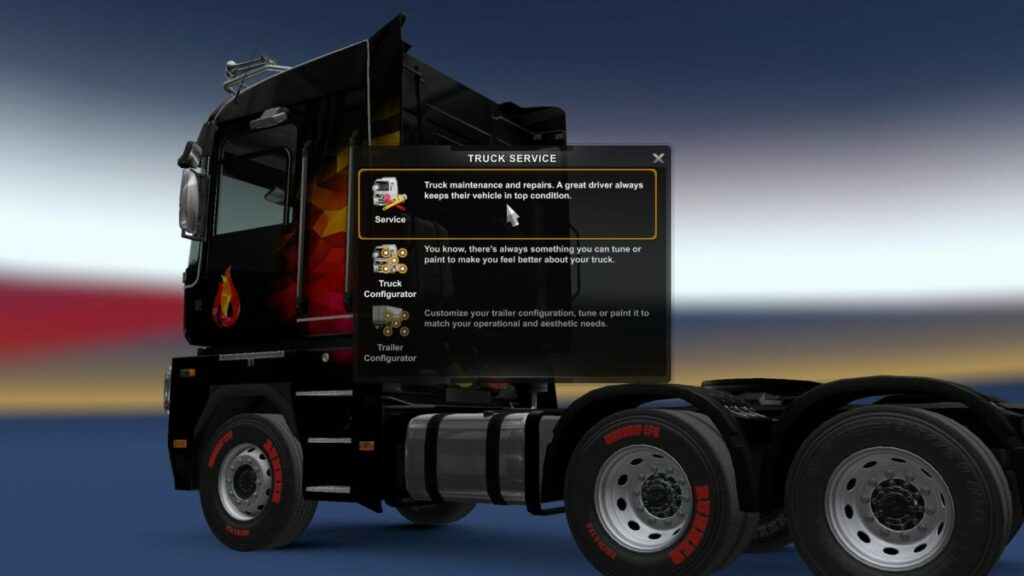
You will undoubtedly hit a fence, go off the road, or collide with a car at some point; it’s inevitable. With quick jobs, the company that hired you to drive their truck will do the repairs and dock your pay. You’ll need to repair your own trucks and trailers, though. Simply head to one of the local repair stations and park in the demarcated area. You’ll see the repair costs appear, which will quickly solve any issues.
Euro Truck Simulator 2 vehicle customization
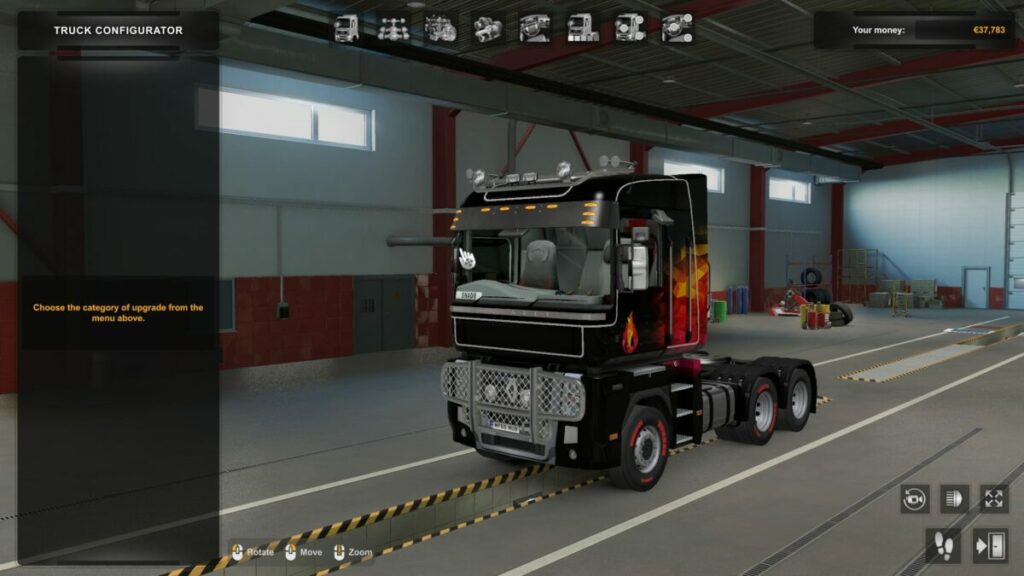
Another feature of Euro Truck Simulator 2 is the ability to customize your vehicle. You can choose from an array of colors, logos, and parts, making the vehicles unique to your company. There’s even an option to replace your engine and other related components for more power and speed.
Details on truck controls and features
Now that I have the business elements out of the way, here are some details on driving your truck. I’m not referring to turning left or right or applying your foot to the gas pedal. These features provide a more enjoyable experience when trucking across countries.
Speed limiter
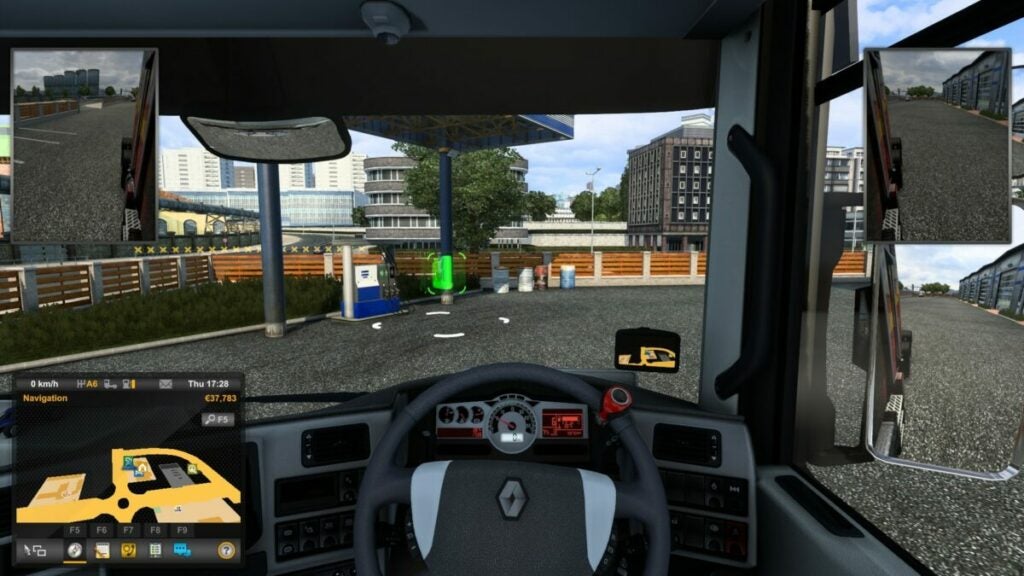
There are various speed signs posted in the cities and on the highways. If you want to avoid heavy traffic fines, it’s best you stick to the speed limits. There’s a button that activates a speed limiter, preventing you from going over that speed. However, you’ll need to deactivate it and reactivate it whenever there’s a new speed limit on the road.
Cruise control
Is your finger tired of holding that trigger or button for the gas pedal? All you need to do is activate cruise control. The truck will remain at that speed as much as possible, giving your fingers a break. You’ll need to press the brakes to quickly disable it when you need to slow down, though.
Euro Truck Simulator 2 Cabin tools
By now, you’ll probably already be familiar with some of the cabin tools. If you’re reading this before you’ve started playing, then perhaps I should explain some of the basic functions:
Lights: you can switch them on for night-time driving and when it rains and make them brighter
Indicators: you’ll need to indicate if you’re switching lanes or turning into a new road
Wipers: needed for when it rains, and you can change the wiper speed
Hazards: For when you need to pull over for a moment
Traveling across the ocean
At some point, you’ll need to cross the ocean, especially between the U.K. and European countries. For this purpose, you can use the ship or train. Simply follow the GPS while on a mission to the demarcated area on the map. You’ll need to pay for the transport costs, so make sure you have enough in your bank balance.
Changing lanes
Since we’re discussing crossing countries, I need to mention that not all countries drive on the left- or right-hand side. You’ll need to quickly become familiar with how it works in each country so you don’t end up driving into someone.
Listen to your radio stations or favorite music
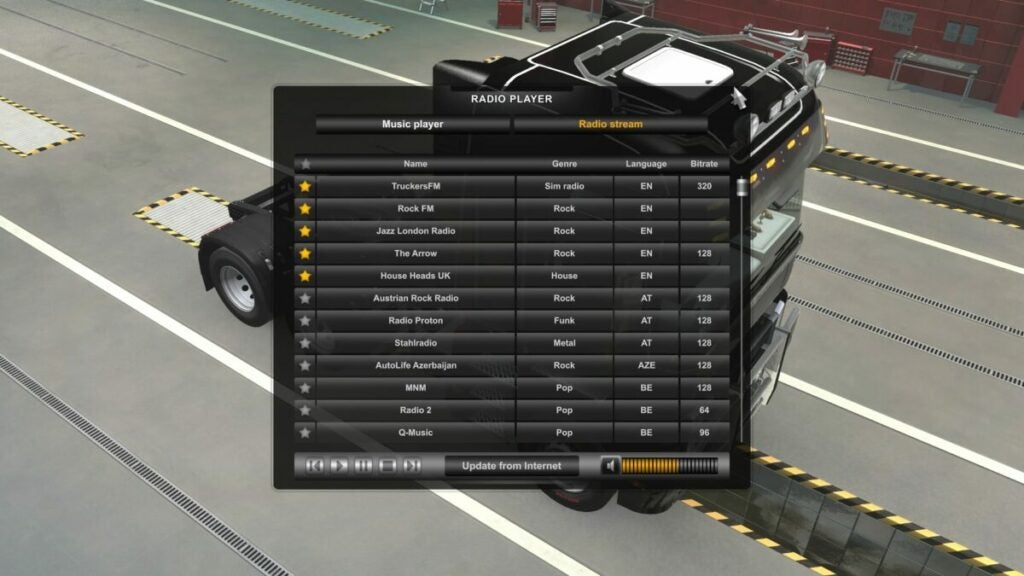
Who wants to drive in complete silence? Euro Truck Simulator 2 features a radio feature where you can listen to actual live radio stations, designed for games like ETS2. You can actually go to their websites outside of the game and listen to them while working if you’re missing your truck.
The other option is listening to music on your PC. To make this possible, you’ll need to copy your music to the Euro Truck Simulator 2 folder where the music is stored. When you load the radio in the game, you’ll see all your music ready to play.
Euro Truck Simulator 2 online multiplayer
You don’t need to play ETS2 alone if you want some company. There’s a whole wide world of truckers online that are driving together, hooting their horns as they pass on the highway. Here are some online features you can enjoy.
World of Trucks
World of Trucks is an online account linked to your Euro Truck Simulator 2 game. When you click on the WoT symbol, it takes you to a registration page, as it takes place on a completely separate server. Once you’re done registering, it will be linked to your ETS2 account on Steam.
The best part is that it saves your stats. You’ll receive unique rewards and trophies for your orders, but there’s a catch. These orders are only available for a specific time, so you can’t leave your game and continue later. If the timer expires, you’ll lose the contract.
There are also leaderboards so you can compare your stats to other players. Any money you make on WoT is transferred to your Euro Truck Simulator 2 account, so you’ll still benefit from completing orders.
Online events for Euro Truck Simulator 2
Like most online multiplayer games with extensive communities, Euro Truck Simulator 2 hosts special events in World of Trucks for different occasions. We saw festive skins and decorations during Christmas, and there were chocolate eggs and bunnies galore during Easter. We also had to deliver gifts to families during this time, with the whole community receiving a massive reward at a specific milestone.
Virtual Trucking Companies
If you spend enough time listening to the radio in Euro Truck Simulator 2, you’ll hear adverts for something called a VTC. This term refers to a Virtual Trucking Company. Basically, it’s a group of players with specific goals and events, and they even have logos and items for your truck. At the moment, I’m a driver for a VTC called TruckersMP.
The only catch is that you can’t simply join a VTC by registering. Once approved, you’ll need to download a separate application that connects to your ETS2 account. There’s a tool that logs your distances and cargo deliveries so that the VTC can monitor if you’re active. You’ll also load Euro Truck Simulator 2 from a separate platform. If you just want to play without being logged, you can load the Steam version.
Adding new content in Euro Truck Simulator 2
I want to end my Euro Truck Simulator 2 guide with how you can add new content to the game. You’ll reach a point where the base game just isn’t enough for you anymore. There are two options available.
Purchasing new DLCs
SCS Software is always looking for new ways to make money. I mean, new ways to add new content to keep players happy. Euro Truck Simulator 2 already has several DLCs that add new vehicles, trailers, and countries to the base pack. All you need to do is buy the DLCs on Steam, and it will activate in your game.
Installing mods
The ETS2 gaming community is fond of creating new mods for items not available in the official game. There are new skins, vehicles, logos, decorations, and so much more. Some of them even refine cities so that they can look more realistic.
If you don’t know how these work, don’t stress. We have a detailed guide on how to install mods for Euro Truck Simulator 2.
Installing mods for Euro Truck Simulator 2READ MORE
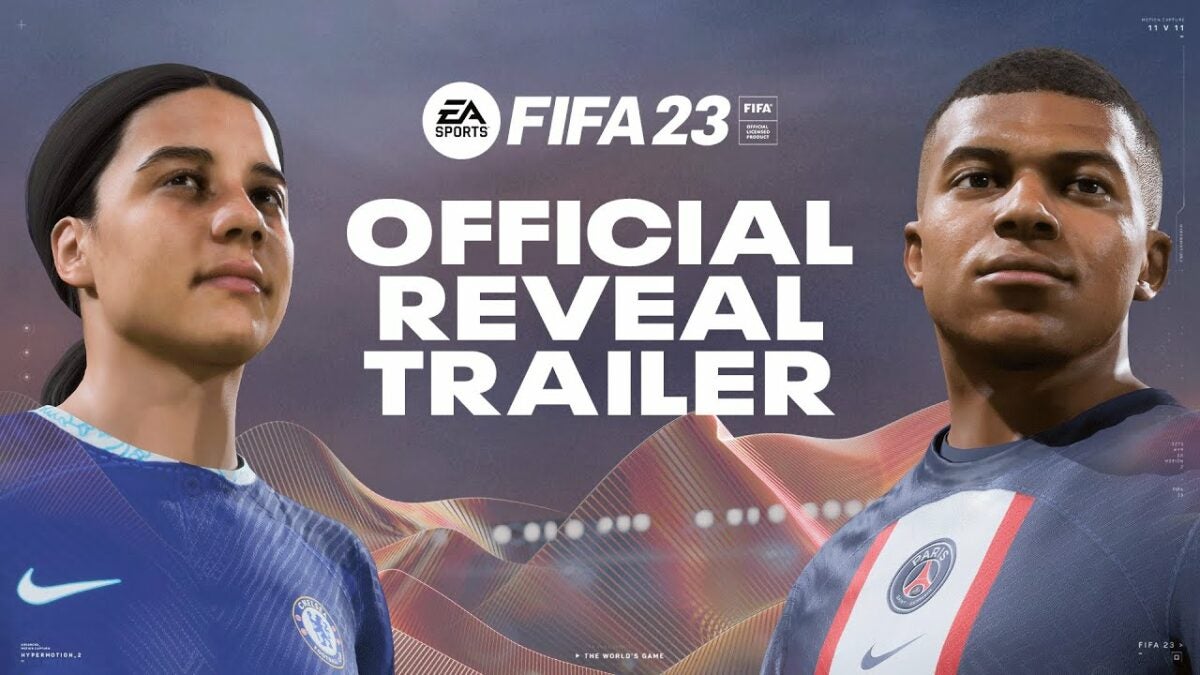
In a series first, FIFA 23 will feature women’s football leagues when it launches on September 30th. This is a landmark honor for female soccer players the world over and seemed to confirm the rumor that female soccer clubs would be included in the new game. Now, we have confirmation that women’s soccer is indeed part of the FIFA 23 experience.
EA recently revealed this on its website and in a brand-new FIFA 23 trailer. The final iteration of EA’s FIFA franchise will see players able to play as soccer stars from both France’s Division 1 Arkema, and the UK’s Barclays FA Women’s Super League. This potentially means that we could see even further integration of women’s leagues in EA’s next football series, EA Sports FC.
EA announced that FIFA 23 will also feature a cross-platform multiplayer component, but this will have its limits depending on the generation of your console. For instance, players on Xbox One will be able to play against PlayStation 4 players, but not PS5. PS5 players will similarly be able to play with those on Xbox Series X|S, as well as players on Google Stadia or PC.
The game will also only let friends play each other in two game modes: FIFA Ultimate Team’s Play a Friend, and online friendlies. In any other game modes, players will be paired up through online matchmaking. These modes include FUT Rivals, FUT Online Friendlies, FUT Champions, Online Seasons, and FUT Online Draft. Players will be able to opt-out of cross-play completely, in which case they’ll only play against players on the same platform.
Gaming used to be an escapist’s dream. Recently, however, the real world outside the screens of our favorite FPS or role-playing games has filtered abundantly into these screen-bound experiences. Today, we look to GTA V, specifically GTA Online, its latest DLC update, and how realistic the fictional criminal city of Los Santos is about to become.
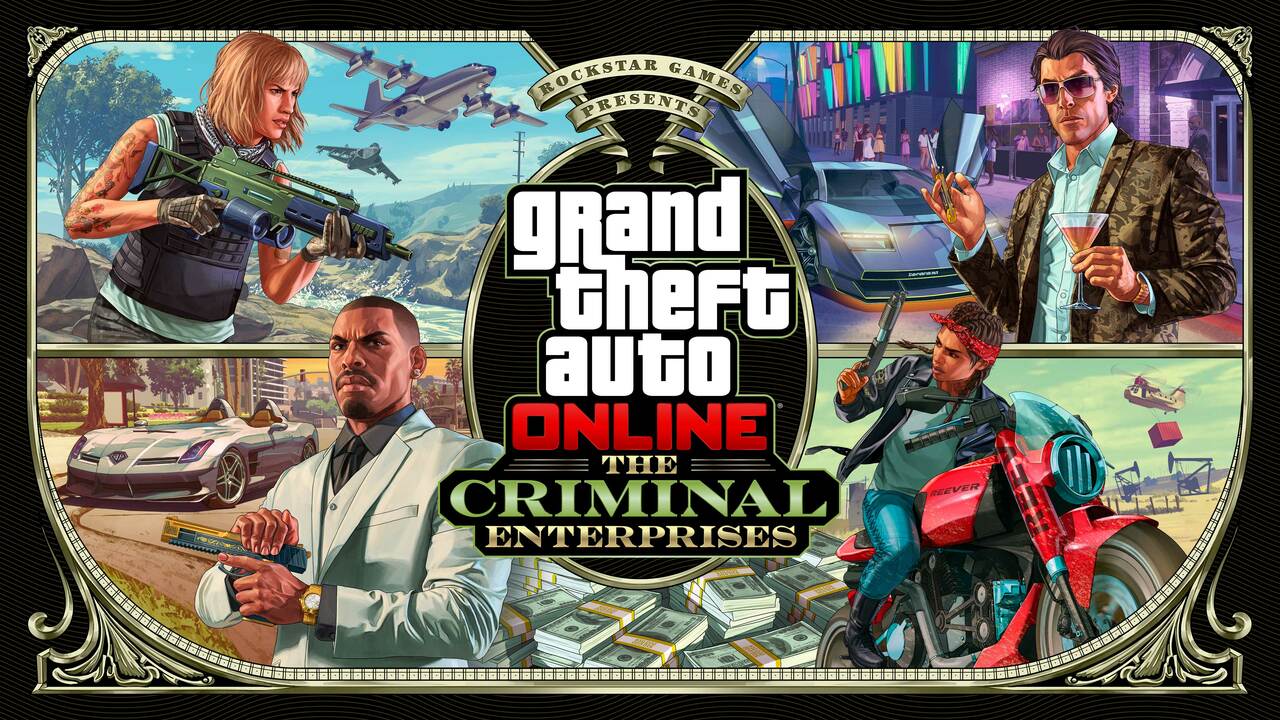
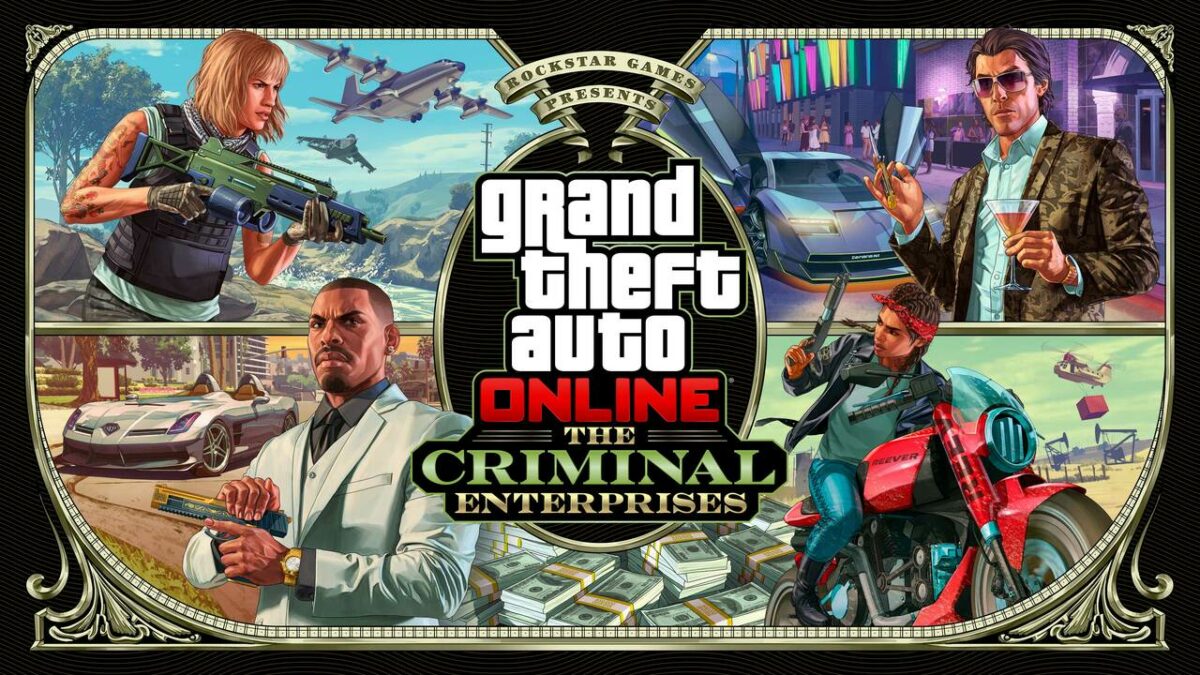
Rockstar has been promising a new update to GTA Online, a multiplayer experience that exists within the realm of Grand Theft Auto V, and the publisher is about to deliver a real-life whopper. Dubbed The Criminal Enterprises, the update’s trailer shows the city of Los Santos ravaged by a record-high heatwave and soaring gas prices.
As seen in the official tweet by Rockstar ‘The Southern San Andreas economy is in crisis. Gas prices have spiked to their highest levels in decades, supply chains are in turmoil, and a ferocious heatwave is gripping the state.’
The Southern San Andreas economy is in crisis. Gas prices have spiked to their highest levels in decades, supply chains are in turmoil, and a ferocious heatwave is gripping the state.
The update won’t leave players clamoring around in the extreme heat unable to afford to drive for long though, as a new mission, ‘Operation Paper Trail,’ gives teams of up to four players the chance to follow the titular paper trail to the root of these rapid and detrimental changes to the San Andreas ecosystem. According to in-game lore, the IAA suspects the fault to lie with a criminal conspiracy started by the Duggans, but that might not necessarily be the case.
If your playstyle is dabbling in the life of crime, you’re about to cash in on the recent changes as executives, gunrunners, nightclub owners, and bikers will have the opportunity to turn tragedy into profit when the update goes live on July 26th.
There are rumors that the new update will be even more far-reaching than Rockstar has stated, letting players leave San Andreas, but we’ll have to wait for the update to determine whether this theory holds any water.
We’re also getting a new Benefactor based on the McLaren Stirling Moss, and a few new models under the Declasse banner. Another exciting addition is a new weaponized bike.
This update is much-needed after the extended Diamond Casino Heist event, but what we’re even more excited about is the fact that GTA VI is coming. Rockstar recently hired new employees for the title and has put Red Dead Online on hold to focus on the next iteration of Grand Theft Auto.
One of the most annoying things about Facebook is that it can just give and take away your favorite features whenever it wants. It has always been a very one-sided relationship with users always having to deal with whatever UI update or tweak that the Facebook Devs have rolled out. Now, however, that looks set to change as Facebook is now giving users more control over their own feeds.
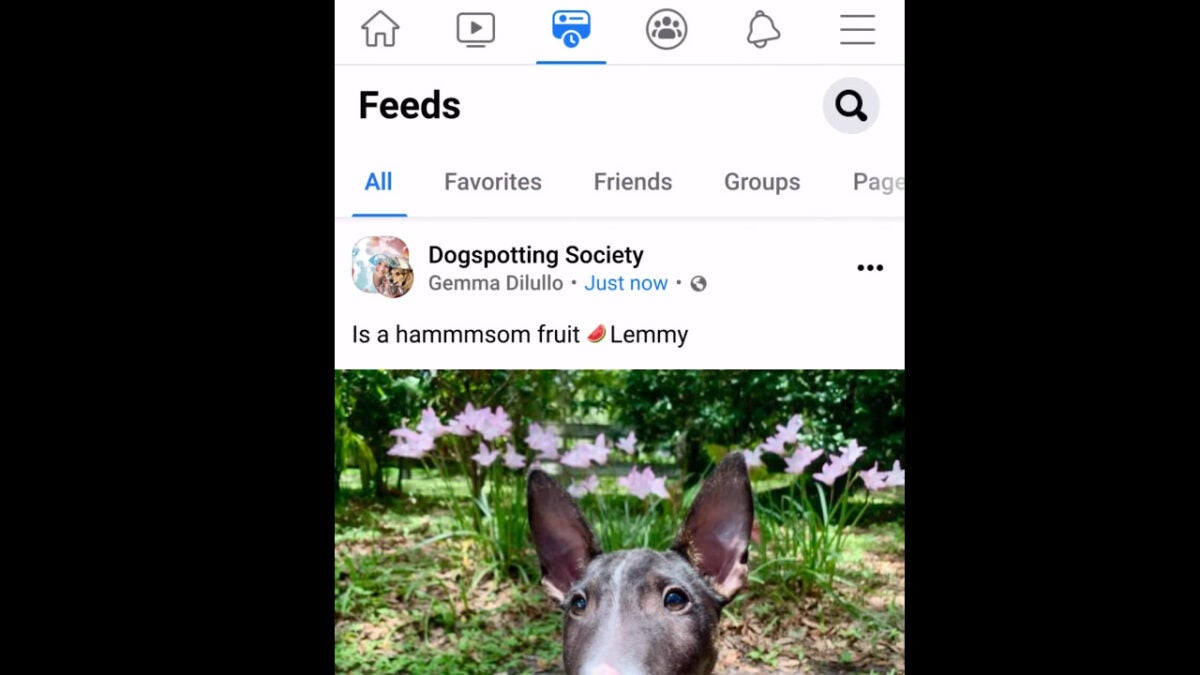
Mark Zuckerberg himself announced that Facebook is rolling out what he calls one of the most requested features for Facebook. The Facebook app on Android and iOS is getting a new Feeds tab that will allow users to control what comes up in their feed.
In recent years, Facebook has become overrun with promo content and videos from big brands. This has led to lots of users complaining that they are actually missing all the stuff they want to see like posts from friends and family, etc. because they are constantly being shown nice-looking promo content that works well with Facebook’s algorithm.
In the Facebook post announcing the change, Mark Zuckerberg said:
“So today we’re launching a Feeds tab where you can see posts from your friends, groups, Pages and more separately in chronological order. The app will still open to a personalized feed on the Home tab, where our discovery engine will recommend the content we think you’ll care most about. But the Feeds tab will give you a way to customize and control your experience further.”
The new feature means you will be able to create a Favorites list, which will allow you to select special friends or family members whose posts you will see. This means that when they post to Facebook their posts won’t have to compete with memes, etc. to show up on your feed.
This is good news for Facebook users, and it will take the app back to its roots when it was primarily a tool for keeping up with friends and family. The new feature should be rolling out now so keep an eye out for the new tab, which will show up either at the top or bottom of the app, depending on whether you use an Android or iOS device.