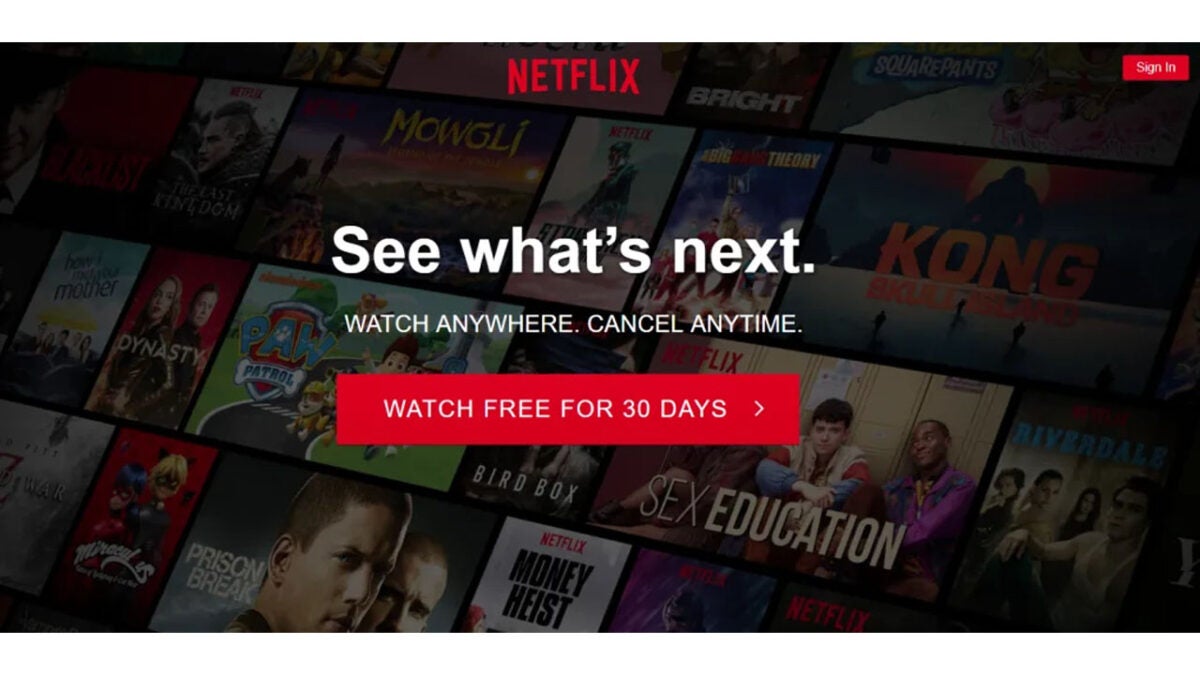
Netflix has already started charging some users to share their passwords

A lot has been going on at Netflix HQ recently as falling subscriber numbers and tumbling stock prices have forced the exec team into overdrive. Changes such as introducing an ad-supported tier are on the horizon. Netflix is also trying to clamp down on users who share their passwords to multiple users, and we have news for you on this one as the company has already started testing a new ‘Additional Homes’ feature on some users.

Netflix Download Now

We’ve covered the details of this Additional Homes feature already, but it now looks like Netflix is actually rolling out in certain regions. If you are a Netflix user in Argentina, El Salvador, Guatemala, Honduras, or the Dominican Republic you will be subject to the terms of the new setup. If you live elsewhere, know that this rollout is part of a test phase and that this will be coming to you too at some point.

First up for us to cover here is the cost. Users in Argentina will be charged $1.70 a month to add additional homes to their Netflix subscription while users in the other countries mentioned above will be charged $2.99.

Netflix is saying that the new feature will only target TVs that are working in different households to that associated with the account. This means that other devices like smartphones, tablets, laptops and PCs shouldn’t be affected.

In a Bloomberg report covering this move, Netflix claims that more than 100 million households around the world are using somebody else’s account. Netflix is gambling that those households will subscribe themselves once they can no longer access the streaming platform using somebody else’s login credentials. Another possibility is that the households are sharing the subscription costs and Netflix may actually lose accounts once it introduces the Additional Homes feature globally. This is why we expect Netflix will wait until its lower-priced tier is ready to roll out before switching on Additional Homes for everybody.

To stay up to date on all the decisions coming from Netflix HQ and to stay ahead of how they will affect your Netflix subscription, bookmark our Netflix News page and subscribe to push notifications.

Gmail is getting some machine learning augmentation

Have you ever been searching for an old email on Gmail and come up short? If you have more than one email account, having to repeatedly search through different search terms can be a real-time waster. If you’ve ever been frustrated by a similar experience to this, you will be happy to hear that it looks like Google is trying to improve Gmail’s search function by augmenting it with machine learning capabilities. Let’s check it out.

Gmail Download Now

In a Google Workspace blog post that has since mysteriously been taken down, Google released details of improved search functionality for Gmail that would return more accurate and circumstantial search results from your inbox.

As mentioned earlier, sometimes searching for old emails can be a real chore as you try to remember things like who sent the email when, what was it about, and any key phrases you think may have been included in the text. Machine learning should change all this, however, as it means the Gmail search bar will be much better at figuring out what it is that you’re looking for without all the other prompts.

The blog post that has now disappeared announced that the feature had already already begun rolling out on a general availability basis meaning all Google Workspace users will get access to it over the next few weeks. These things can just take a bit of time before they get to everyone, but this feature is on the way.

If you use Gmail for your work email address, you may want to check out our guide to the 10 best Gmail add-on plugins that will help you boost your productivity.

Its Facebook vs Amazon as the retailer is not happy with fake review scams being run on the social network

Amazon reviews play a big part in the buying decisions of millions of shoppers every day. They add legitimacy to marketing claims and allow buyers to lean on real-world experience of how they products they are looking at really are. Anything that could harm the legitimacy of fake reviews then will be a big deal for Amazon as if customers feel they can trust them less, they may not feel comfortable enough to hit the buy button. It should be no surprise then that Amazon is moving against more than 10,000 Facebook Group admins who have been running massive fake Amazon review scams.

Facebook Download Now

Amazon has released a press release announcing it has filed legal action against fake review brokers on over 10,000 Facebook groups. The move is partly designed to help the e-commerce giant identify fake reviews on its site so that the legal team can then move to get them taken down.

In the press release, Dharmesh Mehta, Amazon’s vice president of Selling Partner Services said:

“Our teams stop millions of suspicious reviews before they’re ever seen by customers, and this lawsuit goes a step further to uncover perpetrators operating on social media […] Proactive legal action targeting bad actors is one of many ways we protect customers by holding bad actors accountable.”

In one of the groups, brazenly called Amazon Product Review, more than 43,000 members were involved in posting fake reviews to Amazon in exchange for free products. Meta, Facebook’s parent company, has since taken the group down, but Amazon’s investigations found that the group’s admins were attempting to the hide group’s activity in order to avoid detection by the social network.

Amazon classes fake reviews as fraud and it is the company’s 12,000-strong anti-fraud workforce that is responsible for stopping fake reviews from getting onto the site. The team has made over 10,000 reports to Facebook about fake reviews, yet the social network has only acted on about half of them.

If you are a Facebook and The Walking Dead fan you may be interested to hear about the ambitious Facebook/Walking Dead crossover event coming soon.

GTA 6 is underway as Rockstar hunts for new employees

It appears as if Rockstar Games is going full steam ahead for GTA 6. New job listings have opened up, providing more than 70 new opportunities in the company. While it doesn’t specify a game, many of the job positions lean towards new teams for Grand Theft Auto 6. Let’s take a look at some of them, and then you can decide for yourself.

GTA 6 DOWNLOAD

The new Rockstar job positions are listed on Hitmarker, where you can apply via a submissions button. There may have only been 70 new positions during the past day, but there are over 200 titles still available to claim in the company. The locations are spread across India, the United Kingdom, and the United States. None of them allow for remote working, sadly. I was hoping to score a position as a game writer for GTA 6.

One of the positions calls for a vehicle artist, and there are several other vehicle designing and modeling titles, too. These jobs appear to be a clear indication that most of these jobs are for GTA 6 or the new GTA+ subscription service for GTA Online. Of course, they could be working on a different game with cars, planes, and bikes, but Rockstar had recently said their main focus now is the upcoming open-world vehicular theft adventure.

Rockstar focus shifts to GTA 6 READ MORE

Another interesting position in India is the Talent Acquisition Specialist. This person will be responsible for browsing platforms like LinkedIn and finding suitable candidates for future positions. It seems these job postings are only the beginning, and Rockstar games are looking to build more teams in the future. It’s time to bling your LinkedIn profile with some gaming experience with the hopes that they take notice.

GTA 6 is underway as Rockstar hunts for new employees 2

Take your first artistic steps into Procreate

Are you dying to express your inner artist, but you don’t have paper or your drawing tools nearby? Procreate is an outstanding app that lets you design with many features, but you’ll need to learn how to use it first.

Procreate DOWNLOAD

You’re about to be taught the first steps for creating your canvas masterpiece in Procreate on your device. In this blog post, you will discover how to start making art with this fun and exciting app. Let’s start with the basic steps for Procreate.

Creating a canvas on Procreate

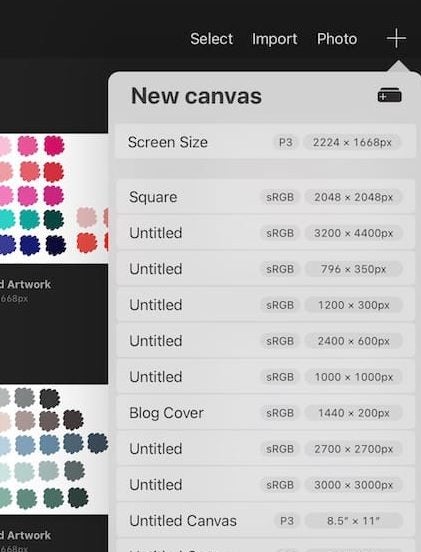
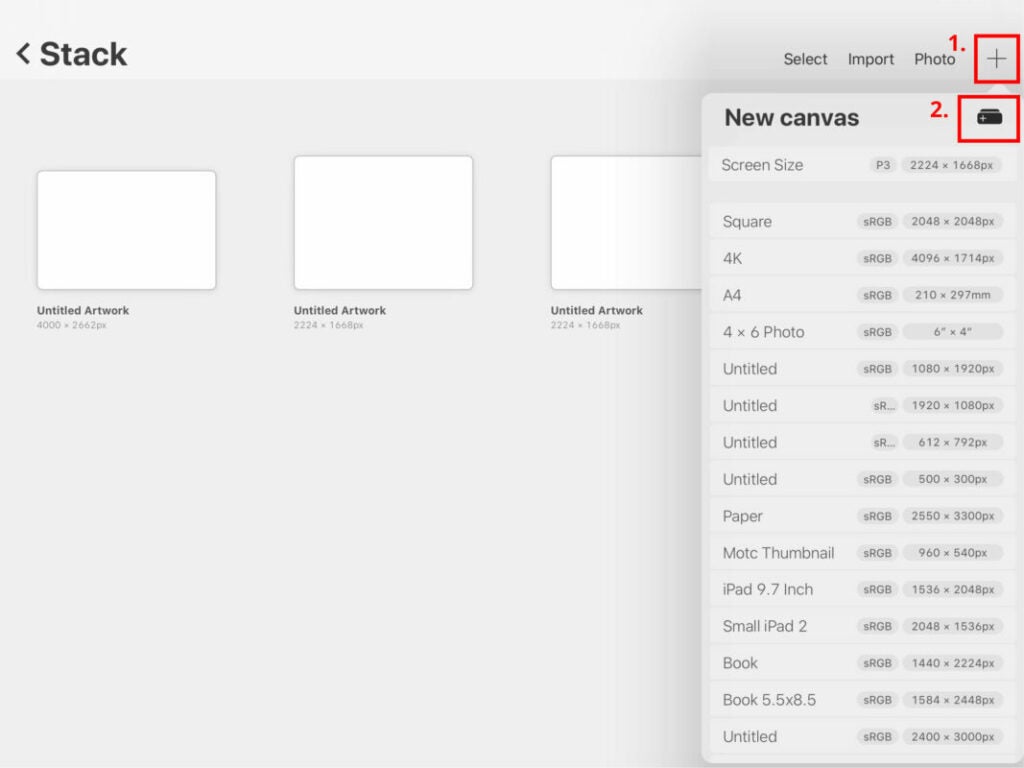
To do this, you need to click on the + symbol within Procreate. You will see this in the gallery in the top right corner. You can pick from various canvas sizes. Just tap on the right size and begin. You can also choose to import other materials using the + symbol.

Procreate first steps 2

Create a custom canvas size

If you’re not happy with the canvas sizes on Procreate, you can also create a custom canvas size. Now just click on the + symbol. This will open a new window where you can adjust the various settings. You can change the dimensions, time-lapse, color, and other canvas properties. It’s best to title your canvas, which will help you find it later.

Procreate first steps

Choosing the right brush

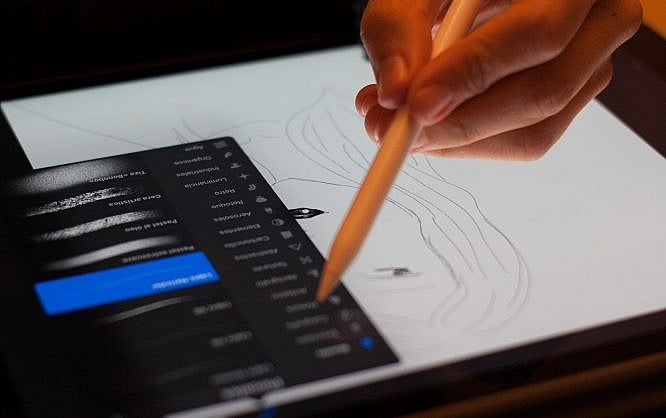
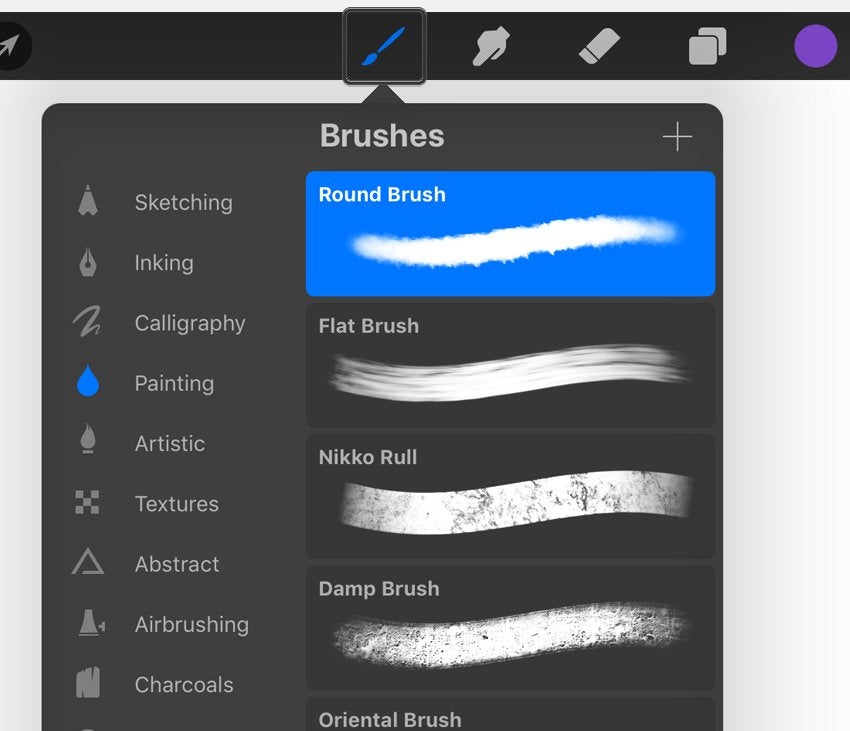
Now that your canvas is ready, you must pick the right brush. In the upper right corner of the Procreate app, you will see a brush tool.

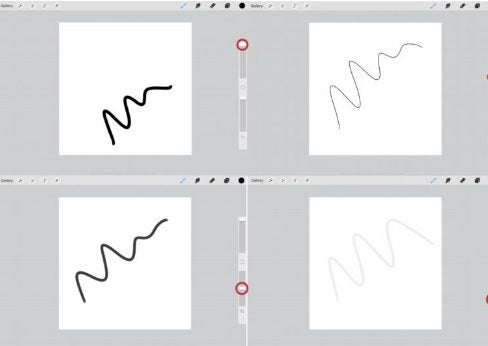
You then need to adjust the brush settings. There are various functions to try, like adjusting the opacity and size. You can do this with the help of sliders to the screen’s left.

Procreate first steps 2

Choose colors

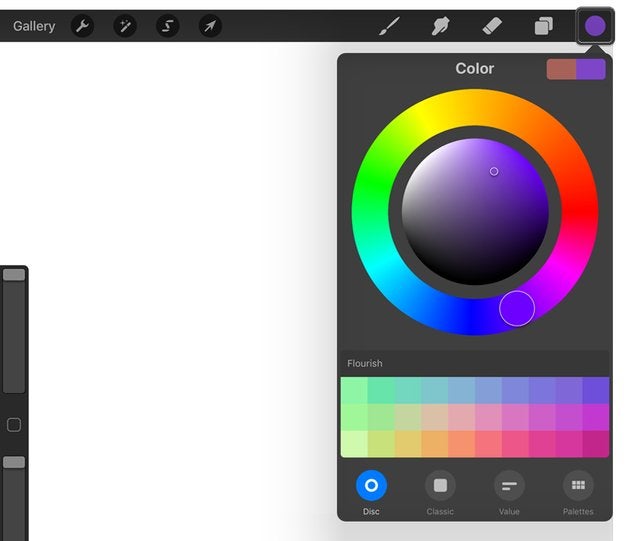
Once you’re ready to draw on Procreate, choose your preferred color. You will see the circle in the top right corner. Upon clicking the circle, you will see the color panel. Pick the color that you prefer and begin creating your masterpiece.

Procreate first steps 2

Basics of Procreate

Let’s learn about the basic tools in Procreate. Each section below delivers an explanation about a specific function or feature, which will assist you in your first steps with this artistic app.

Brushes

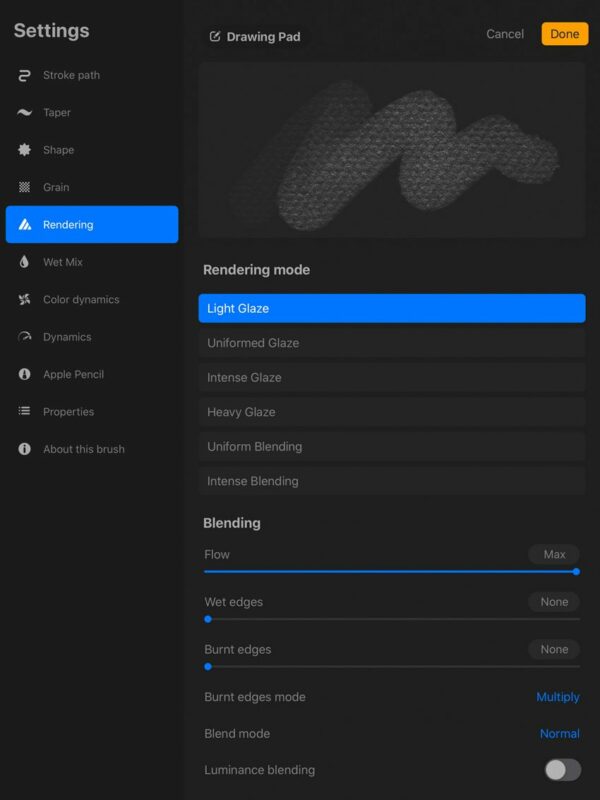
As we’ve seen above, you can adjust the settings for your Procreate brush. Let’s look at this in detail and how to adjust your brush per your preference. You need to find the brush tool in the upper right corner of the screen.

You can even import your brushes or create custom brushes. Another option is to select the thickness of your strokes. You can even pick how light or dark you want your strokes.

Procreate first steps

Color customization

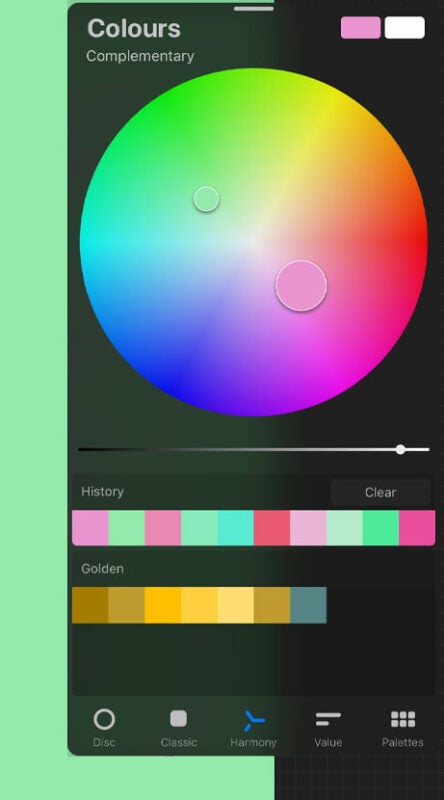
Besides selecting colors, you can also customize them based on your choice. The harmony tool lets you pick a color based on your choice. The value tool allows you to define specific colors in the palette. You can even save these colors.

Procreate first steps

Layers

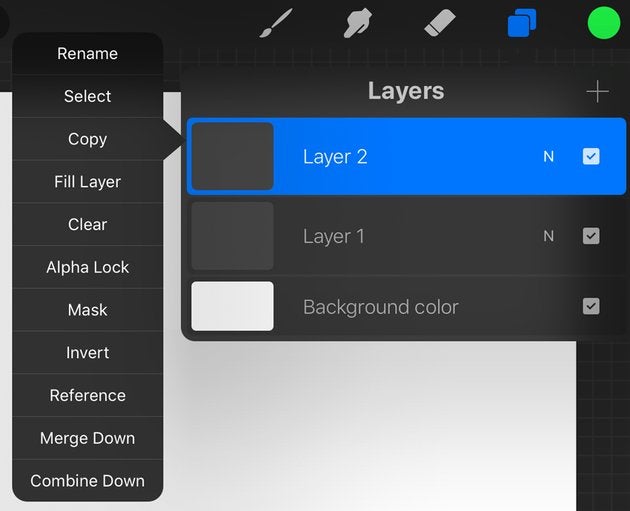
You will see an icon that has overlapping squares. Tapping this will open the layers panel. Various layers will open based on the pixels. You can insert more layers by clicking on the + symbol.

You can edit independent layers and delete, lock, or duplicate them. Also, you can name individual layers.

Procreate first steps

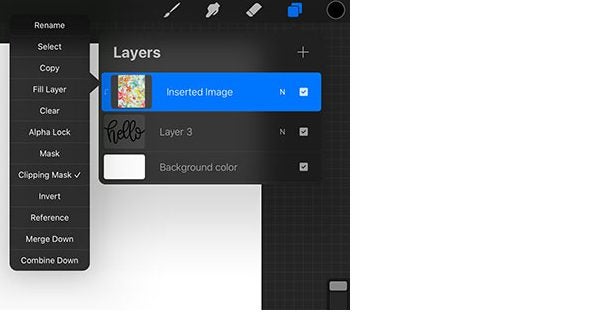
Clipping mask

You can convert individual layers into a clipping mask. Any changes made to the clipping mask will only affect the layer below it. Another way to use the clipping mask is to create a layer under it.

Procreate first steps

Procreate Settings

To open the settings menu, you need to tap the wrench icon. This panel will allow you to adjust your canvas settings. You can also add text or photos to your canvas from the settings menu. Also, save your finished project when you’re here.

You can even choose to record your painting process. Do this by tapping on the video and then choosing time-lapse. Once completed, you can export your recording.

Procreate first steps

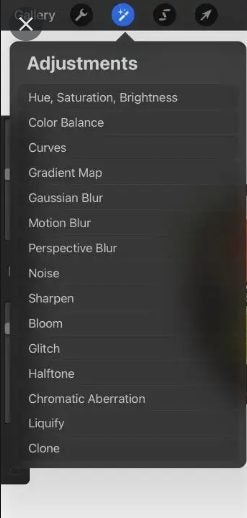
Magic wand

You can also apply different filters to your completed image. These filters can be found in the top left corner. All you need to do is tap the magic wand icon.

Procreate first steps

Other Procreate tools

The selection tool is represented by an S in the top left menu. The selection tool can help you cut image parts or create duplicate areas.

You can blur a part of your image using your finger icon. Located next to the finger is the eraser tool. You can choose the opacity and size of the eraser tool as per your preference.

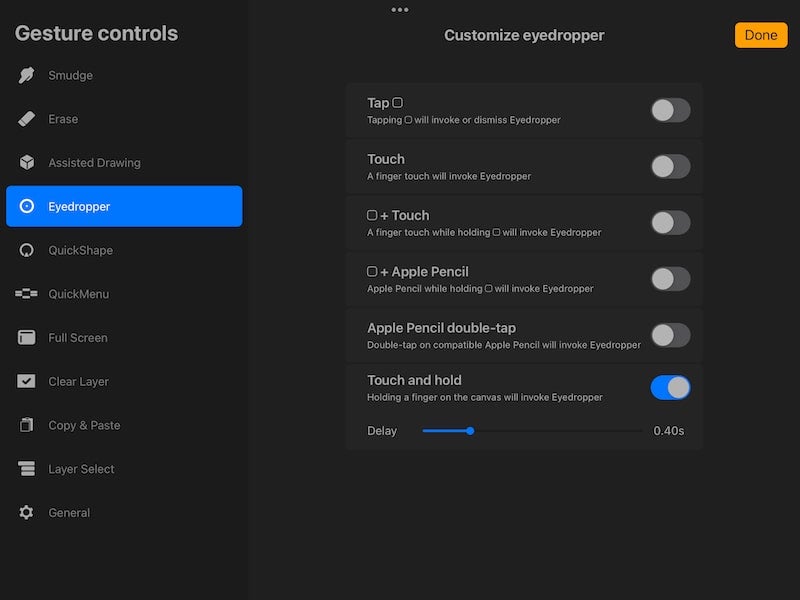
You will see an eyedropper tool upon tapping and holding onto the canvas. This tool allows you to pick colors from images. If you need to rotate your image, you need to tap it with two fingers and rotate it. You can also zoom into the image using your fingers.
Procreate first steps

Sam Kerr becomes the first female cover star for FIFA 23

She is beauty and grace. She is FIFA 23’s new international face. In a global first for the franchise, EA has announced that Australian football phenomenon Sam Kerr will grace the cover of the soon-to-be-released FIFA 23 Ultimate Edition. She’ll feature alongside Kylian Mbappe. 

FIFA 23 DOWNLOAD

However, Kerr won’t have to share the spotlight everywhere. In her home country, Australia, Kerr will be the sole cover star for the standard edition of FIFA 23. This will also be the case in New Zealand. The cover featuring Kerr as the sole cover star will also be available worldwide on Amazon. In other territories, the standard edition of the game will feature only Mbappé, the French-born star of Paris Saint-Germain. 

In a recent interview, Kerr expressed her thoughts about EA’s decision to include her as a cover star for the developer’s final installment of the FIFA football series. ‘It’s an honor and a dream come true to be on the cover of FIFA 23, it’s been incredible to work with Kylian and the whole EA SPORTS team, and I can’t wait for fans to get their hands on a copy of the game.’ 

Sam Kerr to Grace the Cover of FIFA 23

This is the first time a female soccer star has been given the honor of appearing on a cover that will be available globally, if only as an Amazon exclusive. Previously, FIFA featured select female soccer players for specific regions. This was also the case with the competition EA launched for FIFA 16 to decide who would appear alongside Lionel Messi on the game’s cover.

The United States saw Alex Morgan earn the coveted spot, while that spot was reserved for Christine Sinclair in Canada, and Stephanie Catley in Australia. 

Mbappé has also expressed his excitement at the decision. ‘I’m even more excited to share a cover honoring women’s football with a great player like Sam Kerr.’ Kerr is assuredly deserving of this high honor as the Australian national team captain has won seven gold boots.

She’s the only female in the world to have claimed the honor on three different continents and in three different leagues. Kerr is also the all-time highest scorer in the United States National Women’s Soccer League. 

As we’ve covered before, this will be the last iteration in EA’s FIFA franchise as the developer has decided not to renew its partnership with FIFA due to numerous contractual concerns. EA will instead rebrand FIFA 23 to EA Sports FC, while FIFA is working on launching its own franchise.

Stray: top 5 tips to live your best cyberpunk street cat life

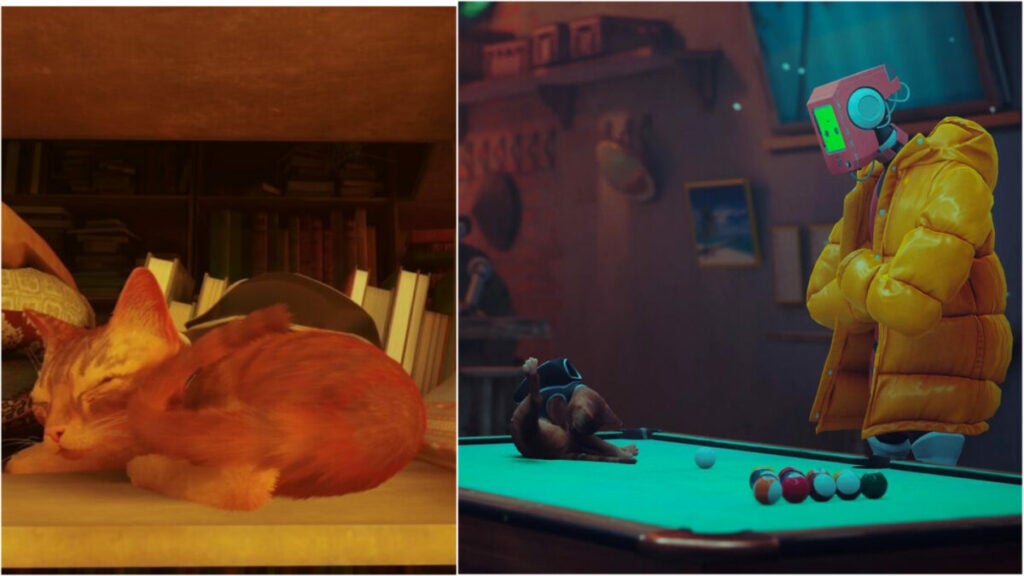
Stray, the long-anticipated game from BlueTwelve Studio and Annapurna Interactive where you play as a cat in a cyberpunk landscape, finally dropped. The game features some unique elements in that the type of gameplay players experience can be on rails at certain points. This means that you’ll need to adjust your overall playstyle to the game’s choices.

Stray DOWNLOAD

But don’t worry: you can still jaunt around and knock pots off of shelves as a cute little stray cat. You can even wear a backpack (and totally hate it at first). Here are the 5 best tips for Stray.

Curiosity has its pros and cons in Stray

Like cats in real life, it pays to be curious in Stray. Explore all of the nooks and crannies — especially when you visit hubs. As mentioned, the game tends to dip in and out of genres and styles. Sometimes, you’ll be more of a detective, trying to sniff out hidden quests or items.

If fetch quests with character like those found in Ghostwire: Tokyo aren’t your bag, you don’t have to do all of them. Just keep in mind that the game tends to reward those who explore more.

But be wary not to explore too far ahead of where you’re supposed to be in the game’s story progression. You could get locked out of an area. In addition, if you poke around too much at random objects, you might get your head trapped in a bag — just like a real cat would.

Embrace the verticality

In the same vein as exploring everything, players need to remember to exploit the game’s verticality. While you can’t always jump, you should take advantage of all the times that you can. You’re a cat after all, so why not perch on a roof somewhere?

This also affords you a better view of the city and, since cats cannot use or read maps, this might also give you a better idea of how to get to a place you want to visit. Knowing what’s coming might also help you in combat.

Enjoy being a stray cat

Stray is about playing as a cat. That means that you can do lots of behaviors like real cats such as purring, nuzzling NPCs, jumping, etc. You can even curl up and nap in a cozy area for a spell and the game has lots of these nooks for you to do just that.

In fact, the game seems to encourage you to indulge in the cat-like behavior. If you warm up to the android NPCs, they will lean down to pet you. A controller will vibrate when you purr and you can also spam “meow” to get attention, attract enemies, or just for fun.

Another pro-tip: your meow will cause issues with the city’s electrical grid early on in the game. After you meow, a neon arrow will flicker to guide you in the direction you need to go in.

Signs and vending machines

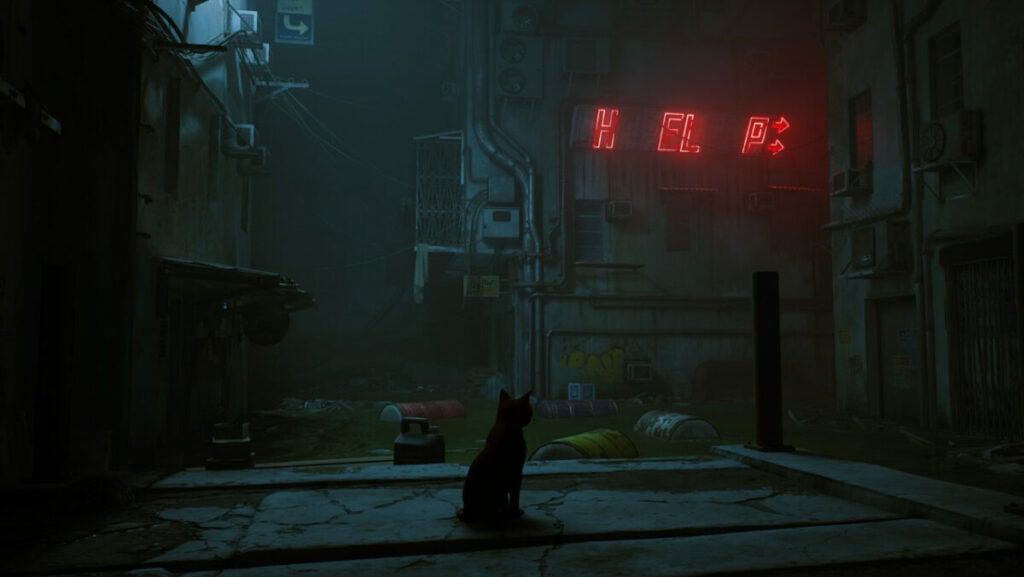
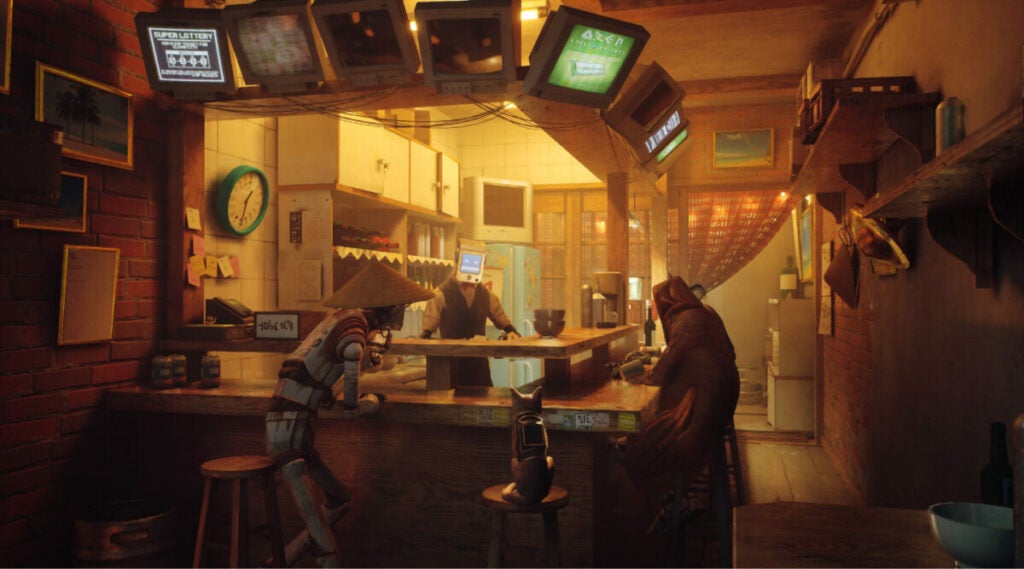
The environment in Stray is just as fulfilling and full of life as the main character itself. The rich background brims with details and secrets. One such secret is that the various signs you come across can provide hints at where to go next or how to find something interesting.

Additionally, vending machines provide currency (energy drinks) for the world. You should pick up all the ones you can to trade them later on in the game.

Certain actions reveal items and areas

So, getting a good look from a high vantage point can help you with the city layout. But these are two other key things to do to find items and areas.

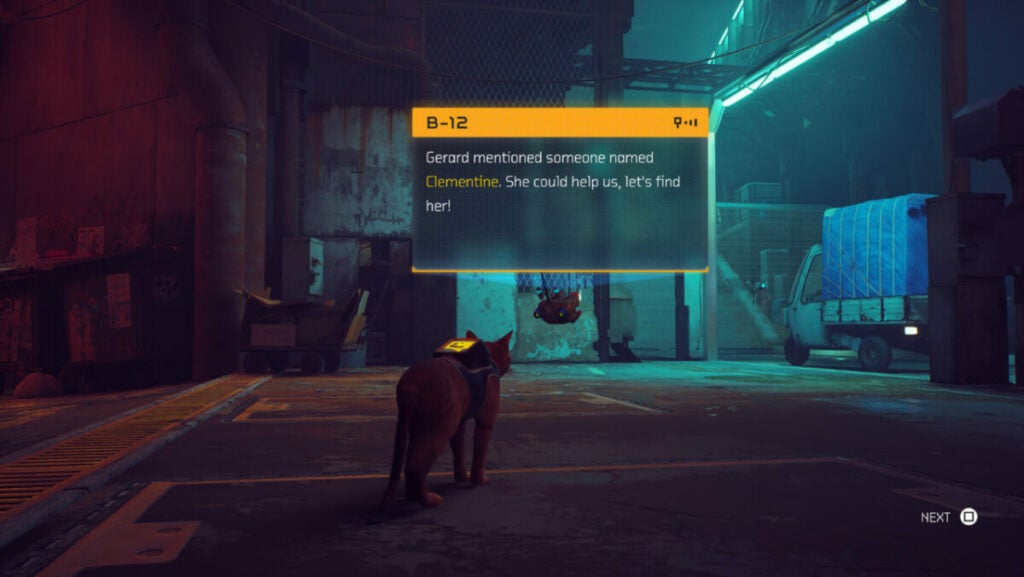
First, the B-12 backpack lights up when the stray is near something such as a terminal or dialogue opportunity. Don’t miss out on this critical visual cue if you want to get achievements and experience all the game has to offer.

Secondly, as with meowing and other cat behaviors, sharpening your claws on various real-world scratching posts will reveal areas. For instance, you could claw at a drape or paw softly at a closed door. Someone may end up opening the door for you and open up an entirely new spot to explore.

Where can I play Stray?

The game is set to get a full physical release with preorders starting on July 12th. For now, players interested in experiencing life as this adorable feline can play digital versions on Windows PC, PlayStation 4, and PlayStation 5.

9 vital AutoCAD tips and tools for new users

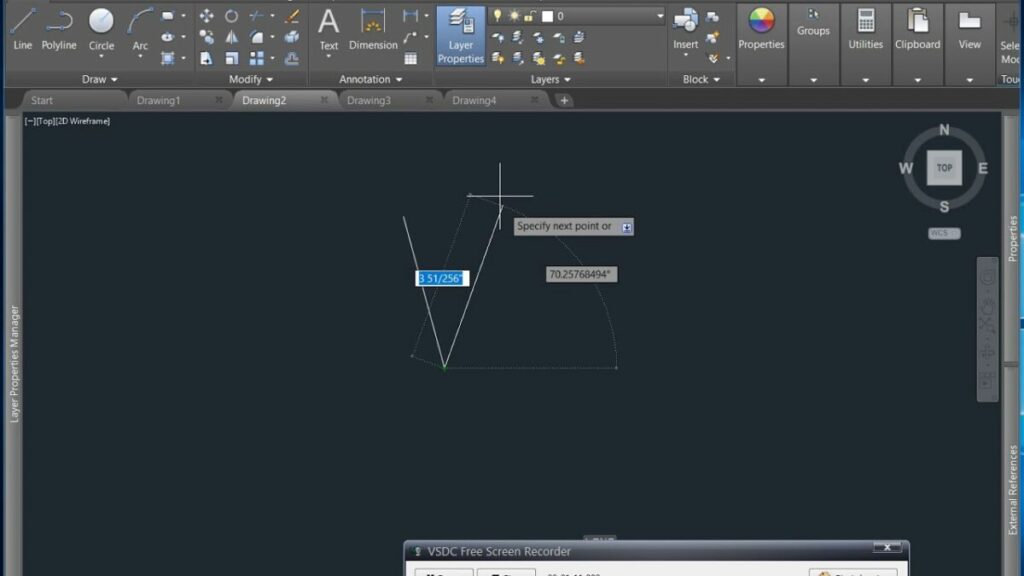
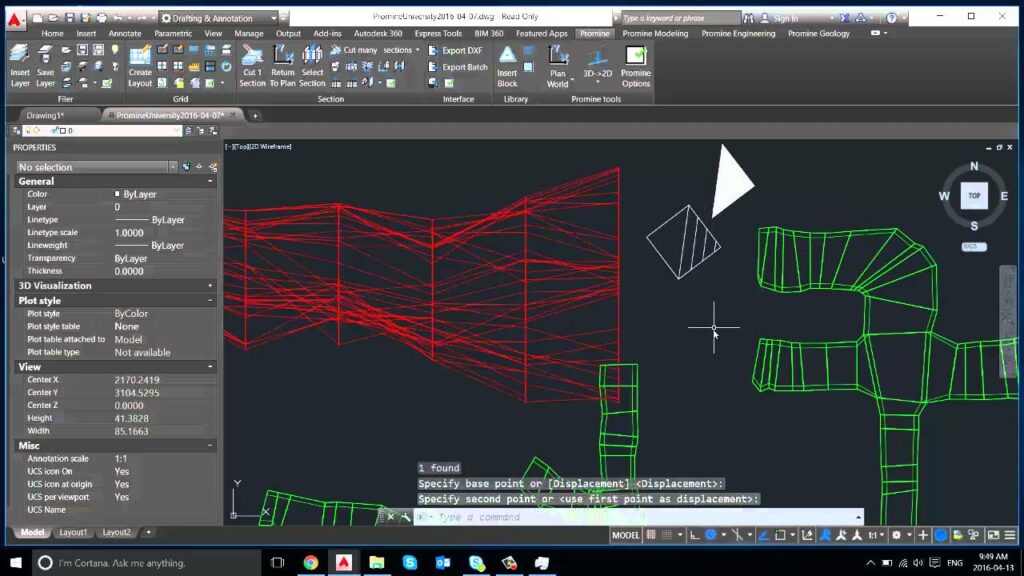
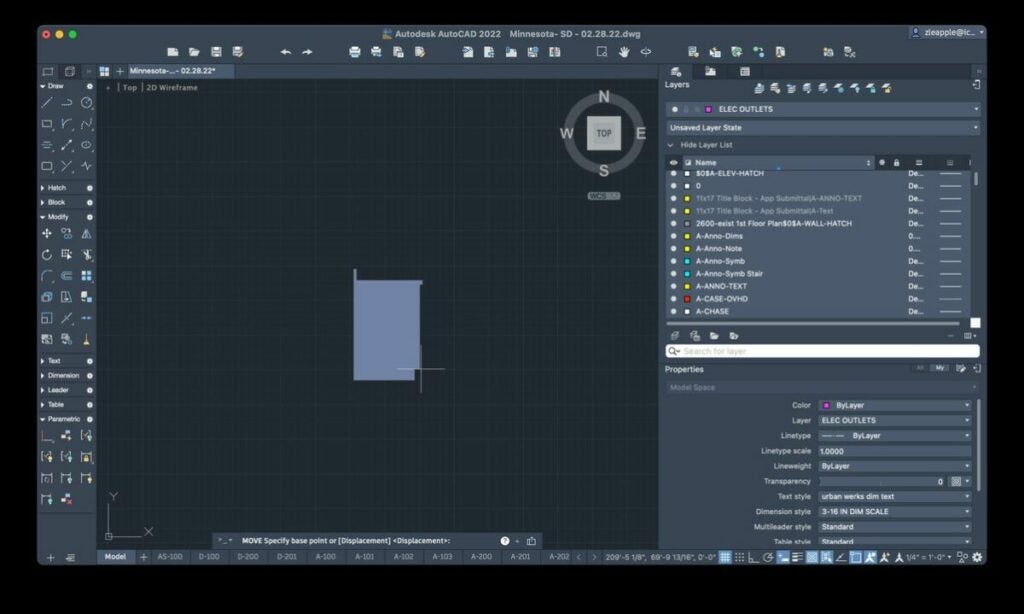
If you work in any professional design field, it’s likely that you’ve heard of AutoCAD. A leading computer-aided design and drafting application, AutoCAD software from Autodesk lets users create accurate two- and three-dimensional representations to develop infrastructure and plan commercial and residential buildings.

AutoCAD DOWNLOAD

For those just getting started with AutoCAD, here are nine essential tips and tools to remember as you begin familiarizing yourself with this powerful CAD modeling program.

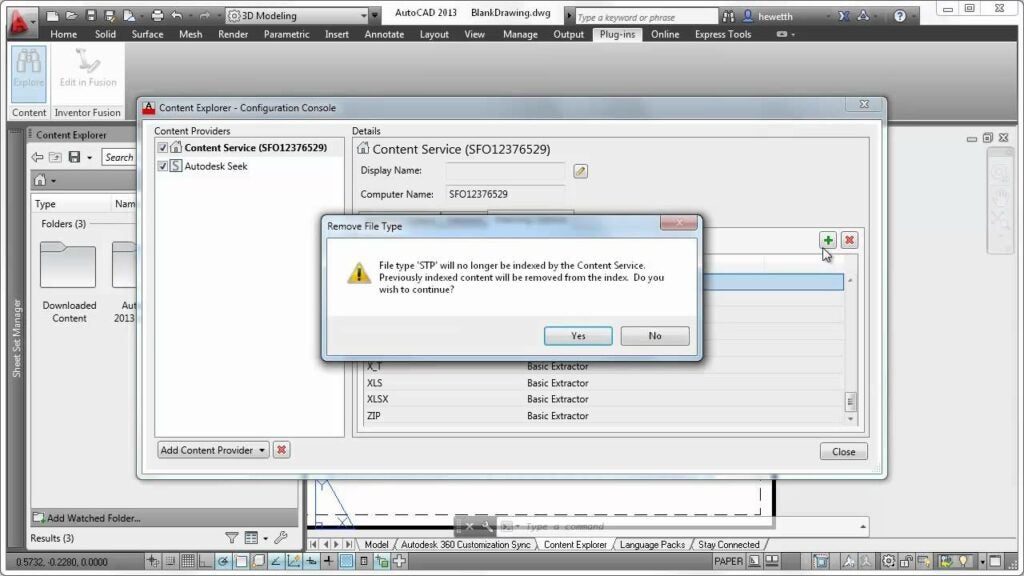
The Content Explorer tool

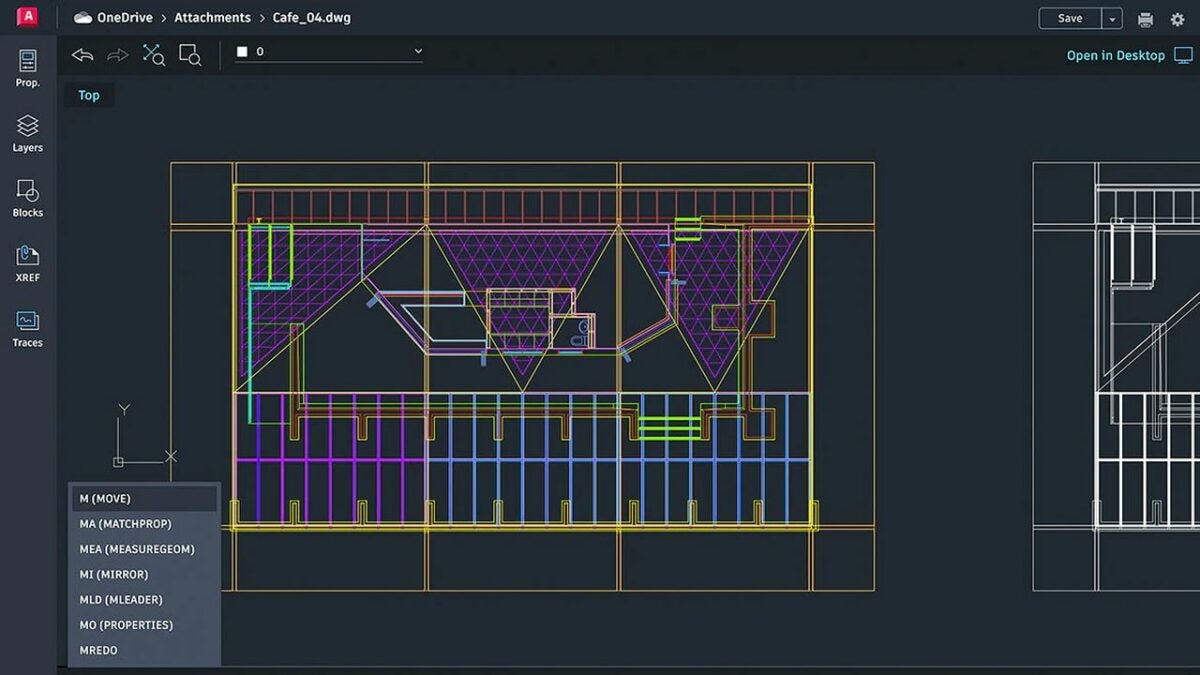
After you’ve created an Autodesk account and downloaded AutoCAD, start by getting acquainted with the Control panel, where you’ll find the Content Explorer tool. To search for anything relevant to your current project, click on the Content Explorer and enter your key terms into the search bar. This tool is the quickest way to find the exact content you’re looking for and navigate directly to it. The Content Explorer tool is particularly effective at helping you distinguish between the various layers in your drawings while enabling you to locate any text you’ve embedded therein.

Find any content associated with your AutoCAD drawing with the Content Explorer

The Saveall command

When you’re in the command prompt, you never want to inadvertently lose any of your drawings by closing the application without saving an open project. AutoCAD provides you with a Saveall function to preserve every model you currently have open. This command helps out in a hurry, but it’s also the best way to safeguard your valuable works in progress.

Save each of your open projects at once with AutoCAD's Saveall feature

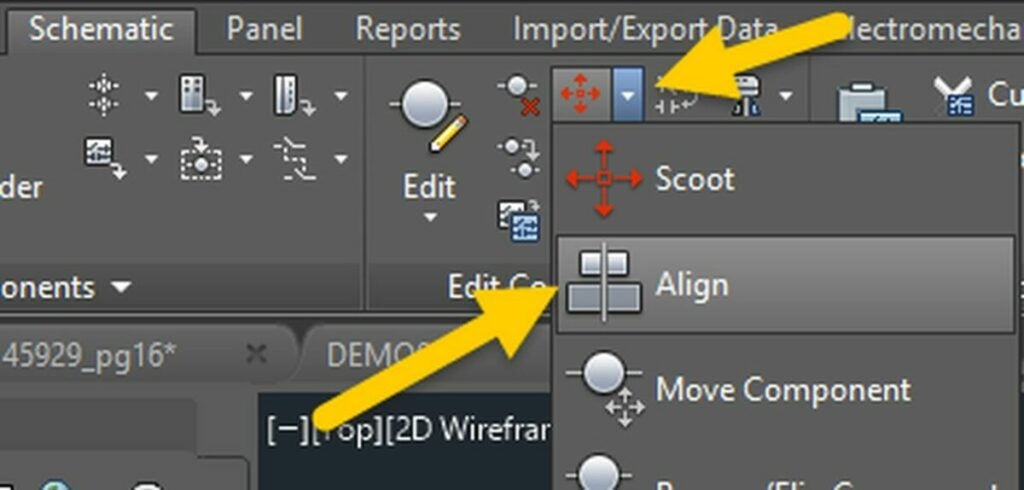
The Align tool

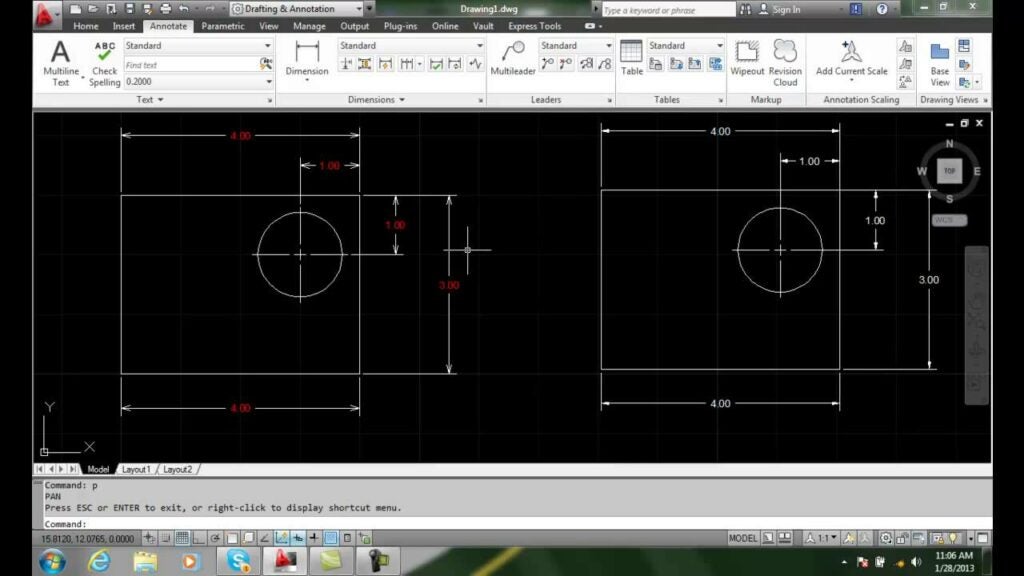
As you start working with AutoCAD and similar programs, you’ll quickly realize how difficult it is to align your drawings correctly. The mere process of scaling, rotating, and repositioning your model sends it out of alignment. Fortunately, AutoCAD provides a convenient Align tool that instantly brings your drawings back into alignment. Align is a reliable time-saving feature that many experienced AutoCAD users commonly forget about.

The Align tool lets you align your drawing automatically after making various adjustments to your 2 and 3D models

The Lasso Selection tool

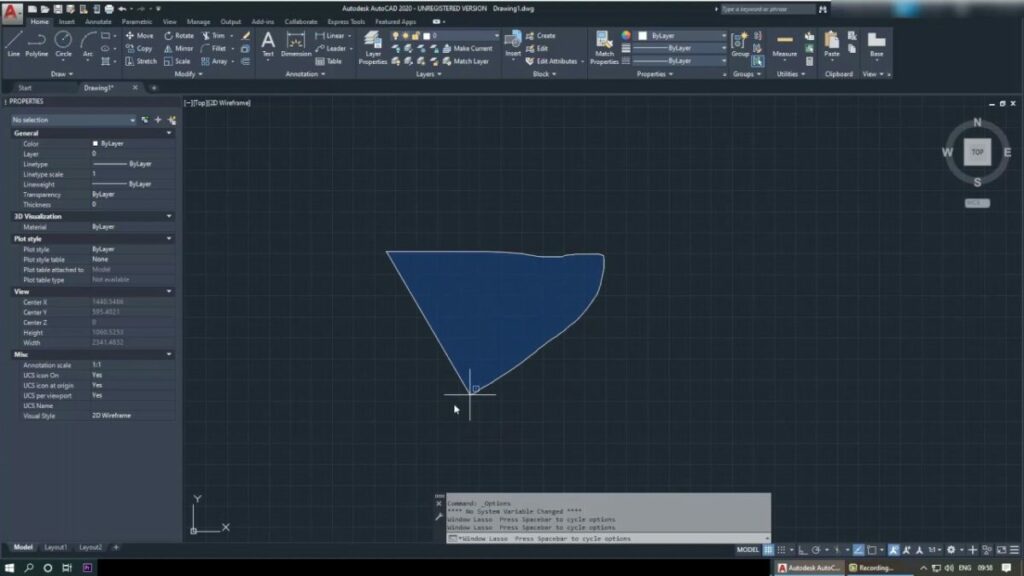
AutoCAD took cues from other top graphic design applications at the introduction of its Lasso Selection tool in 2015. Since the software is over 40 years old, many longtime users may not even know this function exists. To activate the Lasso Selection tool, click and hold the left mouse button. Create your lasso by dragging the cursor over the desired selection. You can repeat this process multiple times until you’ve selected all the required objects in your model.

Since 2015, AutoCAD users can activate a lasso selection feature by left clicking the mouse

The Burst Command tool

If you need to separate elements of an object or block, use the Burst Command tool. This feature is the fastest route to separating select elements of your object while keeping the original attributes intact. To use Burst Command, type “burst” into the command prompt. This command will separate each element of the selected object while preserving its original attributes.

Use AutoCAD's Burst Command to separate a block into its components while retaining its original attributes

The Snap to Hatch tool

Previous editions of AutoCAD let you “snap to a hatch.” To the dismay of many experienced AutoCAD users, this feature was eliminated in subsequent releases of the software — only to be reintroduced in the most recent version. To use the Snap to Hatch tool, go to Draft Settings, and click on the Option tab. Navigate to Object Snap Options, and deselect Ignore hatch objects to restore the original “snap to a hatch” function.

Snap lines to existing hatch boundaries by enabling the Snap to Hatch feature from AutoCAD

The MATCHPROP tool

When you create multiple drawings to different specs, matching the relevant attributes of your various models is crucial. One way to go about this is to match the specific properties after you complete each individual drawing. For a more efficient workflow, however, the MATCHPROP tool allows you to choose the properties of each representation you want to match in one place.

Use the MATCHPROP tool to match selected objects to other objects in AutoCAD

PDF Creation

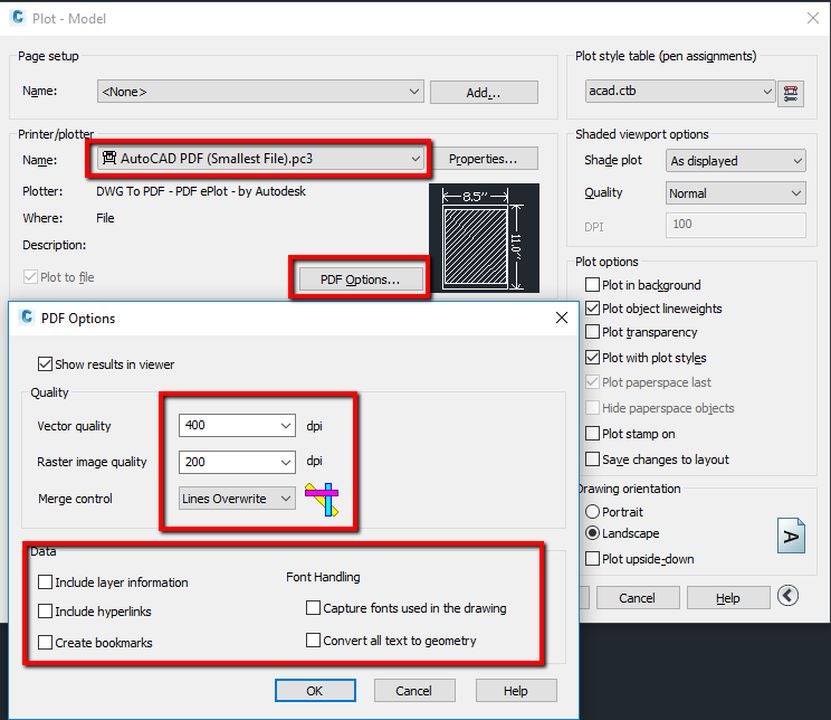
From time to time, you may need to create a PDF copy of your AutoCAD drawings. The program’s default settings allow you to create PDF files easily. To change the original settings, select Plot, choose DWG to PDF from the drop-down menu, and alter the file properties as desired.

Convert files to PDF format directly in AutoCAD

The Closeall command

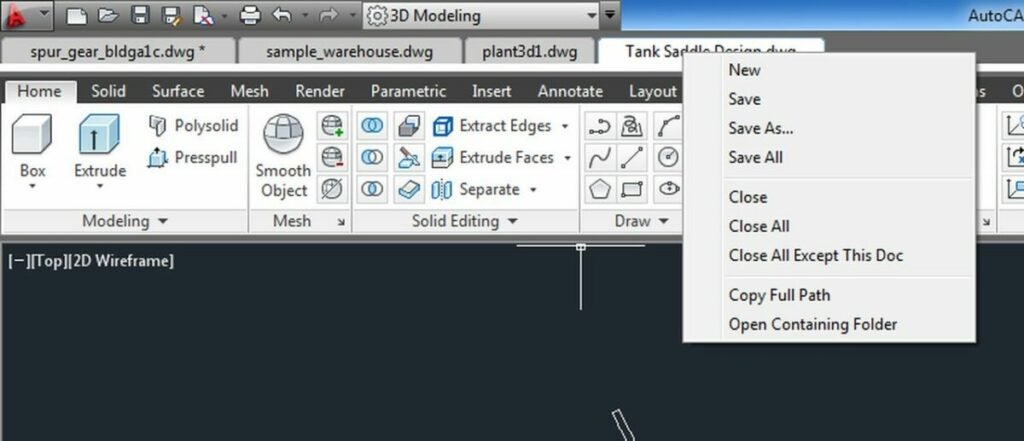
Like the Saveall option, the Closeall feature lets you close out all the drawings you have open at once. Before using the command, verify that you’ve saved all your open models to avoid losing progress. If you’re working on several drawings at once, the ability to close your projects simultaneously saves time and lets you move on to your next task more efficiently.

Type Closeall in the command prompt and all your drawings close simultaneously

Model your next project with AutoCAD

Getting started with AutoCAD is simple. All you need to do is download the software, create a New project in AutoCAD, and click Start drawing. AutoCAD is a robust computer-aided design and drafting program with one of the best toolkits for generating 2D and 3D drawings. Learn more about an alternative easy-to-use design solution in this recent expert review of Adobe Express.

Amazon is finally updating Prime Video’s crappy UI

We have a story here that on the face of it may not be very exciting at all, but if it does apply to you, you will know exactly why it is a big deal. Amazon is finally giving the Amazon Prime user interface a long overdue update and rejuvenation. Let’s take a look.

Amazon Prime Video Download Now

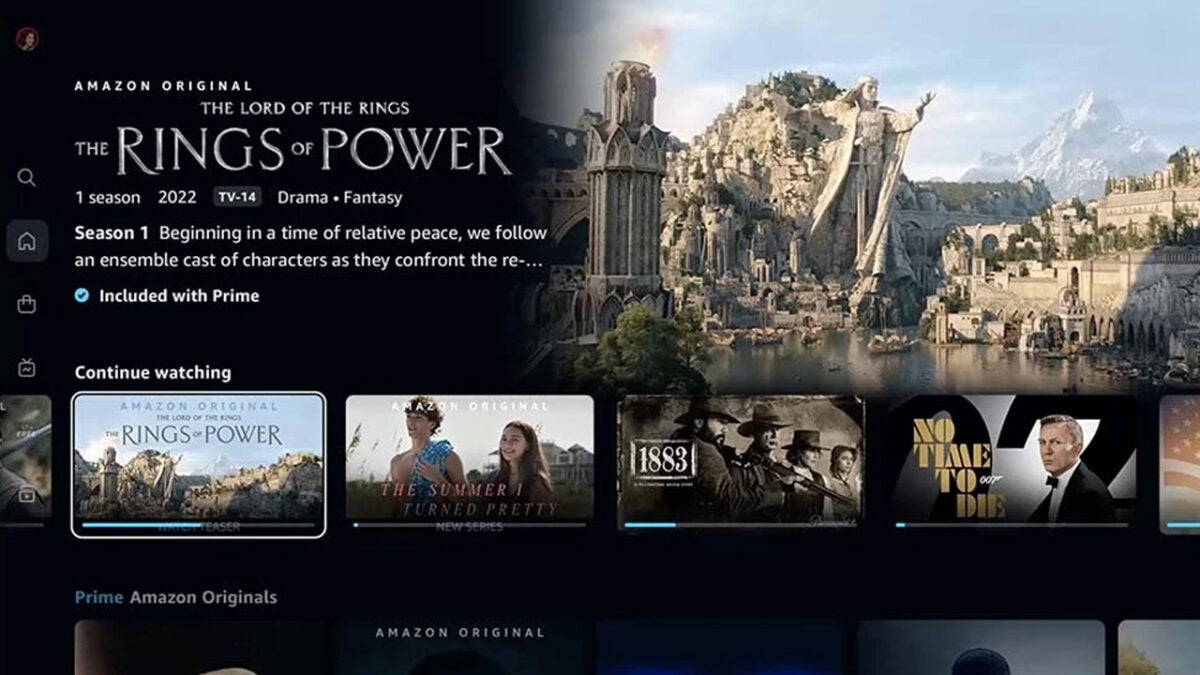
For too long Amazon Prime Video has been a bit of an afterthought for Amazon. Are people subscribing for the TV and Movie package or are they really subscribing for the free shipping? Either way, do we really have to put a lot of effort into making Prime Video if people have reasons to subscribe to it anyway? Well, it looks like finally, that type of thinking at Amazon HQ is going out the window, as Amazon has begun rolling out an Amazon Prime UI refresh.

The new and redesigned Prime Video UI is currently rolling out to all Prime Video apps working on lounge devices such as Fire TV sticks, Samsung TVs, etc. After those devices receive the update, it will also roll out to Android phones and tablets and iOS devices.

So, what is all this about then? Well, it might have something to do with $250 Amazon has shelled out its upcoming and highly anticipated Rings of Power, Lord of the Rings spin-off series. Why would you spend a quarter of a billion dollars, which could potentially rise to more than a billion, making an incredibly beautiful fantasy world come to life only then to serve it up on a platform that the internet regularly refers to as a pile of hot crap?

The update is borrowing a lot from Netflix with floating windows to select your TV show or movie and big flowing previews showing up in the background. The new UI will also include much clearer prompts to show what content is included in a Prime subscription and what is not.

This move from Prime is interesting as Netflix’s recent troubles have been widely publicized, and the streaming platform looking to a cheaper ad-supported tier as a way to attract new users. Prime Video is already a much cheaper platform than Netflix so with a shiny new UI and big blockbuster productions coming, it might be about to take a big chunk out of Netflix’s already dwindling share of the market.
Check out our Complete Guide to Amazon Prime Video for all you need to know about the streaming platform.

Image via: Prime Video

WhatsApp is adding Instagram-like Quick Reactions to Status Updates

WhatsApp is constantly evolving and reacting to other apps as it tries to maintain its title as the number one messaging app in the world. Strictly speaking, status updates wouldn’t class as messages, but they are an effective way to communicate with a lot of people at once, which is probably why WhatsApp introduced them in the first place. In this regard though, WhatsApp is miles behind Instagram Stories, which are technically the same thing. That might be why WhatsApp is pinching an Instagram Stories feature for status updates. Let’s check it out.
WhatsApp Download Now

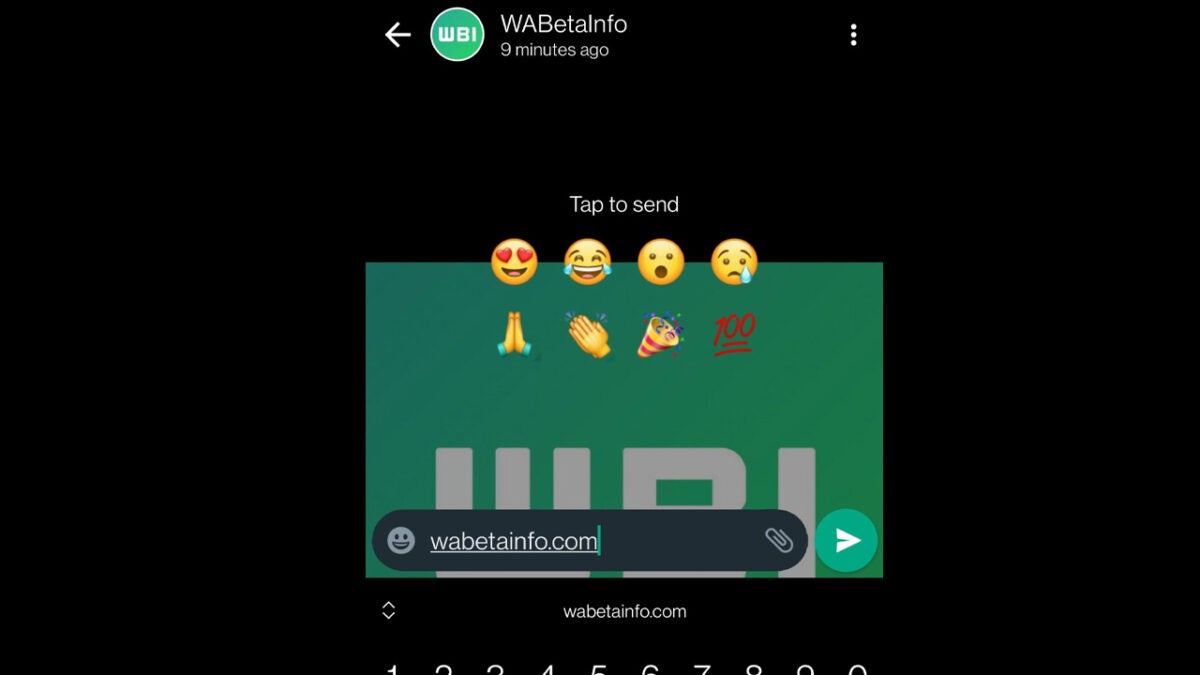
Thanks to WhatsApp’s thriving beta testing community we are able to bring you news of WhatsApp Quick Reactions, a new feature that is currently at the beta testing stage of the development process. The feature had previously been spotted on the WhatsApp beta for desktop, but it has now also been seen on the WhatsApp beta for Android too.

The screenshot above shows Quick Reactions in action. When you view a user’s status update you will be able to quickly react using one of eight pre-defined emojis. When you select one of these emojis it will be sent to the user who posted the status update as a reply.

Interestingly, WhatsApp has recently extended its message reactions feature from a pre-determined selection of emojis to the full emoji keyboard. It is worth speculating at this point, that if this new status updates Quick Reactions feature turns out to be popular then WhatsApp may extend the emoji offering here too. This update also comes hot on the tail of another status update report, as WhatsApp is also working on implementing a voice note feature for status updates too.

There is clearly a lot on the horizon than for WhatsApp status updates, which is just one small part of the messaging app. If you want to make sure you stay on top of all the latest WhatsApp updates, bookmark our WhatsApp News Page and subscribe to push notifications.

Image via: WABetaInfo