Security Report: Google Maps has been invaded by millions of fake businesses

There could be up to 11 million falsely listed businesses operating on Google Maps right now!

scam businesses have been found on Google Maps

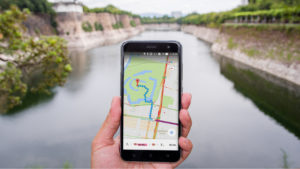
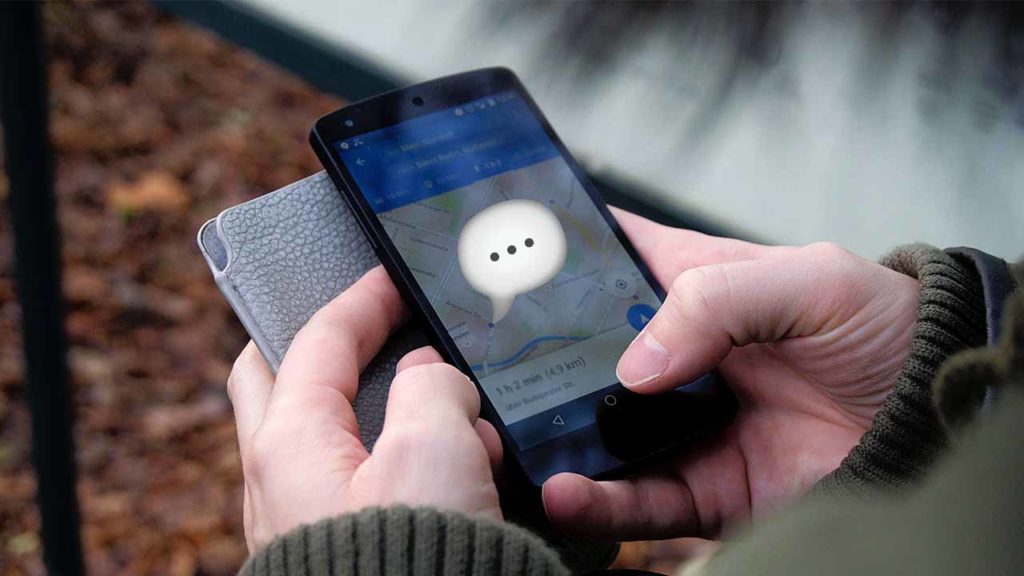
Google has been pumping a lot of new features into Google Maps recently. These go beyond boosting the app’s navigation chops and show a clear new strategy from the internet giant. Features like direct messaging to businesses, highlighting favorite dishes at restaurants, and hash-tagged reviews have all helped turn Maps into an interactive business directory. It is now overlaid on accurate maps of wherever you are or will be at any given moment.

This is a clever move by Google as it makes Maps able to take users away from apps like Instagram and WhatsApp’s new WhatsApp Business app. Like all services, however, the success of this new direction for Maps will depend on trust, which means a new report by The Wall Street Journal will be worrying the big wigs down at Google HQ.

Google Maps Download free ►
7

Millions of fake businesses could be on Google Maps right now

According to the WSJ investigation, a new problem has spread across Google Maps. The report claims that false businesses are hijacking the locations and addresses of legitimate businesses on Google Maps. Worryingly, there could be up to 11 million false businesses operating on the app at any given moment.

Picture the scene.

You log onto Google Maps to look for a plumber or an electrician. You find one located near to your house and arrange for them to do the work. They then turn up, do the work unsatisfactorily, and then charge two to three times the market cost for the job.

Plumber

This is exactly what has been happening. The Wall Street Journal even cited the worrying story of a woman living alone who was visited multiple times by a “repairman” demanding payment for a job he hadn’t completed satisfactorily.

Unsurprisingly, Google has been quick to respond to the report, releasing its own blog post about how it deals with these types of scams. The blog post, however, is filled with less than impressive numbers. They are claiming that last year Maps took down more than  3 million fake business profiles, with more than  90% of them removed before any users saw the profile. Most of these came from Google’s internal systems but 250,000 were reported by Maps users.
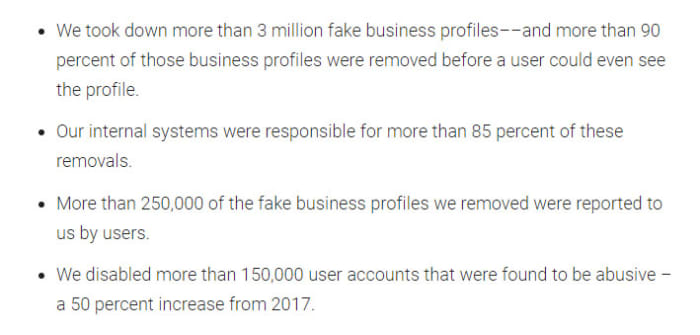
Google's claims of protection against business scams in Maps
Google has so far been unable to stop all scam businesses getting through its vetting process.

This is about a quarter of the number of fake businesses, the analysts from The WSJ found. This means there are still millions of fake business profiles active on Google Maps despite Google’s best efforts. Even worse for Google is the fact that its blog post doesn’t even address the damning claim from the WSJ that a Google commissioned an academic study. It found only 0.5% of local businesses looked at were fake was unreliable due to the extremely limited amount of data considered.

How to avoid fake businesses on Google Maps

shrewd salesperson

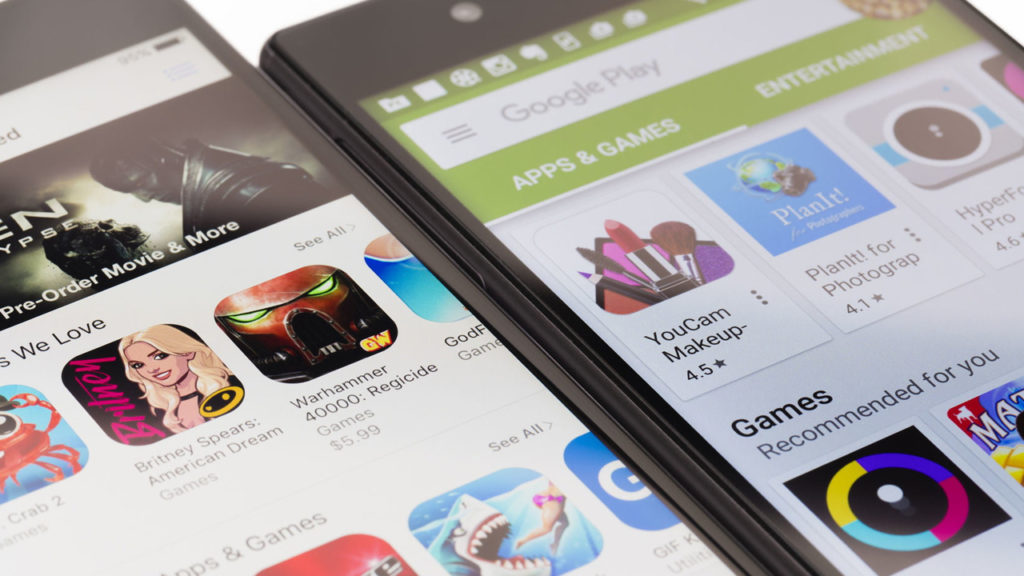
With Google’s best efforts falling short on this one and fake businesses regularly breaking through onto Google Maps, this reminds us a lot of another Google marketplace: The Google Play Store. The Play Store has time and again been overrun with false apps loaded with malware and developed by scammers.

  • Look for local businesses that have other user reviews
  • Look for a web URL
  • Google the business and look for other sources of information other than the Google Maps listing
  • Trust your gut: if something doesn’t feel right, look elsewhere
New Google Maps feature could keep you safe when riding in cabs

Google is testing a feature for Maps that will alert you if you stray too far from your intended route.

G Maps

Google is always looking to add new features to its key products like Gmail and Google Maps and we’ve seen a lot of new features land on its flagship navigation app recently. As well as the likes of the speed camera notification system, recently added, Google is now testing a new feature that isn’t for drivers, but rather passengers in cabs.

Google Maps Download Google Maps
7

Google is testing a feature for Maps that will alert you if you stray too far from your intended route

When you’re riding in a cab you shouldn’t forget that you’re in somebody else’s car. This means that you should respect the driver and the car, but you should also be aware that, when it comes down to it, somebody else is in control. Yes, you’ve told the driver where to go but, should they wish, they have the power to take the vehicle away from the intended route.

The more serious issue here relates to being taken somewhere you don’t want to go. The less serious issue (but much more common) is your driver taking you on an extended route in order to bump up your cab fare. It looks like Google is moving to help people avoid both of these situations.

This new Google Maps feature means you may never be overcharged for a cab ride again.

According to a report by XDA Developers, Google is testing a new feature that will alert users should they stray too far from their intended route. The feature, called off-route alerts, will send an alert to the user’s phone every time they go more than 500 meters from where the route they’re supposed to be following. This means that whenever they’re riding in a cab, they won’t have to constantly check the route they’re traveling as they’ll know their phone will tell them if all of a sudden if they’re no longer following it. Anybody who has ever visited a new city will know that you want to be looking out of the window when in a cab, rather than at your phone.

Of course, this feature will also be useful for regular drivers who don’t want to stare at their phones all the time when they’re driving. Enabling this feature will allow drivers to check their route before setting off and then drive without checking Maps knowing that if they do take a wrong turn, Google Maps will beep them to let them know.

Unfortunately, for anybody hoping to see this feature land on their version of Google Maps, there is still no official word from Google about when this feature will receive a general roll-out. So far, the feature has only been spotted in India, which means it is likely still at the testing stage. As soon as we know more about this feature or when we can expect to see it, we’ll let you know.

Google Maps feature helps find the best food on the menu

Need help picking out what to eat at a restaurant? Google can help!

Restaurant menu

For quite some time now, Google has been trying to turn Google Maps into more than it is. Yes, Maps is a great navigation tool and Google continues to add new features to help it do this job better. Google, however, is also trying to turn Maps into an interactive business directory. It’s now the place you go when you’re thinking of trying a new restaurant or need a particular company that will provide a particular service.

Google Maps Download Now ►
7

In this respect, we’ve recently seen Google adding hashtags to user reviews to help you find the types of company you’re looking for more easily. They’ve also added messaging to help you talk to the companies once you’ve found them. Google is now adding another restaurant-focused feature to Maps that will help you decide which restaurant you’ll end up eating.

Google Maps will now show a restaurant’s most popular dishes

Maps app

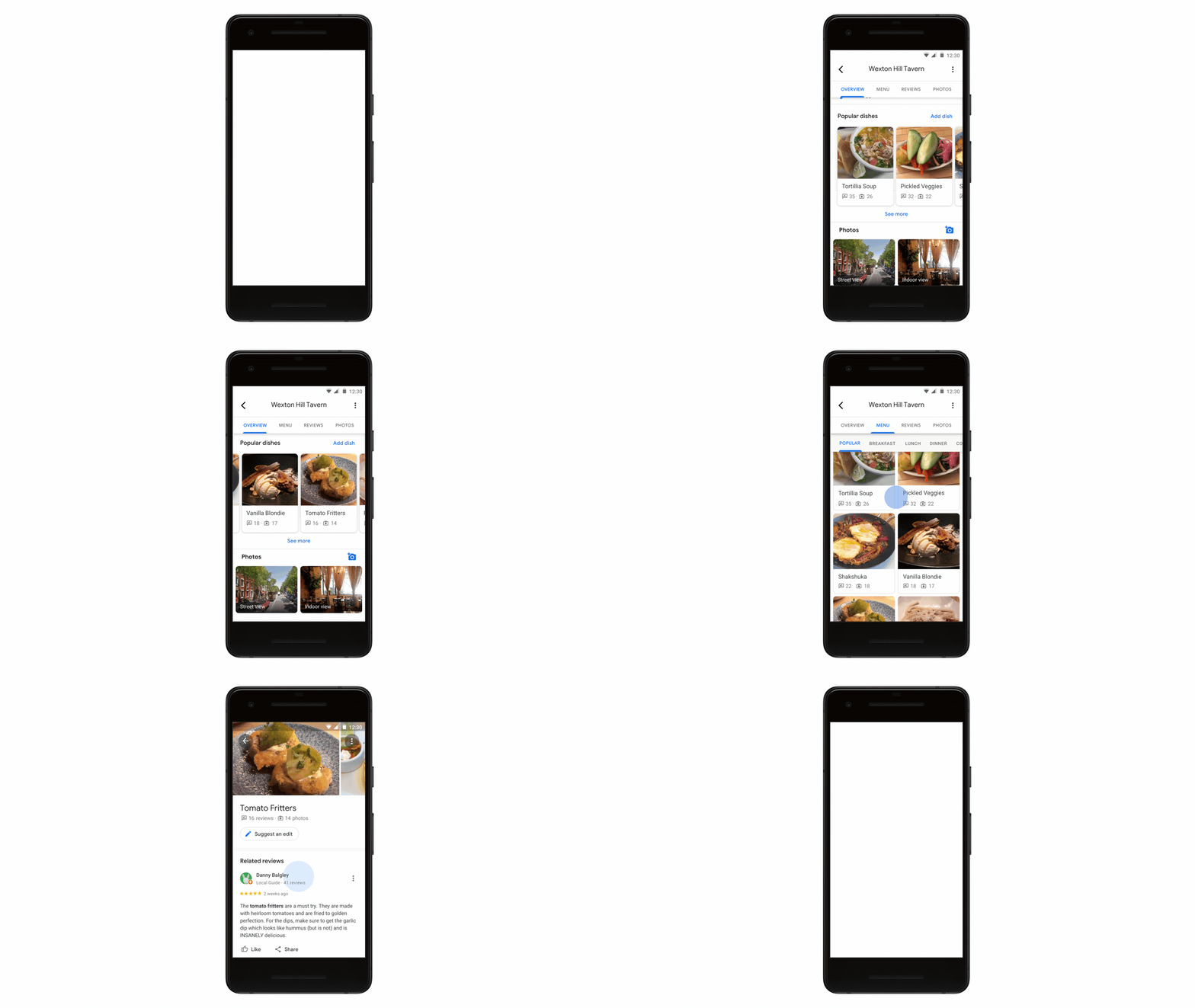
The new popular dishes feature coming to Google Maps is powered by Google’s machine learning algorithms. It is very similar to a new feature that has just landed on Google Lens, too. The algorithm will match user reviews and photographs on a per restaurant basis.

Google Lens Download Now ►
7

This means that whenever you tap a restaurant in Google Maps, you’ll be able to see which dishes are most popular with other Google users. You’ll even get to see what they look like if other users have posted photos. There’ll also be quick one-tap access to user reviews for the dishes you’re thinking about ordering.

Google Maps
Source: Google

How does it work?

As with a lot of Google features, however, this wouldn’t be possible without user participation. Google was keen to point this out in the blog post published to announce its new dish-cover feature.

“At the end of the day, this feature is made possible because of contributions from people around the world who want to help others using Google Maps. So, if you want to pay it forward to the next diner, simply take a photo of your meal (before you’ve scarfed it down!) and add a dish name so others can know what’s good on the menu,” according to the article.

If Google can persuade more users to upload their food photos to Maps rather than Instagram, it’d go a long way to establishing Maps as the go-to business directory Google wants it to be. This would leave apps like Yelp in the dust.

Google points out that the new popular dishes feature is rolling out to Google Maps users on Android right now and will be coming to iOS users in the coming months.

Google Maps speed trap alerts are coming to more countries

Google Maps will soon help you dodge a speeding ticket.

Google Maps car GPS

Google has long been trying to turn Google Maps into the perfect car navigation system. Recently, we’ve seen a whole raft of new features including accident and incident reporting, improved Assistant integration to remove dangerous distractions for the driver, and most recently a speed limit and speed trap notification system. The last one, however, only received a limited roll-out in San Francisco and Rio de Janeiro. This looks set to finally change as Google Maps’ speed camera feature is rolling out to more countries worldwide.

Google Maps Download Google Maps
7

Countries including the US, UK, India, Australia, and Canada will soon have access to the Google Maps speed trap feature

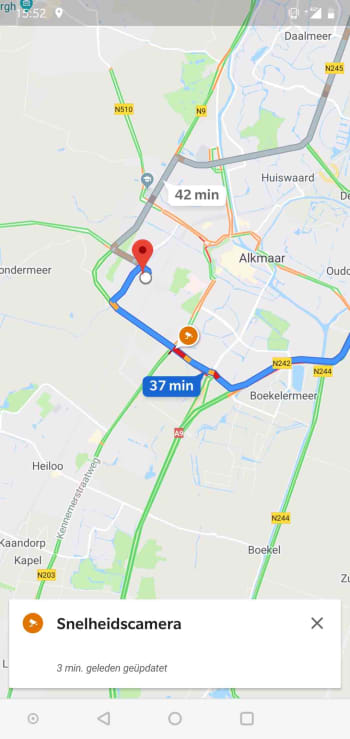
According to a report by Android Police, Google Maps users in Denmark, Poland, and the UK have started reporting that the Google Maps speed trap feature is now live for them. The same report goes on to list Australia, Brazil, Bulgaria, Canada, Czech Republic, Finland, Greece, Hungary, India, Indonesia, Israel, Italy, Mexico, the Netherlands, Portugal, Romania, Russia, Saudi Arabia, Slovakia, Slovenia, South Africa, Spain, Sweden, and the U.S. as all receiving the feature, too.

Google maps speed trap
A user in the Netherlands posted this screenshot to Reddit

Speed trap alerts are just the latest Waze feature that Google Maps has cannibalized since Google bought the navigation app back in 2013. It comes after the addition of the accident and incident reporting we’ve already mentioned. If anything, it is quite surprising that Google has taken this long to add speed traps to Google Maps.

If you live in a country that isn’t listed above, don’t worry, it doesn’t mean that the feature won’t be coming to your country, too. All that list represents is countries where the feature has been spotted and reported online by Maps users. Google still hasn’t published an official list of countries that will see the feature and until it does, we’ll not know for sure where the feature will roll-out too.

The other option for anybody wanting to access this feature now, whether it is live in their country or not, is to download and use Waze. Google has always maintained Waze as an independent navigation app despite cherry-picking all of the app’s best features to add to Maps.

The fact that Waze already has the feature, however, makes it very likely will roll-out speed traps globally, rather than just to a select group of countries, as it shows that Google already has the data and is already running the feature globally. If you haven’t got speed traps on your version of Google Maps yet, you can expect to have it sometime soon.

Google Maps latest update will help you protect your privacy

Google Maps is getting an Incognito Mode that will stop the app from tracking you

How to activate Incognito mode on Google Maps

At the beginning of the month, Google introduced a new auto-delete feature for all the data it gathers on your web behavior. The feature gives you more control over your personal data for sure, but it is a little limited. Google will automatically delete any data that has been stored for longer than you wish it to, but the problem is that the new feature only gives two choices for how long that period may be: three months or a year and a half.

This is definitely a step in the right direction, but the feature’s clear limitation is somewhat frustrating. Fortunately, however, one of Google’s most invasive programs, Google Maps, is getting a much stronger privacy protecting feature.

Google Maps Download Google Maps
7

Google Maps is getting an Incognito Mode that will stop the app from tracking you

The new Google Maps Incognito Mode was introduced Tuesday at the big Google I/O Conference. According to the keynote speech that introduced the new privacy-protecting feature, you will be able to switch it on with a simple click of a switch and when activated, it will hide all of your activity from your Google account. This means Google Maps will no longer be tracking things like places searched for or directions followed.

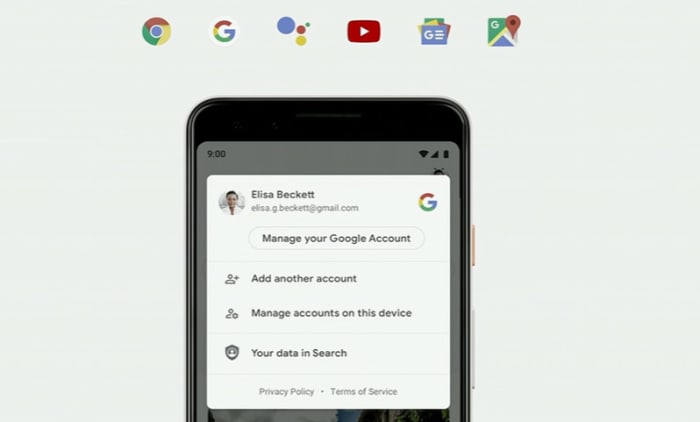
Privacy was a bit of a buzzword at the Google showpiece with CEO Sundar Pichai running through the search giant’s history on the subject before introducing some new features. One such introduction was the rollout of the aforementioned auto-delete feature. Another was one-tap access to your Google account’s privacy management page. These two new features, as well as Google Maps’ Incognito Mode, should soon be front and center when clicking your Google profile picture in the major Google apps or Google Maps specifically.

one tap access to Google account management page
Google’s major apps will soon offer one click access to privacy controls including auto-delete

The roll-out of auto-delete and easy access features began on Tuesday but as there are so many Google devices out there, it will no doubt take a while before they land on all Android phones. If you can’t see them yet, they should be there soon. The Maps Incognito Mode will begin rolling out soon.

How to use the Google Maps Incognito Mode

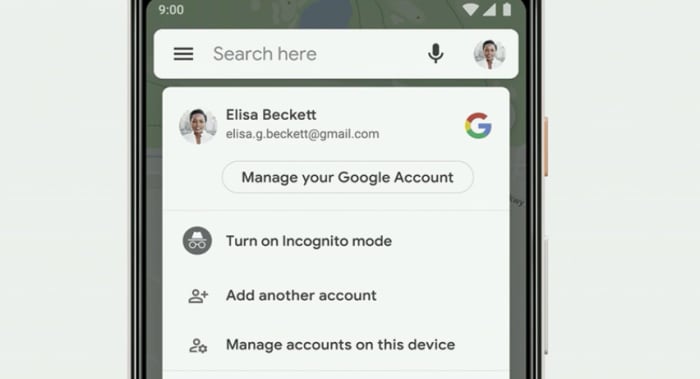
Using the new Incognito Mode on Google Maps couldn’t be easier. All you need to do is open Google Maps and then tap your account icon in the top-right of the screen. This will either be the profile picture you connected to your Google account or a circle with the first letter of your name in the center. Once you’ve clicked this, you should see the Turn on Incognito mode option just below the Manage your Google Account button.

Google Maps has an Incognito Mode
The new Google Maps Incognito Mode is easy enough to use

Adding Incognito Mode to Google Maps now means that three major Google apps (Chrome, YouTube, and Maps) have the tracking prevention feature. Pichai also announced that the internet giant will also be bringing the feature to Google’s search later this year.

Explore Mars from home

Discover why NASA is researching the terrain on a Canadian island.

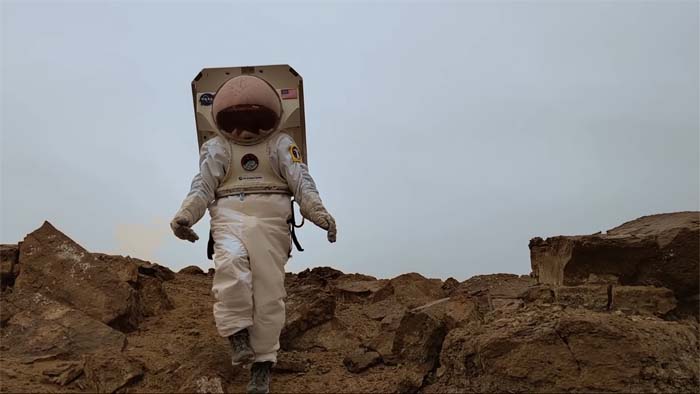
Mars AstronautOn average, Mars is about 140 million miles (approximately 225 km) away from the Earth. The average person most likely won’t get to explore the surface of the red planet in their lifetime, but new technology has made it possible to bring the red planet to your screen.
A team of NASA scientists has been conducting research on Devon Island off the coast of Canada. The island’s terrain is similar to what astronauts would encounter on Mars, and this research will help NASA understand what awaits them in the harsh, unyielding climate of our planetary neighbor. Google released this video about the scientists and their research.

Through Google Street View, you can now explore Devon Island, too.

More resources for Mars-lovers

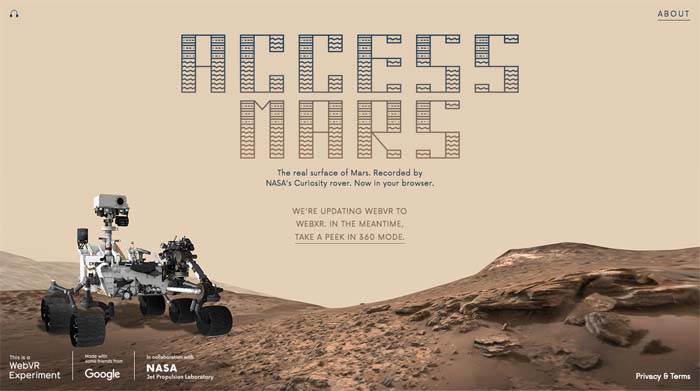
In 2012, the Curiosity Rover landed on Mars and began shooting photos of the planet’s surface. Since then, the rover has taken about 200,000 photos, all of which have been sent back to NASA’s Jet Propulsion Labs who have been working to convert the images into a 3D model. In 2017, NASA partnered with Google Creative Lab to create Access Mars, where you can explore a 3D model of the planet from your browser.

Access Mars

And if that doesn’t scratch your interplanetary itch, Lockheed Martin created a virtual reality app called Mars Walk. After placing your phone in a VR headset, you can get a full view of Mars while a narrator tells you about expeditions to Mars, and what they learned from their research. You can also visit the Curiosity rover and visit your virtual space module.

Google Maps gets a privacy boost

Google Maps update could add an “automatically delete location history” feature.

The modern era is dominated by tech giants that make money through harvesting our personal data and selling it to advertisers for profit. Consequently, one of the big issues of this day and age is privacy. It is in the tech giants’ financial interest to encroach on our privacy, which means it is an uphill battle for us, the little guys, to hold on to whatever scraps of privacy we want to keep.

One of the biggest apps out there that draws criticism from privacy advocates is Google Maps. The app takes all your location data sends and it back to Google HQ. If the idea of a tech giant knowing your every move is a little sinister to you, you’ll happy to hear about an update that could be coming to Google Maps very soon.

Google Maps Download Google Maps
7

Google Maps update could add an “automatically delete location history” feature

According to 9to5Google, the code to the recent Google Maps beta version update contains something very interesting indeed. It looks like the internet giant is testing out a feature that will automatically delete a user’s location history. This would mean a user could protect their privacy without having to go into the Google Maps menu and delete their location history every time they’ve been somewhere.

The new beta version of Google Maps is available on the Play Store, but it is still very much in the testing phase. At this point, there is not even a guarantee that the feature will even make its way onto the full version of the app. With the EU recently stepping up efforts to protect user data and showing a propensity for handing out huge fines there is now a financial incentive for Google to think more clearly about the privacy of the users of Google products.

On top of the financial incentive represented by the huge stick the EU is willing to yield, it is becoming more and more clear that the public is more switched on about privacy issues. With Facebook going through privacy scandal after privacy scandal, mobile app developers intent on taking as much of our private data as they can, and the true value of user data becoming more and more apparent everyday internet users are much less likely to feel comfortable handing over our data than we would have been in the past.

It is good news then that Google is testing a feature that will make it much easier to stop the tech giant from automatically recording all of our location data. Unfortunately, however, there is still no word about when all Google Maps users will get access to this feature. If you want to try the feature right now, you can become a Google Maps beta tester.

Google Maps Download Google Maps
7

The Google Maps AR update: What’s the big deal?

Google Maps will show you navigation instructions on top of live images of the real world.

New Augmented Reality Google Maps feature

The Wall Street Journal recently published a story claiming that Google was about to release a new AR feature for Google Maps Navigation. The release was only going to be a limited roll-out to a select group of users, but the promise of AR-assisted navigation instructions has been exciting people since The WSJ first ran the story. Let’s take a look at why.

Google Maps Download Google Maps
7

Google Maps will show you navigation instructions on top of live images of the real world

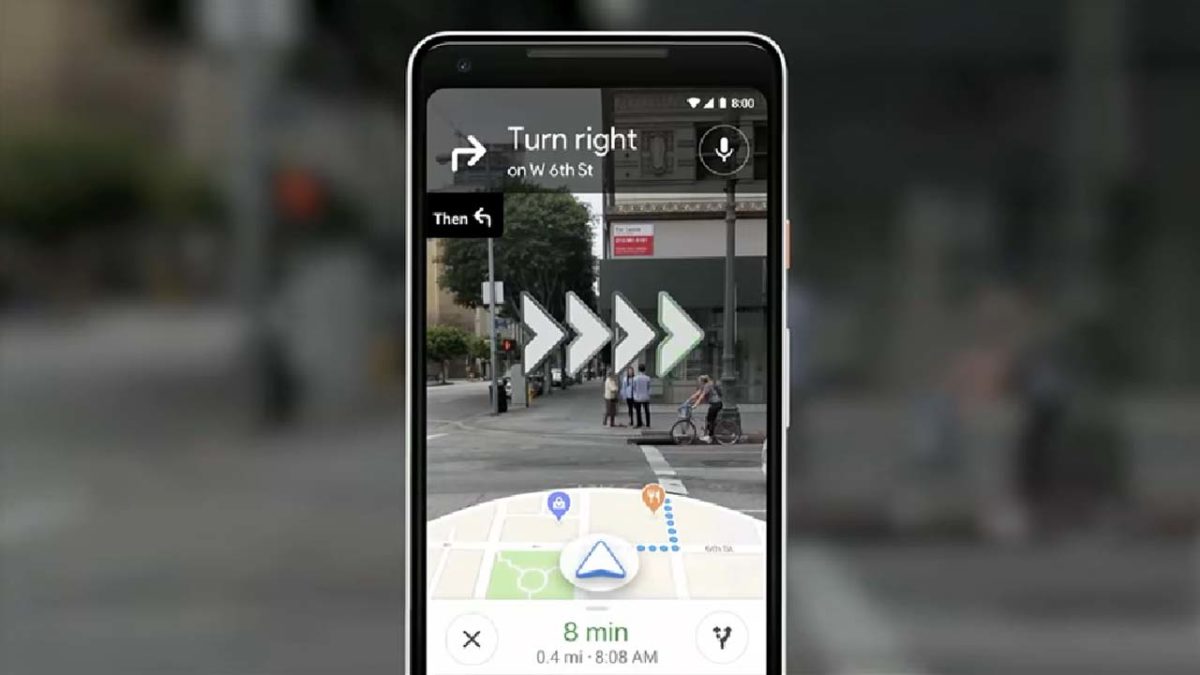
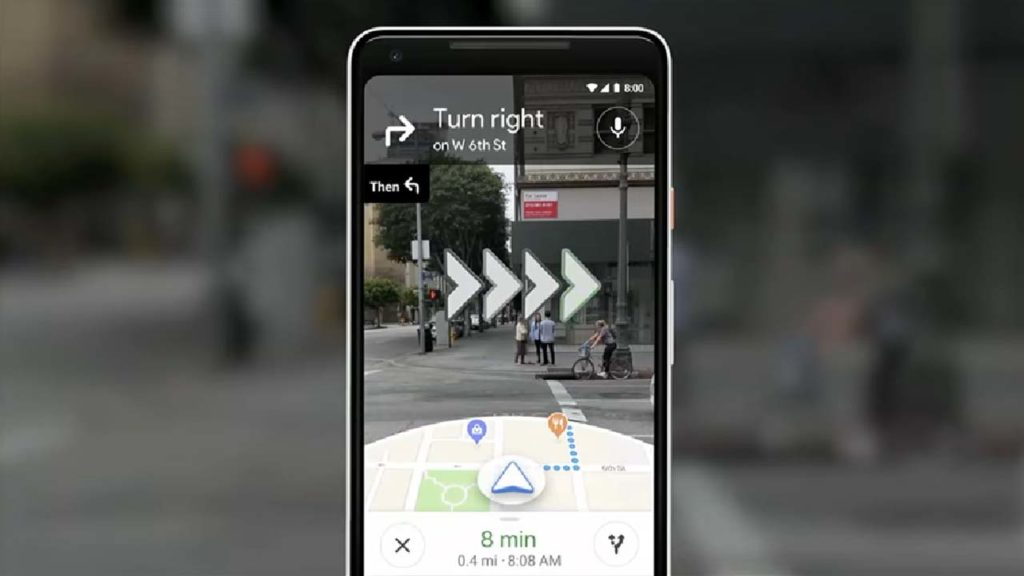
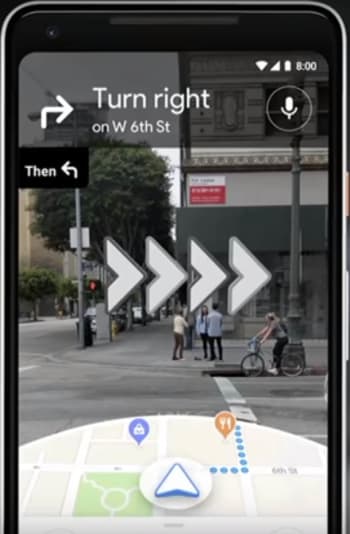
Google first announced the plan to bring AR to Maps navigation back at its big I/O conference in May. The way the new AR will work is by using your phone’s camera to capture live images of the environment around you and then displaying the navigation prompts on top of the images. This means that rather than looking at generic blue dots on a map, you’ll be looking at a live image of the street in front of you and will see arrows and signs pointing you in the direction you need to go.

Since the Wall Street Journal story, Google has demoed the new features to a select number of industry insiders. First impressions are that the feature works well and is very helpful when it comes to orientation. Rather than having to spin on your heels trying to figure out which way Google Maps thinks you are facing, you can simply raise your phone up to eye level and the map will automatically change to AR mode.

AR navigation for Google Maps
Image via: YouTube

When in AR mode, Maps will show a mini-map in the bottom third of your phone’s screen and the live images your camera is capturing in the top two-thirds. It is in the top two-thirds where the AR magic happens as on top of the images of the street will be animated prompts telling you which way you need to go. Combined with the mini-map at the bottom of the screen, the whole package removes confusion from a common situation facing people in strange parts of town or new cities altogether.

Google has highlighted that the AR feature should only be used when you’re approaching junctions and turns. When you’re walking straight you should hold your phone down, so that map mode is enabled, and if you hold your phone up in AR mode for too long an alert will show, telling you to lower your phone. This will stop users from walking around while staring at their phones and potentially knocking into people and objects in their path.

Impressively, despite being in an early Alpha state, the responses to the new feature have been very positive. There is still some smoothing out to be done, with graphics and animations, but generally, the feature seems to be working well. The bad news, however, is that there is still no news about when Google Maps’ new AR feature will be available to everybody or even if it will be available outside the U.S. when it is released.

Warning: avoid these GPS navigation apps

These 19 Navigation apps are just Google Maps with extra ads bolted on.

The Google Play Store is the main app store for the biggest mobile operating system on the planet. It is home a to a whopping 2.1 million apps. The market is booming, and it offers up plenty of choice, but the sheer size of it means it can be hard to police every new app that becomes available. This has led to plenty of fake apps getting through Google’s security web and making their way onto the Android app store. Security researcher Lukas Stefanko has found 19 such apps that all have something in common.

These 19 navigation apps are just Google Maps with extra ads bolted on

Stefanko reports that the 19 navigation apps he tested all have more than 1 million installs each and between them have been installed over 50 million times. In the series of tweets Stefanko published to raise awareness of the apps and this type of issue, Stefanko said, “These apps pretend to be full featured navigation apps, but all they can do is to create useless layer between User and Google Maps app. They attract potential users with fake screenshots stolen from legitimate Navigation apps.” Although the apps present themselves as being unique and can even have their own UI experience when opened, as soon as the user begins navigating, the app opens Google Maps.

The main reason these types of scam app exist is to raise revenue through ad placement. With over 1 million installs each, these apps will be able to raise quite a bit of money by inserting ads into each user’s navigation process. One of the apps Stefanko tested even offered an in-app-purchase that would remove the ads in exchange for a payment.

Unfortunately, however, some of the apps went further than this and asked for strange permissions like access to the phone’s dialer. In itself, this represents an extra security risk on top of the annoyance of having extra ads pop up every time you want to find out how to get somewhere.

Worryingly, for Google and users of the Google Play Store, three of the scam apps came up as the top three Recommended for you apps when Stefanko opened the Maps and Navigation section of the Play Store. Furthermore, Stefanko only tested apps with more than 1 million downloads. As none of the other recommended Maps and Navigation apps were from reputable companies like TomTom or Waze, there is a good chance some of the other top apps were fake too.

What this all shows is that Google still has a large fake app problem with the Play Store. To ensure you only install legitimate apps always follow the steps laid out in this tutorial. It also shows, however, that if you’re looking to download a navigation app, you’re best sticking with one of the big boys. There aren’t many big tech companies who are able to collect the huge amounts of detailed mapping data needed to create a reliable navigation app, as this new deal between Apple and DuckDuckGo highlights.

Google Maps adds crucial update

Stay safer on the roads, thanks to this new Google Maps update.

google maps

Google Maps has been getting a lot of updates recently. New features like crowd-sourced incident reporting and improved voice control via specialized Navigation- Google Assistant integration make it a genuine contender against standalone GPS units like those from Garmin and TomTom. Until now, however, one particular GPS feature has been missing from Google Maps’ Navigation feature but now things have changed.

Google Maps Download Google Maps
7

Google Maps has added a speed limit feature that is now rolling out globally

According to a report by Android Police people across the U.S. have been spotting speed limits on their navigation routes. The new feature is simple enough but has long been a staple of GPS navigation units. Users of Google Maps Navigation will soon be able to see the speed limit of the road they’re driving on, making it easier for them to drive within the boundaries of the law. Furthermore, Maps will also show when a speed trap is approaching and users will also receive audio notifications as they come up towards them.

Strangely, Google Maps has had a speed limits feature for years, but it is one that has been very limited. Until now you would only have ever seen the Google Maps speed limits feature if you’d been driving in the Bay Area of San Francisco or Rio de Janeiro in Brazil. That first location is understandable, but the second is a bit more random.

Over the last few days, however, reports have been coming in from New York City, Los Angeles, and Minnesota that the speed limits feature has been spotted on Google Maps. The feature is finally coming to U.S. users.

It has taken Google a very long time indeed to add speed limits to Google Maps. Considering how useful it is for drivers to be able to see the current speed limit that applies to them, it really is a bit of a surprise that it has taken the search giant so long to add the feature to its flagship mapping app. It is even more surprising when you consider that the Google-owned Waze navigation app has had speed limits for quite some time.

Speed limits is the second Waze feature Google has added to Google Maps in the last few weeks. Google recently added a facility for reporting traffic incidents and accidents to the app to help improve the app’s ability for redirecting drivers to avoid travel delays. Both features mark a clear move by Google to turn Google Maps into an app that could be a genuine replacement for specialized GPS navigation units.

The Google Maps speed limits update is now rolling out Denmark, the United Kingdom, and the United States and the speed trap notifications are coming to users in Australia, Brazil, Canada, India, Indonesia, Mexico, Russia, UK, and the U.S.