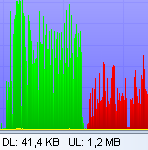
 I’m constantly experiencing bandwidth issues with my Internet Service Provider. One minute it’s great, the next minute it seems like it’s squeezing all the data through the eye of a needle. In order to take control of this situation one tool I’ve found useful is BWMeter which is basically a bandwidth monitor and traffic controller which measures, displays and controls all traffic to/from your computer or on your network. It can eventually help you get to the root of any bandwidth problems that have been plaguing you.
The key feature is that it can analyze the data packets telling you where they come from, where they go and which port and protocol they use so it’s much easier to see, what’s coming through your router although you’ll need to do some research on the net to interpret exactly what the results mean for your system. BWMeter can also be used to control traffic by setting a speed limit for all kinds of connections or restricting access to certain sites. BWMeter is ideal for home users, although not really network administrators, who need to get an overview of how much bandwidth they’re using. At least it’s enabled me to determine that the problem is definitely coming from their end and not mine although try telling my ISP that!
 One of the worst jobs in Excel is having to compare data in two spreadsheets. It can be a painstaking process to go through them both and look for things such as price differences and value variations.
  When I was a kid, making my own music compilations involved recording the Top 40 off Radio 1 and then making sure I hit pause before the DJ butted in. Labelling involved nothing more than a white label saying “Top 40” and maybe drawing a picture on the box. Nowadays, the whole labelling process is a lot more sophisticated. You can even reproduce copies of original album covers in pretty good detail although of course, we don’t advocate piracy of copyrighted material.