The Best Settings for CCleaner

Is your computer running slow? Want to optimize your PC and keep it junk free? CCleaner is a tool for you. This powerful system utility suite lets you remove temporary files, uninstall programs, control your startup processes, and find duplicate files, all from one user-friendly interface. This makes it very simple not only to spring clean your computer, but also to speed it up and make it run like new.

CCleaner logo

As with most Windows optimization and cleanup tools, the trick to using CCleaner most effectively is to choose the right settings. This might be overwhelming to new users, but don’t worry. In today’s article, we’ll help you easily use CCleaner and give your computer the boost it deserves. Here we go!

CCleaner DOWNLOAD
9

A Word of Caution

CCleaner is a very powerful tool that can make changes to your system’s startup and registry files. For that reason, it’s always recommended to back up your entire hard drive or set up a recovery point on Windows before making any changes.

Warning Sign

Step 1. Analyze Your Computer for Junk Files

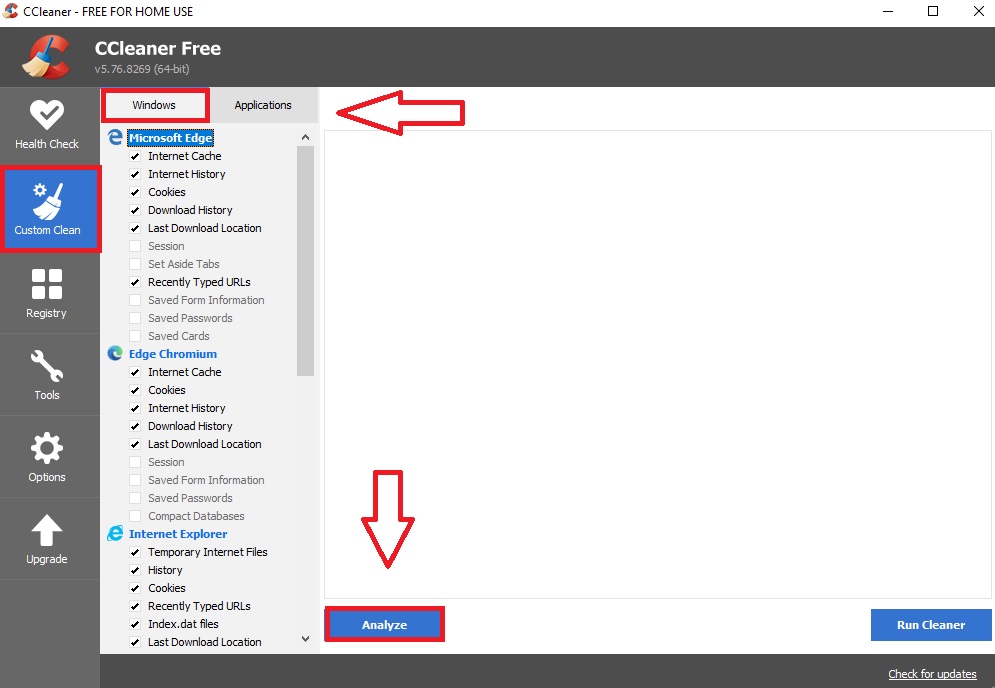
Let’s get started. Open CCleaner and click on the “Custom Clean” option that you can find on the lefthand menu. Once you’ve done this, select the “Windows” tab and check all the boxes you want CCleaner to inspect. Repeat this process for the “Applications” tab as well. After that, click the blue button “Analyze” and let the program check every nook and cranny of your computer.

CCleaner Custom Clean menu

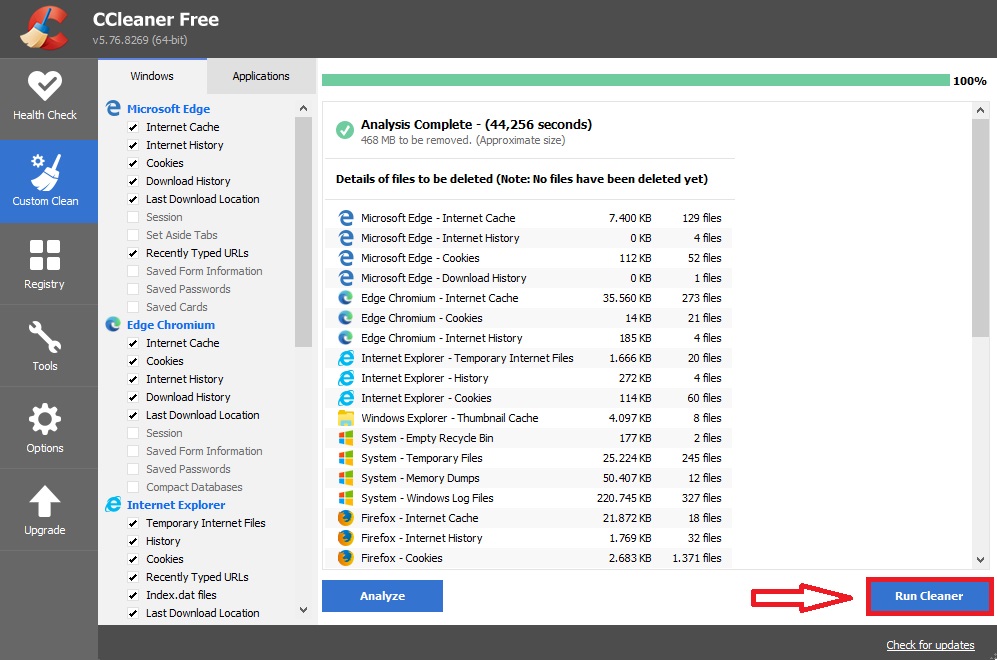
After a few seconds, CCleaner will show a list of all the files that can be removed from your computer and how much free space you can gain by deleting them. If there are files that you do not want to remove then go back and check different boxes. Once you’re happy with what is being deleted, click the button “Run cleaner”.

Custom Clean from CCleaner

Step 2. Clean Your Registry

Broken or corrupt registry entries can slow down your system, make it freeze, or even crash. Fortunately, CCleaner can help to fix this by locating all these troublesome entries and assist you in getting rid of them.  To perform a scan, first open CCleaner and click the “Registry” option followed by “Scan for issues”.

Once the scan is finished, review the results and deselect any that you don’t feel are actual issues.  Now, simply click on “Review selected Issues” and it’ll give you an option to back up your registry. It’s highly recommended you carry out this step. Afterward, a dialogue will pop up that will run through each individual issue. You can either scroll them one by one or select “Fix all issues”.

Registry menu from CCleaner

Step 3. Use the System Tools

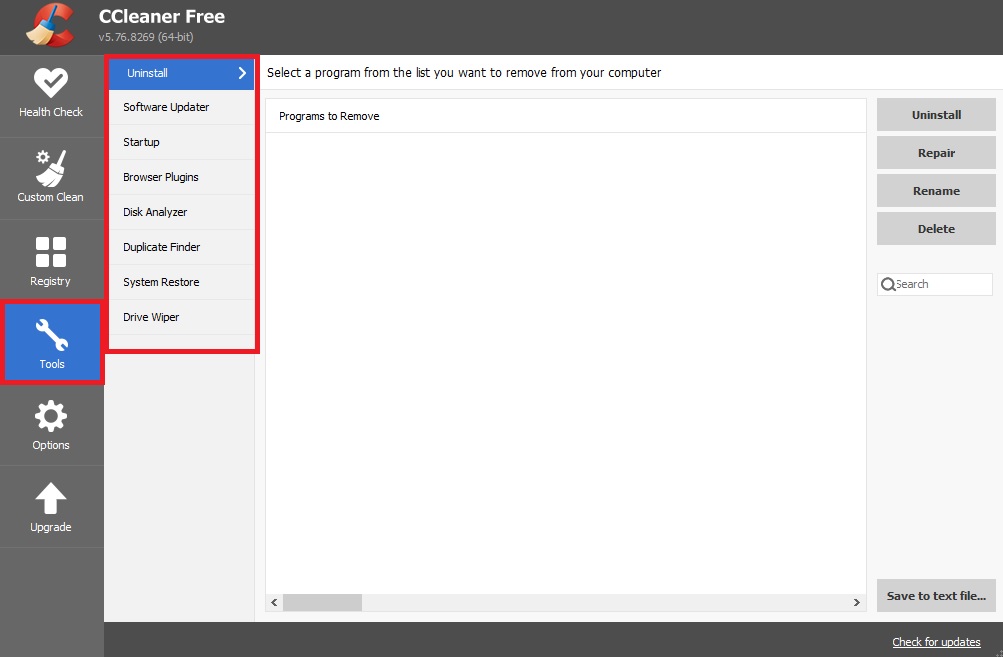
CCleaner gives you easier access to your computer’s existing system tools. Here’s how to make the best use of them.

If you’re struggling for space, use the Uninstall tool to eliminate unneeded programs. If you still need more space, use the Duplicate Finder to search for duplicate files that can be deleted from your system.

If any of your programs or apps are crashing and giving you problems, try the Software updater tool. With just a few clicks you can locate any outdated software on your PC and be able to install the latest version.

The Browser Plugins disabler tool is especially useful, as it cleverly presents all your browser plugins in one simple interface. Handy if your internet browser is grinding to a halt.

If your startup process is slow, you’ll find the Startup tool convenient for stopping useless programs from using your computer’s resources upon booting Windows. You might be surprised by just how many non-essential programs start up when you boot your PC or laptop.

As for Drive Wiper, if you have any highly sensitive documents that you’ve recently deleted, this tool can be used to make sure they cannot be recovered. Make sure you’ve selected “Free Space Only”, otherwise you could end up completely wiping your PC. Increasing the “Security” setting will improve how well the data gets wiped, but can significantly increase the time it takes to complete.

Finally, with System Restore, you can achieve the same results by using Windows’s System Restore settings, so feel free to ignore this tool.

CCleaner tools

Step 4. Customize the Options Menu

There is very little to customize in the Options menu, but be sure to check out the settings to see if there are any options checked that you don’t want. Don’t forget to also check the “Advanced” section. We recommend the settings as shown below:

We hope our guide has helped you clean and speed up your computer. If you’ve never tried CCleaner, why don’t you give it a shot? You can download it easily from the link below.

CCleaner DOWNLOAD
9

Options from CCleaner

10 apps to protect your online shopping

Online shopping is not without risks. Every time you’re out there on the internet, you’re putting your data at risk if you don’t have good security measures in place. You really should start protecting yourself. It’s not hard! Here are our recommendations for reducing online threats that can get in the way when you’re shopping online.

8
Avast Free Antivirus 2017 offers protection against malware and viruses without slowing down your computer. You can use it on your PC or mobile device, and it's also effective for businesses large and small. Instead of processing and analyzing using your computer and processor power, the hard work is done on the cloud.
Kaspersky Anti-Virus DOWNLOAD
8
Kaspersky Anti-Virus intercepts, blocks and removes viruses, worms, trojans, spyware, keyloggers, rootkits and other types of malware.
Hotspot Shield FREE DOWNLOAD
7
Hotspot Shield is a free program that allows you to secure your connection while surfing WiFi hotspots and to access sites not normally available outside of the USA, like Hulu and Pandora.
Panda Free Antivirus FREE DOWNLOAD
8
Panda Free Antivirus is an excellent lightweight antivirus program that takes care of your system without using lots of system resources or having nagging pop ups all the time.
ESET NOD32 Antivirus DOWNLOAD
8
A reference that's virtually unchallenged in security software, ESET NOD32 Antivirus is one of the most reliable and efficient anti-viruses on the market. Its detection method of threats relies on both an advanced heuristic analysis (detecting and rejecting dangerous or unknown behaviors) and a database of virus signatures which is updated daily.
360 Total Security FREE DOWNLOAD
8
360 Total Security is one of the most complete and effective free antivirus programs available, and will protect you from the majority of threats you might face online. The antivirus uses five antivirus engines, including 360 Cloud Engine, CVMII, Avira, and Bitdefender. Scanning your PC for threats is quick, and we were impressed by its attention to detail. For example, if removing a detected threat requires a PC restart, 360 Total Security will tell you.
Norton Security Premium DOWNLOAD
7
Norton Security Premium is a reliable security suite for your PC, with a powerful engine, firewall, an Identity Safe feature, and usability of the highest level. This release does not revolutionize the product, but it does optimize several features.
Avira Free Antivirus FREE DOWNLOAD
8
Avira Free Antivirus is a free anti-malware, anti-ransomware and anti-virus program for Windows devices. It is a light security program that is easy to install and does not require a great deal of CPU (Central Processing Unit) power. The program protects your computer from spyware, worms, Trojans and viruses.
McAfee Total Protection DOWNLOAD
7
McAfee Total Protection helps to block malware and malicious downloads, and it scans your computer or mobile device to search out viruses and malware. Once the unwanted software is located, the program will quarantine it and either remove it right away or ask your permission to remove it if there is some doubt over the suspicious program's use, location or reputation.
Bitdefender Internet Security 2018 DOWNLOAD
7
BitDefender Internet Security is a comprehensive security suite that protects your computer from even the latest viruses and spyware, keeps spam away from your email inbox and provides you with the necessary tools to keep your privacy safe.

Top Lightroom presets for optimizing the workflow

Many photographers and retouchers often get confused and cannot choose the program or the software to optimize their image post processing. Very important tools for speeding up the process of photographic retouching are professional Lightroom presets. They have special saved settings of all image parameters (colors, shadows, tints, contrast, and clarity) which enhance the quality of the photo in Adobe Lightroom fast and easy. There are so many LR plugins and sometimes it can be difficult to find good ones in Google.

The international photo retouching company FixThePhoto expands the list of their services by providing free Lightroom presets. The specialists of this New York-based company worked hard and created 200 amazing packages of different Lightroom presets for professional photographers and amateur retouchers. Below there is the list of 9 best Lightroom presets they offer.

1. Black and white preset bundles

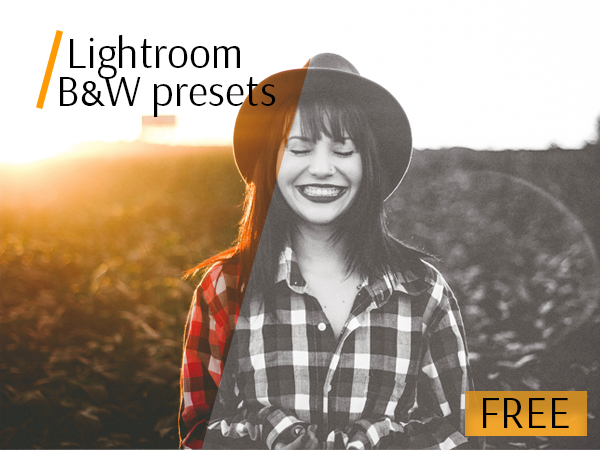
The first in the list of top Lightroom presets is the set of black-and-white effects, without which no romantic photo post processing can be done. Only these two elegant colors can give pictures chic, sadness & nostalgia, joy & refinement. Black and white photo retouching also hides unnecessary elements and smoke out photos. This LR preset can be applied to children, wedding, portrait and landscape photography.

2. The best Lightroom presets for weddings

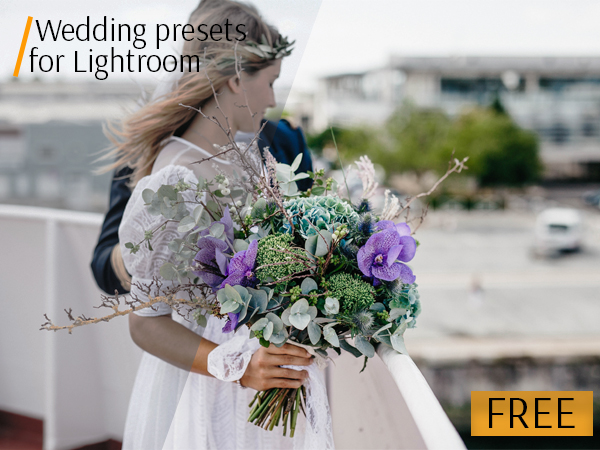
This kind of LR plugins are made for photographers who like to retouch thousands of photos very fast. Inspired by soft tones and film effect, these wedding Lightroom presets make creamy and subtle hues and improve with the perfect amount of sophistication and style. Retouchers and wedding photographers use this pack of wedding Lightroom presets and bring out the best in all wedding images. This bundle includes exclusive, high quality LR effects for use with all kinds of wedding images: family, group, children, couple or engagement photography.

3. Bundle of Lightroom presets for portraits

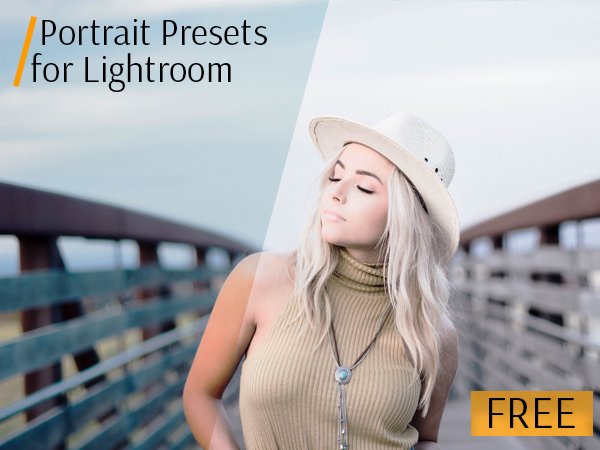
Speed up and improve your photo retouching workflow with these free Lightroom presets for portraits. They improve the quality of photos, correct visible skin defects, make color correction of the background and adjust the color palette. View the before and after examples and choose the effect you need: B&W, Vintage, Film, Soft, Sepia, Matte, etc. Download these Lightroom presets for portraits and amaze your customers with fashion and High End outcomes.

4. Matte Lightroom presets

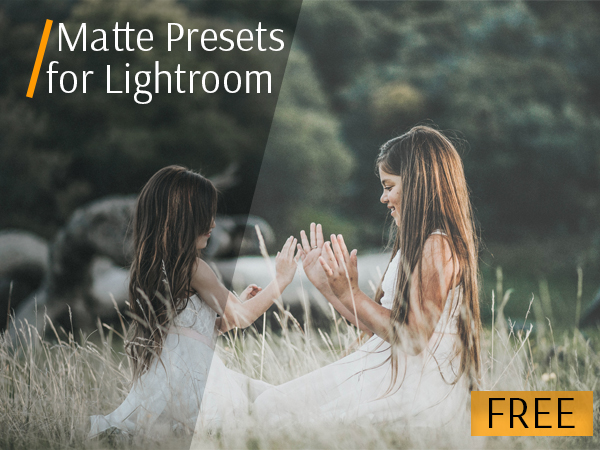
This is the most popular pack of Lightroom presets Reddit offers. The matte Adobe Lightroom presets are stunning, and make your photographs pop. These professional Lightroom presets free can add a beautiful matte effect to your images easily. Having run the LR plugin you may have to change the sliders in Adobe LR to achieve the look you want.

5. Film LR presets

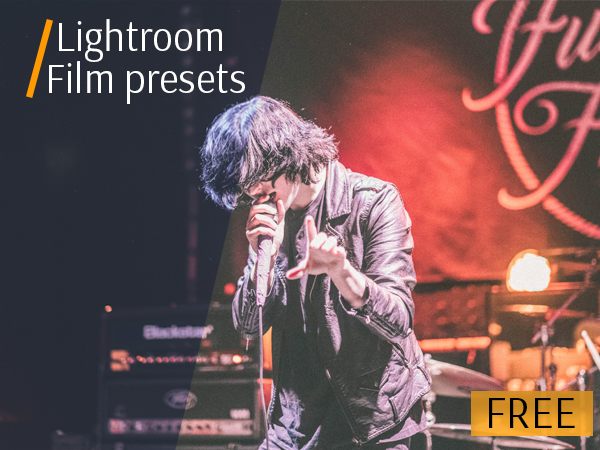
Lightroom film presets free will surprise you with a natural effect of old movie.

This kind of LR filters was included in the best free Lightroom presets 2016 list, and stays at the peak of its popularity among wedding and event photographers due to its being unusual effect. Some settings  of this package can imitate the old analog film look with your modern DSLR images in several clicks.

6. LR presets for landscapes

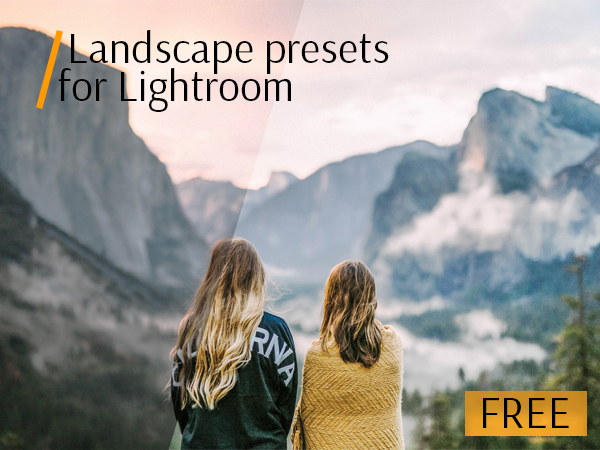
Many LR presets for landscapes allow photographers enhance the natural colors and shades, improve the clarity and image quality as well. The photo will look brightly and more lively. Adjust brightness and contrast as well as color palette to make sure that landscape photographs that you have as an end result look their best. Landscape LR filters can become the part of the best Lightroom presets for weddings, because many wedding photos are taken outdoors.

7. HDR Lightroom presets

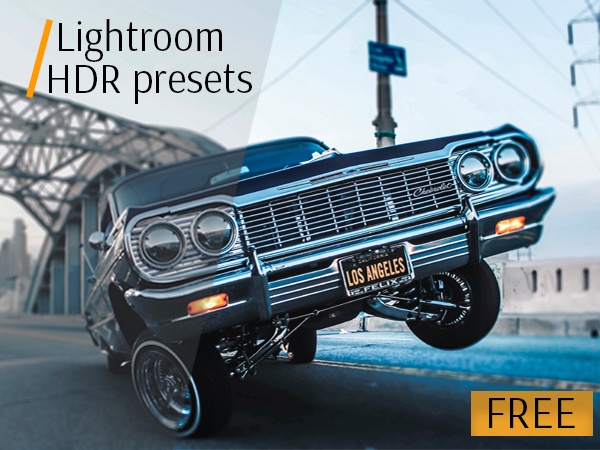
How to use Lightroom presets to obtain bright and deep pictures? The technology of HDR retouching is used mainly to enhance the colors of landscapes and make the portrait photographs brighter. Giving your images an awesome HDR-like effect is simple with this free Lightroom preset. Photo retouchers can apply the proposed professional Lightroom presets free download for any photos, adjust some settings and create deep and vivid pictures.

8. Street photography Lightroom presets

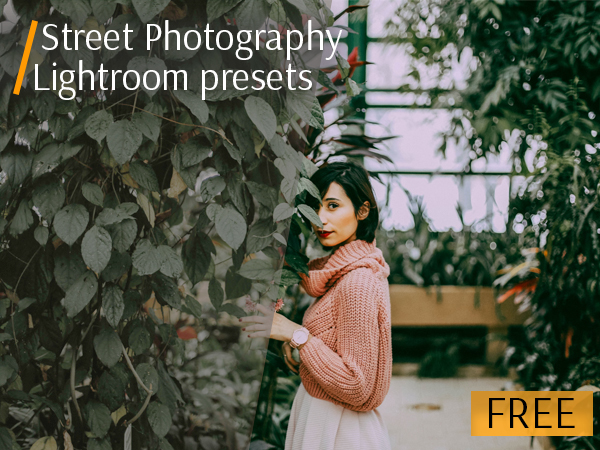
How to enhance the colors on street photos and make it natural? Professional Lightroom presets free can help with it. Cut your photo retouching time in half, and modify your street images to suit your own personal style. Get cinematic Lightroom presets to take your photo retouching skills to the following level!

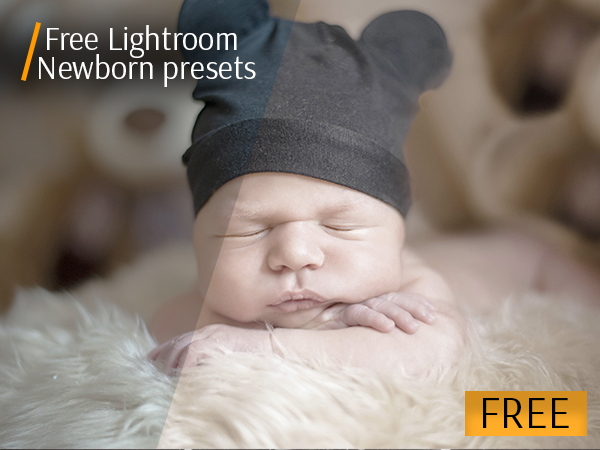
9. Professional Lightroom presets for newborn photography

All photographers need to retouch newborn photo sessions with ease. Our one-click newborn Lightroom presets free download are designed to seamlessly layer with easy workflow presets, and soft retouching and matte color correction. These LR filters make a baby’s skin pink, sweet pink lips, soft, wrinkled toes, wispy puffs of baby hair and add a creamy effect. These dreamy baby presets make your photos beautiful and natural very fast.

FixThePhoto specialists hope that their works will be appreciated, and their best free light presets 2017 will be useful for photographers and retouchers all over the world who value their time and appreciate quality. Do not worry if you do not know how to apply Lightroom presets, you can read the tutorial on their website. Compatible with Windows and Mac, can be applied either to GPEG or Raw, are easily editable. This collection of free Lightroom presets was designed to help you cut down on your workflow and create beautiful digital photography art in just a few clicks.

Download them and try now!

The 10 best FREE games you’ll love

Video games are big business these days. With production budgets sometimes coming in the hundreds of millions of dollars prices of games have also begun creeping up. GMost games cost $60 these days but it doesn’t have to be that way. Check out the 10 best FREE to play games available right now.

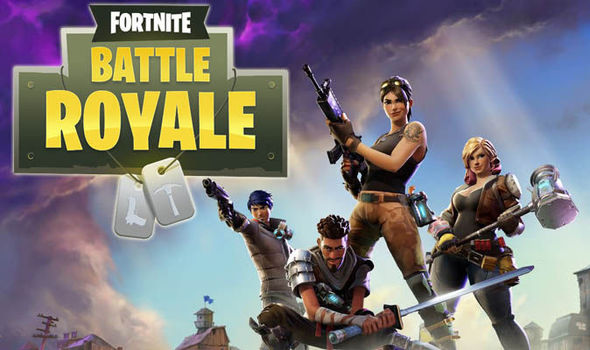
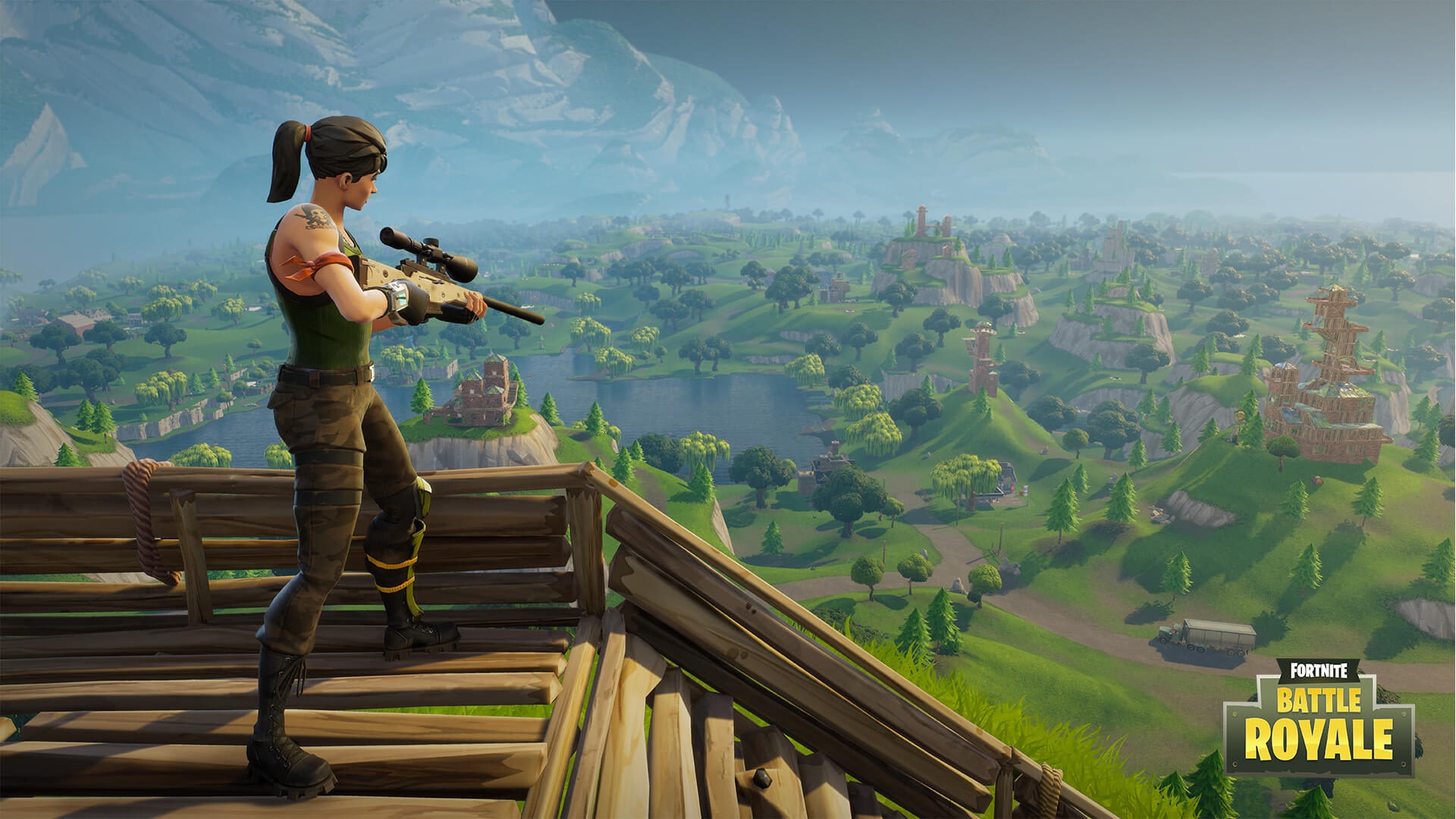
Fortnite Battle Royale PLAY
9
Fortnite Battle Royale is free a multiplayer online shoot-em-up on a level you will almost certainly have never seen before. Enter the eye-catching world of the popular game Fortnite and compete as one of up to a hundred players in a single match. Bombs and bullets will soon be fglying in all directions!
World of Tanks PLAY
7
World of Tanks is a massively multiplayer online role playing game (MMORPG). Buy and collect and develop tanks, then take them into battles in European environments.
League of Legends PLAY
8
League of Legends is a MOBA (multiplayer online battle arena) where two teams of five players battle to destroy the enemy base that's reminiscent of DotA. By offering a free, high-octane blend of RPG and strategy together with a pinch of action, League of Legends (LoL for short) is able to offer a game that's both fun and deep, and will surely delight fans of online multiplayer games
World of Warships PLAY
World of Warships is the new game from the creators of World of Tanks and World of Warplanes. Just switch out the tanks and planes for boats, and you will have a good idea of what to expect. It is a game that captures the essence of the classic Battleship – only in first-person and with huge maps to navigate and bombard other players ships in.
Battlerite PLAY
8
If you love the battle arena genre, then you have to try Battlerite. A top down competitive player versus player arena game for PC and Mac. Experience the thrill of combat on 2v2 and 3v3 battle maps. Choose your champion and guide them to the path of victory, preforming powerful battle rites along the way to upgrade them and counter your opponents skills.
War Thunder PLAY
7
Do you like aircraft battles in which there are dozens of players? If you do, you should love War Thunder, the game that's seriously likely to overshadow World of Warplanes.
Paladins Play
7
Paladins is a first person MOBA with style, polish and completely free to play. Choose a character, join a team and battle for supremacy in exciting team based arena style combat.
Path of Exile PLAY
8
Path of Exile is an online action role playing game (RPG) set in a fantasy world. In this game the player starts waking up on the shores of Wraeclast, a remote continent and criminal colony. You must face the dangerous wilderness with its dangerous inhabitants and join together with other outcasts to survive.
Smite PLAY
7
Smite is a MOBA (Multiplayer Online Battle Arena), a mixture of RPG and strategy where players compete in teams of 3 or 5. The game offers many different game modes (Arena, Conquest, Domination, Assault) reminiscent of other classics of the genre, along with some innovative gameplay.
DOTA 2 PLAY
8
Dota 2 is based on session-based online multiplayer action. The aim of each team is to destroy their opposing team's fortified stronghold called Ancient Fortress. Each player takes part in team combat which take place in defensive tower lined alley ways between bases.

5 Roblox games you need to play right now

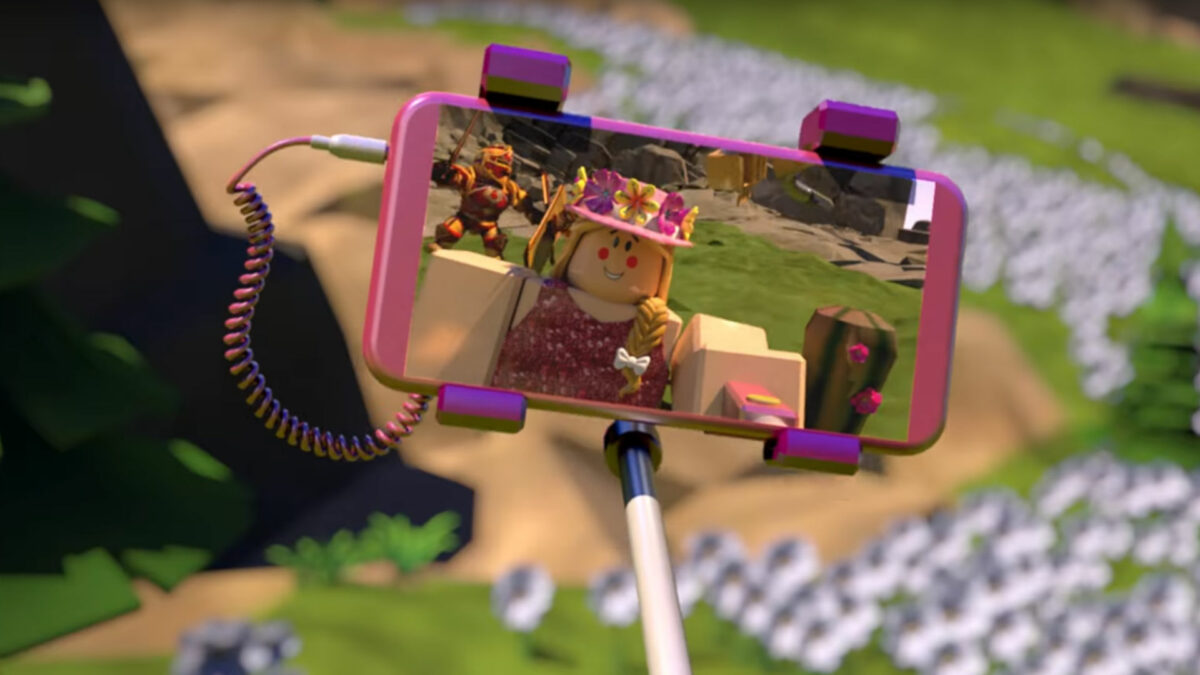
Without a doubt, Roblox is a bastion of ingenious creativity and expression. With a multitude of games spanning across all imaginable genres, it is sometimes a challenge to decide on which ones to play. If that’s the case for you, read on: We have whittled down the entire Roblox game catalog to five incredible games that you really should not miss!

The top 5 Roblox games

1. Jailbreak

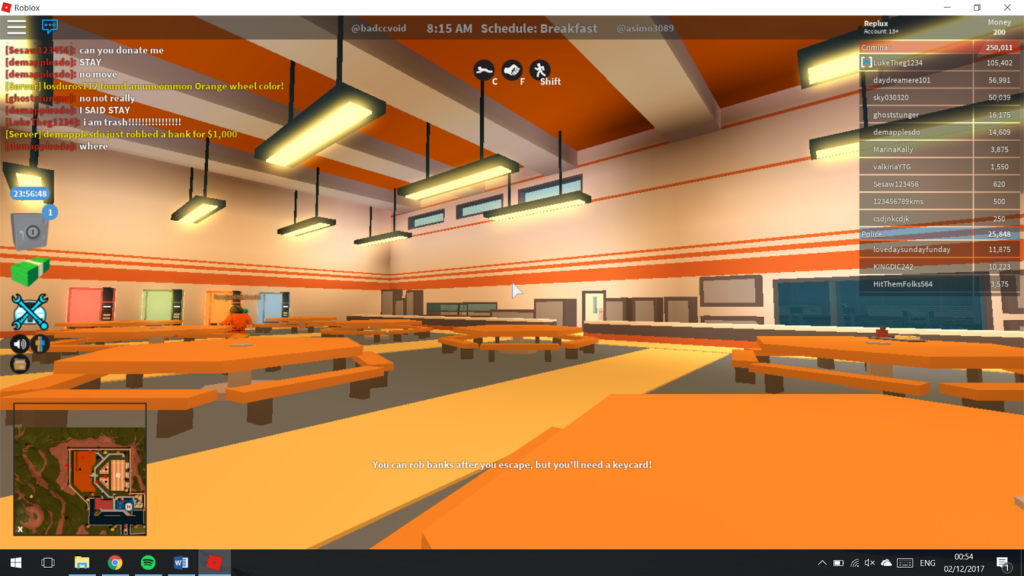
What better way to kick off our top five Roblox games than with one that was an overnight success and has earned its teenage developer – Alex Balfanz (asimo3089) – a lot of money? If you want to play the Roblox version of Grand Theft Auto, look no further.

Jailbreak lets you live the life of a police officer or criminal. You can prevent the crime or cause it; in this world, the choice is yours.

Jailbreak is one of the most popular games on Roblox. At any given time, you are sure to find thousands of people on its servers, and this makes for hours of fun. The premise of the game is rather simple, which is what makes it so fun to play, and is reminiscent of a classic “cops and robbers” type of game.

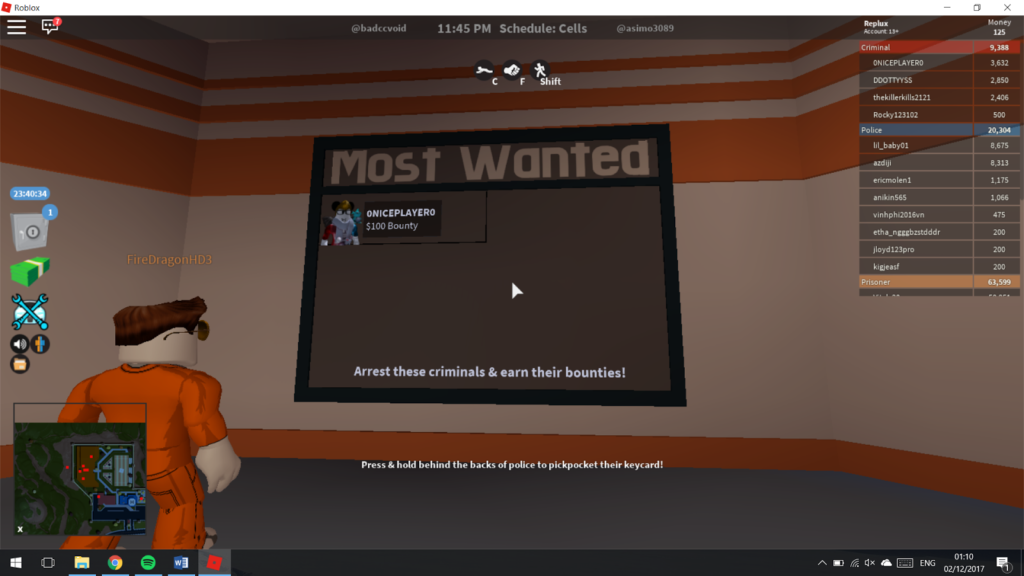
In Jailbreak, there are two teams: prisoners and police. As a prisoner, your central goal is to escape prison by evading the police’s grasp and venture out into the vast open world that waits beyond the confines of the fence. When out, you must commit crimes to survive – theft and robbery play a big role here – while you’re on the run from the law.

Don’t let your new-found freedom go to your head… if you’re not careful, you’ll end up on here!

Jailbreak has been played by over 60 million people, which is a testament to just how great this game is – go play it!

2. Apocalypse Rising

Much like Jailbreak is the Grand Theft Auto of Roblox, Apocalypse Rising is the DayZ equivalent. In this brilliantly designed post-apocalyptic strategy and survival game, your destiny is your own to choose. Will you take on the world as a lone-wolf, splattering zombies at each turn, or band together with other survivors and build your own army?

When deciding which path you will take, keep in mind that zombies are not the only danger here, and your fellow survivors may just be as much of a threat! Build bases, fix up vehicles to forage for supplies, and fend off hostiles as they come (and believe me, they will) in this open world dystopian adventure.

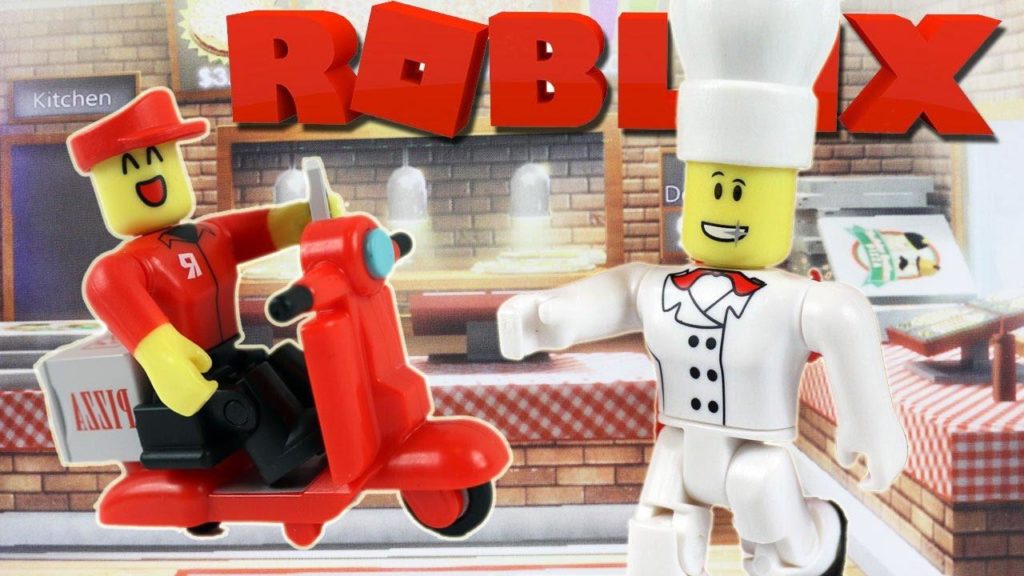
3. Work at a Pizza Place

This classic Roblox game has been around for years, and with over 470 million visitors it would be almost wrong to not include it on our list. Work at a Pizza Place gives you the chance to join Builders Brothers’ Pizza to fulfill your pizza-making ambitions. If only working at a pizza shop was this fun in real life!

If you’ve ever wanted to cook, box up and deliver pizza and use your hard-earned cash to build your dream home, this game is for you.

Work at a Pizza Place is so much more than just working in Builders Brothers’ Pizza. In fact, the game is just as much about not working at a pizza place: Think of The Sims meets Roblox. You can use your earnings to build your dream home, get yourself a car, and head out on the town with your colleagues, partying the night away. Who knew pizzaiolos and cashiers had it so good?

4. Speed Run 4

Although the game may sound simple, it is very challenging and extremely addictive – be prepared to spend more than 15 minutes on it!

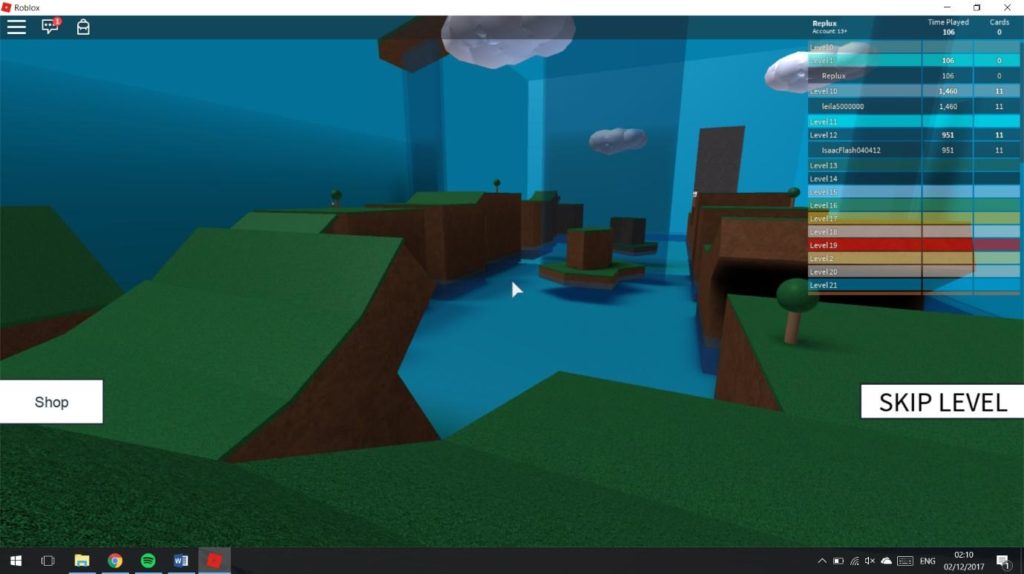
Speed Run 4 is an eclectic, quick-fire arcade-style game that’s perfect for playing in short bursts when you’ve got a spare 15 minutes to kill. Once you’ve primed your fingers and stepped across the starting line, you are off on a very rapid sprint, with the goal of getting through all of the levels as quickly as possible. I bet you didn’t see that coming, right?

As you progress further into the game, the levels become increasingly difficult to navigate.

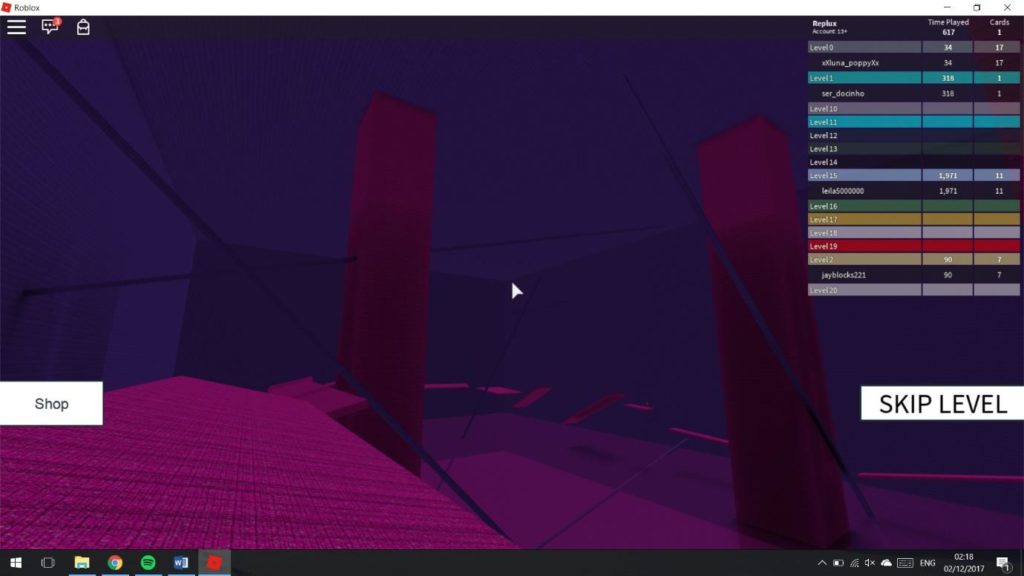
The level design is truly spectacular, and the creator – Vurse – has done well to turn such a simple idea into over 30 different levels, each of which has its own unique design. While one level has you running through a rather boring outdoor-style map, the levels soon become very psychedelic and visually engaging, with trance music and bright vivid platforms to boot. Speed Run 4 is a brilliant game if you want to pass a little time, but why not invite some friends along and race each other through the levels? Trust me, it gets very competitive!

5. Breaking Point

If horror is your poison, then Roblox has plenty of options for you. Perhaps the best example of a Roblox game in the horror genre is Breaking Point, which is what you would get if you crossed the Saw movie franchise with Roblox.

https://www.youtube.com/watch?v=Nwf8Y3jybCM

Breaking Point has numerous game modes, each with its own unique twists. One mode brings all players together around a table and then, suddenly, the lights go dark. One by one, a player is eliminated by the designated murderer, and after each death, the remaining players vote on who they believe is behind the murders. The player with the most votes is then killed off. It is the murderer’s goal to keep his poker face and stay alive until the very end in order to win.

I would recommend this game – created by Paradox – if you are looking for a long-term gaming session that mixes strategy with eerie horror… put on good quality headphones and turn out your lights for a full-fledged, chilling experience.

More: Download Roblox

10 best photography programs to make your photos stand out

Everybody thinks they’re a photographer these days. People spend more time taking photos of their lives than living them. In such a world it can be hard to take a photo that grabs people’s attention. If you want your photos to stand out from the crowd then these 10 progarms can help. Check them out now.

Adobe Photoshop Lightroom DOWNLOAD
7
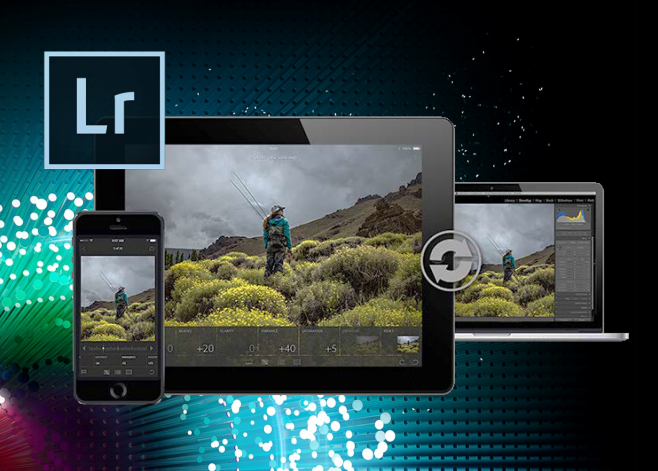
Adobe Photoshop Lightroom concentrates on photo editing, offering an assortment of tools that correct and enhance your photos quickly and easily, with filters, tags, geolocation, and more.
Pixlr DOWNLOAD
7
Pixlr Editor is a gorgeous online photo editor that lets you create and edit images as if you were working on Photoshop.
Painshot Pro DOWNLOAD
7
Paint Shop Pro, by Corel, is a robust program for creating and manipulating images. Paint Shop Pro is a great choice for both amateurs and professionals because of its unrivaled ease of use, speed, and functionality.
Paint.net DOWNLOAD
7
If you need something more powerful than Microsoft Paint but not as complex as Photoshop, Paint.NET is what you're looking for.
Adobe Photoshop Elements DOWNLOAD
6
Adobe Photoshop Elements is based on Adobe Photoshop but has a much simpler toolset. It's a powerful yet simple graphic editing tool with two main components: the element Organizer and the image Editor. Both tools complement each other perfectly and are easily accessible via the menu on the top of the program's sleek, elegant dark interface.
GIMP DOWNLOAD
7
GIMP is a free, open source tool that lets you create and edit images. GIMP has been around for over two decades and development has been stable over the years. The newest update for GIMP gives a slew of new features and a glimpse into the future for this incredible open source image editor.
Adobe Photoshop CC DOWNLOAD
7
Adobe Photoshop is the most advanced image editor there is, capable of everything from simple retouching, to complex 3D designs and illustrations. The possibilities are endless as it has many features and tools, and fortunately, there are also many tutorials if you want to learn how to use it.
SumoPaint DOWNLOAD
7
There are plenty of basic image editors on the web, but I'm sure you'll miss one that plagues heavyweights such as Photoshop. In that case, try Sumo Paint and be amazed by its power.
Aviary Photo Editor DOWNLOAD
7
Aviary Photo Editor is a straight forward and concise graphics editor for Windows 8. It doesn’t have the level of effects and customization as Photoshop or GIMP, but is intuitive enough for novice users. Aviary Photo Editor is powerful for a free app and will be a practical, no frills addition to your library.
SnapSeed DOWNLOAD
8
Snapseed is a powerful photo editing app for your iPhone or iPad. While iOS has basic photo editing software built into its Photos apps, Snapseed does everything better and has more features.

The 10 best games that everybody loves

Video games just keep getting better and better. This doesn’t just mean improved graphics though. New methods of storytelling, improved multiplayer, and greater immersion have revolutionized the games we play. Below are ten of the best games available now that everybody LOVES.

PLAYERUNKNOWN'S BATTLEGROUNDS PLAY
9
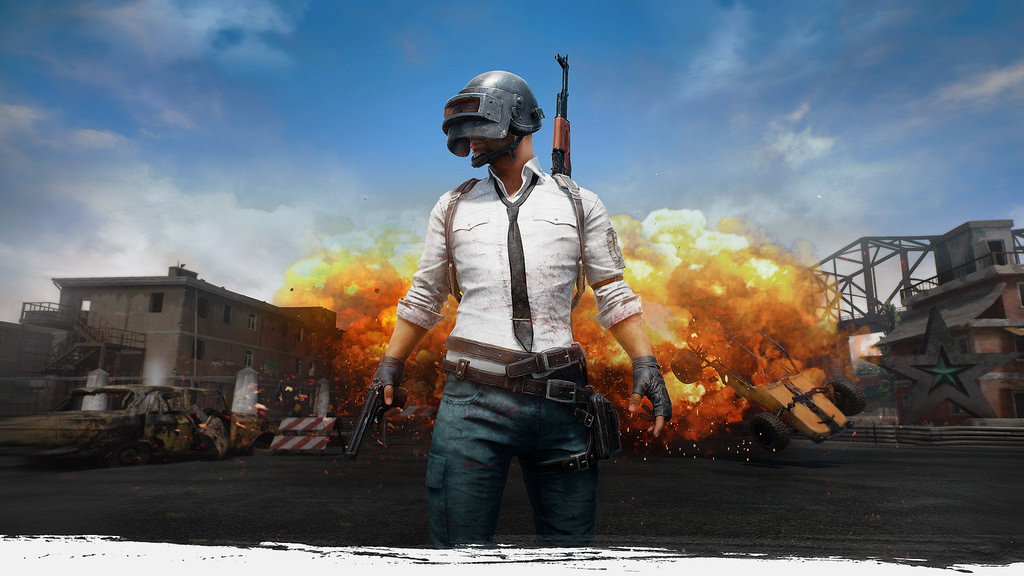
PLAYERUNKNOWN'S BATTLEGROUNDS is a popular game that has been developed based on the Battle Royale concept. Players have to pit their wits against a total of 64 other characters and the last man standing is ultimately the winner.
Call of Duty: WW2 PLAY
7
Call of Duty: WWII is a historical first-person shooter that sees the Call of Duty series return to its roots by putting you into the role of a young American infantryman living through the fiercest battles of the Second World War. Other characters will include not just soldiers but resistance fighters and even civilians
FIFA 18 PLAY
9
FIFA 18 is a football video game designed and developed for a number of different platforms, including Microsoft Windows, Playstation and Xbox. Published by Electronic Arts, FIFA 18 is the latest installment in the FIFA series and the first to utilise the Frostbite game engine. Like the installments before it, the game features life-like gameplay from all your favourite players and teams and blends fantasy with reality for a gaming experience unlike any other.
Civilization VI PLAY
7
Sid Meier has been making civilization games for a very long time, using a tried and true formula while adding innovations to each new incarnation. Sid Meier's Civilization VI is no exception. Plunge into the latest and greatest Civilization game, pick your empire, build your civilization and conquer the world!
NBA 2K18 PLAY
9
NBA 2K18 is an upcoming basketball video game, to be available across a number of platforms, including PC, Xbox One and Playstation. Like the iterations of the classic NBA game before it, NBA 2K18 lets users play as their favourite players and teams within the National Basketball League. Apart from playing on the court yourself, it’s the closest you’ll get to the pros with like-like graphics and player likeness. Everything from team jerseys to the announcers and commentators is straight out of real life for a true NBA experience.
American Truck Simulator PLAY
7
Even though Euro Truck Simulator 2 is fantastically put together, its success still seems to surprise gamers who haven’t experienced the joy of cruising its open highways. But, while cruising the autobahns and motorways of Europe has its appeal, to feel like a real trucker you have to hit the USA. That is exactly what SCS Software is here to deliver, with its latest title American Truck Simulator.
Cuphead PLAY
5
Cuphead is an indie platform action game in which you play the title character, a cute character with a coffee cup for a head. In this game, you have to race through level after cartoonish level, battling bosses to repay a debt you owe to the devil. The whole game is illustrated in the classic style of a 1930s Max Fleischer cartoon.
Total War: Warhammer 2 PLAY
8
The Total War franchise and Warhammer franchise merged to form one of the most epic fantasy RTS games of our generation when Total War Warhammer was released. The sequel allows people to re-enter the world of Warhammer with all the Total War gaming mechanics still in place. Total War’s developers were also able to add the Warhammer mythology into the sequel in a more efficient manner than they did the first Total War Warhammer game.
Destiny 2 PLAY
8
Get ready for an all-new set of missions, taking you on adventures on a new planet: Mercury. Fans of the original will leap at the chance to experience more of the gripping science fiction storyline, as they delve into the mystery of the warlock known as Osiris. Along the way, the player must stand firm against the deadly force of the Vex.
GTA 5 PLAY
7
Grand Theft Auto V is a multi-generation game. Originally released on PlayStation 3 and Xbox 360, it showed that these consoles still had enough power to render a fully realized sandbox world. The enhanced re-releases on PlayStation 4 and Xbox One served as preview of the unreleased PC version. Now the PC version is finally here and it comes with even more extras like 4K display support and Rockstar Editor.

Review: OnePlus 5T

Original article provided by areamobile.de

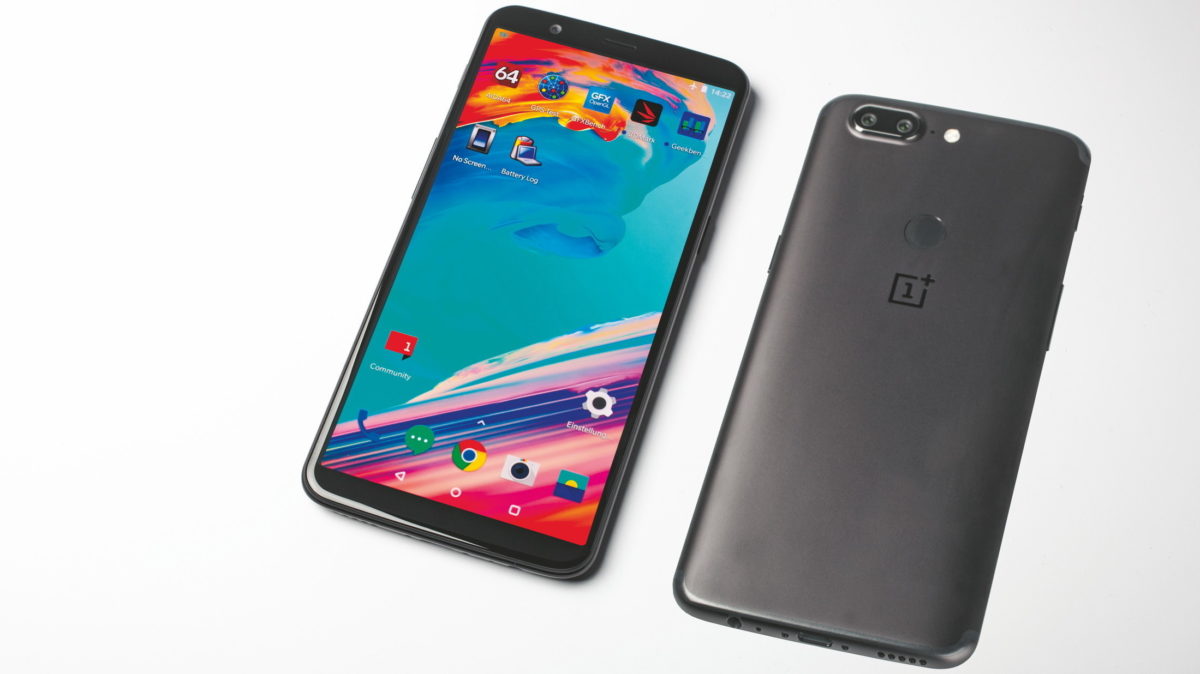
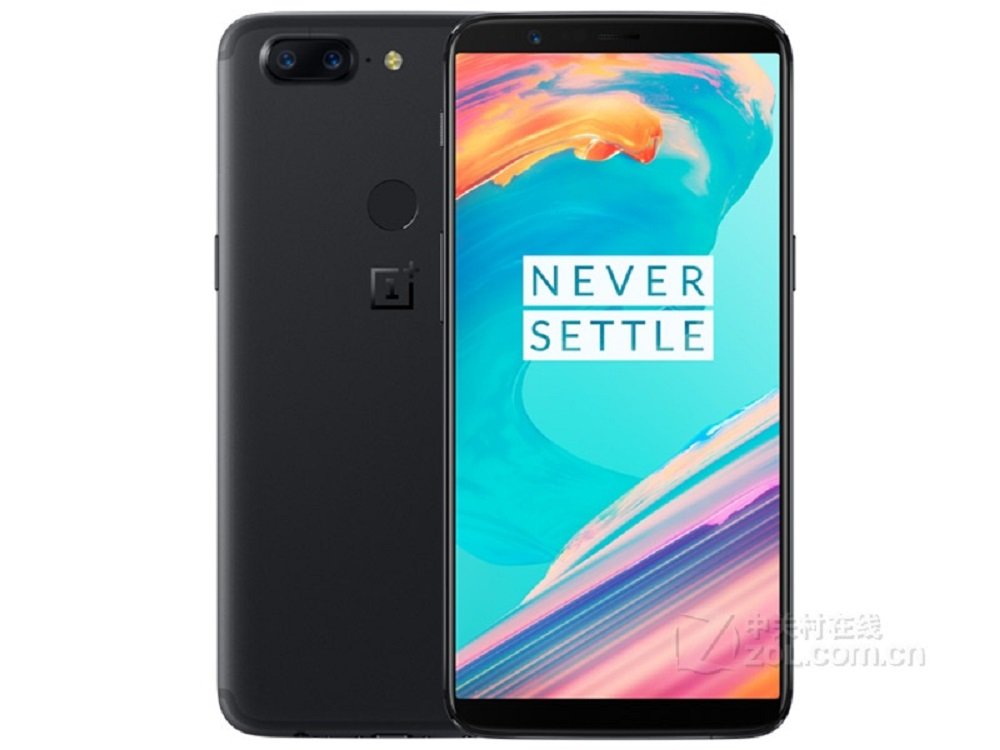
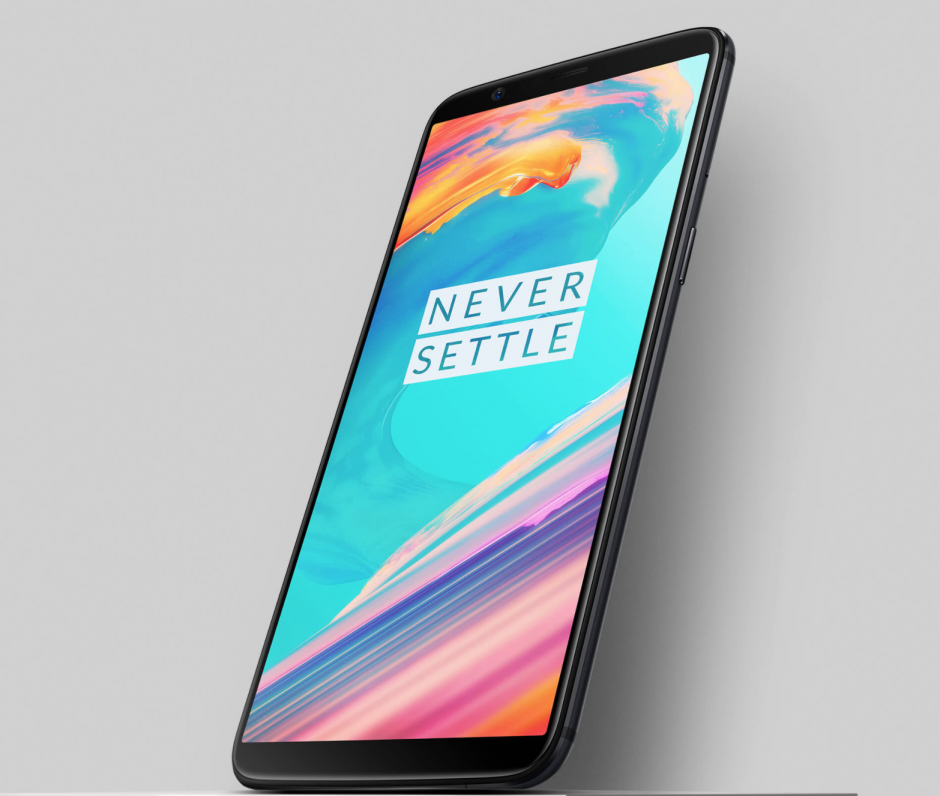
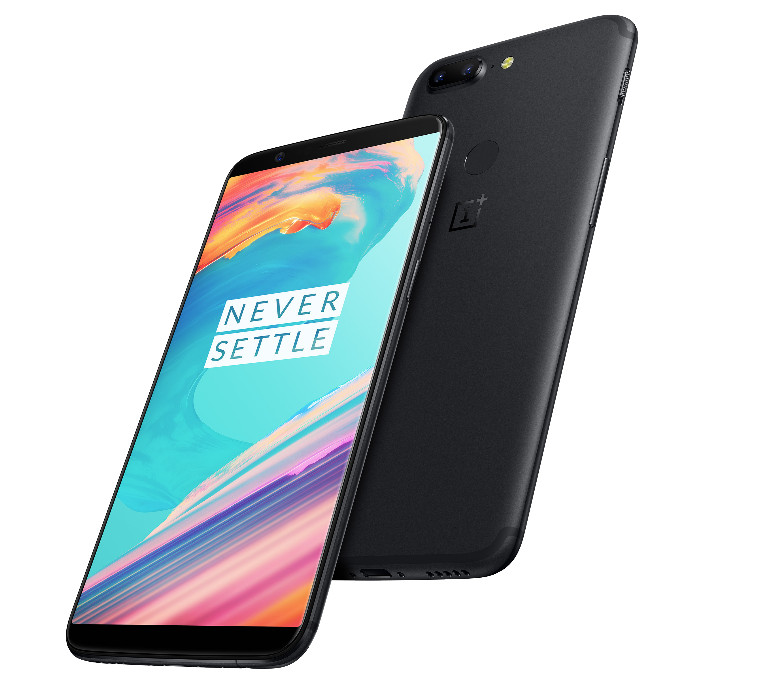
The 5T from the Chinese smartphone manufacturer OnePlus is a high-end device with the new 18:9 display format and a metal unibody. The 5T was presented in November 2017. OnePlus is well known for its good price/performance policy, which means that the OnePlus 5T also features components with an above-average performance at a good price.

OnePlus 5T – technical data:

The OnePlus 5T comes in a Unibody made of anodized aluminum with plastic antenna cut-outs at the top and bottom. The model is currently only available in black, but a Star Wars Special Edition is currently under construction according to OnePlus. The operating system used is Oxygen OS based on Android 7.1.1.1.

The 5T has a 6-inch display in 18:9 format, resolves with 2160 x 1080 pixels and is operated using AMOLED technology. The surface is protected by Corning Gorilla Glass 5 in 2.5D design. Several modes are integrated, such as a night mode that filters blue colors and a read mode.

The OnePlus 5T is powered by the Snapdragon 835 with eight cores clocked at up to 2.45 GHz. An Adreno 540 graphics unit is available for this purpose, which easily handles graphically demanding tasks.

In terms of memory, OnePlus offers the 5T in two versions, with 6 GB RAM and 8, with internal flash memory limited to 64 GB and 128 GB respectively, but in the fast UFS 2.1 format. MicroSD cards are not supported.

Audiophiles enjoy a 3.5 mm jack plug and, thanks to Bluetooth 5.0 and aptx HD, can simultaneously play two audio devices in hi-fi quality.

The main camera of the 5T has a 16-megapixel sensor from Sony with a bright f/1.7 aperture. A second sensor with a telephoto lens resolves with 20 megapixels and is also from Sony. Videos can be recorded in 4K at 30 frames per second. Slow-motion pictures are possible in 720p resolution. For Selfies, there is a 16-megapixel camera on the front that can shoot video in FullHD.

A 3,300 mAh rechargeable battery supplies the OnePlus 5T with energy, it is charged via USB-C 2.0 connection. The 5T supports fast charging.
In addition to a fingerprint sensor, the 5T features an electronic compass, gyroscope and other useful sensors.

LTE in category 12 with up to 600 Mbps and NFC are also supported.

Review: Singstar Celebration

Original article provided by 4players.de

With SingStar: Ultimate Party, Sony completely messed up the debut on PlayStation 4and the ten-year anniversary of the popular Karaoke series in one go. Central elements were simply deleted, a new point system made a large part of the own song library useless and the former star in the karaoke sky crashed. Has the lesson been learned and is SingStar Celebrations, as part of the PlayLink series, a return to the series’ old form?

Time to celebrate

In short: Yes. But even the youngest offshoot can’t bring back the glamour of days gone by when SingStar was at its peak on the PS3 in terms of features offered. It’s nice that the entertaining party mode for up to eight players celebrates its comeback in addition to the shortened song variants. But I still feel that the new and not necessarily comprehensible point system is still terrible, although in the meantime you can import most of your purchased songs and switch to the new system. The old disks of the PS2 and PS3 can’t be used anymore, because on the one hand the formats are not accepted by the PS4 and on the other hand the old points allocation would be incompatible.

As a reminder, on the PS3 it was still possible to use the song library from the PS2, even after deleting backward compatibility. Different levels of difficulty, as it used to have, can only be searched in vain. In the Medleys, however, is where one finds the goodies.

The chorus-mixes are only available in the context of the party duel and cannot be selected individually, at least, as opposed to Ultimate Party, they are there. Nevertheless, it is annoying that another player is always needed to sing medleys.

The voice navigation in the song selection is not back, but at least there are some good sorting and filtering options and you can create your own playlists with your favorite songs. The current tracklist would be ok with its mix of halfway up to date songs and classics, but there are two things that bother me: firstly, we see some recycling again, since some of the songs had already been included in previous editions; that’s annoying for all those who have invested money in many expansions. On the other hand, for my taste, too many international songs have been replaced by German-speaking artists – with ten of a total of thirty tracks they make up one third. It hurts when Ella Henderson, Hillary Duff, Lost Frequencies and even Wham! or Marvin Gaye have to make way for Andreas Gabalier, Tim Bendzko, and Marteria. Dear people at Sony: if you absolutely want to have German songs in the playlist, then add them to your playlist, enclose a DLC code or do something else, but don’t delete songs from other artists! After all, there is a small personal ray of hope: there is no trace of Xavier Naidoo or Mannheim this time – that was not always the case with SingStar.

Solid vocal recognition

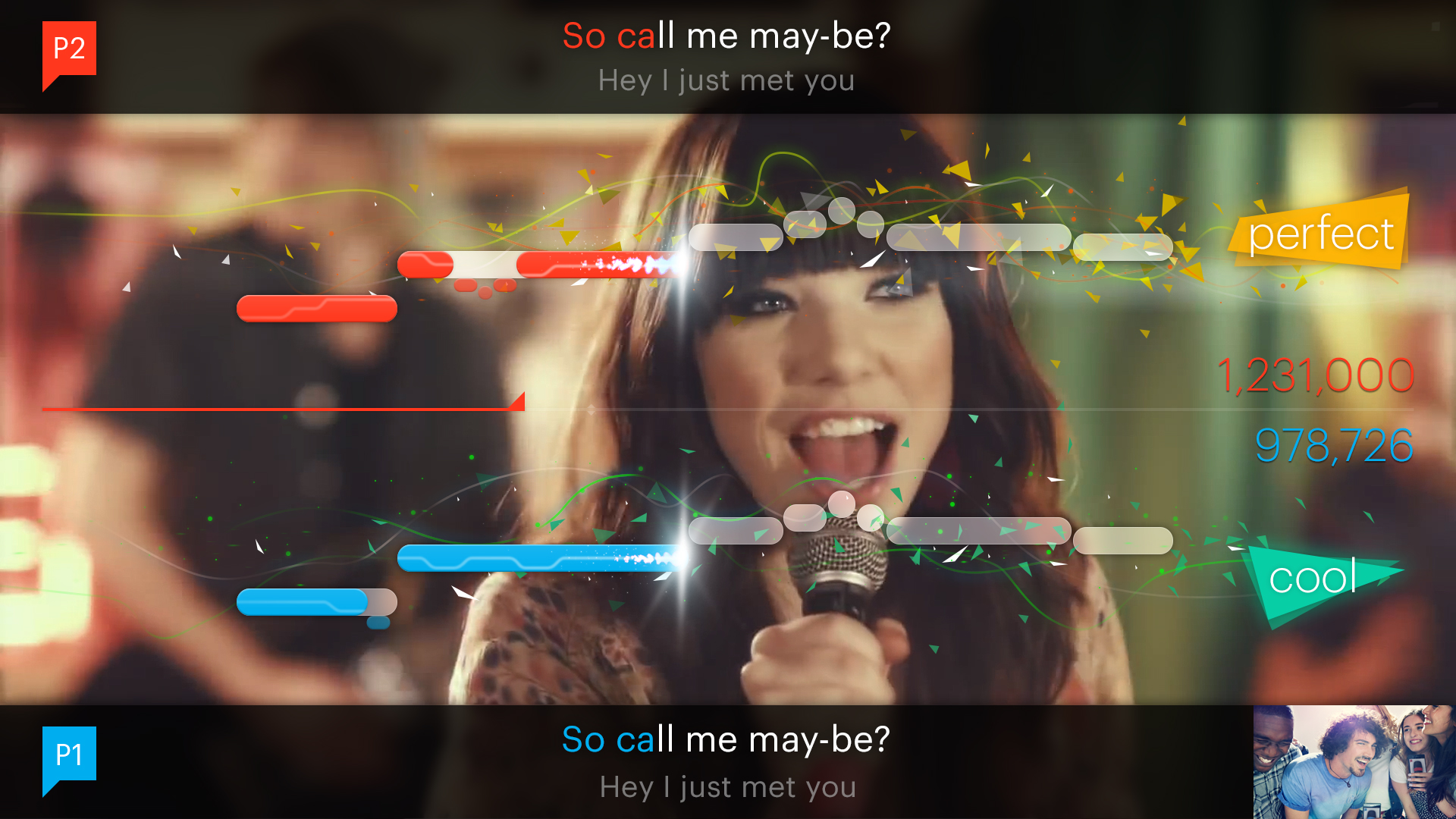
The voice recognition works as well as always, but as with most other karaoke games, it can be outwitted by simple humming. In addition to all imaginable USB microphones, including the wired and cordless original peripherals, you can also use the built-in microphone of the PlayStation camera or your mobile phone for singing. So it’s no wonder that Sony has also added the karaoke game to its PlayLink range. However, unlike other titles such as That’s You or Hidden Agenda, the integration of mobile devices is not mandatory. Furthermore, the feature is not an innovation, since you could already convert your smartphone into a microphone with an official app in the previous installment and even on the PS3. Despite an automatic latency measurement, there are still slight delays in the display on the television. There is also no way to adjust the volume of the microphones. Further, the option to lower the volume or mute the artist’s voice is useless, since in most cases it has no effect.

While competitors, like Let’s Sing, allow four people to sing at the same time, SingStar still allows only two singers. Once again the chance for an overdue modernization was missed. Direct online duels are still not possible either, but once again it is possible to send challenges to each other and perpetuate the results on high score lists, which have been hidden within the menu structure.

Off to the online stage

If you want to share your vocal performances with the world, you will have the opportunity to do so again thanks to the community functions: both video snippets and photos can be uploaded and shared for evaluation. It’s a lot of fun to just browse through the offer, because apart from grotesque acts that will make you shame for the performers, there are lots of funny clips and great vocals. However, it is still limited to approximately 30 seconds long excerpts. Pure audio repetitions of complete songs, which you could also store and publish in the past, are no longer available here.

VERDICT

SingStar Celebrations finally allows you to celebrate a decent karaoke party on the PS4 and check off the catastrophic debut of the series from 2014. In particular, the overdue return of the previously canceled party mode provides fun for musically inclined groups, which thanks to the neat tracklist can sing through halfway-current songs and classics. Nevertheless, the percentage of German artists is still too high for me – especially considering the fact that international artists had to give way for this. Fortunately, you can now import most of your store purchases. However, the new scoring system still doesn’t warm me up and I miss features from earlier times, including several difficulty levels, additional camera functions or medleys that are for some reason offered only within the party mode. The mobile phone as an alternative to the microphone is nice and good, but on the one hand the game still has to fight with slight delays despite latency adjustments, on the other hand, it would have been possible to emulate the karaoke competition and raise the maximum number of players to four singers at the same time. The community features and opportunities for online challenges continue to be great, although you still can’t compete directly through PSN. Yes, with SingStar Celebration, the star slowly begins to shine again after the disastrous fall, but the glory of days gone by has vanished, also in the face of tougher competitors.

Review: Razer Wolverine Ultimate

Original article provided by 4players.de

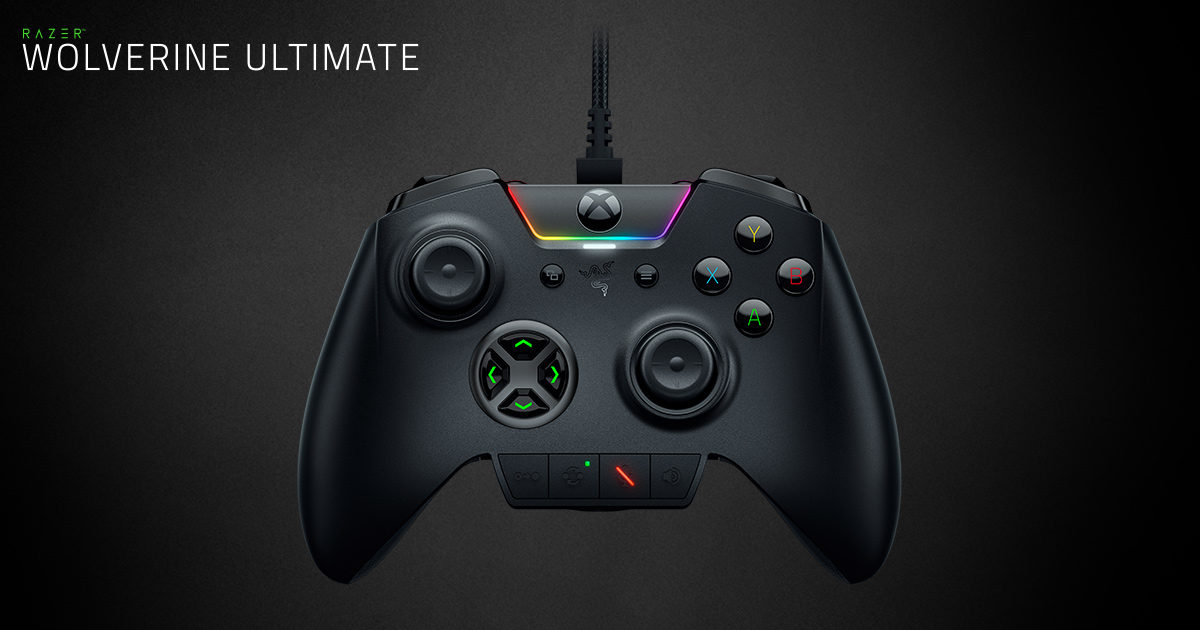
Gamepads…normally not worth mentioning, because both Microsoft and Sony add high-quality controllers to their current consoles, which leave only a few wishes unfulfilled. And yet: when I was on the road with Microsoft’s Elite controller for the first time, it immediately felt better than the normal input device. Quality workmanship and additional buttons provided a more precise, intuitive and ultimately significantly better experience. For a long time, I saw the elite as the benchmark of all controller things – until I held the Razer Raiju for PlayStation 4 and the Razer Wolverine Ultimate for Xbox One in my hands for the first time.

More is more

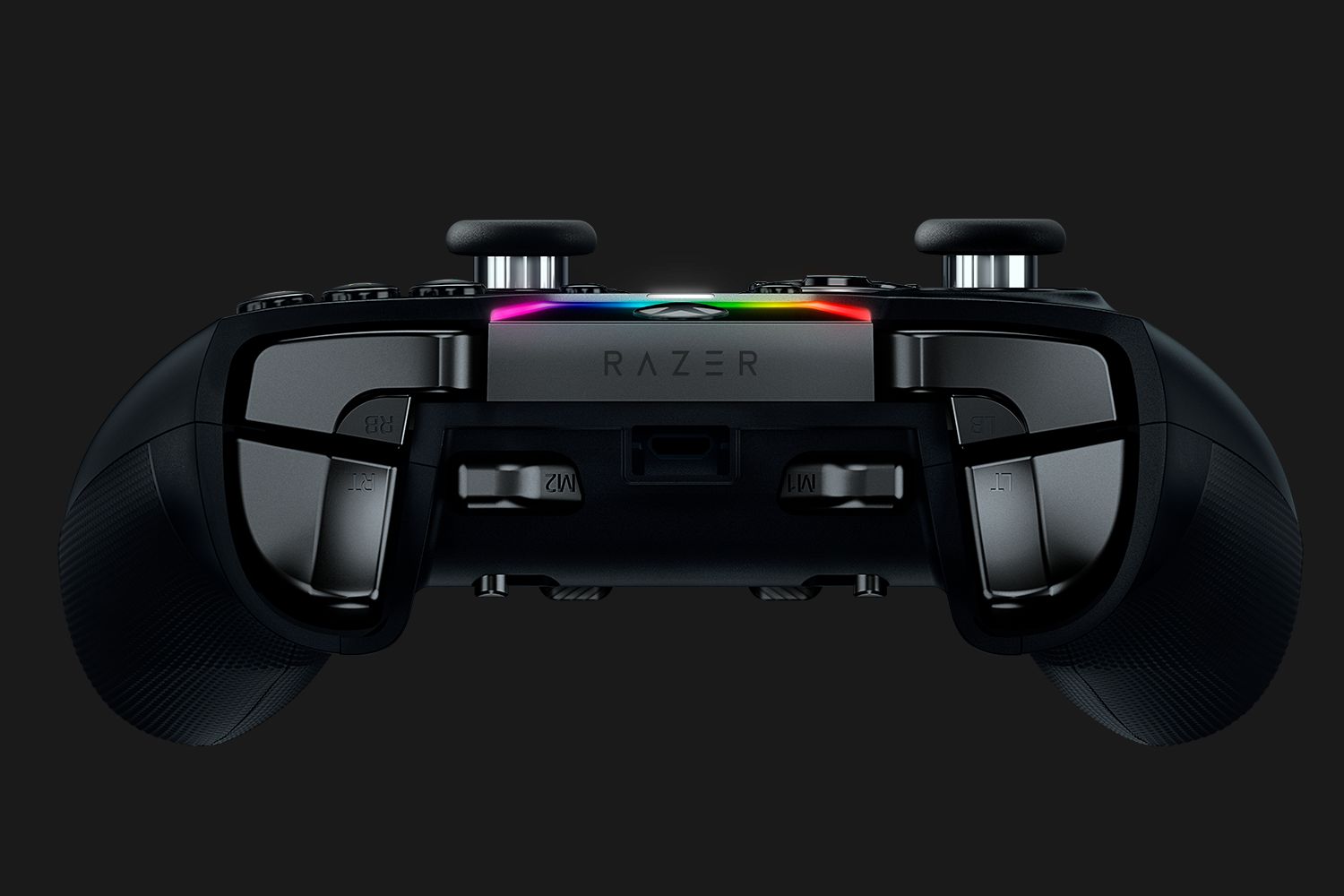
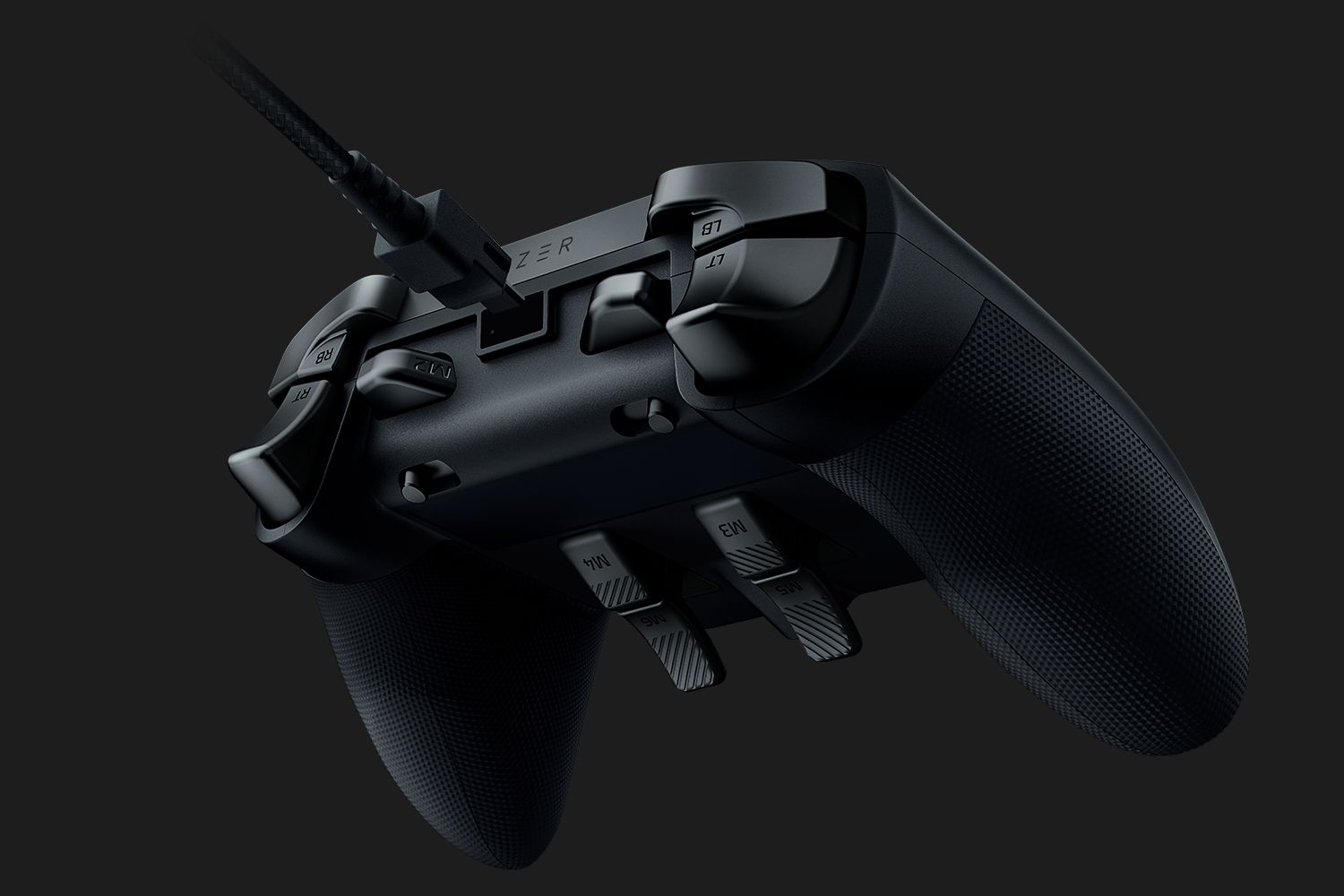
The most striking feature of both controllers are the additional buttons, on which you can place any of the other button covers. They are located next to the conventional shoulder buttons and on the underside and can be most easily reached with the middle finger. The Raiju has two buttons in this spot, whereas the Wolverine even four. And these four or six buttons are not only immediately noticeable, they are the main reason why I now prefer to play this way!
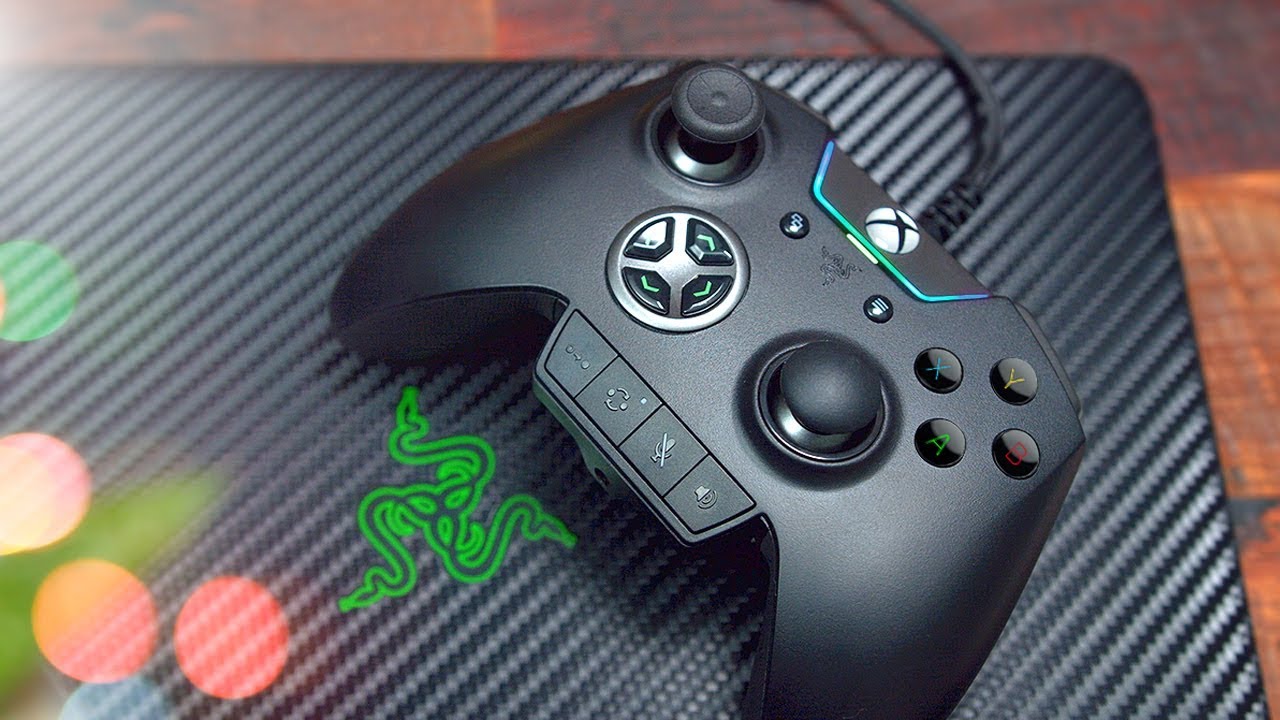
On the one hand, switching controls around is very easy: you hold down a setup button at the bottom of the controller, then press the button to be configured and then the button whose function the new one is to take over. In this way, it is not only the geometric keys of the PS4 pad or the letter keys of the Xbox controller that can be assigned to the new buttons, but also a direction of the cross pad, a pressing of the touch panel, a shoulder button, a share, option, menu, or view button.

Finally free to see

On the other hand, this allows much more freedom of play – ideally you will never have to take your right thumb off the analog stick again, because you can, for example, jump with the additional left bumper, recharge with the right one, duck with the lower left button, and switch weapons with the lower right one. This means that you can finally keep looking around, which can be crucial at least in a competitive shooter.

In Rainbow Six Siege, for example, more precise drop shots are possible. In Destiny, you can do double and triple jumps without ever taking your thumb off the right stick. Looking around in Wolfenstein: The New Colossus is much easier if you put it on a button at the bottom. The same is true for the fast evasion in Cuphead and in the spiritual sequel to Descent, Overload, you could just as easily place the gliding up and down of the ship on the bottom keys as turning around your own axis.
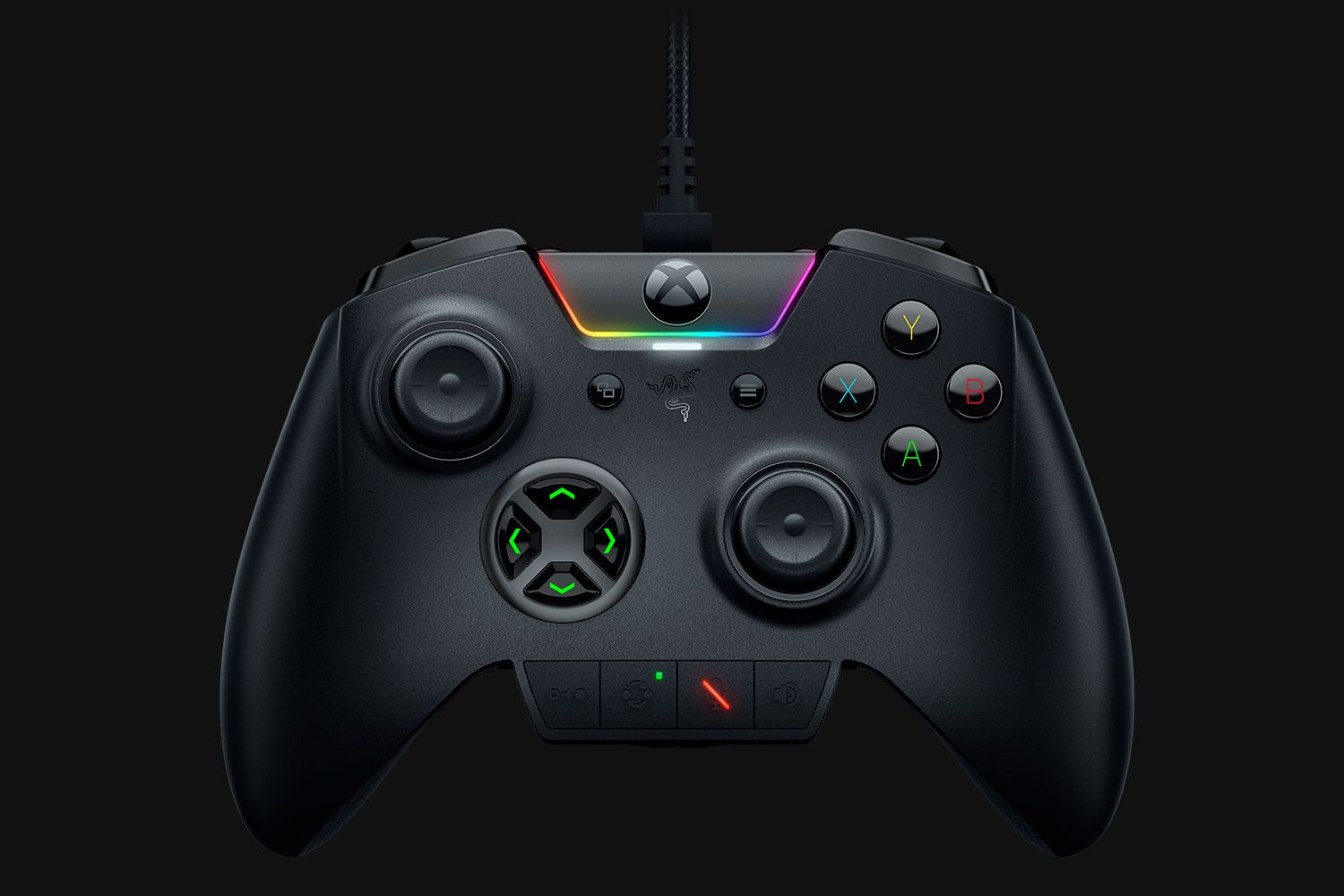
The additional shoulder buttons inspire me most of all. The fact that more and more games have discovered jumping via the left bumper is no coincidence: It feels intuitive and allows for greater freedom of movement and viewing. And both Raiju and Wolverine offer this freedom in every game – that’s an enormous gain in quality! Overcoming obstacles in shooters without manually jumping also benefits from this haptic change.

The right pressure

You have to get used to it! I didn’t have the new controls in me from one day to the next. It reminded me of how hard I – a classic PC player – had to fight with the Xbox controller when first getting into playing Halo. Movement processes change and a short while necessarily goes by before you master them intuitively. Once you have internalized them, you don’t want to go back.

The Razer buttons are far superior to the Elite controller’s paddles. In addition to the better arrangement of all keys, the buttons on the underside are so “stiff” that you won’t accidentally press them when holding the gamepad firmly in your hands. I almost completely ignored the Microsoft pedals after a while, but I would never want to do without the Raiju and Wolverine keys again. In fact, I’ve even sold the elite in the meantime. The production quality is generally a notch higher, but haptically it just falls behind the Razer pads.

The better touch

Apart from that, it is also the conventional keys that are mostly high-quality. They click and sound similar to good mouse buttons. The latter should not be underestimated: As silly as it sounds, especially the new shoulder buttons and the touchpad of the Raiju are a pleasure to press. The straight-cut touchpad is also a clear improvement over the Sony original because the noticeably clicking switches on both sides fit better for use in many games than the vague pressure field of the Dual Shock 4.
The four main keys are also superior to the original controllers as their pressure points can be heard and felt. The same applies to the options and share buttons, but not to the menu and view buttons on the Wolverine. Unfortunately, buttons without clicks are used instead of keys with a perceptible pressure point. Of course, this doesn’t really have an effect, but it is noticeable in the comparison. The bumpers, i.e., the classic upper shoulder buttons with a slightly lower stroke and a weaker pressure point, also feel more spongy than those of the Raiju.

Two in the wrong place

And these are by no means the only differences. After all, there are four buttons on the bottom of the Wolverine instead of two, which can, of course, be an advantage. However, I found it relatively difficult to operate these keys. This is mainly due to the fact that their shape and arrangement differ markedly from the “hook” on the underside of the Raiju. One can hardly miss the “hook” (a single, evidently protruding object) while the same cannot be said of the two flat, immediately adjacent keys of the Wolverine. Unlike the Raiju, you have to move your entire hand a little bit to press one of these buttons and watch out to press the right one. That was rather detrimental to my gaming experience.
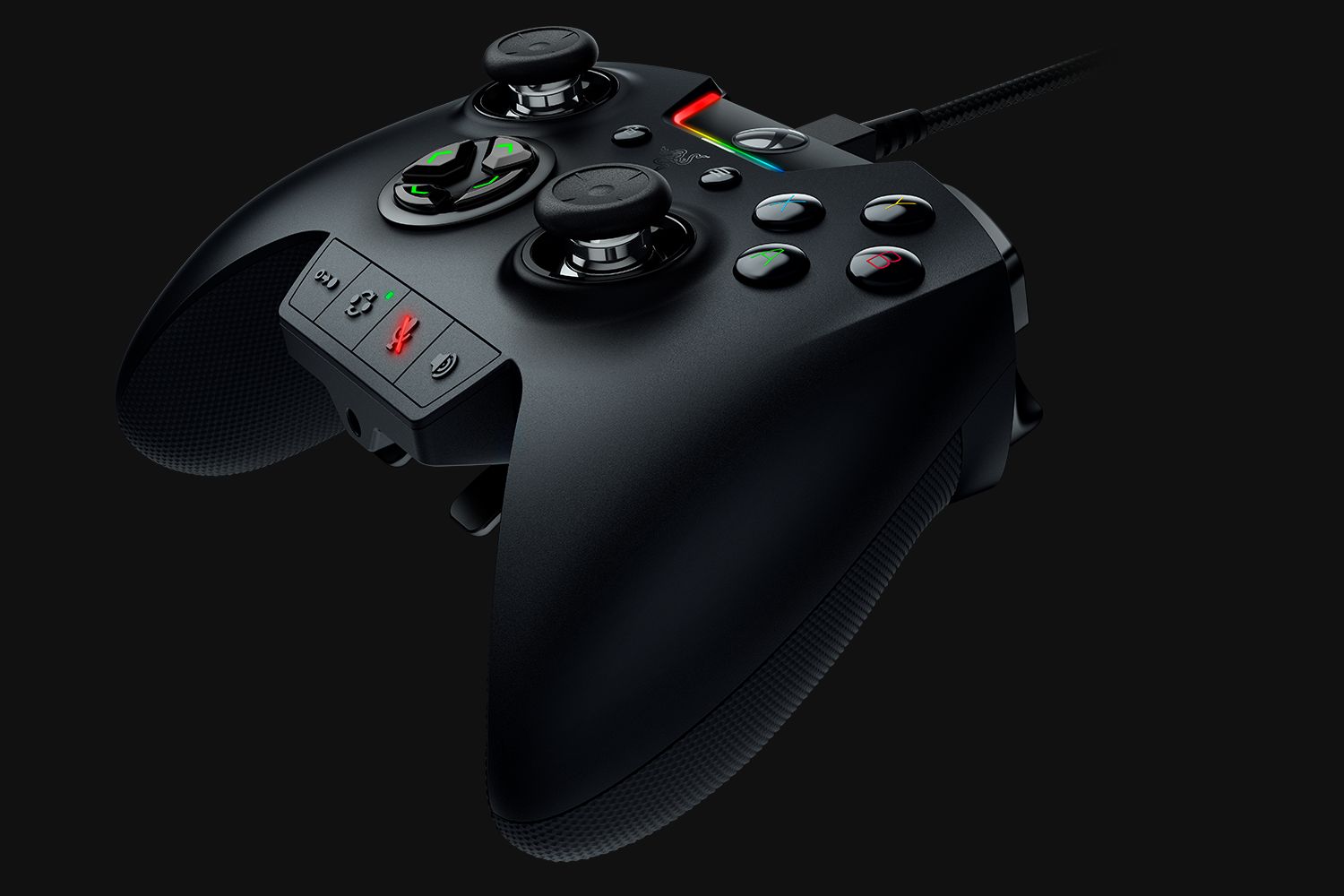
My solution: I have assigned the same function to both keys on one side. So I can press with the middle finger any elevation get the desired result. This is not an elegant solution, but it fitted me better than double occupancy.

Faster, slower – more accurate?

One reason I can live with the sacrifice is the fact that I didn’t get comfortable with one of the exclusive functions of the Wolverine Ultimate: an additional acceleration or deceleration of the analog sticks, i.e., an increase or decrease of the sensitivity of the surrounding area. Each of the six additional buttons could trigger the desired effect, but one of the lower buttons is the one that works best.

It’s super on paper! And in fact, it offers a lot of flexibility to skillful players if they adjust a shooter, for example, so that they can continue to look around as quickly when looking over the rear sight and sight as they would without the weapon. With the middle finger button pulled out, they could slow down the view at any time to aim more precisely with or without zoom. Or they could keep the default settings and add a third deceleration.
This works, but it requires so much training and sensitivity that I prefer to do without it. The focused haptic improvements of the Raiju or Wolverine without manipulation of the stick acceleration are much better for me.

Slightly warped

When it comes to analog sticks, both Razer devices have very little on one another. Their resistance is reminiscent of the normal Xbox One and lies between the quite tight PS4 and the slightly smooth-running sticks of the Elite. I like the height of the Raiju-Sticks the most, as long as you leave the wonderfully handy protective caps on them.

Unfortunately, real annoyance is caused by the inaccuracy that has started to affect my sticks after about three weeks, because of which they now give inputs of their own volition. Even if I don’t touch them, the view, the character or the chosen menu item sometimes moves slightly. It’s a small drop of bitterness, which doesn’t really have an effect on play, but understandably still annoys.

Additional sticks and discs

The Wolverine Ultimate, on the other hand, is delivered with additional sticks similar to the Elite: a particularly high convex one and another that is reminiscent of the Dual Shock 3. It’s strange that they don’t come in pairs, but I haven’t used either the high or the convex sticks on the Elite. Maybe most of the players behave similarly and Razer made a pragmatic decision. I can only speculate about that, however. In any case, the magnetic parts are exchanged by simply pulling them off and plugging them in.

Just like the elite, the Wolverine’s digital cross is also interchangeable. You can choose between one with more prominent keys and one that is not reminiscent of the Elite’s disc but is easier to slide over with your thumb.

The greatest weakness

By the way – and I have to say this very clearly: both the Raiju’s cross pad and the two of the Wolverine are by far the biggest weakness of the controllers! When operating menus and triggering small actions, they work perfectly. The direction keys are too slow to use, especially on the Raiju, because the four independent keys are too far apart to work effectively in games like the Tekken series.
The Wolverine’s disc offers the best experience here, especially since it is made of one piece, unlike the Raiju and the alternative Wolverine variant with buttons that are also independent of each other; this means that you can also play a beat-‘em-up game. The bottom line, however, is that the perpendicularly arranged rockers of the original controllers offer more control than the Razer’s

Analog or digital?

Razer offers a possibility – that is now becoming standard in almost all high-quality gamepads – to configure the two lower shoulder buttons independently of each other in such a way that you only have to pull them a short distance use them, e.g., to fire a weapon, since the analog movement turns into a digital one. This is perfect for pinball machines and shooters. Xbox One players should know that the Wolverine also benefits of the impulse-triggers of the Microsoft pads.

What Razer does not offer is the adjustment of the acceleration of analog sticks and shoulder keys depending on their deflection. Unlike the Elite or the Nacon Revolution, it is therefore not possible to determine that a stick triggers a very fast movement at low inclination or vice versa. Macros are also not created. Through the Synapse application one can determine how strongly a held key of the Wolverine influences the reaction of both sticks (see info box above), but the basic behavior of the controller is not changed.

I’m all right with that. I didn’t use the corresponding functions of the elite and other controllers and I think it’s good that Razer consistently implements a focused concept without getting lost in trifles, which would mean time-consuming fiddling for almost all players without any significant added value.

“Shush!”

The Raiju and the Wolverine take on a function which Microsoft headsets had already implemented a long way back and that I miss since then: at the lower edge of the gamepad, there is a button that allows you to mute a headset connected by cable. So you don’t have to take your hand off the controller if you don’t want to cough into your fellow players’ ears, which is an enormous gain in comfort.

The volume is also regulated by a button at the same place – it’s just a pity that you can’t adjust the balance between game and chat volume on the Raiju. With Wolverine this is possible. With the Raiju you still have to open the PS4’s party menu.

Another key on the “Quick Control Panel” allows you to quickly change the key assignments and switch between two profiles, although I don’t use the latter. On the one hand, two profiles are of course not enough to cover all possibilities, on the other hand, the buttons are assigned so quickly that I simply change the corresponding setting if necessary. Apart from that, a certain standard has now crept in: I use the abovementioned distribution of the four geometrical or letter keys in most games.

Less noteworthy

Last but not least, both Raiju and Wolverine feel great in the hands. They are clearly superior to the Dual Shock 4; in fact, the Razer pads are reminiscent of the Xbox One controller, whereby the Raiju is a little wider. For me it feels best, especially since I also find the analog sticks, made relatively wide by the rubberized covers to be very comfortable.

It is worth mentioning that the rubber on the grips makes it easier to hold them in place, but that dirt accumulates relatively quickly in the deep profile. In contrast to the Wolverine, the system button does not turn on the PS4, but only activates the pad when the console is running. And last but not least: I didn’t manage to use the rumble function on my PC. It just doesn’t want to work on there, even though the Raiju shakes properly on a PlayStation 4.

The Wolverine’s rumble works fine both on Xbox One and on PC. It is only a bit odd that you must unplug the controller before you can plug a headset in it. And of course, if you want to use the volume control and mute one of the Razer controllers, you have to connect your headset via cable via the gamepad.

VERDICT

It’s not perfect and the slight inaccuracy of the analog sticks at zero input is annoying – but all in all the Razer Raiju is the best classic controller I’ve ever played with! It feels high quality, fits perfectly in the hand and due to the special arrangement of its additional keys, the right thumb almost never has to leave the analog stick. This gives the game a lightness and precision that I don’t want to do without anymore. In no time at all, you can assign any function to the additional buttons and enjoy precise, rich clicks of all keys including the touchpad. Comfort is written in capital letters, which is noticeable at the latest with the button directly attached to the gamepad to mute the microphone. The same goes, with minor negative differences, for the Wolverine Ultimate, which complicates the use with two more buttons but also offers a greater variety with variable acceleration of the analog sticks as well as interchangeable control crosses and analog sticks. It is important to know that the stiff or relatively imprecise control crosses of both pads are unsuitable for a few games. But for all others, both the Raiju and the Wolverine are a big quality gain!