Best Chrome productivity extensions

You’ll get more done with these productivity extensions for Google Chrome

Best Chrome productivity extensions

Chrome extensions are wondrous little things. You can simply head to the Chrome Web Store, search through thousands upon thousands of options, and then bake in a brand-new feature to your web browser and augment your browsing experience. These extensions can do pretty much anything from boosting your Gmail experience to adding Evernote like features to Chrome. We’ve had a look at the best VPN Chrome extensions to protect your web traffic and today we’re going to go through the best Chrome extensions to help boost your productivity.
You should also check out our little guide on how to get Google Chrome extensions on your Android devices here.

Best Chrome extensions for productivity

Notepad by Clickup
Notepad Chrome extension

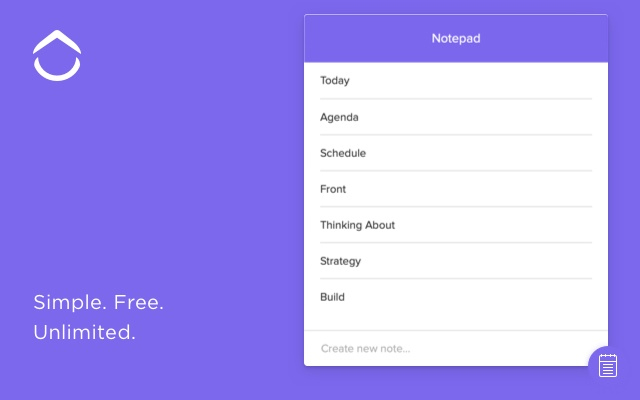
OK, so productivity is a rather broad category that could contain many different types of tools and plugins. We’re going to start with the Notepad browser extension by Clickup, which adds a simple yet incredibly useful feature to your web browser. Notepad gives you single click note-taking abilities on all the web pages you visit. Want to note something down about that offer you saw on Amazon? No problem. You need to leave yourself a reminder or come up with an actionable to-do list based on the research you’ve been doing? Absolutely fine. Notepad gives a simple and elegant solution that augments the internet by adding something you didn’t even know you needed.

Clickup
Clickup Chrome extension

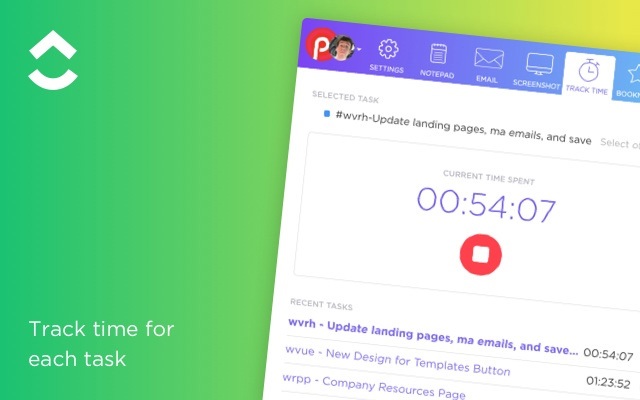
Notepad is actually a part of Clickup, which is an award-winning to-do list app that has a Chrome extension that is available for free. If you’re looking for a way to organize your workflow then Clickup is the tool you’re looking for. The Chrome browser extension links flawlessly with the full Clickup app and makes it very easy to create new lists and projects, bookmark websites, and take screenshots. Another excellent feature of the Clickup extension is its time tracker. You can use Clickup to monitor the amount of time you’re spending on different websites. This could be used in a “Digital Wellbeing” kind of way to help you wean yourself off your social media addiction and get back to work, or to track the time you spend working on projects to later add to your invoices.

RescueTime
RescueTime Chrome extension

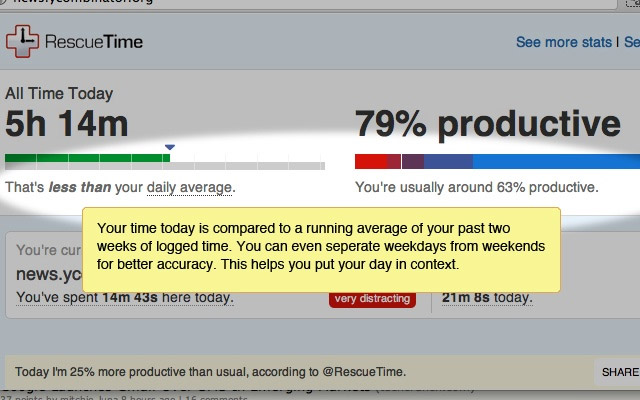
The RescueTime extension is another Chrome extension that will try to keep you working productively rather succumbing to reckless procrastination. All you do is tell the RescueTime extension which sites are productive, and which are not. Then at the end of each week, RescueTime will give you a report on how much time you’ve spent productively. Prepare yourself, you might spend a lot of time doing stuff you shouldn’t!

Trello
Trello Chrome extension

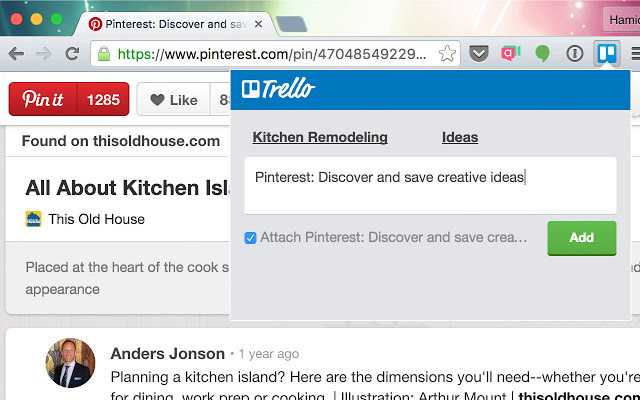
Another excellent project management extension is the Trello plugin for Chrome. The Trello extension syncs flawlessly with your Trello account, allowing you to make Trello cards quickly without having to head over to the Trello site itself. The extension also grants swift access to all your active Trello cards and boards.

Loom
Loom Chrome extension

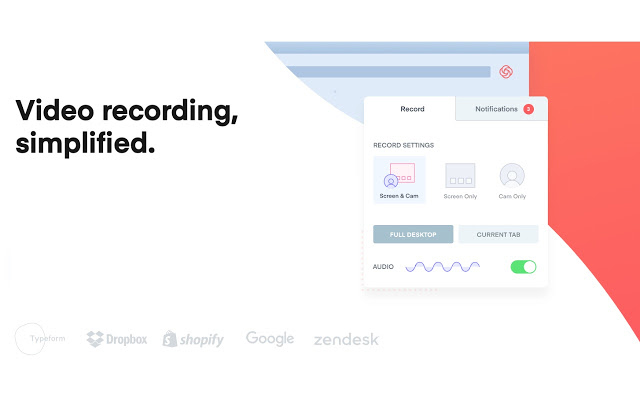
Loom is another extension, like Notepad, that gives you a tool you never even knew you needed. With Loom you can easily log into your device’s webcam, record a quick video message, and then easily share it with anybody else who you might want to see it. It is an excellent extension for anybody working in a team, who needs to quickly and concisely get across messages of more than a few words.

CrxMouse Gestures
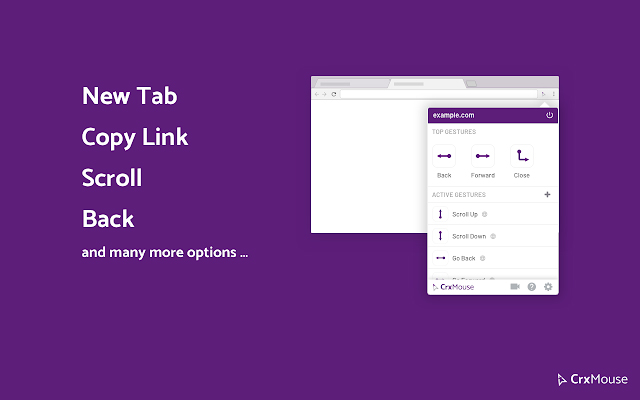
Grx Mouse extension

Often the latest and greatest tech innovations from the big players like Apple and Google do no more than shaving a second or two off the common tasks that we carry out every day. In this respect, the CrxMouse Gestures Chrome extension is something that deserves a lot of respect. CrxMouse creates keyboard shortcuts for your mouse. When installed on Chrome you’ll be able you navigate the web much quicker using certain mouse gestures that’ll enable you to perform many actions like opening and closing tabs, copying links and text, going back and forwards through your history, etc.
Pocket

Pocket extension

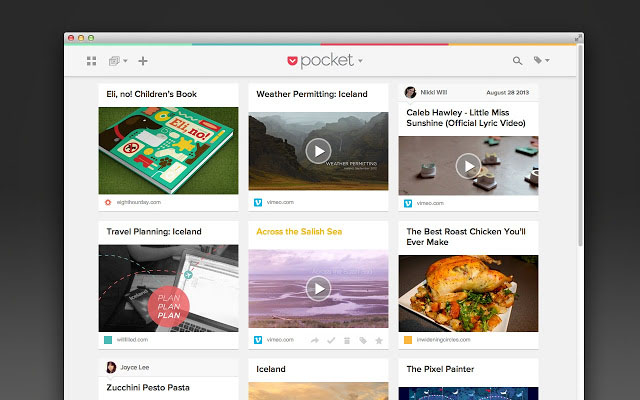
Pocket works a little like Notepad in that it helps you make notes about the web pages you’re visiting. The difference, however, is that it is a copy and paste clipping board. If you see something you think you might need a little later on all you need to do is save it in your Pocket and it will be there when you need it.

OneTab
OnetabChrome plugin

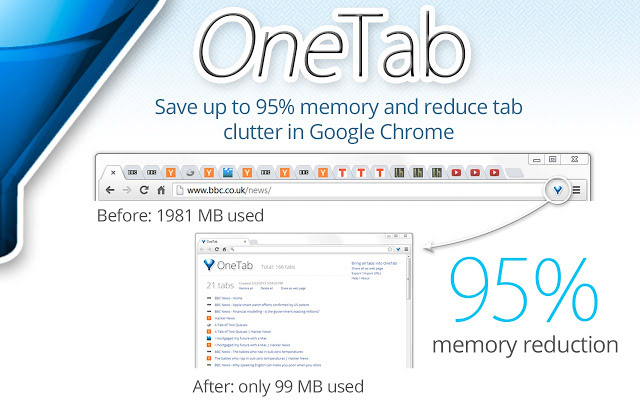
If there is an easy criticism to hurl at Google Chrome, it is the massive amount of memory it needs to function properly. Open tabs are one of the main causes of Chrome and system slow down. The more tabs you have open the closer you are to running out of memory and slowing your machine down to a crawl. OneTab has been designed to solve this very problem. If you can’t get any work done because your Windows PC or Apple Mac is running excruciatingly slowly, OneTab will quickly compress all of your open tabs into a single page. This way your system memory will be free, yet you’ll be able to access all your tabs quickly should you need them.

Instant Dictionary
Dictionary extension for Chrome

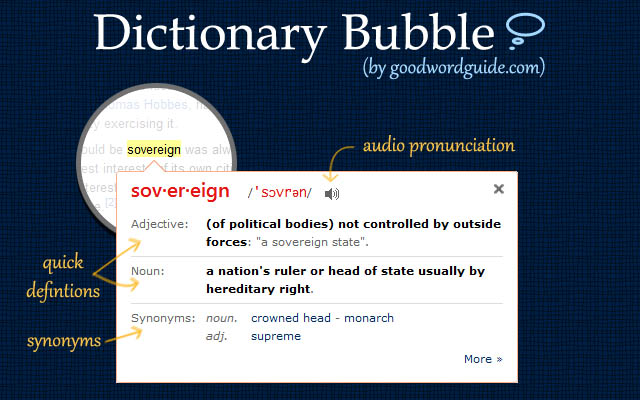
The Instant Dictionary extension gives you quick access to dictionary definitions for any and all words you find on the internet. Once installed on Chrome all you need to do is highlight the word you’re stumped by or double-click it. You’ll then get a floating definition box unless the extension can’t find one, in which case it’ll offer a Google search in a new tab.

Last Pass
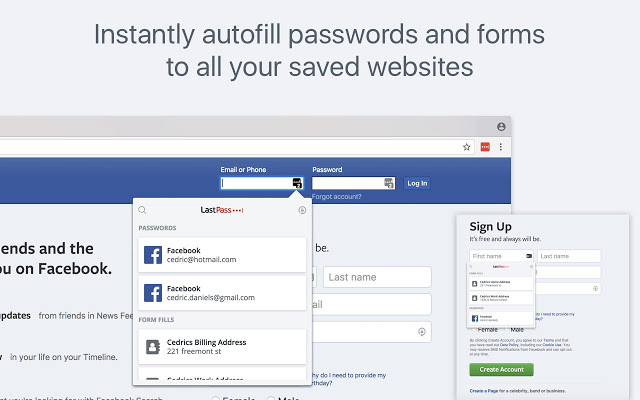
Last Pass Chrome extension

Our final extension works with a very good and free password manager. Last Pass will create secure passwords for all of your online accounts and will store them securely for you. Then whenever you try to log into these pages, the extension will automatically fill in your security details. Last Pass will also link your account with your phone and log into all your apps and mobile websites for you too. This will keep you safer and save you time.

Wrapping up

There you have 10 useful extensions for Google Chrome that will make you much more productive when you’re online. All are free and won’t use up too much system memory, which means you likely won’t have to worry about your computer slowing down too much if you install them. Other great Chrome productivity extensions worth checking out are Web Clipper, Stayfocusd, Grammarly, Google Drive and Google Docs, Todoist, Noisli, OneNote, and Ad Blocker Plus.
Best Chrome VPN extensions

Check out the best free and premium VPN extensions for Google Chrome

Chrome VPN extensions

More and more, VPNs are becoming essential pieces of kit for the modern internet user. Virtual Private Networks encrypt your web traffic and then route it through secure servers dotted all around the world. In this way they can keep all your most private details secret and also give you the ability to mask your geographic location. VPNs keep you safe when surfing the web via public Wi-Fi and can keep you in touch with what is going on at home, even when you’re abroad. VPNs can even help you access restricted parts of the internet when you’re in oppressive countries that censor the web.

You don’t need to install a full VPN program, however, to protect your web usage. You can get decent VPN coverage with a simple browser extension. If you’re using the Google Chrome browser to surf the internet, you can download and install a Chrome VPN that will protect everything you do on your web browser. These are the best VPN extensions for Chrome.

Chrome VPN extensions

NordVPN Chrome extension

NordVPN multi device

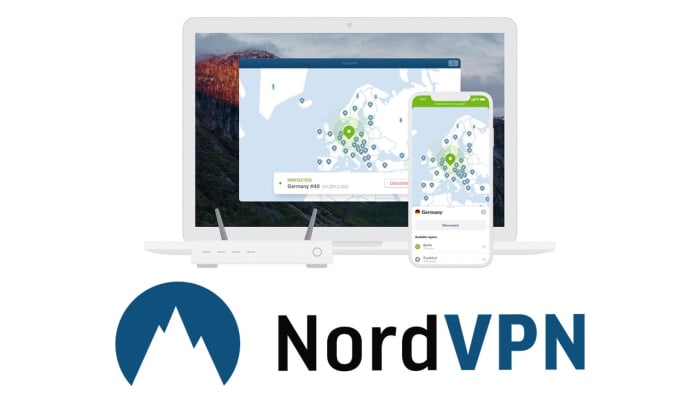
NordVPN is based out of Panama and offers users very strong privacy-protecting credentials. Nord doesn’t log user behavior meaning no personal information is kept from the sites you visit when you’re securely surfing the web via a NordVPN server. Furthermore, NordVPN has almost 5,000 VPN server locations all over the world, meaning you can easily mask your IP address to access content that is limited to the US, UK and Ireland, Australia and more with fast speeds. All this comes at a premium, however, with NordVPN having a number of different payment options with the cheapest requiring a three-year subscription paying for upfront.


NordVPN Download Now
8

Hola VPN extension for Chrome

Hola VPN Chrome extension

The Hola VPN extension for Chrome is an effective and free Chrome VPN to help anonymize your internet usage. The Hola VPN service is used primarily to unblock geo-restricted content without having to pay for an option like NordVPN. Being free, however, means that Hola logs some of your data and then sells it to third parties. Also, Hola isn’t as reliable as NordVPN so there is a good chance that that movie you wanted to watch on the US Netflix or that TV show on BBC iPlayer might still be out of reach if you’re using this extension.

Hola Unlimited Free VPN Download now
7

ExpressVPN Chrome extension

ExpressVPN Chrome extension

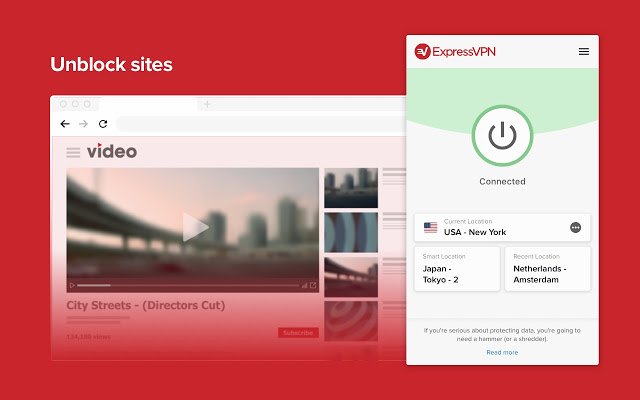
ExpressVPN is another premium option like NordVPN. Again though, the premium option offers solid reliability just like the Nord offering does. In fact, ExpressVPN is regularly voted as the best VPN available today, which makes this one of the best VPN extensions available on the Chrome Web Store. The ExpressVPN Chrome extension is built with simplicity in mind too. One click is all that is needed to start browsing the internet safely and securely through one of over 3,000 servers in 160 locations spread across 94 countries around the world.

ExpressVPN Download now
8

Browsec VPN Chrome extension

Browsec VPN extension

The Browsec VPN Chrome plugin is also available on Android. It offers free and unlimited secure browsing, which means there won’t be a data cap when using the VPN like there often is on free VPN proxy programs. The extension is easy to use and offers fast browsing speeds. This could be why Browsec has accumulated over 8,000,000 users with almost 25,000 of them leaving positive reviews on the Chrome store. It isn’t the most private VPN, however, with its Russian HQ creating several privacy-related issues should the Russian government decides to request information. Browsec also logs user data too.

Browsec VPN Download now
9

CyberGhost VPN Chrome extension

CyberGhost VPN Chrome extension

CyberGhost is another free VPN Chrome extension that offers free one-click access to its secure servers. It does, however, have a paid version too. Like with the other free VPN extensions on this list, CyberGhost doesn’t offer reliable connections as you’d get with NordVPN or ExpressVPN. It also falls short on privacy matters too. Also, the free version could see you having to queue for servers, which are only available in 15 countries. It does offer fast speeds when you do connect, but you can also expect to see plenty of ads for CyberGhost premium and you’ll disconnect every three hours meaning you’ll have to manually reconnect.

CyberGhost Download now
7

PureVPN Chrome extension

PureVPN Chrome extension

PureVPN will offer you reliable connections via its secure servers, which is why we’ve included it in our list. Another good point attached to PureVPN is that the service comes with Live Chat customer support service that should help you deal with any problems you come up against. If you’re in the least bit bothered about privacy, however, it might not be the best VPN plugin for you. There have been quite a few reported data leaks from the PureVPN servers. Another con to consider is that although PureVPN connections may be reliable, they won’t be as fast as the speeds you’ll find on some of the other extensions in our list.

PureVPN Download now
7

DotVPN

DotVPN Chrome extension

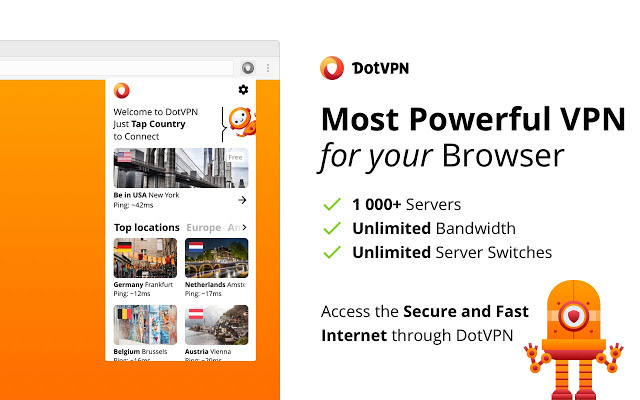
DotVPN offers unlimited bandwidth through over 1,00 servers located in different countries around the world. It offers robust encryption to protect what you’re doing online from prying eyes and is available across a variety of platforms including Windows and Mac, Firefox, Android, and iOS devices like iPhone and iPad. DotVPN offers limited service for free users, which still has unlimited data usage but unfortunately doesn’t support video or audio streaming. If, for example, you want to access Netflix using DotVPN, you’re going to have to pay for a premium subscription, which costs $4.99 a month or $2.99 a month, if you pay for a full year’s subscription at once.

DotVPN Download now
9
Wrapping up

We’ve walked you through some of the best VPN extensions available for Google Chrome. Some offer free services while others ask for a paid subscription. It obviously depends on what you want to use your VPN for, but in our experience, we recommend the paid VPN extensions like NordVPN and ExpressVPN. Whereas free VPNs can work sometimes, they’re not as reliable as the two options we’ve just mentioned and can prove to be quite frustrating. If you add to that the privacy issues that are attached to all the free VPNs we’ve mentioned, we believe the case is there to pay for a strong, reliable, and secure VPN.

7 fixes to make your Chrome run faster

These 7 tips will help you make Chrome go faster

Make Chrome go faster

If you’ve had more than a couple of Google Chrome tabs open at the same time, you’ve likely had to endure long waits for your web pages to load. It isn’t just your browsing experience neither. Chrome is such a RAM hog that it’ll slow down everything you try to do on your device. The Google Chrome browser is famous for slowing down Androids, iPhones, PCs, and Macs.

That’s why we’re here. We’re going to show you some of the best ways to make Google Chrome run faster. If Chrome is running slow on your PC, check out some of these little tweaks that could make Chrome faster for you.

7
Chrome is a young, fast browser that can browse any web page. It supports all major technologies and standards such as HTML5 and Flash.

How to make Google Chrome run faster

Close tabs

Too many Google Chrome tabs

The reason Chrome is so quick to slow everything down is that it needs a lot of memory to do its thing. Chrome is a famous RAM sink. This means that having multiple tabs open at once will multiply Chrome’s famous ability to hog up all of your system’s memory. You’ll have probably noticed that whenever Chrome takes longer to load pages you probably have more tabs open than you’re actually using. Closing these tabs will free up system memory and could get your web browser and computer running at full speed again.

Delete unnecessary Chrome extensions

Chrome extensions

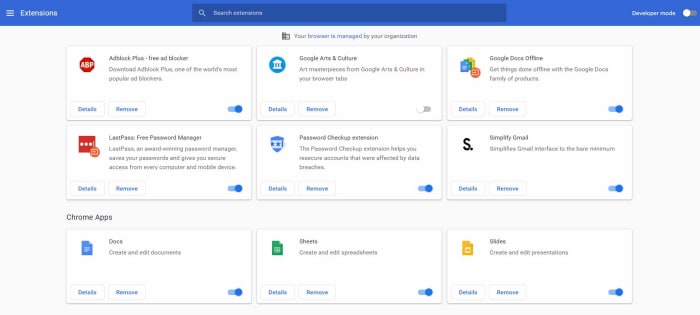
This one works in a similar way to tabs. If you have extensions that you’re not really using running in the background ,they’ll be using your system’s resources. This will slow Chrome but also other operations on your PC too. You might even have Chrome plugins installed on your Google Chrome browser that you can’t even remember installing in the first place. Get rid of them and see how much faster things start to work again.

To remove Chrome extensions type chrome://extensions/ into the address bar and hit Enter. You’ll now see a list of all the plugins you have installed on your version of Google Chrome. You’ll see a little toggle switch next to each of them telling you if that particular extension is active or not. All you need to do is hit Remove on every Chrome extension you don’t use, and Chrome will uninstall it.

Update Google Chrome

Google Chrome up to date

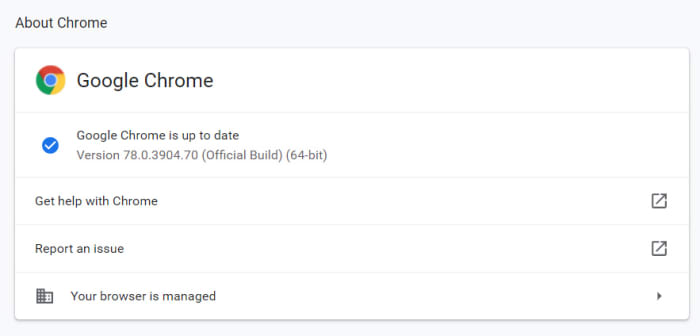
Chrome might be running slow for you because you’re not running the latest version of the Google browser. Chrome should keep itself updated, but often it won’t so you might have to update Chrome manually. There is no CTRL key shortcut to open Chrome Settings so to check if your version of Google Chrome is up to date you need to type chrome://settings into the address bar and hit Enter, or hit the three-dot icon in the top-right and click Settings. You then need to hit the About Chrome option. This will take you to the screen that will tell you whether you have the latest version of Google Chrome or not and give you the option to update.

Use the Google Chrome prefetch feature

Google prefetch feature Chrome

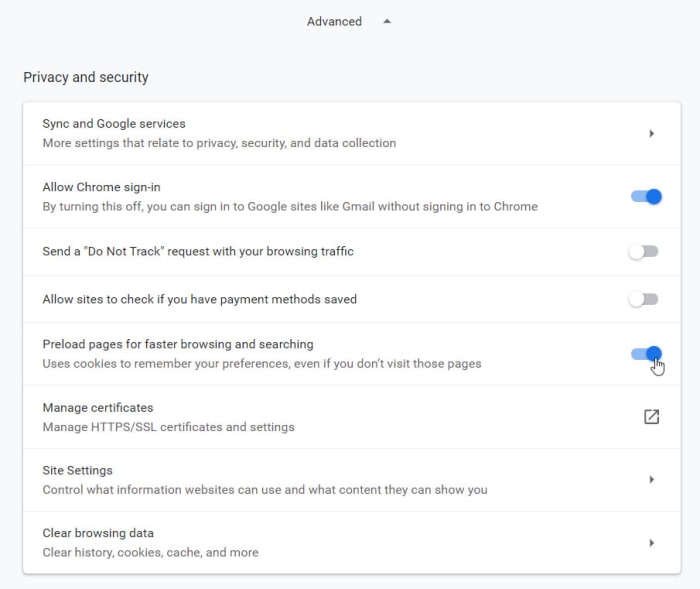
Chrome has a prefetch feature that will make web pages load faster than they would on other browsers. Basically, prefetch will preload the web pages you’re visiting using cookies that Chrome has collected during previous visits. This allows you to browse through familiar web pages much quicker than usual.

To enable prefetch again type chrome://settings into the address bar and hit Enter. Then scroll down and hit the Advanced option to open up the Advanced settings menu. You’ll see the Privacy and security box is the first part of the new extended menu. You want to activate the toggle switch next to the Preload pages for faster browsing and searching option to enable prefetch.

Use the Chrome Software Removal tool

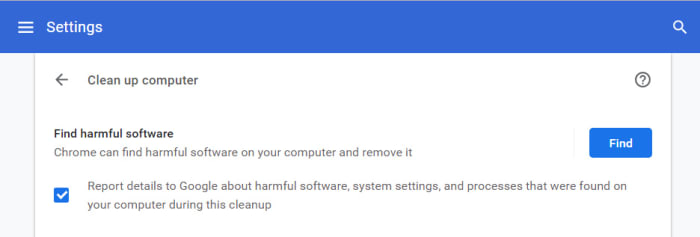
Chrome cleanup tool

Google Chrome on Windows has a pretty decent cleanup tool, which will help you get rid of any malware or potentially unwanted programs that could be causing Chrome to run slowly.

To run the Chrome cleanup tool, you need to once again open the Chrome settings menu and extend the Advanced settings menu. Then scroll right to the bottom of the page until you come to the Reset and clean up options. Hitting the clean up computer option will give you the option to Find harmful software. Hitting the Find button will search out for any potential problems and remove them.

Reset Chrome settings

Reset Chrome

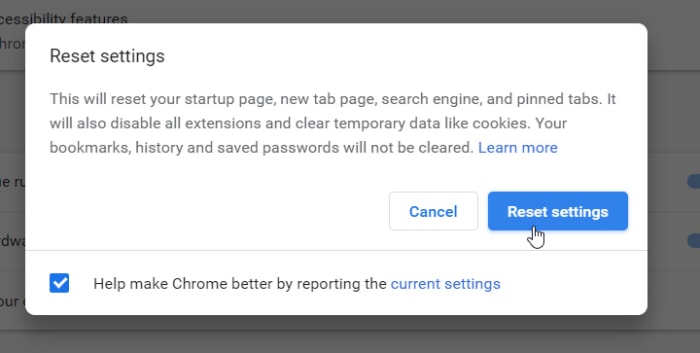
All the system-wide searches in the world won’t find anything if the problem is in Chrome itself. Malware and viruses could have taken hold in your version of Chrome causing all manner of problems from serving up annoying ads in your Google searches to slowing Chrome down to a crawl. Get rid of any in-browser problems by resetting Chrome.

The Chrome reset button is found just above the Chrome cleanup tool. Navigate to the Advanced settings menu then to the very bottom of the screen and hit Restore settings to their original defaults to reset Chrome. Don’t worry though, it won’t delete your bookmarks. Once you’ve done this relaunch Chrome and when it loads it could be working more quickly.

Clear the Chrome cache data

Clear Chrome cache

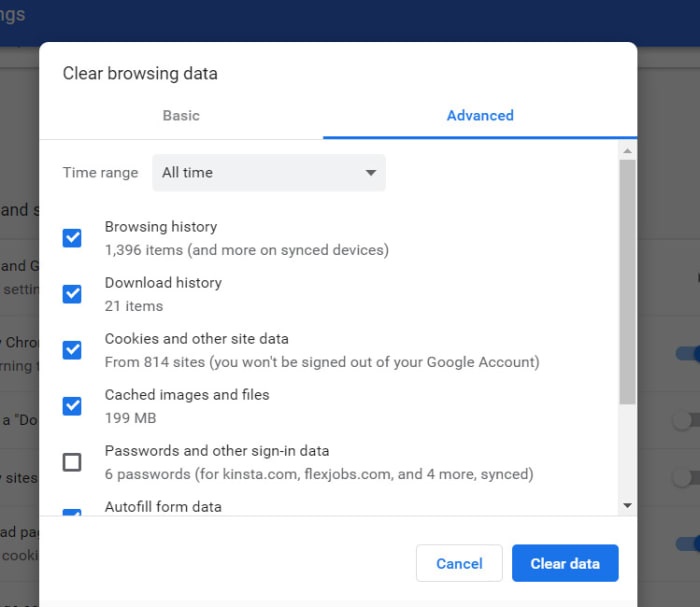
The reset option is like the nuclear option. It will reset your startup page, new tab page, default search engine, and pinned tabs. On top of that, resetting Chrome will also disable all your extensions, and clear your temporary data. Another option, however, that could make Chrome run faster without affecting so many other settings, is clearing your cache. This could make move more quickly as you could have cached images going back years hogging up your disk space, could, in turn, be slowing down Google Chrome.

To clear your cache, you again want to show Advanced settings and scroll down to the bottom option in the Privacy and security box. Here you’ll find the Clear browsing data option. You’ll be able to delete your Browsing historyDownload historyCookies, and Cached images and files among other options. If you’re PC doesn’t have much space, clearing out unnecessary files like this one could speed things up a little.

Wrapping up

We’ve shown you seven ways to make your Chrome browser run faster. All of these methods are carried out within Google Chrome itself. This assumes that the problem is to do with Chrome. It could be a memory issue, however, or you might not have enough space on your hard drive for programs to run as efficiently as they should. This means if the methods we’ve shown you today don’t work, you should run system-wide checks too, to try and find the problem. You can see a guide on how to make Windows run faster here.

Best 15 video downloader Chrome extensions

Best extensions for downloading online videos on Google Chrome

Google Chrome is the world’s most popular browser. Among its many outstanding features is that it supports add-ons or extensions that allow you to download all kinds of videos from just about anywhere. Many different extensions can do so.

In this article, we tell you about 15 of the best video downloaders for Chrome.

Video Downloader PLUS

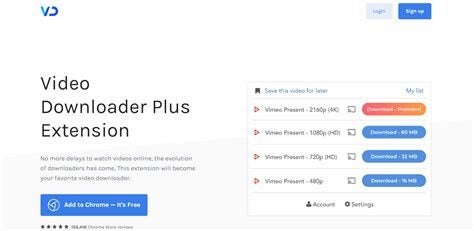
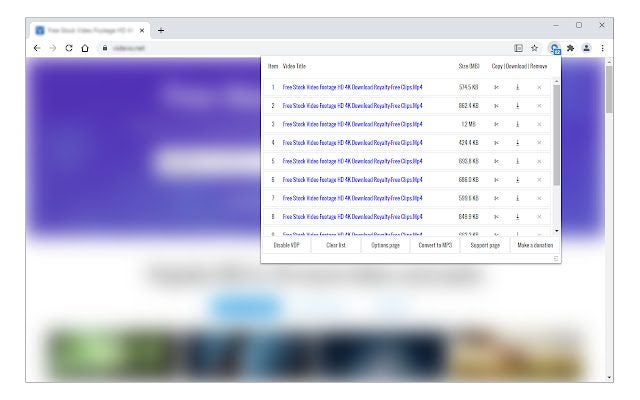
This excellent and popular Google Chrome extension allows you to save videos from almost any website onto your device. It can deal with any media type, including 3gp, .mp4, .wmv, .flv, .swf, and .mp3. It can even download several videos at once to save you time. It’s easy to use and completely free. 

Note that Google Chrome restrictions prevent it from downloading adult, illegal or copyrighted content or YouTube videos.

Video Downloader Plus DOWNLOAD
Best 15 video downloader Chrome extensions

Flash Video Downloader

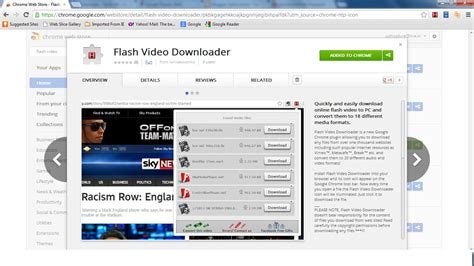
With Flash Video Downloader you can download nearly all media formats like flash, videos, and audio files from 99% of websites. No special skills are required as this downloader is one of the easiest to use.

Just click the extension’s icon in the browser and start downloading. It supports Mp4 Videos, Mov, Fly video, Webm and Facebook videos. It’s free, and the developers say it will never be a paid app. 

Flash Video Downloader DOWNLOAD

Video Downloader professional

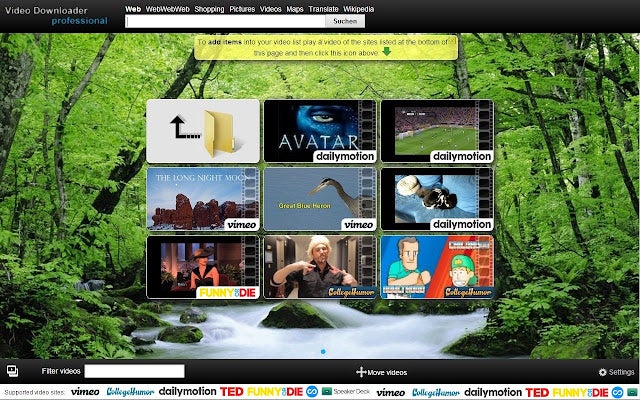
Using Video Downloader professional allows you to download videos from many websites and select different resolutions to play them on. Or you can collect them in your video list without downloading them. You can also play MP4 videos on your TV using Google Chromecast. 

The extension locked the downloading of YouTube, Instagram, Dailymotion, Vk, and Tiktok videos because of Google Chrome restrictions. For those videos, use www.videodownloaderultimate.com.

Video Downloader professional DOWNLOAD
Best 15 video downloader Chrome extensions

Easy Video Downloader

Easy Video Downloader is a Google Chrome extension that lets you quickly download video, audio and image resources from multiple web pages. It works by using internal and external browser download managers. 

Easy Video Downloader says it’s not responsible for the content you download. You must verify the copyright permission before downloading anything. Google, YouTube, and Chrome Store policies and restrictions will apply to videos you want to download from their sites.

Easy Video Downloader DOWNLOAD

Video Downloader Prime

Video Downloader Prime is a Google Chrome extension that allows you to easily download popular video formats from your Google Chrome browser’s toolbar popup. This gives you an easy interface for downloading videos or copying them to your clipboard. 

You can see the number of videos on the page and then delete, add or disable them from the Options page. You can specify the minimum you want your videos to be.

Video Downloader Prime DOWNLOAD
Best 15 video downloader Chrome extensions

Twitter Video Downloader | Fast and Free

This Google Chrome extension for Twitter allows you to download Twitter videos and Gifs with just one click. It’s free, fast, and easy for anyone on Twitter to use. 

After you’ve installed the extension, you’ll see a Download button underneath every Twitter Tweet, which will link you to a video. Simply press Download under a Tweet and choose the quality of the video you want. The video will then download immediately, with no effort or fuss, on your part.

Twitter Video Downloader | Fast and Free DOWNLOAD
Best 15 video downloader Chrome extensions

Video Downloader for FB

To download videos from Facebook using this Google Chrome extension, go to Facebook.com on your computer’s desktop. Select the video you want to download and click it to open it on its own screen. Then refresh the screen. 

To save the video you have selected, press the Download button that appears on it. Save the video as an MP4 in HD or SD quality. Then it’s ready for you to watch whenever you like.

Video Downloader (Facebook) DOWNLOAD
Best 15 video downloader Chrome extensions

Video Downloader Pro

Video Downloader Pro will enable you to download any video you want from any site on the web. It’s fast, easy to use, and free. Simply click on the extension icon and see all the files available. Choose a file, and it will save on your device quickly. 

Due to Google Web Store policies, you cannot download YouTube Videos. But Video Downloader Pro can find and quickly download videos and music from 98% of web pages all over the Internet. 

Video Downloader Pro DOWNLOAD
Best 15 video downloader Chrome extensions

ZED: Zoom Easy Downloader

Zoom Easy Downloader is the easiest and fastest way to download Zoom videos. To get it, just click Add to Chrome on the top right of your screen. 

When you visit a page with a Zoom video, you’ll see a blue banner at the bottom of the page. Right-click on it. Then click Save link as, and you’ll download an .mp4 video. This software is from Zoomcorder.com. With it, you can record any Zoom video and watch it later. 

ZED: Zoom Easy Downloader DOWNLOAD
Best 15 video downloader Chrome extensions

Video Downloader for TikTok

Now you can download videos from TikTok with one click by using its Video Downloader. The software allows you to download photos and videos completely free of charge. 

All you have to do is go to any TikTok video or photo and click on the browser extension icon. This will make the download button available, and you’re ready to go! The downloader opens a world of excellent video content for you to save on your PC.

Video Downloader (TikTok) DOWNLOAD
Best 15 video downloader Chrome extensions

Free Video Downloader 

The Free Video Downloader allows you to save any video from any website onto your PC or another device. It’s one of the most popular download extensions in the Chrome Web store. You get an online downloader, player and playlist in one complete software package! 

Play the video you want and click the browser extension button to download it. You can download any MP4 files on the net. Just choose the size and quality when you save it. 

AVGO Free Video Downloader DOWNLOAD
Best 15 video downloader Chrome extensions

Downloader with Ant Download Manager

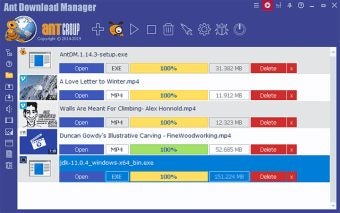
Ant (AntDM) is a free download manager and accelerator for Windows from Google Chrome. Using it, you can download videos automatically, manually and in batches. You can use it alongside the DLHelper, an auxiliary extension for Google Chrome that you can also get from your Chrome browser. 

The software contains no ads, spyware or malware. It has a companion application for downloading and merging streaming videos and supports YouTube, HTTP Live Streaming (HLS), Vimeo, and direct links to media files you want.

Ant Download Manager DOWNLOAD
Best 15 video downloader Chrome extensions

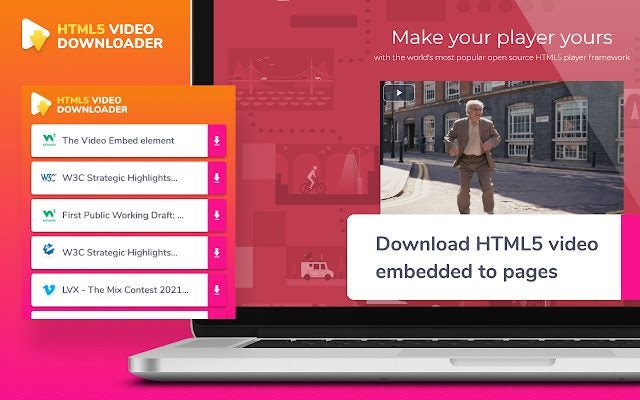
MuGet HTML5 video downloader

With the free MuGet HTML5 video downloader, you can download HTML5 videos embedded in pages. It works on many popular websites like Vimeo and generic HTML5 videos, and other popular video platforms. You can also download videos in MP4 and WEBP formats. 

Because of Chrome Webstore policies, the app doesn’t work on YouTube videos. But there are many other sites it works on, so you can download as many videos as you want whenever you like and enjoy them!

MuGet HTML5 video downloader DOWNLOAD
Best 15 video downloader Chrome extensions

Pincase-Pinterest Video & Image Downloader

Pincase is a free Pinterest video and image downloader available as a Google Chrome extension. You can use it to download whatever you like, including images, videos, GIFs, and story pins. It’s very easy to use and powerful, making downloading any material from Pinterest fast and trouble-free. 

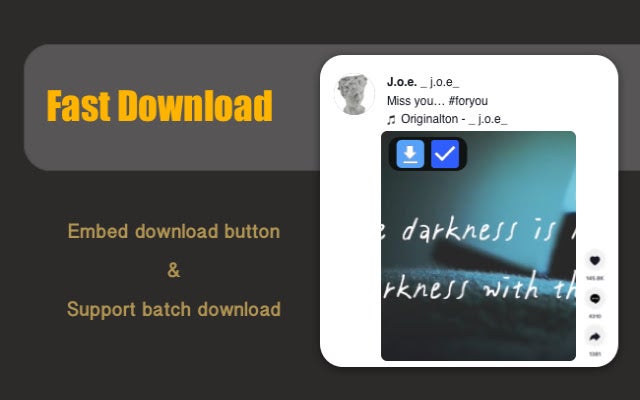
It supports board, search page, main feed page, and self-owned pins, among others, and allows batch image downloads. It’s completely free to download and use. 

Pincase-Pinterest Video & Image Downloader DOWNLOAD
Best 15 video downloader Chrome extensions

TikFast – Free TikTok Video Downloader

TikTok is the world’s leading destination for downloading short-form mobile videos. TikFast, a Google Chrome extension, is a powerful TikTok download tool that allows you to download videos quickly and easily. 

It can, among other features, download TikTok videos in batches with no watermark, which most other tools are unable to do. Using TikFast, you can download videos from tiktok.com with just one click. It also downloads TikTok music as MP3 files. The extension is completely free.

TikFast - Free TikTok Video Downloader DOWNLOAD
Best 15 video downloader Chrome extensions

How to install Chrome extensions on Android

This guide will show you how to install Google Chrome extensions on Android

Chrome on Android

Google Chrome is a great browser. It is by far the most popular web browser in the world. One of the best features of Chrome is that you can add-on new features by installing Chrome extensions. There are thousands of different Chrome extensions out there doing all manner of task from blocking ads to remembering your password.

It is easy enough to install Chrome extensions on your desktop version of Chrome. Google has created a dedicated Chrome Web Store for finding what you need. There is no such store for Chrome on Android devices, however, which means you need to work a little harder to install extensions on Chrome for Android. That’s what this guide is all about. This is how to install Chrome extensions on Android.

7
Chrome is a young, fast browser that can browse any web page. It supports all major technologies and standards such as HTML5 and Flash.

Install Chrome extensions on Android

Not only is there no Chrome Web Store on Android, but the Android version of Chrome also doesn’t support extensions at all. Fortunately, however, Google developed Chrome as a part of its Chromium Open-Source project. This means that the code that built Chrome is available for other developers to use to build their own web browsers. Lots of developers have done so, creating Chrome-like browsers that offer different features to the main Chrome browser. Crucially, some of these Chromium-based browsers are compatible with Google Chrome extensions and some of them even work on mobile too.

Installing Chrome extensions on Android using Kiwi Browser

The first browser that will allow you to use Chrome browser extensions on Android is Kiwi Browser. Kiwi Browser for Android has some very cool features like a built-in pop-up blocker and ad-blocking features and security boosting crypto-mining blocker, which will stop hackers from hijacking your phone and using it to mine crypto-coins. Kiwi can also play YouTube videos in the background, which you can’t do on Chrome. We’re here for the extensions though, so let’s look at how to install Chrome extensions on an Android browser.

Kiwi Browser Download now
8

To install Chrome extensions on Kiwi for Android you need to download Kiwi Browser. Then open Kiwi browser and type “Chrome://extensions” in the address bar. Select developer mode and then enable Desktop Mode and go to the Chrome Web Store by typing chrome.google.com/webstore into the address bar.

If you follow the above instructions, you should then be able to search for Chrome Extensions on your Android mobile just as you would on Chrome for desktop. Once you’ve found the extensions you’re looking for, all you have to do is install them as you normally would and you’re good to go. The only catch here is that you then need to use Kiwi Browser instead of Chrome if you want to use the extensions. As we’ve already pointed out, however, Kiwi has some great features of its own and is based on Google Chrome anyway.

How to install Chrome extensions on Android using Yandex Browser

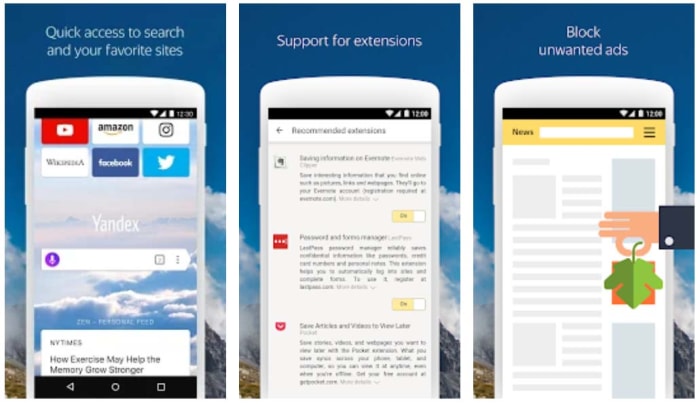
Another option for installing Chrome extensions on Android is to use Yandex Browser. Yandex is another popular web browser built from the Chromium code. Again, just like with Kiwi, Yandex also lets you use desktop Chrome extensions on your mobile browser.

Yandex browser

To install Android Chrome extensions using Yandex you need to download Yandex browser. Then open Yandex and go to the Chrome Web Store by typing chrome.gooogle.com/webstore into the address bar and hitting enter. All you have to do then is search for the Chrome extensions you want to use on your Android mobile and hit ADD TO CHROME.

Kiwi Browser Download now
8

Yandex offers an easier path for installing Chrome extensions on Android. It is very popular too and has a positive rating on the Google Play Store with over 1.5 million reviews.

Other options for installing Chrome extensions on Android

If you feel a little uneasy surfing the web on a lesser-known web browser, Yandex is developed by Яндекс, you might want to consider other options. Unfortunately, however, there aren’t any other reputable options out there. Kiwi and Yandex are the most trustworthy web browsers that allow you to install Chrome extensions on Android.

There could be good news on the horizon, however. Microsoft has recently taken the leap to Chromium too. The Microsoft Edge browser, which despite being well-reviewed never really achieved much success as an HTML independent browser, is currently being developed into a Chromium-based browser.

6
The idea of Microsoft Edge is to be as fast, clean, and lightweight as possible to cope with the demands of different devices, whether it be a PC, tablet or phone.

In fact, the beta version of the Chromium-based Microsoft Edge browser is available right now. Furthermore, it has also been confirmed that this new Microsoft web browser will support Chrome extensions as well as Edge plugins. This means that when the full version of the Chromium-based version of Microsoft Edge launches, you’ll still be able to use all your Chrome extensions on the web browser. If Microsoft then launches a mobile version of its new web browser, it would provide a much more reputable place for you to install your Chrome extensions.

Unfortunately, however, at the time of writing, Microsoft has no plans to launch its Chromium-based version of Microsoft Edge on iOS or Android. If this situation changes, however, we’ll be sure to let you know how to install your Chrome extensions on Android and iPhone using the new Microsoft web browser.

Wrapping up

As you’ve seen then, installing Chrome extensions on Android is a bit of a funny business due to the Android version of Chrome not officially supporting Chrome extensions. The Chromium code does, however, which is why we’ve been able to show you two great options for installing Chrome extensions on your smartphone.

As one of our main missions here at Softonic is to keep you safe when you’re online, we thought we’d raise the issue of the developers behind the apps we’ve mentioned. You can rest assured, however, that we wouldn’t have recommended them for this process if we weren’t sure that they were safe to use.

Ideas for a Minecraft house

Want to build your dream house in Minecraft. Let’s have a look at some cool ideas to get your building project started.

Minecraft house ideas

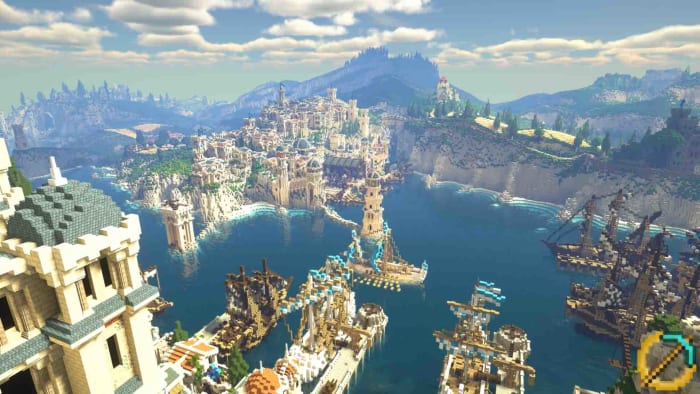
The limitless possibilities that Minecraft offers make it a place where dreams can come true. If you’ve the energy to craft your real life dreams, then Minecraft is the place for you. Accordingly, there is a thriving house-building movement in Mojang’s little virtual universe. Building dream homes in Minecraft is very popular with all manner of creation popping up; from the isolated cabin in the woods to vast mega mansions. There are no limits in this video game. If you can dream it, you can build it.

Endless possibilities can be a little hard to define, however, so we’re going to help you get started by serving up some inspiration. If you’re stuck for ideas, we’re here to help. Check out these ideas for amazing Minecraft houses.

Minecraft Download now ►
7

Minecraft house ideas

So, what do you actually need to make a place your home in Minecraft? Well, you’re going to need a bed so that you can respawn in the comfort of your own home. You’re also going to need at least one chest so that you can store all your items. If you want to craft some items, you’re going to need a crafting station and a furnace. Finally, unless you want to live in darkness and constantly have to fend off Mobs like skeletons, zombies, and creepers you’re going to need a lot of torches.

Beyond those basics, you’re good to go. If you have the items, we’ve laid out below, you’ve got yourself a Minecraft home. Anything you add from this point on; whether that be a few extra chests for storing more items, brewing stands or enchanting tables for making yourself some advanced gear or that infinity pool you’ve always wanted is up to you.

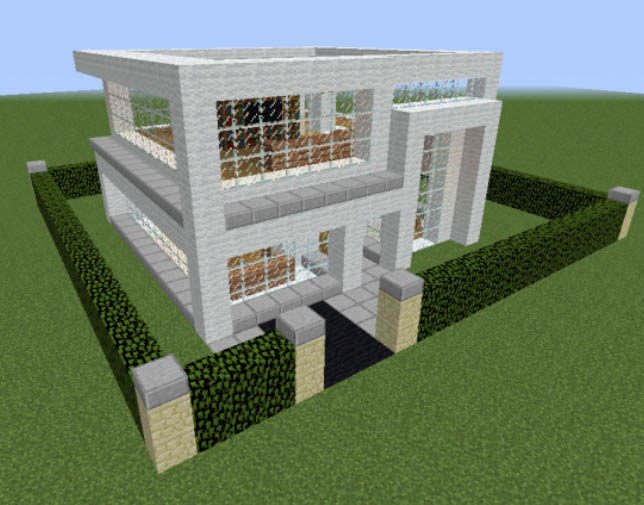
A modern Minecraft house

Modern house minecraft
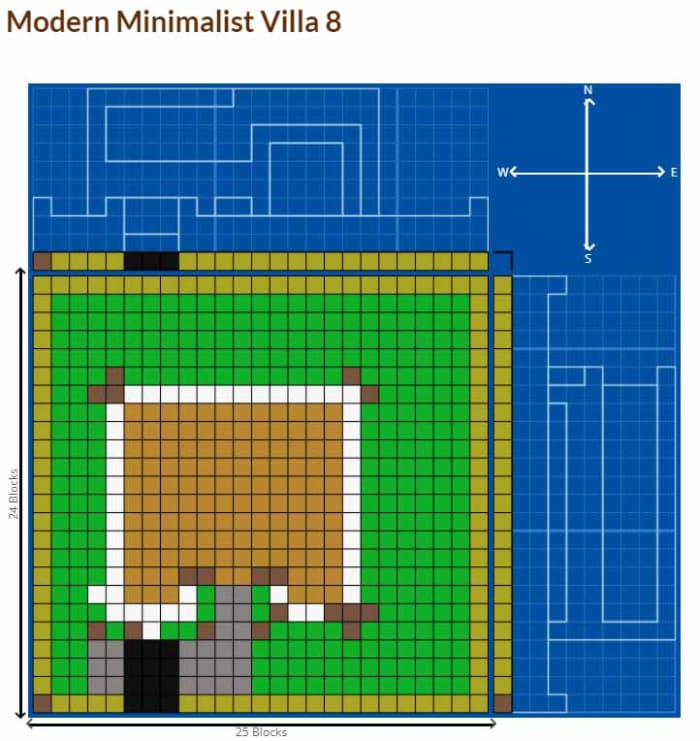
Image via: Grabcraft

In Minecraft, the materials you use will make a difference. Wood looks good but isn’t as strong as cobblestone. If you’re building a modern house though, you’re going to want to build with materials like stone, slabs, or clay. You’ll also need lots of glass if you’re going to put in floor to ceiling windows in your living room. Also, would any modern home be complete without a landscaped garden to gaze at through those windows? We think not. A modern Minecraft house will take a lot of planning, time, and effort but will definitely be worth it, should you pull it off.

A survival Minecraft house

Minecraft Survival house
Image via: Grabcraft

There are many different types of survival Minecraft houses but what about a Minecraft house built into the side of a mountain or underground? What would feel more like trying to fight your survival than going to sleep every night in a cave?

These types of Minecraft houses are very popular, but they do come with their own sets of unique issues. For a start, they can be difficult to find. You’ll have to leave markers for yourself, showing you where your home is if you don’t want to end up sleeping out in the cold or in a thunderstorm. You’ll also need to take plenty of torches with you into your underground home as, like we’ve already mentioned, mobs spawn in the dark and what could be worse than having to fight off zombies in the night?

An easy Minecraft house

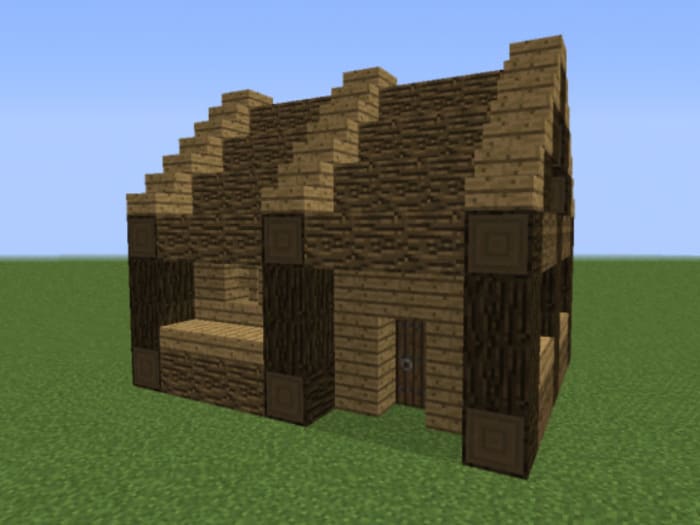
The underground/cave house that we’ve described above could be one of the simplest Minecraft house ideas. Another easy Minecraft house idea would be to build a simple wooden house. Who said log cabins weren’t cool?

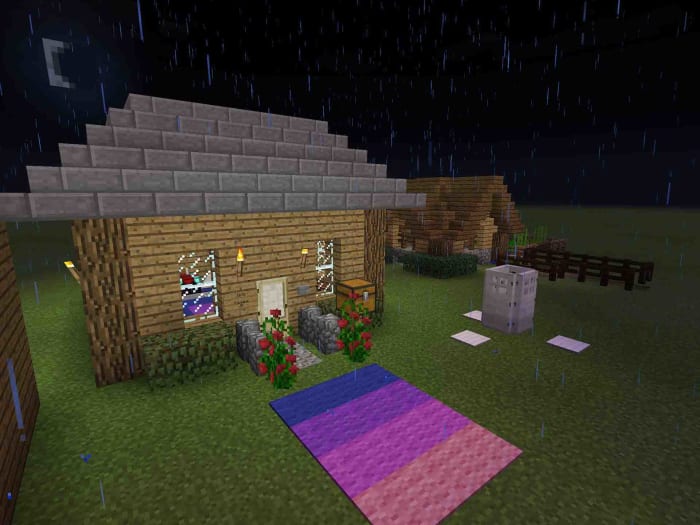
Minecraft house

If you decide to build a wooden house, you won’t struggle to find building materials, wood is almost everywhere, and you’ll also face little struggle shaping it into the cabin of your dreams. If you want a house that actually looks like a house, then a wooden cabin is definitely the easiest way to get there.

A medieval Minecraft house

Obviously, there wasn’t any single style of medieval house. In Minecraft though, there are a few design features that are distinctively “medieval”. Cobblestone is everywhere, although you’ll also find quite a few wooden features in medieval Minecraft houses. Fireplaces play a big part too, and grand halls have their place in medieval dwellings. There is room to maneuver on this one so if you decide you want a medieval house, you’ll still have a bit of freedom to add your own personality to your designs.

Medieval Minecraft House

A cute Minecraft house

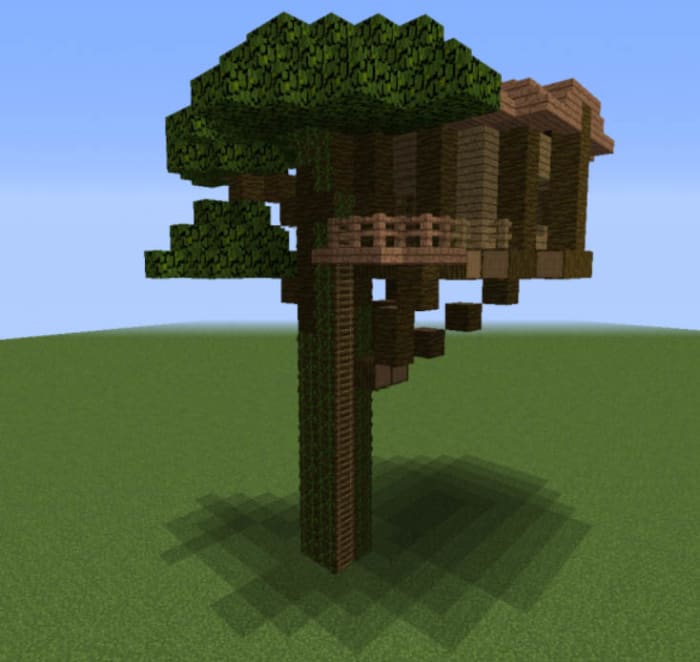
If you think that wooden cabin, we talked about earlier, was cute wait until you see a Minecraft treehouse. Treehouses are always thought of as cute little dens for kids to play around in. In Minecraft though, things are different. In Minecraft, treehouses take on a whole new meaning.

Treehouse Minecraft

Of course, you can simply build a house on the top of the tree, which is how we’d normally think of a treehouse. You can also build a house right into the tree itself though. Turn the tree into your home rather than it just being the base. Treehouses are a perfect example of just how limitless Minecraft is. You can literally build anything.

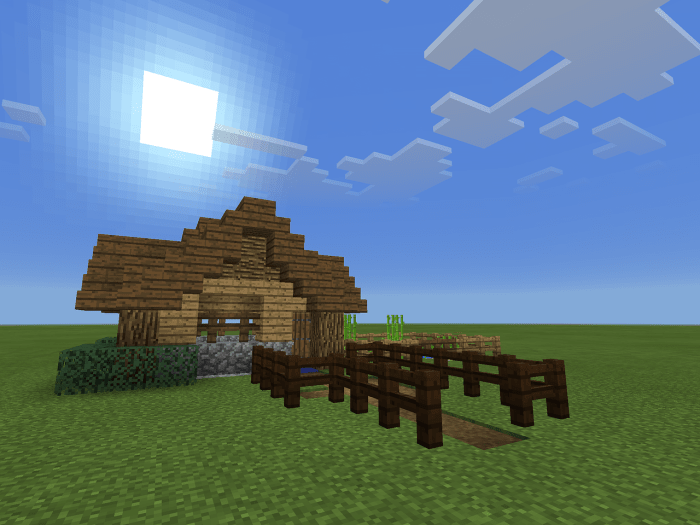
Minecraft Easy House

Minecraft house blueprints

So we’ve tried to offer some inspiration for your next Minecraft building project. If you’re looking for something a little more defined, however, don’t worry. If this is your first time and you think designing your own home is beyond your level of expertise, you can find ready-made Minecraft house designs online. The best place we’ve found for Minecraft house blueprints is Grabcraft, which has plans for lots of different types of Minecraft home. Perfect for a starter house. The lists are well organized so it should be easy to find the plans you’re after. Also, if you think you might be up to building something a little more advanced, you’ll be able to find plans for all sorts of other buildings like castles and churches.

Minecraft blueprints

We hope we’ve been able to give some great ideas for your next Minecraft building project. You can literally build whatever you want in Minecraft and we want to see what you do build. Make sure you share with us all your completed building projects. Let’s see some screenshots in the comments below!

The best mods for Minecraft

This is an introduction into all the best Minecraft mods.

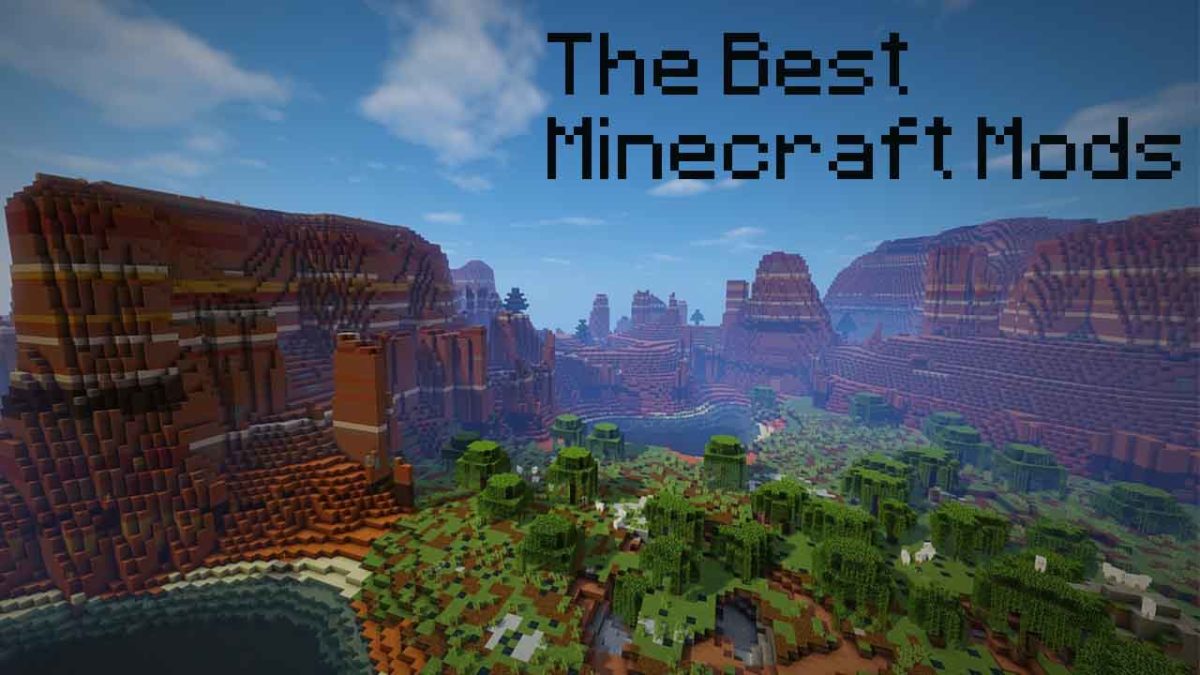
The best Minecraft mods

So, we’ve shown you how to create skins on Minecraft, we’ve looked at the best Minecraft servers, and we’ve also walked you through how to install Minecraft mods. Now it is time for us to look at some of the best Minecraft mods you can use to modify, tweak, improve, and bolster the vanilla Minecraft experience.

There are many different types of Minecraft mod. Believe us when we say there is a Minecraft mod for every type of gamer. You can change the way you control your gameplay by adding interface mods or you can get creative with mods that add new textures to the game. If you want to, you can add new worlds, new gameplay elements, HD textures, or even new biomes o’ plenty to your Minecraft world. This list could go on so we’re just going to get started. It is time to go beyond the world created by Mojang and become a part of the video game modding community. Here are the best Minecraft modpacks.

Minecraft Download now ►
7

The best Minecraft mods

With endless modding possibilities, things can quickly get out of hand, if you don’t keep on top of them. Fortunately, Minecraft Forge is a great tool for all modders. Forge is the best way to organize all your best mods in one place while also keeping your modding experience as secure as possible. Not all mods come from trustworthy sources but if the mods work with Minecraft Forge, there’s a good chance they’re safe. You’ll find a clear guide on how to install Minecraft Forge here.

JourneyMap mod

The JourneyMap mod is an interface mod that will make it much easier for you to find your way around the Minecraft world. The mod works by drawing up the map as you explore the world. The map it creates is incredibly detailed, can easily track waypoints, updates in real-time, and can be viewed as a mini-map, a full-screen map, and even in a separate web browser.

JourneyMap Minecraft

Chisel mods

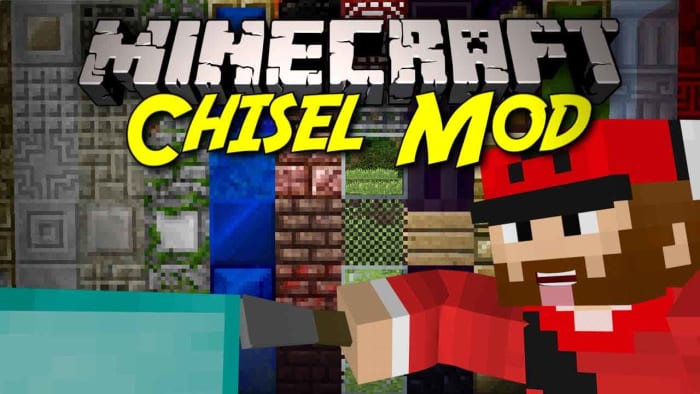
Minecraft is huge and offers many different types of blocks from the off. Minecraft is also addictive, however, which means if you haven’t already, you’ll probably end up sinking a lot of hours into it. There is a good chance that you’ll get to the point where you’re tired of using the same types of blocks again and again, and you’ll want to spice things up a bit and build something that feels new. This is where the Chisel mods come in. Chisel adds many new types of blocks for you to play around with giving you a lot of new customization options.

Chisel mod Minecraft
Image via: 9Minecraft

Not Enough Items mod

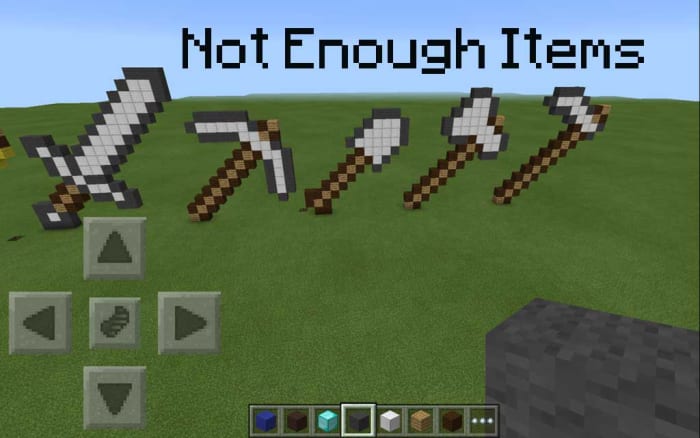
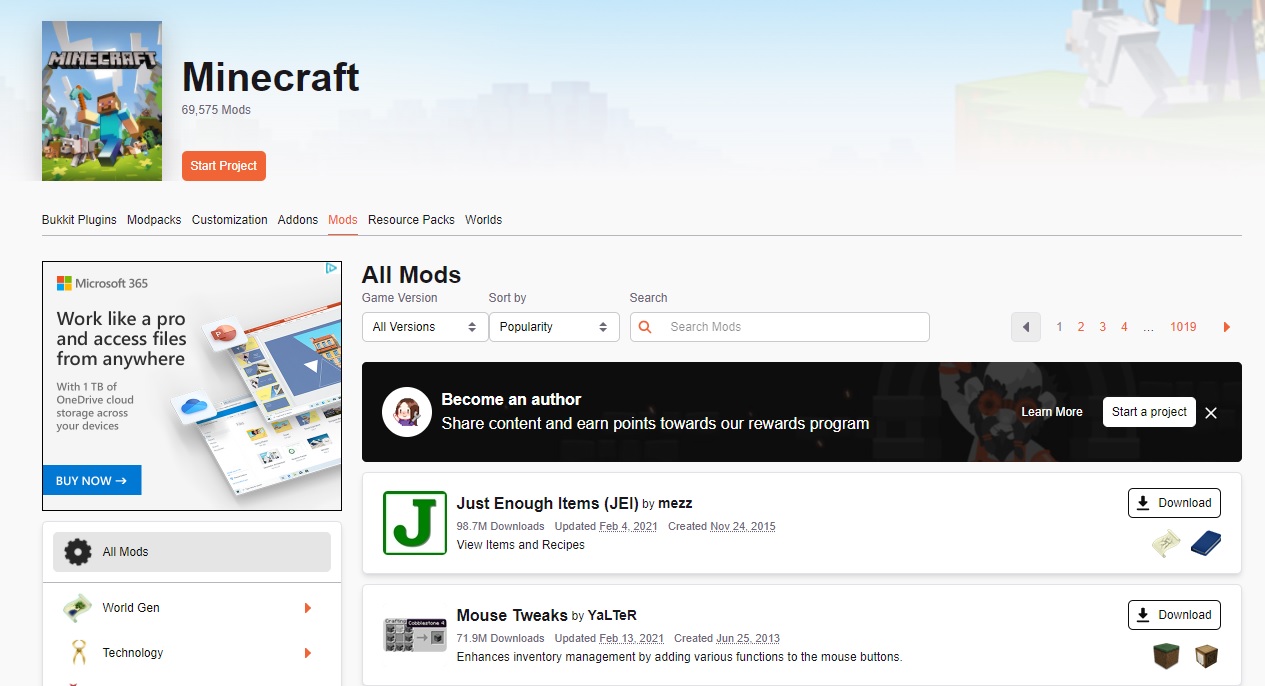
Minecraft! The clue is right there in the name. Minecraft is about mining elements and then crafting them into the items you need or want. What this means though, is there are a lot of different “recipes” in the game that you need, if you’re going to take those elements you’ve collected and turned them into something more. Normally this means skipping over to the Minecraft wiki, but Not Enough Items brings all those recipes in-game so they’re always there at your fingertips. Another good inventory boosting mod is Inventory Tweaks.

Not Enough Items Minecraft

Instant Massive Structures mod

If crafting items and building isn’t really your Minecraft thing, you might be interested in the Instant Massive Structures mod. Considering the amount of hard work and effort that goes into building in Minecraft, this mod is a bit of a cheat. Basically, it gives you the chance to instantly add pre-built buildings to your Minecraft map.  This will add a completely different element to Minecraft, however, as with over 800 different buildings to choose from you can go from building houses to building cities in an instant.

Instant Massive Structures Minecraft

Tinker’s Construct mod & Quiverbow mod

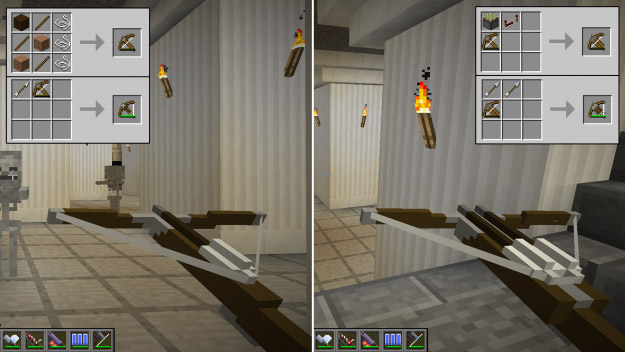
These two mods will expand the number of tools and weapons that are available to you in Minecraft. Tinker will give you a lot of options for building, repairing, and modifying your structures and even your tools. Quiverbow brings a lot of interesting new weapon types to the Minecraft game. From hand to hand “knuckle duster” type weapons to heavy-hitting rocket launchers.

QuiverBow Minecraft

Minecraft Comes Alive mod

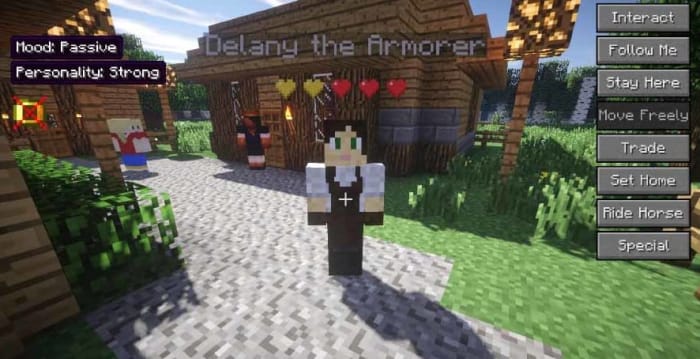
Minecraft Comes Alive (MCA) adds a lot of new elements into the game. As well as all the world-building and crafting you get with the vanilla version of Minecraft, MCA offers new RPG elements. NPCs come alive with new personalities, so much so that you can interact with them and even persuade them to marry you. You can also start a family by having children who’ll, in turn, grow into adults, but not before you can set them to work mining, farming, cutting trees, and hunting.

The mod also adds over 500 different skins, 13 new professions, and gives each villager a gender and unique name. If you’re sick of playing Minecraft alone but don’t want to bother with multiplayer servers, this is the mod for you.

Minecraft Comes Alive
Image via: 9Minecraft

Pig Manure

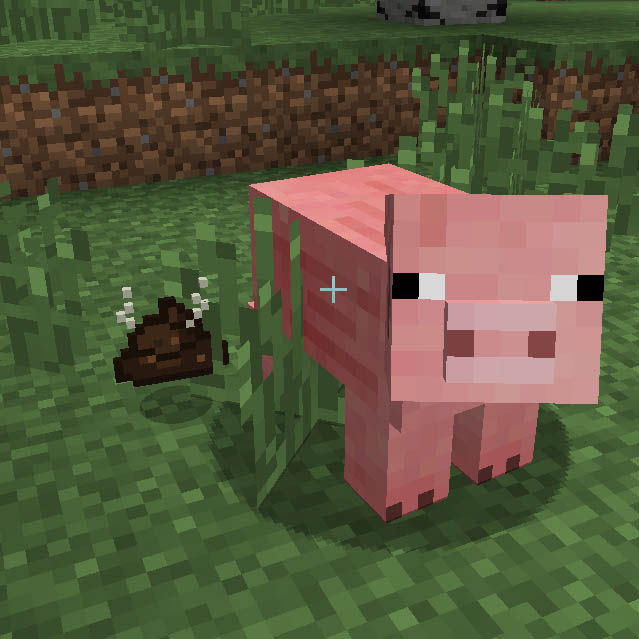
We thought we’d finish with a bit of a silly mod for you. The pig manure mod does exactly what you’d think it does. Once installed, pigs will leave you little presents that you definitely don’t want to step in. If you’re that way inclined, however, you can gather up these little “gifts” and put them to good use. As you’d expect, pig manure is an excellent fertilizer in Minecraft but, perhaps a little less intuitively, you can also use pig poo to make bricks out of to build your house with. Yep, this mod lets you build a house out of steaming piles of s***!

Pig Manure Minecraft

Wrapping up

Like we said at the beginning, there are a lot of different Minecraft mods available for you to check out. What we’ve tried to do is walk you through a series of mods that show you just what is possible, if you start modding Minecraft. These mods alone will completely alter your Minecraft experience, in essence giving you a brand-new game to explore.

The mods we’ve highlighted, however, are just the beginning. There are many different mods available for each different type of mod. Other mods worth checking out are Feed the Beast, LotsOMobs, Just Enough Items, The Twilight Forest, Galacticraft, World of Minecraft, Rope Bridge, and Caterpillar.

If you think we’ve missed out a mod that should be included in the list, let us know in the comments below and if we get enough, we’ll draw up part two.

The best servers for Minecraft

There are thousands of Minecraft servers for you to play around in. Each offers its own unique experience. This is a list of all the best Minecraft servers.

The best Minecraft Servers

Minecraft servers are a little like alternative dimensions. Mojang hasn’t just created a world, Mojang has created a universe. Multiplayer worlds you can pass between that offer distinct experiences from one another. There are literally thousands of top Minecraft servers available each with their own design style, layout, gameplay dynamics, and online communities. Some servers have even spawned their own apps and games like Eggwars.

Joining Minecraft servers isn’t too complicated, which means all these different worlds are relatively easy to travel between. Had enough of the Minecraft version of Grand Theft Auto? No problem, you can just cross over into Minecraft Middle Earth, Westeros, or even a Minecraft version of The Walking Dead whenever you want. Sound good? Great, well let’s look at how to join a Minecraft server and then go through some of the best Minecraft servers for you to check out.

Minecraft Download now ►
7

How to join a Minecraft server

All you have to do to join a Minecraft server is open Minecraft and then go to Multiplayer. You then click Add a server. Now name the server whatever you want and add the IP address into the text box and hit Save. After that you click Play and you’re playing Minecraft in the server of your choice.

Best Minecraft servers 2019

Mineplex

Mineplex

IP Address

us.mineplex.com or eu.mineplex.com

Mineplex is the biggest Minecraft server around. It is huge and contains many different types of minigames, areas, and zones, all filled with different types of games for you to play. Think of Mineplex as a giant Minecraft theme park with different rides and attractions all vying for your attention. Highlights include a pretty complete Minecraft version of Mario Kart, complete with chance cube power-ups. You can check out a list of Mineplex games here.

Another bonus is that Mineplex is well managed by a dedicated volunteer army of mods and  and even paid staff. In terms of player numbers, at any one time there will likely be thousands of other Minecraft players on the Mineplex server.

PirateCraft

PirateCraft

IP Address

mc.piratemc.com

How about life on the open sea? PirateCraft is like an RPG that tries to offer Minecraft players a taste of the pirate life by incorporating many ambitious pvp features like the opportunity to go into battle against and even plunder from ships and island communities, before using their spoils to participate in a fully functioning economy.

Players can also build their own lairs for storing all their ill-gotten gains securely and planning future, daring raids. As you’d expect, however, the waters of PirateCraft aren’t safe and players need to know that their lairs can come under siege and their ships can even be stolen. If this doesn’t put you off, check out PirateCraft now.

WesterosCraft

WesterosCraft

IP Address

mc.westeroscraft.com

Many Minecraft servers don’t offer games or activities, many are simply beautiful worlds there to be explored. WesterosCraft is one such server giving players the chance to explore the world of fantasy epic, Game of Thrones. Although the world still isn’t finished, WesterosCraft offers plenty for fantasy fans to sink their teeth into.

The locations you can visit have mostly been based upon the HBO series but obviously, there is still plenty here for book fans too.

Minecraft Middle Earth

Minecraft Middle Earth

IP Address

build.mcmiddleearth.com

If you like your fantasy epics a little more classical, then you might be more interested in the Minecraft recreation of Tolkien’s Middle Earth. All Lord of the Rings and The Hobbit fans will have plenty to seek out on this server with many breath-taking block form recreations of the big screen versions of Middle-Earth. Like with WesterosCraft, however, Minecraft Middle Earth is still a work in progress so not all locations are complete.

The Mining Dead

The Mining Dead

IP Address

mc.havocmc.net

The Mining Dead has a huge map that recreates some of the most memorable locations of the AMC hit show like the Prison and Alexandria. As well as looking the part, The Mining Dead packs a fairly exhilarating punch too, with an army of undead to fight off as you scramble around looking for weapons and ammo. This server is lots of fun but not for the faint hearted.

Grand Theft Minecart

Grand Theft Minecart

IP Address

mc-gtm.net

As we’re sure you’ve already guessed, Grand Theft Minecart is a huge Minecraft version of Grand Theft Auto. Just like in the Rockstar original, there is a lot to do in the world of Grand Theft Minecart. You can get your hands on some pretty heavy weaponry and blast your way around town as you build up a criminal empire complete with cars, planes, and properties. This is Minecraft though, and not GTA, so you won’t be able to go around killing people indiscriminately. You will, however, have to keep out of the way of the police who will take you down, if needs be.

Extreme Craft

Extreme Craft

IP Address

play.extremecraft.net

After going through a number of speciality servers we thought we’d finish another multi-mode beast a la Mineplex, which we mentioned earlier. Extreme Craft is a very popular Minecraft server that has many different game modes for Minecraft players to try their hand at. Logging into Minecraft will find you survival games, a roleplaying mode,hunger games, and a mode for creatives among many other different games for you to get into.

Also, like Mineplex, Extreme Craft has a thriving online community and is an extremely well-organized server with a reliable set of well enforced rules.

Wrapping up

That last point about Extreme Craft’s well enforced rules shouldn’t be taken for granted. We’ve shown you some of the best Minecraft servers and some of our favorite servers too. We’ve tried to stick with servers, however, that aren’t overrun by cheats and unscrupulous players. There are plenty such servers about and you’ll no doubt stumble upon them, if you cast your net wider than the ones we’ve recommended today. Beware though, these unruly servers can prove more frustrating than fun.

With our recommendations today we’ve tried to stick to a doctrine of fun and awe. In each of the servers we’ve recommended today you’ll find either fun or awe, or a combination of both. Other fun servers that fit with this philosophy and are worth checking out are PixelmonCraft, which is our favorite Pokemon server, the pve server skyblock and the pvp version skywars,  hypixel at mc.hypixel.net, and Manacube.

How to Install Minecraft Mods in 5 Easy Steps

Learn how to install Minecraft mods from scratch and enjoy a totally different way to play your favorite game. Follow our tutorial here!

Minecraft is an entertaining, casual sandbox game that lets you do almost anything in this open-world experience. You can tame foxes or breed horses while cooking with smokers to your stomach’s content. The one function that the game doesn’t allow is installing and executing mods.

That doesn’t mean it’s impossible, though. Here’s how to install Minecraft mods.

How to install Minecraft mods

Before you can install Minecraft mods, you need to obtain a mod installer like Minecraft Forge. It adjusts the code within the game, letting you introduce new mods and items that weren’t there before. 

Step 1: Backup your data

One of the most significant risks is losing your Minecraft data and starting all over again. You should back up the data before you proceed with the following steps. 

  • Open File Explorer
  • Insert “%AppData%” and press Enter
  • Find “/Roaming/.minecraft /saves”
  • Copy and paste it into a new folder for future retrieval

How to install Minecraft mods

Step 2: Download and install Minecraft Forge

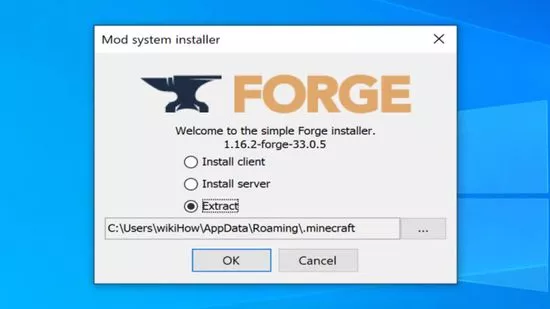
Now that you have your data secure, you can download and install the latest version of Minecraft Forge. The installation client will take you through the entire process, but you should pay attention to where it saves the local files. 

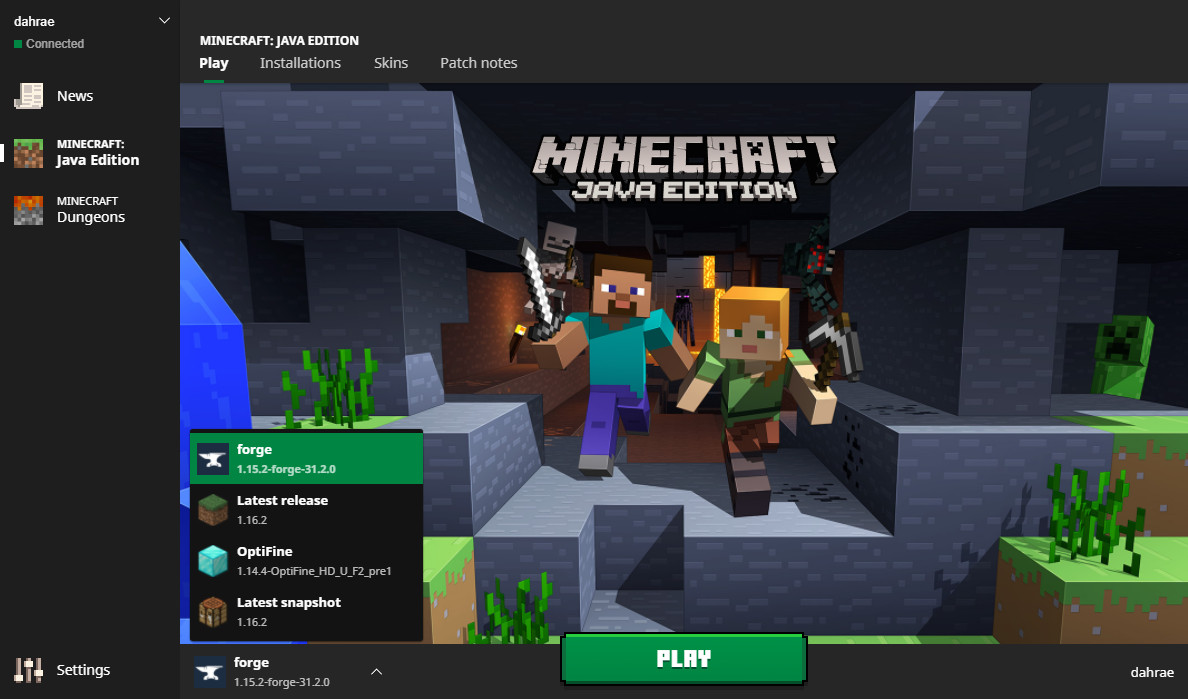
Once complete, open your Minecraft launcher and see if you can run the game in Forge mode.

Step 3: Download mods

The time has arrived for you to find your favorite Minecraft mods. There are several online locations available, but not all of them are safe. For instance, you can try CurseForge for some of the most secure and extensive MC game modifications.

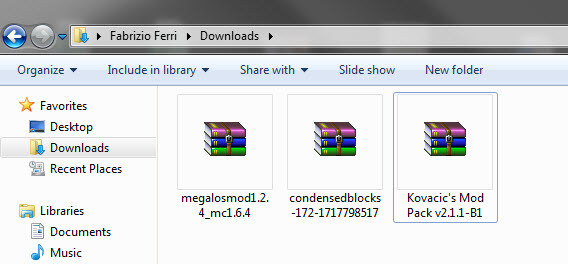
You’ll mostly find Minecraft mods available in a .zip format. Before you proceed to the next step, ensure that the extract the folders.

Step 4: Copy files to the mods folder

You’re almost there. The mods won’t appear until you copy the above files to the correct location. You’ll need to follow these steps precisely before you can execute any of the modifications you downloaded:

  • Hold down the Windows button and ‘R’ at the same time
  • Insert “%AppData%” and press Enter again
  • Select “Roaming” and click on .minecraft
  • Paste the downloaded mods files into the mods folder

How to install Minecraft mods

Step 5: Run the Minecraft Mod

Now that you have Forge and the mods at hand, you can launch Minecraft with the Forge profile. You’ll have to do this every time you want to use the modifications. If you don’t run this mode, you’ll merely play the standard MC version.

Through new eyes

Running Minecraft mods is an exciting experience, letting you play with new skins, creatures, and items. While it can be risky, your saved game will be safe as long as you download the files from reliable sources. If you’re looking for a guide for creating weapons and tools, feel free to look at our MC crafting guide.

Vegas Pro 18 Gets Faster, Easier and Smarter than Ever

Vegas Pro 18 now collaborates with proDAD Mercalli V5 Suite to give you the best video editing and production experience.

The “pro” in the title of the new Vegas Pro 18 video production software package really means two things. The first is that if you’re a professional video editor, the software has a mind-blowing array of tools that you’ll be able to use in order to get your clips looking exactly the way you want. The second is that if you’re an amateur, the software’s suite of tools – many of which are powered by AI – will have your videos looking professional-grade in no time. In either case, Vegas Pro has long stood as one of the top non-linear editing tools out there, and with the release of the 18th version, it’s gotten even stronger.

Vegas Pro 18 now collaborates with proDAD Mercalli V5 Suite to give you the best video editing and production experience. This real-time video stabilization and image optimization will save you up time and energy: no need for a thorough video analysis prior to stabilizing, your footage will be stabilized live on your timeline. This additional software with a value of $299 comes for free when buying the Vegas Pro 18. An offer not to be missed!

Fantastically Fast

Vegas Pro 17 was already super speedy, especially considering the large amounts of data NLE programs need to process. The new version ramps the speed factor up a bit more, thanks to the inclusion of more AI than ever before, along with smart, top-of-the-line hardware acceleration algorithms. The software has been retooled to make the most of your GPU and to also alert you when the drivers for your graphics card need updating.

These changes enable you to create, edit, and undo your edits nearly instantaneously – no more waiting for long stretches for effects to render or changes to take hold.

Creative Control

The newest release of Vegas Pro also includes some creative control features that truly makes the software stand out from the pack.

A new Style Transfer feature lets you turn your video into a masterpiece with a range of filters that mimic the world’s greatest artists and paintings. The Colorization feature analyzes your black and white work and lets you add a touch of color or deeply saturate the screen with full color. And speaking of color, this version of Vegas Pro includes enhanced color-grading abilities including tools to get skin tone perfect (and blemish-free), and an algorithm-powered option for adjusting the look of your work based on actual camera exposures.

The software also comes with the industry-leading Action VFX and Boris FX Continuum suite of effects that allow you to add particle flows, special effects like explosions and fire, and much more with one-click ease.

And lest you think the Vegas team forgot about sound, you’ll be happy to know that the new release features the integration of Sound Forge Pro 14, a powerful sound editor that lets you automatically remove background noise, enhance sound components you want to bring to the forefront and much, much more.

Quick Clean Up

In addition to creatively enhancing video, Vegas Pro 18 can also clean up clips that need a bit of help. A new Flicker Filter turns flickering fluorescent lights into steady beams with a click, a Video Noise Reduction feature gets rid of the grain that often afflicts clips shot in low light, and a Black Bar Fill Filter will take a portion of the video and use it to fill in the black bars that show up when clips are shot vertically instead of horizontally on a mobile device.

Easy Flow

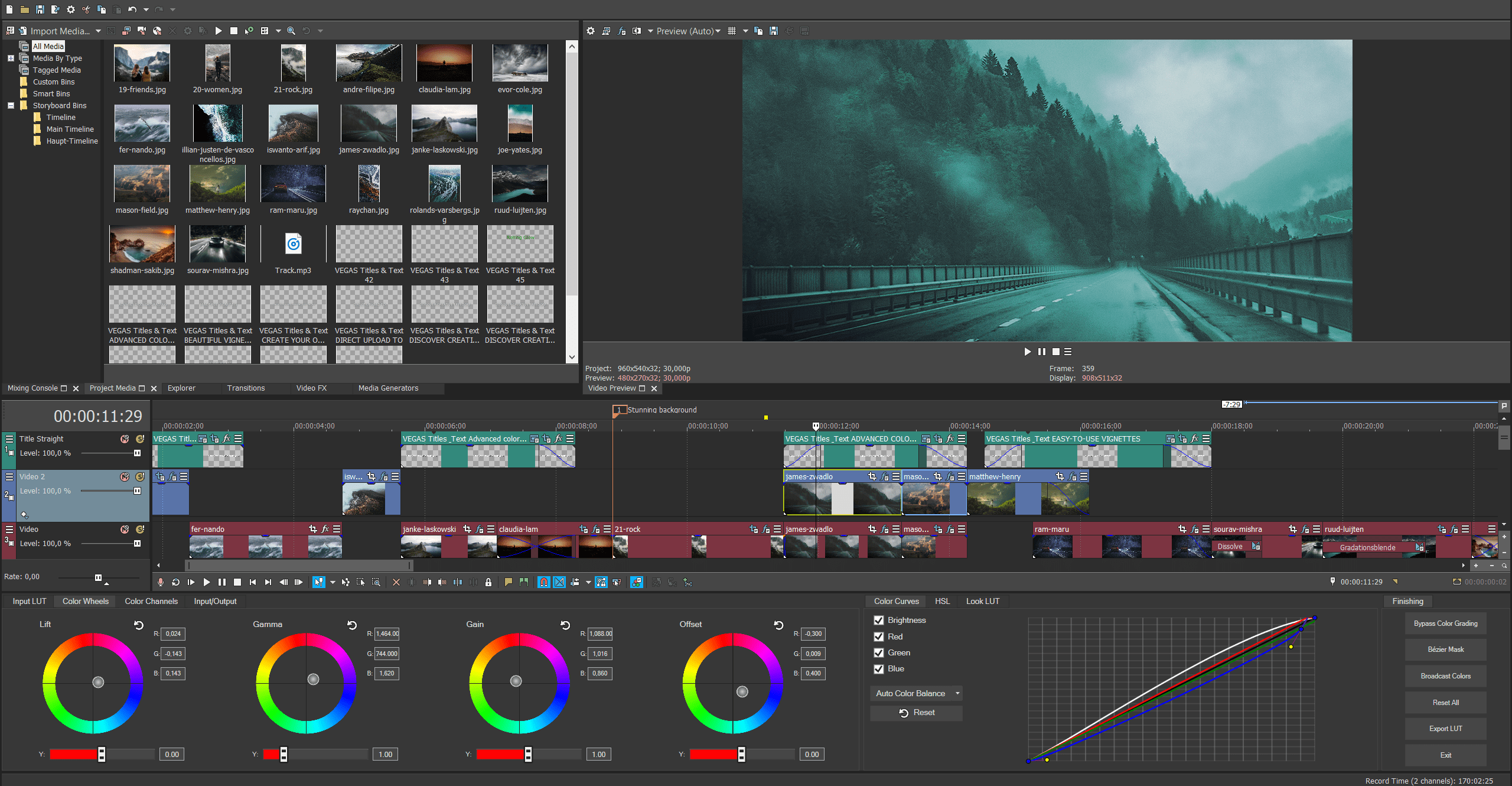
One of the nice things about the Vegas brand is that the engineers behind it not only focus on better, faster features, but they also continue to improve their software’s interface. Vegas Pro 18 is no exception, so you’ll find an easy way to search for or bookmark your favorite plug-ins; quickly access the motion tracking feature; and organize your footage and clips into a cohesive library with collections of related assets and a tagging function that lets you easily find files.

Great Deal

As we said at the beginning, Vegas Pro 18 now comes with top-notch image stabilization software proDAD Mercalli V5 Suite. An offer not to be missed! If you’re serious about reaching a professional level in your video production pursuits, we would recommend this software at any price, but with this deal, it’s almost too appealing to pass up.