What Is Zoom and How Does it Work?

Regardless of your situation, you’ve probably heard of Zoom before. Zoom is a video conferencing platform that can be used on both PC and mobile devices. Since the start of the Covid pandemic in 2020, Zoom has become one of the most popular video conferencing apps connecting people across the world. The conferencing app has made it easy whether you use Zoom to connect with work colleagues or family members.

To start using Zoom can make you flustered, but with this guide, we will show you what is Zoom, how to set up the app, whether you should go for the free or paid version and how to get the most out of the platform. We will also be sharing some helpful tips and guides to make it easy for you to start using Zoom like a pro.

What is ZOOM and how it works

What is Zoom?

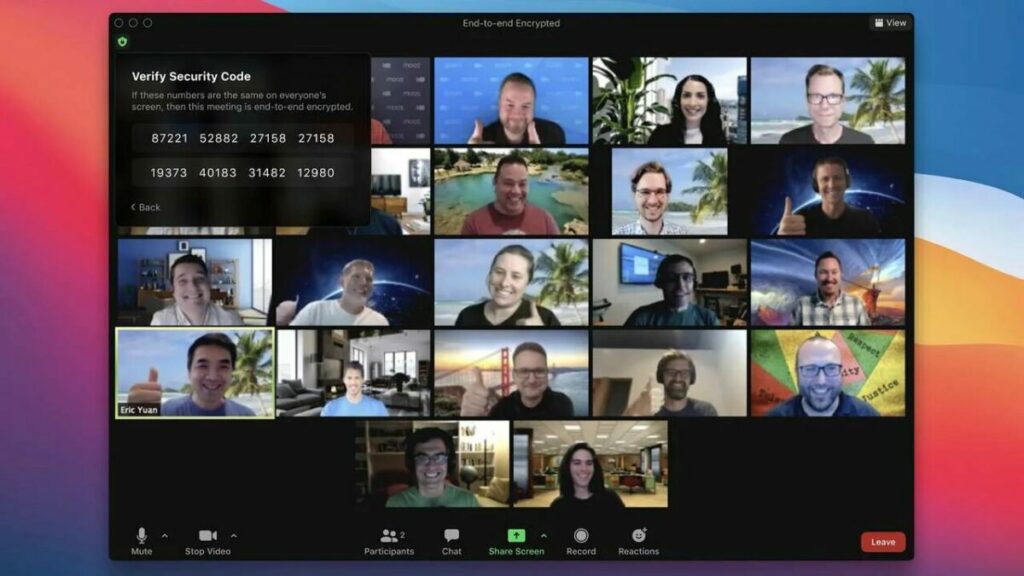
So, what is the Zoom app? It is a cloud-based communication and conferencing app that connects users via video, audio, or even instant text messages. If you want to host a meeting with remote working colleagues, or have a virtual convention or seminar or even just connect with family members in other countries, Zoom has you covered.

How Does Zoom Work?

The Zoom app enables users to create, host, and join virtual meetings to communicate with one another via video or audio. Many other features mentioned above give you, even more control over what hosts and participants can do in these virtual meeting rooms. 

Where and How Can You Download Zoom?

The Zoom app is available on Android, iOS, Mac, and Windows devices. For iOS and Android, you can download the Zoom app from the respective app stores. For PC, you can download the Zoom app directly from the Zoom website. 

Alternatively, you can also download the different versions from the Softonic website by using the links below:

Getting Started With Zoom Meetings

As mentioned, you do not need a Zoom account if you only plan to attend meetings and not host or schedule any yourself. If you want to attend a meeting, you can simply click on the Zoom meeting link sent by the host. Alternatively, you can manually join a meeting by entering the meeting ID on the Zoom homepage or by dialing in from a landline (voice-call only).

If you want to host or schedule meetings, you will need to create a Zoom Account first. Once you’ve done this, you can schedule a meeting by tapping the ‘Schedule’ option in the app and completing the steps provided. If you want to jump right into a meeting, you can tap on ‘Host’ to start a new meeting. Once you schedule or start a meeting, you will be given a meeting ID that you can send to other participants to join the meeting.

What Is ‘Zoom Bombed’? How Do You Avoid It?

Zoombombing is a relatively new threat that has arisen. Zoom bombers are individuals who gain access to a Zoom meeting without being invited and, once in the meeting, cause all kinds of chaos. Because of the rising number of cases, Zoom is locking down hard on these types of threats.

To keep your meetings from being Zoom bombed, we recommend not sharing the meeting ID with anyone aside from the participants that need to attend. Also, we suggest using the password feature, which will require participants to enter a password to join the meeting. Finally, if your meeting group is smaller or has co-hosts available to help, you can also use the waiting room feature where the participants wait for a host to give them access to the meeting manually.
Benefits of using Zoom. Why choose Zoom?

Zoom has become an essential tool for anyone who wants to stay in touch. This includes small, medium, and even large businesses around the world. By using Zoom, you can virtually interact with co-workers when face-to-face meetings aren’t possible. 

Zoom has even become popular for social events and connecting family and friends who have been separated due to the pandemic or distance. Zoom parties, games, and movie nights are becoming increasingly popular with the app.

Features of the Zoom App

Many different features make the Zoom app so popular. Many of these features are available on the free basic plan. However, there are also a few that are only included in the paid options.

Zoom Meeting Features

This is the most general use of the app and allows work teams and even individuals to connect. Zoom meetings support HD video and audio, with the option to lower the picture quality if your internet connection is slow. 

With these meetings, you can also see the participants’ camera feed or only allow audio. This is great because, with smaller, more intimate meetings, it is great to see all the participants, but having the camera feed on can be distracting when you host a large meeting or conference with many participants.

Zoom meetings are also cross-compatible so that you can use the app on your desktop, mobile device, or your browser. All versions of Zoom support the cross-platform capability for video, audio, and text messaging.

Other useful features include password protection and end-to-end encryption. This ensures that your account and the contents of your meetings, whether video, audio, or text, will remain confidential.

With Zoom, you can also schedule meetings ahead of time directly from within the app, and you can sync your Zoom schedule with your Calendar to ensure that you never miss an important meeting. By default, you can sync to your Google Calendar or Outlook calendar.

Aside from these basic features regarding Zoom Meetings, there are also many others such as enabling waiting rooms, using custom personal meeting IDs, recording meetings, assigning chat permissions, setting meeting reminders, using Zoom driving features with Apple CarPlay, touching up your appearance, using filters, changing the background, and remote control over a meeting.

Zoom Chat Features

Although Zoom is primarily used for video and audio meetings, such as mentioned above, the app also features an instant messaging feature that allows you to send text messages. Not only can you send instant text messages, but you can also send files using Google Drive, DropBox, OneDrive, and others. You can also conveniently start a meeting directly from a chat and search your chats to find certain information. 

Zoom Phone Features

These features are more complex and usually only available on the paid plan. On plans that include these features, you will be able to call in to join a Zoom meeting, toll-free dial-in where participants can join a meeting from a landline, call-out to other phone numbers during a meeting, and leave voicemail messages up to five minutes long.

Zoom Video Conferencing Features

Some businesses use Zoom to host large meetings and conferences with many participants. The app is geared for this and has quite a few simple features that are especially useful for large groups.

The first of which is the virtual hand-raising feature. This feature will let the meeting host know that you have a question or something to add without interrupting the meeting, and the host can address your questions when they are available.

A poll feature is available that lets you send a poll on Zoom to all the participants to vote on. These polls can be simple single-question or multiple-question polls. There is also an annotation and whiteboard feature which is ideal for teams to collaborate.

Then there is also the breakout rooms feature. How does Zoom breakout rooms work? Essentially it lets you create smaller meeting rooms that you can split your meeting into. This is ideal for training, education, and smaller work sessions. The host can decide who goes into which room and has access to all the rooms. However, this feature can only be managed by the owner of the account or admins with the right permissions.

Finally, Zoom also lets you share your screen with participants and even has a multi-sharing feature that allows other participants to share their screens simultaneously during the meeting.

Zoom Rooms Features

Zoom Rooms is a stand-alone extension of Zoom that is specifically designed for managing teams. This makes it an ideal solution for businesses that require video conferencing as well as team managing options. With Zoom Rooms, you will need hardware to create a dedicated meeting environment such as a conference room. 

One of the unique features of Zoom Rooms is the single sign-on feature which allows participants to sign in to a meeting using the company credentials. Touch-control features allow you to easily manage meetings by muting and unmuting participants and more. 

With Zoom Rooms, you can also record meetings and store them in the cloud. The cloud storage available depends on the plan you’ve chosen. This version of Zoom also has a cloud transcript option available where the app transcribes your recorded audio and stores it in the cloud. Zoom Rooms start at $49.99/month/room and would need to be purchased on top of your selected Zoom package.

What is ZOOM and how it works

More Tips and Tricks When Using Zoom

If you are in a position where you frequently use Zoom, whether for work meetings or virtual family gatherings, here are a few tips that will make using the app easier and more convenient.

How to add contacts to Zoom on the app

Before holding any meeting or video chat, we recommend spending a few minutes adding all the contacts you’re going to connect with through Zoom. Just tap “Contacts” and “Add Contact.”

You can sync the contacts in your phone, or alternatively, add them by email addresses (if they are signed up for Zoom). Next, tap “Add” to send your contact a friend request so you can easily add that person to your meetings.

How to create a Zoom meeting on the app

Creating a Zoom meeting is a very intuitive process. Just tap the orange button that says “New Meeting” under the “Meet & Chat” tab. Then decide whether you want to start with video on and share your personal meeting ID with the rest of the participants. Next, just click the blue button that says, “Start a Meeting.”

Then you’ll see your phone’s camera turn on, and you will appear on the app display. One important thing to keep in mind is that if you use Zoom for Android, you’ll have to grant it permission to access your phone’s camera and microphone.

How to add contacts to your Zoom meeting

There are two ways you can add participants to your Zoom meeting or video chat. The first one is by tapping “Participants” and adding people from your contacts list.

The second one is by clicking the meeting ID (at the top of the screen) and sharing the copied URL by email or your favorite messaging service. When your contact clicks the link, he or she will be redirected to the meeting you just started.

How to join a Zoom meeting

Joining a Zoom meeting is even easier than creating one because you don’t need to create an account on the app. If the host has sent you a link to access the meeting, just click it to join automatically.

If, on the other hand, you only have the meeting ID number, tap “Join” and enter the ID of the meeting you’d like to join. Then select whether you want to join it with your microphone and camera on, and finally, enter the password to access the meeting.

Create Recurring Meetings

If you have regular meetings, you can set them as recurring when you schedule the meeting the first time around. Then you can use the same meeting ID and URL to log into the meeting on the next date. This is ideal if you have regular team meetings held on the same day and time each week and makes it so much more convenient as you don’t have to schedule the same meeting individually every week.

Record Important Zoom Meetings

This is a great feature, especially if you or another team member need to reference back to the meeting or if a participant could not attend. These recordings can be stored as a record of what was discussed and sent to participants as needed.

How to Record a Zoom Meeting

Only hosts or co-hosts can record a Zoom meeting, and hosts can permit other participants to record. A participant will not see an option to record unless they’ve been permitted by the host to record. Once the meeting starts, you will see the option to record at the bottom of the screen. Click on it and choose where you want to store the recording. You can choose your local drive, or if you have a paid plan, you can choose to store it in the cloud.

*It is important to note that you can only record from a PC with Zoom installed and not the mobile or web versions.

Mute Yourself When You’re Not Speaking

It can be very annoying if you are in a Zoom meeting and filter through each member’s background noise to hear the host. That’s why it is recommended that you mute your mic whenever you aren’t talking and only switch it on when you wish to say something. 

Hosts can also mute participants’ mic’s from their side and unmute single participants or the whole group when it is convenient for them to take questions, etc.

Sync Zoom to Your Calendar to Stay on Top of Meetings

Zoom has a useful feature that allows it to sync with your calendars (Google and Outlook). This way, you can easily stay on track with all your different meetings in one space without having to jump between different calendars and apps.

How to activate Safe Driving Mode

It may not be the best idea, but at some point, you’ll probably need to use Zoom in the car. To do that, activate Safe Driving Mode by swiping right. This will stop your camera and mute your microphone, and your interface will switch to a large blue “Tap to Speak” button. Tap it to send a message, and tap it again once you’ve finished speaking.

Safe Driving Mode is especially interesting if, for example, you’re going on vacation with a group of friends in different cars and need to be in constant contact. It’s a lot like the internal radio system that many taxis use today.

What is ZOOM and how it works

Which plan will I need?

You do not need a Zoom account to attend Zoom meetings that you’ve been invited too. However, you will need one to host and set up meetings. There are four different plans ranging from the basic plan to enterprise, ranging from free to $19.99. Choosing the right Zoom plan depends largely on what you want the app to do and which features you need. 

  • Basic Plan (Free): With this tier, you receive unlimited one-to-one meetings; however, meeting with more than three participants is limited to 40 minutes. 
  • Zoom Pro ($14.99/month/license): Ideal if you work with a small team with frequent meetings. Group meeting lengths in this tier are extended from 40 minutes to 24 hours, and you can create meeting IDs for those meetings that you conduct frequently, and you can also store video recordings in the cloud.
  • Zoom Business ($19.99/month/license): With the business tier, you get all the basic features, as well as your company’s branding on all Zoom invites, dedicated customer support, and auto-generated transcription services, among others.
  • Zoom Enterprise ($19.99/month/license): This is for large businesses and requires a signup of at least 100 hosts. With this tier, you get access to all the features Zoom has to offer, as well as unlimited storage and a dedicated ‘customer success manager.’

Paid Vs. Free App

You can create a free Zoom account and still attend and host meetings. You will also have access to the basic features. However, group meetings with more than three participants will be limited to only 40 minutes. The free version is the most popular and most widely used version of Zoom currently.

However, if your business is larger and you have frequent meetings with bigger teams that last more than 40 minutes, you may need to look at the paid options. The paid options also provide a few more features that make hosting larger meetings easier.

Zoom guides and tutorials

If you need some more guidance to start using Zoom to its full potential, here are some additional resources to help you along the way.

Connect With Anyone, Anywhere

Zoom is one of the most popular cloud-based communication and conferencing app that lets you connect with people from all over the world virtually through video, audio, and even instant messages. It offers many different features that let you make the most of the app, whether you use it for business or personal reasons.

The Best Fun Android Games to Cheer You Up

Everyone’s had that kind of bad day that leaves you feeling totally sapped of energy. Maybe you had an intense workday or an argument with your best friend. You might have been dumped by your girlfriend, or maybe it was just one of those days when nothing worked out the way you’d expected.

In these situations, there are only two solutions: you can crawl into bed and hope tomorrow will be a better day, or you can do whatever it takes to cheer yourself up and let go of the negativity. Unfortunately, the second solution is easier said than done, but there are some little tricks that can help. There are Android mobile apps for everything under the sun… why wouldn’t there be one capable of boosting your mood?

Mujer sonriendo al móvil

If you’re a fan of video games, you’ll be pleased to know that Google Play is full of fun titles that will not only entertain you, but also brighten your day. If you find that hard to believe, why not download them all and see for yourself?

A Good Snowman is Hard to Build

A Good Snowman is Hard to Build is an adorable puzzle game where you’ll play an endearing monster on a quest to build snowmen. It will have you rolling snowballs until they’re the perfect size and stacking them in just the right way. While the concept of A Good Snowman is Hard to Build isn’t new, the production is as original as can be.

Each puzzle can be completed at your own pace, while enjoying the relaxing soundtrack, and you can always interact with your surroundings. Tired of stacking snowballs? Sit on a bench and relax while admiring the graphics! A Good Snowman is Hard to Build is the perfect game to cheer you up or help you unwind after a hard day at work. If you don’t believe us, find out for yourself by downloading this video game quickly and easily below.

A Good Snowman is Hard to Build DOWNLOAD
10

BanG Dream! Girls Band Party!

BanG Dream! Girls Band Party! is a fun rhythm game where you’ll be the leader of your own J-Pop band. Featuring colorful graphics in a style clearly intended for anime fans, BanG Dream! Girls Band Party! is a title that’s sure to raise a few smiles. You’ll have a choice of five bands to lead and more than 160 songs to perform with them.

Besides original songs, there are cover songs from anime and even famous J-Pop bands. But that’s not all. You can even interact with the girls in the band and start some beautiful friendships. If you’re the competitive sort, you’ll be pleased to know that BanG Dream! Girls Band Party! has a multiplayer mode you can use to challenge your friends and find out who’s got the most rhythm. Interested? You can download the game below – it’s completely free.

BanG Dream! Girls Band Party! DOWNLOAD
10

Blocky Roads

Blocky Roads is a cute race car game where you’ll play a farmer on a mission to put his farm back together. You’ll create your own vehicle in true LEGO style and zip around tracks at high speed while collecting all the missing parts of your farm, which was ripped apart by a tornado.

This game is colorful, cheerful, and reminiscent of the classic Minecraft. One of the advantages of Blocky Roads is that it’s highly customizable. You can create your own farmer, car, and even farm. In fact, you can even feed your adorable animals. What are you waiting for? It’s completely free, so check it out! You can download Blocky Roads quickly and safely below.

Blocky Roads DOWNLOAD
10

Cut the Rope 2

Cut the Rope 2 has all the ingredients you need to turn your frown upside down! This colorful title is easy to understand, with an adorable protagonist that’s really funny too. This game is so popular that you probably already know the rules of Cut the Rope.

In each game, you have to complete a physics-based puzzle where the goal is to cut the rope and feed Om Nom some delicious candy. It may seem easy at first, but as you advance to higher levels, you’ll have to get creative. We promise that seeing Om Nom happily munching on candy will cheer you up in no time. You can download Cut the Rope 2 quickly and safely below.

Cut the Rope 2 DOWNLOAD
8

Dumb Ways to Draw

Dumb Ways to Draw is a great way to stop making excuses and finally get into drawing. In this adorable game, you’ll save the lives of some funny beans by drawing lines with your finger. Dumb Ways to Draw is a puzzle and strategy game that combines cute graphics with complicated levels.

In it, you have to use a magical pencil (or any other utensil you find) to sketch lines that the beans will use to reach safety. Help an astronaut bean reach its rocket, a Nordic bean recover its moose, or a baby bean reach its balloon. As you play, the levels will get harder, and you’ll unlock legendary pencils with hidden powers. It’s very fun and an excellent way to boost your mood on a rainy day.

Dumb Ways to Draw DOWNLOAD
8

Fast like a Fox

Fast like a Fox is a mobile platform game unlike anything you have played until now. You’ll embody a funny fox who’s in an incredible rush to recover the stolen treasures of the Golden Fox tribe. Fast like a Fox has simple yet stunning graphics that do a perfect job of emulating the fox’s frenetic speed. And what makes Fast like a Fox special is precisely how you control your furry friend.

You can make your fox run by tapping the back of your phone and jump by touching the display. It may seem easy at first, but using both controls smoothly while your fox runs is quite a challenge. It’s perfect if you’re looking for a fun, fresh platform game. You can download Fast like a Fox quickly and safely below.

Fast like a Fox DOWNLOAD
10

Hidden Folks

If you’ve always loved the books in the Where’s Waldo? series, you’ll adore Hidden Folks. This eye-catching app features stunning, hand-drawn scenes where you have to hunt for objects and characters. Best of all, every scene is fully animated, and you’ll be surprised by the fun animations that pop up everywhere you tap.

The game offers a choice of modes, including sepia, color, and one for playing at night. Hidden Folks is a relaxing game that still manages to be challenging and incredibly fun. What are you waiting for? You can download it quickly and safely below.

Hidden Folks DOWNLOAD
10

Silly Walks

Silly Walks is an incredibly fun video game that, as the name suggests, is anything but serious. With colorful graphics, and very similar to the Katamari Damacy or Wattam sagas, Silly Walks will have you playing as Pineapple, Cupcake, Hotdog or Noodles on an epic quest to save their friends from the evil Blender.

The world of Silly Walks is both adorable and hilarious, because all the characters and enemies are funny and terribly cute. If you’re looking for a good adventure game that’s sure to make you laugh, download it today!

Silly Walks DOWNLOAD
9

Super Monkey Ball: Sakura Edition

Pantalla de Super Monkey Ball Sakura Edition

The cutest monkeys from SEGA have reached all Android phones, ready to raise some smiles while spreading color and a lot of madness.  Join AiAi, MeeMee, Baby and GonGon on an adventure through six different worlds where they roll around in search of bananas.

Aside from the classic Super Monkey Ball mode, the Android version has four fun mini-games: Monkey Target, Monkey Golf, Monkey Bowl, and Monkey Base. Because being inside a ball won’t stop these monkeys from playing all they can on your display. It’s perfect for anyone who’s looking for a fast, fun, challenging game to help them forget a tedious day at work. You can download Super Monkey Ball: Sakura Edition quickly and safely below.

Super Monkey Ball: Sakura Edition DOWNLOAD
8

VOEZ

Our final pick is VOEZ, a relaxing rhythm game that’s sure to make manga and anime fans smile. It combines stunning illustrations with addictive gameplay and a fun plot following the lives and dreams of a group of young friends.

VOEZ is a free-to-play rhythm game, and every month you can access new songs and new musical challenges. What’s more, the game lets you register as a user and compete with your friends to find out who has the most rhythm. If you like rhythm games with unforgettable tracks, be sure to check it out! You can download VOEZ completely free below.

VOEZ DOWNLOAD
9

We hope our roundup of games for Android has brightened your day! Are there any games you’d like to add to our list? Feel free to share them in the comments section!

The Best Trivia Games for Android

Trivia games will never go out of style. Their simple rules and challenging brain teasers are just a few of their many advantages. But in these video games, you don’t crush your rivals by getting to the next level or practicing combos for hours on end. Here you have to outsmart them, being the biggest expert on a particular subject to win the game.

Trivia apps are great to have on your phone, so it’s no wonder there are thousands of them on Google Play. They provide instant entertainment for your commute to work, the waiting room of your doctor’s office, or whenever you feel like taking a little break throughout the day. But which ones are worth downloading?

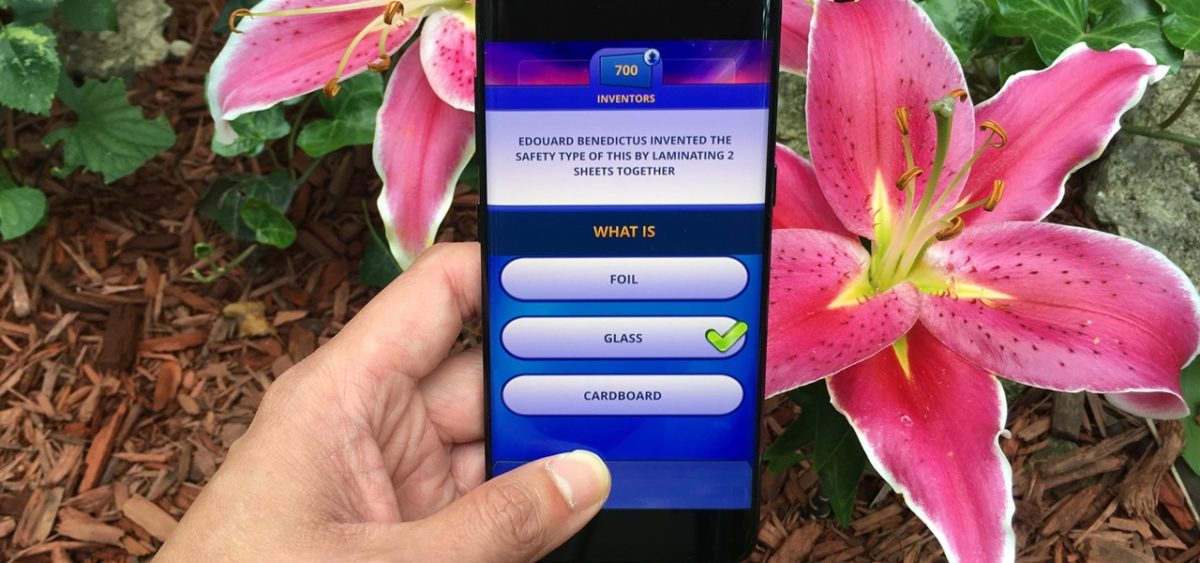
Mujer sonriendo al móvil

In today’s article, we’re going to look at the best trivia games you can download for your Android phone. There’s something for everyone and no shortage of themes, so what are you waiting for? Download the one you like the most!

Trivia Crack

https://www.youtube.com/watch?v=Jxoim1uLUnw

There’s no doubt Trivia Crack is the most famous trivia game and most popular download on Google Play. Its many questions and uncanny resemblance to classic Trivial Pursuit are just a few of its advantages. This colorful, fun game is sure to challenge your mind. And it’s free! But the best thing about Trivia Crack is that you can play it online. It’s a chance to have fun, discover how much (or how little) you know, and share the results with your friends. In short, it’s a must!

Trivia Crack DOWNLOAD
8

Alphabet Game

Pantallas de Pasapalabra

You’ve always dreamed of being a contestant on a show like The Alphabet Game, but you’ve never gotten around to sending your application. So why not download the app? In this fun game for your device, you’ll answer questions against the clock as if you were on the legendary game show. Alphabet Game also includes clever tests, such as “Music Quiz,” where you have to guess the song, and “How Do You Write It?” Alphabet Game is a free app, and since it’s multiplayer, you can play with your friends. Want to give it a whirl?

Alphabet Game DOWNLOAD
8

Trivia 360

Trivia 360 is a fun quiz game where you can find out how smart you are. You’ll have to answer hundreds of trivia questions on different topics, all with four possible answers and while the clock is ticking. The game also includes riddles, true-false questions, and even flag quizzes to test your command of geography. What makes Trivia 360 special is that it’s a user-friendly app with stunning colors. You’ll also be interested to know that this game maintains a global ranking, so the most competitive players will have fun vying to be the smartest person on the planet. Be sure to check it out! It’s incredibly fun and completely free.

Trivia 360 DOWNLOAD
9

Quiz of Knowledge

Are you tired of always seeing the same questions in your trivia games? With Quiz of Knowledge, that won’t ever happen again. It’s one of the most comprehensive trivia games out there, featuring more than 4,000 questions and five levels. Like any good trivia game, Quiz of Knowledge is divided into 16 categories, which include history, sports, geography, technology, music, science, art and much more. Besides being an incredibly fun title, it is frequently updated, and you can even play it offline. We highly recommend it. You can download Quiz of Knowledge safely below.

Quiz of Knowledge DOWNLOAD
10

QuizUp

QuizUp is another trivia game that will fire several rounds of questions at you, each having four possible answers. Although it may seem unoriginal in this regard, QuizUp has an interesting system that lets you create your own quizzes.  This is especially fun because you can share them with friends and challenge them to figure out the answers. Also, it’s completely free and has a large community of players.

QuizUp DOWNLOAD
9

Video Games Quiz

Pantallas de Videojuegos Quiz

As you may have guessed, Video Games Quiz is a trivia app focused on the gaming world. The way it works is easy: every question shows an image from a video game, and you have to guess the title from four possible answers. One advantage of Video Games Quiz is that it offers a wide range of questions. You’re unlikely to see the same title twice. It’s really fun and completely free to play.
Video Games Quiz DOWNLOAD
8

Trivia Questions and Answers

Fans of the classic Trivial Pursuit are sure to enjoy this fun, free app. While not especially innovative, Trivia Questions and Answers offers the best questions on geography, entertainment, history, art, literature, science, sports, and recreation. Just click one of four possible answers. The faster you choose the right answer, the more points you’ll earn. Challenge your friends to find out who’s the smartest, and have fun while learning something new in each game. If you’re interested, you can download the app quickly and safely below.

Trivia Questions and Answers DOWNLOAD
8

Family Trivia Free

https://youtu.be/xv_f7jRnX-w

Tired of always playing mobile trivia games by yourself? Family Trivia Free is a fantastic title, because it offers the best features of quiz games but is designed to be played as a family. Family Trivia Free has questions for players of all ages, so nobody will be left out of the game. It has a wide range of trivia questions and activities for both adults and children. That makes it the perfect game for a fun afternoon at home with the kids. You can download Family Trivia Free quickly and safely below.

Family Trivia Free DOWNLOAD
8

Who Wants to Be a Millionaire?

The legendary game show hosted by Regis Philbin is now available in a version for your phone. Ready for hours of fun? In Who Wants to Be a Millionaire?, you can feel exactly like a contestant on the hit game show (except the part where you win a million dollars, unfortunately), so fun is guaranteed. The game features rounds of questions, each with four possible answers. The more questions you answer correctly, the closer you’ll get to winning that imaginary million dollars. And you get to use the show’s classic lifelines, like 50:50, Ask the Audience, and the new Ask the Expert. One great thing about this app is that you can use it offline, so you can play it anywhere without those annoying popup ads. What’s more, you can challenge your friends and family with the daily leaderboard. It’s a cool game, and it’s completely free. You can download Who Wants to Be a Millionaire? quickly and safely below.

Who Wants to Be a Millionaire DOWNLOAD
9

LogoQuiz

Pantallas de Logoquiz

If you’re tired of those classic Trivial Pursuit-style culture questions but want a good trivia app, check out LogoQuiz. This fun game will challenge your mind by showing you logos for companies and products that you’ll have to identify. So instead of asking you about world capitals, it will display the Red Bull logo, or the good old man from the Pringles can. Unlike similar games, LogoQuiz isn’t multiple choice. Once you recognize the logo, you have to write out the name and then find out if you’re correct. The app is completely free, and we promise it’s more fun and challenging than it may seem at first glance. Feel like trying it?

Logoquiz DOWNLOAD
8

League of Quiz

We saved the best for last: League of Quiz. This game offers the most similar experience to Trivial Pursuit on your phone. It has a board and dice, and just like in the boardgame, you have to go from one square to another until you earn all the wedges. The best thing is that you don’t have to play alone: League of Quiz lets you challenge friends, or, if you prefer, some random stranger. What’s more, League of Quiz has an interesting mode called Challenges. You can play a fast game in which the one who answers the most questions in the round correctly is the winner. Finally, League of Quiz has its own competitive league called ELO League. It lets you compete with other players, and the winner of the season gets a trophy. If you’re looking for a free quiz game that’s very similar to Trivial Pursuit, this one’s a must!

Cuestionados DOWNLOAD
9

We hope you liked our roundup of trivia games for Android. Are there any others you’d like to add to our list? Let us know in the comments section!

The Best Strategy Games for Android

Strategy games are perfect for anyone who’s a leader at heart. They can turn you into a battalion commander, a mayor, a restaurant magnate, an amusement park owner, or even the dictator of a dubious republic. No matter what you want to be, there’s a game out there to fulfill your dreams of power.

While strategy games are highly rewarding and addictive, you need quite a bit of free time to play them. Does that mean you have to go without them? No way! Fortunately, some great ones have been adapted for smartphone displays.

gaming-android-game

In today’s article, we’re going to tell you about the best strategy games for Android in the market today. There’s something for everyone, so what are you waiting for? Download one today!

Tropico

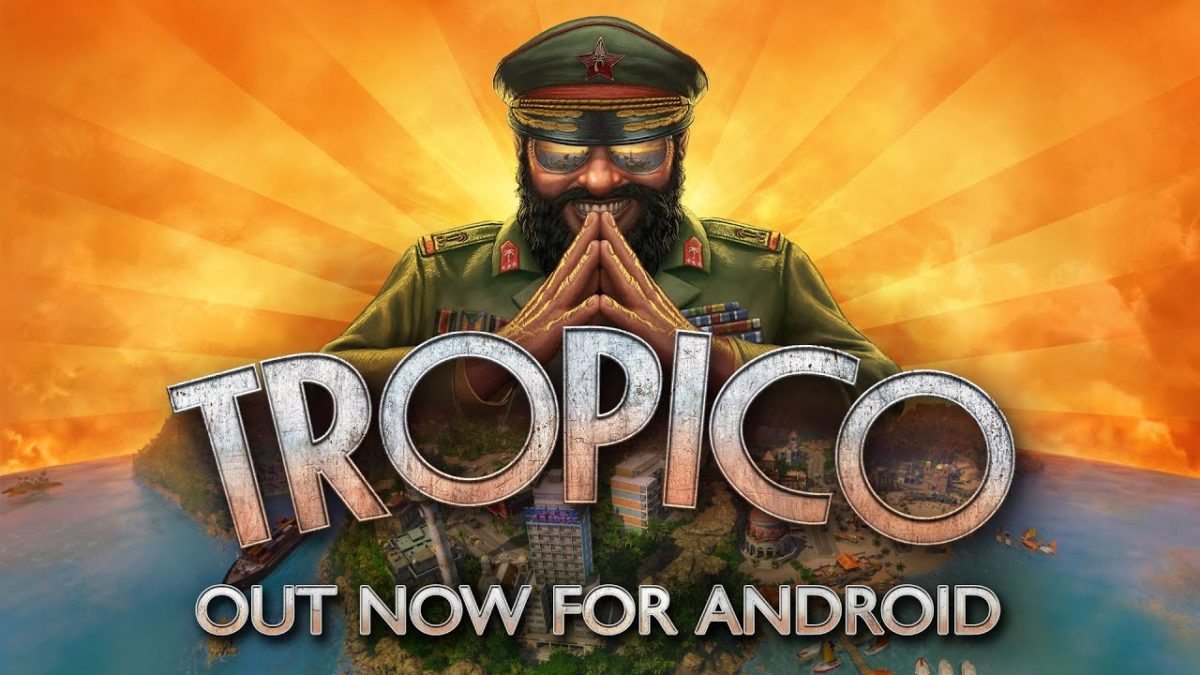
Nobody said running a country fairly and keeping its citizens happy was easy, so… why not be the dictator of a banana republic?  In Tropico, you’ll become “El Presidente,” the ruler of a Caribbean island that will be completely in your hands.

Like the version for PC and consoles, Tropico lets you manage every single aspect of life on the island. You can construct buildings, streets, industries and all kinds of infrastructures for your subjects, but also military bases to make sure no neighboring country comes along to overthrow you.  Obviously, you also have total control over the island’s political system, because… is there anything a dictator can’t do?

Regarding game modes, Tropico has 15 missions with pre-established objectives, but there’s also a sandbox mode that lets you enjoy the game however you like. In short, it’s a fun and challenging game that you can now play on your Android smartphone. Don’t miss it!

Tropico DOWNLOAD
8

The Escapists 1 and 2

When you think of strategy games, activities like empire building, commanding troops, or business management probably come to mind.  The Escapists offers a twist on this genre: a truly different, fun game in which you have to devise a perfect strategy to escape from prison!

Both parts of The Escapists promise unlimited fun, challenging you to come up with the perfect plan to break out of jail. You can create tools to dig tunnels, generate distractions, bribe or attack the guards, or if you prefer, simply memorize their shifts and escape without raising a single alarm.  It’s up to you.

Although you can play both versions of The Escapists on your phone, we especially recommend part two. It has options for playing in local multiplayer mode, or online in either co-op or versus mode.

  • The Escapists 1

The Escapist: Fuga de la prisión DOWNLOAD
8

  • The Escapists 2

The Escapist 2 DOWNLOAD
9

Sid Meier’s Civilization Revolution 2

Civilization-Revolution-2-screen

We can’t talk about strategy games without mentioning Sid Meier’s long, brilliant saga. Due to its complexity, the game has been simplified a bit in its jump from PC to smartphones and consoles, but it’s still one of the genre’s most challenging and entertaining titles.

As in other Civilization versions, in Revolution 2, you’ll embody your favorite historical leaders in their rise to glory or their downfall. In each game, you can achieve economic, military and cultural victories in the palm of your hand!

Civilization Revolution 2 is an excellent title for lovers of turn-based strategy and especially for fans of the saga.  If you don’t mind playing a watered-down version of the previous Civs, we think you’ll like it.

Civilization Revolution 2 DOWNLOAD
6

The Battle of Polytopia

Closely linked to the previous title, The Battle of Polytopia is a stunning, colorful game that’s very similar to the original Civilization. In it, we play a tribe that will explore, establish cities and grow until it becomes the only one in the area. At the same time, we get nice polygonal graphics and a great soundtrack.

As for gameplay, The Battle of Polytopia is reminiscent of Sid Meier’s saga. First, you select your favorite tribe and start exploring Polytopia. As you go along, you can build cities and locate resources. You can also improve your civilization through cultural, and of course, military advances.

One interesting feature of The Battle of Polytopia is that the game has a multiplayer mode. It lets you play against not only the AI, but also friends and other players around the globe. Want to give it a try?

The Battle of Polytopia DOWNLOAD
10

Pandemic

Why settle for the COVID-19 crisis when you can have your very own pandemic on your smartphone? As you may have imagined, Pandemic is the mobile version of the acclaimed board game, whose objective is to cure a pandemic that is afflicting the planet. It would be hard to find a more appropriate video game for times like these.

In every session of Pandemic, you need to choose your character wisely, because each one has unique skills and resources. Then you have to collaborate with other players and design a strategy to find a cure as soon as possible. That’s why it’s an ideal title for fans of multiplayer games.

In light of the coronavirus crisis and how we’re all awaiting a cure, you’ll probably feel relieved to see a disease be eradicated, even if it’s only in an Android game.

Pandemic DOWNLOAD
6

XCOM: Enemy Within

Xcom-Enemy-Within-image

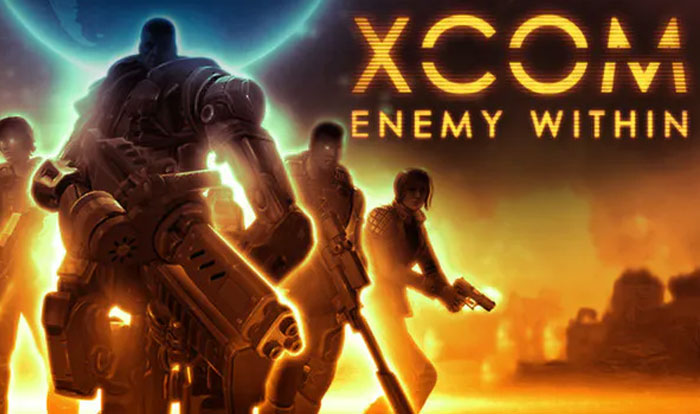
To the joy of sci-fi fans, the great XCOM strategy game also has a version for Android. As usual, in Enemy Within, you’ll command a squad of space soldiers on a mission to defeat a barrage of unfriendly aliens.

XCOM: Enemy Within has everything it takes to satisfy military strategy game enthusiasts. Your soldiers will be varied, all boasting unique abilities, weapons and resources to eliminate the alien threat. So to win the game, you’ll have to design your strategy with their possibilities in mind.

But that’s not all: as you play and win battles, you’ll unlock new soldier classes, upgrades and many abilities. This keeps the game fun and fresh no matter how long you play it.

XCOM: Enemy Within DOWNLOAD
9

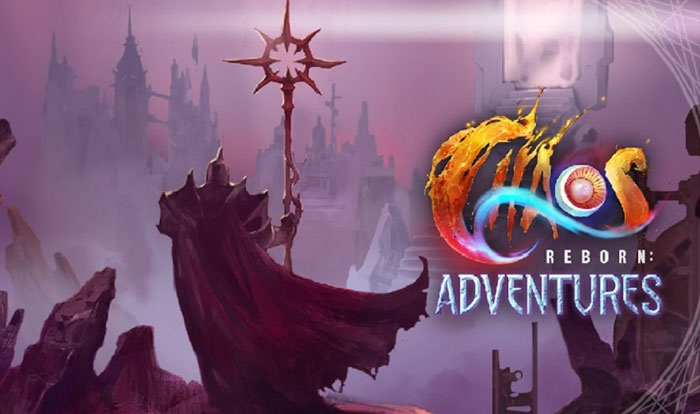
Chaos Reborn: Adventures

Picture-of-Chaos-Reborn-Adventures

If you liked XCOM: Enemy Within, you’ll love Chaos Reborn: Adventures. This challenging strategy game was designed by the same team, and it puts the best features of the sci-fi title against a fantasy backdrop.

In terms of gameplay, Chaos Reborn: Adventures is truly original. The game features mind-blowing tactical battles, combining strategic movements similar to those of chess with magic, and of course, the elements of surprise typically found in card games.

One of the highlights of Chaos Reborn: Adventures is that in addition to a single-player campaign, the game has a multiplayer mode. Use it to have fun beating the computer or to challenge your friends. It’s a must if you’re into fantasy.

Chaos Reborn: Adventures DOWNLOAD
8

Fire Emblem: Heroes

If you’re a Nintendo fan, you’re probably more than familiar with the Fire Emblem strategy game franchise. Now you can get it on your Android smartphone with Fire Emblem: Heroes, a challenging video game that will delight followers of this saga.

Fire Emblem: Heroes has a history mode for players where you’ll have the bloody clashes between the kingdom of Askran and the empire of Emblian at your fingertips. One especially good thing about Fire Emblem: Heroes is that, as the name suggests, it has most of the characters from the other Fire Emblem installments. And although the title has simplified the gameplay of the console games, it goes to great lengths to make sure the experience is just as satisfactory.

With hundreds of battlefields and hours of gruesome history, Fire Emblem: Heroes is a title that will keep you entertained for hours on end. What’s more, once you finish the single-player campaign, you’ll unlock new game modes. Want to give it a try?

Fire Emblem Heroes DOWNLOAD
9

The Banner Saga 1 and 2

The Banner Saga 1 and 2 are two excellent strategy games with touches of RPG set in a world of Nordic mythology. At first, these titles might seem like your standard tactical games from the Play Store, but after playing for just a few minutes, you’ll realize that both are gems of this genre.

What makes The Banner Saga franchise so special goes beyond its stunning 2D graphics and fun yet challenging battles. Both titles have a carefully narrated storyline, and it’s one we’ll participate in quite a bit. In fact, every game in The Banner Saga is a personal storyline, and you’ll develop it “a la carte” with the decisions you make as you go along.

So, one word that perfectly describes the gameplay in both The Banner Saga games is “consequences.” Not only the strategic battles, but each and every conversation you have will permanently impact the storyline. If you’re looking for a strategy game with a good plot that’s highly replayable, don’t hesitate to download both of them.

  • The Banner Saga 1

The Banner Saga DOWNLOAD
9

  • The Banner Saga 2

The Banner Saga 2 DOWNLOAD
9

We hope you liked our selection of strategy games for Android. Are there any others you’d like to add to our list? Let us know in the comments section!

The Best Free-to-Play Card Games

Card games always have been and always will be an endless source of fun. If you’re a devoted card player, you know just how exciting it is to put your last card on the table and declare yourself the winner of the game. Their only drawback is that unless you’re playing solitaire, you need a group of people to play with, and meeting up with friends isn’t always possible. But these situations have an easy solution: card video games.

In recent years, card games for PC and smartphones have experienced a real boom. Now there are all kinds of games, from everyday classics like poker and blackjack to collectible digital games and online multiplayer card battles. But some of them can be expensive or require a monthly subscription. So you might be wondering, what about free-to-play card games? Are there any good ones?

gwent-interface

You’re in luck, because in today’s article, we’re going to look at some of the best free-to-play card games for PC and Android smartphones and tablets. Let’s get to it!

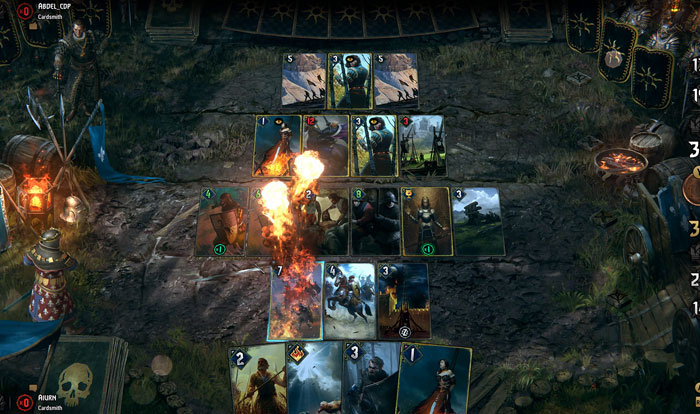
Gwent: The Witcher Card Game

If you’re a fan of RPGs, you’re probably more than familiar with The Witcher 3: Wild Hunt. It introduced Gwent, a mini collectible card game that could be played against most of the characters in the game. It was so popular that CD Projekt decided to create a standalone version of Gwent, which is not only much better than the game you can play within Wild Hunt but also completely free.

Gwent is clearly inspired by other card battle games like Magic: The Gathering. You’ll play the role of one of the factions of the Andrzej Sapkowski universe (Northern Kingdoms, Nilfgaard, Syndicate, Monsters, Skellige or Scoia’Tael), collect its cards and use them to attack your rival. They all have unique features and special attack capabilities, so creating a good deck and knowing when to use your cards are the keys to victory. You can play Gwent on your PC or Android smartphone. Feel like commanding Geralt and his friends again?

  • Gwent for PC

Gwent (PC) DOWNLOAD
10

  • Gwent for Android

Gwent DOWNLOAD
10

Hearthstone

Hearthstone: Heroes of Warcraft is definitely one of today’s most well-known and popular card games. Since it arrived on the scene, Hearthstone has captivated followers of the Blizzard universe with its many collectible cards and perfect balance between simple rules and highly complex battles.

In Hearthstone, you’ll summon creatures and characters from Warcraft and arm them to the teeth to defeat your rival. As is usual in collectible card games, to win, you need to be lucky when acquiring troops and weapons and a great strategist when creating decks. Hearthstone is a completely free game available for both PC and smartphones.

  • Hearthstone for PC

Hearthstone (PC) DOWNLOAD
7

  • Hearthstone for Android

Hearthstone (Android) DOWNLOAD
8

Injustice 2

Interested in waging epic card battles using the most popular superheroes and villains from D.C. Comics? Then you’ll love Injustice 2! This free-to-play collectible card game offers three-on-three battles where only the most strategic player will win.

One of the strong points of Injustice 2 is that, besides being an incredibly fun card game, it lets you earn rewards for the Injustice 2 fighting game for PC, PS4 and Xbox One.  This makes it the perfect choice for fans of this amazing beat ’em up.  You can download the Injustice 2 card game for Android smartphones below.

Injustice 2 DOWNLOAD
9

JCC Pokémon Online

Fans of the Pokémon franchise have a reason to celebrate, because this popular card game also has a free-to-play version for PC and Android smartphones. It’s identical to the original card game in terms of playability, so if you’re already familiar with it, you’ll be beating rival trainers in no time at all.

One of the highlights of JCC Pokémon Online is that the game is updated frequently. In fact, since being launched in 2011, it has been updated over time, and it even has the new Pokémon introduced in the game Sword and Shield. You can play it to win new cards through your battles or, if you prefer, trade them with your friends just as you would in the physical card game! If you’re crazy for Pikachu and company, don’t miss your chance to download it.

  • JCC POkémon Online for PC

JCC Pokémon Online (PC) DOWNLOAD
7

  • JCC Pokémon Online for Android

JCC Pokémon Online (Android) DOWNLOAD
9

Legends of Runeterra

Following in the footsteps of Warcraft with Hearthstone, League of Legends also has its own free card game. When you play Legends of Runeterra, you’ll represent one of the following LoL regions: Shadow Isles, Noxus, Pilvoten & Zaun, Freljord, Demacia or Ionia. Each one has a deck with a different style of play and heroes, so it’s important to choose well.

If you’re a fan of League of Legends, be sure to check it out, but keep in mind that the game is still in the beta phase. You can download Legends of Runeterra for both PC and Android smartphones.

  •  Legends of Runeterra for PC

Legends of Runeterra (PC) DOWNLOAD
7

  • Legends of Runeterra for Android

Legends of Runeterra (Android) DOWNLOAD
10

Magic: The Gathering Arena

Magic-the-Gathering-Sand

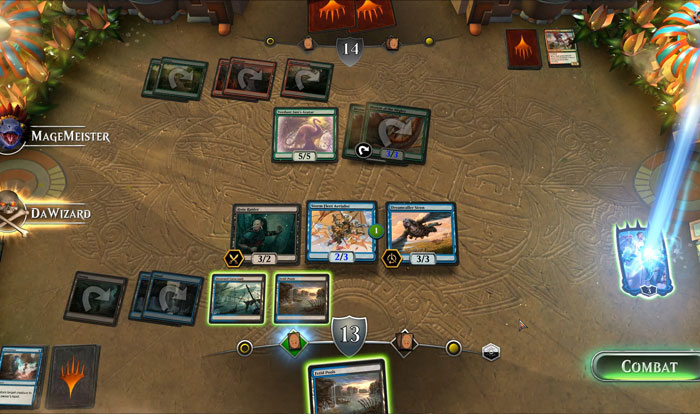
If you’re a fan of card games, you’re probably more than familiar with Magic Duels of the Planeswalkers, but what about Magic: The Gathering Arena? This new edition brings back the classic from Wizards of the Coast, which is sure to please its biggest devotees.

Magic: The Gathering Arena differs from Planeswalkers in that it follows the same rules as the original card game. In it, you’ll discover exciting duels between magicians with their creatures, artifacts, spells and, of course, the source of mana. Magic: The Gathering Arena is a simple game, perfect for online duels with friends. We especially recommend it if you grew up playing this fun card game.

Magic: The Gathering Arena DOWNLOAD
9

The Elder Scrolls: Legends

Continuing with the topic of video games with card game spin-offs, we also recommend The Elder Scrolls: Legends. This game bears an uncanny resemblance to Hearthstone. In fact, it is played almost the same way except for the arrangement of the cards and the possibility of covering them up.  Of course, it’s much more appealing if you’re not a devotee of the Warcraft universe.

Among the strong points of The Elder Scrolls: Legends, the game has a very active community of players (you’ll have no problem finding an opponent), and fans of the saga will be delighted with the cards. You’ll find cards based on Morrowind, Oblivion, Skyrim, etc., and there are periodic competitions to demonstrate who’s best.

The Elder Scrolls Legends DOWNLOAD
8

UNO & Friends

UNO-&-Friends

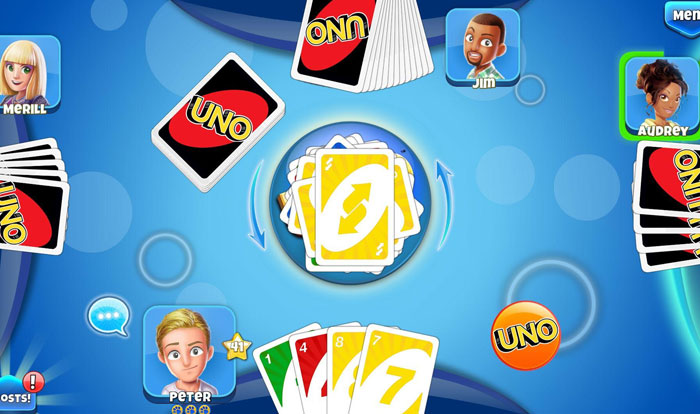
Talking about card games without mentioning UNO would be a travesty, so we made sure to add this fun game to our list. You can enjoy long UNO sessions with friends without needing to be in the same place (something that is frankly necessary in the wake of the COVID-19 pandemic).

UNO & Friends is easy to play and incredibly fun. If you already know the rules of the popular card game, you’ll be able to start playing in no time at all. One interesting thing about UNO & Friends is that you can link the game to social media platforms like Facebook, which makes it easy to find friends to play with. This is really useful so you can challenge friends or encourage them to install the app.

UNO & Friends DOWNLOAD
8

Shadowverse

Shadowverse

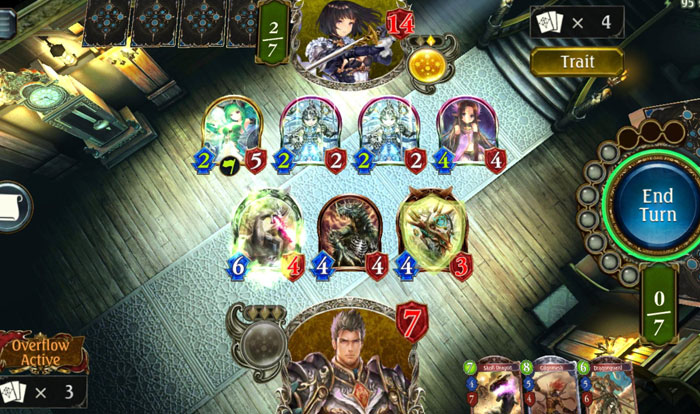
Shadowverse is the perfect card game for anyone who has tried Hearthstone but isn’t entirely sold on it. Under a seemingly simple game system is a complex, challenging title that you’ll never tire of playing.

Without a doubt, one of Shadowverse’s most attention-grabbing features are its beautiful cards. Their anime-style illustrations will thrill fans of Japanese comics and animation. What’s more, this game has an efficient deck-creating system that lets you spend more time enjoying the game itself. We highly recommend it.

Shadowverse DOWNLOAD
9

WWE SuperCard

The final pick on our list is WWE SuperCard, the ideal game for wrestling fans. This fun game lets you collect your favorite wrestlers (Hulk Hogan, John Cena, etc.) and have fun multiplayer battles.

The rules of WWE SuperCard are easy to understand, so it won’t take long to learn how to play. But that doesn’t mean that it’s a simple game! In fact, its many options and playing modes guarantee you’ll never get bored. It’s a must for WWE fans!

WWE SuperCard DOWNLOAD
8

We hope you liked our selection of free-to-play card games. Are there any others that you want to add to our list? Tell us about them in the comments section!

The Best Antivirus Software if your Computer is Running Low on Resources

The internet has changed our lives in ways we never could have imagined. Now we are connected to the rest of the planet, and with a single click, we can get the answers to our questions, access all kinds of content, make purchases, or do paperwork without leaving our homes. The internet is also, however, full of dangers, and cybercriminals know full well that you share all types of personal and banking data from your PC. That is why over the last few years, viruses, malware, and spyware on the internet have increased exponentially.

Having good antivirus software is no longer optional, it’s a must if you want to surf the net without having a potentially bad experience. These programs are able to detect and block any threat that tries to access your computer either through your browser, downloaded files, or malicious emails. However, a lot of anti-virus software does so many things that it ends up dramatically affecting your PC’s performance. Does that mean you have to give up protecting your computer if you want your computer to run smoothly?

Internet virus

Fortunately, there are excellent antivirus programs on the market that balance complete protection of your computer with using few system resources. In today’s article, we are going to share the best antivirus software for older computers, so you can use the internet safely without affecting your CPU’s performance. Let’s have a look!

Avast Free Antivirus

Avast Interface

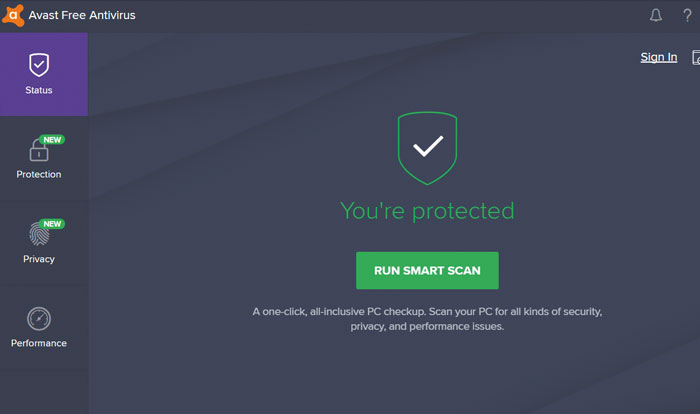
Avast Free Antivirus is one of the best options whether you’re a laptop user or your PC is a few years old. Its more than 400 million users and excellent results detecting and eliminating viruses are just a few of the many attractions of this antivirus software. Even though it’s completely free, it offers protection on par with the best antivirus programs on the market.

The free version of Avast offers a wide range of options to keep your computer protected at all times. You’ll find browser shields, real-time protection, custom scans, and a great, always up-to-date virus library. Avast Free Antivirus also offers extra options such as a game mode, a password manager, or the ability to scan your computer for malware.

The reason we have included the free version of Avast on this list is that it hardly affects your computer’s performance. In fact, you won’t notice much difference in the speed of your computer, whether or not you have Avast installed. Your computer, though, will be completely protected from any hacker attack. If you’re interested in downloading Avast Free Antivirus, you can get it quickly and safely below.

Avast Free Antivirus DOWNLOAD
8

Norton Antivirus

Norton-Internet-Security-interface

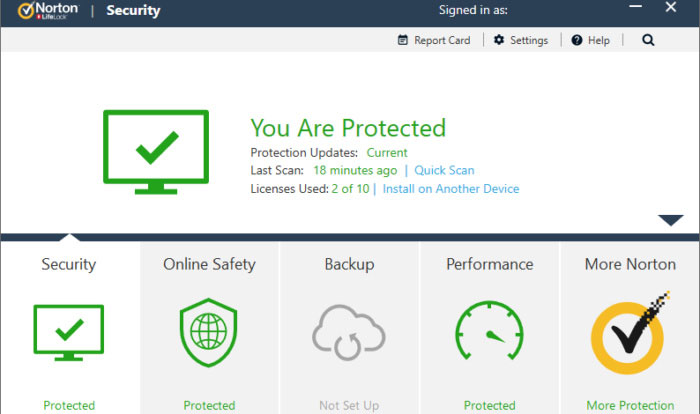
Norton Antivirus has been protecting computers from hacker attacks for years and years. Its latest version is still as good as the first ones, although it obviously comes with some great improvements, keeping up with the times.

One of the biggest strengths of the latest version of Norton Antivirus is its outstanding protection of your browser. It has a smart firewall and is able to block any kind of threat you may run into online. Norton Antivirus also has a number of tools designed to perform maintenance tasks on your computer and, for example, significantly reduce boot time in Windows.

Norton Antivirus is one of the programs that uses the least resources without decreasing its virus protection in any way. In fact, it is rated number one in the PassMark rankings in terms of CPU use by an antivirus product. The only disadvantage (if it can be called that) is that it’s not a free program, although it’s worth spending a few euros for some peace of mind when browsing online. Below you will find the free trial version.

Norton Security Deluxe DOWNLOAD
8

ESET Antivirus

ESET-antivirus-interface

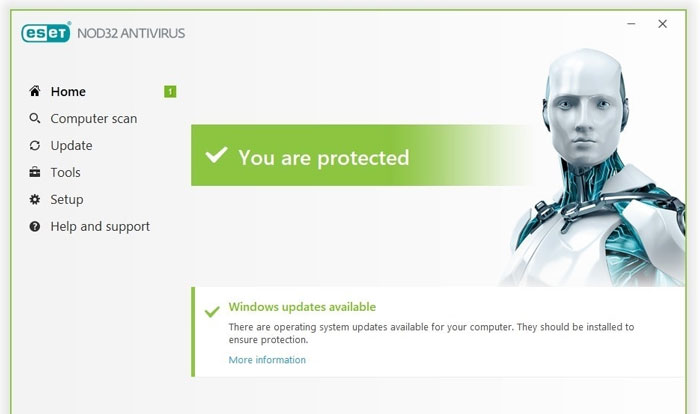
ESET Antivirus may not be the best-known option in the antivirus industry, but that doesn’t make it any less efficient. This is an effective, highly customizable program with a variety of options to ensure that your computer is always protected.

If there is something that stands out about ESET Antivirus, it is precisely all of its options and modes for analysis programs to run on your computer. While comprehensive, it can sometimes be a bit complex for novice users who prefer fewer options with good results. However, users who prefer an anti-virus program that’s literally custom-made will love it.

In terms of resources, ESET Antivirus barely uses any CPU, so you’ll be able to keep it on and work or play your favorite video game while hardly noticing your computer slow down. There are three versions of this antivirus software (ESET NOD32, ESET Internet Security, and ESET Internet Security Premium) that only differ in terms of small extras. That’s why for the most bang for your buck, we recommend ESET NOD32. You can download the free trial version below.

ESET NOD32 Antivirus DOWNLOAD
8

Avira Free Antivirus

Avira-Free-Antivirus-interface

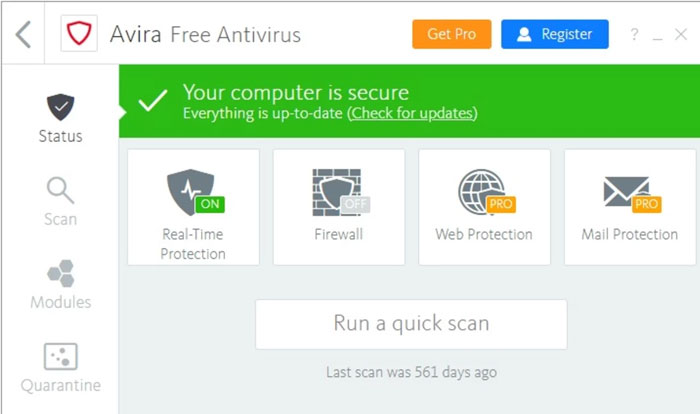
Avira Free Antivirus is a good choice if you’re looking for a solid free antivirus product with great results and a minimal impact on your PC’s performance. Avira is known around the world for its good results and it’s no wonder. This is because it is capable of detecting 99.97% of viruses and attacks your computer may receive, so you can go online carefree.

If you’re a first-time user or just don’t like cryptic or feature-rich antivirus products, you’ll be glad to know that Avira has a simple and easy-to-understand interface. You can use it to scan your computer for viruses and optimize your computer’s performance, something that’s really useful if it hasn’t been working as it should lately. It also has powerful phishing protection and offers the ability to browse through its integrated VPN. And all without slowing down your computer!

The only drawback about Avira is that, since it’s a free antivirus program, it has quite a few ads and pop-ups that can be frustrating. Also, be careful when choosing options when you install the antivirus software, since it will try to get you to install other Avira programs that you might not be interested in. If none of this bothers you, or if you just want to check it out, you can download this antivirus program for free below.

Avira Free Antivirus DOWNLOAD
8

Bitdefender Antivirus

bitdefender-interface

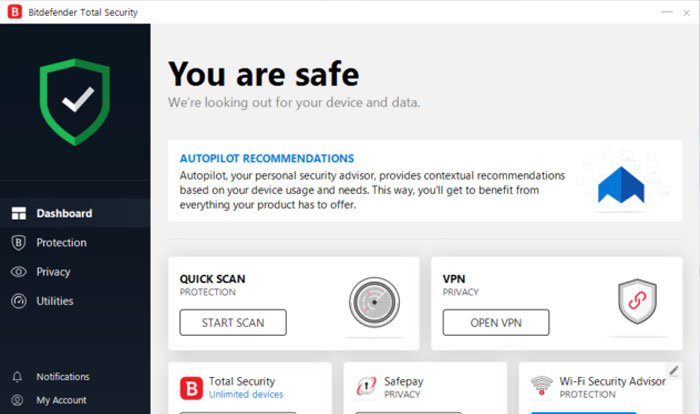
Bitdefender is another excellent option when it comes to protecting your computer without affecting its performance. It has a comprehensive virus database that is updated regularly and has achieved excellent results in the AV-TEST studies. But it doesn’t end there, because Bitdefender also offers a number of tools to improve your computer’s performance, making it one of the world’s most popular antivirus programs.

Depending on the features you want on your computer, you can purchase two types of Bitdefender Antivirus: Bitdefender Internet Security or Bitdefender Total Security. The first is a lighter version of the software, and as such, it has fewer options. In addition to offering you complete virus and malware protection, Bitdefender Internet Security also comes with the Safepay secure payment system, a password manager, and a computer vulnerability scan. Total Security adds a spam filter, a powerful parental control system, and an efficient firewall.
Regardless of which option you choose, Bitdefender Antivirus is perfect for protecting your computer against any attack over the internet without compromising the speed of your operating system.

Bitdefender Total Security 2020 DOWNLOAD
8

I installed an antivirus product from the list, but my computer is still slow 

If you have downloaded and installed one of the programs on this list but your computer is still slow, the problem is probably something else. There are many factors that directly affect your computer’s performance, and they’re not always related to antivirus software. The state of your hard drive, its fragmentation, an incorrectly installed program, an out-of-date operating system, or some malicious process that starts when the computer is booted could be the problem.

To figure it out, we first recommend scanning your computer for any viruses that might be affecting it. If your computer comes back clean, we recommend using some software to speed up your operating system. These programs scan your computer for system errors and unnecessary processes that are slowing down your computer. If you don’t know which one to choose, don’t worry. We have an in-depth article with the best tips and tricks to get your PC working like new.

We hope this article has helped you to choose the perfect antivirus product for your computer’s CPU. Do you know of any that you think should be in our selection? Tell us in the comments section!

The Best Windows Security Tips

We live in a world full of dangers, including cyberattacks, viruses, malware and online scams. They can infiltrate your operating system before you even realize it, and by the time you do, it’s already too late. It may seem like a hassle or a waste of time, but spending a few minutes strengthening Windows 10 security on your computer can prevent a bad experience or two. And believe us, it’s worth the trouble.

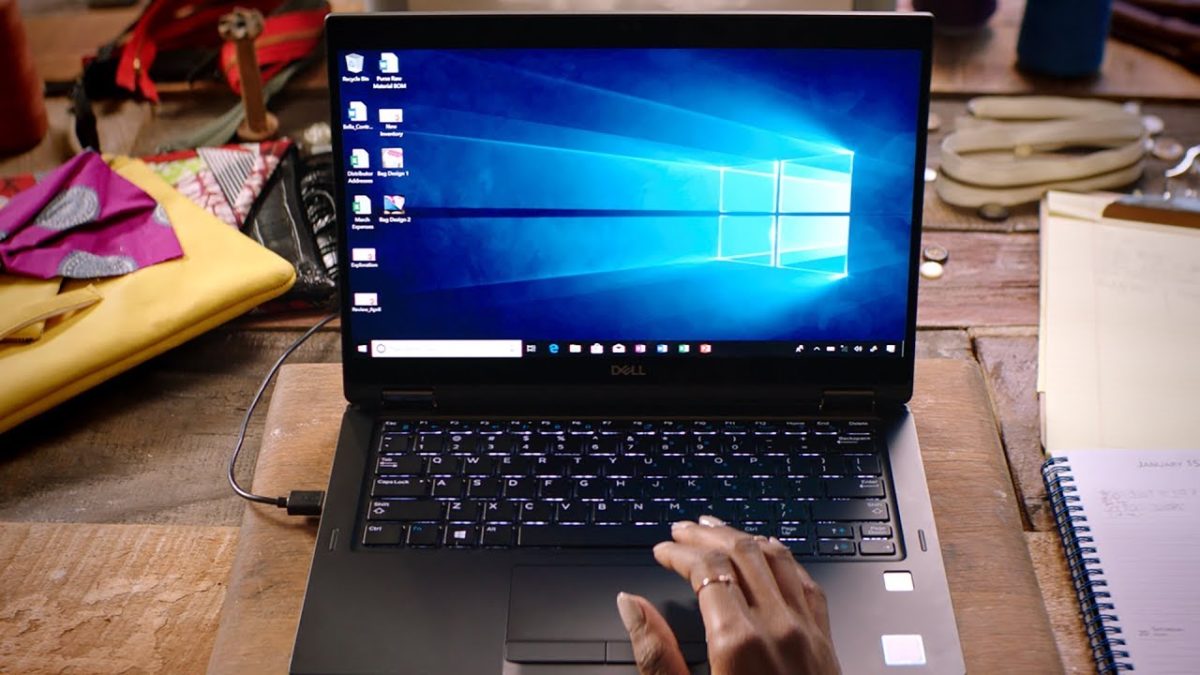
Person using laptop

At first glance, Windows may seem like an impenetrable operating system, but it’s actually a prime target for hackers around the world, who are discovering new security holes every day. Want to use Windows without worrying about online attacks? Keep reading for some useful tips!

Windows 10 DOWNLOAD
8

1. Keep your PC up-to-date

Many people think of Windows updates as a hassle that slows down their work or asks them to reboot at the worst possible time. But did you know these updates play a vital role in keeping your computer secure? Every time you update Windows, Microsoft repairs the security holes in the operating system and strengthens its line of defense, ensuring your security and that of your data.

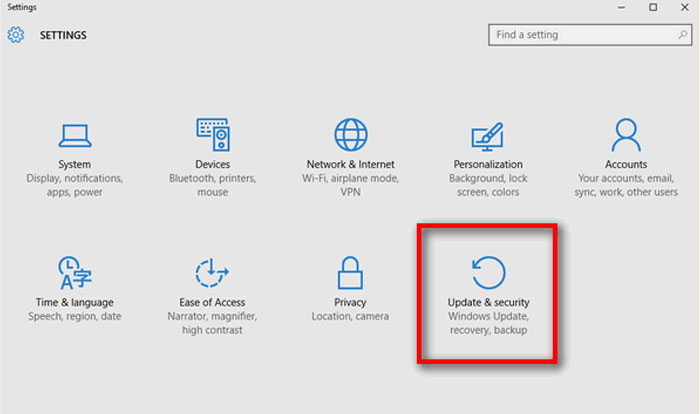
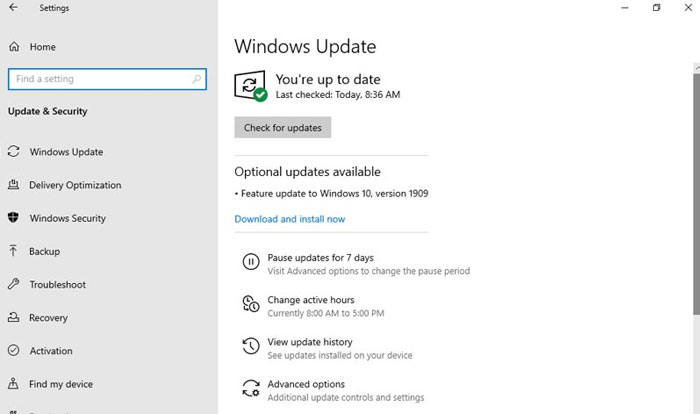
If you don’t know how to update Windows 10, don’t worry. It’s a piece of cake! Just click the Start button (the Windows icon on the lower left side of your screen) and then Settings (the gear icon). Alternatively, you can press the Windows key + I. Next, click “Update & Security.”


How to get to Update and security

In the new window, click on “Windows Update,” which appears in the menu on the right side. Finally, click the “Check for updates” button and wait for Windows to be updated. See how easy that was?

Windows-Update-interface

2. Secure your computer with a password

Your PC’s security can be compromised not only over the internet, but also in the physical world, right where you are. If you use your private computer in a public place, for example, you use your laptop in a coffee shop, or if your home or office is robbed, your data will be at risk as well. If you haven’t set a password to log into your computer, it will be vulnerable if it falls into the wrong hands.

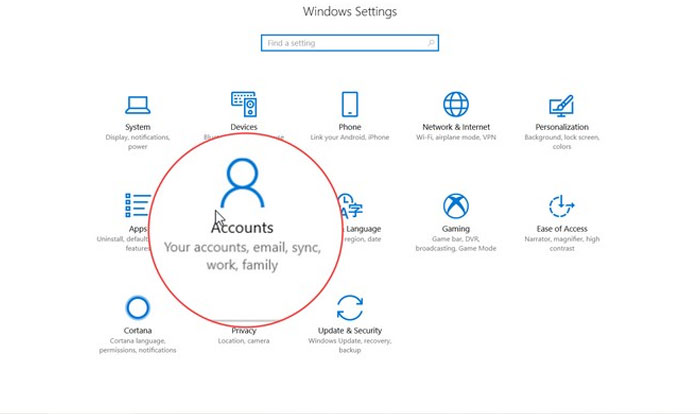
To set a password for Windows 10, follow these easy steps. Click Start (the button with the Windows logo on the lower left side of the screen) and then Settings (the gear icon). If you prefer, you can also click the Windows button + I. Next click the “Accounts” option.

How to get to the Accounts window

In the new window, go to “Sign-in options” in the menu on the left. Then a new menu will appear where you can set a password to sign into Windows and other new options for unlocking your device (a physical security key, a PIN, your fingerprint, a picture password, facial recognition, etc.).

3. Make sure you have the only administrator account on your computer

Not all Windows accounts are created equal. There is one kind of account that lets you make any change on your computer without the other users’ consent. We’re referring to administrator accounts. To see which user accounts are linked to your computer, follow these steps.

Click the Start button (the Windows icon in the lower left corner of your screen) and then Settings (the gear icon). You can get to the same window by clicking the Windows button + I. Next, just go to “Accounts.”

Family accounts and other users

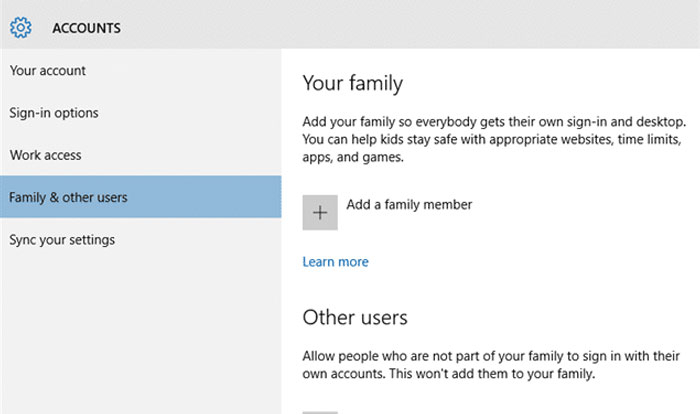
In this new window, click “Family & other users.” This will show you everyone who has an account to access your computer. Make sure that nobody but you can log on as an administrator.

4. Update all computer programs regularly 

Keeping your operating system up-to-date isn’t enough to prevent a security hole from compromising your data. It’s important to make sure that all the programs and internet browsers on your PC are always up-to-date.

Fortunately, many programs are updated automatically whenever you open them, but others need some extra help. That’s why we recommend that you visit their websites regularly to check for new versions.

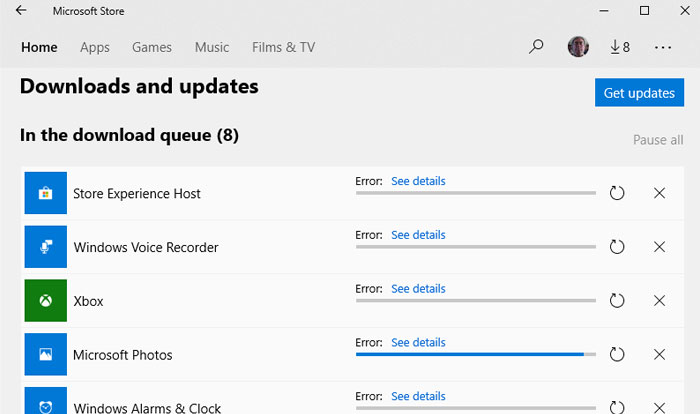
If you have downloaded programs from the Microsoft Store, the process is a lot easier. To check for updates, just open the Microsoft Store, click the three-point icon on the upper right side of the window and go to “Downloads and updates.”

5. Delete programs and apps you don’t use 

Hard drives have so much space these days that it’s easy to install programs over time and never delete them, even if you don’t use them. But it’s important to clean your PC of old programs or ones that are just taking up space. By deleting them, you’ll make sure they never cause any security problems. At the same time, you’ll be surprised how much your computer’s performance will improve.
Access Applications in Windows 10

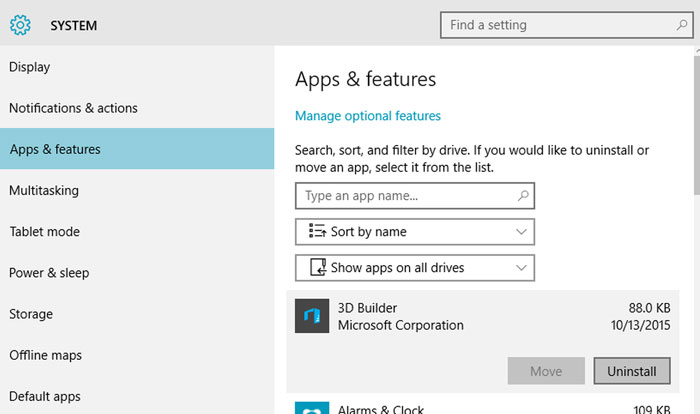
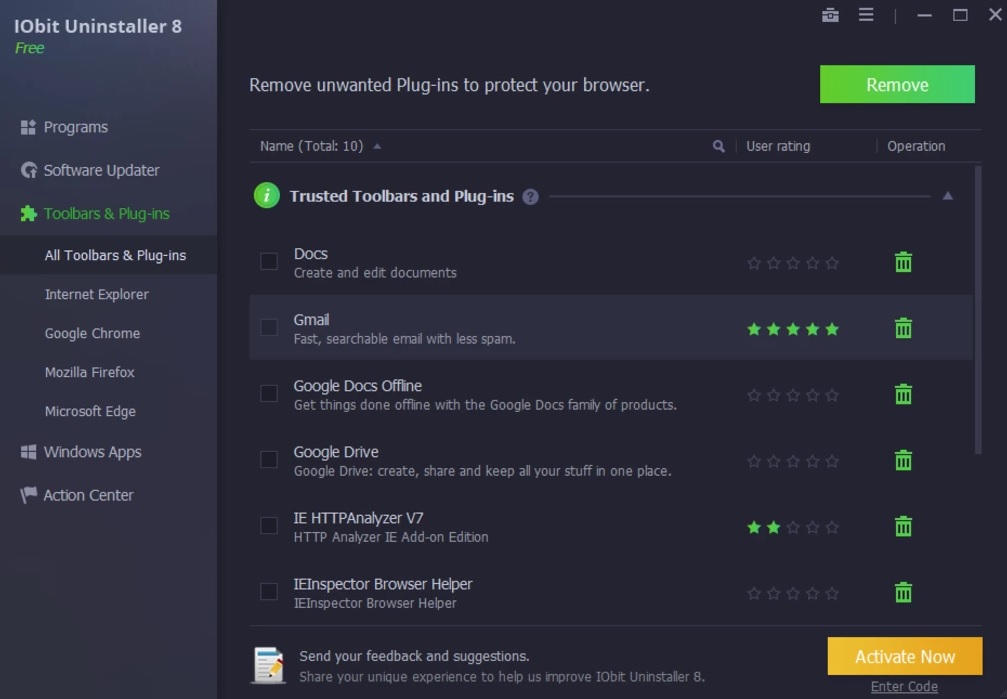
To get rid of a program on Windows 10, always use the uninstaller. Go to the Settings menu (click the Windows button + I) and click the “Apps” option. Next, you’ll see a menu with all the programs and apps installed on your computer. Click the one you want to delete and then “Uninstall.” If you prefer, you can also use software to uninstall programs. Check out the article below to find out which ones we like the most.

6. Deactivate “spyware” on Windows 10

Windows 10 is an excellent operating system, but it has always been criticized for invading users’ privacy. Unless we disable them, Windows 10 comes with a series of enabled options that share our data without us even realizing it (our location, data to help it decide what ads to display, activity, etc.)

How to access the Privacy menu in Windows 10

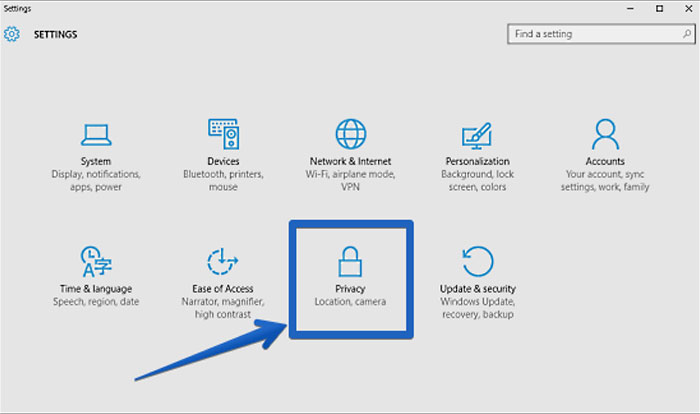
To disable them, go to Settings (click the Windows button + I) and the “Privacy” option. In the new window, turn off the options under the “General” tab, and under “Activity history,” disable “Send my activity history to Microsoft.” Finally, under “Diagnostics & feedback,” turn off “Tailored experiences.”

7. Install good antivirus software

This may come as a surprise, but many Windows 10 users don’t have antivirus software, making them an easy target for potential hacker attacks. Good antivirus software is not necessarily expensive, and in fact, there are many free antivirus products that are excellent and will protect your PC without impacting its performance.

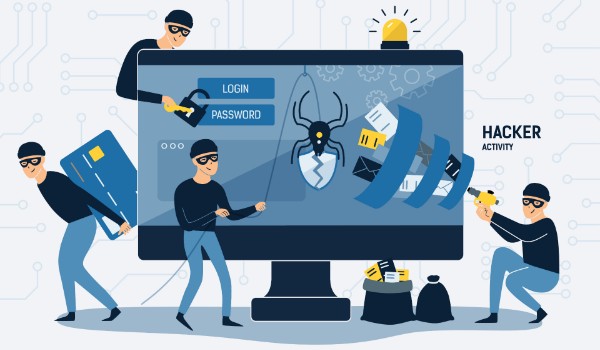
Hacker attack

Here at Softonic, we especially recommend Avast Free Antivirus. It detects the vast majority of viruses, and you’ll barely notice you have it installed. Click below to download it completely free.

Avast Free Antivirus DOWNLOAD
8

If you’re not a fan of Avast, don’t worry. We have a great article about the best free antivirus programs to protect your computer with Windows 10.

8. Always keep your firewall on

This point is closely related to the one above: always keep your computer’s firewall on. If you use Windows Defender, we recommend checking regularly to make sure that it’s on.

Windows Security Interface

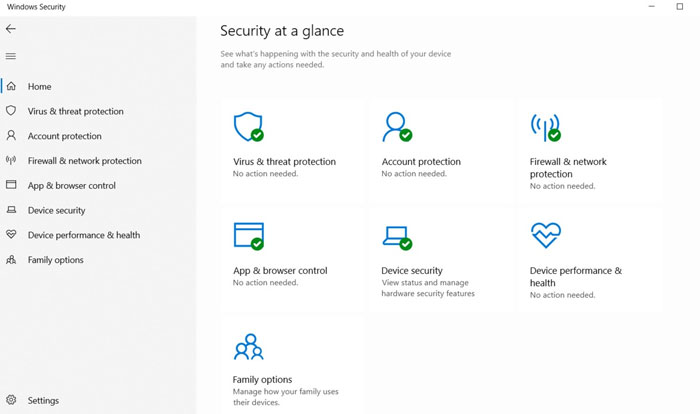
Go to Settings (click the Windows button + I) and the “Update & Security” option. When the new window opens, click “Windows Security” and make sure there is a green check mark beside “Firewall & network protection.” You can also make sure by going to the Control Panel and clicking “Windows Defender Firewall.”

9. Use a paid VPN

Many of us browse the internet without using a VPN. This isn’t a problem if you only use your computer on your Wi-Fi at home. But everything changes if you access open Wi-Fi networks on your laptop at a library, coffee shop, airport, etc. Unless you use a VPN, your data won’t be encrypted and can be intercepted by any malicious user who is using the same network at the same time. So why is it important to use a paid VPN?

Free VPNs could seem like a bargain at first, but keep in mind that unless they cover their costs via subscriptions, they do so by other means. One of the most typical ways these free VPNs earn money is by selling your data to third parties, and they’re even capable of selling your internet bandwidth to other users without you realizing it. Want to know more about why we advise against free VPNs? Read the article below.

When choosing a VPN, make sure that it’s the right one to meet your needs, so consider how you use your computer. A good VPN for browsing the internet isn’t the same as one for streaming content or, for example, online gaming. To make your decision easier, read our roundup of the best VPNs for safe browsing.

We hope our list of tricks and tips helps to protect your operating system from hacker attacks. Know of any we didn’t mention? Feel free to share it in the comments section!

The best virtual pet games for Android

Living with a pet isn’t easy, especially at times like these. They need plenty of space and company, constant cuddles, and of course, you need to view them as a lifelong commitment. A puppy or a kitten can’t be bought on a whim to enjoy for an afternoon or a few months. They become your family members, and as such, they need your eternal love and respect. What if you don’t have enough time or space for them? Does that mean you can’t have a pet? No! Fortunately, there’s a great alternative for everyone: adopting a virtual pet!

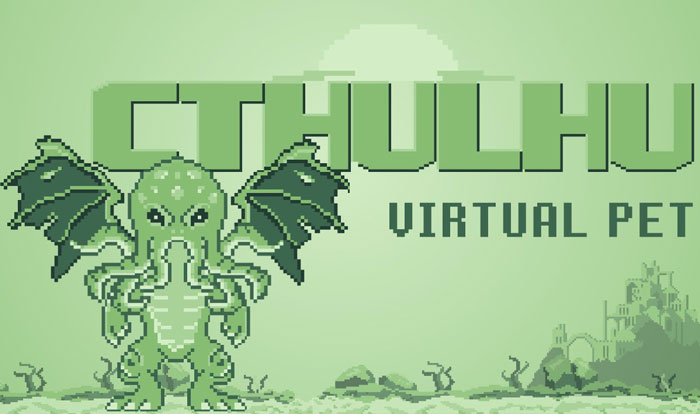
Virtual pets are an excellent way to have a bit of company all the time, and they’re a perfect way to prepare for owning a real pet. There’s something for everyone: from the classic virtual dogs and cats to the wildest pets imaginable. Have you ever wished you could care for a baby Cthulhu? Well now you can! Just go to the Google Play store to become the mommy or daddy of the supreme denizen of R’lyeh!

Pantalla de Cthulhu Virtual Pet

In today’s article, we have a rundown of the best and the oddest virtual pets you can download for your Android smartphone. Let’s have a look!

My Tamagotchi Forever

What better virtual pet to start our list than the classic Tamagotchi? My Tamagotchi Forever is a free app that you can use to take care of a cute Tamagotchi from the moment it is born. While almost nothing like the virtual pet of the ’90s, this app offers an excellent virtual pet experience and hours of fun.

So how does it work? In My Tamagotchi Forever, you’ll be in charge of your virtual pet’s basic care (feeding it, playing with it, making sure it takes a shower and goes to the bathroom, putting it to bed, etc.). You can even decorate your pet’s home and improve the town where it lives, unlocking more activities and fun.

My Tamagotchi Forever is an adorable, free game, and you can use your phone’s camera to access its augmented reality features. Are you up for adopting one of these pets?

My Tamagotchi Forever DOWNLOAD
9

AiKo

AiKo

If instead of a pet, you would rather take care of a baby on your phone, check out AiKo. Featuring stunning graphics that will delight anime fans, this app lets you custom-design your very own tiny tot. You can create your baby boy or girl down to the last detail.

Gameplay in AiKo is exactly what you would expect of a good virtual pet title. It has many mini games that let you dress, feed, bathe or play with your virtual child. Use them to unlock all kinds of extra content, such as new characters, accessories and items to decorate or share with your little one.

Offering endless activities and hours of fun, AiKo is a fantastic game if you want to practice having a virtual baby on your phone. What’s more, it’s completely free, which is surprising in view of how much content this game has.

AiKo DOWNLOAD
8

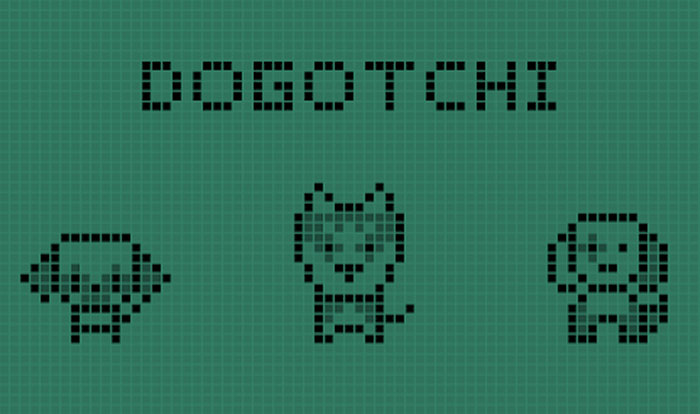
Dogotchi

Interfaz de Dogotchi

Do you ever get nostalgic for your childhood Tamagotchis? Have you always wanted a dog? Then you’ll love Dogotchi! Recovering the simple yet adorable 8-bit design of the first virtual pets on the market, Dogotchi brings you an adorable puppy to take care of.

Dogotchi has 12 different dog breeds, but only three will be available when you start the game (O.E.S., husky and pug). To unlock the rest, you have to play the game and keep your puppy happy, which is easier said than done! You’ll have to feed, walk and care for it and make sure it’s always happy. If you do it well, you’ll see your dog reach adulthood, but if you neglect it… well, we prefer not to say what happens then.

Dogotchi is a great app if you want a retro virtual pet whose care requires an effort. It’s completely free, although unfortunately there are annoying ads sometimes. If that doesn’t bother you, don’t hesitate to download it!

Dogotchi DOWNLOAD
8

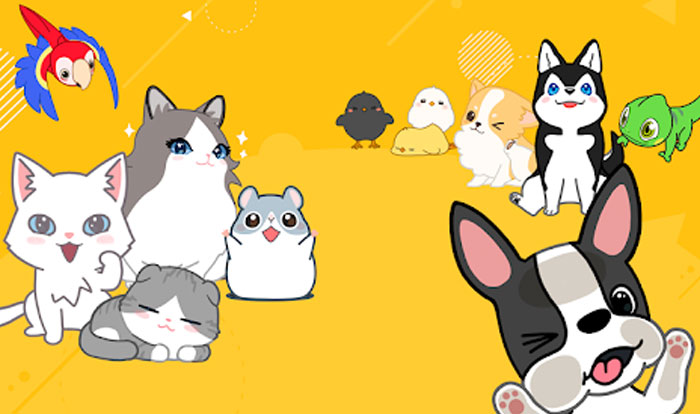
Hellopet

Hellopet

Hellopet is an adorable virtual pet that doesn’t just come to life when you open the app… in fact, it will be constantly dancing across your screen! The cool thing about this app is that your adopted pet will live in your display and constantly interact with you.

In Hellopet, as in all good virtual pet games, the first thing you’ll do is adopt a lovely companion animal. There are all kinds, from the typical cats and dogs to chicks, parrots and even pangolins. Your pet will have its own room where you can feed it, play with it, bathe it, etc., but the innovative thing about Hellopet is that it can come out of the app. You’ll see it scamper across your screen, and it will stick its nose into your WhatsApp conversations, or tell you how much battery you have left or who’s calling your phone.

Hellopet is an adorable app with beautiful graphics, and it’s hard to resist the temptation to download it. The only drawback? Since it’s always running in the background, it ends up using a lot of battery.

Hellopet DOWNLOAD
8

My Boo

My Boo offers everything you could ever wish for in a virtual pet. You can adopt a best friend, take care of it, play with it, watch it grow, and enjoy some unforgettable moments on your phone. What makes this app so popular? Well, instead of a classic dogs or cat, your pet is a funny little ball.

Although My Boo isn’t a particularly innovative game, it’s very well designed. It’s really fun, and the graphics are downright adorable. As you play its mini games, you can unlock extras for your pet, such as clothes, accessories or costumes from popular movies like Frozen.

In short, My Boo is an excellent option if you have kids or if you want a virtual pet that’s less demanding than Dogotchi. It’s free, so what are you waiting for? Download it today!

My Boo DOWNLOAD
9

Neko Atsume

Neko Atsume

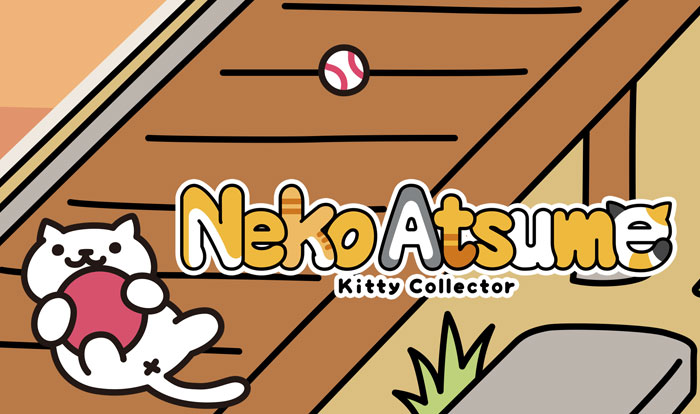
Neko Atsume didn’t take long to become one of the most popular games on Google Play. This virtual pet game is truly atypical, because you don’t have to take care of an animal in the traditional sense. Here, you’ll create an ideal environment so they come and visit you, stick around and play to their heart’s content.

As we mentioned, gameplay in Neko Atsume is nothing like what you’re used to. When you start the game, you have to leave food and toys on the patio of your Japanese country house in hopes that kittens come and visit you. As time goes by, depending on the items you’ve planted, you’ll collect kittens and see how they live and get along in your yard.

Neko Atsume is an original game with stunning graphics. It’s especially recommended if you’re bored with run-of-the-mill virtual pet games or simply want to try something new. Feel like meeting some kittens?

Neko Atsume DOWNLOAD
9

Godville

Godville is another atypical virtual pet game. Instead of having a pet to care for and protect, your charge is a hero straight out of an RPG who is fervently devoted to its deity… you!

The way this app works is nothing like the typical virtual pet games for smartphones. Simply give your hero a name and read their diary in real time. No need to do anything to enjoy their adventures, just open their diary to find out what they’re doing at any moment. If you want, you can give them encouragement, advice or simply punish them. Then you can read about the fun results in the new entries in their diary.

Godville is a fun game that lets you spy on your hero’s virtual life without requiring a big time commitment. If you’re looking for an original, funny app, give it a chance! You won’t regret it.

Godville DOWNLOAD
7

Pou

If you’re a fan of virtual pets, there is no doubt you’ve heard of Pou, the popular alien who has charmed thousands of Android users. You’ll be in charge of caring for it, feeding it, bathing it, and, of course, giving it lots of love.

If you take good care of your Pou, it will grow up healthy and happy. You can personalize it to your heart’s content, adding accessories and items to make it unique and special. Also, the app has fun mini games and an interesting system of potions that you can give your Pou.

One of the coolest things about Pou is the fact that you can play with friends who also have the app installed. That way, your pet can meet your friends’ pets, and they can compete with each other in easy, fun games. Feel like downloading it?

Pou DOWNLOAD
8

Cthulhu Virtual Pet

To wrap up our list, we’ve saved the best for last: Cthulhu Virtual Pet! As you may have imagined, in this fun clone of the classic Tamagotchis, you’ll care for a cute Cthulhu from babyhood until it grows up to be a terrifying cosmic entity from Lovecraft’s stories.

In Cthulhu Virtual Pet, you’ll be in charge of feeding and playing with your little one and making sure all those who have witnessed its existence stay alive to tell the tale. It couldn’t be more original.

If you’re a Lovecraft fan or have always dreamed of having a little Cthulhu in your care, here’s your chance. Download Cthulhu Virtual Pet quickly and safely below.

Cthulhu Virtual Pet DOWNLOAD
10

We hope you’ve enjoyed our roundup of virtual pet apps. Know of any others we should add to our list? Help us out by sharing your recommendations in the comments section!

TikTok Blocked? Here are 5 Worthy Alternatives

While TikTok is nothing but harmless fun for millions of users around the world, for major governments, the short-video sharing app is a political thorn. Because the app is owned by a Chinese company, several governments including the United States and India worry about the threat the platform poses to national security. India, in fact, has banned the app along with nearly 60 other Chinese apps citing security concerns, and the United States is threatening to do the same – especially after Apple discovered that TikTok was secretly accessing users’ clipboards. While TikTok claims that was a simple glitch and insists that the app isn’t used for spying or any other nefarious purposes, the app’s future may be threatened. 

Most likely, though, if you’re a TikTok user, you’re not all that interested in geopolitical maneuvers. What you’re interested in is using a fun, easy app to shoot short video clips that make people smile. Fortunately, no matter what happens with TikTok, there are plenty of other apps that can deliver the same good time without the controversy. Here are five of our favorite TikTok alternatives.

Byte

dubsmash

Of course, if you’re a fan of short-form videos, you are familiar with Vine – the app that pretty much kicked off the genre when it was released in 2012. It was shortly bought by Twitter, who closed it down in late 2016. Now, one of Vine’s founders has released Byte, to bring back a super-short video platform to the masses.

While TikTok allows you to shoot 15-second videos, Byte goes back to Vine’s micro format with a cap of 8-seconds. Beyond that, the two apps are fairly similar, except that Byte doesn’t quite yet have all of TikTok’s excellent video-editing tools. As a newly released app though, Byte is constantly improving. It has already announced new features including “byte beats” (unique to the iOS version): mini audio tracks that are automatically adjusted to users’ videos; Floaties, which are objects you can place into your camera’s view and then record; and the ability to add and manipulate text on top of videos.

Byte’s true differentiating factor is the ability to join different communities, which are basically video genres such as horror, comedy, and animation.

Android; iOS

Dubsmash

dubsmash

Most video-sharing apps start with the video portion of the process. You shoot a clip then you can juice it up with special effects, sounds and text. Dubsmash, a German company founded in 2014, takes the opposite approach. It contains a huge library of music clips and quotes from movies and elsewhere. So you basically start with an audio clip and then add your video, which usually consists of you lip syncing to the track. Filters and emojis help dress up your clips, and a newsfeed lets you see what’s trending and what your friends have posted. 

Android; iOS

Triller

triller

Like Dubsmash, Triller provides a treasure trove of songs to help inspire your video creations. And like TikTok, the platform allows you to record 15-second-long video clips. Where Triller sets itself apart is that it offers super-simple video editing at the push of a button.

Creating impressive videos is as simple as choosing a song, selecting which portion of it you’d like to use, choosing a series of video clips, and letting the software do the rest. It will stitch everything together for you into a professional-looking video that will make it seem like you truly know your way around more sophisticated video-editing software. Videos are represented by a color bar at the bottom and swapping out or reordering clips is as easy as swiping and dragging

Triller also stands out because of its very impressive collection of songs and videos. Because the app has partnered with major music-production companies and other apps like Spotify, your choice of tracks is nearly limitless. Triller also features more than 100 filters that let you play with the look of your clips to an impressive degree.

Triller clips can be shared through the Triller platform, or they can be shared on other social media platforms like Instagram and Facebook, which has made it a tool used by a significant number of celebrities including Kevin Hart, Chance the Rapper and Rita Ora. 

Android; iOS

Instagram

Instagram

While Instagram is commonly thought of as a photo-sharing platform, the fact is that there are thousands of users sharing videos there as well. While it doesn’t really have the robust video editing tools of some of the other apps on this list, because of the popularity of the platform (can you say over 500 million daily active users?) it’s well worth considering as a video-sharing tool.

Instagram also doesn’t feature the limited-time function of many other video-sharing apps, so if you’re looking to create longer-form videos, this is your app. You can upload clips under 60 seconds as “short videos” but longer vids can be uploaded to IGTV to share with your followers. And, because Instagram is free from lots of gimmicks like animal-head overlays and stickers, it’s an excellent place to share videos with more serious or engaging content.

Android; iOS

Likee

likee

Likee, (which used to be known as “LIKE” before a rebranding) is the rocky road ice cream of video apps – which is to say, it’s got a lot of stuff crammed into it. In addition to crazy filters that do everything from adding fireworks to a video to causing you to dematerialize in a bolt of lighting, the app also has a Tinder-like feature of letting you search for nearby video creators and sort them by gender. 

The app also offers a pretty impressive face-swap option that lets you step into the role of your favorite actor with a touch. There are thousands of stickers and filters to choose from; “Makeup and Micro Surgery” functions that let you fine-tune your videos or bedazzle the people in them; a “Hair Color” feature that lets you try out any color you’d like on your ‘do; plus a function known as “Supreme” that turns your photos into movies with a tap.

On top of this, the app allows for more serious content by showcasing instructional videos in addition to lip syncing and other entertainment-style videos. While the app might be overwhelming for some, if you’re already familiar with video creation apps and want to take your abilities to the next level, Likee should get the job done.

Android; iOS

The best free-to-play retro games in The Archive

The Internet Archive is an extraordinary digital library where you can find free films, TV programs, books, audio files, and, of course, video games.

Over time, this page has collected a huge number of abandonware titles, creating a comprehensive repository where you can find a total of 6,979 completely free games. There’s so much that it’s impossible to get bored!

Indiana Jones y la Última Cruzada (PC)

If you’ve been browsing the Internet Archive’s catalogue of games, you’re bound to have been overwhelmed. It’s hard to choose just one game from so many. To make your life easier, we’ve made a list of what we consider to be the best free-to-play retro games you can find on this awesome website. Ready to have some fun? These are the ones we like best!

What you need to play games in the Internet Archive

There are two ways to play any game in the Internet Archive. We’ll explain both step-by-step.

How to play from your browser

To play the Internet Archive’s games, you won’t need anything at all. In fact, you won’t even have to download them. Simply go to the catalogue (click here), click on the game you want to play and click on the green button at the top of the page.

Cómo jugar a un videojuego de Archive.org

If everything works correctly, the DOSBox emulator will load in your browser and you’ll be able to play the game in just a few seconds.

How to play from your PC without an internet connection

If playing from your browser isn’t your favorite, don’t worry because you can also download the game and play from your computer without any connection.

First you need to download the DOSBox emulator. It’s completely free and offers excellent compatibility with any game that you would be unable to load today using Windows. You can download DOSBox quickly and safely right here below these lines.

DOSBox DOWNLOAD
9

Once you’ve installed DOSBox, you need to download the game to your computer. Open the video game you want to play and click on the file to download under the “Download Options” section. You can also click on the download icon we’ll include for all the games we’re going to analyze.

Cómo descargar un juego de Archive.Org

Once this is done, unzip the file on your computer and load it with DOSBox. Don’t have a program to decompress files? Don’t worry, here below you’ll find one of our favorites: WinRAR.

WinRAR DOWNLOAD
8

The best abandonware games from The Internet Archive

Dreamweb

Dreamweb

Released in the mid-90s, Dreamweb was a game that made waves. Its dark story, clearly inspired by Philip K. Dick’s short stories, and some of its violent and racy sequences got this title a “not suitable for minors” label slapped on it.

This adventure game with elements of action, adventure, and point-and-click takes you to a dystopian future where you play Ryan, a waiter who has strange nightmares. In them, some monks repeat over and over that he has been chosen to protect the Dreamweb, and to do so, he must kill all his enemies.

If you like complex games with lots of freedom and a dark story full of twists and turns, we recommend checking it out. You won’t be disappointed.

Eye of the Beholder III: Assault on Myth Drannor

Eye of the Beholder III

Eye of the Beholder is one of the best-known first-person role-playing game sagas in the world of video games. Its third installment, Assault on Myth Drannor, is its culmination, bringing together and improving the very best of the series.

Eye of the Beholder III: Assault on Myth Drannor immerses you in a challenging adventure where you have to face a hostile environment threatened by a terrible Lich. If you like Western role-playing games and you’re not afraid of some slightly outdated graphics, we wholeheartedly recommend playing this one.

King’s Quest VI – Heir Today Gone Tomorrow

King's Quest VI

King’s Quest VI – Heir Today Gone Tomorrow is for many one of the best graphic adventures ever created and undoubtedly the crown jewel in the Daventry kings’ saga created by Roberta Williams.

Discover the kingdom of the Land of the Green Isles with Prince Alexander as he seeks the hand of Princess Cassima. Set in a world of fairytales and clearly influenced by One Thousand and One Nights, this is a must-play for point-and-click lovers.

Loom

Loom (PC)

Loom is one of those little gems that was ahead of its time and  unfortunately was not very well understood when it was released. Under the guise of a point-and-click graphic adventure, Loom is a small work of art where the real star of the story is music.

Loom puts you in the role of Bobbin Threadbare, the last member of the Weavers’ Guild in search of his missing people. The game itself works by weaving spells using musical notes that end up telling a sad tale about the apocalypse. Essential if you love Tchaikovsky and especially Swan Lake.

Guilty (Innocent Until Caught 2)

Innocent Until Caught 2

In the early 1990s, the galactic ruffian Jack T. Ladd, a dumbed-down Han Solo, and his point-and-click adventures hit our computers. Guilty is the second and last installment of his journeys and a good choice if you like graphic adventures with a touch of comedy.

In one major improvement over its first part, Guilty lets you choose between one of two main characters: the cheeky Jack or the police officer Ysanne. They have opposite personalities and offer two completely different gameplay paths, doubling the game’s fun and playability.

Indiana Jones and the Last Crusade

Indiana Jones y la última cruzada

Fans of the adventures of the tireless soldier of fortune and archeologist Indiana Jones will love this Lucasfilm classic.

This point-and-click adventure is an almost exact adaptation of Dr. Jones’s third adventure. In it you can relive the same situations as in the film, or you can change the situations as you like. If you always wanted to rescue Elsa at the end of the movie, download this incredible game now!

Microsoft Flight Simulator

Microsoft Flight Simulator

Are you a fan of flight simulators? Take Microsoft Flight Simulator for a spin. Although the game was released in 1993, it’s still one of the most fun games you can find on the market.

As usual with this genre, Microsoft Flight Simulator is a complex game. You’ll need to take a few flights (and crash a few planes) to get the hang of it. Once you are in the air you can relax, fly over cities like Paris or Munich and then face the real challenge: landing. Highly recommended for relaxing for a few minutes or taking a break from work.

Night Trap

Night Trap

If you grew up in the 1990s, you might remember Night Trap, the revolutionary horror video game that required that device that not many of us had at the time: a CD-ROM drive. This is the first full game in FMV (Full Motion Video) that was rated as adult-only because of the guts and gore.

The premise of Night Trap may not be the best, but it was very original at the time. Five girls are going to spend their vacation at the Martins’ house, a place where other young women have previously disappeared. That’s why a surveillance team (the player) has been hired to protect the girls using a hidden camera system. You have to keep an eye on the house since it’s full of traps designed to ensnare the girls and use them to defeat the vampires that live there.

PC Fútbol

PC Fútbol

PC Fútbol was one of the first soccer management games to appear in Spain and also a revolution for the fans of video games of the sport. Backed by the sadly departed Michael Robinson, PC Fútbol is a classic you just have to play.

In terms of playability, PC Fútbol has everything a good sports game should have. You can buy your own club, sign players, create advertising campaigns… even decide how much tickets to the games will cost! But keep in mind that the game is from 1993, so don’t expect to see Messi, Neymar, or Cristiano in it.

Sid Meier’s Civilization

Sid Meier's Civilization

Civilization is in many people’s opinion the best strategy game saga ever created. Its complexity, fun, and evolution over the years have been applauded by critics and fans of the genre alike. You’re probably played at least one version, but have you ever played the original?

Sid Meier’s Civilization may seem at first glance to be a simple, graphically unappealing game, but rest assured that it is still one of the best strategy titles on the market today. In it, you’re the leader of a small tribe that you’ll have to guide through the centuries and turn into the most advanced civilization on the planet. Create cities, build wonders, make scientific breakthroughs, forge alliances with other civilizations or raise an army to crush them. The choice is yours. Do go easy on Gandhi though, will you?

SimCity Classic

Sim City Classic

SimCity Classic is an improved version of this already cult classic game. In it you become the mayor of a small town that you can literally build from scratch.

Unlike the original SimCity, SimCity Classic has beautiful VGA graphics and you can use a sound card instead of your PC’s internal speaker. If you don’t know what an internal speaker is, consider yourself lucky (and young!). The gameplay itself is identical to the 1989 original, so have fun creating a beautiful city and keep your fingers crossed that no natural disaster comes along to end it.

The Secret of Monkey Island

The Secret of Monkey Island

The Secret of Monkey Island is for many the pinnacle of the golden age of point-and-click graphic adventures. Its hilarious comedy, catchy music, and unforgettable characters have made this saga one of the most loved in the world of video games.

In The Secret of Monkey Island, you’ll follow the adventures of the lively Guybrush Threepwood on his crusade to become a pirate. What begins as a simple rite of passage in the life of a buccaneer ends up becoming a relentless crusade to prevent the marriage of his beloved to the ghost pirate LeChuck. Grog, hurling of insults, cannibals, and tons of laughs await you somewhere in the Caribbean.

The Elder Scrolls – Daggerfall

The Elder Scrolls II: Daggerfall

Long before Skyrim, Oblivion, or Morrowind, there was Daggerfall. In this role-playing game by Bethesda, you’ll travel to the westernmost part of Tamriel, to the province of High Rock, where your mission will be to track down a letter in the city of Daggerfall and to free a ghost king.

Although this is the second game in the Elder Scrolls saga, Daggerfall gives the player the best of these role-playing games. Here’s a fact you might find surprising: Daggerfall is the most extensive role-playing game in TES, with over 750,000 characters to interact with, thousands of dungeons, and up to five different endings depending on what we do.

The Ultimate Doom

The Ultimate Doom

The latest Doom Eternal is hot off the presses, but have you ever played the game that kicked off this well-known id Software franchise? The best way is to play The Ultimate Doom, a game that updates the 1993 original and adds a new chapter called “Thy Flesh Consumed.”

Ultimate Doom has absolutely everything FPS lovers are looking for. Want to send hordes of demons right back to hell?

Ultima Underworld 2 – Labyrinth of Worlds

Ultima Underworld 2

If you like role-playing games, you’re probably familiar with the Ultima saga and its spin-off, Ultima Underworld. This second part is an epilogue to the brilliant Ultima VII: The Black Gate where, after defeating The Guardian, The Avatar will travel through blackrock to several worlds controlled by his nemesis.

Like in the first Ultima Underworld, this is a first-person role-playing game where fighting and exploration of 3D environments are paramount. Since it is about worlds and not dungeons, the game is significantly more varied and fun than its first part. It’s also directly linked to the plot of the game’s main saga!

We hope you liked our list of the best free games from The Archive. We know we’ve left plenty out, so why don’t you help us finish it? Leave your favorite titles in the comments section!