Official Facebook desktop app released

Facebook has launched a beta version of Facebook Messenger for Windows which allows you to chat with your contacts from your desktop. At the moment, it is only available to a small number of selected beta testers.

Facebook Messenger for Windows not only lets you communicate with your Facebook contacts but also gives you access to your news feed and message notifications giving you access to all the essential tools of Facebook.

The interface of Facebook Messenger for Windows is very clear and divided into two separate windows. One is dedicated to contacts and feeds like the right column of Facebook and the other opens chats. Any notifications appear as pop-ups on your desktop.

Note that although this is the first official Facebook desktop app, there are already several programs that allow you to chat with Facebook contacts including Digsby Trillian Astra, Nimbuzz and Skype.

Download Facebook Messenger for Windows

XBMC 11 beta released

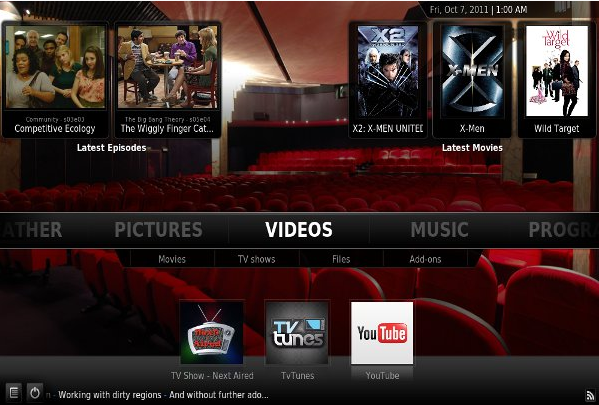
It’s been a long time in coming but the beta version of XBMC 11 has now been released. Version 11 “Eden” adds lots of new features and improvements to the open source home theater software for both Mac and Windows.

The most notable changes are Addon Rollbacks and vast improvements to the default skin Confluence.

There are also significant speed increases thanks to what’s known as “Dirty-region rendering”, a new JPEG decoder, a simpler, better library, additional protocol handling, better networking support, better handling of unencrypted BluRay content and structures, adjustable display refresh rates in OSX (to match the already available feature in Windows and Linux), AirPlay support, an upgraded weather service, and much more.

You can find details of all the new additions and changes to XBMC in the changelog.

Although not finished yet, there are also important changes in progress to XBMC Live to make it more like a full “*Buntu” version of XBMC with major changes to the boot and install process.

The best Android apps of 2011

Android prospered in 2011. Developers are getting smarter by programming apps to work among the variety of devices, and Android 4.0 Ice Cream Sandwich could unify the operating system in 2012.

Games are no longer sub-standard clones from iOS and productivity apps are excellent additions on Android devices. The landscape for apps is expanding quickly, and 2012 will undoubtedly be another great year of growth.

There are some incredible apps and games that came out this year.  Here is Softonic’s list of the best Android apps in 2011.

Continue reading “The best Android apps of 2011”

Skitch comes to iPad

Skitch, the popular image annotation and screenshot tool for Mac, is now available as an iPad app. That means more possibilities for personalizing photos and sharing with friends and family, no matter where you happen to be.

[youtube]http://www.youtube.com/watch?v=L0KQbLOPDvc[/youtube]

In August Evernote purchased Skitch and has subsequently been adding features to the program to prep it for its release on iPad. This version of Skitch has a useful home screen that gives you a multitude of different options. You can edit an image on your iPad or snap a new photo, capture a screenshot, annotate a map to make directions even more understandable or even just sketch on a completely blank canvas. Skitch also has its own web browser with handy features that make marking up webpages quick and simple.

In addition, Skitch for iPad has numerous drawing tools that are all easy to make use of. You can move around objects on the image with your finger, draw arrows to highlight certain aspects of the picture, add in shape or text, crop the canvas as you like and use your finger for freehand drawing. When you’re done, you can save your new drawings and annotations to Evernote and share via email, Twitter and more.

Best of all, Skitch for iPad is completely free and very easy to use. Sharing and editing images on the go has never been easier.

The 10 best mobile games of 2011

Last week, we revealed our top iOS apps of 2011. Now it’s time to turn our attention to games, as we round-up the best titles of the year for all mobile platforms.

We’ve played so many great mobile games this year that this blog post could have easily been a top 100. Luckily, though, we were able to get the list down to the top ten mobile games of 2011:

10. Tiny Tower (iOS & Android)

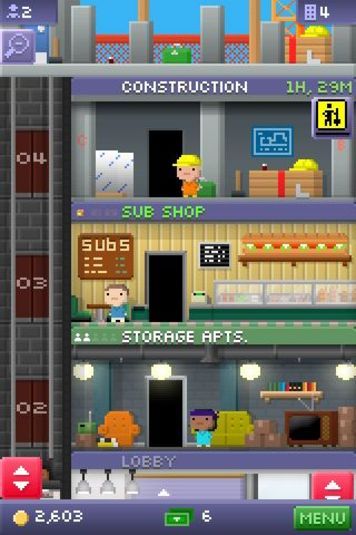
Tiny Tower was our favorite of all the freemium, ‘build ‘em up’-style games this year. Your objective is to build a huge tower complete with apartments, shops, offices and more. Tiny Tower’s cute pixel art graphics and laid back elevator music make it a really charming strategy game. What’s more, its Game Center integration allows you to find other ‘Bitizens’ to challenge online.

Continue reading “The 10 best mobile games of 2011”

Treasure Adventure Game

It’s not very well known yet but Treasure Adventure Game might just be the best 2D platform game you’ve never played. Made by one-man studio Robit Studios, who describe the game as a  ‘mash-up of Super Mario Bros 2 and Wind Waker’, it’s a genuinely sweet and really addictive adventure that perfectly replicates the atmosphere of 80s and early 90s gaming.

It’s got mystery, simple gameplay that will challenge you, and lots of lovely touches in its 8-bit graphic style. For a free indie title, it is huge. If you enjoyed the now classic Cave Story or DistractionWare’s VVVVVV, Treasure Adventure Game should be a no-brainer.

My only criticism of it is that there’s no help in the game when you’re stuck, but that just shows what a spoiled modern gamer I’ve become! Of course, if you do get stuck – get on the internet, and you’ll find someone who knows the answer! There’s a great forum for the game here, where you can find questions and answers about the adventure.

Download Treasure Adventure Game now!

Free Skype credit for Click to Call testers

Mac users can get some free Skype credit by signing-up to test Skype’s new “Click to Call” service which allows Mac users to make calls from directly within their browser.

The service is in closed beta and you have to take a survey first and sign a non-disclosure agreement with Skype to test it. You’re then entitled to an unspecified amount of free Skype credit for calling landlines and mobiles as a thank you gift. In addition, a “larger gift” will be given to the top contributor.

Successful applicants will be contacted over the next few days and you can get started with the survey here. Remember that it’s only open to Mac users.

Firefox 9 final beta released

Mozilla has released the final version of Firefox 9 beta meaning it won’t be long before it is confirmed as the next stable version of Firefox.

The latest update features improvements to Javascript that Mozilla claims boosts performance by over 30 percent. Mozilla has also tweaked Javascript with something called Type Inference for faster loading times. The other improvement is greater theme integration and swipe navigation for Mac OS X users.

Mozilla’s frequent update policy still isn’t popular with users – especially because they don’t seem to deliver major improvements and break add-ons. Let’s hope when the final version of Firefox 9 is confirmed, the transition will be smoother and the improvements more noticeable.

You can download Firefox 9 beta final for Windows and Mac or just wait for it to update automatically.

Share images and more online with Pinterest

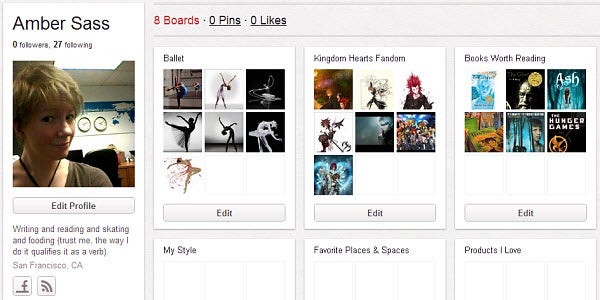
There are a lot of great photos online, and Pinterest aims to be the place where you save all the online images you like. Never lose a picture you enjoyed somewhere on the internet again!

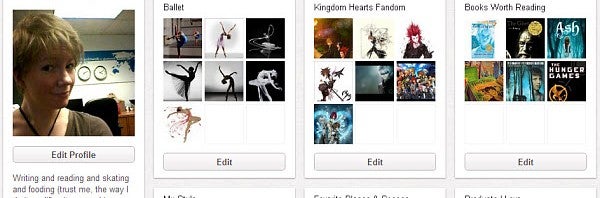
Pinterest is a social photo sharing service that lets you create folders to organize content you find online. Called pinboards, these folders can be tailored directly to your interests and even organized into more specific sub-categories to make them searchable to other users.

You can easily add images you find online to your pinboards, either manually or in Chrome with a one-click add-on. Alternatively, you can also upload images saved on your computer directly to the site. Just be sure to add a link back to the original source or credit the author by name if possible. If you find something you like within Pinterest’s website itself, there’s a feature that lets you “Repin” an image and add it directly to the pinboard of your choice. In this way, Pinterest is a kind of hybrid between photo sharing website We Heart It and microblogging platform Tumblr that allows users to reblog other peoples’ pictures and posts. Simply liking an image, as well as commenting, is also possible.

Currently, Pinterest is an invite-only service. That said, I requested an invite and it took about a week to receive notice back that I could create an account and join. You can log into Pinterest via either your Facebook or Twitter account once you’ve received an invite, which makes sharing even easier. There’s also an app for the service available for iPhone. Even without an invite, you can freely browse the public pinboards that have already been posted up by other users, making it well worth a look.

What is iTunes Match?

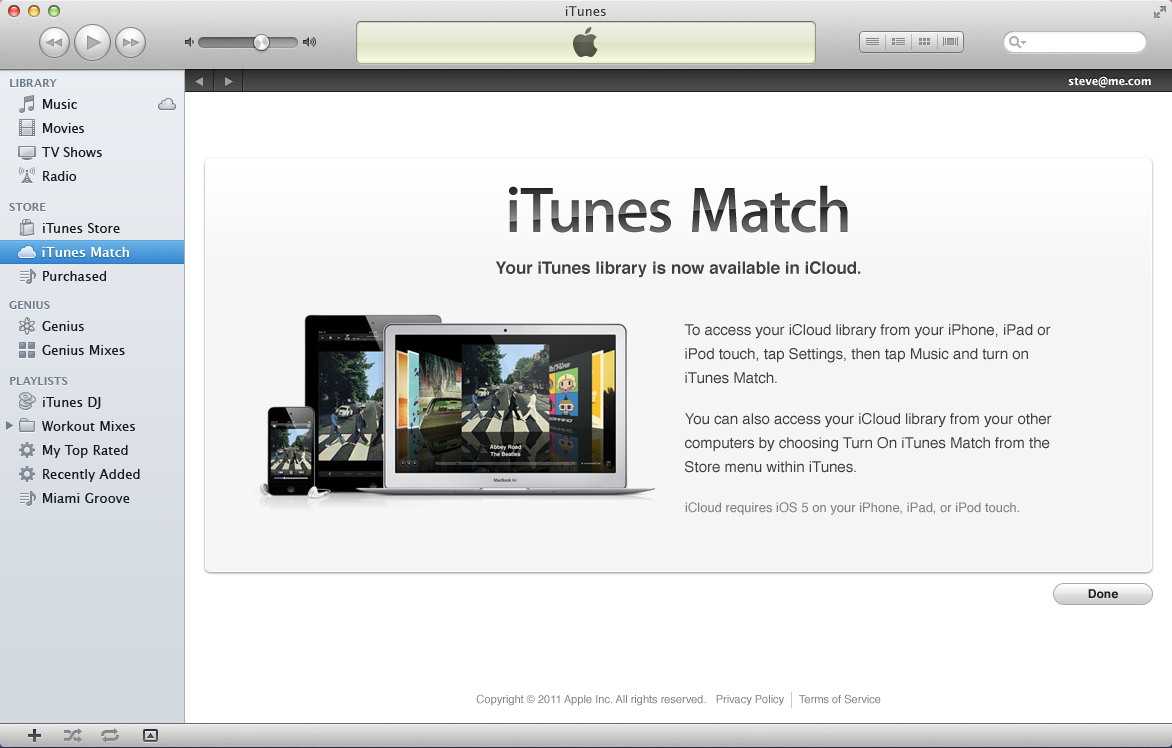
Apple have just launched iTunes Match but what is it exactly? In a nutshell, it’s basically part of iCloud and makes it possible to access your iTunes collection from anywhere with iTunes 5.1 or higher. This also provides a handy backup of your music if anything happens to your PC, Mac or iPhone.

In addition, iTunes Match can clean your iTunes library by replacing those tracks obtained from outside the iTunes store with official iTunes store versions. This is useful for example if you have lots of ripped CD’s or music downloaded from other sites that either aren’t labelled very well or are of poor sound quality. iTunes Match will replace poor quality tracks with 256kbps versions.

iTunes Match isn’t a free service. It costs $24.99 a year which isn’t bad if you’re a heavy iTunes user on multiple devices with a rather disorganized music collection.

Note that once you’ve uploaded your iTunes collection, you can stream it to your Apple devices in the same way as you can with Spotify. There’s also a 25,000 track limit although those you have purchased via iTunes don’t count towards this total.

The initial scanning and uploading process can take quite a long time especially if you’ve got a large iTunes library. Once a song is uploaded, a cloud symbol will appear next to it to let you know it’s done.

For Spotify users, iTunes Match isn’t really offering anything new but for those that rely on iTunes a lot, it’s a practical service.