5 Android music apps for audiophiles

While the stock music player in Android OS is okay for casual listeners, audiophiles will always want more options and customization when it comes to their music libraries.  Here are my top five Android Music Apps that offer more features and functionality, like video playback:
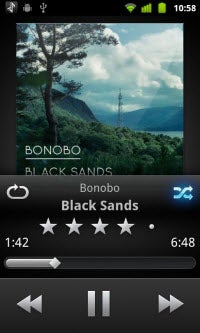
doubleTwist is among the most popular music players for new Android users.  Expanded beyond just audio, it also supports radio and video.  By using the free doubleTwist app through PC or Mac, the program can find all the music on your system for easy importing through wired or wireless connections through doubleTwist AirSync.  The app also supports music and video podcasts allowing for even more diverse content.
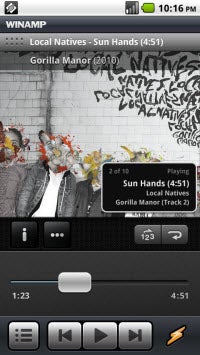
Winamp for Android is also another recognizable name when it comes to music players.  Along side of having many of the same options as the desktop version, the ability to sync wired or wireless is an added bonus for those who want to unify their mobile and home libraries.  Like its desktop brethren, Winamp for Android supports iTunes library and playlist importing and access to over 45,000 SHOUTcast internet radio stations.  Essentially Winamp for Android is a successful port.
Continue reading “5 Android music apps for audiophiles”

How to improve Windows 7 performance

Although I prefer OS X to Windows I still have to work with Micr0soft’s OS everyday. Luckily I use Windows 7, which is a great operating system overall – especially when compared to its predecessor Vista. The only problem is that it has quite high system requirements, and if I try to use it on my virtual machine it gets really sluggish.

If you too are having performance problems with your Windows 7 machine, here’s a trick that can help you improve it. The trick implies giving up on some of Windows 7 graphical beauty, but it’s a little sacrifice compared to a noticeable improvement in system’s responsiveness. Just follow these simple steps:

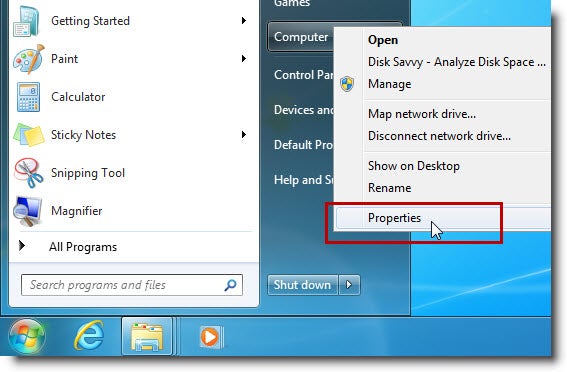
1. Open the Start menu, right-click on Computer and select Properties.

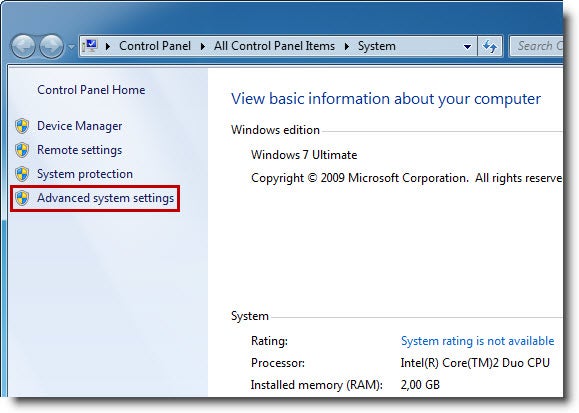
2. A window with information about your system will open up on the desktop. Click on the Advanced system settings options in the sidebar.

3. In the System Properties window, select the Advanced tab. This will display a list of all the visual effects you can easily turn off to improve Windows 7 performance. These visual effects are not a core part of the system – just eye candy.

There are four ways you can adjust these settings: you can let Windows decide what’s best for your computer based on your configuration, select the elements you want to turn off by yourself, or choose between two adjustment templates: one for best appearance and one for best performance. My advice is to either turn all of them off, or manually pick a few essential items. After all, a fast, responsive computer is preferable to one that looks gorgeous but takes ages to open a window!

BBC releases global iPlayer for iPad

The BBC has today launched a global iPlayer iPad app that allows users around the world to watch BBC television on their Apple tablet.

The app will offer a limited amount of content for free, plus users can pay €6.99 per month or €49.99 a year for access to the full range of content. This global version of the iPlayer includes some features not found in the UK-only version, including the ability to stream via 3G or WiFi, and support for downloading programs onto the iPad for offline viewing.

Global iPlayer iPad app

As with the UK version, the iPlayer app lets you peruse classic and current BBC programs by genre, popularity, new and A-Z. There’s also a parental lock feature for restricting content that’s not suitable for kids.

For the moment, BBC iPlayer Global is available in 11 countries: Austria, Belgium, France, Germany, Italy, Luxembourg, Ireland, Netherlands, Portugal, Spain and Switzerland. However, the United States, Canada and Australia should have access to the app before the end of the year.

How to downgrade from Lion to Snow Leopard

So you’ve upgraded to Lion, got all excited, but then found that important applications like Microsoft Office and Adobe Flash aren’t working properly. We did try and warn you but don’t worry – bugs like this are normal with a new OS release and updates will surely be released in the next few weeks and months to fix them. However, if Lion is making your life hell, you can always downgrade back to Snow Leopard in a few simple steps.

1. Backup your files to an external drive

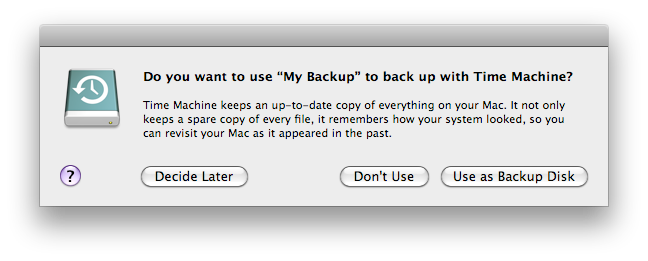
Make sure you’ve got a backup of your files using a tool such as Time Machine, SuperDuper or Carbon Copy Cloner. If the last time you backed-up on Time Machine was with Snow Leopard, your life will be a bit easier. If you’ve overwirtten it since then with a Lion backup however, you’ll find that you can’t restore a Lion Time Machine backup in Snow Leopard because of comptability problems. In this case, just drag your user folder (Macintosh HD/Users) from Lion into an external drive and then you can just drag it back into Snow Leopard. Note that it’s important to backup to an external drive because shortly, you’ll be wiping your hard drive.

2. Boot from a Snow Leopard Disk

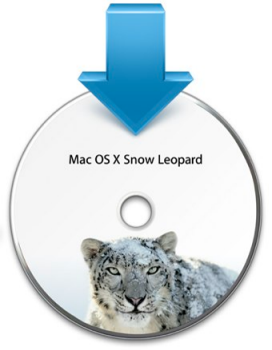
Insert the Snow Leopard disk. Shut-down your Mac, switch it back on and hold down the “Option” key and select Snow Leopard.

Continue reading “How to downgrade from Lion to Snow Leopard”

VVVVVV 2.0 released

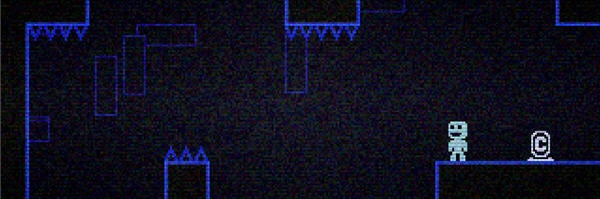
My favorite indie release from last year, VVVVVV just got a big update to version 2.0. Creator Terry Cavanagh has completely rewritten the game in C++, meaning it should run better and faster. Great news for Macbook users, as they should now run a lot cooler while playing the game!

The biggest change is the new level editor, meaning you can now make your own fiendish platform puzzles. It’s not the easiest thing in the world to use, but it works well. Best of all, ten new player levels created by other developers have been added. These include a level by the Souleye, composer of VVVVVV’s soundtrack and the legendary Notch, creator of Minecraft!

VVVVVV 2.0 is currently being sold as part of the latest Humble Bundle, a collection of indie games that allows customers to pay what they want and choose how their purchase is divided, between developers and charities. It will soon be available to buy again from the game’s homepage, for Windows, Mac and Linux . The VVVVVV demo is available on Windows and Mac.

Optimize images without losing quality

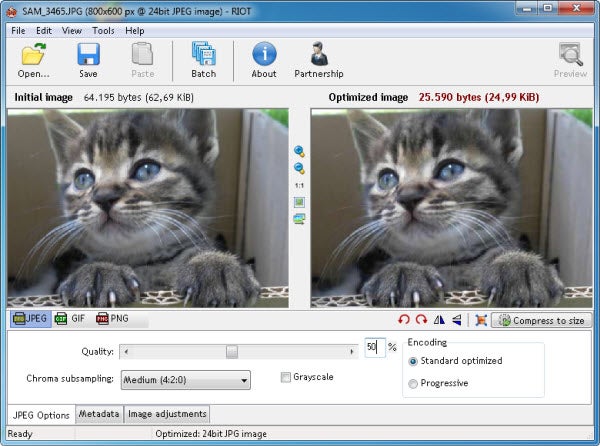
Today’s digital cameras deliver high quality images that look pristine on the computer screen and also on paper when you print them out. The problem comes when you want to want to share those same pictures online, or send them to your family by email. One 3 MB image is still  manageable, but when you want to share 52 photos from your last vacation things suddenly get difficult… and this is when RIOT comes in handy.

RIOT stands for Radical Image Optimization Tool, and this is precisely what it does: optimizes your images while keeping quality as high as possible. It’s a free tool (for personal and non-profit usage) that works with JPG, PNG and GIF images, and that can be used as a plug-in for GIMP, IrfanView and XnView.

Continue reading “Optimize images without losing quality”

Mozilla to launch operating system

Mozilla have announced plans to launch a 100% open source web based operating system using the same “Gecko” engine that drives Firefox. “Boot to Gecko” will be developed as a rival to Google’s own semi open-source operating system project “Chrome OS” and will also eventually work on Android phones. In a post on the Mozilla Wiki, the company says it aims to provide a completely open source alternative to both Chrome OS and Android:

Mozilla believes that the web can displace proprietary, single-vendor stacks for application development. To make open web technologies a better basis for future applications on mobile and desktop alike, we need to keep pushing the envelope of the web to include – and in places exceed – the capabilities of the competing stacks in question.

Mozilla plan to release the source code in real time and have said that it will also include some low-level Android code so that it runs on Android phones. In a discussion forum, one of the developers stated that the ultimate aim of Boot to Gecko is to “break the stranglehold of proprietary technologies over the mobile device world.”

It’s certainly an ambitious move by Mozilla and you’d hope that they eventually come up with a more snappy name for it than “Boot to Gecko”. Mozilla will also have their work seriously cut-out if they are to rival Windows and OS X considering that Google’s Chrome OS has barely made a dent so far.

Tekken Bowl free on iOS

Originally a mini game in the PS2 game Tekken Tag Tournament,  Tekken Bowl has now been released as a standalone free app for your iOS device. Take control of Panda, Xiaoyu or Jin from the fighting series and compete in one or two player games – on a single device – or in a kind of ‘crazy bowling’ competition.

Graphically, it looks like a straight port, and while it  doesn’t have the best touch controls ever, they work and the game is a lot of fun. There is something inherently funny about Tekken Bowl – I’m not sure if it’s the music, the over the top sound effects, or little touches like bowling balls that explode if they fall into lava – it’s all excellent!

Download Tekken Bowl here.

Track and find stolen devices

Most of us carry a smartphone or laptop everywhere we go: the office, the coffee shop, the library. And more often than not, we don’t pay enough attention to our valuable gadgets – or we just leave them unattended for a moment. While keeping an eye on your belongings at all times is the best way to prevent anyone from stealing them, having an extra layer of security is not a bad idea either. There are apps to track stolen laptops and mobile phones with which you can find your missing gadgets, and also erase their content if necessary. Here are some of the most popular ones:

Track stolen laptops.

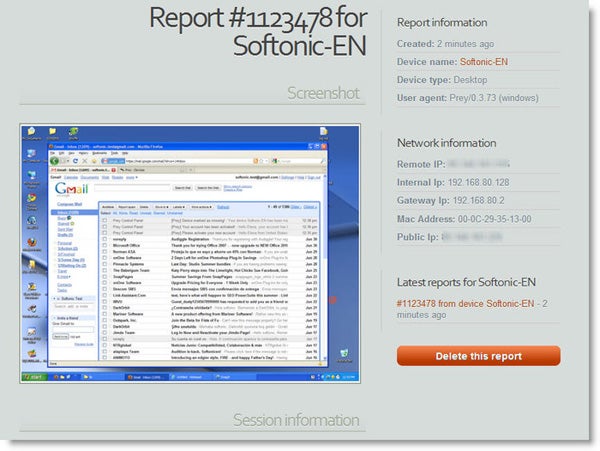
The most popular tracking app for stolen or misplaced computers is Prey. Prey is an open-source utility that uses WiFi spots and geolocation to find your laptop. All you need to use it is install the client on the computer and create a user account on the Prey website. If your computer disappears, log in to your Prey user account and mark it as “missing”. The program will start sending highly detailed reports with loads of information: active apps, network connections and desktop snapshots – you may even catch the burglar’s face with the laptop’s built-in camera!


Continue reading “Track and find stolen devices”

Weekend Browser Game: Run from the Sun

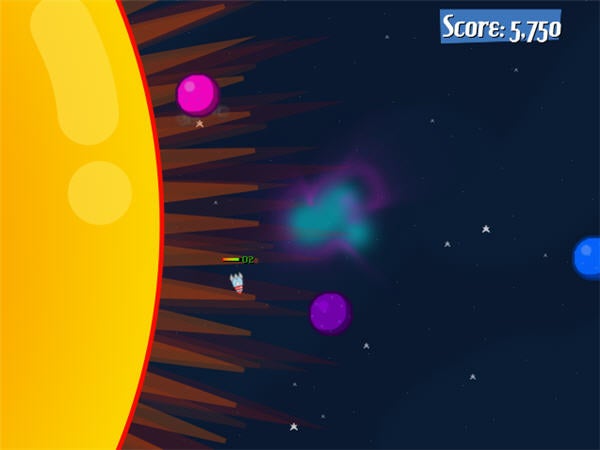
The sun is exploding! In Run from the Sun, a one button game, you have to escape the expanding star by flying your rocket from planet to planet, out of the solar system and beyond.

You start on a spinning planet, and clicking the mouse launches your rocket. You have to aim well, as the rocket flies straight, only straying with the gravitational pull of nearby planet. Being a one button game, controls are simple: the skill lies in timing your launches well, and judging how far you can fly without running out of oxygen

Run from the Sun is just the right mix of simplicity, pressure and fun gameplay for a casual game! Play it at Newsgrounds.