Tips to improve your Google searches and find everything you want

Do you really know how to use Google? This question may seem a little ridiculous, but we really mean it. Most users don’t really know how the best ways to use the most famous search engine in the world.

At Softonic, we want to help make your online searching more efficient, so here are seven tips for improving your Google searches and finding everything you want.

Use OR

One of the most basic commands that Google has and that you should know is “OR.” When do you use it? Well, when you’re looking for two elements, but you don’t have a preference. So, imagine that you want to find something about Final Fantasy VII and Dragon Quest, then you can put Final Fantasy VII OR Dragon Quest.

Add words

With the “OR” command, you can link two terms, but maybe you’re interested in one over the other. In this case, the “+” sign is key. Using the previous example, we would put: Final Fantasy VII +Dragon Quest. This way, when you search for Final Fantasy VII, you’ll also have entries in your results that include Dragon Quest.

Exclude words

Maybe you’re searching for a result that might show a lot of similar results, but you want to narrow it down. You can do this with a very simple command: adding the “-” sign in front of the word. For example, if we want to find something about Final Fantasy VII, but without Dragon Quest in the text, then the command would be: Final Fantasy VII -Dragon Quest.

Use an asterisk for unknown terms

Imagine that you want to search for something, but you’re not sure about it. Google has a powerful algorithm capable of guessing what you’re looking for. And it works well in 99 percent of cases. To use this autosearch, the command is the asterisk (*). Example: Final * VII. If you’re paying attention, Google will put the word replacing the asterisk in bold, in this case “Fantasy.” It’s great for when you have doubts about a specific subject and you need to better define it.

Add ellipses

You’re searching for Final Fantasy VII and don’t want to spend more than 60 dollars on the game, but you know it doesn’t go for under 30. You can search for the price by adding an ellipsis. For example: Final Fantasy VII $30 … $60. With this command, you’ll get some results pretty close to what you want (as far as price goes, of course).

Search for images

This is one of the most overlooked features on Google, which we think is a tragedy. The search has a specific section for searching for images. We’re not talking about putting in a term and clicking “Images.” No, we’re talking about a specific URL for it. This way, you can search a URL to compare images and even upload your own image to see if Google can show you the same or similar results.

Index websites

We’ll wrap up this list with a feature that’s a little more professional, since it’s designed for those with websites. If you want to know what URLs from your website Google has indexed, the command is as easy as “site:www.softonic.com.” With this combination, Google will give you all the results related to your website.

Related Articles:

Top 10 things you should never Google

15 funny Easter eggs from Google

How to delete Google search results

5 ways to fix HQ Trivia

HQ Trivia is having its moment in the sun. With a $15 million infusion from a group founded by gajillionaire fun-ruiner Peter Thiel, the live trivia game is angling to become your twice-daily habit of choice.

Here’s what we like about HQ: You can (in theory) win real money and the questions are appropriately difficult.

Here’s what we don’t like about HQ: Virtually everything else.

5 ways to fix HQ Trivia

1. Fire Scott

Your usual trivia host is Scott Rogowsky, a bearded, angular man-child who enjoys shouting dad jokes. Some people love him and refer to him with the unfortunate nickname “Quiz Daddy.” But if we wanted puns shouted at us for ten minutes while we were trying to concentrate, we’d crank up the volume on our local TV weatherman while attempting to do our taxes. The New York Times says, “On first viewing, Scott can come across as incredibly annoying.” Yes. And on second viewing. And eightieth. And ninety-seventh.

Just contrast Scott’s flailing flop-sweat desperation with the calm, cool demeanor of Jimmy Kimmel when he hosted the game one night in January.

Jimmy realized that A) he’s wearing a microphone and B) if people want him louder, they can adjust their volume. He managed to be funny and relaxed. (Remember, Jimmy has trivia hosting experience.) It’s sad when Scott’s vacation relief mimics his shouty car-dealership-commercial delivery. Relax, all you fill-ins. Be like Jimmy. Convince your bosses to kick Scott to the curb.

2. Let us keep playing

As soon as players get knocked out of the game, many simply abandon it for the day. (We wouldn’t want to spend a minute more with Scott, either.) It’s no fun watching trivia questions float by without the chance to answer. It’s fine if players are disqualified from the prizes, but you might as well let them flex their brains. If we could keep answering, we’d stay engaged, and we could feel some measure of pride from only having missed one answer.

3. Stop lying to us

In today’s quiz, this was one of the questions:

You truly expect us to believe that nearly 4,000 people couldn’t identify the main ingredient in ketchup? How did you find 1,956 backwater mutants who are smart enough to activate their phones, download the app, and still think that melted copper is the primary ingredient in a universally known condiment? Maybe 4,000 contestants were falling down the stairs and their outstretched hands landed on the wrong answer. This is weird and impossible.

4. Let us switch our answers

Because of the 10-second time limit, we’re forced to choose once and then we’re stuck. But why lock us into an answer until the clock expires? We reserve the right to change our minds like the girl Scott thought he was taking to prom. Sometimes our first answer is wrong and we should have the right to pivot to a better choice.

5. Start on time

HQ often fires up four to eight minutes late for every round. Then Scott comes on and yammers for another four minutes. That would be fine if the app had a “Sandman” option like Showtime at the Apollo. Who wouldn’t enjoy seeing Scott swept off the stage while a siren blares in the background? During this afternoon’s game, we had to suffer through Scott singing the entirety of “Meet the Mets.” It was so brutal, Kim Jong Un is considering launching mp3s of it at his enemies. Between the delays and Scott’s interminable monologues, HQ always has a rough start.

And remember, no matter how good you are at HQ, you could be battling against all-time Jeopardy champion Ken Jennings. If you’re splitting your winnings with a bona fide trivia wizard, you’ll never bring home a big prize.

If HQ doesn’t make some improvements soon, ol’ Scott will be looking to annoy a captive audience at a toll booth somewhere. C’mon, HQ. You’re better than this.

HQ Trivia (iOS) Download Now
4
HQ - Live Trivia is an app that allows you to pit your wits against a range of trivia questions tackling various different subjects. Join in with literally thousands of other players and compete to find out who will be the trivia champion of the day. There are prizes to be won, but only if you keep your wits about you and manage to answer the questions correctly!

Best 12 apps for traveling cheap

You booked your vacation, but between the flight, the hotel, and the rental car, you’re already staring down a monster hit to your bank account. Thankfully, app developers are catering more and more to people looking for money-saving options on the go. Check out our 12 recommendations so you can fit more fun in your budget!

Best 12 apps for traveling cheap

Getting there for less

No matter how you plan on traveling, we’ve got some apps to help you get there on the cheap.

GasBuddy

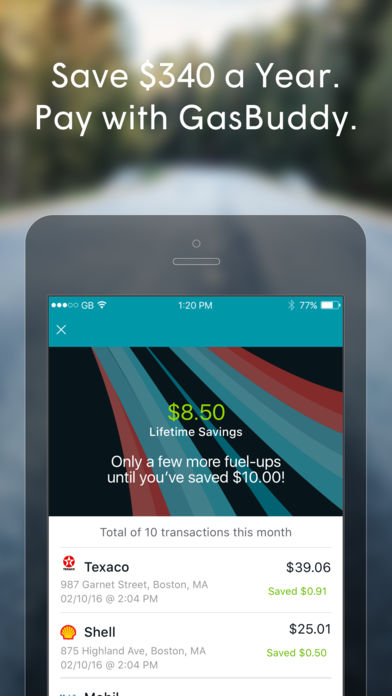
Ready to hit the road? Nothing is worse than filling up, only to see a cheaper option a few miles away. GasBuddy helps you find cheap gas in any area! GasBuddy even offers a Trip Cost Calculator tool – you can input your starting location, destination, make and model of your car, etc., and it’ll calculate the cost based on current gas prices.

Skyscanner

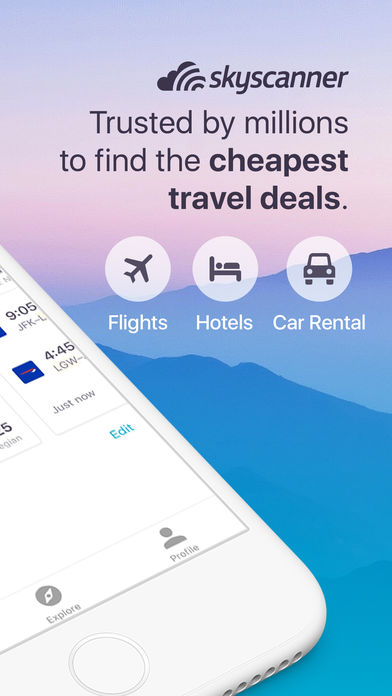
Need cheap airfare? Download the Skyscanner app! This award-winning travel app searches millions of flights from over 1,200 travel partners in seconds, giving you the best airfare on cheap flights to anywhere in the world. It’s no surprise that over 60 million travelers trust Skyscanner to catch their next money-saving flight deal. The app also offers insight for the cheapest days or months to fly, as well as helpful travel tips.

Hopper

Here’s another great tool to help you find the best airfare based on when you plan to fly. Easily book flights on your phone and learn the best times to buy. Hopper analyzes tons of flights to help savvy travelers like you find the next best deal, so be sure to download this worthy app today!


Turo

Headed to a spot where you won’t be able to rely on public transit? Maybe you’re staying for an extended period of time and need to rent a car? Turo is an ingenious app for those looking to save money. The app allows private car owners to rent out their vehicles to travelers like you! Turo claims rentals through their site can cost 35 percent less than traditional agencies.

Get cozy comfort for less

Get that five-star feeling for a fraction of the price with these nifty accommodation apps!

Hotel Tonight

Available strictly on mobile devices, Hotel Tonight is a travel app that allows users to find discounted hotel accommodations up to seven days in advance throughout the Americas, Europe and Australia. It’s ideal for those looking to hop on a flight as soon as the mood strikes! With this app, it’s remarkably easy to book great hotels at amazing last-minute rates.

Airbnb

What began as a room-rental website in 2007 is now a multimillion dollar household name. Airbnb not only offers unique rentals, but affordable experiences and restaurant recommendations as well. With the Airbnb app, you can find entire apartments for less than $100 a night! Plus, you’ll connect with locals who can provide even more money-saving tips so you don’t have to spend like crazy to have a good time!

LoungeBuddy

Think you can’t afford to kill time in a cozy airport lounge on your shoestring travel budget? Think again! LoungeBuddy is your new best friend. Whether you have a long layover or just need to refresh after a red-eye, you can access the world’s swankiest airport lounges for as little as $25. Enjoy all-inclusive amenities rather than purchasing them individually for a higher cost in the terminal. Who said airports can’t be fun?

Hostelworld

You don’t have to compromise comfort and quality for price. Hostels have come a long way. Many are hip spots where you can meet fellow travelers over a free meal! Hostelworld is an app where you can find hostels all around the world – from Amsterdam to South Africa! Based on the photos and reviews and all the included amenities, you’ll be surprised how far your dollar can stretch with these options.

Couchsurfing

Not only is Couchsurfing an incredible app to use to find a place to stay, it’s a great app for making friends and meeting fellow travel companions! It’s no wonder 4 million folks use Couchsurfing today – after all, it is free! That’s right. Local hosts won’t charge you for crashing on their couch– however, it is nice to bring them a small gift as a thank you!

Spend less time spending, more time experiencing

Traveling doesn’t mean you have to spend your hard-earned money around the clock. Download these apps so you can spend more time enjoying your next adventure!

Trail Wallet

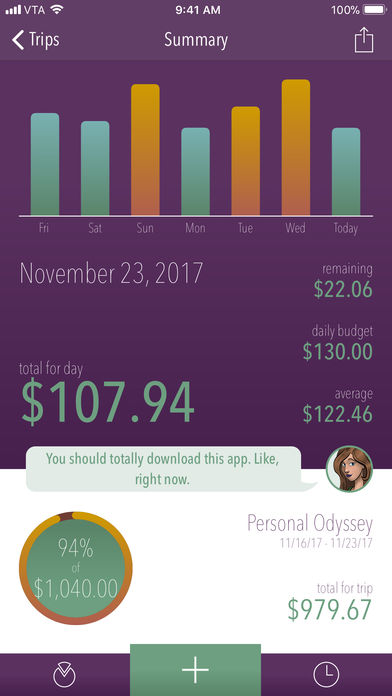
With this app, you can organize your expenses by trip or by month, set yourself a daily budget, then easily add expenses as you go. When you get a bill or receipt, add the amount using the Quick Add screen and you’re done! Another cool feature? You can add amounts in local currencies from 218 countries!

WhatsApp

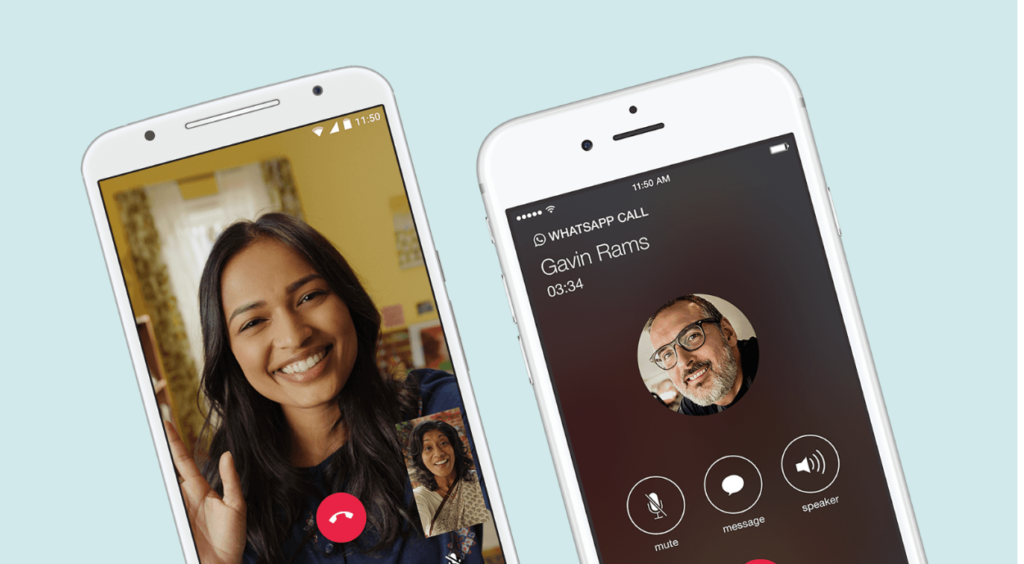
Thank goodness for the advancement of technology and apps! Going abroad? Don’t worry about switching over your phone plan or anything complicated like that. Just download Whatsapp to keep in touch with friends and family at home via Wi-Fi. WhatsApp is a free instant messaging and voice platform that allows you to send texts, make phone (and video) calls, share images, and more!

Google Translate

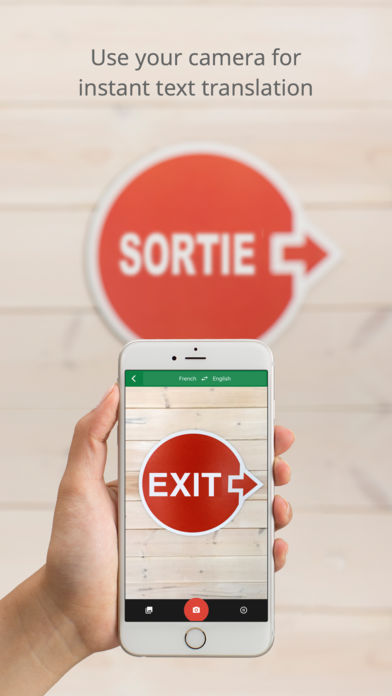
If you’re going to a place where you’re unfamiliar with the local language, Google Translate is a must! Time is money and this app will save you tons of time when it comes to figuring out a foreign language. The best part? You don’t have to be connected to the internet to use it! The app translates 59 languages when you have no internet, and over 100 when you’re connected again. Not only will it translate any text you type in, you can even take photos of foreign text and Google will translate it for you in real time.

Have any other suggestions for your fellow travelers? Share them in the comments below!

Related articles: 

Live like a rock star with these 10 travel apps

5 apps that will make your Vacation 10X Better

Furious 5: Apps on the rise (Week 12, 2018)

Looking for the hot new thing? At Softonic, we’re always tracking the apps on the rise. According to our charts, Facebook installs are down nearly 18 percent this week and its corporate cousin Instagram is down more than 28 percent. Tired of having your data scraped and sold off to Russians, eh? Here are five great apps that our community loves instead.

Furious 5: Apps on the rise

1. Fortnite (+48%)

A storm has wiped out most of the world’s population. What’s worse? Monsters are coming to attack the remaining survivors. In this co-op game, you and your team must head out, kill the monsters, and gather resources to build up a sweet anti-monster fort. It’s part Minecraft, part Left 4 Dead. It’s so fun, a researcher took the time to decide whether it should be literally classified as addictive. Where do we sign up? Get your game on here…

Part Left 4 Dead, part Minecraft. This battling and building game is soaring in popularity.

2. Free Video Editor (+33%)

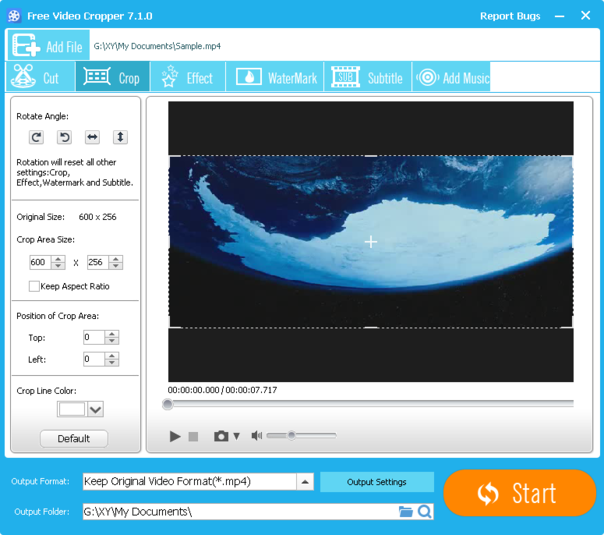
ThunderShare’s free video editor will take your home movies and make them pop on social media. It’s basically an upgrade to Microsoft’s free Movie Maker. Use this tool to rotate and crop your footage. Add fades and edit your video down to the best parts. You can even add a watermark! Give it a whirl and see what it can do for your film career. (Free download for Windows)

3. Fortnite Battle Royale (+24%)

Oh, Fortnite is back on our list again, this time with their Battle Royale version. In this game, you’re on an island where you need to kill everyone else. (Very similar to PUBG, if you dig that.) You start off with a pickaxe, which you can use to destroy things to gather resources. Like the original Fortnite, you can also build structures for defense. What are you waiting for? Get fighting!

4. Google Chrome (+23%)

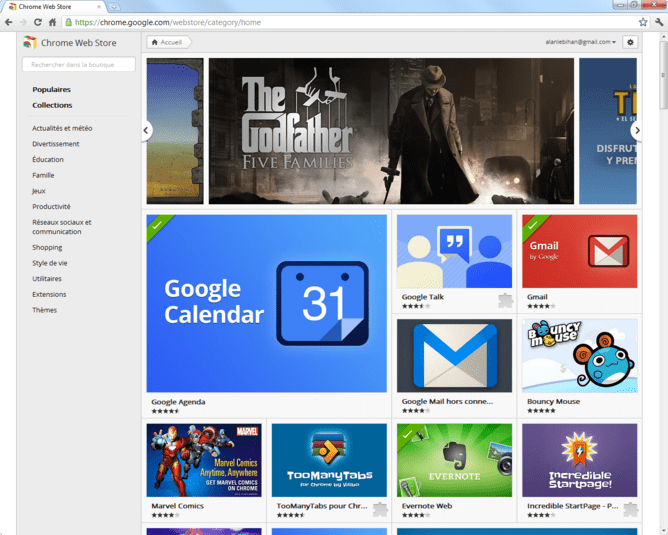
All hail the browser that helped kill off Internet Explorer! Google’s baby makes surfing the web a breeze, allowing for seamless transitions and speedy browsing. Extensions, themes, and other goodies make the experience customizable. If you’ve never tried Chrome before or you haven’t installed it on your phone yet, jump on it.

7
Chrome is a young, fast browser that can browse any web page. It supports all major technologies and standards such as HTML5 and Flash.

5. Android PC Sync Manager (+15%)

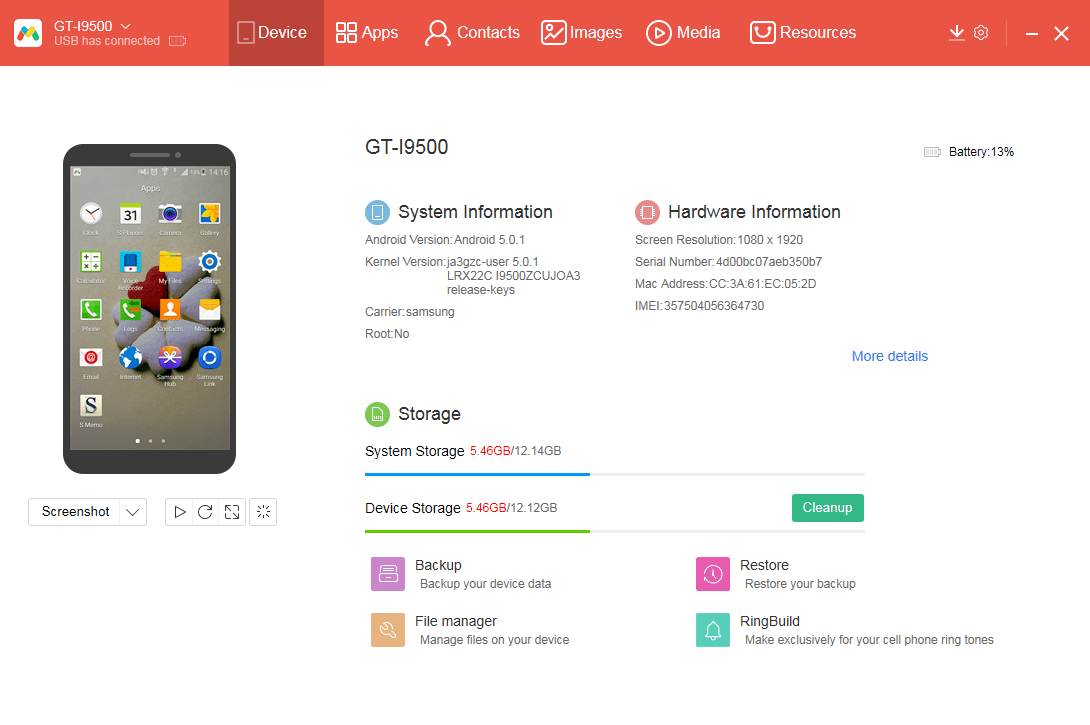
You can use this free tool to transfer data from your phone to your PC and back again. Because it doesn’t store any data, you can feel safe knowing that your files are moving safely from one place to another. It’s also compatible with older operating systems, so there’s no excuse not to back up your photos, music, and videos. (Free download for Windows)

Still hungry for more recommendations? Check out last week’s Furious 5!

Google gets into GIFS

Everybody loves a good GIF and in today’s world of ever evolving non-text digital communication, a well placed GIF can literally get you hundreds of thousands of retweets and social shares. Even if some people argue that your clever GIF doesn’t help your argument, it doesn’t matter. GIFs are a big deal, GIFs are here to stay, and Google knows this. That is why Google has just bought its very own GIF startup, Tenor.

In a blog post, Google announced that it had acquired Tenor but that the GIF maker would be remaining a separate brand. The big win for Google with this acquisition is that GIFs will now start showing up in Google images and will be much more easily incorporated into Google tools like Gboard.

Gboard Download Now
8
Google's virtual keyboard

Tenor has also been used by Facebook’s Messenger app so there could be some knock-on effects to GIF implementation in Messenger, but we’ll have to wait and see.

Are you a big fan of GIFs? Will you be happy to see more GIFs being sent from Google users and popping up in Google Image searches? Let us know in the comments below.


Follow me on Twitter: @PatrickDevaney_

5 uses for an old PC you no longer use

You just switched your old PC for a new one and don’t feel like getting rid of your dusty old dinosaur. Maybe you’ve grown fond of it, spent lots of time with it, want to keep it for sentimental value… or you’re going to put it on a shelf until you find a good use for it. If you’re in the last group, you’re in luck: here at Softonic, we’re bringing you five uses for an old PC you no longer use.

5 uses for an old PC you no longer use

1. Connect it to the TV

If your PC is a laptop, check out this possibility: use it to connect to the TV. Unless you’ve got a brand new TV, it’s probably not a Smart TV, while most PCs from 2008 onward generally come with an HDMI port.

Thanks to this port, you can make the most your TV and laptop: you can connect your PC to the TV and let HDMI magic do the rest. You can watch Netflix, HBO, YouTube, Amazon Prime or any other service. After all, you’ll have everything on your PC available on your screen.

2. As a retro console

Believe it or not, your old PC may work as an improvised retro console. All you need to do is add a lot of emulators and ROMs to have thousands and thousands of past video games at your fingertips.

MSX2, Spectrum, SNES, NES, Megadrive… All the classic consoles can run on any PC from the last decade, so this option is pretty doable (and recommended, by the way).

3. As a text editor

Most customers walk into a computer store and say, “I want a computer to write, read, and little else.”

If these are the features you’ve got in mind, maybe your old computer could be a good tool for this. Microsoft Word, any of its free clones like LibreOffice, Notepad or any text software (see Calibre for example) take up few resources, so you can assign your old PC to just writing notes, stories or articles.

LibreOffice Download LibreOffice
7

4. As a hard drive

If you know how to take apart a PC, you can use your old PC by removing the hard drive. It works as an external drive by buying a simple case for it.

If you don’t know how to take apart your computer, don’t worry: you can do the same thing but by leaving it turned on. By using the cloud and flash drives, you can do wonders so your new computer is always clean and uncluttered.

5. Donate it

This is our last tip: donate it. There are lots of people who need a PC for school or work and can’t afford one. Lots of families worldwide don’t have the spending power, so you can do a good deed by giving yours away to charity. Just be sure you’ve wiped your hard drives or reformatted the computer completely before turning it over.

Related Articles: 

5 uses for a tablet you no longer use

How to start playing Dota 2

Dota 2 is like a soccer game, where each team has five players, but instead of trying to score in the other team’s goal, the objective is to destroy it. The goals are called “ancients,” and as you work to destroy them, you’ll also try to annihilate the other team. No two games of Dota 2 are the same, meaning every game offers something new. It’s a competitive game full of strategy, stealth, communication, and teamwork.

The Dota 2 community is an extremely competitive scene and there’s a steep learning curve. But the game offers tutorials and offline options for new players to get up to speed. It’s important to remember every player was once new to Dota 2, including the professional players who now compete in global tournaments. Here are some steps to start off your path on Dota 2:

How to start playing Dota 2

Learn the Mechanics of the Game

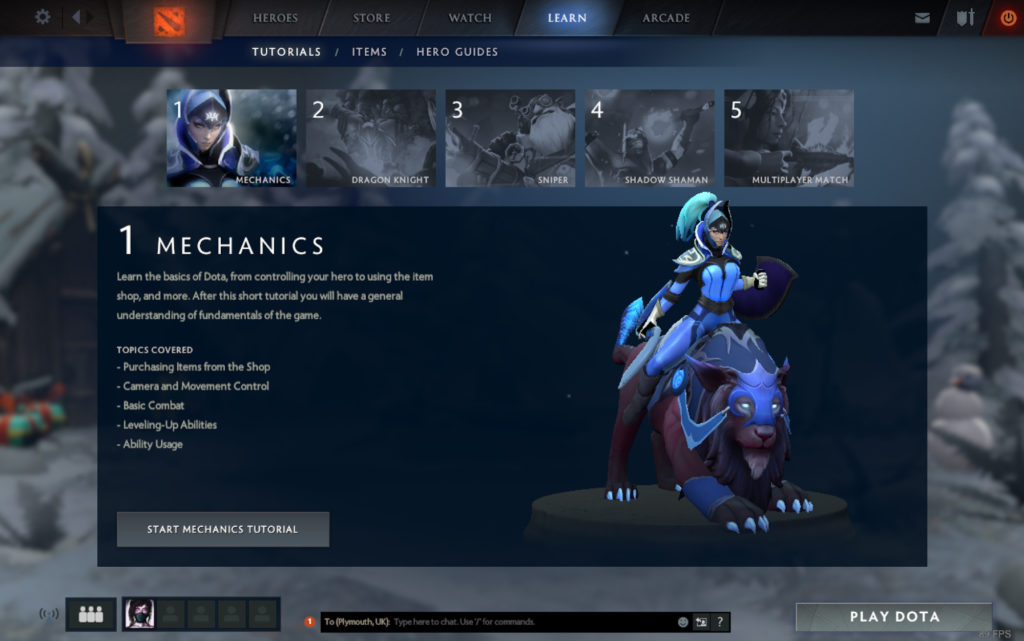
It’s important to find a play style that works for you. The Learn tab in-game is a great place to start. Their tutorials guide new players through the mechanics of the game and cover the basics that every player needs to know. This includes camera control and control of your hero, leveling up, using a hero’s abilities, and basic combat. These tutorials help you learn the fundamentals of the game.

Experiment with Different Heroes

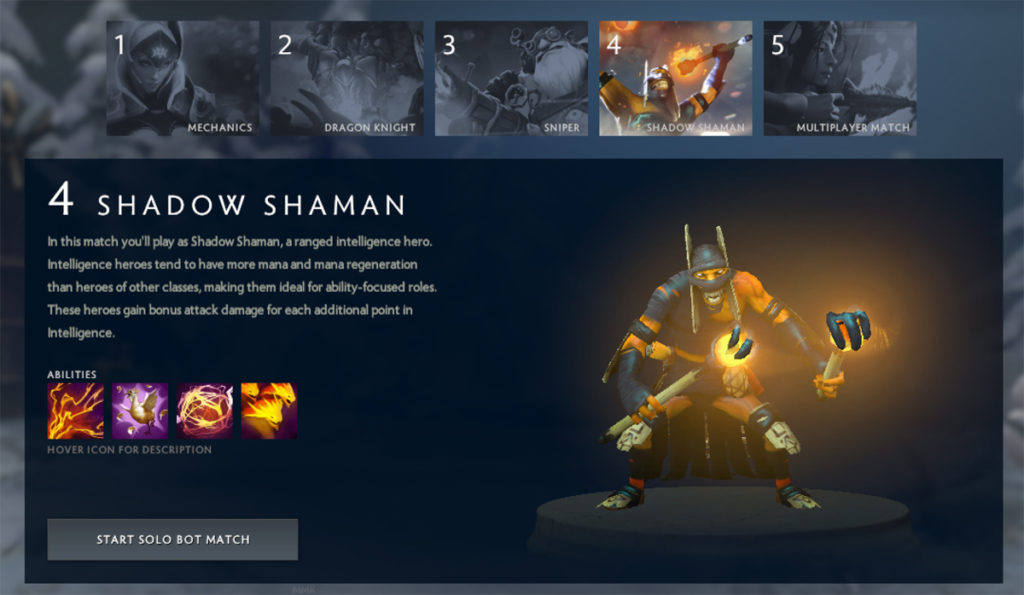
After you feel comfortable with the mechanics, you should start to experiment and learn which heroes work best for you. At the start of every game, each player picks from a pool of over a hundred heroes. Just remember, not every hero is equal, and each hero plays a different role within the game; some will lead, playing aggressively and racking up kills, while others support the team, keeping the enemy team in check. The tutorials introduce three heroes to you who fall under three categories: strength, intelligence, and agility.

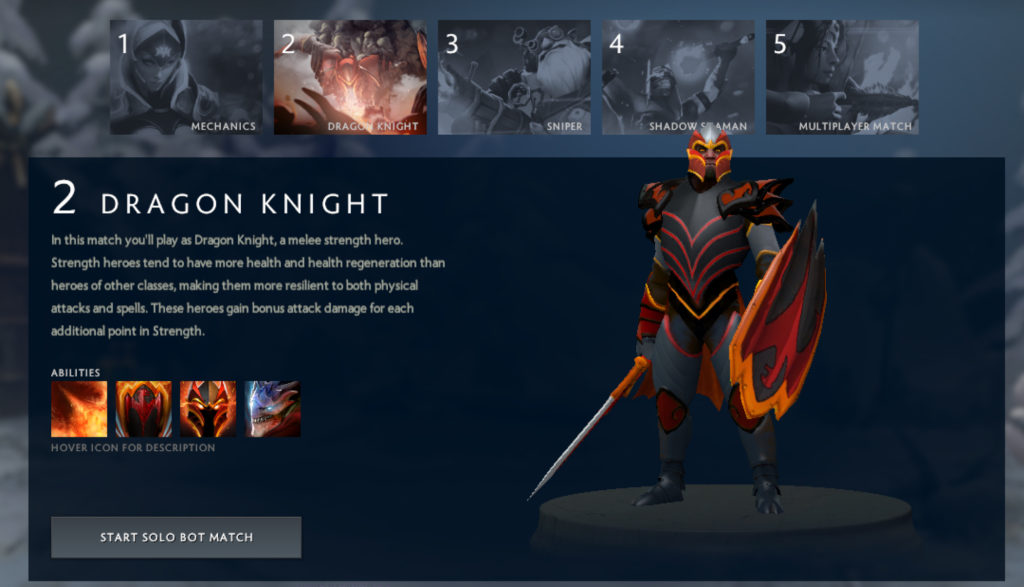
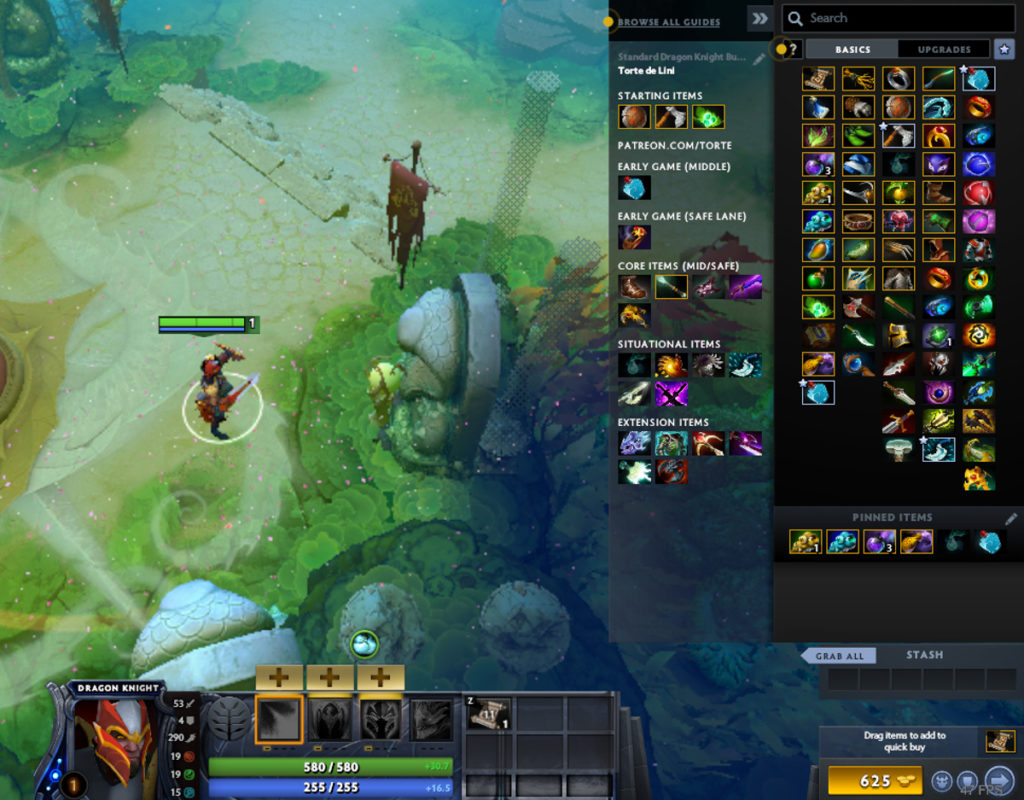
Strength heroes tend to have a higher HP pool. They can be described as the tanky heroes, and are good for tanking spells and initiating fights, depending on their set of abilities. This particular tutorial starts you off with a hero called Dragon Knight, who is both tanky and has an ability to stun enemies, which makes him perfect for picking fights or stunning any heroes that are hard to lock down. The tutorial loads the player into a bot match, guiding them through the game, advising them which abilities to level up, and what items to buy. These guides are also available in online matches and are recommended for new players.

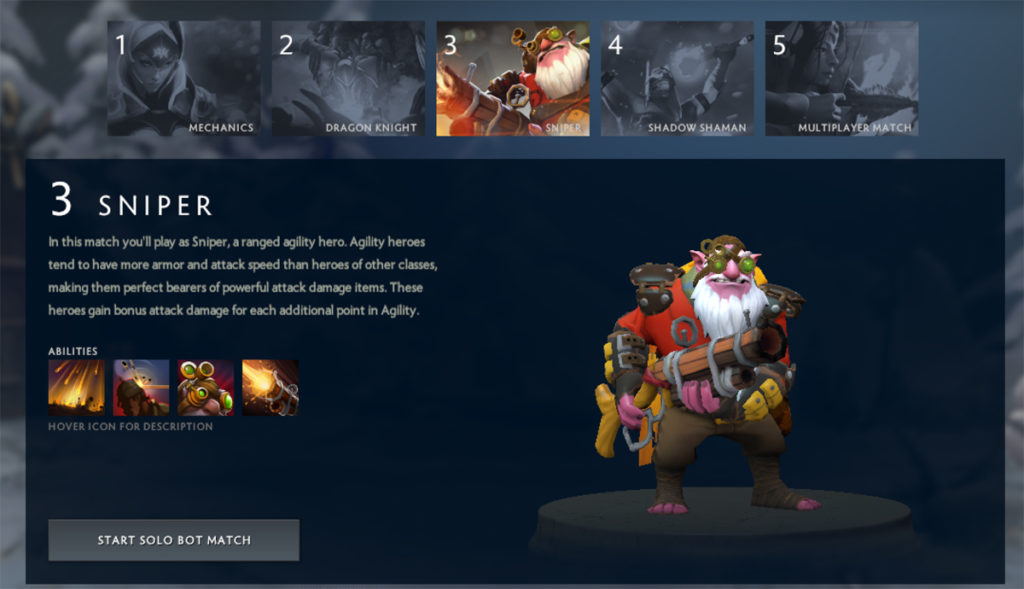
Agility heroes build items to help them deal more damage with their base attacks and abilities.

These heroes tend to be the most flexible when it comes the “laning” stage of the game; Sniper for example, is regularly played in the middle lane, but is also a great safe-lane carry due to his long-range base attacks. Agility heroes have higher attack speed than strength heroes, but usually have a lower HP pool, thus making them more susceptible to taking damage in-game. Heroes that are played as carries tend to need time to farm, and therefore rely on their team to create space for them to do so. Choosing a team that is flexible in their ability to win team fights is important.

Most of the intelligence heroes tend to be played as supports in the safe-lane alongside their carry, harassing the enemy heroes and ensuring their carry gets the farm they need.

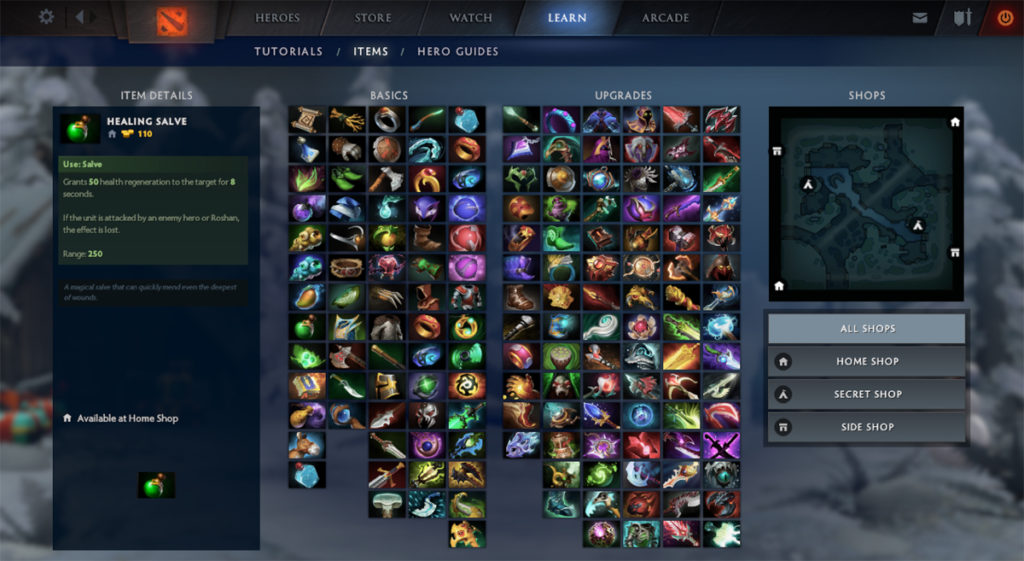
While intelligence heroes have a lower HP pool, making them squishy and easy-to-kill in-game, their mana pool is higher than most heroes, meaning their abilities are good to use repetitively. Intelligence heroes are very ability-focused, so players can build items to make their abilities stronger. Shadow Shaman, for example, has two abilities to disable enemies and hold them in place in fights, making him a great support to lockdown enemy heroes. Players who play support can also buy items to aid their teammates, such as a Mekanism to heal nearby allies, a Glimmer Cape to make a teammate invisible from the enemies, and a Force Staff to help teammates escape from tricky situations. More about items and what they do can be found in the Learn Tab, under Items.

Finding a hero that works for you is extremely important, as every hero has a different play style and role in the game. New players tend to start off playing heroes that act as supports, as it is generally considered to be an easier role with less pressure and responsibility towards achieving in-game objectives. However, others would argue that a hero played as a carry is usually more fun to play. It’s important to experiment with a variety of heroes to find what works best for you.

8

Practice with Bot Matches

After finding heroes that you feel comfortable with, playing bot matches before going up against other players is a good way to practice the game. Players can choose whichever hero they wish to play, and both their teammates and the enemy team are filled with AI bots, which then get allocated heroes from those left in the pool.

Diving straight into matches against other players can be disheartening, as you may come up against players who have put hours of practice into the game. Playing a bot match is slower, and easier to get a feel for the game, which is what new players need to experience before getting into the pace of an online match.

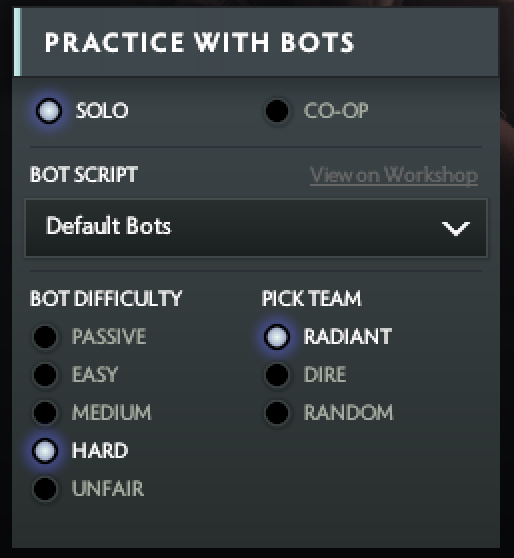
Players are free to pick whichever hero they like in a bot match, and can choose the lane they want to play in, whereas other online players can be persuasive, and pressure their teammates into picking heroes and lanes they feel uncomfortable with. You can set the level of difficulty in a bot match from passive to unfair, depending on your skill level. If you have a friend who also plays Dota 2, you can also play a bot match with them, as you can choose between solo and co-op.

Only after a player has played several bot matches, and has found a few heroes that they feel comfortable playing, should they queue for an online match. Bot matches are great for experimenting with new and unfamiliar heroes, and learning the game while playing it.

Start a Multiplayer Match

Once players have an overall feel for the game and are comfortable with their play style, they can then practice their skills against other online players in a multiplayer match. There are many different types of matches to play online, but the most common is an all-pick match, where every player can choose their own hero to play out of the pool. Teams take turns picking heroes until all ten players have picked a hero.

After buying their starting items and making their way toward their designated lanes, players begin the early game gaining gold by doing the last hit of damage to creeps. Creeps spawn in every lane, and gaining the last hit on them is how heroes gain farm. Carry heroes should be the ones taking these last hits, while supports can deny friendly creeps to stop enemies getting farm. This farming process, alongside harassing heroes by either right-clicking them or using abilities, is called lane equilibrium. Getting the right lane equilibrium can be difficult for new players, but it is something important to learn to ensure your team gains an advantage in-game, which can only be done through practicing games.

Through multiplayer matches, players can learn what heroes do and don’t work together, what the best strategy is for winning the game, and learn how to become better at carrying or supporting their team.

As with most elements of Dota 2, practicing is the only way to get better at the game. Professional players have put thousands of hours of practice into the game to get where they are. There are however many guides to watch on YouTube, which can teach players tips and tricks of the game. Here are some of the best YouTube channels to check out for players just starting out in Dota 2:

  • PurgeGamers – Purge has long been a go-to person for anything Dota 2 related. He often creates ten-hour long videos when a new update of the game comes out, explaining the changes in great detail. He creates many ‘How to’ guides which can teach players how to play certain heroes, or how to win their lane in the early game, etc.
  • GameLeap – GameLeap is a Dota 2 improvement platform, who often post some of their guides and advice on YouTube. All of GameLeap’s videos are created by professional players, who offer friendly yet important advice on how to improve your Dota 2 skills.
  • SirActionSlacks – SirActionSlacks, or better known as Slacks, is a light-hearted but professional caster who comments on games in live tournaments. While he uploads many funny videos of himself making jokes in games and short films, he has uploaded some down-to-earth guides that explain how players can climb ranks within Dota 2.
  • Pvgna – Pvgna is similar to GameLeap, in that it offers advice from professional players. But they post more regular guides, and specialise on particular heroes and modern patch updates. They also post various videos following professional players’ games, and in-game analytics by gamers.

5 tips that will make your Instagram videos pop

If you are looking to step up your Instagram game, we’re here to help. If you are trying to become more popular, build a personal brand or maybe a business, video is a crucial part of your strategy.

But not any kind of video will do the job, especially on Instagram. You want to create videos that get hundreds of thousands of views, tons of comments, likes, and more followers. Here’s how to find success on Instagram.

5 tips that will make your Instagram videos pop

1. Make it catchy right from the start

Our collective attention span is terrible these days. According to this research, humans now have an attention span of roughly eight seconds, which puts us just under a goldfish, which can focus for a monumental nine seconds.

How crazy is that?

You need to make the first few seconds really, really catchy. Otherwise, the people will continue to scroll down and your video will get no views.

You can make a video really catchy in just two simple steps:

  1. Ditch the intro. Nobody wants to know your name, where you are from or your life history. Get right to the point and tell or show people what you can do for them or what you are all about.
  2. Make it either really funny or emotional. Or both at the same time if you can. Videos that entertain or touch people’s emotion are more likely to grab their attention.

So definitely put some thought into your video before you actually start filming. You can even write a short script for it.

Don’t worry about telling people to follow you, or trying to sell them anything. If they like your video they will be more likely to follow you and they can become customers down the road.

For example, the guys over at GoPro do a really good job at it without trying to sell anything in the video.

Check this out.

2. Focus on telling a story

Plan how you want your video to go or even write a short script. Plan the scenes, think about what you want to film, what you will say, what audio will you use, and how you want the final edit to come out.

People love stories they can relate to. So think about your audience and about their interests, their problems, their everyday lives, and craft your video based on that.

Travel-related videos such as the one below are a perfect example of great storytelling.

Since Instagram videos can’t be longer than 60 seconds, you can’t pull off a Martin Scorsese epic, but you can build tension, create intrigue, and have people follow you for future videos. If you’re really good, you can send traffic to your YouTube channel or website.

3. Step up your filming game

The average Instagram user will shoot using a smartphone, right? That’s convenient, given the way Instagram works. Even though there is nothing wrong with filming with a smartphone, you want to keep an eye out for a few things if you want to have really crisp videos.

Lighting

Lighting can really make or break a video regardless of how expensive the device or camera you are using is. Most cameras, including the ones on smartphones, have small sensors which will overexpose, so you end up with washed-out scenes and blown-out colors.

If you are shooting indoors make sure you are sitting in a bright room, preferably with the camera between the window and the subject and plenty of natural light coming in. If the natural light is not good enough, you will have to use studio lights.

Generally speaking, you need one “key” light on one side and one “fill” light on the other side. That’s the bare minimum when it comes to a lighting setup.

If you are shooting outdoors you will probably be fine with any conditions. A pro tip is to shoot during the so-called “golden hour.” That’s just after the sunrise or right before sunset. That’s when the light looks epic and it will really make your videos look awesome.

Stabilization

Another thing you want to keep an eye out for is stabilization. Most handheld shots will look pretty bad, especially if you are using your smartphone and you are holding it just with one hand like the majority of Instagram users do.

Shaky footage looks amateurish and it will put viewers off right away. That’s why it is super important to keep your camera as steady as possible. If you don’t need to move it at all, use a tripod.

If you do need to move, we highly recommend investing in a gimbal. It will probably run you around $150-$200 but your videos will look buttery-smooth. It is totally worth the cost.

If your footage ends up looking shaky, you can add some digital stabilization in the video editing process as well, but that will work to a lesser degree.

Camera settings

The maximum video resolution supported by Instagram is 640 x 640 pixels – the app’s default square format. If you are shooting specifically for Instagram you will be fine with using a resolution of 720p or 1080p and a frame rate of 24 of 30 fps. But if you plan on doing slow-motion effects, you will need to crank up the frame rate to at least 60 fps (preferably 120 or 240 fps if your camera supports that).

Instagram Download Instagram
7

4. Take video editing seriously

Once you are done filming you are actually just half-way through your job. All videos need to be edited, and that alone can take just as much time as the filming did. Don’t skip this step because this is where all the magic happens. This is where you make your videos stand out from the crowd.

Video Editing Software

There’s an entire debate about which editing software is better, but it all really comes down to a matter of personal preference. When you are editing for Instagram, pretty much any software will have all the features you will need.

If you are editing on a computer (which we recommend) you can try out iMovie, VSDC or Lightworks which are all free and will offer most of the options you need. If you are more serious about your edits, you can get your hands on Premiere Pro or Vegas Pro which will cost around $200 – $300.

If you are after a quicker editing process there are mobile apps which work really well, too. In that case, consider iMovie which will let you cut and stitch your video easily, you can add transitions, audio, and filters.

For the Android users out there, check out Quik, which is really fast and easy to use as the name suggests. You literally can have your video done with just a few taps.

Editing style

When you are editing specifically for Instagram, fast-paced videos tend to perform well. Since you only have 60 seconds to showcase everything, a quick pace allows you to fit more footage in less time.

So it’s a good idea to try to pack as many different shots as you can in your Instagram edits and use jump cuts to tighten up your edit. This will make the video more engaging. Make the shots sorter, the edit snappier and sync everything with the beat of the music.

Here’s what we mean.

Export settings for Instagram

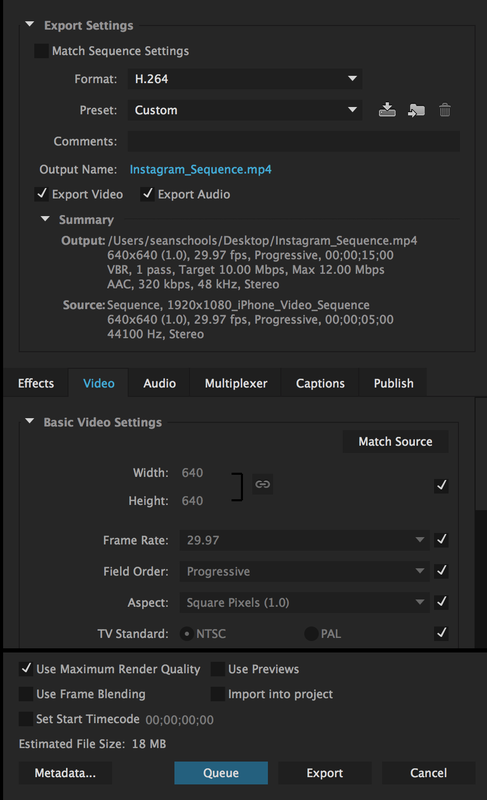
If you are editing your Instagram videos on a computer, you need to pay attention to the export settings you’re using when you render your videos.
Instagram doesn’t like big video files so you need to keep your resolution, frame rate and bit rate low. Here are the best settings you can use.

For widescreen videos, the resolution should be 640 x 360 pixels and for square videos use 640 x 640 pixels. Keep the frame rate at 24 fps and the bit rate to a maximum of 4 Mbps. This will keep the video file size really small while keeping the quality as high as it can be for a Standard Definition (SD) video.
5. Instagram Stories

This is one tiny part of the Instagram app which you should be using if you don’t want to miss out anything.

Even though everything you post as an Instagram Story will be gone after 24 hours, it does a great job at keeping your followers updated on your everyday life. Think of it as a mini-vlog that can fit your entire day in just 15 seconds.

You can try making your Instagram Stories out of those Boomerang loop videos, but if you really want to step up your game, you want to treat stories just like any other video you make for Instagram. Just tighten it up even more. Use 1-2 second shots and pack all of them in just 15 seconds so that you have a really small video which highlights whatever you do on a day to day basis. Check out @jessedriftwood. His Instagram Stories are out of this world.


Whatever methods you use, it’s important to use your imagination! It’s fine to copy other people to start, but you’ll have the most success when you share that special vision that only you have.

Related Articles: 

Top apps to improve your Instagram experience

How to post on Instagram from your PC

How to become a brand ambassador on Instagram

 

Some Android users might soon have trouble using their devices

Google is restricting access to Google services via unlicensed versions of its preloaded apps. If you’ve bought your mobile from an unlicensed vendor or manufacturer, have installed Google apps from unlicensed sources, or you’ve installed a custom ROM you may need to take action.

It is well known that Google’s Android operating system is open source, which means Google allows other developers to used the Android code to build mobile operating systems for their own devices. This is why we have a mainstream choice between iOS devices and Android devices. A little less well known is that the pre-loaded Google apps, handily named GApps, are not free to distribute. In fact, if developers want these GApps to be a part of their OS, they have to abide by some guidelines that Google has set out. Without adhering to these guidelines, the developers can’t say their OS is Android. This is why GApps play a prominent role even on handsets made by huge companies like Samsung, LG, and Motorola who make Android devices.
Not all companies who use the Android code, however, sell their devices as Android devices. As such, they use the code but the final operating system is known to Google as an unlicensed version of Android. The most well-known example of this would be Amazon’s Kindle Fire tablets but there are a lot more devices like this, mostly coming out of China. These devices and all other devices running unlicensed versions of Android could soon be affected by a significant change that Google is introducing.

Unfortunately for Google, although it tries to maintain a level of control over the Android OS via its GApps adherence policy GApps themselves are still widely available on the internet via forums or third-party app stores. Google is now moving to shut down this possibility by blocking Google logins via Google apps on devices that aren’t licensed because they didn’t meet the criteria Google laid out, relating to GApps.

Whether you’ve bought your device from an unlicensed vendor or you’ve since installed GApps from an unauthorized distributor you could be about to lose access to some of the most useful apps on your phone. You could also be about to lose access to your phone if you’ve installed a custom ROM on your mobile phone.

This is bad news for anybody who bought their device with an unlicensed version of Google installed on, bought their phone from an unlicensed manufacturer, or who’ve installed a custom ROM on their device. If you’re one of the latter, it is possible to register your device with Google but if you’re one of the first two, you may need to start looking for alternative apps to take over from the GApp suite. Fortunately, Softonic has you covered as we offer safe and clean access to over 150,000 mobile apps.

Softonic Android Apps Explore Now
10

Follow me on Twitter: @PatrickDevaney_

These Lego artworks contain coded Bitcoin fortunes

Modern art is quite strange. As soon as artistic inspiration started coming from within, rather than being “divined” upon artists from the heavens above everything got a bit weird. From embalmed animals to diamond encrusted skulls via public toilet urinals and seemingly random splashes of you could say that modern art is more about meaning than it is about beauty, or perhaps it is both? Well, LA-based artist, Andy Bauch’s latest artistic creations are steeped in meaning asking viewers questions like What is the value of art? or for those not that interested in modern art, how about “What is the value of money?

To ask these questions and more Bauch hast turned to a couple of modern pop-culture stalwarts, Lego and Bitcoin. Everybody loves Lego, and everybody wants Bitcoin, so they’re perfect tools for grabbing people’s attention and asking them some fundamental questions about life.

Password Safe Download Password safe
8

With the help of 100,000 Lego bricks Bauch has created some patchwork looking “masterpieces” but the meaning, as is always the case with modern art, goes so much deeper. Into his Lego works of art Bauch has embedded secret codes that, when decrypted, give access to one of a number of digital wallets that he has set up.

Each wallet contains a different amount of varying cryptocurrencies, but all together the wallets add up to $10,000 worth of cryptocurrency.  Start looking for the X because Andy Bauch has basically used Lego bricks to create a 21st Century treasure map that will lead to a 21st Century treasure chest.

The internet is full of stories about people losing the password to their digital wallets meaning there are literally thousands, if not millions of dollars worth of unclaimed cryptocurrency out there. The really cool thing about Bauch’s project is that anybody can crack the code and access the cash stored in the digital wallets. You don’t need to buy the artwork to play the game. Bauch does say, however, that he will give a clue to the particular code hidden in a particular artwork to whoever buys the picture. The catch is that there is no guarantee that the digital wallet hidden in the picture you’ve bought hasn’t been claimed already.

What is worth more to you then? The artwork or the cryptocurrency that might be hidden somewhere inside it?

Follow me on Twitter: @PatrickDevaney_