Download Photoshop and start making your photos pop!
Adobe Photoshop Creative Cloud (CC) is the leading image editing software for professionals and enthusiasts alike. Its powerful tools and user-friendly interface make it the go-to choice for creating stunning visuals. This guide will walk you through the steps to install Adobe Photoshop CC, from subscribing to Adobe Creative Cloud to downloading and setting up the software. With this comprehensive tutorial, you’ll be ready to start your creative projects in no time. For more detailed information on installation and serial numbers, visit the Adobe Creative Cloud website.
Adobe Photoshop Creative Cloud is the premier choice for those seeking a full version of this versatile image editing software. With multi-platform support, you can install Adobe Photoshop CC on various operating systems, including:
Windows 10 and 11
macOS versions from Mojave (10.14) onwards
The software is available in both 32-bit and 64-bit versions. To get started, subscribe to Adobe Creative Cloud, download the app, and sign in with your Adobe ID.
Adobe Photoshop Creative Cloud (CC) is the leading image editing software, offering a vast array of tools for photographers, designers, and digital artists. Adobe CC is constantly updated with cutting-edge features, including:
Neural Filters: AI-powered tools that enhance images with ease.
Find out the in-depth review of the 7 best apps and learn how to get a business phone number for free in 2024. Click here.
Email, video conferencing, and chatbots may have come a long way, but the phone is still the most effective tool for professional communication. A survey conducted in 2023 indicated that out of 2,200 enterprises, 13,000 consumers, and 600 decision-makers, voice was the most favored form of communication. If you’re trying to figure out how to get a business phone number that you can use for work only, your options might appear straightforward on paper.
You and your employees can maintain the privacy of your personal phone numbers while yet establishing your company’s legitimacy with a business VoIP service. However, you may be unaware that certain VoIP systems enable you to run your business more efficiently and delight clients more than others. VoIP phones boost consumer trust, set you apart from the competition, and make your contact information more accessible for clients to find and remember.
Here, you will find a comprehensive list of the top business VoIP services, along with information on how to acquire business phone numbers for your company right now.
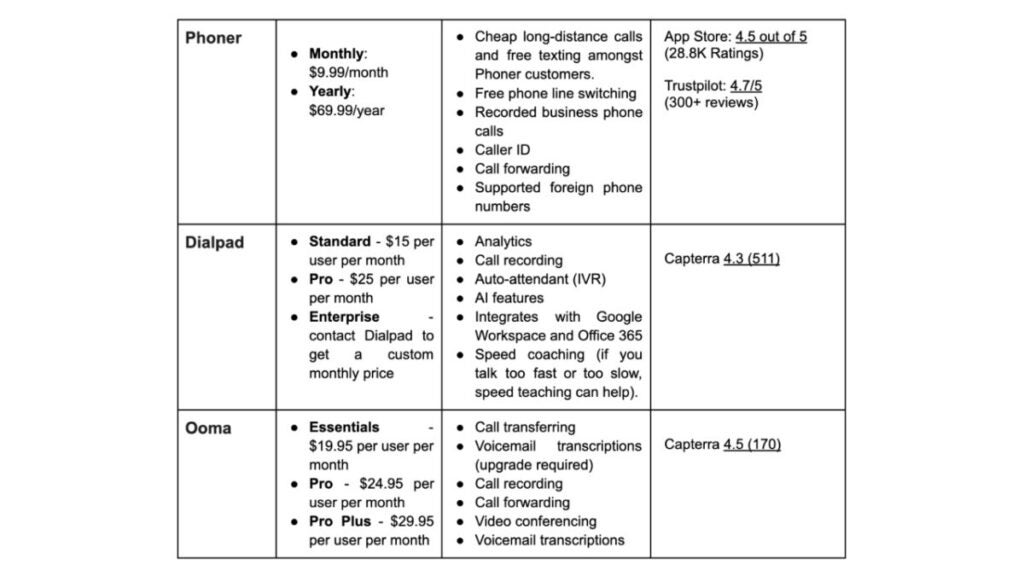
3 Best providers: a quick pick
How to choose a business phone number provider
You should be careful while choosing a VoIP service provider and advertise your business VoIP phone in case it lacks characteristics essential to your company’s success.
Before deciding on a business phone number from a VoIP service, consider how you will utilize it. Would video conferencing be necessary for you? Do you need a voicemail? What about extensions of the phone system? The options for business VoIP phones available to you may vary depending on the functionality you require.
Here are a few things to look for when choosing a VoIP service provider:
Mobility. VoIP phones that allow you to communicate while moving are essential in a remote world. No matter where they are, employees should be able to use the company’s business phone numbers. With a second-line app, you may answer your call from any device anywhere—including your mobile phone, laptop or tablet.
Voicemail Transcription. Look for a VoIP service provider that would allow you to get notes from any voicemail immediately.
Caller ID. A business VoIP service with a caller ID feature lets you identify the caller before you answer the call. Either the caller’s name and number or only the number can be shown on the caller ID. You can easily return a missed call because you know the name and time. As a business owner, you may better mentally prepare yourself if you know who is on the other line. When a client calls, you can prepare by gathering all the relevant information.
Call Recording. Choose a business VoIP system where you can acquire a physical copy of your voicemail messages via voicemail transcription. When you have all of your outgoing and incoming calls recorded, you won’t miss a thing. Stick to the rules when recording phone calls.
Call forwarding. Call forwarding is another crucial function for your business VoIP service. Here is the process for forwarding incoming calls to a different number. Directing VoIP calls to numerous devices guarantees that someone is available to receive the call, which is extremely important in customer service. The same is true for a second-line app. You can configure your call forwarding settings so that any of your employees can answer the phone.
Call Parking. VoIP phoneswith this function let you place a caller on hold in the cloud and any employee can return the call. Customers will not have to wait on hold for excessive time because the most qualified individual will handle the call.
Conferencing. Communication technologies that are compatible with distant workers are essential. Audio or video conferencing with remote clients or staff should be possible with your business VoIP service. In addition to saving you time and energy, this will help your company run more smoothly. Because of this, you’ll be able to cooperate easily and flexibly.
Call waiting. You might want to consider VoIP solutions that offer this feature. While you’re on the phone with someone, this feature on your business phone will let you know if there are any incoming calls. You are now free to choose what to do next: put the caller on hold or answer the phone. You can also put the call on hold and return to it later. A second-line app has all these functions right at your fingertips. A business-like voicemail and automated response are within your reach. When you don’t answer a call, auto-reply will send a pre-written message explaining why you could not take the call and when they can anticipate a response.
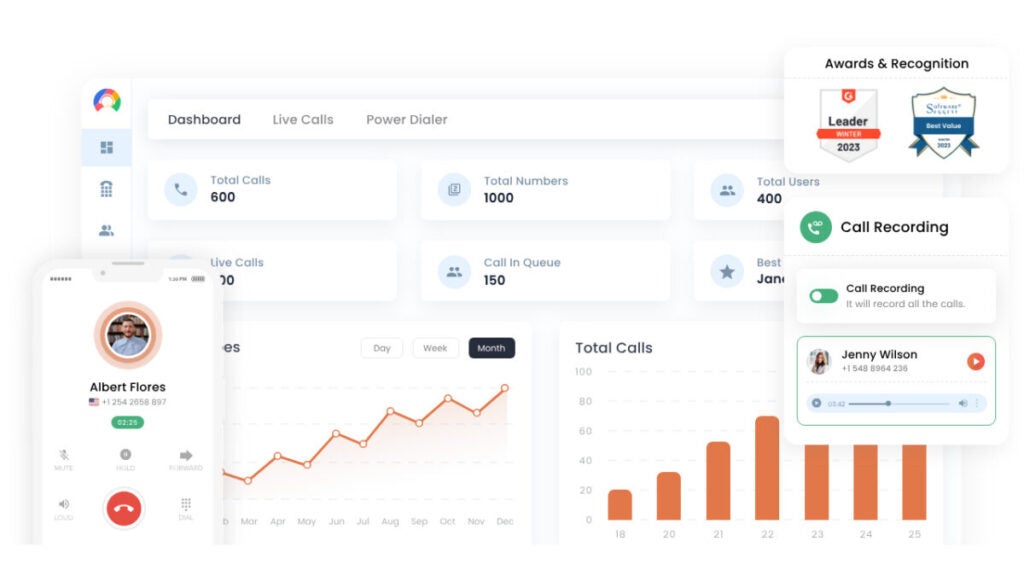
Dashboard. In addition to allowing you to control your communication, a decent business phone system will also come with a dashboard. Passwords and other settings can be changed by the administrator remotely. Your company’s phone bill information is also available on the dashboard of your VoIP service. Because you can begin with affordable subscription rates and avoid purchasing a new computer, mobile device or SIM, a business VoIP phone is a budget-friendly option for company phone needs.
How to get a business phone number with Phoner?
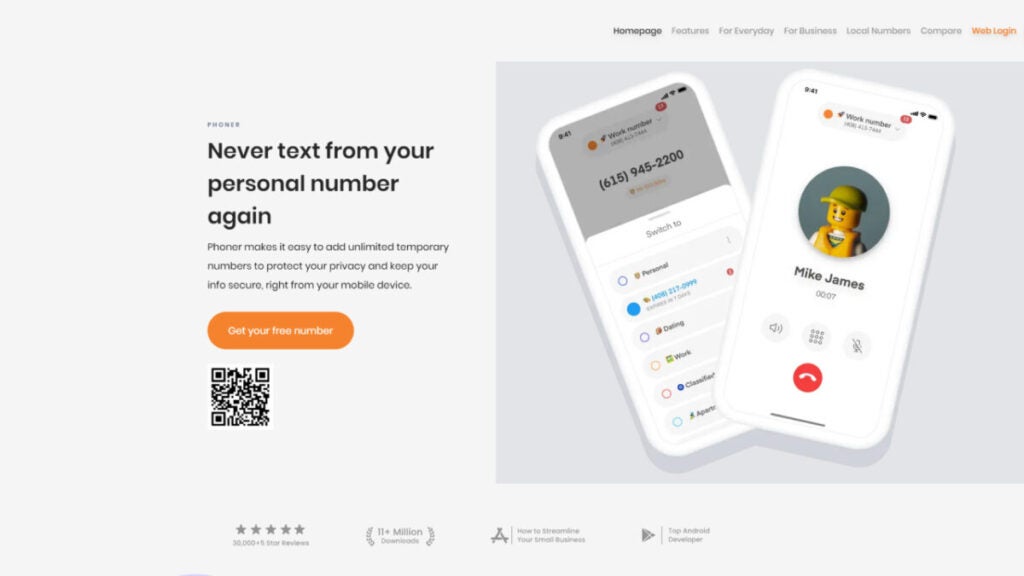
Downloading Phoner is a cheap, simple and easy way to get a regular business VoIP system. It’s a perfect small business VoIP phone system for startups, real estate agents, freight delivery services and more. Most companies use it as their primary phone system.
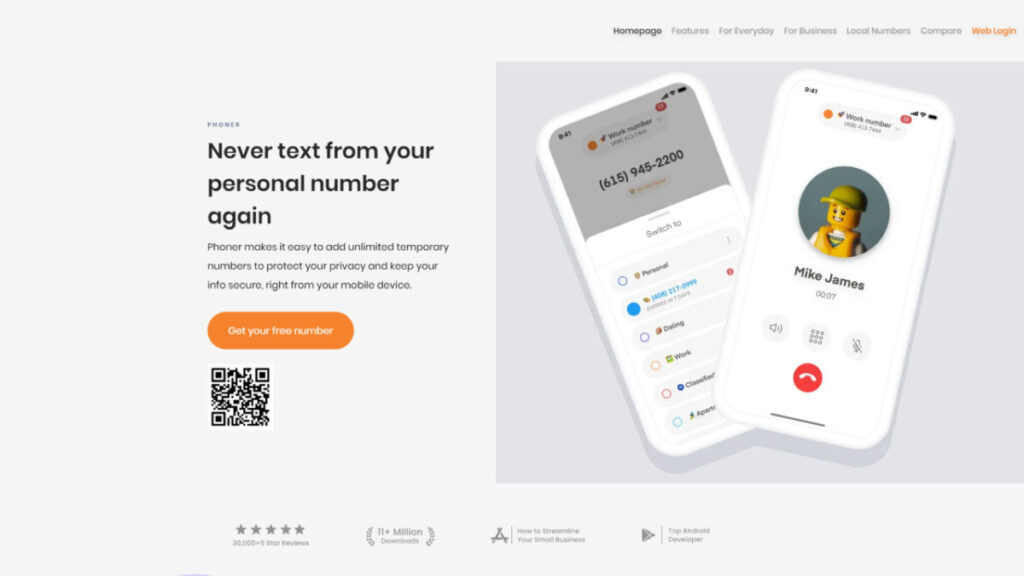
If you need a second number to make calls and send texts, Phoner business VoIP phone service is your best bet. With Phoner, you can get a second phone number for yourself or your company, record your business phone calls, find out who called you anonymously and communicate privately by text or phone call. It offers many VoIP features, including making international calls and sending texts. You only need an internet connection and a mobile device to use your small business VoIP phone number.
Clients highly regard this business VoIP system and its user-friendly setup process, affordable price and adaptability to various personal and commercial needs.
Plus, Phoner VoIP service has an app for desktop computers. It allows you to make local and international business calls after you link your new number. Not worrying about extra carriers or contracts is a major plus with this VoIP company. In addition, Phoner offers unlimited calling to other countries and syncs all of your existing desktop and mobile devices. Each of the many accessible virtual phone numbers has unique area and country codes.
Key features:
Cheaper long-distance calls and free texting amongst Phoner customers.
Prevent fake callers by looking up anonymous caller IDs before answering the phone.
Make and receive calls and texts privately without having to worry about giving out your main phone number.
It’s free to switch your phone line whenever you like.
Expand your calling and texting options by obtaining additional or foreign phone numbers in the US, UK, Canada and other countries.
Record phone calls for interviews and other purposes.
Check the identity of a caller in real-time, block unwanted calls and view their address and other details.
Use built-in call recorder, call forwarding and reverse lookup capabilities.
Several foreign phone numbers are supported, including those from the US, UK, CA, ES and many other countries!
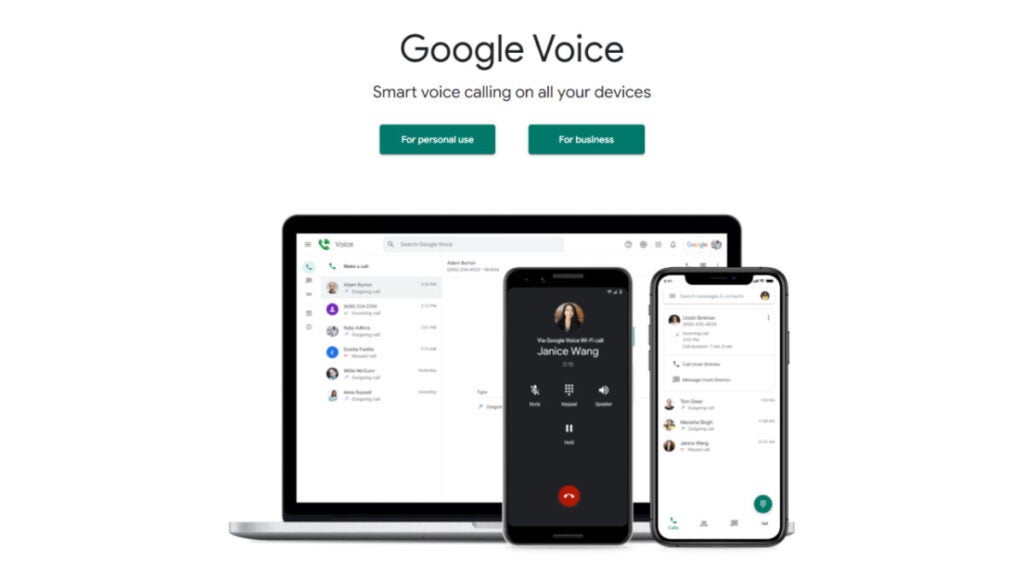
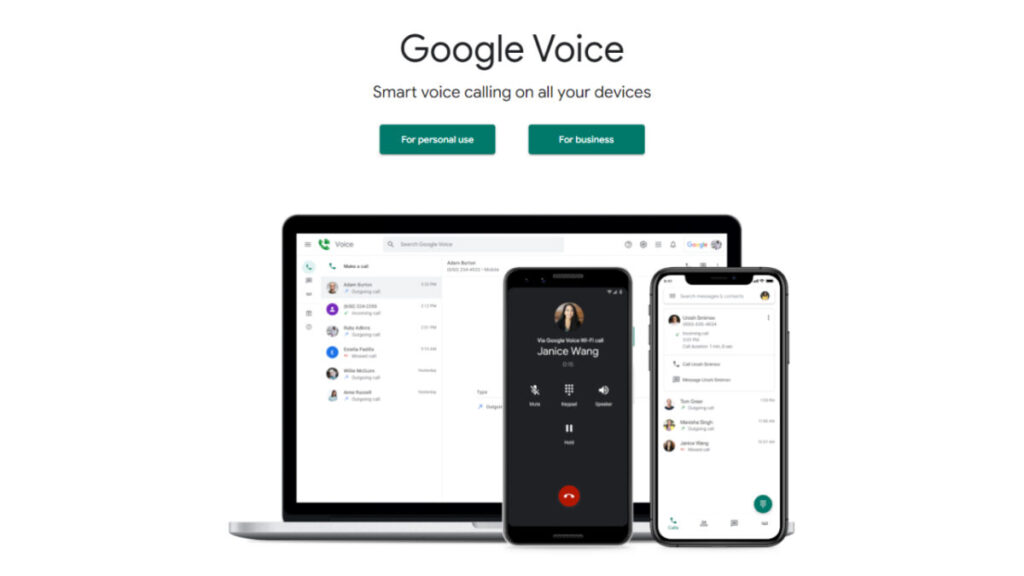
Many companies already use Google Meet, Calendar and other G Suite products. Therefore, they are big fans of Google Voice for Google Workspace. This VoIP phone system offers voicemail messages transcriptions and unlimited calling to the US, which are some of the essential VoIP features it offers to expanding organizations. However, it doesn’t include toll-free numbers, auto-replies or any other techniques to save time texting.
Due to an increasing reliance on remote collaboration, having an uninterrupted internet connection is of utmost importance when using Google Voice for Google Workspace. Since the Google Voice business phone system stores all outgoing and incoming calls, texts and voice messages in different files, it becomes more challenging to listen to conversations. Additionally, there might be better choices than Google Voice VoIP provider if you and your team want a business number to improve your work/life balance. Because this platform does not differentiate between personal and business calls, it is difficult to know how to answer the phone when it rings.
Key features:
Voicemail transcription
Call routing
Ring groups (upgrade needed)
Integration with G Suite
Multi-level auto attendants
Pricing:
Starter: $10 per user/month
Standard: $20 per user/month
Premier: $30 per user/month
Dialpad
Best for: Companies with sizable call centers use this VoIP phone service.
Dialpad is the best VoIP business phone system for bigger teams or call centers. One helpful aspect for call center agents is the AI-based training it provides. Integrations with other business apps and the ability to provide feedback on team members’ speech rates are two more methods to grow your company.
Dialpad VoIP phone system does offer international and toll-free numbers, but adding them to your plan can quickly increase its monthly cost. Whether you’re texting within your company or to an outside account, like a customer or partner, Dialpad makes integrating all of your text messages easy. You can get transcripts of your phone conversations, meetings and voicemails to improve business communications. And it works with Google Workspace, Microsoft Teams and Microsoft 365. Of course, you’d have to ensure a reliable internet connection when working with the Dialpad VoIP provider.
Dialpad has a lot of capabilities. However, they might not be useful for a startup because of the complexity of their operations. Even the most fundamental operations incur extra fees, such as the fees associated with porting several existing numbers. Another upgrade is required ($25/user/month) if you want access to several numbers per user.
Key features:
Analytics
Call recording
Auto-attendant (IVR)
Call and voicemail transcriptions
Call routing
AI features
Integrates with Google Workspace and Office 365
Speed coaching (if you talk too fast or too slow, speed teaching can help).
Pricing:
Standard: $15 per user/month
Pro: $25 per user/month
Enterprise: contact Dialpad to get a custom monthly price
Grasshopper
Best for: Organizations that value numerical extensions for VoIP calls.
Grasshopper business phone system is an affordable and professional-looking virtual phone system that caters to small business owners.
You may keep your personal and professional lives distinct with their options, which include dedicated business numbers.
You can get various business numbers from this VoIP phone service, including those with toll-free number area codes like 800, 833, 844, 855, 866, 877 and 888. Grasshopper also allows you to transfer your current business or virtual number, get a local number, or go with a vanity number. As long as you have a fast internet connection, you can use the Grasshopper business phone system for your company.
The Grasshopper VoIP phone system caters to several small businesses with their prices and options.
However, there are a few drawbacks to consider. One of them is that the higher-tier plan only allows for five phone numbers. Another is that the monthly expenses are expensive and won’t scale as your business grows. Also, this plan is missing essential features like shared numbers and integrations.
Key features:
Unlimited users for a fixed monthly fee
Call transfers
Simultaneous call handling
Incoming call control
Bundled toll-free numbers
Detailed call reporting
Free trial
Live receptionist and expert phone greeting enhancements
Pricing:
True Solo: $14/month
Solo: $28/month
Partner: $46/month
Small Business: $80/month
Ooma
Best for: Large retail centers and warehouses.
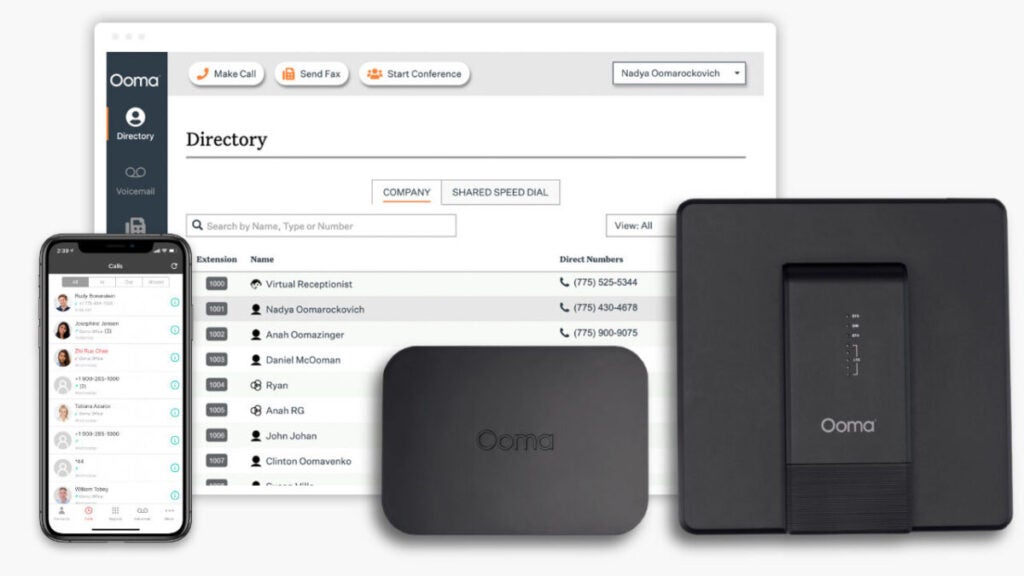
Residential and commercial phone systems are both offered by the Ooma VoIP phone system. Their paging feature might be useful for teams that work from a store because it lets them quickly reach people in large areas.
Unfortunately, Ooma’s small business VoIP plans include capabilities you might never utilize. Even if you don’t use IP phone paging or have an analog fax machine, the basic plan still charges $19.95/user/month for such features. Note that unlike traditional landlines, a broadband internet connection is of key importance for an effortless experience when using Ooma VoIP provider.
On top of that, you have to pay to get some of Ooma VoIP provider’s most significant advanced features. An upgrade ($24.95/user/month) is required to access essential functions such as texting and voicemail transcriptions. Unfavorable for developing businesses, even their desktop app requires an upgrade before it can be used.
Unfortunately, this isn’t the sole problem with Ooma’s technology. Additionally, several customers have mentioned that the pricing for add-ons could be clearer.
Key features:
Call transferring
Voicemail transcriptions (upgrade required)
Call recording
Call forwarding
Video conferencing
Voicemail transcriptions
Pricing:
Essentials: From $19.95 per user/month
Pro: From $24.95 per user/month
Pro Plus: From $29.95 per user/month
Vonage
Best for: Perfect VoIP phone system for companies looking for services with API.
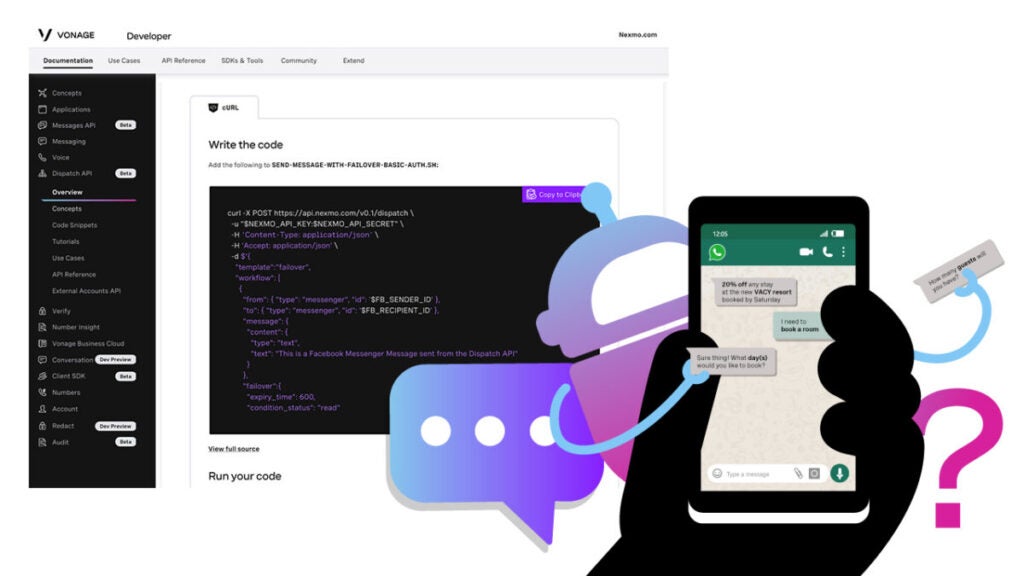
Vonage is an old VoIP service that offers two options: a virtual phone system that works right out of the box and an API that can be customized.
To keep up with its 100,000+ consumers, Vonage makes conversations more flexible, intelligent and personal. Companies like DHL, Domino’s and Glassdoor are among their notable clientele.
Vonage provides its customers with three distinct bundles. VoIP calls take up a more significant portion of their mobile package. The Premium package lets users add video, messages and voice calls to their communication capabilities.
There is an Advanced plan with more advanced features for IP phones. A business phone number is included with every Vonage service. You can choose between a local and toll-free number when you choose your plan. Remember that as long as you have a fast internet connection on your computer or mobile device, you will enjoy Vonage’s call quality.
There are a lot of hidden costs with Vonage VoIP provider that you might not expect, such as the price of extensions, toll-free lines and advanced features like automated call recording. Growing brands and organizations may see Vonage as one of the expensive VoIP solutions, especially considering that rival VoIP providers offer most of these capabilities as standard.
Key features:
Texts in the US and Canada
Unlimited team chat
Internal team messaging
Mobile and desktop apps
Unlimited calling in the US, Canada and Mexico
20 third-party integrations (like Clio or G-Suite)
SMS in the US (API required to send MMS messages)
Pricing:
Mobile: $13.99 per line/month
Premium: $20.99 per line/month
Advanced: $27.99 per line/month
GoTo Connect
Best for: Organizations with a lot of remote workers.
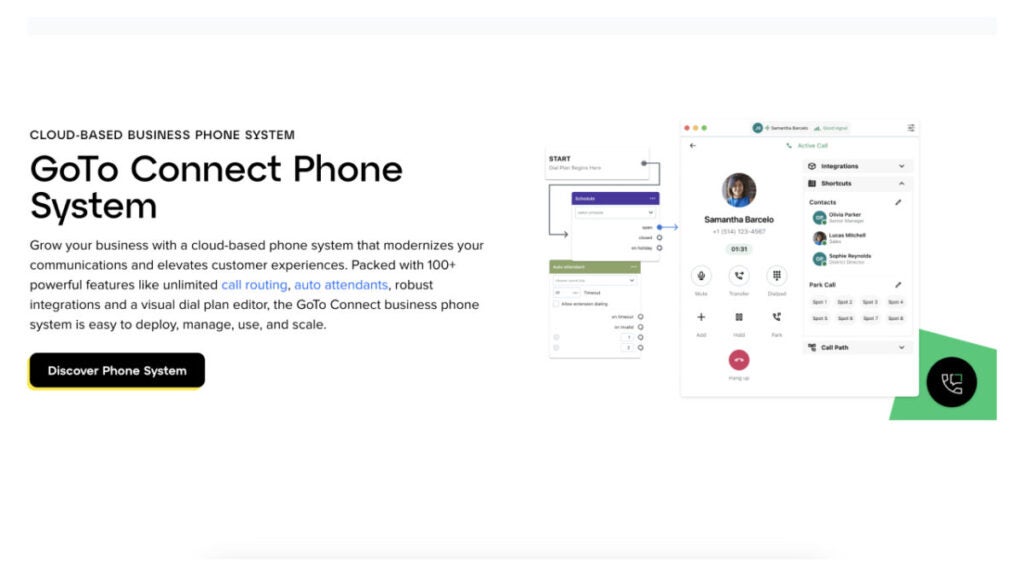
In addition to virtual phone numbers, GoTo Connect is a powerful commercial VoIP provider. For a flat monthly fee, GoTo Connect gives its customers access to 80+ business-grade capabilities, including unlimited calling and call forwarding.
Getting GoTo Connect up and running is a breeze. VoIP phones pre-programmed by GoTo Connect will be sent to your business.
GoTo Connect may be too much for certain smaller companies. Companies like Phoner provide virtual phone numbers without the need for any equipment or other necessities.
The GoTo Connect business phone system is ideal for company owners and IT decision-makers who want a feature-rich, all-inclusive solution offering virtual phone numbers.
Key features:
Over 80 essential features essential for business operations.
Call Management
Custom Schedules
Find Me/Follow Me
Pricing:
Basic: Starting at $27.00 per user/month
Standard: Starting at $32.00 per user/month
8×8
Best for: Small businesses that need a reliable business phone number provider.
Choosing VoIP systems like 8×8 is much better than using traditional landlines. The business phone VoIP provider has three distinct plans to meet the needs of different types of businesses. You can optimize your business communications with the help of the business numbers offered by each of the three plans.
With every package, 8×8 offers unlimited calling in the US and Canada, basic auto-attendants, team messaging and more for businesses. This business VoIP phone system is superior to traditional phone lines in many ways, including making unlimited international calls, participating in interactive video conferences and streaming live content with an enhanced subscription.
Consider 8×8 voice over internet protocol (VoIP) provider as a reliable service for your organization if you regularly holds webinars, conference calls and sales demos. However, most companies’ crucial phone and messaging features are absent. To receive MMS or SMS messages, you must upgrade.
Key features:
Unlimited users (but you must pay for each user)
Works across mobile, desktop and web app
Encryption for added security
24/7 customer phone support
Free unlimited calling in the US and Canada
Team messaging
SMS, MMS and team chat
Voicemail transcriptions
Supervisor analytics
Pricing:
X2: $28 per user/month
X4: $57 per user/month
X6: $85 per user/month
X7: $110 per user/month
X8: $140 per user/month
Bottom line
Considering the advanced features, price, plans, reliability, customer service, security, and compliance of each virtual phone number provider before making a final decision is essential. If you put in the effort to learn about your options and evaluate your requirements, you may choose a service that will meet all of your company’s needs.
The answer to the question of ”how to get a business phone number” is simple – start by choosing the best provider among business VoIP services. Prior to delving into each service, decide which number type is most suited to your calling needs. To get a simple, affordable provider with multiple useful features, we recommend Phoner app.
We’ve tested a bunch of apps that allow you to get a second phone number quickly and picked the best 7: learn more about our experience and insights.
Tired of privacy issues and unwanted calls on your main number? Dive into the realm of second phone number apps – the ultimate solution for privacy and efficient communication. Whether you’re online dating, managing a business or simply need a dedicated number, these apps provide a seamless answer.
Trust us to guide you to apps that not only meet but exceed your expectations in functionality and user experience.
How to Get a Second Phone Number App in Six Steps
The Phoner app is one of the best second phone number apps for texting and calling. We’ll use it as an example because it gives you a range of features that entails phone call recording, lookup anonymous caller, private texting and calling.
Here’s how to get another phone number with Phoner app:
Step 1: Download and Install the Phoner App
Visit the Google Play Store or App Store (iOS) on your smartphone via this link. Search for Phoner app on the app store. Download and install the application on your phone.
Step 2: Create a Phoner Account
Open the app on your phone and, click on sign-up to create a new account. Type in your email address and create a password for your account. This email will be associated with your numbers.
Step 3: Choose a Personal Phone Number
Upon creating an account successfully, the application will prompt you to select a new phone number from the list of area codes provided. Go through the on-screen instructions to choose and customize your Phoner number.
Step 5: Customize your Preferences
Once your Phoner app is activated, you can set up preferences like notifications, and other customization options provided.
Step 6: Use your Phoner Number
You can now use the Phoner number to make calls and receive texts within the mobile app. The phone number is separate from your primary phone, even if they’re on the same phone.
Download phoner now for a reliable second number that’s tailored to your needs.
Why You Need Second Phone Number Apps
Let’s delve into the various reasons why individuals and businesses might find it beneficial to acquire multiple phone numbers.
Maintain your privacy
In certain instances, maintaining privacy is very important. Having a second phone number offers a range of advantages for private individuals that include:
1. Privacy and Security
Owning a second phone number helps to safeguard personal information by using separate numbers for social media accounts and online registrations. It also helps to reduce unwanted calls or messages to your primary number.
2. Online Transactions
Having a second line provides an extra layer of protection when engaging in online transactions.
3. Temporary Communication
You can use a second phone number for temporary communications, such as buying/selling items, renting accommodation, etc.
Run your business
A second phone number can be a valuable tool for communication and organizational purposes. It helps by improving:
1. Professional Image
It helps you maintain a professional image by having a dedicated number for client interactions.
2. Work-Life Balance
Separating business-related and personal communication can aid in achieving a better work-life balance.
3. Sales and Marketing
Use a second number for marketing campaigns, allowing you to track the success of specific initiatives.
4. Team Collaboration
Facilitate team communication by providing employees with business-specific contact details. Additionally, some of them can work on multiple devices.
Best Apps to Get a Second Phone Number: a Quick Pick
Here’s a succinct list of some of the phone number apps that made it to our list:
2. Google Voice: Free, integrates with Google services.
3. TextFree: Free US number, make personal calls without a plan.
4. Hushed: Privacy-focused, short-term numbers.
5. Phone Burner: Power dialing, contact management.
But before going further, let’s discuss some top factors to consider before making a choice:
The Best Second Phone Number: How to Choose
Selecting the best second phone number app involves considering various factors to ensure that the app meets your specific needs. Here’s what you should consider:
1. Cost:
Check if the app offers subscription plans and, understand the pricing structure. Some apps may have free options with limitations and premium plans for additional features.
2. Ease of Use
Look for an app with an intuitive and user-friendly interface. The setup process should be straightforward and, accessing features should be easy.
3. Privacy and Security
Ensure the app has strong privacy measures to protect your personal information. Check the app’s privacy policy to understand how your data is handled.
4. Available Features
Assess the basic features for making calls and sending texts. Some apps may offer additional features like custom voicemail features, private calls, free calling, ability to record calls, temporary number, unlimited texting, call forwarding and, customizable caller ID.
5. Customization Options
Check if the app allows you to choose specific area codes or customize your second phone number. This can be important for personalization.
6. Compatibility
Ensure the app is compatible with your smartphone’s operating system (iOS or Android) and check if it works seamlessly on your device.
7. Call Quality
Consider the call quality provided by the app. Poor voice quality can hinder effective communication.
Now that we’ve discussed the criteria to consider, let’s take a better look at some top second phone number apps to consider.
App 1: Phoner App
Best pick for: Those seeking a secure and feature-rich communication solution.
Killer Feature: Anonymous Lookup
This feature may provide users with details associated with an anonymous or private number, offering transparency and additional information when receiving calls from unknown or masked numbers. It enhances user security and helps them make informed decisions about answering or responding to calls from unidentified sources.
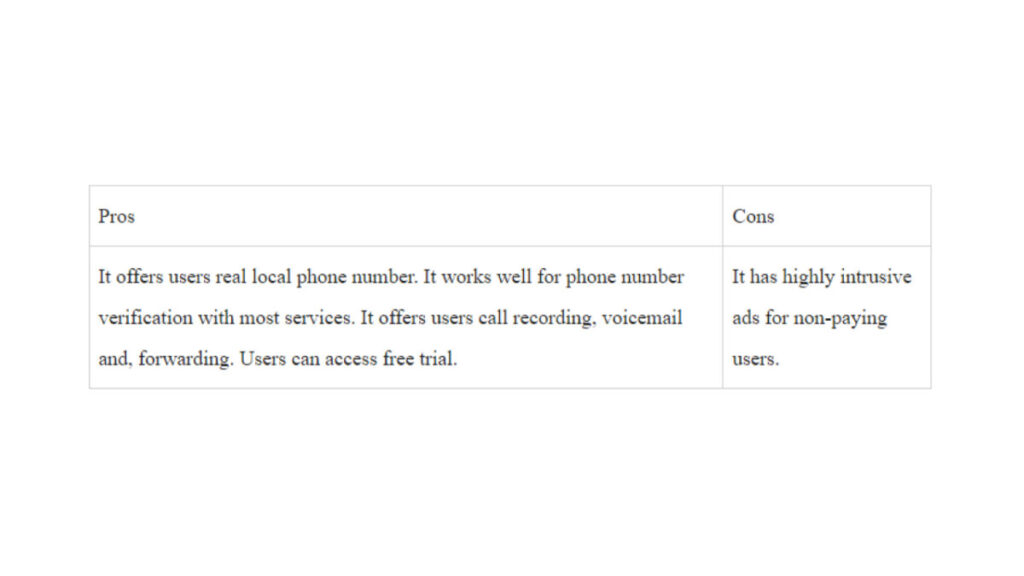
Pros and Cons
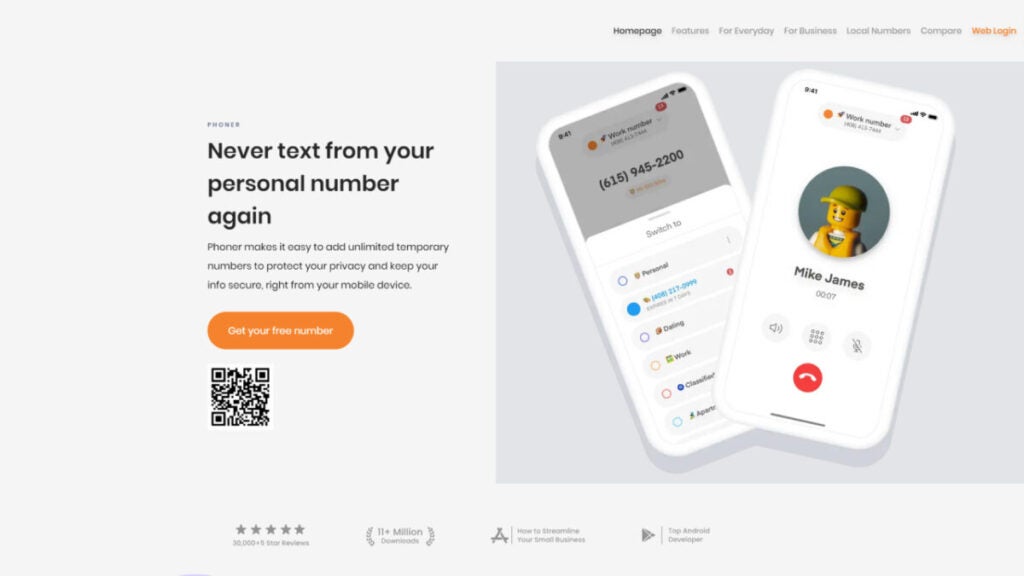
Below are the strengths and weaknesses of the Phoner App.
Pricing
The subscription price ranges from $4.99-$129.99. It also offers a host of in-app purchases which can drive the overall pricing significantly higher, based on the features you need and, your length of calls.
Best pick for: Individuals looking for a free, versatile second phone number solution with seamless and secure integration with Google services like Google Chrome, Gmail and Google Calendar.
Killer Feature: Integration with Google Services
Google Voice app can integrate with both your business and personal Google account, streamlining communication and productivity.
Pros and Cons
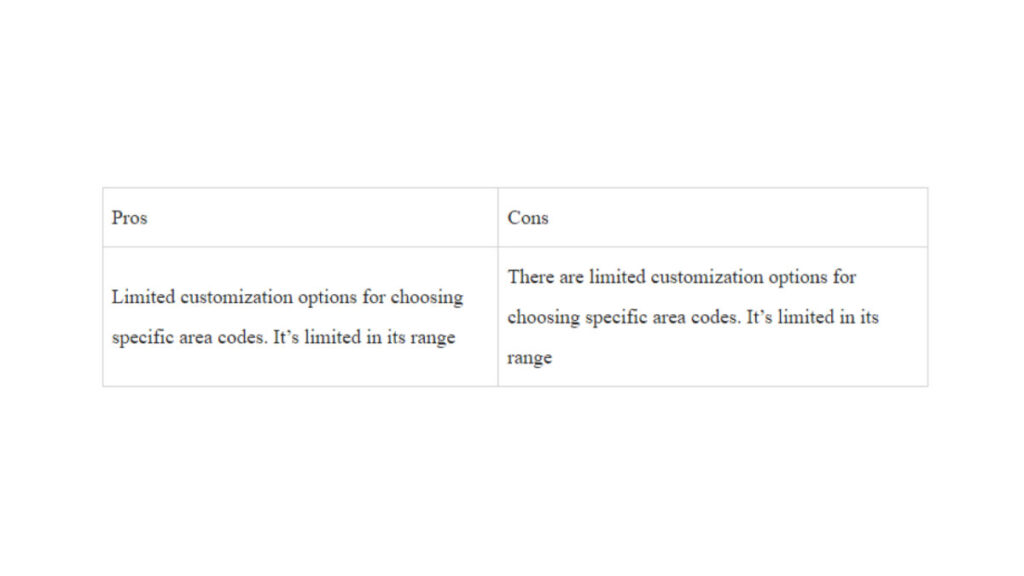
Using Google Voice as a second phone number app has a number of benefits and disadvantages that entail:
Pricing
Google Voice has 3 different pricing plans with different range of features and accessibility. These plans are the starter, standard and, premier plans. Let’s help you understand how they differ.
1. Starter: $10/month
Calls between Google Voice numbers are included,
Calls to most European countries from within Europe Included,
Calls to the US from any Google Voice number included,
Calls to Canada from a Canadian Google Voice number are included.
2. Standard: $20/month
Unlimited number of users,
Free second phone number
No Geographic restriction.
3. Premier: $30/month
Unlimited international location
Calls between Google Voice numbers are included.
Reviews
G2: 4.1 (145 reviews) Capterra: 4.5 (668 reviews)
Reviews on G2 and Capterra for Google Voice are consistently positive. Many users hailed its ease, simplistic user interface, reliability and, integration with the Google ecosystem. However, many users suggest that the app should expand its reach to many other countries.
App 3: TextFree
Best pick for: individuals looking for a free texting and calling app. It caters to users who want an additional phone number for communication without the need for a cellular plan. This app is particularly useful for those who want a secondary number for privacy, online transactions, or as a backup.
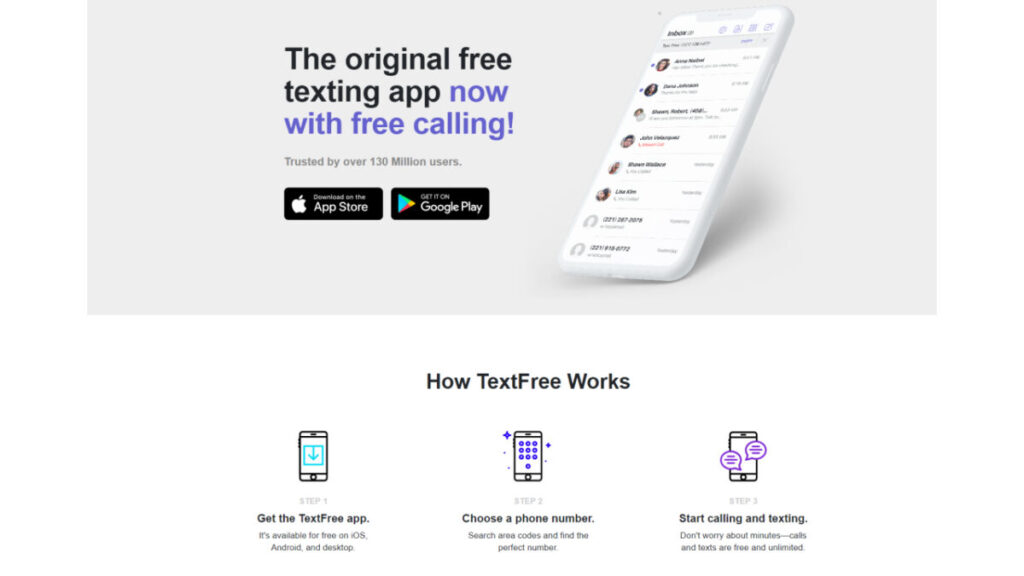
Killer Feature: Free and real US phone number
This app allows users to send text messages and make calls using a real US secondary number without incurring additional costs.
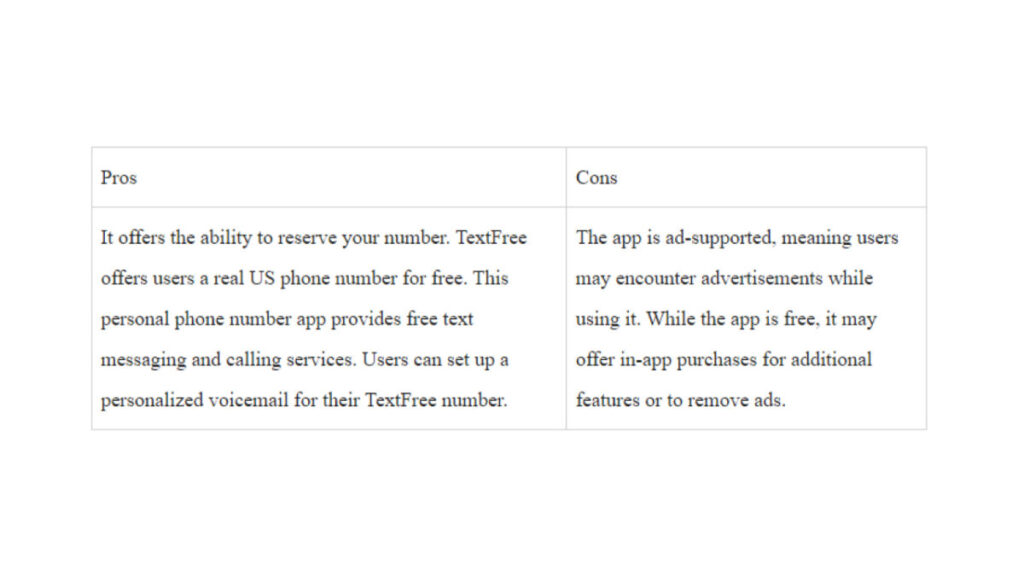
Pros and Cons
Pricing
For new customers signing up for a TextFree account and opting for TextFree Plus, the default subscription is set to monthly. Here are the subscription options:
Monthly (1 month): $9.99 – This is the default subscription for new iOS and Android accounts, as well as for accounts upgrading to TextFree Plus via Settings.
Half Yearly (6 months): $39.99 – Currently available exclusively for iOS customers (see below for details).
Yearly (12 months): $69.99 – Also available exclusively for iOS customers at this time.
Note: The half-yearly and yearly subscriptions are limited to iOS customers only.
Reviews
Capterra: 4.0/5 (28 reviews)
Feedback on most platforms consistently emphasizes the app’s positive qualities, applauding its straightforwardness, dependability and, cost-effective international calling options. Users commend the accessibility of the free fundamental services, though a few note the presence of ads is a drawback.
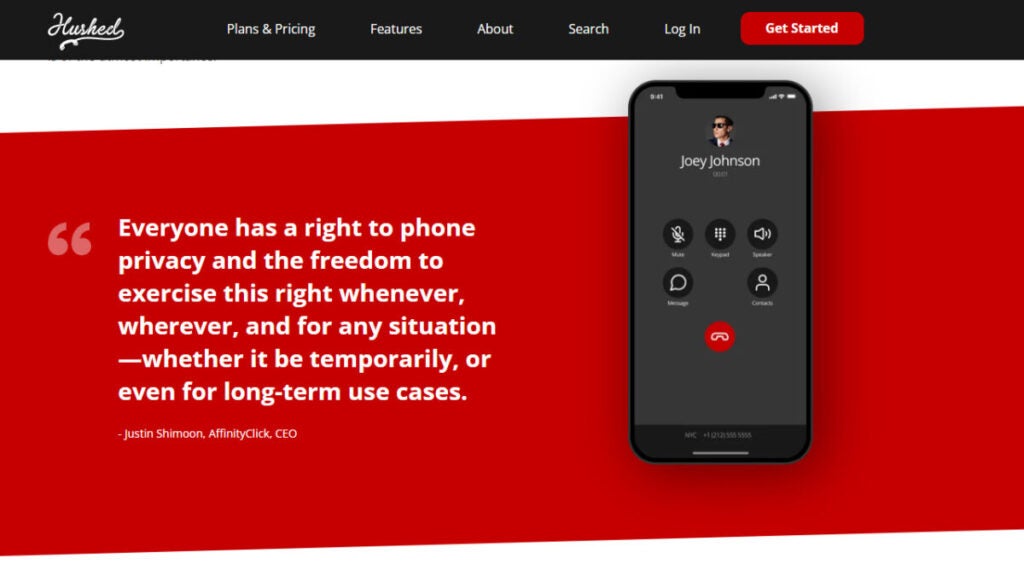
App 4: Hushed
Best pick for: individuals seeking a second phone number for privacy. It caters to those who wish to separate their primary number from specific activities like online dating, business communications, or temporary engagements.
Killer Feature: Short-time Phone Numbers
This is particularly useful for short-term needs, allowing users to maintain privacy without revealing their primary number. The app’s numbers can be used for calls, texts and, even voicemail.
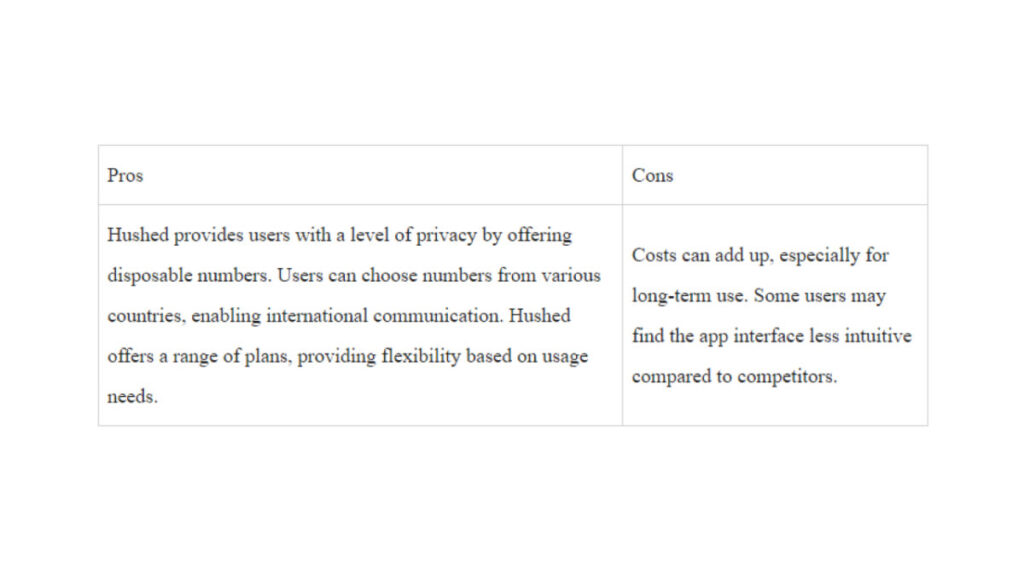
Pros and Cons
Pricing
Prepaid Plans:
Flexible plans bundled with local minutes and SMS usage
Starting at $2.99
7, 30, 90 and, 365-day plans available
Extend your number at any time
Perfect for short-term or long-term use cases
One-time payment
Unlimited Subscriptions:
Unlimited talk and text
Auto-renewing subscription plans available on US, Canada and, UK mobile numbers
Starting at $4.99/month
No expiry date
Available in 1 or 3 Line bundles
Monthly or yearly plans
Sign up yearly and save up to 20%
Pay-As-You-Go International Plans:
For international calling capabilities with your Hushed number
Starting at $6.99 (includes $1.00 in credits)
Call internationally anywhere at great rates.
Use Hushed Credits directly from your account balance
International texting capabilities available with US/CAN numbers
Reviews
Hushed doesn’t have any reviews available on both Capterra and G2, however, it has lots of ratings on both Google PlayStore and App Store.
App Store: 4.6/5 (14,625 reviews)
Google PlayStore: 3.8/5 (50,029 votes)
App 5: Dingtone
Best pick for: Dingtone is the ideal choice for individuals and businesses that want a long-term second phone number for WiFi calling and unlimited texts within the US and Canada.
Killer Feature: Dedicated Second Phone Number
Dingtone’s killer feature is the provision of a free second phone number that users can use for long-term, allowing them to protect their privacy and have a dedicated number for personal and business communications.
Pros and Cons
Pricing
Dingtone offers both a free and paid plan.
Free Plan
You can earn credits via:
Daily check-ins
Completing tasks
Inviting friends
Playing suggested games
Paying for a plan
Sample Rates
US: 0.9 cents/min
India: 2.0 cents/min
Bangladesh: 2.5 cents/min
Mexico: 0.9 cents/min
Nigeria: 7.0 cents/min
China: 1.2 cents/min
UK: 1.0 cents/min
France: 0.9 cents/min
Italy: 0.9 cents/min
Germany: 0.9 cents/min
Brazil: 1.35 cents/min
Russia: 3.2 cents/min
Reviews
Capterra: 5.0 (1 Review)
Users highlight Dingtone’s affordability and, international calling capabilities, with satisfaction in its performance.
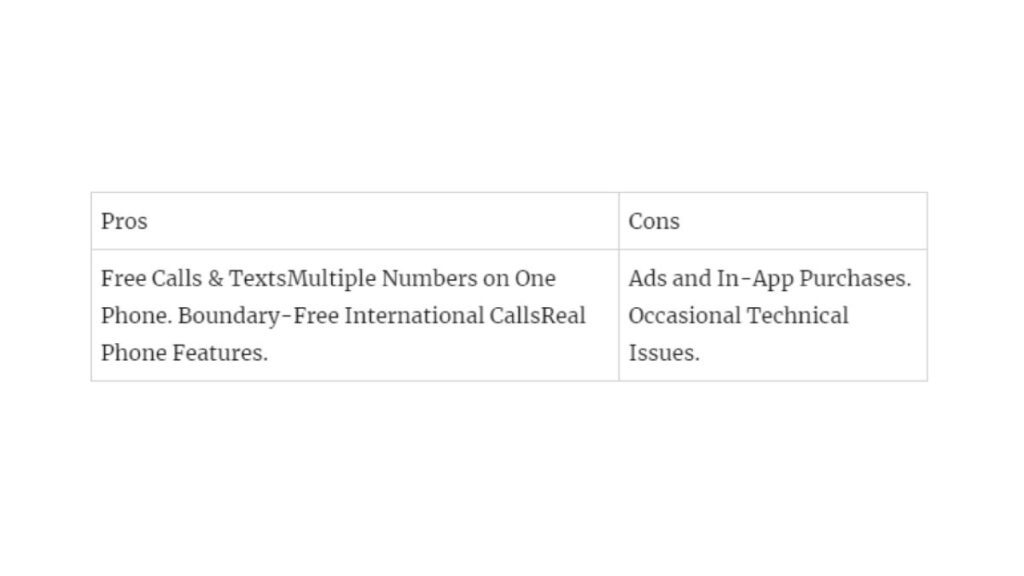
App 6: Line 2
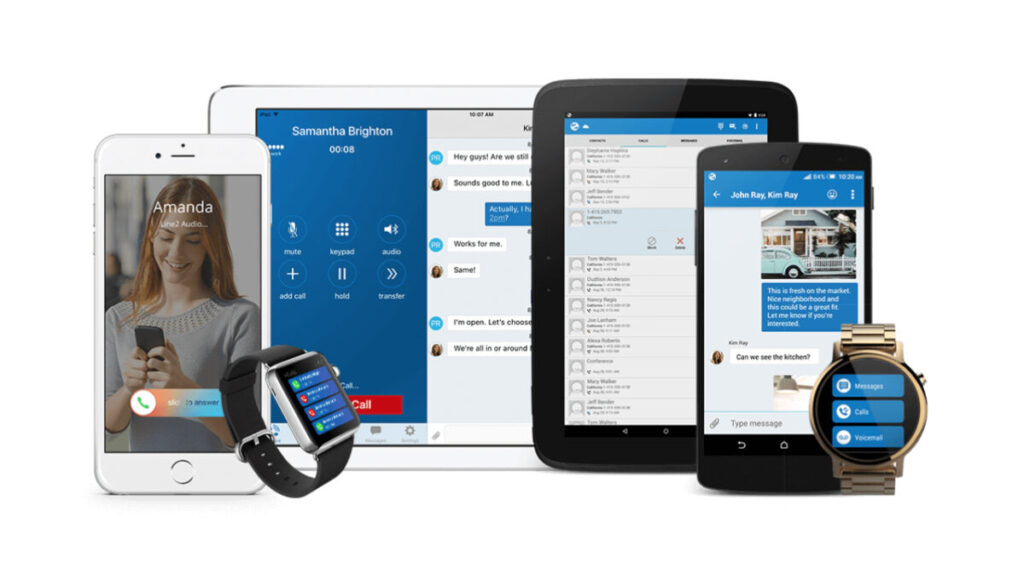
Best pick for: Professionals, entrepreneurs and, small business owners seeking a dedicated second phone number for business communication.
Killer Feature: Business-oriented functionality
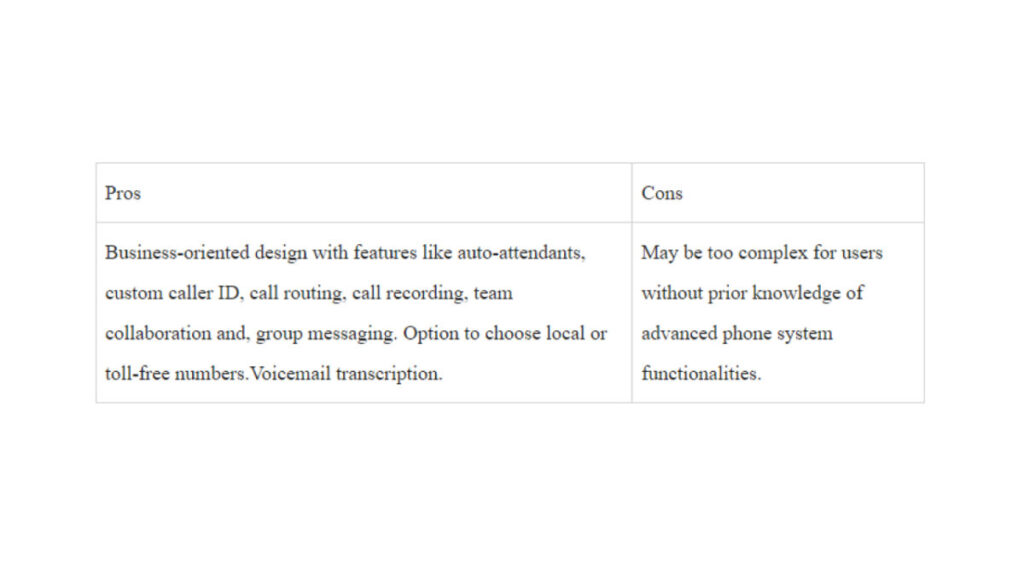
It offers an array of features, some of which are tools for call handling, auto-attendants, and team collaboration.
Pros and Cons
Pricing
Line2 offers one payment package with a discount for annual payments.
Monthly: $15/month
Annual: $13/month
Reviews
G2: 2.7/5 (14 reviews)
Capterra: 3.6/5 (35 reviews)
Reviews on both G2 and Capterra align with our opinion that Line2 excels in meeting business communication needs. Users appreciate its professional features, robust call management capabilities and, the flexibility to choose local number,
App 7: Phone Burner
Best pick for: Sales reps and businesses that want a power-packed dialer app that can guarantee improved reach, and analytics.
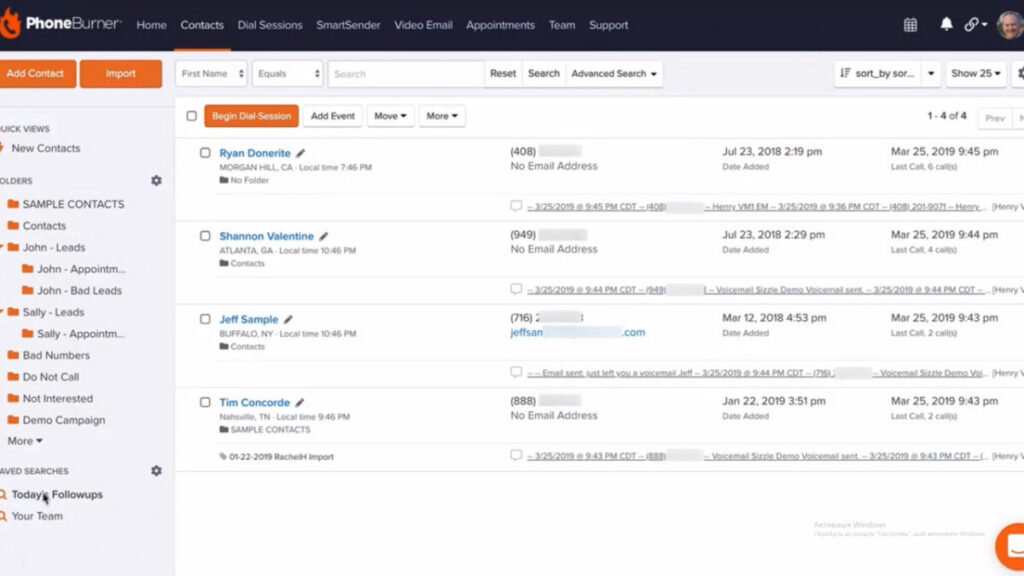
Killer feature: Combines power dialing with contact management
Users benefit from a seamless interface that automates dialing while providing robust contact management tools. This combination enhances productivity during business calls ensuring a smoother experience for reaching and managing contacts within a single, integrated platform.
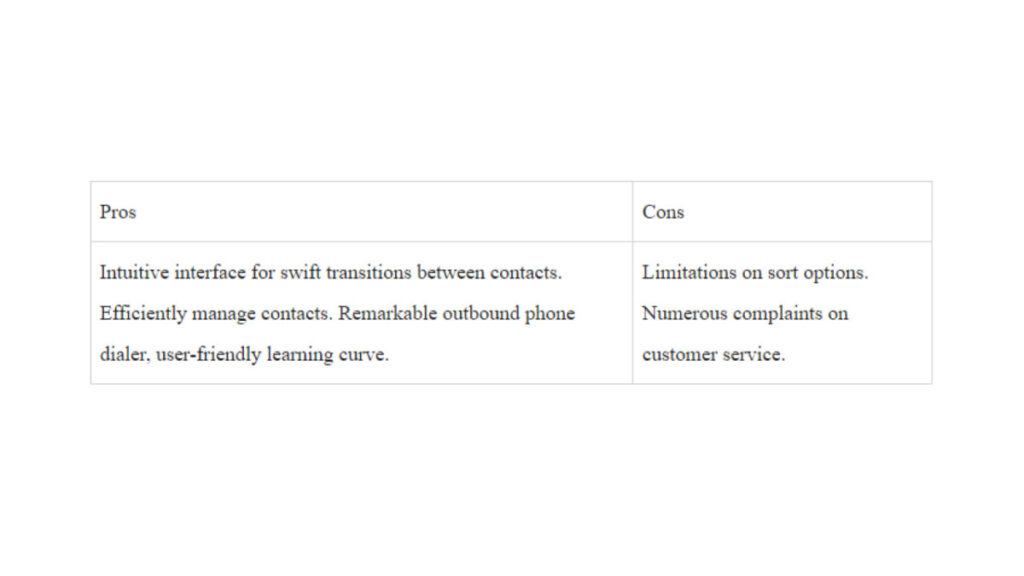
Pros and Cons
Below are the strengths and drawbacks of using phone burner:
Pricing
Phone burner offers a 7-day free trial.
Standard:
Price: $127 per user/month (billed annually)
Features:
Unlimited calling minutes
1-click voicemails
Email sending and tracking
Call tracking and analytics
30-day call recording storage
Professional:
Price: $152 per user/month (billed annually)
Everything in Standard, plus:
Connect via softphone
Open API
Live call monitoring
Live call coaching
2x contact imports (20,000/month)
90-day call recording storage
Premium:
Price: $169 per user/month (billed annually)
Everything in Professional, plus:
Dedicated inbound number
SMS text messaging
Priority phone support
5x contact imports (50,000/month)
Unlimited call recording storage
Reviews
G2: 4.2/5 (183 reviews)
Capterra: 4.8/5 (170 reviews)
Phone Burner offers a top-notch service that can be tailored to both short-term, and long-term business users. It offers a scalable plan to users. And allows users to customize the solution based on the intricate demands of their enterprise.
Summary
It’s a great decision to explore top second phone number apps and access diverse features like texting, calling and, voicemail. Whether for personal, business, or specific needs, these apps revolutionize your phone experience.
Prioritize factors like usability, support, trials, call quality, storage, offline use and, compliance for a tailored selection that aligns with your unique requirements with choosing a second line. The range of second phone number applications here are definitely going to guarantee a unique experience. At Softonic, we recommend Phoner as the top app if you are looking for a second phone number. Download here.
Find out how to get a phone number for free for calling and texting in 2024 in our in-depth review of 8 best virtual phone number apps. Click here.
At some point, you’ve likely wanted to seamless switch phone numbers, if only for a single call. Fortunately, technological advancements have made this quite achievable, offering you more than one method to do so.
Virtual phone numbers are useful for frequent travelers and businesses, enabling them to place local calls at local rates rather than relying on costly international numbers.
In this piece, we discuss how to get a phone number for free with Phoner and other alternatives to explore.
How to Get a Phone Number for Free: Phoner
Getting a free number from Phoner can help you own a temporary, secure second line for differentiating your business and personal activities. Here are some general steps for getting a free number with Phoner:
Step 1: Download and Install the Phoner App
Visit the Google Play Store (for Android devices) and App Store (for iOS devices) here.
Search “Phoner” in the search bar.
Download the Phoner app and follow the on-screen instructions to install it on your mobile device.
Step 2: Sign Up or Log In:
If you are a new user, you can immediately get started without having to sign up. However it is a good idea to add an email and password for account recovery in the future. To do this, tap on Settings -> Set up Account.
Step 3: Choose One of the Virtual Phone Numbers
You will be prompted to select an area code. Then, choose from a list of available virtual phone numbers.
Step 4: Customize Settings
Explore the app’s settings to customize features like voicemail, call forwarding and text messaging preferences. It provides more encompassing features than an actual phone number if you appropriately customize for a personalized experience.
Step 5: Use Your Free Number:
Once you’ve set up your virtual phone number, you can use it to make and receive calls, send & receive text messages and explore additional features provided by the Phoner app.
Also, kindly note that while the app itself may be free to download, some features or virtual numbers might come with additional costs. Always check the app’s terms of service, pricing and any potential limitations.
Other Options for Getting a Free Phone Number
Perhaps you want to compare other alternatives to get free phone numbers and see how they stack in comparison to Phoner. Here are some popular alternatives to try:
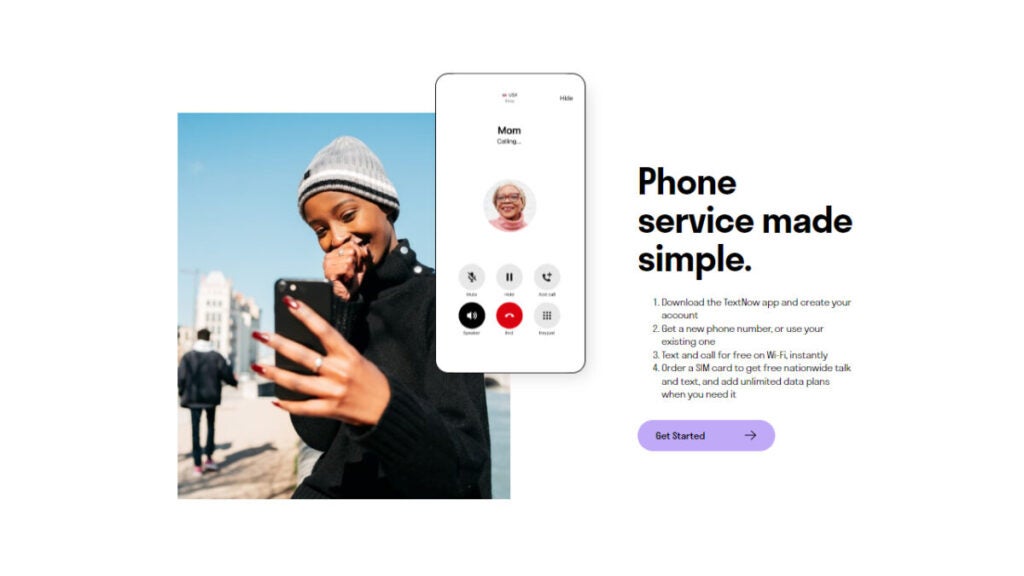
Option 1: TextNow
TextNow is a mobile application that lets users make and receive text and calls for free. The platform uses a mobile virtual network operator, ensuring it depends on other providers to offer services without extra charges or fees.
By using TextNow, you can make calls via WiFi or internet connection. However, you’ll have to subscribe to its premium plan to use this feature.
Key Features of TextNow
Below are some great features of Text Now:
1. Voicemail: It lets users receive and listen to voicemail – this is dependent on the app’s settings.
2. Group Messaging: This feature lets users create and participate in group chats, helping them to communicate with multiple contacts simultaneously.
3. Caller ID: The app provides a caller ID feature, showing the caller’s information during incoming calls.
4. Customizable Wallpapers: It lets users personalize their messaging experience by setting wallpapers for their conversations.
5. Emojis and Stickers: The app supports a range of stickers and emojis to enhance expression in text messages.
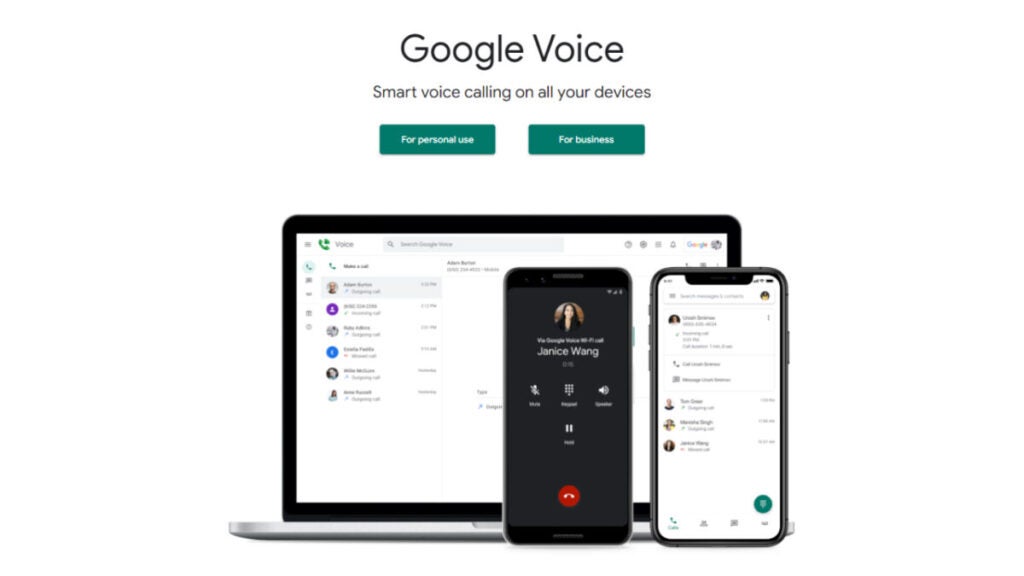
Option 2: Google Voice
Google Voice is a telecommunications service by Google. This service offers users a free Google voice phone number for calls, texts and voicemail. It enables call forwarding to multiple linked numbers, voicemail transcription and spam filtering.
Users can send texts, make international calls and integrate with Google Workspace. Custom greetings, conference calling and Do Not Disturb features enhance user control to improve the experience you get from your Google Voice number.
Google Voice offers a valid phone number that’s accessible on web and mobile apps. It also provides a unified communication experience through group and unlimited calling.
Let’s discuss some of its key features in details:
Key Features of Google Voice
1. Conference Calling: Users can initiate a conference call by dialing one participant and then adding others to the conversation. This is particularly useful for business meetings, collaborative discussions or catching up with friends and family.
2. Spam Filtering: The spam filtering functionality in Google Voice automatically identifies and separates potential spam or unwanted calls and text messages from legitimate ones.
3. Do Not disturb: The “Do Not Disturb” (DND) feature in Google Voice is designed to allow users to temporarily silence or mute incoming calls and notifications.
4. Custom Greetings: Instead of a standard, generic voicemail greeting, this feature allows users to create and set their own custom voicemail messages.
5. Voicemail Transcription: Google Voice transcribes voicemail messages into text, making it easier to read and manage messages without listening to them.
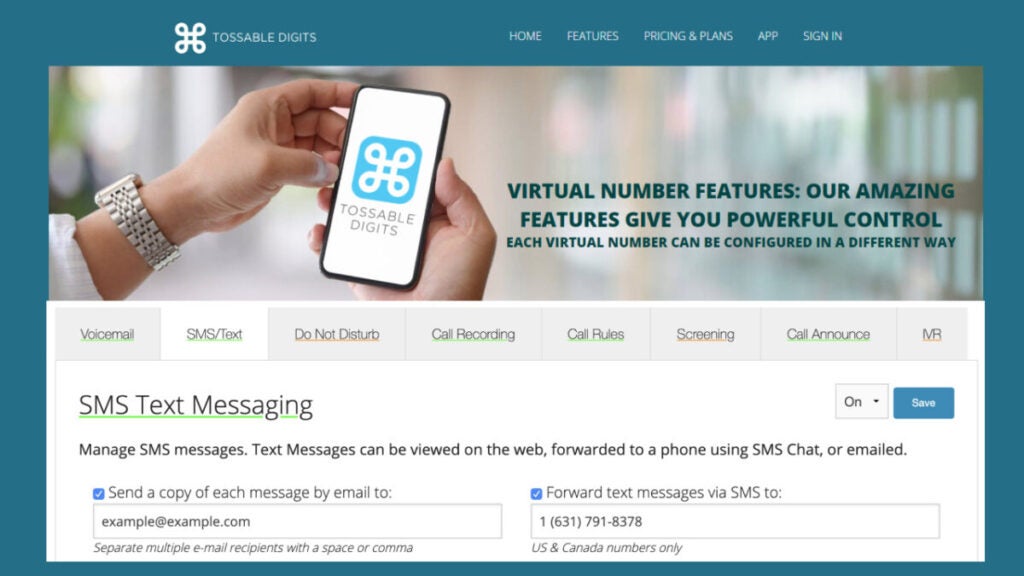
Option 3: Tossable Digits
Tossable digits is a virtual phone number service that forwards to the customer’s existing home, office phone and cell, anywhere in the world. It allows users to obtain disposable or temporary phone numbers that can be used for various purposes, such as protecting privacy, maintaining anonymity or testing services without revealing a personal phone number.
Each virtual phone number by tossable digits comes with unlimited virtual SMS text messaging (US/ Canada only), unlimited call recording, voicemail, inbound and outbound calling and international calling at low rates. Let’s delve into the key features:
Key Features of Tossable Digits
Beyond the catchiness of its 4,078,794 numbers in stock, it also boasts a range of highly impressive features:
1. Call Recording: It lets you record any or all calls made to your virtual number.
2. RoboCall Blocking: This feature helps users avoid unwanted or spam calls, enhancing the overall call experience by reducing interruptions from automated messages.
3. Interactive Voice Response: IVR is a technology that allows a computerized system to interact with callers through voice and touch-tone keypad inputs. It is often used for automated call routing and handling various tasks without the need for human intervention
4. Caller ID Control: Caller ID control refers to the ability to customize or manipulate the information displayed on the recipient’s caller ID when making outgoing calls. This feature puts users in control of how their phone number appears to others.
5. Two-Factor Authentication: 2FA sent to the user’s virtual phone number enhances the security of account logins or transactions. It adds an extra layer of protection beyond just a password.
6. Toll-free Numbers: Users can create numbers where prospective callers can call in for free.
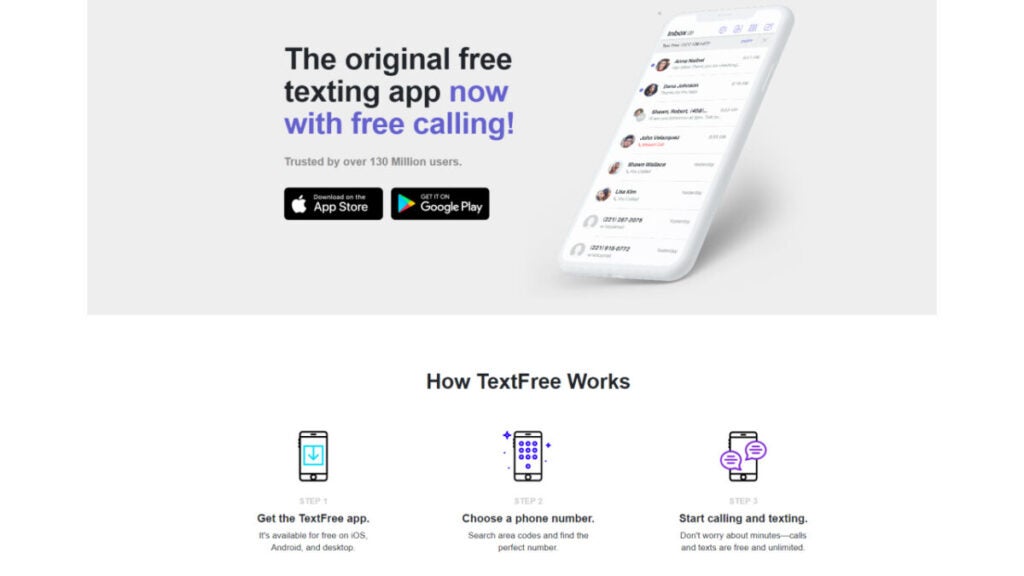
Option 4: TextFree by Pinger
TextFree by Pinger is a mobile application that offers free texting and calling services. It is developed by Pinger, Inc. and provides users with a free phone number, allowing them to send text messages and make calls over Wi-Fi or mobile data without using their cellular plan’s minutes.
Users can use this app as an alternative to traditional texting and calling services, especially in situations where they want to conserve their cellular plan’s resources or for those who don’t have a regular phone service.
TextFree offers additional features like voicemail, group messaging and the ability to earn credits for calling to non-TextFree numbers.
Let’s breakdown the key features in more details
Key Features of TextFree
Some of the most prominent features of TextFree are:
1. MMS (Multimedia Messaging Service): MMS allows users to send multimedia content beyond simple text messages. This can include pictures, videos, audio files and other multimedia elements. With MMS support, TextFree users can enhance their communication by sharing various types of media.
2. Message Personalization: Message personalization typically refers to the ability to customize and personalize your text messages. This can include features such as adding emojis, changing fonts, using different colors or incorporating other elements to make your messages unique and expressive.
3. Online Voice Transmission: This feature refers to the ability to send voice messages or make voice calls using the TextFree app. Users can transmit their voice messages in real-time, allowing for a more dynamic and personal form of communication compared to traditional text messaging.
4. Reporting/Analytics: Reporting and analytics features provide users with insights into their messaging and calling activities. Users may be able to track things like the number of messages sent, call durations and other relevant metrics.
5. Shortcodes: TextFree offers the ability to send and receive messages using shortcodes, providing users with a quick and easy way to interact with specific services or organizations.
Option 5: Dingtone
Dingtone is a cost-free calling and messaging application that empowers users to initiate free phone calls and dispatch complimentary text messages. Users can place online calls to any number without requiring a SIM card or committing to any cellular plans.
Likewise, you can send free texts, voice messages and images to actual phone numbers through the app. Dingtone offers millions of authentic phone numbers across various regions, including the US, Canada, UK, India, Bangladesh, Pakistan, Mexico, Philippines, Jamaica, Nepal, Nigeria, Saudi Arabia, Egypt, Brazil, United Arab Emirates and more.
As for its user base, Dingtone is a trusted choice for those seeking dependable free-calling and free-phone number applications. With over 20 million downloads worldwide, it caters to the needs of freelancers, solopreneurs and small businesses alike.
Key Features of Dingtone
1. Caller ID: Dingtone allows users to choose which of their numbers will be displayed when making calls. This feature provides flexibility and control over the caller identification information that recipients see.
2. Call Block: Dingtone includes a call block feature, enabling users to prevent unwanted calls and fend off potential fraud. By using this feature, users can maintain a more secure and uninterrupted calling experience.
3. Call Forwarding: This allows users to forward calls to any number of their choice using Dingtone. This feature is particularly useful for redirecting calls to another device or number, ensuring that users never miss important calls.
4. Walkie Talkie: Dingtone transforms iPhones into Walkie Talkies with its push-to-talk feature. Users can enjoy instant communication by simply pushing a button, making it a convenient and quick way to exchange messages with others.
5. Instant Messaging: Dingtone supports instant messaging, providing a platform for users to have fun while sharing photos, videos, locations, and contacts with their contacts. This feature enhances the communication experience beyond traditional calls and text messages.
Option 6: CallHippo
CallHippo provides a diverse selection of numbers from around the world, accompanied by various useful features such as call forwarding and messaging services. What stands out the most is its unique capability to integrate with cloud storage clients and platforms like Zapier, setting it apart from other similar services.
This distinctive feature transforms CallHippo from a mere calling program into a valuable component of your comprehensive office setup. This comprehensive approach is particularly beneficial for business owners seeking a versatile and integrated solution.
Let’s break down its key features further:
Key Features of CallHippo
1. Call Queuing: Call queueing is a telecommunication feature that organizes and manages incoming calls, particularly in high-volume scenarios like call centers. It places callers in a structured line based on when they’re contacted, assigning positions and placing them on hold.
2. Automatic Call Distribution (ACD): Automatic Call Distribution is a feature that efficiently distributes incoming calls among a group of agents or specific individuals based on predefined criteria.
3. Call Monitoring: This feature allows supervisors or managers to listen in on live calls or review recorded conversations. It is important for quality assurance, training and ensuring that calls meet the desired standards of customer service.
4. Interactive Voice Response (IVR): it allows callers to navigate through a menu system to access specific information or be directed to the appropriate department, enhancing the efficiency of call routing and reducing the need for manual intervention.
5. Number Masking: When making or receiving calls, the actual phone numbers are hidden , displaying a virtual or generic number instead. This helps protect sensitive information and maintains privacy.
6. Post-Call Surveys: Post-Call Surveys involve gathering feedback from customers immediately after a call concludes. This feature helps businesses assess and enhance their customer service based on direct feedback.
Option 7: Hushed
Hushed, which is available on both iPhone and Android devices, provides unique features not commonly found in other apps, including the option to establish a toll-free number.
While Hushed doesn’t offer a continual free, ad-supported second line, users can enjoy a three-day free trial upon the initial use of the app. It’s worth noting that Hushed doesn’t collect payment information, meaning there’s no need for cancellation after the three-day period — the assigned number naturally expires.
For regular service, Hushed offers plans starting at $1.99 for a week of voice and text services. If you require an extended active period for your number, subscription options include a $3.99 per month plan or an annual plan for $29.99.
Key Features of Hushed
1. DropBox/Slack Integrations: This functionality allows users to seamlessly connect their Hushed virtual numbers with these services, facilitating efficient communication and data sharing within those platforms.
2. Auto-Reply Messages: The Auto-Reply Messages feature automatically sends predefined messages in response to incoming texts or calls.
3. Call Routing: Call Routing is a feature that enables users to customize how incoming calls are directed. Users can set up rules to route calls based on specific criteria, such as time of day or caller identity.
4. Custom Voicemail Greeting: This feature enables users to record and customize voicemail messages to reflect their individual or business identity, providing a professional and personalized touch to callers who reach the voicemail.
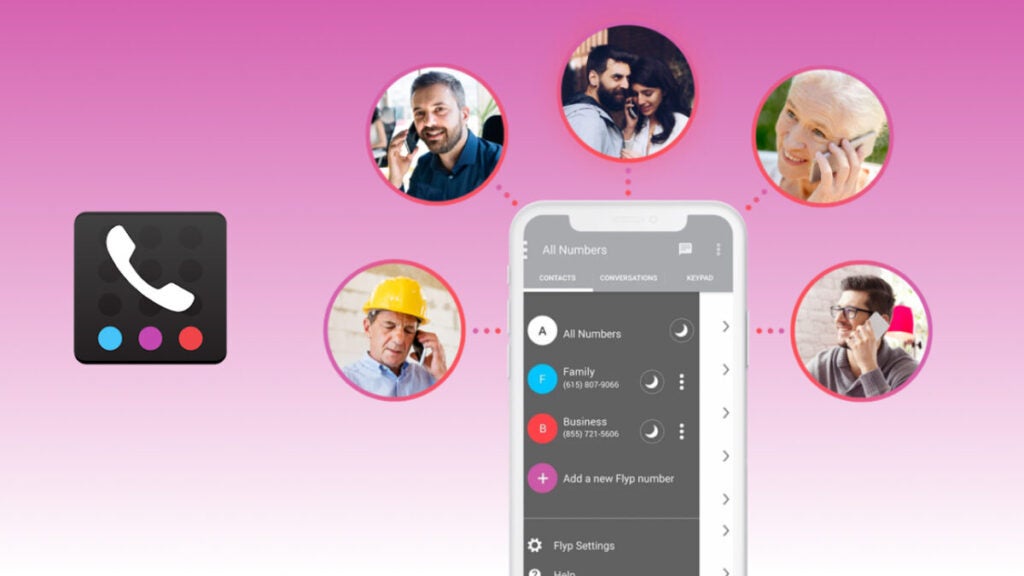
Option 8: FlyP
While Flyp does not provide a fully free service tier, you can explore its features at no cost during a seven-day trial period. This might be suitable for individuals with minimal requirements for a free business phone number.
As opposed to many other second number apps, this phone company allows you to add as many as five additional numbers for $7.99/month; allowing you to have a separate phone number for your other businesses. Each subscribed line offers unlimited text and calling, along with customizable voicemail and various features. Notably, each number can be assigned a distinct area code, providing additional flexibility.
Key Features of FlyP
Below are the primary characteristics of the virtual phone mobile app:
1. Call Blocking: This feature lets users create a list of blocked numbers. Calls or messages from those numbers are automatically rejected or diverted to voicemail. This feature is valuable for avoiding unwanted calls or spam.
2. Do-Not-Disturb: Do Not Disturb is a feature that silences incoming calls, notifications and alerts. DND is useful in situations where users need uninterrupted focus, such as during meetings, while sleeping or in quiet environments.
3. Geo-Sensitive Area Codes: This feature is often used for business or personal reasons, allowing users to choose numbers associated with specific cities or regions.
In Summary
Having detailed knowledge on how to get a phone number for free provides you a way to explore second-phone number options available at no cost. They provide your business with an opportunity to reduce expenses and collaborate more effectively.
Some popular free phone number apps mentioned here are Phoner, Text Now, Google Voice, Tossable Digits, TextFree, Dingtone, CallHippo, Hushed and FlyP.
Find out the biggest digital transformation challenges and find out how to overcome them in our in-depth guide. Click here.
We all understand that digital transformation is an ongoing and dynamic process. Consumer expectations and the tech landscape have evolved rapidly over time, and now, there are more new digital technologies than ever.
As all companies recognize the need for digital transformation, each must face some form of obstacles or hurdles when embarking upon their transformation journeys. Here, we highlight several top digital transformation challenges companies encounter while embarking on their digital journey and provide strategies on how to effectively overcome them.
Challenge 1: The organization’s culture isn’t very flexible
Change happens rapidly in society, and this requires companies and brands to adapt quickly as well. Maintaining stability while adapting quickly to new technology is at the core of corporate agility.
Successful brands prioritize business processes that focus on the customer journey and embrace change as an opportunity for business growth rather than holding onto outdated systems that no longer meet these objectives. An innovation culture must also be fostered within organizations so new technologies are utilized across their operations and integrated seamlessly.
Imagine an outsourcing agency used to employing conventional project management methodologies; when client demand shifts toward more flexible and adaptive approaches, however, their processes struggle to adapt rapidly enough in response. An unwillingness to break away from established norms jeopardizes project timelines while hampering responsiveness to client demands in an ever-evolving marketplace.
Launching an adaptable culture transforms an agency into an agile and responsive entity, with projects flowing more smoothly due to efficient workflows and a collaborative mindset. Tailoring solutions specifically to client requests becomes much simpler, as does timely delivery while adhering to agile principles, which helps the team navigate digital transformation challenges seamlessly, becoming industry pioneers along the way.
Challenge 2: Not enough technological capabilities
The adoption of new tools is one of the most common digital transformation challenges.Modern technologies give organizations an invaluable strategic advantage, yet many lack the infrastructure, knowledge, or resources needed to effectively utilize modern technologies. Businesses without technological capabilities often suffer as a result.
From outdated IT infrastructure and personnel who lack proficiency with emerging technologies to failing to innovate efficiently or meet the evolving demand of the digital marketplace, businesses without new tools and technological capabilities face multiple disadvantages in business operations. This handicap prevents innovation, streamlining operations, and meeting changing customer demands effectively.
At one time, most recruiting agencies developed applications oriented around job vacancies. Now that job candidates are more scarce and receive numerous job offers than before; their needs can no longer be satisfied by these outdated tools; as a result, companies decided to develop systems using modernized tech stacks instead.
Recognizing modern digital technologies is key for business expansion. Equipped with enhanced capabilities, modern tech gives organizations a competitive advantage by streamlining operations and making data-driven decisions with precision when client needs or market trends emerge. Beyond internal improvements, companies expanding service horizons may demonstrate adaptability towards serving various client bases while encouraging innovative thought through technological leaps that spark creative breakthroughs that foster an environment for creativity!
Challenge 3: Evolution of customer needs
Most organizations nowadays need help meeting evolving customer needs. For sure, this happens because of the fast development of the customer service industry. And if our existing systems change and improve all the time, then why wouldn’t customer needs change along the way?
Companies should invest their time and money into digital transformation projects constantly if they want to keep up with customer needs and provide them with modern and high-quality customer journeys.
If you take a look at a marketplace that went through a digital transformation process a few years ago and changed nothing since that time, then most probably, it has some problems keeping its clients today. Why? Because a few years ago, people only cared about a straightforward shopping experience; now, with the continuous evolution of modern technologies, customers expect tailored recommendations, real-time order tracking capabilities, eco-friendly packaging solutions, and much more. Of course, it takes more work to satisfy all those needs with some old-school systems and manual processes. That’s why only those businesses that are constantly trying to keep up with customer needs and new technologies will stay at the top of the industry’s “food chain.”
Challenge 4: Security concerns
If you decide it is time for your company to go digital and embrace remote working arrangements and cloud solutions – get ready for some additional risks. Once you make this decision, you need to take care of additional security measures and protect all your sensitive data from cyberattacks. Those failing to do so often meet various serious consequences. So, take care of the company’s cybersecurity before losing your valuable assets and customer loyalty.
In case you’re still not convinced that security concerns could become a serious challenge, let’s imagine the following: a successful financial organization decides to go digital and transform to cloud-based systems. While increasing its operational efficiencies and improving some digital processes, the company forgets about implementing adequate cybersecurity measures. What happened next? The customer data and financial records became vulnerable, which led to huge damage to the company’s reputation. So, while hopping on your digital transformation journey, it’s essential to take care of all the crucial organizational structures.
Robust cybersecurity is important for an organization’s digital transformation. We won’t tire of repeating that taking care of all these measures and dealing with challenges will protect your data, improve your brand image, and foster client trust.
Challenge 5: Inadequate digital transformation strategy
Do you know why your company should switch from legacy systems to digital ones? Do you have an organization’s digital transformation strategy to introduce complex and advanced systems (or a need for it)? Do you have the right tools to migrate from your old systems to new ones, and have you created a comprehensive financial strategy?
Answering these questions is essential before you implement a digital transformation process. It is not possible to have a successful project in digital transformation without having a clearly defined change management strategy. Avoid false buzzwords or assumptions. Legacy systems play an essential part in the integration of new technologies. You can choose from the many digital transformation models based on where your business needs to improve and which areas need upgrading.
Imagine that a manufacturing company seeking digital transformation invests in technologies without fully comprehending their individual needs and objectives, leading them down an ineffective path toward implementation of these tools into their daily processes. Employees struggle with adapting, efficiency gains are scarcely seen through, and employee morale suffers due to this disjointment in the digital era and landscape. Due to an incomplete digital and change management strategy, companies’ transformative potential is diminished; therefore, it would be prudent for businesses to reexamine and adapt their digital transformation plan before investing or adapting it.
Creating and bringing to life an effective change management strategy is crucial to business success. By following an organized roadmap, businesses can better align technological investments with organizational digital transformation goals; processes become more streamlined while employees gain essential skills that facilitate an easier transition process. Furthermore, a well-defined strategy creates an atmosphere of intentional transformation where digital initiatives serve a strategic function.
Challenge 6: Lack of employee empowerment and internal involvement
Transformation roadmaps and digital initiatives must both be flexible in order to remain adaptable in response to digital transformation efforts. Although IT/engineering plays an essential part in digital transformation processes, ultimately, all parties involved need to ensure that successful implementation, adaptations, and iterative changes take place smoothly – digital solutions present both people and technology with digital transformation challenges that need addressing simultaneously. The digital transformation initiative can radically change the company’s business model, including workgroups and job titles. It also changes long-established processes. People feel threatened, insecure, and fearful of their job security when these changes occur.
Take, for instance, a retail company undertaking digital transformation programs by adopting an advanced inventory management system. While its IT team excels at the implementation of this new tech, frontline staff who perform daily operations, feel left out as roles and responsibilities change without adequate communication or training, creating resistance among staff.
Early and in-depth involvement by digital transformation leaders andCEOs with all company employees will increase engagement. People will become aware of new digital solutions’ effect on business operations; its digital success relies on cross-functional teamwork requiring leadership and empathy skills as essential ingredients of team success; success will occur more readily if company culture supports and engages in its digital transformation efforts.
Challenge 7: Bad data management
Data challenges impede many firms, even as trustworthy information is crucial for digital transformation. Amalgamating systems may prove challenging when there are siloed structures present.
Before selecting software to manage your data analytics, a blueprint of it should be drawn. This will enable you to identify areas that require cleaning, normalizing, or transfer to ensure its continued value for insights.
Finding new technologies and data sources that could increase software insights becomes much simpler with an organized data blueprint.
Imagine this: a marketing agency goes through a digital transformation process to strengthen campaign analytics. Their client data was previously scattered amongst various platforms and presented challenges when consolidating for campaign optimizations as well as real-time decision-making capabilities or timely performance metrics for clients.
Dealing effectively with data issues is at the core of an agency’s campaign effectiveness. Creating an effective data strategy and integrating client information for real-time analytics and informed decision-making – providing clients with real-time insight, optimizing campaigns in real-time, and demonstrating tangible data-driven results; this not only ensures client satisfaction but also positions them as pioneers within today’s marketing ecosystem.
Challenge 8: Lack of sufficient skill and talent
Your company could experience difficulty hiring enough qualified workers for its digital transformation initiatives due to either insufficient candidates with experience or insufficient knowledge among new hires. Therefore, additional spending might need to go toward training and development initiatives as a means to bridge any digital skill gap between what your staff possesses and your needs.
Digitizing requires numerous skill sets ranging from technical acumen to business acumen; companies may struggle with hiring employees who possess all these capabilities for digital transformation projects or finding qualified applicants for roles like software development and data analysis.
Firms aiming to fully harness digital transformation must address staff and skill shortages effectively if they want to fully take advantage of its promise in order to exploit its full benefits. Doing this ensures long-term viability, competitive position strengthening, and continuous improvement, as well as a productivity boost for the workforce! Having qualified personnel onboard allows companies to boldly adopt cutting-edge technologies while exploring uncharted territories fearlessly, taking full advantage of its promise; winning this talent/skill battle means greater competitiveness and innovation sustainability within a digital transformation context!
Challenge 9: Siloed decision-making
This is the last digital transformation challenge on our list. Siloed decision-making that limits visibility across an organization and information flow can present businesses with numerous roadblocks to successful digital transformation. To overcome such hurdles, internal barriers should be broken down to facilitate teamwork; additionally, an environment of candor within policymaking processes needs to be fostered for maximum success in digital transformation efforts.
Imagine a tech firm seeking digitization: software engineers focus on expanding platform capabilities while marketers develop engaging strategies, but due to disjointed product launches caused by disparate teams failing to collaborate or communicate properly, customers become disoriented because marketing materials no longer reflect recent software capabilities while siloed decision making prevents stakeholders from working collaboratively towards offering customers an exceptional and seamless customer experience.
Breaking siloed decision-making can change a company’s digital transformation journey, as doing away with silos promotes cross-functional collaboration and ensures decisions reflect all goals within an organization. Successfully dealing with this challenge leads to coordinated efforts between teams, cohesive product launches, and improved internal and external communications, ultimately leading to higher innovation efficiency and customer satisfaction for businesses that cultivate openness and transparency within decision-making – ultimately leading to successful digital transformation efforts.
How to overcome digital transformation challenges?
Digital transformation presents businesses with numerous obstacles; these range from common challenges like aligning company culture with emerging tech gaps and managing complex data intricacies to aligning employee values to emerging digital advancements, among others. Overcoming such organizational challenges requires more than good intentions: successful transformation requires tools designed specifically for its process.
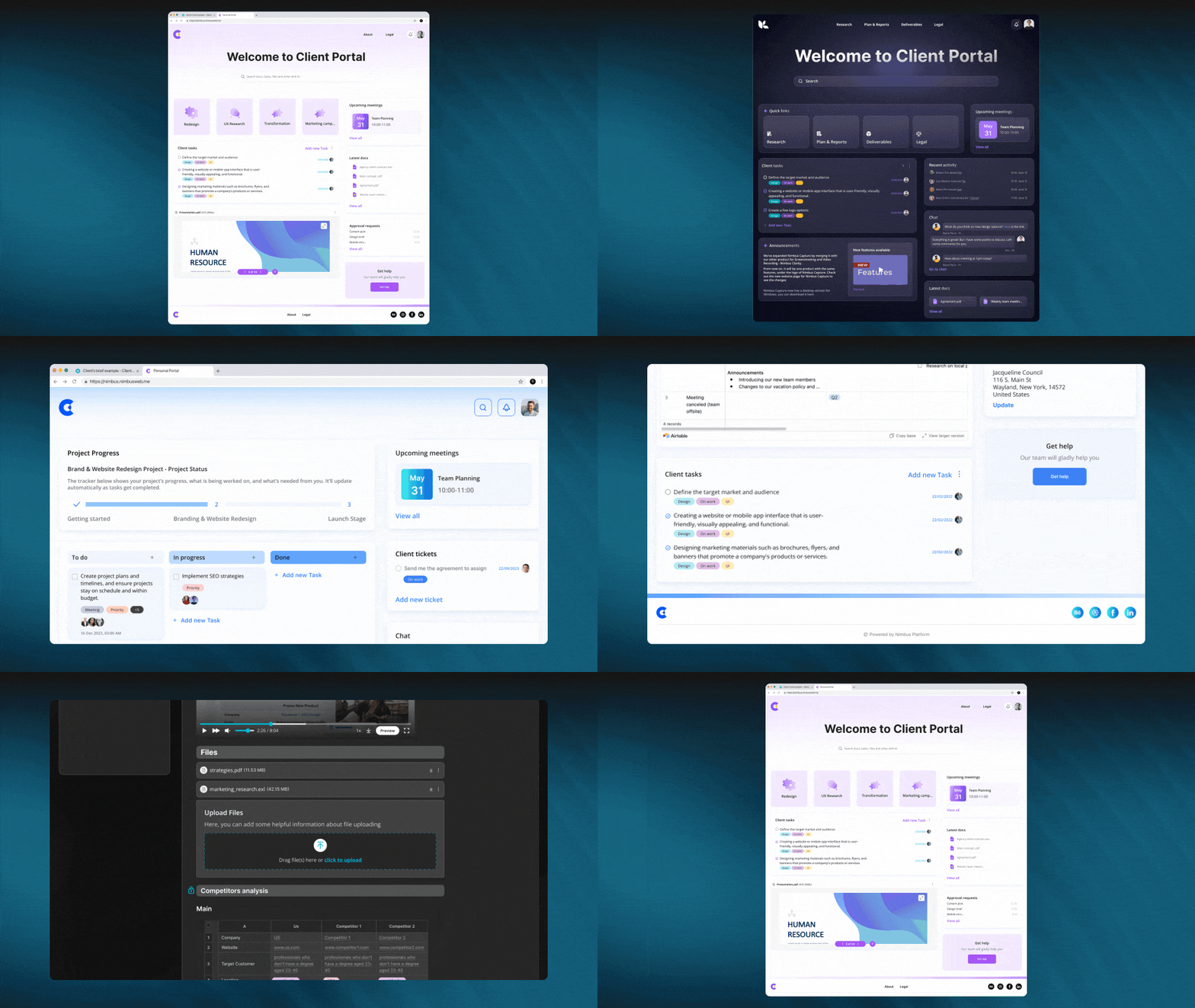
FuseBase (formerly Nimbus) provides an effective software solution to effectively lead digital transformation projects while overcoming potential roadblocks along their journey.
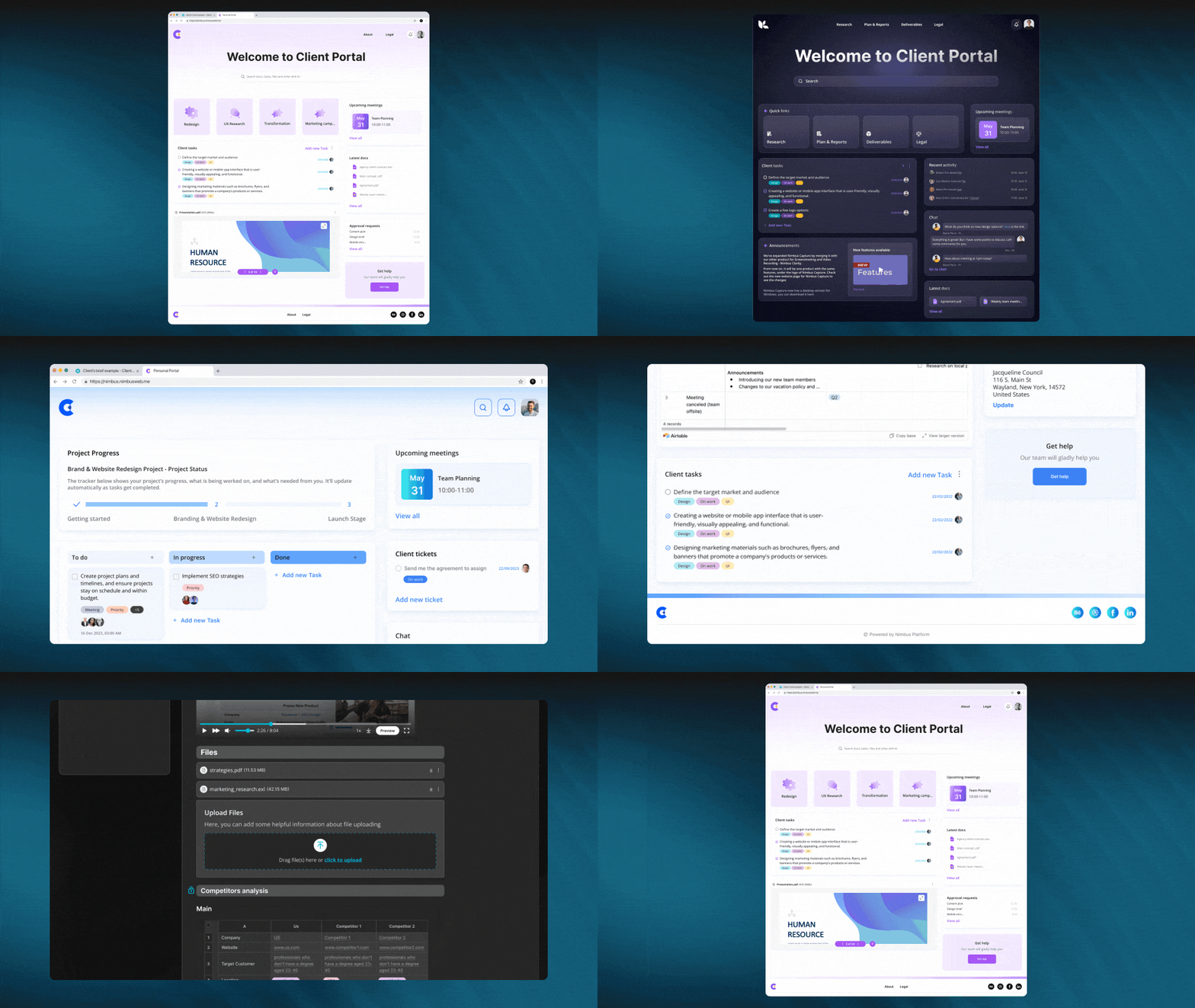
FuseBase provides client-driven businesses with a one centralized system and indispensable collaboration hub designed specifically to simplify client interactions and improve customer engagement by consolidating communication channels, tools, and content into one easy platform they can quickly use to streamline workflows and delight their client base.
If your company’s digital transformation requires and prioritizes customer happiness and adaptation, then you will find this software extremely valuable.
How can FuseBase (formerly Nimbus) help you deal with all the digital transformation challenges?
FuseBase provides various powerful features, tools, and new systems, making it an invaluable solution for businesses navigating a complex digital transformation journey. Here, we explore some of these features that may assist your scalable business with digital transformation while offering custom-tailored solutions designed specifically to support digitization efforts across its journey and beyond.
Client Portals. FuseBase stands out with Client Portal by creating sophisticated yet branded spaces to facilitate efficient project management. These portals eliminate such a significant challenge as siloed decision-making by centralizing updates, approvals, and communication. Once an IT firm went online, its organizational structure improved, marketing materials quickly started featuring updates about software features, launches were no longer confusing or mistimed, teams worked efficiently without data leakage disrupting teamwork processes, and client experiences improved significantly while remaining more transparent than ever.
Data Collection. FuseBase provides an essential data collection feature to expedite client information-gathering processes quickly and efficiently by seamlessly embedding forms, surveys, and analytics onto pages for data acquisition purposes. FuseBase’s real-time data collection capability empowers agencies and businesses to improve data security and quickly capture reactions, preferences, and expectations as quickly as they alter strategies to respond to changing target audience requirements in real time, thus helping businesses meet client demands quickly.
Knowledge Base.Knowledge base feature can serve as an efficient solution to poor data management by offering an organized platform for creating searchable wikis, documentation, and guides. Institutional knowledge must be protected at all costs to reduce risks of data loss while strengthening overall management practices. Knowledge bases form the cornerstone for informed decision-making and effective collaboration. Imagine an outsourcing agency using multiple platforms for project information storage without a knowledge base solution in place to simplify searching key details and avoid data oversights. Failing to access a central knowledge repository made obtaining essential details time-consuming and inefficient when searching various systems, leading to potential inefficiencies as well as data mistakes. FuseBase makes it simple for businesses to organize all project information into an easily searchable knowledge base for quick retrieval, reduced risks of missing crucial details, and overall improved data management. Employees gain easy access to any details needed, facilitating smooth collaboration and informed decision-making throughout a project’s lifespan.
Collaboration and Communication features. FuseBase provides businesses with powerful Collaboration and Communication features to bridge talent and skills gaps with real-time comments and chats, video/audio recording/playback capabilities, and real-time collaboration features that allow employees to meet them head-on. In the workplace setting, FuseBase promotes efficient team communications for maximum productivity while at the same time nurturing a digital world conducive to a collaborative culture for the seamless adoption of digital transformation initiatives by employees.
Summing up
2024 is an essential year for organizations looking to maintain a competitive edge in an increasingly digital economy in terms of digital transformation challenges they must surmount to stay viable. Technological developments and digital transformations continue their rapid ascent while businesses shift online rapidly at increasing rates; having an effective digital presence to reach out to customers has never been more crucial.
Digital transformation enables organizations to increase cost efficiency and effectiveness, leading to increased profits as well as helping develop innovative new business models and revenue streams necessary to remain competitive in today’s environment and digital future. And if you want to get the most out of your business’s digital transformation journey, FuseBase stands ready to support you with a seamless, efficient, and trouble-free experience.
Find out how to run supply chain digital transformation in the most effective way in our in-depth guide. Click here to learn more.
With big data technology’s slow but gradual arrival and ever-evolving work process technologies, new elements have been brought into supply chain processes. At its core level, supply chain functionality was profoundly changed by linked devices and IoT; consequently, digital supply chain transformation has spread throughout procurement, warehousing, and finance operations alike. According to Gartner findings, supply chain processes implementing digital technologies saw 20% revenue gains while experiencing 50% decreases in process expenses.
This article investigates supply chain digital transformation, its definition, real-life usage examples, and related challenges and solutions. We hope to equip you with all the knowledge required for effective digital transformation within supply chains.
What is digital transformation in supply chain management?
Logistics and digital supply chain management must become the core focus of your business to flourish efficiently and increase revenue while building customer loyalty. What steps must be taken? Let’s get to work by understanding the true worth of digital transformation in relation to supply chain processes.
Digital transformation requires organizations to integrate digital technologies in all operations and deliver value to customers while being flexible enough to explore untested concepts.
Digital transformation goes far beyond installing new digital technologies; it also involves using them to reinvent how your organization operates and delivers value to its customers. Digital supply chain transformation boosts efficiency while offering numerous other advantages – among these are:
Cost optimization. Supply chain transformation offers immediate cost reduction and optimization benefits to businesses of any kind, as its increased efficiencies help maximize resource use more efficiently – directly impacting costs. Automating tasks saves time and costs by eliminating repetition or duplication, while monitoring processes ensure that errors do not arise due to manual efforts. Predictive responses allow more agility, resulting in savings overall.
Talented employees. Remote working is an increasingly popular trend that highlights the advantages of digital technologies. Digital supply chain businesses that embrace it can provide their employees with secure data access at any time or location, collaboration tools enable remote collaboration; and they can recruit highly skilled supply chain leaders globally.
Customers are more satisfied with the service. Your competitive edge and client relationship will increase dramatically by allowing customers to track their orders, providing top-of-the-line products, and guaranteeing they arrive as scheduled.
Routine flow automation. Digital supply chains can reduce the amount of SC paperwork, which previously took up much time. In real-time, entrepreneurs have access to all the data they need thanks to IoT sensor devices.
Better visibility. Manufacturers and clients both benefit from this feature of supply chain intelligence software. Businesses can quickly detect problems with suppliers by gathering more data about performance; furthermore, companies can more accurately interpret consumer needs to enhance customer service delivery.
Digital supply chain planning presents one of today’s most significant technological and managerial challenges. Traditional supply chains rely heavily on data-intensive processes that could benefit from new technologies; digitalization aims to improve customer experiences via improved communications, inventory visibility, and other methods.
The main goal of improving the entire supply chain ecosystem is to expedite customer orders while cutting costs for all involved (manufacturers/suppliers).
Real-life use cases of supply chain digital transformation
As part of their competitive strategy, many global companies have implemented digital tools into their supply chains to stay ahead of competitors and maintain an edge. Here are several notable instances of digitizing supply chains:
1. Unified platforms
Digital transformations often entail supply chain technologies that help integrate disparate applications or upgrade outdated systems into one cohesive supply chain platform, providing greater visibility throughout inventory management and distribution processes, thus eliminating bottlenecks and increasing efficiency across various tasks.
Digital solutions exist that can enhance supply chain operations at work. Your company will benefit from using these platforms since they can quickly increase the productivity of your supply chain department. You can use cloud document-sharing software for its mobile capabilities or automation features that promote efficiency or use Vendor Managed Inventory (VMI) solutions to have better insight into product movement between stores and suppliers. All these digital supply chain technologies make supply chain planning a breeze by giving your company more significant insights into forecasting capabilities to maintain optimal stock levels for managers.
2. Demand planning and predictive analytics
It’s no secret that by using machine learning, digital technology analytics companies can improve multiple processes in their supply network. It doesn’t just help better anticipate market fluctuations; it allows businesses to simply enhance the accuracy of their demand forecasts and, at the same time, minimize supply chain disruption.
3. AI and automation
Digital transformation in global supply chains is only possible with advanced technologies like automation. This digital technology simplifies supply chain planning by letting people focus on crucial tasks while it takes care of automated operations and decreases human error risk.
AI and automated tools offer supply chain professionals invaluable assistance with various administrative duties: forecasting trends when purchasing, tracking product movement, and collecting invoice data accurately for precise purchases.
Artificial Intelligence technology empowers businesses to conduct in-depth data analyses without human input, leading them to make more informed decisions and provide tailored client services. Furthermore, AI tools contain natural language processing features that facilitate direct interactions between AIs and clients.
4. Data analytics
Data analytics form the backbone of digital transformation, helping assess current and future trends; data analytics also allow businesses to remain agile by gathering customer demand data and supply chain disruptions or delays within operations, giving us greater chances for timely responses if required.
Supply chain managers can utilize sophisticated tools and software for real-time data access and keep an eye out for changes to supplier activity, disruptions, or shipment status changes that arise at any given moment.
Your organization can leverage data analysis to maximize operations. Visual dashboards make information readily available so decisions can be made more rapidly; automated software and other tools may further streamline decision-making processes as well.
5. Supply chain visibility with Blockchain
Blockchain technology holds great promise to create more transparent, accountable supply chains for businesses to utilize, making monitoring easier while guaranteeing they come from companies dedicated to ethics, environmental protection, and sustainable practices.
6. Enhanced customer service ability
Businesses have had to adjust their sales and distribution strategies in response to changing consumer behaviors, with modern consumers demanding rapid deliveries via supply chains, as this requires swift action by all departments, including logistics and fulfillment, in order to retain customers quickly while meeting expectations promptly and reliably.
Organizations are making the necessary adjustments by shifting towards direct-to-consumer sales models while taking cues from retailers’ strategies for strengthening digital customer support capabilities.
Implementation of this strategy includes setting up online stores and ordering forms to increase remote customer communication and ordering capabilities. Businesses may utilize virtual reality technologies to demonstrate products/services, conduct tours of facilities, or even conduct presentations about themselves remotely.
Key components of supply chain digital transformation
Cloud computing
Cloud computing can transform supply chains in many ways. Cloud-based collaboration software enables supply chain stakeholders and partners to communicate more rapidly, collaborate more efficiently in real-time, and respond faster and more quickly to evolving market requirements or customer desires.
Cloud computing enables companies to carry out efficiently and plan supply chain execution more effectively. Through cloud-based tools, organizations have access to real-time information regarding all parts of their supply chains, which allows for enhanced demand forecasting, inventory levels management, and changes in demand/supply planning.
Internet of Things (IoT)
Internet of Things technology is increasingly being deployed in various ways for supply chain transformation purposes. IoT sensors enable real-time tracking and visibility as products move throughout supply chains; businesses using IoT sensors gain real-time information regarding product location, status, and condition to help optimize logistics strategies and transportation plans.
IoT technology can also aid inventory data accuracy and timeliness by quickly gathering accurate inventory information with devices like RFID tags or barcode readers that collect real-time updates of inventory counts.
Artificial Intelligence
Artificial Intelligence can transform the digital supply chain in many ways. AI can assist managers with streamlining processes for demand planning, inventory levels, and logistics operations with less manual intervention, ultimately providing more responsive management decisions and flexible supply chains.
AI technology assists businesses in improving the accuracy, timeliness, and reliability of supply chains by using artificial intelligence tools such as Natural Language Understanding or Semantic Analysis for extracting pertinent information from multiple sources – sensor data or customer feedback being two examples where companies might utilize this type of AI customer support software.
Data analytics
Complex supply chains are currently experiencing rapid disruption. And since most businesses now need to react rapidly to changing customer demands before they fluctuate, it’s better to turn to advanced technologies like computer learning and predictive models.
Did you know that your company’s supply chain’s performance also depends on data analytics, as it’s one of the indispensable elements of transportation and logistics processes? When tracking product movement through the supply chain, the database you get can reveal many inefficiencies. And once you analyze that data, go through supply chain digitization, and optimize routes, you will see that transportation costs are decreasing.
Machine Learning
Besides being an invaluable asset for detecting bottlenecks in logistics, machine learning is one of the critical components of supply chain transformation because it can prove its worth in various areas.
We can rely heavily on computers because they have one massive advantage over people – they don’t get tired and make no mistakes. When companies use machine learning during supply chain transformations, they know it’s safe to rely on it. ML can help with everything – from improving demand planning accuracy and efficiency to predicting supply and demand pattern shifts. Besides that, machine learning algorithms can adapt to supply chain processes’ difficulties and make changes along the way.
Challenges in supply chain digital transformation
Failure to create an effective change management strategy. One essential part of supply chain transformations lies in developing an effective change management plan; your supply chain’s success relies on keeping issues top-of-mind during planning sessions and taking personal responsibility to find creative ways of solving any potential obstacles.
Wrong use of tools and systems. Companies undertaking digital supply chain transformation initiatives often neglect to provide employees with adequate training on the new systems and software necessary for implementation, even though many were designed with user-friendliness in mind. There will still be an initial learning curve associated with any new implementation, and your company must feel comfortable using any unfamiliar technologies or systems, comprehend their applications, and see the value in adopting them. Experience with global organizations has shown that legacy tools and systems often remain used because people view them as more efficient over time, especially since many organizations need more training on new systems to maximize their efficiency.
External disruptions. Do not become distracted by digital transformation hype: always focus on its purpose – minimizing disruptions – before diving in. Your customers’ needs are always changing. Also, stressors like pandemics, political uncertainty, port block congestion, and others will continue to change. The perspective shifts quickly for any company as external challenges become the priority.
A loose company culture. Your supply chain transformation will be negatively affected by a loose culture. Supply chain leaders often spend too much energy, time, and money on technology and must integrate this change into the organization’s culture. The latest technologies will always give you a competitive advantage, but keep sight of the people who remain at your company’s core. Your transformation is likely to fail if you don’t make it a top priority from the start. Your employees could become confused and disgruntled as a result.
Solution for supply chain digital transformation
Supply chain digital transformation may be exactly what your business needs to meet current and emerging challenges more easily while opening doors to future ones. Therefore, there should be no debate about starting this transformation process; instead, the only question should be how best to implement it.
FuseBase (formerly Nimbus) can provide businesses with an effective companion for their digital transformation journey and is one of the premier solutions available within its class.
Why FuseBase?
FuseBase can give your company everything it needs to address digital transformation challenges in its supply chain and much more. As previously noted, FuseBase was explicitly designed with client-oriented businesses in mind; therefore, it can streamline internal/external processes while engaging all employees on your journey toward digital transformation and ensure customers remain loyal to your company.
FuseBase offers multiple features for an effortless digital supply chain transformation:
Client Portal. This feature can significantly boost client engagement and streamline communications throughout the supply chain by quickly creating customized portals with sleek designs to enable clients to access project details effortlessly. Imagine one of your clients has reached out to your firm with concerns over unanticipated product delivery delays at one of its suppliers; what would be an appropriate response from your team? Make them aware of your portal, where they have instantaneous access to real-time updates, production schedules, and collaborative tools – everything a client might require when faced with disrupted productivity or obstacles to progress. Google Docs’ integration into this portal enables seamless sharing and collaborative problem-solving sessions, giving clients instant and accurate decision-making when facing disruptions to productivity or barriers to progress.
Data collection. FuseBase’s Data Collection feature is designed to enable companies engaged in supply chain management to gather information efficiently, streamline collaboration, and enhance communication. Users can embed forms, surveys, and analytics directly onto pages without switching applications – this facilitates data-gathering processes while increasing transparency within the digital supply chain and increasing efficiency and collaboration. Imagine you have a retailer client experiencing unexpected demand, calling upon you immediately to expedite their supply chain. Utilizing an easily navigable portal with embedded forms, they quickly submit specific order requirements and delivery deadlines for processing via the data collection feature, thus expediting decision-making processes while showing how effective and responsive their supply chain response has been.
Project management. FuseBase’s project management feature effectively organizes tasks, timelines, approvals, and workflows into clear project management dashboards for easy collaboration among team members and streamlining work patterns – an indispensable asset in supply chain management. Imagine being a distributor facing supply chain challenges due to unanticipated delays in raw material deliveries; your team leverages project management features by setting up a separate board using tasks for expediting these deliveries faster, timelines for quickly reassessing production schedules, approval processes as necessary – providing real-time visibility, transparent collaboration, and swift responses so supply chain issues can be solved as efficiently as possible.
Collaboration and communication. FuseBase’s collaboration and communication feature facilitates meaningful interactions by encouraging engagement, clarifying conversations, simulating in-person dynamics for more efficient supply chain management collaboration, and simulating potential future problems that might arise during discussions. Your company could benefit from employing comments, chats, video recording, and audio archiving tools. Imagine this: customers have urgently contacted you regarding an issue that threatens delivery for several days without intervention from you or logistics specialists. FuseBase allows your team to engage clients and logistics experts seamlessly using real-time chat capabilities within FuseBase to engage them effectively and address urgent matters immediately. They can use everything from chats, comments, and document sharing to video and audio recording tools to facilitate communication and fully understand specific customs requirements. As FuseBase tools create clear communication channels across supply chains, finding solutions quickly will become much simpler.
Summing up
The future is unpredictable, but we can guess that within several years, it will become impossible to imagine digital supply chain transformation without including cutting-edge technologies like artificial intelligence, the internet of things, and blockchain – plus collaboration and innovation will always play a part in the digital transformation of the supply chain. Businesses that plan to succeed must learn to collaborate with partners and stakeholders more efficiently and get used to implementing innovation to build flexible and resilient supply chains.
Soon, supply chain digital transformation will be based on the need to adapt to sustainable and efficient customer and market demands as they develop over time.
Discover the most effective approach to digital marketing transformation in our comprehensive guide.
Digital transformation, though frequently discussed these days, remains somewhat vague and indistinct. While optimizing digital systems has some obvious applications for improvement purposes, does digital transformation really hold any meaning or bearing for marketers in our ever-changing world?
The digital transformation took root when businesses replaced manual filing systems and processes with computers; as technology changes quickly, every business must undergo increasingly intricate transformations in order to remain up-to-date and competitive.
Where should marketing fit into this discussion of digital transformation, or should “Digital Marketing Transformation” stand as its own catchy phrase?
This article introduces Digital Marketing Transformation (DMT for short), including its definition, impact on marketing practices, its benefits, challenges, and best practices.
Defining digital marketing transformation
Digital transformation refers to the practice of moving away from complacency towards digital excellence by optimizing and employing all available digital channels to gain deeper customer insight and foster long-term loyalty.
Businesses looking for growth should develop a digital transformation strategy that quickly responds and adapts to customer demands in order to effectively meet them. Businesses will gain further insights by optimizing and improving digital channels, which may also support growth strategies.
Before the digital transformation, traditional marketing techniques were typically utilized. Traditional marketing approaches make it hard to attribute sales directly back to marketing; therefore, digital transformation, an integral component of the digital marketing mix, becomes essential here.
The impact of digital transformation on marketing
Technology advances rapidly, and many are reaping its many benefits. Traditional marketing tactics have given way to programmatic advertising strategies focused on cultivating personal connections between brand and consumer.
Digital marketers adopted technology that allowed them to track customers at every point in the customer journey and play an integral role in the digital marketing mix. Digital transformation has greatly transformed marketing in multiple ways:
Digital Funnel
Every digital marketer uses funnels as a metaphorical device to demonstrate potential client journeys from initial awareness through several stages and, finally, purchase decisions.
Before digital technology made marketing funnels more dynamic and dynamically changing, their structure was fairly simple and secure:
Awareness – Consumers realize they have found what they were searching for when they find your company or product.
Interest – Clients conduct more research to assess if your offering fulfills their requirements.
Consideration – They actively show interest.
Intent – People start to make a decision that favors a company
Decision – After making a purchase, a consumer becomes a client.
In the days before digital marketing, companies could create promotional materials and hope for success.
Digital marketing transformation has given businesses more control over the entire process, giving them two new valuable marketing digital tools: analytics and multi-stage interactivity.
Personalization
The digital marketing transformation is changing the marketing landscape in a big way. It allows you to personalize your content marketing for each customer.
Combining metrics with interactivity allows the company to monitor customer behavior and actions at the individual level. The statistics can then be used to create customized marketing text messages.
Keeping track of consumer purchases and offering related products or ‘refills’ for consumables is just the beginning. Metrics from social media sites like Facebook allow any business to study consumer preferences in advance of a purchase and tailor emails and other communications to each person.
Thanks to social media analytics, marketers no longer have to speculate about what topics might pique customers’ attention.
Data & Analysis
Before the digital marketing revolution, there was a major blind spot in marketing: the absence of actionable, high-quality data to help marketing professionals make better decisions.
Analytics has become a powerful tool that will help in future digital marketing. Marketing teams can find out how many viewers a particular video received on YouTube or other social media sites. It’s also easy to track the effectiveness of a video if viewers are able to click on the button that takes them to the site.
Marketing digital transformation has given professionals much better user metrics and helped build a customer database, which allows them to optimize and tweak marketing strategies and generate leads. It is possible to become more responsive and agile by knowing what works and what doesn’t. Data-driven marketing techniques have quickly become an indispensable element of today’s digital marketing mix, providing professionals with access to cutting-edge insights that enable effective strategy formulation and contribute to significant cost savings.
Automation
When it comes to buying decisions, timing can play a major role. The consumer might be doubting about making a decision and even go so far as taking the first steps towards a possible purchase. However, they may stop at the stage of the shopping basket before actually committing.
The combination of marketing automation and metrics can track consumer behavior and address it without the huge need for a person to watch and monitor it and then react in time. Digital marketing tools can detect specific actions or stats and use this knowledge to send personalized emails directly to customers or act quickly on time-sensitive matters. Also, chatbots have become an increasingly common source of customer support as well as improving response to marketing campaigns.
Interactivity
Interactivity has been transformed in a way that was never before possible by the digital revolution. Digital media allows people to choose when and with whom they want to share their content.
Social media, advertising, and other new technologies can be used to exchange information. Consumers can watch live advertising or live streams on Facebook while watching an influencer talk about a particular product. Viewers can now interact with social influencers in their everyday lives by commenting, making suggestions, or even receiving responses from them during a live stream. Digital marketing transformation has enabled a new level of interaction and customer engagement. This is an innovation that wasn’t even possible before.
Essential components of digital marketing transformation
We shouldn’t get ahead of ourselves. It’s important to understand your organization’s marketing maturity level before making any major changes. You will need to be brutally honest and use metrics and hard data in your assessment.
The analysis of your existing situation involves the identification of the current status of each of the key elements of any project involving technology-driven digital marketing, constituting the digital marketing mix: process, people, data, technology, and culture.
Let’s talk about these elements one by one.
Process. Take a look at your entire marketing process. How many tasks are done manually, and how many are automated? Would more automation or a better one help? It’s inevitable that you will identify procedures that are too complex or time-consuming. Break down each marketing channel. Are there any differences between your in-store or online experience? Do you have departmental silos that are preventing your business from achieving its goals? Would integration of marketing technologies make your business more efficient?
People. If you assess how the current jobs contribute to digital marketing efforts, it’s likely that you will identify bottlenecks or skills gaps. The digital transformation requires new technology and people who can use it. What is the best way to develop your people in order for them to be able to perform their roles and meet their own personal development goals? Do you have the right leadership within the relevant sectors to drive the transformation, enforce new behavior, and champion departmental projects?
Data. Your digital marketing campaign and other decisions are based on information about your customers. Poor quality data can hinder any digital transformation in marketing. It could even be misleading. Find out where the data for your organization is stored and who owns it. Also, check to see if it’s up-to-date. Understanding and optimizing data flow between systems are integral parts of Search Engine Optimization (SEO) in order to provide customers with a superior experience. You can create a successful marketing strategy and fill in the gaps by analyzing the stats that you have.
Technology. Examine the technology you already have and how it can help you. What is the integration of your existing systems, and will new technology assist in your digital marketing transformation efforts?
Culture. Digital transformation in marketing must be aligned with the corporate culture, wider organization strategies, and overall business model and goals. People are reluctant to change the status quo. This makes cultural transformation the most difficult part of any marketing project. To overcome resistance to change, collaboration across your business is essential. You can find potential resistance points by analyzing the cultures of different departments and then plan how to remove or work around these obstacles. Marketing transformation projects must be supported by all departments and the whole company to succeed. Big brands all share a common desire to be customer-centric, driven by the CEO.
Overcoming challenges in digital marketing transformation
Big Data Management
When we talk about “big data,” it refers to information in quantities that are so vast they can be difficult to handle with traditional databases and tools. Big data management is essential for the digital marketing revolution.
Large corporations tend to generate massive volumes of information that are difficult to interpret, while many firms possess disjointed systems that only permit basic consumer or operational analysis of information.
Big data management is an integral element of digital marketing strategies, particularly Search Engine Optimization (SEO). Organized data creates an efficient system. Proper management and processing of large volumes of information is integral to any company’s success, and centralizing all staff information simplifies handling and processing for everyone involved in managing or processing information.
Finding the Best Possible Team
Digital marketing expertise is necessary when leading and overseeing marketing transformation efforts involving artificial intelligence, virtual/augmented realities, or other cutting-edge digital technologies; traditional marketing graduates lack the experience needed for the effective execution of such efforts.
Staff expertise plays an essential part in meeting changing demands and adopting digital transformation in marketing. Digital transformation necessitates having access to marketing leaders with appropriate knowledge and capabilities.
Analyzing Customer Online Habits
Customer-centricity is at the core of successful digital transformation efforts. Enhancing customers’ experiences requires tailoring experiences according to individual customer requirements while mapping out an entire journey for these digital customers. This challenge lies within its very existence!
CMOs must first analyze the actual needs of their clientele prior to taking any steps toward digital transformation. After understanding those actual needs, CMOs can then ascertain if digital transformation will meet those requirements and enhance customer experiences. However, 71% of marketers state their main challenge is understanding customer behaviors and their effects.
Solving the Digital Marketer’s Dilemma: “Transformation Is Important, Yet Not Urgent”
Senior executives frequently discuss the necessity of digital transformation. Most often, they believe this process should not be implemented immediately if revenues are sufficient and management is content with operations.
Other companies – likely competitors of theirs – have begun adopting digital innovations, giving them a distinct competitive advantage over those content with what they currently do.
Companies should share and create an enterprise digital marketing vision to protect market share and stay ahead of competitors.
Digital transformation of marketing should be treated as an imperative. Adopting it can allow you to gain traction and outpace competitors; customer experience must drive improvements rather than digital
Shifting to Mobile
Mobile technologies have had an enormous impact on customer journeys and experiences. It is because of this rapid growth that the digital customer’s needs are increasing.
Software, which was previously only available on desktop computers, is expected to now be accessible via mobile devices. Many companies find it challenging to meet the mobile demands of digital clients.
Google has announced its shift to mobile-first indexing. The search results will then be based primarily on the mobile version of a website, giving preference to those sites that are mobile-friendly. It will seriously impact the way business is done.
Best practices for implementing digital marketing transformation
Find a platform to bring your goals to life
Once your business goals have been established, the next important step should be identifying digital platforms that both align with these and expand your capabilities further. Make sure the platform you choose supports features and functions essential for meeting your goals successfully.
FuseBase (formerly Nimbus) is a collaboration platform designed for client-oriented businesses. It stands as a solution in this quest for an ideal platform. Carefully tailored for client-based businesses, FuseBase provides comprehensive collaboration services tailored to impressing clients while simultaneously streamlining teamwork. Imagine having all your digital marketing, communication, and other tools working together within one hub to streamline campaigns while making changes quickly to satisfy clients. You could impress them not just with marketing techniques but with organized workflow, too – FuseBase makes this possible for clients and staff!
Take a more personalized approach
Since traditional marketing strategies like newspaper and billboard advertising were popular decades ago, customers’ attitudes and purchasing patterns have undergone a dramatic transformation. Marketers recognize this shift and emphasize more tailored approaches designed to build long-term consumer relationships through data-driven approaches like Client Portal that focus on tailoring experiences instead of product or brand promotion.
Client Portals offer organizations and professionals alike effective means of seamlessly engaging their audience in an authentic manner.
Client Portals enable companies to quickly build visually striking hubs for consumers to easily access project details in an engaging, customizable format – not only improving consumer experiences but also reinforcing brand identities through each interaction with them. FuseBase ensures each interaction meets individual customer requirements specifically – forging lasting bonds between the brand and its customers.
Client portals make collaboration easy by replacing platforms like Google Drive and Google Docs and seamlessly incorporating external multiple tools like Calendly and Figma directly into consumers’ individualized spaces – streamlining collaboration while giving clients familiar tools for engaging with your brand.
Transform raw data into a reliable source of information
The collection of all first-party customer data can be a huge undertaking. Most of the data will be in a raw format that cannot easily be incorporated into AI customer journeys and analytics tools. To create a ready-to use ‘fuel,’ you must first deduplicate and standardize your formatting.
FuseBase makes managing data much simpler by organizing it for use in future marketing endeavors! FuseBase’s knowledge base feature turns that organized information into actionable marketing knowledge ready for implementation!
The knowledge base feature goes far beyond simply creating searchable wikis and documentation; it serves as your solution to ensure data consistency. Here’s how:
Structured Workspaces. Create individual workspaces for specific projects or departments to ensure all pieces of information have a place they belong.
Granular Permissions. Give only authorized contributors access to your knowledge base while still having control over who can view or customize content within it. This ensures only relevant individuals participate in data cleanup processes.
Efficient Organization. Utilize tags, folders, and an effective search function to organize data quickly and enable team members to contribute towards initiatives of “clean data.”
Simplified Workflow. Knowledge base’s no-code setup makes implementation, management, and customization simple – acting as the cornerstone of internal processes while keeping all information safe and organized.
Artificial Intelligence (AI) Integration
Artificial Intelligence and Machine Learning have quickly become integral parts of digital marketing strategies, playing an increasingly significant role in campaigns and shaping digital strategies. AI tools have quickly revolutionized digital marketing’s landscape in ways unimagined before; Artificial Intelligence has quickly emerged as an industry game-changer, and FuseBase leads this charge through cutting-edge AI integration.
FuseBase AIgoes far beyond automation: it acts as your virtual assistant, simplifying decision-making processes while revolutionizing content marketing and production with effortless creativity and flair.
AI assistant helps you improve your email marketing and provides content creation solutions efficiently and affordably to make your brand’s messaging stand out against digital noise. More than simply automated creation, this virtual assistant also offers insightful analysis for each piece of content FuseBase creates for you.
FuseBase AI aids better decision-making by offering insights that may otherwise go overlooked by humans. While crafting new ideas, proposals, and briefs takes up too much of your team’s time, FuseBase AI makes this journey efficient by swiftly producing comprehensive proposals on your team’s behalf, giving your staff time for other aspects of marketing campaigns instead.
Final Thoughts
Organizations often struggle to respond swiftly enough to the quickly evolving digital age, missing opportunities that arise from insufficient flexibility. Customers do not care which brands are popular – they will select those offering maximum value and ROI regardless of reputation. New as well as established businesses must continue adapting in response to consumer preferences in order to remain relevant within our globalized environment.
Digital marketing transformation projects can have far-reaching ramifications on any enterprise; marketing departments play an especially vital role during such initiatives, representing an unparalleled opportunity for transformational, positive change! Companies who take up this challenge will enjoy incredible outcomes as a result.
Discover the top 8 digital transformation tools in our comprehensive 2023 overview
Industry analysts generally agree that for companies to remain competitive in 2023, they must fully adopt technology and deploy digital transformation software tools. Not only will digital adoption platforms reduce time-consuming procedures, but they may also enhance teamwork, workflow and speed of problem resolution for customers.
Don’t fear becoming part of this digital revolution; there are various digital tools out there that can aid your organization’s transition across various industries.
Investment in digital tools can save time and boost employee morale at work; here are eight digital transformation tools that will play an essential role in helping ensure the success of your organization in 2023.
Best digital transformation tools: a quick pick
We have compiled a list of top digital transformation tools that help businesses leverage technology and streamline processes. Here, you’ll find all the digital transformation tools you need, from project management tools for successful business operations CRM platforms that will improve the customer experience of your clients to accounting programs to automate processes.
FuseBase (formerly Nimbus)
Communication tools must remain accessible for all work models and locations for effective business development and digital transformation, whether your team operates remotely or uses hybrid work models. Remote teams rely on collaboration tools that offer custom bot creation as well as team channels for tasks like file sharing, client communications and project management. One such platform is FuseBase (formerly Nimbus), which makes these tasks simpler and faster for remote workers.
FuseBase (formerly Nimbus) provides an all-inclusive collaboration solution designed for client-oriented businesses and teamwork environments, centralizing communication tools such as content creation and other management features into one system to facilitate integration among systems.
FuseBase (formerly Nimbus) offers various features designed to aid organizations in optimizing the benefits of their digital transformation efforts.
Who uses FuseBase (formerly Nimbus)?
FuseBase (formerly Nimbus) was created for client-oriented businesses of all sizes.
Best features:
Client Portals. Client portal provide clients with an efficient means of accessing project information. By centralizing updates, approvals and communication into one convenient hub rather than searching emails or multiple platforms individually for updates, client portals enable clients to stay organized while saving both parties time by eliminating emails awaiting responses!
Knowledge bases. FuseBase (formerly Nimbus) provides knowledge base as a solution for digital content and collaboration management in organizations, providing knowledge managers with a useful resource to organize wikis, documentations and guides with crucial institutional knowledge that is accessible by their team and can easily be stored for quick retrieval in workspaces as relevant information hubs. Resources may also be stored and easily found within context.
Project management.Project management dashboard and tools play a critical role in the success of digital transformation projects. Project managers need to plan, execute and monitor multiple projects according to an established digital transformation strategy. Users of dashboards can set objectives and allocate resources efficiently while monitoring progress to enable decision-making. Kanban boards, part of FuseBase’ (formerly Nimbus) comprehensive project management toolset, make mapping out work processes simpler than ever. These visual representations of work processes clarify where tasks currently stand in their workflow and whether any tasks require further progress or attention. FuseBase (formerly Nimbus) Project Management makes time tracking effortless for both you and your clients, not only ensuring accurate invoicing but also giving an opportunity for an in-depth examination of where each moment was spent.
Pricing:
Free plan is available
There are multiple pricing plans to suit every need and budget, starting with just $9/month.
LumApps – Social Intranet Platform
Digital transformation tools for social intranets allow companies to connect their company apps to an intranet for easy use, similar to having an internal social media channel. Intranet solutions, when managed correctly, allow human resources, IT and internal communications departments to collect, store and centralize business data.
LumApps promotes information sharing and employee collaboration through a social intranet that connects to business tools. LumApps is the only platform that connects, engages and empowers all your employees—frontline workers and deskless workers alike—in an ultra-personalized, media-rich web and mobile app. By leveraging employee-generated video and rich community spaces, this scalable SaaS platform allows dispersed employees to share and collaborate effectively.
Who uses LumApps? LumApps can be used by mid-sized to large organizations that have the need to connect their dispersed workforce.
Best features:
Create campaigns to prioritize your employees. LumApps Campaigns allows you to send relevant information at the perfect time to the people who need it. LumApps Campaigns enables communications teams to develop, plan, communicate, track, monitor and improve communication strategies.
Enterprise video management. Videos are an essential part of any employee’s experience. They also enhance the overall work environment. LumApps play, built into LumApps, gives internal communications managers, HR and departmental managers complete control over video content without any technical knowledge.
Automate tasks to improve productivity. LumApps Digital Assistant intelligently guides employees with their IT, HR and Operations requests and initiates seamlessly automated processes such as reminders. This allows organizations to cut operating costs while their workforce can focus on mission-critical tasks.
Elevate employee productivity. Employee productivity is hampered by digital friction, which also damages the employee experience. LumApps Companion provides desk-based workers, mobile employees, frontline workers and other workers with the most intelligent and personalized way to access 3rd party app services and data.
Pricing:
Contact LumApps to get info about pricing.
Dropbox – Cloud storage software
Your business could be severely compromised if its data were to disappear unexpectedly, making cloud storage solutions the only surefire way of safeguarding against data loss while giving access to all essential files at any given moment.
Dropbox is one of the greatest innovative digital tools, helping users keep data organized while keeping work moving smoothly. Their mission is to use cutting-edge digital technologies in a user-friendly fashion for an improved way of working. What distinguishes Dropbox from other digitalization tools is their user-friendly organization, allowing all documents and photos to be stored in a central place where you can organize them the way that best serves you—whether that means accessing on a desktop, phone, etc. Sharing files becomes effortless using this user-friendly platform.
Who uses Dropbox?
Businesses of all sizes use Dropbox, among other digitalization tools and cloud storage services, for file sharing, collaboration, online backup protection, streamlining business processes and much more.
Best features:
Protect and store your files. Secure your files with password protection, file recovery, watermarking and viewing history.
Keep control over shared content. Trackable links let you know when someone opened and accessed a file. You can also turn off the access to any user at any time without impacting permissions for others.
Cooperate on projects. Video tools allow you to edit PDFs directly and streamline the feedback and approval process.
Manage your business. Automating manual processes is possible using digitization tools like eSignature Templates that make document reusing quick and efficient.
Pricing:
Plus – $9.99/month
Essentials – $18/month
Business – $20/user/month
Business Plus – $26/user/month
Pipedrive – CRM tool
Customer Relationship Management (CRM) tools can be an indispensable asset when it comes to meeting and satisfying customers more effectively. By harnessing data for digital transformation purposes, these digital transformation tools help businesses not only deliver personalized offers and services tailored to customer demand but also design products tailor-made specifically to that market segment.
Pipedrive stands out as one of the most trusted CRM tools, helping businesses with customer retention more efficiently while streamlining sales processes and completing tasks rapidly. Technology-enhanced activity-based marketing activities serve to optimize customers’ purchase journeys.
Who uses Pipedrive?
Organizations and sales teams that require CRM solutions to stay organized and on schedule.
Best features:
Lead management. Users are provided the ability to track leads throughout a process and create positive customer interactions, with this typically including steps such as lead generation, customer inquiry capture, lead filtering, grading distribution and qualification as necessary steps.
Pipeline management. Manage opportunities from their inception through order; gain insights into sales cycles; and track stages, values and probabilities of closing. Make sure you provide a superior customer experience while managing sales pipelines at individual sales rep, team, region or company-wide levels.
Document & Content management. Provide users with an interface for accessing, publishing and editing digital media files that comprise presentations, documents, images or any other related electronic data sources such as CRM systems. This could include presentations, documents or any related electronic media files.
Forecasting. Sales revenue projections can be made based on customer feedback, historical sales data, analysis of market surveys and trends, as well as salesperson estimates.
Pricing:
Essential – $12.50/user/month, billed annually
Advanced – $24.90/user/month, billed annually
Professional – $49.90/user/month, billed annually
Enterprise – $74.90/user/month, billed annually
QuickBooks Online – Digital Accounting Tool
QuickBooks Online is one of the premier small digital accounting tools, enabling you to run your business anytime from any Internet-enabled location. Used by more than 4.5 million customers worldwide, QuickBooks’ intuitive design ensures ease of use for each individual customer and facilitates time and cost-savings while speeding payment delivery. Organize, save time and speed up payment delivery with QuickBooks’ accounting solutions! It helps keep an eye on finances & expenses, create invoices, track inventory levels and manage payroll all from within one centralized platform!
Who uses Quickbooks Online?
Quickbooks Online was specifically created to meet the accounting and financial software needs of small businesses, making it the premier solution available today.
Best features:
Accepting payments. Payment options such as card payments, eChecks and ACH transfers allow for efficient management of business, whether on-site, in-store or remotely managed. Use an invoice to request payments. Provide customers with payment links, or use QuickBooks GoPayment card reader and quickly receive them, efficiently managing business whether at its center, online storefronts or remote offices.
Inventory. Manage your inventory effectively with purchase orders and vendor management features while having access to import services/products directly from Google Sheets/Excel.
Designed 401(k) plans. 401(k) plans are designed to encourage employees to start saving for retirement early and attract the best talent by matching contributions and offering growth opportunities within your company.
Business funding. Apply directly through QuickBooks to see loan costs. Once approved, funds will arrive within 1 or 2 days in your account without incurring penalties and save on interest with repayment of the loan without late penalties or additional interest costs.
Pricing:
Simple Start – $15/month
Essentials – $30/month
Plus – $45/month
Advanced – $100/month
CircleCI – CI Tool
Integration and deployment tools are vital tools to enable digital transformation. Developers can utilize Continuous Integration/Continuous Deployment software to establish a workflow, triggering pipeline builds whenever there are updates in a version control system. By including security checks, code quality tests and unit tests as part of their build pipeline development, teams can increase efficiency while ensuring timely feature delivery.
CircleCI is one of the premier digital transformation tools, serving as an integrative and delivery platform. As such, CircleCI enables companies to transform code from ideas into fully-fledged products more rapidly. Widely acknowledged as a DevOps tool with over one million builds processed daily, CircleCI gives businesses insight into team operations as well as code performance through usage statistics.
Who uses CircleCI?
CircleCI is trusted by hundreds of companies looking to transform ideas into products more rapidly.
Best features:
Available hosting options. Select the best hosting option for your requirements. CircleCI offers continuous integration in the cloud storage with self-hosted runners or CircleCI installed on your own server.
Maintenance overhead is eliminated. This cloud-hosted computing allows your team to focus on shipping software instead of maintaining infrastructure.
Improved developer productivity. CircleCI is a DevOps tool that helps you optimize your development processes from the beginning.
Insights. CircleCI Insights Dashboard summarizes how your build process is performing with aggregated time series data, credit usage rates and pipeline length.
Pricing:
A free plan is available
Performance – Starting at $15/month
Scale – Starting at $2,000/month
Server – Custom pricing
ClickUp – Document Management Software
Document digitization is the first step for businesses to take for a successful digital transformation. They cannot transform into a digital workplace without moving from paper documents to paperless offices. An effective DMS is essential to any enterprise that relies heavily on documents and wants to manage, retrieve, store and update information with accuracy as well as keep tabs on it all.
ClickUp is an all-in-one productivity digital transformation platform designed to eliminate silos in work. As the central hub for teams to collaborate, plan and organize work using Tasks, Docs and Chat, these digitalization tools help find documents faster while integration and deployment tools enable project teams to effectively track document changes without losing information effectively. ClickUp provides customization features via mouse-click customization so teams can work efficiently while saving countless hours every week by replacing repetitive tools; plus, it comes complete with several great CMS (content management system) features!
Who uses ClickUp?
Ideal for teams looking to eliminate silos at work, increase productivity and work faster on an intuitive platform.
Best features:
Everything view. ClickUp’s Everything view is designed to quickly locate anything within its hierarchies, giving a bird’s-eye view of tasks at every level in your organization and providing filter and sort options that meet individual requirements and accelerate digital transformation journeys.
Automation. Use 50+ triggers and conditions to automate repetitive tasks and processes with prebuilt automation recipes or customize them according to your unique requirements.
Relationships. With Relationships, you can create the ultimate visual database. Connect tasks, documents and integrations so everything can be managed from one central place.
Document Management. Share and document anything with your team using ClickUp Docs! This document-sharing solution makes collaborating on new product ideas, tracking bugs or taking notes during meetings easy.
Pricing:
Free plan available
Unlimited – $7/member/month
Business – $12/member/month
Enterprise – Contact Sales
SmartRecruiters – Recruitment Management Tool
Onboarding and recruitment have a lasting effect on your company’s corporate culture, profitability and performance; that is why investing in recruitment management tools and communication tools that streamline these processes should be prioritized.
SmartRecruiters empowers talent acquisition departments to hire people by freeing them from traditional applicant tracking software’s constraints. Over 4,000 clients trust SmartRecruiters as their digital adoption platform; Bosch, Skechers and Visa have chosen SmartRecruiters as an indispensable hiring platform.
Who uses SmartRecruiters?
SmartRecruiters is the best choice for digitally mature companies with critical hiring requirements. It offers world-class functionality, support and an ecosystem of applications and services from third parties.
Best features:
Standardize interview criteria and process evaluation. Establish evaluation criteria to enhance interviewer quality; facilitate collaboration among hiring teams for faster recruitment velocity.
Save money while improving compliance. Collect all the employee data needed in one convenient place, saving both risks and compliance exposures as well as your overall cost of ownership. Robust API endpoints provide custom integrations so data transfers into HR systems quickly.
Engage new hires. Engage new hires by setting clear deadlines and automating tasks as part of an onboarding process using automated communication tools while prioritizing activities such as verification of eligibility and access client management.
Attract and retain qualified candidates. Attract and retain qualified candidates by using communication tools to attract them; expand recruitment efforts with channels; promote job ads widely; and give applicants an innovative yet personalized application experience.
Pricing: Contact SmartRecruiters to get information about pricing plans.
Summing Up
Driving transformation within an organization can be challenging, particularly when it comes to challenging the status quo. Success lies in garnering support from leaders within your organization. By using cutting-edge digital adoption platforms mentioned here, you can overcome limitations and shape a more promising digital future. These eight digital transformation tools offer assistance for companies seeking change quickly while streamlining processes more seamlessly than ever. Among these, at the top of our list is FuseBase (formerly Nimbus), a platform we highly recommend. With these tools at your fingertips, you will be better equipped than ever to lead companies toward their digital destiny.
Discover the 8 key benefits of business digital transformation, their importance, and how to leverage them.
Digital transformation has quickly become one of the buzzwords in business for good reason: as technology rapidly progresses, organizations must adapt quickly if they wish to remain relevant. An increasing number of organizations are opting to embrace digital transformation as part of their business strategy for keeping up with technology development.
Digital transformation refers to using digital technology across an organization to dramatically change how it functions and serves its customers.
Digital transformation is crucial to modern business survival—no one disputes that fact. However, making the transition may prove more complex and daunting than expected for even experienced managers. Even executives experienced in managing large organizations may need more support in facing the complexity and difficulties of digital transformation.
Check out these eight benefits of digital transformation if you need extra motivation to begin your digital transformation journey. They’re so indispensable in modern businesses that it would be foolish not to undertake them!
Limited Human Error
Digital transformation provides many distinct advantages by eliminating time-consuming manual data entry, decreasing inefficiency and human errors and lessening risk compared to manual processes that rely on human interaction. This is what makes digital transformation important and explains why, according to Gartner research, 91% of businesses engage in some form of digital initiative while 87% of senior business leaders consider digitalization an imperative priority.
Consider, for instance, verifying third-party bank details: digitizing and automating these efficient processes will increase security throughout vendor lifecycle management. Using digital solutions like third-party risk management platforms or payment fraud prevention digital tools may prove especially helpful when faced with this challenge.
Massive Efficiency Boost
Digital transformation brings significant productivity benefits across an organization as a whole; an impressive 40% of surveyed companies rank operational efficiency as its primary advantage.
Digital transformation is about reinventing your company’s business model, equipping it with an unmatched competitive advantage in the market and enabling future digital growth by harnessing new key technologies and adopting digital solutions. By harnessing these effectively, you can:
Replace and modernize outdated existing systems.
Optimize management of internal resources.
Accelerate and refine various processes.
Start automating manual processes to increase efficiency.
Access business-critical data and base decisions on data-driven insights.
Increase agility and adaptability across your entire enterprise.
Digital transformation acts as a powerful catalyst to increase efficiency within an organization, giving it a boost for survival in today’s increasingly digital business ecosystem.
Cost Reduction
Besides the reduction of material and energy consumption, cost reduction serves as the competitive advantage of digital transformation benefits, with nearly two-thirds launching with cost-cutting goals as their starting point, according to Gartner. Companies using digital technologies for cost reduction include increasing asset efficiency, improving worker productivity and cutting overhead and production expenses while streamlining aftermarket service operations.
Starting this journey to reduce costs can often yield additional tangible benefits of digital transformation. By streamlining their factory floor operations more effectively, companies can avoid expenditures related to inefficient energy usage or extended downtime. Additionally, addressing customer service quality issues promptly can yield further financial rewards.
Better Time to Market
Businesses today operate at lightning speed, while customers want new and better products on an almost continuous basis. Manufacturing and supply chain management become more complicated every day; digital technologies offer one solution for speeding both product production and reaching consumers more efficiently.
To facilitate this goal, a “digital thread” may be employed, creating one source of truth for products and processes across an entire company from suppliers through customers and field service teams so the proper information reaches the appropriate people quickly when needed.
Businesses today are adopting agile processes and tools in an attempt to accelerate business processes even faster, aiding innovation while getting products out quickly to their target markets. Flexible collaboration tools play a pivotal role here.
Enhanced data collection
Gartner reports that 63% of retailers plan on increasing spending to collect and analyze data. Businesses collect massive quantities of customer information, but the real value lies in using it effectively. Digital transformation helps companies take care of data management and organize this process more easily. Different teams can use raw data in other parts of an organization to produce insights across customer journey, operations, production, finance and business opportunities, turning raw data into meaningful insight quickly and easily.
It’s also essential that during data collection, sensitive data remains well protected as it passes through various systems, including customer relationship management (CRM) software.
As part of your digital transformation initiative, consider offering customers more control over their data by emphasizing data privacy as a point of differentiation. This approach will enable your company to both stimulate growth and foster trust among consumers who increasingly value having some control over how their personal information is being utilized.
Increased new revenue streams
An effective digital transformation strategy can bring great new revenue streams for organizations.
Deloitte‘s study shows companies with greater digital maturity tend to experience increased sales, higher net revenue growth and larger profit margins. Not only can efficient processes help businesses increase revenues, but they can also assist new business models while taking minimal effort on board. They detect patterns more quickly, decrease problem solving time significantly and identify significant trends with greater transparency and team collaboration.
Leaders equipped with an insightful digital transformation roadmap and plan can make more informed decisions and drive growth in their companies.
Satisfied Customers
Digital transformation has an enormous influence on customer retention and satisfaction. 86% of people abandon brands they once loved after bad experiences. Customers expect businesses to provide products and services through digital channels.
Customer satisfaction has become a central element in successful businesses today and companies that embrace digitization can build strong brands by adapting operations to changing customer demands and gathering insight through data mining into customer behavior and creating user-centric digital interfaces—elements vital in creating winning brands.
Stronger resource management
Digital transformation streamlines business operations by centralizing information and resources within one streamlined set of tools, eliminating redundant software databases as well as redundancies from different vendors. According to estimates, an enterprise business typically uses around 900 applications. Digital transformation enables these applications, databases and software programs to merge into one central repository to optimize business intelligence more efficiently.
Digital transformation extends far beyond any one department or functional unit; rather, its scope encompasses every facet of business operations: from sales and marketing through finance and the C-Suite—all using data at some level or another. It is, therefore, paramount that every department has access to secure tools designed specifically to facilitate work within each division of an enterprise.
Reshaping businesses: digital transformation across industries
Benefits of digital transformation for HR
Why is digital transformation for HR important? As working environments evolve and software management solutions advance, HR organizations continue to adapt to digital environments. Organizations in the 21st century increasingly prefer using digital storage of records and reports and data that consolidate company resources. Any HR organization can reap numerous advantages through adopting digital transformation for HR purposes. Some examples might include:
Encouraged teamwork and strengthened communication. Digital transformation offers many key benefits that enhance employee relations and communication among colleagues, such as building a digital framework that strengthens bonds and eliminating miscommunication issues like delayed responses or any lost data issues by opting for an innovative digital platform that prioritizes these two elements.
Boosted performance. Every organization can reap immense advantages by adopting a digital business environment that empowers managers and leaders to anticipate potential problems that could arise, finding lasting solutions with innovative thinking and providing a solid basis for future expansion and success.
Supported the development of data-driven insights. Gathering more data in today’s digital worldwill increase your odds of gaining useful insights and meeting goals more successfully. Having an idealized picture of where your company currently stands helps you more easily make decisions in its best interests. Many successful businesses today use digital transformation methods, yielding great results: you couldn’t be in a better time to shift towards data-driven digital culture.
Benefits of digital transformation in marketing
Digital transformation has given business owners and marketers new methods of understanding and improving customer experience and behavior that were unavailable before, building a digital framework that helps enhance offerings while strengthening ties to clientele. As a result, businesses get better at tailoring offerings according to customer demands as well as creating strong bonds between themselves and clients.
Higher Customization. McKinsey found that over 80% of consumers reported receiving customized messages as increasing their likelihood to repurchase and being an important element for exploring a brand. Apart from increasing leads generation and nurturing efforts, customized campaigns strengthen client relationships while encouraging repeat purchases by making customers feel valued. People respond well when feeling appreciated. Customers will likely choose your business if they feel their concerns have been heard and cared for!
Utilization of Omnichannel Approach. Omnichannel marketing may seem like nothing more than a buzzword, but its importance cannot be understated in today’s complex client interactions world. Omnichannel’s goal should be to offer your customers a consistent journey between all interactions they have with your company: relevant and personalized information (wherever possible), the sender name clearly displayed, the key reasons for touchpoints and information presented in a digital format!
Data-Driven Insights. A key benefit of digital marketing for enterprise businesses is its ease of tracking and analysis; organizations using digital tactics can easily use this insight to hone plans and procedures and achieve even better outcomes. What drives data-based insights? Costs and revenue streams. And these are the two metrics that matter to a corporation, so including data-based insights into organizational culture can lead to substantial enhancements both financially and organizationally.
Benefits of digital transformation in banking
“Digital transformation” refers to the practice of replacing analog methods with digital ones in an effort to increase business value for banks through enhanced customer experiences, increased efficiency gains and the incorporation of innovative ideas.
Enhance customer experience and address customer pain points. Customer wants, needs and habits should drive digital experience design rather than solely considering isolated points of contact. Financial institutions must focus on meeting clients at all stages of their client journeys. Banks that excel in financial services have developed seamless digital experiences to cover customer acquisition, activation and maintenance throughout every stage. Banks can stand out among competitors by emphasizing digital identity solutions and digital wallet services. As most banks provide similar products at similar prices, expediting customer onboarding through digitization and simplification is imperative for success. There is evidence to show that banks with superior client experiences have greater increases in deposits.
Increases digital channel customer acquisition. Bank customers have become disinterested in opening accounts in person at banking institutions; offering online account opening is an effective way of drawing new business in. If your institution already uses digital channels, make sure they can remain competitive against challenger banks by recruiting new customers through digital means; recruiting digitally saves both time and money while making banks more cost-effective than their counterparts in terms of time- and cost-savings compared with using identity verification during digital onboarding procedures.
Suppresses Fraud and Meets Regulations. Managing compliance requirements and fraud can be accomplished more easily with an in-depth knowledge of online clients. Businesses have increasingly turned to automated solutions enabled by artificial intelligence (AI) and machine learning because manual approaches cannot keep pace with increasing business demands for KYC/Fraud protection measures. Organizations may reduce fraud with PEPs/sanctions/unfavorable media solutions by performing comprehensive identity verification that ensures they comply with AML and KYC laws.
Benefits of digital transformation in insurance
In this digital age, the insurance industry faces increasing pressure to digitize in order to remain competitive, as modern customers expect digital experiences from insurers. To meet customer expectations and facilitate growth, insurers should digitize products and processes. Digitizing will enhance customer engagement while streamlining operations and fuelling growth, yielding business insights. What are the benefits of digital transformation in insurance?
Enhanced risk management that limits human error. Digital transformation provides insurers with greater risk management through richer data and insights, but, like any business transformation, is fraught with inherent risks that must be effectively managed to ensure its successful transformation.
Informed decisions with data pipelines. Insurance industry data sources for product development strategies range from internal systems, customers and marketing initiatives, as well as wearable devices worn by employees and policyholders alike. Maintaining current practices creates “data silos.” Digital transformation enables insurers to build out an organized data pipeline, ensuring the most accurate data gathering, advanced processing and storage. Data pipelines include various data processing activities tailored to meet the unique requirements of insurers, making their data gathering, processing and storage more efficient than ever—be that financial reports from brokers’ performance metrics or customer interactions or IoT feedback data feedback from sensors in connected objects (IoT).
Precise Underwriting. Digital transformation allows insurers to gather and analyze large volumes of data about potential policyholders, which facilitates more precise risk evaluation and fairer premium pricing decisions.
How to leverage the benefits of digital transformation
As we delve deeper into digital transformation and its advantages, it becomes evident that selecting appropriate software for businesses aiming to thrive in a dynamic ecosystem is of critical importance. These tools not only ensure operational efficiencies are optimized but also ensure digital transformation initiatives yield maximum returns. Platforms such as FuseBase (formerly Nimbus) can serve as invaluable allies, providing seamless integration and optimized workflows. So what’s FuseBase (formerly Nimbus) and how can it leverage your digital transformation?
FuseBase (formerly Nimbus) is an all-in-one collaboration platform created to meet the needs of client-oriented businesses. By centralizing communication, content creation and essential tools into one intuitive hub, it ensures your systems no longer operate separately or your workflow becomes disjointed.
FuseBase (formerly Nimbus) features are tailored specifically to help organizations maximize the return from their digital transformation initiatives and achieve maximum success.
Client portals
FuseBase (formerly Nimbus) stands out by offering organizations Client Portals as part of their digital transformation initiatives, giving a significant boost toward successful transformation. Client portal brings numerous benefits:
Facilitate real-time project updates and communication. As digital transformation requires real-time project updates and communication without losing information when switching tools, FuseBase (formerly Nimbus) Client Portals provide one central repository for project details, updates and approvals, keeping all information organized without becoming dispersed across teams or applications.
Evaluate projects and clients with data dashboards – for instance, financial institutions could utilize this feature for monitoring digital onboarding processes like tracking how quickly new customers adopt its services online.
FuseBase (formerly Nimbus) Knowledge Bases
Knowledge bases play an essential part in digital transformation efforts: protecting institutional knowledge while eliminating silos, providing teams with instantaneous access to pertinent data when needed and seamlessly aiding digital processes. Knowledge Bases have proven their worth to many organizations undertaking transformative journeys. This feature ensures knowledge continuity while remaining accessible—perfect for seamless digital transformation initiatives! You can benefit greatly by using knowledge base:
Searchable Wikis that allow users to quickly create searchable repositories, documentation and guides to centralize knowledge among team members. An IT department could for instance keep extensive technical documents for troubleshooting purposes as well as support.
Workspaces that provide dedicated areas within an organization for different projects, teams or departments. Any company can utilize workspaces for project management purposes ensuring each team operates more efficiently.
Tags and nested folders that provide effective solutions for companies looking for efficient organization systems, ideal for categorizing marketing collateral so teams can locate digital assets during campaigns quickly.
Project Management Features
Effective project management and project management dashboards is very important when embarking on significant process changes or technology implementation, particularly digital transformation initiatives that encompass multiple complex projects. A smart project manager ensures digital transformation projects are planned, executed and monitored as planned, setting clear objectives while allocating resources appropriately and monitoring progress.
FuseBase (formerly Nimbus) Project Management offers an accessible toolkit designed to make managing tasks, to-dos, timelines and approvals streamlined across project boards and workflows to support digital transformation efforts.
Task dashboards help businesses easily track project progress. You can stay abreast of campaign planning, content production and execution stages with this effective monitoring solution.
Kanban boards enable agile project management by helping teams visualize tasks. Also, time tracking provides organizations with an accurate method for documenting work hours for client billing purposes or any other purpose deemed relevant by management.
Tables and databases help organizations make data-driven decisions with confidence, acting as key assets during digital transformation initiatives to easily organize client records and make them readily accessible.
Conclusion
Companies understand the necessity of a successful digital transformation strategy as key to future success and will increasingly rely on digital tools to increase returns for shareholders, improve consumer satisfaction and foster an engaging workplace for employees.
Under persistent economic instability in our digital era, embracing digital transformation will become ever more essential. There are multiple business benefits of digital transformation and business leaders today recognize that in order to become digitally mature, their companies must adopt digital business models and integrate a range of previously separate digital transformation strategies into an overarching strategy plan.
Businesses looking to take full advantage of many digital solutions must place digital transformation plans front and center.
Right from the outset, Persona 5 Tactica challenges players with its intricate quests, each serving as a crucible to test and refine their mastery of the game’s mechanics. Quest 5, aptly titled ‘Operation BOOM,’ epitomizes this challenge. Players are tasked with strategically employing explosive barrels to corral and defeat enemies.
The catch? The quest demands this be achieved within a mere three turns. Precision and strategic positioning of the Phantom Thieves become essential as players navigate through this demanding quest in Persona 5 Tactica, ensuring every action contributes to the ultimate goal of vanquishing all adversaries within the tight timeframe.
Beating Persona 5 Tactica’s Operation BOOM (Quest 5)?
Mastering Persona 5 Tactica’s Quest 5, ‘Operation BOOM,’ hinges on cleverly leveraging multi-target attacks and environmental elements. Utilizing characters like Erina and Ryuji, who wield guns capable of hitting multiple targets, becomes a game-changer. For example, their shots can detonate nearby barrels, effectively repositioning enemies and potentially triggering the ‘one more’ action — a critical tactic given the limited number of turns.
For a successful strategy, Ryuji is indispensable. Start by moving him to the right, where he can shoot an explosive barrel surrounded by foes. This move not only scatters the enemies but also makes them more susceptible to subsequent attacks. Following this, position Erina on the left. Her task is to fire at a strategically placed barrel, causing an explosion that sets up another enemy for follow-up attacks. This move is timed perfectly for Morgana’s turn. Crucially, Erina’s chosen spot also offers her cover, protecting her from the aftermath of the blast. In this high-stakes mission of Persona 5 Tactica, every move and positioning is key to conquering ‘Operation BOOM.’
Continuing with the strategic maneuvers in Persona 5 Tactica’s Quest 5, ‘Operation BOOM,’ Morgana’s role becomes pivotal. Move Morgana to the left, close to an explosive barrel, and target the enemy exposed by Erina’s earlier attack. This action should activate the ‘one more’ opportunity. Utilize this to approach another Legionnaire, left vulnerable by Ryuji’s earlier maneuver, and secure an additional ‘one more.’ Then, strategically position Morgana as illustrated in the third image, making use of the ‘Triple Threat’ ability to eliminate multiple enemies simultaneously.
In the next phase, it’s crucial to reposition Ryuji. He should aim to hit the large Legionnaire, the exposed Legionnaire, and the barrel behind them in a single shot, as depicted in the first image. This tactic not only gains another ‘one more’ but also allows Ryuji to move near an explosive barrel and fire, targeting another hidden Legionnaire.
Morgana should then focus on the big Legionnaire to obtain ‘one more.’ Subsequently, switch control to Erina, moving her to strike the Legionnaire in cover near barrels with “Shining Partisan.” This positions everyone ideally for Mona to unleash “Triple Threat.”
Following the enemy’s move, which results in the large Legionnaire inadvertently causing its own demise in an attempt to damage Ryuji, Erina should be poised to take down the final Legionnaire with “Great Partisan,” thereby concluding the battle in Persona 5 Tactica’s challenging Quest 5.