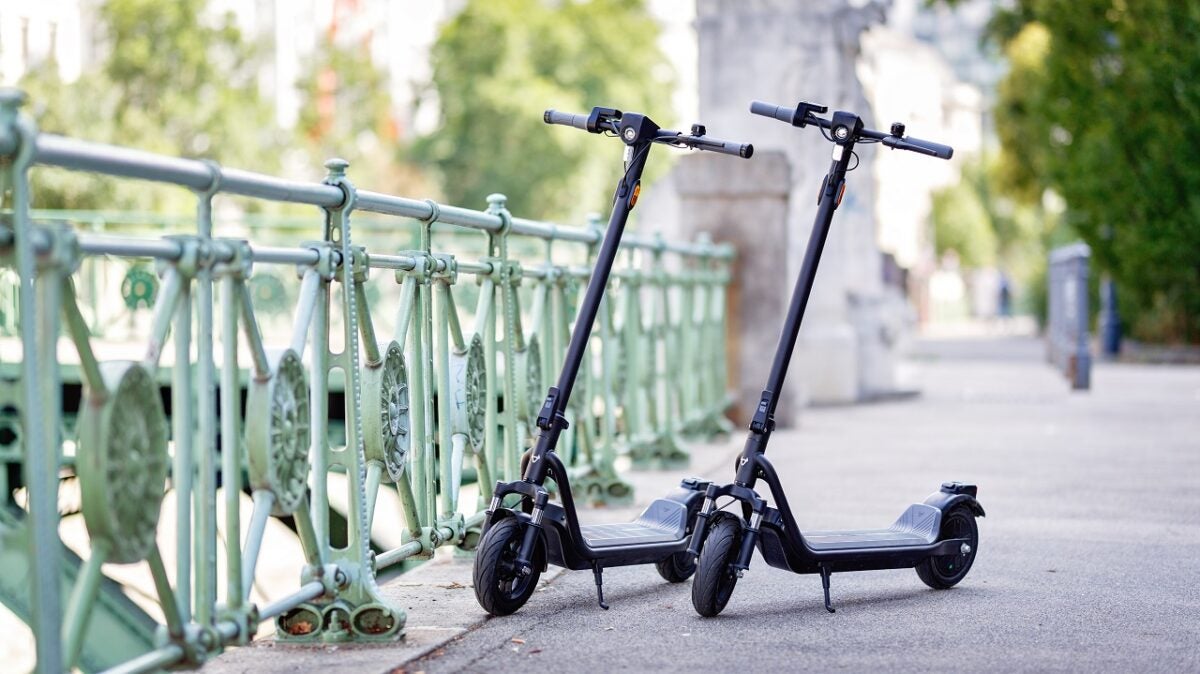
Electric scooter industry leader NIU has launched two new models—the KQi 100P and KQi 100F—aimed at portability and affordability, particularly for college students heading back to school.
The KQi 100P is priced at an MSRP of $349, while the KQi 100F carries a slightly higher MSRP of $449.
These price points place them in the budget-friendly category, positioning NIU as a competitive player in a market often dominated by high-cost options.
Meet the KQi 100P and KQi 100F: Affordable options for college students
Equipped with a 600W rear motor, both scooters can reach speeds of up to 28 km/h (17.4 mph) and boast a maximum range of 29 km (18 miles) on a single charge. Each model features front suspension, 9-inch pneumatic tires, and is capable of climbing inclines of up to 15%.
The main distinction is the KQi 100F’s folding handlebars, enhancing its portability, while it will be available at major retailers including Best Buy, Amazon, and Target. Conversely, the KQi 100P marks its entry at Kohl’s, maintaining its availability at Walmart.
“By launching these electric kick scooters and partnering with retail giants, we are enhancing convenience for customers while setting a new standard for the e-mobility industry,” said Ben McGill, Head of North America at NIU. The company emphasizes that these models outperform many mid-tier scooters while being hundreds of dollars less in price—making them a viable, economical choice.
Both scooters integrate with NIU’s smart app, allowing users to adjust a variety of settings, such as maximum battery charge and regenerative braking strength. Weighing 17.5 kg (38.5 lb), they accommodate riders up to 120 kg (264 lb).
With robust aluminum frames and IP55 water resistance, along with LED lighting and built-in turn signals, NIU continues to prioritize innovative technology without compromising on essential features. The KQi 100 series is available now, with anticipation growing for firsthand ride reviews.