How to buy Windows 10 – Tips to get your original license at a low cost

Windows 10 is one of the most popular Microsoft OSs ever. Not only functional and lightweight, but Windows 10 has also been praised for its modern features and UI, its integration with Xbox Games service, and, most importantly all the small fixes and remedies to Windows 8.1 interface and Windows 7 security issues. Read also How to Buy Microsoft Office – Get Your Genuine License For A Cheap Price!

If you’re going to get a new PC, maybe you need to buy Windows 10 – perhaps you’re going to kiss your old Win 8 installation goodbye… whatever the case, keep on reading and you’ll discover how to get the best deals for Windows 10 and buy your brand new license without breaking the bank, and the law altogether!

Can you buy Windows 10 for cheap?

One of the first things you may have noticed in your journey to get your Windows 10 license, is probably the fact that you can actually buy it directly from Microsoft online. Despite how convenient it is to buy products without leaving your desk or sofa, one thing is sure: Windows 10 doesn’t come cheap on the Microsoft Store. This can be an issue, especially if you’re a student on a budget or a freelance with limited business.

So, can you buy Windows 10 for cheap? Absolutely! We’ve written this article to help you navigate the overwhelming mass of deals, opportunities, discounts, and other offers online, to get your Windows 10 at the best price, without breaking your wallet or the law. Yes, because, as with everything related to the magical world of the Internet, caution must be used when it comes to buying a digital license for any software you need. Remember: when a deal is too good to be true, it most likely is. One of the best solutions we tested and chose is Mr Key Shop, one of the best websites where you can buy Operating Systems Windows 10 and other original software at the best price, we’ll talk about its services and pluses later.

Where should you go for the best Windows 10 deals?

Searching across the web, you may encounter a certain number of offerings, from private vendors/merchants on eBay or Amazon to a plethora of websites promising the best prices for Windows 10 or whatever piece of software you’re looking for. And, while it’s obvious that the Microsoft Store is not your only legit source of digital licenses, you must understand how to discern the righteous, legit deals from other questionable ones.

On one hand, you must know that you actually buy Windows 10 at a low price, thanks to the ESD licensing model. ESD licenses are digital licenses that companies purchase in bulk to get a volume discount on the overall price. This way, they can pay a lesser unit price, activate all the required seats, and then sell the exceeding licenses to recover some budget.

Such a practice has been deemed as a legit process in many jurisdictions across the world, including Europe, where the European Court of Justice ruled that ESD licenses can be legally resold. This is why you’ll find a lot of third parties selling Microsoft Windows 10 and Office licenses for cheaper prices than Microsoft MSRP. 

On the other, though, not all resellers are playing fair. There is the so-called grey market, where the boundaries between legit transactions and illegal ones are quite fuzzy. Here you may incur stolen product keys, or licenses bought in bulk by using stolen, forged, or cloned credit cards. Cybercriminals thrive in such a market, but you as a user may get exposed as scams, frauds, as well as see both your money and your new license are gone forever. Yes, because Microsoft may void any suspect key at any time.

Fortunately, there are some legit companies as well. And they all share some traits: secure payments, money-back warranty, fully-fledged Customer Service in your language with no extra fees, a good track record of review and feedback on external sources, like TrustPilot.

Among the best third-party resellers we tried in time, one we really liked is Mr Key Shop. Based in the UK, Mr Key Shop is a professional online store offering Microsoft Windows, Microsoft Office, and Antivirus licenses. You may find a vast selection of options, from Windows 7, 8, and you can buy Windows 10, to Microsoft Office Suite 2010, 2013, 2016, 2019, very soon, Windows 11 Operating System and Microsoft Office 2019 Suite. They also offer top security Antivirus brands like Avast, McAfee, Kaspersky, ESET, and Norton, both for computers and mobile phones/tablets. But the best things are their competitive pricing, instant delivery after purchase, and professional, free-of-charge Customer Service. It is important to know that the upgrade to Windows 11 will be free of charge for those who have a genuine Windows 10 license installed.

They also provide their customers with everything they need to download, install and activate Windows 10 and the other products on sale, from a complete and clear set of instructions, an official download link to the ISO files, and, of course, a 100% genuine product key. We recommend you to go check their catalog frequently since Mr Key Shop offers discounts and deals throughout the year.
Yes, but why buy Windows 10 in 2021?

There are plenty of good reasons to buy Windows 10: first of all this is one of the best OSs ever. It slowly grew in the hearts of users, and, most importantly, it will be supported until 2025 – four full years of use.

Secondly, a genuine Windows 10 will grant you the free upgrade to Windows 11, once it will be out in October 2021. And this could also be an excellent strategy if you wish to upgrade to Windows 11 since you can buy now a cheap Windows 10 license, and then go for the upgrade.

You can also upgrade to Windows 10 from Win 7 or Win 8.1 if for any reason you’re not eligible for the old, free upgrade. The upgrade license is even cheaper, and you will need Win 10 anyway, if you want to ditch your old Win 8.1 installation in favor of the latest Microsoft OS, to the extent that you meet all the system required, TPM included.

But let’s say you just built a brand new PC, this is the best moment for you to buy a discounted Windows 10 license, and then go for Windows 11 upgrade with no extra costs!
Takeaway – Go for the best Windows 10 deals, stay for Windows 11!

Wherever the store you want to invest in is, do check some basic requirements: secure payments (i.e. PayPal), money-back warranty, clear and transparent Terms & Conditions, good Customer Service, and, most importantly, feedback and reviews on external websites like TrustPilot.

No matter which version you need, if you have to buy Windows 10 Professional or choose a discounted Windows 10 Home license, be extra careful about the asking price. A deal that is too good to be true, it most likely is. Mr Key Shop meets all the aforementioned requirements, and if you decide to go on and buy from there, rest assured you’ll have a very pleasant experience.

That said, Windows 10 is still an excellent OS you can buy, not only for the Windows 11 free upgrade but also for the modern look, fast performance, and all those sweet optimizations for touch screens and multi-device user experiences. We’re sure that Windows 10 will be loved and remembered forever, and we suspect that 2025 won’t be its final year, as many users may want to stick with it for longer.

Dell Inspiron 16 Plus: Premium Value for the Best Performance

Sitting between the Dell XPS premium range and the mainstream Inspiron models is the Dell Inspiron 16 Plus – a high-quality, robust laptop with excellent features. With a massive array of features, ranging from the 11th Gen Intel® Core and built-in graphics to the sustainable design, it’s hard to believe that this laptop is part of Dell’s more affordable Inspiron range.

Watch, Create, and Play in High Resolution

The Inspiron 16 Plus is a giant leap forward for Dell, primarily due to the 16:10, 16-inch screen. It’s one of the first affordable premium laptops with this size screen, but it gets better. The laptop comes with native 3K resolution and supports 100% sRGB and 81% AdobeRGB color ranges. It’s capable of supporting games, creative software, and movies in incredible detail and vivid colors.

The laptop has a built-in NVIDIA® GeForce RTX™ 3050 graphics card with 4GB GDDR6 memory, enhancing your visual experience. Don’t worry about the visuals straining your eyes. The Inspiron 16 Plus comes with a ComfortView Plus display that lowers the amount of blue light emission and reduces the impact of long periods of use on the eyes.

Other Technical Specs

  • Processor: 11th Gen Intel® Core i7 (4.6 GHz, 8-core).
  • Operating System (OS): Windows 10 Home 64-bit.
  • Video Card: NVIDIA® GeForce RTX™ 3050 4GB GDDR6.
  • Display: 3K 16-inch Display (3,072px x 1920px).
  • Display Brightness: 300 nits.
  • Memory: 16GB RAM, 3200MHz DDR4.
  • Storage: 512GB Solid State Drive (Optional Upgrade to 1TB).
  • Camera: 720p, 30FPS HD camera with built-in dual-array microphones.
  • Ports: 2 x USB 3.2 Gen 1 ports, 1 x Thunderbolt™ 4 port, Universal Audio Jack, HDMI port, power adapter port.
  • Average Battery Life (In-Use): 11-13 hours.

Other Features: Connected, Cooler, Optimal Performance

With a high-performance 11th Gen Intel® Core™ and the NVIDIA® GeForce graphics card, the Inspiron makes good use of its three fans and five heat pipes to keep the laptop cool and working well. The GPU is also backed by free NVIDIA Studio drivers, optimized to make the most of applications like Adobe’s design range.

Connectivity is also a breeze. The laptop comes with two standard USB ports at Gen 1 speeds and includes a Thunderbolt™ 4 port, an excellent addition to a device at this price range. It also includes an Intel Wi-Fi 6 module, so you can stay connected easily wherever wi-fi is available.

Finally, Dell adds a nice touch to the 720p HD camera by including a privacy shutter, preventing curious eyes from turning the lens on you.

Sustainable Design, Real-World Capabilities

Aside from its excellent features and hardware, the Inspiron 16 Plus is designed with sustainability and real-world functionality in mind. All the painted parts are coated with eco-friendly VOC waterborne paint, while the packaging is made from recycled materials. To ensure that the laptop also works in almost all situations, Dell tested:

  • Its ability to deal with harsh, short-term heat up to 65°C.
  • The quality of the hinges after 20,000 uses.
  • The longevity of the keyboard after 10 million keystrokes.
  • How the battery holds up after 30 removals and reinstallations.

In short, Dell went above and beyond to ensure that the Inspiron 16 Plus is durable, sustainable, and perfect for everyday use.

The Bottom Line

Although the Inspiron 16 Plus isn’t entirely on the same level as Dell’s premium XPS line, it’s as close as you can get while still on the budget. While there are some notable differences, the Inspiron 16 Plus feels and works like a premium laptop at a mid-range price. The 16-inch display, Intel i7, real-world capabilities, long battery life, and built-in GeForce graphics make this device ideally suited as a mobile entertainment system or as a tool for creators on the go.

How to Buy Microsoft Office – Get Your Genuine License For A Cheap Price!

If you need to buy Microsoft Office for your PC or Mac at home or at work, you’ll probably have already taken a look on the Web. As you may have seen, there are plenty of options out there. But how to discern the best deals for Microsoft Office, how to be sure to get the best, cheap price for Office? Keep reading to see how you can buy your next Microsoft Office License without breaking the bank!

Can You Buy Microsoft Office spending less?

The first and foremost result you may have incurred is probably the Microsoft Store: you can buy your digital Microsoft Office License without having to physically go to a retail store, with all the convenience of buying from home and immediately receive your order. The pain point, though, is that you’ll have to shell hundreds of bucks for your new Microsoft Office installation and the problem is that you have to decide between a single payment solution or a subscription to be paid every month.

Moving further on your searching – if you have done it before reading this – you may have seen dozens of “best offers for Microsoft Office”, “cheap Microsoft Office prices”, and other offerings scattered throughout your search result page. And this should answer the above question: yes, you can buy Microsoft Office spending less than the bloated price asked on the official Microsoft Office. But how?

If you are looking for the best Microsoft Office deals, ESD licenses are the answer.

Many third-party companies offer the so-called ESD Licenses, namely digital licenses that many companies buy in bulk to get volume discounts. When they activate all the required seats, organizations may want to sell the exceeding licenses to get some money back.

The good thing is that ESD licenses come way cheaper than other sources, and the best thing is that such a practice is 100% legal, as deemed by the European Court of Justice, among the others.

ESD licenses can be traded, and here comes a multitude of third parties buying and reselling these licenses for profit, asking a lower price than your average MSRP.

However, you must be advised: when a bargain is too good to be true, it probably is not.

The ‘best’ deals for Microsoft Office are not always the best option for you

This might sound counter-intuitive, but the truth is: you must be extremely cautious when it comes to buying Microsoft Office for cheap.

As you may have noticed, there are plenty of third parties and merchants on Amazon or eBay, selling dirt-cheap licenses for anything – from Antiviruses to Windows OS, and obviously Microsoft Office.

Three bucks for Microsoft Office 2016? Why not? – You may think. Well… think again! These prices are pure sci-fi, and if you see one of these deals around, you should first take a look at feedbacks and reviews online. Yes, because, you may have incurred the so-called grey market.

In short, this is a place where things get fuzzy in terms of lawfulness, and you may risk getting a stolen product key, or a legit one purchased, however, using a forged/cloned/stolen credit card. Needless to say, you may get exposed to cyber-criminals, or simply lose your money, and your license, since it may be voided by Microsoft at any moment. A solution can be Mr Key Shop, one of the best websites where you can buy genuine Microsoft Office Suite at the best price. 

Looking for the best price for Microsoft Office? Check these tips out!

Piracy is not an option, of course, so what to do? We’ve got you covered, lucky you!

There is a lot of genuine, professional services you may want to go for. All these are characterized by some common traits: secure payments (i.e. PayPal), free Customer Service, money-back warranties, and, most importantly, a good track record of positive feedback and reviews online.

We tried some of these businesses, and we want to recommend one in particular: Mr Key Shop. This is a UK-based company specializing in Windows Operating System and Microsoft Office Suite licenses for PC or MAC, as well as Antiviruses subscriptions.

They’ve been around for enough time to prove their reliability and professionalism, and as you can see on TrustPilot, this is one of your go-to companies when it comes to seeking the best discounts for Microsoft Office.

The service is fast, prices are low, and you will get complete and noob-friendly instructions directly in your inbox immediately after your purchase, together with your brand new genuine product key and an official link to download your Microsoft Office ISO file with no hassle. 

Technical support is free and the products are all digital, so you avoid the pollution that comes with shipping goods, in fact Mr Key Shop is Eco-Friendly.

Now that you know how to buy Microsoft Office for cheap, what else should you know?

Microsoft Office is an umbrella term, encasing different editions that may suit different needs. Now that you know how to get the best price for Microsoft Office, you should also consider what version is the best choice for you.

The most complete stores, such as Mr Key Shop, offer plenty of options, and the most common are:

  • Microsoft Office 2019: this is the latest version of Microsoft Office to date, at least until Microsoft Office 2021 will be officially released. This is the most updated suite you can buy, with all the modern features you can expect from one of the best productivity suites ever, like cloud sync and more. Buy Microsoft Office 2019 if your OS is Windows 10 or 11, and you want to enjoy the latest features.
  • Microsoft Office 2016: one of the most popular versions around. It’s still used by a lot of users – both private and business – and for some good reasons: modern UI, excellent performance, modern features. Buy Microsoft Office 2016 if you want to spend less, and your PC is not exactly the newest.
  • Microsoft Office 2013: a beloved good-old version of Office, yet functional and performing nowadays! Buy Microsoft Office 2013 if you’re working under limited resources, but you want to enjoy a good performance/features balance.
  • Microsoft Office 2010: running Windows 7 or 8? Don’t want to upgrade to Windows 10 or 11? Stick on one of the most acclaimed versions ever! Buy Microsoft Office 2010 to enjoy a fully-fledged productivity suite with optimal performance on older systems.
  • Microsoft Office for Mac: as a Mac user you know the meaning of “it just works” very well. And if you don’t want to renounce all the convenience and efficiency, buy Microsoft Office for Mac and boost your productivity!

We recommend checking your system requirements carefully before you proceed with your order. The best stores like Mr Key Shop also give you clear and complete lists of specs to meet, so take a look at their product pages.

Takeaway

Wherever you choose to buy Microsoft Office, always take a look at reviews and feedback. Be sure about your system specs, and compare pricing lists. Sometimes, a bargain is way too good to be true, and it usually is – so always check for secure payments and explicit warranties.

And if you want to get even better deals, check Mr Key Shop’s catalog regularly to get the best discounts for Microsoft Office, and achieve better productivity!

How to Watch Live Streaming Cricket

The cricket season is heating up and fans worldwide are gearing to watch their favourite matches in the next few months. There are some exciting World T20 matches coming up in the ICC, such as India vs. Pakistan on 17 October, and Sri Lanka playing the Netherlands on 22 October. The event is scheduled to take place between 17 October to 14 November 2021.

In this article, we’ll show you how to watch live cricket and our recommendations for the best app for live cricket streaming.

Which is the best app for cricket live streaming?

  1. Sports Live TV

    How to Watch Live Streaming Cricket

    No matter which sports or events you enjoy, Sports Live TV covers many of them worldwide while the matches are live. There are over 500 channels, and it keeps you up to date with T20 and IPL scores.  You can even filter the game by country.

  2. Live Cricket TV: Star Sports TV

    How to Watch Live Streaming Cricket

    This app is specifically dedicated to bringing you every live cricket match in full detail. Besides notifying you of the latest scores, Live Cricket TV: Star Sports TV also presents highlights so you can go back and watch any action you missed.

  3. Live Cricket TV HD

    How to Watch Live Streaming Cricket

    If you’re interested in high definition streams of matches, Live Cricket TV HD brings the action to your phone. You can access any game you want, whether ongoing or already finished, while checking any of the T20 or IPL live scores.

  4. Live Sports TV Streaming

    How to Watch Live Streaming Cricket

    As a general sports provider, Live Sports TV Streaming hosts cricket as one of the main categories. There’s a list of live games, or you can select from the on-demand menu for matches that are popular. You’ll also have the option to simply listen to the commentary.

  5. Live Cricket TV Hotstar

    How to Watch Live Streaming Cricket

    Besides movies and TV Shows, Live Cricket TV Hotstar specifically focuses on the latest matches. While you may have to pay for streaming on desktop from most provides, it shows some select events for free on your phone.

  6. Live Cricket HD

    How to Watch Live Streaming Cricket

    As another option for free live streaming cricket, Live Cricket HD is another provider of high-quality videos. You’ll see insider reports and expert advice on what to expect with the upcoming game.

  7. Cricket Line Guru : Fast Live Line

    How to Watch Live Streaming Cricket

    Out of all the cricket streaming apps mentioned, Cricket Line Guru : Fast Live Line probably has the most content. You can view ball-by-ball action, see the latest T20, PSL and IPL scores, and also view the latest tournament standings.

  8. Live DD sport Cricket TV Matches Free Info

    How to Watch Live Streaming Cricket

    Another extensive app on live cricket matches is Live DD sport Cricket TV Matches, which supplies points tables, venue details, players stats, and expert analysis. You can also view all the squad details for the upcoming tournament.

  9. Live Ten Sports

    How to Watch Live Streaming Cricket

    While Live Ten Sports has several categories covered, it’s hot on the tail of the new cricket season. It covers tournaments in Europe and South Asia, while also showing you the highlights from top matches.

  10. LIVE TV Free Sports Live Cricket Football TV

    How to Watch Live Streaming Cricket

    Covering football and cricket specifically, LIVE TV Free Sports Live Cricket Football TV delivers the latest sports streaming to your phone. You’ll see the latest scores, placement on the tables, news from the teams, and more!

Cricbuzz, A Popular Cricket Information Application

If you’re a cricket fan living in India, you’ve no doubt heard of Cricbuzz. While based on the Indian website of the same name, you can download the application to your device for the latest updates on cricket tournaments. Available for PC, Android and iOS, make sure you don’t miss out on any of the live commentary or match results.

How to Watch Live Streaming Cricket

Enjoy the Cricket Season!

Now that you have the top selections for watching live streaming cricket, it’s time to tune in and enjoy the fun. Don’t forget, you can also view esports video game competitions, where you can see players compete in titles like EA Sports Cricket. If you like making predictions on matches, you can also try fantasy cricket apps like Dream 11.

ExpressVPN vs. Norton Secure VPN

If you are here reading this article, you likely know a thing or two about VPN. But to recollect, a VPN is a service that masks your geolocation, enabling you to browse the internet privately and anonymously. There are hundreds of VPN services out there, but only a handful are reliable that suit your needs. For instance, if your needs are torrenting, a suitable VPN service for you can guarantee consistently good connection speeds.

ExpressVPN and Norton Secure VPN are household VPN services that have proven reliable in a wide range of needs. They both offer reliable connection speeds and employ the most robust security features in the market. 

Overview

td { border: 1px solid; padding: 10px; width: 0%; }

ExpressVPN

Norton Secure VPN
Connection SpeedsMinimal speed loss of less than 10%Minimal speed loss of less than 15%
Privacy and Security256-bit AES EncryptionZero log policyKill SwitchSplit Tunneling128-bit AES EncryptionZero log policyKill SwitchSplit Tunneling
Server Network3,000+ servers160 VPN server locations in 94 countries2,000+ servers30+ countries
Pricing$12.85 per month30-day money-back guarantee$7.99 per month60-day money-back guarantee for an annual plan
Streaming SupportYesYes
Torrenting SupportYesNo
Multi-platform SupportWindows, Mac, Linux, iOS, Android, Routers, BrowserWindows, Android, Mac, iOS 
Simultaneous ConnectionsYes, up to 5 devicesYes, up to 5 devices
Customer Support24/7 Live chat and email support24/7 Live chat and email support

What is ExpressVPN?

ExpressVPN is an immensely popular VPN service that’s trusted by thousands of users around the world. Since 2009, ExpressVPN has spearheaded the growth of the VPN industry. Over the years, it has gained a huge reputation for its quality of service, hailed as the most reliable VPN service in the market. So much so that it manages to get away with having among the most expensive pricing plans.

ExpressVPN’s strong set of core security features gives you multi-layered protection. The VPN provider uses its own DNS servers to secure your internet traffic. It also employs military-grade encryption to prevent even the most sophisticated cyber threats. It has a built-in kill switch that protects you in case of a drop in your VPN connection. And for those who don’t want to leave any sort of traces of their online activities, ExpressVPN has a zero-log policy that prohibits it from collecting or sharing its users’ traffic logs.

Its network keeps growing, but right now, it has more than 3,000 servers spread across 60 locations in 94 countries, making it the largest server network in the market. It is not only the high number of servers that makes ExpressVPN’s server network the largest, but also the coverage – ExpressVPN’s fiercest competitor, NordVPN, has more servers, but the servers are spread across fewer countries as compared to ExpressVPN.

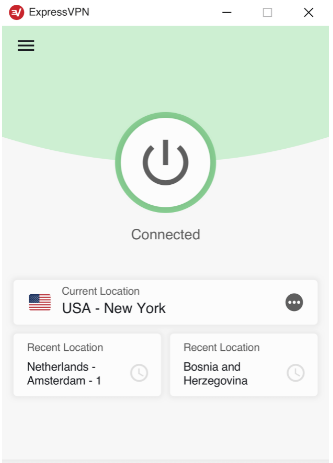
Figure 1: ExpressVPN Connection

The real standout might be its customer support, though. ExpressVPN has a support team available 24/7 on live chat and email. And this is not the sort of basic and outsourced support service you get with some other VPN services: they are experts who are ready to walk you through any technical issue. ExpressVPN’s customer support service is not only available but also timely.

As earlier stated, ExpressVPN is among the most expensive VPN around. The VPN provider has three basic plans for its VPN services: a 1-month plan, a 6-month plan, and a 15-month plan. A 1-month plan is billed at $12.85. Compared with most VPN providers that offer monthly subscriptions at $9-$10, ExpressVPN is more expensive.

If you are subscribing to ExpressVPN’s 6-month plan, you are offered a reduced price of $9.99. That is quite a reasonable pricing plan. And it also gives you more flexibility that you won’t get with other VPN providers who have no 6-month subscription plans. The 15-month plan cuts your costs further to a monthly equivalent of $6.67, representing a whopping 49% discount on the monthly subscription. ExpressVPN also offers other benefits to users subscribing to their 15-month plan, including three months free as well as a year of FREE unlimited cloud backup. The VPN provider offers a 30-day money-back guarantee in all of its plans.

What is Norton Secure VPN?

Norton Secure VPN is a basic and reliable VPN from a very big security company. The VPN service now comes packaged with Norton’s 360 antivirus products, making it a very good deal. Here, you will get top-tier antivirus software with a fast and reliable VPN service for less than most other standalone VPN services. A lot of features makes NortonVPN among the favorite VPN services. NortonVPN is highly rated for its performance. With a speed loss of less than 15%, the provider is among the fastest basic VPN services in the market.

It also has a quite large server network: more than 2,000 servers spread across the globe, a wide network coverage that spans all six continents. This allows nearly every user to find a nearby server to connect to.

Figure 2: NortonVPN Connection

For a basic VPN service, NortonVPN comes packed with a set of impressive privacy and security features. Like ExpressVPN, NortonVPN uses AES to encrypt online traffic sent over its network. AES is a strong encryption standard that is nearly impossible to break. The VPN provider also recently incorporated a kill switch among its security tools. The tool automatically disconnects you from the internet if your VPN connection is lost; this ensures your privacy. In terms of VPN protocols, Norton employs the highly secure and open-source OpenVPN protocol. As for DNS or IP leaks, there have been no known reported leaks when using NortonVPN. 

NortonVPN supports up to 5 devices and runs on Windows, Android, Mac, and iOS. It allows the users to choose their preferred number of connections and pay for it.

When it comes to pricing, NortonVPN offers different plans with modest prices. It has a monthly and annual plan. The prices of these plans depend on the number of simultaneous connections a user prefers. For instance, a user on a monthly plan using one device pays $4.99 ($7.99 for five devices). And at an equivalent $3.33 a month, its annual plan looks cheaper.

create a program card to Norton Secure VPN download page

Best VPN by Category

CategoryVPNThe Verdict
Privacy and SecurityExpressVPN uses AES-256 for encryption, which is more secure than NortonVPN’s AES-128. In addition, ExpressVPN uses its own DNS servers, while Norton does not.
PerformanceExpressVPN has a larger server network, meaning it is less prone to congestion as compared to Norton Secure VPN.
Multi-platform supportWhile both VPNs support leading operating systems such as Windows and Android, ExpressVPN has an edge here because it is also available for routers browsers.
Streaming and TorrentingSince ExpressVPN has higher performance, it is more suitable for streaming and torrenting as compared to NortonSecure  VPN. And in any case, Norton VPN does not support torrenting. 
PricingCompared to ExpressVPN’s $12.95, the cheapest monthly plan NortonVPN offers is billed at $4.99, making it the cheapest VPN service among the two. Norton VPN is cheaper, especially when using fewer connections.

The Overall Winner is

… ExpressVPN. Despite NortonVPN offering strong privacy and security features, as well as fairly good prices, ExpressVPN offers stronger features. This VPN outshines NortonVPN in most categories, including in terms of performance and security. With that said, NortonVPN comes on top in terms of plans and pricing.

NortonVPN is a good choice if you are looking for a budget VPN service with fairly good services. Otherwise, for an exceptionally reliable VPN provider with quality services, ExpressVPN gets you covered.

ExpressVPN vs. CyberGhost Review 2021

Knowing that you need a VPN is a great start as you realize the value of your privacy and security. There are hundreds of VPNs in the market and finding the best VPN for your needs is not easy. 

In this guide, we will look at ExpressVPN vs CyberGhost and compare their privacy, security, features, pricing, and overall performance. By the end of the guide, you should be able to make an informed decision on which of the two is the best fit for you.

Comparing ExpressVPN vs. CyberGhost VPN Features 

td { border: 1px solid; padding: 10px; width: 0%; }
ExpressVPNCyberGhost VPN
Lowest Pricing$8.32/month$2.25/month
SpeedsTypically less than 12% impact on download speed.Typically less than 14% impact on download speed.
Server Count3,000+7,200+
Country Count9491
Simultaneous Connections57
Money-Back Guarantee30 days14 – 45 days
Encryption Standard256-bit AES256-bit AES
Ease of Use10/109/10
Logging PolicyStrict no-loggingStrict no-logging

ExpressVPN overview

ExpressVPN is a well-established VPN that has gained a positive reputation for being trustworthy and reliable. It is now arguably the biggest name in the VPN industry, thanks to its commendable performance in all crucial areas. 

The VPN is designed to offer simplicity while at the same time providing advanced features to power users. It provides a simple interface with one-click connection support and a smart location suggestion. Users can then open more tabs to customize the VPN as needed.

Graphical user interface, application

Description automatically generated

ExpressVPN, based in the British Virgin Islands, promises not to keep any connection or usage logs. This means that your IP address, activities, and other details are never written to the hard disk, so you retain maximum anonymity. As a market leader, the VPN has even initiated a public audit, and PWC has verified all its privacy and security claims. 

You can use ExpressVPN without worrying about your privacy and security. You will be able to connect to a network of 3,000+ VPN servers spread across 160 VPN server locations in 94 countries. All these servers are high speed, and they support functionalities such as streaming, torrenting, and circumventing censorships.

Streaming is one of the biggest reasons for choosing ExpressVPN but as you know, laws concerning the use of this software vary from country to country. 

We do not encourage or condone the use of this program if it is in violation of these laws. The regulation about the use of VPN services varies per country; If the Law of your country forbids or limits its usage, don’t download. Any unlawful behaviour of this software is not permitted. You are solely responsible for any use of the service.

What about ExpressVPN support? If you experience any issue, you can get it sorted quickly with their 24/7 live chat support. There’s a ticketing system, as well as a knowledge base that provides FAQs, set up guides, and troubleshooting guides.

So where’s the catch? Well, ExpressVPN charges $12.95 a month or $8.32 a month if you go for a yearly subscription. The yearly cost is significantly higher than the market average and the service you get is utterly justified. You will be able to use your subscription on up to 5 devices, and you will also be eligible for a 100% money-back guarantee.

9

CyberGhost VPN overview

CyberGhost is a pioneer in the commercial VPN industry. The VPN has always been mentioned among the top VPN brands. It has gained lots of attention and expanded exponentially in the last few years after it was bought by Crossrider (now Kape technologies).

Although Crossrider didn’t have the best reputation, the company is now privacy-oriented, and the VPN has even enhanced its privacy and security commitments.

CyberGhost is based in Romania, which is a privacy-friendly country, and it keeps zero connection and usage logs. It also uses AES-256 encryption alongside other recommended standards, which means you don’t have to worry about your privacy and security (although the VPN is yet to undergo a public audit).

CyberGhost offers 7200+ VPN servers spread across 113 locations in 91 countries. The server number is more than double of ExpressVPN, and the overall network is one of the largest that you’ll come across. The VPN provides specialized servers that offer functionalities that include streaming, torrenting, dedicated IPs (bought as an addon), and gaming. 

CyberGhost has many features and makes a significant difference with ExpressVPN by offering dedicated IPs, No Spy Servers, and an ad-blocker. 

Graphical user interface, text, application, email

Description automatically generated

How much does CyberGhost cost? You can start at $12.99 / month, which is a little bit higher than ExpressVPN’s monthly price. However, you can reduce it to a mere $2.25 / month with a 2-year subscription. The VPN comes with a 14 to 45-day money-back guarantee, and in case of any trouble, there’s a 24/7 live chat support.

CyberGhost VPN Download it for free
8

Best VPN Per Category

CategoryWinnerVerdict
Best VPN for WindowsCyberghost provides more features in the Windows app, but ExpressVPN is better designed and easier to use. The ExpressVPN app is also much lighter in terms of resources, and it offers faster connections.
Best VPN for MacExpressVPN offers a sleek macOS app that is also easy to use. The app provides a smooth experience and excellent speeds for streaming and is also compatible with more macOS versions.
Best VPN for AndroidExpressVPN convincingly wins this category as its app features a much better design and more features. The main screen is informational but not cluttered, and there’s also a kill switch that works well.
Best VPN for iOSBoth VPNs offer toned-down iOS apps, but ExpressVPN’s app is better designed and is more usable thanks to its Smart Connection and Recent Connection options. It also allows you to select a protocol and check for any IP address, DNS, or WebRTC leaks.
Best VPN for BrowserBoth VPNs provide extensions for Chrome, Firefox, and Edge. However, ExpressVPN’s browser add ons are not independent of the desktop app. This means that you still need to start the app, something that reduces the ease of use. CyberGhost browser extensions are all built as a standalone and so can be used to connect to a server quickly and more easily.
Best VPN for TorrentingThe best VPN for torrenting is a toss-up between the two VPNs. ExpressVPN lets you torrent on any of their servers, while Cyberghost has servers optimized for torrenting. Cyberghost gets the nod here, but just by a fraction.
Best VPN OverallExpressVPN edges out Cyberghost in most sections, and it also does extremely well in the areas where Cyberghost shines more.

Which is better, ExpressVPN or CyberGhost?

ExpressVPN comes out as the stronger candidate of the two. The VPN provides exceptional apps, excellent speeds, solid privacy and security, great streaming support, and lots of advanced functionalities. The only significant downside is that its lowest subscription plan is a bit expensive, but you will get value for your money.

Cyberghost VPN is also an excellent option if you are looking for a powerful VPN with advanced features. The VPN service doesn’t really have any major downsides in terms of performance or functionalities, and its longer-term plans offer incredible value. Depending on what you want to accomplish, there isn’t really a wrong choice here!

ExpressVPN vs. BullGuard

If you’ve found this article, you’re interested in VPNs. If you want a quick refresher on exactly what a VPN can do for you, here it is; a VPN of any kind is an independent network that you connect to before browsing and surfing online so that any sites and networks you visit will see the IP address of the VPN rather than your own personal details.

This is to give you an extra layer of security to keep whoever wants to see your information from being able to do so freely. With the world rapidly approaching total digitalization, it’s not hard to see why VPNs and internet security have become such a massive market in the modern-day. As such, there are now more choices than ever for users to pick a VPN that best suits them.

Choices are great, but it can be a bit overwhelming trying to find the ‘best pick.’ As such, we’re here to help by comparing two excellent quality services, ExpressVPN and BullGuard. Neither of which will disappoint. 

Overview

td { border: 1px solid; padding: 10px; width: 0%; }

ExpressVPN

BullGuard
Lowest Pricing$8.32/month$3.54/month
SpeedsTypically less than 10% impact on download speed.Typically around 10%-20% impact on download speed.
Server Count3,000+2,000+
Country Count9416
Number of Devices56
Money-Back Guarantee30 days30 days
Encryption256-bit AES256-bit AES
Accessibility10/108/10
Live SupportYes (24/7)Yes (24/7)
LoggingStrict no-loggingStrict no-logging

What is ExpressVPN?

ExpressVPN has been around for over a decade now and shares the very top spots of the VPN market with other well-known titans like NordVPN. Despite being known for its costly price tag, ExpressVPN continues to be one of the most popular VPNs in the world due to its outright unbeatable quality.

No other service except NordVPN itself can match its speeds. It spans a massive amount of countries with servers and has some of the highest quality support, software, and privacy protection on the entire market. While its hefty price tag will turn many users away, if you want the absolute best, ExpressVPN might just be what you’re looking for.

ExpressVPN user interface

Its software is beautifully simple and designed with ease of access as a high priority. Once you’ve purchased your plan, you can have the VPN set up, customized, and running within a matter of minutes. It has every bonus feature you’d expect from a premium service except for an adblocker, strangely enough. However, killswitch and other essential elements are present and easy to navigate to.

Between incredible speeds and optimized software, ExpressVPN has so little impact on most devices that you can leave it running without noticing. Its impact on speed is minuscule for most servers, its connections are stable, and its lightweight software will stay out of your way no matter what you’re doing. In testing, we had absolutely no hassle working with ExpressVPN. It may be pricey, but it’s one of the cleanest VPN experiences we’ve ever tested.

You can download ExpressVPN and try it for yourself.

What is BullGuard?

Founded about 20 years ago in Denmark, BullGuard has been on the cybersecurity market for longer than most. With Avira as their parent company, it’s got a bit of credit to its name with its antivirus and privacy software, and along with those products, its very own VPN. BullGuard has joined forces with NordVPN’s networks to bring its own VPN to the market. Its own VPN which, despite not being well-known, is actually quite incredible quality.

BullGuard is by no means a new VPN; however, it is a relatively unheard-of service. Due to this, we were surprised to see that its quality actually compares exceptionally well with the likes of other premium services. It has fast, consistent speeds, great security features, and reliable server connections, all at a very affordable price point when compared to services like ExpressVPN.

BullGuard user interface

Built to the same level of quality as their other software, BullGuard VPN delivers an optimized program that runs smoothly on all major devices. It left little to no impact on performance and was optimized well to allow for quick, seamless navigation between different settings and allowed for easy connection and disconnection between servers. Connections were stable, and speeds hardly fluctuated at all. Overall, BullGuard’s service was highly reliable.

Unfortunately, BullGuard lacks a few useful features like an ad blocker or split tunneling functions. However, if its lack of small gadgets and features like this aren’t a concern to you, then we found BullGuard’s key services to be more than worth the price.

You can download BullGuard’s VPN here.

Best VPN per category

CategoryVPNThe Verdict
Best VPN for WindowsWhile ExpressVPN’s service is absolutely incredible, the quality difference simply doesn’t create a big enough gap to justify its price tag. Overall, we found BullGuard’s VPN Windows service to be very much comparable to ExpressVPN at a fraction of the price.
Best VPN for MacExpressVPN’s Mac software and support is brilliantly designed and optimized to run perfectly on MacOS systems. BullGuard’s Mac software is a bit clumsy and doesn’t feel nearly as good to use. ExpressVPN’s quality definitely wins here.
Best VPN for AndroidBullGuard shows its mobile capabilities with its excellent Android services. When testing on Android devices, we found that BullGuard VPN ran far smoother than expected, with a nicely optimized interface to go with it.
Best VPN for iOSExpressVPN’s excellent quality software extends to its iOS support, whereas BullGuard doesn’t. ExpressVPN overall just ran smoother, faster, and more reliably on any iOS devices we tested, not to mention had far more features.
Best VPN for TorrentingExpressVPN provides excellent security on its P2P connections, making for fast, extremely secure torrenting. BullGuard allows for P2P connections but has no extra layer of protection, meaning ExpressVPN definitely wins here.
Best Overall VPNDespite being an excellent service, BullGuard just isn’t able to compare to ExpressVPN in certain areas. Overall, ExpressVPN takes the cake as an unbeatable giant of the VPN space with its lightning-fast speeds and unshakeable quality.

Final Verdict

Despite being one of the priciest options out there, ExpressVPN continues to hold up against the competition. Obviously, if budget is a concern, then we suggest looking into BullGuard VPN. It’s a seriously great quality provider that seems to be making good use of its teamwork with NordVPN by bringing an excellent service to the VPN world. However, if you want the very top that premium VPNs have to offer, there’s no beating ExpressVPN.
Express manages to lead the pack in just about every category. Its speeds dominate the market, its reliability and server connections are solid, its privacy and security are airtight, and it offers almost every feature you could expect from a VPN. Yes, it’s pricey. But you’re not just paying for a brand name here. You really are paying for absolute top quality.

ExpressVPN vs. HolaVPN

As we’re sure you know, VPNs are a useful and essential tool in today’s internet era. More and more of the world is going online. It also means that our methods for protecting ourselves and our personal data need to be treated with the same level of care as to how we protect ourselves in the real world. One of the most powerful tools for this is, of course, a VPN.

VPNs are midway buffers between you and the place you’re trying to connect. Your internet connects you to a unique, third-party server before it takes you to the site or network you’re trying to visit, so that way, everywhere you visit only sees the VPN’s IP and details, not yours. This offers you an additional layer of security and makes it difficult for malicious sources to access your personal information.

The handiness of VPNs isn’t a secret, and providers understand that. There are now countless different VPN providers from which to choose. To help you find the right one for you, we’ll be comparing and highlighting the differences between one of the highest quality premium VPNs on the market, ExpressVPN, and a completely free-to-use service, HolaVPN.

td { border: 1px solid; padding: 10px; width: 0%; }

ExpressVPN

HolaVPN
Lowest Pricing$8.32/monthFree to use ($2.99/month for premium)
SpeedsTypically less than 10% impact on download speed.Usually ranges anywhere between 5%-30% impact on download speed.
Server Count3,000+Peer-to-peer
Country Count94N/A
Number of Devices510
Money-Back Guarantee30 days30 days
Encryption256-bit AESNone
Accessibility10/107/10
Live SupportYes (24/7)No
LoggingStrict no-loggingLogging allowed

What is ExpressVPN?

Starting out in 2009, ExpressVPN is one of the biggest premium VPN services available. It’s well-known for delivering high speeds, excellent quality service, top-grade security, and a great user experience. It’s also equally famous for its hefty price tag. Of course, that level of quality doesn’t come cheap. 

Coming out to an annual price plan of about $100 a year, ExpressVPN offers unmatched security, but not without delivering a swift punch to your wallet. However, despite this price, ExpressVPN is still widely used by a massive user base due to the sheer unarguable quality it delivers.

ExpressVPN user interface

ExpressVPN puts ease of use as an absolute priority for its users. While speed, reliability, and security are all top-notch on ExpressVPN’s part, a great deal of effort went into making the process of setting up and using their service as simple as possible. The software works flawlessly and is packed with features such as a killswitch, speed test, split tunneling, etc. One of the only features that we surprisingly didn’t see was an adblocker. But, assuming you have your own to use, ExpressVPN has just about everything else you could ask for.

In testing, the software had no issues and left little to no impact on our performance. Speeds were incredible, connections were reliable, and switching servers was quicker than the large majority of other services. Overall, it ran as smoothly as you’d expect from a top premium provider.

You can download ExpressVPN here.

What is HolaVPN?

Starting in 2012, HolaVPN is a VPN service that is entirely free to use. While it has paid upgrade plans that you can choose to purchase, the core service itself is 100% free. This alone is a rarity in the VPN market, as, despite the countless VPNs available, very few offer a completely free service at all.

It’s important to note that HolaVPN is not your standard VPN service at all. It’s an entirely peer-to-peer service. This means that rather than connecting to independent servers in locations owned by the provider, you connect to other free users’ IPs when you use HolaVPN.

This can be a significant concern to some users. This immediately gets rid of any sort of function that HolaVPN would have for things like torrenting since putting other peoples’ IPs in jeopardy by torrenting on them or other similar processes is strictly forbidden. This means that this service is less of a fully-fledged VPN and more a geographical restriction unblocker.

Laws concerning the use of this software vary from country to country. We do not encourage or condone the use of this program if it is in violation of these laws. The regulation about the use of VPN services varies per country; If the Law of your country forbids or limits its usage, don’t download. Any unlawful behavior of this software is not permitted. You are solely responsible for any use of the service.

HolaVPN’s interface is relatively easier to maneuver and doesn’t have any issues like sticking or freezing. However, it does take a while to actually turn the service on and off. The speeds were surprisingly good, having a minimal impact when we chose any locations near us and even holding up well at further distances.

Its security, unfortunately, is practically nonexistent. It uses no form of encryption or scrambling to make your data unreadable. As we said, it’s not really a fully-fledged VPN in the way you’d expect. So, unfortunately, HolaVPN won’t exactly be keeping your data in an iron vault like most premium services do. That said, it does have its uses and actually offers the one feature that ExpressVPN seems to be lacking—an adblocker.

You can download HolaVPN here.

Best VPN by Category

CategoryVPNThe Verdict
Best VPN for WindowsExpressVPN offers high functionality, a great interface, and unbeatable stability and speed for Windows devices. We had absolutely no issues with testing on Windows and are confident in saying it was one of the best VPN experiences we had.
Best VPN for MacExpressVPN’s software is highly compatible with MacOS, and all protocols are customizable so you can see which one works the best for your specific device in order to have as little impact on your Mac as possible.
Best VPN for AndroidExpressVPN comes loaded with full mobile device support and has little to no impact on your speed. This keeps your Android devices from sticking, stuttering, and freezing. Overall, ExpressVPN works flawlessly with Android.
Best VPN for iOSSimilar to Android, ExpressVPN runs beautifully on iOS devices, perhaps even slightly better. There was absolutely no impact on browsing and surfing with ExpressVPN turned on during our testing.
Best VPN for TorrentingThis one is no competition, really. Since HolaVPN offers no P2P protection, it doesn’t even have torrenting capabilities. ExpressVPN has full support for torrenting and airtight protection to protect your IP and details to keep you secure.
Best Overall VPNUnfortunately, HolaVPN just stands no chance against the VPN titan that is ExpressVPN. Despite its price, it continues to dominate the market with a wide span of useful features and high-quality services to treat its users to.

The winner is…

ExpressVPN. In case you haven’t guessed yet, yes, ExpressVPN’s quality will unfortunately always leave HolaVPN in the dust. There’s no surprise there, especially when you’re pinning one of the best VPN services available against a humble free provider.

HolaVPN is a helpful tool, but calling it a VPN is a bit generous. It unblocks geographical restrictions, and for the most part, it does that well. HolaVPN works relatively smoothly for a free service. Just be careful not to confuse it for a service that will protect your details and offer you that layer of security that most VPNs do. Unfortunately, security is a function it just doesn’t possess.