8 new Windows 10 2019 features that you may have missed

Check out all the best new features that have come with Windows 10 updates in 2019.

Windows 10 is an ever-evolving operating system for your PC. Once you download Windows 10 and install it, you’ll regularly receive updates and new features. Microsoft has turned Windows 10 into the most popular desktop OS on the planet, which means an article about new Windows 10 best hidden tips and features will be very useful to a lot of people. Therefore today; we’re bringing you a list of 8 Windows 10 best new features from 2019 that you might have missed.

Best Windows 10 features of 2019

Due to the regular updates, Windows 10 has a number of different versions. These versions have numbers, which usually show the month and year that Microsoft first made them available. They begin with 1507 (July 2015) and go all the way up to the latest version of Windows 10, which is 1903. In this article, we’ll be looking at some of the Windows 10 1903 best new features.
The latest and greatest version of Microsoft's operating system.

The final thing to consider about Windows 10 updates, however, is that they tend to come every six months. If you’ve been paying attention, you’ll realize that this means we should be about to see a new Windows 10 update arrive on our PCs any second now, in fact it started rolling out on September 25, 2019. It might be a while before you get it though. We’ll finish up our Windows 2019 new feature update then by looking at some of the features that will ship with version 1909.

1. Windows Sandbox

One of the biggest new features to land on Windows 10 in 2019 is only available for Windows 10 Pro users and above. It has, however, also been added to Windows Defender. The Sandbox feature marks a major update as it allows you to test new software in a secure environment, which is cut off from the rest of your machine.

Why is it important that Windows Defender Antivirus can run in a sandbox?

2. Improved Cortana and Search features

When Microsoft first started pushing Windows 10 as a free desktop operating system in 2015, the software giant made a huge deal about Cortana. Microsoft’s AI assistant was baked into the search bar found next to the Start button. Basically, Cortana handled all search queries on Windows 10.

This has now changed, as Microsoft has decided to give you a choice for search. Thanks to the 2019 Windows 10 update you can now choose to show the regular search box or Cortana on the taskbar. Also, the new prevalence of the text search bar means Cortana will only handle voice searches from now on. If you really don’t like Cortana, you can go one further. By going to Settings, then Cortana, and finally Talk to Cortana you can stop her from performing voice searches too, essentially disabling her altogether.

The new Windows 10 search features now also allow you to perform Enhanced searches. These new types of search will go through everything on your PC rather than just your file libraries and desktop. To perform Enhanced searches go to Settings, then Search, then hit Permissions and History, and finally open the Searching Windows tab.

Cortana and Search options

3. Windows 10 Light Theme

Dark Modes have seemingly been taking over recently, with all major apps announcing their own darker way of doing things. This year though, Windows decided to go the other way by making a big deal out of the introduction of a Light Theme. To give your Windows 10 a brighter and sunnier outlook all you have to do is go to Settings, then Personalization, Colors, and then Choose your Color. You even have the option to run a Custom theme, which will allow you to select separate color options across the OS.

Windows 10 Light Theme

4. Improved Game Bar

The Windows 10 Game Bar made a splash on launch as it brought lots of different gamer friendly features into one handy place. The 2019 Windows 10 update added Spotify and meme making features to the Game Bar. This means you can now control Spotify while you’re playing your games on Windows 10 and more easily snap screenshots and make memes from your gameplay.

5. Improved Windows 10 Security features

An interesting little change that Microsoft has introduced to Windows 10 this year is the introduction of password free log ins. With password databases often ending up in the hands of hackers, Microsoft has pushed forward with alternative means of signing into your Microsoft account, and then offering local (on your device only) ways of logging in thereafter. You can now register your phone number with your account and use a special code Microsoft will send you each time you want to log in. After that you can use Windows Hello to log in using a fingerprint or PIN once you’ve signed in locally. Check out the link below to see why your four-digit Windows Hello PIN code is more secure than a much longer password.
Best Windows 10 September 2019 features

Windows 10 update screen

The thing about Windows 10 updates is that they tend to be big and have, over time, attracted a fair amount of criticism. They take time to download and install and  can be rather annoying, if they come at the wrong time. Microsoft has tried to alleviate this in a number of ways and Windows 10 version 1909 shows a new way it is attempting to do so. The September update has been designed to be less disruptive and will offer fewer changes than past updates. There are a few nice new features to talk about, however, so let’s get started.

6. Add other AI Assistants to the Taskbar

Following on from the silencing of Cortana we metioned earlier, Microsoft seems to be turning its back on the Master Chief’s faithful assistant even further. With the latest Windows 10 update, you’ll be able to add other AI assistants to your Windows 10 taskbar, like Amazon’s Alexa for example.

7. Online Search

Another boost to Windows 10’s search features that 2019 has wrought, is the addition of Online Search features to File Explorer. As well as searching all your local files, Windows 10 1909 gives you the option to search files you’ve stored on your One Drive too.

OneDrive devices header

8. Create a Calendar event directly from the Taskbar

This little update will make life much easier for anybody who uses the Windows 10 calendar. As soon as you have the Windows 1909 update installed on your PC, you’ll be able to open the Calendar widget in the taskbar and create a reminder right there. A quick, simple, and elegant solution.

windows 10 2019 new feratures
Image via: Windows Blog

So, there you have the best new features to come to Windows 10 in 2019. Make sure you stick with Softonic for more cools lists, tips, tricks, and solutions for all your favorite apps, programs, and software.


16 best free online games

Sometimes the most fun video games aren’t on home console but on the internet.

On the internet, there are millions of cool free-to-play games.

You find many free online games tedious or bland, but there are some hidden gems out there.

Do not worry! We have explored the best online gaming sites to bring you the 16 best free online video games to play right now, with just one click.

16 best free online games

1. Slither.io

SLither.io

Slither.io is a modern and online version of the classic Snake. You control a serpent and your mission is to eat other smaller snakes to make yourself bigger while avoiding being eaten by the serpents bigger than you.

It is impossible to play just a single game. This online game is going to hook you.

2. Cookie Clicker

Cookie clicker

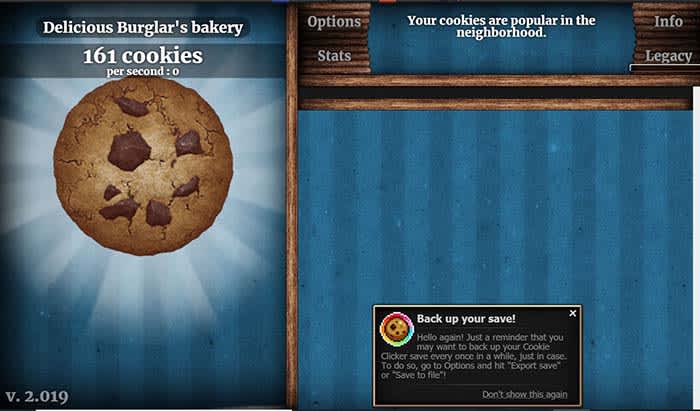
This is the “clicker game” that started it all. Your only mission is to click uninterruptedly to create cookies.

Little by little, you will unlock power-ups or updates.

3. Doom

Doom

The classic first-person shooter is fully available to play online for free from your browser. It includes all levels, difficulty modes, and some useful extras such as wireless command compatibility.

4. Gridland

Gridland

At first glance, Gridland looks like a Bejeweled clone. But in reality, it is an online strategy game in which you must watch the resources you collect protect you from the threats that will appear when it gets dark.

5. Die 2nite

Die2Nite

During the day, you and the other players must work together to build fortifications. At night, the zombies will attack and put your defenses to the test.
6. RuneScape

Runescape

Forget the typical searching missions like “Pick 7 mushrooms” or “Kill me 5 rats.” Here, every mission is full of puzzles, dungeons, and surprises. You play from your browser but you have to install a client.

7. SUPERHOT

Superhot

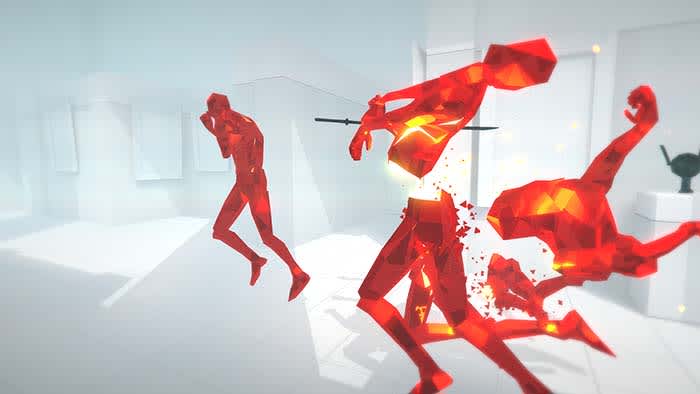
SUPERHOT is a great online shooting game in which time is always stopped until you take an action. This invites you to think through each movement. The full version costs money, but you can play a free trial of the prototype that started it all. The full version is available on Steam.

8. Candy Box 2

Candybox 2

Candy Box 2 starts out as such a simple title. You just sit and wait as a ticker keeps adding candy to your collection. However, the game quickly transforms into a bizarre role-playing game. You will buy weapons and power-ups as you embark on thrilling adventures.

9. Escape Goat

Escape the Goat

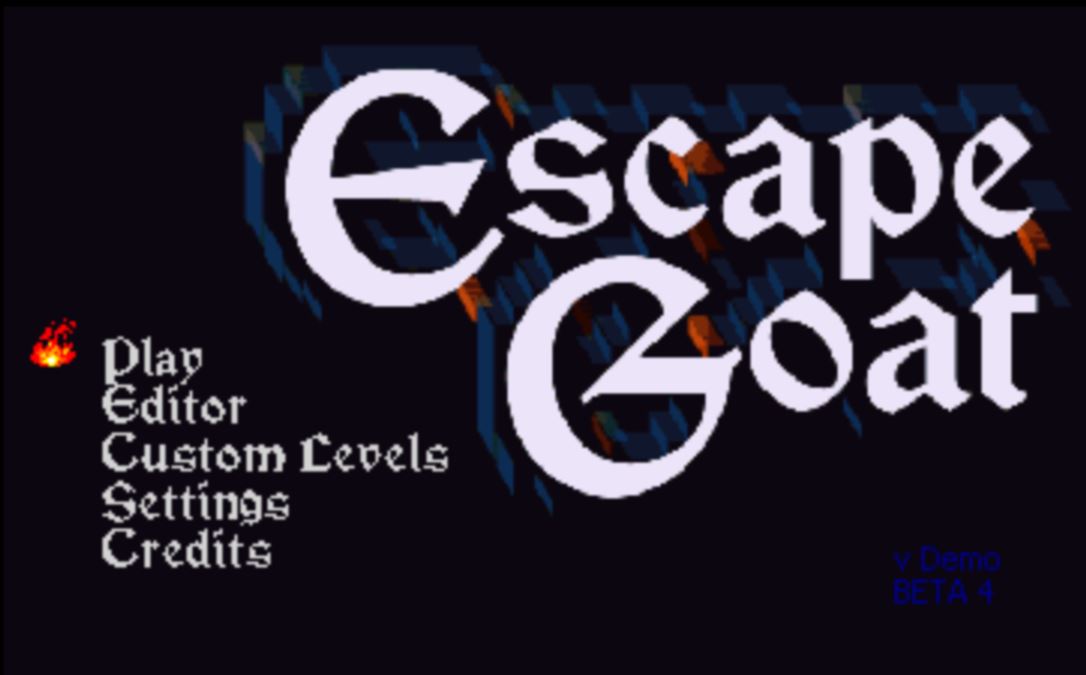
This platform game became so famous that it ended up having a Steam version. You control a purple goat that has been arrested for witchcraft. You must escape by solving puzzles, moving levers, and even allying yourself with other animals.

10. UNO

UNO

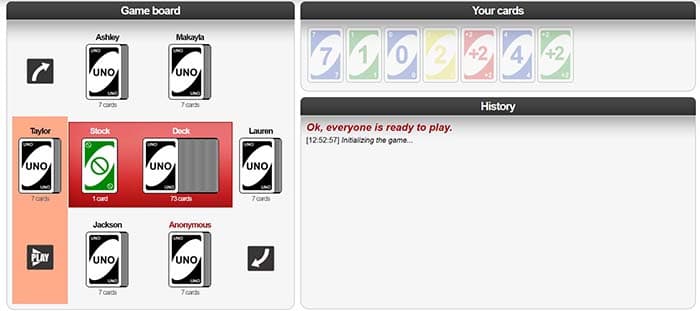
Yes, you can play the popular card game online with other players. You can select the difficulty level of the AI, the number of initial cards, and the speed of the game. There is a very competitive online community. If you like this roll, you will feel at home.

11. The World’s Biggest Pac-Man

PacmanUnless you live under a rock, you’ve probably played your fair share of Pac-Man. However, playing the same handful of levels over and over again can get old. This site features the classic Pac-Man levels as well as loads of more levels to navigate. Each labyrinth connects with four more labyrinths, and so on until the end of time. Users themselves create the labyrinths, so be prepared for strange designs or traps.


12. The Last Door

The Last Door
This is an episodic graphic horror adventure inspired by Poe and Lovecraft. Do not let the pixelated presentation fool you: many scares await. The puzzles are not particularly difficult and adapt very well to the story.

13. Blight of the Immortals

Blight of the Immortals
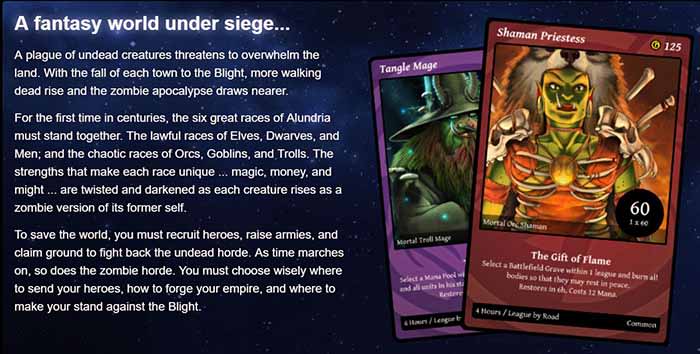
Blight of the Immortals comes off as boring but it manages to be exciting. You must defend yourself against hordes of zombies, but they are so slow that a turn takes six hours in real time. That gives you time to prepare your strategy.

14. Pandemic 2

Pandemic 2

Your mission in this free game is to eradicate all humans using a virus so powerful that no vaccine can stop it. You should be as efficient as possible.

15. Spelunky

Spelunky

The popular indie online game of traps, monsters, secrets, platforms first emerged in the world of browsers. The original version does not exist anymore. Now you can play a new version with tighter controls and more content, all for free.

16. A Dark Room

Firelit room
You start in a dark room, and from there, you will unravel the secrets of a strange event that has destroyed the world. Some common RPG elements are added, like rebuilding a town or dealing with its inhabitants.

Are there any other great free games we missed? Let us know in the comments below!

How to detect a Wi-Fi thief

These apps can keep Wi-Fi trespassers from slowing down your network.

Protecting Wi-Fi

Your Wi-Fi network at home is sacred. Allowing a friend to access to your Wi-Fi network is now the equivalent of letting them getting something out of your fridge.

When someone hijacks your Wi-Fi and slows it down, it is not only a breach of trust but a breach of privacy. However, we have the solution:

Two key applications

In order to find out if someone is accessing your network, we are going to use some applications: IP Tools Wi-Fi Analyzer and Who’s On My Wi-Fi.

IP Tools Wi-Fi Analyzer allows you to configure everything in the fabric of your internet connection. Likewise, it is also able to show if there are technical difficulties. You will know if there are connection failures as well. It also tells you which devices are currently connected to your network.

IP Tools: WiFi Analyzer Download now ►
9

In the case of Who’s On My Wi-Fi, the functions are more limited than in IP Tools Wi-Fi Analyzer. However, the name says it all. It sees who is on your Wi-Fi connection and takes the appropriate measures. We recommend downloading both applications, but we will use the latter to perform the analysis.

Who Is On My WiFi Download now ►
10

Open Who’s On My Wi-Fi and look for the network to which you are connected. In a matter of seconds, the application shows all the devices that are using your internet connection. From here, you can kick trespassers off your virtual lawn. You need to enter your network information to do so.

Who's on my wifi

Staying protected

Another way to do this is by changing the router password. Once you modify the password, that person cannot connect again.

You pay for your Wi-Fi connection with your hard-earned money, so you should get to decide who is using it. If someone is going to try and sneak into your system, don’t be afraid to virtually go “Gran Torino” on them. 

5 best apps to help you manage stress

Take control of your stress and anxiety with these apps.

Meditation

According to a recent poll from Gallup, 55% of Americans are stressed out at some point during the day.

When we are stressed, it affects those around us as well. We don’t sleep as well, we can fall into depression, and we can become irritable.

To help manage stress, there are apps that can help you make it through the day and keep your composure. Do yourself a favor and download some of these apps to help ease your tension. 

5 apps to help you manage stress

1. Breathe2Relax

Breathe2Relax

Breathe in. Breathe out.

It should be a simple concept, but when we fry ourselves, we don’t take the time to pause and calm down.

The app does so much more than give you breathing exercises. It also can pair with your Apple Watch to monitor your heart rate. It will also monitor your stress patterns for you and show you your progress.

Breathe2Relax Download now ►
7

2. At Ease

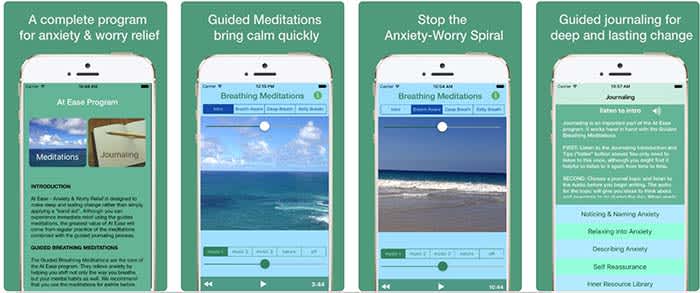
At EaseAt Ease comes with a lot of the tools you find in other stress-management apps. There are breathing exercises and meditations you can do to help manage your stress. However, where the app shines is in its guided journaling feature. 

Guided journaling helps the user become self-aware of the things causing them to feel stressed and anxious. You ask yourself some of the tough questions to help pinpoint the root causes of your stress. From there, you work on how to treat yourself.

This app costs $3, but for those who think this can help them, it’s well worth it.

9

3. Headspace

Headspace

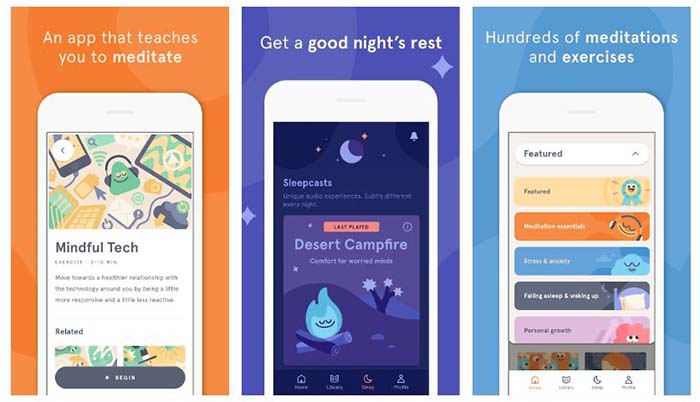
There is such a learning curve with meditation. It is so much more than sitting “criss-cross applesauce” while chanting “Om” over and over again.

Headspace has a 10-day course that teaches you how to properly mediate. That may sound excessive, but you only have to devote a few minutes a day to learning.

Headspace uses real-life science coupled with ancient meditation practices to help you reduce your stress and anxiety.

Headspace Download free ►
10

4. Happify

HappifyHappify uses activities and mobile games to help you manage your stress. Yes, we’re serious.
The app might sound a bit odd, but the experts and scientists at Happify have put research and studies into how the games operate. More than 80% of the people who used the app said that their stress levels went down because of the app.

The games help teach you positive skills like how to give, how to show empathy, and how to savor the moment. The app also helps you track your progress so you can see for yourself how far you’ve come on your journey.

8

5. Pacifica

Pacifica

We saved the best for last.

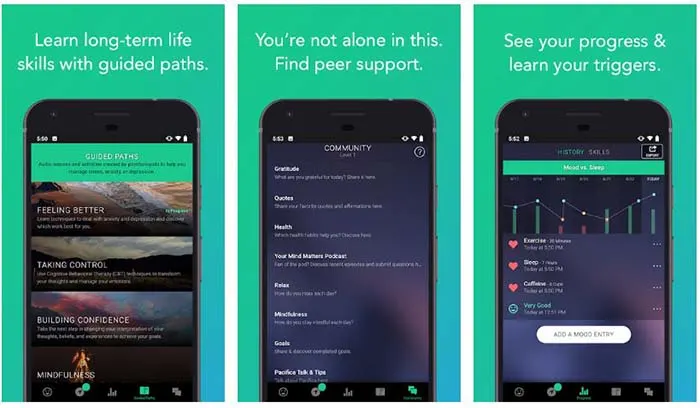
Pacifica is an all-in-one app to help manage stress, anxiety, and depression. The app features several different types of exercises to help you manage your breathing, relax your muscles, and even help give you a more positive outlook on life. 

The app also manages your lifestyle patterns such as how often you workout, how often you sleep, and your caffeine intake. Even better, the app can help you find a therapist in your area and help you find support systems such as groups and even podcasts.

10

Wrapping up

These apps can help, but the things causing you stress and anxiety might have a deeper meaning. If you have chronic anxiety, it may be in your best interest to see a therapist or psychiatrist. Anti-depressants and anxiety medication might be your answer.

Talk to your family and loved ones about your stress, and get the help you need.

This is the fastest, easiest way to straighten an image in Photoshop

Got a crooked image? Fix it fast with Photoshop!

Crooked imageMaybe you’re in a hurry to snap a sunset photo. Maybe your tripod wasn’t quite level. Maybe you handed your camera to a stranger and they tilted at the last moment. Whatever the reason, you’re stuck with an angled picture.


Thankfully, there’s a quick and easy way to straighten that image horizontally or vertically in Adobe Photoshop! Just follow these simple steps.

Looking to try Photoshop? Give it a whirl here:

Adobe Photoshop CC Download Now ►
8

7 quick steps to straighten a photo in Photoshop

1. Import your photo in Photoshop: File > Open > select your image

For the purposes of this tutorial, we’ll use a screenshot from “Battlefield Earth” because that entire movie was shot at a Dutch angle for some reason.

Battlefield Earth

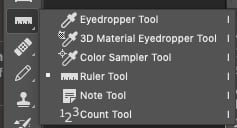
2. Left-click the Eyedropper Tool on the left side and select the Ruler Tool

Click eyedropper

Ruler tool3. With the Ruler Tool selected, you’ll simply make two clicks. See if you can find a horizontal straight line in your image. Maybe it’s a windowsill or a door frame. Anything that is level in real life will work.

It can also work with a vertical straight line – the side of a building or a flag pole can come in handy here. We’re going to draw a line along anything straight.

Click on one point of the line that should be horizontal, then click on another point in the image that should be horizontal, like this:

Using the Photoshop Ruler toolAfter your second click, a temporary line is left behind. That’s what Photoshop will use to straighten the image.
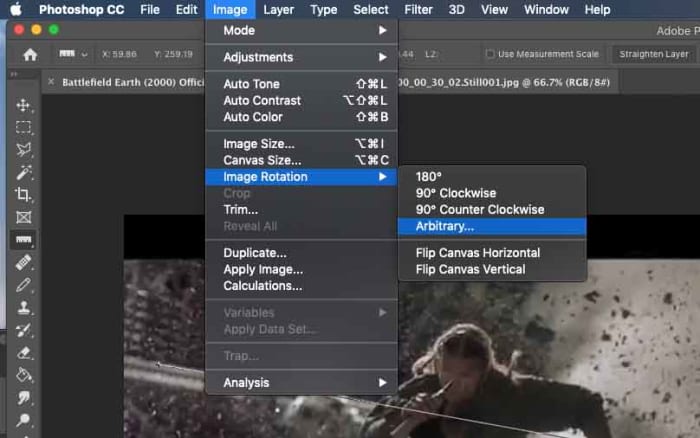
4. Go to Image > Image Rotation > Arbitrary

Arbitrary

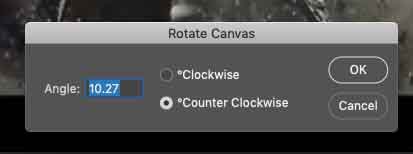
When you click it, it does the math to rotate your image perfectly.

Rotate canvasClick OK.

5. Boom! Your image has been rotated. Photoshop expanded the canvas to fit the whole image. Because we made our line along that metal rail in the back, it is now level.

Rotated image6. Obviously, we don’t need all that extra image, so let’s crop it down. Select the Crop Tool, then click and drag a box around just the image you want to keep.

Crop tool7. Press Enter and all the distracting stuff goes away.


Look at this beautiful final result of Barry Pepper running away from what could have been a bright future in Hollywood!

Rotated final image

If you’re stuck without a horizontal or vertical line to get your photo straight, you can always free rotate that bad boy until your crooked image looks right. In that case, select your entire canvas, then go to Edit > Transform > Rotate. You’ll be eyeballing it, but at least you can come close!

Adobe Photoshop CC Download Now ►
8

Top 5 free puzzle apps that are worth your time

Throw knives and flip guns with some of the games on this list!

Puzzle game

When you’re surfing the web or social media, you’re bombarded by dozens of ads for games. Most of these are hardly worth your time. However, some of them look like they might be worth a download!

We sifted through the swamp of bad games and found these five great puzzle games. If you have a few minutes to kill, these can be a lot of fun.

All of these games are free, but they do have a paid version if you don’t want to see ads. However, the ads aren’t that frequent in comparison to other free mobile games.

Top 5 free puzzle game apps that are worth your time

Slices

Slices

Slices isn’t worst game on this list, but it is still very addictive. Basically, you have a pie that’s cut into six pieces. You have to make pies out of different pieces, but you only have six tins. Also, slices come in different shapes, and you can’t put the same shape into the same tin.

This will keep you entertaining, and also make you a little hungry.

The reason it ranks so low is because there are instances when you’ll do everything right, but you’ll lose anyway. In the rest of these games, if you are quick enough, and plan ahead, you can keep playing. Slices doesn’t always play that way.

There is an option to pay for a “save” so you don’t lose a round, or you can sometimes watch an ad to get saved. We’d recommend toughing it out, and starting it over since there’s no guarantee that you won’t lose within the next few slices anyway.

8

Jelly Shift

Jelly Shift

Jelly Shift is basically that old game show “Hole in the Wall,” but without the human suffering.

You control a wad of jelly as it travels through an obstacle course. You have to resize yourself in order to clear various hurdles.

Where the game is really fun is the unlockables. Over time, you’ll unlock different skins for your jelly including ones that make it look like an animal.

After a while, this game can get kind of boring as most of the levels just feel like more of the same. However, if you have 10 minutes to kill, this can be a lot of fun.

Jelly Shift Download now ►
9

Helix Jump

Helix Jump

Oh man, time flies when you’re playing Helix Jump!

In the game, you control a bouncing ball as it makes its way down a twisty tower. On each level of the tower there is a patch of area that will cause you to lose. Your goal is to reach the bottom of the tower without hitting any of those patches.

As you progress, the towers get bigger and bigger and get more and more challenging. However, you have a secret weapon. If you build up some momentum and pass through multiple layers without touching the ground, you can become invincible and bust through a layer. 

Helix Jump is a lot of fun; just make sure you don’t spend more time playing than you intended.

Helix Jump Download Now ►
8

FlipTheGun

FLIPTHEGUN

This is one of the most non-conventional shooting games that you’ll ever find.

In FlipTheGun, you control a gun that propels through the air by firing. You lose if you run out of ammo or if you fall to your demise. you can collect ammo by hitting the lime-green bullets in the air. You can also collect coins which you can use to buy other guns.

Other guns include shotguns, rifles, snipers, lasers, freeze-rays, squirt guns, and even money-cannons. A lot of the fun in this game comes from collecting the different guns to determine which is the best one for you.

FlipTheGun Download now ►
8

Knife Hit

Knife Hit

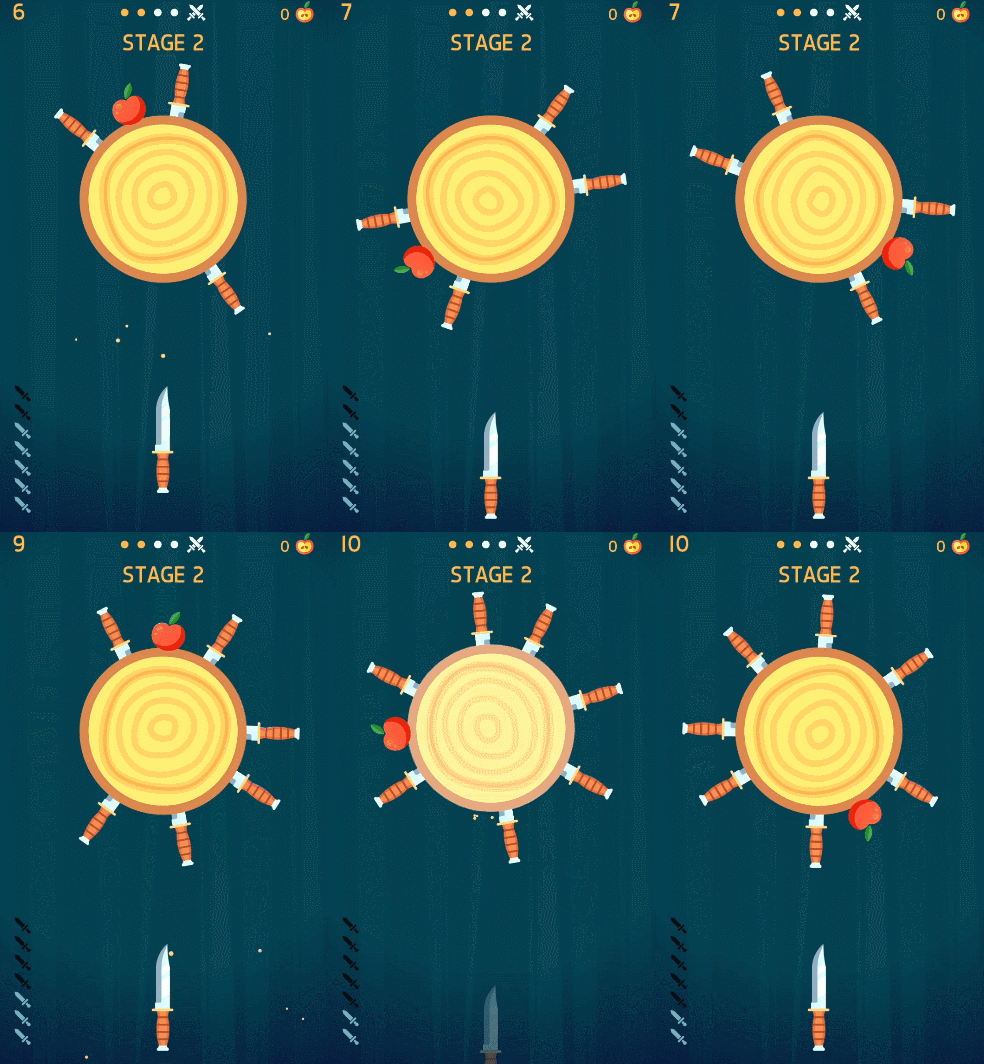
Knife Hit has a dumb name, but it’s an awesome concept. You act like an assassin as you throw knives at a target, trying not to clink off other knives. This one will make you feel like John Wick.

Like FlipTheGun, you can collect different types of knives. However, you have an insane amount of knives you can collect in this game. There are currently 136 knives you can unlock, and that doesn’t include the 40+ you can buy if you really want them. Also, the game is always updating to include new knives.

The game even has boss fights! You can face off against bosses, and if you win, you get a cool new knife!

Knife Hit Download Now ►
10

Wrapping up

What’s your favorite game to play to kill some time? Do you like puzzle games or do you prefer an adventure game? Let us know in the comments below!

How to fix a slow computer

Is your slow computer driving you crazy? Try out these tricks to make it run faster!

Slow computer

When you’re just trying to get some work done, or blow a few hours surfing the web, a slow-moving computer can throw a wrench in your plan.

Before throwing your computer out of the window in a fit of rage, try out these tips. There are plenty of quick, free, and easy methods to make your computer run faster. 

How to fix a slow computer

Restart your computer/check start-up programs

Although this advice is annoying, there’s a lot of truth to it. It could be that your computer has been on for too long, and it needs to restart. Shut down your computer and start it back up. About 99% of the time, this will solve your problem.

If your computer is still running slow, it’s time to look at what programs automatically start when you log into your computer. It’s pretty common for antivirus programs and messaging apps like Skype to open automatically. Essentially, while you’re trying to open up something like your web browser or a program for work, your computer is too busy trying to open five other programs.

Here’s how to check your start-up programs on Windows 10:

  1. Go to your Start menu and type “run.”
  2. Choose the “Run” app.
  3. In the window that pops up, type “msconfig” and hit “open.”
  4. In the next window that pops up, you’ll be able to see what programs start automatically, and disable them.

Here’s how to do it on Mac:

Mac Login Items

  1. Open System Preferences
  2. Click to “Users & Groups”
  3. Choose your nickname on the left
  4. Choose the “Login” tab
  5. Click the startup programs you want to remove
  6. Press the “–” sign

This is also a good opportunity to reinstall Windows. All versions of Windows get regular updates unless they’ve been discontinued, so updating or reinstalling periodically will keep your computer running smoothly.

Regularly scan for viruses

Maybe you downloaded something you shouldn’t have downloaded. Maybe you went to a shady website. Maybe you clicked on something with malicious intent. Whatever happened, there’s a good chance that you have a virus. 

Luckily, most of the time, getting rid of a virus is both quick and free. Download an anti-virus program like Malwarebytes and scan your computer.

Malwarebytes Download now ►
8

Malwarebytes will scan your computer entirely and will quarantine off everything that might be harmful.

To be completely honest, you should run a weekly virus scan anyway. A lot of the time, there are viruses that are running in the background of your computer. They are stealing personal information like passwords and are sending them to hackers. Weekly virus scans can solve this problem easily.

Check to see how many programs are running

Multiple programs

Your computer is capable of running all sorts of programs, but it can be difficult to run multiple programs at once, especially if you have an older model. 

If you have a Mac, go to Force Quit (under the Apple menu in the upper left corner) and you’ll see every program you have open. If you run Windows 10, hit Ctrl+Alt+Delete and open the Task Manager to see everything that’s open.

If your computer is running Steam, Photoshop, Google Chrome, Microsoft Word, InDesign, Microsoft Excel, and VLC all at once, you should probably close some of those.

Check your computer’s memory/storage

computer memory

Check your computer’s storage. If you are full or nearly full, it can cause your computer to run a little slow. If you can’t or don’t want to delete anything, find a cloud service to store your files. You can also use Google Drive! If you REALLY want to, you can buy an external hard drive, but why do that when there are free options!

7

There’s a bit of a misconception with this tip.

If you have a bunch of small photos from your trip to Cancun or Word documents from your English 105 class, those probably aren’t going to slow down your computer.

Your computer probably has a minimum of 100 gigabytes of storage, so deleting a file that’s 20 kilobytes is not going to make a difference at all. 

However, if you have a lot of huge game files, HD video files, and a ton of useless programs, you might want to consider dropping some of those. Don’t worry about temp files; worry about large files and your drive space.

Run disk defragment and disk repair

Disk defragment and disk repair can keep your computer running properly and make it run quicker. 

To run disk defragment on Windows 10, follow these steps:

  1. Go to “This PC.”
  2. From there, right-click your hard drive and click “Properties.”
  3. Go to “Tools.”
  4. Click “Optimize,” and then click “Optimize” again.

Mac doesn’t have a built-in tool for defragment, but a third-party app like this one can help you!

7

Disk clean-up is really easy to do on Windows 10:

  1. Type “Disk Cleanup” in your search bar, and click the app with the corresponding name.
  2. Click the option to clean up system files.
  3. Once the scan is done, delete the files the app suggests you delete.

Once again, Mac doesn’t have a built-in tool, but we have another third-party app that can help you out:

Disk Cleanup Pro for Mac Download now ►
9

Bite the bullet and buy a new computer

New computer

Although expensive, computers are very disposable.

You can buy a pricey, fancy-schmancy computer and it could be considered low-tech garbage in just a few years. If you’ve been using the same computer for a few years, it might be time to put some money aside to get a new one. 

Yeah, yeah, yeah. That’s easier said than done. If you need some help managing your money to buy a computer, that’s a whole different story. 

Wrapping up

Hopefully, by the end of this article, your computer is running faster. If you tried something else and it worked, let us know in the comments below!

Top 5 apps to read comics and manga

These services can help you read your favorite comics and manga at a low cost!

Comics books

If you don’t feel like running out to your nearest bookstore to browse the comic book aisles, webcomic apps are the next best thing. For some, they’re even better than a physical book.

With both free and paid comics, you can view them immediately and save them for later. You also don’t have to worry about the pages getting worn out.

What are the best apps for comics, you ask? Let’s find out!

Top 5 apps to read comics and manga

1. Tapas

Tapas screenshot

You can find heart-wrenching romance, and the scariest horror comics imaginable on Tapas. Read and share comics that you love and explore the top charts to see what’s popular. The comics feed is a constant stream of new content that is updated daily. Subscribe to the ones that you like to save to your favorites or you might miss them.

There are in-app purchases in the form of “ink,” which you use to buy more episodes of a comic. If you spend ink on a comic, it turns into money to support comic creators. Ink ranges from $1.99 for 1,600 units to $50 for 60,000. You can also earn ink by watching in-app ads, or downloading other related gaming apps and playing to a certain level.

2. Webtoon

Webtoon screenshot

Webtoon, or Line Webtoon, is a Korean app that uploads daily comics that have millions of subscribers per comic in a ton of different languages. The app calls itself the largest digital comics publisher in the world. By looking at the exhaustive collection of genres and comics per genre, we’re inclined to believe that.

Featured webtoons are updated weekly, and by purchasing coins, you’re able to access the ‘fast pass’ function and read them early. Post comments and get recommendations from other readers, and check out the staff picks of the week for new additions to your subscription list.

8

3. WebComics

WebComics screenshot

To stand out from the rest, WebComics offers all of their comics completely free for the first three days. After that, you can purchase coins to keep reading.

There are a lot of ways to earn more coins instead of purchasing them: checking in daily, inviting friends, watching ads, favoriting comics, and just reading on the app gives you 10 coins every four minutes. WebComics is heavy on the manga style, but there’s something on the app for everyone.

WebComics Download now ►
9

4. comiXology

comixology screenshot

One thing that’s different about comiXology is that you can read comics on any device or on the web. The service is less manga and more comic books and graphic novels – you’ll find Marvel and DC here.

You can sign up with a comiXology account or through Amazon. If you buy compatible comics on Amazon you can view them on the comiXology app. The app does have a section for free comics, but in order to read others, you’ll have to purchase them on Amazon. You have a free month of unlimited membership which allows you to read all of comiXology’s catalog. After 30 days, the membership is only $5.99 a month.

comiXology Download free ►
7

5. VIZ Manga

viz manga screenshot

Viz Manga has every single title that has been released under the Viz name. Anything you can think of, you can find. Classic Pokémon volumes have all been uploaded and newer manga, like the insanely popular Food Wars! is up to date. Preview the manga or purchase it at market value, and it’s saved to your library forever. If you’re a fan on Shonen Jump, unlock the digital vault with a membership and read more than 10,000 chapters for only $1.99 a month.

Wrapping up

We’re pretty sure that if you’ve got all of these apps in your arsenal, you’re set on comics, graphic novels, and manga for life. Time to get reading!

3 hidden features on WhatsApp

Check out these tips to become a pro at using WhatsApp!

WhatsApp

WhatsApp has so many features that sometimes, useful ones go unnoticed. Today, we’re looking at three great options that you might not have known about.

WhatsApp Messenger Download Now ►
8

3 hidden features on WhatsApp

1. Send higher quality photos

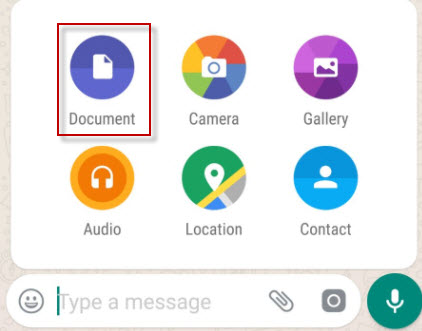
Normally we send photos through the “Gallery” option, but that compresses them so that they occupy less space. If you want to send photos in maximum quality,  send them through Document.

Documents

2. Pin chats

Chats in WhatsApp are sorted by last received message, but there is a way to set a chat so that it always appears among the first ones.

To pin a chat, go to the main WhatsApp window and keep your finger pressed on it. Then tap on the thumbtack to pin it. Want to unpin one? Repeat the process. You can pin up to three chats at a time.

Pin chats

3. Mark messages as favorites

Quite often, friends send us funny messages or useful information that we’d like to look up whenenever we want to see it. You can save them in a separate notebook or, better yet, favorite them. 

To do this, touch the message you want to highlight then touch the star icon.

Favorite messages are saved in the corresponding chat under the general information of the group. Search for “Featured Messages” and you’ll find them there.

whatsapp cowWrapping up

We hope that at least one of these tips changed how you will use WhatsApp. With the ever-increasing popularity of WhatsApp, we hope that there will be more cool hidden features to talk about in the feature.

7 best word game apps

Tired of flinging birds and slicing fruit? These word games can be a breath of fresh air.

Word Game

Blindly searching for word games in the App Store or Google Play will turn up a bunch of junk results. You’ll see a bunch of scammy apps or those geared toward an audience that sees a low-stakes word search as some challenge.

And weirdly enough, if you Google the generic phrase, “best word games” hangman comes up as an actual option…

Hangman
Not kidding

In any case, we’ve compiled a list of favorites challenging enough for word nerds, but entry-level enough for those newer to the game.

Best online word games

Words with Friends 2 – iOS, Android

Words with Friends 2 screenshots

We know, the Words with Friends heyday has come and gone. However, several years after the Scrabble-inspired fad flamed out, Zynga put out a “sequel.”

Rather than update the original game, the company opted to start from scratch, so those players who wanted to keep playing the old version could do so without interruption.

And we have to say, there have been some significant improvements. Words with Friends 2 boasts several different modes. You can play on a team or challenge a bot, and now, access 50,000 new words.

The original one-on-one mode still exists, allowing you to challenge a friend, or honestly, some stranger that has a cat as their profile pic. However, now you can play Lightning Rounds, so you don’t have to commit to something you don’t have time for.

Words With Friends 2 Download Free ►
8

New York Times Crossword Puzzle – iOS, Android

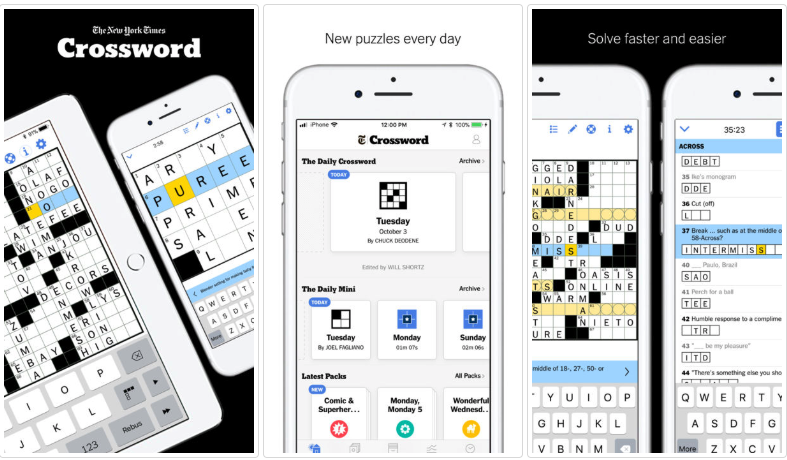
new york times crossword

The New York Times Crossword Puzzle boasts an impressive 4.9-star score with more than 47.8k reviewers who love the game as much as we do.

The app is free, and you’ll get a few puzzle collections, plus the daily mini puzzle to get you started. That said, it’s worth subscribing if you’re an avid puzzler. For $6.99 a month, you’ll gain access to 20 years worth of iconic puzzles to your smartphone. You’ll even get a new puzzle coming out each day.

What’s great about the app is that you can start by working your way through Monday puzzles and leveling up until you can get through a Sunday without cheating.

What’s more, you don’t have to wait until the answers are released the next day. The app will track your time and let you know when you’ve successfully completed each square.

NYTimes Crossword Download now ►
9

Letterpress – iOS

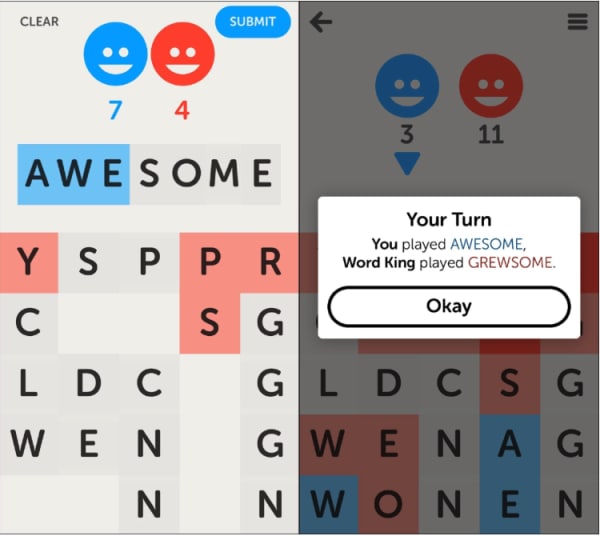
Letterpress game

Letterpress is another Scrabble-style word game, but it’s perfect for people who can’t deal with the chaotic interface of the Words with Friends world — especially with ads enabled.

Like WWF, Letterpress players go head-to-head, taking turns spelling words on a point-based system, but your goal here is a little bit different. Players take turns spelling words to capture the board; plus you can pull up a dictionary as you play.

Letterpress Download now ►
8

Wordscapes – iOS, Android

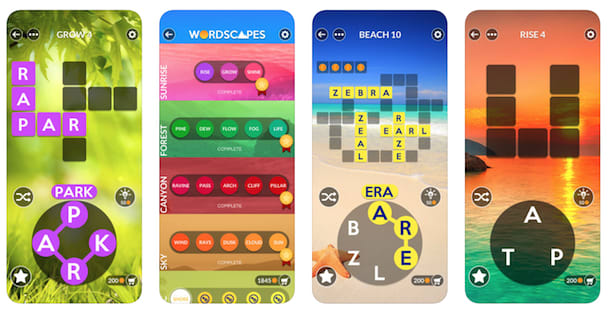
wordscape puzzle game

Wordscapes is an addictive word game featuring more than 6,000 puzzles that follow this sort of crossword puzzle/jumble mashup. What’s great about this game is that the levels get progressively more challenging, as you go. However, it’s still mindless enough that you can listen to a podcast and try to solve yourself to sleep.

Wordscapes Download now ►
9

Spellspire – Windows, Android, iOS

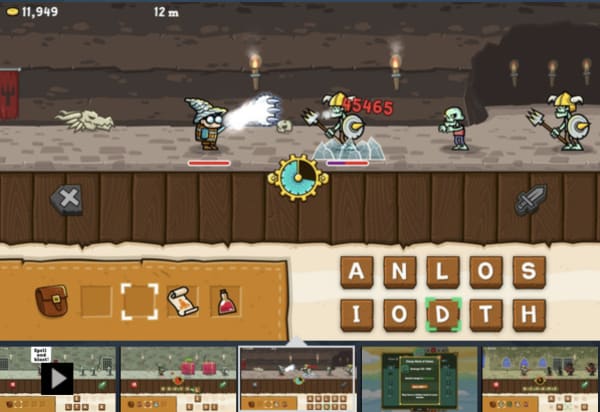
spellspire word rpg

Spellspire reminds us of learning games from the past like Math Blaster, where you’ll need to solve problems to combat the enemy quickly. With Spellspire, your ability to form words fast is the key to your power — the longer the word, the bigger the blast.

Part RPG, part word game, Spellspire is a run romp through a cartoon fantasy world. As you spell your way to the top, you’ll collect gold you can exchange for magical items and new gear.

Spellspire Download now ►
10

Blackbar – iOS, Android

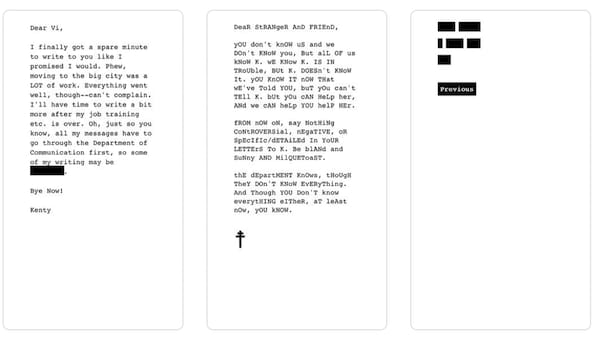
blackbar word game

This is the game for you if you’re looking for something word-centric, but want something a bit different than the average Scrabble-inspired game. Blackbar ventures outside of the grid and into a story about censorship.

It’s something of a puzzle. Words are blacked out, and you’ll need to use your common sense and linguistic know-how to solve it.

What’s more, Blackbar is more than a game. You’re reading a story that takes place between two young women corresponding to one another. However, parts of their letters have been blacked out by The Department, a fictional authoritarian regime that censors its people.

Blackbar Download now ►
8

Typeshift – iOS

Typeshift word puzzle

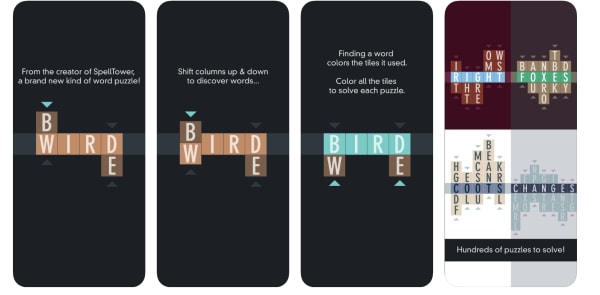
We like Typeshift. It has got an attractive minimalist interface, and it’s all about rearranging words. How it works is, you’ll get about three to five columns stacked one on top of the other. Your goal is to move those columns around spelling words in the middle column until every letter turns green.

The game is free to download, but eventually, you’ll need to pay to unlock more puzzle packs.

Typeshift Download now ►
7

Armed with these games, we expect you’ll flex your vocabulary and maybe challenge your buddies to a grown-up spelling bee. Have fun!