
Where to find the best sports wallpapers

If you’re a sports fan, we’ll walk you through of the best places to find sports wallpapers and backgrounds for your phone and desktop PC or Mac.

We’re back with another of our desktop and mobile wallpaper guides today, bringing you the best places to find the coolest backgrounds and wallpapers for all of your devices. Scroll down to see all the other cool guides we’ve brought you this week including the best movie wallpapers, video game wallpapers, space wallpapers, and minimalist wallpapers. Today, however, we’re concentrating on sports and we’ve found some fantastic collections for you to use on your electronic devices.

We’re going to cover all the biggest sports in the world from American Football to what the rest of the world calls football but is known as soccer in the US. We’ll also look at Baseball, Basketball and many other great sports. Let’s not waste any more time then, and get into the best sports wallpapers for Windows PCs, Apple Macs, Android smartphones and tablets, and iPhones and iPads.

Sports HD Wallpapers

NBA.COM

We’re starting today’s sports list with basketball. The NBA is the biggest basketball association in the world with all the greatest players donning team vests for NBA teams like the New York Kicks, Utah Jazz, LA Lakers,  Boston Celtics and more. As you’d expect, NBA.COM is a central hub for all things Basketball related in the US. You can do everything there from buying tickets to following live score updates.

What we’re interested in today, however, are the sports backgrounds you find via the team pages. Most NBA team pages have official basketball wallpapers that you can download and use for free. These are professionally produced backgrounds that look fantastic. To access them you need to click the Teams option in the menu that runs across the top of the page. From there, select your team in the menu down the left side of the page and then click the Team website option over on the right side of the page. When you’re there, you need to search for the Fans or Community sections in the menu that runs across the top of the page. If your team has an official Wallpapers section, this is where you’ll find it.

FIFA.COM

FIFA is the world governing body for soccer or football as it known all around the world. FIFA is responsible for setting the laws of the game that other football associations then follow and also decides who will host the World Cup. If you’re interested in learning more about football, the FIFA website is a great place to go. You’ll also find an excellent library of photos that would be perfect as a desktop or mobile wallpapers. You’ll find live-action shots from the biggest football tournaments all around the world as well as cool and interesting images from behind the scenes. This is a really interesting place to search out sports wallpapers for your devices.

Unsplash

Unsplash has made it into more than one of our wallpaper lists this week because it offers a broad range of fantastic images across a wide range of topics and themes. It makes it into today’s list of places to find HD sports wallpapers though, because of how well organized and laid out all its sports categories are. Sure, you’ll find breathtakingly cool images from the big sports here, but you’ll also get dedicated libraries of HD and Ultra HD 4K images for sports like Volleyball, Running, Cycling, Climbing, Track, and even Archery. On top of that, what you’ll find with Unsplash is that the images will have an all-round different style and tone to what you’ll find elsewhere. These are trendy photos taken by photographers at the top of their game.


Wallpaper NFL

If you’re a football fan, then Wallpaper NFL is a great place to go to search out some high-quality images to set as a football wallpaper. You’ll find over 42 pages of HD desktop wallpapers, but you’ll also be able to search via a handy search bar at the top of the page and also browse through different categories that you’ll find at the bottom of the page. In reality, these categories are rather simple, but you will be able to browse through different wallpapers and backgrounds for each of the major NFL teams as well as backgrounds optimized for certain types of smartphones. The wallpapers here are good too and have clearly been made with a high level of design and care.


MLB.COM

If you’re a baseball fan, you’ll likely already be familiar with MLB.COM. The site performs the same function for baseball in the US as the NBA site we’ve already mentioned does for basketball. In that respect then, we want to point out that that you can find team specific wallpapers for MLB teams in exactly the same way you can for NBA teams at NBA.COM. The only difference here is that when you get to the individual Teams page, you’ll need to look for the ellipsis icon ) three vertical dots in the menu that runs across the top of the page. When you click that icon, you’ll open a drop-down menu, which will contain the Fans section where you will find all the wallpapers and screensavers attached to that particular team.

Avast updates its Free Antivirus to ensure more protection

With its release of a new 2020 antivirus software package, Avast has shown that it’s willing to go toe-to-toe with the toughest threats online.

When it comes to antivirus protection for your devices, the software you choose is only as good as its most recent update. That’s because viruses, hackers, phishers and other online scammers and dangers are constantly growing more sophisticated and better able to sidestep protections. With its release of a new 2020 antivirus software package, Avast has shown that it’s willing to go toe-to-toe with the toughest threats online.

The company, a leader for years in online security services, is beefing up its protection algorithms across a range of features for the new decade – and astoundingly, all of these protections are available in Avast’s free version of the software.

At the heart of the enhanced security features offered by Avast Antivirus 2020 is of course, a robust and continuously updated virus database. As you access the internet, the software works in the background comparing your surfing and email activity to this database and blocking viruses, malware, spyware, ransomware and phishing attacks. It also alerts you to unsafe websites without the need to install browser extensions, and employs a “Behavior Shield” that identifies suspicious behavior patterns on your computer. 

avast

Also found in the free version of Avast Antivirus 2020 is a CyberCapture feature that quarantines suspicious files to be analyzed in the cloud and reports back to you on any possible safety risks. And the software also comes with a Wi-Fi inspector that can alert you to potential vulnerabilities across your entire network including all connected devices.

avast

Unlike other antivirus programs, Avast 2020 also delivers additional features that go beyond security to make your computer as sound as possible. 

These include a software updater that automatically scans for new versions of programs on your computer; a password manager that allows you to securely store all your login information to various sites under one master password; a browser clean-up function that removes unwanted toolbars, add-ons and extensions you choose to toss; and the ability to create a rescue disk image on a CD or USB drive, which would come to the rescue if your computer becomes inoperable. 

And to reiterate, all of these features come along with Avast’s FREE version of its software.

For those looking for even more functionality, the company also offers a Premium plan with extra smart security features. For example, Avast Premium Antivirus will alert you whenever someone joins your Wi-Fi network so that you can disconnect immediately if you don’t recognize a device – whether it be from a hacker or a neighbor looking to tap off your service. The premium version of the software will also place your photos and files in a ransomware-proof vault to keep your most personal data safe. 

Avast

Whichever version you choose, you can be assured that Avast is continuously striving to improve their offerings in the marketplace. This is a rarity – especially for a free software solution, which other companies can often neglect or offer with limited functionality. 

Avast Antivirus 2020 is available for Mac, PC, Android and Apple mobile devices. The free version of the software is likely sufficient for most users, but the extra protections offered by the Premium package is certainly worth considering for those looking for enhanced safeguards. Avast Antivirus Premium 2020 is now being offered for $59.99 per year.

Where to find the coolest minimalist wallpapers

These are the best sites, pages, and posts for finding the best minimalist wallpapers

Minimalism is a philosophy that stands out in today’s world of more, more, more. The idea that less is actually more goes against the very culture that we’ve built our society upon, but do you know what? It works. There is a true, elegant beauty that can be found in minimalist designs, which has led to many non-believers adopting the minimalist deign style too.

A perfect way of adopting the minimalist design style is via a desktop wallpaper. Think about it, you don’t want your background distracting you from the live icons that sit above it. You don’t want a busy image with lots going on, you want something smart and distinct yes, but also quiet and understated. You want a minimalism wallpaper. What’s more perfect then for this than an image than adheres to the minimalist design philosophy.  Let’s look today then, in our fifth and final article on desktop wallpapers for Windows PC, Apple Macs, and Android and Apple smartphones, iPhones, and iPads, at where to find the best minimalist desktop wallpapers and 4K Ultra HD backgrounds. You’ll get extra points, if you spot the second Star Wars design.

Minimalist wallpapers

Imgur

Amazingly, our first source of mind-bendingly good minimalist wallpapers isn’t a webpage but rather a post on social media. Imgur was set up originally as a way of sharing images across the social network Reddit. As is usually the case on the internet, however, things evolved quickly and the Imgur platform quickly developed its own community, complete with its own unique quirks.

The post we’re highlighting today was made in 2016 and contains over 140 unique HD wallpapers. Strictly speaking, not all of these designs are what you’d call minimal designs, but there are more than enough fantastic designs here to warrant it a place in today’s list. These designs do follow a chic and minimal design philosophy but some of the images also include minute details, which goes against the idea of keeping elements to an absolute minimum. Still though, this is a fantastic collection of wallpapers that definitely deserves a look.

Inspiration Feed

If you’re looking for quotes, articles, tips, tricks, and all manner of listicle designed to inspire you to do what needs to be do then Inspiration Feed is a site worth looking at. There is lots here and the site is still updating with new content. What we’re looking at today though, is a post from 2019 that included 75 excellent minimal designs that would make fantastic minimalistic wallpapers on both desktop and laptop PCs, and mobile devices. The great thing about minimal designs is that they can simply be cropped to suit you layout needs. As there isn’t a lot going on in the images the chances of you cutting out something vital are slim to zero.

Minimalism.Life

As we mentioned earlier, for some, minimalism isn’t just a design philosophy it is a way of life. For those people, or anybody looking to enter that way of life, minimalism.life is a central hub offering information on how to organize your life according to minimalist principles.

As well as the articles and links to other minimalist organizations, you’ll also find a small gallery of minimalist wallpaper designs you can use on either your PC or smartphone. There are some great iPhone wallpapers here. It is definitely worth us pointing out though, that these designs take the minimalist idea to a whole new level offering little more than a fade from one color to another. In fact, some don’t even bother with the fade, simply offering a solid brick of color.

I can be creative

Here we have another design website that offers various tools to budding and professional designers alike. You’ll find tutorials here as well as guides and many different types of free tools that you can download. On top of all that, you can also download different designs to be used as wallpapers and backgrounds. Lucky for us, and for all you minimal lovers out there, there’s also a section for minimal wallpapers including lots of great minimal takes on things such as the solar system, superheroes, outfits, movies, and more. There are some fantastic designs here for you to check out.

Hongkiat

Our final source of stunning minimalist designs you can use as backgrounds for your phones, tablets, and desktop backgrounds is Hongkiat. Another design website, Hongkiat brings with it all the usual inspirational bells and whistles as well as a place for up and coming designers to showcase their work. This is where we come in looking for cool images and iconography to plaster all over our electronic devices. Hongkiat doesn’t let us down here at all and presents us with many different cool, inspirational, and most of all minimal designs that look amazing.

All the best movie wallpapers 2020

These are all the best places to find all the best movies wallpapers for your PC and mobile.

This week at Softonic we’re bringing you all the best places to find cool and epic desktop wallpapers and backgrounds for your Windows PCs, Apple Macs, and also some for your Android smartphones and tablets, and iPhones and iPads. We’ve split our offerings up into five categories and although some of the sites we’re flagging today have cropped in more than one of our lists, we’ve tried to broaden out our offerings so that we can bring you as many different sources of HD and 4K wallpapers as possible.

Today’s offering is movie wallpapers and backgrounds and we’ve got some really great options for you to get into. If you’re a film buff or just somebody who appreciates the aesthetics of a good movie poster, today’s list is for you.

Movie wallpapers

Movies Wallpaper HD

The first internet library of HD desktop wallpapers and backgrounds we’re bringing to your attention today is a simple Blogspot website called Movies Wallpaper HD. Don’t let this page’s humble layout fool you, this site has a ton of great wallpapers from some of the biggest movies ever. What’s even better is that the site is well organized into excellent categories meaning it is really easy to search for movie wallpapers via genre. There are lots of categories here too, including 4K wallpaper Hollywood movies, animation movies 4K and HD, classic movies wallpaper, Harry Potter movies, Horror movies, Marvel movies, and many, many more. All you need to do is search through this extensive library and click on the wallpaper you want.

The Movie Score

Although it hasn’t been updated in quite some time, The Movie Score is a half decent site for all movie fans to visit. It is full of movie and TV related content including reviews, trivia and quizzes, behind the scenes reports from shoots, and many different types of lists and galleries. The site also claims to have the largest archive of movie facts. Unfortunately, however, the list of movies it claims to have facts for only take to you to trivia hosted on other websites.

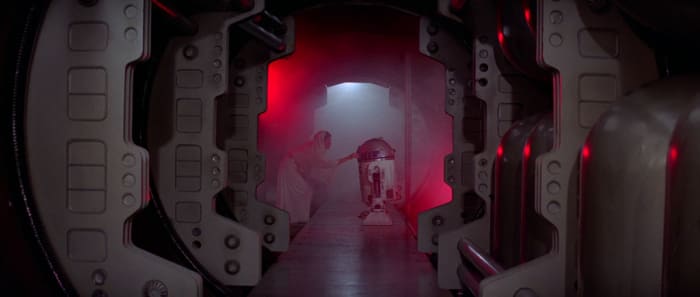
Despite that, however, you’ll still find a great library of HD photos and images from some fantastic movies that you can use as your desktop background. This is the place to go for truly beautiful shots from some of the all-time classic movies including the likes of Indian Jones, Star Wars, and Apocalypse Now. This old site is where we found some of our favorite movie wallpapers.

HD Wallpapers

You won’t find any movie trivia here or industry insider information. Instead, what you get at HD Wallpapers, as we’re sure you’ve already guessed, is an extensive and well-organized library of HD and 4K movie desktop backgrounds that will make your PC, Mac, or mobile phone stand out from the crowd. There aren’t nearly as many categories as you’ll find at Movies Wallpaper HD, but you will find well over 200 pages of HD and 4K Ultra HD wallpapers from both blockbusters and arthouse indie movies. You’ll even find desktop wallpapers for movies that haven’t been released in theaters yet.

Movie Mania

Movie Mania is an astonishingly large and well put together a library of movie wallpapers and backgrounds. In the top-right corner of the page, you’ll find a little switch that will toggle between the desktop wallpaper site and the smartphone wallpaper site. There are thousands of options in each and all of them look amazing. You get all of the usual categories here, but it is the content that is so good. You’ll get images and promo shots from all the biggest movies, but you’ll get angles and setups that you just won’t find anywhere else. The content here is unique and looks amazing.

1001 Free Downloads

The 1001 Free Downloads site is a bit of a catch-all site that offers a little of everything. You can find fonts, icons, brushes, vectors, and much more here but what we want to show you is the wallpapers section and in particular the movie wallpaper section. There are no categories here, movies is the category, but there are still plenty of interesting and cool movie images you can download and set as your background. The focus here is much more geared towards Hollywood blockbusters than you’ll get elsewhere in today’s list, but you will find wallpapers that you won’t find in the other sites we’ve listed. This is the place to go for high-quality wallpapers from movies like Star Wars: The Rise of Skywalker, Batman: The Dark Knight, Superman, Avengers: Infinity War, Wonder Woman, Captain America, Deadpool, and more.

Wrapping up

So, there you have five great sources to get all your favorite movie images to use as a background. We’ve shown you were to find backgrounds for all your devices, so it doesn’t matter if you’re looking for a wallpaper for your phone, Windows PC, or Apple Mac. This list has you covered. We’ve picked out some of our favorite images, but you’ll find thousands more by following the links we’ve included above. As a little bonus though, let us know in the comments if you can name all the movies we’ve featured with today’s article. We bet nobody will be able to get them all.

Disney+ arrives in a month: save money with its welcome promotion

On March 24, Disney+, the eagerly awaited film and series streaming service that includes all audiovisual content from Disney, Pixar, Marvel, Star Wars and National Geographic, will arrive in the United Kingdom, Germany, Italy, France, Austria, Spain, and Switzerland. To celebrate the countdown they have launched a very powerful promotion: a whole year of Disney+ for only 59.99 euros/£49.99.

-15%
Enjoy a year of Disney+

From: Disney+

59.99€/£49.99 69.99€/£59.99

This offer can be taken advantage of from now until March 23rd, the day before the launch of Disney+ in those countries. For 59.99 euros/£49.99 we will be able to enjoy 365 days of service, paying 10 euros/£10 less than the official price from then on, 69.99 euros/£59.99 (or 6.99 euros/£5.99 per month if you opt for a monthly subscription).

To start with, Disney+ will include 25 original products, including the already famous The Mandalorian, High School Musical: The
Series or new episodes of Star Wars: The Clone Wars. Many of these series and movies will be in 4K Ultra HD resolution and HDR.

This subscription entitles you to play content on up to four devices at once (PCs, mobiles, consoles, SmartTV, etc), with unlimited downloads on up to ten devices, customized recommendations and the ability to configure up to seven different user profiles.

Where to find the best videogame wallpapers

Here are some amazing video game wallpapers and links to some fantastic collections of HD video game wallpapers.

Video games are now true works of art. Epic in size and scale, and breath-taking in their beauty; video games have established themselves as not just for the gamer but an essential part of modern popular culture. They offer experiences, feelings, and emotions that cannot be found elsewhere. We’re not here today though, to talk about story lines, emotions, or character development. Mostly, we’re here today to talk about amazing graphics and incredible vistas. We’re mostly focusing on them, because they’re what make great video game wallpapers.

Scroll on then to go through some of the best video game wallpapers available right now and also to discover some of the best places to find video game wallpapers too. Get ready for epic!

HD video game wallpapers

Cyberpunk 2077 and more

Cyberpunk 2077 might just be the most hotly anticipated video game in the world right now. Coming out April 2020, Cyberpunk 2077 is CD Projekt Red’s hotly-anticipated follow up to The Witcher 3, which is widely regarded as one of the best RPGs ever. Yep, you’re right, that is the same Witcher that is currently on Netflix. Cyberpunk 2077 looks fantastic and on top of that, the cyber punk genre is incredibly popular with fan artists meaning there is a lot of great fan art available too. Check out these wallpapers below.

All of these Cyberpunk 2077 wallpapers came from GameWallpapers.com. To access the full HD version of the above wallpapers you should head over there and register as a user. You’ll also find great computer game wallpapers for games like Total War, World of Warcraft, Gears of War, Doom, Halo, and many more.

Battlefield and more

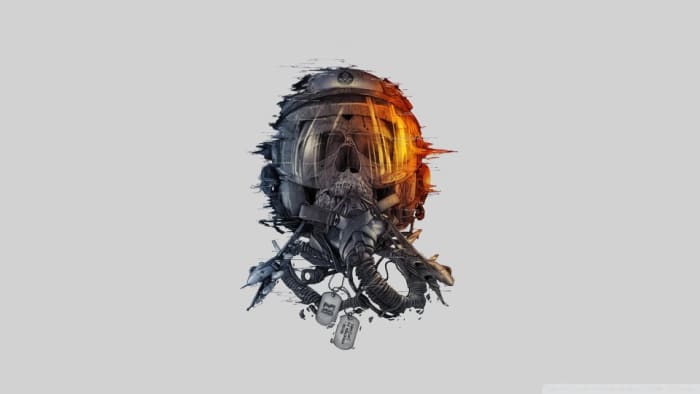
Battlefield and Call of Duty have been the two stand out first-person shooter games for quite some time. Both have ebbed and flowed and occupied the top spot at different times, but it has always been one of the two. Now, this might be a bit of a subjective choice on our part, but we’ve always loved the promo artwork that has gone with the Battlefield games and think there are some really excellent wallpapers there for you to check out.

Again, all of these wallpapers and more can be found in a single place. If you got to Wallpapers Wide, you’ll see all sorts of different wallpapers that go way beyond video games. As you’re here, however, looking for video game wallpapers, you might be most interested in the strict video game section, which includes wallpapers from a broad variety of games including the likes of Age of Empires, BioShock, Grand Theft Auto, and more.

Super Mario and more

We’re taking you a little left-field now as we delve into the world of fan art. These are video game wallpapers of your favorite games and characters but as you’ve never seen them before. If you want to assert your video game fan credentials while also maintaining an air of independence, these are the wallpapers for you.

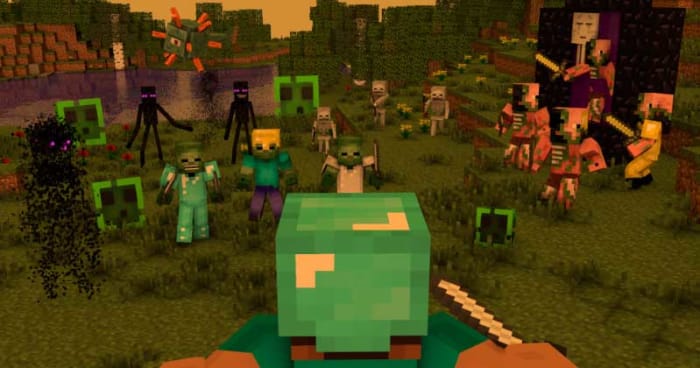
If you’re into this kind of video game background then you should head over to the video game section of WallpaperPlay where you’ll find well over 70 cool and unique HD wallpapers based on your favorite computer game characters such as Minecraft, Assassin’s Creed, Fortnite, Far Cry, Guild Wars, and League of Legends.

Computers, consoles, VR headsets, and more

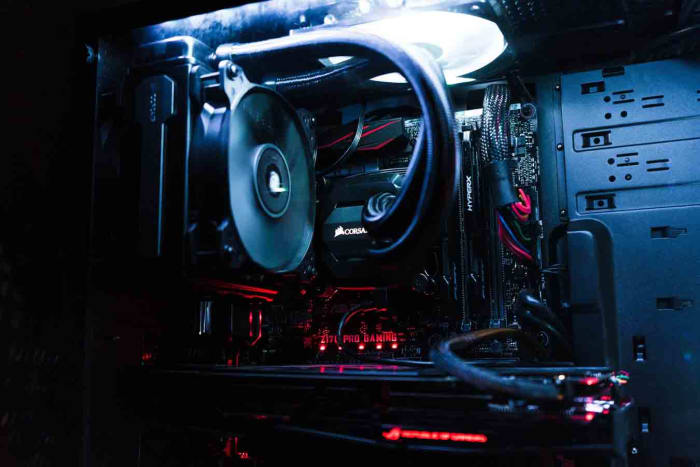
It’s worth noting that it’s not just the video games themselves that look beautiful and epic anymore. A lot of design work goes into creating every single piece of equipment that helps us immerse ourselves in the video games we love to play. Even something as simple as a PlayStation controller looks good today but you can add to that VR headsets, Ultra HD TV sets, the video game consoles themselves, modded up gaming PCs, and all manner of experience boosting peripherals from  gaming headsets to strip lighting that makes monitors glow in the most epic fashion.

All of these gaming equipment wallpapers are from the uber cool and free stock photography website Unsplash. If you head over to the Unsplash gaming collection, you’ll find all the wallpapers we’ve shown above and more. Unsplash is definitely the place to go for anybody who is looking for a more hipster type of gaming wallpaper.

Wrapping up

We’ve given you 18 HD gaming wallpapers to help you personalize your Windows PC or Mac. If you’re an Apple iPhone or Android smartphone user, then all you need to do to get wallpapers for your devices is follow the links we’ve included after each set of images.

We’ve tried to cover as many different aspects of gaming culture as we can for our list of wallpapers and places to find great video game themed backgrounds. We’re confident that after reading our guide, you’ll definitely have found something you’re happy with. Let us know your wallpaper choices in the comments below.

Retro programs that you can install on Windows 10

This is where to download some of the oldest programs you install on Windows 10 and also learn how to run even older programs that might not work immediately.

Retro programs on Winows 10

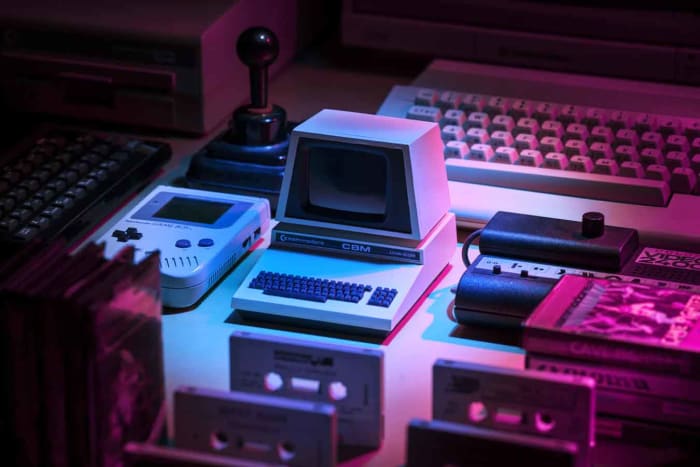
You may see this article as novelty, or you may need to know about all the retro and older programs that still work on Windows 10 for one reason or another. Microsoft worked hard to make Windows 10 compatible across many different types of device as well as ensuring it works well on PCs that are either old, don’t have much processing power, or both. This means this article is for anybody looking for tips on old software they can get to work on their Windows 10 PCs, and for other people interested in PC and Windows history who are looking for a blast from the past. If you want programs from back Windows 7, Windows XP, Windows Vista, or even earlier, you’ve come to the right place.

Why do older programs have problems working on Windows 10?

We’ll, however, by pointing out that it isn’t easy to pull older apps and make them work on the most modern operating system. Sure, there are some out there but not many. This is because Windows has evolved through the years by treading a path from a 16-bit environment, onto 32-bit, all the way to today’s much more common 64-bit way of doing things. While all this has been going on, strangely titled new features and applications such as service-hardeningkernel-hardening otherwise known as Kernel Patch Protection, and deprecated functions among others have led to older apps not working on newer operating systems.

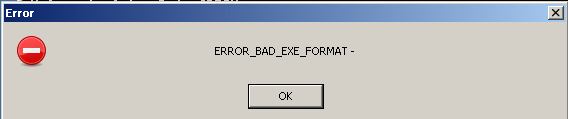
As soon as you see messages like ERROR_BAD_EXE_FORMAT you know you’re brushing up against 16-bit or 32-bit incompatibility issues. Let’s look first then at some programs that work as they are and then afterwards at compatibility settings you can change that will make it possible for you to run older software on Windows 10.

Some retro programs that work on Windows 10

Netscape Navigator

Netscape Navigator Retro

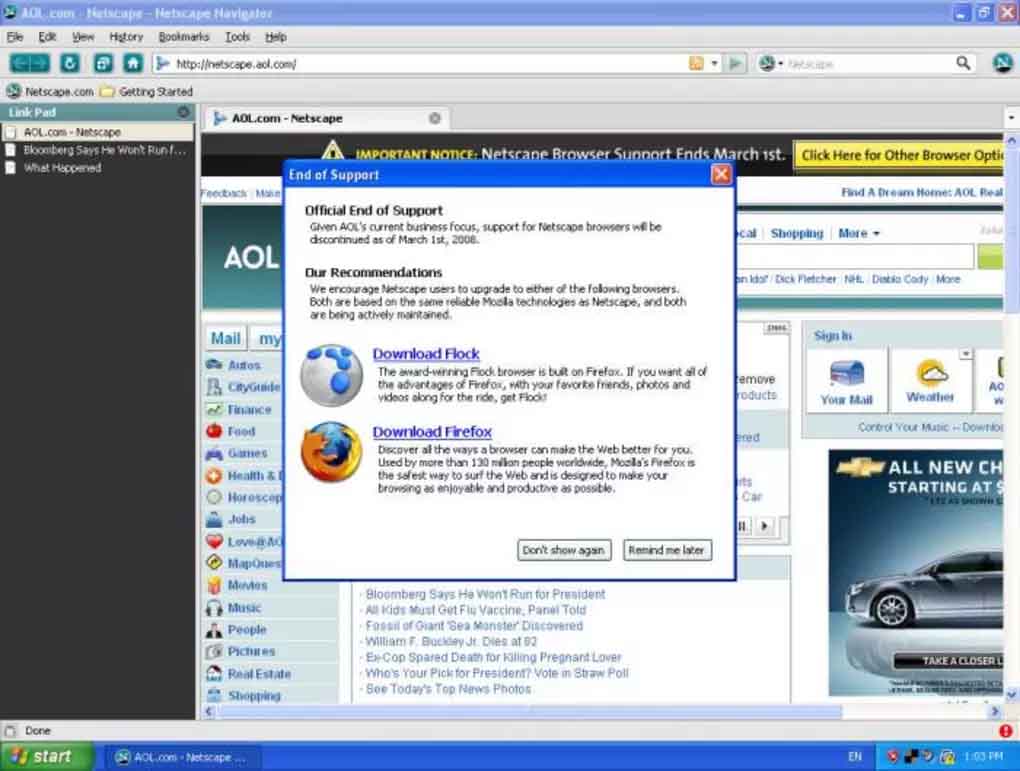
Do you remember when Internet Explorer was the biggest browser on the block? Despite its ridiculously buggy user experience, shipping with Windows meant Internet Explorer dominated the internet for years. In fact, the only real competition at all came from Netscape, which was first released in 1994. Netscape was designed to make the internet easier to use and did become the browser of choice for many internet users. Unfortunately, however, it never really made a dent into Internet Explorer’s dominance.

Remarkably though, Netscape Navigator still works on Windows 10 machines. This news, however, comes with a major caveat. AOL has ended support for Netscape Navigator meaning it isn’t safe to use. Download to check it out offline but be very careful when connected to the internet.

Netscape Navigator Download now
7

Microsoft Office XP

Office XP Service Pack

We’re going back almost 18 years now to 2002. We’d all just survived the Millennium Bug but were still reeling from 9/11. Microsoft released Office XP for its then flagship operating system Windows XP. You may know it now, however, as Office 2002 or Office 10 as there was no way Microsoft was ever going to release just one version of Office throughout the entire lifetime of Windows XP.

If you’re running Windows 10 on an older machine, this could work as your productivity suite of choice. It works perfectly on Windows 10 and is still safe to use. You’ll have to do without many of the bells and whistles you’ll find on today’s Office 365 but that also means you won’t have to suffer system slowdowns or freezes as your retro machine won’t have to handle modern features.

Office XP Download now
8

Doom 3

Doom 3

For me, the original Doom was the first game that dragged me into its world. Sure, before Doom my imagination could always fill in the blanks but Doom left no room for imagination. Everything was right there in front of you. As a first-person shooter, you had to actually walk through all the action. Doom was incredible.

By the time Doom 3 was released in 2004, a massive 16 years ago, the graphics had come a long way, the game was much bigger, and in every single sense possible it was more terrifying too. Despite being so old though, Doom 3 still works perfectly on Windows 10. Download the free trial below, if you dare.

Doom 3 Download now
8

The Windows 10 Compatibility Troubleshooter

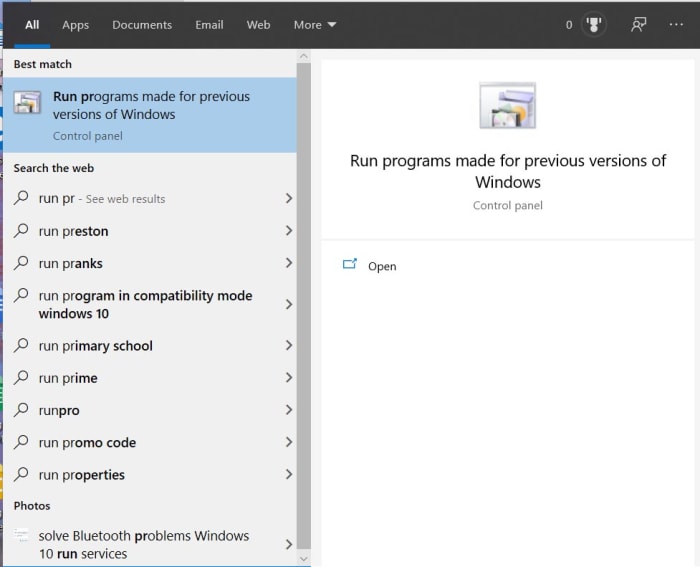
If Doom 3 isn’t going to satiate your nostalgic hunger, you may be interested to know that Windows offers users a dedicated tool for reaching back even further. Already built into Windows 10 this tool is designed to help programs going back to older versions of Windows, such as Windows 98, work on Windows 10. Let’s look at the Program Compatibility Troubleshooter. To launch it you need to Search for Run programs made for previous versions of Windows.

Once you’ve done this, you’ll see the troubleshooter open. You need to click the Advanced link and then select Run as administrator. In days gone by, most users ran their machines as the administrator, which means many old programs require this setting today. When you click Next the program will search your PC for any programs that it could help you launch. If the program you want to launch isn’t there, click Not Listed and then Next. Click Browse and then find the program you want to launch. You’re looking here for the .exe file that will launch the program. Once selected, you then click Next and hit Try recommended settings. Click Test to see if the settings work, and then hit Yes, save these settings for this program. Click Close and then whenever you try to launch the selected program Windows will automatically apply all the settings you selected when you ran through the troubleshooter.



Wrapping up

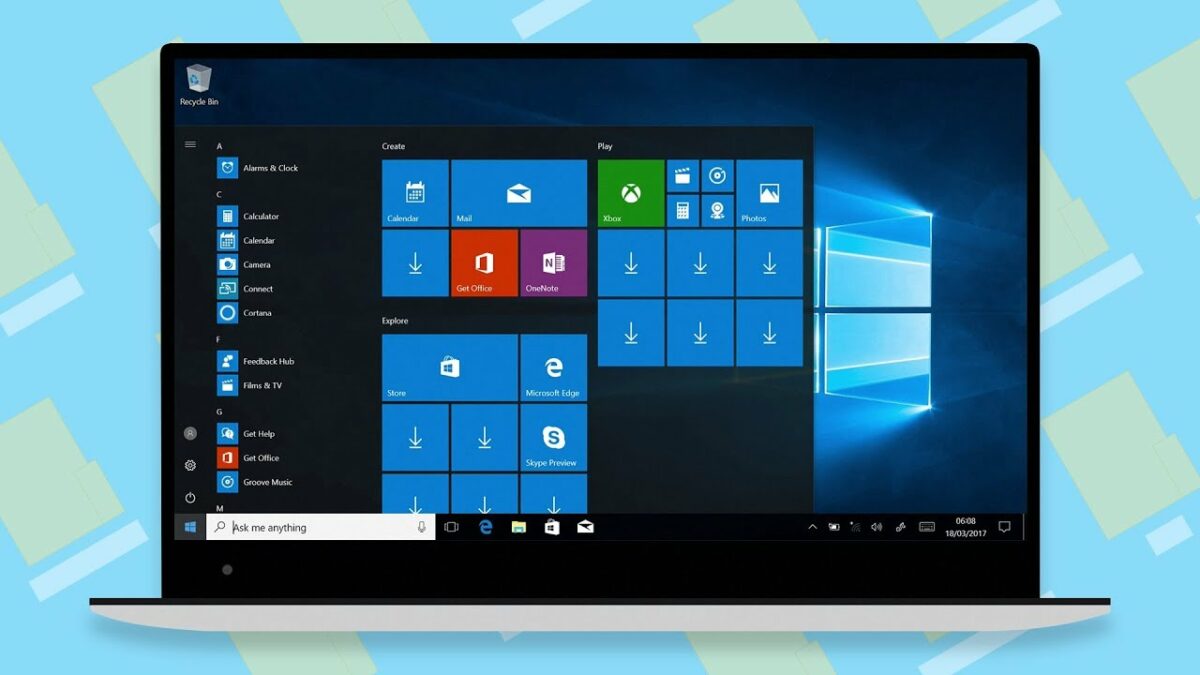
Windows 10 marks a massive achievement for Microsoft. It is a sleek, secure, easy to use, and fast operating system. Furthermore, the software giant promises to continually evolve its flagship OS, which has already been around for nearly five years meaning this could be Microsoft’s ultimate version of Windows. That being the case, the fact that you can run programs from the early 2000s straight out the box is very impressive indeed. It’s even better that Windows 10 has a compatibility mode that can help you apply the settings required to run even older programs too. This effectively means that as well as being a great operating system right now, Windows 10 also provides an effective bridge to both the past and the future.

Best data recovery programs for Windows 10

If you’ve lost a file or program, this guide will help you find it and tell you three of the best data recover programs you can use on Windows 10.

Best data recovery programs for Windows 10

Sometimes, the worst happens. For one reason or another, that file you need or want to access is gone. You might have deleted it accidentally and then realize you need it back; it doesn’t really matter. You need it and it’s not there. You need to recover a lost or deleted file. You’ve looked everywhere for it, including the Recycle Bin, and it’s not there. What do you do?

First things first. Don’t panic!

OK, now you’re not panicking, read on. We’re going to walk you through all the different steps you need to follow to get your file back and tell you about all the great programs available that can help you do so.

The latest and greatest version of Microsoft's operating system.

Recover deleted files on Windows 10

Before you begin

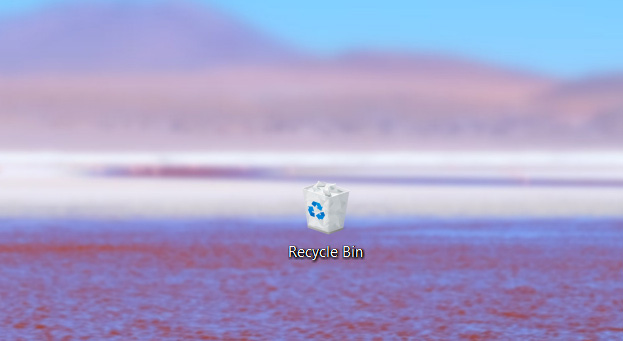
As you’re not panicking, you’ll be composed enough to take a few steps before you try to recover your lost files. For a start, it might not actually be deleted, and it is worth your time looking for that lost file. The obvious first place to look is the Recycle Bin where many accidentally deleted files end up. If your Recycle Bin has many files in it, you can save time by typing the name of the file into the search box in the top-right corner of the window. If your file is there, all you need to do is right-click on the icon and select Restore.

Windows 10 Recycle Bin

If your file isn’t in the Recycle Bin, copy and paste the search term you just tried and head over to your File Explorer. In the menu on the left, you’ll see various drive locations on your PC. You want to select This PC and then paste your file name in the search box in the top-right of the Window. If your file turns up, it hadn’t even been deleted in the first place, just moved. If both these methods came up short, your file is no longer on your PC. There’s one final search you can do, however, before you try to restore it.

These days, cloud storage services are prevalent. You can get a couple of gigabytes worth of free storage with Dropbox, 15GB free with Google Drive, and if you subscribe to Office 365, you get a whole terabyte worth of free space on Microsoft OneDrive. If you have a cloud subscription service, it is worth your while checking there to see if your lost file has been backed up.

The best data recovery programs for Windows 10

If you’ve got this far, then you need to recover an important file that you can’t find. Don’t worry though, because there are some excellent file recovery programs available that will help you search through recently deleted files and if needed, delve deeper into the depths of your system and recover what they find there.

EASEUS Data Recovery Wizard

EASEUS

EASEUS is a data recovery tool that works both on Microsoft’s Windows 10 operating system and Apple’s Mac OS. Although there are premium features you’ll need to pay for, the app also has some excellent free tools that will help you get your files back. Furthermore, the free version of EASEUS is easy to use meaning it won’t be too complicated a process getting your hands on your lost file again.

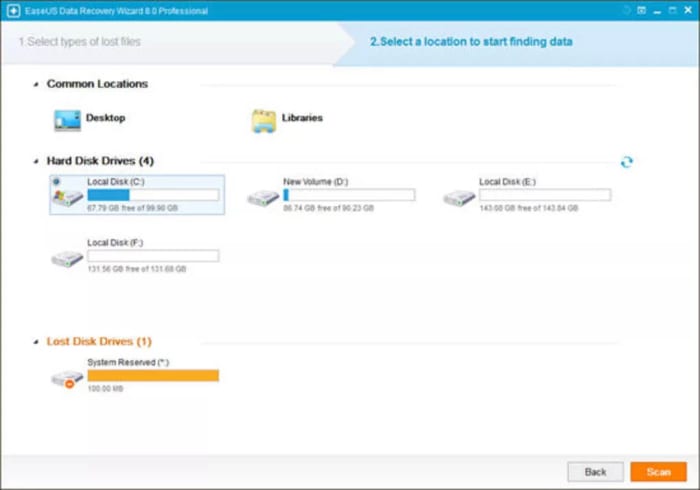
When you launch EASEUS you’ll see a list of available discs it can recover files and programs from. EASEUS is able to recover files from many different types of disc including internal and external hard drives, SD Cards, memory cards, USB drives, and more. You simply select the disc you want to look at and hit Search. EASEUS will then display all the files from that location that have been deleted. There are further options you can explore but overall, EASEUS is easy to use and effective.

EASEUS Recovery Download now
7

Recuva

Recuva

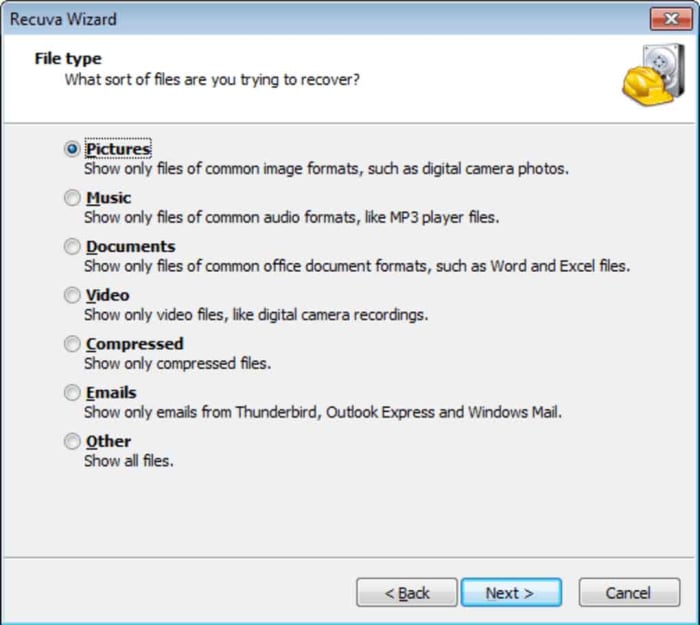
Recuva is another data recovery program that has both free and premium options. Recuva can help you recover all types of deleted files from different types of drive, similar to those offered by EASEUS. A nice feature of EASEUS is that it allows you to set a recovery file location rather than simply sending the file back to where it came from.

With Recuva, when you access the list of deleted files from your searched location, you’ll see a rating for each file. This rating refers to the chance that Recuva will be able to recover the lost file. The ratings include ExcellentPoorVery Poor, and Unrecoverable.

Recuva Download now
8

DiskDigger

DiskDigger

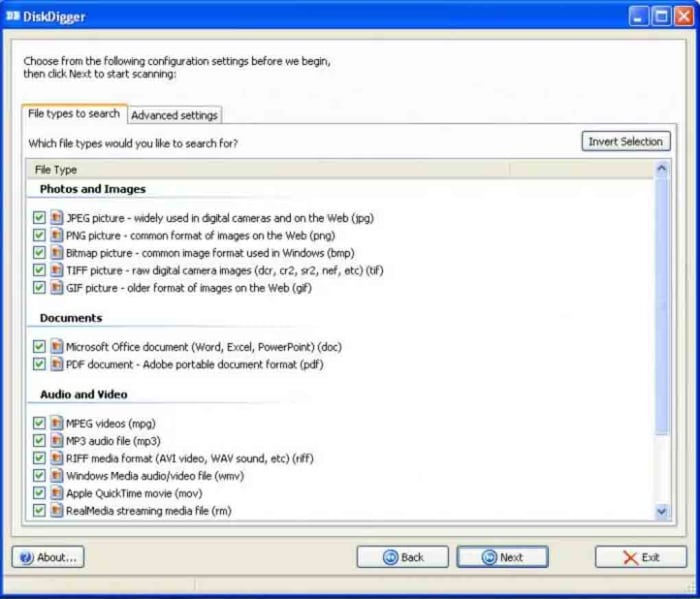
The third and final recovery program we’re highlighting today is DiskDigger. DiskDigger is a free program that offers many options, although a search function isn’t one of them. This means that even though you will be able to recover lost files, you will have to scroll through all the deleted files found on a particular drive to find them. This can be a time-consuming process.

DiskDigger can recover many different file types, which shouldn’t be sniffed at for a completely free program. These include images, videos, documents, XML files, and even GIFs. Like with the earlier programs, Disk Digger also makes it possible to recover files from a variety of discs and drives including internal and external magnetic hard drives and SSDs, USB flash drives, and SD Cards.
DiskDigger Download now
7
Wrapping up

So, there you have three excellent examples of data recovery software that offer you varying levels of data recovery capabilities for free. If we had to recommend a single program, we’d likely choose Recuva.

It is possible to recover lost files because what actually happens when you delete a file is that it is the path to the file that is deleted, rather than the file itself. You can’t see it, but it’s there and will remain so until it is overwritten by another file. The Recuva ratings, we mentioned earlier, give a good indication of how long the lost file has been in its current state and whether any of it has been overwritten. Generally, they can be relied on and this is why it is our favorite program.
Happy birthday, Photoshop! The story of the world’s most famous photo-editing software

Happy Birthday, Photoshop! 30 years after its creation we look back into history and show you Adobe Photoshop’s progress.
Disclosure: Our team is always looking for things we think our readers will value. We have received compensation for publishing this article.

When we think about image retouching, one word inevitably comes to mind: Photoshop. There are many programs for editing image files, but Adobe’s software has become on its own merits a benchmark for professionals and amateurs who want to improve their photos.

2020 marks the 30th anniversary of the first version of Photoshop, a piece of software that came into our lives in February 1990 and hasn’t left since. To celebrate this milestone, we’ll revisit the history of Adobe’s most famous program.

Early days: revolutionary software for Mac OS

Although Photoshop was released on February 19, 1990, its history goes back a bit further: the predecessor of this software was Display, a program created in 1987 by Thomas Knoll, a student at the University of Michigan, to process monochromatic images on Macintosh.

The project caught the attention of his brother John, who at the time worked at Industrial Light & Magic (yes, the creators of the special effects in Star Wars, Indiana Jones and Ghostbusters). The two siblings worked side by side to turn Display into a program with many features that could be used on color monitors. And so Imagepro was born and later evolved into Photoshop, which was only available on computers with Mac OS.

Want to see how the first Photoshop version in history worked? Check out this computer archeology video!

Photoshop 2.5: the king reaches Windows

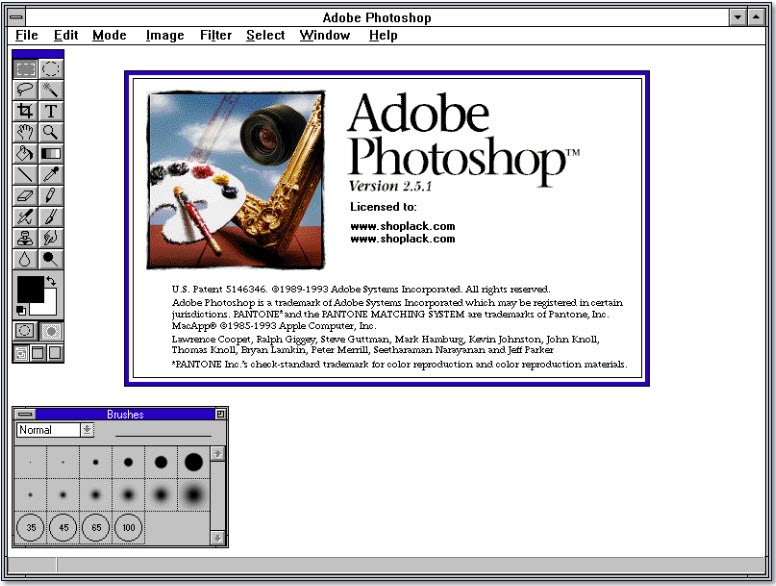
It wasn’t until the end of 1992 that Photoshop reached computers with Windows. In this first version for Microsoft’s system, a widely known feature made its debut: Filters. With it came the famous predefined filters that could dramatically change the look of photos with minimal effort, an option that is still around today: as you may have guessed, Instagram filters and other current apps are the grandchildren of these early Photoshop “presets.”

Photoshop 3.0: More layers than an onion

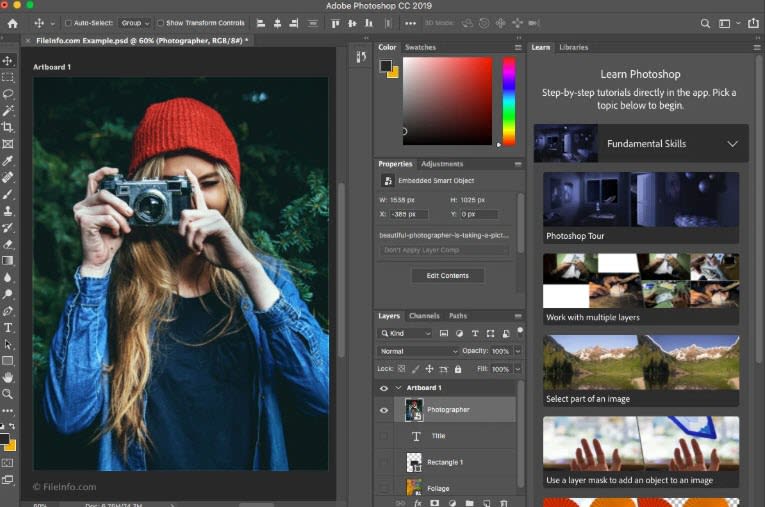
Photoshop wouldn’t be the same program today without layers. It wasn’t until version 3.0, released in 1994, that the software gained this essential feature.
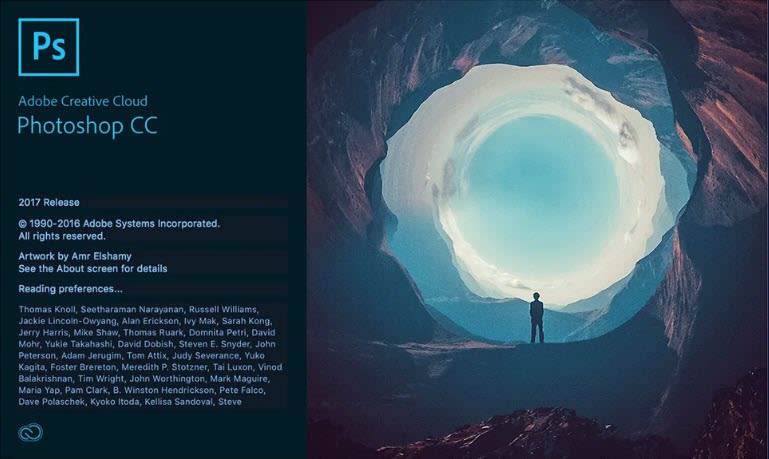
Although the Photoshop interface in the mid-1990s was a far cry from the current one, the features we use today were starting to appear.

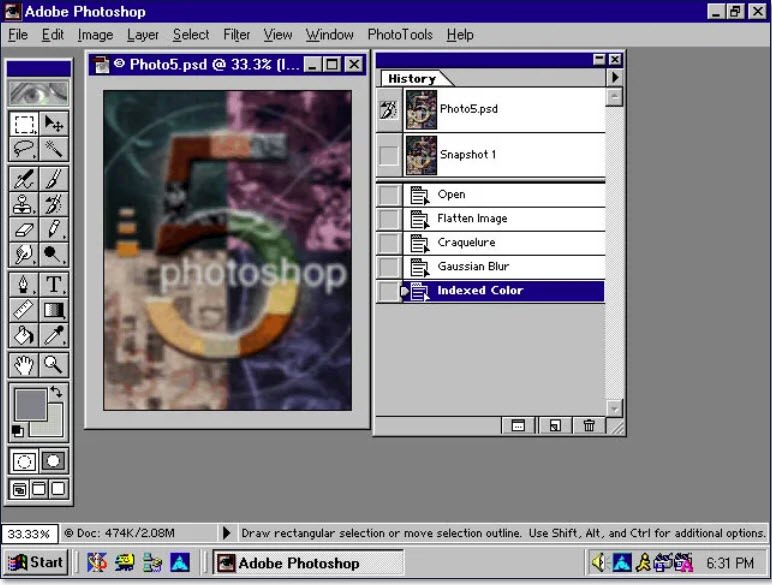
Photoshop 5.0: thank goodness for “undo”!

It’s hard to believe, but it wasn’t until 1998 that the program gained a function that we find completely essential today: the ability to undo multiple edits at once. This feature came with the fifth version of Photoshop, appearing in the “History” window. We could finally stop saving multiple versions of the same file in case we messed up!

Photoshop 6.0: new century, new life

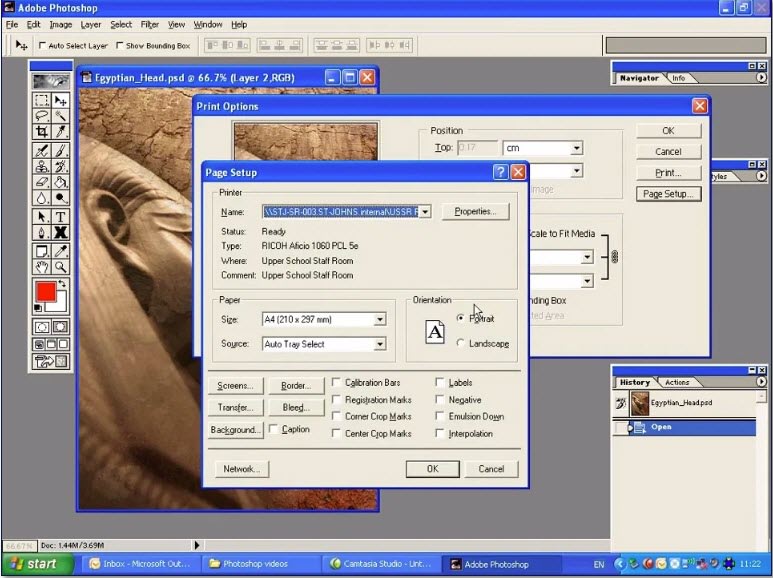
With the turn of the millennium, Photoshop celebrated its first decade, a time when Adobe significantly upgraded its photo-editing program with a more modern interface. The qualitative leap of Windows XP (which, according to some nostalgic users, is still the best Windows) had something to do with it.

The Photoshop versions of the early 2000s saw some of the biggest improvements: the essential “liquify” button and the red-eye tool.
Also, the days of retouching scanned photos were over: with the advent of digital photography, images could be directly accessed on the computer. And so, in the early 2000s, Photoshop gained RAW image-processing options, the standard for professional photographers.

Photoshop Express: the age of online photo editing

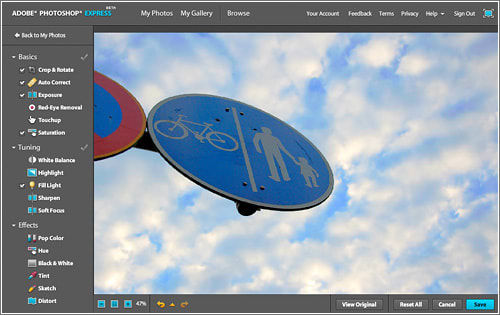
When it came of age in 2008, Photoshop debuted in an online version: Photoshop Express. This meant we no longer had to download anything to do basic photo editing.
Although Photoshop Express wasn’t the first online image-editing tool, Adobe managed to differentiate itself from the competition by offering free cloud space to its users, integration with the different photo services of the era and a simple interface that made image retouching accessible to even the most novice users.

Adobe Creative Cloud: a subscription that changed everything

As Adobe’s family grew, traditional Photoshop also significantly upgraded during the 2010s. After 20 years, Adobe’s software was no longer just the benchmark for image editing, but also an essential tool for creators in all sectors and at all professional levels: designers, photographers, artists, filmmakers and much more.

That’s why Adobe continued to improve the integration between Photoshop and the rest of its Creative Suite products (Illustrator, After Effects, Premiere, etc.) and launched a new product in 2011: Adobe Creative Cloud.

And so the traditional model of buying a program in a certain version gave way to the software as a service model: instead of buying the program one time, you purchase a subscription. That way, you only pay for what you need and always have the latest software updates.

Happy birthday, Photoshop! To infinity and beyond

While continuing to upgrade its program for desktop, Photoshop has expanded its brand in recent years, adding versions to meet every need and powerful mobile editions that have no reason to envy the ones for PCs.

In fact, the old Photoshop Express has been an app for iOS and Android for a few years now, and the mobile app family has grown with Mix, Fix and Sketch, created for all graphic uses.

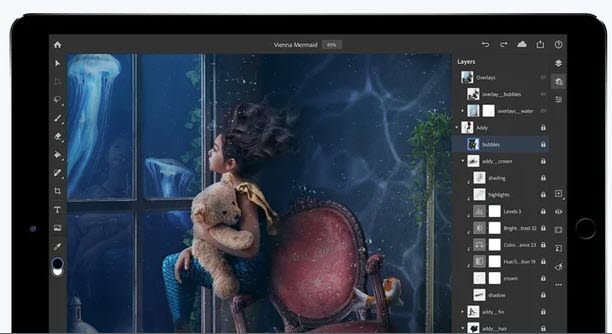
In addition, the paid version of Photoshop for desktop can also be used on an iPad. It’s no wonder, as a growing number of professionals use Apple’s tablet as their main work tool.

What does the future hold for Adobe Photoshop? That remains to be seen, but we have no doubt Adobe will keep innovating and staying ahead of the competition with its flagship software, the king that nobody has ever managed to dethrone.

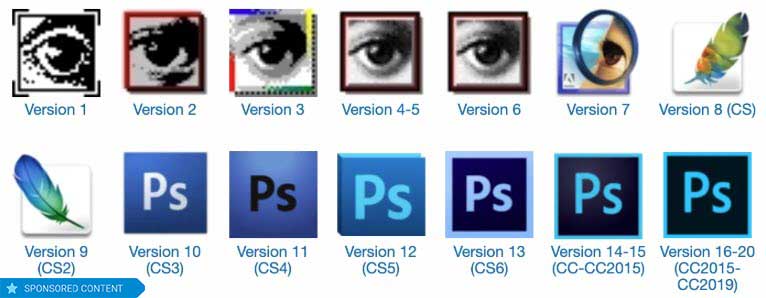
Image sources: Version Museum, Microsiervos

How to clean install Windows 10

If you want to upgrade to Windows 10 or reinstall Windows 10 to deal with performance issues, this guide will walk you through the process.

Often, the best way to save your Windows PC is to start again. Whether you’re upgrading from an older version or you want to reinstall Windows 10 doesn’t matter. That reality remains the same. A clean install cures all.

A Windows PC on its own is just the beginning. The true power of the PC comes in all the programs, features, tools, and games that we can install and run on it. This makes a Windows PC something of an infinitely expandable digital Swiss army knife. It can do whatever we need it to as long as we install the right program. This incredible truth, however, brings with it a couple of inherent vulnerabilities.

The first of these is that it can be hard to manage infinity. With so many options to download and install, often we make mistakes and install something bad or corrupted, or we just overload our system. The other vulnerability is related to general online security. There are many people out there looking to exploit our ever-increasing reliance on personal electronic devices that connect us to the internet. There are many ways they can do this, and these hackers and cyber-criminals are an imaginative bunch.

For both vulnerabilities, the reality ends up the same. We end up with a lot of crap on our PCs that slows everything, including our operating system, down to a crawl and in some extreme cases see our most personal, private data siphoned off and sent to some unknown nefarious character. It’s frustrating but we’ve all been there, don’t worry. The best thing to do is reinstall Windows from scratch and start again. In a flash, this will wipe out all the crud and likely get your PC buzzing again. Let’s look then, at how to do a Windows 10 clean install.

Clean Install Windows 10 Home

Where to begin

First things first, you need to know that reinstalling Windows from scratch is going to delete every single file that you’ve added and installed to your Microsoft PC since you first started using it. This means that you need to Backup any files you don’t want to lose. Depending on how many files you have that you want to keep there are various different ways to back them up. You could use cloud services such as DropboxGoogle Drive, or Microsoft’s own One Drive.

Another option for backing up your files is an external hard drive. These should offer much more value compared to the online cloud subscription services laid out above.

Minimum requirements

If you’re upgrading to Windows 10 from an older machine, you’ll need to check that your machine meets the minimum spec needed by Windows 10 to work its magic.  Your machine will need:

  • 1GHz processor or higher
  • 1GB RAM for 32-bit machines or 2GB RAM for 64-bit machines
  • At least 32GB of storage (This, however, is a minimum. With Windows 10 updates increasing in size you’ll struggle on Windows 10 with anything less than 128GB.)

Once you’ve backed up your files and checked your system meets Windows 10 minimum requirements, you’re good to go.

The Microsoft Windows 10 Media Creation Tool

To perform a clean install of Windows 10 you need to create an installer using either a DVD or USB Flash Drive. To do this, hit the link below and follow all onscreen instructions to download and install the Windows 10 Media Creation Tool.

Windows Media Creation Tool Download now
8

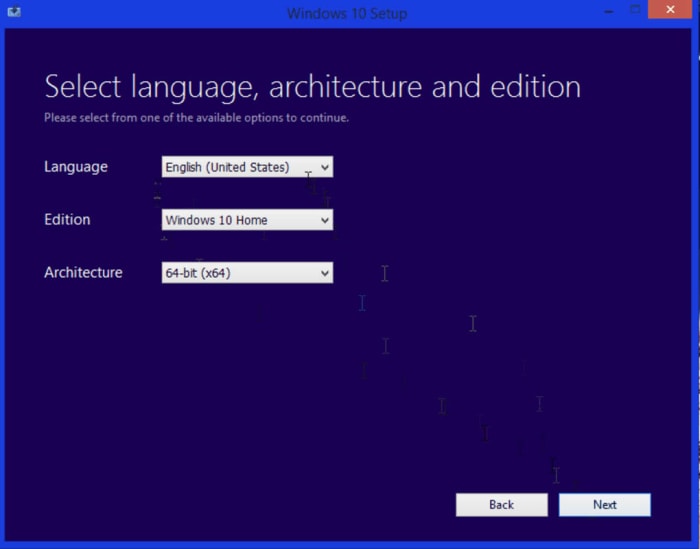
Once you’ve done this, open the program, which is designed to download the correct version of Windows installation files for your system. Select the Create installation media for another PC and then choose the language and either 32-bit or 64-bit version of Windows. Once you’ve selected all the appropriate options and hit Next Windows will download all the Windows 10 installation media onto your DVD or Flash Drive.

Windows 10 Installation Media

You then want to restart your PC with either the DVD or USB Drive inserted so that it knows to run from the inserted media rather than boot as normal. If you’re performing a Windows update from Windows 7 for example, this is when you’ll have to enter your product key, which proves you’ve paid for the software. If, however, you’re reinstalling Windows 10 to start again you should select the I don’t have a product key option and then Windows will activate from your previous activation once it is installed.

What follows will be a fairly basic Windows setup installation process although one that takes a little longer than you’re likely used to. The important thing to remember is to select Custom Install when you see the option. This is so you don’t perform an upgrade only install but instead get the full clean install you want.

The final options the installation process will show you will be partition options for your hard drive. This part is entirely up to you. Partition your drive to suit your own needs.

Activation and updates

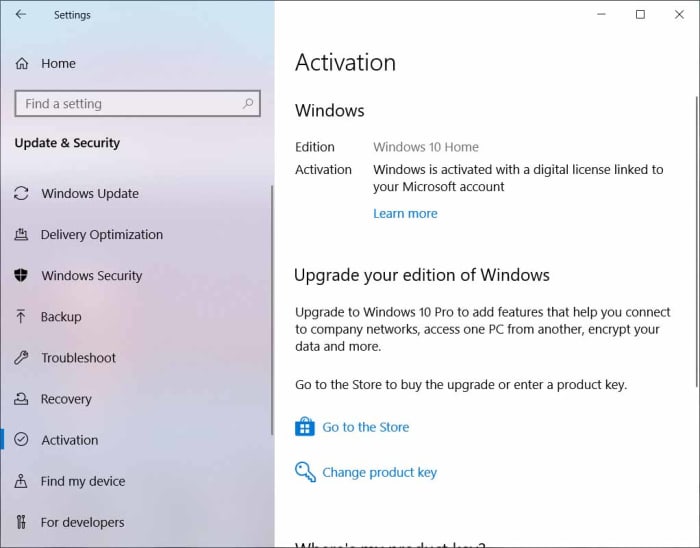
Once you’ve followed all the steps laid out above you will have performed a clean install of Windows 10. If you reinstalled Windows 10, it should automatically activate itself as soon as you connect to the internet and sign in to your Microsoft account. To make sure this has happened, however, you need to hit Start, then click the Settings icon, and then select the Update & Security option. Here you need to select the Activation option. This is where you’ll see Windows is activated if it has activated properly.

Windows 10 activation

The other thing you’ll need to do following a clean install is installing the latest Windows 10 updates and hardware drivers to make sure everything works as it did before you performed your clean installation. This will also ensure you have all the latest security updates too.

Once you’ve done all that though, your machine will have a clean, up to date, and activated version of Windows 10 ready to go. You’ll have gone full circle and find yourself once again at the beginning.