How to take the best pictures of fireworks with your phone

Learn how to snap beautiful shots of fireworks with your phone!

Fireworks

Over the Fourth of July weekend, Instagram will be flooded with pictures of fireworks. The last thing you want is to miss out on free likes, but there’s just one problem; taking pictures of fireworks is hard. 

It seems like every time you try to take a photo with your phone, you end up being too early or too late. At the end of the night when you look through your photos, all you have is pictures of a blank night sky and fizzled-out fireworks. Luckily, there are some tricks to take solid pictures of fireworks with your phone. We have compiled the best ones that are easy to pick up and use this holiday weekend.

How to take pictures of fireworks with your phone

Anticipate

Your standard firework follows a basic pattern:

  • A bang to signify liftoff
  • Shooting into the air
  • Exploding
  • A delayed explosion sound

If you can get the timing right, you can get some great shots. When you hear the initial bang of a firework about to lift off, follow the firework with your camera while keeping your finger over the capture button. Once it bursts, don’t take a picture right away as the firework is still expanding. Instead, time the capture with the delayed explosion sound. By that point, the firework is still bright and pretty, but it is also at its most expanded.

Burst photo

Both iOS and Android have a burst photo mode. Through this method, you can take multiple consecutive photos. This means that you don’t necessarily have to worry about timing. 

To take burst photos on both iOS and Android, simply hold down the capture button as your smartphone will take multiple pictures the entire time you hold down the button.

When taking burst photos, make sure that you stay still. Any movement can make your photos blurry. Also, photos taken with burst won’t be as crisp and clean as ones taken the regular way.

Don’t focus just on fireworks

Firework kid

There’s a lot more to photograph on the Fourth of July than just fireworks. If there are little kids nearby, photos of their smiling faces being lit up by fireworks can be more magical than any firework.

Remember, people can play along better than any firework. Are you going out on a boat? Shoot photos of people jet skiing, water skiing, tubing, and swimming!

Watch YouTube tutorials

Aside from the tips we taught you, there is still a wealth of knowledge on the internet for how to take photos of fireworks. USA Today released this video that teaches you about stability, accessories, and more. We’d highly recommend watching it before you start shooting.

If you are looking to shoot photos with a DSLR camera, there are also YouTube videos for that! We especially like this one from Fro Knows Photo:

Wrapping up

Have fun and be safe this Fourth of July. The most important thing you can do is to spend time with your friends and loved ones. Don’t spend all of your time worrying about taking photos. Tweet your best fireworks photos to us! We would love to see them!

How to stay positive when social media brings you down

Depressed on social media? You’re not alone. Here’s how to stay afloat.

Wedding selfie

The rise of social media means we’re more connected than ever before. And with the constant connectivity comes a whole lot of worry. Between cyberbullying and the welfare of our latest batch of teens, to the unknown effects of hours spent scrolling through a stranger’s Instagram, there’s a lot to chew on.

Facebook executives have admitted that the platform might come with some adverse effects. And, there’s no shortage of think-pieces covering the effects of filtered influencers and their effect on our self-image.

Some studies have looked at social media use in connection with depression, low self-esteem, and anxiety. Others have found notable positives associated with connecting through these digital channels.

Here, we’ll look at the root of the negativity as well as some ways you can make sure you’re approaching your social feeds in a healthy way.

Comparisons make for bad friends

Social media can make us feel socially isolated because we’re comparing our reality to the curated highlights from other peoples’ lives. You don’t know how long it took to get that selfie, just-so, so try not to sweat it.

As we scroll through our feeds, we tend to pass judgments on both ourselves and others, in an attempt to understand how we rank against our peers. While there’s a biological reason for envy — it’s a motivator, it’s easy to get consumed with these negative feelings.

This study looked at how we compare upwards and downwards to determine if we’re better or worse than our friends. Generally speaking, we only feel bad when making upward comparisons, but downward ones can be toxic, too.

How to fight the envy?

Well, it’s important to take a step back and remember that most of this content isn’t real.

How to have a healthy relationship with social media

There are, of course, some positive things about social networking. People naturally crave socialization, and social media can provide a way for people with social anxiety or less-developed social skills to make connections in a “safe” space.

Additionally, teens in marginalized groups can find support online. LGBT teens and those struggling with depression often find support through social channels they don’t get at school.

So, how does one seek out the good stuff, only? Well, there are a few things you can do.

Limit your usage

The more time people spend on social media at a time, the more likely you’ll feel isolated. Check in here and there, but make sure you’re not spending hours at a time scrolling and scrolling.

Additionally, it’s smart to quit the habit of checking your accounts first thing in the AM.

Pay attention to your loved ones IRL

There’s no doubt that talking to a friend with their phone out is frustrating. Make an effort to stop doing this and ask your partner and friends to do the same.

Try using different platforms

Facebook and Instagram rely heavily on these curated images. Make connections online through other channels. Reddit, for example, allows you to have discussions sans photos.

Or, Amino—a niche social network that prizes anonymity. This app is lesser known, but users post anonymously about their shared interests.

Unfollow those who don’t make you happy

social media addiction

We’ve all seen examples of bad “friends.” There are the people who can’t stop bragging about their perfect lives or their globe-trotting lifestyle. The downers who complain about their jobs or vague updates about how “a certain person” did them wrong. Then there’s the political stuff, offensive jokes, the list goes on.

Whatever the case, if you don’t want to see it, you don’t have to. Curation is going to be the secret ingredient for happiness. Unfollow the people that suck the joy out of the experience and simply mute those you “can’t” unfollow without hurting some feelings.

On your end, keep things positive

As you can imagine, negative remarks, sadness, aggression, and so on, don’t make friends online. That’s not to say that you need to be fake, it’s just that these platforms aren’t exactly the place for airing out every grievance that passes through your mind. Keep your dirty laundry to yourself and vent to a trusted friend, family member, or therapist.

Researchers from the University of Missouri found that Facebook use was linked to depression when it triggered envy.  

That same study found when people used FB solely to connect with people, the social network had a positive impact on their wellbeing. Take that as an incentive to quit stalking your ex’s new mate.

Beyond steering clear of broadcasting your negative vibes, make sure you fact-check any links to articles. And, avoid posting inflammatory political content.

Follow the same values you use IRL

While some channels like Reddit let you post anonymously, people forget that even Facebook and Instagram posts aren’t a digital barrier to hide behind.

Instead, be the same person on the internet that you are in person. Be kind and don’t say anything you’d feel uncomfortable saying in real life.

Conclusion

Unfortunately, the jury is still out on social media and how it impacts our lives in the long-term.   There’s a lot of information out there covering the risks of social media. No matter how you slice it, using the networks affect everyone in a different way.

If you can’t help but compare yourself to others, consider taking a little Facebook vacation.

New Google feature allows easy GIF sharing

Share GIFs quick and easy with this new feature from Google!

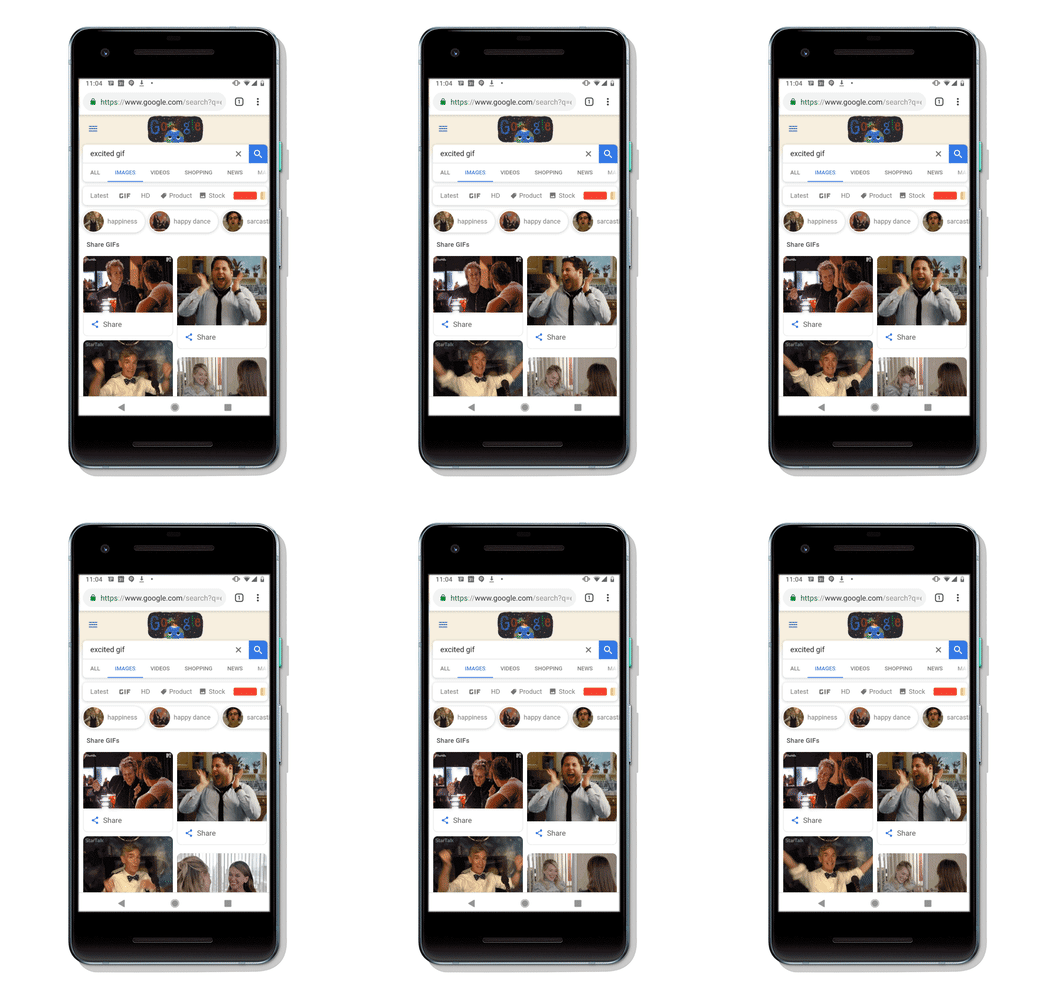
Google GifGoogle has made it easier to share GIFs from Google Images with our friends and family. This feature is available on the Google app on iOS and Android as well as on the Chrome app on Android.

Google Gif
Source: Google Blog

When you do a Google image search, just click the GIF section near the top. That will open up a search result page where you’ll see all the GIFs available to you. Click the “Share” button and you’ll be able to send the GIF via SMS text message, Facebook, Messenger, WhatsApp, Twitter, and even email.

Available GIFs will come from Tenor.com, or through a Google partner. You can fill out a form to connect with Google’s partnership team. 

Finally, we have the ability to quickly send our coworker a GIF when they ask if we want to do pizza for lunch.

If you are on mobile, you can conveniently click on the button to share a GIF. However, you still have an option to share GIFs from Google Images even if you are on desktop. If you are on desktop, click on the corresponding GIF you want to send, and hit the share button. You also can quickly send GIFs using Giphy on both desktop and mobile.

GIPHY World Download Now ►
7

Why Switch gamers should get a pro controller

If you want to be the best at Super Smash Bros: Ultimate, you’re going to need a pro controller!

Switch

Switch gamers, you gotta get a pro controller.

We went on a long journey through games before discovering that controllers matters. Admittedly, when we were kids, there was always “The Controller,” the one everyone wanted! You remember that controller, right? Whether it looked cooler, felt good in your hands or was just plain reliable, the kiddos would fight over it before every local game of Halo, Street Fighter, or Super Smash.

Recently, we had a revelation: the pro controller is the definitive way to play on the Nintendo Switch.

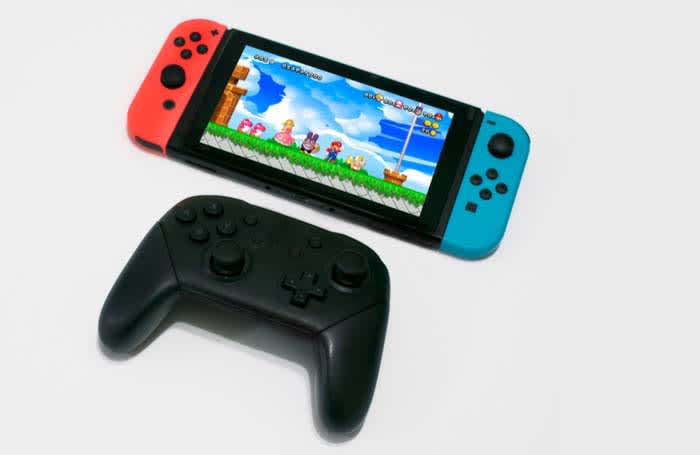
After using the pro controller for an especially long time, we switched back to the regular joy-con. This is what we learned: while joy-con’s have more versatility, they can’t stand up to the pro controllerSo, let’s discuss…

Why Switch users should get a pro controller

It looks great

Pro controller

PS4 controllers look smooth and high-tech, which meshes perfectly well with their robust system. Xbox controllers are angular, sleek, and light, implying the system’s adaptability.

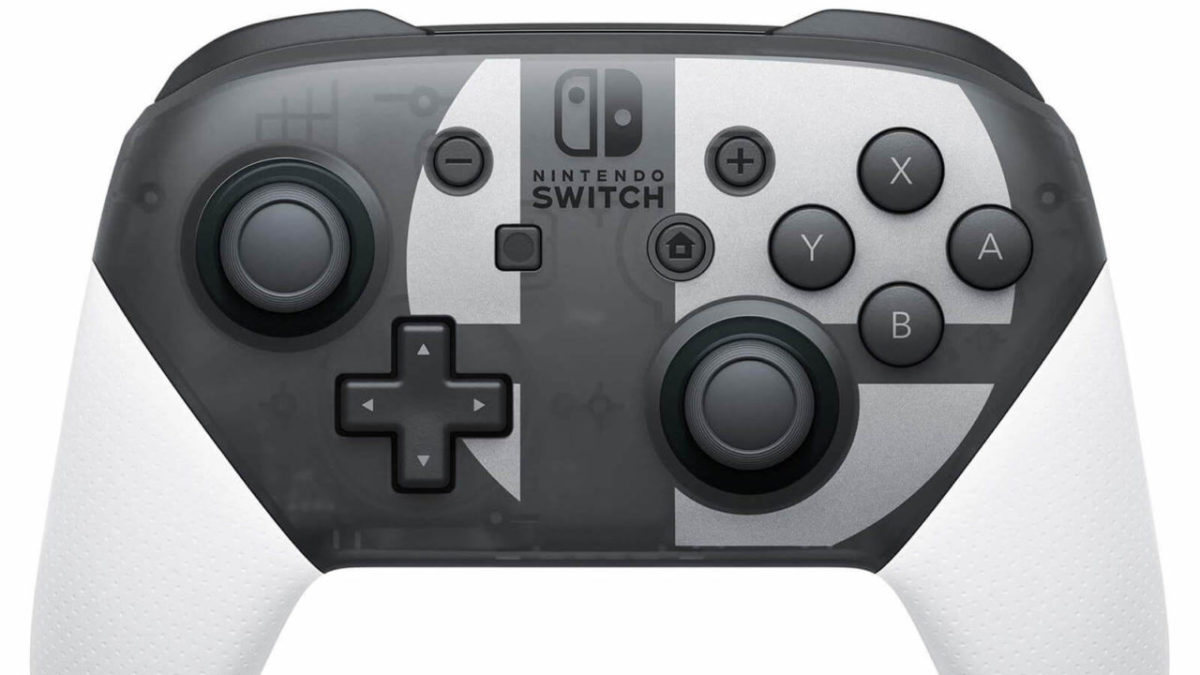
Nintendo controllers look like they were designed by a Splatoon Inkling, with shiny, round edges, and the overall Nintendo eye for design. Both versions sold at this time – plain gray and Super Smash logo – have great minimalist looks that we love. Also, much akin to the original Game Boy Colors, their clear cases also reveal some of the inner mechanisms, which never fails to be a fun design choice (in our opinion).

It feels great

Happy gamers

Using a PS4 controller feels like you’re grabbing onto a spaceship console: it’s precise and designed for comfort. Xbox controllers feel the wheel of a race car: they’re light, make quick turns, and are more excitable.

The Pro controller feels like chocolate. Or, you know, whatever tactile image you equate to smoothness: a tranquil pond, a hot knife through butter, the touch of a lover, whatever.

A few aspects to note: buttons are well-placed and the left thumbstick isn’t located too far away from your hand, which we greatly appreciate. It has a comfortable weight like the PS4 controller. Joy-cons and Xbox controllers are far lighter, which makes them go back and forth between feeling breakable and playfully weightless. Good and bad.

Finally, most importantly, the joysticks are a dream to use. As Xbox users, we find Microsoft’s controllers to be severely lacking in this respect: the pro controllers have smooth thumb resistance, and the dead zone (how far the stick goes before moving the character) is well-placed. In games where aiming matters – like Fortnite – this can make a huge difference.

It works great

Switch

Licensed Nintendo products, unlike the knockoff accessories, almost always have a reliable level of quality. The pro controller is no different.

Expect an excellent charge. We’ve used the controller for hours without having to plug it in, and even when that happens it charges quickly enough that you won’t be bothered by the cords restriction for too long.

Aside from that, this thing is tenacious. We’ve dropped it one too many times, but it still keeps going. You won’t get that toughness from a third-party retro GameCube controller that literally breaks after a few minutes of regular use. Not that we’ve had that experience or anything…

Finally, it has a built-in Amiibo reader. Now you can scan Amiibo during the heat of the game next time you play The Legend of Zelda: Breath of the Wild!

And all that means…

Really, what’s so bad about joy-cons?

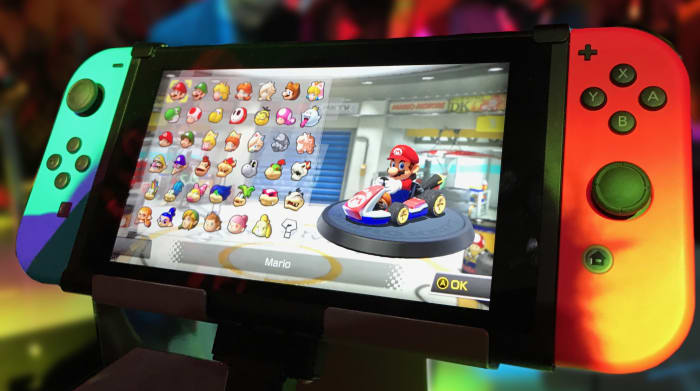
The answer is: nothing. In fact, joy cons are completely necessary for the Switch. They’re an integral part of the console’s experience. You wouldn’t have nearly as much fun playing Mario Odyssey without being able to actually “throw” your friend Cappy!

But sometimes, there are games that require a little more finesse, games that require a regular controller and simply aren’t done justice by the joy-con charging grip. In those situations, when you want a good-looking controller that stays charged for an excellent amount of time, feels good in your hands, and maneuvers like a professional soccer player, we recommend picking up the pro controller.

If for no other reason, grab one because it makes beating your friends in Super Smash: Ultimate approximately 1,000 times easier!

Conclusion

When it comes down to it, it’s your choice whether or not you want a Switch Pro Controller. We believe them to be one of the best console controllers made, and it appears others agree: they have a considerable 4.5 stars with thousands of reviews on Amazon!

Play your Nintendo 64 on your HD TV with this HDMI adapter

Hook up your old N64 to your HD TV with this adapter!

N64 adapter

Soon, we will be flying Arwings and battling the evil Gruntilda on our HD TVs!

If you grew up during the mid-’90s/early 2000s, you know better than anyone how awesome the Nintendo 64 was. Just look at how psyched this kid was when he got one for Christmas!

Sadly, as technology advanced, many of our favorite video game consoles became less and less playable on our new television sets. Gone are the days of having to be on Channel 3, or nearly having an asthma attack as you blow your lungs out into a cartridge. However, fans of the N64 have been working to bring the revolutionary console to the modern age. This hard work has resulted in something truly spectacular, an HDMI adapter. 

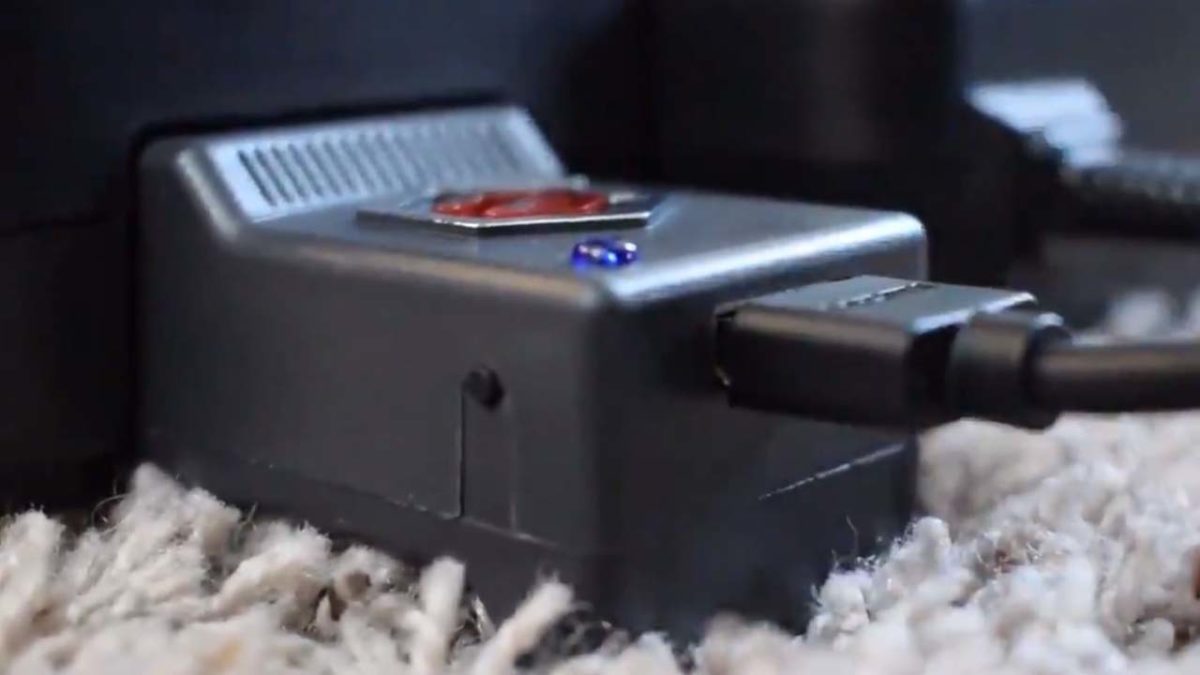
This new adapter from EON Gaming will finally allow us to play the N64 on HD TVs. As you might remember, the N64 had the classic red, white, and yellow RCA chords. Unfortunately, these are not found on most new HD TVs anymore. If you want to play your old N64, you either need to figure out what you need to hook it up, buy the necessary third-party adapters, and pray that they work. This new adapter is tested and true and will work for your system. 

So will I be playing Mario 64 in HD?

Mario 64

As cool as it would be, you will not be playing in HD.

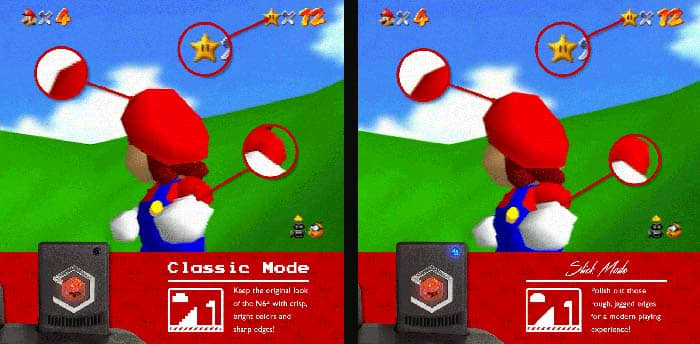
You will be playing in 480p with zero lag. Given that the adapter costs about $150, you might think that this isn’t worth the price. However, the games will look better than they do normally. The adapter has a new feature called “Slick Mode.” In Slick Mode, the adapter will polish the rough, pixelated edges and smooth them out.

Mario 64 edges

Is it worth the price?

If you want to play N64 games on the big screen, there are other options. For example, you can download the Project 64 emulator, and then hook your computer up to your TV so you can play on there.

Project 64 Download Free ►
7

Even if you don’t have a necessary cable, they are very cheap. The one we just linked to is 15-feet long and costs about $9. That’s a far cry from $150.

That said, your games on Project 64 probably won’t look nearly as good on the big screen as they do through the adapter. Also, you will only be able to use your N64 and N64 controller when playing with the adapter. 

If the price tag doesn’t throw you off, then this is a solid option. If $150 is too steep for you, remember that there are other options!

This is the cookie-dunking invention we never knew we needed

A perfect cookie dunk every time?!?

Dunking Buddy

Technology can solve virtually any problem. Seriously, we’ve got nearly everything covered with an app these days.

Need to relax? Here are five apps to help you chill.

Want to learn a language? These three apps fit the bill.

We’ve got apps to help us track nutrition, track our time, and make us laugh. We’ve got apps to keep us organized, make our lives simpler, and deliver food.

But occasionally, we face a problem we can’t solve with a quick download. We’re about to show you something that will blow your mind. Buckle up, friends. This is the Dunking Buddy:

Dunking your cookie in milk is a time-honored tradition riddled with problems.

  • Dunk the cookie too quickly and you don’t get maximum milk saturation.
  • Dunk the cookie too long and it could break apart and sink to the bottom of your glass.
  • If you want the whole cookie dunked, you’re going to get your fingers covered in milk.
  • Sometimes that milk is too cold and it hurts your precious fingers to try to withstand the freezing temperatures for maximum dunkage!

That’s where the Dunking Buddy comes in. This ingenious gadget uses magnets to create a tiny elevator on either side of your cup. Insert your cookie, slide down the handle on the outside of the cup and your cookie begins its luxurious milk bath. When you’ve achieved maximum saturation, raise the cookie and enjoy.

Just the little cookie elevator itself will cost you $6.95. They’ll throw in a color-changing cup for another $3. If you want to go nuts, you can get 12 of the cup-and-elevator combos for $82.50. So, yeah, kind of expensive for a couple of magnets and plastic, but if you’re a cookie-dunking fiend, this could be a real game-changer.

We do need to mention that the Dunking Buddy appears to max out with an Oreo-sized cookie. Anything beyond that and the cookie will be too big for the little tray. It’s also not dishwasher safe.

Is this thing brilliant? Stupid? A little of both? Perhaps. It’s certainly better than the robot that stabs you for ignoring your WhatsApp notifications.

4 best free accounting programs

Want to do your own bookkeeping? These programs can make it happen!

Accounting

Chances are the only thing you know about accounting has come from Ben Wyatt’s jokes from “Parks and Recreation.”

Well, those were painful to listen through. Anyway…

Basic accounting skills are very important in our adult lives. When tax season comes around, we need to know that we are getting what is rightfully owed to us on our returns. Basic accounting is also important when it comes to maintaining a budget.

If you didn’t take any accounting classes in high school or college (and even if you did) accounting can be very complicated. Luckily, there are plenty of free accounting programs that can help you along the way. Please note that even the best accounting program can be enhanced by your own basic accounting knowledge. It’s in your best interest to watch videos like the one below to teach you some basic accounting tools.

If you’re looking for a free tool to help you with your accounting needs, we found four of the best free accounting programs for you.  They can help you send invoices, help with bookkeeping, and help around tax season.

5 best free accounting programs

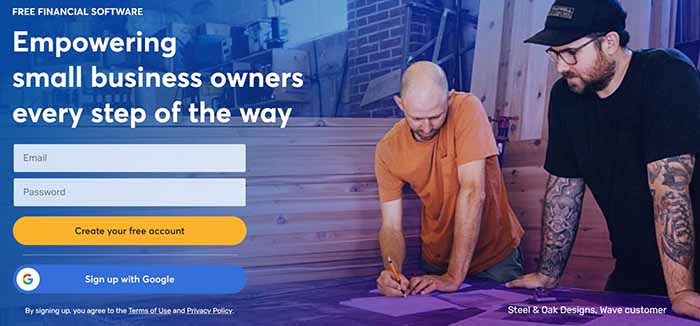
Wave

Wave

The creators of Wave have the mindset that accounting should be a free service for individuals and small businesses. That’s why accounting, invoicing, and receipting don’t cost a dime! 

However, there are premium features on Wave that you do have to pay to use. Conducting payroll, processing credit cards, and making transactions with the bank all cost money. That said, if you need a service that just helps you keep the books, Wave can help out!

Wave Accounting Download now ►
7

Standard Accounts BSA

Standard Accounting

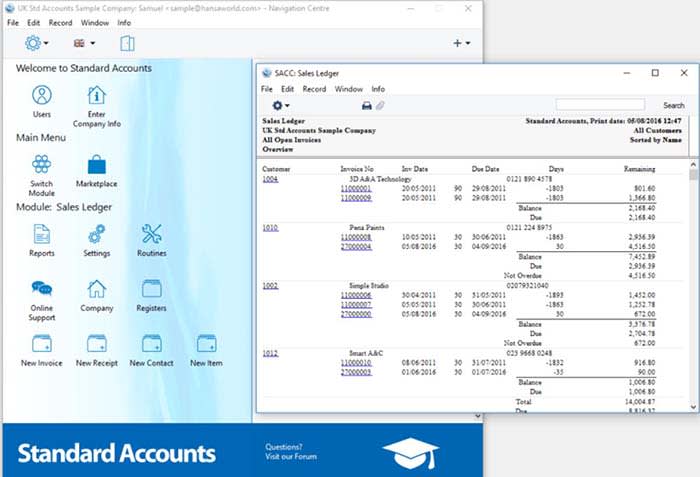
Standard Accounts BSA is a one-stop shop for your basic accounting needs. You can easily create tables for accounts payable and accounts receivable. If you need to maintain a ledger, it’s wildly easy.

As we said before, basic accounting knowledge can help with most software, and Standard Accounts BSA is no exception. If you don’t know basic accounting, you won’t know how to fill out a ledger financial reports. Basically, before you start balancing your books, you need to hit the books.

Standard Accounts BSA Download Free ►
9

Free Invoice Maker

Free Invoice Maker

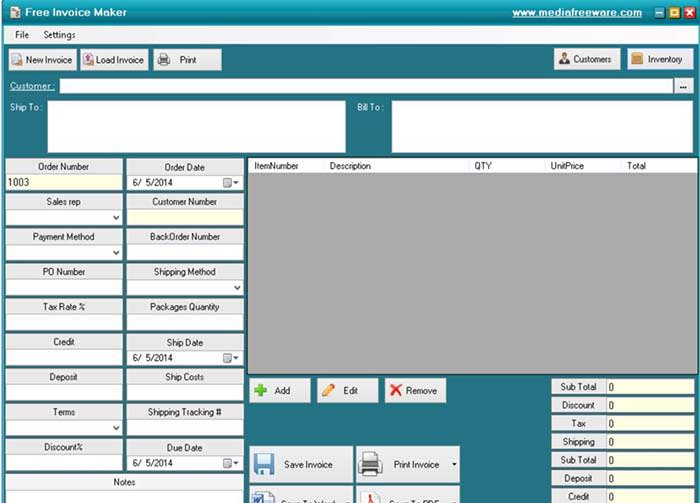
If you have a small business, you know just how much you need to create invoices. Free Invoice Maker makes it incredibly easy to make them to the point that even a child could do it. 

Throw in all of the necessary information into the template to create an invoice quick and easy. Unfortunately, the program will not save your information for you, so you will have to enter a lot of the same information over and over again. There also isn’t much you can use to make a more custom, visually appealing invoice. However, for the low, low price of free, we can’t really complain.

Free Invoice Maker Download Free ►
7

Manager Free Accounting

Manager Free Accounting

If you are like most people, all of your financial papers are probably thrown into a bin you keep tucked away. Manager Free Accounting is essentially the same as if that bin was neatly organized on your desktop.

All of your financial information organized into a simple and efficient dashboard. Everything you need to access is just a click away. It has basic accounting functions and tools to help you balance the books, and manage your own personal finances. If you want to ditch the clutter, this app can help!

Manager Free Accounting Download Now ►
7

Wrapping up

If you’re looking to manage your own bookkeeping, these programs are sure to help. However, do not be afraid to consult a professional.  Professionals like the people at H&R Block can help you save time and money in methods that might be unfamiliar to you. 

H&R Block At Home Premium Download now ►
10

Jurassic World: Alive lets you feed the dinosaurs

The new update for Jurassic World: Alive lets you feed your dinosaurs!

Dinos

In its newest update, Jurassic World: Alive is giving players the option to feed dinosaurs!

Jurassic World Alive
Clever girl

To feed your dinosaurs, follow these steps:

  1. Log into the game as you normally do
  2. Click on the Jurassic Park logo in the menu below
  3. Click on one of the dinosaurs in your team (If you don’t have any dinos on your team, you can’t feed your dinos)
  4. Click on AR (it’s to the right of your dinosaur’s name)
  5. Make sure you are in an open area where you can spawn your dinosaur
  6. Tap the screen in order to spawn your dino
  7. Use your finger to move him to a specific location. You can also pinch the screen to resize the dinosaur.
  8. Click on the food button (It’s a picture of a steak next to some vegetables)
  9. That’s it! You’re now feeding your dinosaur

Depending on whether you are feeding an herbivore or a carnivore, you will feed him either plants or an animal.

Dinosaur
Is…. is that goat going to be okay?

Feeding an animal is not nearly as exciting as the scene in the movie, but it’s still fun!

Basically, your dinosaurs are now like Tamagotchis… just bigger, scalier, and with a lot more teeth.

If this sounds like fun to you, you can download the app below, and let the feeding frenzy begin!

Jurassic World™ Alive Download Free ►
9

Top 10 MCU fight scenes

Buckle up for the best battles in MCU history.

The Marvel Cinematic Universe has been knocking it out of the park the past 10+ years, and with “Avengers: Endgamereturning to theaters alongside the premier of “Spider-Man: Far From Home,” Phase 3 is coming to a close. From heartfelt conversations to joke scenes to empowering, character-defining moments, at the end of the day these films are still inspired by Jack Kirby and Stan Lee and the multiverse they helped create. Considering these are blockbuster movies based on comic books, popcorn-munching fight scenes are around practically every corner.

Some of these fight scenes are for the visual spectacle, others are big turning points for characters, and others are climactic showdowns that took several movies to build up to. Fight scenes are a big part of the MCU, but which ones were the most memorable? We took a walk down memory lane and composed a list of what we think are the top 10 combat scenes in the MCU:

10. Dr. Strange versus Dormammu

Doctor Strange Dormammu

In one corner we have Dormammu, an otherworldy entity who can enslave and destroy entire dimensions. In the other corner: Stephen Strange, a relatively inexperienced (but very determined) Sorcerer Supreme who’s barely gotten used to the title. You can’t get a much better underdog story than that.

What puts this finale of “Doctor Strange” on our list is that it’s not even really a fight scene; it’s a battle of wills, and Dr. Strange emerges victorious. By creating a time loop with the Time Stone, he’s essentially able to annoy Dormammu into letting Earth go free. “Pain is an old friend,” he says to the titanic otherworldly being, and in that moment we know it’s not the Sorcerer Supreme who beat be baddie – it was the surgeon with broken hands.

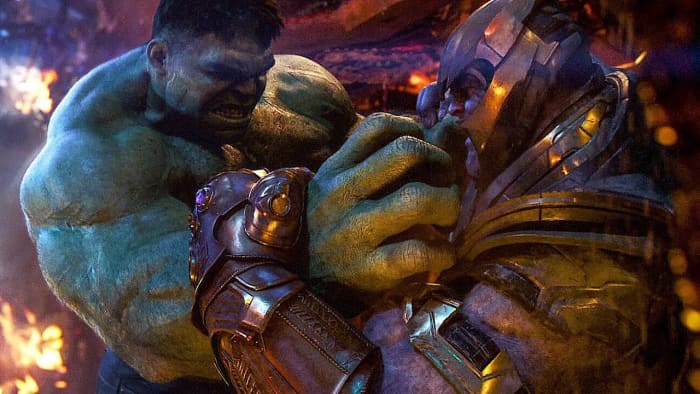
9. Hulk versus Thanos
Avengers Infinity War Hulk vs Thanos

When the Hulk gets involved it’s game over for whoever he’s up against. Just look what happened to poor Loki in “Avengers.” That’s why jaws dropped when Thanos was able to knock the big green guy to the floor in under a minute. It’s the first time we’ve seen the Hulk lose a fight, and it happens right out of the gate, in the first few minutes of “Avengers: Infinity War.”

What makes this loss hit even harder is “Infinity War” takes place literal minutes after “Thor: Ragnarok,” a movie where Hulk is the grand champion of Sakaar, beats up Thor, and goes toe-to-toe with both Surtur and Hela. To have Thanos take out the Avengers’ biggest gun right from the start is a gut-punching shock, and it makes our list for being one of the most powerful narrative fight scenes in the series.

8. Iron Man versus Thor

Avengers Thor Iron Man Captain America

“Avengers” was one of the best (and historically important) films in the MCU, and it’s because we finally get to see our heroes come together to become the team Nick Fury hinted at as early as “Iron Man.” The team is hardly ready to work together at first encounter, however, and the first time it comes to blows is when its two most hotheaded members meet up in a forest after Thor swoops down to capture Loki.

It’s the classic instance of magic versus technology, and we learn that Thor’s lightning actually helps power Tony’s suit – a trick that would come in handy later on. When Captain America comes down to stop the fight, Thor swings down on his shield, proving that the metal of the three matches their mettle, and all are capable combatants in their own right. An unspoken respect is shared between the three from that point moving forward, but it’s this initial clash that paved the way.

7. Winter Soldier versus everybody

Cap pulls helicopter

Zemo has taken control of Bucky’s mind, and the poor guy’s going full rampage – or at least as full rampage as you can get with minimal access to weapons. The titular civil war hasn’t happened yet, but this scene is fuel for the fire that “Captain America: Civil War” is all about.

This scene is a rare instance in which none of our heroes are geared up for a fight; Black Widow even tells Tony “I hope you brought a suit,” and Tony quips back that “it’s a nice three-piece.” The battle breaks out without warning, and that means we get to see them armed with little but their training and wits (and superhuman enhancements for a few of them). Everyone tries to take a crack at the Winter Soldier, and he keeps them at bay, culminating in Cap bringing down a helicopter with his bulging biceps. What’s not to love?

6. Nebula versus Gamora

Guardians of the Galaxy Vol. 2 Nebula

Nebula and Gamora have been at each other’s throats since childhood. We saw them going at it in “Guardians of the Galaxy,” but it’s nothing like this fight in “Guardians of the Galaxy Vol. 2.” Gamora is sitting contemplatively in a field when Nebula streaks out of the sky in a ship, murder in her eyes. It turns into a knock-down, drag-’em-out fight in an eerie cavern beneath the ground, and there’s no holds barred from either of them. Nebula finally gets the upper hand … and can’t bring herself to kill Gamora.

Then she says the line that changes their relationship from that point forward: “You were the one who wanted to win, and I just wanted a sister!” It’s a pivotal moment in their relationship, and starts her on her journey into the Nebula we see in “Avengers: Endgame.”

5. Killmonger versus T’Challa

Killmonger T'Challa waterfall fight

By the second waterfall fight in “Black Panther” the audience already knows the ritualistic significance of the combat. T’Challa’s earlier battle here with M’Baku serves as a comparison to what is perhaps his darkest moment: T’Challa cannot beat Killmonger in this fight, and as a result, his mentor Zuri is killed in front of him.

Zuri’s death breaks T’Challa’s discipline, and for the first time we see a crack in his usual calm, cool demeanor. Killmonger puts that crack under the spotlight. “Is this your king?” he taunts. T’Challa’s spirit is broken, and his body follows shortly after. This fight makes our top 5 because (aside from the awesome choreography and backdrop) this is the real turning point in “Black Panther,” and really sets up the later conflict between Killmonger and T’Challa.

4. The Airport Battle

Civil War airport battle

If there was a single MCU fight that was all about the spectacle, it was this one from “Captain America: Civil War.” The fight at the airport was made for the fans, and it’s chock full of quips (including the first time we see the new Spider-Man fight!) and consists of a bunch of our favorite characters duking it out with each other because of … the Sokovia Accords? Or maybe it’s got something to do with the Winter Soldier? Eh, who cares, this is epic.

On one side you’ve got Cap, Falcon, Ant-Man, Hawkeye, Scarlet Witch, and Bucky.

On the other side is Iron Man, Black Panther, Black Widow, Spider-Man, War Machine, and Vision.

The fight gets progressively more ridiculous as it goes, reaching its zenith when Ant-Man gets huge and starts wreaking havoc. It’s all fun and games until Vision misfires and forever cripples Rhodey with a misfired blast from the Mind Stone. It’s this moment that juxtaposes the silly fun, and puts the civil war into perspective, properly raising the stakes.

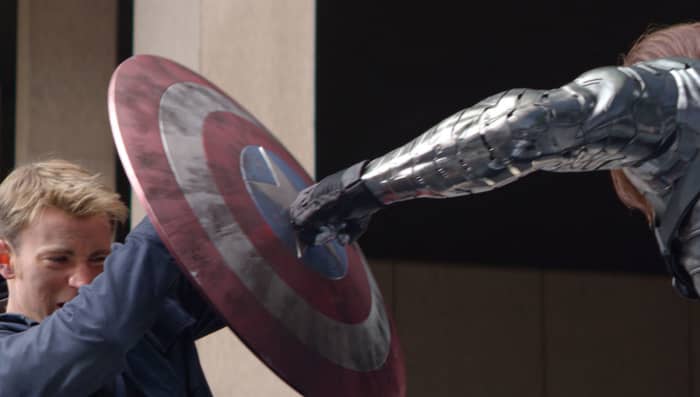
3. Winter Soldier versus Captain America
Winter Soldier punches Cap shield

Captain America: Winter Soldier” was a game changer in many ways: Cap’s trying to make ends meet in modern day, HYDRA has infiltrated SHIELD, Nick Fury is compromised, and suddenly no one knows who to trust. To make matters worse, the mysterious Winter Soldier is somehow mixed up in all this, and Steve and Natasha end up facing off with him in the streets.

In what’s arguably the best-choreographed fight of the entire MCU, the Winter Soldier puts two Avengers on the ropes, even daring to fight in CQC with Captain America, a step into the ring that few can handle. The scene  ends with the Winter Soldier unmasked. Steve manages to croak out his friend’s name, to which he responds, “Who the hell is Bucky?” There are powerful forces at work here, Cap. Powerful forces indeed. Between the excellent combat, fluid camera direction, and the huge significance this has on the plot, this one makes our top three.

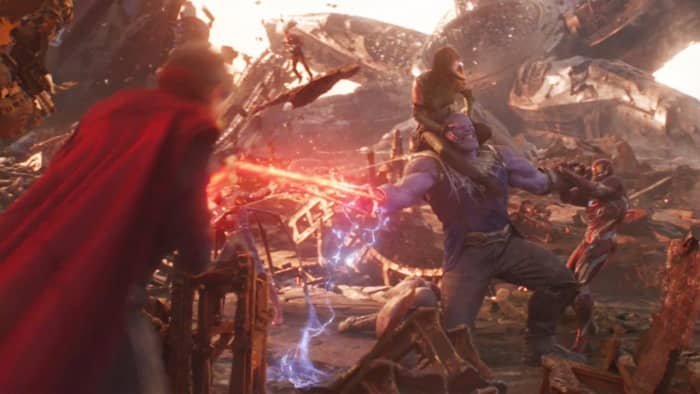
2. Everybody versus Thanos
Avengers Infinity War Thanos fight Titan

“Infinity War” started with Thanos killing a ship full of Asgardians, curb-stomping the Hulk, killing Loki (which we’re still not okay with), and overpowering Thor. It’s not until Iron Man, Spider-Man, Dr. Strange, and the Guardians of the Galaxy reach Thanos’ homeworld of Titan that they also get to try their hand against the big purple guy. Thanos at this point has four Infinity Stones, and the fight sequence is a series of coordinated attacks trying to wrest the Gauntlet away from him.

Besides just being visually spectacular, this scene cleverly uses all the Avengers’ talents in tandem, and we get to see just how powerful Thanos really is; in the end, even that isn’t enough. Strange sacrifices the Time Stone to save Tony’s life … because it’s the only way they’ll make it to the endgame.

1. Avengers Assemble

Avengers Endgame Thanos army

Ever since “Infinity War,” our heroes have been dying for some payback with the Mad Titan. At the climax of the “Endgame,” Thor, Iron Man, and Captain America step outside to see Thanos (currently without the Gauntlet or any Infinity Stones) awaiting their approach. It’s been a long five years for the Avengers, and now’s their chance for redemption.

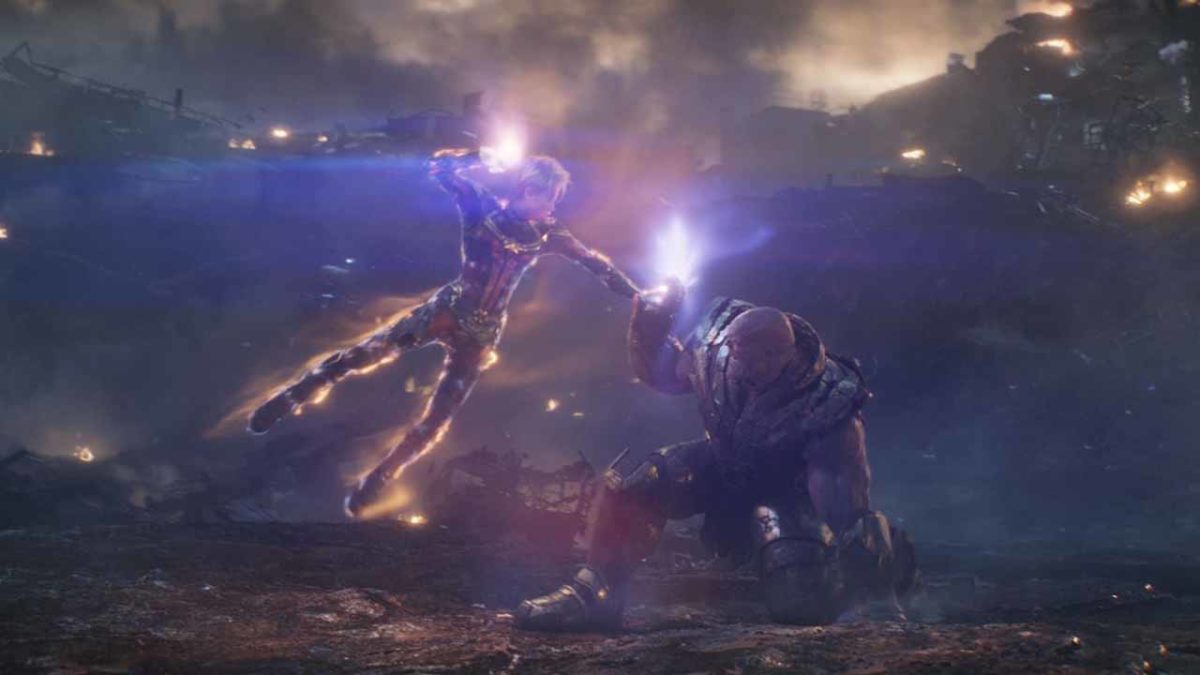
Thanos is still a formidable foe, even without the Infinity Stones, and even their combined strength still isn’t enough. The Avengers give it their all: Iron Man gets his second crack at the big guy, Thor works right alongside him and dual-wields hammers, and Captain America steals the show by lifting Mjolnir in what is probably the best moment in the film.

Avengers Engame Cap stands alone

We could stop right there, but it only gets better from that point. In a moment of unmatched heroism, Captain America stands alone against the alien hordes of Thanos … or so it seems. Portals open up, and our favorite heroes get to come join the fight: Black Panther, Okoye, and Shuri; Falcon, Dr. Strange, and Wong; Spider-Man, Valkyrie, Wasp, Pepper, and the Guardians of the Galaxy; and eventually Captain Marvel as the ace up the sleeve. It’s the lineup everyone was waiting for, and the battle to end all battles.

Agree with our list? Let us know your favorite MCU fight scene, and we’ll see you in theaters July 2 for “Spider-Man: Far from Home.”

(function(d,s,id){var js,fjs=d.getElementsByTagName(s)[0];if(d.getElementById(id))return;js=d.createElement(s);js.id=id;js.src=’https://embed.playbuzz.com/sdk.js’;fjs.parentNode.insertBefore(js,fjs);}(document,’script’,’playbuzz-sdk’));


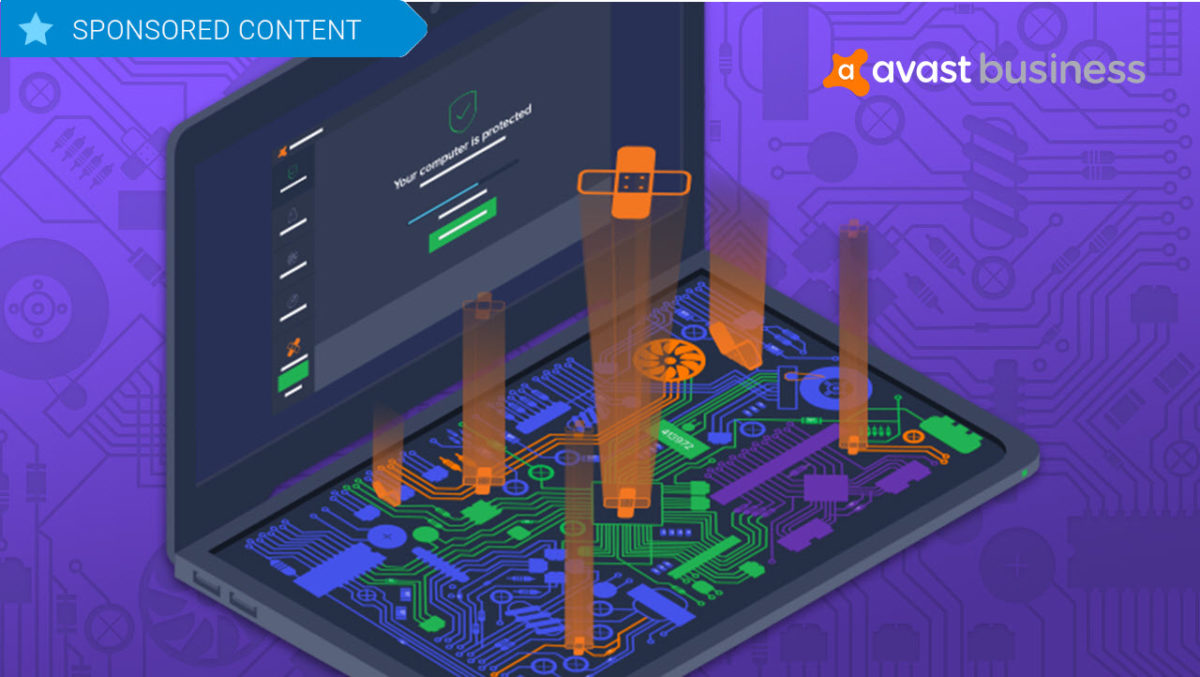
Keep your software humming along with Avast Business Patch Management

Avast has now released Business Patch Management, a program that can be added to any of the company’s anti-virus products. Try it out!

Software patches are a bit like the annoying little brother of the IT world. 

These updates that can enhance efficiency, repair security vulnerabilities and deliver new features, seem to pop up sometimes on a daily basis, asking IT professionals to interrupt the smooth flow of their networks to deploy the fixes, which can sometimes take hours. In fact, deploying patches is such a constant and unrewarding task that in a recent survey conducted by cybersecurity firm Avast, out of 500,000 devices analyzed, only 304 were fully patched.

Wanting to address this glaring problem and help businesses keep their IT products 100 percent up-to-date, Avast has now released Business Patch Management, a program that can be added to any of the company’s anti-virus products. The solution works in the background to monitor the software on all devices on a network to discover and deploy patches automatically, saving a significant amount of administrative time.

Centralized Dashboard

To make the patch process as painless as possible, Avast has built this new software right into its existing dashboard for its antivirus products, known as the Management Console. Here, IT professionals can see at a glance where patches are needed and what the severity level of the patch is, along with the name of the patch, release notes and the release dates.

Working in the Console, users can also choose when to scan their systems for patch requirements. Scans can happen daily, weekly or monthly and can be run at any time of the day, and are downloaded to a master agent that then distributes the patches across the network. 

Furthermore, it’s possible to schedule automatic patch rollouts, which can be deployed at low-usage times, such as overnight. Applications that should be excluded from patches can also be designated and, the Console will provide automatic alerts if certain patches failed to install, so that they can be redeployed.

Flexible and comprehensive

One of the standout features of Avast Business Patch Management is that users can set the automatic system to scan and install all patches or to activate only when patches reach a certain level of severity. It’s also possible to block scans by vendor or product. 

And, speaking of products, the program not only scans the Windows operating system for needed patches, but it also analyzes thousands of other applications including widely used programs like Chrome, Firefox, Skype and Adobe Acrobat as well as lesser-known software like Blue Jeans and KeePass. Products from one hundred vendors in all are covered.

Avast Business Patch Management also features robust reporting features, so that you can easily customize the kind of data your business operations require, export that data to a PDF and print it for sharing with team members and management. Along with automatic patch update alerts and a simple sorting feature, the program truly is an incredible assistant for IT pros. 

Avast Business Patch Management is available for a free 30-day trial, and can then be purchased for $29.99 per device per year. While it is currently only available for all Windows operating systems including Windows Server, the company is working on a version for iOS, which it expects to release later this year.