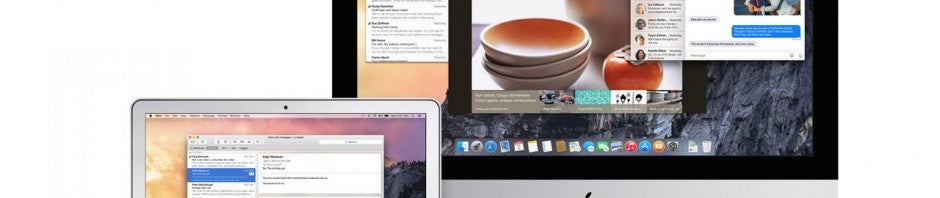
Apple prepares OS X Yosemite for launch

The next version of OS X is right around the corner. Apple promised to release OS X Yosemite this fall and it looks like the company is about to make good on its promise.

Today, Apple released the “Golden Master” to developers to start playing around with. A Golden Master is a nearly finalized version of a piece of software that’s traditionally given to developers before its release. This allows developers a little bit of time to update their apps to work with the new operating system.

Many users are anxious to get their hands on OS X Yosemite for its Continuity feature, which allows you to pick up what you were doing from different Mac and iOS devices. For example, if you begin typing an email on your iPhone but want to finish typing on a full sized keyboard, you can switch to your Mac immediately and have all your work seamlessly synced between devices.

OS X Yosemite will also allow Mac users access to the all new iCloud Drive, which works much more like a traditional cloud storage service. Ironically, Windows users got to use this feature first.

Apple is rumored to announce the availability of OS X Yosemite at a special event in October. In the meantime, you can prepare your Mac for the upgrade by making sure your operating system and apps are all up to date. Then make a backup of your computer using Time Machine or another backup app just in case anything goes wrong during the upgrade.

Source: TechCrunch

Related Stories

3 free alternatives to Office for iPad

Apple releases OS X Shellshock bug patch

iOS 8 ‘Reset All Settings’ bug erases iCloud Drive

Apple releases iOS 8.0.2 to fix Touch ID and connectivity problems

Follow me on Twitter: @lewisleong

Despicable Me Minion Rush: 7 basic tips to master the game

Despicable Me: Minion Rush is a casual game for (Android | Blackberry | iOS | Windows PhoneWindows 8). Based on the Despicable Me animated films, we find ourselves in the shoes of a restless minion who travels across an endless laboratory avoiding obstacles and collecting bananas.

Much like Sonic Dash or Subway Surfers, Despicable Me: Minion Rush uses the endless runner style of gameplay: the character runs automatically while you move him sideways and make him jump or crouch to collect items and avoid hazards. Playing the game needs no further explanation, but if you want to master it you will need to follow a few basic tips that I’ll reveal to you right now.

Bash into as many minions as possible

Collecting bananas is very important in Minion Rush as they are the currency in the game. Your goal is to collect as many bananas as possible unless you see other minions on the track. In this case ignore your banana cravings and start bashing into them: every collision with another minion multiplies your score.

Be careful with the green tracks and side view

Minion Rush is exciting enough, but there are small variations in gameplay. When the minion approaches green tracks, you switch from using your finger to controlling him by tilting your device. Tilt carefully because if you move it too much your minion will fall through a gap.

You also have to be very delicate and observant when changing from the usual rear view to side view. This view makes it more difficult to see obstacles, although you’ll get a good view of the scenery and crash less frequently.

It’s probably better to concentrate more on avoiding danger than collecting bananas.

Get the most useful upgrades

There are many upgrades available in the game’s store. Some of these upgrades are paid, others can be purchased with bananas. However once purchased they can be picked up during missions.

Which upgrades are more worth it? I recommend you start with the Minion Shield. Although there are cheaper upgrades, it allows you to continue playing even after you crash into an obstacle but it’ll only work once.

Another useful upgrade is the banana vacuum. The purchase is required to unlock one of the first phases of the game. Just like the magnets in other endless runner games, it attracts all sorts of objects towards you without you having to approach them.

Once you’ve saved up a little more, another solid purchase is the Fluffy Unicorn. When riding on him you’ll to be able to collect bunches of bananas almost effortlessly.

Repeat levels

Don’t obsess over advancing through levels. It’s better to keep repeating them until you’ve collected the three fruits for each one. This strategy will help you get a lot more rewards because once you’ve passed a level and you know how to complete its goals, getting high scores is almost no effort at all.

Master the strategy to defeat Vector

Vector, the villain of the film, appears after level 10. Defeating him isn’t difficult; all you need to do is concentrate and keep your eyes on the drones you need to throw. Focus on avoiding the drones with the bars and when a drone without bars approaches click on it to throw it into the villain. Do this a few times and you’ll eventually defeat him.

Gain time in the Revive screen

Reviving your character is expensive and not worth the trouble. However every time your minion dies a screen pops up with a countdown and the option to revive him. To make the countdown timer pass quickly, repeatedly press on any part of the screen.

Participate in events and win prizes

One option you may have missed is Events. You’ll be able to win additional prizes. Just by playing you win bananas, but if you do well you’ll also earn expensive power-ups and currency.

Practice and beat your high scores

With these basic tips you’ll be able to progress through Minion Rush much faster, but at the end of the day all that matters is the beating your friend’s high score.


Related Articles

Sonic Dash: 8 tips to collect more rings

Subway Surfers: 7 tips to be number one

The best Android games to play on public transport

Originally published in Spanish on Softonic ES.

Follow me Twitter: @mariabaeta

Windows 10 available late 2015, preview out tomorrow

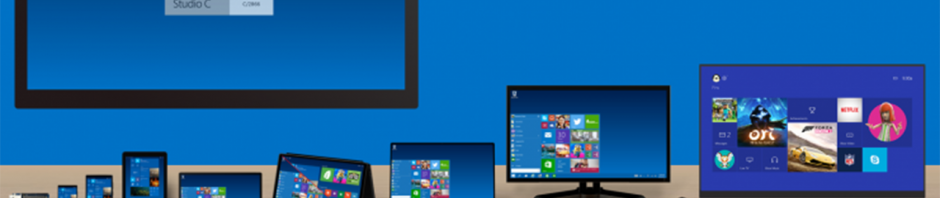
The next version of Windows, Windows 10, will be available late next year. Microsoft just finished wrapping up its announcement of Windows 10, showing off all its new features like a hybrid Start Menu and multiple desktops. Windows 10 is Microsoft’s most ambitious version of Windows, unifying the company’s products under one operating system. Phones, tablets, laptops, desktops and even the Xbox One will run Windows 10.

Although customers won’t be able to buy Windows 10 until late 2015, they will be able to get a preview of the operating system tomorrow. The Technical Preview will be available to those who sign up for the Windows Insider Program. Microsoft hopes users will download the preview and provide feedback to the company to help polish the operating system before releasing a finalized version.

Microsoft dodged questions about pricing for Windows 10, which most likely won’t be revealed until the operating system is ready. Microsoft faces tough competition from Apple, who has a history of giving away its operating system upgrades for free.

Source: Microsoft

More on Windows 10

Windows 10 ‘Continuum’ feature detects whether you’re using keyboard or touch

Microsoft skips Windows 9, jumps to Windows 10

Windows 10 makes organizing windows easy with multiple desktops

Windows 10 will feature a hybrid Start Menu

Follow me on Twitter: @lewisleong
Windows 10 ‘Continuum’ feature detects whether you’re using keyboard or touch

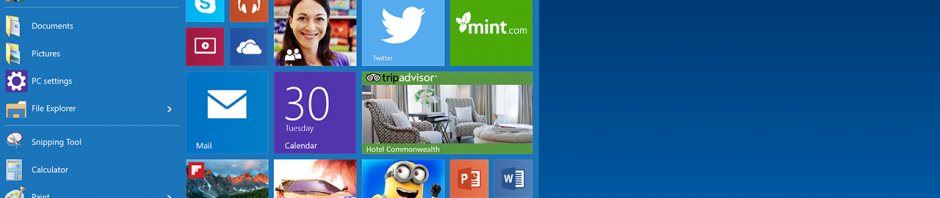
Microsoft is finally fixing Windows 8’s confusing mouse and keyboard controls. The company tried jumping into the tablet space with Windows 8 but ended up confusing desktop users. With Windows 10, the operating system will be smart enough to detect when you’re using a mouse and keyboard or when you’re using touch and will offer two modes to choose from.

Previously, touch-focused features like the Charms Bar and full screen Start Menu were hidden away but Windows 10 makes everything more logical. Touch gestures like swiping from the left and right still work so tablet users will immediately be familiar. Desktop users will still have to deal with the annoying hidden Charms Bar but Microsoft says it’s actively looking to change it for desktop users. The company is waiting for user feedback on its Technical Preview before fixing it.

Microsoft hasn’t given a date for its Technical Preview release but the company plans to make Windows 10 available mid-2015.

Image credit: Paul Thurrott (Twitter)

Source: Microsoft

More on Windows 10

Windows 10 available late 2015, preview out tomorrow

Microsoft skips Windows 9, jumps to Windows 10

Windows 10 makes organizing windows easy with multiple desktops

Windows 10 will feature a hybrid Start Menu

Follow me on Twitter: @lewisleong
Windows 10 makes organizing windows easy with multiple desktops

Windows 10 was just announced and we’re just learning about its new features. We reported rumors that the operating system would feature multiple desktops and now it has been confirmed by Microsoft.

The company is making it easy for Windows 10 users to keep track of all their open windows with multiple desktops. Mac users will be instantly familiar with this feature as it mimics Mission Control. Your virtual desktops are shown at the bottom of the screen with your open windows up top.

There’s also a new Snap Assist interface that helps users multitask by choosing which apps to have side by side. Apps previously known as “Modern UI” or “Metro” apps are now called universal apps. These apps no longer live in a separate interface and can be used in conjunction with classic desktop apps. Microsoft introduced the ability to use universal apps with desktop apps in Windows 8.1 but Windows 10 makes it even simpler.

Source: Microsoft

More on Windows 10

Windows 10 available late 2015, preview out tomorrow

Microsoft skips Windows 9, jumps to Windows 10

Windows 10 will feature a hybrid Start Menu

Windows 10 ‘Continuum’ feature detects whether you’re using keyboard or touch

Follow me on Twitter: @lewisleong
Windows 10 will feature a hybrid Start Menu

Windows 10 was just announced and one of the biggest features is its hybrid Start Menu. Many users moving from Windows 7 to Windows 8 found the full screen Start Menu too confusing. Microsoft resolved this by combining the best features of both the Windows 7 and Windows 8 Start Menus. On the left, you’ll have your most recently used apps listed as they are in Windows 7. To the right, you can pin Windows 8 apps, which features animated Live Tiles that give you up-to-date information as it happens.

Universal search is still included but is more obvious now. Windows 8 users could activate universal search by activating the Charms Bar and clicking the magnifying glass button or simply by typing. In Windows 10, universal search is located at the bottom of the Start Menu, and pulls in information from the web in addition to looking for apps and files on your computer.

The Shut down, Sleep and Log off buttons are also shown in the Windows 10 Start Menu. In Windows 8.1, users had to go into the full screen Start Menu or right click on the Windows icon to access these features. Now the buttons are located at the top next to your name.

Source: Microsoft

More on Windows 10

Windows 10 available late 2015, preview out tomorrow

Microsoft skips Windows 9, jumps to Windows 10

Windows 10 makes organizing windows easy with multiple desktops

Windows 10 ‘Continuum’ feature detects whether you’re using keyboard or touch

Follow me on Twitter: @lewisleong
Microsoft skips Windows 9, jumps to Windows 10

Microsoft just announced that the next version of Windows will not be called Windows 9, but Windows 10 instead.

“It wouldn’t be right to call it Windows 9. But unfortunately, Windows 1 has been done,” said Windows chief Terry Myerson.

Windows 10 will run on a large array of devices from phones, tablets and desktop computers. Microsoft is finally going through with its vision of one version of Windows on all platforms, including the Xbox One.

Having one version of Windows offers an advantage for developers as it’ll allow their apps to run on a bunch of different devices without creating multiple versions.

Source: Microsoft

More on Windows 10

Windows 10 available late 2015, preview out tomorrow

Windows 10 will feature a hybrid Start Menu

Windows 10 makes organizing windows easy with multiple desktops

Windows 10 ‘Continuum’ feature detects whether you’re using keyboard or touch

Follow me on Twitter: @lewisleong

3 free alternatives to Office for iPad

While Office for iPad was finally released earlier this year, the free version of the official suite has limited functionality, mainly not letting you edit documents.

If you want to create WordExcel, or PowerPoint documents for free using only your iPad, try these alternatives instead.

CloudOn: for aficionados of online backup

Logo CloudOn

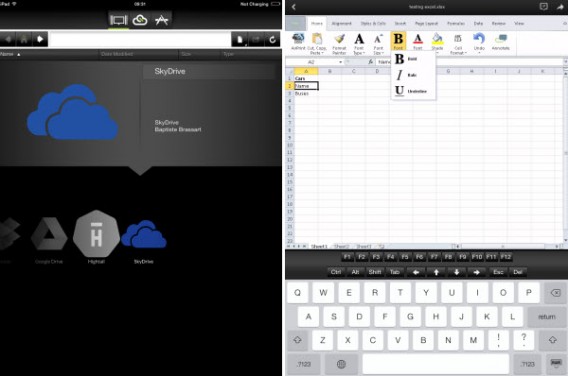
CloudOn is a great office suite for iPad. Its unique feature lies in the fact that before creating text files, spreadsheets, or presentations, you must connect your CloudOn account – created during free registration of the service – with an online storage service. Luckily, CloudOn supports the most popular cloud servics, including DropboxBoxGoogle Drive, and OneDrive.

Once the app’s been properly configured, you can create, edit, and save documents directly from your iPad. The interface, taking huge inspiration from Office 2013, is not designed specifically for touch, but it should still be able to satisfy your needs.

CloudOn for iPad

Pros:

– Can connect multiple accounts from cloud storage services

– Very responsive

Cons:

– Interface could be improved

– Can’t save files locally

Quickoffice: for fans of Google

QuickOffice logo
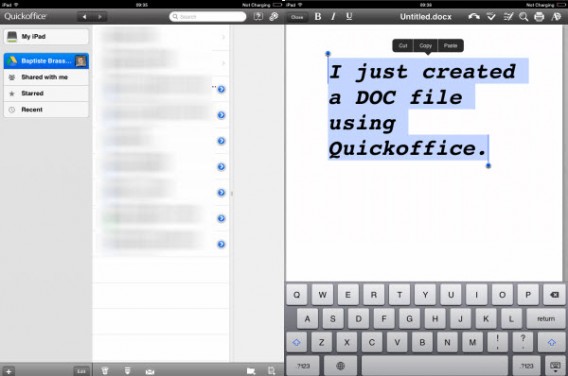
As a product of Google, how does Quickoffice differ from Google Drive? The Quickoffice Suite has been designed primarily for Microsoft Word (DOCX), PowerPoint (PPTX), and Excel (XLS) documents.

Not surprisingly, you have to connect to a Google account to use it. With Quickoffice, you can juggle the backup in the cloud via Google Drive and on your iPad.

Documents created with Quickoffice are automatically compatible with Word, Excel, or PowerPoint. The interface is simple and really pretty, and the app is at the same level as CloudOn when it comes to quality and responsiveness.

Quickoffice

Pros:

– Ease of use

– Backup files locally or in the cloud

Cons:

– Must connect with a Google account

OliveOfficeHD: for the impatient

Logo OliveOffice HD
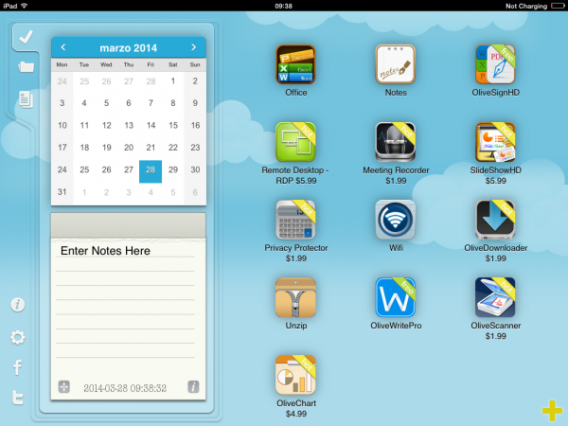
Despite a rather disconcerting opening screen, OliveOfficeHD is a free office suite that lets you create Word, Excel, and PowerPoint document in minutes. Simply click the Office icon to get to work.

From this second screen, almost as desolate as the opening one, you’ll be able to create text documents, spreadsheets, and presentations. The comparative advantage? Proposed layouts for each type of content, which could save you valuable time. Beware though: OliveOfficeHD offers no online synchronization, and you can’t use it to convert PDF files.

OliveOfficeHD

Pros:

– Extremely Practical

– No registration required

Cons:

– Interface unclear

– No cloud synchronization

Productivity on your iPad

The release of Office for iPad marks the beginning of a new era for many professionals using an iPad, and now, you have some free alternatives with a bit more functionality that can help you make the most of your Word, Excel, and Powerpoint documents on iPad.

Related articles:

Microsoft Office for iPad: the highs and lows

Office Tip: type faster by replacing one word with another

What is Office 365 and why should you use it?

Original article published in French on Softonic FR.

Follow me on Twitter: @bbrassart

Battlefield Hardline multiplayer will launch with nine maps and seven game modes

Delayed until 2015, Battlefield Hardline‘s online multiplayer will be launched with nine maps and seven game modes.

We already know that six of the online modes will be Hotwire, Rescue, Blood Money, Heist, Conquest and Team Deathmatch, which leaves just one mystery. Unlike other games in the series, Battlefield Hardline centers around cops and criminals, rather than the military. This may not be as big of a change as you might think, considering the militarization of the police in the US.

Last year’s Battlefield 4 launch was unsuccessful, with the game being buggy and online servers failing gamers. It took months to fix properly, and that’s made some fans wary about the launch of another Battlefield game. A delay, however, might make for a more reliable launch. Another reason why some fans are upset is the number of maps and modes being made available at launch. Battlefield 4 launched with 10 multiplayer maps and 7 game modes (even if they didn’t work!). There are worries that more and more game content is being held back as premium downloadable content after the game’s release.

Next will be another beta testing phase before the game is released next year.

Related Stories

Watch the reveal trailer for Battlefield 4: Final Stand

Gamescom 2014 – Battlefield Hardline single player campaign revealed

Battlefield Hardline delayed until 2015

Follow Jonathan on Twitter: @jonathanriggall

Windows 9 rumor roundup

Microsoft is holding a special event about the future of Windows today. What can we expect to see?

Windows 9, Windows Threshold, TH or just Windows?

Starting at the top, different sources have suggested all of the above as the name of the next Windows. Threshold/TH seem to be Microsoft’s internal code names for the project, and it seems unlikely that the company would use that for the public release. More likely is Windows 9 or Windows. The latter is a possibility as one of the aims of the Threshold project is unification of the Windows/Microsoft eco-system on PC and mobile. It may be that Windows will just be called Windows whatever the device, and will be updated regularly via Microsoft’s new monthly updates.

New features:

The big news about ‘Windows 9’ for most users will likely be the return of the Start Menu in the traditional desktop. It’s been seen in early builds, and it looks developed enough to be permanent. It’s return is also likely considering that Microsoft is now trying to listen to consumer demands more closely, and this is one of the more common requests. The new start menu will likely change color depending on the Windows theme you choose.

Windows Phone’s voice assistant Cortana could also be arriving on a desktop near you, as she has also been found in early versions of the operating system. There will be a notification center, and Windows will probably be getting a ‘multiple desktop’ feature like OS X for the first time.

Price:

What you’ll have to pay for ‘Windows 9’ is hotly contested. Some have suggested that Windows 8 users will get the update free, mostly because convincing users to upgrade to 8 from Windows 7 has been a struggle. However, with this logic, the company might offer Windows 9 free for other Windows versions too. Alternatively, it might simply be cheaper, a system which worked well for Apple with OS X for some years.

When will I get it?

It’s unlikely to be released before 2015, but there will be a ‘technical preview’ released before then, which you’ll be able to test. However, we’d never recommend doing that on your primary device, as it will likely be missing features and be buggier than the official release. It looks like the preview will be available in October.

The caveat for all of this is that Microsoft has said that the event will focus on Windows and Enterprise, so there could be little of interest for the general user. However, because we know that the next Windows is in development, many people are expecting some kind of announcement. Stay tuned!

Related Stories

Rumor: Windows 9 will be free for Windows 8 users

Windows 9 Technical Preview may not arrive until October

The Start Menu in Windows 9 will change color

Follow Jonathan on Twitter: @jonathanriggall

http://news.en.softonic.com/b/microsoft