Preview: My Top 5 PC Games of E3

June 7th sees 2011’s E3 (Electronic Entertainment Expo) open in Los Angeles, and it looks like being a pretty good year for PC gamers. I’ve been looking over what developers are promising to show there, and picked out what I think are the most exciting upcoming games for PCs!

Bioshock: Infinite (2012)
What’s been seen so far of Bioshock: Infinite looks fantastic. The story shifts to a new environment, of floating city Columbia in 1912. Lighter and less claustrophobic than Rapture, Columbia yet again has a wonderfully distinctive aging science fiction look to it, but it’s definitely different to the original games. While the mix of FPS and special powers remains, Bioshock: Infinite is sure to be one of the most original games we’ll see at E3.

Rage (Sept 11 2011)
When the creator of Wolfenstein and Doom makes a new first person shooter, you sit up and take note. Considering id Software’s last original game, Doom 3, was in 2004, Rage is certainly not being rushed, and uses id’s new ‘id Tech 5’ engine. It looks really impressive, and it’ll be fascinating to see what the originators will do with the FPS genre, which is always in need of fresh ideas. We’ve already had a peak into what Rage for PC will be like,  as the game is already  available for iOS. Continue reading “Preview: My Top 5 PC Games of E3”
Keep your texting a secret with Private Writer

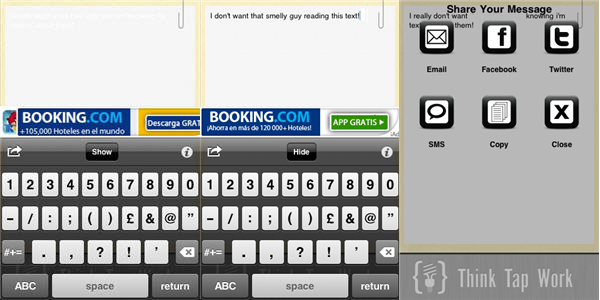
With their crisp bright screens, iPhones are easy to read from quite a distance. I am always conscious on the subway that strangers could easily read what I’m writing if they wanted. Private Writer allows you to hide the text on your screen so you people can’t snoop at your personal messages!

Private Writer is really simple – it gives you a space to write, and if you look carefully you will see your text is actually present, just very very faint. This makes it practically impossible for others to see what you’re typing! Be warned though, that once you’ve finished and you want to export your text, whatever application you choose will show your message clear as day. However, you can send your SMS or tweet fast enough that noone will be able to catch what you wrote.

Download Private Writer and you’ll be able to send a text about that strange smelling person on the train without worrying if they are watching you!

Cheap iOS and Android games in EA’s Memorial Day sale

If you’re running out of steam this holiday weekend then go check out EA’s Memorial Day game sale and get some cheap  iOS and Android apps.

Memorial Day Sale

The developer is offering different knockdown deals on a range of its mobile games. You can grab iOS games such as Need for Speed Undercover, FIFA 11, Tiger Woods PGA Tour 12, The Sims 3 and Scrabble for 99 cents. Besides this offer, there’s also up to  80 percent off of some awesome EA iPad titles, including Dead Space HD, Game of Life HD and NBA Jam HD.

Android fans needn’t feel left out because you can grab up to 50% off of Tetris, The Sims 3, NFS Shift, The Game of Life, FIFA 10 and Worms, or download Monopoly or Bejeweled 2 for just a buck each. Note, that the Memorial Day offer is only applicable to users in the US and Canada.

Edit your photos with Microsoft Office Picture Imager

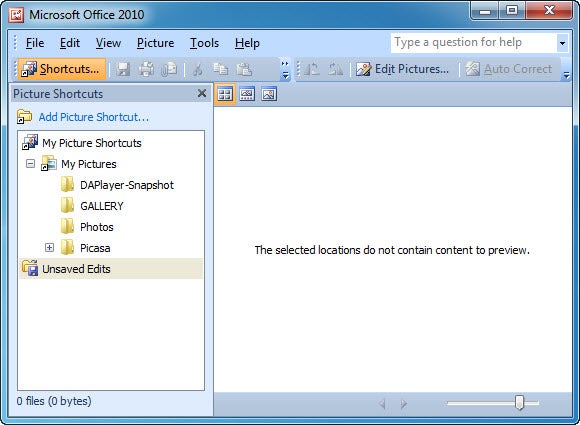
When creating a presentation in PowerPoint or a paper in Word you often need to use images, and most of the times you need to edit them in some way before they can be imported into your document. You probably have a favorite photo editor by now, but did you know that the Microsoft Office suite includes one? It’s called Microsoft Office Picture Manager and you can find it in the Microsoft Office Tools subfolder, inside the Office folder in the Start menu.

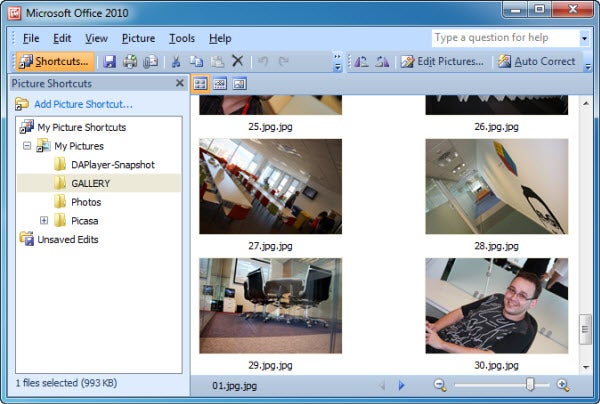
Microsoft Office Picture Manager features a very simple, yet functional design. The tree-like structure on the left side pane lets you browse the hard drive for your pictures folder, while the main area displays the content of the currently selected folder and lets you choose the images you want to work with.


Continue reading “Edit your photos with Microsoft Office Picture Imager”

Mobile Wallet – Google’s most important product for 10 years

Back in 2000 I was lucky enough to meet up with Google’s CTO, the so-called ‘Employee Number One’, Craig Silverstein. He’d invited me along to the Dorchester in London to talk about the search engine’s new AdWords solution, just before the product was rolled out.

Silverstein spoke about the idea of a new pay-per-click and site-targeted advertising system that would be integrated into Google Search. After listening to his imagination-tickling speech, I unashamedly gave Silverstein’s ego a full body massage, telling him that I thought his new AdWords product will change the business world forever and even transform Google into an industry in its own right. He flashed a knowing smile and just said “that’s what I’m hoping”.

True to our mutual optimism that day, this was to be the moment Google went supernova. AdWords went on to become the company’s main revenue stream, generating revenues of $28 billion in 2010. Moreover, it has given businesses a quick and relatively cost-effective way to bring targeted customers through their doors.

Yesterday, as  I watched Google present its new Wallet solution, I got that same tingly feeling as I had 10 years ago, that something truly game changing is about to drop.

Continue reading “Mobile Wallet – Google’s most important product for 10 years”

The end is nigh for Quark

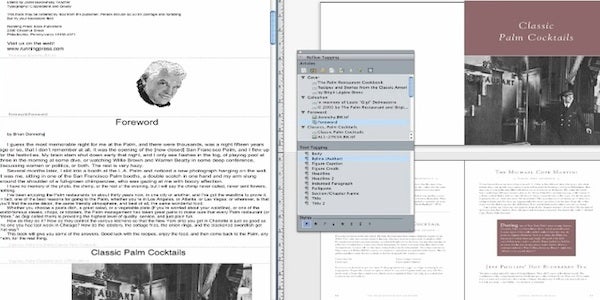
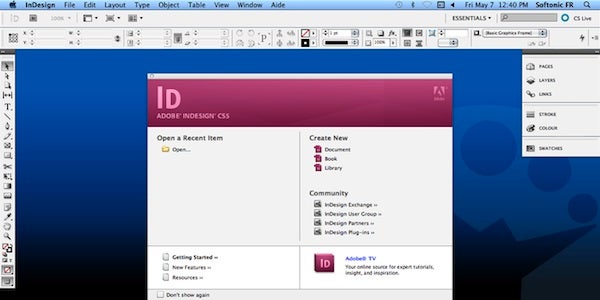
The lack of any major innovations in QuarkXPress‘ recent update to version 9 has left many dedicated Quark users disappointed at the evolution of the once unassailable desktop publishing application. As more companies and designers switch to Adobe products, especially InDesign, the question is: can Quark ever make it back from the brink?

While the latest QuarkXPress offers some great new features (such as the ability to create interactive books for iPads and support for eBook publishing), it can’t fight against the rising tide of users switching to Adobe. Most designers use multiple applications in their creative work, so it makes sense to use integrated products such as InDesign and Illustrator. Since Adobe products follow a similar kind of format and layout, once you’ve learned to use one, you quickly learn how to use the others in the suite.

Quark’s problems are not helped by the fact that it is incredibly expensive for what you get. The full package totals almost $2,000 and for about the same money, you could have the entire Adobe CS5 suite. Quark will not only have to start pricing its product far more competitively if its to keep up with Adobe, but will also have to make some serious innovations to give designers a compelling reason to choose it as their desktop publishing software of choice.

Watch HBO media from your phone with HBO GO

First there was Hulu Desktop. Then Hulu Plus and Crackle let avid media fans watch their favorite shows right from their mobile devices. These services are somewhat limited though and what’s a fan of HBO shows and movies to do?

HBO GO fills the gap for smartphone users who just have to be able to watch media while on the move. You can watch over 1400 of your favorite HBO movies, television shows, sports and more, all from the comfort of your mobile device. As long as you have a wifi or 3G or higher connection you’re good to go.

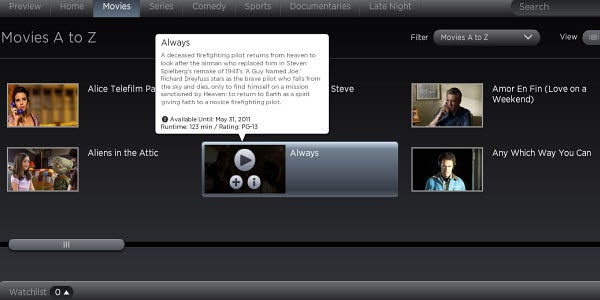
The HBO GO app is free. It can be used on Android and iPhone devices and also online, but in order to actually watch the content you have to be a paid HBO subscriber. Much like Queued for Netflix, HBO GO lets you add media to a watchlist for later viewing. You can also use its season pass feature to ensure you never miss another episode of your favorite HBO TV shows again.

HBO GO is only accessible to users in the US. Just the same, it’s a great free supplement to those who already have an HBO subscription or even those considering a subscription. One thing’s for sure – you’ll definitely never get bored the next time you have to hop on public transportation with HBO GO in hand!

Happy Birthday YouTube! Our six top tips

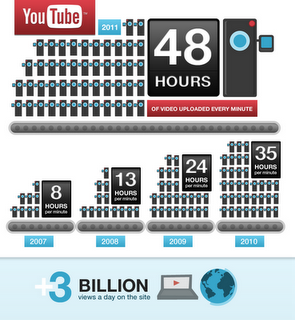
Today marks six years since the launch of YouTube. The video site has already thanked its users on the official YouTube blog and the post is worth reading for the jaw-dropping stats about the site’s traffic. Our personal favorite was that more than 48 hours of video are uploaded to YouTube every minute!

YouTube birthday

To celebrate YouTube’s 6th birthday, here are our 6 favorite YouTube tips from the OnSoftware archives:

How to download videos from YouTube – It’s a classic question posed by millions of users. Here’s how it’s done.

Link to a specific time in YouTube videos – A great tip for sharing just a certain part of a video with someone.

Drag and drop videos onto YouTube – Add videos to YouTube just by dragging them onto the page.

Stop autoplay in YouTube – Autoplay can be one of the most annoying things about YouTube. Find out how to turn it off!

Edit videos in YouTube – Find out how to make slick productions with YouTube’s own video editor.

Play YouTube karaoke – Discover how to turn YouTube into your own personal karaoke machine with the help of a simple Greasemonkey script!

How to: Create a photo slideshow in PowerPoint

You’ve probably had a few PowerPoint photo slideshows in your email already. They seem to be a popular topic for messages coming from friends and relatives with too much spare time on their hands. But have you ever tried creating one? It’s easier than you think, and it might actually be a good way to share pictures – just don’t abuse the slideshows with cute kitty images!

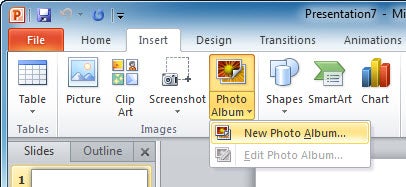
1. Open up PowerPoint, click the Insert tab and then the Photo Album button. Select New Photo Album to open the Photo Album settings menu.

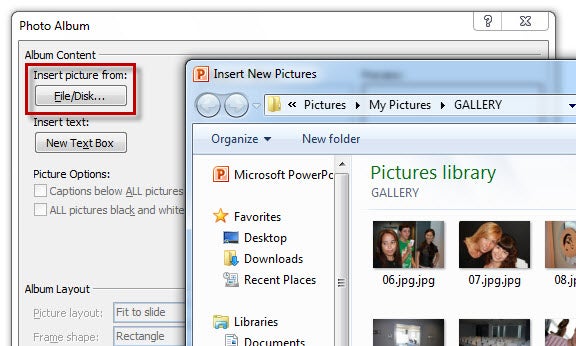
2. In this new window, click the File/Disk button to select the photos you want to use in your slideshow. Remember you can select multiple files simultaneously by holding the Ctrl key while selecting them with your mouse.


Continue reading “How to: Create a photo slideshow in PowerPoint”

Opera Mini 6 released for iPhone and iPad

A leaner, meaner new version of Opera Mini hits the App Store today. Opera Mini 6 for iOS is designed to offer a faster, more comfortable way to browse the web on an iPhone or iPad.

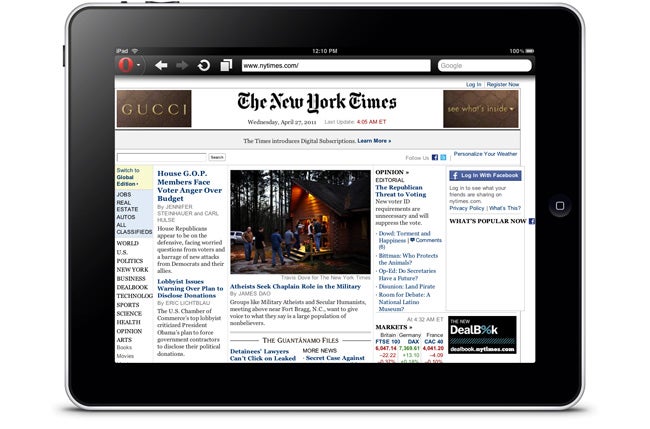
Opera Mini 6 for iPad

The new version of the popular browser boasts a much improved zoom tool. Whereas the previous version of Opera Mini for iOS was very clunky, only offering two different zoom levels, zooming is now smooth and precise. Scrolling and panning around websites is also very slick in Opera Mini 6, even when navigating heavy pages.

Other changes introduced in Opera Mini 6 include Share buttons for quickly telling your friends about a site over Facebook, Twitter, My opera or vKontakte. The user interface has been treated to a few cosmetic tweaks, and the Opera menus have been redesigned to make them clearer.

Check out our full review of Opera Mini 6 for more