Microsoft Works for free

MicrosoftRumours, gossip and quiet-talk abound at the moment as our spies tell us that Microsoft is on the verge of offering its latest Works package as an ad-supported free download. The move is a direct show of force to competitors OpenOffice, ThinkFree Office, Zoho and Google Docs & Spreadsheets.

Microsoft Works 9.0 will offer word processing, spreadsheet and slideshow facilities, apparently based on older coding of Office. The big question is with so many customers switching to alternative users for various reasons are people prepared to go back, even if it is for free. Let’s see what happens with this one, I still can’t find it and it’s meant to be available now. If anyone has any free spies available Softonic might be interested.

Control uTorrent from your mobile

uTorrent logoMy favourite client for downloading torrents has always been uTorrent. It’s light, fast, simple and does a fantastic job at downloading and seeding. Now it just got even better with the release of uTorrent mUI.

All you have to is point your mobile browser to http://utorrentmui.com/ and enter your uTorrent mUI username and password. To configure it, you’ll need to know the port number uTorrent uses for incoming connections.

However, be warned. There have been reports that uTorrent mUI is being used to gather information about uTorrent users. One of the developers of the the program has joined protests against its use on the basis of invasion of privacy. However, it seems that if you’re using uTorrent version 1.6 or lower, your personal data cannot be collected via uTorrent mUI.

A first look at the BBC iPlayer

BBC iPlayer logoSo after all the controversy we reported last week, the long awaited BBC iPlayer has been released and I’ve had chance to play around with it a bit.

The installation itself is quite an ordeal. The first thing you’ll notice during it is the number of security checks you’re prompted for which takes longer than the actual download itself. The player then takes at least a few minutes trying to acquire a Digital Rights Management Licence and then offers you the chance to set a PIN number and so prevent unauthorised access to the player. The most annoying bit is that at the end of all this, you have to register for a BBC account.

The player itself is actually pretty sleek and the programs available for viewing were all broadcast within the past 7 days and are organised by categories. You can select programming based on the BBC channels listed along the bottom of the player. Most 30 minute shows are just over 100MB and it took me no more than 5 minutes to download one. The file expires 7 days after the download and annoyingly, you can’t watch it as it’s downloading. A countdown timer lets you know how long you’ve got left before a programme will expire. The picture quality was excellent in the default size but when you blow it up to full screen, it’s quite grainy. Most annoying of all however is that it only seems to work in the UK at the moment. I managed to download some shows via a UK proxy but this was unreliable as the proxy kept being blocked.

In summary, make sure you’ve got plenty of time to spare when installing the iPlayer. If only this was fully available out of the UK, I’d be a lot more enthusiastic. UK viewers can already see previously broadcast programs by setting the VCR, recording them on Digital TV hard drives etc so it seems the iPlayer is just another tool many of them don’t really need. Let’s hope the BBC open-up the iPlayer to the world to satisfy the millions of English speakers who would love to use it.

Google Sightseeing: Asia

Touring around AsiaOK, so I crossed over Europe to Asia but I then realised it’s a really, really big continent and got worried I might get a bit tired. Then I remembered I don’t need to move anywhere because my trip will all be conducted via Google Earth. Phew. I decided to start by going to the place everyone else seemed to be headed for. It’s called Mecca and it’s mega. As it’s strictly off-limits for anyone who doesn’t follow Islam, this was probably my only chance to see it and I wasn’t disappointed.

Next up, I paid a visit to the only man in the world who earns more than a Softonic content editor, the Sultan of Brunei, and was pretty impressed with his crib. Another nice little abode was the Taj Mahal, which was built by an Indian man to the memory of his dead wife. I think I’ll just stick with flowers.

I also discovered that Asia is full of boats, which aren’t always where you expect them to be. After checking out the hundreds of vessels in Victoria Harbour, Hong Kong, I trekked to Uzbekistan where I clapped eyes on this huge ship stranded in the middle of the desert. Spooky. To take my mind off this eerie discovery I headed for the world’s biggest indoor theme park in South Korea before jetting over to Dubai, where they have created the whole world in the form of a series of islands off the coast. Hmmm, maybe I can just stay here instead of carrying on my global Google Earth tour. We’ll see.

Upload your files easily with this Firefox add-on

Upload everything with FireuploaderWith so many online communities to share pictures, videos, files and all, it was about time to have an application that could manage uploading tasks in a very simple way. This is precisely what you can do with Fireuploader: take control of all your uploads to Flickr, Youtube, Picasa and other online hosting services right from Firefox. Life for the heavy uploader just got easier!

Make your images look super sweet

Edit your images with ChocoFlopMost of us use digital cameras these days but the results aren’t always what you intended when you took the picture in the first place. Thankfully there are solutions to help you improve your pictures, including the rather wonderful ChocoFlop. The program allows you to edit your photos with ease, applying all manner of filters, effects and blending modes to get them looking good enough to eat.

Enjoy your favorite hobbies in summer

Enjoy hobbies in summerSummer is traditionally a time for holiday and being on holiday means having lots of spare time. But some people don’t seem to enjoy this sudden amount of free time. They’re so used to working all day long that they just don’t know what to do!

What about you? Are you ready to enjoy your spare time this summer? Just in case, here’s a list of some ideas, applications and websites you can use to make the most of your free time. Enjoy your holidays!

  • Those of you who enjoy painting can test your skills without risking any stains. TwistedBrush (desktop software) and SketchFu (online application) will do the trick.
  • If you prefer reading, summer is the best time to catch up with all your books. First organize your library with BookDB and then share your impressions about your last reading on Librarything.
  • Music lovers can also benefit from software: Ots CD Scratch converts you into a professional DJ, while Musicmatch Jukebox turns your PC into a real music studio.
  • For those who like photography, edit your images any way you want with PhotoScape and create an online scrapblog with them in just a few steps.
  • Cinema fans can organize their DVD collection with Ant Movie Catalog. When you’re done, have some fun playing The Movie.
  • Talking about videogames, don’t forget to take a look at our Game section and find the best full games and demos for this summer! You can also try to create your own games in Kongregate.

Keep control of your tabbing

Firefox logoHere at Softonic we like to keep you up-to-date with all the latest Firefox developments, whether it’s new browsers, more secure versions or just handy applications for the summer. But it’s worth taking a moment to go back and remember what it was that made us fall head-over-paws in love with our foxy little friend – those funky tabs.
However, with the focus now on boosting your Firefox with the latest updates, it might be time to consider if your tabbing is as effective as it once was. Wow there are a lot of ‘f’s in this blogpost. Here’s a handy 10-point guide to stop the fox from freaking you out. Enouf!

Get notified by SMS if your network goes down

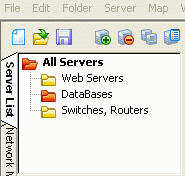
Alchemy Network Monitor screenshotAccording to the developers of Alchemy Network Monitor, it’s estimated that network failures cost 3-5 billion dollars to companies each year. Surveys show that an average network administrator reports 3 to 15 serious network malfunctions annually. Yet most of these problems could be easily avoided – if the administrator had proper network monitoring software installed. If you’re a network administrator and need to be on 24 hour call, but at the same time you don’t want to hang around the office all day waiting for the worst, then this is a really interesting little app for you.

Alchemy Network Monitor utilises several network protocols such as TCP/IP, ICMP (ping), IPX/SPX, POP3, SMTP, Oracle and MySQL to continually monitor the status of your network. If any problem is detected or if the sever goes down, Alchemy Network Monitor can warn the network administrator via mobile phone SMS or email.

You can do this by instructing Alchemy Network Monitor to send an email to your default email address provided by your mobile network. If you don’t have this, you can use the Alchemy Alert plugin which will forward a warning to your phone. Alternatively, you can also use the program to launch external programs that can send SMS such as Skype or other 3rd party software. This is a really useful app for network administrators on the move.

Shortcuts for a better summer

Although the lazy days of summer stretch ahead of us here at Softonic, there’s been no let-up on the insideTonic blog with tons of tips, recommendations and news from the software world.

Earlier in the week, Elena brought you news about Seeqpod which aims to broaden your musical horizons by linking you with other likeminded music lovers. Meanwhile Tony pointed WordPress bloggers in the right direction for keyboard shortcuts to speed-up your blogging. He also brought you some software tips for losing weight behind the keyboard whilst doing all that blogging.

Like some kind of Jules Verne on steroids, James continued his mammoth Google Earth world tour leaving behind the American dream and heading for Europe where stops included The Eiffel Tower, Auschwitz and the late Freddy Mercury’s House. He also brought us news of ReactOS which will bring us the long overdue possibility of running Windows programs without having the operating system.

Cyril delved into the world of alternative e-mail clients to Mozilla’s Thunderbird and followed Tony’s keyboard shortcut theme with some useful creation tips for Mac users. Finally, I brought you news of a cheap solution to Hollywood-style special effects with Jashaka plus my impressions of the desktop sharing utility TeamViewer.

Of course there was lot’s more including news of the biggest gaming convention of the summer, a role-playing domestic chores game plus software tips for Karaoke fans.

Don’t forget to have a look round and leave us your comments!