How to use jDownloader

File hosting sites are convenient when you need to share files with others. But when you need to download multiple files from different file hosting sites, it takes a long time to separately access them.

jDownloader lets you add the URL to files so they can be downloaded without sitting and waiting. The program supports many of the most popular file hosting sites and is easy to use, but at first glance it does look a little overwhelming.

jDownloader is simple once you understand the basic functions.

Using jDownloader doesn’t require much technical knowledge. All you need is the URL of the link and jDownloader handles the rest.

Continue reading “How to use jDownloader”

Top private alternatives to Google Search

Google is easily the most powerful search engine on the net. As the company has grown though, users have become increasingly concerned about the privacy issues raised by one company handling so much personal data. This was brought into the spotlight again last month by Google’s unifying new privacy policy which gives it more rights to share your Google activities across services it owns such as YouTube, Google+ and of course, Google Search.

The good news is there are several other options out there that pro-actively protect your privacy. And some of them are pretty good too. Below, I test the best four options using a search term ‘internet explorer mac’ that consistently ranks Softonic highly in Google.

Continue reading “Top private alternatives to Google Search”

Ad-Aware 10 makes the antivirus a serious choice

Today sees the release of LavaSoft’s Ad-Aware Free Antivirus+ 10. It is a major improvement, putting it in the same league as favorites Avast, Avira and AVG.

The free version is now much more powerful and won’t bug users about premium updates, which is an excellent development. It’s got a really clear interface, is relatively light on resources and effective.

Continue reading “Ad-Aware 10 makes the antivirus a serious choice”

Best mods for GTA San Andreas

GTA San Andreas continues to be one of Rockstar’s most popular games. However, even GTA San Andreas can get a bit dull if you’ve played it over and over again which is why modifications (or “mods”) are a good way to spice things up a bit.

If you want to find out how you can add some cool new features to GTA San Andreas, check out these excellent mods. We’ve also added a couple of cool GTA IV mods.

Firstly, we recommend installing San Andreas Mod Installer which makes the installation of game mods for GTA San Andreas a lot easier.
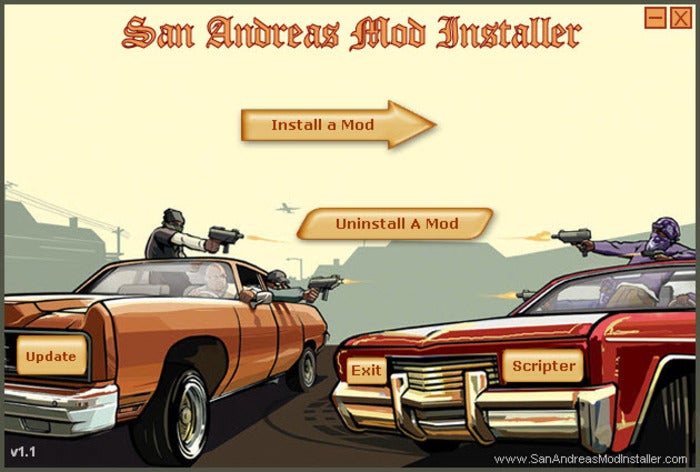
Ready to get modding

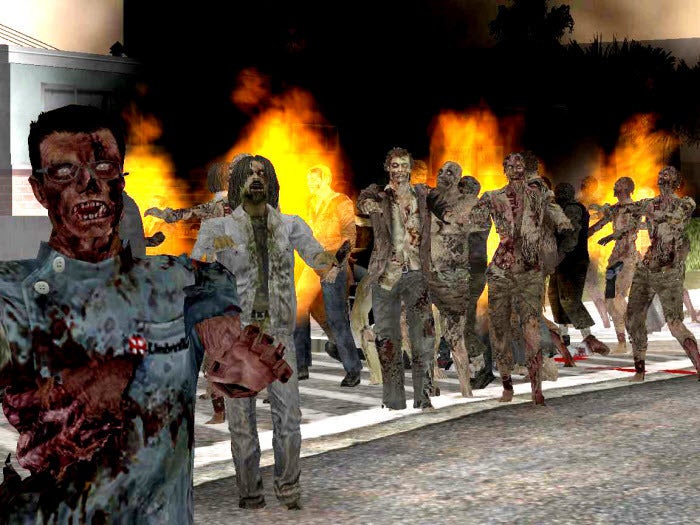
GTA: San Andreas Zombie Alarm Mod

If the idea of hoards of zombies invading GTA San Andreas sounds pretty fun then this is the mod for you. GTA: San Andreas Zombie Alarm Mod creates an invasion of zombies in the game which provides great cannon fodder.
GTA San Andreas Bike Pack

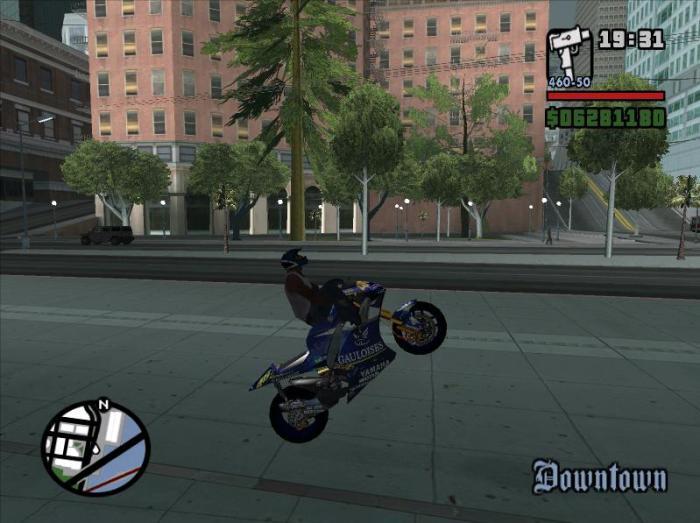
Just so that bike fans aren’t left out, there’s San Andreas Bike Pack which adds some super and not-so-super bikes to GTA San Andreas. These include Yamaha M1 (Valentino Rossi’s bike) and a Piaggio NRG MC3 scooter.
San Andreas: Multiplayer Mod

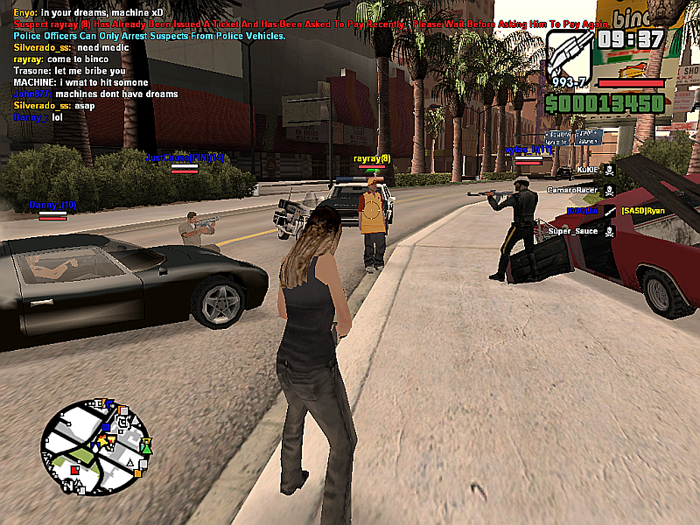
If you’re bored of playing GTA San Andreas on your own, then install San Andreas: Multiplayer to add a fun multiplayer mode to the game.
GTA IV San Andreas – Snow Edition

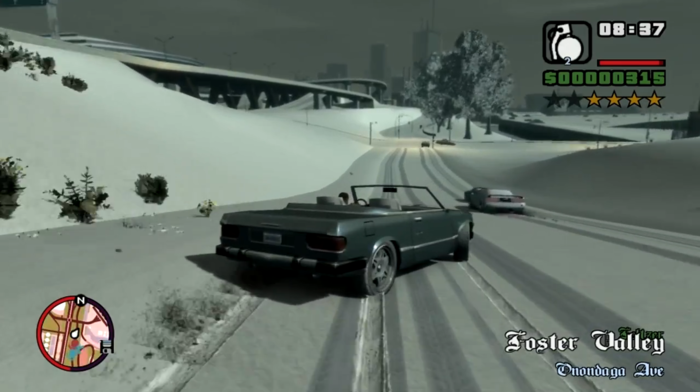
This one is different – a project to recreate San Andreas in GTA IV. This particular version covers everything in snow too! Requires GTA IV, not San Andreas! It’s a bit buggy, but the scale of this is impressive. If you can’t wait for GTA V, this is about as close as you’ll get for now!
GTA IV Ultimate Vehicle Pack

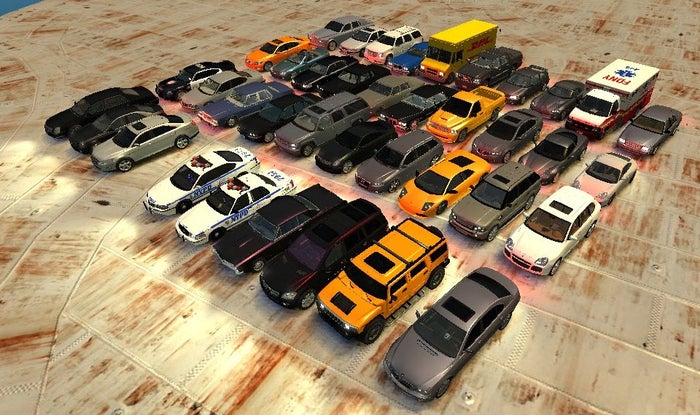
The original vehicles in Grand Theft Auto IV are fictional versions of reality – the GTA IV Ultimate Vehicle Pack gives them new skins so they look just like actual cars such as Lamborghini’s, Porsche 911s, BMWs, Mercedes, VW camper vans and much more. And if these aren’t enough for you, there are two more car mod packs here, here and here.

How to: change eye color in PhotoFiltre

Photofiltre is a free and easy-to-use alternative to professional image editing programs such as Photoshop.

If you’ve browsed the internet ats of late, you’ve probably seen what people refer to as “photoshopped” images, photos that have been digitally altered, either for humor or to enhance them in some way.

One image edit you might notice or want to learn how to do yourself is changing eye color in portraits. It might sound complicated, but with PhotoFiltre it’s a simple little edit you can make in a matter of minutes. I’ll take you through the steps below. Continue reading “How to: change eye color in PhotoFiltre”

Top 5 Free Online Racing Games

If your main criticism of World of Warcraft is ‘not enough cars’, don’t worry. There are now plenty of racing MMO games for you to play – here are my five favorites. They should cover everyone from the casual to the hardcore racer, and they’re all free to play:

Need for Speed World

EA’s Need for Speed World is basically some older Need for Speed games stuck together to make an open racing world. That’s no bad thing though, because even though the series has had its ups and downs, it guarantees good arcade racing all the time. Need for Speed World is really well designed and lets you get right into the street racing its famous for.

Continue reading “Top 5 Free Online Racing Games”

Lift off for Angry Birds Space!

Angry Birds Space logoAngry Birds Space launches today and its popularity already looks set to go intergalactic across mobile and desktop platforms.

The newest title in the Angry Birds series will create a big bang in the mobile gaming world. Angry Birds Space proves to be the best version of Rovio’s über-popular casual game so far, thanks to a new gameplay system based around zero gravity.

Continue reading “Lift off for Angry Birds Space!”

How to side-load apps on the Kindle Fire

Have you wondered how to get Android apps onto your Kindle Fire that are missing from the Amazon store?

The Kindle Fire is a great Android tablet. It’s a device for casual users who read e-books and buy content from Amazon. Kindle Fire’s customized Android 2.3 operating system also allows you to have more options with apps and other content.

But the Kindle Fire doesn’t support the Google Play Store and you have to buy your apps from Amazon’s app store. A lot of popular apps aren’t available on Amazon’s store, like the official Facebook for Android app.

There also isn’t any native support for Google’s services like Google Play Music.  Amazon has locked access to the Google Play Store from the Kindle Fire forcing you to purchase apps from Amazon.

Here’s a simple work around:

  1. Continue reading “How to side-load apps on the Kindle Fire”

How to download YouTube videos with aTube Catcher

YouTube is the best source to get a wide variety video. From movie trailers, user video blogs, and viral video, you can spend hours moving from video to video.

There are times that you want to have a copy of a video with you when you’re not connected to Wi-Fi or home internet and aTube Catcher is one of the simplest programs to download videos in a wide variety of formats.

Take a look at our video How to with aTube Catcher.

Continue reading “How to download YouTube videos with aTube Catcher”

Free-to-play 2012: FPS, MMO, and Brawlers

Free-to-play games are a great way to experience games without initial payment. They started out as mostly casual/social games and massive multiplayer role playing games (MMORPGs), but now new titles are exploring first person shooters, action adventure, and evolving MMORPGs to be more accessible and easier to play for casual players.

There are games that I saw during GDC 2012 that look really interesting for casual and hardcore players:

Continue reading “Free-to-play 2012: FPS, MMO, and Brawlers”