Early look: After Hours could be the best GTA V update yet

It’s finally here: after months of teasing and hype, Rockstar has finally rolled out the new After Hours update. It’s a massive batch of new content that’s going to change the face of GTA Online. Could it possibly be the best GTA Online update yet?

$29
GTA V

From: Amazon

Nightclubs are the biggest and most central addition coming with the After Hours update. Similarly to other updates (such as previously added Bunkers and Hangars), you can now buy nightclub properties in several locations around Los Santos. Once you’ve purchased a nightclub, you’ll get started building it from the ground up. Music, decor, entertainment: it’s all yours to choose. If this seems a bit overwhelming, don’t worry. You’ll have help, and who better to guide you in your journey into Los Santos’ nightlife scene than Tony Prince himself?

Yes, that’s right: Gay Tony is back, making his triumphant return from GTA IV. He’s here to act as your mentor as you work to build up your new club. New missions introduced in the update will have you acquiring staff and equipment as well as promoting the club. Once your club’s developed a reputation, you and your friends can enjoy all the benefits that owning a club has to offer. Did someone say bottle service?
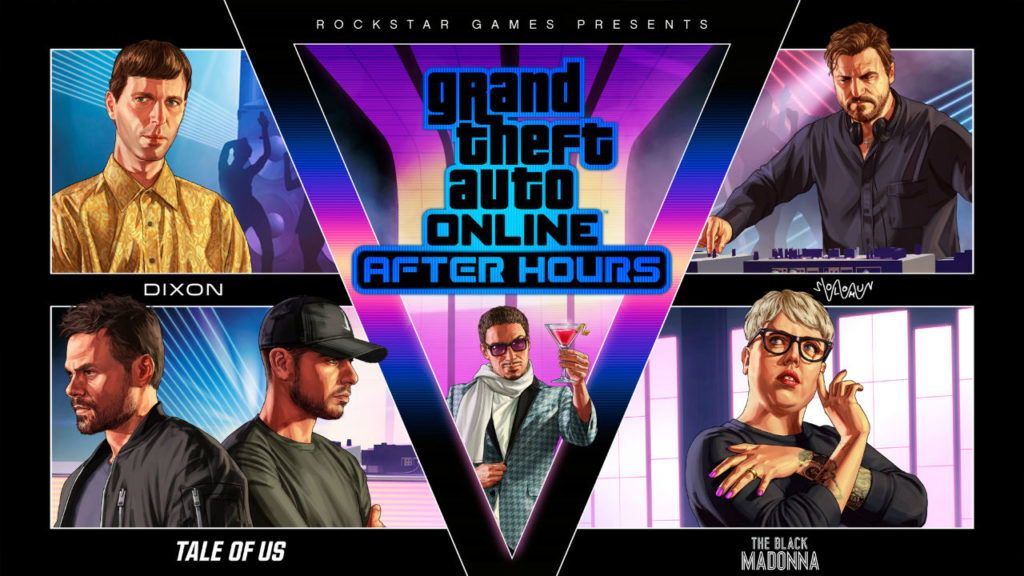
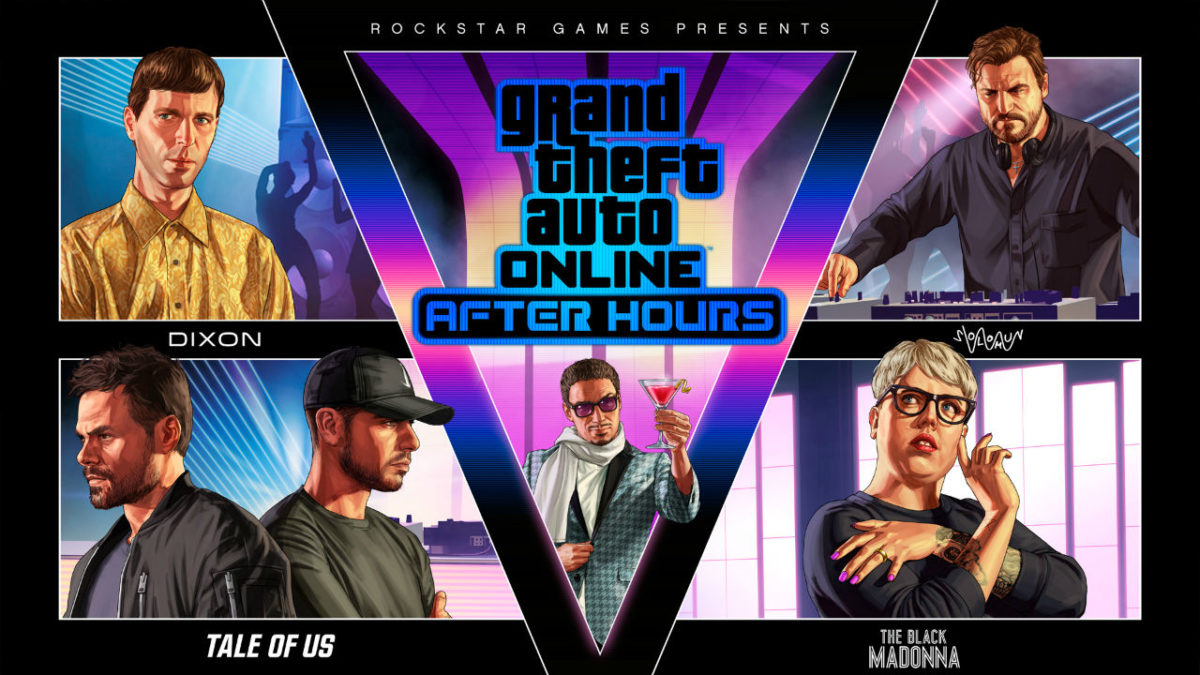
The most important part of a club is having good music, and GTA has you covered. Rockstar has introduced a series of rotating resident DJs that will swing by your club in the weeks ahead. Solomun (July 24), Tale of Us (July 31), Dixon (August 4), and The Black Madonna (August 14) are the first four artists to be announced. We can’t wait to see who else will be showing up to add their musical talents to the mix.

It’s not all fun and games, though. Behind the scenes, your club is acting as a front for your criminal empire. While clubbers pack the dance floors above, you can fill your massive underground warehouse with your ill-gotten gains and run other missions from the command center. It seems like the perfect way to enjoy a life of high crime, with the club upstairs available for your enjoyment whenever you want to take a break from your shadier pastimes.

So, what are these shadier pastimes? Business Battles are a new ambient mission type for Freemode. Players with Organizations or MCs are able to track down randomly generated cargo items to add to their warehouse stockpile. Be warned: you’re probably not going to be the only one gunning for the cargo, so stay sharp.

There’s a whole host of other cool features being added with the After Hours update, not the least of which is a fleet of cool new vehicles available for purchase. Here’s the full list:

  • Dinka Jester Classic
  • Ocelot Swinger
  • Mammoth Patriot Stretch
  • Festival Bus
  • MTL Pounder Custom
  • Maibatsu Mule Custom
  • Vapid Speedo Custom

As an added bonus, you’ll get a Vapid Speedo Custom for free when you purchase a Nightclub. It’s a neat little bonus that your mechanic can upgrade with armor plating and machine guns.

The real bonuses come for members of the Rockstar Guest List. If you logged in between June 25th and July 2nd, you’ll gain access to a host of benefits, including new clothing, new vehicle customizations, and some steep vehicle discounts. You’ll also find a complimentary $350,000 added to your bank account, no questions asked. Rockstar has also promised more benefits to come for Guest List members, so stay tuned.

Topping off the new content is Rockstar’s After Hours Livestream series. If you’ve connected your Rockstar Social Club account with your Facebook account, tune into the Rockstar Games Facebook page for a weekly livestream that allows players in the chat chances to win random cash drops. The streams will run through mid-August, so you’ve got plenty of time to tune in.

So, to sum up: we’ve got a rotating schedule of A-List entertainment, a huge list of new vehicles, and a massive new nightclub playground to mess around in. Is this the best GTA V update yet? Yeah, it sure seems like it.
 

How to customize your gaming background music on PS4

Have you ever been in the middle of a game on the PlayStation 4 and realized that the soundtrack just wasn’t right? Or have you ever played a game without a soundtrack and wished that you could add in some background music? Fortunately, the solution to your problems is within reach. All you need is a Spotify account.

8

The first thing you want to do is load up the game you want to play, head to the options menu, and make sure the in-game music is muted or the volume is set to zero. If you don’t do so, the music you set to play on Spotify will just end up playing over the game music, and will lead to some annoying clashing. Some games, such as Fortnite: Battle Royale, don’t have an in-game soundtrack at all. If that’s the case, you can simply skip this step.

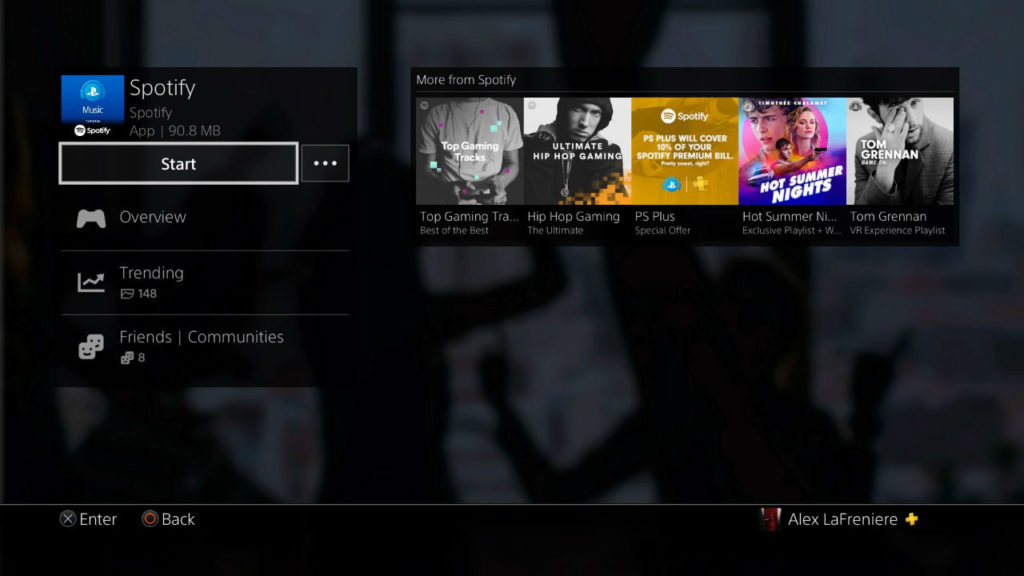
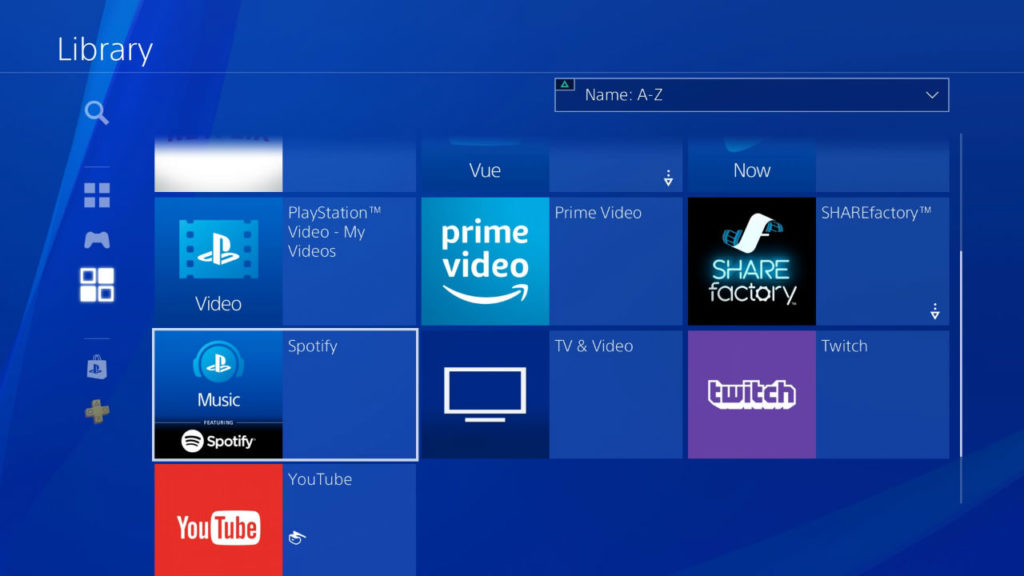
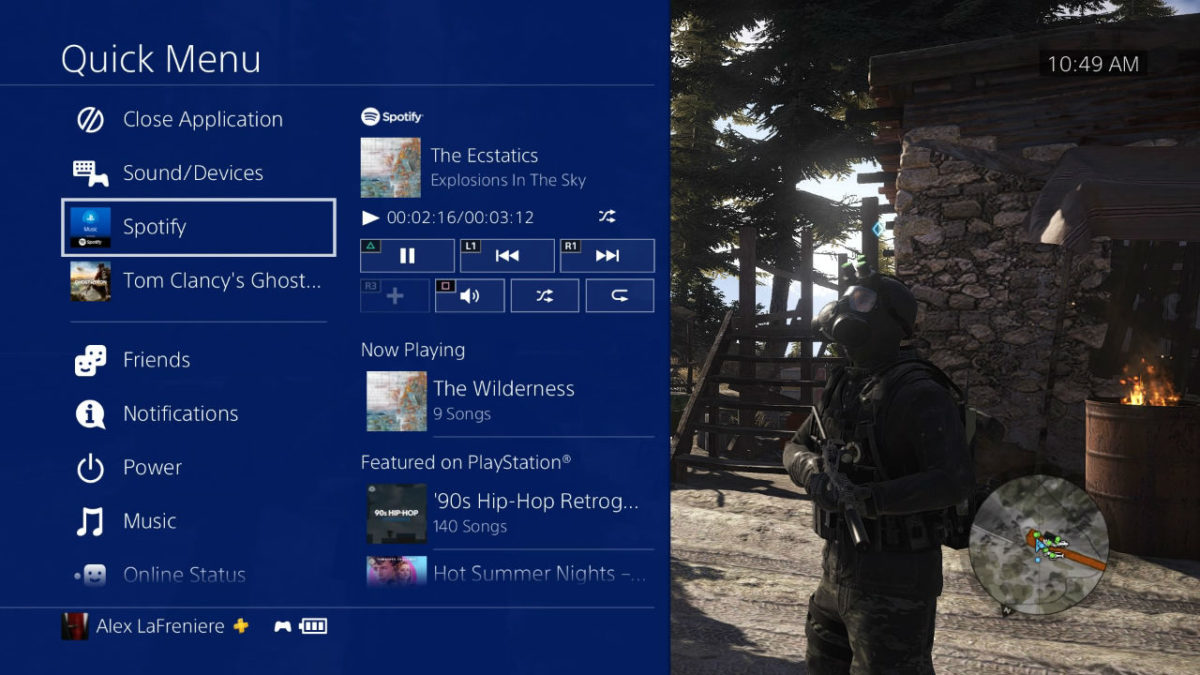
The next thing you want to do is access the Spotify app on your PS4. You can find this in your Library’s applications menu. Once you get into the app, you’ll be treated to the same Spotify interface and experience you’re used to.

Once you have the app downloaded and installed, open it. You’ll be prompted to either create a Spotify account if you haven’t done so already, or connect using an existing account. There’s one catch, though: you have to be a Spotify Premium member to use PlayStation Music. If you haven’t done so already, upgrading to Premium is well worth it. Spotify Premium is $9.99 per month and allows you to stream millions of songs totally ad-free. Spotify also offers a free 30 day trial and plenty of other deals as well. As an added bonus, PlayStation Plus members can get 10 percent discount on a Premium subscription.

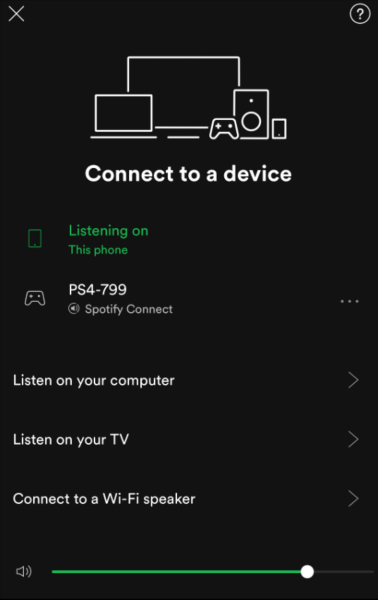
If you already have a Spotify account, there are a few ways to sign in. You could do it the old-fashioned way, which means entering your username and password by hand. If you want to skip a few steps and jump right in, you can use Spotify Connect on your tablet or smartphone.

First, make sure that your PS4 and your device of choice are operating on the same Wi-Fi network. Then, open up the Spotify app on your device and starting playing some music. At the bottom of your screen, you’ll see a small speaker icon accompanied by the prompt “Devices Available.” Open up that menu and you’ll see a list of devices that Spotify can connect to; your PS4 should appear on that list, as will any computer or TV you have Spotify installed on. Select the PS4, and Spotify will automatically sync up your accounts.

The best part? You can now use your device as a remote control, allowing you to choose your music and adjust volume without ever leaving your game.

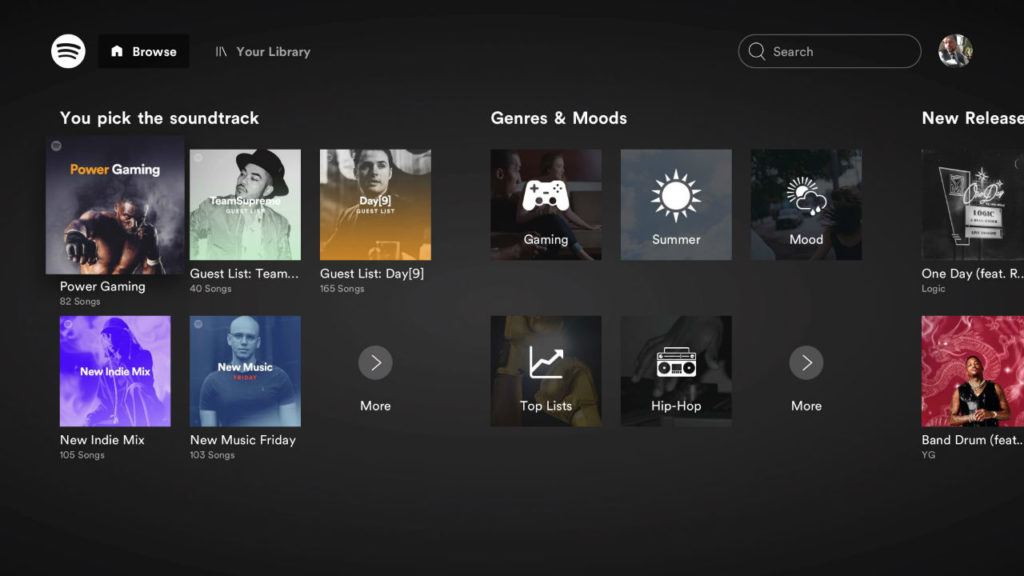
So, what now? If you’re in the PlayStation Music app, you can browse any music or playlists you have saved to your account, as well as other suggested playlists. One thing you can’t do if you’re using the PlayStation app is browse Spotify radio. If you’re using your phone to control the tunes, though, you can access radio stations that way.

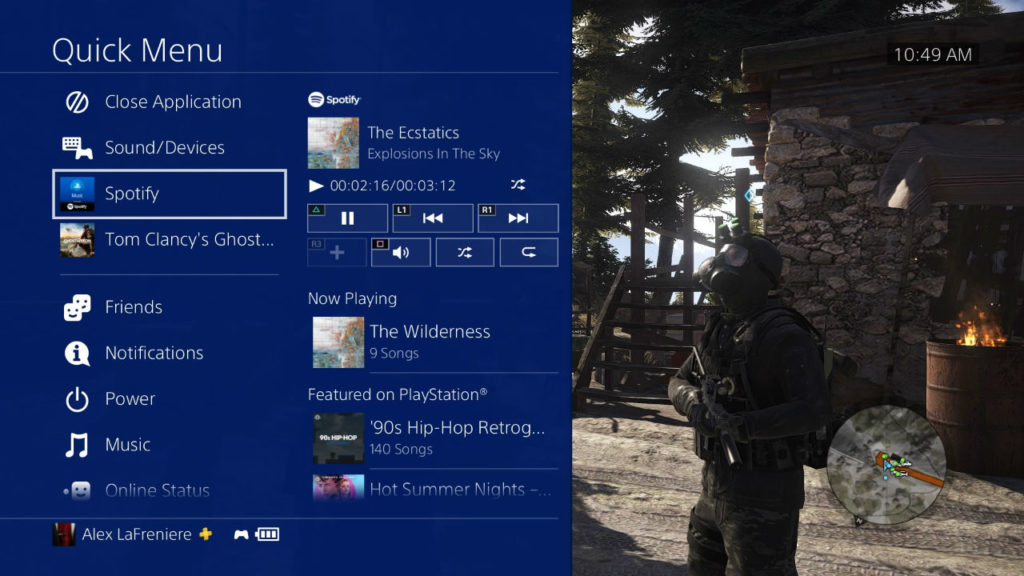
Once you’ve got your music picked and playing, you can exit the app and get gaming. The music you’ve selected will continue to stream as your playing, and will automatically adjust and level the volume based on what’s going on in-game. It’s a neat little feature that should minimize the need to constantly adjust the volume, though if you do feel the need to turn things up, you can just use your mobile device as a volume control. Don’t have a mobile device? You can also access your Spotify controls via the PlayStation’s quick menu by holding down the PS button.

Not sure what to listen to? We recommend checking out the PlayStation Music account on Spotify. There, you’ll find a huge selection of playlists specifically curated for gaming. Whether it be Mob Hits, Survival Songs, or just 80’s Synth Pop, you now have all the tools you need to make sure your tunes play just as hard as you do.


5 privacy tips for Google Chrome on Android

Google Chrome is the default browser for Android. This means that all program settings come enabled by default… for better or for worse. In the case of privacy, there are several tips that can help make your browser more secure, so here are five privacy tips for Google Chrome on Android.

Google Chrome Download Now ►
7

Enable “do not track”

When you go to a web page, you generally accept cookies: little bits of information that are sent to a server to know more about your preferences. Luckily, it can be disabled.

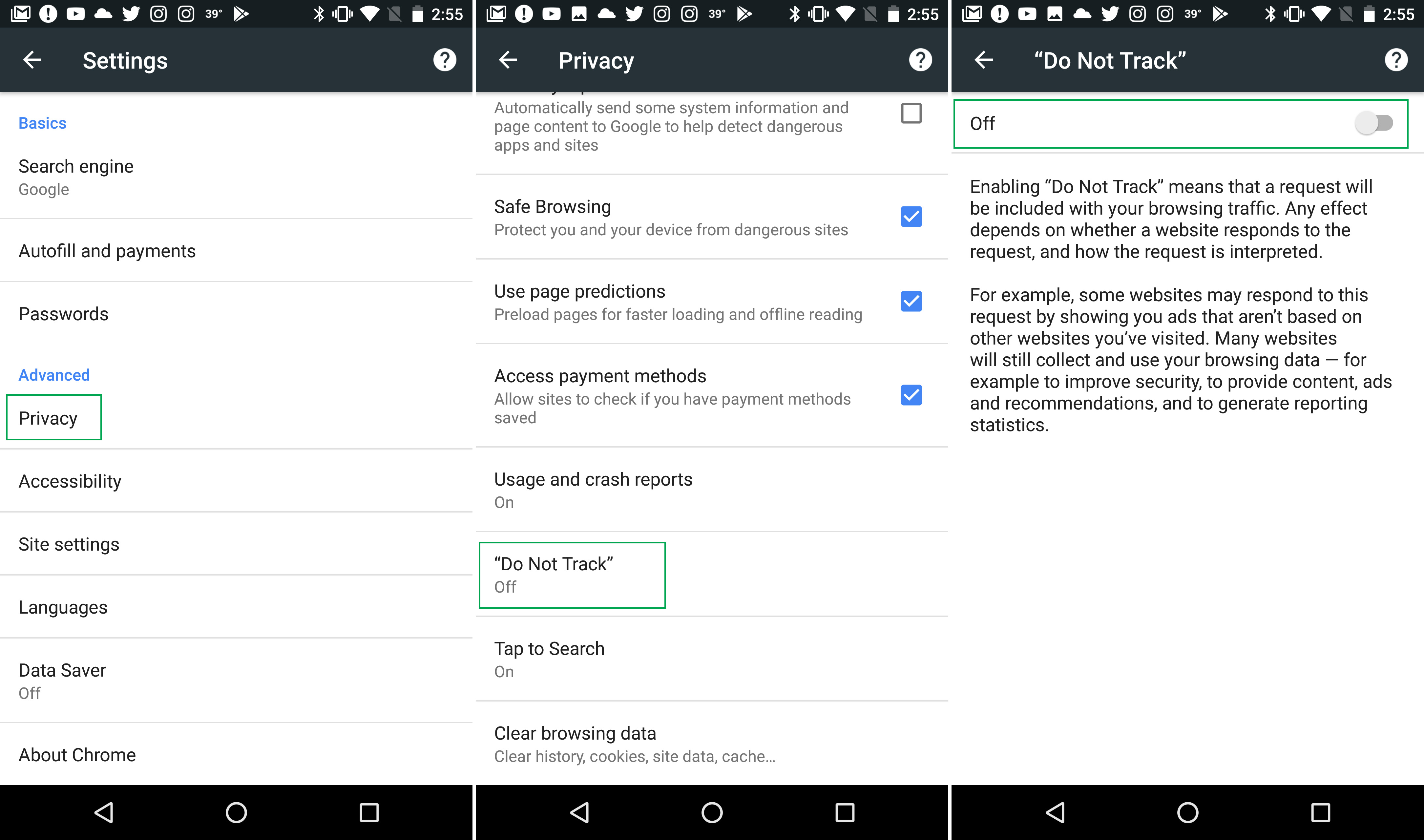
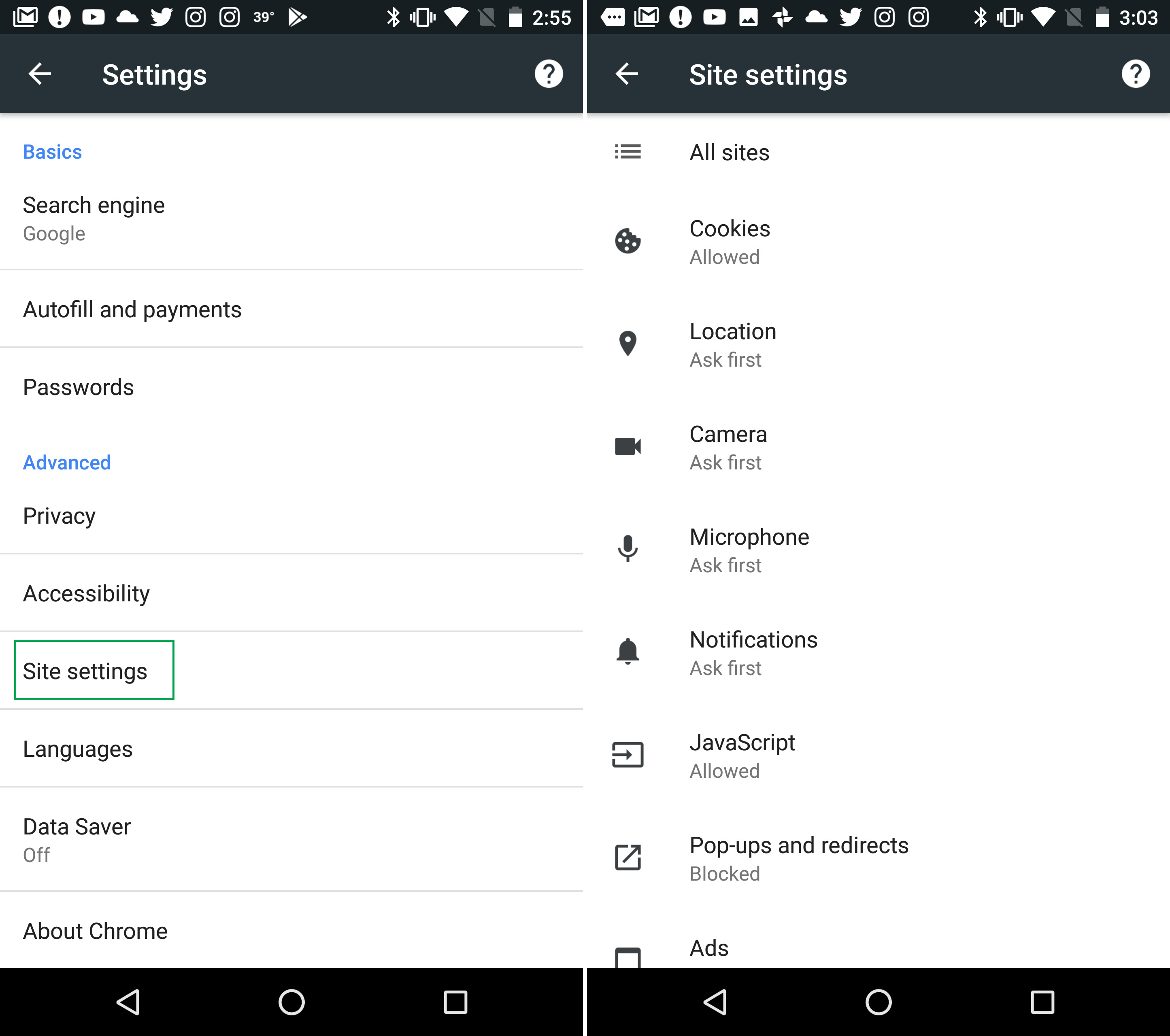
Once you’re on Google Chrome, click on the three dots on the top right and select “Settings.” From here, go to the section “Privacy,” click on it and look for a box called “Do Not Track.” Click here and enable the option that appears disabled by default. It’s that easy to cut off tracking.

Secure browsing

Under the same section (Settings > Privacy), look for the section called “Secure browsing.” Enable “Protect you and your devices from dangerous sites.”

Turn off autofill

At some point, you’ve been on a web form and all the fields have automatically filled in once you type the first letter. This is more common than you think, since we save our passwords and data on our PC and/or cell phone.

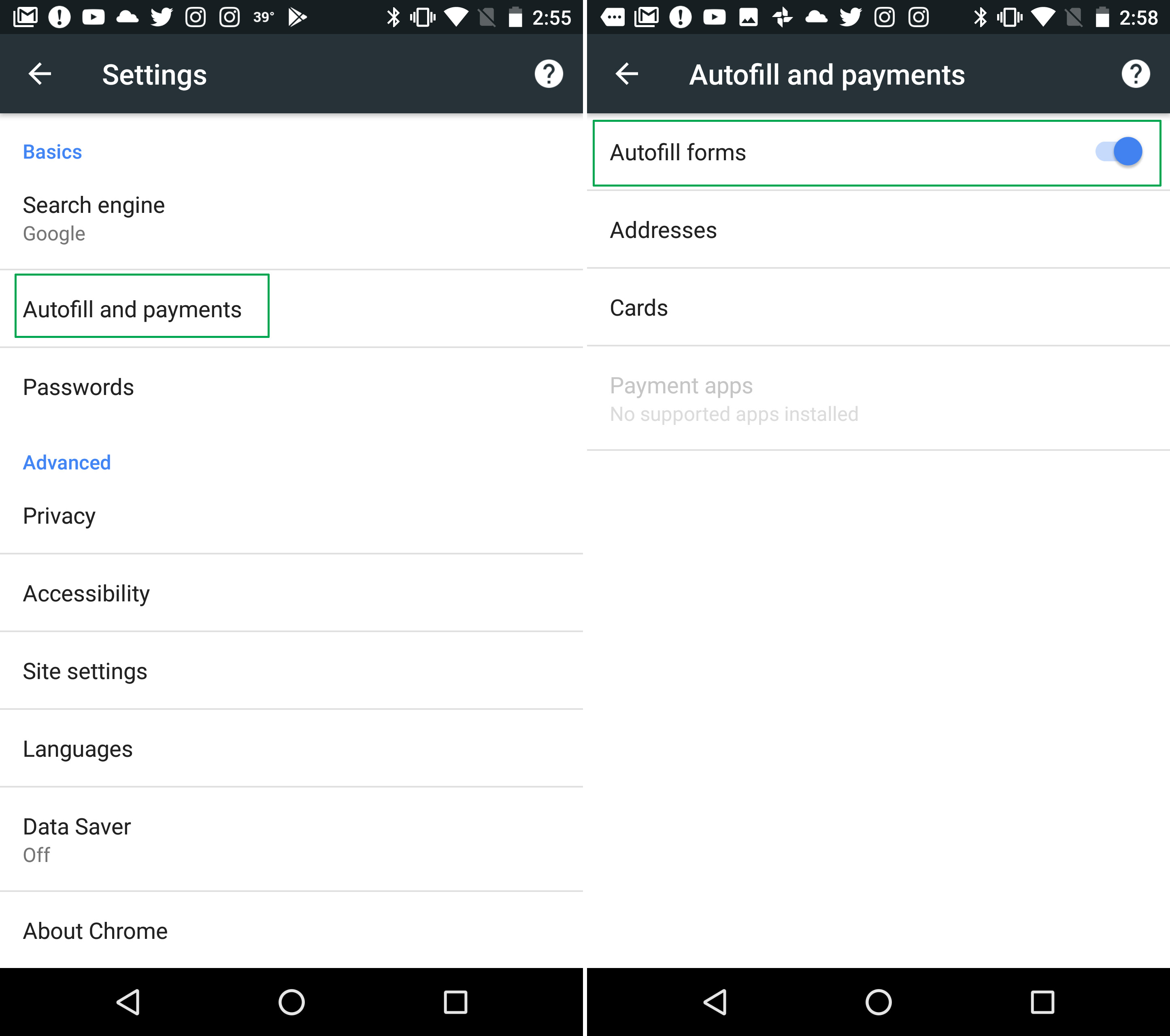
On your computer, it’s bad enough, but it’s worse for your cell phone. After all, if it gets stolen, all your information is exposed. Go to “Settings” > “Autofill settings” and disable “Autofill forms.” It’s typically enabled by default, so you just have to click on the button to disable it.

Usage statistics and crash reports

Usage statistics and crash reports often include personal information. So, it’s sometimes advisable to disable them. Under “Privacy,” look for the section “Usage statistics and crash reports.” Click there and disable them. It will stop sending info to Google, and it may also speed up your smartphone a bit.

Website content settings

Did you know you can restrict what parts of your device a website can access? Imagine that you’ve got your microphone unintentionally enabled and these are the default settings. 

Go to “Settings” and look for the option called “Content settings for websites.” Once you’ve accessed it, a list of options will appear on your screen, including permissions. Microphone, location, notifications… It’s all there, so be sure to set them the way you want.

Beginner’s guide to Discord

Discord

If you’re an online gamer, then you’ve probably at least heard of Discord. Discord is often compared to Skype since they both let people talk to their friends online over voice or video chat. The big difference between the two are Discord’s servers. These servers are completely customizable and are completely different from how Skype calls work. Discord also features overlays for most PC games since their audience is primarily gamers. Despite its many benefits, Discord can be a bit confusing to understand at first. Here is all you need to know about getting your Discord set up, so you can play games with your friends:

8

Discord’s location and starting an account

Something unique about discord is the ability to use it through a browser. While of course the windows and mobile apps are better for direct connectivity, the browser version works practically the same. Using any of these methods, one can easily access the Discord site to create their account and get started using Discord.

Creating or joining a server

The first thing you’ll notice about Discord is that it’s primarily server-based. While you are able to have private and group chats that work similar to Skype, Discord tends to focus more on its servers. Servers can be created by anyone and joined by anyone as long as they have the server invite. Members of a Discord server can easily invite others by pressing the “invite people” button above the server rooms.

What is in a server

Within a Discord server, you will typically find a few textrooms and a few voice chat rooms. These rooms are exactly what they sound like. Textrooms work like regular online chatrooms. Except they are only accessible by the members of the server. Textrooms will usually have a specific topic that they revolve around. Some can even be locked, allowing only specific people to enter. Server hosts can also assign members to become moderators, giving them special privileges and the ability to ban other members. Voice chats work the same way as textrooms, except they are over voice communication instead of text.

Why gamers use Discord

Many gamers swear by Discord as their primary form of communication with their gamer friends. This is because Discord has special overlays for many game clients, allowing you to manage your Discord settings without needing to ALT-Tab out of your games. Along with this, Discord has connectivity with Twitch, YouTube, and Spotify, allowing for you to sync your music with your chat volume.

Discord allows for socialization over the Internet like no other program. Whether the purpose is for gaming or not, Discord is an incredibly useful tool for hanging out with your friends.

6 blockbuster movies you need to see this summer

We love summer blockbusters for their sky-high budgets, star-studded casts, and death-defying stunts. With summer past its half-way point, we’ve seen some massive blockbusters at the theater this season. Whether it’s the MCU carpet-bombing nostalgia over generations or Han Solo finally divulging information about his past, the summer of 2018 has some great entertainment in store for eager viewers. In this article, we will take a look at a few movies that kicked open the doors and strutted their way onto the scene and a few that haven’t been released yet, but surely have potential to make your trip to the movies worth every penny.

Avengers: Infinity War

The newest Avengers release from the Marvel behemoth has cemented itself as one of the highest grossing movies of all-time, just recently passing $2 billion at the world box office. If you haven’t seen Stan Lee’s creations run amok in space and battle for survival on Earth, then you haven’t experienced the greatest Marvel product to date. The film boasts a roster of over 30 Marvel Heroes and Villains going toe-to-toe in the far reaches of space and the in the familiar territory of Wakanda. “Infinity War” will keep Marvel fans well-satiated until “Captain Marvel” (starring Brie Larson) and the inevitable release of Avengers 4, down the line. You can watch the movie on digital HD now or pre-order your Blu-Ray (release date August 14). Don’t miss out on this cinematic adventure!

Ant-Man and The Wasp

Riding the tidal wave of comic book success, Paul Rudd dons the Ant-Man suit once again as Scott Lang, business owner by day and incredible shrinking man by night. The story of Ant-Man takes place between the events of “Avengers: Age of Ultron” and “Avengers: Infinity War,” which puts Lang under house arrest under the watchful eye of the government. But, as we know with Marvel, things are not always as they seem. “Ant-Man and the Wasp” is a whirlwind of action and cheeky dialogue. Make sure to grab your ticket because you don’t want to miss a second of the Marvel saga.

Incredibles 2

When Disney and Pixar team up, the end product is nothing short of spell-binding. The revolving door of quality content has produced another top-notch addition to their ever-expanding library with “The Incredibles 2.” Directed by Brad Bird, the vast majority of original characters return to fight off evil and save their world from sheer destruction. You can expect a fun, witty, cheerful, and heart-wrenching story of the Parr family in the newest Disney & Pixar masterpiece.

Deadpool 2

How do you follow up the highest grossing R-rated movie of all-time? You make a sequel. Simple as that. Ryan Reynolds brought raunchy and absurdist comedy to Marvel’s carefully crafted universe. For those that don’t know, Deadpool is a wise-cracking, foul-mouthed mercenary who, through extraordinary circumstances, is bestowed unparalleled physical abilities. Josh Brolin (of Thanos fame) suits up as Cable to duke it out with the katana-wielding anti-hero. Deadpool 2 has grossed near its predecessor, coming in at around $730 million, as opposed to $780 for the origin story.

Mission: Impossible – Fallout

Tom Cruise and Henry Cavill. Maverick and Superman. You can’t ask for two better action stars to co-star opposite one in another “Mission: Impossible.” In typical Ethan Hunt fashion, he breaks apart from IMF to pursue his own agenda and stop the world from being overrun by ruthless villains. Christopher McQuarrie (“Jack Reacher,” “Edge of Tomorrow”), yet again directs Tom Cruise in this high-octane adventure that is bound to elicit some ooh’s and ah’s in the theater. Look for “Mission: Impossible – Fallout” in theaters now and don’t miss out on the action!

The Meg

With an estimated budget near $150 Million dollars, “The Meg” dives into the deep end to bring B-list shark movies to the big screen. With the success of “Sharknado,” it’s easy to see why a film of this caliber would garner the attention of stars like Jason Statham, Ruby Rose, and Rainn Wilson. “The Meg” centers around the discovery of the Megalodon, the largest prehistoric shark ever to exist. A film like this should be experienced in only one particular way; IMAX 3D. Sitting in front of the largest screens on earth as the largest shark ever thought to have existed on earth swims at break-neck speeds towards the audience, that is immediately worth the price of admission. “The Meg” hits theaters on August 10.

Secrets to master Fortnite’s Squad Mode

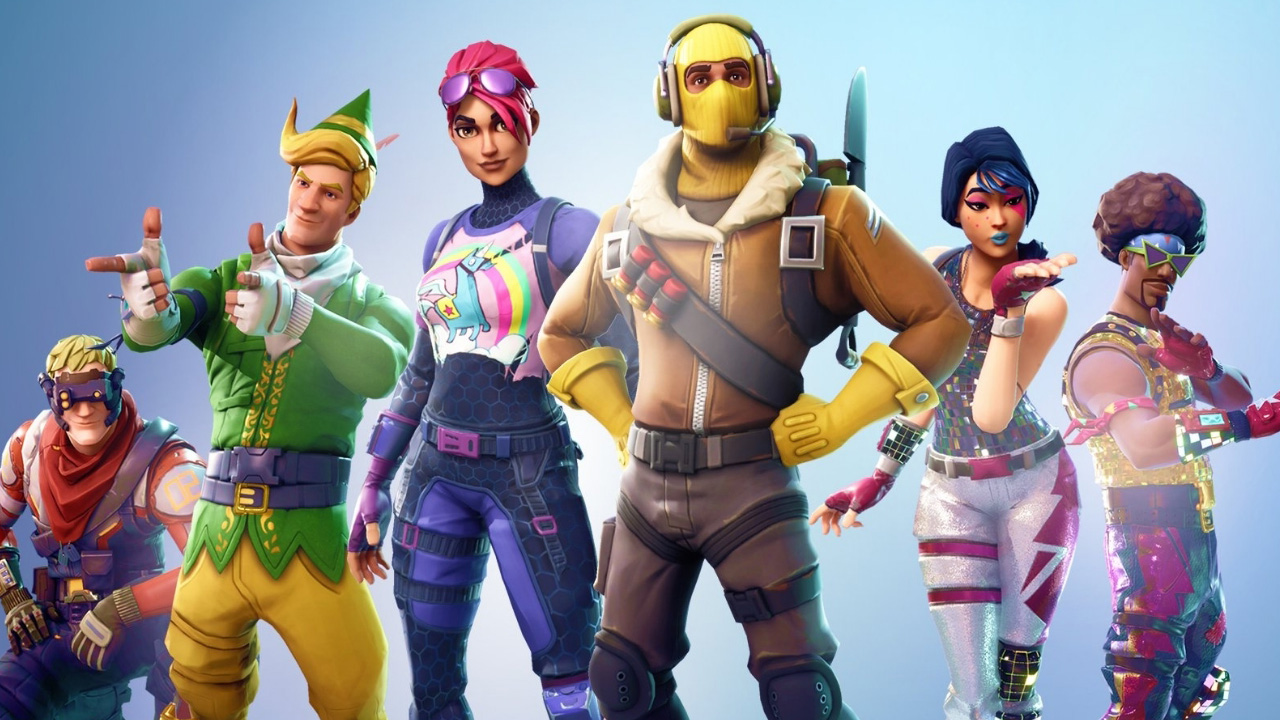
Getting tired of flying solo? Feeling like you need some backup? Fortnite’s squad mode can be a welcome change of pace for players who are looking to switch things up. However, if you’re used to going lone wolf and playing Battle Royale solo, you need to forget everything you know about how you play Fortnite. Squad mode is an entirely different beast, and you’ll need to change how you play if you want your squad to win. There are two key parts to working as a functional squad: Teamwork and Communication.

Fortnite: Battle Royale Download Fortnite: Battle Royale
10

Teamwork

If you think you can strike out on your own and leave your team in the dust, think again. Not only will your team be down a player, but you’ll also be in deep trouble if you come across another squad. Sure, you can last pretty long on your own if you run off and hide, but when it comes down to it, you’ll have to fight eventually. When that happens, you need your team at your back. Taking on a squad of four all by your lonesome is an easy way to get killed.

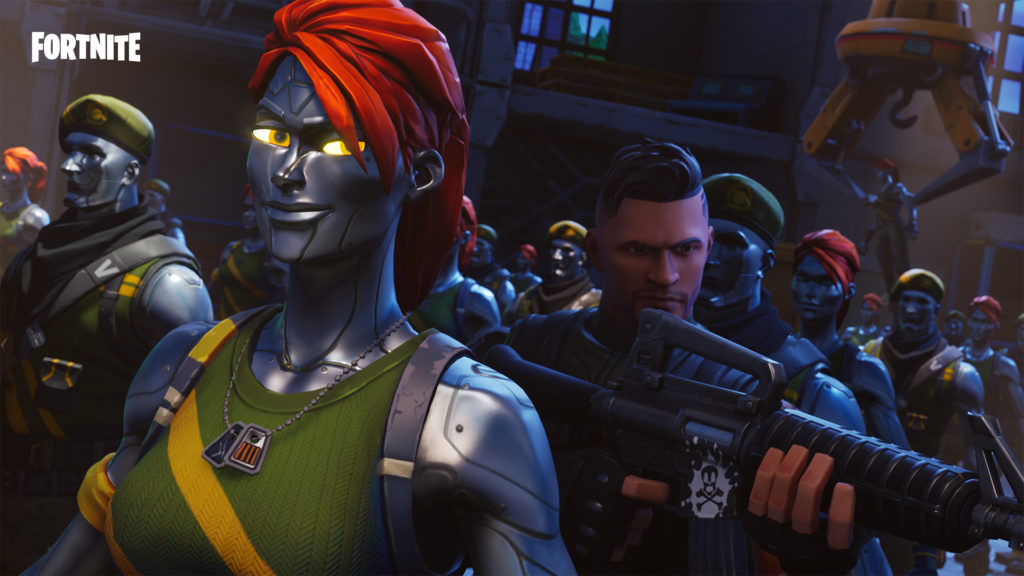
Teamwork begins from the minute you board the Battle Bus. Sticking with your squad is key. Splitting up is an easy way to get caught off guard if you run into another squad. If you want to survive, move as a unit. This way, if you get caught in a gunfight, you’ll have the firepower of your entire squad backing you up. As an added bonus, you can revive any squadmates that go down, but you’ve got a limited time to do so. Sticking together is the best way to make sure you all stay alive.

You should also be prepared to share the wealth with your squad. Instead of hoarding supplies and weapons, don’t hesitate to give some to your teammates. Make sure that everybody has a good stockpile of weapons, healing items, and building supplies. If you notice another player has no shields or has a green weapon when you come across a couple blues, don’t hesitate to throw some supplies their way. A great strategy is to have a couple well-armed players set up as defense while the others focus on gathering supplies.  This way you don’t all have to let your guard drop while harvesting, and the supply collectors can then share what they gather with their teammates. Though working as a team is key, you should also make sure that each individual is prepared in case of any emergencies.

Communication

As with any team-based game, the easiest way to win is to communicate with each other. Whether it’s using text chat, getting on mic, or connecting on Discord, you need some way to get information to your teammates. You can’t play effectively unless you’re communicating effectively.

Communication starts the second you get in the Battle Bus. From there, you need to quickly decide where you’re going to drop in. This relates back to teamwork: even if your team decides to drop in at Tilted Towers instead of landing somewhere safe in the wilderness, you need to follow your team’s lead.

Making decisions quickly and then adhering to them is a key skill that you need if you want to win. Even if you think it’d be a better idea to strike out on your own instead of dropping into Tilted, you have to stick with your squad. It might seem counterintuitive, but your odds of winning are much better this way.

Communicating is also essential for working out strategies that other players might not be able to. You can plan ambushes, assign duties like Medic or Sniper, and work out where you want to build your forts. In short, having the ability to talk to each other gives you a huge advantage and allows you to play smarter.

Are you ready to be the next A-Team?  By following these tips, you’re sure to take your squad game to the next level. Above all, keep in mind that you’re all in this together, and you’ll evolve from a group of armchair warriors to an elite unit before you know it.
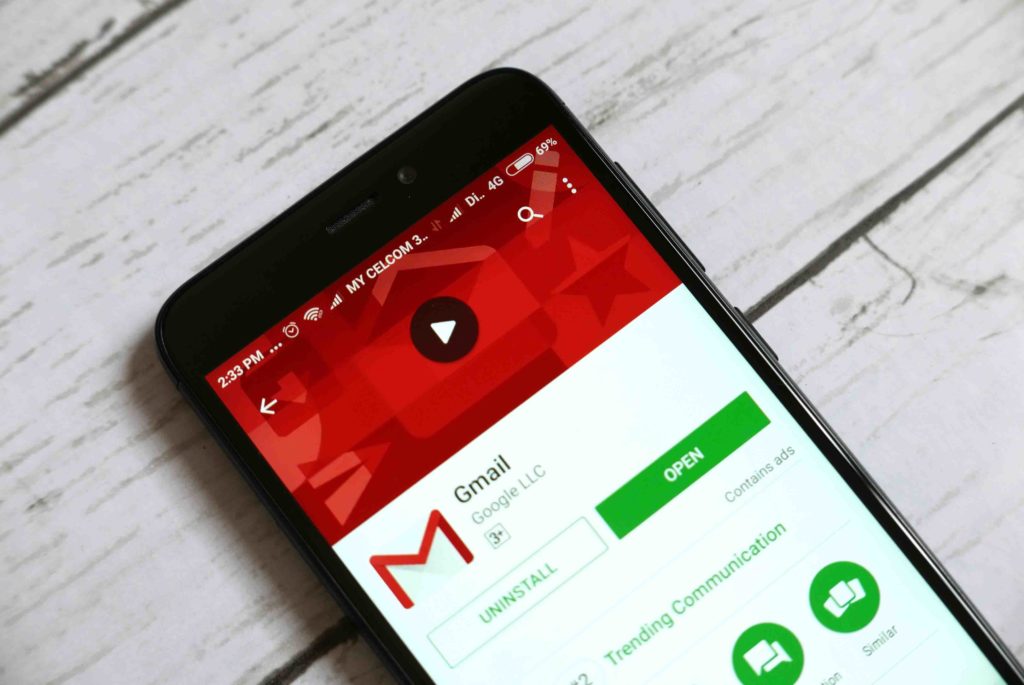
Gmail could be getting a useful new feature

Analysts have found an email scheduling feature while tearing down a new version of Gmail for Android

Analysts have found an email scheduling feature while tearing down a new version of Gmail for Android

Most of the time when you send an email, you need to send it now so that it arrives as quickly as possible. Other times, however, you might have a specific time during the week when you want to send it out. They say that Tuesday morning is the best time to submit job applications, and if you’re working late on a Friday, any emails you send will be lost in a weekend’s worth emails come Monday morning. For situations like these, you can either set yourself a reminder or schedule your email to send at the best possible time.

Gmail Access now
8

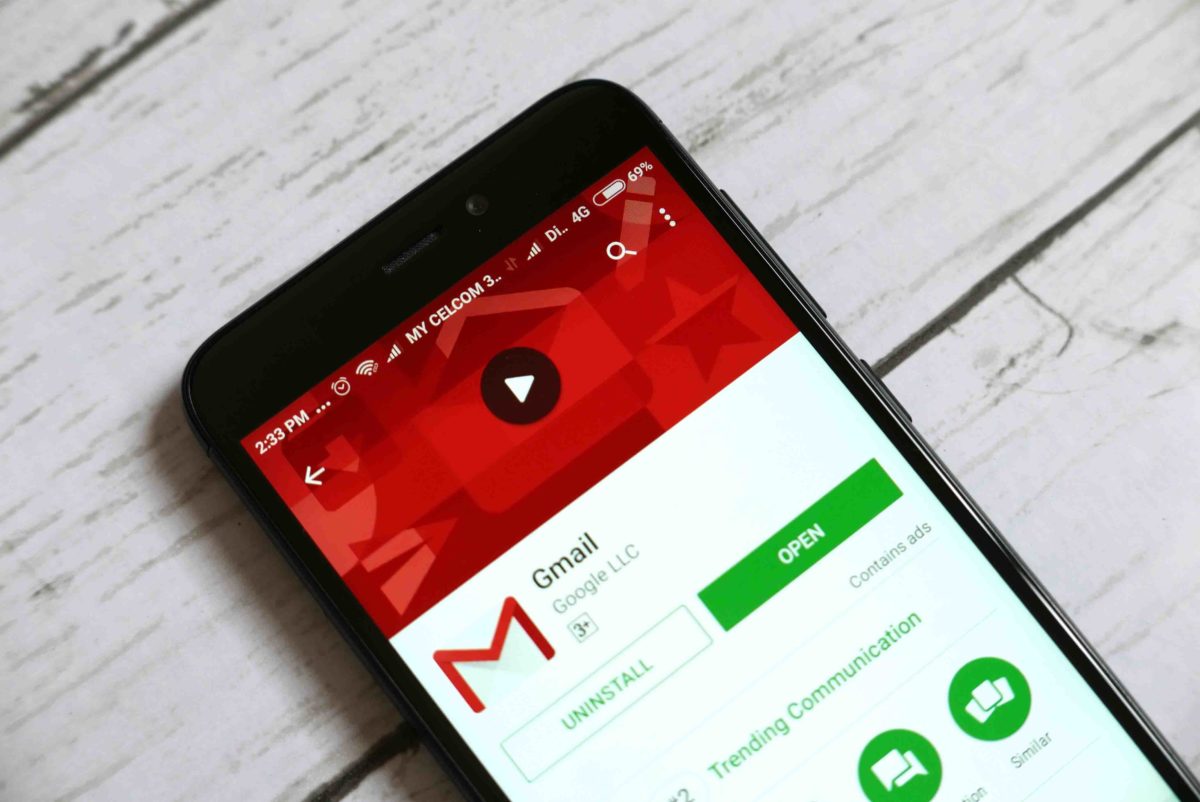
Rather surprisingly, Gmail doesn’t have an email scheduling feature. If you’re a Gmail user and you want to schedule an email to send at a particular time you need to download a browser extension, or simply remember when you want to send it and do it manually. This rather laborious way of doing something you’d expect one of the largest email providers in the world to do automatically has irked more than enough Gmail users to raise it in the Google forums. It now looks like Google is doing something to remedy the situation.

Gmail should update with a rather handy new feature

In an APK teardown of an upcoming Android version of Gmail, the guys at Android Police found an email scheduling feature in the code. Furthermore, the code in the Android version of the app makes it highly likely that the desktop version of Gmail will also likely get the new scheduling feature, too.

Now due to the nature of APK teardowns, there is no way to confirm this update until it actually happens, and there isn’t even anyway to know when it might happen. But Google normally pushes these types of updates out to your handset automatically, so hopefully, we’ll start seeing this new Gmail feature on our Android headsets sooner rather than later. Fingers crossed, we’ll get the update on the web version of Gmail at the same time. We’ll just have to wait and see.

WhatsApp adds new feature that will worry Skype

WhatsApp adds encrypted group video and voice calls for up to 4 peopl

WhatsApp adds encrypted group video and voice calls for up to 4 people

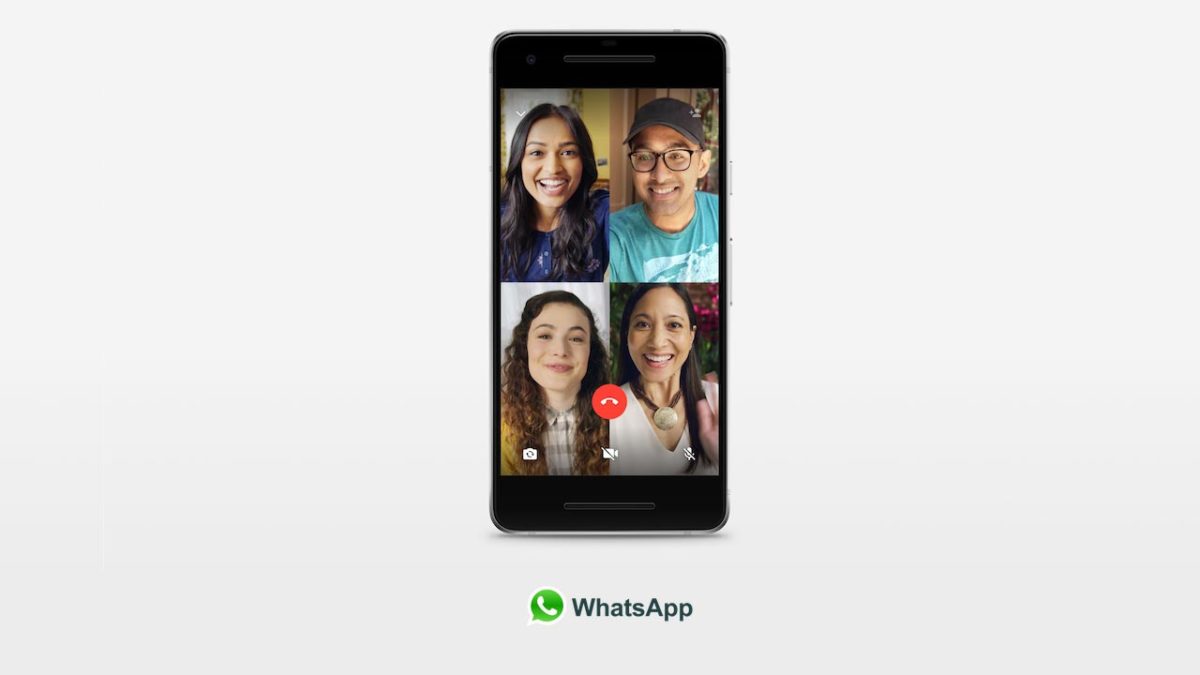
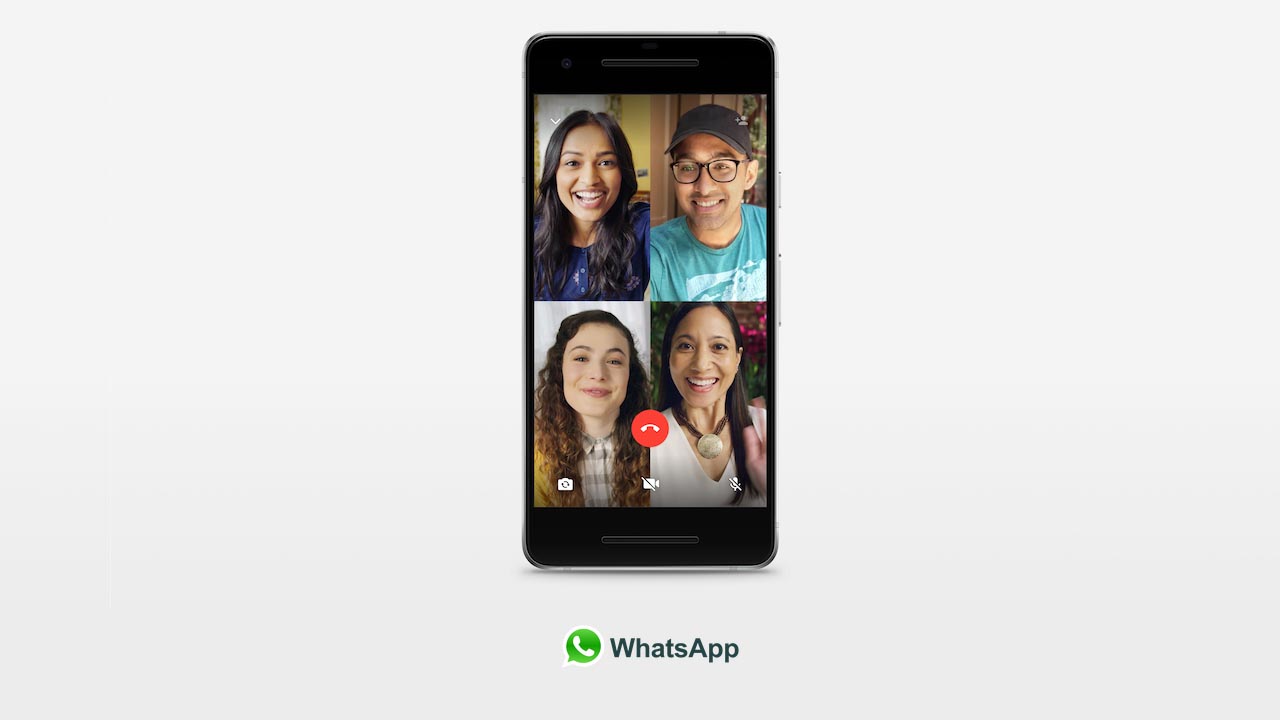
Since 2016, WhatsApp has had video calling. Until now, those calls were limited to only two people, but yesterday, WhatsApp began rolling out encrypted video calls for up to four people. The Facebook-owned messaging service announced in a blog post that the new group video call feature will soon be available on both Android and iOS versions of the app.

Whatsapp group video calls 4 people
You can now make group calls of up to four people on WhatsApp

Four is not exactly a huge number for group calls. If you look at Facebook Messenger’s video call option, you can have up to 50 participants and even Snapchat can host up to 16 people in a video call at the same time. The kicker for WhatsApp is that the video calls are protected by end-to-end encryption, just like chats.

Once you receive the new group video call update to your version of the app, it will be really simple to start a group call. All you will have to do is click on the new add participant option when you’re video chatting. You’ll find it in the top right-hand corner of the screen.

If you’re want to make encrypted video calls with up to three of your friends and family you can now do so on WhatsApp. The new group call feature also applies to voice calls, meaning you can have group voice calls with up to three of your friends at the same time, too.

(function(d,s,id){var js,fjs=d.getElementsByTagName(s)[0];if(d.getElementById(id))return;js=d.createElement(s);js.id=id;js.src=’https://embed.playbuzz.com/sdk.js’;fjs.parentNode.insertBefore(js,fjs);}(document,’script’,’playbuzz-sdk’));

How a trip to Thailand taught me the value of backing up data

Insurance is one of those annoyingly adult things we all need. It might be for your car, house, or holiday, and while it’s a bit galling to pay for something that might happen, when things go wrong insurance quickly pays for itself. When it comes to our data, however, we’re often a little too complacent. 

Take my trip to Thailand, for example. When I arrived, my suitcase had fallen under the wheels of the baggage truck, destroying my iPod, laptop, and camera. A quick call to the insurance company and voila – all were replaced after paying a small excess.

But one thing I didn’t get over was the loss of my data. I lost a ton of precious files – including music, photos, videos, and a half-finished novel. I managed to replace some pictures by downloading them from social media, but everything else was gone for good.

After calming down, I couldn’t help thinking, Why the heck didn’t I back up my data? I had my travel insurance. My personal accident insurance. I even had mobile phone insurance. Why didn’t I give my digital valuables the same level of protection by backing them up?

Since then, I’ve been backing up manually, which if you’ve ever tried yourself you’ll know how tiresome it can be. Also, given the length of time it takes, I back-up maybe once a month, more if I remember, and this is hardly the peace of mind I was hoping for. 

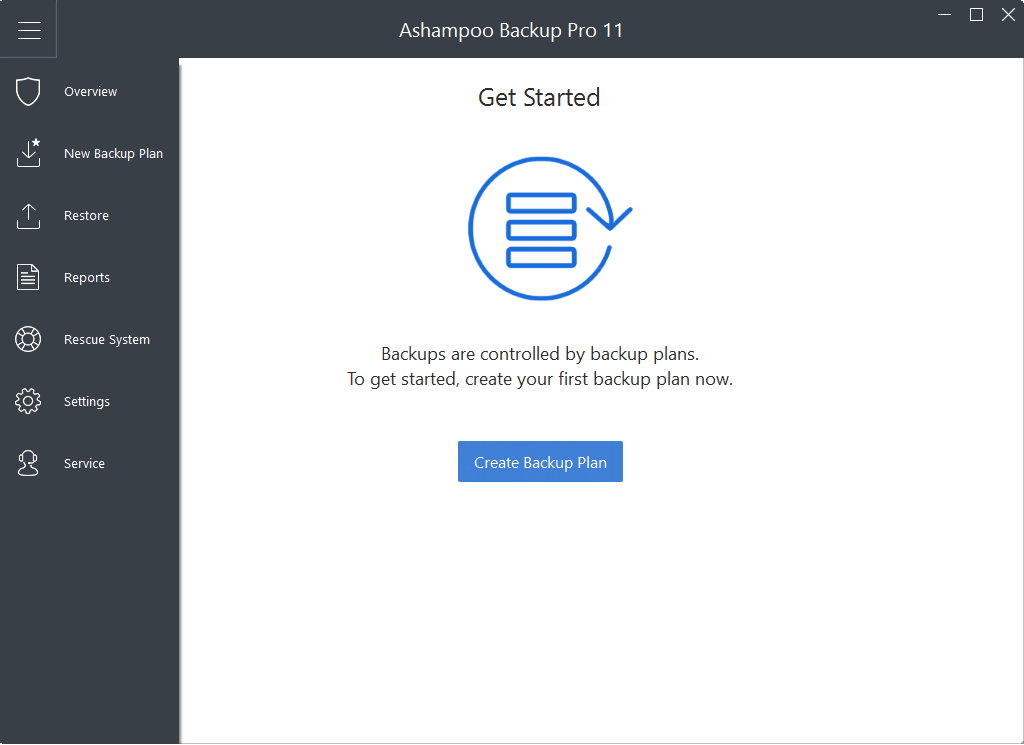
Thankfully, I get to work with a lot of innovative technology at Softonic, and I stumbled upon a smart solution to backing up my data:  Ashampoo Backup Pro 11.

The award-winning Backup Pro 11 backs up data quickly and automatically so you don’t need to think about it. It works by creating restore points so if your computer fails, or like mine, falls under the wheels of a baggage truck, you can restore all your data on another machine (hopefully a sparkly new one from the insurance company).
Backup Pro 11 makes these restore points automatically by scanning modified files and saving them to physical storage – such as a USB drive, DVD, or CD – or cloud storage, with support for all the big names like Dropbox and Google Drive.

You choose the files to back up, so you don’t waste storage on meaningless files, and if your system breaks down, you can use the emergency application to boot and restore from an earlier point.
I think Backup Pro 11 is a fantastic way of protecting digital value, and costing just $15.99 for life, it’s the cheapest data insurance policy you could ever buy. So please don’t make the mistake I did. Download Backup Pro 11 today and never worry about losing your data again.

The 10 best movies to watch on HBO streaming apps in August

Looking to kick back with some movies to close out your summer? These are our picks for the best streaming options on HBO GO and HBO NOW for this August.

Kiss Kiss, Bang Bang (2005)

If you love Robert Downey Jr. as Iron Man, you’ll be just as entertained by this topsy-turvy comedy crime story. With whip-smart dialogue, a clever plot, and plenty of surprises, “Kiss Kiss, Bang Bang” does something most modern movies can’t: It forces you to put down your phone and enjoy. Val Kilmer and Michelle Monaghan do great work as supporting players. The criminally underseen movie joins HBO Go and HBO NOW August 1.

Fargo (1996)

Frances McDormand’s other Oscar-winning role (“Three Billboards Outside Ebbing, Missouri”) arrives on HBO streaming services August 1, but you’ll have more fun with this 1996 Coen Brothers classic. The film follows a police officer trying to learn why so many people are turning up dead in her small Minnesota town.

“Fargo” is funny and tragic and unexpected and heartfelt. Siskel & Ebert declared it the best movie of 1996. William H. Macy and Steve Buscemi have never been better. It’s the kind of movie you can watch every year and find something new to enjoy. “Fargo” is cinematic perfection.

War for the Planet of the Apes (2017)

Whether or not you’ve gotten on board with the new “Planet of the Apes” trilogy, it’s not that hard to jump in. Long story, short: A virus made apes really smart and started wiping out humans. The humans aren’t terribly happy about that, so they fight back.

This movie features two surprising performances: Woody Harrelson plays a military leader clinging to the last remnants of humanity and Andy Serkis provides another motion capture gem as Caesar, the leader of the apes. Seriously, the CGI in this film will blow you away. (Your internal dialogue during this film: “Am I looking at a CGI monkey? And why am I crying about a CGI monkey?”)

We don’t want to give too much away, but the plot twists in this movie are poetic and bold. Given today’s political climate, there’s also something stirring about seeing characters trapped in cages while others are targeting them just for who they are. This film is better than most action/sci-fi movies have a right to be.

Tremors (1990)

Imagine if “Jaws” was underground. That’s “Tremors.” Granted, “Tremors” doesn’t have the character development that “Jaws” does, but it is far better than it has any right to be.

Giant man-eating worms are swallowing up the residents of a small town, and it’s up to Kevin Bacon and his pals to find out how to survive. The script is nearly airtight: every action leads to a new problem, which leads to a new solution, which leads to a new problem. There’s not a wasted moment. And yes, it’s a stupid B-movie, but it’s a GREAT stupid B-movie. And when you see the dad from “Family Ties” and Reba McIntyre unloading thousands of rounds of ammunition into a man-eating worm thing, you will be surprised how gratifying that feels.

American Splendor (2003)

Sick of comic book movies? Try a comic book movie! Seriously. “American Splendor” is a movie about real-life artist Harvey Pekar, who writes a comic book about the frustrations of everyday life. The movie features the real Pekar, along with Paul Giamatti playing Pekar. This movie scored 90 on Metacritic because it features an amazing tonal balancing act. You’ll laugh at the absurdity of the situations, then find yourself rooting for this broken weirdo who simultaneously scoffs at life while wanting so badly to belong. This is a special movie, and one you won’t forget.

Being John Malkovich (1999)

This weird and wonderful masterpiece comes from two of the greatest cinematic minds alive: Spike Jonze and Charlie Kaufman. It’s pointless to explain the plot, except to say that this movie is all about longing: the desire to be someone else, dating someone else, living somewhere else. If you could escape your life to become another person, would you still be you? And if someone loved the new you, do they really love you? Or is it all an illusion? With incredible, funny performances from John Cusack, Cameron Diaz, Catherine Keener, and (of course) Malkovich himself, you are in for a magnificent ride. We wish we could scrub our brains clean and watch this again for the first time. By the time you get to the last lines of dialogue (“Look away… look away…”), you’ll feel like a new person, too.

Get Out

One of the most important movies of 2017 is a must-watch if you haven’t seen it already. And it’s worth another watch even if you have. Jordan Peele asks us to consider modern race relations with a “Twilight Zone”-level twist. As the Oscar Winner for Best Original Screenplay, you know you’re in for a treat. “Get Out” is a horror movie and a comedy and a social commentary all wrapped up into one. And it follows the most important rule of all drama: Unleash hell on your protagonist. The more Daniel Kaluuya’s Chris gets tangled up in this nightmare, the more we want him to fight back. This movie is an incredible, unique treat.

Robin Williams: Come Inside My Mind (2018)

Oh, Robin Williams. We miss you, man. This documentary tracks his life with some wonderful interviews with friends and family. Billy Crystal shares some answering machine recordings from the late comedian, Pam Dawber remembers their early days on “Mork & Mindy,” and Williams’ son shares memories of his famous father. This movie could have been three times as long and it would still be riveting. We lost something special in 2014. This movie helps us remember a bright light.

Shattered Glass

Let’s talk about Hayden Christensen. Sure, you might laugh that we’re recommending a movie starring Mannequin Skywalker, but we swear, this one is really good! Christensen stars as real-life reporter Stephen Glass, who has an uncanny knack for uncovering amazing stories. It seems too good to be true. And it is. Glass made everything up. In an era of “fake news,” this movie couldn’t be more timely. You’ll marvel as Glass’ coworkers fall in love with his crazy articles and you’ll cringe as Glass tries to cover for himself as he cements his awful legacy. This surprisingly solid film shows the power of truth and the lure of lies. It’s smart and unflinching. And yes, Hayden Christensen is really damn good.

Andre the Giant (2018)

This documentary about the human marvel is already the most-watched documentary in HBO Sports history with nearly 7 million viewers. The film does a great job balancing the fun, the fame, the fear, and the frailty of this wrestling legend. Even if you’re not a fan of pro wrestling, you’ll still appreciate the story of a man born too big for the world, making a living in one of the few places where his liability was an asset. A great documentary helps you walk a mile in another person’s shoes, even if those shoes could fit a small village. This film manages to pull that off.