The top 7 most useful features of Notepad++

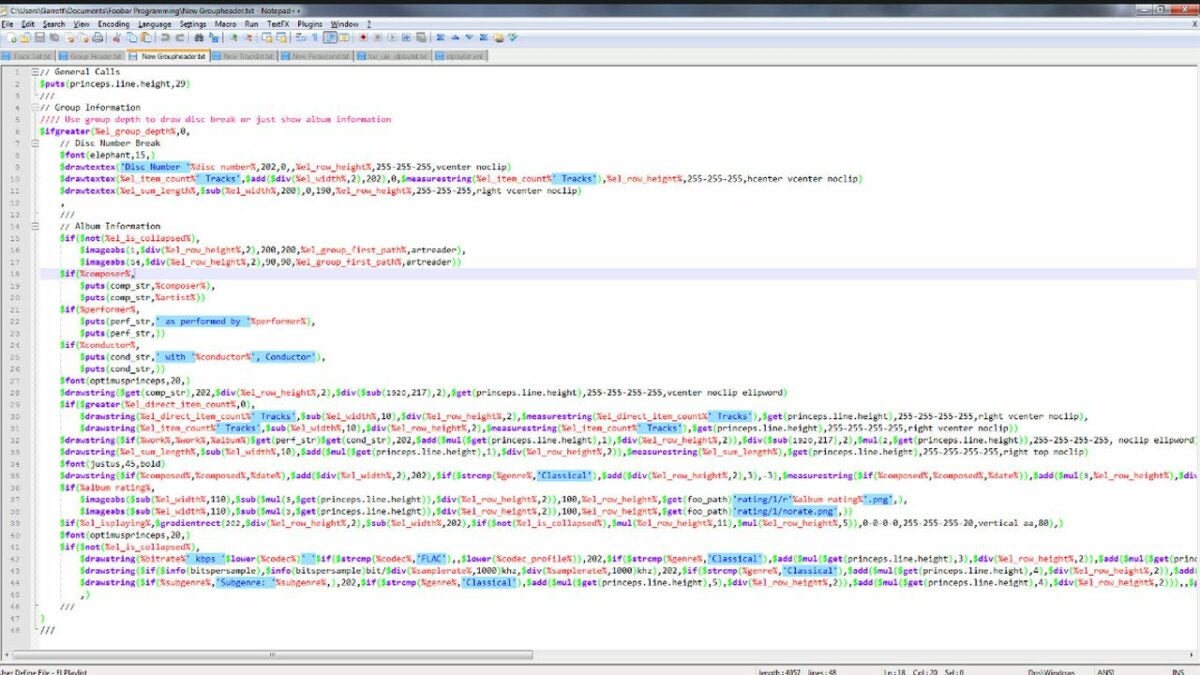
Notepad++ is a completely free source code editor that doubles as a replacement for the Notepad software that comes standard on Windows. The added functionality of Notepad++ makes it a worthy upgrade and a powerful source code editing solution. To showcase why this software is so useful, here are the seven best features available in Notepad++.

Notepad++ Download

Targeted browser launching

When testing code for web development projects, it is common practice to have a specific browser in mind. Notepad++ allows you to set which browser your code will launch in at runtime, all in just one click. Hover over the Run tab at the top of the screen, and select run from Firefox, Chrome, or your supported browser of choice. Clicking your desired option will run the code within seconds.
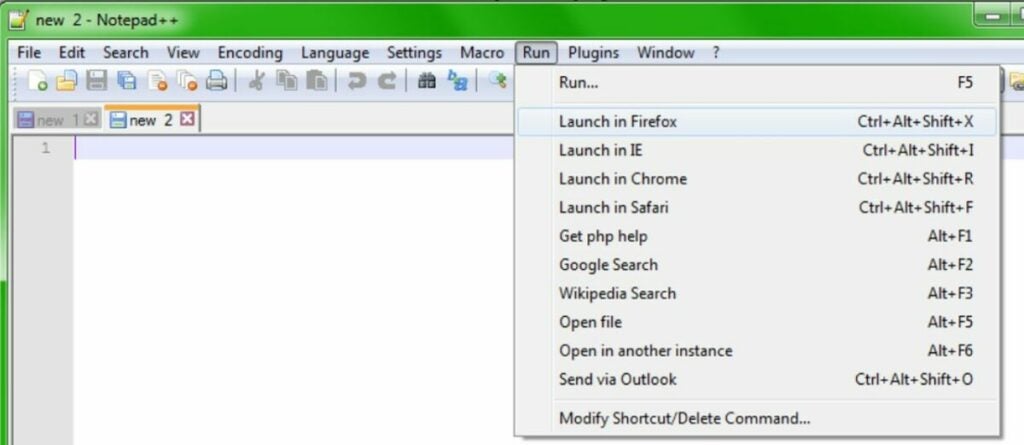
Launch into a specific browser with just one click

Automate work with macros

Next up is the ability to automate simple tasks with macro commands. Macros allow you to record your mouse or keyboard input and repeat it later with an automated script. You can record new loops and play old ones from the macros menu located in the same top section where the run menu is located. Simple tasks such as reformatting text can be completely automated with the proper macro.
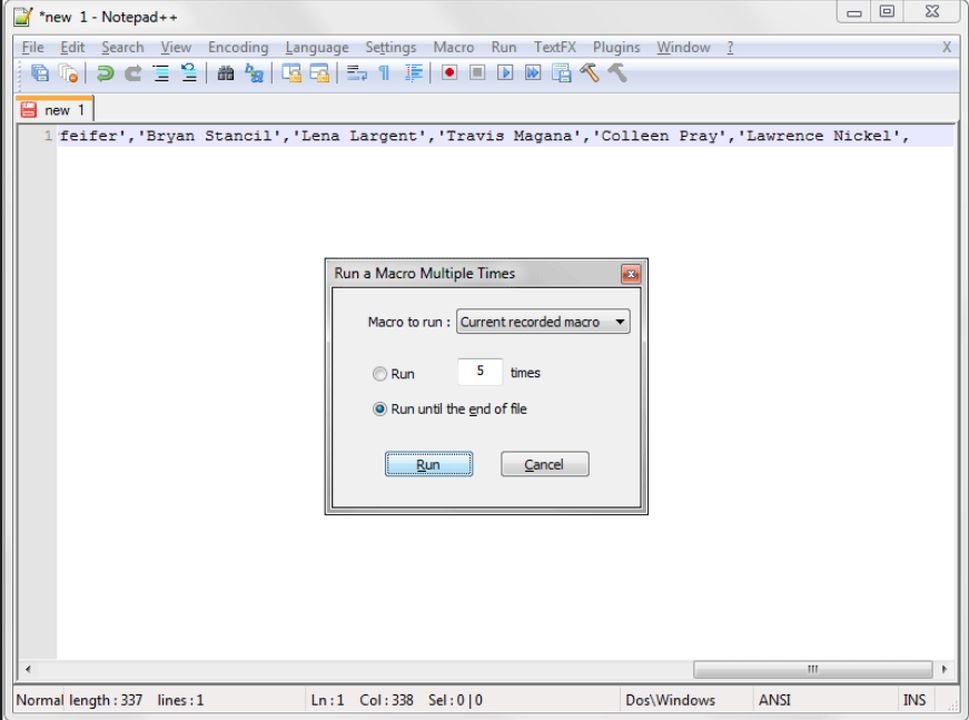
Run macros to save time and energy on simple tasks

Customize or create your theme

When using an app for extended periods, the inclination to customize the experience grows stronger. Notepad++ has many preset themes to choose from and even allows you to create your own. Just write the code, and save the file in .xml format. Then, you can import your file with the style configurator menu pictured above. The style configurator is also where you can change colors and select the premade theme templates that come with Notepad++.
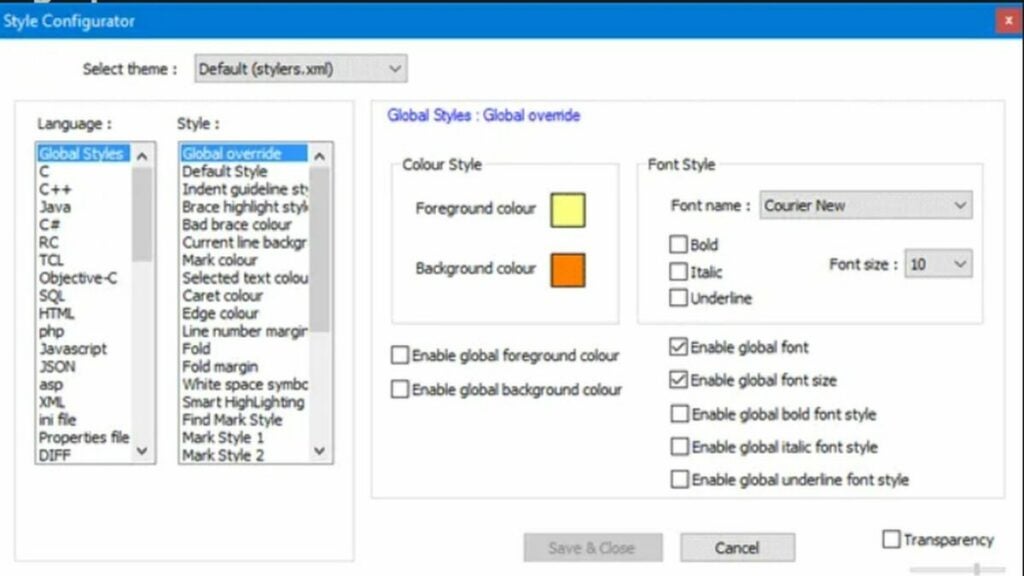
Customize the look of your software with created themes

Folder as a workspace

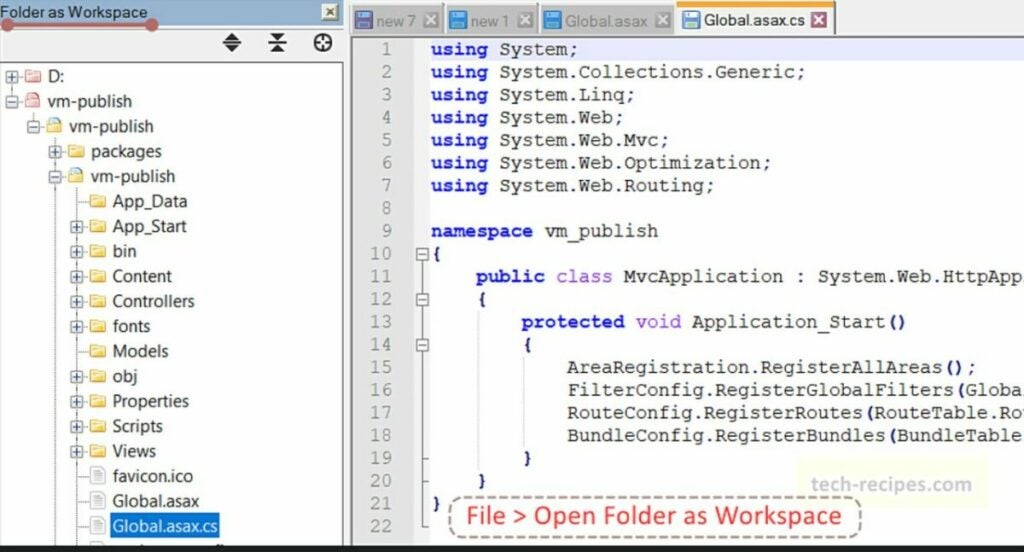
When developing large projects, you often have dozens of files to sort through that all belong to the same workflow. The folder as workspace feature allows you to view each item in a folder simultaneously with a specialized tree view. This allows you to stay organized and quickly navigate between the various files that comprise your project. With a folder selected, click File and open folder as workspace to enable this feature.

View everything in a project folder simultaneously

Find words and strings across multiple documents

Sometimes, you need to address errors that span multiple files. You can search for the relevant spot in each file where your targeted string is located. First, hit Ctrl + F to open the find menu. Type in your desired string and click the find all in all open documents button to search. Keep in mind that you must have all documents that you wish to check already open for this to work.
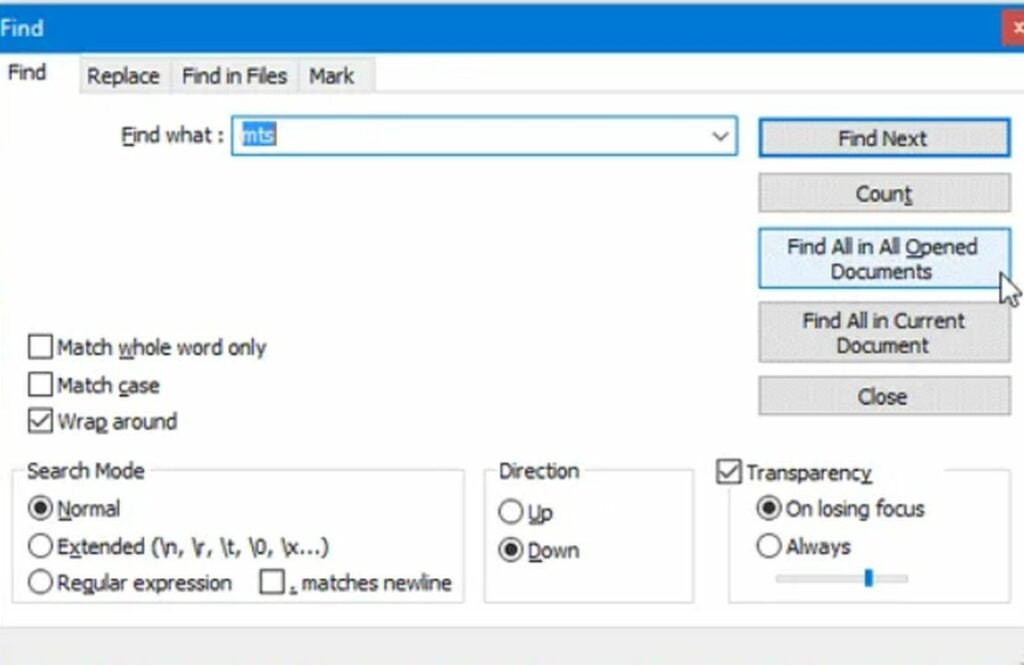
Find unique character strings across all of your files

Replace words and strings across multiple documents

In addition to just searching for strings, you can also replace them across multiple documents. This is perfect for when you rename a function or parameter. You can make changes across all instances at once without risking typos in different areas. To do this, hit Ctrl + H with all relevant documents open. Type your string into the field, and click the “replace all in all open documents” button to apply the edit. You can then save all the edited documents with the shortcut, Ctrl + Shift + S.
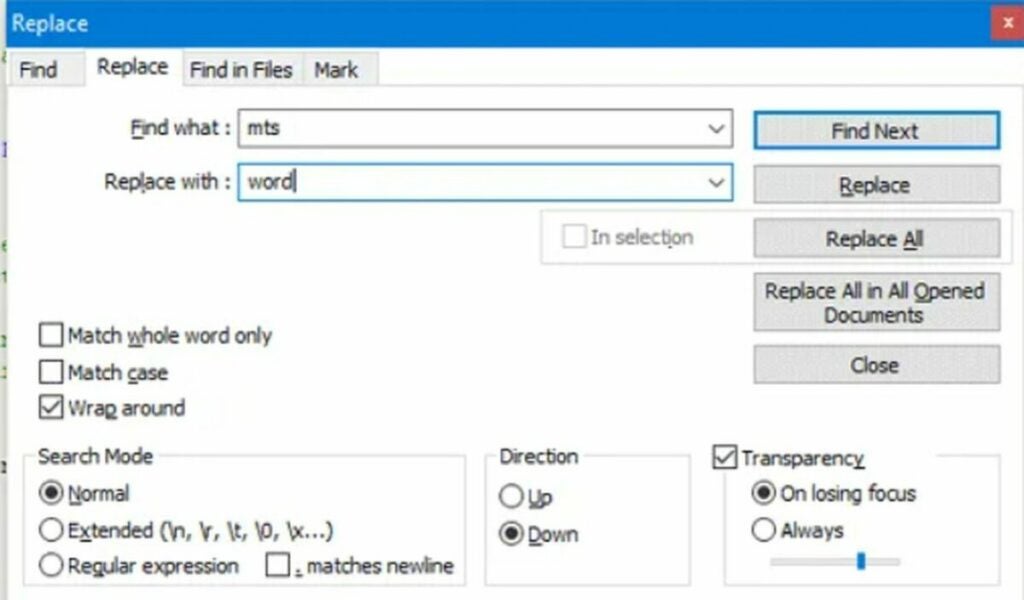
Replace strings in multiple files at once

Compare two versions of the same file

You can compare two versions of the same file for easy editing. With a file open, right-click and select clone to other view from the dropdown menu. This lets you choose previously saved versions of the file to view side-by-side for comparison and bug hunting.
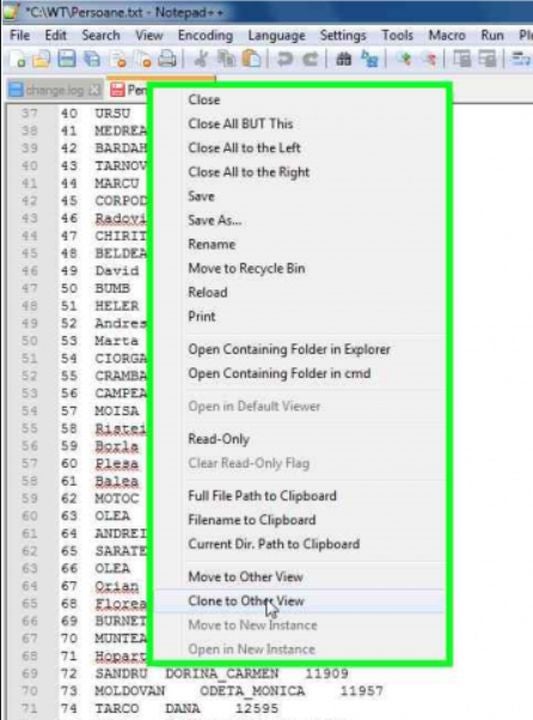
View a side-by-side comparison of two versions of the same file

This is just a sample of what Notepad++ can do

The robust feature set of Notepad++ does not stop with the seven useful features listed above. There is so much more for advanced users to dive into. For instance, the automerge feature. This article explains how to condense multiple data points into a single line of code and save loads of time.


Zoom launches Workspace Reservation for hybrid workers

Your general 9-5 no longer looks like it did three years ago, especially with platforms like Zoom. While we used to spend all day in an office amongst other people, the Covid-19 pandemic saw most of us moving into isolation at home where some of us still find ourselves working. Now, however, the world is adjusting to a new normal, and with that adjustment has come the rise in hybrid workers.

Zoom DOWNLOAD

As hybrid workers spend increasingly more time at work, companies like Zoom have put in an effort to ‘close the distance between the office and the remote workspace.’ Zoom’s latest innovation, Workspace Reservation, hopes to take the working world by storm. 

The dreams for this innovation are best described by Zoom’s Head of Zoom Rooms and Whiteboard, Jeff Smith: 

‘Employers continue to prioritize hybrid office management as they seek a secure, easy-to-use, and comprehensive solution to help connect in-office and remote workers. Workspace Reservation expands on Zoom’s already robust hybrid work offerings and helps employees have access to the tools they need to do their best work on a given day.’

Essentially, Workspace Reservation will let workers pre-book workspaces, let them know who else is booked for those spaces, and furnish them with optimal seating recommendations. Through this new resource, workers will be able to book Zoom Rooms, Work desks, Zoom Phone Appliances, screening rooms, meeting rooms, and all sorts of other spaces and integrated solutions.

Users of the beta version of the service can even book parking spaces prior to their arrival at a specific work location to save time and skip out on the search for an available parking space on the day. 

According to Zoom, the new service offers hybrid teams and system admins separate features and space management solutions:

Hybrid teams

  • Flexible hotdesking options: Choose your space reservation time and duration – only a few short hours or a full day.
  • On-demand booking: Reserve spaces upon your arrival by using a kiosk at the front desk, the scheduling panel outside of a Zoom Room, or directly at a workspace.
  • Intuitive user experience: Teams can use a familiar interface and platform they know and love to book in-office workspaces.

System admins

  • A streamlined process: Easily upload custom office maps and seating locations directly from the admin portal to create a seamless booking process.
  • Simplified space management: Add printable QR codes to workspaces and reserve a space on the fly.
  • Workspace optimization with analytics: Use data collected by Workspace Reservation to learn more about how your teams are using their workspace and assist you in planning and building a more efficient and effective workspace.

In other Zoom news, apparently the company wants to scan your emotions with AI during video calls.

Zoom wants AI to scan your emotions READ MORE

Windows 10 Version 22H2 the featureless update is finally here

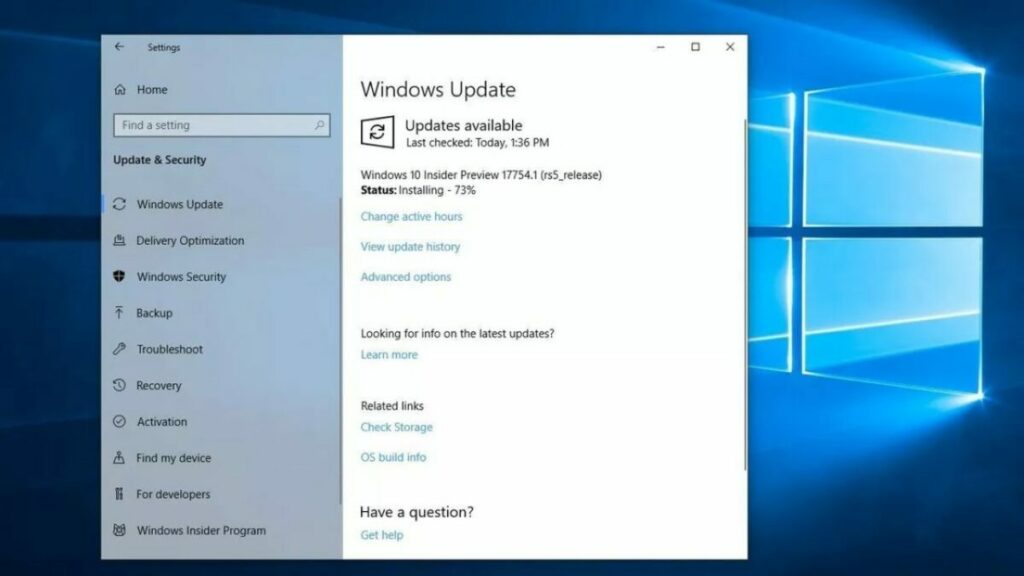
Microsoft seems to be quietly switching its primary focus to the further development of Windows 11. Proof of this can be found in the recent Windows 10 22H2 update – the update that changes nothing but your version number.

Windows 10 DOWNLOAD

Windows 10 reigned supreme as the PC OS of all OSs. Now, though, Microsoft seems to be preparing to shelve the former premier operating system in favor of its contemporary and successor, Windows 11. The recent update which sees Windows 10 going from version 21H2 to 22H2 is incredibly small compared to previous Windows 10 updates, and especially small in comparison to the massive updates being pushed to Windows 11.

Windows 10 version 22H2 is actually only 177 kB in size. That isn’t a misprint. So what can an update this small actually do? Not much, as it turns out. In reality, all the update does is change the version number as support for version 21H2 is coming to an end

Windows 10 version 22H2

See, Microsoft has numerous types of updates that it releases for its operating systems still in service. The most well-known of these are the cumulative updates that are usually released in the second half of each calendar year. This latest update that pushes Windows 10 to version 22H2 is a cumulative update. Cumulative updates usually contain loads of new features to set the operating system up for whatever future plans the company has for them. However, there are no new features of which to speak in this update, so why release one at all?  

The various versions of the Windows operating system have always had shelf-lives. Recently, Windows 7 saw its end-of-life. This means there are no more updates coming to keep Windows 7 systems safe and bug free – no official updates that is. The shelf-life for Windows 10 version 21H2 is coming to an end, and instead of extending the shelf-life by another year or 2, Microsoft have decided to instead institute a new version number and thus begin a new shelf-life period. But what does this mean for the future of Windows 10?

Essentially, Windows 10 will still receive updates surrounding cyber security and bug fixes, but we might be looking at the end of new features being added to the aging OS. If you haven’t already, it might be time to move over to Windows 11, especially considering the updates that Windows 10 is still receiving are breaking critical operational features of the OS. For instance, Windows 10 KB5014666 is breaking USB printers.

Mobile Legends: Bang Bang Project Next updates Lesley and Gusion

Moonton Games, the developers behind Mobile Legends: Bang Bang, have finally released more information about their highly-anticipated Project Next Update. Due to launch in September 2022, the update will revamp the Mobile Legends: Bang Bang experience with updates to fan-favorite heroes Lesley and Gusion. 

Mobile Legends: Bang Bang DOWNLOAD

The biggest revamp is likely the full rework of Lesley’s character. Moonton Games dug deep when creating Lesley’s backstory the first time around. Now, they’re updating her look and persona to match better with her history. According to the lore of Mobile Legends: Bang Bang, Lesley is the adopted daughter of one of the wealthiest families.

In her current state, Lesley’s look doesn’t exactly scream ‘daughter of the top 1%.’ Therefore, Moonton Games is reworking the character to give her a little bit more of an elitism vibe and less like the poster child for egalitarianism. 

According to images from the Project Next Update, Lesley’s trademark blue jacket could get a little fancier, and she might swap out her knee-high boots for a sleek pair that extend midway up her thighs. All in all, the conceptualization of the new and improved Lesley definitely looks like she went to private school and grew up with a horse in her backyard – apologies – estate. 

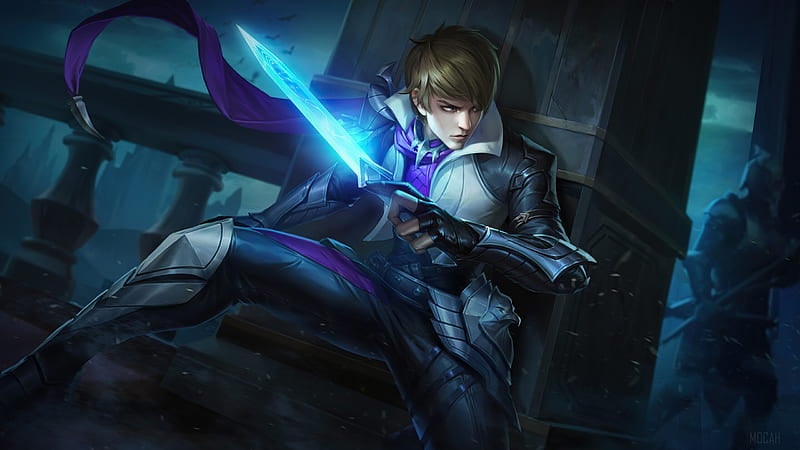
Gusion is also on the receiving end of a rather significant visual update, but he’s also getting a slightly deeper backstory due to previous events. The character design team has taken into account that Gusion has now met his brother Aamon. He’s also taken on a more heroic role within the story and his new look will reflect that prominently. While we don’t know what the finished product will look like yet, we’re seeing hints of heroism, bravery, and confidence making their way into his new look. 

The two fan favorites are also getting new Valentine skins. Both characters will look even more elegant, charming, and distinguished than before, with red and black still reigning supreme and the theme for the season. 

Overall, these new creative decisions seem to signify the game itself becoming a more confident and elegant representation of Moonton Games’ original dream. We can’t wait to see what else the Project Next Update has in store. 

In preparation for when the update hits the mainstream mobile gaming market, here are our top 4 tips for Mobile Legends: Bang Bang.

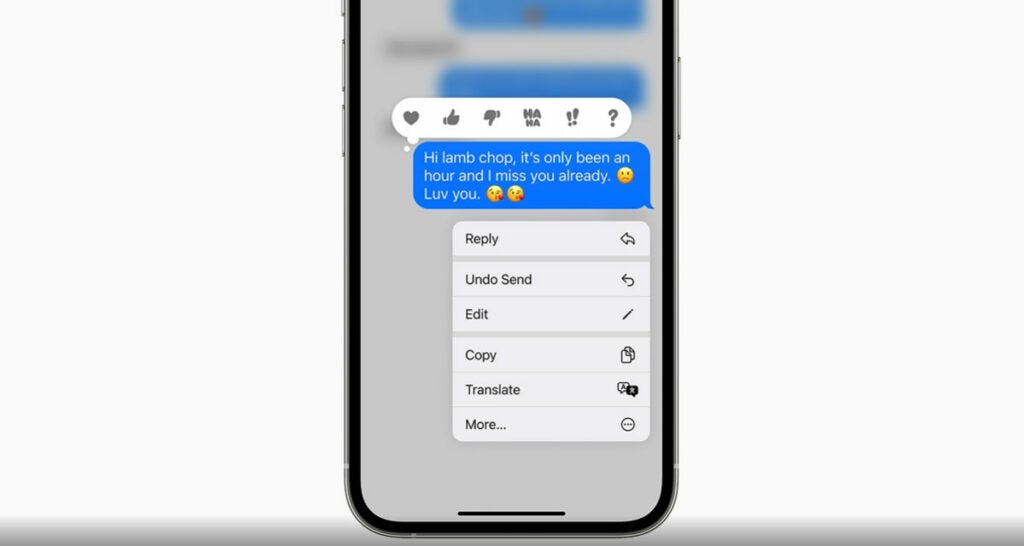
iMessage reduces the time limit to unsend messages in iOS 16 beta

The iOS 16 beta is now in its fourth version, with plenty of testing still happening behind the scenes. The new Apple update focuses on some changes in the iMessage app, such as editing history and timelines. One of these updates reduces the time you have to unsend a message, previously set to 15 minutes.

iOS 16 DOWNLOAD

The ability to unsend a message on iOS 16 devices is one of the more recent additions to the beta programme. If you accidentally sent a wrong message to someone on iMessage, you have the ability to quickly unsend it so you don’t embarrass yourself. With the latest update, you only have two minutes to do so.

The reason Apple provided for the reduced time is apparently to stop people from abusing the new feature. You’ll be able to spam people with messages, unsend, and resend too many times in such a long period. The only downfall of the tool at the moment is that you can’t unsend messages from a contact that doesn’t have the new update installed.

iMessage reduces the time limit to unsend messages in iOS 16 beta

Another feature update for iOS 16 has to do with editing a message. You can now see a history of edits on a specific message. It helps if you’re interested in seeing what the person said originally, especially when it has nothing to do with grammar or spelling. It’s also a great way to catch someone out when they’re spamming, and then try to change the original message.

We’re looking forward to many more features to come, such as the possibility of iOS 16 apps completing CAPTCHA verifications for us. If you want to be part of the testing phase, you can sign up for the beta programme.

iOS 16 to bypass CAPTCHA verifications READ MORE

Genshin Impact releases an exciting 3.0 preview

We’re so excited for the massive Genshin Impact 3.0 update expected sometime in August! As we had hoped, there will be a brand new location called Sumeru, giving us more land to explore. There’s also word of a new element coming to the fantasy JRPG named Dendro.

Genshin Impact DOWNLOAD

The preview trailer for Genshin Impact 3.0 provides lots of details about the new location, Sumeru. The residents of this location place loads of emphasis on knowledge and wisdom, hence the title “Prelude to Wisdom.” An organization called Akademiya runs all the state affairs, and it seems they use wisdom as some type of resource they can use.

Due to using their intellect as a physical resource, the Sumeruans can’t actually dream. That doesn’t mean they’re sad about it. On the contrary, it appears to be a good sign that they don’t dream while sleeping, as it means they’re using their wisdom properly. Imagine believing that having no dreams means you have more knowledge.

The land has some interesting features. For one, Shroom-Kin has evolved to develop a new type of fungus, almost like an evil mushroom. It can become territorial and take on many forms, so you’ll need to battle some of these fascinating creatures along the way. 

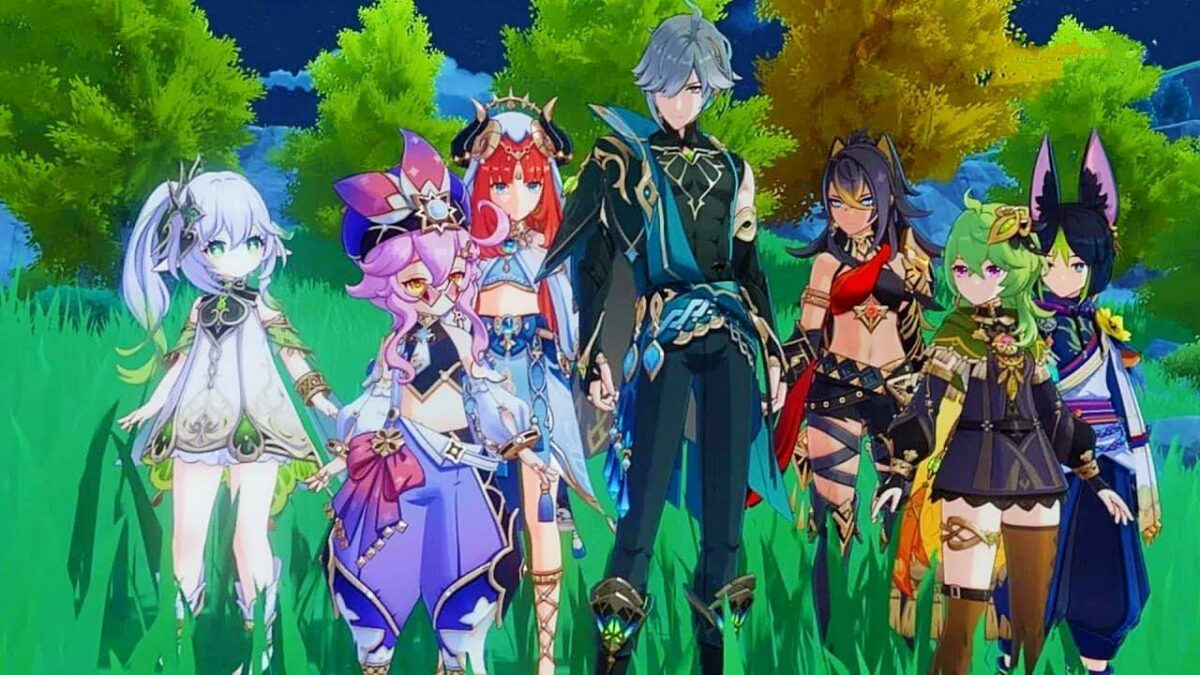
Besides environmental changes, we’re also excited about the brand-new characters headed our way. The five we know of so far are Nilou, Nahida, Al-Haitham, Cyno, and Dehya. Pack that together with the upcoming new element Dendro, and we’re in for one heck of an action-packed update in August. 

If you missed it, we had some exciting news to share about a Genshin Impact leak on Collei.

Genshin Impact exciting details about Collei READ MORE

Protect your images and docs with Gallery Vault – Hide Pictures

Gallery Vault is a new app that allows users to hide pictures and videos. This can be done so that only you can see these videos and pictures. These pictures are called Vaulted Pictures and disappear when you don’t want others to see them.

Gallery Vault - Hide Pictures DOWNLOAD

With a few clicks, you can secure your photos and videos from the most determined family members, hide files in multiple folders, and much more. But don’t take our word for it – see for yourself how Gallery Vault does everything you need to protect your personal data and give yourself peace of mind.

How to use Gallery Vault – Hide Pictures

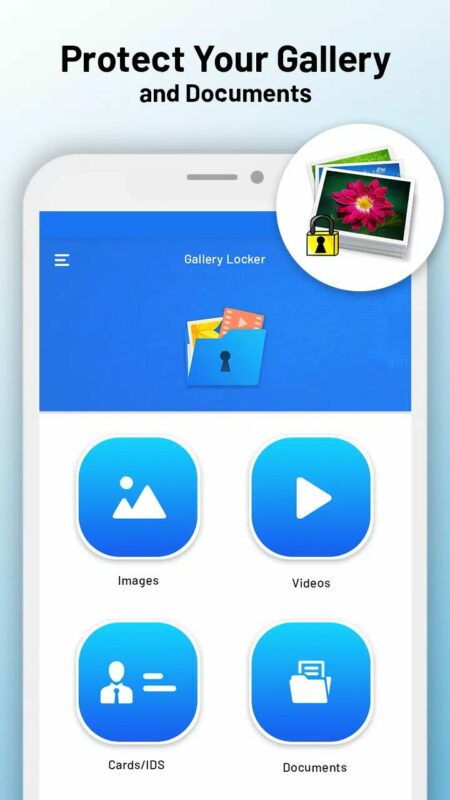
  1. Hiding and Encrypting Photos and Videos

    How to Use GalleryV ault - Hide Pictures

    Gallery Vault allows you to hide and encrypt your photos and videos. It’s a great way to protect your privacy, especially if you have anything sensitive in your photos or videos. The app has a simple interface that makes it easy to use and navigate through. You can choose what kind of content to hide from your phone and how long it should be hidden.

  2. Hide the Gallery Vault Icon

    How to Use GalleryVault - Hide Pictures

    Once the icon is hidden, you can launch the app using several methods. One is you could use your dialer. Set a pin when hiding the app, and then dial the pin from your dialer. This will launch the app. You can also launch it using your browser. Go to the Gallery Vault URL and hit enter. Your app will launch.

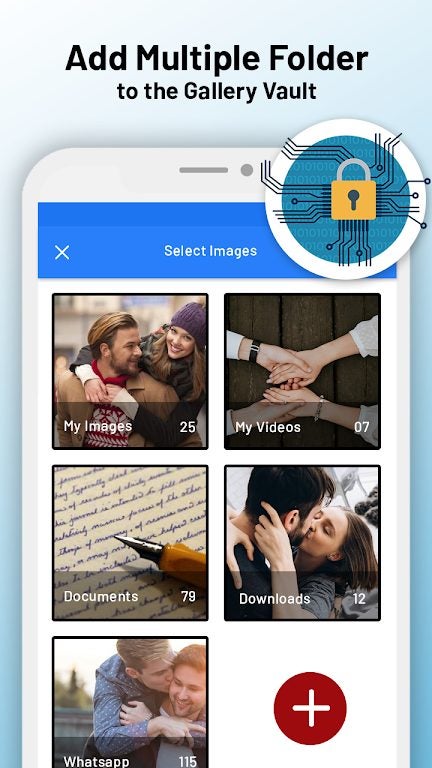
  3. Creating Folders

    How to Use Gallery Vault - Hide Pictures

    Gallery Vault does not just allow you to save your personal files. You can even create folders and ensure no file is ever lost. Every smartphone today has at least 50-60 GB worth of personal data. It can be difficult to sort these files based on priority and needs. Gallery Vault allows you to do so with ease and keeps these files sorted even when you unhide them.

  4. Store Private Videos and Images

    How to Use Gallery Vault - Hide Pictures

    If you’ve been using Gallery Vault for a while, you know that the app is about keeping your private videos and images safe. The app has made it easier than ever to store videos and images in the Gallery Vault – a place where you can securely store personal videos and images without fear of them being accidentally shared with the world.

    With the new Gallery Vault, you’ll no longer need to keep a separate folder on your phone to store personal content. You can now use the Vault’s storage to hide any video or images and even make it so that only certain people can access those files.

User-friendly interface

Gallery Vault is a powerful app with a fantastic interface. You no longer have to fumble around with the app for long. The steps to hide your images and videos are straightforward. You can even set up a fake and real pin for the app.

The fake pin is when you are using the app, and someone asks you to open the app to show what’s being hidden. When you enter the fake pin, the person can only see the images and video you have pre-selected when setting up the pin. This way, your hidden images and videos stay safe from prying eyes. When you enter the real pin, you can access all your hidden files.

How to Use Gallery Vault - Hide Pictures

Benefits of using Gallery Vault

Gallery Vault is a free tool that allows you to hide selected gallery content on your device. The app is easy to use and can be used by anyone with a smartphone or tablet.

The benefits of using Gallery Vault are many:

  • Hiding galleries prevents other users from seeing them unless they specifically request access to them. It also prevents them from going through your phone when you aren’t around.
  • You can quickly restore hidden galleries anytime by going into the app’s settings. This allows others to see all the images and videos you’ve hidden.
  • For anyone to see the hidden items in Gallery Vault, they will need a pin. If you’ve hidden the icon, they must unhide it using one of the acceptable methods. 
  • Gallery Vault can also be used to protect your private files and notes, so your private information is not compromised

Remember to always follow our 6 easy tips for staying safe online.

A beginner’s guide to using Alight Motion for Android and Windows

Alight Motion is a powerful editing and graphic design app that works with iPhones but has grown widely popular among Android and Windows users. As a top video editor and animation design solution, perhaps the best thing about Alight Motion is that it is completely free. Here’s a look at how to download and get started with Alight Motion.

Alight Motion APK Download
  1. Download the Alight Motion software to your PC or mobile device

    Start by downloading the Alight APK app for Android

    A robust and highly capable app, Alight Motion produces surprisingly professional results, handling everything from video splicing and animation design to color correction and bold visual effects. To start using Alight Motion for free, simply download the pro-motion graphics app to your Android phone or Windows-based PC.

    While Android, iOS, and iPhone users can access software from all major mobile app stores, developers have not released an official edition of Alight Motion for computers. However, if you want to run the program on a laptop or PC, you can accomplish this by deploying an Android emulator. Nox App Player and Blue Stacks are suitable emulators that let you run a .apk file on your PC to enable the Alight Motion on your laptop or computer. Just remember that, when you launch the program, you must open it inside the Android emulator before it can work.

    Once you’ve downloaded the Alight Motion software, you’ll have access to several impressive editing and design features entirely free of charge. Of course, if you want access to the more advanced design and editing features, you can always purchase a VIP membership at a low monthly subscription fee.

  2. Create a new project in Alight Motion

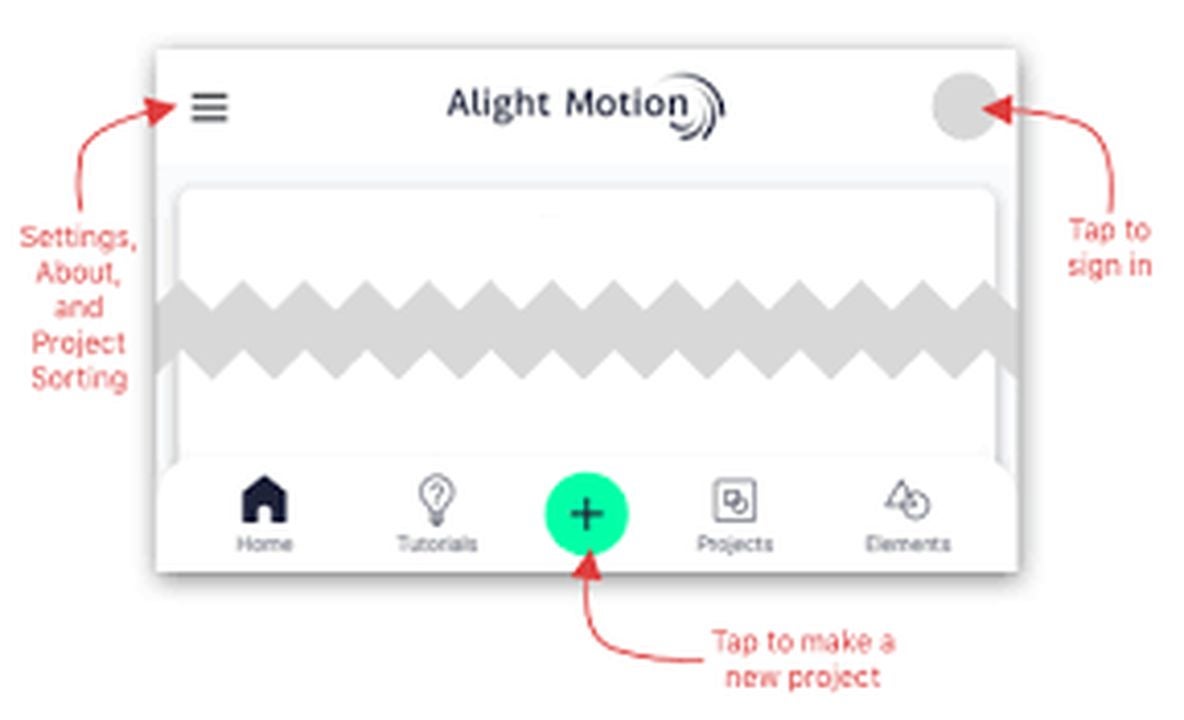
    Tap the green button in the lower center of your screen to start a new project

    If you’re new to Alight Motion and graphic editing software in general, starting a new project is simple. To launch an initial session with the videos and photos from your device, you’ll need to create a New Project in Alight Motion. The program lets you export videos in several formats like HD video, GIF files, and Image Sequence. Alight Motion also supports project package and PNG images.

    To initiate a New Project, open the Alight Motion app, and locate the green plus button at the bottom of your device. It is just above the home button on your Android phone and at the lower center of your laptop or PC screen. The next step is to select the display ratio. Choose from 16:9, 9:16, 4:3, 1:1, or the customized view setting.

    Next, adjust your resolution and frame rate. While these settings are similarly customizable, the best practice is to ensure that they match the properties of the scratch media you captured. If you recorded your video in 1080p at 30 frames per second, ensure the resolution and frame rate are the same in the Alight Motion app. Below the frame rate and resolution settings, you’ll find an option to set your background tones. Pick your desired background color, and click the Create Project button, just beneath the background settings to the right side of your display.

  3. Start photos and videos in the Alight Motion app

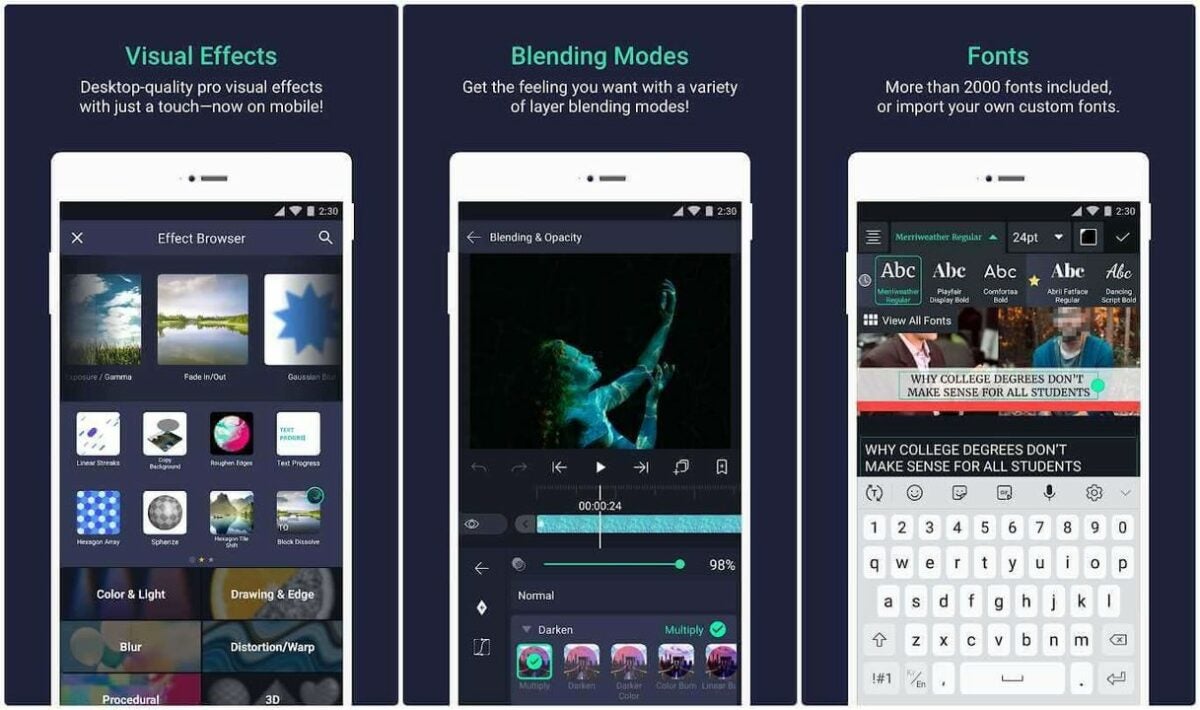
    After importing your media you can start editing your files with over 100 editing tools and filters.

    Now, upload your favorite photos and videos by clicking on the Choose files button. The application lets you select your files individually or import them in groups. You can also apply the same edit to multiple images simultaneously. After uploading your photos and videos, you can begin using the editing tools in Alight Motion to crop your files and apply filters from an exceptional library of options.

    Alight Motion lets you add overlaid text and objects to your pictures and video clips, including various stickers, emojis, shapes, and other graphics incorporated into the software. You can even create your own elements with Alight Motion with an Edit Shape tool that allows you to hone and adjust the properties of a shape. The program allows you to easily share your creations online with others while providing over 100 high-quality tools and powerful visual effects.

Start using Alight Motion today with no experience

Alight Motion was engineered with the beginning user in mind. The software makes it easy to immediately start editing videos and images on your Android device or PC. The program uses automated technology, providing users with more than 100 options for rendering quality visual effects, motion graphics, and gorgeous image filters after just a few clicks. Curious to learn more about photos filter and image editing software? Check out this list of the 10 most popular filter options for Photoshop.

10 curious facts about GTA: Vice City

While playing the Rockstar game is interesting in its own right, there are several curious facts about GTA: Vice City that many gamers don’t know. Some of them involve how the game would have turned out, while others concern the consequences of specific decisions.

Grand Theft Auto: Vice City DOWNLOAD

Either way, you’ll love these 10 intriguing facts about Grand Theft Auto: Vice City. We’ve left our favorite easter egg for last. It’s clear Rockstar Games enjoys a play on words as much as we do.

GTA: Vice City was almost a DLC for GTA 3

Did you know that GTA: Vice City was almost a DLC for GTA 3? When they first planned the game, the initial concept was that it would add some story missions to the first 3D Grand Theft Auto title. However, there were so much content and new assets that it would have been difficult at that time to simply just add it on.

Instead of promoting it as a DLC, Rockstar Games decided it would be a new title. Focusing on a specific location, Vice City would set the scene for the chaos that would follow within the GTA game. It’s similar to how we got three Ezio games for Assassin’s Creed 2.

Assassin's Creed 2 READ MORE
10 curious facts about GTA Vice City

Miami Vice heavily inspired Vice City

It’s not a coincidence that Vice City and Miami Vice sound so alike. During the early planning days, Rockstar considered many locations as the inspiration for the new GTA title. Places like London may have been where you would have run around, but eventually, the decision was made to feature the iconic U.S. city.

The main reason for the decision at the time was all the top features that can be found in Miami that suited the Grand Theft Auto environment. The rolling beaches, the neon lights, the crazy atmosphere; it was the ideal location for a crime wave to ensue.

10 curious facts about GTA Vice City

Actual development of GTA: Vice City lasted 9 months

Even back in 2002, a game development cycle of nine months was incredibly fast for such a massive, open-world game. The development of GTA: Vice City began at the start of the year, and it was completed and ready by October. Can you imagine how everyone was scrambling around, smoking cigarettes and chugging coffee trying to get everything done so quickly?

Of course, we’re sure they had planned everything before the development started to the point where Rockstar could just develop Vice City. Yet, look back at how much content there was. They had to do all the voice acting, making sure celebrities were available for recordings, and then the actual game development itself. It’s truly impressive.

10 curious facts about GTA Vice City

Lawsuit against GTA: Vice City for celebrity likeness

Yes, Grand Theft Auto and Rockstar games received many lawsuits since the first GTA title appeared. At one point, we’d grown used to someone suing the GTA franchise developers for something new or due to the violence and racism. When it comes to Vice City, the lawsuit was from the Psychic Readers Network in 2017 for the use of one of its “assets”, Miss Cleo.

Youree Harris was famous at the time for doing psychic readings for the television network as Miss Cleo. Rockstar Games hired her to play a role in GTA: Vice City, where she portrayed the same flair as on the show. The lawsuit concerned Rockstar using Miss Cleo in their games, for which they didn’t have permission. However, Harris was simply portraying herself as a parody.

10 curious facts about GTA Vice City

Tommy Vercetti doesn’t drop the F-bomb

If you’ve ever listened to the television cleaning your home while your child played GTA: Vice City, we’re sure you told them to switch it off once you heard all the swearing. The Grand Theft Auto series is well-known for dropping several tasty words that wouldn’t sit well in church, especially the F-bomb. Here’s an interesting fact you may have missed: Tommy Vercetti, the protagonist of the game, never uses it.

Sure, he uses plenty of other flavored words that may make you cringe. Even while he’s spitting fire from his guns or blowing up buildings, you’ll never hear him say the F-word. Go ahead and play Vice City again. We dare you to find it.

10 curious facts about GTA Vice City

Vehicle changes sometimes affected the dialogue

Another lesser-known curious fact about GTA: Vice City is that the dialogue sometimes changes depending on the vehicle you use. It isn’t obvious at first, and you’ll only pick it up if you die and restart the mission. If you switch to a car or bike depending on the previous choice, you may hear the NPC say something different. 

For instance, there’s a mission when Mercedes introduces you to the gang where she asks to be taken to The Pole Position Club. If you take her on a bike, she’ll ask you if you’ll work for her father. Transport her by car, and she asks if she can rest her hand on your leg. In both scenarios, your response is, “Maybe…”

10 curious facts about GTA Vice City

The only GTA game without an AK47

The AK47 firearm has been a popular weapon throughout the Grand Theft Auto series. No matter which one you play, you’re bound to come across the gun during missions or at the Ammu-Nation store. Here’s an interesting fact about GTA: Vice City, though: it’s the only ones in the series where the AK47 is absent

There are some gamers and fans that hunted down the Vice City’s files and discovered that there had been plans to originally include it. For some reason unknown to us, Rockstar decided that this would be the GTA where they omitted it. But hey, if you want it included, there are plenty of VC mods you can download that will add it into the game.

10 curious facts about GTA Vice City

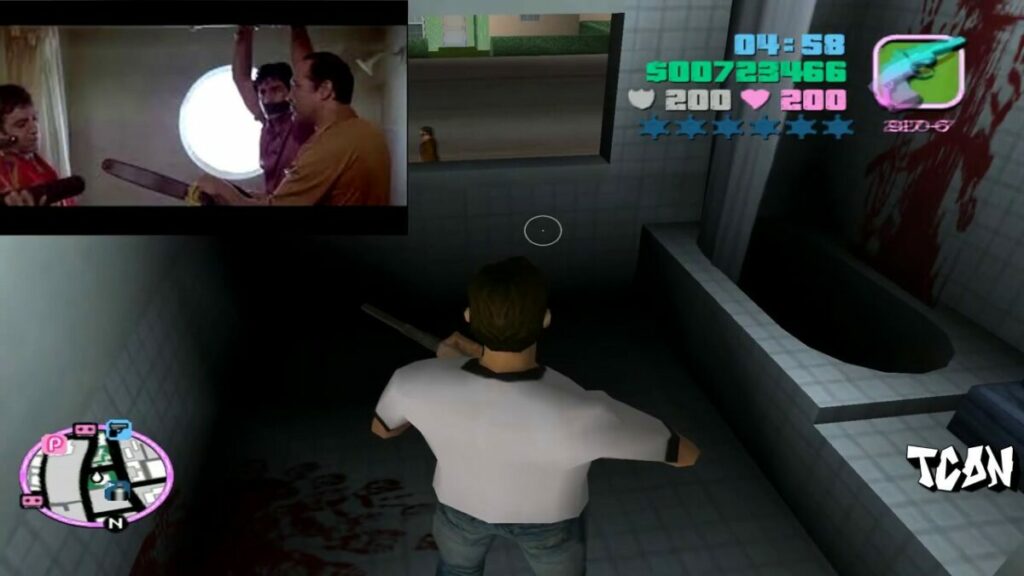
References to Scarface

This fact is probably one of the more obvious ones for GTA: Vice City, but surprisingly, not many gamers know about it. As one of the most famous crime movies of all time, there are many easter eggs for Scarface in the game. Rockstar definitely doesn’t go to any lengths to hide it, either.

There’s an apartment building on Ocean Beach that you can enter at some point. If you head to apartment 3-C, you’ll find a grizzly scene in the bathroom. You’ll note a chainsaw on the floor and blood on the walls. As a Scarface fan, we’re sure you know all too well what that scene references.

10 curious facts about GTA Vice City

Hidden beachball mini-game

As with all Grand Theft Auto games, there’s a completionist list. You need to discover and complete all tasks, even the hidden ones, if you want that 100% completion title. One of these secret missions is a beachball game you’ll find on Starfish Island.

Why are we highlighting this mini-game among all the hidden games in GTA: Vice City? Well, interestingly enough, it’s the one that gamers know least about. To activate it, you need to hit a beachball in the pool, which then activates the timer. 

10 curious facts about GTA Vice City

Before there was Rockstar, there was DMA Design

Some of you may not know this, but Rockstar Games was once known as DMA Design. As a matter of fact, if you check the details of GTA: Vice City, you’ll see Rockstar as the publisher and DMA Design as the developer. It later became known as Rockstar North Limited.

Why is this a curious fact, and what does it have to do with GTA: Vice City? There’s a radio station in the game called DMAir, and you may even spot the logo on some of the planes and vehicles. It’s certainly a nod to what the development team was called at that time, and we love how they used a play on words.

10 curious facts about GTA Vice City

Intel limits game updates to newer Processor Graphics products

Intel announced plans today to move several of its Intel Processor Graphics families to a legacy support software model. Affected products will receive limited updates as a consequence.

Intel Graphics Driver Download Now

Many Intel processors include graphics components. These are a low-cost alternative to dedicated graphics cards. While limited when it comes to playing modern computer games, running computations or other taxing processes, integrated graphics components work fine for regular use cases.

Intel launched its dedicated Arc graphics card series in 2022 in order to compete with Nvidia and AMD. First generation Arc graphics adapters do not compete with high-end Nvidia or AMD models yet, but Intel plans to change that in coming generations.

Intel Legacy Software Support Model

Up until now, Intel released regular software updates for all supported processors and processor graphics. These updates fixed security vulnerabilities and bugs in the drivers for the most part. Updates introduced new features in addition to the included fixes, including improvements for new computer games.

The new Intel legacy software support model limits graphics driver package releases for certain Intel Processor graphics families. Affected products move to a quarterly release cadence.

Major issues, for example, major security issues, may result in the releasing of unscheduled driver packages for affected processor families. For the most part, however, Intel customers should expect four driver package releases per year.

Processor graphics families that fall under the new legacy software support model receive critical fixes and security vulnerability fixes only. In other words, updates will no longer introduce support for new features or technologies, including optimizations for new computer games.

How to find out if your PC is affected

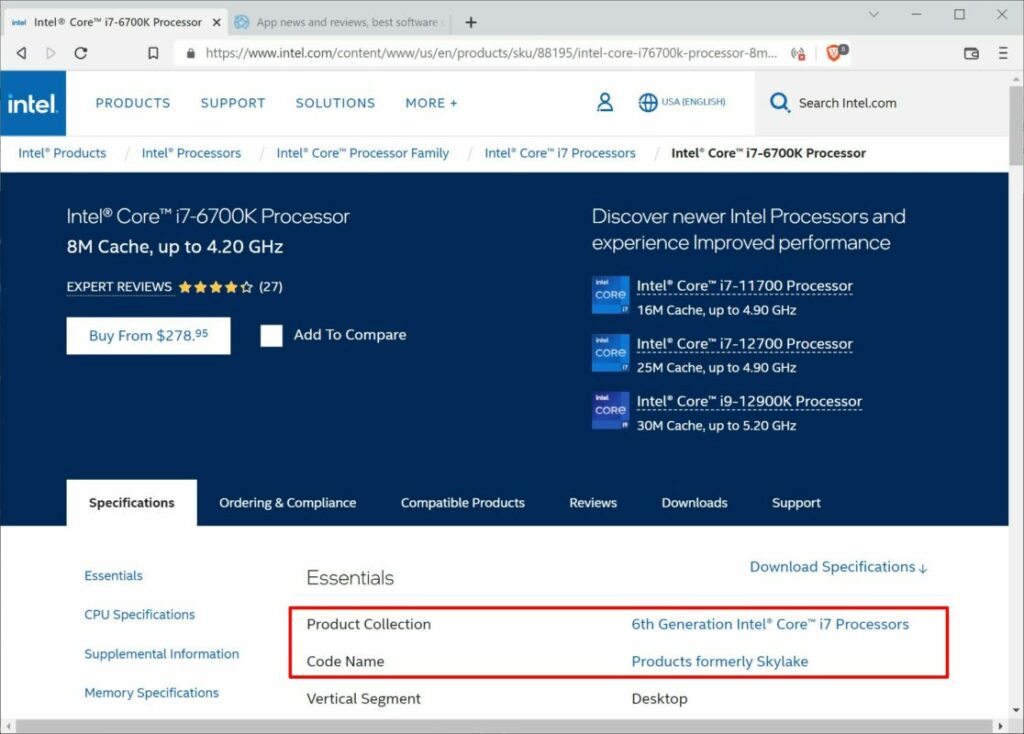
Intel Product lookup, processor product collection and code name

Intel published a list of impacted products on its Community website. In short: affected products include Intel 6th generation to 10th generation processor graphics products, as well as related Intel Atom Pentium and Celeron processors.

The list is helpful, but only for experienced users and administrators.

Here is a quick way to find out whether a PC is affected by the change:

  1. Open the Windows Start Menu, e.g., by clicking on the Start button.
  2. Type System Information and select the System Information application from the results.
  3. Locate the Processor entry in the System Information window. You find it near the top of the page.
    • Example: Intel(R) Core(TM) i7-6700K is listed in System Information.
  4. The first number after the dash references the processor generation. In the example above, it is processor generation 6 (Intel(R) Core(TM) i7-6700K)

Alternatively, you may look up the information on Intel’s website:

  1. Visit the Intel website in a web browser.
  2. Search for the first part of the Processor field in the System Information window.
    • Example: Intel(R) Core(TM) i7-6700K is listed in System Information.
    • Search for Intel Core i7-6700K on Intel’s website.
  3. Select the processor from the list of suggestions.
  4. Select the first search result from the search results listing.

The “Product Collection” and “Code Name” entries reveal the generation of the processor and its code name. The generation is all you need; if the processor is a 6th to 10th generation processor, it is affected.

Compare the data with the listing below:

Intel Processor listing

Codenames: Skylake, Apollo Lake, Kaby Lake, Amber Lake, Coffee Lake, Whiskey Lake, Comet Lake, Gemini Lake, Ice Lake, Lakefield, Jasper Lake, Elkhart Lake.

10th Generation Intel® Core® processors with Intel® Iris® Plus graphics (Codename Ice Lake)

10th Generation Intel® Core® processors with Intel® UHD Graphics (Codename Comet Lake)

9th Generation Intel® Core® processors, related Pentium®/Celeron® processors, and Intel® Xeon® processors, with Intel® UHD Graphics 630 (Codename Coffee Lake-R)

8th Generation Intel® Core® processors, related Pentium®/ Celeron® processors, and Intel® Xeon® processors, with Intel® Iris® Plus Graphics 655 and Intel® UHD Graphics 610, 620, 630, P630 (Codename Kaby Lake-R, Coffee Lake)
Intel Pentium® and Celeron® processor family (Codename Gemini Lake)

7th Generation Intel® Core® processors, related Pentium®/Celeron® processors, and Intel® Xeon® processors, with Intel® Iris® Plus Graphics 640, 650 and Intel® HD Graphics 610, 615, 620, 630, P630 (Codename Kaby Lake)

6th Generation Intel® Core®, Intel® Core® M, and related Pentium® processors with Intel Iris® Graphics 540, Intel® Iris® Graphics 550, Intel® Iris® Pro Graphics 580, and Intel® HD Graphics 510, 515, 520, 530 (Codename Skylake)

Intel® Pentium® Processor family and Intel® Celeron® Processor family (Codename Jasper Lake),

Intel® Core® Processor with Intel® Hybrid Technology (Codename Lakefield)

Intel® Atom®, Pentium® and Celeron® processor family (Codename Elkhart Lake)

How to download new Intel drivers

Intel maintains a website for driver and software downloads. There you find multiple download options:

  • Select “get started” to run an automated scan for products and available driver and software updates.
  • Intel Graphics Windows DCH Drivers — Use this download page to download the latest version of the graphics driver for all supported Windows operating systems.

Closing Words

On the positive side, Intel continues to support 6th to 10th generation processor graphics families. While limited to security and bug fixes, and a three-month release cadence, it is still better than nothing.

On the negative side, Intel won’t release feature updates, including new game optimizations, for the listed graphics families anymore. In reality, most modern computer games do not run too well or at all on older graphics products.