How to Create the Perfect CV to Land a Job

ORIGINAL ARTICLE BY ELENA SANTOS

In financial downturns, work is a scarce commodity. That’s why it’s more important than ever to have your CV in perfect condition to get the job of your dreams.

Though the most important aspect of finding a job is that your professional and academic record is good fit for the position, these days it’s just as important how you show this information. So, having a resume with good design and well-ordered relevant information is essential.

Don’t worry, you don’t have to design your CV from scratch; there are numerous apps and websites that make creating the perfect CV a quick and easy task. Here are some of the best, so choose what best suits you and you’ll be a little closer to getting that job you want.

Templates to create your CV with a word processor

Microsoft Word and even free PC programs like OpenOffice and FreeOffice include templates for making CVs. The problem is that they’re very basic, and if you apply with a CV using one of them, it’s possible that whoever sees it has already seen dozens of identical CVs. Not the best first impression.

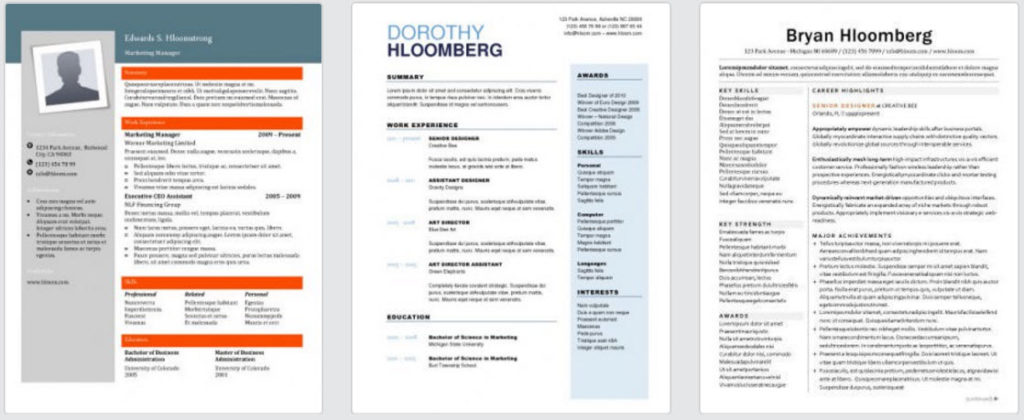
The website Hloom has a huge collection of over 400 CV templates with all kinds of styles; from classic to modern, from minimalist to ornate, templates include features such as columns (to include more info on each page) or graphic elements that give them an original touch.
hloom-1024x420

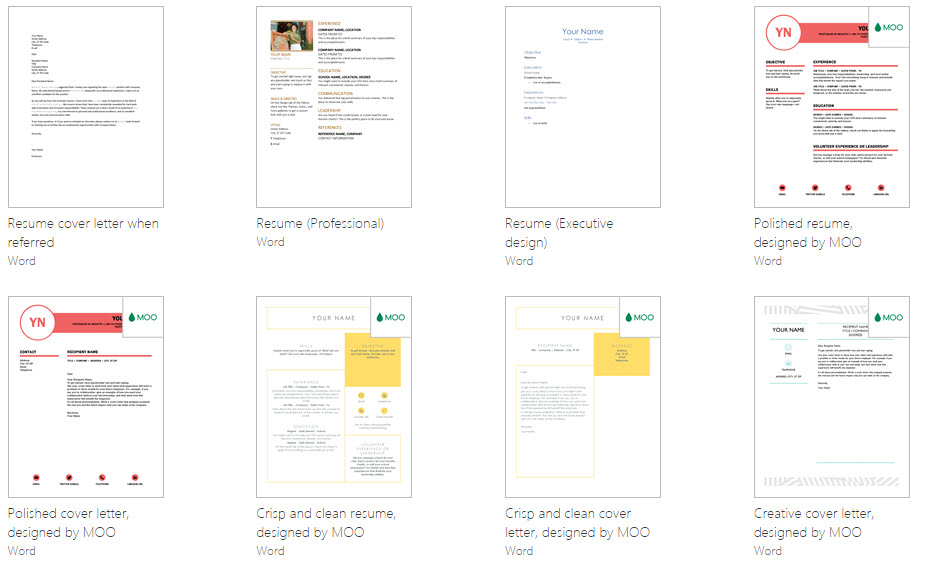
The Office webpage is another good source for CV templates. From there, you can download dozens of files for free to create your CV. Also, the Office website includes other types of templates that may be very useful for work, such as several for creating business cards and other resources.
office

The good thing about downloading a template is its compatibility with most word processors. Although the .docx format is originally from Microsoft Word, these days it’s readable by any text program as well as Google Drive, which you can use with your Google account.

Create your CV online without installing a thing

Years ago, we used specific apps for creating CVs that had to be downloaded, such as ResumeBuilder. Although they’re still useful, they’ve become a bit obsolete; these days the best programs for making CVs are found online and can be used without downloading anything.

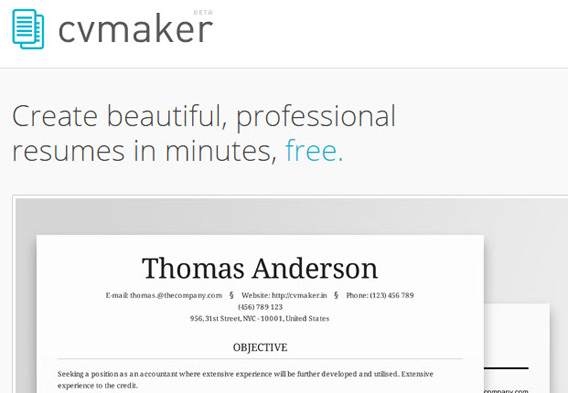
One of them is CVmaker, a completely free app. You can create your CV from scratch, completely personalize it, choose between six designs and download it in DOC, PDF or HTML formats, without even having to make a user account. If you want to create, save and manage several of them, then you will need to create an account.
cmaker

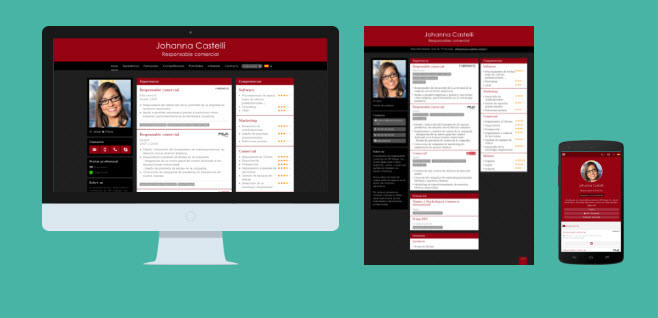
Another interesting option for creating your CV online is Do You Buzz. Although it has paid versions, its free version may be ideal for your needs. The app not only guides you through the process of making your CV but also gives you tips so you don’t leave out any important details. Also, the resulting CV has a special format that makes it suitable to view on any screen (PC, mobile) and has options so you can publish it directly to your social networks.
doyobuzz

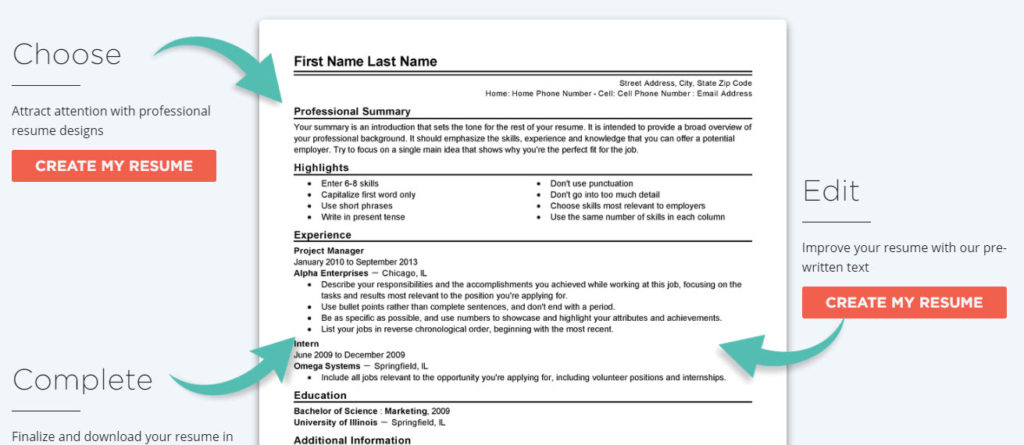
If you need more advice on how to create your CV (beyond the issue of design), one option is to consider LiveCareer. With this website, you can not only make your CV online but also ask for help from experts in Human Resources, read basic tips about CVs and how to prepare for interviews, and create your cover letter. You don’t have to write it from scratch; start with one of the examples, adapt it to your needs, and you’ll have it ready in no time.
livecareer-1024x445

If you’re looking to create a CV with the standard European format, the so-called Europass Curriculum, go to their official website for a free CV generator that will help you create yours using their guidelines. From the same site, you can create other useful documents like cover letters to apply for jobs in the European Union.
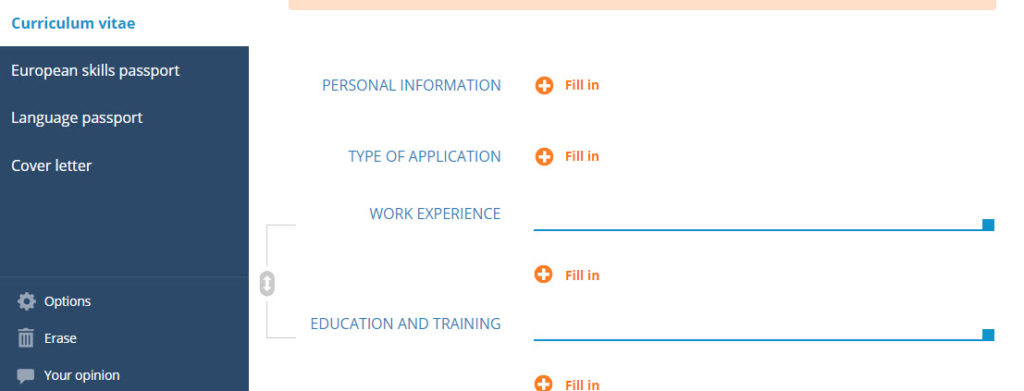
europass-1024x391

Finally, if you already know exactly what you should put in your CV and you’re only looking for a striking design, check out the CV templates on the website Canva. This online graphic editor offers great free templates for making colorful CVs.
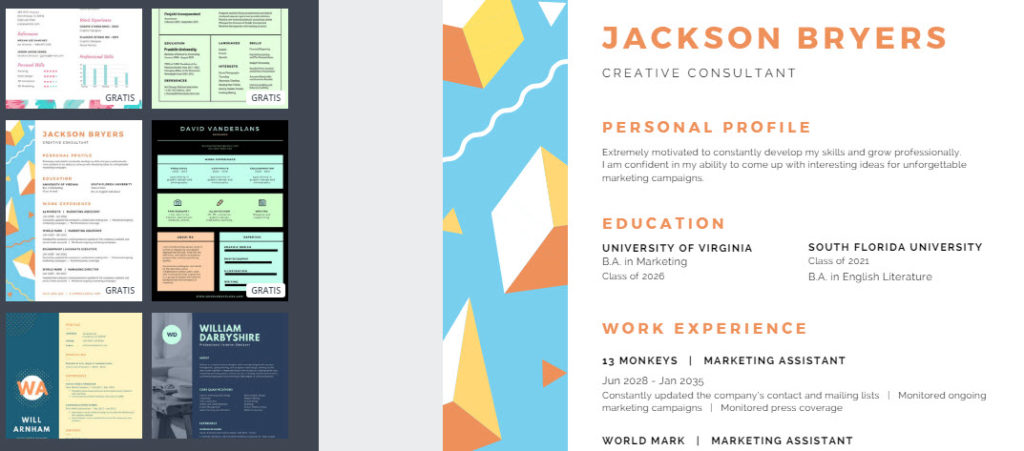
canva-1024x451

Create your CV on your phone

Don’t have time to edit your CV on a PC? Fortunately, there are Smartphone apps to make CVs. On Android, we’ve got the complete My Resume Builder, which lets you edit your CV with 4 steps and later export it as a PDF so you can send it to whoever you want.
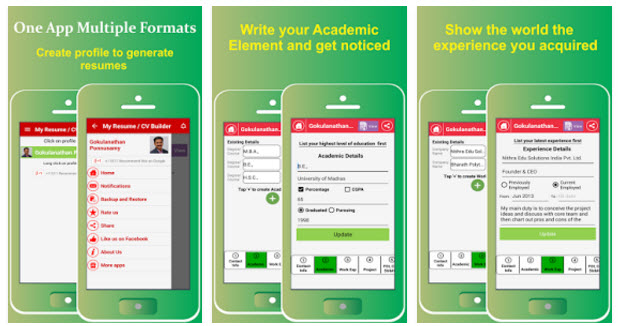
myresumebuilder

A similar app for iOS is Resume Star, which is very easy to use and offers various templates, in addition to the necessary option for exporting it as a PDF.
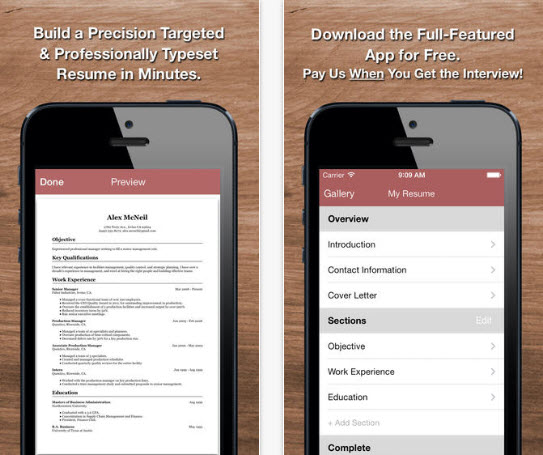
resume-star

Tips for improving your CV

It’s useless to use the best apps to make your CV if the content is badly organized, if it isn’t relevant to the person reading it, if the info is outdated or can’t even be viewed on certain systems. So here are some basic tips for improving your CV even more:

  • Personalize your CV for the job position: the same CV doesn’t work for two different job offers. For example, it’s not the same thing to apply to a translation job and a video editor job. For the first, maybe you should highlight the languages you speak, while for the second it’s important to emphasize your experience with software.
  • Put the most relevant info first: Human Resources staff review dozens, even hundreds of profiles like yours every day. They only have a few minutes for each one. So, it’s important not only to personalize your CV according to the position, but also place the most important information first, so you get their attention right at the outset.
  • Use standard fonts and formats: there’s nothing worse than a CV with a very overworked design, so it’s not visible because the person receiving it doesn’t have the same font, or the same program to properly open it. It’s best to stop experimenting and stick to traditional formats and designs.
  • Don’t limit yourself to numbers and facts: academic titles and years of experience are great, but they make your CV boring to read… and too similar to others’. Focus on your personal and professional achievements by explaining them in a friendly way, and try to give personality to your profile.
  • Revise and update often: never send a CV without reviewing it carefully beforehand. There’s nothing worse than a CV with spelling mistakes! And of course, update it when relevant.
  • Keep other sources of information in mind: these days the CV isn’t the only source of information that companies have when hiring. They also review your social media profiles, so make sure they don’t have the wrong image of you.

1464172034938 (1)

Creating an original CV is possible… if you know how

Beyond a PDF or Word document, there are other ways of presenting your CV to the world. And some of them, besides summarizing your knowledge and experience, can make you stand out from the rest and capture the attention of the person reviewing profiles.


This article was originally published on March 27th 2017.

You might also like…

 

Top DJ Tips From the Pros

So, you want to be a better DJ? Avoiding these common mistakes is a great way to improve your skills, be hired for more gigs, and thrill audiences with your beats.

Letting Them Look

You’ll get approached all night by people asking to look at your collection. They often are trying to play a “joke” by suggesting inappropriate, random, unpopular, or boring songs to play. Unfortunately, if you let them do so, you can create an avalanche of copycats. More importantly, you lose control of the pace, flow, and pattern of your gig.

if-youre-facing-the-dj-youre-getting-dance-music-body-image-1432909345

Mixing it Up

You don’t want to spend all of your time hunched over your controls, trying to create one perfect mix after another. Spending too much time focused on the mixes is unfortunate, because you end up missing out on understanding the mood, vibe, and atmosphere of the room and crowd. Focus more on the feeling the next song will evoke, not on the transition that’s fleeting and likely not to be remembered.

Playing Too Loud

WHEN EVERYONE AT THE EVENT NEEDS TO SHOUT AT THE TOP OF THEIR LUNGS TO BE HEARD OR THEY’RE TRYING TO MOVE TO THOSE QUIET SPOTS IN THE ROOM, IT MEANS THE DJ IS NOT DOING HIS OR HER JOB!!! THAT HEART-POUNDING, ROOM-SHAKING SET MIGHT SEEM COOL TO YOU, BUT YOU NEED TO REMEMBER THAT THE GATHERING IS USUALLY ABOUT MORE THAN JUST HEARING GREAT TUNES!!!!!!!

Playing The Big Songs Too Early

There will always be a few songs that are the go-to faves for most of your audience. Attendees will be expecting to hear them. You need to gauge the crowd, know when it’s the right time to fill the dance floor, and space out your top tunes throughout the night. Otherwise, you’ll play them too soon or too closely and risk losing the interest of the crowd.

dj-session

Playing Every Request

It’s wise to take requests and work them in as makes sense. But that does not mean you need to play every single suggestion. You can even tell the crowd early on that you won’t be able to fulfill every request. Sure, some people might be disappointed, but if you give them sets that flow nicely, excite the crowd at the right time, and set the right tone, people will forgive not hearing their favorites.

Playing Bad Files

Invest in the good stuff. Don’t rip low-quality YouTube files that do not have the high fidelity and rich sound your crowd deserves. Take the time to make sure the files you have are the best available and purchased properly. You’re in the music business and you should properly support the artists who supply your product.

If you love DJing, check out DJ Mixer Express!

This article was originally published on 4th August 2016.


Our Softonic Solutions’ users are talking about the best resources for discovering new musicJoin the conversation now!

7 Unreal Myths About Your Cell Phone Battery That You Still Believe Are True

Cell phone batteries have evolved so much in recent years. As a result, some helpful tips for extending battery life have become obsolete. Sometimes sticking with them may even end up being counterproductive. Below, I’ll go through some of these myths to reveal the truths hidden behind them.

MYTH 1: It’s bad to leave your cell phone recharging all night

This myth stopped being true ages ago. In the past, yes, if you left your battery charging for a long time, it could overheat and even explode in extreme cases. Hence the belief was born that it’s bad to recharge your cell phone all night long.

Could this happen today? No. Batteries and chargers are now prepared for any eventuality. And if you don’t believe me, here you’ve got a few statements from Andrew Goldberg, a tech writer at iFixit, a page about repairs.

“Contrary to what you might think (or have been told), leaving your phone or laptop plugged in all the time is not bad for its battery. That’s because your gadgets, the batteries in them, and the chargers you attach them to are actually pretty smart about the way they do business.”\

MYTH 2: If I close my apps, I’ll definitely improve battery life

This seems to make sense. If we’ve got lots of apps open at the same time, it’s logical to think that if we close them, we’ll help our battery because we’re taking away its “workload.” If that works with our computers, it should work with cell phones, right?

Not really.

If you leave an app open, it doesn’t do anything and it doesn’t use up resources. So if you close an app, you won’t save battery because there’s nothing to save. Exactly the opposite.

bat2

“By closing the app, you take the app out of the phone’s RAM,” explains technician Scotty Loveless. “While you think this may be what you want to do, it’s not. When you open that same app again the next time you need it, your device has to load it back into memory all over again. All of that loading and unloading puts more stress on your device than just leaving it alone. […] You are meant to be the user of your device, not the janitor.”

I don’t recommend using any task manager such as Advanced Task Killer. These apps were valuable in 2009, when cell phone Operating Systems didn’t know how to best manage activated apps, batteries… But we’re no longer in 2009. Your cell phone knows how to get by without you.

But wait! There’s something that quickly drains your cell phone battery: app features running in the background. This is especially a cause of concern with instant messaging apps and those that pester you with non-stop notifications.

The solution is simple: disable background features for apps.

MYTH 3: Use only official chargers for your cell phone

This myth was created by marketing teams. If you’re one of the few people who read cell phone manuals, I’m sure you’ve read the typical tip that “it’s HIGHLY RECOMMENDED that you only use our chargers for your cell phone.”

bat3

Surprise: they want you to buy their accessories. Any decent charger will do. As a rule of thumb, distrust cheap chargers. And if you’re hesitant about a manufacturer, look for information to find out if it’s trustworthy or not. If you read good reviews, then go ahead! Nothing will happen to your cell phone.

MYTH 4: Never use your cell phone while it’s charging

bat4
More than just a myth, this is an urban legend. You always hear people guaranteeing that if you use your cell phone while it charges, it will explode, catch fire or even electrocute you. But for now there’s no proof of this. Don’t worry. Use your cell phone. Nothing will happen to you.

MYTH 5: You should let your battery fully drain before charging it

This myth comes from the age of nickel-zinc batteries. These batteries “forgot” their maximum capacity if they weren’t fully run down. But with lithium-ion batteries, things have changed. If you start charging a battery when it’s at 60%, it knows that it’s at 60%, don’t worry.

However, many tech experts recommend that, from time to time, you let your battery fully drain to “calibrate it.” Battery life declines with age; with each charge capacity is reduced. If every two or three months, you let your cell phone run down to 0%, you’ll help the Operating System know exactly how much current capacity the battery has.

bat5

If you’re too lazy to do this calibration, keep in mind that modern batteries have their own digital calibration tool. If your cell phone is modern, you’ll only need to do a manual calibration when weird things start happening to your battery. For example, if you just finished charging it and suddenly its capacity drops to 20%.

To wrap up, don’t skip calibrations. Lithium-ion batteries don’t like being reduced to 0% of their capacity; it causes their battery life to become shorter at a faster rate.

MYTH 6: If you disable Bluetooth, Wi-Fi and Location services, you’ll save a ton of battery

Again, we encounter a myth that was accurate in the past. Previously, both Wi-Fi and Bluetooth used up lots of battery. But that doesn’t really happen anymore.

For Location services (Google Maps, for example), just make sure they’re activated when you open these apps, instead of using location data in the background. It’s constant use that could kill the lifetime of your battery prematurely.

bat6

Want real data about how little these three elements affect your battery? In 2013, the MacWorld portal tested how much time batteries gained by using Airplane Mode, which cuts off the use of Wi-Fi, Bluetooth, GPS and Location services. Only 30 more minutes were attained. That’s not a “ton” of time saved, don’t you agree?

MYTH 7: If you store your battery in a refrigerator, it will last longer

facepalm-1

Putting your battery in a refrigerator isn’t just bad for the battery, it also may be super dangerous. Remember that a battery is always an amalgam of chemical products that store energy!

This article was originally published April 5th 2017.


Sources used for the making of this article: Android Authority, PC World, LifeHacker, Cnet

This Is How to Protect Your Emailed Documents 

You probably email things to people every day without thinking about potential security concerns.

However, what happens when you need to send something that includes sensitive information? In that case, you’d want to learn how to protect emailed documents with the tips below.

5 Cybersecurity Tips To Protect Your Emailed Documents 

1. Safeguard Microsoft Word Documents With Passwords

Microsoft Word is one of the most widely used programs for creating text-based documents. The next time you need to send a Word document through email, protect it with a password first.

While in the program, click the Microsoft Office button and select Prepare. Then, navigate to Encrypt Document and choose a password. Recovering forgotten passwords is impossible, so either write it down somewhere safe or pick one that you’ll easily remember.

2. Encrypt Your PDFs With Built-In Microsoft Office Tools

People frequently send PDFs by email because these documents retain formatting regardless of the setup of the computer used to view them.

Fortunately, spending lots of money on encryption software to protect your PDFs before emailing them isn’t necessary.

Rely on Microsoft Office to export documents as PDFs. When you’re in Word, Excel or PowerPoint, go to the File menu and select Export, then the PDF/XPS option.

When the Save dialog box appears, look near the bottom of it for the checkbox that says “Encrypt the document with a password.”

3. Use Encryption Tools

When you need to send time-sensitive documents or maintain HIPAA compliance for health-related materials, use a service like ReplixDoc. This cloud-based service was built with HIPAA in mind and sends reminder notifications if people you send documents to don’t open them quickly.

You may also want to consider Send Safely. This app integrates with Gmail and Outlook via plugins and keeps the things you distribute through email so well protected that even the company’s employees can’t see them.

4. Tweak Your Microsoft Outlook Settings

If you’re a Microsoft Outlook user concerned about document security, you’ll be glad to know it’s easy to encrypt all outgoing messages automatically.

Go to File, then Options. Find Trust Center and Trust Center Settings.

Then, locate the tab associated with email security and choose Encrypted Email. Put a check in the “Encrypt contents and attachments for outgoing messages” box.

Taking this approach makes email text and attachments appear garbled to unauthorized users.

5. Subscribe to a Protected Email Service

Maybe you’re not up for downloading an app or changing settings as recommended here.

In that case, research the many providers that offer services to keep your emails safe from hackers and concealed to the authorities. These options could be useful if the things you send through email are so significant that you could lose your job or reputation if they get compromised.

For peace of mind when emailing sensitive information, implement these cybersecurity tips today.


Kayla Matthews writes about technology and cybersecurity for publications like The Data Center Journal, VentureBeat, MakeUseOf and The Week. To read more posts from Kayla, follow her blog Productivity Bytes.

If You’re Still Using Internet Explorer, You Need to See This

Even though Chrome, Firefox, Opera and even Microsoft Edge are excellent free browsers that are more reliable and secure, Internet Explorer is still the second most popular web browser in the world. Many people still use Internet Explorer, which leaves them open to a huge number of security flaws that don’t get much attention from Microsoft.

One such security flaw that was recently discovered gives hackers the ability to record all of the text that you enter into the IE address bar once you’ve pressed the Enter key.

This might not sound like the most serious security flaw. But the researcher who discovered it, Manuel Caballerowants you to know about the inherent weaknesses of Microsoft Internet Explorer, because it often takes months before anybody at Microsoft learns about these flaws and does anything about them.

All of this means that if you’re still using Microsoft Internet Explorer, you should consider changing. Fortunately, there are a lot of better options out there that will suit your particular situation.

If you want a fast browser, you should consider Google Chrome or Opera. If you’re after a crowdsourced developer-led project, then you should use Mozilla Firefox. If your PC is really slow, you might want to try UC Browser. Of course, if you insist on sticking with Microsoft, then Edge will be the one for you.

There is no excuse for sticking with an old and vulnerable web browser, so take this opportunity to get yourself a free upgrade.

Download Links

Google Chrome (Mac)

Opera (Mac)

Mozilla Firefox (Mac)

UC Browser

Edge

Brand New Trailer for Red Dead Redemption 2!

Rockstar Games has released a brand new trailer for Red Dead Redemption 2. They have provided no concrete release date beyond “Spring 2018,” but the trailer has enough to get people excited without giving away too much. It looks great, though we haven’t learned too much about the story or the people who’ll be a part of it.

The excitement began last October when Rockstar told us that they’d be releasing a sequel to the incredible Red Dead Redemption. Red Dead Redemption 2 was slated for a Fall 2018 release at that time, but in May of this year, Rockstar delayed the release until Spring 2018, saying:

“We are very sorry for any disappointment this delay causes, but we are firm believers in delivering a game only when it is ready.”

As well as sharing the bad news about the release date, Rockstar dropped a few screenshots at the time to show us what Red Dead Redemption 2 would look like, and they were pretty impressive.

Since then, however, news had been pretty slim. All we had to go on was this brief description:

“Red Dead Redemption 2 is an epic tale of life in America’s unforgiving heartland. The game’s vast and atmospheric world will also provide the foundation for a brand new online multiplayer experience.”

Last Thursday Rockstar tweeted an image in Red Dead style that said nothing more than today’s date and “11 AM ET.”

The world took note and tuned in. We got a new trailer, but we only know a little bit more about Red Dead Redemption 2:

“The story of outlaw Arthur Morgan and the Van der Linde gang as they rob, fight and steal their way across the vast and rugged heart of America in order to survive.”

We’d like to know what you think about Rockstar’s announcement today. Are you excited? Do you think you’ll be buying Red Dead Redemption 2 when it is released, or are you a little bit disappointed?

Let us know in the comments.

Now You Can Create a 3D Model of Your Own Face in Seconds

You’ve got to love stuff like this. Scientists have developed an AI-based system that can take any photograph of a face and create a 3D model of it in seconds. Researchers at the University of Nottingham and Kingston University came up with the idea, which they describe as:

“Training a big neural network on 80,000 faces to directly learn to output the 3D facial geometry from a single 2D image…”

The technology could be used to recognize emotions as well as for facial recognition technology. The team at the University of Nottingham believe it could have all sorts of other uses too. Imagine being able to easily put your own face onto video game characters or try on that hat you were thinking of buying online.

As well as the practical applications of this technology that developers could come up with in the future, there is also the novelty value. If you go here you can upload your own face or even that of your favorite celebrities. The technology can work well, but it is less accurate if the picture isn’t clear. Also, it wasn’t able to recognize cartoons or non-human faces, so 3D models of Yoda or Bart Simpson are out. Face paint and makeup were a real challenge too.

Our Softonic Solutions community is talking about the best 3D modelling software for free. Join the conversation now!

Anyway, take a look at the examples we’ve come up with and see what you think. One of our editors, Dani, kindly volunteered to have his face 3D modeled as long as I put him alongside some of his favorite Jedi and his favorite WWE wrestler.

Click Here to create your own 3D models.


Via: Tech 2

This LG Phone Will Protect You Against Deadly Diseases

Ever since Steve Jobs unveiled the iPhone over 10 years ago, smartphone makers have been struggling to differentiate their slab of glass from the competition’s slab of glass. The latest attempt is the bezel-less design, which was introduced over the last year or so and has grown in popularity among phone manufacturers. But LG has come up with an entirely different way of standing out from the crowd, which may appeal to users in countries like India and across Africa.

LG’s K7i handset includes their ultra-sonic Mosquito Away technology, which will protect users from mosquito bites and all of the life-threatening diseases those itchy little bites can bring with them.

  • 1.1 GHz Quad-core Processor
  • 2 GB RAM / 16GB ROM
  • 5 inch Display
  • 8MP Rear Camera
  • 5MP Selfie Camera
  • Removable 2500 mAh Battery

The K7i is a mid-range phone that will cost around $120. Users could get better specs for around that price, but this phone should be able to handle apps like Facebook lite quite well, and could handle basic web browsing tasks. The Mosquito Away technology is contained in a special case that attaches to the phone.

A big advantage of including mosquito repellant in a phone is that the user is unlikely to leave it at home, as people are hardly ever without their phones. Plus, many of the rural areas that will benefit from this technology have limited access to high-speed internet, which means that high-end specs might not be that important.

This really could make a difference, but we’ll just have to wait and see if it catches on or if it ends up slung into the gimmick bin with all the other crossover devices that have come and gone over the years.

Via: LG

Avast Business: Here Is The Robust Secure Solution for Small and Medium Sized Businesses

According to a recent study by Osterman Research, about 22% of the small and medium sized businesses that suffered a ransomware attack in 2016 were forced to close down. Another 15% of the businesses that were attacked survived but suffered a huge loss of profit.

On average, small and medium sized businesses lose 100 thousand dollars when they’re hit by a ransomware attack. That loss isn’t connected to the value of the stolen data but rather the time it takes the IT department to reestablish control over the company.

This study highlights an alarming trend: the biggest victims of ransomware are not the big global corporations; they’re the little guys who are trying to get their small to medium sized businesses up and running.

Unfortunately, according to another study by insurer Zurich, 22% of UK companies claim to be aware of the need for a solid cyber defense but at the same time admit that they do not know how to invest their cyber defense budget effectively. On top of this need is the pressure that comes from customers. 25% of the companies involved in the study explained that their customers were already asking them explicitly about the measures they were taking to protect themselves against threats like “a new Wannacry.”

Enter the scene Avast Business, which is a group of new products, from the famous antivirus software company, that focus on the security needs of small and medium sized businesses. The sole objective of Avast Business is to protect the data of its clients and to reduce the loss of time and productivity that a computer attack can cause.

How is Avast Business different from other similar solutions? The security offered is simple to use and simple to manage and has been built this way in response to a survey that was taken by small and medium sized businesses to find out exactly what they needed.

Avast then, are able to offer an easy to use yet robust system thanks to their acquisition of AVG in September last year. Avast and AVG technology combines to create a protection network that is literally always aware of the latest developments in viruses and malware.

Avast Business products can be divided into two categories: the different Avast Business Antivirus on the one hand and the management services on the other.

Avast Business Antivirus

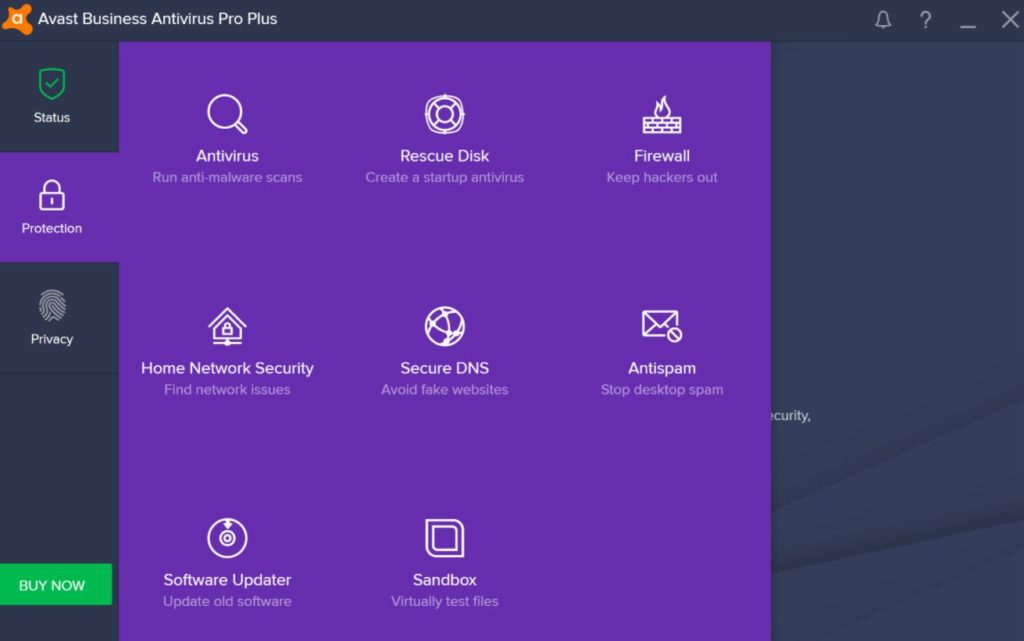
Avast Business Antivirus is an EndPoint protection solution (it literally protects the employee’s computer) that is available in three different modes: Antivirus, Antivirus Pro and Antivirus Pro Plus. All modes contain the features that we already know such as defense shields, anti-spam systems, a password manager, a data eraser etc.

Why bet on Avast Business if it contains all of the features we’re used to having in the standard version of Avast? While the traditional method of threat detection is too slow and limited for the business world, Avast Business uses 400 million EndPoints, which, thanks to machine learning, can analyze and process 10 thousand files like URLs and suspicious attachments in real time.

All the findings discovered during this analysis were used to instantly update all Avast Business Antivirus features. This means Avast Business Antivirus not only anticipates anomalous cases, like Wannacry, it works proactively to alert of possible security threats and breaches like vulnerable network devices or software that is not updated. All of this without taking up too much of the employee’s time.

Avast Managed Workplace and AVG CloudCare Management Systems

If Avast Business Antivirus is designed to monitor specific computers, then Avast Business Management Services are designed for the IT team. As we’ve already mentioned, time is money for small and medium sized businesses. If you have to manage hundreds or even thousands of devices at once you can waste a lot of time.

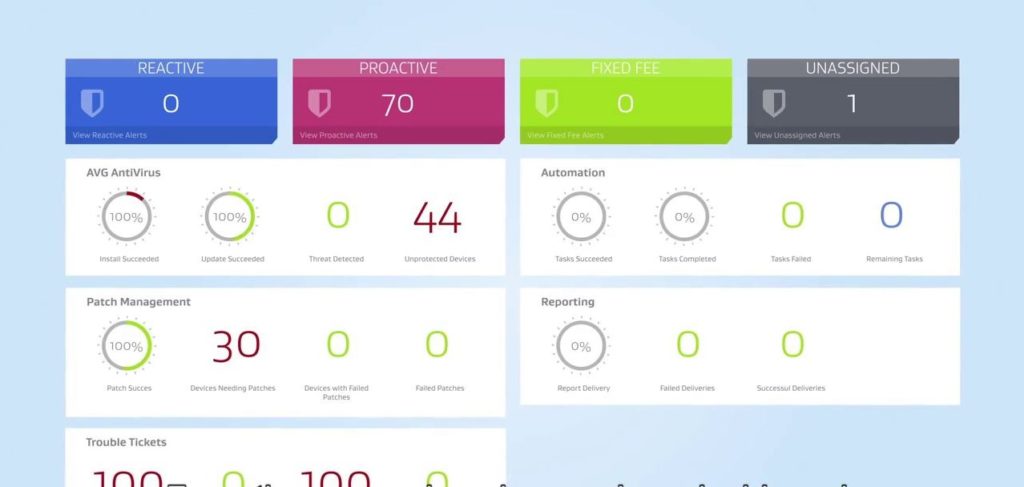
Avast Managed Workplace is a platform that helps the technical team manage all of the company’s devices in a simple and effective manner. One of its most distinct successes is the control panel, with its user friendly interface and clear visual language, that quickly indicates when something unexpected has happened.

In addition to incorporating the robust anti-virus home brand, Managed Workplace allows you to automate processes like updating software, managing 3rd party applications or maintaining servers. This can help save valuable time, which can then be reinvested elsewhere in the company.

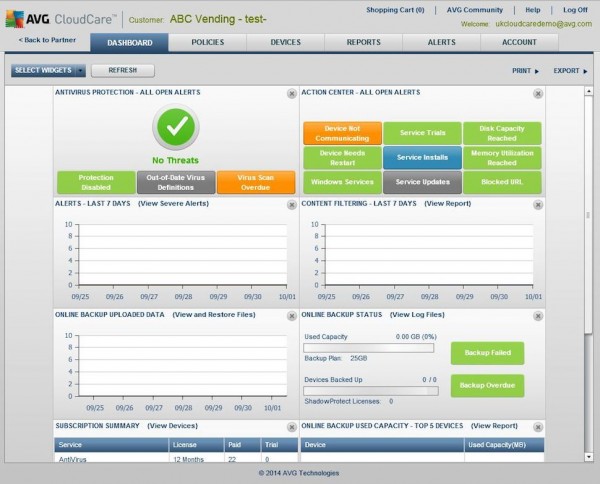
Meanwhile, AVG CloudCare is a security portal aimed at protecting your clients, whenever they’re using your devices. It follows the same “security that is easy to manage” motto; and rather than offering dozens of different tools for helping your customers, CloudCare offers all possible solutions in one place.

AVG CloudCare simplifies tasks like sending emails to clients to give them access to the programs that they need, remotely controlling devices to personally handle a problem or use AVG’s robust security products. It also allows you to add on-demand services such as the ability to activate an email security service or content filtering.

The Solution for a Cyber-World in Constant Threat

Each company is its own world. For some, the Avast Business Antivirus Pro suite will suit all needs. Others will be more interested in CloudCare with its certain on-demand services. The Avast Business product range has multiple options to fit the budget and needs of every company. We recommend visiting your official page to find out about different prices available and to obtain more information about what each product includes.

Recent cyber-attacks have highlighted two things. On the one hand, we have the eternal importance of having strong enough cybersecurity features to match the circumstances. On the other hand, and as many analysts say, Wannacry is a sign that cyber-attacks will continue to grow and attacks will become more and more frequent and sophisticated. Small and medium sized businesses need a solution that can detect the problem before it starts. A solution that is flexible enough to adapt to the intrinsic spirit and personality of each company. An easy-to-manage solution that automates whatever can be automated. The name of this solution is the Avast Business Protect Range.

How to Control Who Can Comment on Your Instagram Posts

Instagram has a huge community of around 800 million users, and most of them are very pleasant to interact with. In fact, Instagram is committed to fostering a safe and kind community. To show this commitment, Instagram recently added a feature to give their users control over who gets to comment on their Instagram posts.

What are the best apps to get Instagram Likes?

Source: Instagram

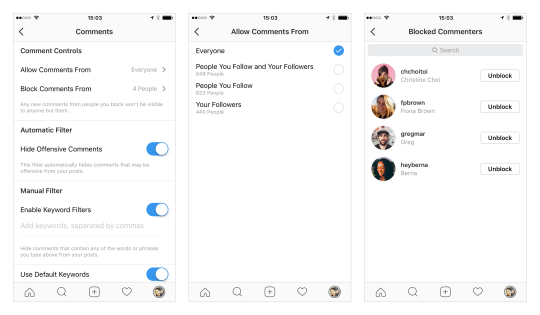
If your account is public, you’ll now have a new way to choose who can comment on your posts. You can limit comments to:

1. Only people you follow

2. Only your followers, or…

3. Both your followers and the people you follow

Anonymous trolls need not apply here. In addition, public and private accounts can still disable comments completely on a post-by-post basis.

The Top 10 Photographers on Instagram


Via: Instagram blog