What’s new in Android 4.4 KitKat

Google announced the launch of Android 4.4 on its new flagship smartphone, the Nexus 5, in a blog post and began selling it in the Google Play Store today. While the Nexus 5 will ship with Android 4.4 on the device, older Nexus devices will be getting the update “in the coming weeks.” Google has unveiled all the main features of the operating system and here’s a list of the most important updates.

There isn’t a comprehensive list of first party app updates this time, but those should be expected in the near future. With Android 4.4 supporting devices with a minimum of 512 MB of RAM, there could be a lot more devices getting the update in some form. We already hypothesized what Android 4.4 could contain, but now we have the official release information.

Android 4.4 is another set of improvements rather than a drastic rethinking of the operating system. Here are the most important changes:
Google Search firmly integrated
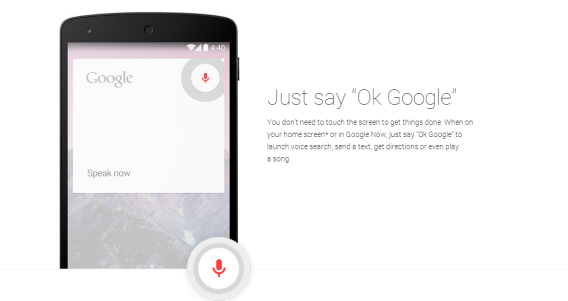
Google Now (via Google Search) is one of the best aggregated information tools available. Over time it pulls relevant data from your Google services and shows a nice slice of important data that you need every day.

In Android 4.4, Google Search can be accessed by speaking “Ok Google.” This can be done on the home screen or in Google Now.
Hangouts replaces Messaging

This news was revealed beforehand, but Hangouts will now integrate Google contacts and SMS/MMS messages into one app.
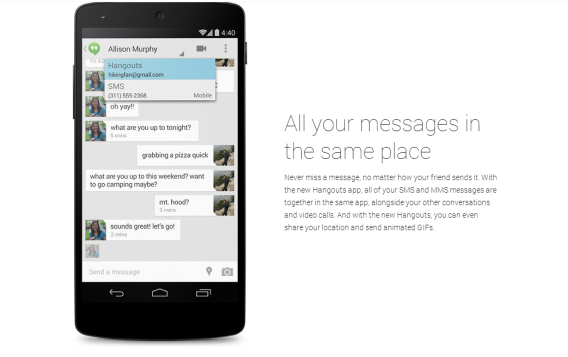
It will first launch on the Nexus 5 and will roll out to other devices later.
Improved multitasking

With the optimization of KitKat, multitasking is improved. Lagginess when closing apps in the multitasking menu should be eliminated.

Phone app is smarter

The stock phone app hasn’t seen much improvement, but now it will prioritize contacts based on who you call the most. This feature is very similar to how Hangouts will first show the contacts you communicate with the most.
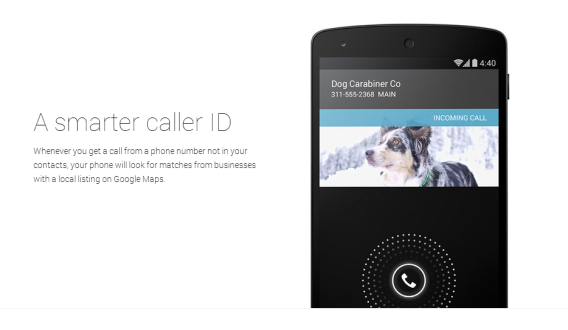
Built-in caller ID will use Google Maps to look up unknown numbers.

Better file management

Android 4.4 will let you access files from apps, Google Drive, or other cloud services.
Wireless Printing

Printing was another expected feature, but we now have confirmation that you can “print to any printer connected to Google Cloud Print, to HP ePrint printers, and to other printers that have apps in the Google Play Store.”
Smaller improvements

This is a list of smaller improvements that are behind-the-scenes.

  • Bluetooth MAP support – Message Access Profiles (MAP) so cars with Bluetooth can communicate with your device
  • Chromecast support
  • Chrome web view – apps that embed web content use Chrome to display
  • Closed captions
  • Device management (Android Device Manager) built-in
  • Downloads app redesign
  • Home screen replacement apps can be changed through settings
  • Email app redesigned
  • Full screen wallpapers – bleed into notifications tray and system buttons (only on Nexus 5)
  • HDR+ photography
  • Location settings in Quick Settings
  • Location power options – select between high accuracy or battery-saving modes.
  • Step counting built-in – more battery friendly to get data
An update with potential

The launch of Android 4.4 is showing how Google is improving functionality of its operating system while keeping its core secure with Google Play Services. While the Nexus 5 is the first device to receive Android 4.4, older Nexus devices (except for the Galaxy Nexus) will be getting the update in the near future. It will be interesting to hear what older devices may get the Android 4.4 update since KitKat can run on only 512MB of memory. With the lower hardware requirements, a lot of older devices could support the operating system.

These are just the main features that Google decided to announce. When we get our hands on with Android 4.4, there will be more features to discover. With what’s been displayed so far, it looks like Android is becoming much more refined and while it might not look that different on the surface, the number of features available are growing.

Google may have not announced anything regarding wearables yet, but it’s expected in the future to work with Android 4.4.

Read more about Android:

Android 4.4: How to install the update

Basic Tips for Android

Android: Everything you need to know

Starter apps for a new Android user

The Softonic Minute: Google, The Walking Dead, Facebook Messenger and Battlefield 4

Google updates Google+ and Hangouts to prepare for Android 4.4 KitKat, The Walking Dead gets a sequel, Facebook Messenger is revamped for iOS and Android, and Battlefield 4 is released. Check out this week’s hottest software news on a special Halloween edition of The Softonic Minute.

The Walking Dead gets a sequel. The adventure returns in 2014 in a 5-part episodic release, with new episodes available for download on a regular basis. The protagonist is the young Clementine, returning from season one. Do you have what it takes to return to this zombie apocalypse?

Facebook redesigns Messenger. Facebook has completely revamped the interface for its messaging client. The redesigned app is sleeker and fits much better with the new design of iOS 7 and Android’s Holo interface . With this update, Facebook appears to be taking on messaging rival WhatsApp, but we’ll have to wait and see if it succeeds.

Battlefield 4 starts a new gaming war. The war game from Electronic Arts was released this week, ahead of the release of its rival, Call of Duty: Ghosts. Battlefield 4 has hidden all its gems in multiplayer mode: maps that change suddenly, a ton of vehicles to control and, as expected, more realistic war.

Google prepares for Android 4.4. Hangouts and Google+ were updated this week in preparation for the highly anticipated release of Android 4.4 KitKat. Google+ now includes a smart photo and video editor that can edit and manage files automatically, while Hangouts was integrated with SMS, location sharing, and support for GIFS!

Check out all of our past Softonic Minutes here.

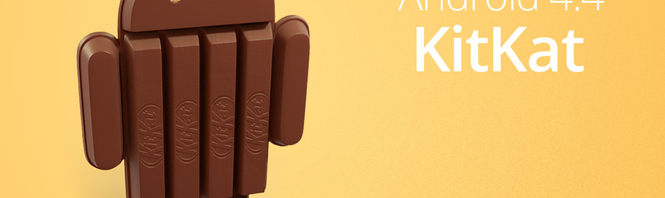
Android 4.4 KitKat available on Nexus 5, other devices “in the coming weeks”

Finally, after all the rumors, speculation, and supposed release dates, we have an official release window for Android 4.4, codenamed KitKat. Google is launching KitKat with the new Nexus 5 phone but the update will be available to the Nexus 4, 7, 10, Samsung Galaxy S4 and HTC One Google Play Editions “in the coming weeks.”

The update is a minor upgrade to Android Jelly Bean, but it’s still worth installing if only to stay up to date. Among the improvements you’ll see with Android KitKat:

  1. Improvements for Android 4.0 (Ice Cream Sandwich) and 4.1 to 4.3 (Jelly Bean) – Wider support for different devices and lower system requirements mean there’s a good chance you’ll get KitKat on your older phone. One of the goals for Google this time is to prepare their OS to work with older phones, even with those with 512MB of RAM. Looks like KitKat update might hit some older devices, so fingers crossed!
  2. Slight redesign – KitKat will boast transparent notification and control bars and white icons. Developers will be able to use fullscreen view for their apps and we’ll see new camera, file, and phone icons
  3. Hardware optimization – Android will work better, with lower battery consumption
  4. SMS integrated with Hangouts – This will make communication easier, especially if your friends are using Google services as well.
  5. Updates for up to 17 Google apps – The list includes Google Play Services, Gmail, Drive, Calendar, Earth, Translate, Chrome, Hangouts, Goggles, Play Magazines, Keep, Wallet, Blogger, Google+, Analytics, Fiber and Snapseed.

Android 4.4 focuses much more on updating Google’s core Android applications to provide a unified experience for all Android users. This means Android’s infamous “fragmentation” will be eliminated by focusing on updates using Google Play Services.

From now on, Google Play Services will take care of updating Android automatically and behind the scenes. This little “app” currently runs on 98.7% of Android devices, has full administrator permissions, updates itself automatically without Google Play and, basically, runs and updates Android. If your device receives the Android KitKat update, don’t forget to back up your data!

RELATED STORIES

[Source: Google Official Blog]

Android 4.4 KitKat could arrive tomorrow

Android 4.4 is about to hit the shelves. Rumor has it that the newest version of Google’s mobile operating system will be released either October 31 or November 1. With it, we’re also expecting the release of the Nexus 5.

The new features on the cards seem to be squarely aimed at preparing Android for what’s being called “wearable technology“. In other words, it’s gearing up for the arrival of glasses, watches and other devices that run Android.

There will also be slight design changes to icons, and a new fullscreen mode that will allow developers to make apps that hide the bottom bar. We’re also expecting the ability to print directly from Android devices.

The new Google model

Despite these changes, don’t go hoping that 4.4 will usher in a revolution. Google wants to optimize its system for less-powerful devices and add a few improvements. It’s been a while since we’ve seen any dramatic updates from Android, and KitKat won’t be any different.

Google is using Google Play Services, an app with admin rights and automatic updates, to roll out the update. Google Play Services operates completely in the background and is already installed on 98.7% of Android devices. Remaining updates will happen via individual apps like Maps, Hangouts and Google+, until the whole Google app universe is bang up to date.

This way of doing things means that Android will no longer be delayed by manufacturers and telephone companies who are slow to roll out system updates. Let’s wait and see if the next few hours bring an update much like we expect, or if Android 4.4 KitKat turns out to be a total surprise.

Find out everything you need to know about Android here.

Pandora for Android updated, now optimized for tablets (updated)

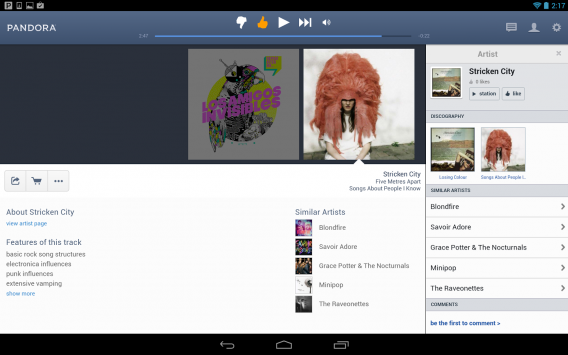
Pandora for Android finally has an interface optimized for tablets in its latest update. While the previous versions of Pandora worked fine with Android tablets, the app was merely a blown up version of the phone app. With the latest update, Android tablet users will be able to take advantage of their higher resolution screens.

Version 5.0 of Pandora for Android features a column design with your radio stations on the left and the currently playing track to the right. Contextual track information like an artist biography and similar artists will be displayed below the album art.

Pandora for Android tablets

There’s also a settings pane to the right where you can access your Pandora One account, advanced settings, privacy information, and help. Media buttons for pausing, skipping, and liking a song are located persistently at the top.

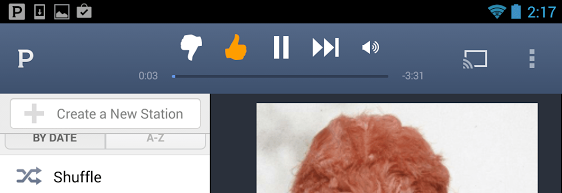
Strangely, screenshots that appeared in Google Play (they’ve since been switched) for Pandora show a Chromecast button at the top of the player but there’s no Chromecast support to be found in the app itself. This could mean Pandora is readying their app to be Chromecast compatible in the near future.

Pandora Chromecast option

UPDATE 10/31/13 8:40AM PDT: Google and Pandora have officially announced Chromecast support for Pandora for Android. You can now stream Pandora music to your TV using your Chromecast.

RELATED STORIES

[Via: Android Police]

Firefox, Opera will support Windows XP after Microsoft abandons it

Following in Google’s footsteps, Mozilla and Opera announced that they would be supporting their browsers on Windows XP after Microsoft discontinues support for the operating system. Microsoft will pull the plug on Windows XP in April of next year, killing off the twelve year-old operating system.

Both Mozilla and Opera have stated they will continue supporting Windows XP users as long as there’s enough demand. Neither company to committed to how much time would pass before they would have to pull support for Windows XP. This means Microsoft’s own Internet Explorer browser will be abandoned on Windows XP while third party browsers will continue to be supported.

Running a discontinued operating system poses huge security risks for users since Microsoft will no long patch the operating system against malware and security holes. By supporting their respective web browsers postmortem, Google, Opera, and Mozilla are helping users stay safe by providing in-browser security measures.

Microsoft is urging Windows XP users to update to a modern version of Windows like Windows 7 or Windows 8 to stay secure.

RELATED STORIES

[Source: PC Pro]

Facebook testing software to track your cursor movements

Facebook already tracks your likes, comments, and clicks on its site but the social network is experimenting with tracking your cursor movements as well. The Wall Street Journal spoke with Facebook’s analytics chief, Ken Rudin, about the company’s new way of tracking users.

The captured information would help Facebook evolve its product as well as help understand user reaction to targeted advertising. Minute user interactions like how long someone hovers over an ad or how long a user looks at a photo before liking it all provide valuable information. The company stores all of this data into a database where Facebook can refer back to when deciding interface and advertising changes.

Although cursor tracking may seem radical, Facebook isn’t the first ones to be doing this. Shutterstock, a digital image marketplace, tracks everything a user does on its site, utilizing software called Hadoop. This software is an open-source framework that allows companies to store massive amount of data tracking onto inexpensive computers.

There’s also a chance that Facebook won’t pursue cursor tracking at all if it doesn’t reveal valuable information. “It is a never-ending phase. I can’t promise that it will roll out. We probably will know in a couple of months,” says Rudin.

RELATED STORIES

[Source: The Wall Street Journal]

Amazon Cloud Player released for Mac

Amazon finally brings its Cloud Player app to OS X, giving Mac users an alternative to iTunes. The Amazon Cloud Player combines music stored locally on a user’s computer with their Amazon purchases, which can be streamed from the cloud or downloaded for offline listening.

While Cloud Player doesn’t offer much over iTunes as a music player, Amazon’s ecosystem is what will draw users. Those who purchase music from Amazon’s digital music store will have all their songs available to stream or download immediately. Cloud Player even imports tracks you purchased from iTunes automatically to make the transition simple. If you purchased a physical CD or record from Amazon, you will automatically be given a digital version of the album thanks to the company’s AutoRip feature.

Amazon Cloud Player for Mac requires OS X 10.6 and up, either a 32 or 64 bit processor, and 45MB of disk space.

Download Amazon Cloud Player for Mac

RELATED STORIES

[Source: Amazon]

Google reinventing remote assistance with Helpouts

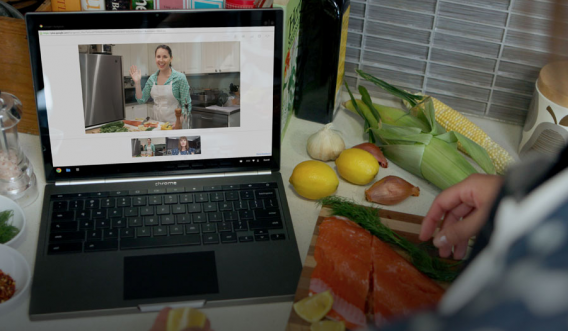
Google Helpouts, the much talked about new Google service, will be released on November 5th. The service, which uses the videoconferencing functions available in Google Hangouts, enables users to provide each other with remote assistance, either free of charge or for a fee.

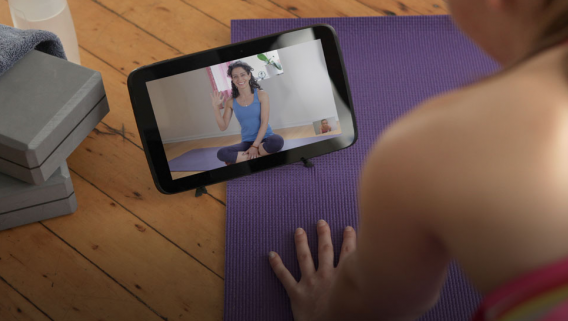
Need private guitar, cooking or yoga lessons? Google Helpouts will be one way to get these services. Even things like emergency, technical or roadside assistance could be offered as services in Helpouts. The idea is that through Hangouts, using either your computer or your mobile device, you can contact an expert to explain to you what to do, either for free or for a specified fee .

For now, some users have been invited to set up their accounts in what appears to be a beta service. The idea is that eventually, anyone will be able to create a proper Helpout channel on any subject.

The project is ambitious and the possibilities for offering services are virtually endless. As always, it depends on how much traction Google Helpouts achieves. Its biggest challenge could be its heavy integration with Google+, a social network that’s seen minimal uptake despite consistently offering users new and interesting ways to engage.

Source: Google Helpouts

RELATED ARTICLES

Truly terrifying games to celebrate Halloween

Halloween is the perfect time of year to scare the crap out of yourself, and what better way to do that than some bone-chilling horror games!

Both PC and consoles have some great horror titles that’ll leave you trembling. In honor of Halloween, I’ve put together a selection of the best horror games, organized them by theme, to give you some ideas. Hopefully this Halloween will be your most terrifying yet, and the best part? You won’t even have to leave home!

Destination: terror

Endless corridors, low lighting, shadowy figures suddenly appearing and then disappearing just as quickly- these are all standard in games that take place in claustrophobic nightmare scenarios. In these games, usually played in first person view, you must solve puzzles while trying to avoid getting murdered by a psychopath or some other mysterious force.

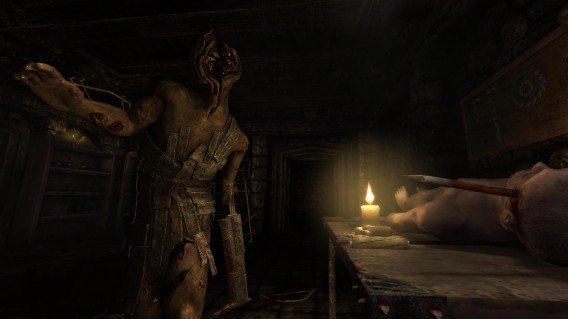
It wasn’t the first of its kind but even after all these years, people still love Amnesia: The Dark Descent. During the game, you wake up with amnesia in a hundred year old castle where you need to survive mysterious creatures roaming around. As would happen in real life, you’re defenseless: you can’t fight threats because you don’t have any weapons. All you can do is hide in the darkest of corners while making sure that a bloodthirsty beast isn’t waiting for you in the shadows.

Amnesia, a descent into hell that set the trend for claustrophobic nightmare games

Outlast, a recent release, has a similar aesthetic and gameplay. In Outlast, the mysterious place you find yourself in is a mental hospital. As in Amnesia, you have to look around every corner, but here, the madness and violence are even more evident and you’re sure to experience some really shocking situations.

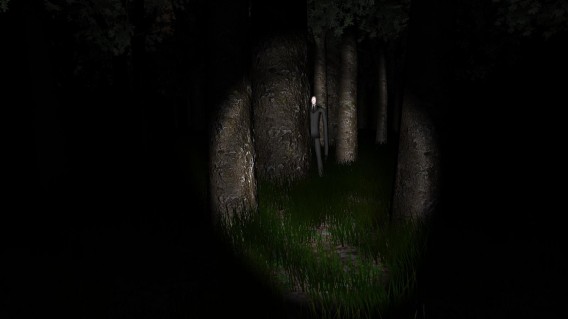
If you don’t like gore and prefer psychological horror? Slender is the series for you. The latest installment in the saga is Slender: The Arrival. No longer the amateur game it started off as, The Arrival is a professional title that will scare you senseless. If you don’t have any cash to spare, however, the first installments of the game are free and will still make your blood run cold when you see Slenderman appear out of nowhere.

Slenderman: never has a man in a suit been so terrifying

Your friends, the zombies

Zombies have triumphed in popular culture because they represent one of man’s greatest fears: a deceased loved one coming back to life in a not so loving way. The video game world is full of good zombie games. Some lean more towards comedy, like Dead Rising or Plants vs. Zombies, but others feed off of our fear with their tense, anxious atmosphere.

The Left 4 Dead series, available for both PC and consoles, is a great example of a terrifying zombie game. Unlike other games where you’re forced to face your fears alone, these games invite you to experience the annihilation of the undead in company. But, if you think having a helping hand will make things less scary, you’re dead wrong!

Left 4 Dead – having company doesn’t always make you safer!
Next on the list? It may not be a typical horror game, but I simply have to recommend the episodic The Walking Dead title and its extension. In this case, rather than through the sudden appearance of zombies, the terror lies more in the cruel decisions you must make, because, let’s be honest, nobody ever said that surviving a zombie apocalypse was going to be easy.

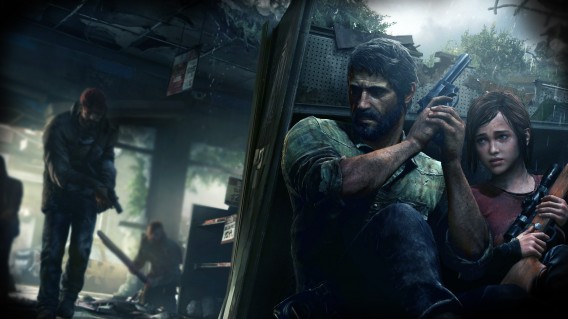
Another game with plenty of adult drama is The Last of Us, which is exclusively available for PS3. Yes, it also features the undead (or the “Infected”, post-modern evolution of traditional zombies), and in their hands, you’ll experience real terror. But don’t forget, sometimes terror goes beyond what meets the eye.

In The Last of Us the humans are also a threat
Hidden Gems

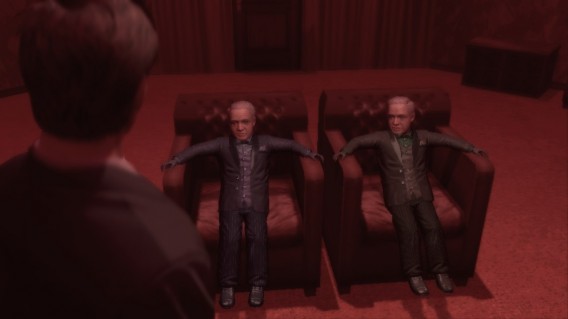
Some video games in the horror genre are very unique, and while they may not be perfect, they achieve what they set out to do, which is to put us in a constant state of discomfort and tension. Deadly Premonition definitely falls within this category, and gets the trophy for the top ‘hidden gem’ in my books. Controls could be improved, the graphics are a bit 10 years ago, and the resolution won’t please everyone, but if you’re a fan of the Twin Peaks series, this game will float your boat. Go on, take a chance, you might be surprised.

The truth is that Deadly Premonition is one of the strangest games we’ve had the pleasure of playing. Do you have any other examples?

David Lynch would definitely like Deadly Premonition
A war of fear

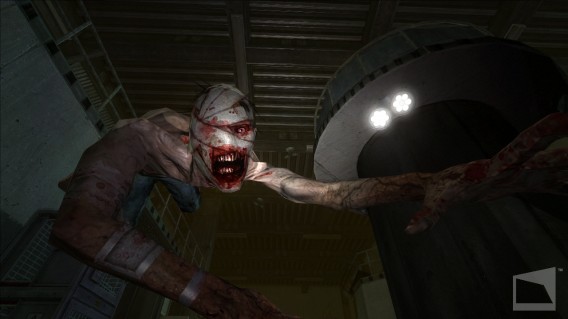
Over the years, first person shooters have also seen their fair share of terror. One of the first was Wolfenstein, although if you want a FPS that’ll make you panic, it’s got to be Metro 2033 and its sequel Last Light. Based on two novels, these games really embrace the concept of a post-apocalyptic world, but ramp it up to terrifying levels: mutant species, hostile inhabitants and a city with an atmosphere that breathes death.

Another FPS that’ll freeze the blood in your veins is F.E.A.R. (and its sequel). It’s a pure shooter, which in other games would mean violence, but in this game, it leans more towards the realm of the supernatural and spooky. It’s a shame that with F.E.A.R. 3 we’ve seen it all before.

First person shooters are excellent breeding grounds for terror

All time classics

In this article, I’ve tried to stick to relatively recent games, but it is worth mentioning three classic games in this genre. The first of these is Alone in the Dark, a series that, despite not being as popular now as it was when it released, can still give you quite a fright, despite the old school graphics.

The next one I have to mention is the Resident Evil series. Yes, the latest versions are more action than horror, but if we look back at the first titles, they was seriously terrifying. And who knows, maybe the next installment will crank up the horror level to what it was in the 90s.

Finally, we’ve got Silent Hill, whose atmosphere and unique imagery have made it an icon in the horror game world. Although the latest releases haven’t reaped the same success as the first, you can’t deny that it’s a franchise that has stayed true to its roots, preserving the disturbing element that made it such a horrifying hit in the first place.

Pyramid Head is one of the characters gamers fear most

The monster within

Terror has no face or, rather, it has a different face for everyone. Some people are more scared of what they can’t see, while others get more freaked out by putting a face to horror. Whatever scared you most, it’s clear that there’s a horror game that’ll make you feel like you’re in your worst (or best) nightmare.

What are your favorite horror games?