<!–
By use of this code snippet, I agree to the Brightcove Publisher T and C
found at https://accounts.brightcove.com/en/terms-and-conditions/.
–>
<!–
This script tag will cause the Brightcove Players defined above it to be created as soon
as the line is read by the browser. If you wish to have the player instantiated only after
the rest of the HTML is processed and the page load is complete, remove the line.
–>
brightcove.createExperiences();
Firefox 22 still won’t block cookies. For cookie blocking, we’re going to have to wait for version 24. For the moment, advertisers will continue to see exactly what you’ve been up to online. So what IS new in this version? A big performance boost thanks to Javascript and WebRTC improvements. You’ll also be able to modify video and audio playing speed. .
BlackBerry Messenger nearly ready for Android and iPhone.But be careful! A malicious application is imitating the official one, with up to 100,000 users mistakenly installing it. It seems that Google Play’s controls have failed once more. You can sign up to be one of the 1st to try the real app and avoid the false one.
Minecraft 1.6 confirmed for July 1st.The pre-release is already ready, while the main release has been confirmed for July 1st. There are loads of new additions – horses, mules, clay, haybales and coal blocks, to name just a few. The popular construction game is being updated after selling more than 11 million copies for PC and creating versions for almost all devices. The latest? The xBox One.
You can now download Windows 8.1 .The first version is already available to install. That said, it’s not for everyone – you must check you meet the requirements before you can begin to enjoy updated multitasking, the return of the start button, improved personalization and other changes.
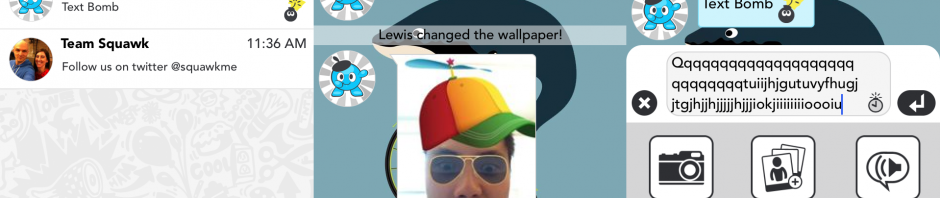
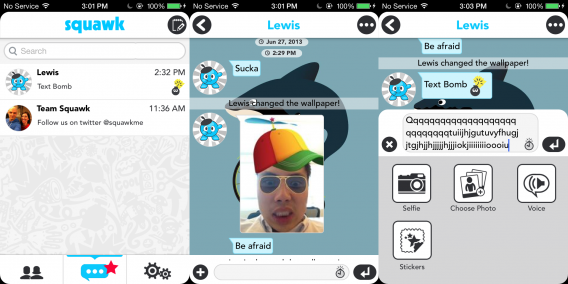
A new chat app – Squawk – exploded onto the scene earlier this week. The app is currently only for iOS, and is already getting lots of buzz for its ability to make pictures wild. Combining instant messaging with pictures isn’t new, thanks to apps such as Snapchat. However, Squawk targets a younger audience with the ability to attach memes, drawings, filters, animations, and emoji to any message. Whether you’ve stumbled upon the app or are a curious poser, we’ll show you how to get the best out of Squawk.
Setting up friends
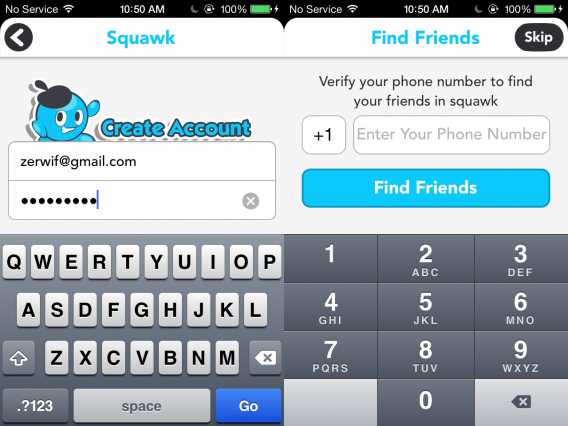
Squawk doesn’t connect via any other services, so you’ll need to create a new account. There is the option to auto-populate your friends list via your phone number. If you already know people using Squawk this is a great option. Enter your phone number and Squawk will send you an SMS text message. Enter the PIN number you receive in the text. If any of your friends from your address book use Squawk, a request will be sent to them.
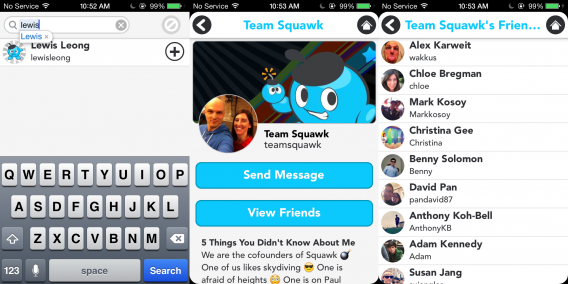
Maybe you don’t want to wait around for your friends to confirm or you don’t know who uses Squawk. Hit the “friends” button in the lower left to enter the friends menu. Here you can search for new friends, invite friends via email and SMS, and even start up group chats. You can also see friends of friends (or friends of strangers if you go down the rabbit hole) and send them friend requests. When a friend confirms your request or adds you, the friends button the front page will have a large red star next to it.
Chatting and images
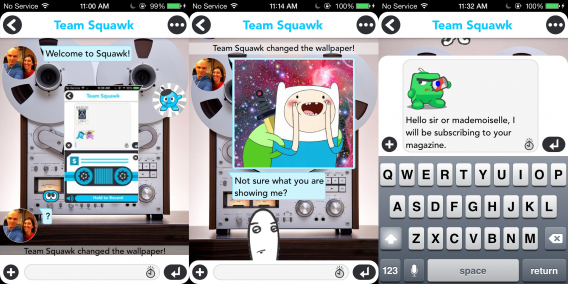
When you’re ready to interact and chat, hit the middle “squawk” button the main menu. This will bring up a list of friends that you can start chats with. You can write simple messages that don’t seem to have character limit (or the limit is high enough that we have yet to reach it).
The real fun of Squawk is adding images, stickers, and other funny features. First hit the “plus” icon on the lower left to show a menu with the options: “Selfie”, “Choose Photo”, “Voice”, and “Stickers”. Start by selecting a picture. Selfie will allow you to take a picture of yourself using your forward camera, while choosing a photo will let you pick one from your camera roll.
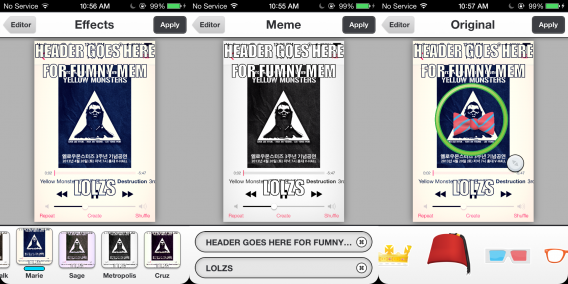
After you select a picture, you have four options to spice it up: “Effects”, “Stickers”, “Meme”, and “Drawing”. Effects are filters that will adjust the overall look of your picture, giving an appearance similar to Instagram pictures. Stickers will let you select from props such as hats, ties, and pipes. Simply drag and drop them on to your picture to place them where you want. You can also pinch to rotate and scale the size of the stickers.
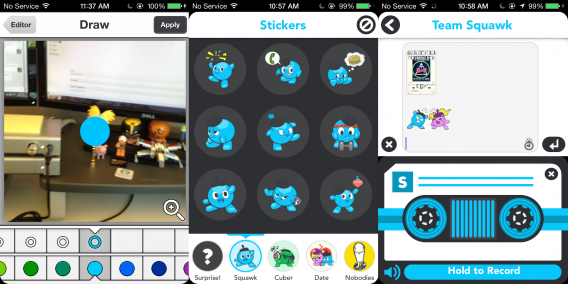
The meme option will allow you to place text on the top and bottom on the image, though you have no control of font size or color. Note that there isa character limit for your top and bottom memes, so your text can get cut off if it’s too long. Last, the drawing tool will allow you to paint over your image. You can select both the brush size at the top and the color in the bottom, and can even zoom in for more precise drawing.
Going back to the other chat options, you can also add emoji stickers (not to be confused with the stickers in the photo section) and record voice. The emojis are separated by characters, including the mascots Squawk and Cuber. You can also select “Surprise” to get a random emoji, though you can cancel out if you don’t like what it picks. For voice recording hold the record button to start. You only have one take and if you don’t like how it turns out, you’ll have to delete and restart.
A fun little chat
That’s about all the features of Squawk. While it isn’t a very complex chat app, it is very fun to turn pictures of yourself and friends into hilarious memes. The app hasn’t been out for very long and there currently isn’t an Android version, but we look forward to what cool and amusing features are added later.
When Vine first launched on Android, it came with a bunch of bugs and missing features. Twitter has taken notice and has been updating the app consistently. Vine received an update just this Monday and now the company has rolled out an even larger update.
The biggest change is the ability to record with your front facing camera, which was strangely missing from launch. In comparison, Video on Instagram included front facing camera support from day one.
In addition to front facing camera support, Vine for Android gets “overall speed improvements” as well as other bug fixes. Here’s a list of what’s new:
Front-facing camera
New upload manager for unsubmitted posts
Improvements to settings
Improvements to camera loading time and support for more devices
Speed improvements overall
Bug fixes and UI improvements
There’s still some work to be done with Vine for Android with competition heating up between it and Instagram. We also noticed a bug where Facebook refuses to be linked to Vine, which has been a problem since Monday’s update.
Digg Reader is still rolling out to a select number of users right now but you can get early access with the Digg for iOS. The app received an update today that brought Digg Reader support, letting you easily import your Google Reader feeds. You’d better do it soon before Google Reader’s closure on July 1st.
Digg for iOS works well and provides a simple, clean interface for reading your stories. The experience is similar to the popular Flipboard app, except with more traditional two-pane layout. Tap on a story and it’ll open up, filling the entire screen. Ads and page elements will be stripped away, leaving you with photos and text for easier reading. Of course some feeds only show a portion of the story so you’ll have click through to the main site, which opens within the app itself.
The company stresses that Digg Reader is still very much in beta, since development of the application only started 3 months ago. More features will be included in the future and an Android app is coming “before end of July.”
Microsoft has been pushing Skype as the default chat client for Windows since discontinuing Windows Messenger back in April this year. The company is going even further by bundling it with the new Windows 8.1 operating system shown off this week at Build 2013.
Windows 8 currently has a Messenger application that’s included with the operating system but that will so be replaced by Skype. The Windows 8.1 public preview doesn’t have Skype included by default but users can download it from the Windows Store.
Skype will play a huge part in unifying Microsoft’s communication across platforms. Windows 8.1 will have Skype integrated directly into the lock screen so you can answer voice and video calls with fewer steps.
This is an aggressive move for Microsoft to bundle Skype into their operating system since Skype has had such a terrible reception. Just take a look at our comments about Skype to see how many users miss Windows Messenger.
The popular meme creation site, Quickmeme, was banned from reddit after moderators discovered that Quickmeme was gaming the voting system to only show memes from its site. To fill the meme-sized hole in redditors’ hearts, the popular image hosting site, Imgur, has created their own meme generator.
It’s quite simple and is awesome for generating memes quickly. There’s a list of popular memes on the front page or you can search for a specific meme. Click on it and you’ll be taken to an editing page where you can input your own text. Unfortunately, there’s no way to change the font type at the moment. When your meme is ready, Imgur will create a bunch of links for you to share.
There are already a ton of meme creation sites out there but Imgur’s huge user base could propel it to popularity.
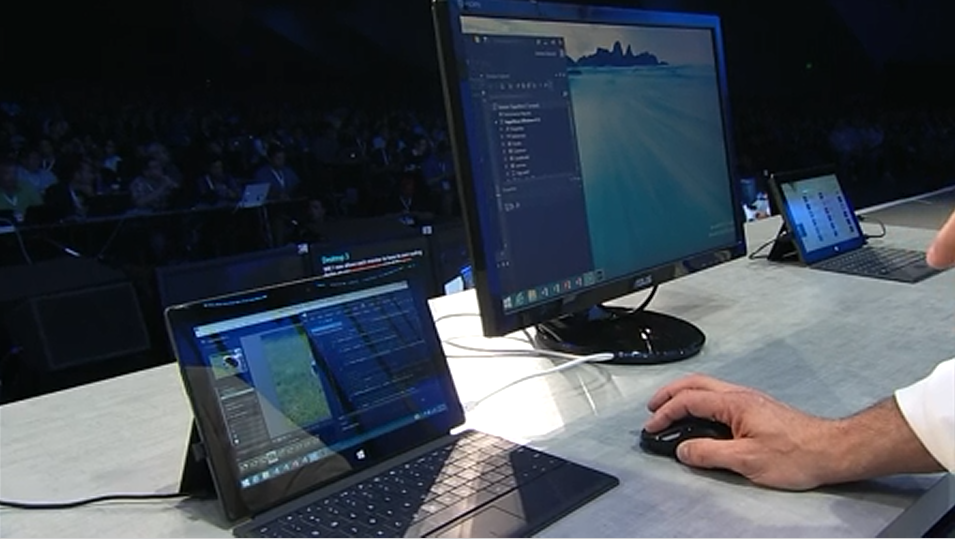
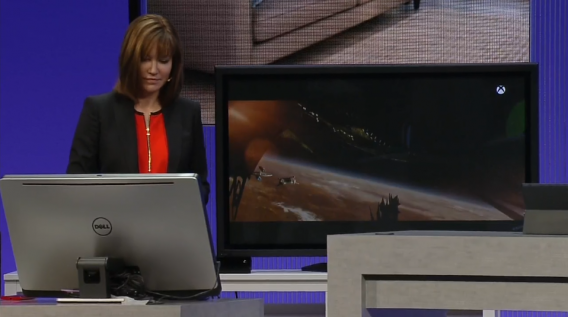
The Build 2013 conference kicked off yesterday, showcasing the capabilities of Windows 8.1 across PCs and tablets, and cohesion with Windows phones and even Xbox One. Many of Windows 8.1’s changes were teased last month, but Microsoft finally presented these features in motion. As promised, the Start button makes a return, along with new apps and integration with Bing. Microsoft also showed how Windows 8.1 is more developer-friendly and will help consumers find new apps. The announcement coincides with the beta preview of Microsoft 8.1, which contains most of what will be in the full retail version.
brightcove.createExperiences();
Start Screen and Desktop
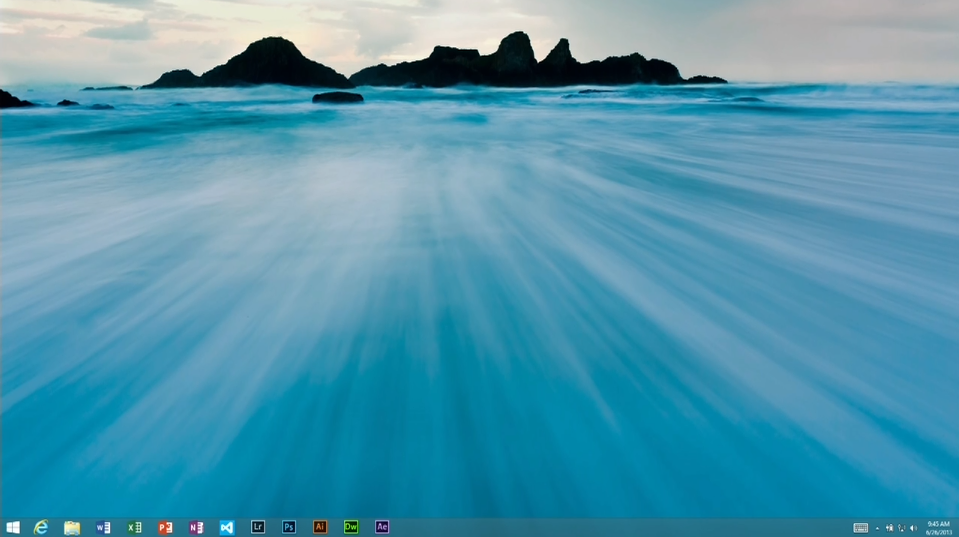
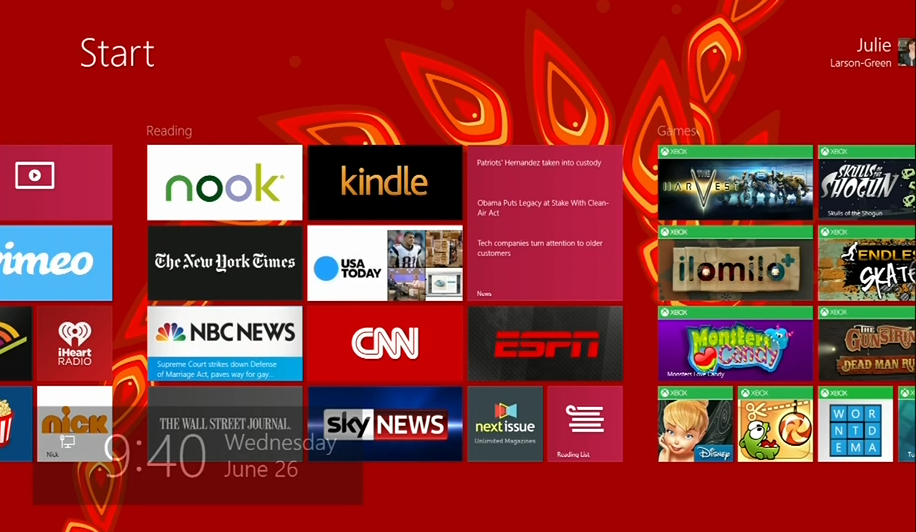
You can now boot straight to the desktop instead of the Start Screen. This is great, as the Windows 8.1 Desktop contains the most requested feature, the Start Button. It doesn’t open a compact menu like on Windows 7, but instead simply links to the Start Screen. Visually, this can look quite good if you set the same background on both interfaces, as Live Tiles will then appear to float onto the Desktop, instead of transitioning to a completely new menu. This is somewhat of an illusion; technically you are switching UI, it just makes it less noticeable.
As mentioned, you can set the Start Screen background. While we prefer matching the Start Screen and Desktop backgrounds, there is a multitude of choice. There are even dynamic moving backgrounds that animate as you scroll across the interface. The Windows 8.1 preview doesn’t include all the ones shown during Build 2013 (most noticeably absent is the red dragon), but there is enough to play around with. In all, the Start Screen is much more customizable.
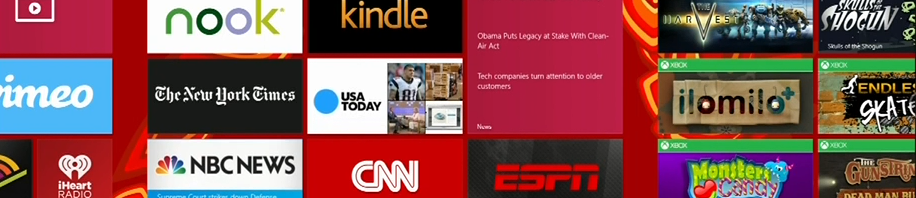
The Start Screen also has new tile sizes, extra large and extra small. Extra large is four times the size of normal size tiles, which makes it great for apps that constantly update with new data, such as weather or email. Extra small, on the other hand is one fourth the size of normal tiles, which is better suited for apps that are easily grouped, such as Office or media editing suites. It’s harder to move Live Tiles, as you need to press and hold on touchscreens and right click with a mouse. This works well to prevent accidentally moving tiles around, which was a major problem in the original Windows 8.
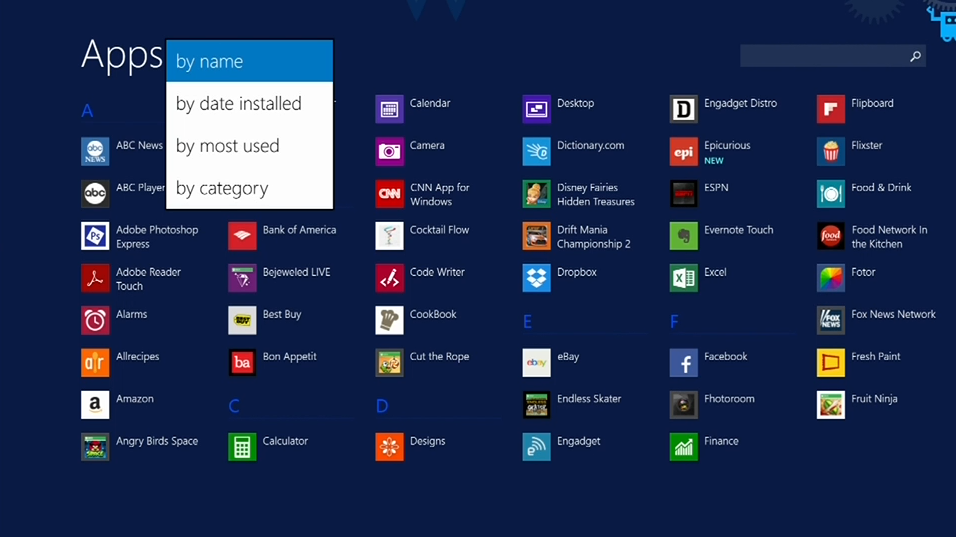
It’s now easier to organize apps by quickly accessing the All Apps view right from the desktop. While the view itself isn’t new, it has new functions to allow sorting by category, date installed, most used, and alphabetically. This makes it much faster to find the specific app you’re looking for, but thankfully you can also use this view to quickly pin apps to the Start Screen. All it takes is right clicking/holding an app and selecting the pin option. Even more conveniently, you can pin multiple apps in one go.
Lock down
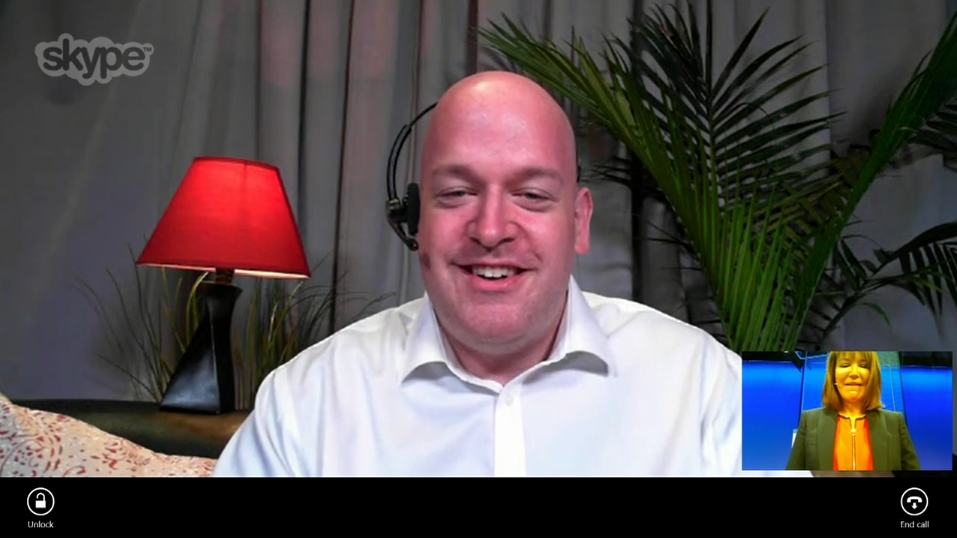
The lock screen has been improved for Windows 8.1, allowing greater functionality when not logged in. You can accept Skype calls right from the Lock Screen and can even take pictures. Unfortunately, you can’t open the photo library, so there’s no way to browse and edit photos you just snapped. You will however get a slideshow of photos from your device and on SkyDrive.
Monitoring the system
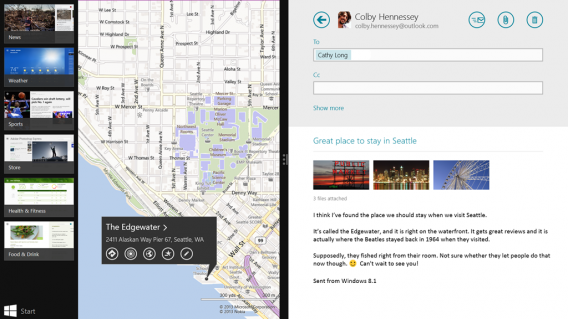
Windows 8.1 has a greater focus on the use of snap views. Previously, apps had a skewed 70/30 split, with emphasis always on one. In the Windows 8.1 preview, you can now set an even 50/50 view. You can also freely adjust this ratio, and on bigger monitors you can snap multiple apps together.
Moving apps across multiple screens has also been improved, including snapping apps to each screen. The Start Screen moves to the active monitor, which can make it a tad confusing when sorting. There is also Miracast functionality, which allows projecting your screen onto other compatible devices. This sounds like a wonderful idea when you want to get a larger view, especially for meetings and other presentations.
Bing-powered
Thanks to closer integration with Bing, search goes a lot deeper than just files and settings. You can type right in the Start Screen to quickly conduct web searches, display files, system settings, apps, and additional information. Searching for musicians will quickly link to songs on Xbox Music or search your local collection.
A great new feature is Bing Heroes, which displays in-depth information about popular people. This includes files, links, images, and videos on the web and on your own machine. There is also relevant news and links to data from Wikipedia. Bing Heroes are aggregated by Microsoft, so you might not be able to find pages about the people and subjects you search for if they are too obscure.
Bundled Apps
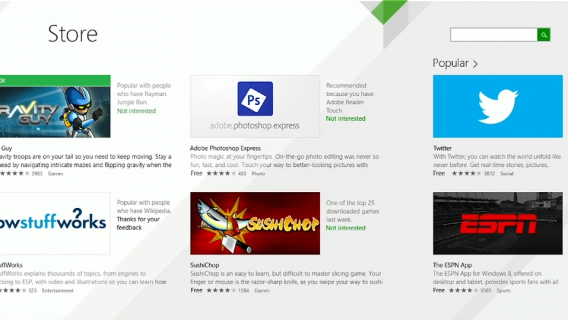
The Windows Store has been updated with detailed app listings and larger tiles. It’s faster and easier to find top apps, the best free apps, and better recommendations. Related apps are even displayed on download pages. Microsoft promises that this will help consumers discover the latest and best apps released by developers.
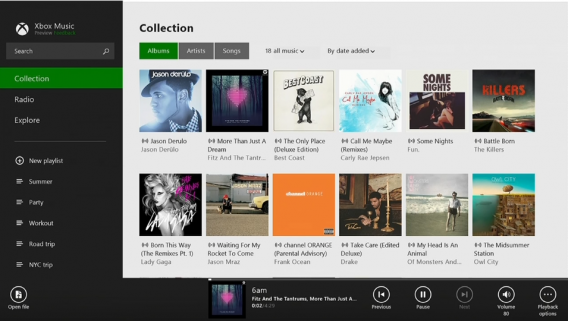
The apps included in Windows 8.1 have been updated too. Among the ones showcased at Build 2013 included the new Outlook mail app, Bing Food and Drink, and a redesigned Xbox Music. However, even more apps will be bundled in Windows 8.1.
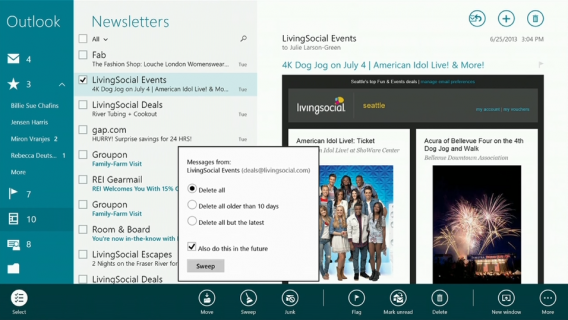
While the Mail map isn’t ready for the Windows 8.1 preview build, Microsoft showed it off extensively at Build 2013. One of the most striking features is the ability to “sweep away” emails, deleting large groups of spam in one swoop. You can sort through social mails and newsletters, and there are lots of drop and drag functions. The preview build doesn’t have these features, but they will appear in the final retail version.
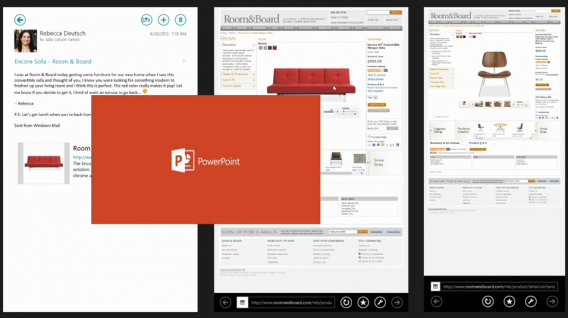
Speaking of teases, Microsoft showed off the Modern PowerPoint for Windows 8.1 tablets. It’s currently in alpha so there is very little information about how it will function. Microsoft will be showing more on Office 365 later in the conference, which might be a good time to highlight the rest of the suite. Otherwise, PowerPoint and the rest of Office will be bundled with Windows 8.1 tablets.
The redesigned Xbox Music app has a new layout that focuses on music listening, rather than discovery. It’s easier to quickly find your albums and music. A great new feature is the ability to use the Share charm on websites with musical artists, which in turn populates a playlist in Xbox Music. Xbox Music now includes a radio, which allows you to recommend music even to non-subscribers. This makes Xbox Music even more competitive when compared with music streaming radios like Spotify.
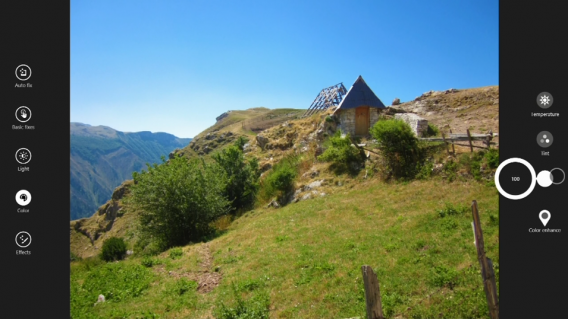
The Camera app now has a new function dubbed Photosynth, which allows you to take larger pictures by moving your tablet around an area and scanning what’s nearby. The photo app has new circular controls to change the level of saturation and other editing tools.
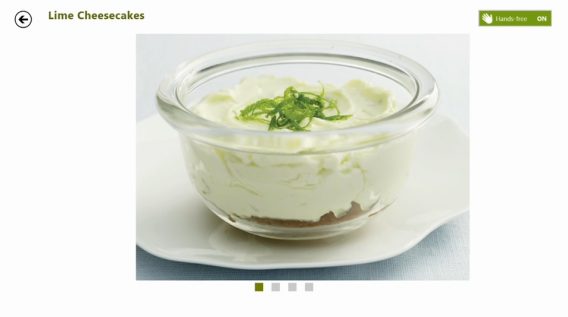
The Bing Food and Drink app can help you find recipes, make a shopping list, and plan out meals. Designed with tablets in mind, the app includes a hands-free mode to keep your device clean while cooking. Instead of touching, you instead control menus via webcam.
Lastly, Internet Explorer 11 might look like IE 10, but has several new features. In the update, browser tabs are moved near the bottom, right by the address bar. You can have unlimited tabs, allowing IE to catch up with the rest of its competitors. Tabs can also sync between Windows 8.1 and Windows Phone for swift access across devices. IE 11 also has a reading list that will allow viewing bookmarks at a later time.
While these are the highlighted apps bundled and showcased so far, there are plenty more planned and coming. There are Modern-style apps for calculator, alarms, and sound recorder, for example. The Windows 8.1 maps app will have a 3D view to help it compete with Apple and Google’s similar features. Facebook and Flipboard also have plans to create Modern interface apps for their services.
Is it enough?
Microsoft showed off more Windows 8.1 capabilities at Build 2013, though since we aren’t developers, not all of it was completely relevant or functional. That said, we really liked the idea of Windows 8.1 being a great space for developers on both Windows and Xbox One. We also would love to try out syncing videos to Xbox One when the console is released.
It’s nice that Microsoft has listened to consumers and made changes to their latest operating system. It still seems clear that Windows 8.1 focuses on tablets and touchscreens, though the keyboard isn’t completely abandoned. Returning features such as the Start Button are minor tweaks, and it’s unlikely to sway the current nay-sayers. Those still on Windows 7 (or XP or Vista) probably won’t be sufficiently excited about the improvements to upgrade to Windows 8.1. For now, though, it’s worth it to check out the beta preview and test all of its functions.
Check back as we continue to cover the news from Microsoft’s Build 2013 conference.
Microsoft has been silent about whether its latest browser would be making it to Windows 7 but now Engadget has gotten confirmation from the company that IE11 will be coming to Windows 7. This falls in line with what Microsoft has done in the past, launching IE10 for Windows 8 first and bringing the browser (eventually) to Windows 7. Windows 8.1 will debut with IE11 but Windows 7 users will have to wait.
Earlier today, Microsoft detailed the changes in Internet Explorer 11 at its Build 2013 developer conference. The browser will get performance enhancements with WebGL support and MPEG dash, allowing videos to play smoother. IE 11 will also be kinder on your battery, helping with your device’s longevity.
For more news from today’s Build 2013 conference, click here.
Android’s predictive assistant, Google Now, has updated with a couple of new cards as well as more options for streaming music. The most interesting addition is a card for live TV. If you have a WiFi enabled television, you can sync it up with your Android device if you have both on the same network. Once connected, Google Now will be able to “listen” for live TV, providing you with information about the show, game, or movie. This is great if you’re constantly wondering where you’ve seen that actor from.
Also new to Google Now is the ability to choose which music player to play music from. For example, if you search for Jimmy Eat World, you’ll have a drop-down menu where you can choose which app to begin playing music. It’ll be interesting to see if Google will integrate this menu for other voice commands like sending a message.
Last but not least is the new Google Offers card, which will remind you of your purchased deals if you’re near a participating location. It’ll be interesting if Google uses Now as an ad platform to push local deals to Android users.
Plants vs. Zombies fans will have to wait just a bit longer as Plants vs. Zombies 2: It’s About Time has been delayed until “later this summer.” PopCap originally planned to release the game on July 18th but the company wants to make sure the game is absolutely perfect before it ships. The company took to Twitter to announce the delay, saying they want “to make sure the game lives up to fans’ expectations.”
@treznic We're sorry for the delay, but want to make sure the game lives up to fans' expectations. Stay tuned for more details! ^VV
— Plants vs. Zombies (@PlantsvsZombies) June 26, 2013
When Plants vs. Zombies 2 does come out, it will be a free-to-play game that will launch exclusively on iOS first. There will be four unlockable worlds and a slew of all new zombies to defend against.
Be sure to check out the trailer and teasers for the game as you wait patiently for its release.