 If you want to give a different style to your desktop, you can always go into the Display Properties and then change your chosen color, wallpaper and screen saver but that’s really pretty much it. In short, if you want to go hardcore in desktop tweaking, you’re going to need some expert help. We’ve selected 10 applications, that were given good ratings by Softonic users, and that let you play around with the aspects of your PC.
- Active Multiwallpaper Changer – Manage, set and edit all the images you want to place as backgrounds on your desktop. This program makes sure that you always have a new wallpaper on your PC, thanks to 6 different filtering methods. One thing though, is it really that necessary to set hotkeys to change backgrounds?
- Aston – This one ditches the standard Windows desktop for a completely new look with sidebars and transparent effects. The developer page also features a collection of themes based on the Aston look. Some of them are pretty stunning.
- Style XP – Instead of offering you a totally new interface, Style XP gives you advanced options to customize the look of your XP desktop. While the many options in this program might frighten off new users, Style XP should delight users who have the patience to tweak things like font size, boot screen or transparency levels of windows.
- FlyakiteOSX – Installing this pack is the first step you should take before buying a Mac. Just joking. FlyakiteOSX recreates the look and feel of the Mac desktop on your PC. It looks good and you can even activate the genie effect on icons.
- Webshots Desktop – Thanks to a huge library of images, Webshots Desktop can guarantee you’ll never see the same wallpaper all year long. This program doubles as a photo sharing service and you can easily drag and drop your own snaps online or keep them in your Webshots Desktop collection of background images.
- WindowBlinds – An all around customization tool, Windowblinds lets you add new skins, themes, toolbars and more to your PC. Just like Aston, this program will totally revamp your PC. The difficulty is choosing the style that suits you most.
- ObjectDock – Another tool to get you in the Mac spirit, this program gives your Windows navigation the feel and look of OS X.
- XPize – A GUI enhancer for PC, this program will swap your basic icons for new ones. The program completely updates the look of your PC automatically.
- Talisman Desktop – Talisman builds a completely new interface for your desktop. The Talisman work space, where programs appear as objects of different forms and dimensions, is another way of structuring your desktop yet you’ll need a bit of time to get accustomed to it.
- IconX – Change the icons on your PC and everything will look like new. IconX lets you modify your icons by adding a whole range of cool effects like drop shadow or zoom.
 Windows Live Messenger 8.5 Beta makes online communications fun and easy: chat with your friends, call them via VoIP or join a video conference with just a mouse click. You can also share files and play any game together. Customize your Messenger’s appearance and conversations with visual themes, emoticons and winks. This latest version fixes a few bugs and makes your Messenger experience even better!
 Mail.app, Mac’s default mail client, is recognized as a solid application yet seen as lacking in terms of excellent features. That’s where MailTags comes along. This little plug-in installs a side panel in your Mail.app window, from which you can consult your iCal, set rules and create smart mailboxes. You can also create all sorts of tags to organize your messages. MailTags is discreet yet improves your workflow and expands Mail.app’s functionalities.
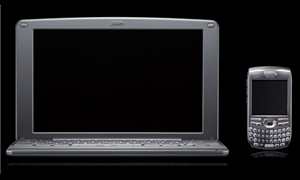 Palm announced its latest device yesterday, aimed at filling a gap in the market that many of us didn’t know even existed. The
  Hardcore geeks love to measure the strengths of their Macs, particularly processing power and memory. Geekbench is therefore any geeks’ dream application come true. The program only takes a few minutes to complete a benchmark of your Mac’s performances and spit out a report. But what good is it having this benchmark report if you can’t gloat about it? The application thoughtfully includes the Geekbench Result Browser, where you’ll be able to compare your Mac’s performances with those of other Geekbench users.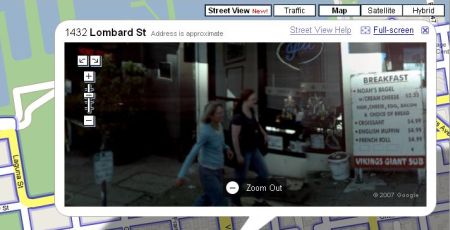
 Last.fm – my personal favourite among the batch of music-related social websites of the last few years – has finally been
  Today Apple launches iTunes 7.2, which you may already have downloaded through the program’s Update feature. This wouldn’t be really any news if it weren’t for the main change included in this new version: “Support for iTunes Plus“.