A look at what’s new in Postbox 2.0

Postbox is an intelligent, multi-language cross platform mail client that has clearly been inspired by Gmail, Apple Mail and Thunderbird. Version 2.0 has just been released and adds some great new features which make this slick and intuitive mail client even better.

Postbox 2.0 retains the same basic Thunderbird infrastructure and there are still some that will say it’s a little “too” inspired by Thunderbird and that the developers have essentially taken a free application and turned it into one that requires payment. In reality however, they have only basically taken the open source code behind Thunderbird and expanded on it to make a more fully featured mail client.

There are many new features in version 2.0 but those that standout are:

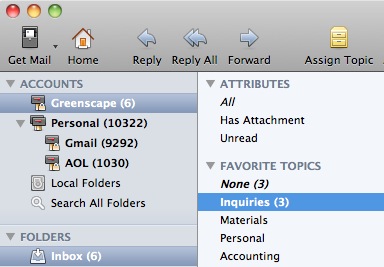
Unified Account Groups: Postbox 2 now supports Unified Inboxes, which lets you combine messages from multiple accounts into one Inbox. Accounts can also be organized into Account Groups, so you can keep your work and personal messages separate:

screen-capture.jpg

Quick Reply: Quick Reply lets you reply to a message without the need to open a separate compose window, which is perfect for short, snappy responses:

screen-capture-1.jpg

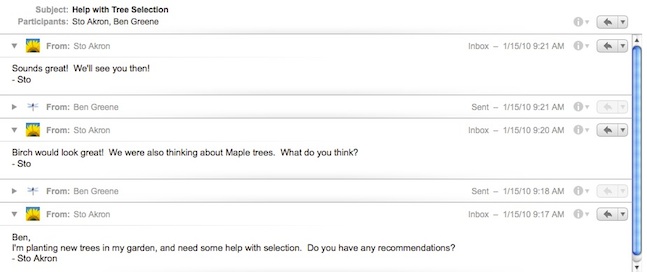
Conversation Views: Postbox Conversation Views are now more powerful. Postbox gathers conversation fragments from multiple folders and presents them within a unified view so that you can quickly bring yourself up to speed in a conversation:

screen-capture-3.jpg

Continue reading “A look at what’s new in Postbox 2.0”

The best free screenshot software

Here at OnSoftware we use SnagIt and there’s one point on which we all agree – it’s the best screenshot software around. It doesn’t come for free, though, and until recently, there weren’t a whole lot of alternatives. Luckily for you, however, things have changed, and some really good free screenshot apps have come out. Here are the best:

screenshot captor Screenshot Captor is a flexible app with excellent filters, tools and effects. If you want to make your shots more instructive – say by adding notes or arrows – this little program will let you do it. It also supports multiple monitors and comes with a thumbnail generator, making it one versatile tool. It’s so versatile, in fact, that you might find it overwhelming. Our advice? Put your prejudices to one side and stick with it – it’s well worth it!

If straight-up shots are what you need, check out Duck Capture. Ok, so there are no fancy editing tools included in this one, but for Region, Window and Full Screen shots, it works perfectly. Its particular strength is its ability to take scrolling window shots, a feature that other tools advertise, but don’t always deliver on. Add that to very low system resource consumption, and you’ve got a winner.

pickpikcPicPick is the tool for you if you need editing power, but not so many screenshot options. This no-install app doesn’t have as many capture modes as the competition, but the editor is great –  full of options and really slick. PicPick’s perfect for editing shots, including brightness, grayscale, blur, pixelate and other special effects. Using it is just like working with a more expensive program, but this one doesn’t come with the scary pricetag.

If you take screenshots mainly to share with other people, then take a look at ZScreen. This tool has all the capture options you would expect, and a whole load of sharing options that you might not. If you need to share your screenshot by email, on Twitter, upload it to an online storage service or just send it to an editor, ZScreen will let you do it – and automate the action so it becomes the default.

imtoolIM ToolPack, combines the best of ZScreen and PicPick. It’s a slick little tool that takes a variety of screenshots and lets you edit them in a very user-friendly and accessible editor. When you are finished, you can share them with friends and contacts. As the name suggests, IM ToolPack focuses on sharing images via messenger apps, but also lets you use email or online services, such as Facebook and Twitter.

Organize your movie collection with EMDB

If you have so many movies and TV series that it’s getting hard to keep track of them, it’s time to organize your collection in a serious way – and a free utility called EMDB can give you a hand with this project.

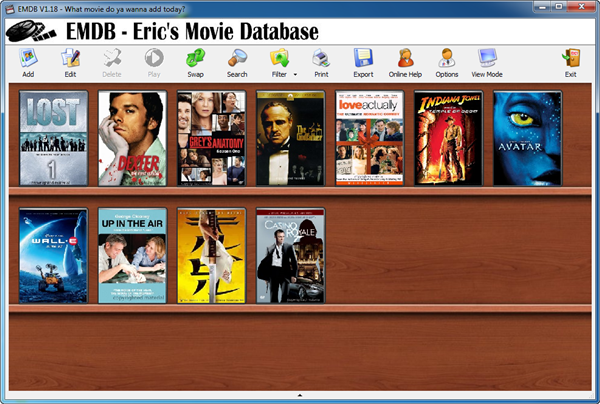
EMDB

EMDB stands for Eric’s Movie Database, a simple yet powerful movie organizer that will help you create a detailed list with all your movies and TV shows, whether you have them on DVD or stored in your hard drive. EMDB is easy to use, light on resources and doesn’t require any external plug-ins or libraries.

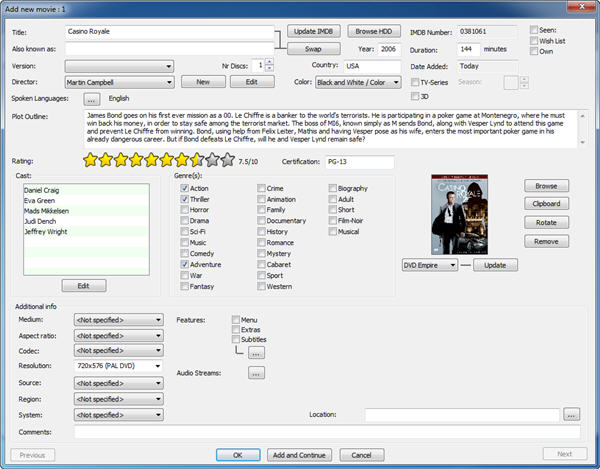
The best thing about EMDB is that it connects directly to the Internet Movie Database, which means you don’t have to type in all the information about each movie; simply enter the title, search the online movie database for it and let EMDB do the hard work.

EMDB

Other interesting features in EMDB are a loan tracker, a built-in search tool and the possibility to export your collection to TXT, CSV or HTML.

How to play Minecraft, the beginner’s guide

Minecraft has been around for a long time, with thousands of gamers enjoying the game with its easy playability and exciting features. Still, there are many that don’t know anything about the sandbox title and wonder what is Minecraft and how it works.

In this guide, we’ll explain to you how to play Minecraft if you’re a beginner, helping you in the first steps you need to take. We’ll also show you some handy tips and tricks to make the experience more enjoyable.

What is Minecraft?

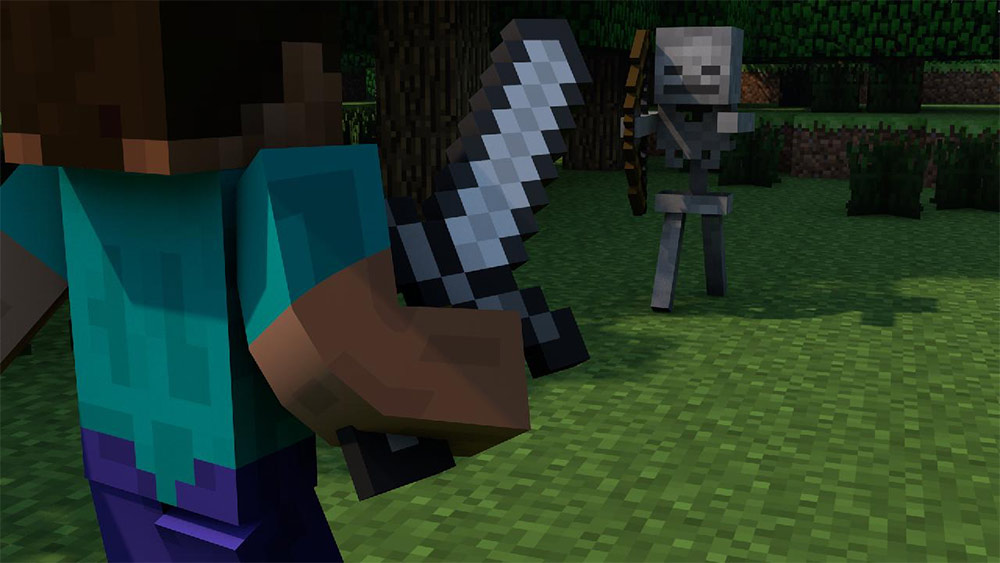
In essence, Minecraft is a sandbox video game where you can craft and demolish blocks in an open world. There are several biomes you can travel in, while you’ll come across friendly or deadly mobs specific to each location. You can either choose what to build in Minecraft Survival or Creative mode, as each setting works differently. 

How to play Minecraft

Before you can play the casual video game, you need to download Minecraft for your specific platform. As soon as you have it set up, you can run it from the launcher and choose between Survival or Creative mode. There are also mini battles you can enjoy against other online players, but you may need to purchase packs to enable them.

If you select to play Minecraft Creative mode, you can choose from any of the blocks, tools, and resources to build as you wish without mining or crafting. Minecraft Survival mode has a more adventurous tone, and you’ll need to survive against the monsters of the night. You can also set it on easy mode if you just want to build without creatures attacking you.

You don’t need to play Minecraft alone. There’s also a multiplayer version where you can play with others online or join in mini-battles. You can also add mods from other players to enhance the game. Here are a few guides on how you can set it up:

Minecraft Tips and Tricks

Now that you have a brief idea of what Minecraft is and how it works, we have some tips on getting started. We’ll cover some of the key features here so you can get a better idea of how to play it.

What to build in Minecraft?

The number one question most players ask when starting is “What should I build in Minecraft?” You have so many options, the choices are almost endless. You can create castles, skyscrapers, volcanoes, ships, bridges, floating bases, lighthouses, and so much more! The only limit is your imagination. There are various resources you’ll need to mine to craft items, such as copper, iron, and gold.

Here are some guides pertaining to resources and crafting in Minecraft:

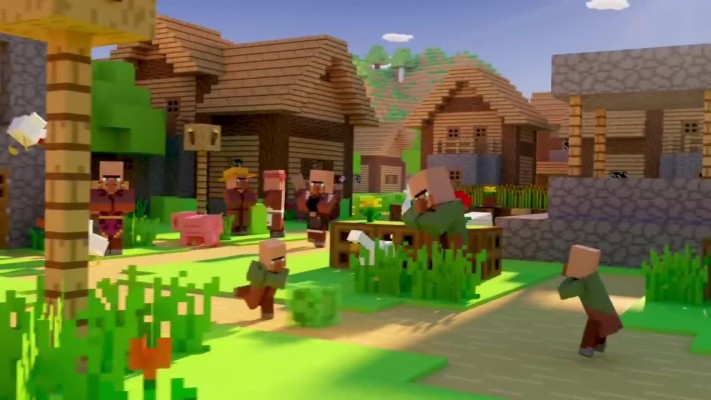
what to build in minecraft

What is smite in Minecraft?

When you reach the stage of crafting weapons in Minecraft, you can apply smite to axes or swords. You’ll earn experience (XP) for crafting and fighting enemy mobs, which you can use to then enchant your weapon of choice. Smite will increase the damage dealt, making you a more powerful adversary to the creatures of the night.

What is smite in Minecraft

What is the Nether in Minecraft?

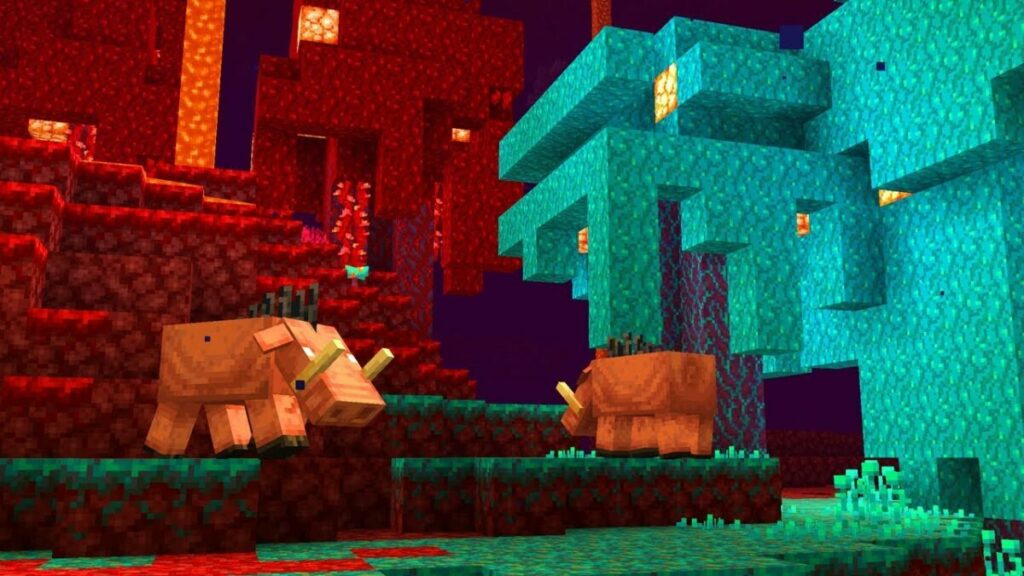
The normal dimension in the sandbox video game is called Overworld. You can build a portal to a hellish underworld called the Nether in Minecraft, where you’ll find lava, Netherrack, and various other creatures you’ve never met before. As soon as you need more advanced resources, you’ll need to make a base in this location to collect them for superior weapons and tools.

What is the Nether in Minecraft

What does Channelling do in Minecraft?

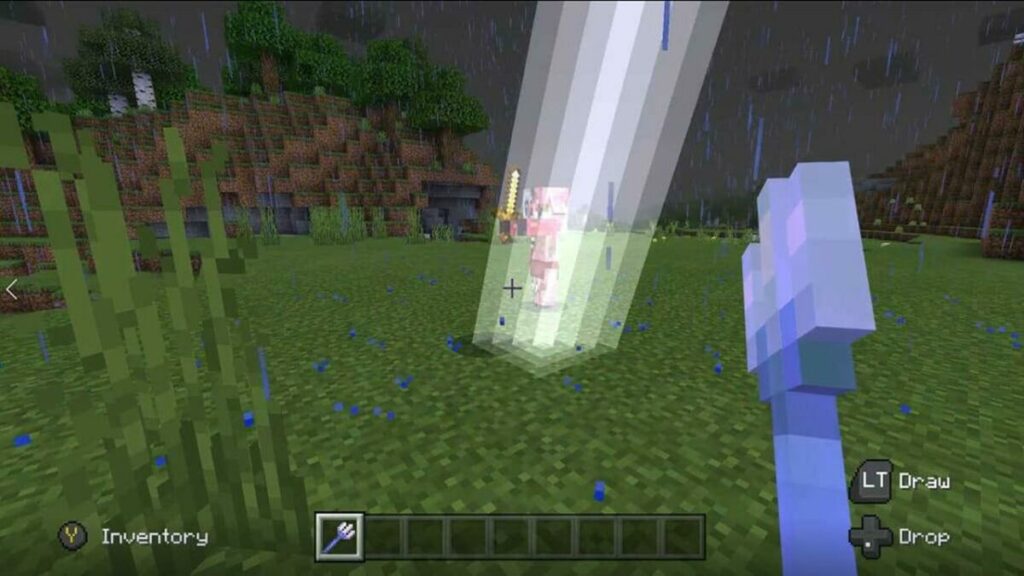
If you own a trident, you can use the Channelling enchantment in Minecraft on your weapon during a thunderstorm. When it hits a creature after you throw it, a lightning bolt will emerge from the skies to strike the monster down. You’ll need open skies for it to work, and it won’t connect with the beast if you’re in an enclosed area.

What does Channelling do in Minecraft?

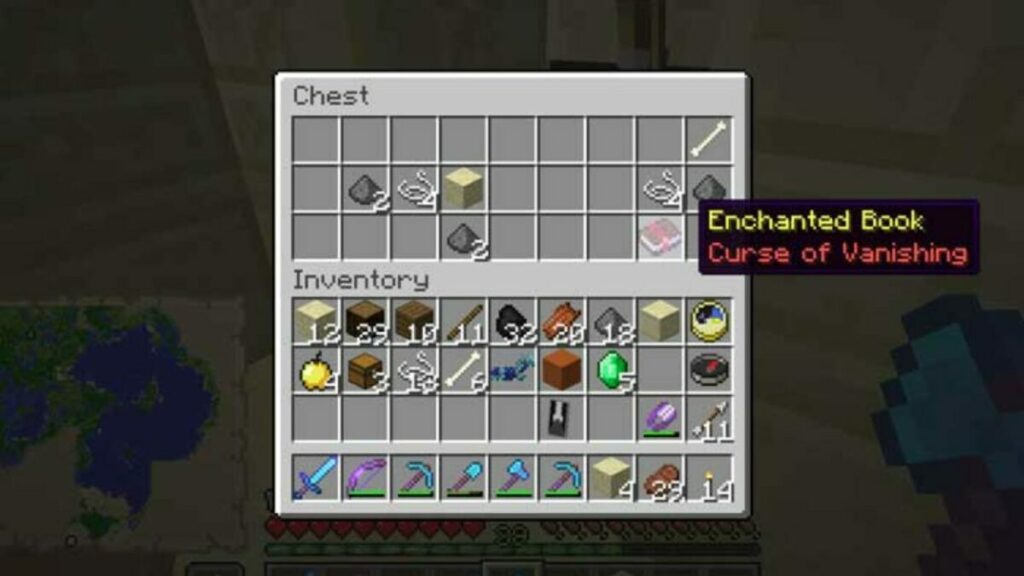
What does Curse of Vanishing do?

When playing Minecraft in standard mode, you can change the settings to enable your items to remain with you when you die. However, the Curse of Vanishing is an enchantment you may find on weapons or tools that forces them to disappear when you die. However, it only applies if you have it in your inventory upon death.

What does Curse of Vanishing do?

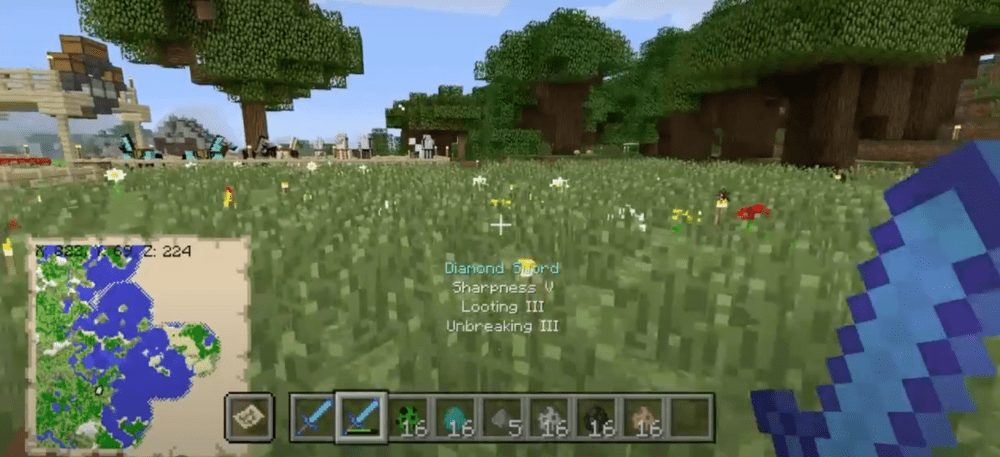
What is Unbreaking in Minecraft?

All tools and weapons wear down as you use them. You’ll see a small line under the item which indicates its durability. When it reaches zero, the item break. Unbreaking in Minecraft reduces how quickly the equipment breaks down, with longer life in higher levels of enchantment.

What is Unbreaking in Minecraft?

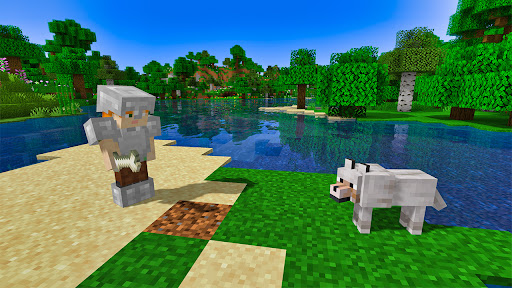
What can you tame in Minecraft?

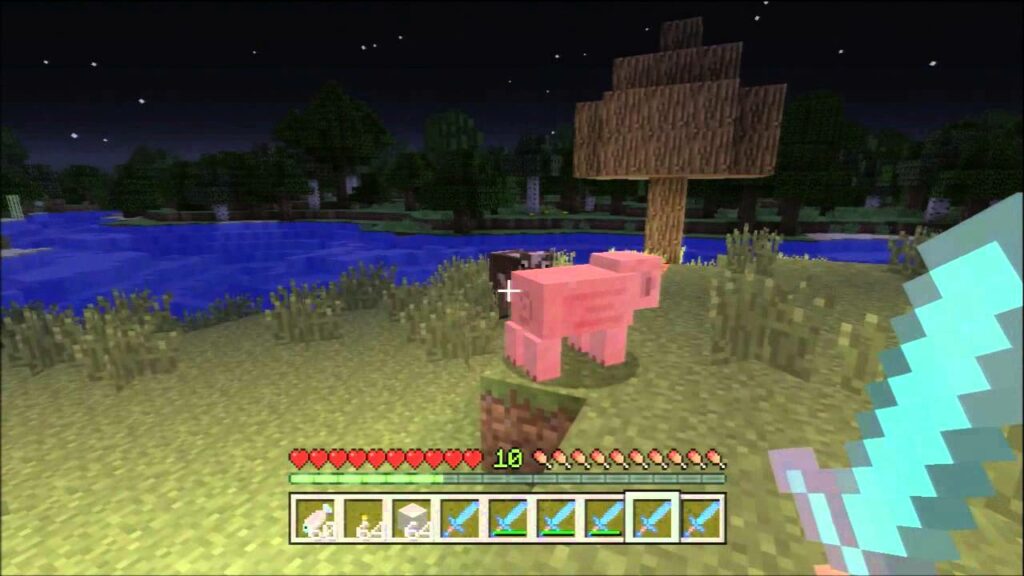
There are plenty of animals you can tame in Minecraft, which adds to the fun of the game. They’re either for decoration around your home, or you can use them for resources or traveling. For instance, there are sheep for wool, pigs for meat, cows for leather, horses for riding, and axolotl, cats, and foxes that are just fun to have as pets. You can even breed them.

If you’d like more information on how to tame and breed animals in Minecraft, you can read these guides:

What can you tame in Minecraft

Minecraft: What is Optifine?

When you’re ready to enhance your gaming experience, you can download Optifine for Minecraft. It’s a utility mod that lets you customize the graphics and textures to look more realistic. You can also change some of the gameplay elements, such as running faster or causing more damage.

Minecraft What is Optifine

More Minecraft Tips and Guides

There are plenty more ways you can enhance your gaming experience after you learn how to play Minecraft. Check out these additional guides for some more advice:

Become a master craftsman

Now that you know what Minecraft is and how it works, you can set out on your adventure and start building! There’s so much to do, you’ll spend years crafting your masterpieces. Once you’re done, be sure to show it off to other players or let them join you in local or online multiplayer.
Skype and Facebook to hook up?

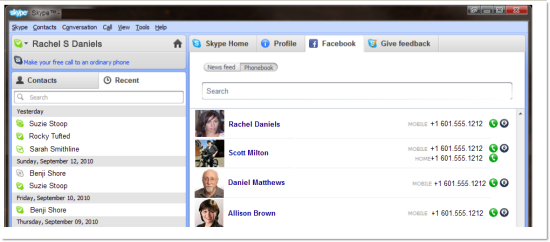
Here at OnSoftware we’re not in the habit of spreading wild rumors, but the news that Skype and Facebook might be hooking up in the near future is too good – and too believable – to ignore.

skypefacebookdeal

Various websites have been suggesting how the deal might go down. Using Facebook Connect, users will link their Skype account to Facebook. Once they have done so, they would be able to use Skype to SMS, chat with or call Facebook friends directly. If all that does happen using Facebook Connect, you should also be able to use your Facebook details to log into Skype. Right now, sources are suggesting that all this will be available as soon as Skype 5.0 comes out of beta, which should be sometime over the next few weeks.

Both Skype and Facebook are thought to be preparing to go public soon. If “Skypebook” does take off, it will definitely be a major string to their respective bows. Regardless of the effect on share prices, however, the move would be a killer feature for both apps, and something that users would welcome with open arms. Watch this space!

[image courtesy of All Things Digital]

Free Browser Game: Museum of Thieves

Museum of Thieves is a eerie and atmospheric spot-the-difference game with detailed, painted images that take you on a journey through the museum, based on a real book. Something strange is going on, and nothing is quite as it seems!

It’s nice to see something as simple as spot-the-difference given such effort and a storyline. It gives you a reason to play a type of puzzle you had perhaps given up on many years ago!  Museum of Thieves is a Flash-based free browser game that you can play at Kongregate.

HP dumps Android tablet

AndroidpalmhpHP‘s plans for a tablet have taken a new turn: instead of running Android – or even opting for Windows Phone 7 – the company has decided to put its weight behind a Palm-based operating system. It has also been revealed that any plans for a HP smartphone running Android have been scrapped.

Android’s not very used to rejection, so why has Hewlett-Packard decided to give the Google operating system the cold shoulder? Well, back in April, HP bought struggling smartphone makers Palm and is obviously counting on WebOS – as part of a new tablet to help recoup the expenditure.

Even though it is a solid operating system, Palm never managed to get a strong foothold in the mobile market. Technically though, it’s a strong system, so let’s hope its reputation as the “almost-there” of the mobile world doesn’t hold the PalmPad back.

[image courtesy of Mobiusu]

MS Office for Mac 2011 released October 26

Microsoft have announced the official launch of MS Office for Mac 2011 will be on October 26th. You can already place preorders at Amazon.com if you want to be one of the first to own it.

Since pretty much everything is already known about the suite (we took a look at the Beta version back in April) Microsoft have chosen to focus the release news on what it calls “one of the most visually impactful features in the new suite” called Dynamic Reorder. The feature gives you the ability to interactively re-order all of the layers in a document or presentation. They also remind Office fans that:

The new suite also introduces a new view in Word 2011, Full Screen view which has two views: one optimized for writing and the other for reading. Allowing you to block out the distractions and focus on putting your idea on paper.

Microsoft also claim that launching Office components is also now much faster although I didn’t notice much difference with the Beta version. The addition of Outlook though is long overdue and it will be interesting to see if this important piece of the jigsaw in the suite will encourage more Outlook users on Windows to switch to Mac.

Check-out Microsoft’s (kind of cheesy) latest preview video of the major features of MS Office 2011 for Mac.

[youtube]http://www.youtube.com/watch?v=jEYt9m1IUoc&feature=player_embedded[/youtube]

Xmarks shuts down in January 2011

Xmarks shuts down on January 2011

UPDATE: Luckily Xmarks didn’t close. LastPass acquired the company and this enabled the service to stay online. It also marked a transition point for Xmarks, which moved to a “freemium” business mode and started offering paid plans.

Xmarks, the great bookmark syncing service we already mentioned on this blog (also when it was known as Foxmarks) is closing. The date for definitive shutdown has been set to January 10th, 2011, giving you plenty of time to recover your information from Xmarks’ servers and find an alternative syncing service.

As for the reasons why Xmarks is being discontinued, they’re explained in the company’s blog. Apparently Xmarks has had budget issues since Spring 2010 and was in desperate need to find new funds. The search for potential buyers wasn’t successful, and with the bookmark syncing function being built-in in powerful browsers like Firefox and Chrome, it was difficult to come up with an alternative business model. In this situation, there’s no way to support the free service and, at the same time, paid the company’s expenses such as salaries and server hosting costs.

Xmarks plans to keep their service running for another three months, which gives you time to find an alternative to sync bookmarks across browsers. The Shutdown page on the Xmarks website includes some of them, like Firefox Sync, Chrome Sync, Windows Live Essentials (all free) and MobileMe (for $99/year).

Try out the new Windows Phone 7 today

As we’ve seen from Microsoft’s rather lame ads, Windows Phone 7 is set to shake up the mobile world by offering a phone that you don’t have to use as much. But if you can’t wait until next month (or the month after) to see what this new golden age of smartphones will feel like, then fear not because you can test Windows Phone 7 right now – and for free.

All you need to do is download the Windows Phone Developer Tools (Vista and Windows 7 only) and run the installer. This will load the Windows Phone 7 emulator onto your machine, along with tools for developing using Visual Studio 2010, Silverlight and XNA.

When you start the emulator, you’ll probably be thinking the new Windows mobile operating system is a bit barren. That’s because the emulator only comes pre-loaded with Internet Explorer, Search and a few basic system settings. Nevertheless, it still gives you a good feel for what Windows Phone 7 will be like. Here’s what’s worth checking out.

Bing Search

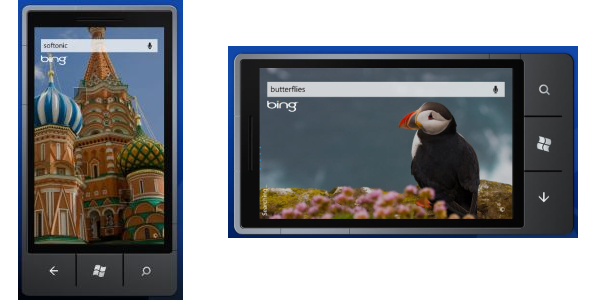
The stunning looking Bing-powered search page for Windows Phone 7 can be accessed by hitting the magnifying glass button on the phone. Various hotspots around the screen reveal information about the current image being displayed.

Bing Search 1

Continue reading “Try out the new Windows Phone 7 today”