Tumblr 2.0 Android app released

The popular microblogging service Tumblr recently announced version 2.0 of its official Android app. This update comes with a completely new interface look as well as a handful of useful features to make posting content on the go even easier.One of the biggest issues with most mobile versions of Tumblr has now finally been addressed in this new version of the official app. Users can finally manage multiple blogs all in one app. In addition, Tumblr has added the ability to access your blogs’ drafts and queues folders, as well as respond to messages, all features that were visibly missing from previous versions. Users can also find people to follow now directly from their phone’s address book.

If you’re new to Tumblr, you can also opt to sign up for Tumblr directly from the app. This is a definite plus for people who don’t want to deal with signing up online from their phone’s browser.

Tumblr 2.0 for Android is available on the Android Market now. The latest version for iPhone and iPod users can be found here.
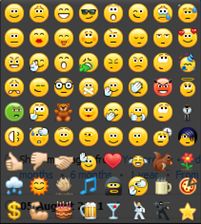
New emoticons for Skype 5.5

Want some new emoticons for Skype? We already knew there are some hidden emoticons within the VoIP app, but now you can access even more new symbols and characters with Skype 5.5.

Skype emoticons

Here are the new emoticons in Skype 5.5 that can help liven up your conversations even more:

(Facepalm) (fail)

(wfh)

(fingers) (fingerscrossed)

(tumbleweed)

(lalala) (lala) (notlistening)

(waiting) (forever) (impatience)

(highfive) (hifive) (h5)

And are some more hidden ones (i.e. not included in the emoticons pop-up window) that have been added since my last post about Skype emoticons.

(bye)

(fubar)

(heidy)

(poolparty)

(swear)

(wtf)

Thanks to www.emoticonsskype.com for the full list of Skype emoticons.

Facebook adds more Google+ style privacy

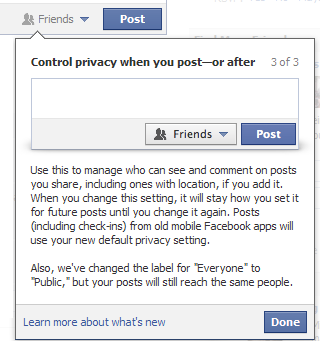
One of the major advantages of Google+ over Facebook is that you can select who does and does not see your status updates courtesy of Circles. Facebook has responded by making it much easier to do exactly the same. Although it was possible previously, it involved messing around with settings, wasn’t as customisable and wasn’t as conveniently located.

Now you can access everything from your status update box:

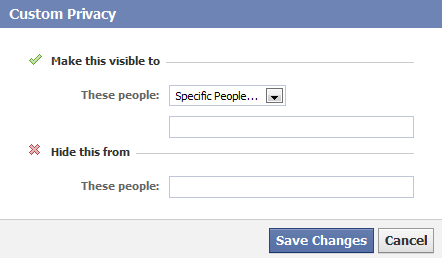
Now when you write a status update, you can select exactly which friends see it and even specify certain people you want to hide it from:

The only thing missing is the ability to create custom groups of contacts that you regularly want to share things with – in other words ‘Facebook Circles’ à la Google+.

This change follows on just days after Facebook’s decision to allow users to approve photos of them before they are tagged. It’s good to see that Facebook is finally taking privacy more seriously. It’s just a shame that it’s taken the arrival of a major competitor in the form of Google+ to make it do so.

First look at Explorer in Windows 8

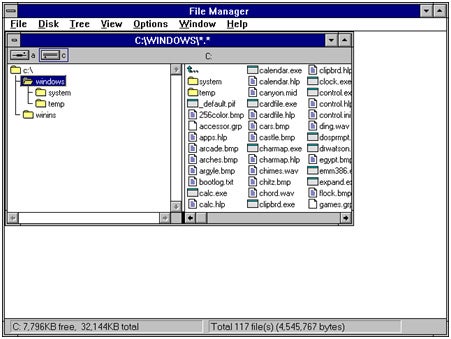
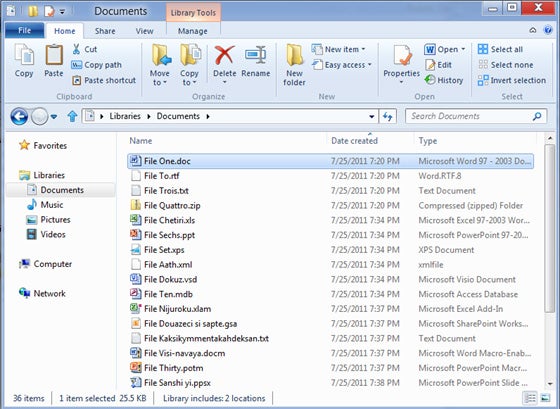
Microsoft has unveiled a few interesting details about the future File Explorer in Windows 8. The most outstanding new feature is, undoubtedly, the addition of the ribbon interface.

Explorer in Windows 3.1

Explorer in Windows 8

The decision to apply a ribbon to the Windows default file manager hasn’t been taken lightly. As explained on its blog, Microsoft has done a lot of research about the most commonly used commands in Explorer, and the way users access them. After studying the results of this analysis, ribbon was clearly the best choice for the new interface in Explorer, for several reasons: it lets you display the most important commands in prominent locations while also exposing loads of other minor tools, organizes commands conveniently in handy groups and it follows the design line opened by Office and Microsoft Paint, making it easier for people to get used to the new interface. Continue reading “First look at Explorer in Windows 8”

EA releases free Tetris game for Android

EA has today released a free version of Tetris for Android. The ad-supported free version will allow players to play the classic brick-dropping game in Marathon mode, where you must build as many lines as you can without getting too high.

Tetris Free for Android

It’s worth noting that aside from ads, the free version of Tetris also utilizes requests access to certain permissions within the Android OS that the full version doesn’t. This includes those that can directly call phone numbers and for monitoring GPS location. There’s not necessarily anything sinister about this but it’s worth checking the Permissions tab on the Tetris Free Android Market page to see what the game can access in your system.

Check out our full review of Tetris Free to find out more.

How to: Apply Instagram filters in Photoshop

If you own an iPhone, chances are you use Instagram, the popular iOS app that lets you apply effects to your photos and share them online in no time. Some of the filters included in Instagram can make your photos look really awesome, to the point that you may want to apply them to the images on your computer. And here’s where Daniel Box gets into action.

Being an Instagram fan himself, Daniel was looking for a way to replicate the app’s filters in Photoshop. After not finding any satisfying results, he decided to create a set of Photoshop actions that let you apply Instagram filters to the images in your computer. Though he says he didn’t get a 100% match, I have to say results are very close to the original Instagram filters. They look great and best of all, can be applied in just one click.

Getting started

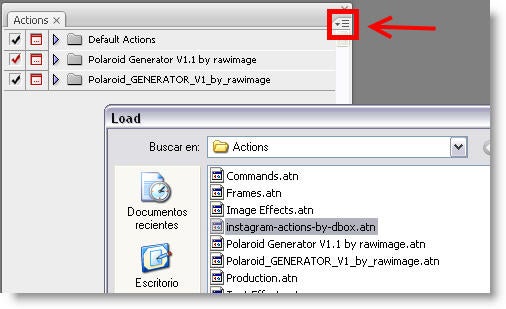
To use these Instagram filters in Photoshop, download the ZIP file from Daniel’s Tumblr and extract the ATN file into the Actions folder of your Photoshop installation (usually C:\Program Files\Adobe\Adobe Photoshop CS3\Presets\Actions). Then launch Photoshop, open the Actions window menu, click the small button on the top right corner (highlighted in the screenshot) and select Load action. Pick the Instagram action file and press Load.

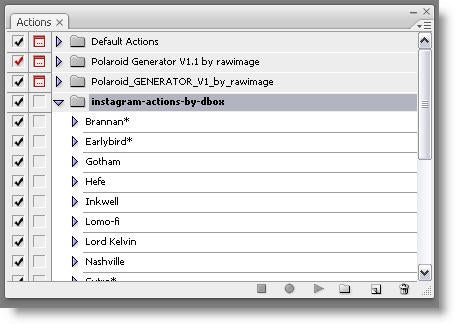
The Action window will display a list with all the filters included in this action file, including also a few frames and special borders.

All you need to do then is open an image in Photoshop, choose the filter you want to apply to it and press the Play button on the Action window. The selected filter will be applied automatically in front of your eyes.

Original image

Brannan filter

Kelvin filter

Nashville filter

The Instagram filters action pack for Photoshop includes most filters featured in Instagram (there are only two or three missing) and works like a charm. A truly easy way to apply eye-catching effects to your images in one click!

Amazing puzzler Sprinkle released on iOS

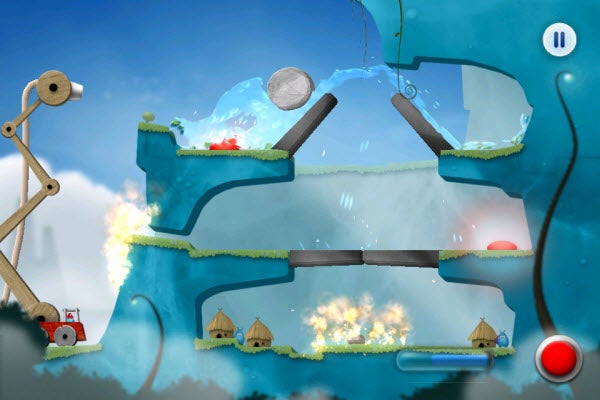
One of the most promising iOS puzzle games to date has been released today: Sprinkle is a universal iOS app, released today that approaches amazing in a slightly different way. A puzzle app, Sprinkle uses water as the main tool. From a fire engine you use a water cannon to solve environmental puzzles and try to put out fires before you run out of water.

The liquid in Srprinkle looks fantastic. Water pools, slides, and drains with astounding accuracy. While this could have been a one-trick app, the puzzles in Sprinkle are just as addictive to watch and solve.

It’s a different kind of puzzle experience because the water moves so realistically. This makes the puzzles feel slightly different every time, and you have to put more effort into finding the solution.

Sprinkle is a great example of an innovative puzzle game, and it’s excellent physics show there is still plenty of potential to be unlocked in iOS development.

Check out our review of Sprinkle for iOS.

Keyboard controls for PES 2012

PES 2012 logoIf you’ve downloaded the PES 2012 demo on your PC and don’t have a control pad then you might be wondering how the heck you play the game. For some reason, it looks as if Konami has neglected to include a guide to the keyboard controls in the PES 2012 demo.

Don’t worry, it is possible to control this year’s Pro Evolution Soccer offering with your keyboard (though it’s much easier with a pad, obviously). Here’s a short run-down of the buttons you need to bash in order to play this great new soccer game:

Button Action
UP arrow Move down
DOWN arrow Move down
LEFT arrow Move left
RIGHT arrow Move right
D Long pass
X Short pass
W Through pass
A Shoot
Q Cursor change
Q Cursor change
E Dash
Z Strategy/Attack/Defend
C Special controls

Does Firefox 7 solve the memory leak problem?

The beta version of Firefox 7 for Windows and Mac is already out just days after the final release of Firefox 6. Mozilla claim that it features significant memory fixes that go a long way to solving the memory leak problem that is encouraging more and more Firefox users to switch to Chrome.

Firstly, it should be made clear that a memory leak is different to memory usage. A memory leak is when an application suddenly starts guzzling RAM for no apparent reason – as Firefox frequently does. Memory usage is simply the amount of RAM that an application needs to run.

I conducted a short simple experiment on a fresh install of both Firefox 6 and 7 without any add-ons installed. I opened the same 6 tabs in Firefox 6 and Firefox 7 Beta and observed their memory use over a 2 hour period. The results were enouraging. Although Firefox 7 Beta 1 still uses about as much memory as Firefox 6, it does appear to have largely solved the memory leaking problem.

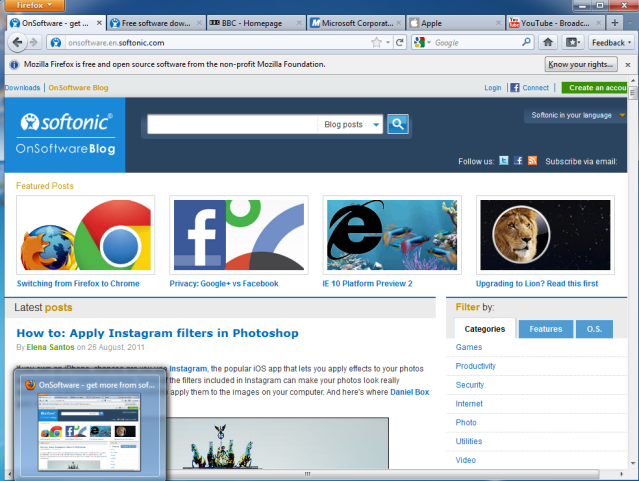
The 6 tabs I opened in each browser were OnSoftware, Softonic, BBC, Microsoft, Apple and YouTube:

Continue reading “Does Firefox 7 solve the memory leak problem?”

PES 2012 arrives with smart new AI features

“Intelligent” and “good looking” aren’t the first two words that spring to mind when you think about soccer players. However, these adjectives are two that resonated with me while playing PES 2012.

Pro Evolution Soccer 2012 is the first of the two big console and PC soccer titles to strut its stuff this season, following the release of the PES 2012 demo today. It remains to be seen whether FIFA 12 will win the battle in the hearts of soccer gaming fans again this year, but if this demo is anything to go by EA has to step up its game if this early PES 2012 demo is anything to go by.

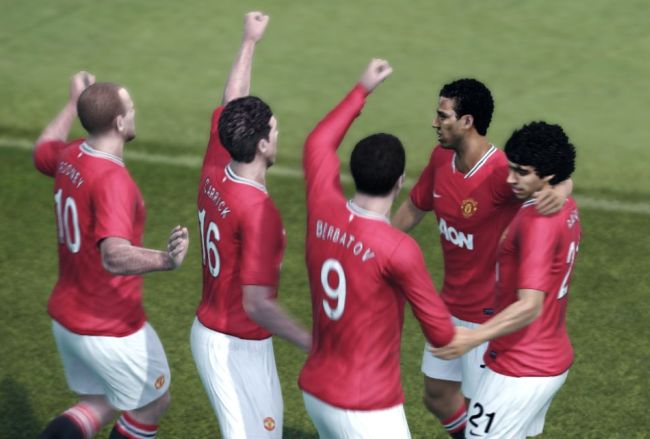
Three cheers for PES 2012

The changes in PES 2012 are mainly based around tweaks to the game AI. These are designed to make an intelligent soccer experience, and for the most part it works.

It seems the tweaks favor attacking soccer rather than defending, making for more goal mouth action and higher-scoring matches. Improved attacking runs (dummy, diagonal and overlapping) by the AI give you more options when you’re going forward with the ball. Continue reading “PES 2012 arrives with smart new AI features”