Apple silently pushes critical security update to Mac users for the first time

While Windows users have had automatic updates (for better or worse) for years now, Apple has tried to stay as transparent as possible about its system updates. Mac users usually receive a pop up notification alerting them to download the latest updates but that changed yesterday when Apple pushed an automatic security update to Macs for the first time.

The security vulnerability was severe enough that the United States Department of Homeland Security announced it. The bug has to do with the network time protocol, or NTP for short. NTP allows computers to synchronize clocks but has been used to attack systems by flooding servers with large amounts of data to force them offline.

The update was pushed seamlessly to all Macs without alerting the user at all. The update doesn’t even require a reboot.

Apple may use this silent approach for major security flaws in the future, which is good for its users since they won’t have to do anything to stay secure.

Source: Reuters

Related Stories

This is what WhatsApp’s call feature will probably look like

Best Android Wear apps

Facebook thinks putting stickers on your photos will get you to use Messenger

Follow me on Twitter: @lewisleong

This is what WhatsApp’s call feature will probably look like

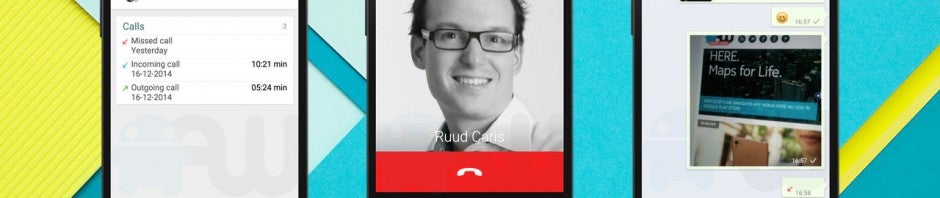
WhatsApp promised to bring a new calling feature to its mobile apps some time this year. As the year is winding down, so are the rumors about the calling feature. Dutch blog Android World dissected the code for WhatsApp beta and found files, images and text that will likely be used for the final version of voice calling in WhatsApp.

The screenshots don’t show anything dramatic and it looks just like Android’s old dialer. When you’re in a call, you’ll see buttons to switch to speaker, send the call to a Bluetooth headset, reply with text and a mute button.

Android World speculates that the calling feature will be separated so your calls and chats are located in their separate feeds. The site also says you’ll be able to record calls for playing back later, though the legality of such a feature makes me question if it’ll make it into the final version of the app.

Things can change, of course, so take these screenshots with a grain of salt. We’ll find out for sure what it’ll look like when WhatsApp releases the feature in the near future.

Source: Android World

Related Stories

Best Android Wear apps

Facebook thinks putting stickers on your photos will get you to use Messenger

Samsung killing its ChatOn messenger in 2015

Follow me on Twitter: @lewisleong

Best Android Wear smartwatch apps

Android Wear is Google’s wearables platform for smartwatches. The operating system works on both watches with square and round faces in a variety of styles. Regardless of which device you choose, Android Wear apps will work the same.

At the core of Android Wear is app notifications. You can view all of your notifications, and even act on some, without taking out your phone. Extended Android Wear functions are being added to existing apps and some apps even run independently from your phone.

But what are the best Android Wear apps? Let’s find out.

Majority of messaging apps

This category is pretty broad, but if you use almost any messaging app like Hangouts, WhatsApp, Facebook Messenger, KakaoTalk, and Telegram can all push notifications to Android Wear.

Android Wear kakaotalk

Instead of an audio or vibration notification on your phone, your Android Wear watch receives the notification. Some apps even let you reply with your voice. This means you’re less likely to miss a message.

It’s still up to developers to add functionality, but even as a simple notification it’s a worthwhile feature.
Google Play Music

android wear google play music

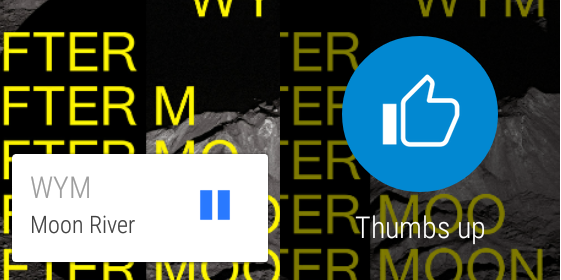
Google Play Music is a great cross-platform service. It works on the web and through the app but also has Android Wear specific features. You can control playback and volume through your smartwatch instead of opening the app on your phone. Also included is the ability to download music directly so you don’t have to have your phone with you. You can pair Bluetooth headphones to your watch and listen to music.
Google Fit

android wear google fit

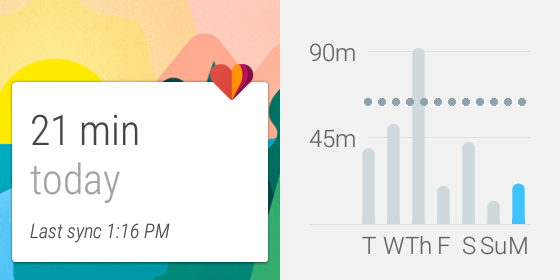
Android Wear still hasn’t figured out how to be a great fitness tracker. Some Android Wear smartwatches lack a heartbeat sensor so you’ll be missing  that data. Of course, other fitness trackers sell their own wearables and sync through an app so you might not even need Google Fit.

But for someone who wants to keep track of their steps throughout the day, Google Fit is perfectly fine. It syncs from the watch and the Android app. You don’t need to have the smartwatch connected all the time because it can sync once it’s connected again. Google Fit can track walking, running, and biking as the most common activities, but you can add different sports.

I think of Google Fit as a passive fitness counter rather than those with dedicated fitness bands, but you could also try RunKeeper if you want to keep track of your running.
Google Maps

android wear google maps

The best apps for Android Wear right now are Google’s apps. This makes sense because they can show off their own platform.

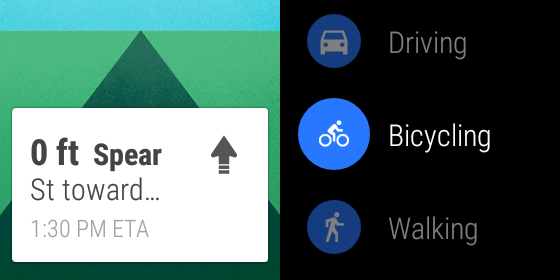
The best part of Google Maps for Android Wear is that it displays navigation directions on your smartwatch. While this isn’t as useful when driving, getting walking directions without having to carry your phone is very useful. I felt safer using Google Maps on my Android Wear device in Barcelona and Seoul because I didn’t have  to pull out my phone out at night.
Lyft

android wear lyft

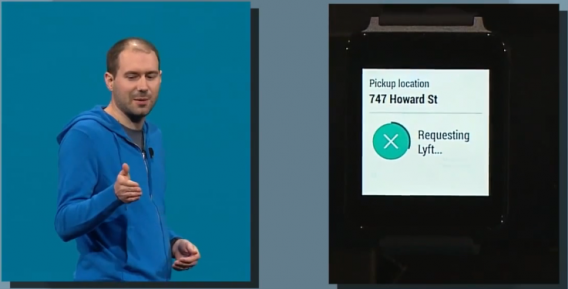
There’s a function in Android Wear to Call a car. Right now, the only option is with Lyft but this lets you call a car to your location without opening the app. With taxi-alternative services everywhere, it’s a nice option to be able to get a ride without opening the app directly, especially after a long night out.
IFTTT

ifttt android wear

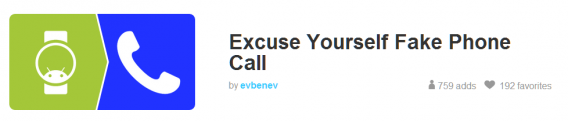
If you use IFTTT a lot, then you know how useful recipes can be. If you haven’t  tried  IFTTT, the number of things you can automate using the service will  blow your mind. IFTTT’s use with Android Wear is as open as the recipes that you make for it. Some examples shown are to turn off your lights, follow friends’ check-ins through Foursquare, and excusing yourself with a fake phone call. You can find a lot more recipes on the IFTTT site.
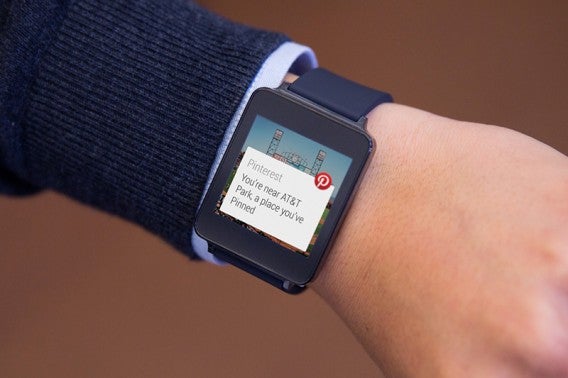
Pinterest

pinterest android wear

Pinterest is your personal collection of interesting things around the web. Pinterest added a feature that will notify you when you’re close to a physical location that you’ve pinned using Android Wear.
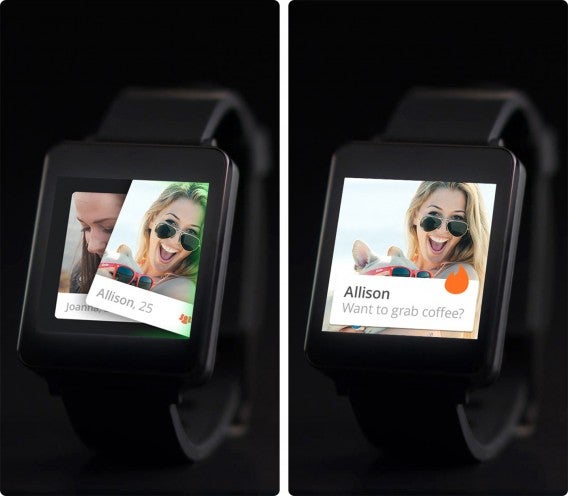
Tinder

tinder android wear

Tinder uses Android Wear as a fun extension for the app. With its swipe functionality, Tinder adds the ability to swipe yes or no to people you see on the app. All you have to say is “Start Tinder” and the app will open on the watch so you can pick and choose the people you like around you.
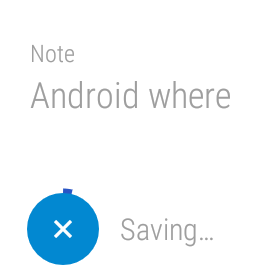
Google Keep

Android Wear google keep

Keep is a first party note taking app. You can create lists, snap photos, and write quick notes. Google Keep can also record voice memos and that’s extended to Android Wear. You can say “Take a note” and Android Wear will record a short message and save it in Google Keep. With the ability to share and collaborate with other people, Keep is a great way to share things quickly.
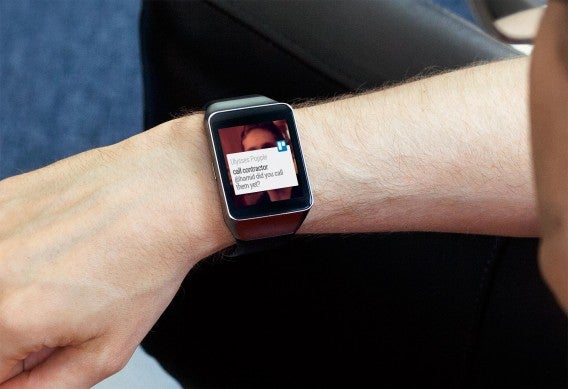
Trello

trello android wear

Trello is a great way to keep tabs on productivity between different teams. Trello on Android Wear extends the use of the app by letting you comment on notifications with your voice, create cards on Android Wear, and get reminders for due dates. It’s a great way to know what’s going on all the time while not needing your phone out all the time.

Android Wear watch faces

Even before Google released the official API for watch faces, developers were creating faces for Android Wear. With the updated firmware, official Android Wear watch faces can be downloaded. Google isn’t deleting existing watch faces, but requiring them to use the official API by January 31, 2015.

The usefulness of Android Wear’s watch faces comes from how developers include information. In some cases it’s adding a company’s brand, but others add more useful information like the weather right on the face. The list of official watch faces is expanding and feature both free and paid watch faces.
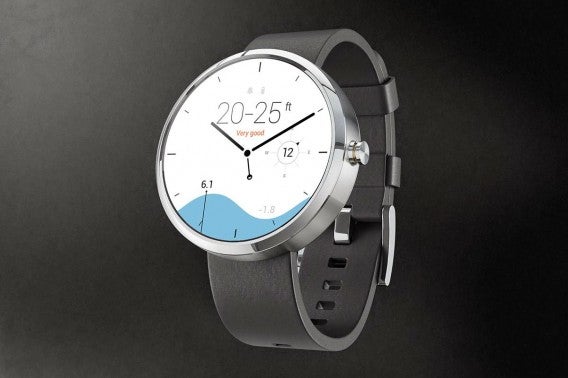
surfline watch face android wear

Surfline shows surfing-related information directly.
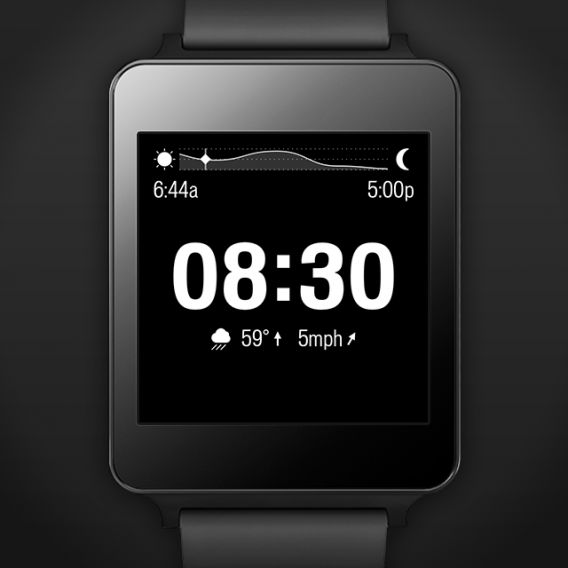
specialized bikes android wear

Specialized Bikes Watch Face shows current weather, sunrise, sunset, and expected rainfall.
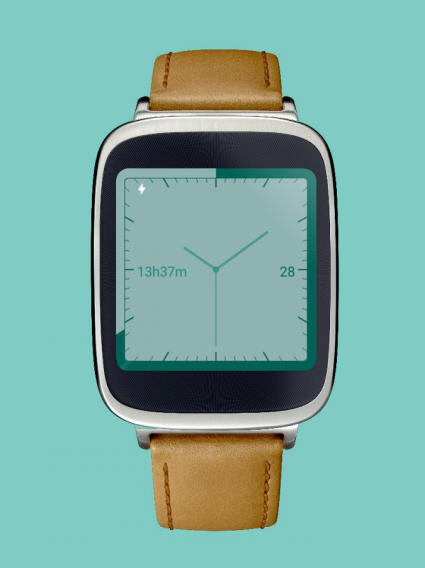
battery watch face android wear

Battery Watch Face shows battery life of Android Wear.
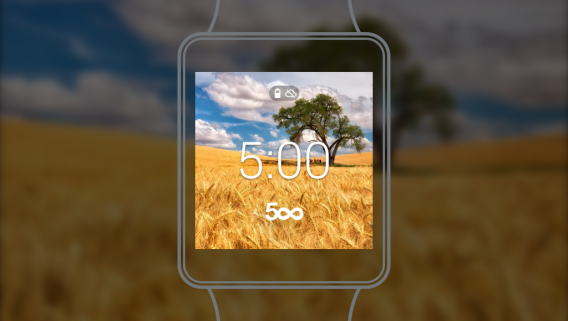
500px android wear

500px adds random images from 500px or your personal account.

Expect more Android Wear watch faces to release in the future.
Facebook thinks putting stickers on your photos will get you to use Messenger

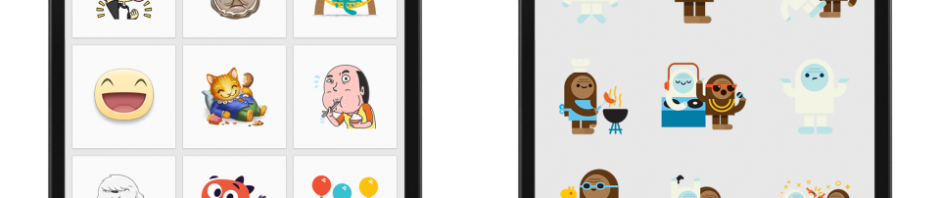
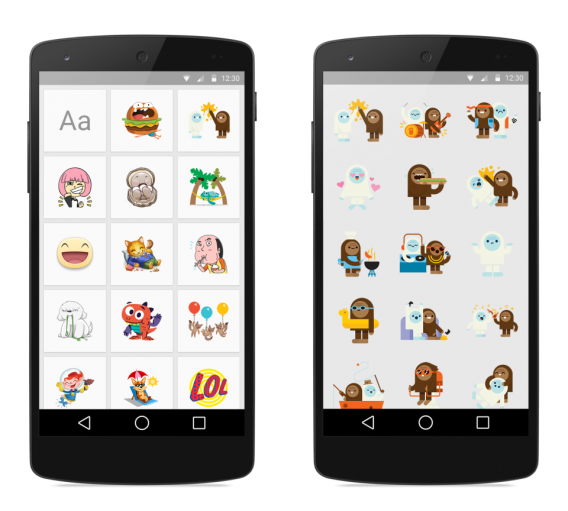
Facebook just announced a new app today called Stickered for Messenger. The app lets you stamp your photos with its hundreds of stickers, then share them using Facebook Messenger. The app is extremely similar to LINE Camera, but lacks the humor of LINE’s stickers.

Stickered for Messenger is Facebook’s attempt at getting you to use its Messenger app. When Facebook removed Messenger from its main apps, users were up in arms about it. No one wanted to download yet another app to clutter up their home screen. However, Facebook has gone to lengths to make sure Messenger performs quickly.

Stickered for Messenger

If you do want to give Stickered for Messenger a try, you can look forward to such wonderful features as

– A festive frame for your New Year’s Eve selfies

– Snow globe chat heads

– Holiday inspired sticker packs

While stickers remain free in Facebook Messenger and Stickered, that could change in the future. Popular messaging apps like LINE, KakaoTalk, and Viber let you pay real money for stickers, which could give Facebook another source of revenue besides mobile advertising.

Stickered for Messenger will be available later today for Android users. iOS users will be getting the app  “soon.”

Source: Facebook

Related Stories

Samsung killing its ChatOn messenger in 2015

Windows 10, Google, Instagram and WhatsApp for PC in the Softonic Minute

The best mobile games of 2014

Facebook for iPad now works like the website

Follow me on Twitter: @lewisleong

Samsung killing its ChatOn messenger in 2015

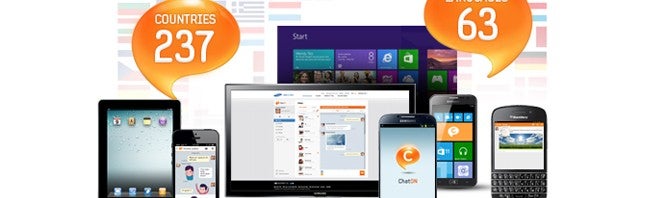
Samsung’s ChatOn messaging app is getting the axe February 1st, 2015. The app never gain any real traction against established messaging apps like WhatsApp, Facebook Messenger, or Google Hangouts. ChatOn also failed to supplant its Asian rivals like LINE and KakaoTalk.

The messaging app market is so saturated it’s not surprising Samsung decided to kill ChatOn. Samsung’s strategy of including it’s own proprietary apps on all of its phones seemed to work at first when the company dominated the Android handset market. Recently, the company saw a huge decline in its phone sales and the Galaxy S5 was deemed a failure.

Although ChatOn is available for both Android and iOS users, it just didn’t offer any compelling reason for users to switch from their current messaging app of choice. Facebook Messenger is ubiquitous since the social network as over 1 billion users. Hangouts has the luxury of being tied to Google’s Gmail service and WhatsApp still dominates across the globe.

Source: CNET

Related Stories

The best mobile games of 2014

Minecraft is getting a story written by Telltale Games

Facebook for iPad now works like the website

Best free iPad apps

Follow me on Twitter: @lewisleong

Windows 10, Google, Instagram and WhatsApp for PC in the Softonic Minute

Google search recaps the year, Instagram finally adds some new filters, WhatsApp might be coming to PC, and Cortana will come to Windows 10. Check out this week’s hottest news in the final Softonic Minute of 2014.

Default player


brightcove.createExperiences();

Google recaps the year in Google search terms

Google has recapped it’s most searched terms of 2014. When based on these results, the most memorable news of the year includes the passing of Robin Williams, the launch of the iPhone 6, the World Cup final, and the Ebola virus. Click here to see all the results.

Instagram gets five new photo filters, lets you hide filters you don’t use

Image sharing app Instagram is getting five all new photo filters today. Starting today, users will start to see these filters appear when editing: Slumber, Crema, Ludwig, Aden, and Perpetua. Keep reading…

Rumor: WhatsApp to launch web version

One of the most requested apps we know of is “WhatsApp for desktop”. But the app, which is tied to your phone number, has only been available for mobile devices so far. Now, references to a WhatsApp Web have been discovered in an Android version of the app. Keep reading…

Leak: Windows 10 to get Xbox app and Cortana

A leaked version of Windows 10 shows Microsoft is working on an Xbox app and integrating Cortana into the operating system. The inclusion of Cortana shouldn’t come as a surprise since we’ve already seen leaks in the past. Keep reading…

Make sure to check out all of our past Softonic Minutes.

Follow me on Twitter @suzieblaszQwicz

The best mobile games of 2014

2014 has been a great year for mobile gaming fans, and as the last installment in our Best Apps of 2014 series, we were determined to pin down the best mobile games of the year. From a perfect touch screen adaptation of GTA San Andreas for smartphone and tablet, to the modern classic Bioshock making its successful debut on iOS, to one of the best mobile adaptations of FIFA in recent memory, this year had a lot of heavy hitters.

But, in the end, it was the surprisingly simple hits that made the top of our list. The best game of 2014? Threes! Watch below to see why, and keeping reading to see our other 5 finalists, chosen by our expert panel of app reviewers.

Default player


brightcove.createExperiences();

Threes!

Threes! easily took the top spot as our favorite mobile game of the year. It’s unique gameplay, matching multiples of threes by sliding adjacent tiles, proved original and addictive. Not surprisingly, it spawned hundreds of clones shortly after its explosive success. One of these was 2048, which gained popularity and a huge following in it’s own right.

In the end though, Threes! is the original, and its charming design and addictive nature made it an easy choice for best mobile game of the year.

Download Threes! for AndroidiOS

Monument Valley

There are good games,there are great games, and then, there’s Monument Valley. In a league of its own, this puzzle game pits you as Prince Ida, trekking through minimalist, geometrical, dream-like stages, bending worlds to create a path to get to through the game.

What makes Monument Valley stand out most is its beautiful and colorful graphics, as well as a mind-boggling gameplay that really challenges your intellect. On top of that, it’s got a fairy-tail like story–with you as Princess Ida– to help keep and capture your attention.

Download Monument Valley for AndroidiOS

Flappy Bird

Although it was launched in 2013, it wasn’t until 2014 that Flappy Bird became the talk of the town,super difficult game in which you had to guide a bird through all kinds of obstacles. It grew even more legendary when its creator decided to remove it from the Google Play and the App Store because of the accompanying stress and noted ‘addictive qualities’ of its massive viral success.

By then, the phenomenon had grown enough to spawn thousands of clones and many parodies of the game. For both its addictive and frustrating gameplay, its retro-throwback feel, and the whole buzz that it created, Flappy Bird definitely deserves a spot on the list.

Read our review of Flappy Bird, and check out some of its best alternatives.

Botanicula

Botanicula, released on PC and Mac in 2012, is a classic adventure game that captivated people with its gameplay (point and click exploration), story (following five creatures trying to save their trees), and lovable characters. The surprise came this year when, after much anticipation, the game was finally launched on mobile. For both its high level of replayability, its intensive gameplay, and its optimized touch screen support as a point and click game, Botanicula is a must-play game of 2014.

Download Botanicula for AndroidiOS

Angry Birds Go!

Although the Angry Bird series had previously made the Bad Piggies spin-off, it wasn’t until this year that our favorite little birds finally left their catapults behind to successfully venture into other genres. We had the RPG Epic, as well as the Transformers action game, but Angry Birds Go!, developer Rovio’s debut into the world of racing, is our top choice of all Angry Bird games in the series.

It’s the closest thing to Mario Kart you’ll ever get to play on a smartphone, and the words Mario Kart aren’t used here lightly.

Download Angry Birds Go! for AndroidiOSWindows Phone

Old formulas, new games

Surprisingly, none of the best games of the year are heavy hitters (aside from maybe Angry Birds Go!). This year, it looks like games that adopted classic styles, themes, or simple concepts, along with stunning visuals, came out on top.

Make sure to check out the rest of our Best Apps of 2014 series.

Follow me on Twitter @mariabaeta

Minecraft is getting a story written by Telltale Games

Telltale Games is on a roll. The company just released its Game of Thrones series and Tales from the Borderlands but it’s not stopping there. The company announced today plans to create a “an all-new narrative-driven” episodic adventure game for Minecraft.

Minecraft developer Mojang and “members of the Minecraft community” are collaborating directly with Telltale to create the game, which will be called Minecraft: Story Mode. Minecraft never had a story behind it but that never stopped it from being successful. It’ll be interesting to see what type of lore Telltale and Mojang come up with.

“Partnering with Mojang is a dream come true for us as game makers and as storytellers,” said Kevin Bruner, President and Co-Founder of Telltale Games. “Minecraft is a world of infinite possibility and imagination. Working with the Mojang team on our own unique, story-driven interpretation of their fascinating universe is a tremendous honor. We simply cannot wait for fans across the world to take off with us on this new adventure.”

There aren’t many details about the game other than it’ll be a standalone series, separate from the core Minecraft game. The game will be available some time in 2015 for Mac, PC, Xbox consoles, PlayStation consoles, Android, and iOS.

Source: Telltale

Related Stories

Steam is region locking games to stop low currency exploits

The best PC games of 2014

Nexus 9 review

Leak: Windows 10 to get Xbox app and Cortana

Follow me on Twitter: @lewisleong

Steam is region locking games to stop low currency exploits

Steam is doing something unprecedented today by region locking its PC games. The news broke on Twitter when Euro Truck Simulator developer Tomas Duda announced that games purchased in the Russian Steam store (and in the Commonwealth of Independent States) are being region locked. This means you can’t purchase and play the game in a different region than the one you bought it from.

This news comes after the valve of the Russian ruble plummeted due to record low gas prices (Russia’s main export) and shaky confidence in the government’s aggressive foreign policy. Besides Valve taking notice, Apple decided to halt online sales of its products in Russia.

For Valve, region locking PC games makes sense as buying from the Russian Steam store yields significant savings. You can see why Valve issued this region lock as some gamers may be tempted to exploit the ruble’s low exchange rate to score some steeply discounted games. It’s highly unlikely that most users will notice this restriction as most users won’t be switching store languages.

The region lock has also spread to Indonesia, Brazil and other regions.

Via: Engadget

Related Stories

The best PC games of 2014

Nexus 9 review

New ‘Just Cause 3’ screenshots

Leak: Windows 10 to get Xbox app and Cortana

Follow me on Twitter: @lewisleong

Facebook for iPad now works like the website

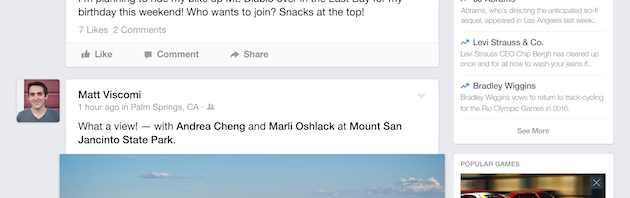
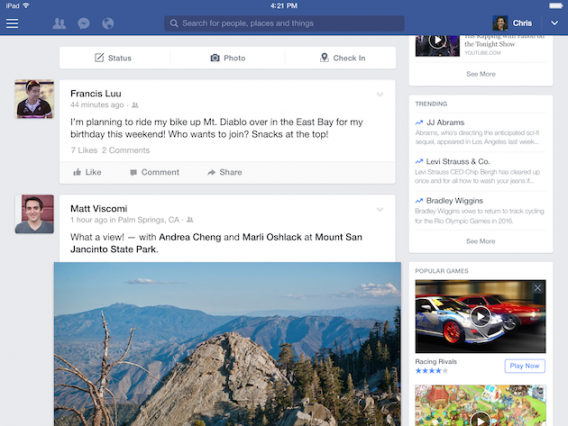
A major update to Facebook for iPad will be rolling out today, making the app more useful than ever. The updated app will now feature the right sidebar that you’re used to seeing on the Facebook website. This sidebar includes info about events, birthdays, a contact search box and trending news.

Nicole Lee from Engadget got a sneak peek at the updated Facebook for iPad and says the sidebar works like a “miniaturized news portal.” What shows up in the trending news section will be tailored to your interests, just like your News Feed.

iPad+Screenshots+-+Trending,+Games

But with all the improved features in the updated Facebook for iPad, there will be some annoyances. Facebook is using the right sidebar to push more advertising at you with popular games and apps. Tapping on a game or app will take you immediately to the App Store where you can download it.

Android tablet users won’t be getting the update for the time being, but Facebook is considering bringing the redesign to Android as well. “We’re trying to understand how similar or dissimilar they are to iPads … This interface would make a lot of sense on Android tablets, and it’s something that we’re considering,” said Chris Struhar, project manager for Facebook for iPad.

The update will start rolling out to iPad users today in the App Store. If you don’t have the app yet, you can download it below.

Download Facebook for iPad

Source: Engadget

Related Stories

Best free iPad apps

Facebook now auto-enhances your photos because your phone’s camera sucks

Instagram gets five new photo filters, lets you hide filters you don’t use

Try Skype’s real-time translator

Follow me on Twitter: @lewisleong