 Yahoo’s recent announcement that they are to offer unlimited e-mail storage will come as good news to users but equally good news to those evil spammers. E-mail spam is one of the biggest problems on the internet, causing headaches for users and costing businesses billions of dollars each year filtering it from inboxes. We can’t offer you any billion dollar solutions but there are a few useful utlilities out there that could help you if you are sick of spam. Note that these only work if you’ve got your own POP3 account such as with Outlook – they won’t work with web based e-mail programs such as Hotmail or Gmail.
K9 AntSpam is an email filtering application that works in conjunction with your regular POP3 email program and automatically filters spam without the need for dozens of rules or constant updates. Over time, it uses statisitical analysis to ‘learn’ which e-mails are spam and which aren’t. The downside of this is that you might not notice results immediately but in the long-run, it should prove effective.
 With the increasing popularity of digital cameras, the need for programs that help us share our pictures is also growing. As digital photos cannot be stuck onto the pages of traditional albums, the perfect solution is creating a digital album, something you can do very easily with MemoriesOnTV. Even if you’re not the computer-savvy type, you’ll find yourself very comfortable when using this application and the results are really attractive.
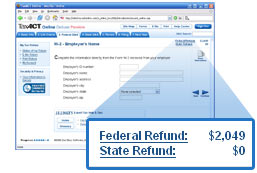 Filling in your tax return can often be a headache – comparing the software available to help you do it equally so. This interesting
  Those of us with digital cameras are spoilt for choice for when it comes to software and there are literally hundreds of programs that allow you to edit, manage and share your pictures. Let’s face it, most of the software that comes bundled with the camera is usually pretty limited, so it’s always worth hunting around for a third-party app to ensure your images are at their best. If you’re a Mac user then you really don’t need to look further than iPhoto, which comes thrown inbundled with most new systems these days and allows you to present your snaps in a number of unique ways. Windows users were bereft of such a decent built-in photo app until XP Media Center Edition 2005 came along, which introduced advanced slideshow features to XP.
 Some weeks ago I read a fun
  With wireless routers becoming the norm, security is becoming an increasing concern for users. Protecting your router with a WEP key or hiding your router’s ID (SSID) are two basic measures you can take but they’re not impossible to crack. One way hackers break WEP codes is by ‘sniffing’ data streams from your router for long periods of time until they have enough data to crack your code. So how do you know if someone has managed to hook into your connection?
 The term ‘widget’ has traditionally been used to describe some kind of contraption or piece of technology that improves the overall functionality of a particular product. Mac OSX and Microsoft Vista users will be all too aware of how software widgets can bring more power to your desktop, as they now come as standard on these operating systems. For the benefit of the uninitiated, a widget is basically a small application that provides you with easy access to a particular function. These applications are docked on a ‘dashboard’, and you can add as many widgets as you like, giving you instant access to anything from a simple clock to a weather forecasting tool.
 On to the third of our five part series on free antivirus applications, today we cover
  Last year, the
  It’s now firmly established that the quickest way to stream video on the net is with Flash’s FLV or SWF formats. All the major video sites, including YouTube and Google Video use Flash to reproduce uploaded content. But what happens if you download a video and want to edit it? Most major video editors won’t accept Flash videos as a valid format to edit with so today we’re giving you a low-down of some of the best ways to turn your Flash clips into something to work with.