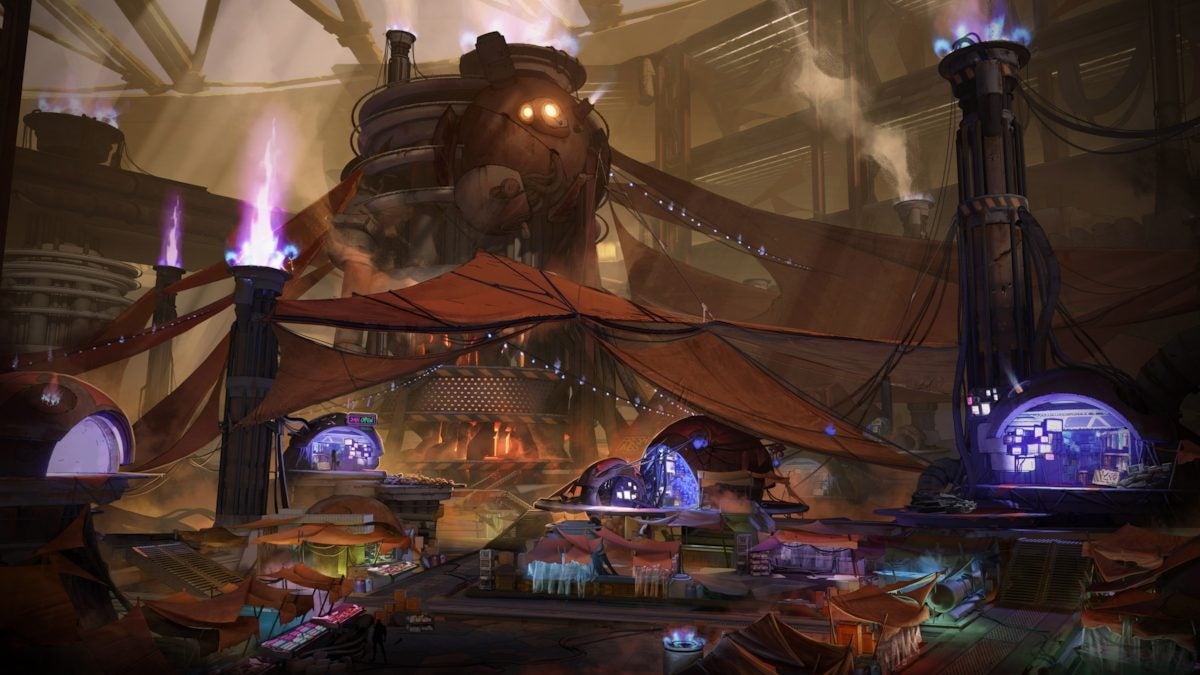
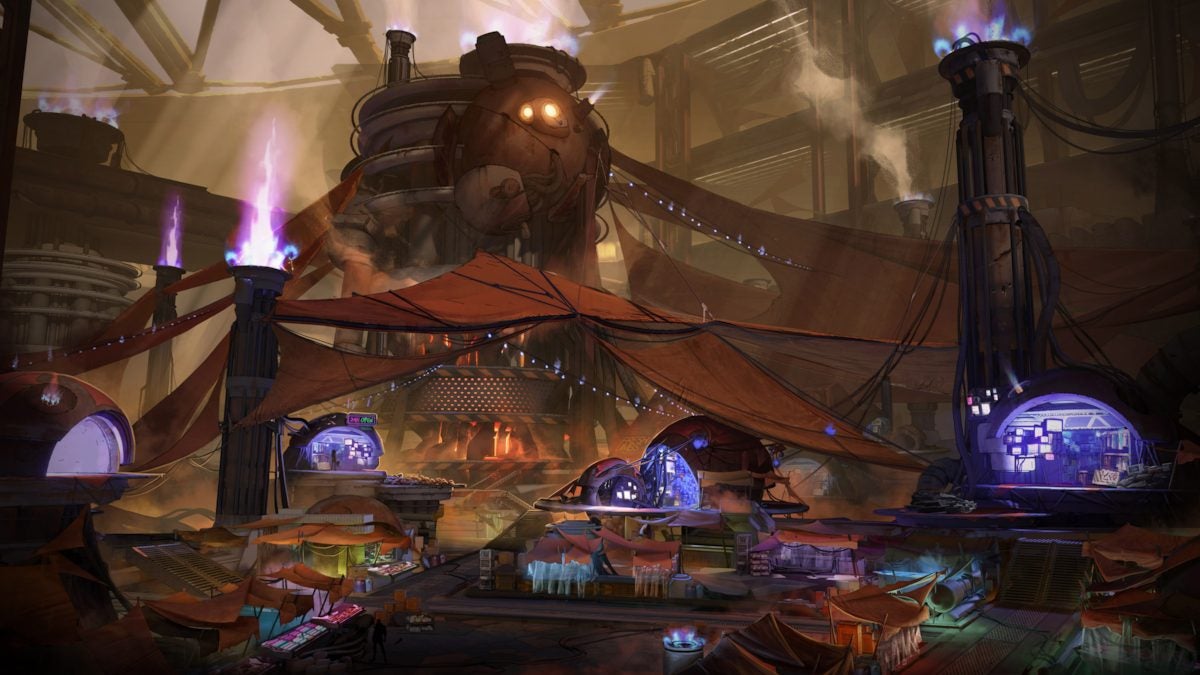
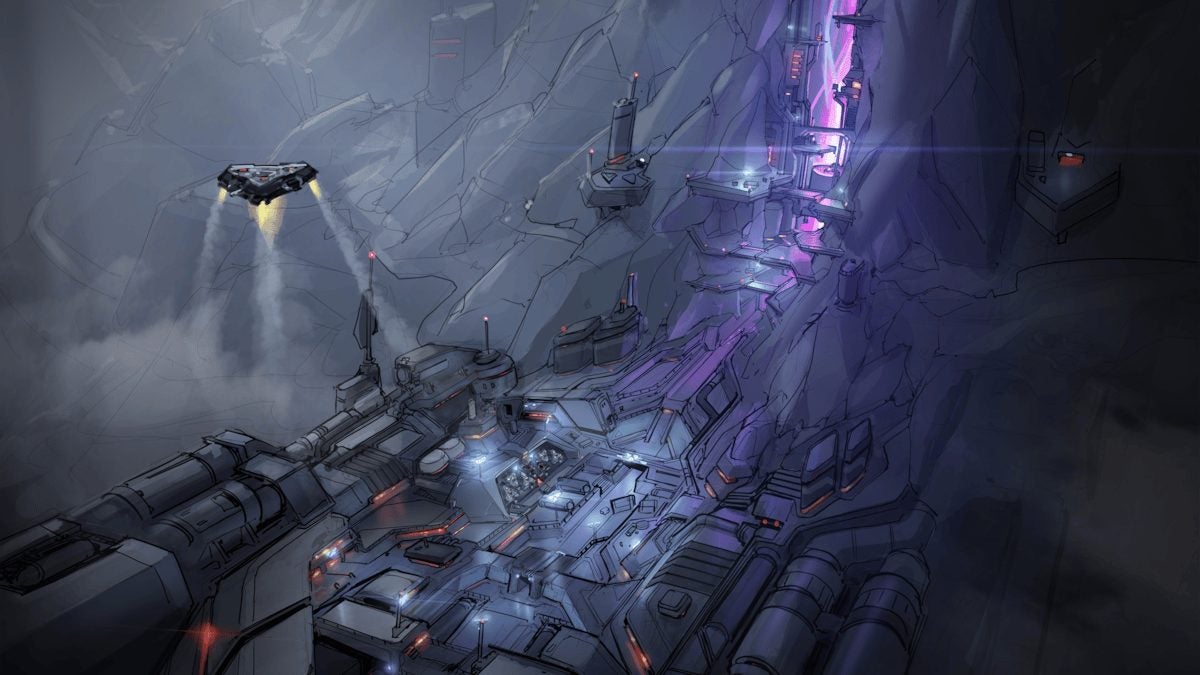
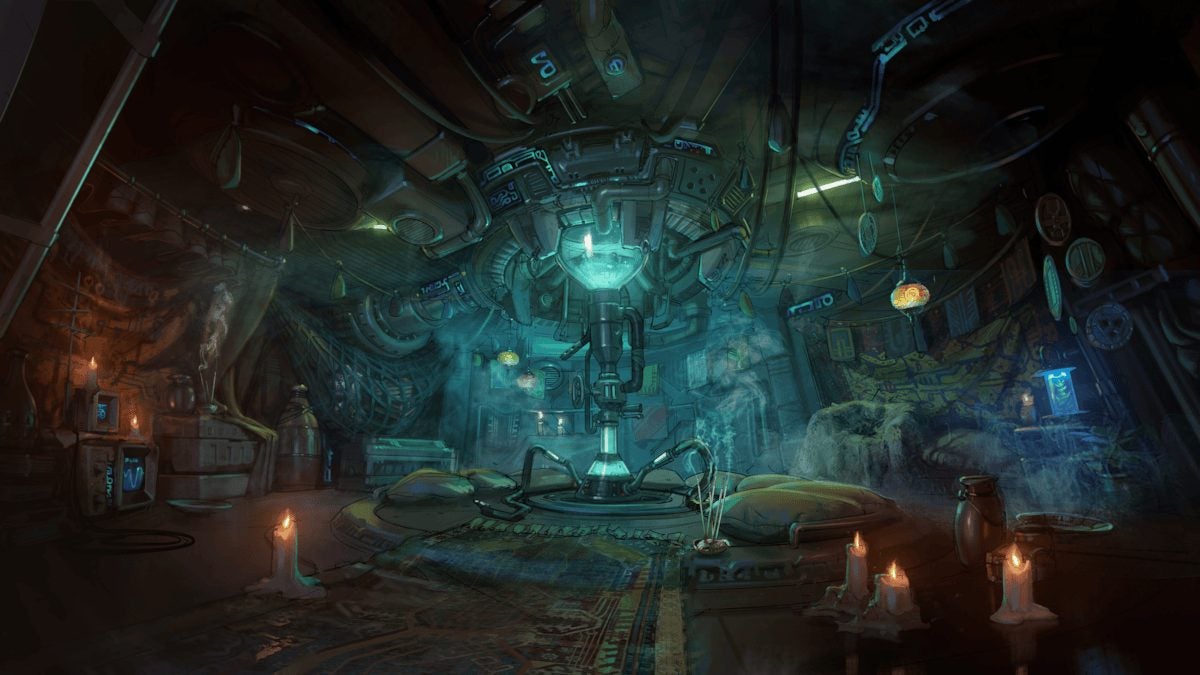
Here are the first images of Borderlands 4 after seeing the teaser.
During the past Gamescom 2024, Gearbox confirmed what had been an open secret for a long time: that Borderlands 4 was a reality. Along with this announcement, 2K Games announced that the game would be released in the next year 2025, in addition to showing a brief teaser with the already famous mask.
Borderlands 3, also known as BL3, is an upcoming adventure game where players have the opportunity to become legendary Vault Hunters!
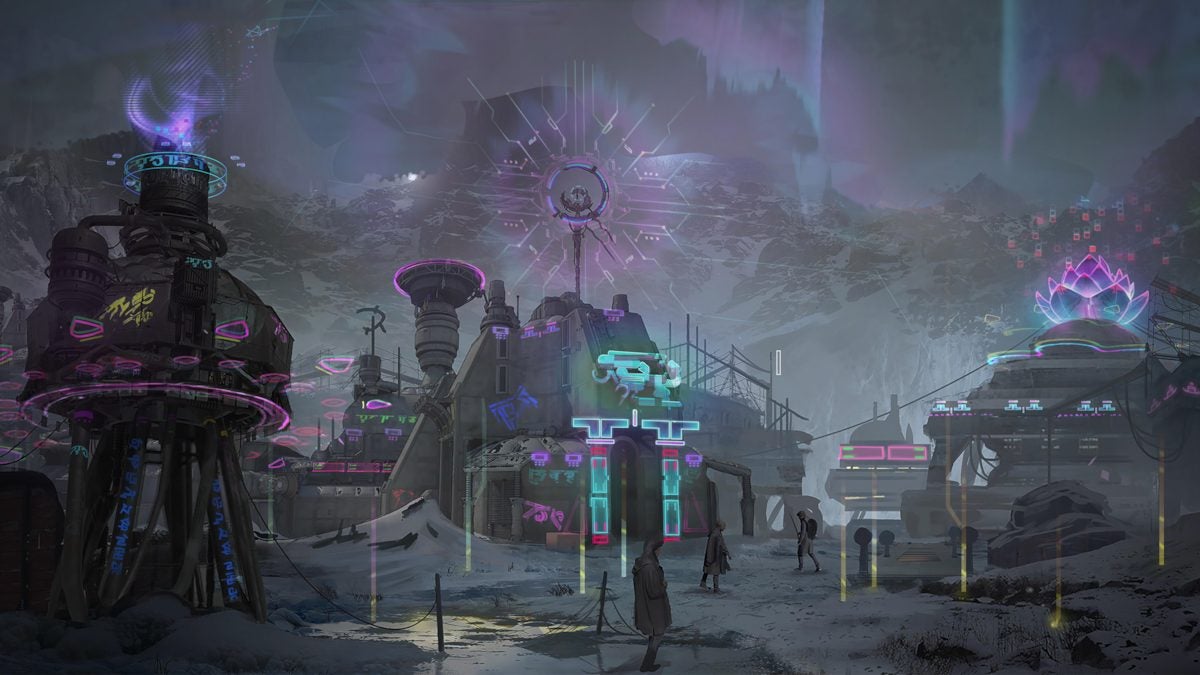
Many players were left wanting to know more, and that’s precisely what they did during the PAX West. Held in Seattle, the event served for the Gearbox team, who was present, to release four conceptual artworks of what Borderlands 4 will be.
These images are very different from each other, a clear statement that we will have different environments in the upcoming installment of this looting and shooting game.
Borderlands 4 will be available for PlayStation 5, Xbox Series X | S, and PC.
From strategy to the most direct action, you have a choice among the recommendations
Now that Star Wars Outlaws has just been released, here at Softonic we have become a bit nostalgic and we said: why not make an article with what we consider the 5 best Star Wars video games to date (not counting Outlaws itself)?
As we always say, in this TOP we have left out some great games, but since we want to stick to just five, it’s time to choose wisely.
5. LEGO Star Wars: The Skywalker Saga
Some may be foaming at the mouth right now to see LEGO Star Wars: The Skywalker Saga in fifth place, but the Star Wars video game with LEGO pieces is an absolute delight.
Taking advantage of the entire universe created around the saga, LEGO knows how to take it to a new dimension where humor and fun are the predominant note. You are going to have a really good time playing with everything you saw in one of the nine main movies, but in a different way.
4. Super Star Wars
Here we are cheating, we know it, since we are putting different games into one booth, but it’s something similar to what we have done before with LEGO. Released in the early 90s, the Super Star Wars games brought the saga to the 2D realm, opting for the most common gameplay of those times.
The proposal of jumps and action fit well within the essence of the saga, so these are games that we recommend you to try, especially if you like classic scrolling.
3. Star Wars: Empire at War
The strategy genre is perfect for the Star Wars universe. Thanks to it, Star Wars: Empire at War filled it in a great way during the first half of the early 2000s.
The real-time strategy was inserted into this title in a fantastic way, as we had planets, soldiers, and countless iconic elements from Star Wars that we could manage. It didn’t invent anything we hadn’t seen in other real-time strategy titles, but it did execute the formula very well and with the magic of Star Wars. As a curiosity, it was a game that received great support from the gaming community thanks to mods, so the content expanded beyond the “official” one.
2. Star Wars: Battlefront 2
We have placed Star Wars: Battlefront 2 in second position, but it could have easily been in first place. Released in 2005 for PlayStation 2, Nintendo GameCube, Xbox, and PC, the game raised the bar set by the first Battlefront installment to still incredible levels today.
Massive battles with the main forces and weapons of the Star Wars universe, all with very fun game modes that made us spend hours and hours playing. One of those gems that you must play at least once in your life.
1. Star Wars: Knights of the Old Republic
Year 2003. BioWare has had an incredible success with Baldur’s Gate. Far from stopping here, the renowned Canadian studio, which had not yet created Dragon Age or Mass Effect at that time, released Star Wars: Knights of the Old Republic to the market. The reception, a marvel.
This Star Wars: Knights of the Old Republic is one of the video games that every Star Wars lover must play, no matter what. If you enjoy its universe and are into role-playing, BioWare allows you to create your own character, customize it, choose different branches of the story, and much more. It’s so good that you should already be downloading it.
And that’s it for this TOP 5 of the best Star Wars video games. Do you think any is missing? Which one would you change or add?
We reveal editions, prices, and everything you need to know.
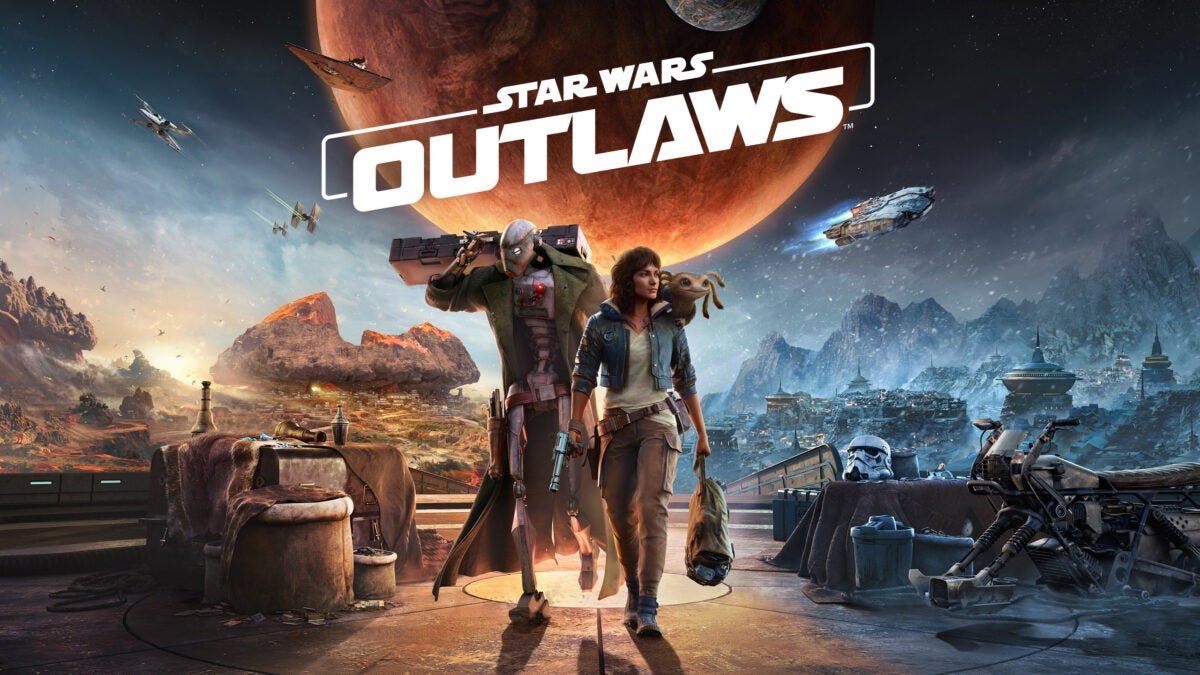
When we all found out that Ubisoft was developing a Star Wars video game, we were completely surprised. To make matters worse, we discovered shortly after that Massive Entertainment was the main studio behind the project, one called Star Wars Outlaws.
After a long wait, the game is finally here. We will tell you everything you need to know about Star Wars Outlaws.
Star Wars Outlaws was released just a few hours ago, to be exact, yesterday August 30th.
The Ubisoft game will be available on next-generation platforms, PlayStation 5 and Xbox Series X | S, as well as being released for PC. As for the previous consoles, PlayStation 4 and Xbox One, there is no news that the title will be released there (so you can discard it, especially at this point).
How many editions of Star Wars Outlaws are there?
As usual in these games, Star Wars Outlaws comes in several editions. These are the following:
Standard Edition (79.99 euros): base game.
Gold Edition (109.99 euros): base game + season pass (two DLCs, exclusive mission “Jabba’s Gambit”, and Kessel Runner cosmetic pack) + three days early access (which have turned out pretty bad due to a bug).
Ultimate Edition (129.99 euros): everything from the Gold Edition + Sabacc Shark pack (cosmetic items) + Dissident Infiltrator pack (cosmetic items) + digital art book.
How long has it been in development?
You have to go back to 2020 to find the first stones laid in Star Wars Outlaws. To be exact, it was during that year when the studio presented a proposal to Lucasfilm Games about what the game they were outlining should be: an open world with different planets that could be freely explored. The trademark of Ubisoft.
In this world to explore, the player will be able to choose between direct action and stealth. The key to this idea was that different ways of playing could be combined in the same situation, moving away from the classic battles between Jedi and Sith. And Disney accepted.
After the necessary approval and green light, Ubisoft began orchestrating the entire development. In a short time, a total of 600 people were involved in the production, an incredible number of developers led by Julian Gerighty and Mathias Karlson as directors.
The development of the game has been led by the studio Massive Entertainment, creators of The Division and with a lot of experience in open-world shooting games. However, they have not been alone: Annecy, Bucharest, Chengdu, Milan, Montpellier, Paris, Redlynx, Shanghai, Stockholm and Toronto have also participated in this production at some point (or throughout it).
Where does the exclusivity of Star Wars lie?
If you are familiar with the video game industry, chances are you know that Electronic Arts had the exclusivity when it came to making Star Wars video games. Yes, it is well written, “had”, because this agreement expired after a 10-year contract signed back in 2013.
When the video game was announced in January 2021, the agreement had not yet ended, but Disney had no intention of renewing it. For this reason, Star Wars Outlaws became the first Star Wars game to be announced after the agreement with Electronic Arts.
20 minutes of Star Wars Outlaws gameplay
Where is Star Wars Outlaws located chronologically?
Whenever a new Star Wars product is released, one of the most common questions is whether it is canon or not. In the case of Ubisoft’s video game, this game is set in the period between Star Wars: The Empire Strikes Back and Star Wars: Return of the Jedi.
In a moment when the Galactic Empire relentlessly seeks to put an end to the Rebel Alliance once and for all, the criminal world thrives amidst such chaos. This is where the story of the game begins, controlling Kay Vess and her partner Nix. The goal is nothing less than carrying out a major heist in the Outer Rim of the galaxy.
This is all the most important information and everything you need to know about this highly anticipated Star Wars Outlaws. Are you planning to get it or are you one of those who already have it installed? You can read our review here if you have any doubts.
Even if you don’t believe it at first, Adobe Illustrator can help you bring the designs in your head to life. While it may seem like a complicated program to use, the features of Adobe Firefly, Adobe’s AI, have made it easier and more accessible than ever. And it doesn’t matter if you have no prior experience; you’ll be able to use it as if you were a professional.
Do you want to see how a specific design would look on a mug? Or on a wall? You can do any of these things from Illustrator. Adobe gives you the tools to materialize your ideas quickly, simply, and without sacrificing quality. In fact, I encourage you to try it by following the steps we provide below.
Design patterns with Adobe Illustrator’s AI features
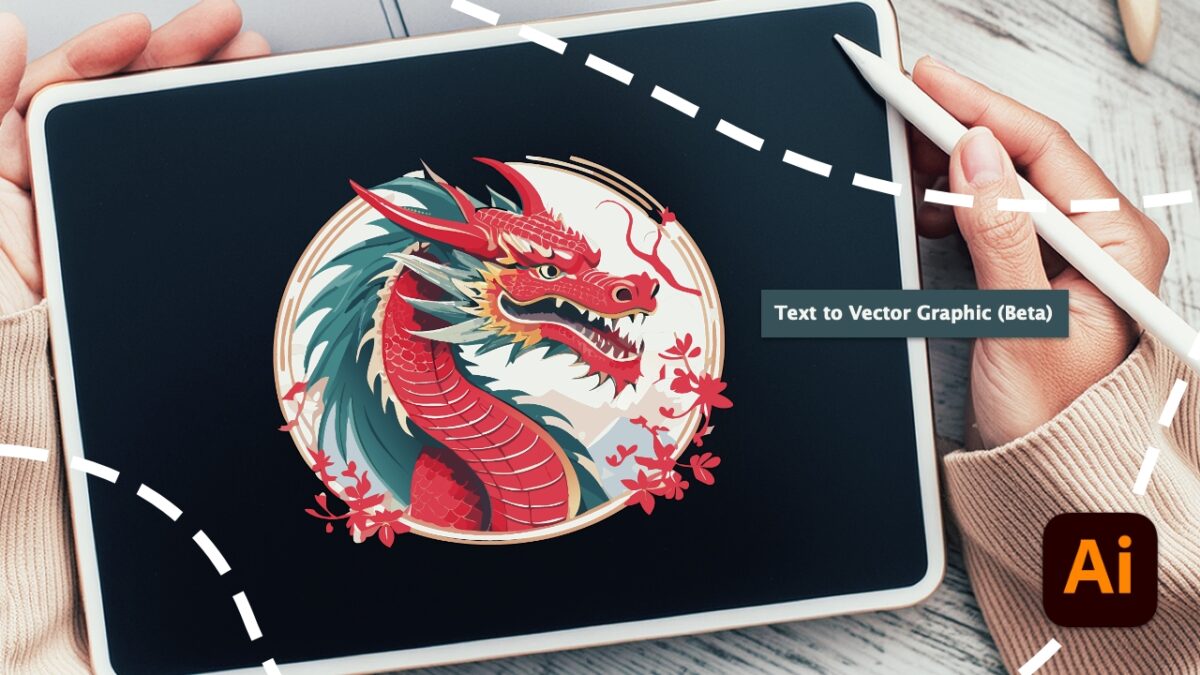
Thanks to Adobe Firefly, we can generate vector drawings just by asking for them. To do this, we need to write a brief description of what we want so that Illustrator can translate it into an image. If you want to learn how to do it, follow these steps:
Open Adobe Illustrator and create a project with the dimensions you need.
Next, add a rectangle or another vector shape. You can use the Rectangle, Ellipse, or Polygon tool for this.
Then, select the shape with the Selection tool.
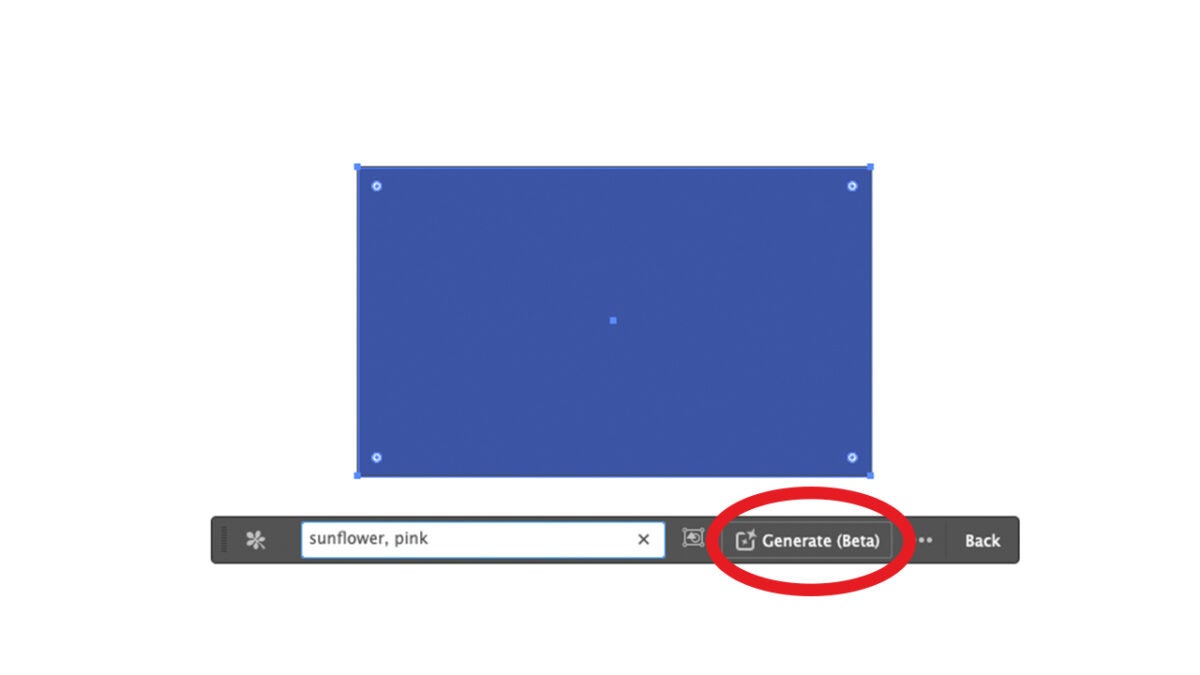
You’ll see a bar with new options appear. Here, click on Generate Vectors (Beta).
In the box that appears next, describe what you want to represent.
Soon, you’ll see several results based on your description. Choose the one you like best and use it for your projects.
Adobe allows you to select from various graphic styles in the Content Type tab. Each one suits a specific need. Imagine, for example, that you want to create a landscape. In that case, you would choose Scene. On the other hand, the Subject option will create a highly detailed element. Icon is more geared toward creating logos.
Design a pattern for your home
Do you want to simulate how a piece of furniture would look with a specific pattern? That’s something we can easily do in Adobe Illustrator. With your previous design, you can create a pattern.
Use the Selection tool to choose the place where your design would go. You can also create it over a specific area and then save the design to create a mockup. But we’ll cover that later.
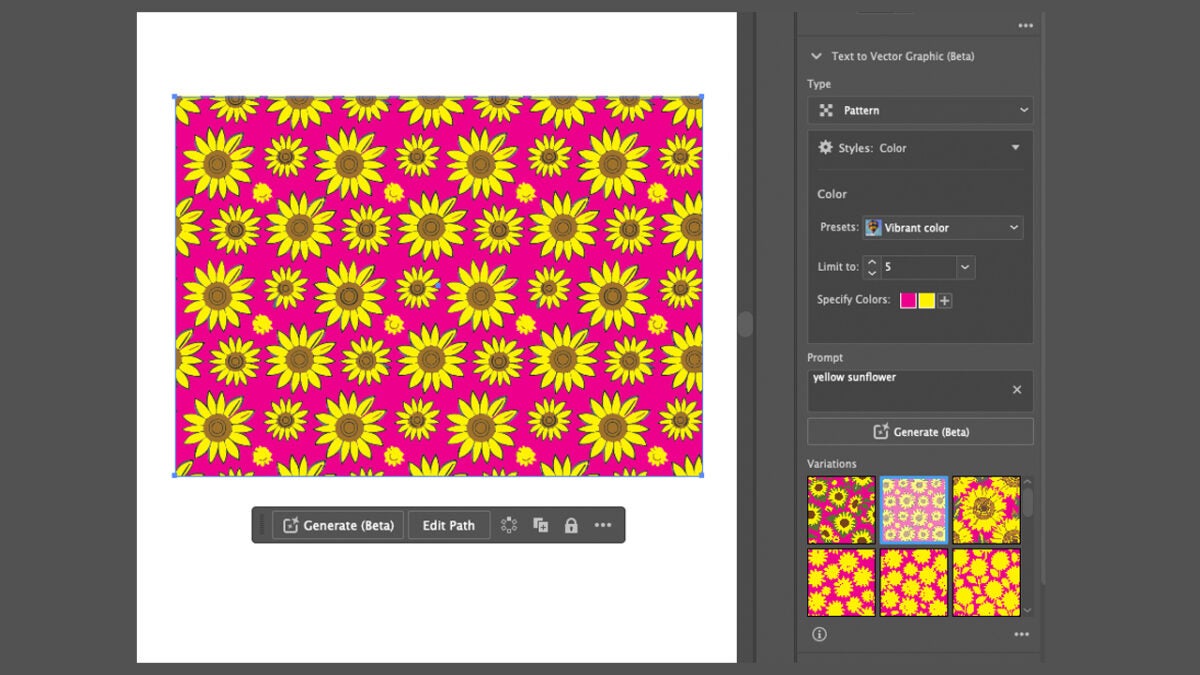
With the area selected, go to Properties and then Type. Here, click on Pattern.
Within Styles, we have the Presets option, which will allow us to see how different color tones would look.
Illustrator will offer you three pattern variants; choose the one you like best.
Create your own mockups within Adobe Illustrator
A mockup is a scaled representation of an idea to see how it would look in real life. In our case, creating a mockup will help us see how the designs would look in our hypothetical home.
Illustrator’s new Mockup tool allows us to accomplish this. Thanks to this, we can see how our design would look on a wall, a cushion, or any object you can think of. Illustrator can take any vector illustration and adapt it to a rasterized image. Here are the steps to follow:
Within Adobe Illustrator, click on Windows. Then, search for Mockup (beta) and click on it. This will make the mockup panel appear.
Use the Selection tool (V) to jointly select your vector design and the image where you want to place it.
Click on Create Mockup from the Mockup panel.
Through the Mockup panel, you can visualize your design on other Adobe Illustrator templates. If you like any of them, simply select it and drag it onto the canvas. The vector illustration will automatically adjust to the geometry of the object in the image.
If you want to adjust the position of the vector image, go to the Properties panel and click on Edit Content. To unlink the vector illustration from the object, click Release so that it returns to its original state. Try different positions and alternative photos: this way, you’ll get a better idea of how your idea would look if it were realized.
Knowing how to save your mockups will allow you to use them again later. To do this, just click on the + symbol that you’ll see in the Mockup panel. Adobe allows you to save up to 20 templates.
As the summer break draws to an end, it’s time to prepare for the new school year ahead, a new university semester, or getting back to the office after a well-deserved holiday. With increased dependence on the internet for research, online courses, communication, and work, it has become highly important to ensure that your browsing experience is completely safe and secure Avast Secure Browser ensures browsing with confidence, providing advanced security features needed to keep personal information safe across the board.
In this article, we’ll be taking a look at the primary features of the Avast Secure Browser, the way it ensures that your online experiences are safe during this transitional time of the year.
Why You Need a Secure Browser Now More Than Ever
When returning to a more academic and professional setting, the risks from online browsing grow. Be it for research, sensitive access, or even interactions with possible friends or co-workers, the browser stands out as a critical gateway to most of your digital life. Here are some reasons why a secure browser is essential:
Increased Cyber Threats: As more and more people are online for education and work, cybercriminals are upping their game to exploit vulnerabilities with respect to phishing scams, malware attacks, and data breaches.
Sensitive Information at Risk: In most cases, students, faculty, and professionals deal with sensitive data; personal data, academic records, or even work information, all of which are subject to possible unauthorized access unless protected.
Public and Shared Networks: A large number of people will be accessing the Internet from public or shared networks, for example, university Wi-Fi or office networks, which in general are not usually very secure or safe.
Online Privacy Concerns: The threat to online privacy from the increasing personal data being shared online is a modern concern. It’s worth finding a secure browser that can block trackers and forbid unauthorized access to the information.
Key Browser Weaknesses and How to Address Them
The Dangers of Using Outdated Browsers
Using an outdated browser may not seem like trouble, especially when it can still access your favorite websites without any apparent hitch. However, an outdated browser may carry weighty security risks that can compromise personal information and online safety.
Security Loopholes
All browsers at some have had security flaws or bugs, which when detected, developers release updates to address. An outdated web browser deprives you of those critical security patches and opens loopholes that cybercriminals could exploit and gain unauthorized access to your system.
Lack of Updates
Timely updates not only correct security holes but also bring general improvement in the functionality and the performance of the browser. Without such updates, your browser may become terribly slow, inefficient, and hence this can mess up the correct rendering of the websites and by extension their functionality.
Increased Risk of Malware and Phishing:
An outdated browser offers an easy target and is highly susceptible to malware and phishing. Malware can find its way into a computer system through dated browsers visiting hostile sites, downloads, or adverts. This can result in data theft or other malicious activities. Without the security features of the latest browser, attackers could mislead you into giving out sensitive information by presenting fake websites that look the same as the original websites.
Compromised Privacy
Modern browsers have a host of features that boost users’ privacy, from blocking tracking cookies to offering secure browsing modes. When lacking these features, outdated browsers become quite easy to track from most third-party websites.
It is very important to have an updated browser for surfing safely from these threats. Have a look once in a while and check if you have its latest version installed. Updating the browser ensures the security of your online activities, protects your personal information, and tends to give a bit more performance for browsing with comfort and ease.
Protecting Your Browser from Risky Extensions
Browser extensions are quite useful while browsing, they come with added functionality and customization. However,not all extensions are developed with good intentions; some even carry major threats to the user’s security. Here is how such malicious or badly taken-care-of extensions may adversely compromise your security:
Malicious Extensions: Some of the extensions are intentionally harmful. They can hijack your browser to lead you to phishing websites, spam you with unwanted advertisements, and even engage in stealing your personal information. They normally present themselves with some useful features but also install malicious code that is hidden to spring up when least expected.
Poorly Maintained Extensions: There are times when even legitimate extensions tend to become security risks simply because they get outdated. Developers may leave their project unmaintained which leads to the exploitation of vulnerabilities. These vulnerabilities could allow cybercriminals to inject unwanted content onto your system, or acquire sensitive information without you noticing it.
Unauthorized Access: Add-ons usually request a list of permissions which, once in the hands of a malicious party, could be misused to illegally access your browsing history together with logins and even contents on the websites that you visit. This is risky as it could potentially result in identity theft and other security issues.
Data Leaks: While some extensions may gather data for legitimate purposes, such as to add better functionality, very badly secured or malicious extensions could leak this information to third parties. In this way, your personal information can be sold or used for evil purposes.
Unwanted Changes: Allowing that rogue extension could make changes to your browser settings including the default search engine, homepage, or new tab page. These changes could ruin your browsing experience and might be difficult for you to put back to the way it was.
How to Stay Safe
Choose Trusted Extensions: Only install extensions downloaded from trusted and reputable sources, including the official browser web stores. Check their ratings and comments and read more about the developer if you aren’t too trusting.
Review Permissions: Take time to review the permissions an app asks for. It’s a red flag if that app asks for far more permissions than it needs to do the job intended.
Regularly Review Extensions: Monitor the extensions that you have installed from time to time. An extension that’s not in use or looks suspicious should be removed.
Keep Extensions Updated: As stated before, ensure your add-ons automatically get updated; this can prevent vulnerabilities cropping up.
Use a Secure Browser: Use a secure browser, such as Avast Secure Browser, with in-built advanced security features like its Web Shield and anti-phishing technology, it adds an extra security layer that enables you to browse the web safely.
By observing the kind of extensions you install and keeping them updated, many of the risks to your browser’s security from extensions are reduced.
Identify and Avoid Phishing
Phishing is a very common cyber attack where the attacker imitates a real organization to deceive someone into giving sensitive information, such as login credentials or financial information. This is typically through emails and malicious links that request sensitive data from the victim. Here’s a quick overview on some common tactics used:
Common Phishing Tactics
Email Phishing: Attackers can send false emails that look sent from banks or online services, usually containing links to phishing fake websites.
Example: An email from your “bank” that tells you to update your account information by way of a link in the email.
Spear Phishing: A highly targeted attempt towards a specific individual or organization. It includes information about personal preferences and other details to make it more convincing.
Example: An email written or addressed personally to you, quoting your actual job and seeking sensitive information.
Smishing (SMS Phishing): Phishing with text messages, trying to coax you into clicking on a link or calling a number.
Example: A message from your mobile operator saying you have to verify your account details with a link included.
Vishing (Voice Phishing): Phishing done over the phone; the caller essentially tries to make you believe they are from tech support, your bank, or some other trusted party, to get your information.
Example: A call from “tech support” saying your computer has a virus and requesting remote access
How to Stay Safe
Check the Source: Verify the email address and contact on the given numbers. Generally, no reputed organization asks for personal details via email, SMS, or phone.
Watch Out for Red Flags: Be wary of urgency, links you don’t know, and attachments. Check for grammar and spelling inconsistencies.
Use Avast Secure Browser: Avast Secure Browser has integrated security developed to detect and warn you of phishing attacks.
Educate Yourself: Stay informed about phishing tactics and how to identify them.
Always keep on the lookout for and phishing scams, the best way to evade them is to remain vigilant.
What Avast Secure Browser Can Do To Help
Avast Secure Browser is designed to provide a better, safer, more private, and fasterbrowsing experience. This is how it will keep you safe as you transition back to your academic or professional life:
1. Built-in Defenses for Advanced Security
Avast Secure Browser comes equipped with robust security features that protect you from a wide range of online threats:
Anti-Phishing Technology: With this feature, your system is safe from phishing attacks since it scans and blocks malicious sites trying to acquire your personal information. With the ongoing evolution of these attacks, such a feature becomes important, especially with sensitive information for school or work.
Web Shield:Avast Secure Browser gives the benefit of a real-time Web Shield to detect and block malware. It will help you to avoid the accidental downloading of a malicious file or accessing dangerous sites. This is most valuable when surfing sites that are unfamiliar for research or work purposes.
Automatic HTTPS Encryption: The browser automatically upgrades you to a secure connection via HTTPS when possible, from which your data is encrypted and remains safe, even on the websites that do not provide HTTPS outright.
2. Privacy-Focused Browsing
Privacy is a top priority for Avast Secure Browser. Here’s how it helps youstay private online:
Ad and Tracker Blocking: This feature blocks ads and online trackers that follow you around online, thereby making your online business truly private. This not only safeguards your privacy but also works towards speeding up your browsing, because there’s less data to load on your browser.
Tracker Blocking and Anti-Fingerprinting:Avast Secure Browser’s secure mode provides an extra layer of privacy by impediment of scripts and other elements present on websites, from tracking your surfing practices. The anti-fingerprinting feature helps prevent websites identifying you via your browser’s unique fingerprint and the Tracker Blocking protects from different issues.
Bank Mode: : Avast Secure Browser contains a wrapper called Bank Mode for conducting sensitive financial transactions. It essentially isolates the browser session, thereby limiting unauthorized interception by hackers of any user information.
3. User-Friendly Experience with Fast and Seamless Performance
Avast Secure Browser is not only secure but also optimized for performance, making it an ideal choice for students, educators, and professionals:
Optimized for Speed: Designed to load sites as fast as possible, even on less-than-reliable networks, so you get the information you need quickly.
Intuitive Interface: The user-friendly interface is customizable and provides easy navigation regardless of whether one is a tech-savvy professional or a student just starting.
Cross-Platform Availability: Avast Secure Browser is available on multiple platforms, including Windows, macOS, Android, and iOS, allowing you to stay protected across all your devices.
4. Built-In Tools for a Productive Workflow
To help you stay productive, Avast Secure Browserincludes several tools designed to streamline your online activities:
Video Downloader: Download videos to watch offline later. It is convenient for students interested in saving educational posts or businesspersons looking to refer to training content.
Password Manager: Avast Secure Browser integrates seamlessly with top password managers. This will help you juggle work and personal accounts efficiently.
Customizable Start Page: Place links to your most visited websites or saved bookmarks and access the news source you prefer on your start page so that everything you want is accessible with just one click. You can also customize the UI, choose between light and dark modes, and choose your preferred background image.
Protect Your Online World
Ensuring your browser’s security is crucial. By understanding common vulnerabilities like outdated browsers, insecure extensions, and phishing scams, you can take steps ahead of time to ensure your personal information is secure. While nothing can guarantee your security online, as mistakes happen, staying vigilant and using tools such asAvast Secure Browsercan significantly decrease your risk of becoming a cyber victim. Don’t wait—download Avast Secure Browser today and take the first step towards a safer and more secure digital life as you embark on your next academic or professional journey.
Microsoft has announced the withdrawal of two of its most popular partner programs: Microsoft Action Pack and Microsoft Learning Pack, starting from January 21, 2025. This decision is part of a change in software licenses that could be much more expensive for some partners, as it forces them to opt for cloud-based alternatives with a higher cost.
The company justifies this measure as part of its strategy to “evolve the partner benefits offering” and provide them with tools and support to face the “changing technological landscape”. The new packages that will replace the previous ones, Partner Success Core Benefits and Partner Success Expanded Benefits, focus on cloud services, leaving behind on-premises solutions, which could mean an increase in costs and less flexibility for some of the partners.
One of these partners, in statements to The Register, explained that, with Microsoft’s new offer, their expenses would increase from £390 plus VAT for the Action Pack to £735 plus VAT for Partner Success Core (almost double). Additionally, they highlighted the difficulties that this change could pose when recreating environments for clients that still rely on legacy software.
Although this change has not been well received, it is not the first time that Microsoft modifies its licensing structure. In previous occasions, the company tried to eliminate the internal use rights (IUR) from the licenses, but the negative reaction from the distributor network forced them to reconsider the decision.
Microsoft promises to add more than 20 new “highly demanded product licenses” to smooth the transition, including products such as Microsoft Copilot, Defender for Endpoint, and Microsoft GitHub. Partners who do not want to change yet will still be able to renew their current packages until the January 2025 deadline, thus obtaining an additional year of access to these programs.
Artificial intelligence has completely conquered the digital world. The potential that this technology holds has led numerous companies to incorporate it into their products, to a greater or lesser extent. However, few have been able to take advantage of it as much as Adobe.
This is something we can see first-hand in their applications, such as Adobe Acrobat. Considered one of the best PDF managers in the world, it now incorporates very interesting AI features. One of them allows us to ask Adobe Acrobat questions related to the open PDF. If you want to know how it works, keep reading below.
Adobe Acrobat will be able to answer your questions thanks to AI
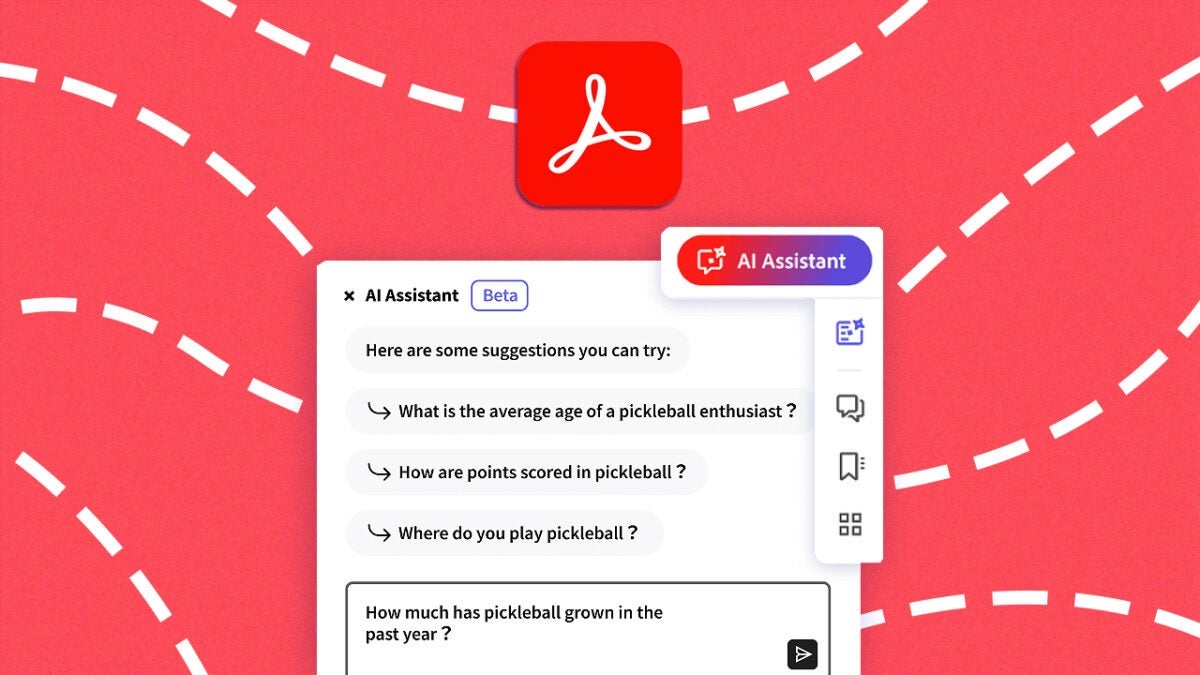
The AI Assistant feature included in Adobe Acrobat is capable of answering our questions based on the PDF files we have open. What’s more, it also highlights where it has obtained its answer from within the file itself. This way, you can firsthand check if it has correctly resolved your doubt or not.
To use it, you just have to follow the following steps:
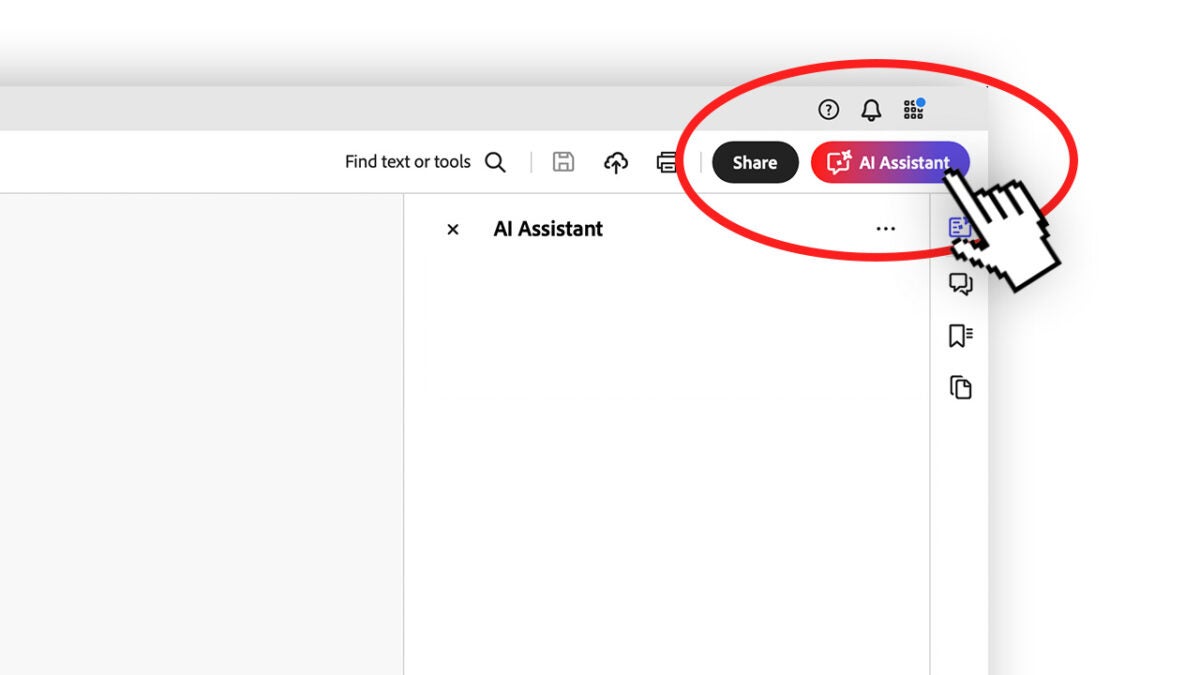
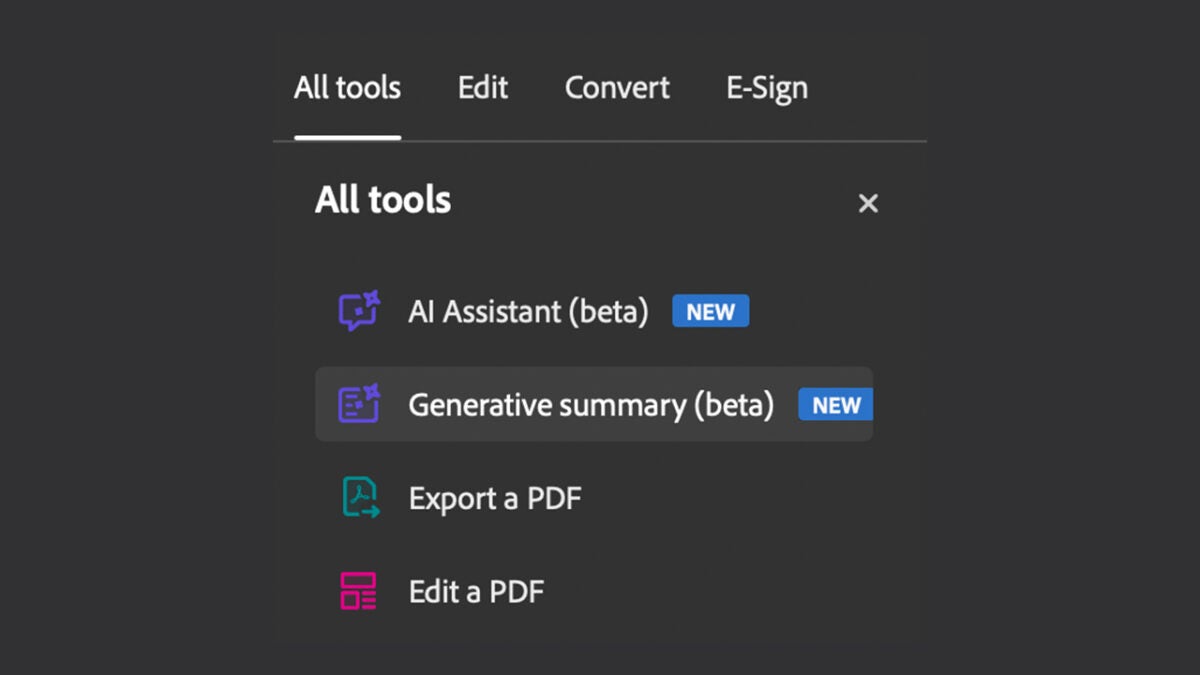
Open a PDF and click on the AI Assistant icon. You will see it on the left side, above the All tools panel. It is also located on the top right bar.
Then, a new panel will appear, also on the right side. At the bottom, you will have a text box. Write your questions related to the open document there.
The answers will come with their corresponding sources marked with numbers. Select a number to go directly to the source.
If you want to copy an answer, click on the Copy symbol. You can also copy the entire chat if you wish. If you want to stop generating your answers, just click on Stop.
Responses are not limited to a single document: you can select multiple ones. To add more, click on the Add files button. If you want to remove files, click on View and manage files in chat. Finally, click on Remove file from chat.
As an added feature, Adobe Acrobat saves your question and answer history. In this case, it doesn’t matter if you close the program, Acrobat will continue to keep it. You can review your interactions simply by selecting Recent.
You will also be able to make summaries
If you were surprised to see how Acrobat was able to answer your questions accurately, you may love this other feature. Generative summaries is another tool that artificial intelligence provides us with.
Thanks to this tool, we will be able to open any document in Adobe Acrobat and generate a summary in a matter of minutes. We just have to “ask” Acrobat to explain what the file is about. This is a particularly useful feature for students and businessmen, for example. Dealing with long and unintelligible documents will be much easier for us. It is quite easy to use, as you will see below:
Open your PDF document with Adobe Acrobat. Then, click on All tools and then, click on the Generative summary option.
When you do this, you will see that a summary of your document will be generated, divided into parts. By selecting each of these parts, you will be able to see more information about your document. It includes different links for you to check where the information within the document comes from.
If you like the generated summary, you can copy it using the Copy or Copy full summary buttons.
How can I access the AI features of Adobe Acrobat?
Thanks to generative artificial intelligence, Adobe Acrobat has become more useful and intelligent than ever. However, it still has certain limitations that we hope will be overcome in the near future. Some of the limitations you should be aware of are:
PDF files must be in English.
Documents must have less than 120 pages and cannot exceed 25 MB in size.
The questions you ask cannot exceed 500 characters.
In addition, to use these functions you will also have to pay a subscription to Adobe, either monthly or annually. If you use Adobe Acrobat for free, you will receive a limited number of uses of AI Assistant.
On the other hand, those subscribed to the AI Assistant plan within Adobe Acrobat will have 1,000 monthly requests per user. Full access is reserved for organizations. You can also get more requests if you are willing to provide feedback to Adobe.
The insider billbil-kun posts lots of information and a promotional design
Once again, our beloved billbil-kun has leaked a multitude of details related to the video game industry. This time, however, it’s the turn of an open secret, the PlayStation 5 Pro, the next console from Sony that we already know is in the hands of many developers around the world.
To begin with, our dear informant points out that the name will be, in fact, PS5 Pro, just like it was done with the corresponding version of PS4. In this way, Sony would bet on a name already known by the gaming community and that is established
Now, when would this PS5 Pro be released? According to billbil-kun, the console announcement is scheduled for the first half of September, but he hasn’t been able to reveal the price it would be launched at or the exact day we would see it in stores. Therefore, we have to wait for these two weeks in September to find out.
Regarding the design (which can be seen above), the insider comments that he has seen an image of PS5 Pro without a disc drive, so everything points to it being able to accept the same external drive that PS5 Slim has. However, he does not rule out the possibility of there also being a model that incorporates the disc drive as standard (as is already the case currently, for example).
The rest of the console is very similar to the PS5 at the moment, although with three black lines in the middle. Additionally, it seems that they are looking to reuse the existing side plates as much as possible. Likewise, the front part includes two USB-C ports and the power button.
After all this, we just have to wait for Sony to reveal its highly anticipated show where, supposedly, this PS5 Pro will be announced. It must be coming soon.
Midjourney, the company known for its AI-powered image generation tool, has officially announced its foray into the world of hardware. The announcement was made through its official Twitter account, where the company also invited potential candidates to apply to be part of its new hardware division.
David Holz, founder of Midjourney and former CTO of Leap Motion, leads this new project. A few months ago, Holz hired Ahmad Abbas, with whom he had previously worked at Leap Motion. Abbas, who was also responsible for the hardware of Apple Vision Pro glasses for five years, now appears on LinkedIn as “head of hardware” at Midjourney.
Although the company has not yet revealed what type of device they are developing, their recent posts on Twitter have generated all kinds of speculation. However, Midjourney has already confirmed that their device “will not be a pendant,” in response to the growing trend of AI hardware devices that have not been successful. Additionally, the company mentioned that they have “multiple efforts underway” and hinted that there are “definitely opportunities for more form factors,” suggesting that they are exploring various options.
Friend, one of the many AI pendants marketed that have failed to take off
A tweet from Holz a few months ago already hinted at this step by Midjourney. On that occasion, the company’s founder commented: “we will make the orb,” in response to a joke about creating a spherical device inspired by Saruman’s palantir in The Lord of the Rings.
Despite the activity on Twitter, Midjourney has been careful not to provide a specific timeline, so it could be months before the product is revealed. For now, the company joins others in the search for what the future of AI-based hardware should be.
Over the years, Alien has crossed over with every franchise you can imagine (except Predator, of course), including Batman, Vampirella, Judge Dredd, Green Lantern, Superman, Terminator, Fortnite, and Mortal Kombat. Now comes a point where anything goes, and if you want to follow all the adventures of the xenomorphs, you have only a few months to wait. Avengers has crossed paths with the most powerful heroes of Marvel.
Aliens vs Avengers is written by Jonathan Hickman, one of the top creators in the comics world. He is working with artist is Esad Ribic, who has created some of the most iconic modern Marvel comics. There are four parts that will follow everyone’s favorite alien monsters as they roam Earth-616.
Looking at the future of the Marvel Universe in thirty years (which we readers will never see considering the slow passage of time in comics), we see the fall of Atlantis, Krakoa, and a world full of inhuman population. If you were expecting a simple comic where they would just face each other and end up in a tie, you’re out of luck: this is not the one you are looking for.
In fact, in this alternate future, only New York resists the aliens, protected by the elderly Bruce Banner and Captain Marvel. Quite a plan, right? Along the way, we will have Hulk crushing xenomorph heads with his own hands and a Facehugger fused with the symbiote and attaching to Miles Morales’ body (the only somewhat young member of this group). That’s how crossovers are made, frankly: with enthusiasm! … And a good writer in charge.