The Softonic Minute: Youtube, Windows 8.1 and Gmail tabs

Windows 8.1 gets a start button, Ubisoft goes to E3, Youtube gets slowmo and Gmail gets new tabs, all in the Softonic Minute.

Here’s your Friday dose of this week’s top news in the world of software.

<!–
By use of this code snippet, I agree to the Brightcove Publisher T and C
found at https://accounts.brightcove.com/en/terms-and-conditions/.
–>

<!–
This script tag will cause the Brightcove Players defined above it to be created as soon
as the line is read by the browser. If you wish to have the player instantiated only after
the rest of the HTML is processed and the page load is complete, remove the line.
–>
brightcove.createExperiences();

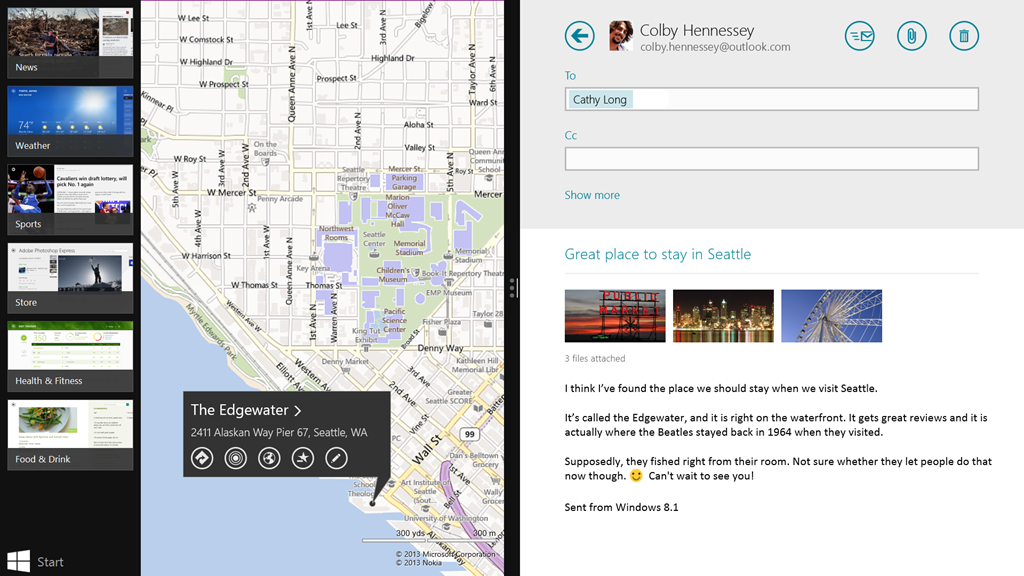
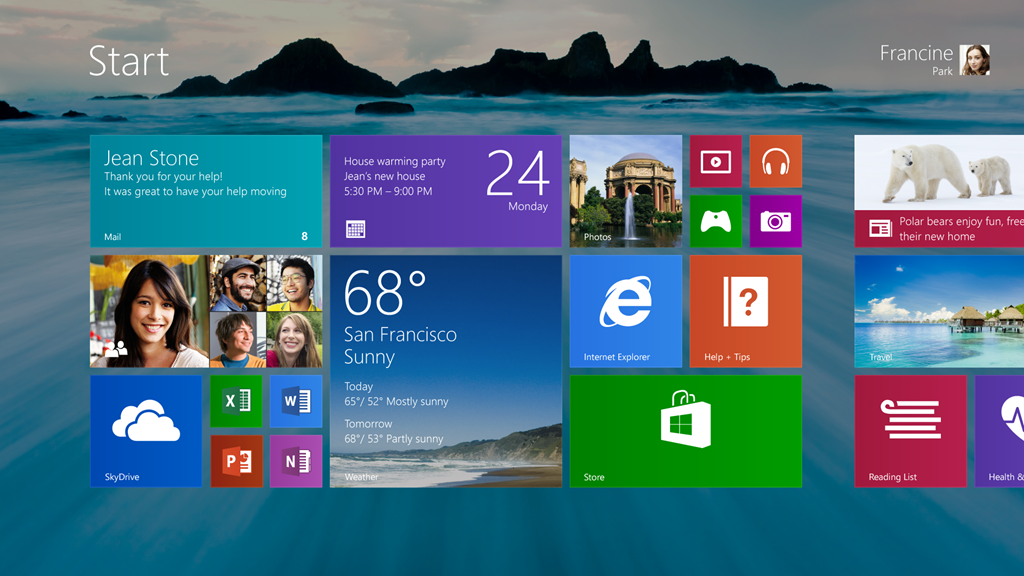
Windows 8.1, start button confirmed. The Windows update will herald the return of the Start button. The button will be the same as the one in the charms bar, but will allow access to the new interface, whereas many actually asked for the return of the old pop-up menu. Microsoft’s already spoken about the changes in 8.1 and is due to announce more surprises by the end of the year.

Ubisoft shows us its cards. Prestigious videogames conference E3 begins in two weeks and Ubisoft’s already told us what they’ll be talking about – Assassin’s Creed 4, Rayman Legends, South Park: the stick of truth and Watch Dogs, among others.

Youtube slows down. And it’s got nothing to do with your connection. It’s actually a new option that allows you to apply a slow motion effect to your videos. From what we’ve seen, it can be awesome, or truly, truly terrible.

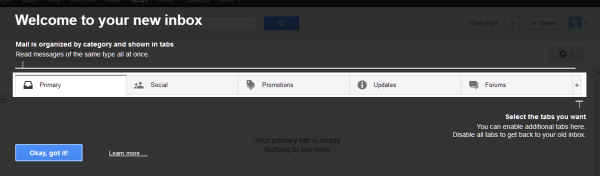
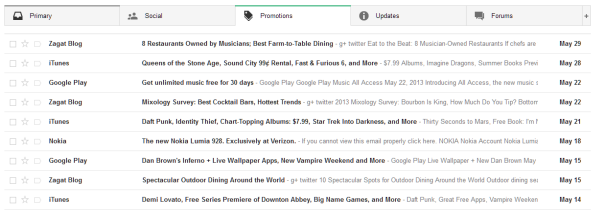
Gmail, defender of order. Gmail’s been updated with new message filtering options to help organize your inbox. Personal, Social, Promotions and Updates are among the tabs that will now divide up your emails. You’ll also see various other improvements and more personalization options.

For all these stories and more, click here.

Watch the Pro Evolution Soccer 2014 teaser trailer

Konami has released a short teaser trailer for PES 2014. It shows the slow motion drama and emotion of soccer, with pained expressions from players and enthusiastic fans.

The graphics shown in the teaser are certainly impressive, but we don’t know what platform they show. They look beyond what current generation consoles can handle, but we should find out more from Konami about PES 2014 at E3 2013 in Los Angeles in ten days. The trailer focuses on ball control quite a lot, and I’d expect further development of the Full Control system seen in PES 2013.


brightcove.createExperiences();

Pro Evolution Soccer has been steadily improving, but it still has some way to go to catch EA’s FIFA franchise which is generally considered the better game. Can Konami reclaim the soccer crown this year?

If Konami follow the pattern of recent years, we can expect a playable demo over the next couple of months, and it should be released before FIFA 14.

Stay tuned for more news about Pro Evolution Soccer 2014 when E3 begins on June 10th.

Huge changes in Windows 8.1

Windows 8.1 Start Screen

There’s a big update in store for Windows 8. Information about the new operating system has been scarce over the last few months, with rumors about the return of the Start Button and booting straight to the desktop. Today Microsoft released in-depth details about changes in Windows 8.1 and the list is extensive: more customization, improved search, emphasis on SkyDrive, changes to the Windows Store, and more.

Many changes are in response to complaints and suggestions from users. Microsoft hopes that these features and functions will improve the touch interface and encourage use of mobile devices without alienating desktop PC users. Owners of Windows 8 will be able to preview Windows 8.1 for free starting June 26th.

Lock Screen

Windows 8.1 includes an improved Lock Screen, with an emphasis on pictures and other functionality. First off you can accept Skype calls from the Lock Screen. It’s also possible to access the camera. This doesn’t allow access to the photo library, however, so there’s no way to browse photos from the Lock Screen.

The Lock Screen can also display a slideshow of photos. These can include local files, but also those stored on SkyDrive. There’s also an option for seasonal slideshows based on date.

Start Screen and User Interface

The Start Button has returned to the desktop, but it functions as a link to the Start Screen. The transition from the desktop to the Start Screen is less jarring in Windows 8.1. When you hit the Start Button, Live Tiles will appear to cover the desktop.

Start with new background

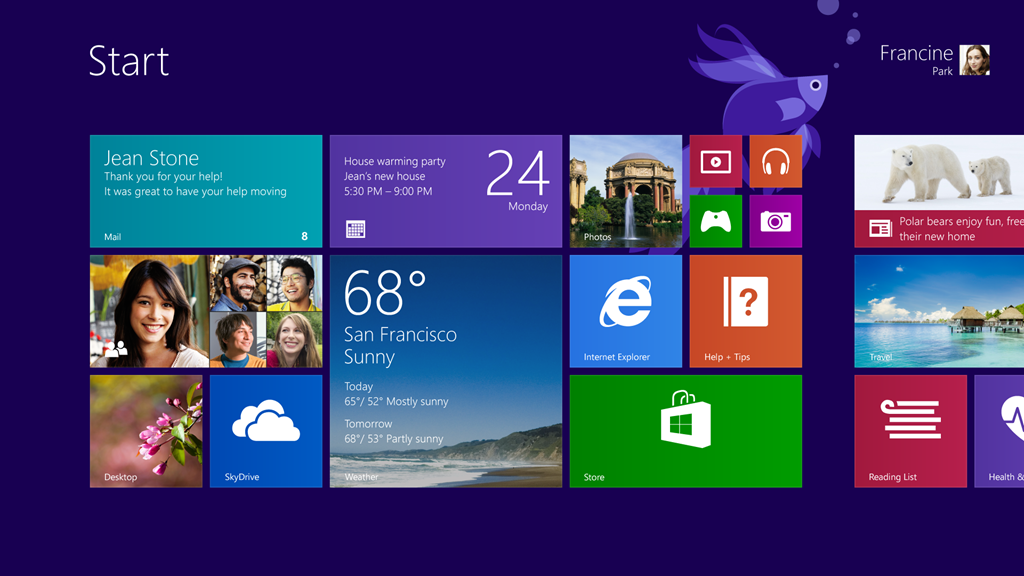
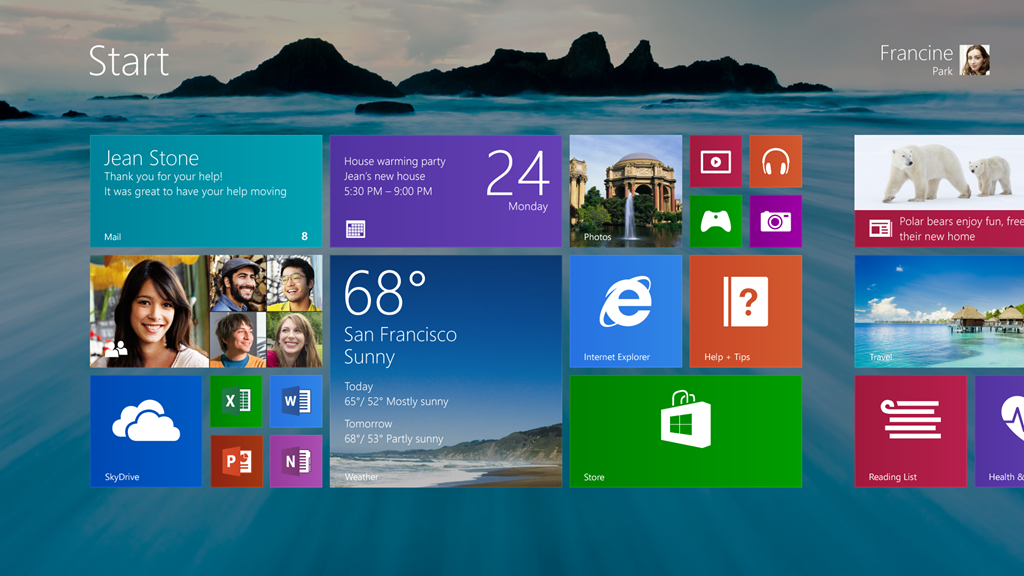
The Start Screen itself includes two new tile sizes. The first is an extra large tile that is the size of four normal tiles. This is excellent for important apps that provide lots of information, like email. The second tile size is extra small, which is one fourth the size of normal tiles. This is good for stacking apps together, like games or media players. It’s also harder to accidentally move Live Tiles, as you will need to right click with a mouse or press and hold via touchscreen to move them.

App Organization

In Windows 8.1, apps will be sorted by category, date installed, most used, and of course alphabetically. You can still right click and hold an app to pin it to the Start Screen. You can also do this with several apps at once.

More Snaps

Snap view

Windows 8.1 has expanded Snap Views to allow two (or more on larger monitors) apps to be side by side. The default setting is an equal 50/50 view, which is great for viewing two websites or using two Microsoft Office apps at once. In some cases, like with photos, Snap View will instead give a 60/40 view with more space for the photo. While Microsoft has packed Windows 8.1 with intelligent ratios, users can always manually adjust them. Snap Views will hopefully make multitasking even easier.

Powerful Search

Key here is that you don’t have to select a category: all of the files, apps, settings, and web suggestions will be laid out together. More importantly, you can play media files such as music directly from search. Type in artists such as “The Police” or “Commodores” and search will link to songs in your library or connect to Xbox Music.

marilyn search hero

The biggest change is the addition of Search Hero, which provides a wealth of detailed information and data across the web and locally on your computer. For example looking for a popular celebrity such as Marilyn Monroe will open results filled with related stories, photos, and videos. Wired reports that results could also contain links to the Wikipedia app and Bing News. The downside is that not all searches will yield a Search Hero, only ones deemed popular enough by Microsoft.

SkyDrive

SkyDrive changes

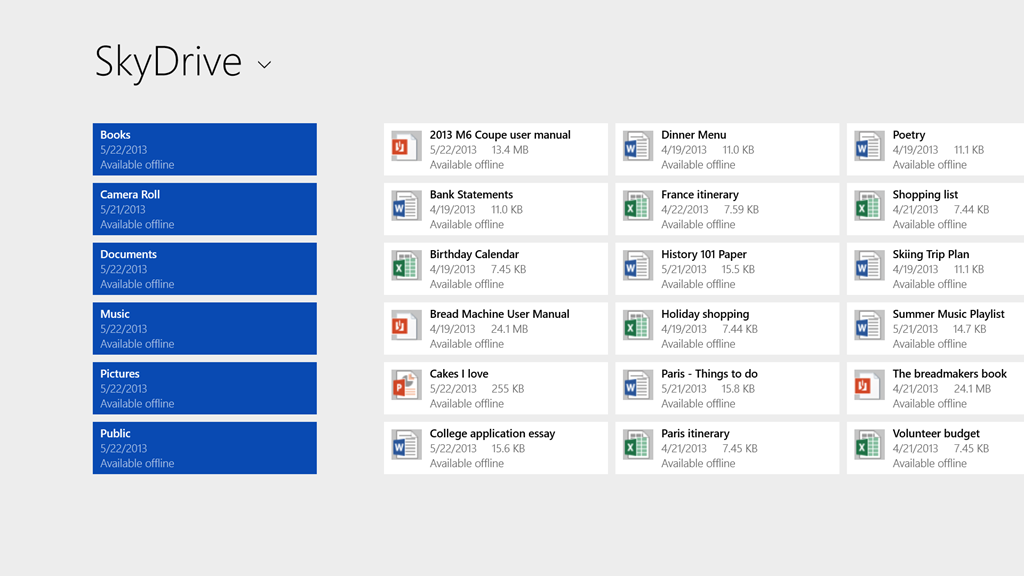
The SkyDrive app isn’t new to Windows 8.1, but its update integrates closely with the OS. Engadget reports that SkyDrive isn’t just a portal to SkyDrive.com, it now syncs automatically in the background. When you open the app there will be a list of “stubs” which provide details such as file name, type, size, and date modified. These are only previews, when you click on a stub the full document will be downloaded. By default SkyDrive syncs all files, but the options allow you to restrict files types, such as Word docs or AVI videos.

Windows Store and bundled apps

The Windows Store is being upgraded with Windows 8.1, including bigger tiles and more detailed app listings. It will be easier to view app ratings, find top apps, free content, or view all categories with simple swipes or clicks. The Windows Store has improved recommendations, showing related apps on an download page.

Built-in apps are also being updated, namely the Photos app, which has new editing features to allow quick edits. On the fly options such as “Basic Fixes” and “Color Enhance” can quickly fix or edit photos.

The Music app is also being overhauled, but Microsoft is only teasing right now and will share details in the near future. What we know so far is that Music will focus more on your current collection, rather than finding new tracks. Windows 8.1 is also bringing in new apps like a Modern UI Calculator with unit conversion and Alarms that have stopwatches and timers.

Two new apps, Bing Food & Drink and Bing Health & Fitness, are designed with tablet use in mind. Engadget states that Food & Drink allows you to browse through recipes by swiping your hands in front of a webcam. You can also look up how to plan meals or create a shopping list. Health & Fitness can be used to track nutrition habits and plan exercise routines. You can also select from an onscreen diagram to indicate symptoms you may have. While Microsoft says the app’s sources are reliable, you should be cautious about being diagnosed by a program.

Another nice addition is Internet Explorer 11. It might look nearly the same as IE10, but now tabs are at the bottom of the page, near the address bar. You can also adjust the appearance so that the address bar is always visible and can open as many tabs as you like. Microsoft also claims that IE11 load pages faster, has touchscreen enhancements, and can sync tabs with other Windows 8.1 devices. While these features might seem interesting, it might not be enough to sway the minds of Chrome and Firefox users.

New settings

The Settings menu is pretty barren in the current version of Windows 8. The upgrade in Windows 8.1 adds in several options previously found within Control Panel. You can adjust display resolution, power options, check your computer make and model, and run Windows Update. There are also options to manage your SkyDrive, change product keys, or join network domains. This means a removal of the cluttered “Miscellaneous” tab, as every category has a proper section.

A step in the right direction

It’s great that Microsoft has listened to user feedback and is bringing features that people requested. Some of them aren’t what users might have expected, like the Start Button, but it’s still a small victory. It’s also nice that even though Windows 8.1 and Microsoft are focusing on touchscreens, the mouse and keyboard interface isn’t being neglected. Overall, these changes look to have enough bite to attract those who weren’t sure about upgrading to Windows 8.

While this announcement has a good amount of information, we’re eagerly awaiting some hands-on time with Windows 8.1. Microsoft hasn’t given a full retail release for Windows 8.1, but we’re anxious for the June 26th preview build. Until then we’ll be keeping a close eye on what is announced.

Hands on with new Gmail tabbed inbox

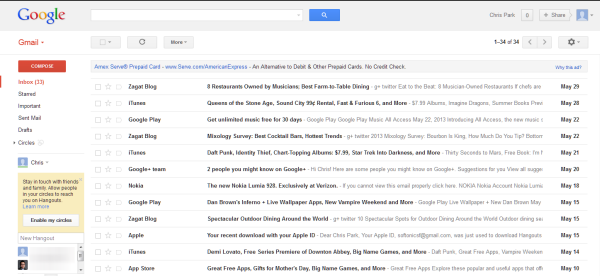
Google’s Gmail blog announced yesterday an update to Gmail was incoming to simplify the existing inbox and add easier organization. The roll out is gradual, but I opened Gmail today to find out that the option for the newly designed inbox was available. Using it in my personal email is a little different because I add labels to all my email already so using tabs is an adjustment.

I also use Gmail for Softonic and saw that the new inbox was available and tested it there. With all the email sitting in the inbox, it’s much easier to see that the new Gmail is going to help organize the inbox if you don’t sort mail often.

Enable tabbed inbox

There’s no sign up required for the new inbox. You just have to wait until Google enables the option in your Gmail account. With an unknown timeline, it’s hard to say when the option will activate for everyone so keep a look out.

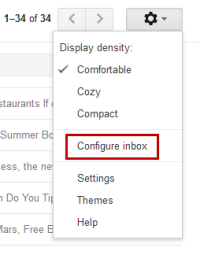
To check if the option is available, click on the gear icon in the upper right of the screen. The option will say Configure inbox.” This is the option to enable tabs in your Gmail account.

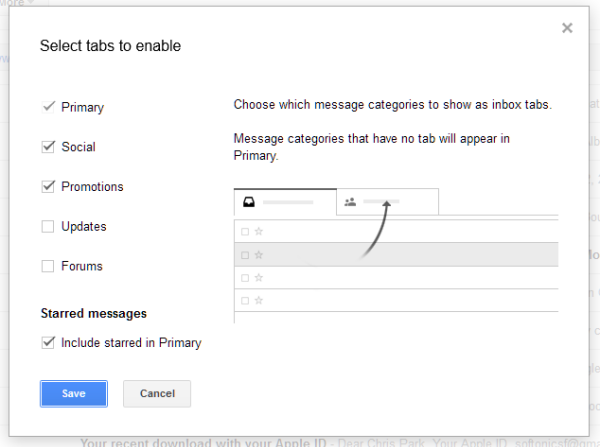
Actually, there isn’t a lot of configure beyond the preset tabs. The tabs that Gmail offers are:

  • Primary
  • Social
  • Promotions
  • Updates
  • Forums

One small problem is that you can’t create custom tabs.

Choose the tabs that you want to use in your Gmail and afterwards, it will filter the message currently in your inbox into the tabs.

The new Gmail

If you never sort your inbox, Gmail will automatically move messages into the tab it thinks appropriate. While this works for most major email, it does have some issues and you will need to customize the filters. If an email is in the wrong place, you can drag-and-drop it into a different tab and assign a filter for that email address.

Google needs to allow users to create their own custom tabs because the Updates tab is the place where the rest of your email ends up. My Gmail Updates tab had Google Play Store receipts, random customer service emails, and online order information. If custom tabs were possible, it would be nice to have tabs for shipments and payments.

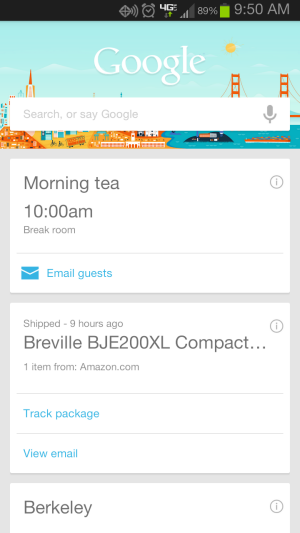
It will be interesting to see how Google Now continues to interact with Gmail. Sometimes Google Now doesn’t aggregate shipping information, but with shipment emails located in a default tab it’s possible Google Now will be able to find more relevant emails.

There’s nothing different when using Gmail, except that it sorts your emails into tabbed labels. It’s a nice system for users who don’t sort their email and have one inbox, but if you already have a sorting system for your Gmail, the new tabs can have a negative effect.

The update is free so there’s no harm in trying it. If you don’t like the new system you can disable it. To disable inbox tabs, go back into the “Configure inbox” setting and uncheck each tab option. This will revert your Gmail inbox to the classic view.

The iOS and Android apps will be updating the next few weeks and will include the inbox tabs. While tabs are an option, it feels like Google is trying to push people into using inbox tabs, but they need to give users more control.

Google Play Music All Access confirmed for iOS

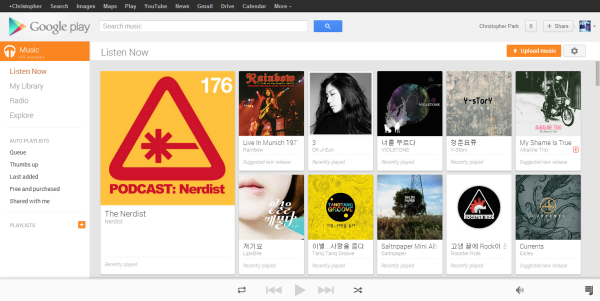
At All Things D’s D11 conference, Android Head Sundar Pichai confirmed that Google Play Music All Access would be “available on iOS in the next few weeks.” Current Google Play Music users can access the web-based browser version of the service on any desktop device, but iOS users have never been able to natively play music from Google Play Music before.

Android users have had access to Google Play Music with a first party app and during the reveal of Google Play Music All Access during Google I/O, it was announced that the Android app would be updated to support the streaming subscription service. Google recently updated the app and is slowly rolling out the update to Android users so iOS users should be getting a similar app that supports streaming along with the ability to manipulate the library.

While there’s no official release date for the iOS app, Google Play Music users using iOS should keep a look out for the app.

[Source: 9to5Mac]

Comparing Messenger apps for Windows

Comparing messenger apps

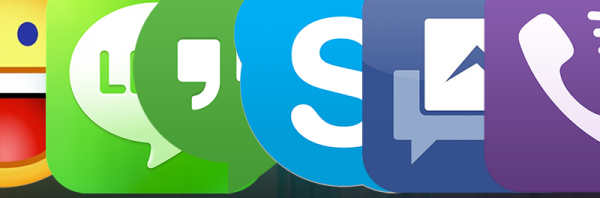
The selection of available chat apps keeps changing: Microsoft has killed Messenger in favor of Skype, Google Hangouts has merged several services into one, and Viber is now on Windows and Mac. With new apps competing alongside old favorites, which one should you be using?

While it’s common to emphasize messaging on phones, we’re instead focusing on messenger apps for Windows. Some of them even allow you to take the conversation from your computer to your mobile device.

We’ll be taking a head-to-head look at the following apps:

We’ll compare number of users, ease of registration, interface and speed, visual appearance, and bonus features. We’ll rate the best app for each category, and tally the final results for best overall messaging app.

Number of users

A messaging app is useless if none else uses it. The more users on the same service, the more likely your friends will be there. You also won’t need to register for a different competing app (we’ll discuss this in a later section).

Winner-Facebook

Facebook is the clear winner here, with more than a billion users. Skype comes in second with 600 million users, while Hangouts is third with 400 million users. Rounding out the rest is Yahoo! Messenger who has an estimated 300 million users, Viber with 200 million users, and finally LINE at 150 million.

Registration process

Before you can use any of these messaging apps, you will need to register an account. Facebook, Skype, Yahoo! , and Hangouts are all part of larger network, which means you could possibly already have an account. The registration process in all of these networks is rather similar – short, but not very exciting.
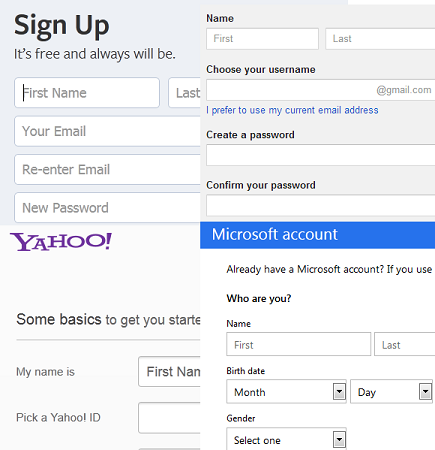
registering

Registration for LINE and Viber is much faster, but you can’t actually do it from Windows. Instead, you need to first sign-up with the mobile version, even if you don’t plan on using those apps.
In the end we are giving best user registration to Hangouts, as creating a Google account is easy, requires very little personal info, and connects to a wide range of services. With the prevalence of Gmail and other services, It’s already likely that you have a Google account.

Ease of use and speed

A good instant messaging program needs to be fluid and easy to use, the people you chat with don’t want to sit around for replies as you fumble with poor interface or slow menus.
yahoo messenger

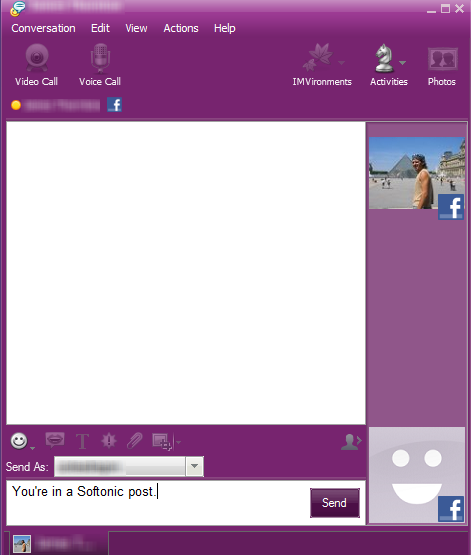
Yahoo! Messenger looks very similar to the older, classic Windows Messenger. Some might find this outdated, while others will see it as nostalgic. The app itself is fast, but the user interface is cluttered with too many distracting buttons all over the place.
skype

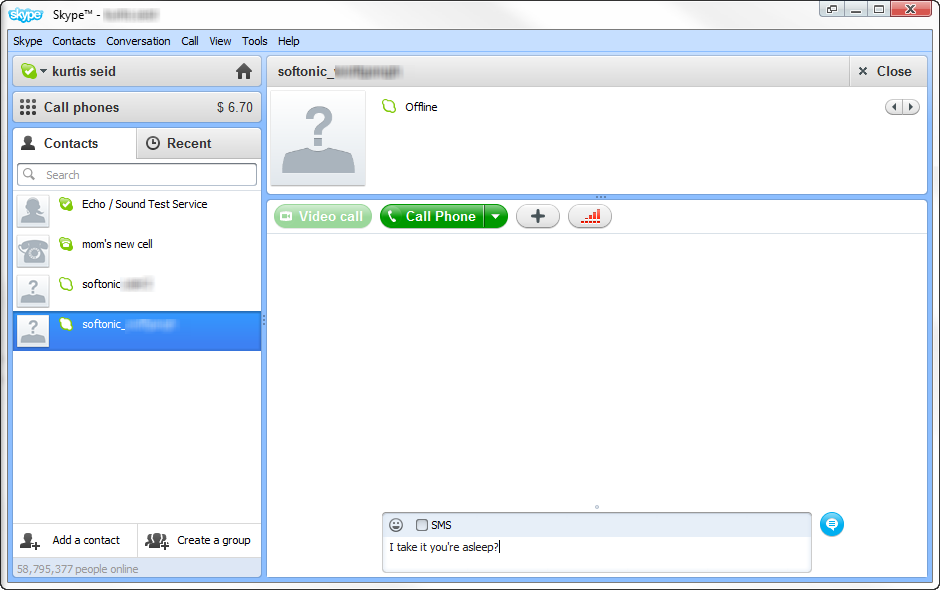
Skype isn’t very fluid, is slow, and filled with too many notifications. It can be a hassle to open and manage conversations, making it a pain and annoyance to use.

The other apps are much light and even simpler to understand. Facebook Messenger, for example, has only one simple feature: it sends instant messages and nothing else.
Viber

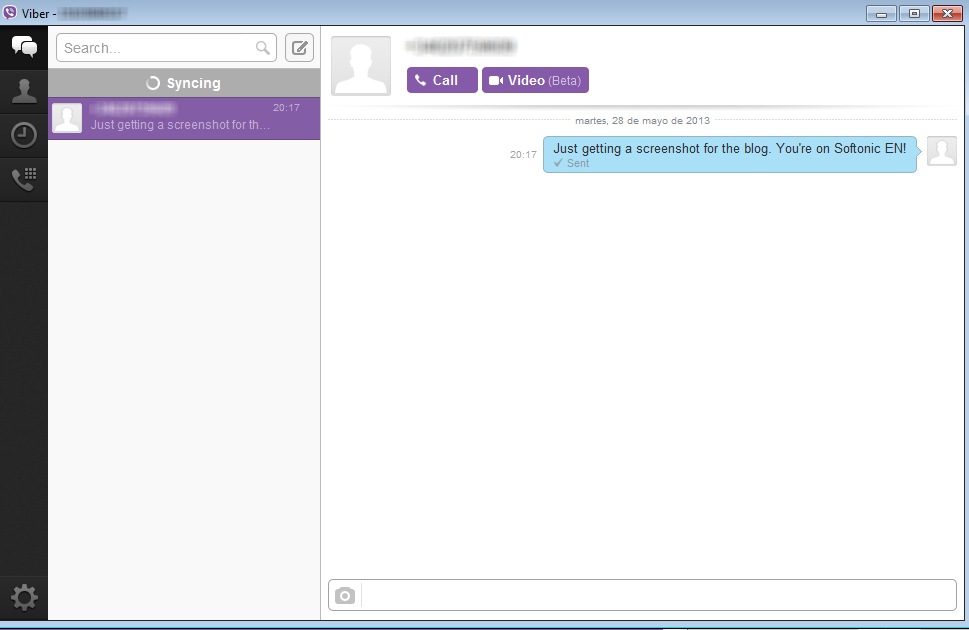
Both Viber and LINE also operate well on Windows. Viber is very fast and agile, while LINE is simple enough that most will find it intuitive.
hangouts

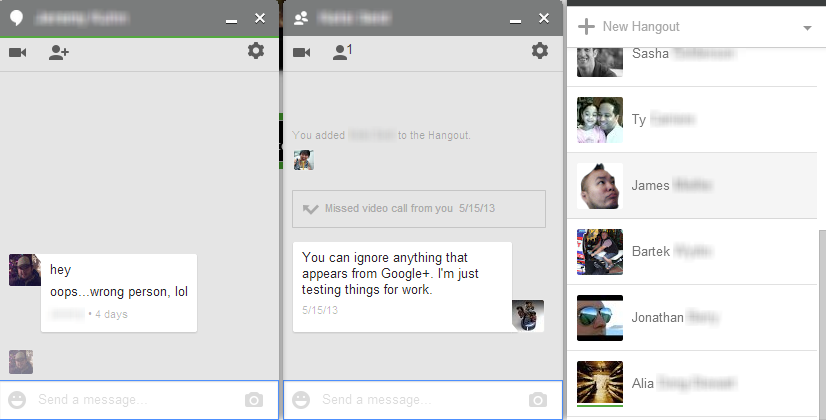
Finally, Hangouts is also very straight forward, although it would be nice if it showed clear user status. It’s quick and responsive, but we’d like it if it was even easier to tell who was idle or offline; the indicators are too subtle right now. This app is better for people familiar with messaging, and less suitable for beginners.

Winner-Facebook

Our pick for speed and ease of use is Facebook Messenger. It is really fast, to the point where it seems nearly impossible (at least hopefully unlikely) to get confused by the nonexistent options.

Appearance

Ah yes, the purely aesthetic part of an app. While the last section was about the feel of the program, this is more the look of the design, and in many cases the quality of emoticons, emoji, and stickers.

Both Yahoo Messenger and Skype strike out in this category. The interfaces are outdated, feeling like a relic from the dial-up modem era. Yahoo! Messenger may have some emoticons, but not nearly the assortment as their competitors; they are also way too small, and might require zooming in to tell them apart.
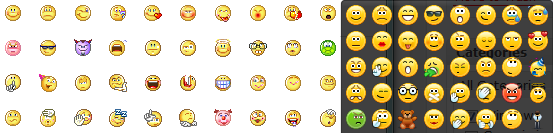
emoticons-Skype-and-Yahoo

Facebook Messenger also isn’t very stimulating, having nearly the same appearance as the other Facebook sidebars. It’s also unfortunate that the neat stickers from mobile versions of Facebook Messenger are not in the Windows version. Instead, you’ll have to rely on old and small emoticons.
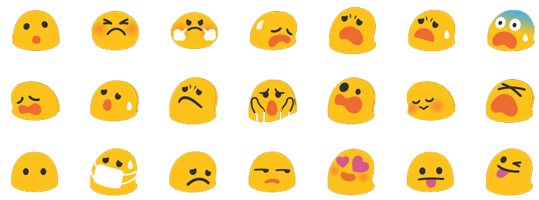
Emoticons-Hangouts

Hangouts has s great and large selection of new emoticons. They are expressive and a decent size, which is a great improvement from Gmail’s old emoticons. The interface however is rather plain with its simple grey and white. Hopefully there will be a customization option to add in a little color.

StickersLINE is very pleasing to look at, with clear distinctions between messages sent and received. The main draw of the app is its impressive amount of stickers.

Viber for Windows has a similar interface to LINE, but only a single window is used for contacts and conversations. Unlike the mobile version, Viber for Windows lacks emoticons or stickers, which for the moment makes it a rather boring messenger.
winner-LINE

Our winner for appearance is LINE. Its interface is clear, pleasant, and has a huge number of emoticons and stickers. The stickers are continually updated, helping to insure that you’ll never get bored. One drawback, though is that you have to log into the mobile app to manage your collection of stickers.

Additional features

Most messaging apps allow much more than just text chatting, such as sending files or video calls.

Video calls are a strong point for Skype (which has had the feature from the start), but this feature has been included in Yahoo! Messenger and Hangouts. Viber also have a video call feature, but it is in beta and can only be used between desktop users, not desktop to mobile.
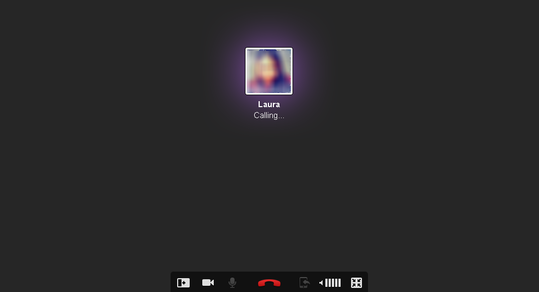
Vibercalling

All of the apps that have video calls also support voice calls. Viber and LINE get extra points for being able to seamlessly call mobile users. Facebook Messenger lacks a call feature, even though there is one within the iPhone version.

Facebook Messenger also lacks the ability to send files, which all of the other apps can do. However, Viber and Hangouts is currently limited to only sending pictures.

Further options and screen sharing is available to Skype, Yahoo! Messenger, and Hangouts.
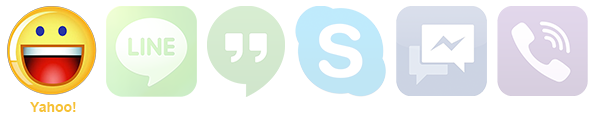
Overall, we decided to give the highest score for additional features to Yahoo! Messenger. It has voice calls, video calls, shared games, and can send files. Many of these features have been rolled out over many years, giving Yahoo! a great advantage.

Best of show

For our final verdict we rated each app on a scale from 1 to 10 in all previous sections, then assigned different weights to each. For example, number of users only factored in 10%, while speed and ease of use was worth 30%.

app scoring

The final total was as follows:

final score

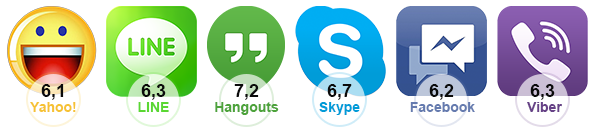
Surprisingly, the newcomer Hangouts was the highest with a 7.2. The app is very easy to use, simple, and has a lot of cool features, such as video Hangouts. Although it only won one other category, it is the most balanced package.

This isn’t to say that Hangouts is the flat out best messaging app, it still has a lot of room for many great future improvements. Its success depends on how all of these apps evolve with time. Viber and LINE for instance are being updated rapidly with new developments and features. We hope that all of these apps continue to build more options and have closer integration with Windows.

What do you think is the best messaging app for Windows?

Microsoft confirms changes coming in Windows 8.1

Microsoft has officially confirmed details of the first major overhaul of Windows 8. After months of speculation, we now have concrete details about what’s changing in the controversial operating system. Here’s a brief round up of the details.

  • Lock screens can be personalized with wallpaper, taken from your device or Skydrive.
  • Search has been improved to include results from the web, apps, files, SkyDrive, and any suitable actions you can take.
  • The Photos app has been updated with editing features, and Music has been completely redesigned. The store has also been shaken up, so you can easily see more information on apps.
  • You can now save your files directly to SkyDrive, and the SkyDrive app now gives you access to your files even when you’re offline.
  • As predicted, PC settings have been expanded so you have less reasons to go to the classic desktop and open Control Panel.
  • Windows 8.1 will ship with Internet Explorer 11, which will no doubt build on the excellent IE 10.
  • Classic desktop gets a Start button of sorts, which is always visible on the task bar. However, its function is to take you to the Modern User interface.

We’ll find out much more from June 26th when Microsoft holds its Build developer conference, where Windows 8.1 will be showcased and a preview build released.

[Source: Microsoft]

Google Play Music All Access vs Spotify Premium vs Rdio Unlimited

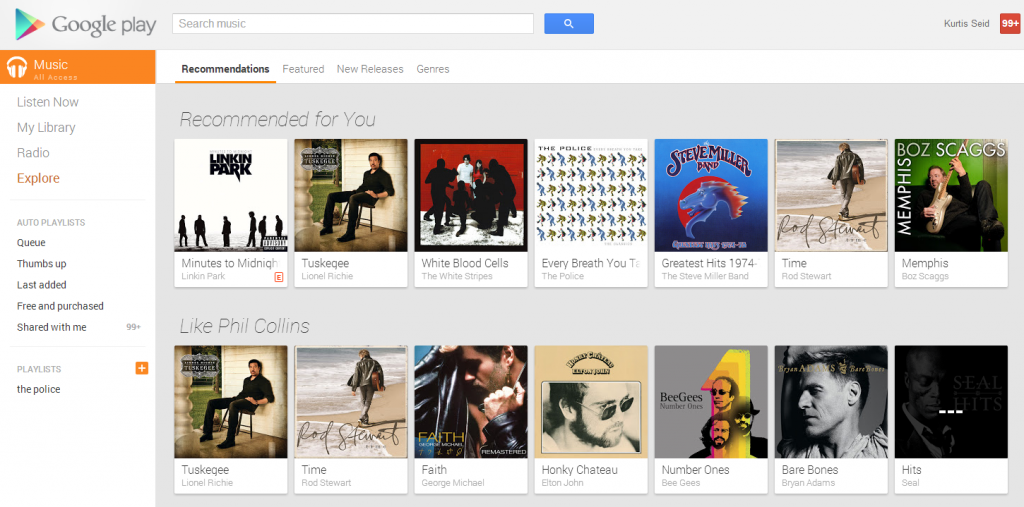
google music

With the release of Google Play Music All Access the music subscription market has become even more crowded. Google might be a big name, but other services such as Spotify and Rdio are already popular. Does Google Play Music All Access (GPMAA) have what it takes to compete with these other choices? They each offer different prices, amount of songs, offline modes, and more. We’ll compare GPMAA, Spotify Premium, and Rdio subscriptions to see who’s best at what.

Price and what it gets you

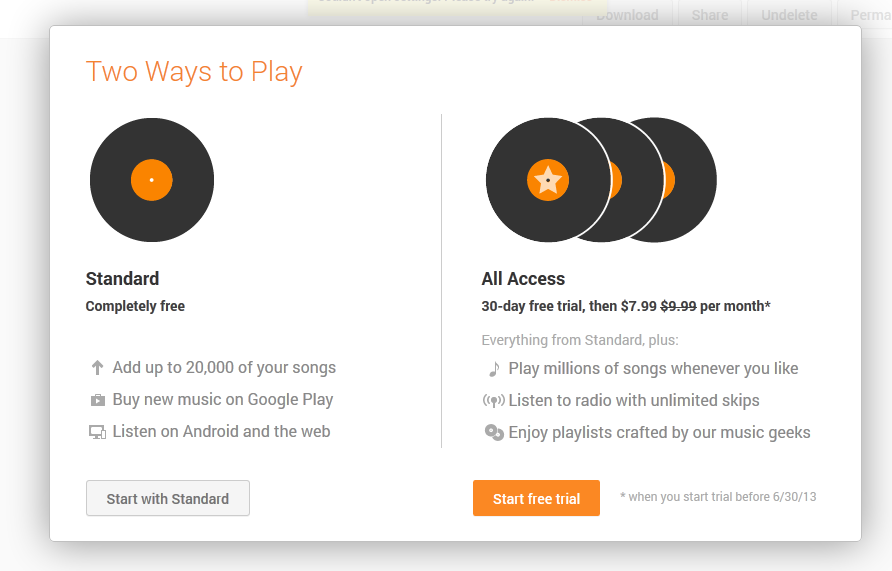
Obviously a subscription is going to cost you some amount of money. Rdio and Spotify have several tiers of subscription, while GPMAA only has one at the moment. GPMAA costs $9.99/month, but those in the United States (The only location it is currently available) that sign up by June 30 will have a special discount at $7.99/month. It’s worth noting that Google Play Music allows 20,000 song uploads even with the standard free version.

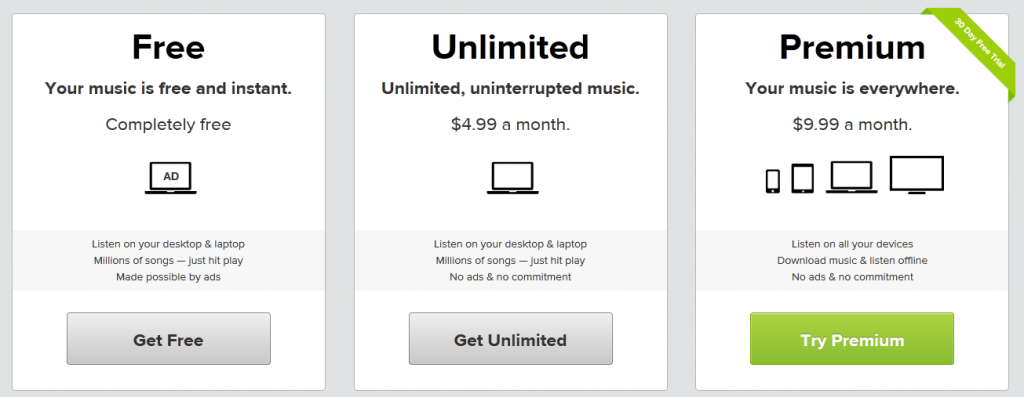
Even when free, Spotify offers unlimited songs on your computer but with periodic ads. For $4.99/month users can remove ads, and for $9.99/month they can go to Premium which includes unlimited mobile streaming and the ability to download music for offline listening. Spotify also has a 30 day trial for the $9.99/month Premium service.

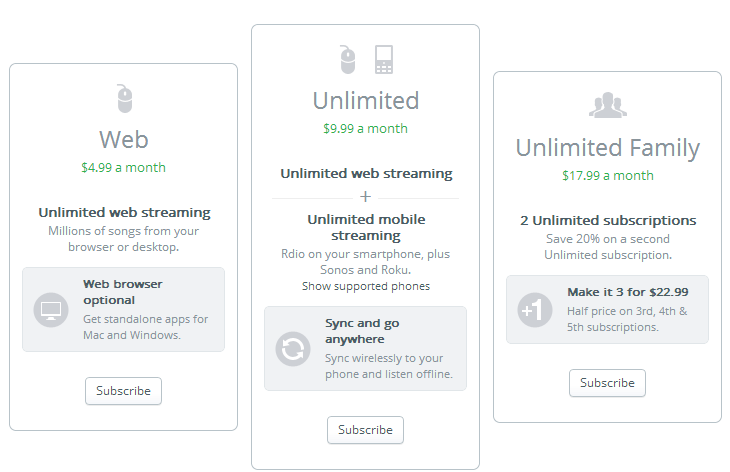
Rdio has three subscription types. Web at $4.99/month allows unlimited streaming on your computer through the web or desktop apps. Unlimited at $9.99/month grants unlimited streaming on both web and mobile (this also opens up syncing to mobile for offline listening, covered later). Last, Unlimited Family grants the previous features to two users for $17.99/month, or three users at $22.99/month.

The prices are all pretty similar to each other, so it’s really a matter of what you receive for the cost. Unlimited streaming and syncing for offline on mobile makes Rdio stand out. If you happen to have two friends, the Rdio Unlimited Family subscription has quite a financial benefit. On the other hand you could also adopt GPMAA now to get a great discount.

Library size and sound quality

Both Spotify  and Rdio libraries contain more than 20 million songs, while GPMAA lags slightly behind with 18 million. That’s still an impressive amount of songs, and GPMAA includes major artists not on Spotify, such as Pink Floyd. GPMAA and Spotify also allow you to listen to your own personal library of songs, a feature Rdio lacks.

google music cloud

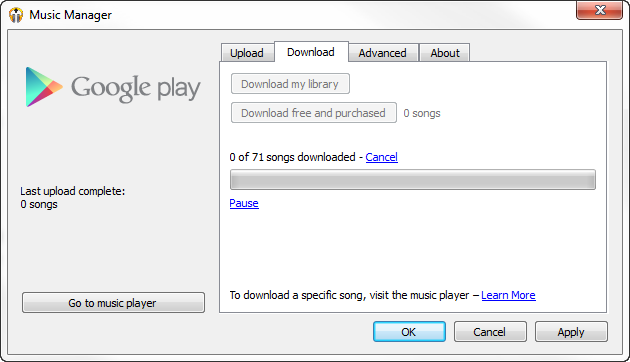
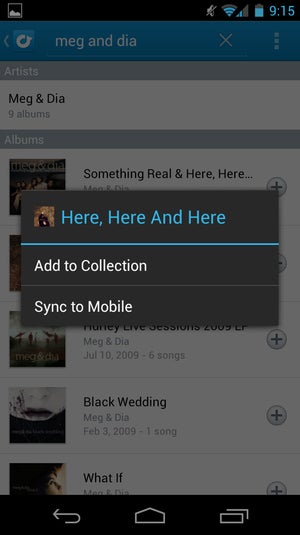
Spotify Premium does this by syncing songs on your local hard drive for playback. GPMAA on the other hand actually uploads music files to cloud storage, allowing download of those songs on other computers you log into (a maximum of ten). You can store up to 20,000 songs, each song being a maximum of 300 megabytes. This is a huge advantage for anyone who uses multiple computers and will want to transfer their collection elsewhere. Keep in mind files you download from the cloud are high quality MP3s, easily accessible on computers but slightly more hidden on mobile devices.

rdio bitrate

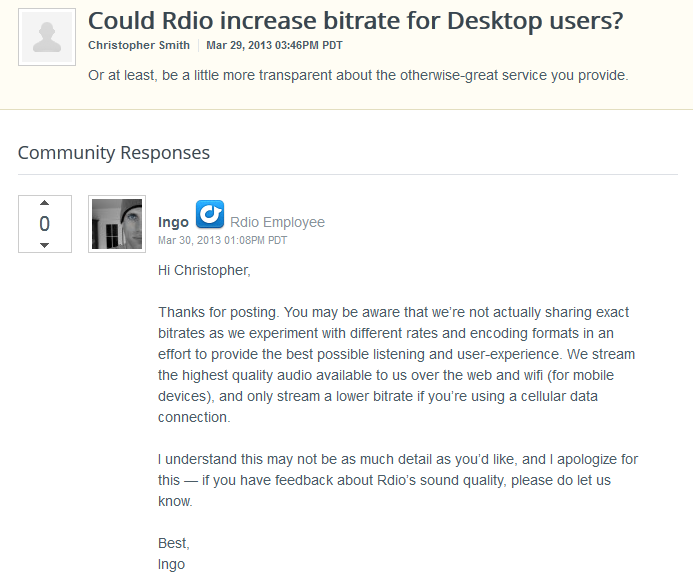
Both Spotify Premium and GPMAA cap sound quality at 320 kbps (Free Spotify accounts cap at 160 kbps), while Rdio hasn’t released exact bitrates as they experiment with encoding. All of these services can lower the bitrate if you are a slow connection or using wifi. In Spotify you can also manually lower the stream quality. At the moment Rdio’s secrecy makes it likely that their bitrate is lower than their competitors, putting it at a grave disadvantage.

Supported Apps

A big draw to streaming music is being able to listen to it anywhere you go. Each of the three services offers different supported apps.

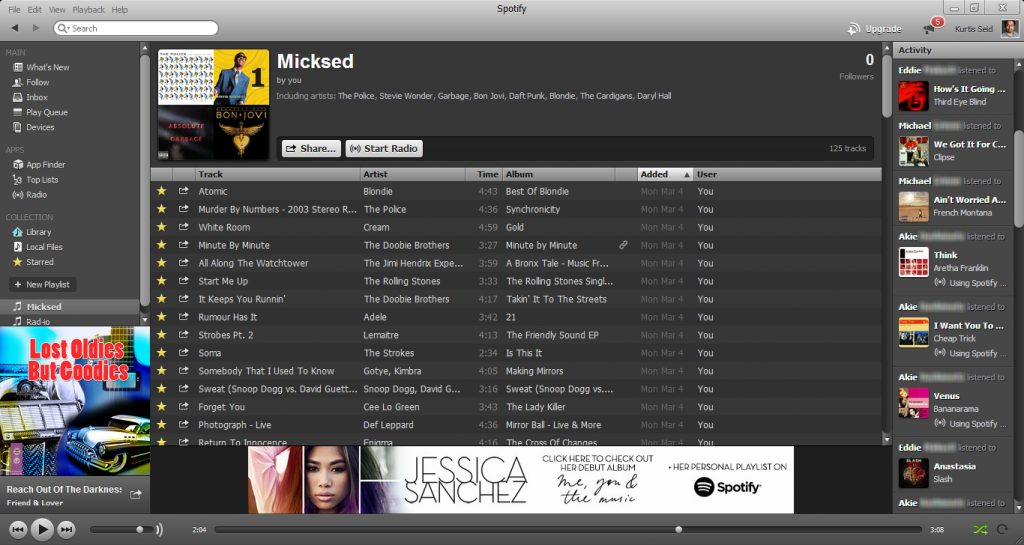
spotify app

Spotify Premium finds its home primarily on the desktop app for Windows and Mac. There is also a web app, but it is currently in Beta and has minor issues (such as not being able to play your entire library or quickly sort playlists). Spotify Premium has mobile apps for iOS, Android, and Windows Phone. There is no official BlackBerry support at the moment.

rdio web app

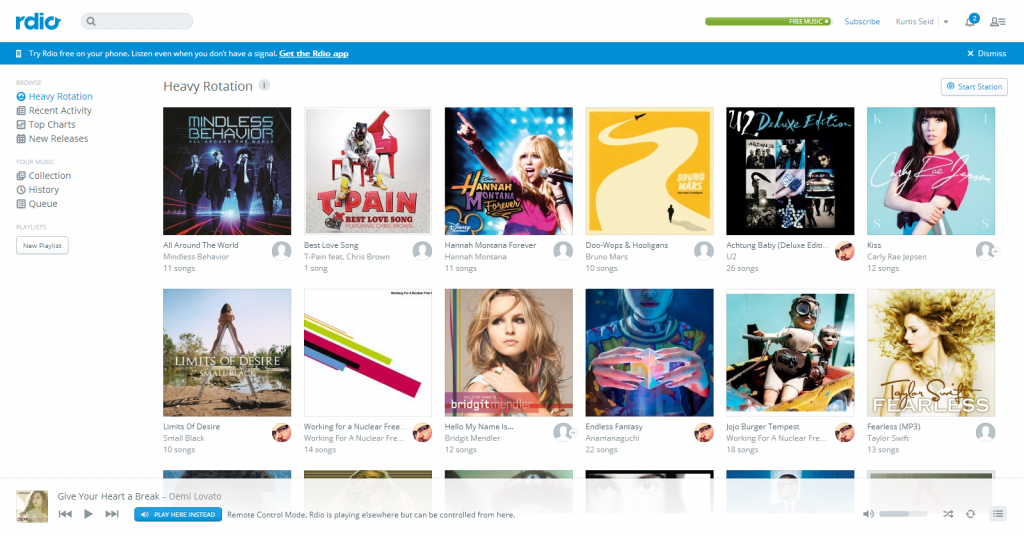
Rdio Unlimited is accessed primarily as a web app, but there are desktop apps available for Mac and Windows. The service also has mobile apps on iOS, Android, and, Windows Phone. It also has a BlackBerry app, but not all devices work.

google music player

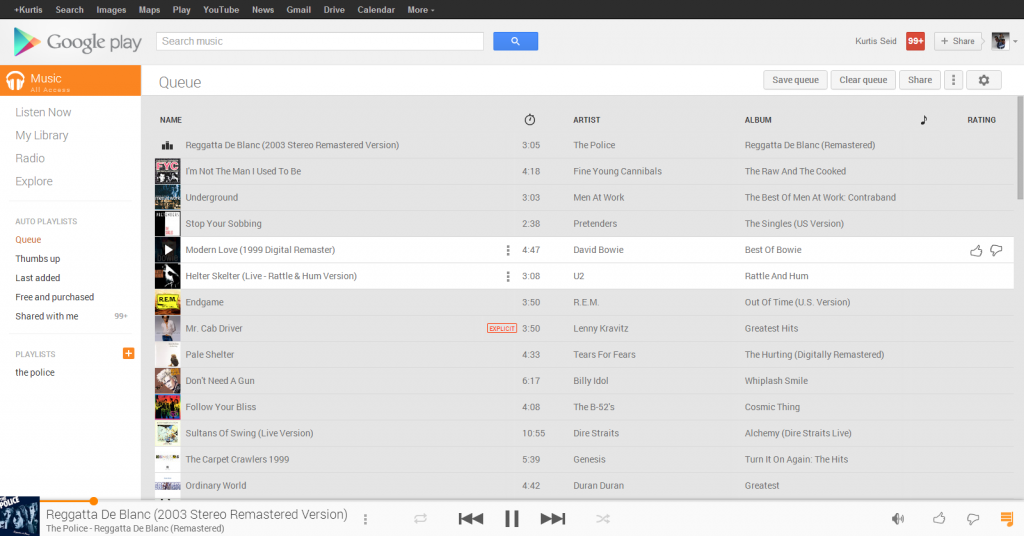
Finally, GPMAA is only currently available on the web and as an Android app. iOS support will arrive later, but for now there are already developers submitting independent apps to the iTunes App Store.

The app selection is slightly in favor of Spotify where it has a strong desktop client, can be accessed from the web,  and has apps  on multiple mobile devices. It only lacks BlackBerry support, which Rdio may cover.

Offline accessibility

You’re not always going to have a stable internet connection when you want to listen to your music. Each service has their own approach to offline music.

take spotify offline

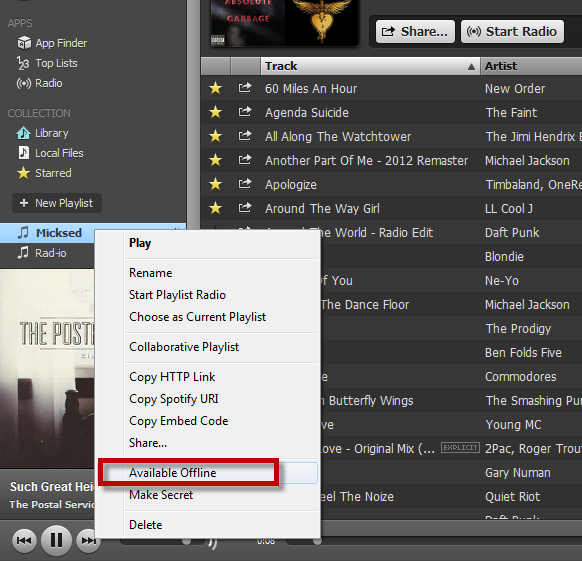
Spotify Premium is fully ready to go offline on computers, iOS, and Android. Up to 3,333 songs can be taken into offline mode on up to three devices. The offline songs last for 30 days, after which they must be reconnect to verify their authenticity.

rdio screen

Rdio Unlimited can sync songs to mobile devices. The limit simply depends on your device’s amount of storage space and there doesn’t need to be a re-sync as with Spotify. However, Rdio cannot be taken offline to your computer, even if you have one of the desktop apps installed.

google music android

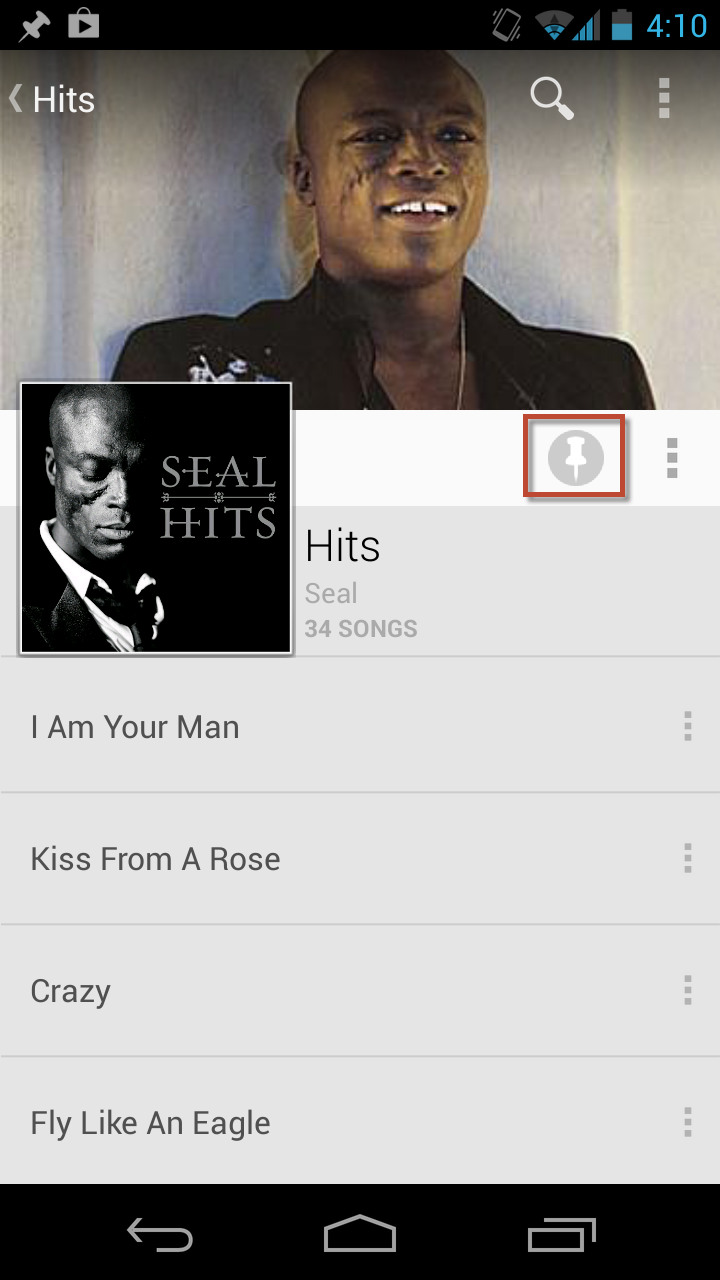
GPMAA can pin albums and playlists to the Android app, allowing offline listening on the go. There is currently no offline listening for the web version of GPMAA, but considering the ability to download from the cloud, the feature could arrive in the future.

At the moment Spotify’s ability to take so many songs offline at a time makes it top of the heap. However, it would be even better if there wasn’t the 30 day restriction before having to reconnect.

Social connection

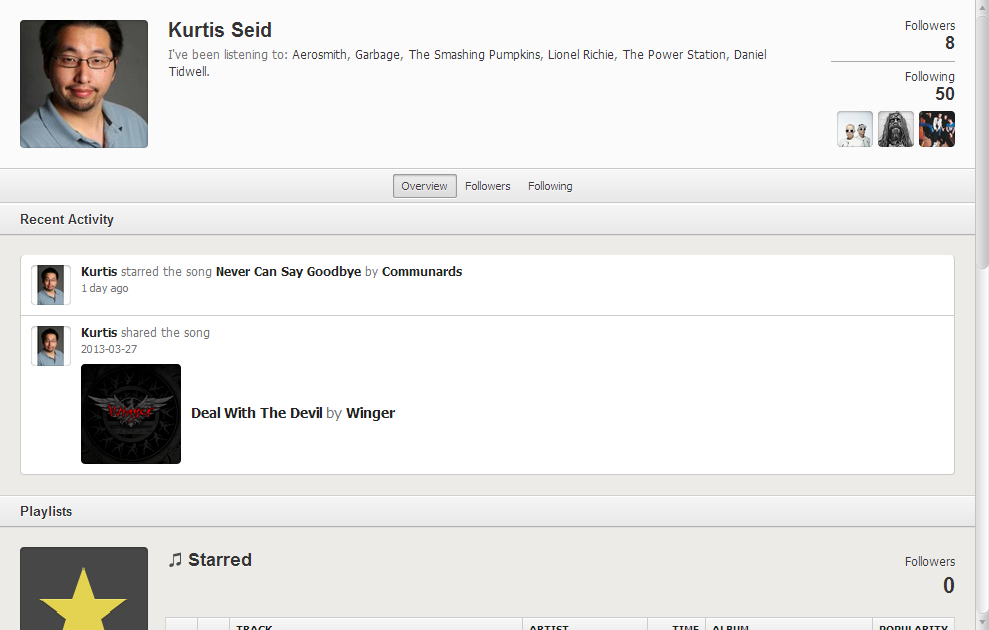
One of the key features of Spotify is its ability to connect users and share music with each other. Rdio also has a set of social features, while GPMAA is nearly stand alone  – there is no way to follow playlists or spy on other users (Though you can share songs to Google+).

spotify social

Spotify claims that they have 24 million active users, 6 million which subscribe to Spotify Premium. The high amount of users is important as you can follow others, check out what they are listening to, and follow user playlists. You can also share songs to Twitter, Facebook, Tumblr, or directly to other Spotify users. Since Spotify used to have heavy Facebook integration, it’s likely to find a few friends that have Spotify accounts.

rdio reviews

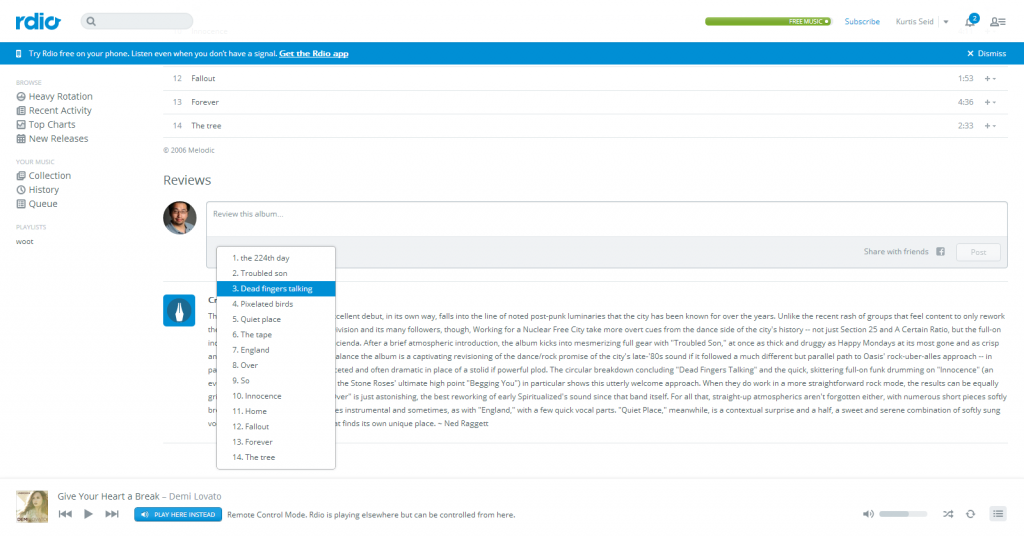
Rdio hasn’t released their exact amount of users (they were hush about their bitrate after all), but they still have a wealth of social features such as viewing friends, check what they are listening to, and the ability to browse their collection. A nice touch is that users can write reviews for whole albums or individual songs, which Spotify could certainly adapt. As with Spotify you can share songs to Twitter, Facebook, or other Rdio users (You can’t share to Tumblr, though).

So which one is right for me?

So we’ve laid out aspects of these three services, but now it becomes a question of which one you should subscribe to. The three of them are very different programs, so it comes down to personal taste. We’ll summarize both the reasons you should pick each of them, and the drawbacks.

  • Spotify Premium – Spotify has great streaming sound quality, ability to sync 3,333 songs offline, and a strong social connection. It’s at its best in its desktop app on Windows and PC, but has apps for many other devices. The price isn’t anything special and does nothing to really sell the Premium service. A downside is that you have to sync offline music every 30 days and there is no official BlackBerry app. Spotify should be your pick if you want to be able to listen to your stations offline.
  • Google Play Music All Access – GPMAA has a huge advantage of being able to upload 20,000 of your own songs to cloud storage and download it to other computers. Keep in mind that this great feature is also part of the core free version. The music quality is very high and if you sign up early the discount will be worth it. GPMAA doesn’t have it’s own social features and doesn’t have as many apps, but this is likely because it’s so new. GPMAA should be your pick if you have a large library of songs and want to store them across the cloud, and music discovery is secondary.
  • Rdio Unlimited – Rdio’s wins in price if you enter an Unlimited Family plan with a few friends. Its ability to review songs makes Rdio’s social features slightly edge out Spotify. Rdio does lose out on not having a specified bitrate and an inability to sync offline to computers. Rdio should be your pick if you want your music to have a great social experience.

Do you prefer high quality sound files, online storage, offline capabilities, multiple app support, or social interaction? We’ve given you the reasons you should and shouldn’t use each music service, now it’s your choice to decide which is best for you.

Multiplayer and iPad support added to Dots: A Game About Connecting

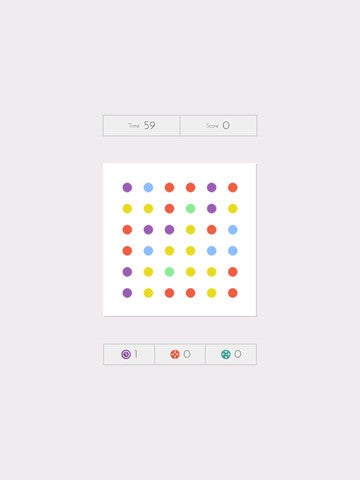
Dots: A Game About Connecting has been downloaded over 3 million times, with over 250 million games played according to developer Betaworks One. The latest update, 1.7, brings a multiplayer mode and iPad support.

For the uninitiated, Dots: A Game About Connecting is a very simple game where you have to connect dots of the same color to make them disappear with a time limit. It’s similar to Bejeweled, but the gameplay has been shaken up to make better sense on touch screens.

As well as being the first time you can play on iPad, there is a new high contrast option for color blind players, and some bug fixes like being able to disconnect Facebook and Twitter.

Playing on iPad is a bit strange, as it doesn’t seem to take full advantage of the smaller screen. Betaworks One is promising a 2x mode in the future, so this should be fixed soon. A Timeless mode is also in the pipeline.

Download Dots: A Game About Connecting.

Preview: Batman Arkham Origins

Batman is back this fall with another dark adventure. Following Asylum and City, the Arkham franchise will debut Batman: Arkham Origins, the 3rd installment (and hopefully not the last) of Rocksteady’s particular vision of the Dark Knight.

Loosely based on the Batman: Year One and the Legend of the Dark Knight graphic novels, Batman: Arkham Origins explains Bruce Wayne’s first steps as the Caped Crusader and some of his showdowns with the evilest of DC Comic’s many villains.

Take a peek at the first game trailer while we tell you all there is to know about the upcoming Batman: Arkham Origins.

brightcove.createExperiences();

The nightmare before Christmas

It’s the night before Christmas and the snow is falling thickly on Gotham’s streets. While most are at home preparing for the holidays, others have more important things to focus on. This year, Bruce Wayne has no time for carols. In the guise of Batman, he has followed Penguin’s tracks to a warehouse at the port where Alberto Falcone, son of the most powerful mafioso in the city, is being held hostage.

After taking down some of his thugs, Batman comes face to face with Penguin himself. While this eccentric, plump villain hardly excels in combat, he has ways of making life very uncomfortable for the Dark Knight. Batman, meanwhile, just wants to know who it is that has put a price on his head.

This is one of the many situations Batman will find himself in in Batman: Arkham Origins, a game that shows us the early days of the famous crimestopper. Rocksteady have collaborated with Warner Bros Montreal in the title, resulting in one of the most ambitious Batmans we’ve seen to date.

A white Christmas for Batman?

The two faces of Gotham

In Arkham Asylum, we saw what might possibly be the most demented prison ever featured in a comic, while in Arkham City, we saw Gotham’s darkest side. In Arkham Origins, we’re going to see the other side of the coin, getting an insight into Gotham’s old town, as well as discovering New Gotham, the burgeoning, prosperous side of the city.

This development almost doubles the game map. You can move around freely, although it’s a good idea to use the Batwing, Batman’s plane. The Batwing will allow you to move around the different parts of Gotham more quickly, but you’ll need to unlock the communication antennas first.

What good is a huge city, though, if there’s nothing going on? No good is the answer, which is why Warner Brothers has worked to create a completely dynamic game environment where every action has a completely different result every time you initiate it.

Batman: Arkham Origins has a very clear storyline, but between the main missions you’ll also be able to take part in other, dynamic missions, a game dynamic we’ve seen in the upcoming GTA 5, for example. Although these are secondary missions, they’re important for your reputation as a crimefighter – in his early days, remember, Batman was constantly questioned by the law. Stopping villains in their tracks is a failsafe way of reminding them that you’re on their side.

By cleansing Gotham’s streets during missions, and capturing Gotham’s Most Wanted criminals, you’ll both win the respect of the police and hone your own crime-fighting skills.

You’ll be up against all kinds of criminals in both the main and side missions

Do we know each other?

If you’ve played Arkham Asylum and Arkham City you won’t have any problems with Arkham Origins. In fact, there are barely any changes to the game mechanism set up by Rocksteady in the first two games. After all, if it ain’t broke, why fix it?

Don’t make the mistake of thinking that this means Batman: Arkham Origins is more of the same. For a start, Batman’s not the old pro we know and love – he’s a noob, just starting out in the business of donning a cape and fighting crime. This means that the Dark Knight is going to make some mistakes, although Bruce Wayne is quick to learn, so he won’t make the same one twice.

Something else to look out for in the game are the weapons and gadgets the Dark Knight will use. WB have promised lots, but so far they’ve only actually told us about one – the remote claw. Like the grappler in Just Cause 2, this gadget lets Batman grab two objects at once, opening up a world of possibilities. Imagine grabbing two enemies at once, for example, or planting two bombs at a time to take out a particularly difficult enemy.

The remote claw multiplies your fighting opportunities

The city of villains

Batman: Arkham Origins promises to be the most villain-packed Batman game to date. In contrast to Arkham City, where we run into some of the baddest bad guys in the saga, this game hosts the first encounter between Batman and some of his archenemies: Joker, The Penguin, etc. Many of the others will be the classic villains that appear in future games, but until now, WB have centered on 3 bad guys that might not be so familiar.

Black Mask In Arkham Origins, Black Mask is the source of all of Batman’s woes. An antagonist who appeared for the first time in a 1985 comic, this cosmetics firm heir stands out for his elegant appearance and black death mask. Although he does indeed run a legal business, his real fortune comes from drug running.

So what does a drug trafficker want with the Dark Knight? And why does he take so much pleasure in torturing his victims? These are the questions that Batman will try to answer in his new (or first, depending on how you look at it) adventure.

The Black Mask, Batman’s archenemy in Batman: Arkham Origins

Another enemy you’re going to hear lots about is Deathstroke. Considered by many to be DC’s best assassin, this masked warrior is everything that Batman isn’t, although in many ways they are very similar. Deathstroke is a veteran mercenary beholden to no one, and although he starts out working for Black Mask, we’ll have to wait to see where his ultimate loyalties lie.

Branden, the third villain in the set, isn’t a bad guy in the classic sense of the word, although he is definitely a threat to Batman. He’s a SWAT team leader, and beyond protecting the city from crime, his focus is firmly on the hunt for Batman, who he believes to be the biggest threat facing the city of Gotham. And what does Gordon think of all this? To be honest, not much – although he will go on to become police chief of the city, at the moment he is merely an inspector. At this point in the story, it’s hard to know how he’ll feel about Batman.

Batman the detective

One of the features of the Arkham saga are Batman’s detective leanings. Although we’ve seen them in previous installations of the saga, in Arkham Origins, the detective element really moves out into center stage. Remember that one of Batman’s objectives is to find out why Black Mask wants to kill him and to find out will visit various crime scenes in the search for more clues and hints.

As a result, Detective mode is going to be even more useful than before. For example, if you need to investigate a murder, you’ll be able to do in-situ ballistics, collect evidence, take DNA samples, and then analyze them all in the quiet of the Batcave. Your Batcomputer will generate re-creations of the scene of the crime that you’ll be able to investigate from all angles, allowing you to discover new clues to solving the crime.

A bit of peace and quiet for the Dark Knight

A new Game of the Year?

Both the public and critics were in complete agreement about previous games in the Arkham Saga. Will they be as united for Batman: Arkham Origins? It’s very likely, taking into account the awesome quality of the game, helped in part by the stellar foundations laid down by Rocksteady and developed by WB.

What are you hoping to see in Batman: Arkham Origins?