Make your own app for the Nokia N8

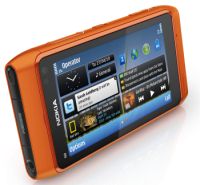
nokia n8Got a great idea for an app but don’t have any programming knowledge to build it? Then let Nokia make it for you! To celebrate the launch of its N8 phone, Nokia is running a competition called Make My App, where contestants are invited to send their ideas for cutting-edge mobile applications.

You can suggest an idea in one of four different application categories: Think Green, Fun and Games, Earlier Living and Better World. All you need to do is visit the Make My App page, enter your name and email address and give a description of your app. You can even attach conceptual drawings, layouts or sketches. Bizarrely, the judging panel includes Tim Kring, creator of the hit TV show Heroes, and Mat Osman, bassist for 90s indie band, Suede.

There will be 12 overall winners who win a trip to September’s Nokia World event in London to see their apps get made by professional developers. The lucky dozen will also win a Nokia N8 device, with their application already loaded. The winning apps will make it onto the Ovi Store, for the whole world to download and enjoy. There’s no mention of any cut of the proceeds of the app’s sales though, which seems pretty tight on Nokia’s part.

[youtube]OBtG46ZPkmo[/youtube]

The closing date for entries is June 27th. Better make sure your idea is great though because I’ve already entered and my app is going to take some beating!

First look at Microsoft Office 2011 for Mac

It’s not due for release until the end of this year but we’ve had chance to take a look at the Beta release of Microsoft Office 2011 for Mac. Microsoft say they’ve been working on it since before the release of Office 2008 and first impressions are, it’s a definite improvement on the latter with a much more tailored Mac interface and user friendly features.

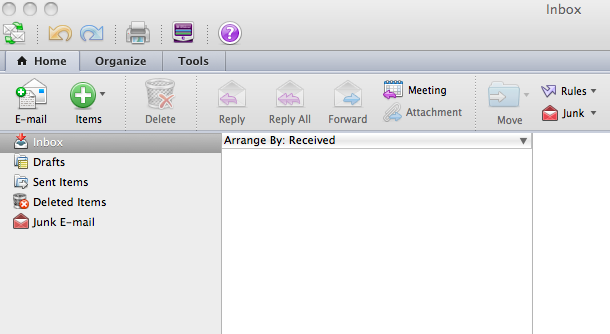
Obviously, the big star is the introduction of Outlook which looks great:

outlook.png

You can import PST files and it supports Microsoft Information Right’s management giving you control over what recipients can do with messages. You can also search for mail either within Outlook or by using Spotlight.

Continue reading “First look at Microsoft Office 2011 for Mac”

Friday Timewaster: Super Mario Bros Crossover

Super Mario Bros Crossover is a remake of the first Mario game, but with six playable 80s-era characters. This great piece of action nostalgia mixes the classic platform levels of Super Mario Bros with the variously controlled platform heroes of other franchises.

Each character plays with their original controls, so Bill R from Contra can shoot directionally, Mega Man can charge up his blaster, and Samus from Metroid turns into a ball and drops bombs (hey, it was the 80s!). Mario’s still Mario, and the cast is completed by the cute Link and boring Simon Belmont from Castlevania. I never liked Castlevania, and Simon Belmont is useless compared to Mega Man!

Who knows if this loving tribute to NES gaming will be allowed to stay online, so make sure to play it while it’s still around. You can find Super Mario Bros Crossover here.

Ask OnSoftware: Downloading HD video from YouTube

We’ve had a question from reader Dave about downloading high definition video from YouTube:

“I can download almost all videos on the net into .flv files and convert them to .MOV for use in Final Cut Pro, except HD. When I choose the HD settings on YouTube it goes right to a screen that plays the video in HD but I can’t download it in HD. Any suggestions?”

Yes! There are lots of ways to download video from YouTube, and one extension I know allows you to download HD FLV files is Download Youtube Videos +. This Firefox add-on puts a toolbar in the browser which flashes whenever video is available to download. It’s available to download here.

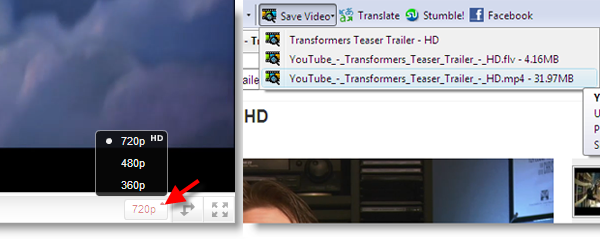
Once installed, and Firefox has been restarted, go to your YouTube page and choose the video quality that you want from the pop-up menu on the video player.

Once chosen, simply click the flashing Save Video button on the toolbar, and a menu will drop down. There will be more than one file available to download, but basically if you want the highest definition, choose the biggest file! This will be downloaded to the same location as all of your Firefox downloads, ready for use whenever you want.

If you have any questions, please email us at: ask@onsoftware.com

Today’s downloads for Windows, Mac and Mobile

Download SteamWindows: Steam is an amazing game downloader and manager that gives you access to an impressive collection of titles from many important game developers. The new version of Steam has a much improved interface, with a better news stream and cleaner overall feel. It features a game wishlist, plus real time search and customizable categories for your game library.

Fox NewsiPhone: The FOX News app for iPhone gives you access to the latest news stories from the channel in the palm of your hand. You can use FOX News to check the latest headlines, stream live video of breaking news, listen to FOX News Radio, browse photo galleries, and watch FNC videos for free. It all comes packaged in a neat little interface – or rather two neat interfaces.

2t_spotify.jpgMac: Spotify is the undoubted future of how music will be distributed and listened to legally. It’s basically like having access to all the commercial music there is out there, in a format as elegant as on iTunes, but available to you wherever you go. Spotify is simple to use, beautifully presented, the amount of music available in unbelievable, quality of streaming is superb and it now even supports iTunes and social networking.

How to: Create your own Personas theme

Last week I had a look at Personas, an online theme gallery with which you can easily customize the look and feel of Firefox. But perhaps the most interesting thing about Personas is that you can create your own theme really easily. Let’s see how:

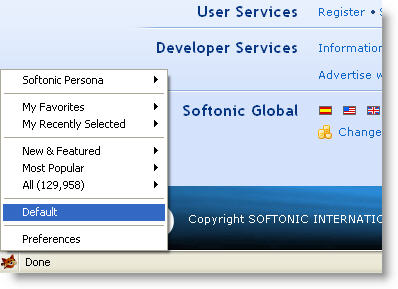
1. First of all, you need to install the Personas Plus extension in Firefox. You can download it from the Personas website. Once it’s running, Personas Plus will display a tiny fox icon in the bottom left corner of Firefox’s interface.

Create your own Personas theme

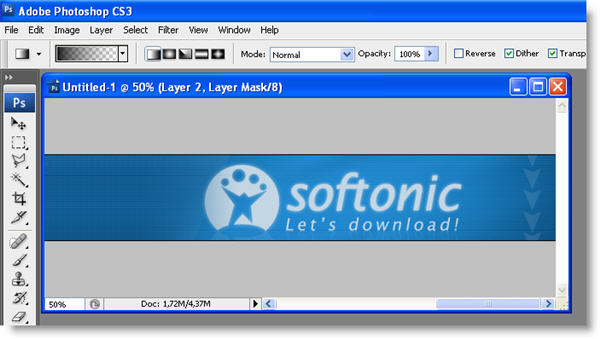
2. Now it’s time to get to work. Open Photoshop and create the header for your theme. There are some conditions you should take into account:

Create your own Personas theme

Continue reading “How to: Create your own Personas theme”

Exclusive: 3 free copies of Decloner to give away

decloner-logo.pngDo you suspect your Mac’s hard drive is cluttered with duplicate files? It’s amazing how much hard drive space can be taken-up by them and we’ve got just the tool for you: three free licenses worth $19.95 for the excellent Decloner to give away.
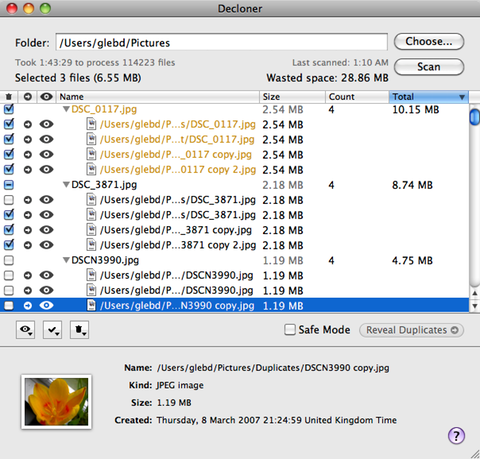
Decloner helps you recover lost disk space and eliminate duplicate files on your Mac. The developers guarantee a high degree of accuracy due to the use of the SHA-1 algorithm to determine if files are identical.

Using Decloner is easy. Simply browse to the file or directory that you want to scan for duplicates and click Scan.

Depending on the size of the folder, scanning can take a while but Decloner is very accurate at identifying which files are possible duplicates.

Decloner

You can choose whether to keep the oldest or newest or Trash items manually. The good thing is that whatever you do, nothing is really lost. All removed files are moved to the Trash can so you can restore them, if the worst happens. You can use QuickLook to examine the contents of suspected duplicate files or folders just as you would in Finder. Decloner even works for external drives as well.

Leave a comment saying why you’d like a free copy of Decloner and the three best will receive a license for the full version.

Windows Live Messenger for iPhone – first pictures

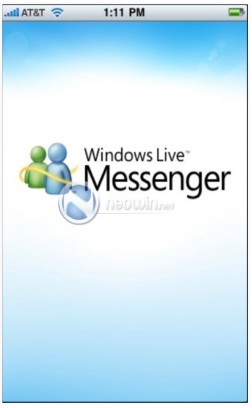
Windows Live for iPhoneThe new Windows Live Messenger for iPhone seems to be taking shape nicely, if these first screenshots are anything to go by. The images, released by Neowin.net, show the user interface of the new IM client, which is due for release as a public beta in June. The app will also include the brand new Windows Live Wave 4.
The user interface of Windows Live Messenger on the iPhone (assuming the screenshots are genuine) appears to be very well structured. There are tabs for Social, Friends, Chats and Photos. It looks like it will be essentially be a social networking hub a la the Facebook app, with the IM client bolted on. The Messenger client should support file transfers (or at least photo transfers) and it seems the traditional sky blue color scheme of Windows Live Messenger will be retained.

Watch this space for more details about Windows Live Messenger. Oh, and thanks to OnSoftware France for the tip-off.

(More images after the jump)

Continue reading “Windows Live Messenger for iPhone – first pictures”

Happy birthday, stickies!

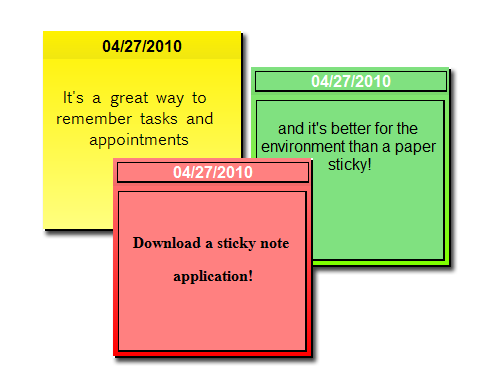
With all of the volcanoes and flight chaos recently, another important piece of news may have passed you by. Virtual sticky note programs have a bunch of functions the originals don’t, including password protection, alarms, note recovery functions and more. Here are some of the best – happy sticking!

fnal.png

hott notes is a particularly slick app, and with a fully customizable appearance, it’s definitely the best option for people who value style as well as function.

Shock Stickers gives you more features than you ever thought possible. Whether you want to lock, hide, email or even clone your notes, this app will let you do this and lots more.

PNotes is great for people who want lots of organizational power over their notes – and if you’ve got a lot, you’ll know that it’s easy to let them run riot on your desk.

Stickies are great for the minimalists among you – they are simple, plain and very, very light on resources.

StickyNote, on the other hand, is definitely the go-to app for people who like a little more bling. With style, functionality AND options, they’re the Rolls Royce of note apps – but they also have the price tag to prove it!

Final details of Steam for Mac emerge

macsteam.png

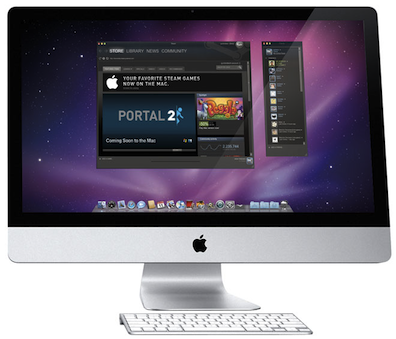
There are probably few releases more eagerly anticipated on Mac this year than the release of games download manager Steam and final details of the Mac version have now emerged.

The bad news for Power PC Mac users is that it will only work on Intel Macs running OS X 10.5 or higher. In addition, the release date has now been pushed back slightly to May. According to The Unofficial Apple Weblog, among the more interesting details to emerge are:

Source games require 10.5.8 or 10.6.3 or higher, and are not supported on the X3100 or 900-series Intel chipsets (the integrated graphics chipsets in older MacBooks)
You will not be required to purchase separate versions of Windows and Mac games. One purchase will work on multiple platforms
Steam and Source will run natively in OS X – no emulation whatsoever
Source will run on OpenGL
Mac and Windows users will play on the same servers and join the same lobbies

It’s going to be interesting to see whether or not Steam works well on Mac but if it does, it could finally dispel all the myths that Macs aren’t suitable for gaming. Applications such as Crossover Games that allow Mac users to play Windows games on their Mac may become a thing of the past.

If you want to know what Steam is all about, then check out our review of the Windows version.

[image from Wired]