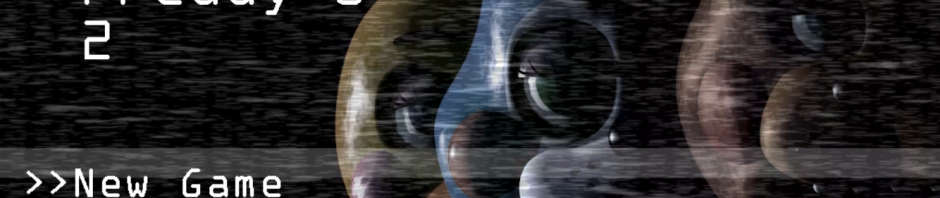
How to download and install Five Nights at Freddy’s 2

If you’re reading this it means that you survived your first frightening Five Nights at Freddy’s experience. So, what’s next? Well, Five Nights at Freddy’s 2 of course. Do you dare return to Freddy’s pizza restaurant once again?

If you do decide to once again put on your security guard uniform, and go back to work you will find that Freddy the bear has evolved, and he’s not alone! Now other terrifying animatronic characters have joined him. This means that you will need to be even more careful, because all of them seem to have a taste for your flesh.

Are you ready to download and play Five Nights at Freddy’s 2? Let’s start! In this video tutorial we will show you how to download and install Five Nights at Freddy’s 2:

How to download and install Five Nights at… por softonic-en

1. First, open Steam. If you don´t this digital gaming platform installed yet then you can download it on steampowered.com

2. Once Steam is running you need to login or create a new account.

3. After you’re logged in, type ‘Five Nights at Freddy’s 2‘ into the Steam search bar and select it among the options presented. It should be right near the top.

4. Next, on the Five Nights at Freddy’s 2 product page, select the ‘Add to Cart‘ button to begin the purchase.

5. Once purchased, Five Nights at Freddy’s 2 will appear in your Steam library list and you’ll be able to download it. To find it, just go to the ‘Library‘ tab and select ‘Games‘.  All you have to do then is select Five Nights at Freddy’s 2 on your game library and click on ‘Install‘ to start the download and installation process. Within seconds, you’ll see a window that will tell you the space required on your hard drive and the time needed for the installation.

6. Clicking ‘Next‘ then will continue the installation process.

7. Choose the installations settings you want, then click on ‘Next‘ again to begin the download and installation. If you click on ‘Downloads‘ in the Library tab you can monitor the download’s progress.

Don’t worry if for some reason you need to exit Steam. The whole process will pause and resume when you reopen it.

8. Once the download is finished click on ‘Play‘ to start getting frightened!

Playing Five Nights at Freddy’s 2 is very similar to the original: you have security cameras to keep an eye on what you furry stalkers are up to, and a light to see the hall. This time, however, there are no doors to prevent the animatronics entering your office! On the bright side, the good people at Freddy’s have given you a new security system protect yourself with: a Freddy Fazbear’s mask.

Every time you think a fuzzy fiend is close you will have to don this face gear and pretend to be one of them. You’ll need to be quick though… otherwise… Bwaraahhhh!

Will you make it through the night? There is only one way to find out. Good luck!

How to download and install Five Nights at Freddy’s

Would you like to be a security guard for a pizza restaurant? That doesn’t sound very interesting, but what if we told you that in this pizza restaurant there’s a gang of terrifying animatronic characters? That the job will be the five most horrifying nights of your life? Oh, and did we mention that they like eating brains? It sounds better now, doesn’t it?

In this article we will show you how to download, install and play Five Night’s at Freddy’s.

How to download and install Five Nights at… por softonic-en

You can download Five Nights at Freddy’s 1 from Steam, Valve’s digital distribution platform. All you have to do is follow these steps:

1. First, open Steam. If you don´t have it installed yet, you can download it here.

2. Once Steam is running you need to login or create a new account.

3. After you’re logged in, type Five Nights at Freddy’s into the Steam search bar and select it from the options presented. It should be right near the top.

4. Next, on the Five Nights at Freddy’s product page, select the Add to Cart button to begin the purchase.

5. Once purchased it, Five Nights at Freddy’s will appear on your Steam library and you’ll be able to download it. To find it, just go to the Library tab and select Games.

6. All you have to do then is select Five Nights at Freddy’s from your game library and click on Install to start the download and installation process. Within seconds, you’ll see a window that will tell you the space required on your hard drive and the time needed for the installation.

7. Clicking on Next will continue the installation process.

8. Choose the installations settings you want, then click on Next to begin the download and installation. If you click on Downloads in the Library tab you can monitor the download’s progress. Oh, and don’t worry if for some reason you need to exit Steam. The whole process will pause and resume when you reopen it.

9. Once the download is finished click on Play to start getting frightened!

Now, you can enjoy FNAF on your computer. Starting to play is easy, simply select the New game option on the start screen.

Once the game begins, you’ll find yourself in the security guard office where you’ll be able to control the cameras, doors and light switches.

At the start of the game you will get a call of a restaurant employee explaining how the business works and warning you about the animatronic characters mischief during the night. To ensure you’re not completely at the mercy of these creatures, you’ll have to control the security cameras. To use them you’ll need to move the mouse along the bar at the bottom of the screen and click on the camera number that you want to see.

Be careful though, because you have a limited amount of power, and using cameras, closing doors and switching the lights on will drain it. And once you’re run out of power you’ll find yourself defenseless. Just remember that your main role is to watch the restaurant, and you’ll have to check every camera and door to ensure you make it to dawn alive.

Twitter polls, YouTube paid subscriptions, Facebook connects refugee camps, and other news

On the Softonic Roundup this week Twitter tests polling, YouTube starts charging, Facebook continues connecting people, and more.

Last week a new poll feature started popping up on Twitter for its employees and verified accounts. A poll can run for 24 hours and allows users to pick between two responses, after which the results are tallied. (Source: Mashable)

Murmurs suggest that YouTube may soon be introducing a new paid service that will remove ads and provide a subscription to YouTube Music Key. Rumors speculate that the price of a subscription will be $10 a month which, if true, could make it huge competitor for Spotify and Apple Music. (Source: re/code)

We also touch on Samsung’s latest trip into virtual reality, the Samsung Gear VR. This just got a release date and price – November and $99 respectively. While that does sound like a bargain, keep in mind you’ll need a 2015 Samsung phone to attach to the peripheral. (Source: TechCrunch)

Next, Instagram now has 400 million users. Impressive in itself, but even more so given that this number comes just nine months after it hit 300 million. The company specifically highlights Brazil, Japan, and Indonesia for the huge jump. (Source: TechCrunch)

We wish Google a happy 17 birthday for the 28th of September, and marvel at their retro Doodle to celebrate the event. (Source: Google Doodles)

And finally, we look at Facebook founder Mark Zuckerberg’s plans to bring internet to Syrian refugee camps. The internet is no longer a luxury and – by bringing it to the camps – the hope is that it will reconnect loved ones and help people create better support networks. (Source: CNet)

Subscribe to make sure you never miss the roundup, or any other Softonic Videos.

Related Stories

Goat Simulator MMO Simulator, Star Wars Uprising, and Corpse of Discovery: game reviews

FIFA 16 and Office 2016 top our five recommended apps this week

Apple, Nintendo, and Google news

Follow me on Twitter: @DoFuss

FIFA 16 and Office 2016 top our five recommended apps this week

We are back with another five app recommendations for you to try. Some are brand new, others are significant updates, and some are the latest installments of familiar names… very familiar names.

Basil (iOS) is first, the app that lets you build your own personalized cookbook. Now in its third major revision, this cooking tool makes it easy to find, add, and organize all of your recipes with ease – as well as offering multiple other tools to help in the kitchen.

The second app is Move to iOS (Android). This little tool is designed to help Android users easily migrate all of their contacts, messages, and photos to iOS without any cables. Handy if you are tired of the question “Why didn’t you get an iPhone”.

FIFA 16 (Windows). That’s kind of all we need to say, as if you are interested in this soccer game you probably not only already know it’s out, but are reading this while it installs. Though it is filled with many tweaks, perhaps the most interesting addition to this year’s update is the inclusion of the women’s national squads.

Snapchat (iOS|Android) is next, and yes, we know it isn’t new – but it now lets you use Lenses to add some life to your selfies before sending. It’s good fun and, if you have never used this photo messaging service before, this gives you a good excuse to try it out.

Finally this week we have Office 2016 (Window). This latest update to Microsoft’s productivity suite includes better integration between OneDrive and Outlook, a fantastic new Tell Me search function, and many other behind the scenes tweaks to make you more efficient at work.

That’s it for this week. Remember to subscribe if you enjoyed this video and we will be back on Monday with a roundup of the week’s tech news.

Related Stories

Goat Simulator MMO Simulator, Star Wars Uprising, and Corpse of Discovery: game reviews

Noom and Six Pack, just two of our Top Five Fitness Apps

Apple, Nintendo, and Google news

Follow me on Twitter: @DoFuss

Apple, Nintendo, and Google news

In Softonic’s tech roundup this week we anticipate Google’s event on September 29th, fill you in on Apple news, and more.

Next Tuesday – that’s September 29th – Google has announced it will be holding an event. This is expected to include details about the new Nexus phones and Chromecast. More on that in the video. (Source: The Verge)

Next up is Apple which released iOS 9 for all iPhone and iPad users. Its stuffed with new features, including a new smarter Siri. It hasn’t all been good for Apple users though, the AppStore has seen its first instance of malware – although some impacted apps have already released clean updates. (Sources: Reuters, WeChat)

For gamers we talk about the appointment of Tatsumi Kimishima as the president of Nintendo, take a quick look at Pokémon GO, and remind you FIFA 16 is out later this week.

Related Stories

Goat Simulator MMO Simulator, Star Wars Uprising, and Corpse of Discovery: let’s Click-Swipe-Play

Noom and Six Pack, just two of our Top Five Fitness Apps

AdBlock Browser, Google Street View, and Android Wear: Five Apps to Try This Week

Follow me on Twitter: @DoFuss

AdBlock Browser, Google Street View, and Android Wear: Five Apps to Try This Week

This week on 5 Apps to Try this Week we look at a mobile browser that removes online ads, navigate around the latest iteration of Google Street View, and check out three other interesting apps that caught our eye.

First up is the Android Wear app for iOS (iOS). This app lets you pair your Android watch with your iOS device – perfect for fans of wearables who don’t think the Apple Watch is for them.

Next we have Puzzle Craft 2 (iOS), a game that merges together match-three puzzles and the city building genre. Certainly worth a look for puzzle fans.

Third is the new Google Street View (Android|iOS) app. This incorporates Google’s Photo Sphere Camera, letting you upload panoramic pictures from your city to expand the service’s catalog of images to ensure that it is constantly up-to-date.

Mirrativ (Android) is next, an app that lets you easily stream gameplay directly from your Android phone or tablet screen to anyone else on the service. Just open the application and a few clicks later you can be sharing your gaming skills.

Finally we have AdBlock Browser (Android|iOS) for mobile, the browser that hides website ads and stops malware contained within. However, if you regularly visit a site, do remove it from your blocked list as ads are what enable it to keep bringing you content.

That’s it for this week, as always remember to subscribe and have a look at our other great videos. See you next time.

Related Stories

Goat Simulator MMO Simulator, Star Wars Uprising, and Corpse of Discovery: let’s Click-Swipe-Play

Noom and Six Pack, just two of our Top Five Fitness Apps

Adblock, Apple, and EA news

Follow me on Twitter: @DoFuss

Goat Simulator MMO Simulator, Star Wars Uprising, and Corpse of Discovery: let’s Click-Swipe-Play

This week on Click-Swipe-Play I take it back to basics, with three review in three minutes. That’s it, no news, no frills, just quick fire opinions on the games we have been playing here at Softonic this week.

I start off with a game that I have been enjoying, Corpse of Discovery (PC). While it openly describes itself as a walking simulator, I like a good walk and enjoyed the chilled digital tourism it allowed me across numerous fantastical worlds.

If slow contemplation isn’t your thing, we follow this up with Goat Simulator MMO Simulator (Android|iOS) – and this defiantly isn’t contemplative. The Goat Simulator franchise – its self a parody of simulation games – turns its satirical gaze upon MMOs. It’s good silly fun, just be sure you know what you are in for.

Finally to round out this week’s three minutes we have Star Wars Uprising (Android|iOS). This Diablo like action RPG is set after The Return of the Jedi, and fills in some of the events between Episode Six and the upcoming Force Awakens.

That’s it for this week, be sure to share this video if our reviews lead you to a game you enjoy and subscribe so you don’t miss next week’s show.

Related Stories

Volume, Final Fantasy VII, and Horizon Chase: let’s Click-Swipe-Play

Noom and Six Pack, just two of our Top Five Fitness Apps

Adblock, Apple, and EA news

Follow me on Twitter: @DoFuss

Adblock, Apple, and EA news

This week on the Softonic Roundup we checkout what’s going on between YouTube and Adblock, get excited about Apple’s announcements, and ponder why EA is taking games off the App Store.

Ad-blockers were in the news quite a lot last week. We start looking at recent clashes between the Chrome YouTube App and AdBlock Pro (Source: Neowin), but then have a closer look at a recent report regarding the impact of ad-blockers on  websites. (Sources: BuzzFeed, Ad Age, and PageFair)

Obviously, last week’s Apple Keynote is also a focus of this week’s Roundup. Information on the WatchOS2, iPad Pro, and the new iPhone 6S (and iPhone 6S Plus) all got us excited. That said it was the new Apple TV announcement that got our minds racing, pondering how the tech company intends to change how we behave in our living room. (Source: Apple)

Finally, game news from EA. The gaming giant has removed a number of its games from the App Store (including Flight Control, Real Racing, and Dead Space). There is still no words as to why, but we are guessing it is will be due to either compatibility issues with iOS 9 or a move to re-release them in a free to play format as they did with Peggle. (Source: Touch Arcade)

That’s it for this week. Subscribe, like, share, and check back in the week for more Softonic videos.

Related Stories

Volume, Final Fantasy VII, and Horizon Chase: let’s Click-Swipe-Play

Noom and Six Pack, just two of our Top Five Fitness Apps

Fallout 4, Soma, and other exciting game previews: let’s Click-Swipe-Play

Follow me on Twitter: @DoFuss

Fallout 4, Soma, and other exciting game previews: let’s Click-Swipe-Play

This week on Click-Swipe-Play, I am out of the office. So, instead of our normal review show, I am going to share with you four games that I am interested to see before the end of the year.

Soma, is my September pick. Developed by Fractional Games (Amnesia: The Dark Descent), this takes the company’s signature creepy style and attention to detail but launches it into space (Correction: Soma and Tocoma are oddly linked in my mind, however, while Tocoma is set in space, Soma is under the ocean – sorry for the confusion). I am hoping for a lonely sci-fi experience that mixes Event Horizon, 2001, and Alien (or maybe that should be The Abyss).

In October I am excited for Transformers: Devastation. I shouldn’t be on my list, Transformers movies and games have done nothing but disappoint. But this focuses on MY robots in disguise, 80’s G1 characters, all beautifully cell-shaded and beating the living tar out of each other in a title made by action masters Platinum Games.

November is my most predictable choice – Fallout 4. It’s obvious, but Bethesda Game Studios’ RPGs have proven themselves time and again. Plus, after Skyrim, the stakes are high for them to produce something truly special, and hopefully more technically competent.

To round off the year I am going with Hitman. With Just Cause 3 out the week before, this was a tough choice but I am hopeful it will surprise– if only because Square Enix are saying that “the experience begins” on December 8th, which is an odd way to announce anything.

That’s is it for my picks. There are comments below of course, so do let me know if you think there is something more interesting coming up that I missed.

It’s back to the standard review format net week. Subscribe so you don’t miss that, and I will see you then.

Related Stories

Volume, Final Fantasy VII, and Horizon Chase: let’s Click-Swipe-Play

Camera apps and Google Experiments that you should try

Apple conference rumors, Instagram changes, and Windows 10 news

Follow me on Twitter: @DoFuss

Noom and Six Pack, just two of our Top Five Fitness Apps

Summer is done, but just because I no longer have to worry about the pressure to look good on the beach doesn’t mean I should give up being healthy. So I am here to encourage you to do the same with my favorite fitness apps.

Remember though, before you make any major lifestyle changes: check with your medical professional.

A large part of staying in shape is watching what you eat. I know its dull, but as long as you are sensible and don’t over indulge too much it doesn’t have to cramp your style. Noom (iOS|Android) is a simple tool for this, allowing you to keep on top of your calories from day today.

Once your food is under control, it is time to get a bit more physical. Now, if you haven’t trained through the summer it’s good to start off by getting those muscles loose – for which I recommend Daily Yoga (iOS|Android). This attractive app that gives you plenty of routines for free to help you find your center of gravity and start toning your muscles.

The easy parts are done, it is now time to start hurting. Runtastic’s Six Pack (iOS|Android) is a pain inducing app to turn your flabs into abs. It starts off light, but within a month it will have you begging for mercy.

Talking of Runtastic, their Biking and Running apps (pretty much all of them) are our next choice. Brilliantly tracking the distance you have run or ridden using GPS, these tools allow you a way to easily track your sessions over time. Measuring time, distance, elevation, calories, and (with the right equipment) heart rate, this can build a true picture of your training.

But if all that sounds a little dull, I also have Zombies, Run! (iOS|Android). Crossing a running app with a radio play, this adds fun to your exercise. Connected to a community of survivors, their comms-tower relays events in your local area, forcing you to constantly outrun undead hordes. Even better, you can chose to use your devices motion tracking to judge distance, so it can be used on a treadmill.

That’s it, I will be back with five new app recommendations next weeksubscribe so you don’t miss that, and I will see you then.

If you didn’t like them… We still can recommend you 8fit as an alternative!

Related Stories

Volume, Final Fantasy VII, and Horizon Chase: let’s Click-Swipe-Play

Camera apps and Google Experiments that you should try

Apple conference rumors, Instagram changes, and Windows 10 news

Follow me on Twitter: @DoFuss