Fortnite: Where to spot the mystery helicopter

Here’s what we know about that rogue chopper…

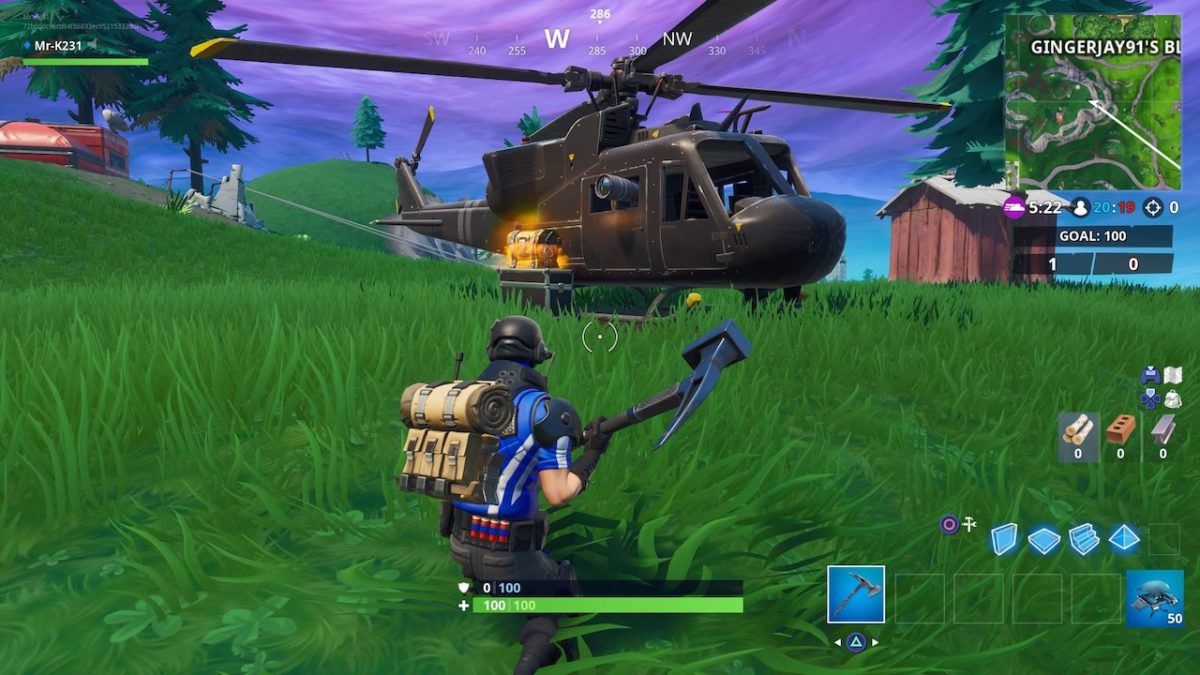
Some mysterious new arrivals have appeared on the Battle Royale map. Players have spotted a black military helicopter circling the perimeter of the map, landing in a different spot every day or so. In addition, a new excavation site has appeared on the outskirts of Paradise Palms. So far, nothing concrete has been revealed about the meaning of these new additions to the map, but we’ve tracked down a few clues that might hint at what they may mean for Season 9.

Fortnite: Where to spot the mystery helicopter

fortnite season 8 helicopter
Image courtesy Epic Games

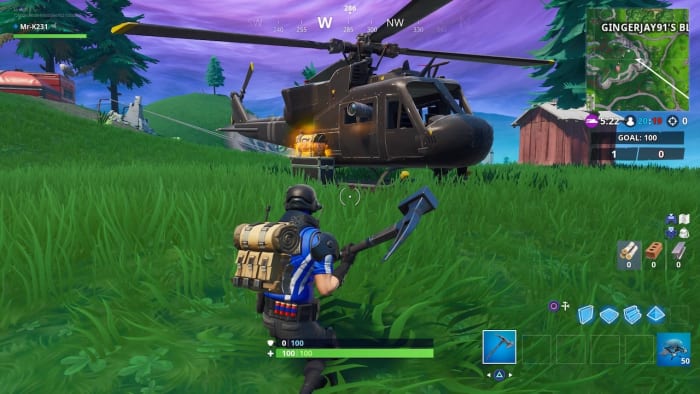
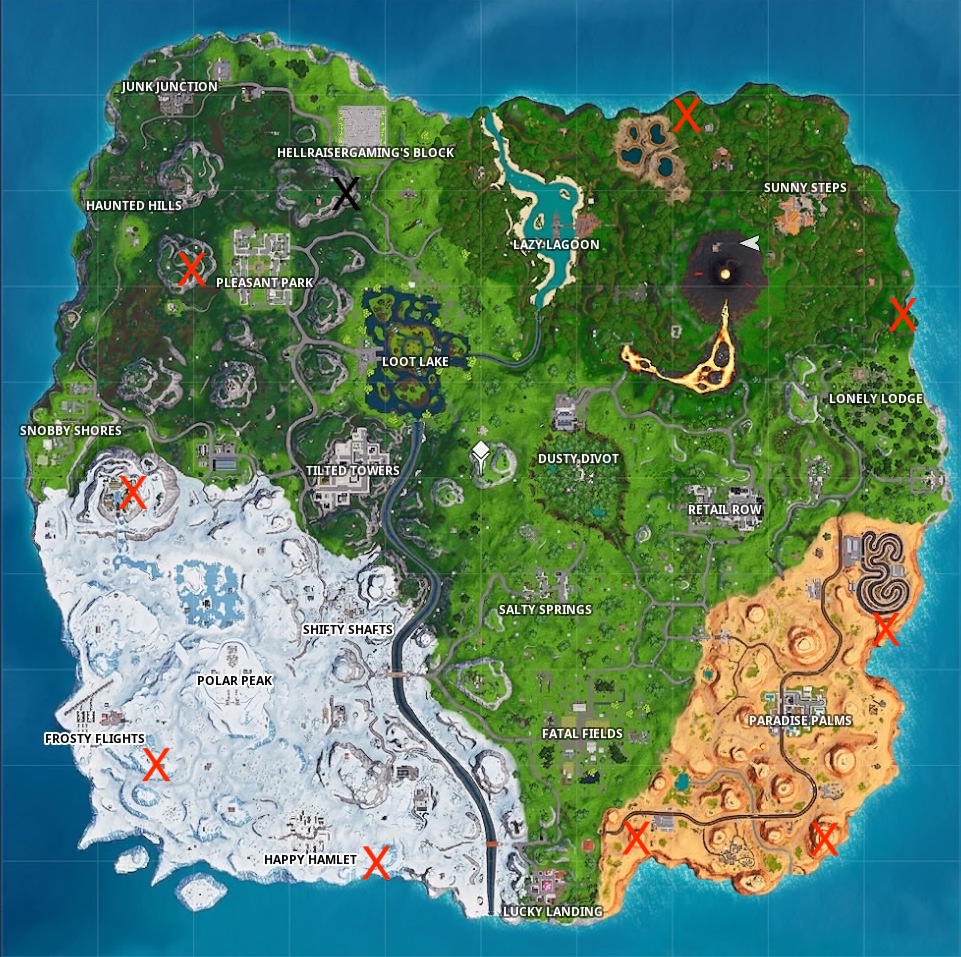
Players first spotted this black helicopter on the outskirts of Lazy Lagoon, where it stayed for a short time before appearing at another location not far from the first. Since then, the chopper has moved every few days or so with no discernable pattern as to how often it moves. Some players have theorized that the chopper moves every time a helicopter-themed item appears in the Item Shop. Regardless, the chopper’s route seems to be taking it in a circle around the perimeter of the Battle Royale island. Here’s a map marking the chopper’s previous destinations in red, with its current location marked in black.

fortnite season 8 helicopter locations map
Image courtesy Epic Games

The chopper has almost completed its circle, and has perhaps one more stop before arriving back at Lazy Lagoon. There’s no hint or indication yet as to what might happen when the chopper finishes its route, but there are a few clues that may point to this mysterious vehicle’s true nature.

Fortnite: Battle Royale Download Fortnite: Battle Royale ►
10

The chopper itself is a military helicopter, seemingly based on a Vietnam era UH-1 “Huey.” As some players have pointed out, it also shares its black and yellow color scheme with the government vehicles that appeared in Season 4. Though now lying in ruins, these vehicles cropped up around the research facility in Dusty Divot. As such, some players have theorized that the chopper is part of this same organization, and is back to look for more Hop Rocks that may have been left behind after the meteor strike. A closer look at the helicopter reveals that it’s equipped with a powerful camera or telescope of some kind, which does seem to indicate that it’s searching for something.

In addition to the chopper, players have spotted an excavation site on the outskirts of Paradise Palms.

fortnite dig site season 8
Image courtesy Epic Games

This dig site is surrounded by barbed wire fencing and is home to some heavy duty construction equipment. Players themselves can mine the dig, which will reveal a collection of what appear to be dinosaur bones of some kind. The question is, are the dinosaur bones the target of the dig, or is this excavation part of the treasure hunt that’s been teased since the start of Season 8? Taken together, these new dig sites and the arrival of the chopper could mean that a well-financed new player has arrived to hunt for the island’s treasure.

Either way, with the helicopter so close to completing its lap of the island, more details will doubtless be revealed soon. Fortnite players should keep their eyes peeled and prepare for whatever is in store.

10 facts about The Shawshank Redemption

Here’s what you never knew about the best prison movie ever made.

It’s approaching 25 years since Andy Dufresne crawled through a “river of sh*t and came out clean on the other side.” “The Shawshank Redemption” was released on Sept. 23, 1994 by director Frank Darabont, starring Tim Robbins as Dufresne, a wrongfully imprisoned banker, and Morgan Freeman as Red, the narrator of the film “who knows how to get things.” If you haven’t seen the film, you can watch “The Shawshank Redemption” online!

Let’s take a peek behind the scenes behind the bars.

10 facts about The Shawshank Redemption

1. Morgan Freeman hurt his arm throwing the baseball

Shawshank Redemption playing catch

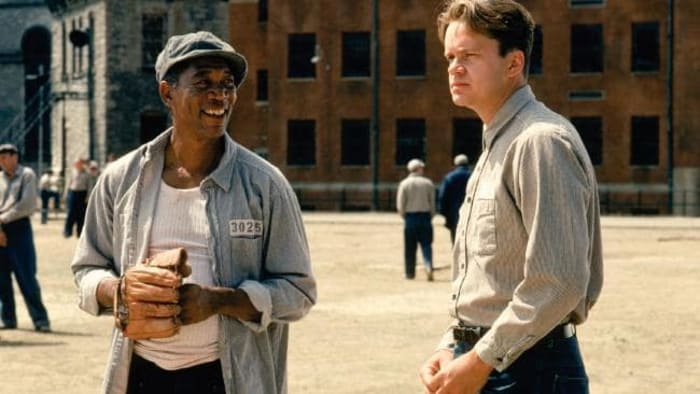
Early in the film, Andy meets his soon-to-be best friend Red as he’s playing catch with some other “innocent” inmates. The scene took a lengthy nine hours to shoot, and while Freeman never complained, he did show up the following day with his arm in a sling.

2. The stream was worse than the sewers

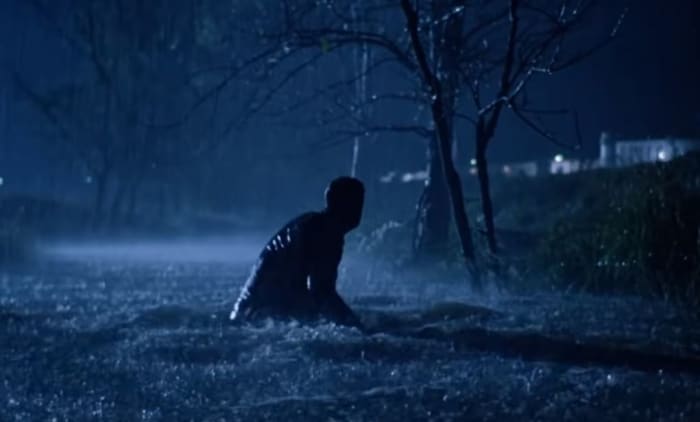
Shawshank Redemption sewer escape

In what’s probably the most famous scene in the film, Andy crawls through 500 yards of sewage before emerging a free man on the other side. “We got a local chemist to test the quality of the water,” said production designer Terence Marsh on the DVD, “and he said this water is absolutely lethal.” “It was cow country,” Robbins grimaced, “enough said.” The only reason the actor agreed to do the scene was that there was a hot shower nearby. Funnily enough, the actual ‘sewage’ was just water, sawdust and chocolate syrup.

3. Freeman’s real-life son has a cameo

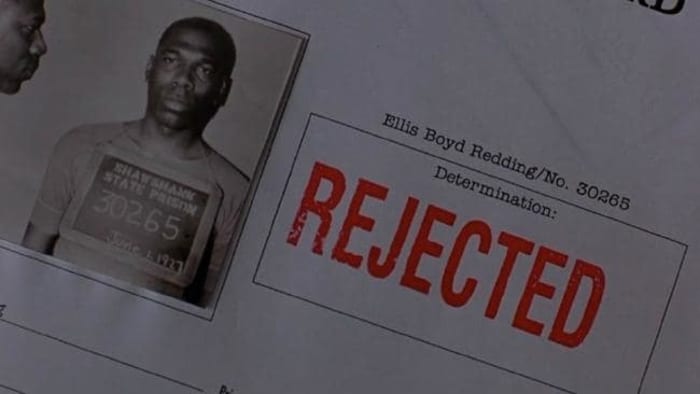
Shawshank parole card Alfonso Freeman

Red pleads for parole multiple times throughout the film, and we are shown a picture of what a young Red (and a young Morgan Freeman) might have looked like. The mugshot bears a strong resemblance for a reason: The picture on the parole papers is actually Freeman’s son, Alfonso. That’s not his only presence in the film either; he’s also a con shouting, “Fresh fish! Fresh fish today! We’re reeling ’em in!”.

4. Red and Andy don’t meet at the end

Shawshank bus original ending

Rather than the happy ending where Red and Andy reunite on the beach, Darabont wanted to end it when Red gets on a bus and goes out to look for him. In later interviews, Darabont said the ending that he’d envisioned was more open, ambiguous note. The production company, Castle Rock, pushed for the ending we got in the film.

5. Freeman was always choice #1

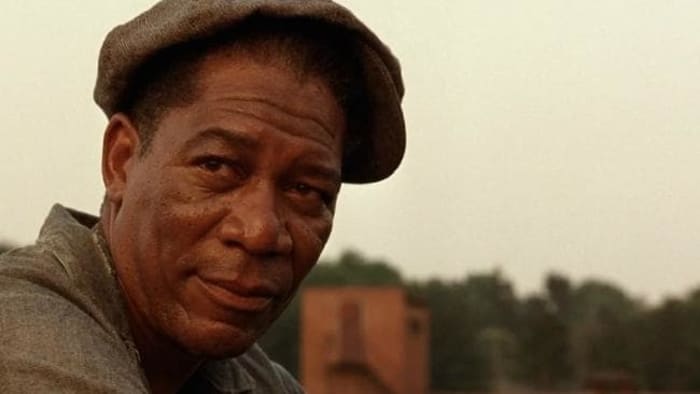
Morgan Freeman The Shawshank Redemption

A number of actors were considered to play the part of Red, including big names such as Clint Eastwood, Harrison Ford, Paul Newman and Robert Redford. In the novella, Stephen King originally wrote the part as a white Irishman. Before the film’s production, however, Darabont already knew he wanted Morgan Freeman.

6. Cruelty to maggots

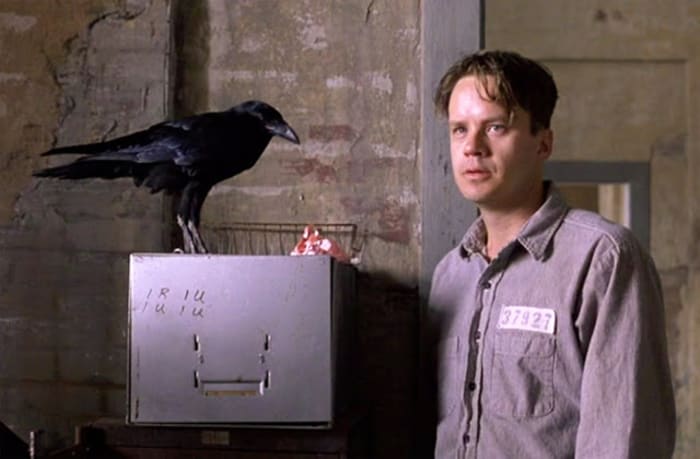
Shawshank Redemption crow

For scenes involving Brooks crow, the American Humane Association was brought in to monitor the scene. Ironically enough, it wasn’t the crow they ended up having issues with. Instead, the AHA objected to the use of a live maggot during a scene where Brooks feeds the bird, citing that it was cruel to kill it. The maggot that made it into the film was already dead of natural causes.

7. The 40 minutes that took 3 weeks

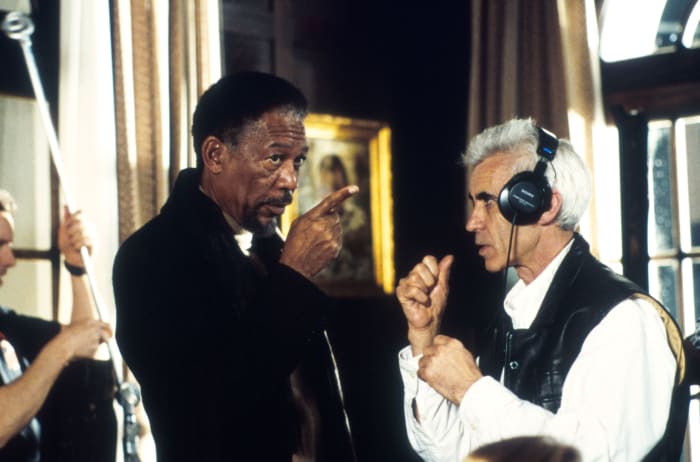
Morgan Freeman recorded the complete voice-over for “The Shawshank Redemption” before filming even began. This was used as a guide track to establish the rhythm of each scene. There was a slight hiss on the track, however, and the sound engineers were unable to remove it. Instead, they had to re-record the entire thing – and this time it took three weeks.

8. Solitary Refinement

Shawshank Redemption solitary confinement

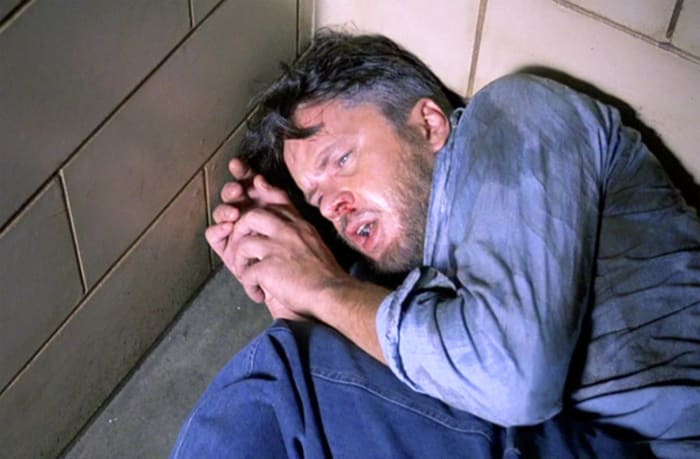
It’s hard to feel in-character when you’re playing an inmate if you’ve never been convicted. For some pretty hardcore method acting, Tim Robbins requested time in solitary confinement to better get a feeling of what the experience is like. “I wanted to go in for a day or two,” Robbins said in an interview, “but they wouldn’t let me for security reasons.” He was in solitary for a couple of hours.

9. That voice

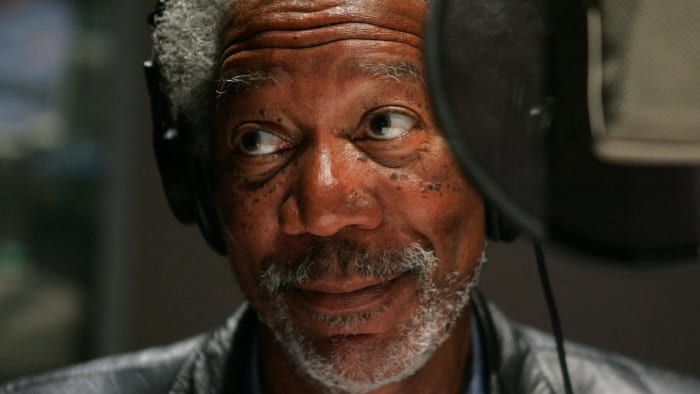
Morgan Freeman sound booth

Morgan Freeman has graced many films with his famous voice, from The Lego Movie to March of the Penguins. “The Shawshank Redemption” was actually his first time narrating. “He’s got the muse in him,” said Robbins. Apparently the experience came very naturally to him!

10. The sound of retribution

Shawshank Warden

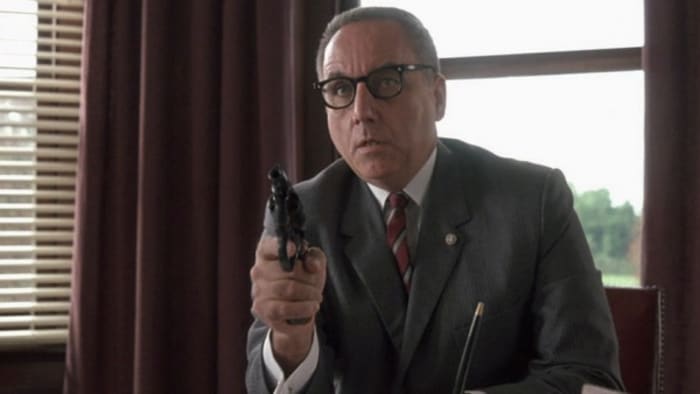
The sound effect used towards the end of the film when the corrupt Warden shoots himself is actually the same sound effect as the man stamping ‘approved’ on Red’s paper during his parole hearing. Now that’s the sound of justice being served!

Hopefully these facts will make you enjoy your next viewing even more! Let us know your favorite scene in the comments below, and get busy living!

Here’s what competitive Smash Ultimate looks like so far

Catch up with tips, tricks, and strategies to win Super Smash Bros Ultimate.

The release of Super Smash Bros Ultimate last December brought thousands of new players to the competitive scene. The game builds on 2014’s Smash 4 with an expanded roster of characters and significant gameplay improvements, causing the game to become the quickest selling entry in the franchise.

Now, over three months after its release, Smash Ultimate is enjoying a thriving competitive scene. Here’s a quick look at how this early meta is developing.

Competitive Super Smash Bros. Ultimate in 2019

The top characters
smash ultimate balanced roster

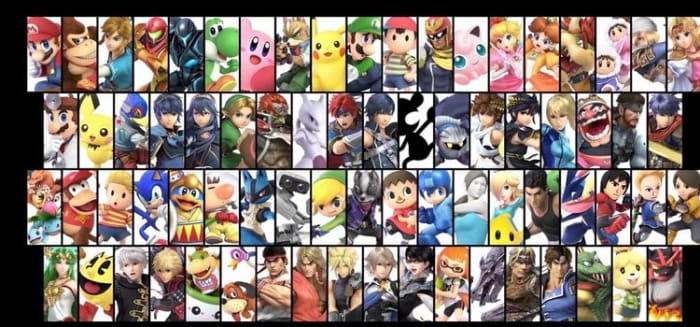
Competitive Smash players can rest easy; so far, the game’s roster of characters is by far the most balanced in the series. The balance of past Smash games hasn’t exactly been stellar, but so far Smash Ultimate has no definitive best character. Tournament results are far more spread out throughout the cast (over 91% of characters have had at least decent tournament placings), which is extremely impressive given that the game features 74 playable characters.

There are a handful of characters who have had poor competitive results, however. Kirby, Little Mac, Bowser Jr., and Mr. Game & Watch, among a few others, struggle to keep up with the rest of the cast. While these characters have their dedicated mains, hopefully, the dev team will buff these characters to bring them in line.

While the meta is still young, there have been no characters or strategies that are overcentralizing or excessively powerful. In Smash Ultimate, characters are balanced to better use their entire movesets as opposed to overcentralizing special moves or guaranteed combos like in Smash 4, which gives Ultimate significantly more gameplay variety. Here are a few of the characters in Smash Ultimate that have gotten the most tournament success (and how to beat them):

Pichu
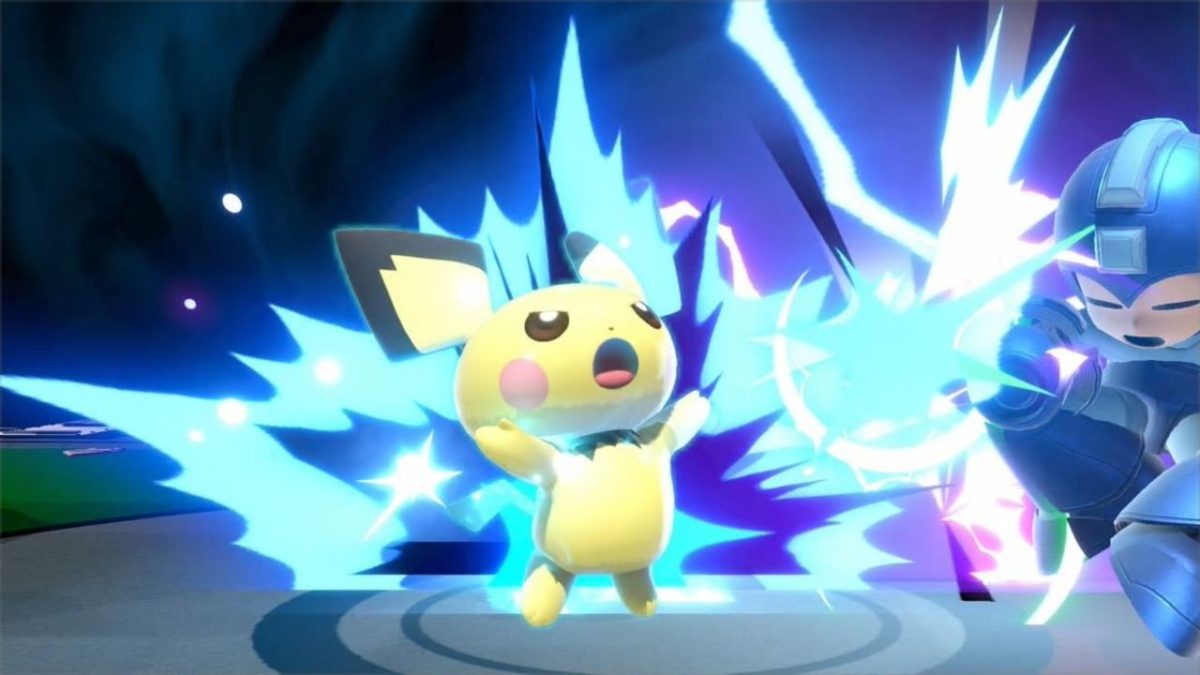
Pichu smash ultimate

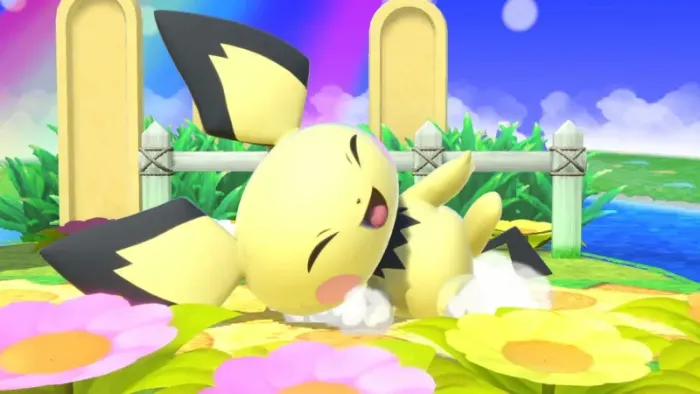
Don’t let its cuteness fool you: Pichu is one of the biggest threats in Smash Ultimate. Pichu being so good comes as a surprise to those who played them in Super Smash Bros Melee, as Pichu was designed to be the worst character in that game (though in practice, Kirby and Bowser are actually worse). After 17 years of training, the baby mouse came back with a vengeance in Smash Ultimate.

Pichu’s tiny body and incredibly fast ground and air speed allow it to dodge enemy attacks with ease. Its incredible special move, Thunder Jolt, allows it to zone out opponents and rack up damage. The projectile moves slowly enough for Pichu to chase after it and grab shielding opponents. Pichu’s moves all have shockingly quick startup and endlag, giving it one of the best combo games in the entire cast. Combined with an excellent and nearly uninterruptible recovery, a deadly edgeguarding game, and potent kill options, Pichu is a threat that every competitive player must prepare for. Pichu is basically a minmaxed version of Pikachu, and is, so far, the game’s deadliest glass cannon.

Pichu’s biggest weakness by far is its survivability. It damages itself whenever it uses an electric move, which, combined with its incredibly low weight, allow it to be KO’d by a light breeze. Put some distance between yourself and Pichu and play defensively. This will force Pichu to rack up damage on itself while allowing you to KO it with a single strong attack.

The best Pichu players in the world are currently VoiD, Nietono, Captain L, and Yetey.

Wolf
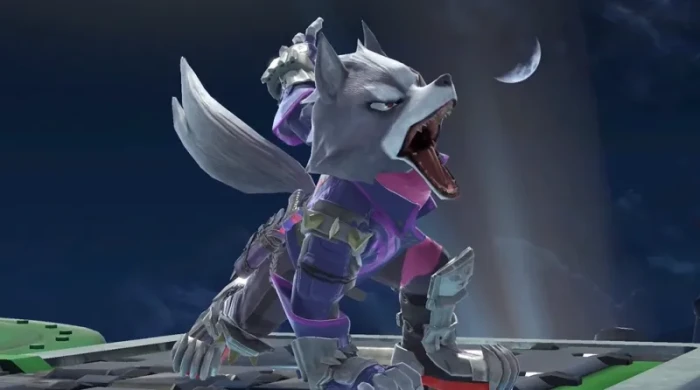
Returning from Brawl to take his revenge, Wolf is a force to be reckoned with in Smash Ultimate. One of the most versatile characters in the game, Wolf can successfully combo, kill, zone, and pressure. Unlike other all-around characters like Pit (who is decent at everything but great at nothing), Wolf excels in nearly every offensive department. Though his ground speed is slow, he surprisingly has an incredibly fast air speed, allowing him to quickly follow up on aerial combos and punishes.

Speaking of Wolf’s aerials, his forward aerial can both combo into itself and kill, similar to Mewtwo. Despite moderate startup lag, his back air is his most consistent killing move, possessing a powerful sweetspot in his foot. Up aerial can combo at a wide variety of percents and even kill while near the top of the screen.

On the ground, Wolf is even better. His neutral B, Blaster, is one of the best projectiles/neutral tools in the game. The projectile flies slowly, inflicts a lot of damage, and has transcendent priority (meaning that it will beat out all other attacks and cannot be interrupted, much like Fox’s/Falco’s Blaster). Blaster more than makes up for Wolf’s slow dash speed, as it forces opponents to either approach or jump (allowing them to fall victim to Wolf’s fantastic aerials). Wolf is a character that not only succeeds in all areas of offense, he excels. His versatility makes him an unpredictable opponent that skilled players will push to the moon.

Wolf isn’t a perfect character, however. Defensively, Wolf is severely lacking. Though he is a heavy character, his survivability is incredibly poor due to his abysmal recovery. Fire Wolf and Wolf Flash are both linear and predictable, and unlike Fox and Falco, both moves put him in a helpless state (when the character blinks and is unable to do anything but shift left or right). Additionally, his fast falling speed, tall frame, and high weight make him perfect combo food. When facing Wolf, close the gap on the ground as much as possible and don’t give him a chance to use his Blaster or fight in the air.

Wolf is currently the most commonly picked character in tournament play. The best Wolf players are currently Zackray, Tweek, VoiD, and MKLeo.

Peach/Daisy
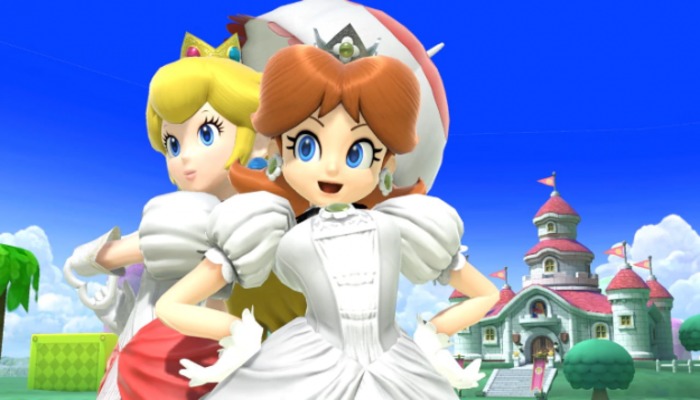
Peach Daisy smash ultimate

Note: For all intents and purposes, Peach and Daisy play exactly the same. There are very, very minor differences to their size and certain animations but these have hardly any effect on gameplay. Therefore, Peach and Daisy are interchangeable characters.

Peach has never been bad in a Smash game, and Ultimate is no exception. Simply put, everything that was good about Peach in past games is now better. Her main strength is in her fantastic aerial game. Peach’s ability to float in mid-air gives her amazing horizontal aerial pressure, and floating removes the damage penalty that normally applies to short hop aerials. Though her mobility is still slow, it has been improved from Smash 4. Her air acceleration is the second highest in the game (tied with Wario), which allows her to chase down and punish opponents with her float.

Peach’s ground game has also improved. Her down tilt is an incredible combo starter that launches opponents into the air. Her Vegetable projectile is now plucked faster, flies faster through the air, and does more damage, which (combined with her float) gives Peach some of the best horizontal stage control in the game.

Peach’s biggest weakness is her survivability. Her tall frame makes her easy to juggle in the air (though her low weight and falling speed prevent her from getting comboed too hard). Additionally, her vertical recovery is weak, though horizontally she can recover from afar using Peach Bomber and her float. Peach is an unorthodox character, so fighting her can be difficult. Focus on staying below her and juggling her in the air. If your character has good projectiles, zone her out as much as possible. She’ll have a hard time avoiding fire due to her low mobility.

The best Peach players are currently Samsora, CaptainZack, Zinoto, and Meru.

The top players
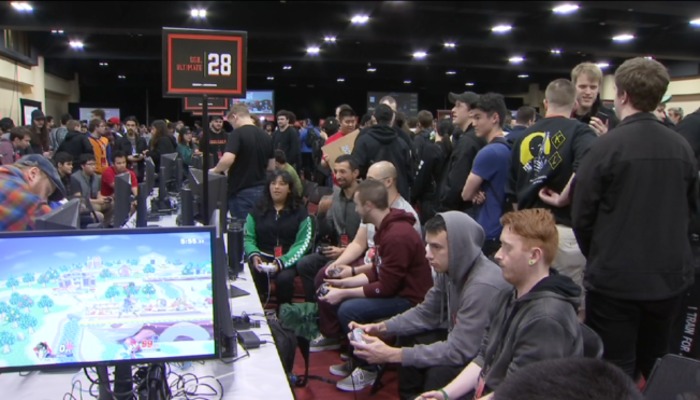
smash ultimate genesis 6

While a good portion of the top players in Smash Ultimate came over from Smash 4, many Melee players and brand new players have also placed high in tournaments. Here are a few of the current top players:

MKLeo
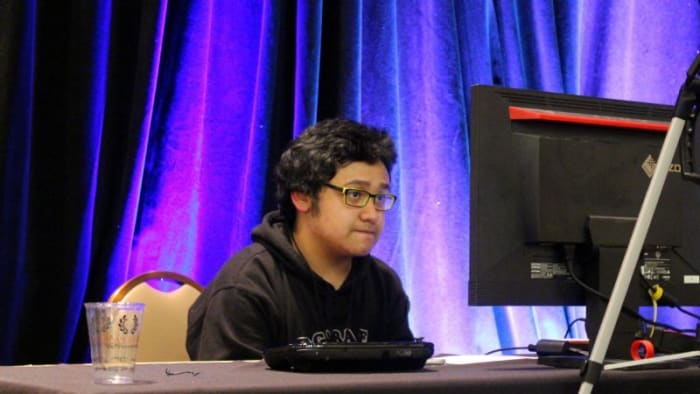
mkleo top smash player

After top player ZeRo’s retirement, MKLeo was widely considered the best Smash 4 player in the world. Things haven’t changed in Smash Ultimate; MKLeo is currently the best player in the world (at only 18 years old!). At Smash Ultimate’s first supermajor tournament, GENESIS 6, MKLeo had an insane comeback run through loser’s bracket, eventually double eliminating VoiD to win the tournament.

MKLeo is famous for his aggressive-yet-intelligent playstyle, focusing on pressuring the opponent into making a mistake and brutally punishing them. He is known for playing sword characters and in Smash Ultimate he prefers Ike, Cloud, and Lucina. He used Ike throughout GENESIS 6, which was a surprising move as Ike wasn’t seen as an especially dominant character at the time. MKLeo’s performance with Ike reinvigorated interest in the character, and he’s now seen as a high tier by most competitive players.

Tweek
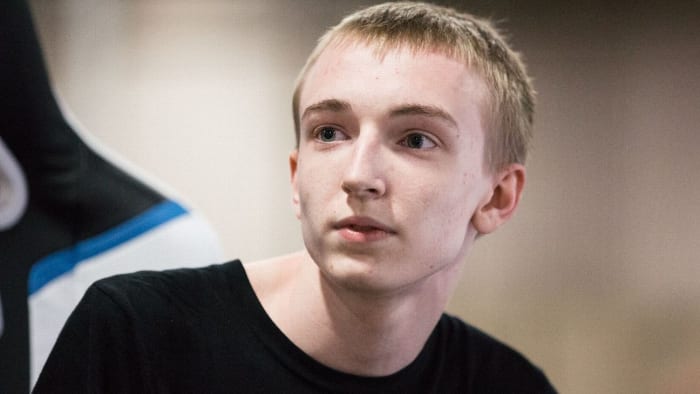
tweek smash ultimate

From humble beginnings as Smash 4’s best Bowser Jr to becoming one of the best overall players in the world, Tweek has risen to become one of competitive Smash’s top stars. He has already placed first at numerous tournaments, including Glitch 6. Tweek and MKLeo frequently go toe to toe with MKLeo barely edging him out. In the past, MKLeo has called Tweek’s playstyle his least favorite to go up against due to how calculating, punish-heavy, and grab-focused it is.

Tweek has a variety of characters under his belt that he pulls out for various matchups. He is an incredible Wolf and Chrom player, in addition to being so far the best Wario and Donkey Kong player in the world. He even used Young Link frequently at Glitch 6, a character who he said he only played for three days prior. Though Young Link is a strong character, he is infrequently seen in tournaments, which Tweek used to catch his opponents off guard.

Here is the grand finals set of Glitch 6, which features both Tweek and MKLeo. The set is an amazing showcase of the current Smash Ultimate metagame.

How are you enjoying Smash Ultimate so far? Are you planning on competing? Let us know!
How to screenshot on Android

This is the definitive guide to taking screenshots on your Android phone.

Snapping a quick screenshot on your smartphone has become an essential skill in the 21st century. It can be a little confusing to pull off, however. In this tutorial, we’re going to concentrate on Android smartphones so let’s have a look then at how to take screenshots on Android phones.

Definitive guide to taking screenshots on your Android phone

Android screenshot tutorial

Taking screenshots used to be a more complicated affair as different versions of Android had different methods. Fortunately, since most Android smartphones now have Android 4.0 (Ice Cream Sandwich) or later, the method is now pretty standard across all devices. Now, there are two very similar methods available for grabbing Android screenshots.

How to take a screenshot on Android

1. Ensure the screen you want to capture is open on your device.

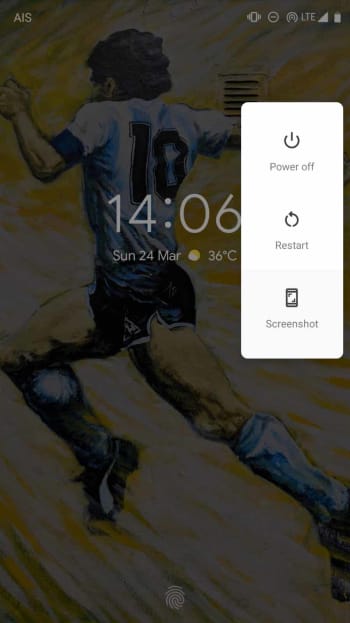
2. A) Hold the power button down until a small menu appears. Then hit Screenshot.How to take a screenshot on android

B) Hold the Power button and Volume down button at the same time until you see your phone capture the screen.

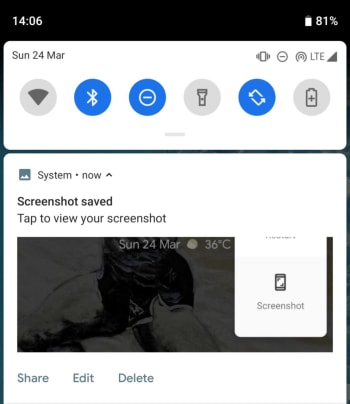
3. Your phone will capture the current screen and you should see a notification at the top of the screen telling you the screenshot has been saved.

Android screenshot how to

Once you’ve taken your screenshot, Android gives you a few options about where to go from there. You can view or edit your screenshot, save it to your device, or share it it with your friends.

How to view your screenshots

Immediately after you’ve taken your screenshot you need to tap the Screenshot capture icon in your notification tray to open it.

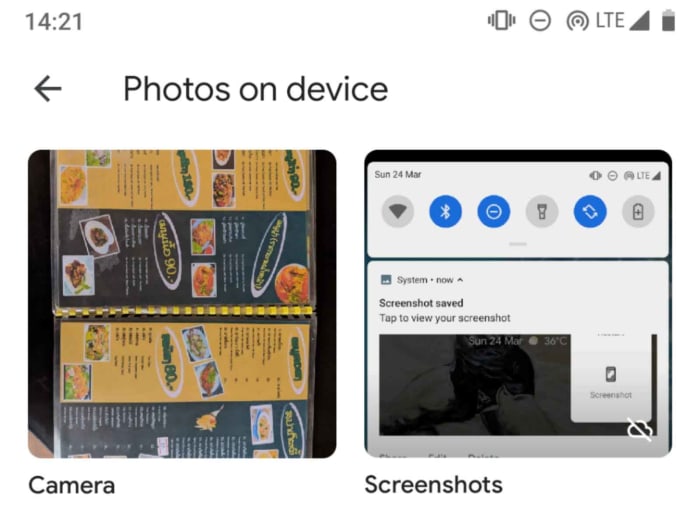
If you have dismissed the capture notification, you will have to access your Screenshots folder to see the screenshot you’ve just taken. This is where you’ll also be able to see all of the screenshots you’ve ever taken.

Screenshot folder Android

To view all of your screenshots you need to open the Google Photos app on your phone.

Once it is open, hit the menu button, which looks like three horizontal, parallel lines.

You then need to open Device folders and then Screenshots.

How to edit your Android screenshots

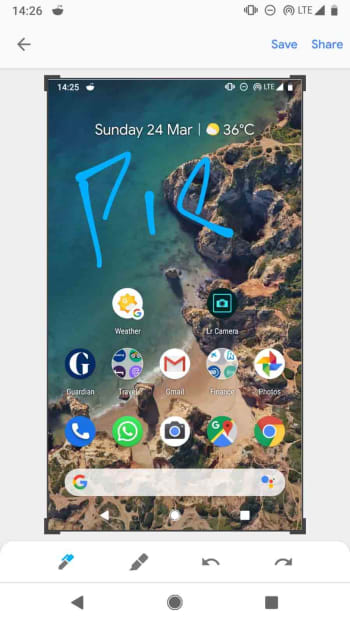
If you’re running Android Pie, you’ll have a very handy way of editing your screenshots baked into the operating system. Pie allows you to edit screenshots as soon as you take them. The Screenshot capture notification will have an Edit button and clicking it will give you the chance to crop your screenshot and draw on top of it.

Android Pie Screenshot editorIf you haven’t got Android Pie, you’ll have to follow the instructions laid out below:

Open the screenshot you wish to edit using the view screenshot instructions laid out above.

Hit the Edit button, found bottom center left of the screen.

How to share your screenshots

Again, you’ll be given the option to share the screenshot you’ve just taken in the screenshot capture notification you receive after grabbing every screen shot. If you want to share an older screenshot, however, you have to:

Open the screenshot you wish to edit using the view screenshot instructions laid out above.

Tap the Share button, which is found bottom left of the screen.

How to cancel your Netflix account

Simply threatening to cancel could save you money.

NetflixDespite the excellency that Netflix brings, there can be many factors as to why someone might choose to cancel their account. Perhaps they are switching to a different streaming service, or maybe they just can’t afford it anymore. Whatever the case, Netflix definitely doesn’t want you to leave. While the actual cancellation process is pretty simple, finding the cancellation can be a little difficult. Here’s a step-by-step guide to help you leave Netflix behind (even if just for a little while).

Step 1: Log into your Netflix account on a PC

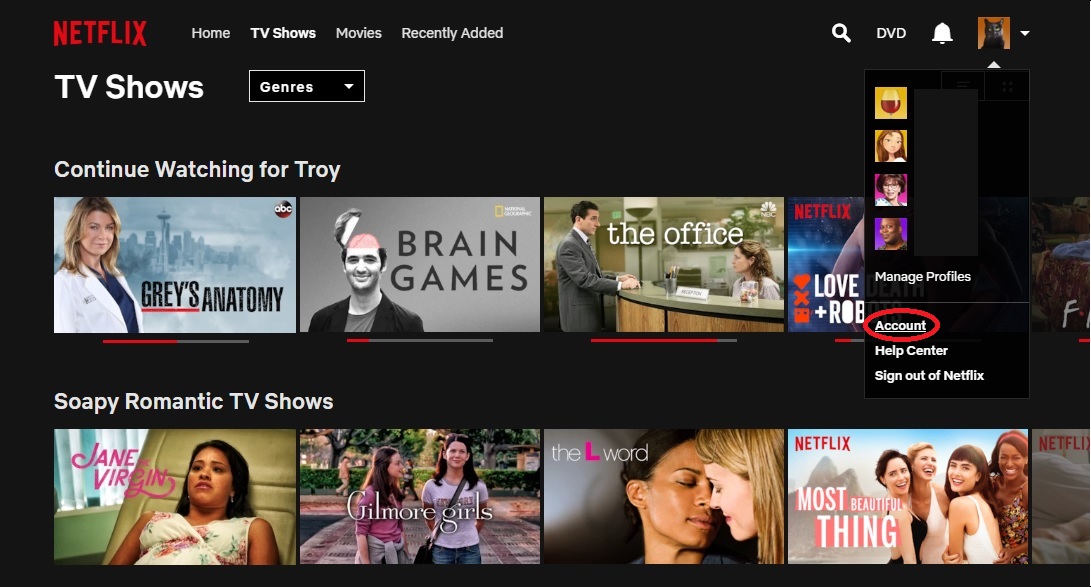
Step 2: Click “Account” under the top right dropdown menu

Netflix

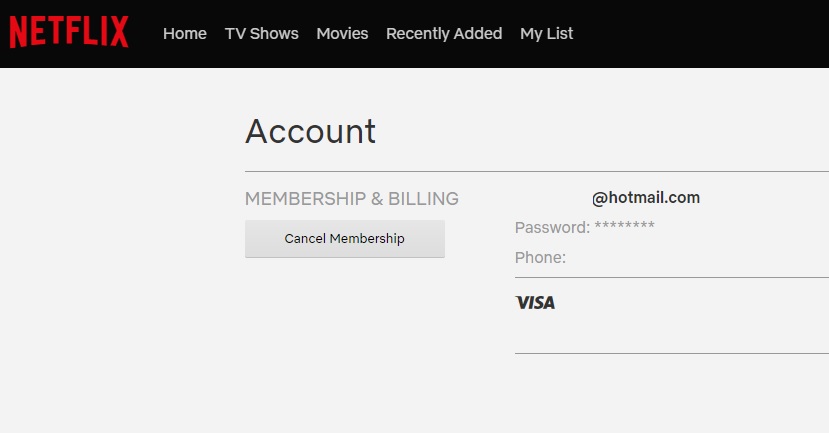
Step 3: Click “Cancel Membership”

Netflix

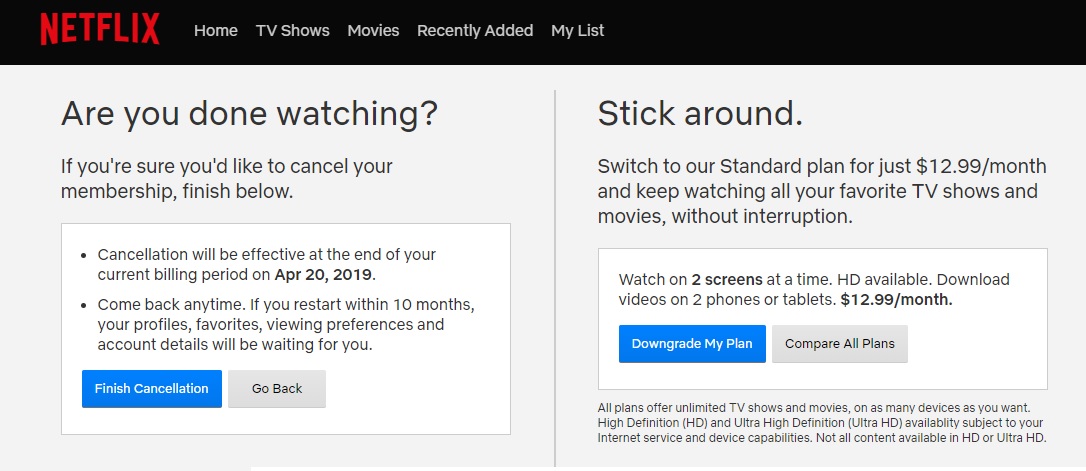
Step 4: Click “Finish Cancellation”

Netflix

You should be aware that Netflix, like many online services, may attempt to offer you a deal to prevent you from cancelling your account. This deal is perfectly safe to take, so it’s up to you to decide whether you want to take it or continue with the cancellation. The deal is likely an offer to upgrade or downgrade your plan.

You may also be interested in checking out our list of the best streaming services if you are planning to look into other streaming alternatives.

The addictive psychology behind clicker games (and how they’ll destroy us all)

These games are designed to waste your time. Here’s why you’ll fall for it.

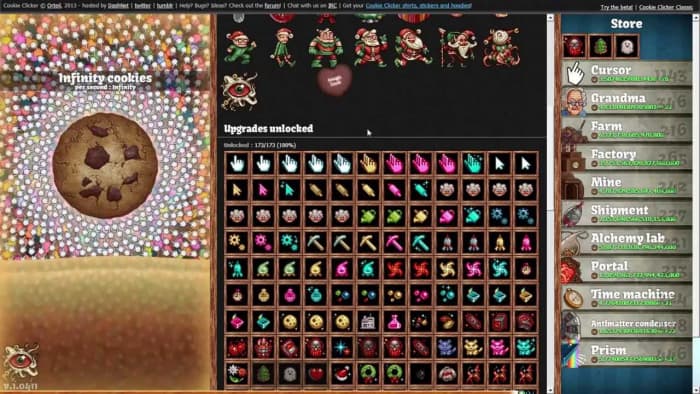
Cookie Clicker

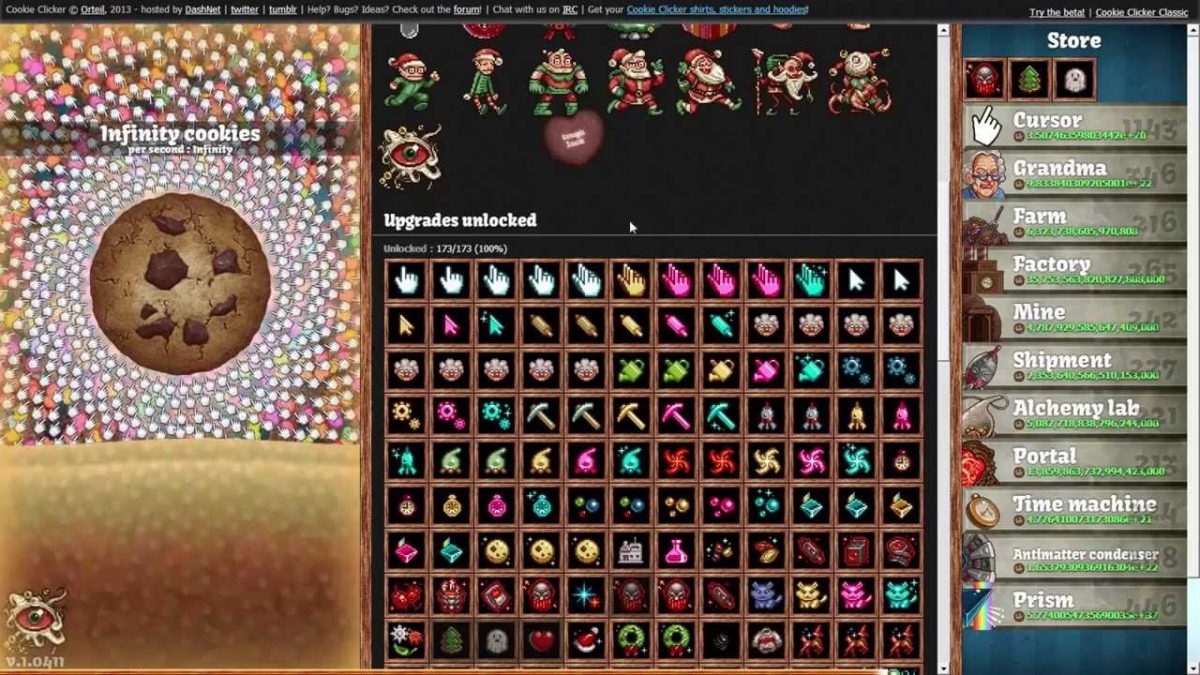
Cookie Clicker is an enigma. It is a game so basic that it barely qualifies as a form of entertainment. It appeals to every human being’s basic sense of action equalling reward, hitting the player with a series of dopamine rushes that compounds into itself.

Cookie Clicker is a free browser game that offers the player a simple goal: get as many cookies as possible. As the player clicks the giant cookie to gain more of the baked goods, they spend their cookies on buildings and upgrades that grant more cookies. If that sounds stupid and inane, it is, yet Cookie Clicker has gained a massive dedicated following.

In this article, we’re going to look at how the game design of clicker games exploits human psychology and how the genre itself is a brilliant satire (and exploitation) of the late capitalist digital hellscape we live in.

Inside the psychology of clicker games

Skinner’s Box o’ Fun

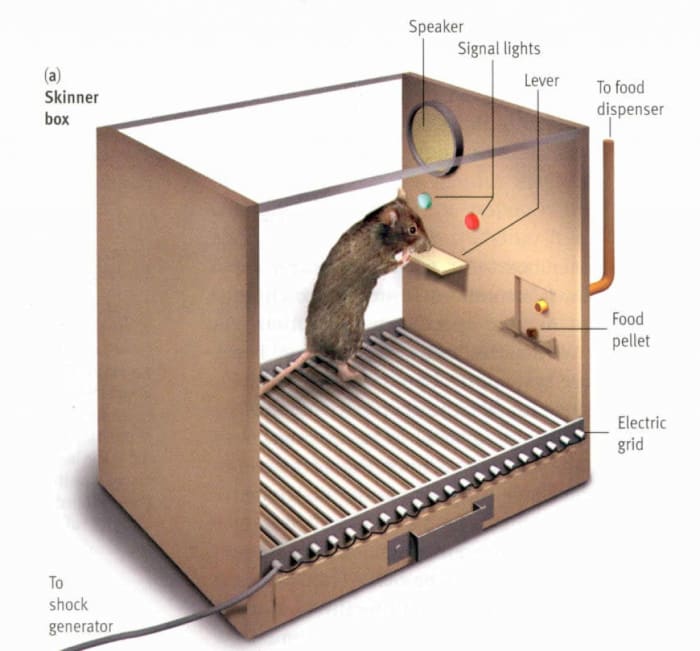
Skinner's box
We’re like, all just rats in a box maaaaan.

To understand why the appeal for clicker games exists in the first place, we need to go back to high school psychology and look at the Skinner box. Created by B.F. Skinner, the famous experiment had a rat placed in a box with a lever and a food dispenser. Whenever the rat pressed the lever, it would be rewarded with some sort of stimuli (which was usually food). The rat would quickly learn that by performing the repetitive and unstimulating action of pressing a lever, it would be rewarded. By pairing a formerly neutral stimulus (pressing a lever) with a rewarding stimulus (receiving food) the rats had been classically conditioned.

Though a gamer’s brain is slightly bigger than a rat’s, clicker games affect them in much the same way. Clicking a cookie is not an inherently stimulating action at all, yet it makes a number go up, and human beings LOVE big numbers. While the number of virtual cookies you have has no inherent actual value, players will nonetheless feel a rush of dopamine as if they have accomplished something tangible and real. The rat, at least, received a piece of food, prolonging its life and achieving a basic biological goal.

In clicker games, the player barely has any agency. The player quickly is able to purchase upgrades that generate cookies on their own, requiring no input from the player. By requiring no input or thought, clicker games somehow both require less effort than a rat pushing a lever and less reward than a small pellet of food.

Are we being too harsh on the genre? If clicker games are such a mindless waste of time, what about other games? To that, we say that clicker games take the increasing amount of addictive game design decisions made over the years and build the game completely around them.

Video games vs dopamine buttons

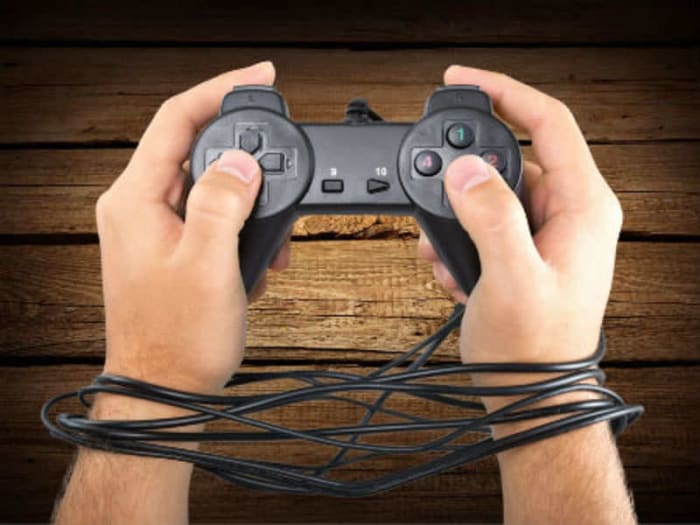
gaming addiction
At what point does a game go from fun to work?

It wouldn’t be fair to blame the existence of mindless clicker games on their developers; they were simply following gaming trends. As the gaming market has shifted from the single payment model to the DLC/microtransaction model, game developers are more focused on getting gamers hooked on their product than getting them to buy it in the first place.

Modern game design places more value on extrinsic awards than on intrinsic ones. To demonstrate what we mean, think of a raid in World of Warcraft. An example of an extrinsic reward would be gaining valuable loot after beating a difficult raid in WoW, while the intrinsic reward is a fond memory of camaraderie and satisfaction after working together with a group of friends for months to accomplish a goal. Designing a game based on extrinsic rewards is not inherently a bad thing, but clicker games take this basic design philosophy to the extreme.

The emergence of achievements and loot boxes have shown that gamers favor extrinsic rewards over some sort of internal satisfaction. Do you think shooters like Fortnite or Call of Duty would be as popular as they are without the constant stream of unlockable skins and items that come with playing? In today’s market, solid gameplay simply isn’t enough to keep a player hooked.

So what happens when you strip a game of all of its pesky gameplay and leave it with just a progression system? Clicker games. Gamers have been so conditioned to seek validation for their gameplay through extrinsic rewards that they’re willing to completely avoid gameplay as long as they get a cheap dopamine rush.

Clicker games take this gameplay-less formula to its logical conclusion by rewarding players for not actually playing the game. In clicker games, you get far more cookies (or whatever currency you’re trying to hoard) by simply letting the game run than by clicking or directly managing your game. The amount of effort required is less than minimal as you can go to bed and wake up with millions of new cookies, granting yourself a dopamine rush for doing exactly zilch. While it can be hard to predict gaming trends, I doubt anyone knew that some gamers would prefer games that you don’t play at all.

Why classical conditioning will destroy us all

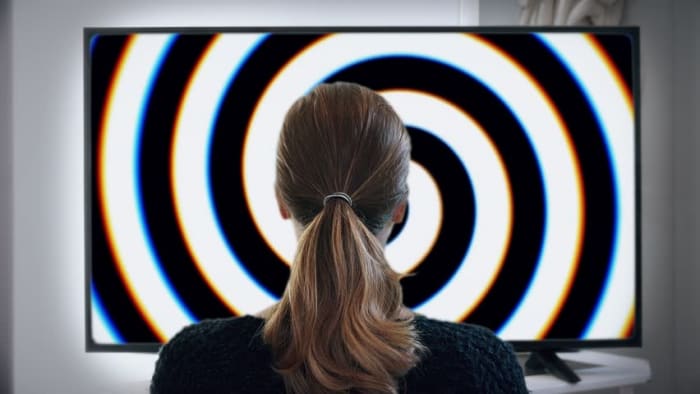
hypnotize
Cookie cookie cookie, can’t you see, sometimes your words just hypnotize me

Clicker games are the unholy lovechild of video games and classical conditioning. They are, however, themselves of a symptom of modern digital design and not the source of the infection. Nearly every modern piece of digital technology is designed using classical conditioning to keep you as hooked as possible. 

For example, when Facebook creates a big red notification whenever someone likes your photo, they are classically conditioning you to associate social status with likes. Much like clicker games, Facebook provides joy in increments (likes instead of cookies in this case), quantifying something that makes you happy. Like a clicker game, eventually the high of a certain number will fade, and you’ll require more likes to feel the same amount of satisfaction. This creates an endless feedback loop that resembles addiction, showing symptoms of withdrawal and tolerance.

Companies try and keep you hooked to their platforms because it generates them more money, so they push the classical conditioning as far as it can get. At the risk of sounding like some sort of tech-averse boomer or pseudo-intellectual 14-year-old, yes, you are being conditioned. But so is everyone who occupies a digital space, so you shouldn’t feel guilty about it. The most important thing you can do is be aware of it.

Whether it be about video games or social media, always be mindful of classical conditioning. If you ever feel like you’re just going through the motions instead of getting some sort of genuine enjoyment out of these products you should take a break or quit entirely. Studies have shown that people who find themselves addicted to social media or video games are unhappier on average. It’s possible to enjoy these things in moderation and be a perfectly happy, healthy person. All that’s required is a degree of self-awareness and the ability to distinguish between cheap, artificial dopamine rushes and genuine joy.

That said, you’re perfectly welcome to spend hours clicking a cookie just to see a number increase. Skinner and his rats are having a hearty laugh at your expense.

Get 12 months of Nintendo Switch online free with Amazon Prime

Play your favorite Nintendo Switch games online for free with Amazon Prime.

Nintendo Switch OnlineAmazon just made trading and battling Pokémon online way cheaper.

If you are an Amazon Prime member, you can now claim a new offer of 12 free months of  Nintendo Switch Online with a Prime member account. You can get the first three months when claiming the offer, and the other nine months 60 days after making the first claim.

Amazon Shopping Download Free ►
8

The offer is worth $20 and is available for download from Amazon through Twitch Prime. The 12 months will stack on top of whatever time you may have already purchased for Nintendo Switch online.

This is one deal in a long line of offers Amazon has made with gamers through Twitch and Amazon Prime.

Nintendo has several games that utilize online capabilities available in its store including Pokémon Let’s Go Pikachu and Let’s Go Eevee, Super Smash Bros: Ultimate, and Fortnite. With Nintendo Switch Online, you also get access to classic games from the Nintendo Entertainment System’s vast library.

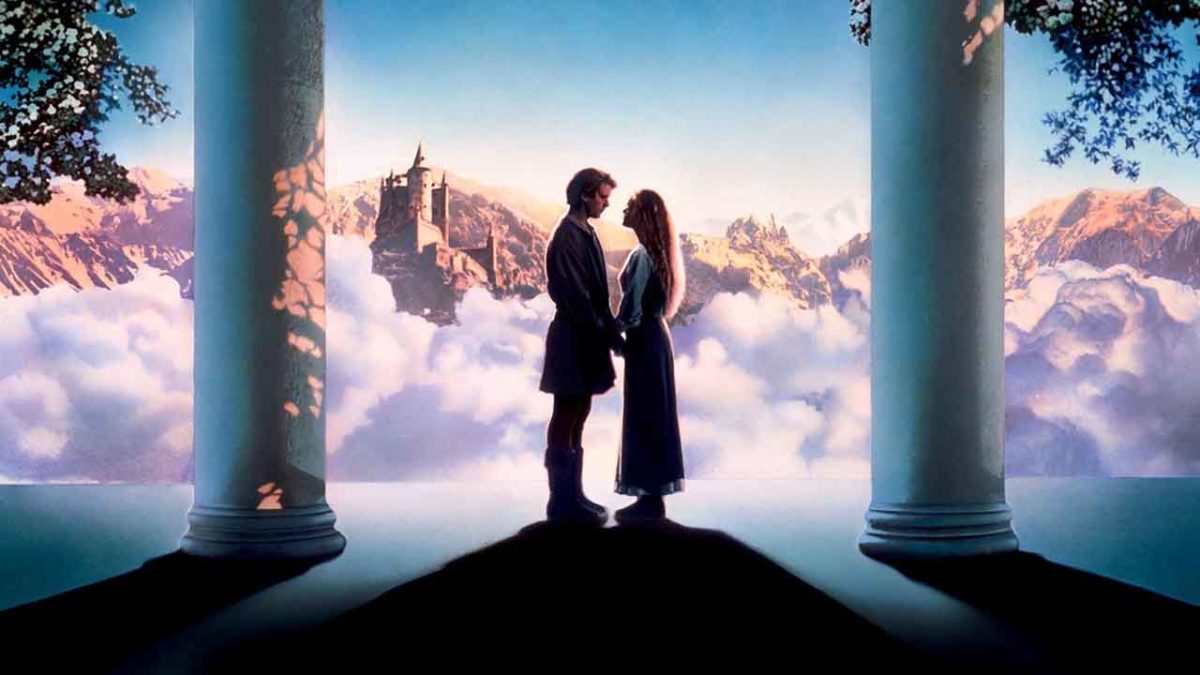
10 inconceivable facts about The Princess Bride

Discover what you never knew about the action-fantasy-romance-comedy classic.

The Princess BrideFrom swashbuckling to romance to miracles, “The Princess Bride” has something for everybody. There’s a dashing masked hero who’s out to save the princess, an evil hunter vying for the throne, a master swordsman seeking to avenge his father – but there was a lot going on behind the scenes that most viewers wouldn’t know. If you haven’t seen “The Princess Bride,” wake up and smell the iocane powder (or can you? It’s scentless … right?) and watch “The Princess Bride online!”
But let’s not waste any more time. After all, some of you have your country’s 500th anniversary to plan, a wedding to arrange, a wife to murder, and Guilder to frame for it. You’re swamped! So without further ado, here are 10 things you might not have known about this cult classic!

10 inconceivable facts about The Princess Bride

1. Rob Reiner wasn’t the first director to pitch the adaptation

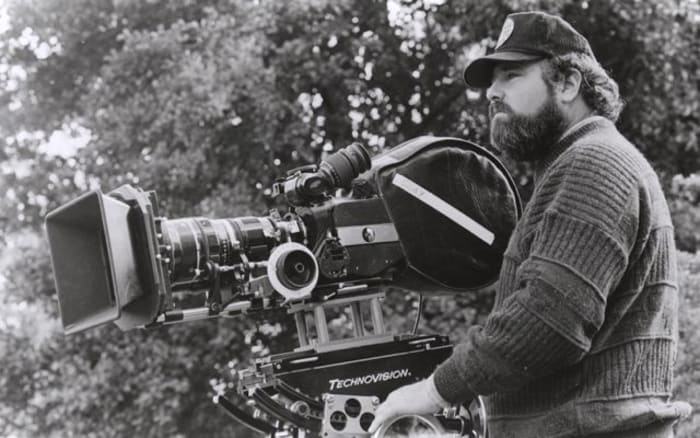
Rob Reiner
William Goldman saw Reiner’s “This is Spinal Tap” and immediately wanted him as director for “The Princess Bride.”

Early in his career, Rob Reiner got the notion to turn William Goldman’s “The Princess Bride” into a film. “It’s a brilliant story by one of America’s greatest writers,” wrote Reiner. “Why wouldn’t everyone just jump at this idea? Little did I know that for 15 years it had been the story that no studio would touch.”

2. The actors learned to swordfight for real

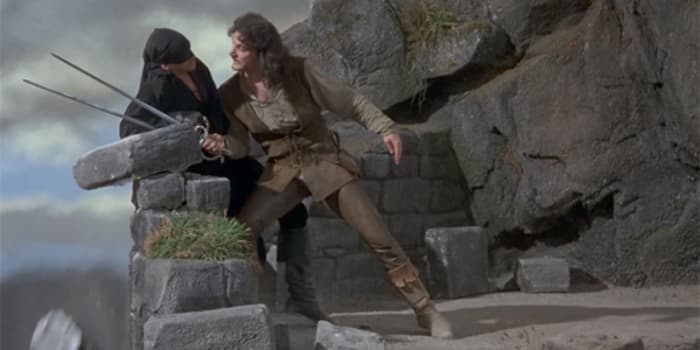
Princess Bride Inigo Westley sword fight
“Why are you smiling?”

During the filming of the sword fight, Reiner wanted full-body shots, as opposed to the typical camera angle from the actor’s point of view. That meant that Elwes and Patinkin had to learn the entire fight choreography for real – no stunt doubles, and both left and right-handed. “My greatest memory and pleasure,” said Patinkin in Elwes’ book about the filming process, “was that we had become proficient enough to improvise on a dime.”

3. The idea came from Goldman’s daughters

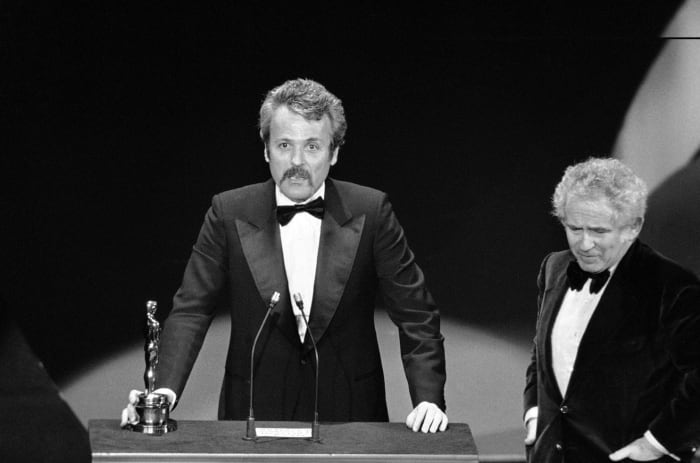
William Goldman Oscar
Norman Mailer presents an Academy Award to William Goldman in 1977

Goldman wrote “The Princess Bride” in 1973. He later told Entertainment Weekly that he “had two little daughters, I think they were 7 and 4 at the time, and I said, ‘I’ll write you a story. What do you want it to be about?’ One of them said ‘a princess’ and the other one said ‘a bride.’ I said, ‘That’ll be the title.'”
4. Patinkin took Inigo’s revenge quest personally

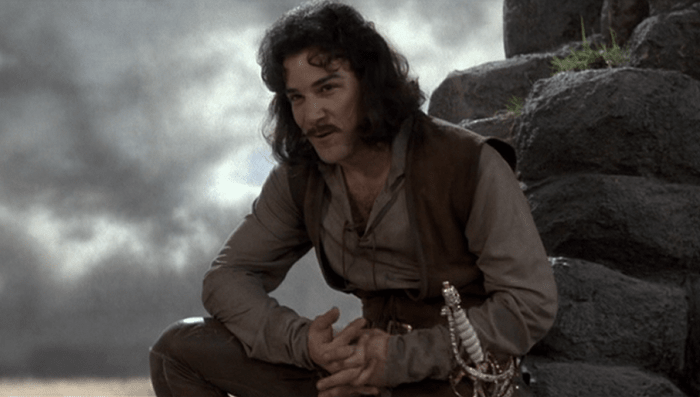
Inigo Montoya
Christopher Guest said that during his fight scene he was seriously trying to defend himself from the enthusiastic Patinkin.

“I had lost my own father [to] pancreatic cancer in 1972,” said Patinkin, who was offered any role in the film that he wanted. He felt a very personal connection to the character of Inigo. “I didn’t think about it consciously, but I think that there was a part of me that thought, if I get that man in black, my father will come back. I talked to my dad all the time during filming, and it was very healing for me.”

5. André the Giant learned his lines from a cassette

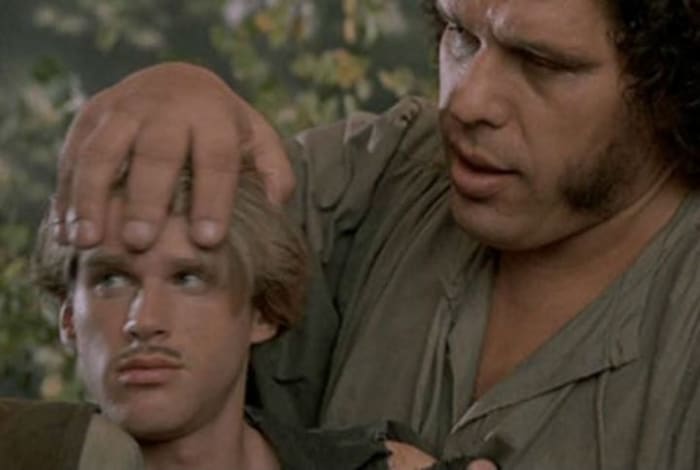
Princess Bride, Westley, Fezzik
André the Giant’s hand was big enough to fit over Claire Underwood’s entire head.

André the Giant was born in France, and English was never his strong suit. “André read this three-page scene, and I couldn’t understand one word he said,” Reiner recalled. Despite the initial difficulties, Reiner was excited to have him in the cast, saying that he was perfect physically for the part. “So I recorded his entire part on tape, exactly how I wanted him to do it, and he studied the tape. He got pretty good!”

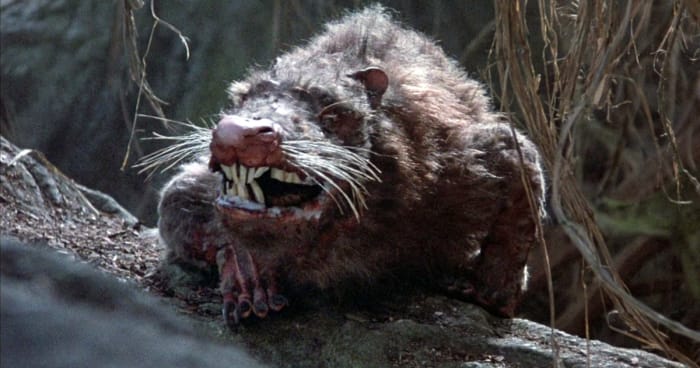
6. The crew had to get an R.O.U.S. out of jail

Princess Bride R.O.U.S.
“Rodents of Unusual Size? They don’t exist.”

The Rodents of Unusual Size were played by men in rat suits, one of whom got into a fight with his wife during the filming, and promptly burned down the kennel that they owned. In order to shoot the scene with him, the crew had to bail him out of jail.

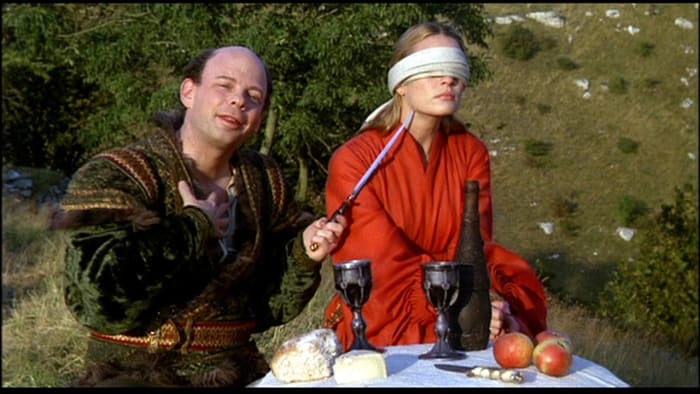
7. “You’re no match for my brains.”

 Princess Bride Vizzini picnic
“Where was I?” “Australia.”

Wallace Shawn, who played Vizzini the Sicilian, held a history degree from Harvard and studied philosophy and economics at Oxford. Despite that, he was very insecure during casting, constantly comparing himself to Danny DeVito, who Reiner originally wanted for the part.

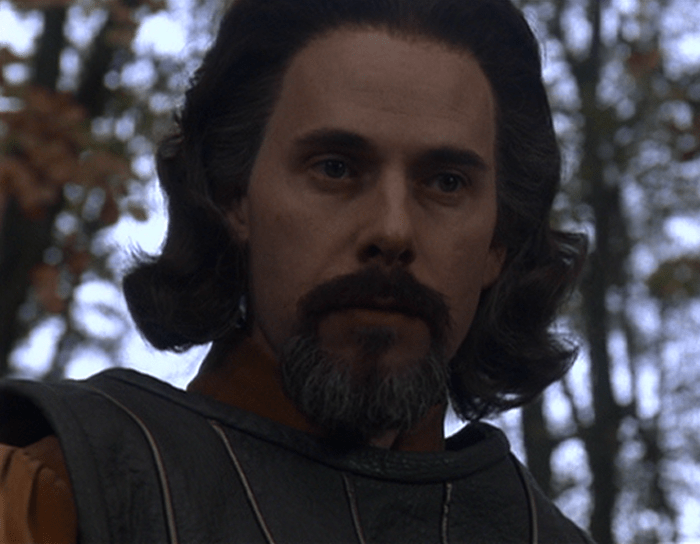
8. Westley actually did fall unconscious

Princess Bride Count Rugen
The infamous six-fingered man.

During the scene in the woods when Westley is captured by Count Rugen (Christopher Guest), the scene is supposed to end with Rugen knocking Westley unconscious with the hilt of his sword. After several unconvincing takes, Elwes told Guest to just go for it and tap him on the head to get the reaction right. Guest tapped a little too hard, and Elwes was actually knocked out! He later woke up in the hospital, and the take made it into the film.

9. Mandy Patinkin only suffered one real injury on set

Princess Bride Miracle Max
William Goldman had to be taken off-set during this scene; he couldn’t stop laughing.

If you assume that injury was during the sword fight, you’d be wrong. The only time Patinkin ever really got hurt was bruising the muscles on one side of his rib cage from holding in his laughter while they were filming Crystal’s scene.

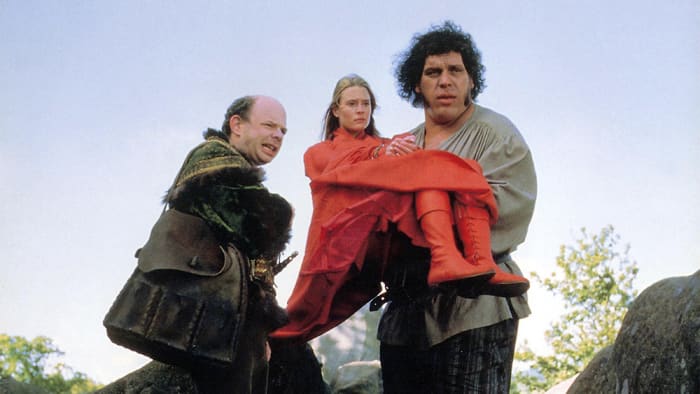
10. Vizzini’s intellect wasn’t the only dizzying thing

Princess Bride Vizzini Buttercup Fezzik
By the end of production, André’s back injuries were severe enough that he couldn’t carry Claire anymore.

Wallace Shawn was deathly afraid of heights, and the most difficult scene for him to film was when Fezzik carried Vizzini and Inigo up the Cliffs of Insanity. To assuage him, André gently patted Shawn’s back and said “I’ll take care of you.”

Hopefully these facts will make your next viewing even more enjoyable. Until then, have fun storming the castle!

How to add a contact to WhatsApp

This is how to add new contacts to WhatsApp on Android and iPhone.

WhatsApp is one of the most popular messaging apps on the planet with over 1.5 billion users. This makes it one of the world’s leading forms of communication. WhatsApp works very much like SMS messaging does. It isn’t like Facebook Messenger that allows you to search for other users so that you can communicate with them. Instead, you have to know the mobile number of the person you want to speak to and add them to your contact list.

There are two slightly different ways of how to add someone on WhatsApp, depending on whether you use the app on an iPhone or on Android. Let’s have a look at both methods now.

How to add a contact on WhatsApp

How to add a contact to WhatsApp on Android

Step 1

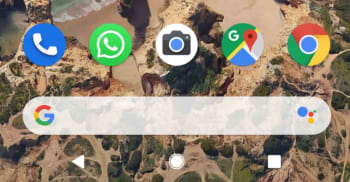
Unlock your Android phone and open WhatsApp.

WhatsApp icon on Android

Step 2

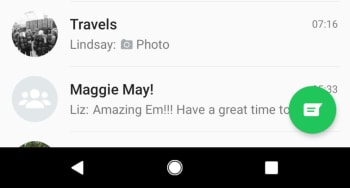
Hit the Chat bubble icon, found in the bottom right of the screen.

WhatsApp Android new chat button

Step 3

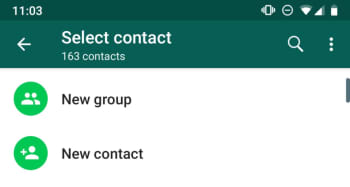
Hit the New contact button at the top of the list, just below the New Group button.

New Contact button, WhatsApp Android

Step 4

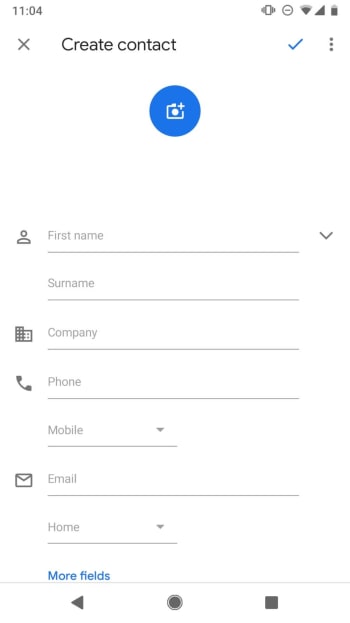
This will take you to the Create Contact page of your Android Phone app. Fill out the contact details as you would normally fill out any other new contact. It is important to save the number including the full international dialing code, if it is a foreign number.

New Contact on Android

Step 5

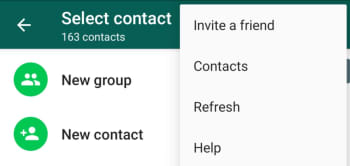
Hit Save. You can then wait for WhatsApp to recognize the new contact and add it to your WhatsApp contact list, or you can tap the New chat icon and then open the three-dot “…” More Options menu in the top right of the screen and hit Refresh.

Refresh contact list WhatsApp on Android

WhatsApp Messenger Download WhatsApp ►
8

How to add a new contact to WhatsApp on iPhone

Step 1

Unlock your iPhone and open WhatsApp.

WhatsApp on iPhone

Step 2

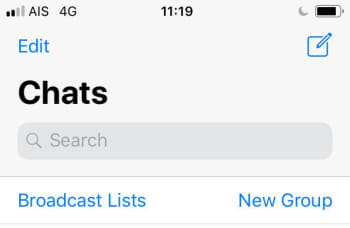
Hit the New Chat icon, found in the top right of the screen.

New Chat on WhatsApp for iPhone

Step 3

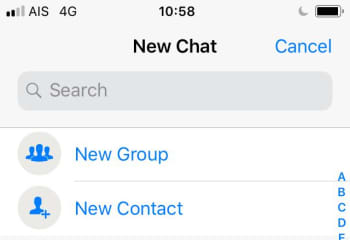
Hit the New Contact button at the top of the page, found below the Search box and the New Group button.

New Contact and New Group on WhatsApp iOS

Step 4

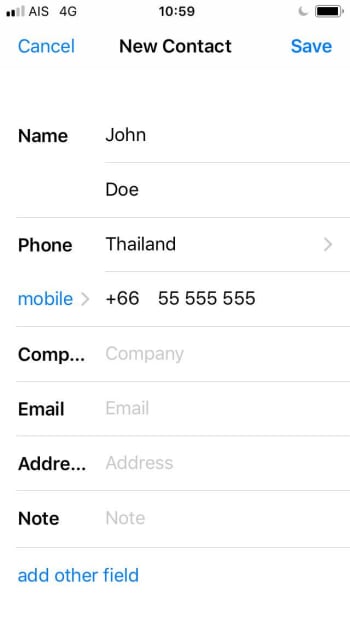
Fill in the details of the new contact including, name, country, and number. If you wish, you can also hit the more fields button to add information like Company, Email, and Address to the contact.

New Contact WhatsApp iOS

Step 5

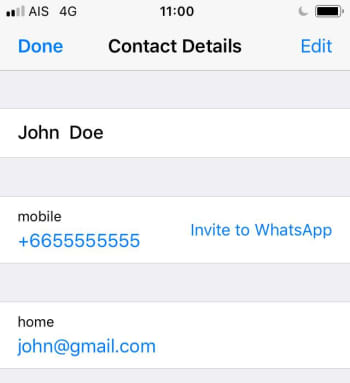
Hit Save. This will take you the new Contact details page. If the new contact is on WhatsApp, you’ll be able to open a chat with them from this page. If not, you’ll see the Invite to WhatsApp button instead.

WhatsApp Contact Details iOS

The interesting thing to note about adding contacts to WhatsApp on iOS is that it also adds the contact to your normal phone book.

Both methods described above tell you how to add contacts from within WhatsApp. The messaging app also automatically recognizes contacts from your phone’s regular list of contacts, if you’ve given it permission to access them. This means if you add a contact to your phone book the same you always do, WhatsApp should find it and automatically add it to your WhatsApp contact list.

Google is introducing interactive emails for Gmail

AMP will introduce shopping carts, surveys and forms, interactive widgets, and more to the emails in your Gmail inbox.

Last February,  Google first announced its plan to add AMP to Gmail. AMP, which stands for Accelerated Mobile Pages enables developers who follow Google’s guidelines to have their content accessed more quickly, allowing a chance to display better and more dynamic content. Now, more than a year after the first announcement, Google is finally releasing a beta of AMP for Gmail to its G Suite audience.

AMP will introduce shopping carts, surveys and forms, interactive widgets, and more to the emails in your inbox

Gmail interactive emails amp

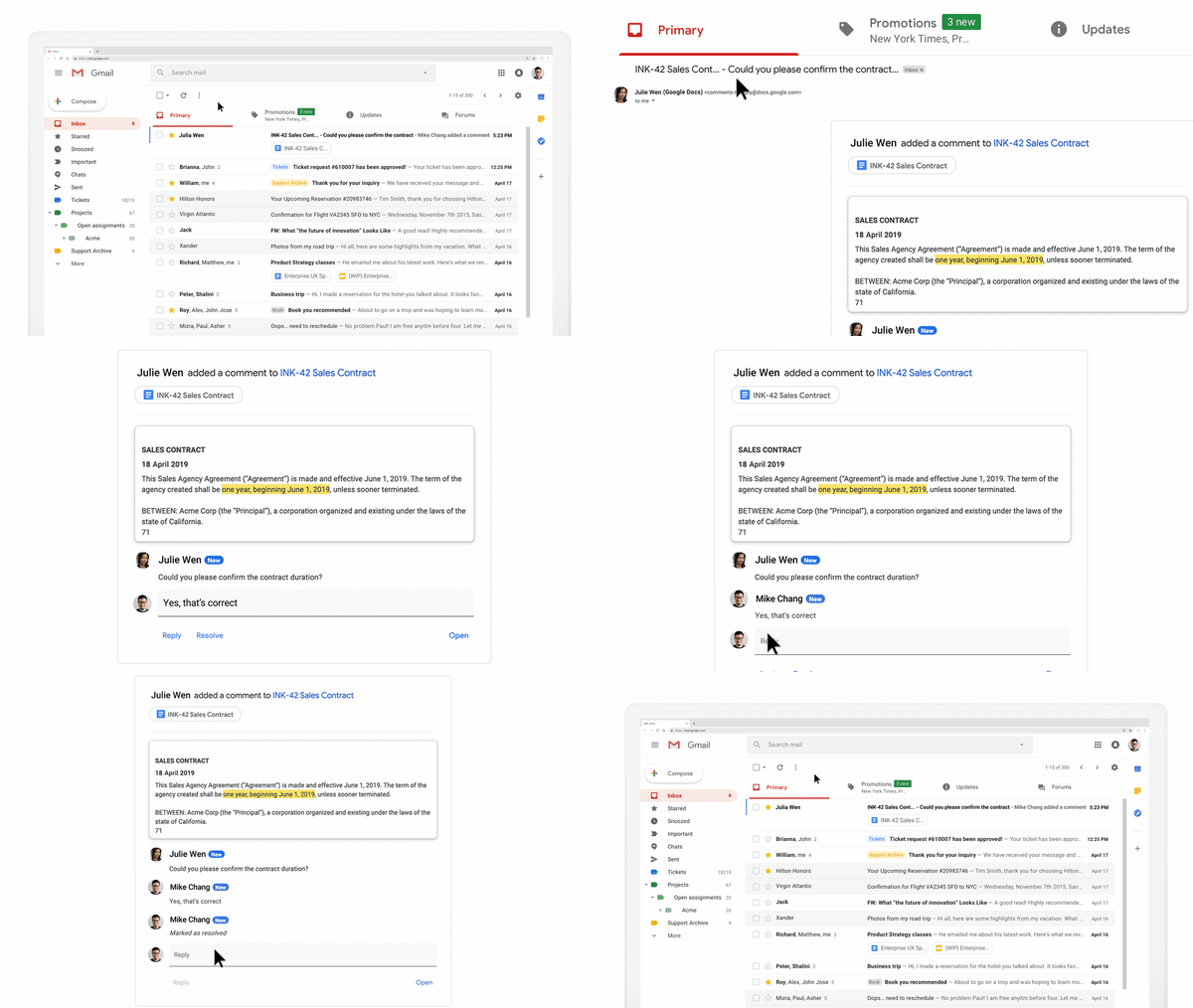
What Google is calling dynamic email will have a major impact on the messages you receive in your Gmail inbox. In theory, that means you won’t have to leave Gmail to handle your business. As well as adding interactive elements, email content in dynamic emails will be able to update itself so that emails never become old.

8

According to the Google Keyword blog, which announced that AMPed up emails were finally landing on Gmail, “Your emails can stay up to date so you’re always seeing the freshest information, like the latest comment threads and recommended jobs. With dynamic email, you can easily take action directly from within the message itself, like RSVP to an event, fill out a questionnaire, browse a catalog or respond to a comment.”

Via: Google Keyword

The simplest example Google gave is of comments in Google Docs. Rather than receiving a notification every time somebody mentions you in a comment, the email will include an up to date thread where you’ll be able to comment yourself. This is much better than a simple link to the comment inside Google Docs.

As well as introducing its own Google made widgets, Google was also pushing the third-party widgets that are already doing the rounds. These include widgets from the likes of Pinterest, booking.com, Doodle, and more.

Pinterest integration with AMP for Gmail
You can now save images to your Pinterest boards from inside an email.

Response to the introduction of AMP into Gmail is mixed. Where as it can’t be denied that the added functionality will help users in some situations, people are highlighting the heavy cost for the privilege.

As well as facilitating quick responses and adding web page like features to your inbox, AMP could limit your personal privacy and give advertisers and vendors a new place to bombard you with whatever they’re trying to sell. Many users on Reddit have already started repeating the old adage, “If it is free, then you are the product.” Another issue for Gmail’s new interactive emails could be complexity. Are emails supposed to be so complicated?

For now, the feature is available to users on desktop only, but Google was keen to point out that it will be coming to mobile soon.

What are your thoughts on interactive emails?