Five Nights at Freddy’s 4, SOMA Messenger, Adventure Time Puzzle Quest, and Angry Birds 2 – Five Apps to Try This Weekend

Five Apps to Try This Weekend is the show that’s name describes everything you need to know about it, so I won’t bother – here are this week’s five recommendations.

We kick off with Five Nights at Freddy’s 4 (Android|Windows) the scary game that’s sudden, unannounced release last week caught us by surprise. Chronologically set before the others games in the series, this latest installment keeps the same basic premise but makes the terror a bit more personal by setting the action in your bedroom.

SOMA Messenger (iOS|Android) is our second app this week, a new messaging app with a powerful encryption system to keep all of your shared food photos safe. With high-quality audio and video calls, you’ll want to download SOMA Messenger while it is still free.

Third we have Adventure Time Puzzle Quest (Android|iOS), another game based on the wonderfully surreal Adventure Time. This great match-3 puzzle game has you guiding a squad your favorite characters from the show across the Land of OOO, battling all who stand in your way.

Next up is KitCut , an app to awaken your creativity. This collage app makes it easy to build your own creations by cutting up pictures and then sticking them back together in fun and silly ways.

Finally this week, Angry Birds 2 (Android|iOS). While this doesn’t change up the formula that made the series so popular, it does add a few new twists to keep it fresh. These changes include multi-staged levels, randomized stage layouts, and an arena mode.

That’s if for this week, but if you enjoyed the video please share it, and if you think we missed any great apps this week let us know in the comments. See you next time.

Related Stories

Hints and trick to get you started with Angry Birds 2 – App of the Week

Windows 10 upgrade, Angry Birds 2, Five Nights at Freddy’s 4, Twitter, and YouTube – News Roundup

App of the Week: Vivaldi, the new browser for the creator of Opera

Follow me on Twitter: @DoFuss

B612 is a better Retrica

B612 is an app designed especially for talking selfies, and we think it should be the app you choose when you want them to look extra special.

I know, the name is hardly memorable unless you’re a fan of The Little Prince, and I also know that selfies might be a bit 2014. Or even 2013? I digress. B612 is pretty similar to Retrica, another photo app that’s taken app stores by storm, but don’t be fooled by its popularity. There are plenty of reasons to dump Retrica and download B.. 6… something…?

Never mind what it’s called: let’s check out why it’s better than Retrica.

B162 has more free filters


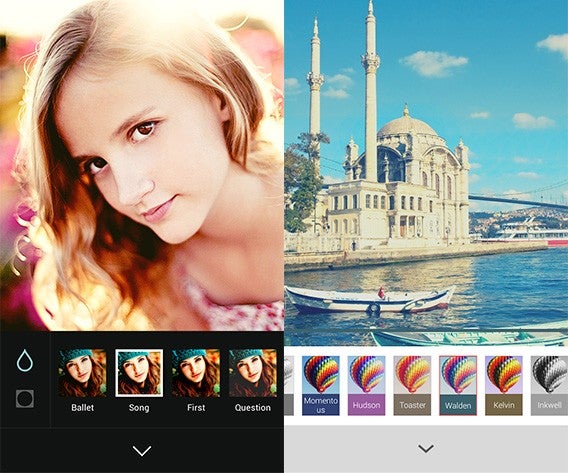
At time of publication Retrica (on the right, above) has over 100 filters, but many of them are premium features you have to pay for. Strip these away, and you’re left with 55, where as B612 has 81 filters, and they are all free. It’s not all good news, as B612 lacks the filter categories that you get with Retrica, so it may take more time to navigate around and learn which filters you really like. Luckily you can mark your favorites, so they are always to hand. We haven’t seen much difference in terms of the quality of the filters, so there’s really no advantage to Retrica here.

B612 has no ads

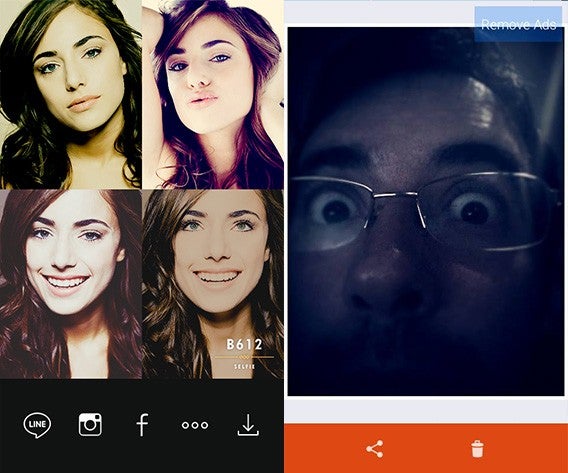
At least for now, there are no ads to spoil your peace in B612, nor are there in-app purchases. Retrica has both, and the ads especially get in the way of a smooth user experience. You can take more selfies more quickly with B612, as you are never interrupted by advertising. It’s a no-brainer, unless you want to pay to remove ads in Retrica (a very reasonable $0.99).

Options

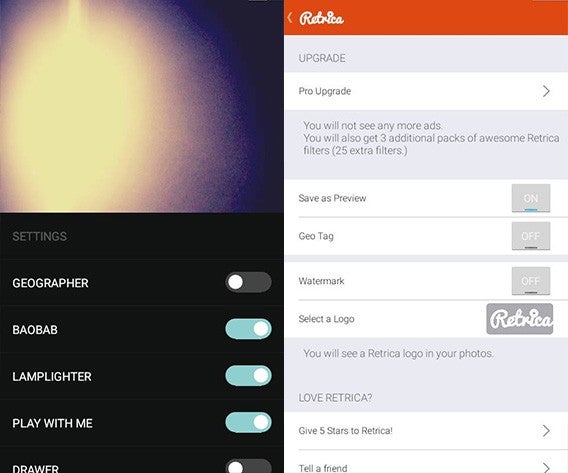
At first glance, B612 appears to have no options. To find them, you swipe up from the bottom of the screen. Here you can toggle location info, anti-shake, the B612 watermark, and more. You can do pretty much the same in Retrica too, as well as upgrade to ‘Pro’.

The options menu highlights another difference between the two apps. Retrica has buttons for everything, making it easy to understand from the start. B612 uses gestures for many things, and if you don’t learn them, using the app is tricky. This is a shame, as once you ‘get’ B612, it’s faster and more comfortable to use than Retrica.

B612 does video

When it comes to photos, the two apps are pretty similar, but B612 also lets you record short videos. Simply by tapping and holding your finger, you can record a short video selfie of 3 or 6 seconds. You can share it wherever you like, and even convert it into a GIF, which is pretty cool.

B612 – a selfie machine

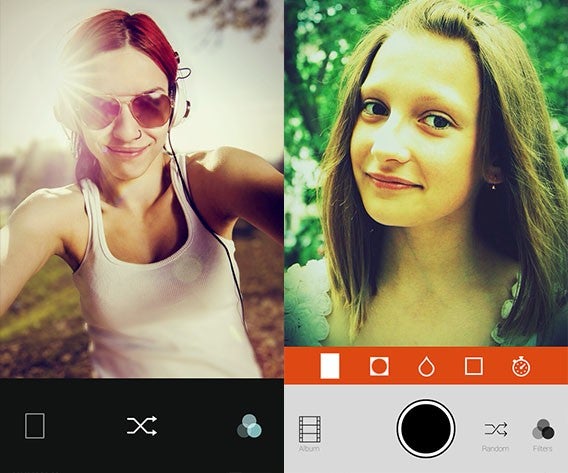
As we’ve seen, in terms of features, both B612 and Retrica are pretty similar, except for videos. However, with its streamlined interface, B612 is quicker and you get more filters too. Touch the screen anywhere to take a selfie, instead of tapping a button, tap twice to delete, swipe left or right to flip through filters and swipe down to swap cameras. Once you’ve got the hang of the gestures, it’s a breeze to use.

So, if you want to take flashy looking selfies that stand out, you could use Retrica, but we reckon B612 is better.

Download B612 for Android or iPhone and iPad

Download Retrica for Android or iPhone and iPad

Hints and tricks to get you started with Angry Birds 2 – App of the Week

This week we have the sequel to the most successful mobile game of all time, Angry Birds 2 (Android|iOS). And yes, it really is number 2, apparently Seasons, Rio, Star Wars, Transformers… you get the idea… none of those count.

Angry Birds 2 is not a radical departure from previous Angry Birds but it does offer a few fun improvements to the formula. These include a multiplayer arena mode, a powerful spell ability, and a card system that allows you to choose the order in which you use your avian ammo.

But all these new features means there are plenty of new techniques and tactics to learn – so, in this week’s video, we are going to look at a few hints to get you going.

As we said, our tricks will only get you started, so if you have any more advanced tricks to share let us know in the comments.

We will be back next week with another fantastic app for you. Until then, keep enjoying Angry Birds 2 – we are.

Related Stories

Angry Birds 2 review

Windows 10 upgrade, Angry Birds 2, Five Nights at Freddy’s 4, Twitter, and YouTube – News Roundup

App of the Week: Vivaldi, the new browser for the creator of Opera

Follow me on Twitter: @DoFuss

Windows 10 still not downloading or you’re having problems with the WindowsUpdate_80240020 error? We have the solution

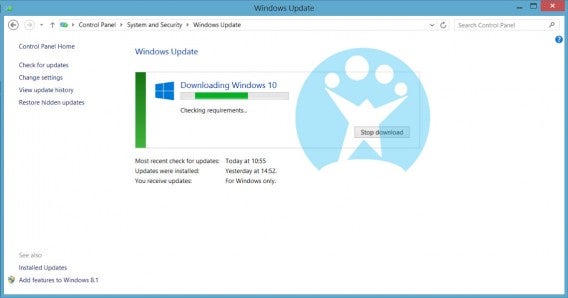
There is an unofficial way to force Windows Update to start downloading Windows 10 and correct the WindowsUpdate_80240020 error. The technique has gone viral, and already many users have been able to use the method successfully. A word of warning before we start though: it really is unofficial, so you do this at your own risk. If you do try, we recommend creating a backup as insurance against any unpleasant surprises.

That said, we have tested this and it worked – with Windows 10 starting downloading immediately.

Here is how you do it:

1. First you have to go to Windows Update: Control Panel> System and Security> Windows Update. Then activate automatic updates.

2. Go to the folder C:\Windows\SoftwareDistribution\Download and erase everything inside.

3. Open an instance of the command line (CMD) with administrator permissions. In Windows 8 you can do this by right-clicking on the Windows button in the lower left corner.

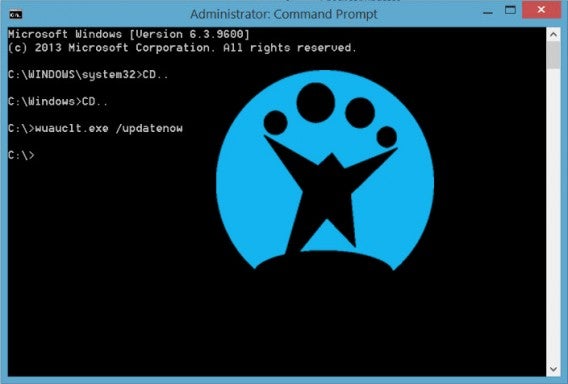
4. Type the following command but do not run it yet: wuauclt.exe/UpdateNow

Command line

5. Return to Windows Update. Click on Find Updates, this will make it start searching for all available updates.

6. While it’s searching for the updates, go to the command line and press Enter to execute the earlier command (wuauclt.exe/UpdateNow).

7. Windows 10 should then begin downloading, with the Windows Update screen displaying a clearly visible blue icon.

8. Enjoy!

Yay, up date!

To see more of our Window 10 coverage head over here.

Should you upgrade to Windows 10?

With Microsoft offering a free upgrade to the new version of their operating system, you are probably asking yourself “should I upgrade to Windows 10?

Well, honestly, the answer is yes, you should… eventually. Luckily Microsoft is not forcing you to rush into the upgrade immediately. Providing you have an official version of Windows 7, 8, or 8.1 then you have one whole year to get on the free upgrade bandwagon.

Free Windows 10

Having a keen interest in technology, we will be downloading it day one – so you can be certain you will hear of any issues here on Softonic. But, time and again the same scenario has played out with every major OS launch, early versions are less reliable than those available after just a few updates (after all there is no better way to stress test a service than giving it to millions of users).

So, if you are concerned, feel free to give Microsoft time to iron out early issues before taking the upgrade. But do take it, because Windows 10 is shaping up to be a real step forward in terms of usability and cross-platform functionality.

Source: Windows Blog

Related Stories

Which Windows 10 version should I get?

What’s new in Office 2016 for Windows

Microsoft will fight Windows 10 piracy by giving it away this summer (update)

Technical Preview of Windows 10

Follow me on Twitter: @DoFuss

How to get Windows 10 when the upgrade button is missing

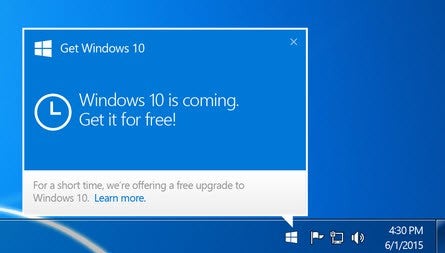
Windows 10 comes out on July 29. But, even more exciting than that, Microsoft’s new operating system will be free for nearly all users of Windows 7 and Windows 8 (check your eligibility). If have either of these, then just clicking on the “Get Windows 10” icon on your taskbar will see it downloaded and installed.

Fine, in theory, but for many users it seems that this icon is missing. But do not panic, because we are here to help you summon the “Get Windows 10” icon so you can update your system on July 29.  (Source: Microsoft Answers)

Why is the icon missing from my taskbar and how can I get it back?

For most users the icon is missing if:

1. Your PC is not updated to the latest version: SP1 for Windows 7 or the latest update for Windows 8.1.
2. Windows Update is disabled or is not configured to receive automatic updates.
3. You blocked or uninstalled the necessary Windows Update function.

UpdateIf the reason you are not seeing the button is one of these three reasons, the solution is simple:

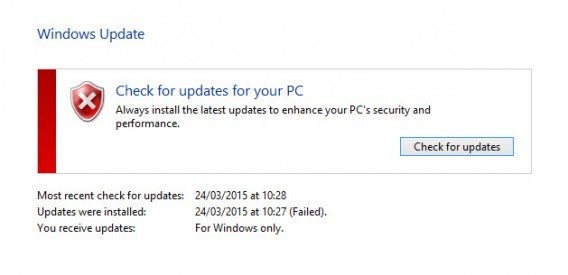
For Windows 7 users, go to Control Panel> System and Security> Windows Update> Check for Updates (Windows 7).
And for Windows 8 users, go to Control Panel> Windows Update> Search Updates (Windows 8).

In this menu you’ll find the latest version of whatever version of Windows you are running. Then all you have to do is follow the prompts to install the update and the “Get Windows 10” button should magically appear.

Is the icon still missing?

It is possible that even after updating your version of Windows the icon still won’t show up.

1. Your copy of Windows is not genuine.
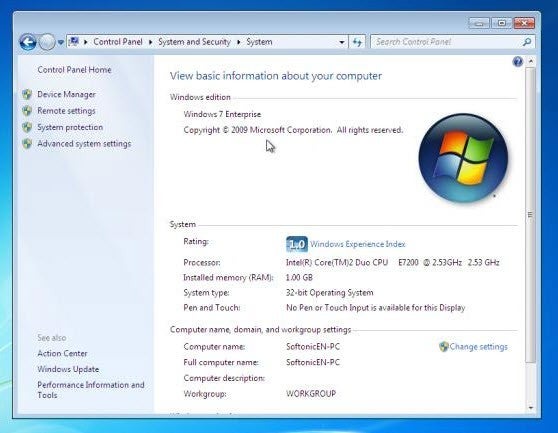
2. Your PC is running Windows 7 Enterprise, Windows 8 / 8.1 Enterprise or Windows RT / RT 8.1, which are excluded from this offer.
3. The PC is part of a shared network (school or company).
4. You are already registered and the update will be automatically activated on July 29th 2015.

Eligible

In cases 1 and 2, you cannot upgrade. In case 3 this update will be decided by your organization, check with your IT department. In case 4, you don’t have to do anything.

None of the above applies to you but the icon is still missing

It is possible that your PC is eligible for the upgrade but icon remains missing from the taskbar. In that case there is another possibility. This method is a little more advanced however, so here is a step-by-step walk-through.

1. Open Notepad
2. Copy and paste in the following – not in any way fun to read – text:

REG QUERY “HKLM\SOFTWARE\Microsoft\Windows NT\CurrentVersion\AppCompatFlags\UpgradeExperienceIndicators” /v UpgEx | findstr UpgEx
if “%errorlevel%” == “0” GOTO RunGWX
reg add “HKLM\SOFTWARE\Microsoft\Windows NT\CurrentVersion\AppCompatFlags\Appraiser” /v UtcOnetimeSend /t REG_DWORD /d 1 /f
schtasks /run /TN “\Microsoft\Windows\Application Experience\Microsoft Compatibility Appraiser”
:CompatCheckRunning
schtasks /query /TN “\Microsoft\Windows\Application Experience\Microsoft Compatibility Appraiser”
schtasks /query /TN “\Microsoft\Windows\Application Experience\Microsoft Compatibility Appraiser” | findstr Ready
if NOT “%errorlevel%” == “0” ping localhost >nul &goto :CompatCheckRunning
:RunGWX
schtasks /run /TN “\Microsoft\Windows\Setup\gwx\refreshgwxconfig”

3. Click File, then Save As
4. Save the file with the name ReserveWin10.cmd
5. Click the dropdown menu next to Save as type, select All Files (*. *)
6. Select a folder to save the file. For simplicities sake we will use C:/Temp. Then click Save.
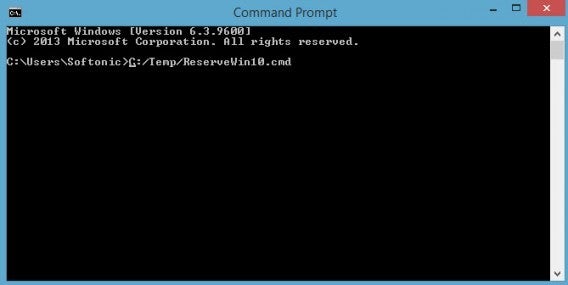
7. On the home screen or menu, type Command Prompt in the search box. Then, in the list of results, right-click Command Prompt and choose Run as administrator
8. Run the file you created in Step 6. In our case we would write C:/Temp/ReserveWin10.cmd

Not exciting cmd prompt

The system will then run some checks that will last around 10-30 minutes, so be patient.

Want to know more about Windows 10? Then visit our special All you need to know about Windows 10 article.

Windows 10 upgrade, Angry Birds 2, Five Nights at Freddy’s 4, Twitter, and YouTube – News Roundup

Welcome back to the Softonic Roundup, where we review the most important news of last week.

First up, news from Twitter last week saw the company starting to protect people jokes.  That’s right, from now on tweets that borrow, plagiarize, or steel jokes and do not give due credit to the original author will be removed upon request by the originator. Source: TechCrunch

Also last week, YouTube made changes to their smartphone app to allow videos to be viewed vertically in full screen. With the portrait orientation becoming increasingly popular with video makers, this change could make the smart phone app the best way to watch these videos, as it removes those ugly black boarders. Source: The Verge

Gamers also had a surprise on Friday, as Five Nights at Freddy’s 4 was unexpectedly launched on Steam and Google Play. Subtitled the Final Chapter, we would be amazed if this is truly the last time we see Freddy Fazbear – especially as developer Scott Cawthorn is promising something for Halloween. Source: Softonic Spain

This week will also see two big releases. Angry Birds 2 and Windows 10.

While developer Rovio has released two videos to promote Angry Birds 2, little is yet known about the game. With its release this Thursday, however, you can be sure we will have plenty of information on the site soon. Source: Official Site

On the other hand, we already know a good amount about Windows 10. Microsoft new OS will be released this Wednesday, which is when most Windows 7 and 8 users will be able to start downloading it for free. Source: Microsoft

Unfortunately, users with Windows RT, Windows 7 Enterprise, or a version of Windows prior to 7 will not be eligible for the free update. But if you think you should be eligible and haven’t yet seen the update button in your task bar this link should show you how to fix that. Source: Microsoft Answers

That’s it for this week, we will be back with another tech roundup next week.

Related Stories

Softonic News Roundup: Mozilla blocks Flash, Angry Birds 2, and more Windows 10

App of the Week: Vivaldi, the new browser for the creator of Opera

Vivaldi, Dragon Ball Z, and PopKey – all in this Weeks Five Apps to Try This Weekend

Follow me on Twitter: @DoFuss

The Best 24 Apps for Windows 10

One of Windows 10’s biggest features as an operating system is its flexibility moving between devices. Whether you are on your home computer, tablet, or phone, Window 10 is designed to offer a cohesive experience. Here is our pick of apps that offer you a great experience where ever you are.

Adobe PhotoShop Express

Adobe’s fantastic photo editing suite has long been the gold standard, and with PhotoShop Express they have managed to perfectly adapt the experience to touchscreen. The app allows you to quickly and easily tweak you pictures with options like red-eye removal, noise reduction, and a range of filters. The free version even lets you upload 50 photos a month to the cloud.

Download it here
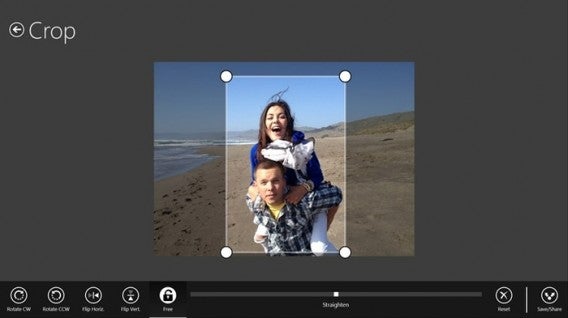
Adobe Photoshop Express

AllRecipes

Cooking apps are a wonderful tool for any budding chef, and AllRecipies maybe the best of them all. With a fantastic clean layout, it’s easy to find, favorite, and read any recipe you want. Plus, I find the recipes on the app fantastic.

Download it here
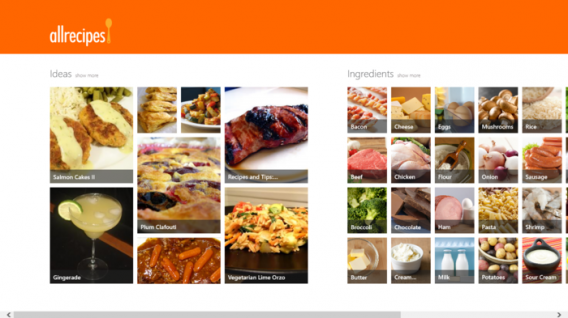
AllRecipes

Age of Empires: Castle Siege

Constructing your town and army to pit them against other player’s armies and towns is becoming one of the biggest social gaming genres. However, Microsoft have used the trend to relaunch their beloved Age of Empires franchise with Age of Empires: Castle Siege. It has worked brilliantly, as the game offers more direct unit control than the competition, making it feel significantly more involved.

Download it here
Age of Empires

Angry Birds Space

Ah yes, those mad birds have been to many wild and wacky places – but to our mind space is the greatest. Angry Birds Space doesn’t add any new or weird abilities, it simply places you in space and forces you to deal with the physics and gravitational forces that apply in the cold dark vacuum that is most of the universe.

Download it here
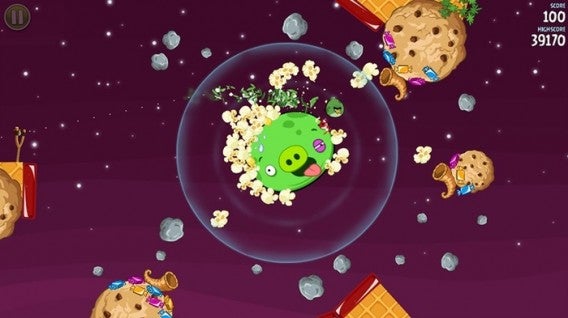
Angry Birds Space

Asphalt 8: Airborne

Gameloft’s Asphalt series has long been mobile gaming’s go to arcade racing experience, and Asphalt 8: Airborne is just the latest, most over-the-top interpretation of this. Keeping the high-speed racing and crisp graphics the franchise is known for, the eighth installment adds high-flying ramps and aerial maneuvers to really take the action to the next level.

Download it here

Asphalt 8: Airborne

Crossy Road

Why did the chicken cross the road? Well, we are not sure, but probably to download Crossy Road. This endless take on the Atari classic Frogger uses simple taps and swipes to give you precise control of a road-running chicken as it desperately tries to navigate highways, rivers, and railway tracks without being turned into nuggets.

Download it here
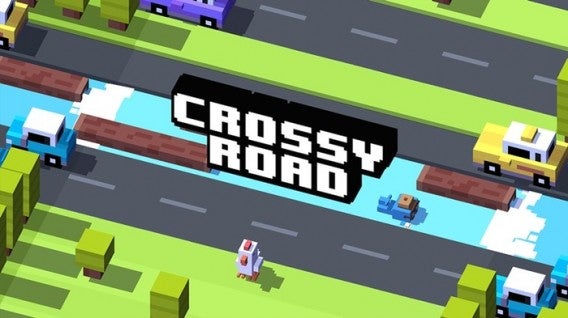
Crossy Road

Cut the Rope 2

What makes physics intriguing as an element in puzzles? Is it that we feel we have an innate understanding of how it should work and the ways we fail fascinate us? Or is it simply that inside we all want to be part of some huge Rube Goldberg machine? Who knows, but it is what Cut the Rope 2 taps into as you slice your way through ropes to drop and swing candy into Om Nom’s gaping maw.

Download it here
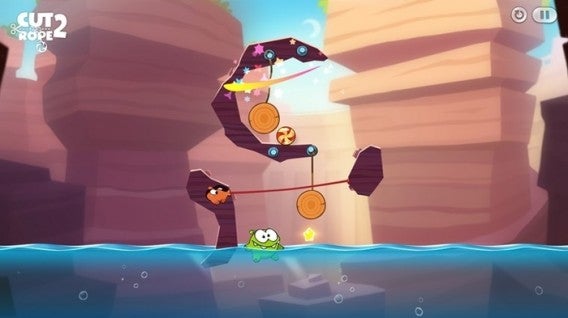
Cut the Rope 2

Dropbox

You probably already have a Dropbox account, making the Dropbox app even easier to recommend. This cloud storage/sharing solution gives you 2GB of storage for free when you open an account. The app’s clean and simple design also allows you to easily find the files you want, with photos particularly well displayed in albums.

Download it here
Dropbox

Facebook

If you use Facebook, as I am prepared to guess most people reading this do, then it’s hard to ignore the usefulness of the official Facebook app. Providing a simple layout which allows you to easily access all of the social platform’s options whether you are using a touchscreen or a mouse, you probably need this installed.

Download it here

Facebook

Firefox

Firefox is already many peoples go to browser of choice thanks to its high-level of customization and fast surfing experience. Well, add to that the fact that Firefox offers full Windows 10 integration, and Mozilla’s browser could easily become the number one choice for internet on the Microsoft platform.

Download it here

Firefox

Flipboard

Flipboard is a magazine viewer that offers you a curated news-feed of your interests, all beautifully laid out to look like a magazine. It’s a far more compelling way of viewing the sites you regularly visit, particularly on mobile devices.

Download it here

Flipboard

Flow Free

So simple, so free, Flow Free is another of those puzzle games that can really take over your mind. You know you are in trouble when you start day dreaming about a game and solving puzzles you create for yourself while you’re meant to be work. If you have a job that demands your full attention, maybe don’t download this.

Download it here
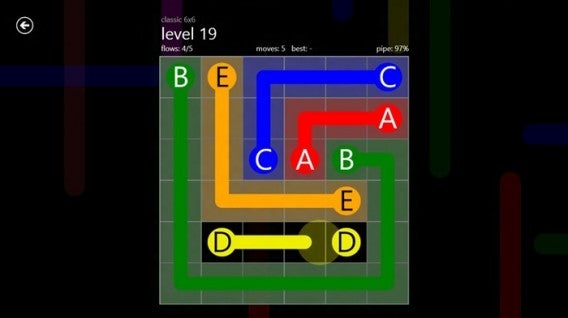
Flow Free

Fresh Paint

Providing you with a full featured painting app, Fresh Paint is a fantastic way to unleash your creativity. What is so wonderful about Fresh Paint is its tactile nature as, alongside a standard color wheel it also allows you to mix your own colors on a digital palette before applying them to your canvas.

Download it here
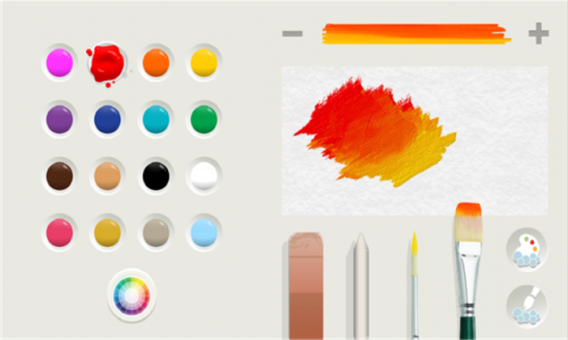
Fresh Paint

Frozen Free Fall

You can take your pick of match-three games, from Bejeweled to Candy Crush, they are all much of a muchness. However, I have struggled to let go of Frozen Free Fall. Well, I say that, what I really mean is that my friend’s daughter has struggled to let it go, so it remains installed on my phone.

Download it here

Frozen Free Fall

Jetpack Joyride

Escape mad scientists with a rocket pack. No, there isn’t much need to expand on Jetpack Joyride’s core concept to make it appealing. The only other thing you really need to know is that the simple controls and comical power-ups mean that it is, in fact, as fun as it sounds.

Download it here
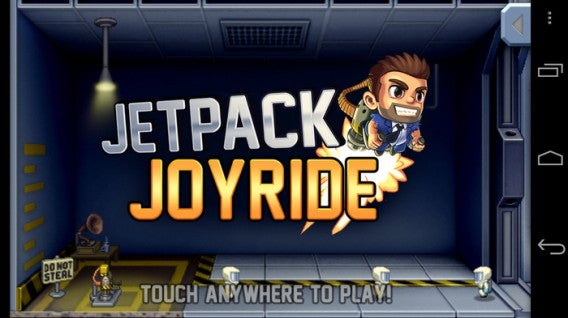
Jetpack Joyride

Minecraft

If you absolutely have to have a game to launch on the same day as your new operating system, then none could be better than Minecraft. Whether this was a driving force behind Microsoft’s purchase of Mojang we will never know, but it certainly is not going to hurt the company to have the Minecraft Windows 10 Beta on its store front.

Download it here
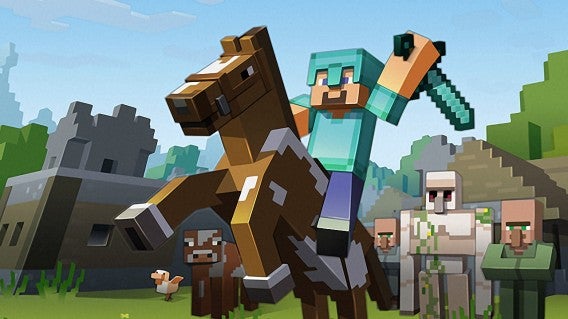
Minecraft

Minion Rush

Endless runners are everywhere, and at this point you can get them in any flavor you fancy – from Spider-Man to Tomb Raider. Personally, however, I find it hard to resist the little yellow minions as they waddle their way through Minion Rush. The game itself is a fine example of the genre, and the minions make the perfect slapstick fodder to be on the end of every failed jump.

Download it here
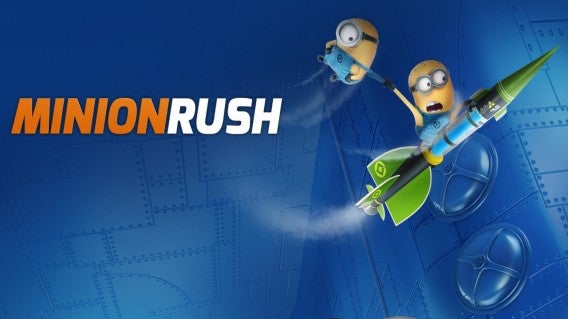
Minion Rush

Modern Combat 5: Blackout

While Call of Duty’s mobile incarnations may all have been awful, that hasn’t stopped Modern Combat borrowing the idea of an extravagant modern military story. Modern Combat 5: Blackout offers everything CoD does, with a solid country hopping plot, loads of weapons, and a robust multiplayer mode that allows up to 12 players to compete together online.

Download it here
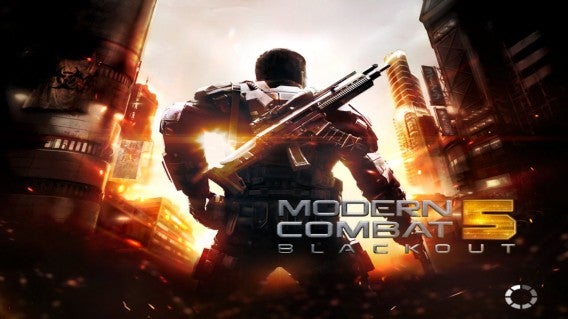
Modern Combat 5: Blackout

Nook

If you use your phone or tablet as a portable personal library, then Nook is the perfect app for you. With a huge library curated by Barns and Noble, and plenty of options to make your reading experience easy on the eyes, Nook is the app for bookworms.

Download it here
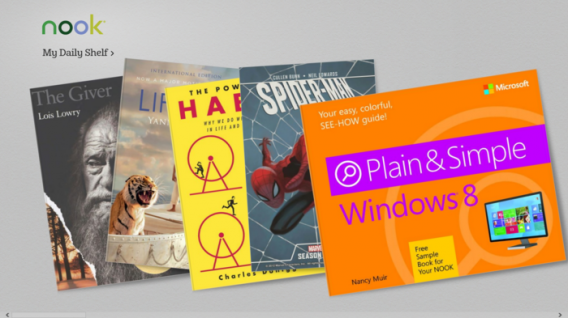
Nook

OneNote

In isolation, Microsoft’s note taking tool is just good. Add in a Microsoft 365 account, and all of the cross app and cloud storage options it opens up, and OneNote becomes a truly fantastic tool. Allowing you to edit across devices, great touchscreen support (such as the intuitive radial menu), and the ability to pull pictures from social media platforms like Facebook, OneNote is a must.

Download it here
OneNote

Pako

If you enjoyed the bit in GTA where you are trying to outrun a seemingly endless sea of police officers, then you are in luck, because that is all Pako is. Viewed from an isometric perspective, you must speed around the urban arenas trying to stay ahead of the cops for as long as possible. With a nifty 70s gangster movie motif, Pako is brilliantly playful.

Download it here

Pako

Skype

Even with every other messaging service starting to offer calls and video, Skype is still up there as the best ways to connect with friends and family around the world for free. Since its acquisition by Microsoft the service has continued to improve, and its cross platform functionality on Windows 10 makes it an even more flexible communication tool.

Download it here

Skype

Threes!

Threes! maybe one of the most perfectly conceived mobile games ever. Simple, fast, and skillful, trying to combine tiles of the same number together with simple swipes, while not boxing yourself into an impossible situation, is the kind of addictive challenge that can ruin whole afternoons.

Download it here
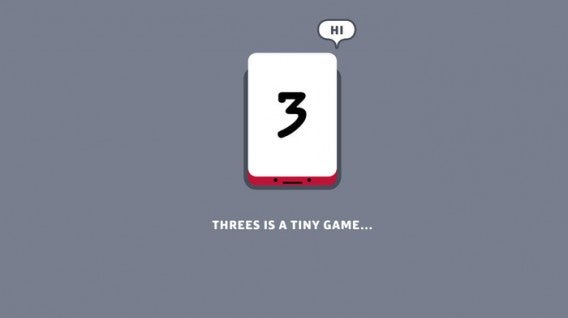
Threes!

Twitter

“Twitter is many people’s social network of choice. If you are one of these people, like me, you need this app. That’s 140 characters, right?”

Download it here

Twitter

Related Stories

Which Windows 10 version should I get?

What’s new in Office 2016 for Windows

Microsoft will fight Windows 10 piracy by giving it away this summer (update)

Technical Preview of Windows 10

Follow me on Twitter: @DoFuss

Indie Spotlight: The Silent Age

Laced with style, The Silent Age is a point-and-click adventure that – despite the urgency of its quest – gives a sense of relaxation. This is in large part down to its slow pace which, when it isn’t frustrating you, gives you time to think as you solve its puzzles.

You play the role of a Joe, an every-man whose whole life seems to have been dictated by the flow of history. There is nothing special about you, bar your wonderful hair and mustache that makes you feel that you could just as easily be playing as Tom Selleck.

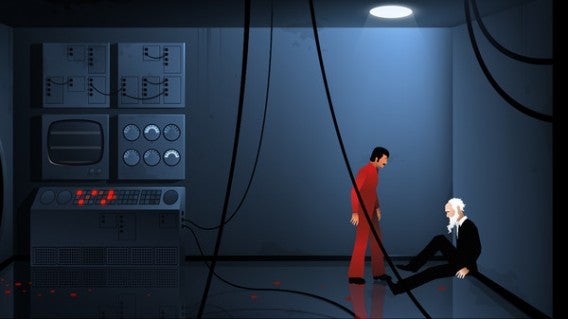
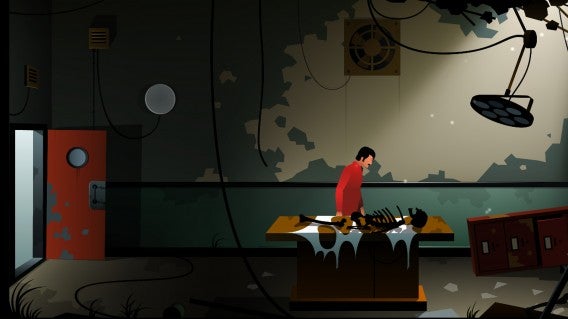
The year in 1972, and Joe is working as a janitor in technology firm. Beginning the day like any other, things quickly take a turn for the peculiar as he discovers a man who has been shot in the building’s basement. With his dying breathes this mystery man hands you a portable time travel device that can transport you to the future (around 2012 to be exact) and back again at the touch of a button. But this future is destroyed beyond all recognition, devoid of life and silent. It would almost be tranquil in its reclaimed by nature state, were it not for the rotting corpses.

So begins your clueless journey to save the world from a disaster, a disaster that is to strike mere days after your meeting with the bleeding stranger. You must chase down leads despite your confusion at the situation, all the while trying to figure out what happened and how to prevent it.

Unfortunate...

Starting life on mobile devices, it’s easy to see how The Silent Age was designed for the portable platform. Flipping back and forth through time on PC and Mac demands clicking in the bottom corner of the screen, and action that could have been done with a quick tap of the finger on touchscreen. But, apart from this, the other concession made for mobile actually seem to help the game. Short chapters eliminate the issue of large maps that are a pain to keep back tracking across (an issue for the genre), while also keeping the story moving at an engrossing pace.

The momentum of the story is helped in no small part by the fantastic and involved voice acting. Even though the characters look like simple paper craft characters, they are given life by their dialogue. Joe’s confusion at everything going on around him sits beautifully against the string of over informed intellectuals he meets, all of whom seem to have played some role in the problems that are to face humanity. He is the ideal protagonist for the game and, even though his stupidity is forced at times, it quickly becomes endearing.

Oh dear!

Unfortunately, the pace of the tale does not hold throughout. Towards the final few chapters, the story and the puzzles begin to unravel. While this did not ruin the overall experience, it did tarnish it and prove an unfortunate conclusion.

The Silent Age drew me through its three hour story in a single session, and these days few games hold my attention for that long – amazing ending or no. If you enjoy time traveling adventures, and have the patience for the slow pace, then this is worth a look on any platform.

Related Stories

The Silent Age review

Indie Spotlight: The Incredible Adventures of Van Helsing 3

Indie Spotlight: In Verbis Virtus

Follow me on Twitter: @DoFuss
Vivaldi, Dragon Ball Z, and PopKey – all in this Weeks Five Apps to Try This Weekend

This week in Softonic’s Five Apps to Try This Weekend we have games, GIFs, quizzes, physics, and browsers – let’s get to it.

First we have Brain Dots (Android|iOS), an addictive physics puzzler that has me hooked. All you have to do is make the two balls touch, however the only way for you to move them is with a magic pen that draws shapes into existence. Easy to understand, but fiendishly difficult.

Our second pick is SongPop 2, a music game that pits you against other online players to be the fastest to name a song. With a party mode that allows up to five people to compete simultaneously, this is certainly a step up on the original SongPop.

App number three is PopKey, a GIF keyboard for iOS. Where Android devices have dozens of options for this (such as Kika), Apple users have fewer choices. With a great library of animated images, and the ability favorite and add your own, this is a great app for GIF fans.

Fourth we have Dragon Ball: Battle Dokkan Z (iOS|Android). This adventure-puzzle game mixes boardgame-style dungeon exploration and fast paced match-3 puzzling, with an intriguing plot that has you trying to fix the space-time continuum. Which actually sounds quite mundane for Dragon Ball Z…

Last we have Vivaldi (Mac|Windows), a new browser from one of the founders of Opera – and no, we don’t know what his fixation is with classical music. Currently in Technical Preview, the browser is still missing a few features, but what is there work perfectly. With an ethos set to change future development based on user feedback, the earlier you get in the earlier your voice will be heard.

Right, it for this week. If we helped you find a new app to share this video so others can find it, and if you think we missed something let us know in the comments. Remember to subscribe, and I’ll see you next time!

Related Stories

App of the Week: Vivaldi, the new browser for the creator of Opera

Five Apps to Try This Weekend: featuring Polarr, Agar.io, and Rocket League

Softonic News Roundup: Mozilla blocks Flash, Angry Birds 2, and more Windows 10

Follow me on Twitter: @DoFuss