Tinder tells us which jobs get the most right swipes

What happens when the world’s biggest dating app releases a ranking of the most successful professions?

Well, not much to be honest. But it’s always curious to learn which jobs most people are swiping right for, right?

Most popular female job rankings according to Tinder:

1. Physiotherapist

2. Interior Designer

3. Founder/Entrepreneur

4. PR/Communications

5. Teacher

6. Student

7. Speech Language Pathologist

8. Pharmacist

9. Social Media Manager

10. Model

11. Dental Hygienist

12. Nurse

13. Flight Attendant

14. Personal Trainer

15. Real Estate Agent

Most popular male job rankings according to Tinder:

1. Pilot

2. Founder/Entrepreneur

3. Fireman

4. Doctor

5. TV/Radio Presenter

6. Teacher

7. Engineer

8. Model

9. Paramedic

10. Student

11. Lawyer

12. Personal Trainer

13. Financial Advisor

14 . Police Officer

15. Military

Did your profession make the list? Are there any others you feel they missed?

Source: Buzzfeed

If this it true, Spotify may never fear rivalry again

Spotify has recently announced that as of this week, the majority of your data will be moved from the company’s old servers to those of Google. So far, the music streaming service was initially using Amazon’s data storage facilities, but has now decided to go with Google for its data analysis requirements.

While Spotify says their decision was for practical purposes, the action has already generated speculation. What if Google were to buy Spotify?

Yes, Google already has GooglePlay Music, but if they did join forces, the service could be a clear winner in the world of music streaming.

Spotify currently has 20 million paying subscribers , and 75 million active users,while Apple barely has 10 million subscribers.

Google already tried to acquire Spotify back in 2014, but to no avail, simply down to the fact they couldn’t decide on a final price. Could 2016 be the year we see them make a decision that will drastically affect the music industry for years to come?

It was the must-have product, but is now the latest to be banned from the internet

It appears that over the last few days,  Amazon has been busy removing all traces of hoverboards from its site, supposedly due to the latest report from the Consumer Product Safety Commission in the United States, which recently classified the product as unsafe.

The hoverboards, according to the US organization, do not meet the safety standards and also pose a possible fire risk to consumers.

According the Mashable, shopping giant Amazon has now removed any slight indication that the product ever existed on its website, and now joins many other global retailers that have also refrained from stocking the once must-have item.

How to clear the cache on Safari for Windows

Safari, like other browsers, temporarily saves images and links from the web pages you visit. These files are saved so pages you frequently visit load more quickly.

In this video tutorial we’ll show you how to clear this cache on Safari – helping you delete old files, maintain your privacy, or just clear this data:

How to clear the cache on Safari for Windows por softonic-en

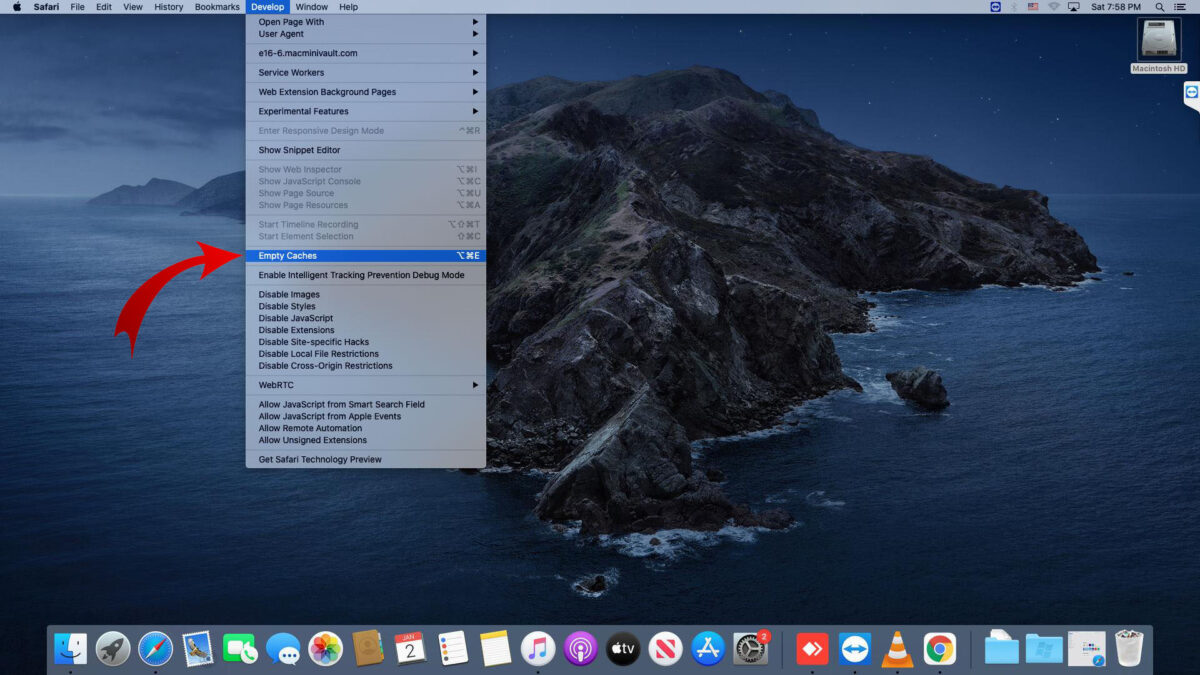
  1. To begin with, open Safari. If you don’t see the Menu Bar at the top of the window, go to the gear-shaped icon and click on “Show menu bar”.
  2. On the menu bar, click on “Edit” and then on “Empty cache…
  3. A warning pop-up window will appear and ask you to confirm that you want the cache to be deleted. Click on “Empty” to finish.

If for any reason you can’t find the menu bar you can always press Crtl + Alt + E to empty the cache. After pressing these keys the pop-up window will also appear.

And that’s it! All the data stored on the cache is now gone!

Five fantastic face changing apps

Even the most narcissistic of us fancy a little change from the person in the mirror occasionally. So whether you fancy a face-lift, want to try out a new look, or just feel like a laugh, we have five face changing apps for you.

Face Changer (Android|iOS)

Perhaps the most obvious pick this week is Face Changer. This app lets you morph, add silly accessories, and make modifications to your face or anyone else you can find pictures of. Add a pair of sunglasses and a scar, then get ready to share with your friends online.

Snapchat (Android|iOS)

The chances are that you already know Snapchat, but perhaps you are not aware of all of its face altering abilities. You can add filters before recording a video or taking a picture, than add objects and play with Snapchat Lenses to create an expressive image to share over the social networks.

YouCam Makeup (Android|iOS)

Just need a little touch up? Then YouCam Makeup can make you look fabulous for your photos. Add eyeshadow, lashes, lipstick, foundation… any and everything you need to find the ideal look or take the perfect selfie. It’s even better than L’Oreal Makeup Genius (Android|iOS) which we have previously featured.

FaceSwap (iOS)

Next up we have our creepiest pick, FaceSwap. Letting you swap the face of two people live on camera, this app can create some truly terrifying results. Well, I say terrifying, but really we have not stopped laughing since we tried it. You can even use it with photographs.

MSQRD (iOS)

MSQRD is probably the most entertaining and reliable of our list. This app lets you add a range of amazing masks to your face, all of which react and move with your expression. With this you can become famous people, fictional characters, or iconic creatures. Then just record and share your new look from within the app.

Next week we will be back with 5 apps to record in a full 360 degrees so you can make your own VR photos and videos. Until then, remember to like, share, and subscribe.

Related Stories

The 5 Global Mobile Award nominees

Five awesome things to do with Google Cardboard

Three games that prove 2016 is going to be best year yet for gamers

Follow me on Twitter: @DoFuss

Could this mean the end for WhatsApp?

Pay attention, because although the very thought of losing WhatsApp may be devastating for all of you, it is possible that you may not have much need for it after all.

Just as the Facebook-owned app managed to put an end to good old SMS,  it appears that this time Google may have something that could put an end to WhatsApp.

This potential new threat is an RCS (Rich Communication Service), and apparently isn’t much different to WhatsApp. Group chats, VoIP calls, emoticons, image sharing, it all looks very familar, so just what is it that could win us over?
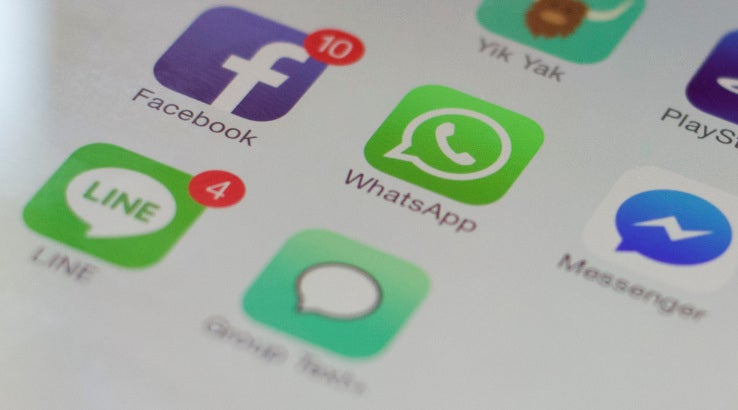

Well, RCS works as a coalition between Google and mobile operators. This basically means that Google wants to be able to offer operators something similiar to WhatsApp as a standard feature.

The big question is: Will it be free?

Google has not yet mentioned if there will be a price. If it is free and each new device comes with its own WhatsApp-style messenger as a default, then we may very well be seeing the beginning of something special. If Google introduce a cost for the service however, WhatsApp may just rule for a while longer.

Although it’s the “big question”, we can’t help but feel that Google would have to be mad to introduce a paid messenger service.

Could this mean we’re facing a revolution in the world of mobile messaging?

Leaked photos of the iPhone 5SE may not be what you were expecting

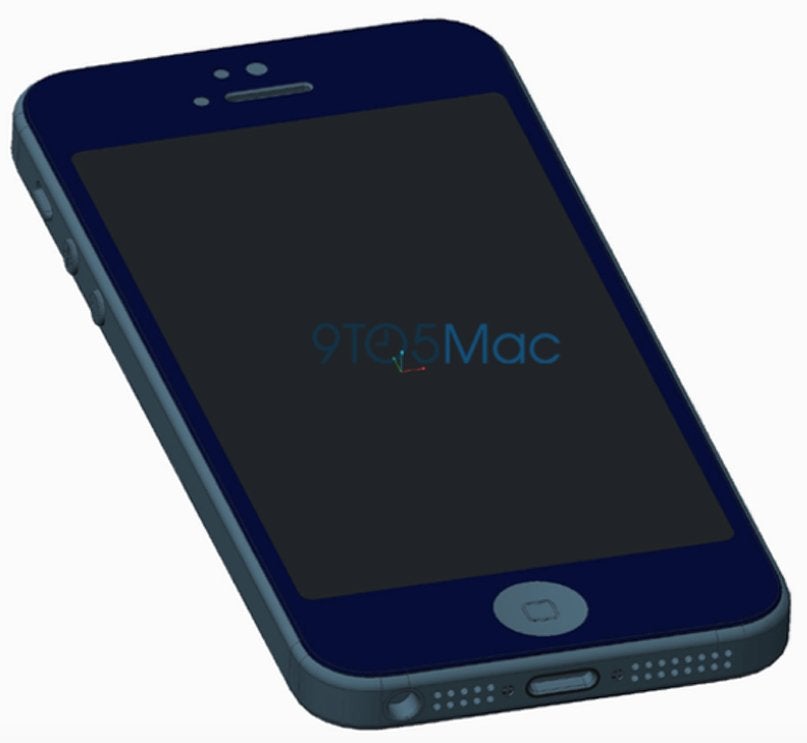
Popular site 9to5 Mac has recently released a “leaked” photo of the upcoming (and much anticipated) iPhone 5SE.

The photo shows the plans for an iPhone cover, yet what’s held within the cover is certainly not what we were expecting. The new device shows a more similar resemblance to the previous iPhone 5 and 5s, and not a smaller version of the iPhone 6 we were expecting. The only notable differences that you can see from the release is that the power button is situated on the side (like the iPhone 6) and lack of Touch ID button (however this is something 9to5 Mac are certain is going nowhere).

We don’t yet know the reasons as to why Apple may have decided to opt for the older model of the phone on its new 4-inch model, although we don’t have long to find out, as you may have read here.

The leaked design of the new iPhone cover:

Source: 9to5 Mac

Why doesn’t uTorrent open?

Why doesn’t uTorrent open por softonic-en

You’ve just installed uTorrent and restarted your computer, but the program won’t open. We know, it’s so irritating! But why does it happen? Usually, by double-clicking on the desktop uTorrent icon, the program should open. However, sometimes, this doesn’t work.

Once uTorrent is installed, it should open automatically when you start Windows and remain minimized in the system tray. Because of this, it sometimes seems like the program won’t open, when in fact it’s already running. This happens because the program’s settings are designed by default to resume downloads as fast as possible when you turn on your computer without having to open the program.

To ensure that uTorrent is open, first locate the uTorrent icon in the system tray, which should be next to the Windows clock.

Once you’ve located the uTorrent icon, double click to open it. uTorrent will open and you’ll be able to use it.

If you do not want uTorrent to open automatically when Windows starts, open the program, click on “Options“, and go to “Preferences“. In the “General” tab, find the option “Start uTorrent when Windows starts“. Then, all you need to do is to unmark this option to avoid uTorrent opening when you turn on your computer.

To close uTorrent, right-click on the icon in the system tray and select “Exit“.

uTorrent has many settings, so you might want you take a look at them and choose those that fit your needs!

Technology to charge your phone in 15 minutes? Yes, it’s here, and yes, you’ll want one!

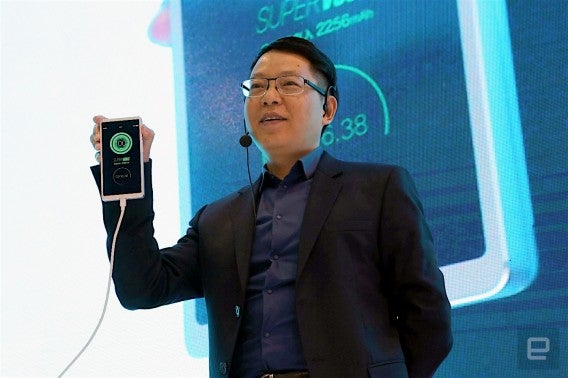
Mobile company Oppo recently presented their latest technology at the Mobile World Congress in Barcelona. This technology has the ability to fully charge your mobile phone in just 15 minutes. No, there’s no catch.

It works with the standard MicroUSB and USB Type-C cables and currently holds the record for the fastest charger ever. Until now, the faster charger available was the QuickCharge 3.9 made by Qualcomm, and was able to charge 80% of a mobile battery in about 35 minutes.

But, don’t get too excited yet! While Oppo technology will soon be available, it will only be available of phones made by the company. These phones are Android mid-range models which are famous for their wise management of resources- hense the faster charge! Stay tuned for more updates!

Source: engadget

New Android malware could wipe your device with just one text message

If you’re an Android user, you might be used to facing malware threats on a daily basis. The problem is that these hazards are becoming increasingly frequent, and more and more dangerous. A Danish security company has recently discovered a new malware that can erase your phone with just a simple text message.

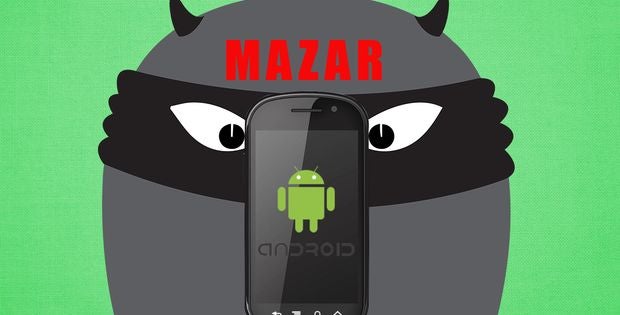
The threat in question is called “Mazar“. This malware has the ability to send you a text message that includes a link, which at first glance looks harmless. If you click the link, you will automatically download “Tor” with the most recent malware. With Tor, Mazar can be undetected, and will begin to work its evil on your device.

This malware can not only delete your data. It can also send other messages to your contacts without your permission. More than 100,000 Android users have received this text message and the fear is expected to grow on a global scale.

Our advice?

Simply don’t open any strange messages. Especially in this day and age of WhatsApp and Facebook, receiving an SMS is somewhat rare, and is usually limited to companies sending you ads. It may sound a bit harsh, but the truth is that those who have fallen victim to this malware already have only got themselves to blame.It’s a cruel world out there – be careful.

Source: UberGizmo