 Copying and pasting are probably the two most frequently used key combinations during anyone’s time in front of a computer. Just think about it: how many times do you press the Ctrl+C and Ctrl+V shortcuts in order to move text between applications, send a link to a friend or save yourself a few keystrokes?
Useful as it is, this copy-and-paste ability can still be improved with software apps. One of them is Auto Copy, a Firefox add-on that enables you to copy and paste elements in your favorite web browser. It works not only with the text published on the webpage body itself, but also with text boxes such as search fields, web forms, blog comments and forums.
But if you want to take advantage of a more advanced copying and pasting utility outside Firefox, you can also use Xpad. This tool turns the Windows clipboard into a basic text editor with support for multiple text snippets, which you can automatically paste into any application just by selecting them with your mouse.
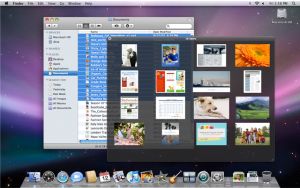 I quite the like the Quick Look mode in Mac OS X 10.5, which lets you preview all your files without opening them up. You can flip through the pages of a document, skim through a movie or watch the different slides of a Keynote presentation in seconds. Quick Look is a great way to save time when you’re looking for something but don’t want to open up files one by one. Quick Look works with virtually any document and previews in a sufficient size so that you can actually see the contents, not like the mini preview where you almost have to squint to try and understand what document you’re looking at. If you’re a big fan of Time Machine, you can also use Quick Look mode to peek at past versions of documents quickly.
 If you’ve got a website or blog, then do you know who is visiting your site? If you’re serious about developing your site and attracting more readers, then a decent stats analysis tool is essential. If you don’t, then it’s still interesting to see how many people are reading your site, where they are coming from and what they’re interested in.
 “I’d love to say that Safari was a safer browser, but at this point it isn’t.” That’s what PayPal’s Chief Information Security Officer, Michael Barrett, had to say in an interview reported by
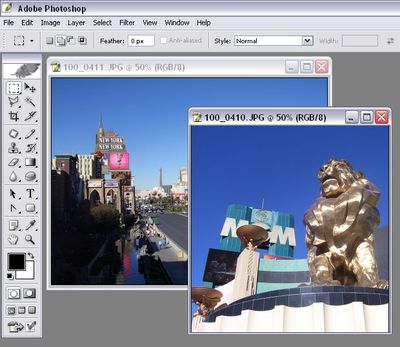
 One of the key ways to speed up your productivity is to reduce the time it takes you to open programs. Constant use of the mouse and Start menu, and even desktop shortcuts, takes-up valuable keyboard time not to mention clutter your workspace. There’s a lot to be said to launching programs directly from your keyboard and cleaning up your desktop/Start Menu.


 Don’t get me wrong, the PDF format is perfect for sharing information in a well-presented manner over the Internet. The only annoying thing about the Adobe file format is that if you want to extract text or images from a PDF to be republished online, added to a word processing document, inserted into a PowerPoint presentation and such, it can be hard to know where to start. Don’t worry though, because there are a few simple ways you can extract elements in a flash.
 Pong is the quintessential arcade classic – simple, addictive and fun, the game was launched by Atari in 1972 and still to this day it lives on, mainly on mobile phones and via emulators. It has also been given a new lease of life by developers who have adapted it for the 21st century creating variations of the game. A while back,