Skip to content

Softonic English

Just another Softonic Sites site

Prove you’re human by reading up on the latest Captcha scam

Imagine you’re browsing the internet, and suddenly, the typical pop-up appears asking you to confirm that you’re not a robot. Since you’ve gone through this process countless times, you likely click to continue almost automatically and without much thought. But what if we told you that this simple action could compromise the security of your entire device?

Avast Free Antivirus
Avast Free Antivirus Download

Cybercriminals have found a new way to deceive users through “FakeCaptcha,” a tactic designed to infect devices with malware without the user realizing it, by mimicking the appearance of legitimate CAPTCHAs. According to Gen Digital’s Threat Report for the third quarter of 2024, this type of attack has seen an alarming 614% increase worldwide, with notable cases in countries such as Spain, Italy, and Argentina.

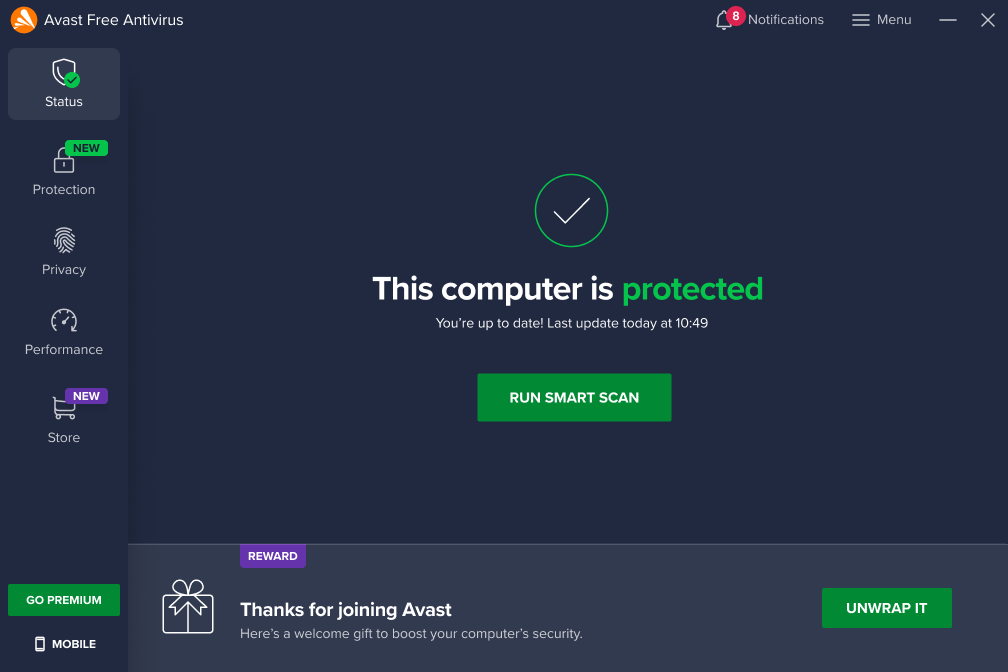
While FakeCaptcha poses a serious threat to all users—including even the most tech-savvy—fortunately, you have access to Avast Free Antivirus, a versatile security tool that helps defend your devices against this and many other cyber threats. Want to learn more about FakeCaptcha and how to protect yourself? We’ll cover everything you need to know below.

What Sets FakeCaptcha Apart from Other Similar Scams?

Exploiting Familiarity

At first glance, FakeCaptcha is another scam in the vast world of cyber threats. However, its cleverness lies in exploiting an action we perform almost automatically—verifying that we are not robots.

Unlike other scams that trick users into providing personal information or directly downloading malicious files, FakeCaptcha uses our familiarity with CAPTCHA verification to subtly introduce malware into our devices.

Social Engineering Techniques

To make matters worse, cybercriminals use social engineering techniques to get victims to execute malicious code on their devices by following instructions that seem to be part of the verification process. This dangerous and highly effective combination of familiarity and deception makes FakeCaptcha especially relevant today.

How Does the FakeCaptcha Scam Work?

The process behind this new scam is surprisingly simple, which contributes to its effectiveness:

Accessing a Compromised Page

While browsing the internet, you may come across a website that has been compromised or specifically designed for this purpose. When you try to access its content, you are presented with a fake CAPTCHA that looks almost identical to a real one.

Interacting with the CAPTCHA

When you click on “I’m not a robot,” a malicious script is silently copied to your clipboard without your knowledge.

Executing the Script

You are then instructed to paste and execute the clipboard content in your device’s command console under the pretext of completing the verification process.

Device Infection

By following these instructions, the script acts as a “dropper,” downloading and installing malware on your system.

The most common malware associated with this technique is Lumma Stealer, a sophisticated information-stealing program capable of extracting passwords, financial data, and all types of personal information.
How Can We Protect Ourselves from This Threat?

The good news is that by taking extra precautions and using the right tools, we can effectively protect ourselves against FakeCaptcha and similar scams. Here are some recommendations:

Be Wary of Unusual Requests

If a CAPTCHA appears on a website that normally doesn’t require one or asks you to perform actions outside the webpage or on your device, the best course of action is to be skeptical and avoid clicking anything. Legitimate CAPTCHAs will never ask you to copy and paste text or perform unusual actions.

Stay Informed and Alert

Understanding the tactics used by cybercriminals will help you recognize the warning signs and avoid falling into their traps.

Verify the Website’s URL

Before interacting with a CAPTCHA, ensure that the website address is legitimate and correctly spelled. Attackers often create fake websites with URLs similar to real ones, using tricks like replacing a zero (0) with an uppercase “O” or a lowercase “L” with an uppercase “I.”

Avoid Downloading Files from Untrusted Sources

While FakeCaptcha doesn’t always involve direct downloads, it’s essential to remember never to download files or programs from suspicious or unverified websites.

Enable Two-Factor Authentication (2FA)

Whenever possible, enable two-factor authentication for your online accounts, especially email and banking services. This adds an extra layer of security in case cybercriminals access your credentials.

Keep Your Security Software Updated

Ensuring that your security program is always up to date is crucial for detecting and blocking malicious scripts before they cause harm. Our recommendation? Avast Free Antivirus.

Avast Free Antivirus: Your Best Ally Against FakeCaptcha and Other Threats

In just one month, Avast Free Antivirus has protected more than 2.1 million users worldwide from FakeCaptcha attacks, according to Gen Digital. Whether you want to defend yourself against this new threat or protect your devices and personal information, Avast Free Antivirus is your best option. Here are its key features:

Real-Time Protection

Continuously monitors your device to detect and neutralize threats immediately.

Smart Scans

Detects and blocks viruses, malware, spyware, ransomware, and phishing attempts.

Behavior Shield

Protects against emerging threats by identifying suspicious behavior patterns.

CyberCapture

Isolates unknown files to analyze them in the cloud and determine their safety.

Avast Free Antivirus
Avast Free Antivirus Download

Automatic Updates

Keeps the virus database up to date to protect you against the latest threats.On top of that, Avast Free Antivirus is easy to install and use, and it doesn’t slow down your device. With millions of users worldwide, Avast’s software is one of the most reliable security solutions on the market. If you’re looking for comprehensive protection against a wide range of malware—including viruses, spyware, and ransomware—download Avast Free Antivirus today and browse the internet with peace of mind.

Author: Pedro Domínguez

{ "de-DE": "", "en-US": "Publicist and audiovisual producer in love with social networks. I spend more time thinking about which videogames I will play than playing them.", "es-ES": "Publicista y productor audiovisual enamorado de las redes sociales. Paso más tiempo pensando a qué videojuegos voy a jugar que jugándolos.", "fr-FR": "Publicitaire et producteur audiovisuel passionné par les réseaux sociaux. Je passe plus de temps à penser aux jeux vidéo auxquels je jouerai qu'à y jouer.", "it-IT": "", "ja-JP": "", "nl-NL": "", "pl-PL": "", "pt-BR": "", "social": { "email": "", "facebook": "", "twitter": "", "linkedin": "" } } View all posts by Pedro Domínguez

Author Pedro DomínguezPosted on March 4, 2025July 1, 2025Categories News

Post navigation

Previous Previous post: Rivian offers you more power and range in your car… in exchange for paying an additional 5,000 dollars
Next Next post: The president of Tesla sells company shares worth 100 million dollars while Musk destroys the brand

Recent Posts

  • The creators of Dishonored were about to make Thief 4… and a Blade Runner game
  • Park Chan-wook has been the jury director of Cannes and did not want to award the Palme d'Or to anyone for a good reason
  • Epic Games showcases Unreal Engine 6 for the first time with the most unexpected game
  • Hideo Kojima has gone to see 'The Mandalorian and Grogu' and his opinion is more than clear. "Everything against everything"
  • Tatiana Maslany asked the audience to cancel Disney+, but she trusts that it won't affect the return of She-Hulk. "The internet will know before I do"

Archives

  • May 2026
  • April 2026
  • March 2026
  • February 2026
  • January 2026
  • December 2025
  • November 2025
  • October 2025
  • September 2025
  • August 2025
  • July 2025
  • June 2025
  • May 2025
  • April 2025
  • March 2025
  • February 2025
  • January 2025
  • December 2024
  • November 2024
  • October 2024
  • September 2024
  • August 2024
  • July 2024
  • June 2024
  • May 2024
  • April 2024
  • March 2024
  • February 2024
  • January 2024
  • December 2023
  • November 2023
  • October 2023
  • September 2023
  • August 2023
  • July 2023
  • June 2023
  • May 2023
  • April 2023
  • March 2023
  • February 2023
  • January 2023
  • December 2022
  • November 2022
  • October 2022
  • September 2022
  • August 2022
  • July 2022
  • June 2022
  • May 2022
  • April 2022
  • March 2022
  • February 2022
  • January 2022
  • December 2021
  • November 2021
  • October 2021
  • September 2021
  • August 2021
  • July 2021
  • June 2021
  • May 2021
  • April 2021
  • March 2021
  • February 2021
  • January 2021
  • December 2020
  • November 2020
  • October 2020
  • September 2020
  • August 2020
  • July 2020
  • June 2020
  • May 2020
  • April 2020
  • March 2020
  • February 2020
  • January 2020
  • December 2019
  • November 2019
  • October 2019
  • September 2019
  • August 2019
  • July 2019
  • June 2019
  • May 2019
  • April 2019
  • March 2019
  • February 2019
  • January 2019
  • December 2018
  • November 2018
  • October 2018
  • September 2018
  • August 2018
  • July 2018
  • June 2018
  • May 2018
  • April 2018
  • March 2018
  • February 2018
  • January 2018
  • December 2017
  • November 2017
  • October 2017
  • September 2017
  • August 2017
  • July 2017
  • June 2017
  • May 2017
  • April 2017
  • March 2017
  • February 2017
  • January 2017
  • December 2016
  • November 2016
  • October 2016
  • September 2016
  • August 2016
  • July 2016
  • June 2016
  • May 2016
  • April 2016
  • March 2016
  • February 2016
  • January 2016
  • December 2015
  • November 2015
  • October 2015
  • September 2015
  • August 2015
  • July 2015
  • June 2015
  • May 2015
  • April 2015
  • March 2015
  • February 2015
  • January 2015
  • December 2014
  • November 2014
  • October 2014
  • September 2014
  • August 2014
  • July 2014
  • June 2014
  • May 2014
  • April 2014
  • March 2014
  • February 2014
  • January 2014
  • December 2013
  • November 2013
  • October 2013
  • September 2013
  • August 2013
  • July 2013
  • June 2013
  • May 2013
  • April 2013
  • March 2013
  • February 2013
  • January 2013
  • December 2012
  • November 2012
  • October 2012
  • September 2012
  • August 2012
  • July 2012
  • June 2012
  • May 2012
  • April 2012
  • March 2012
  • February 2012
  • January 2012
  • December 2011
  • November 2011
  • October 2011
  • September 2011
  • August 2011
  • July 2011
  • June 2011
  • May 2011
  • April 2011
  • March 2011
  • February 2011
  • January 2011
  • December 2010
  • November 2010
  • October 2010
  • September 2010
  • August 2010
  • July 2010
  • June 2010
  • May 2010
  • April 2010
  • March 2010
  • February 2010
  • January 2010
  • December 2009
  • November 2009
  • October 2009
  • September 2009
  • August 2009
  • July 2009
  • June 2009
  • May 2009
  • April 2009
  • March 2009
  • February 2009
  • January 2009
  • December 2008
  • November 2008
  • October 2008
  • September 2008
  • August 2008
  • July 2008
  • June 2008
  • May 2008
  • April 2008
  • March 2008
  • February 2008
  • January 2008
  • December 2007
  • November 2007
  • October 2007
  • September 2007
  • August 2007
  • July 2007
  • June 2007
  • May 2007
  • April 2007
  • March 2007
  • February 2007
  • January 2007
  • December 2006
  • November 2006
  • September 2006
  • August 2006
  • June 2006
  • May 2006
  • July 2001
  • January 2001
  • November 2000
  • September 2000
  • August 2000
  • July 2000
  • April 2000
  • March 2000

Categories

  • Affiliate post
  • Expert Review
  • Gaming
  • Guides
  • How to
  • Legacy how To
  • News
  • Noticias
  • Software>Security
  • Sponsored
  • Trucos y Consejos
  • Uncategorized
  • Windows software

Meta

  • Log in
  • Entries feed
  • Comments feed
  • WordPress.org
Softonic English Proudly powered by WordPress