Skip to content

Softonic English

Just another Softonic Sites site

Author: Pedro Domínguez

{ "de-DE": "", "en-US": "Publicist and audiovisual producer in love with social networks. I spend more time thinking about which videogames I will play than playing them.", "es-ES": "Publicista y productor audiovisual enamorado de las redes sociales. Paso más tiempo pensando a qué videojuegos voy a jugar que jugándolos.", "fr-FR": "Publicitaire et producteur audiovisuel passionné par les réseaux sociaux. Je passe plus de temps à penser aux jeux vidéo auxquels je jouerai qu'à y jouer.", "it-IT": "", "ja-JP": "", "nl-NL": "", "pl-PL": "", "pt-BR": "", "social": { "email": "", "facebook": "", "twitter": "", "linkedin": "" } }

Is Incognito Mode Really Safe? Debunking the Myths

Have you ever used your browser’s Incognito Mode? Over the last decade, this popular feature has become a sort of “digital sanctuary” for many. Driven by the widespread belief that “it leaves no trace,” many users assume they can search for anything or visit any site without a single worry.

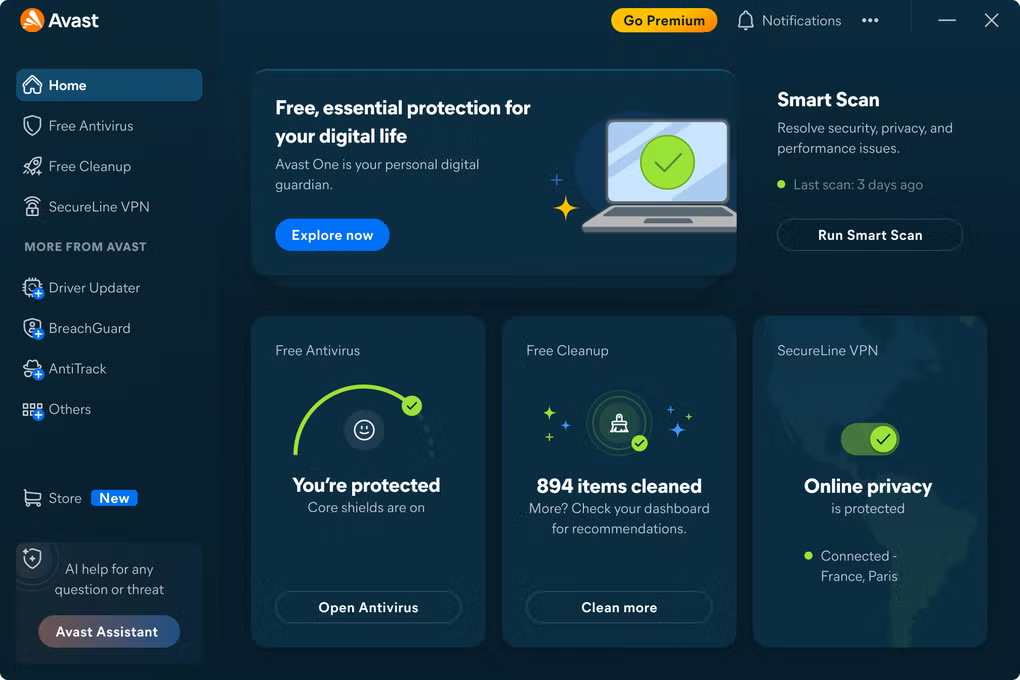
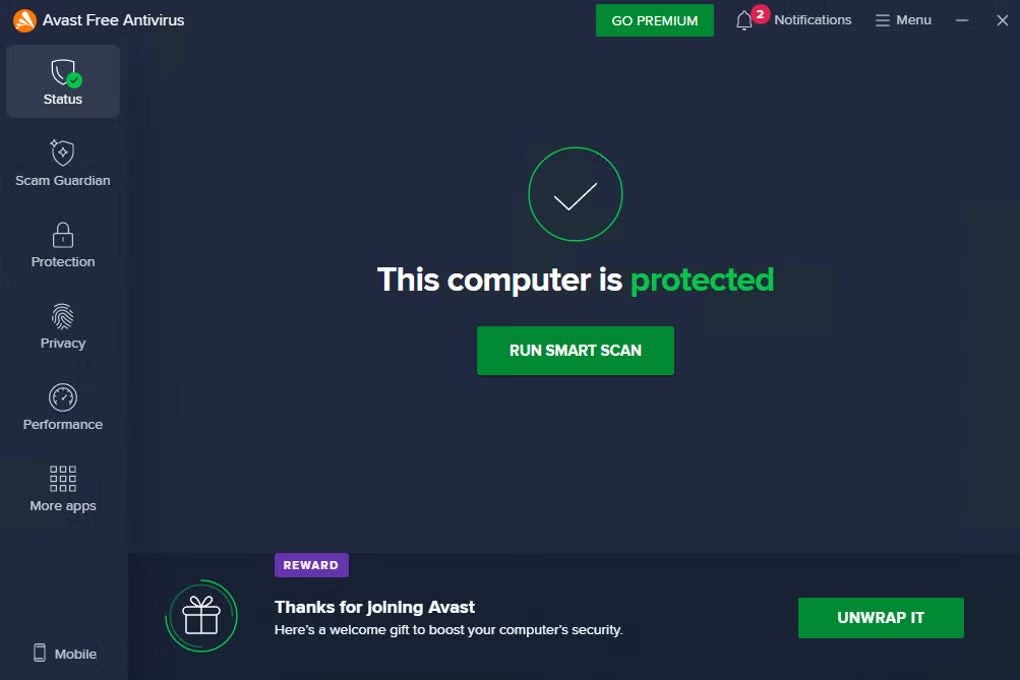
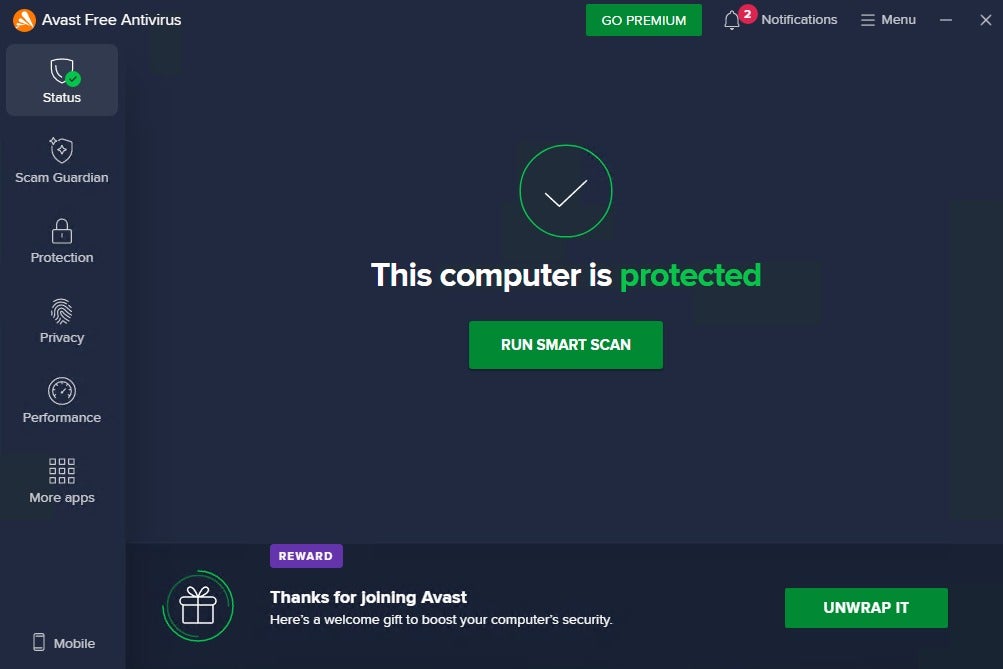
Avast Free Antivirus
Avast Free Antivirus DOWNLOAD

The problem is that this belief is just that a belief. And a false one at that. While Incognito Mode does prevent your activity from being saved on your specific device, it doesn’t mean you’re protected from online threats or that your browsing is completely anonymous. This is where many people end up getting a rude awakening.

That’s why it’s becoming increasingly important to combine basic browser features with tools that go a step further, like Avast Free Antivirus to bolster your security while you browse. But before we dive into that, it’s worth understanding exactly what Incognito Mode actually does… and what it doesn’t.

What Incognito Mode Actually Does

To understand why Incognito Mode isn’t as “safe” as many believe, you first need to be clear on its actual purpose. It is useful, but its utility is rooted in local privacy, not online security.

When you open an Incognito window, your browser stops saving certain information on your device. For instance:

  • It doesn’t log your browsing history.
  • It discards cookies once you close the session.
  • It doesn’t store data entered into forms, such as usernames or passwords.

In short, everything you do in that session vanishes from the browser the moment you close the window. This is practical in specific scenarios, such as using a shared computer where you don’t want the next person to see your history, or logging into multiple accounts simultaneously. It can also help prevent websites from using old cookies to influence what you see (like price tracking on flights).

However, all of this happens only on your device. Incognito Mode prevents other users of that same computer from seeing what you did, but it doesn’t change how you interact with the internet at large. Even if you leave no trace on your computer, your activity remains visible to outside players.

What It DOES NOT Do: The Limits of Private Browsing

To avoid dangerous misunderstandings, we need to debunk some of the most common myths about Incognito Mode.

First off, browsing in Incognito does not make you anonymous. The websites you visit can still see your IP address and collect data about your activity. The same goes for your Internet Service Provider (ISP) or, if you’re on a school or work network, the system administrators. Your activity hasn’t disappeared; it just wasn’t saved locally.

Secondly, this mode does not add an extra layer of encryption. If a site uses HTTPS, your connection is already encrypted whether you’re in normal or Incognito mode. If it doesn’t, Incognito won’t fix that. It’s not a game-changer in terms of data transit security.

Finally, there’s the issue of tracking. While Incognito clears cookies at the end of a session, sites can still use tracking mechanisms while you are browsing. Furthermore, advanced techniques like “browser fingerprinting” don’t rely on cookies at all, meaning you can still be tracked across the web.

The Real Risks of Relying on Incognito

If Incognito Mode wasn’t designed to protect you from external threats, then the standard risks of the internet are still there, exactly as they were before.

  • Phishing: You could land on a site that perfectly mimics your bank or a popular platform. Incognito Mode will not detect this scam or warn you that something is off.
  • Malicious Links: If you click a fraudulent link in an email or message, your browser won’t block it just because you’re in private mode.
  • Malware Downloads: If you download a malicious file, there is nothing in Incognito Mode that analyzes whether that content poses a risk to your computer.

In short, Incognito Mode is not a shield. It doesn’t scan websites, filter dangerous content, or stop you from interacting with fraudulent sites. Relying on it as a security tool can lead you to browse with less caution than you actually need.

Going Beyond Incognito: Leveling Up Your Online Security

To help your peace of mind, you need to go beyond basic browser settings and use tools that actively fight threats. This is where real-time security solutions come in, identifying risks as you browse, analyzing downloads before they execute, and alerting you if a link is fraudulent or a site is trying to impersonate another.

The key is not to rely solely on your browser’s default features. Incognito Mode helps keep your business private from your family or roommates, but it is no substitute for active protection against malware and scams.

Avast Free Antivirus: The Extra Layer of Protection You Need

Avast Free Antivirus is a practical option to help reinforce your security without any added complexity. It complements your browsing habits by acting as a proactive defense.

Key features are helping you:

  • Real-Time Malware Protection: Detects and blocks viruses, spyware, and other threats before they can infect your device.
  • File and Download Shield: Scans everything you download to identify hidden risks.
  • Malicious Website Detection: Identifies and blocks fraudulent or compromised sites before you interact with them.
  • Anti-Phishing Tech: Blocks malicious connections and phishing attempts before they reach your device.
  • Continuous Security Updates: Constantly updates its database to stay ahead of emerging threats.

Incognito Mode can be useful for local privacy, but it’s not enough on its own if you’re looking for a truly secure experience.

Avast Free Antivirus
Avast Free Antivirus DOWNLOAD

Give your digital life the protection it deserves. Download Avast Free Antivirus today and start browsing with real peace of mind.

Author Pedro DomínguezPosted on April 9, 2026April 9, 2026Categories News

2026 Cybersecurity Predictions: Navigating a New Era of Sophisticated Scams

Gone are the days when we could browse the web with total peace of mind. Over the last decade, digital threats have multiplied, and as we head into 2026, forecasts indicate that scams will become even more pervasive and polished. Today’s threats are much more sophisticated, capable of adapting to our emotions, our habits, and the exact moment we let our guard down.

Avast Free Antivirus
Avast Free Antivirus DOWNLOAD

According to the latest cybersecurity report from Gen Threat Labs, we are entering a phase where artificial intelligence plays a pivotal role in how threats are created and deployed. In this new landscape, intuition alone isn’t always enough to spot fraud. Your web browser, the tool you use every day for work, shopping, and staying in touch, is now the primary front line for these attacks.

In this environment, having an extra layer of support can help make a significant difference. In this article, we’ll break down the top cybersecurity predictions for 2026 and how you can help yourself prepare now.

The Evolution of Deception: Emotional Engineering Takes the Lead

For years, spotting an online scam was relatively straightforward. However, the 2026 cybersecurity landscape looks very different: hackers are increasingly using emotional engineering. By leveraging AI, scammers can analyze the tone of a conversation to create a sense of urgency or trust with surgical precision.

The problem is that these scams can easily bypass our natural intuition. Heading into 2026, recognizing these emotional triggers will be just as important as spotting a fake link. Understanding how these scams evolve is a key step in staying safer and realizing that the human eye can benefit from the backup provided by Avast Free Antivirus.

Your Web Browser: Ground Zero for Scams

If emotional engineering is the bait, the browser is the perfect place to set the trap. Cybercriminals are tailoring their techniques to blend into the browser environment, using “spoofed” websites that are nearly identical to the originals.

Using Avast Free Antivirus can help you defend against these subtle browsing threats. Specifically, its Web Guard feature is designed to help keep you safer from hidden scams while browsing, banking, and shopping online by helping to block malicious websites and unsafe downloads.

Real or AI? How Artificial Intelligence Redefines Digital Trust

In 2026, it is becoming harder to trust what we see or hear. AI-generated “synthetic noise” – such as fake reviews and machine-made recommendations – dilutes traditional red flags. When a threat uses the right tone, the margin for error can increase. This is why having a built-in AI partner like Avast Assistant, included in Avast Free Antivirus, can be so valuable for getting real-time guidance on suspicious messages.

How to Stay Ahead of Digital Threats

When scams target your emotions, you don’t need to be a cybersecurity pro to stay safer. You just need to build better habits and use helpful tools:

  • Be Wary of Urgency: Most scams work by rushing you. Taking a breath can help stop an emotional engineering attack.
  • Watch Where You Type: Avoid clicking links in texts; type the URL directly into your browser.
  • Network Inspector: Can help you connect more safely, even on unsecured or public Wi-Fi networks.
  • Hack Alerts: Designed to notify you if any passwords linked to your email account have been compromised.

Avast Free Antivirus: Your Ally Against Tomorrow’s Threats

As scams become more refined, having a digital safety net can help you navigate the web with more confidence. Avast Free Antivirus is a practical solution designed to help you stay protected without needing a degree in computer science.

  • Smart Site Protection: Helps detect and block fake websites, phishing attempts, and malicious ads before you even interact with them.
  • Web Shield: An active layer of defense that analyzes data as you browse to prevent the execution of malicious scripts on your PC.
  • Avast Assistant: A specialized feature that can help analyze suspicious messages or communications to see if they hide a scam attempt.
  • Seamless Protection: It works in the background without slowing you down, acting as a second opinion for your digital decisions.
Avast Free Antivirus
Avast Free Antivirus DOWNLOAD

In a world where scams are getting personal, this kind of help is essential. Protecting yourself in 2026 means accepting that the internet evolves faster than our reflexes. By using Avast Free Antivirus, you can help enhance your protection and online safety.

Author Pedro DomínguezPosted on January 17, 2026January 17, 2026Categories News

The Holiday Gadget Guide: How to Secure Your New Device Day One

The Holiday Gadget Guide: How to Secure Your New Device Day One

Did you unwrap any new tech this holiday season? Let’s be honest, breaking in a new device is always a thrill: you take it out of the box, power it up for the first time, and get that buzz of excitement. The “let’s see what this thing can do” feeling. Next, you start configuring it, downloading your favorite apps, tweaking a few settings, and diving right in. In those first few days, everything feels new, fast, and convenient… but it pays to be a little careful.

Avast Free Antivirus
Avast Free Antivirus DOWNLOAD

The reality is that cybercriminals love to target this exact “honeymoon phase,” right when you are installing things at lightning speed and haven’t quite locked down your security preferences yet. The worst part? Occasionally, all it takes to kill the vibe is a single sketchy download, a website trying to slip something past you, or a file that has no business being there. And obviously, nobody wants that to happen just as they start enjoying their new toy.

That is why it’s smart to have tools in place from day one to keep your gear safe. One of the most popular options is Avast Free Antivirus, which adds an extra layer of security while you get used to your new digital environment. If you want to enjoy your new device with more confidence, keep reading.

Why a New Device Needs More Care at the Start

The first few days with a brand-new device are usually a bit chaotic. Everything needs to be set up, you want to customize it immediately, and you start installing applications almost out of muscle memory. Between quick setups, downloads, and adjustments, a lot happens in a very short time, and that fast pace can open the door to more risks than you might think.

Additionally, during those first few hours, your security habits aren’t fully dialed in yet. Maybe you click “Accept” a few too many times, download a file without looking closely, or open a website that looks familiar without checking if it’s actually the official one. These kinds of slip-ups are pretty common when unboxing a device because you’re more focused on getting it running than checking every little detail.

Moreover, many manufacturers only include basic security settings – like standard updates, permissions, and privacy options – that you are expected to reinforce and adapt over time. That’s why paying a little extra attention during that initial boot-up period is crucial; it helps you avoid nasty surprises and lets you enjoy your new equipment with much more confidence.

The Most Common Threats in the First Few Days

When you start using a new device, everything runs so smoothly that it seems impossible for anything to go wrong. However, those early days concentrate more risk than usual. The rush, the distractions, and the lack of advanced security configurations create the perfect breeding ground for typical threats.

One of the most common issues is malicious apps posing as useful tools. In many cases, these are apps promising spectacular features, but in reality, they just spam you with intrusive ads or try to steal data. There are also fake updates circulating that mimic official ones, usually popping up on unreliable websites. Generally, they try to convince you with urgent messages like “Your system needs this now,” when all they want is for you to click a button without thinking.

Another frequent risk involves downloads that look harmless but carry infected files. Every so often they come from websites that look legitimate; other times, from links shared on social media or messaging apps. And, of course, there are still phishing sites looking to trick you with fake forms or flashy warnings to grab your data or slip in a suspicious file.

All these dangers work especially well when the user is rushing and skipping the fine print. This is why cybercriminals take advantage of the moment you debut a new device—they know you are installing things non-stop, and any slip-up works in their favor.

How to Keep Your Device Safe Day One

The best way to protect a newly unboxed device is to combine good habits with tools that help detect problems before they cause trouble.

A useful first step is to download files only from official websites or recognized app stores. Many threats slip in when someone installs something found in an ad, on a forum, or via a link that looks innocent. It also helps to keep the system updated right from the start, as the initial updates often fix system bugs that could be exploited to sneak in malicious software.

Another highly recommended habit is to review application permissions before accepting them. Now and then, you’ll run into a simple tool asking for access to your contacts, location, or functions it absolutely doesn’t need. If a permission doesn’t add up, trust your gut and deny it. And, of course, it’s wise to create strong passwords (easy to remember but challenging to guess) and avoid open Wi-Fi networks while the device is still being configured.

At this point, with all the basics covered, having extra backup can make all the difference. The popular cybersecurity solution Avast Free Antivirus helps detect suspicious downloads in real-time, helps block dodgy websites , warns you if a file looks dangerous and helps you understand if a message is a scam with their AI-supported assistant. All of this serves as additional reinforcement while you get used to your new equipment, reducing the risk that a moment of distraction turns into a headache.

Avast Free Antivirus: A Smart Choice to Help Protect Your New Device

After going over the most common risks and the habits that help keep a device in good shape from day one, it’s time to back up that effort with reliable protection. This is where Avast Free Antivirus comes into play – a lightweight, simple solution that helps keep malware at bay without complicating your life. Its design is meant to support your day-to-day activities and reinforce your device’s security while you focus on enjoying it.

Here are some of the standout features:

  • Real-time protection: Scans files and downloads while you work, browse, or install new applications.
  • Smart Scan: Designed to help in checking the most sensitive parts of the device and help you detect threats quickly.
  • Suspicious download monitoring: Helps prevent a malicious file from installing before you can react.
  • Helps block dangerous websites: Very useful when you access links or domains that might try to slip something past you without you noticing.
  • Automatic updates: Keeps the security engine up to date without you having to worry about a thing.

Taken together, these features make Avast Free Antivirus a convenient and accessible ally for anyone who wants to enjoy their newly unboxed device without any shocks. Its daily protection helps reduce risks and helps you feel more confident while you finish setting up your digital environment. If you would like to start using it right now, download Avast Free Antivirus and help protect your device’s security from day one.

Author Pedro DomínguezPosted on January 7, 2026January 7, 2026Categories News

Secure Your Sleigh: How to Dodge Online Scams This Holiday Season

The year has flown by, and Christmas is here once again. The holiday season always arrives in a rush, finding us immersed in a whirlwind of last-minute online shopping, travel preparations, gift hunting, and keeping up with the celebrations on the calendar. With so much happening at once, it’s easy to lose focus, something scammers know how to exploit.

Avast Free Antivirus
Avast Free Antivirus DOWNLOAD

Scammers take advantage of these moments of distraction to slip everything past us, from impossible bargains and fake storefronts that look authentic to emails mimicking delivery updates from shipping companies. The worst part is that they refine their tricks every year, and many users don’t realize they’ve been duped until it’s too late.

The good news is that staying safer online doesn’t rely only on our own vigilance. Tools like Avast Free Antivirus are designed to help you navigate the season more safely by helping block malicious websites, spotting suspicious downloads, and assisting with potentially deceptive messages. With a bit of caution and the right digital support, it becomes much easier to enjoy the holidays without falling for online traps.

Why Online Scams Spike During the Holidays

When the holidays arrive, everything accelerates. We tend to search for flights, hotels, and gifts with more urgency than usual, and this stress creates the perfect climate for scammers to have a field day. Many users surf from one website to another without looking too closely at the details- a habit cybercriminals know all too well. 

Cybersecurity tools can help support safer browsing during these busy moments, especially when scammers flood the web with irresistible offers, urgent messages, and pages mimicking real retailers with surprising precision.

During these weeks, online shopping volume skyrockets, and most people receive a barrage of confirmation emails, delivery notices, and automated communications. With so many messages, it’s easy to confuse a legitimate notice with a manipulated one, especially when it arrives just as you are expecting a package. In situations like these, having a solution such as Avast Free Antivirus can help you stay more aware of suspicious links or unsafe sites that may appear in your path.

Add to this the fact that many people organize holiday trips and look for quick discounts, use aggregators, try unknown agencies, and book last-minute accommodations. Scammers exploit this need to make quick decisions to push impossible offers, playing on pressure with phrases like “only two seats left” or “book before the price goes up.”

All in all, the holiday season brings together more online activity, more distractions, and more impulsive searching. This explosive cocktail gives digital criminals the opportunity to multiply their scams, so understanding this context is key to anticipating their tricks.

The Most Common Holiday Scams

As soon as the Christmas holidays approach, “shops” begin to appear that look authentic but exist solely to steal data or money from hasty shoppers. Their design often mimics well-known retailers, complete with similar logos, attractive photos, and eye-catching discounts. Most play on the holiday impulse: you see the perfect gift at a ridiculous price and feel you have to buy it before it vanishes. 

Another classic of the season is messages simulating delivery updates. Since we’re all expecting various packages, it becomes easier to fall for emails and SMS messages warning of a delay, an unpaid fee, or an urgent change of address. These messages frequently include a link leading to a fake website requesting personal data or banking information. With so many risky links circulating, having support from a security tool can offer valuable guidance. Simply clicking the link can get you into trouble, as some of these portals also attempt to slip in unsafe files.

Last-minute travel has also become fertile ground for scammers. They promise flights with unrealistic discounts, accommodations that disappear after payment, or vacation packages that don’t exist. These offers usually play on two factors: urgency and the thrill of finding a steal when you need it most.

 While no tool can prevent every scam, browsing more cautiously and using solutions like Avast Free Antivirus to help you navigate questionable websites can make it easier to avoid impulsive clicks. Many people book without checking the company or reading real reviews, and that’s when criminals take advantage.

How to Stay Safe During the Holidays

Amidst so much email, speed shopping, and price comparison, it helps to follow a few simple habits to dodge most holiday traps. The first and most basic is to calmly review any offer that seems too good to be true. An exaggerated discount typically hides small details you can spot if you keep a sharp eye out—whether the store was created recently, there are no reviews, or there are suspicious elements on the website. Take a minute to check the URL, look for real comments, or confirm the company exists through other sources.

It is also very useful to be suspicious of any message insisting that you “must act now.” Scammers rely on pressure to make the user click without thinking. If an email or SMS demands an urgent payment, an immediate update, or a link to avoid a supposed account block, the wisest thing to do is pause. Checking the sender, verifying if the number matches the real provider, and accessing the official service website directly helps clear up doubts.

Regarding deliveries, criminals exploit the volume of packages to slip in fake notices asking for personal or banking data. The best bet in these cases is to ignore any link that arrives via email or SMS and manage shipments from the delivery company’s official website or app. If a message promises to speed up delivery or solve a supposed problem with a single click, it is likely looking to do the opposite.

Technical security also plays its part. Browsing with an updated device and a trusted antivirus can greatly reduce the margin scammers have to infiltrate our systems. 

Avast Free Antivirus: Essential Protection to Help Avoid Holiday Scams

Even if you stay attentive during the holidays, a well-crafted scam can slip through the chaos of emails, alerts, and last-minute offers. That’s why using a tool designed to support safer browsing, like Avast Free Antivirus, can make a meaningful difference. It helps detect potentially dangerous websites, disguised links, and compromised downloads at moments when scammers are working especially hard to catch users off guard.

Its most useful features include:

  • Real-time protection that analyzes what you do on the Internet and alerts you when something looks suspicious.
  • AI-powered phishing detection to identify emails and messages attempting to steal personal data.
  • Blocking of dangerous websites that mimic well-known stores or services.
  • Download analysis to avoid manipulated files or those tweaked to sneak onto your device.
  • Online traffic supervision to reduce the risk of a malicious link taking advantage of a careless moment.

These functions integrate smoothly into everyday browsing, offering helpful support while you take advantage of holiday deals, buy gifts, or track deliveries. Combined with the smart habits you already know, Avast Free Antivirus can help you reduce the risk of falling into the digital traps common this season. Download Avast Free Antivirus and head into the holidays feeling more confident about your online safety.

Avast Free Antivirus
Avast Free Antivirus DOWNLOAD
Author Pedro DomínguezPosted on December 16, 2025December 16, 2025Categories News

The Spirit of Giving: How to Donate Safely Online This Christmas

Christmas is finally here! The streets are full of lights, stores are stocking your favorite holiday treats, and with so much joy in the air, many people feel it’s the perfect time to give back to those who are struggling. This atmosphere of generosity encourages participation in charity initiatives and online donations, which are incredibly convenient when you want to help without complicating your life too much.

Avast Free Antivirus
Avast Free Antivirus DOWNLOAD

The problem is that, as usual, scammers are also joining the holiday season, creating a multitude of fake websites, misleading messages, and emails trying to slip in amidst all that solidarity.

Luckily, there are simple ways to donate with peace of mind. It just takes following a few basic guidelines and relying on tools that help avoid digital deception. Among them, the popular Avast Free Antivirus has become a strong ally for those who want to support real causes without stumbling into holiday fraud camouflaged by the goodwill of the season. If you intend to breathe easy this holiday, this article is for you.

The Most Common Online Donation Scams in December

The weeks leading up to the holidays usually bring a considerable spike in charity campaigns, fundraising marathons, and invitations to participate in charitable initiatives. This increase in activity also encourages cybercriminals, who return every December with increasingly polished methods to appear legitimate.

One of the most common frauds involves creating websites that mimic established organizations, changing just a couple of letters in the URL, and copying logos and text. The goal is to make everything look authentic so the user doesn’t suspect a thing. Many people reach these pages through links circulating on social media or via forwarded messages where the source hasn’t been verified.

Another very common tactic appears in the form of emails seeking to trigger emotional urgency. These often include phrases like “donation essential today” or “last chance to help,” along with pleas that seem credible at first glance. The sender tries to impersonate a widely known organization, although small details (such as generic greetings or typos) can raise suspicions.

Social media also offers fertile ground for these types of scams. Newly created profiles posing as real initiatives, campaigns using stolen photos, or shortened links redirecting to unreliable pages tend to multiply during these dates. The goal always follows the same pattern: getting the victim to open an unsafe link, hand over personal data, or enter their card details into fake forms.

Signs That Help Detect a Fake Charity

Although many holiday scams try to look flawless, they usually leave clues that can be identified with a little attention. The first and most obvious one appears in the website address. As mentioned earlier, sometimes just one changed letter, a strange number, or a domain extension that doesn’t match the official one is enough to warrant suspicion. Scammers often try to reproduce the look of a real foundation, but the URL should always be checked before entering any data.

The general appearance of the page also offers information. If the charity initiative shows text with errors, low-quality images, or buttons that lead nowhere, it is best to hit the brakes and analyze the situation calmly. Legitimate organizations tend to take care of these details, while fraudulent versions tend to have visible flaws when you look a little closer.

Another important clue appears in the payment methods. When the page insists that you can only donate via direct transfer, cryptocurrency, or links that do not offer known payment systems, it is better to be suspicious. Official entities usually offer various secure and verified options, so any strange restriction should make you doubt.

It is also worth paying attention to messages that arrive unexpectedly. If you have received emails pressuring you to donate right at that moment, SMS messages with contextless links, or social media messages from profiles with few posts, they are likely attempts at deception. Furthermore, if they present an overly emotional tone or promise unrealistic benefits, they are most likely trying to manipulate you.

How to Donate Online with Peace of Mind This Holiday

To avoid falling into the clutches of these frequent scams, the first step is to always access the organization’s website by typing the address manually into your browser. This way, you avoid entering fake websites that arrive via unreliable messages. It is also very useful to bookmark the entities you trust so you can return to them without depending on search engines or external links.

Checking that the page uses HTTPS encryption also makes a difference. The padlock icon next to the URL indicates that the connection is encrypted, which is fundamental when entering personal data or bank card information. Although this padlock does not guarantee that the organization is authentic, it does help rule out pages without any type of protection.

Social media allows you to discover all kinds of initiatives, but they should be approached with caution. Before donating, check that the profile has a track record, coherent previous posts, and a link that leads to a recognizable website. If the link appears shortened or redirects you several times before reaching the destination, the best thing you can do is avoid it. It is also advisable to distrust overly emotional campaigns that ask you to act immediately, as they usually seek an impulsive reaction from the user.

Another simple measure is to look for opinions or ratings from other users. Many established organizations have information available in recognized media or trusted forums, which helps verify their legitimacy before making a donation. On the other hand, if you find no references and everything seems newly created, it is worth investing a few more minutes to investigate further.

At this point, the additional protection offered by specialized tools like Avast Free Antivirus also comes into play. It helps detect fraudulent pages, helps block phishing attempts, and alerts you when a link is suspicious. Combined with the precautions we have mentioned above, it adds an extra layer of security so that your contributions reach the right causes without surprises.

Avast Free Antivirus
Avast Free Antivirus DOWNLOAD

Avast Free Antivirus: Essential Support When Donating Online

By now, it is clear that scams related to online donations can appear in any corner of the web, from newly created websites to emails trying to sound convincing. In this context, Avast Free Antivirus becomes a great ally to help protect your data and prevent you from ending up on fraudulent pages when you are keen to collaborate with real causes.

Among its most useful features for this season are:

  • Protection against fake websites, which helps prevent you from entering information into manipulated addresses or imitations of known organizations.
  • AI-powered phishing detection, very common in emails pressuring you to donate “now.”
  • Real-time analysis of links and downloads, helping to stop suspicious files or redirects before they cause problems.
  • Clear security alerts, warning you when a link or page shows unreliable behavior.

These functions help reinforce the precautions you take on your own and offer extra backing when you browse for charitable initiatives. If you want to avoid falling for fraud disguised as solidarity and be able to do your bit this time of year with more peace of mind, counting on Avast Free Antivirus can help you enhance your protection and online safety. Download it today and donate with more confidence this holiday season.

Author Pedro DomínguezPosted on December 9, 2025December 9, 2025Categories News

Black Friday Scams: How Avast Scam Guardian Protects You from Fake Deals in Real Time

Black Friday Scams: How Avast Scam Guardian Protects You from Fake Deals in Real Time

If the dozens of ads and emails flooding your inbox haven’t already made it clear, Black Friday is officially here. It’s the perfect time of year to wrap up your holiday shopping and finally grab the things you’ve had your eye on for months. 

Avast Free Antivirus
Avast Free Antivirus DOWNLOAD

But if you’re not careful, it can also turn into a digital minefield. Alongside the real deals, you’ll find ghost stores, sketchy delivery messages for packages you never ordered, and ads that promise high-end phones at prices that seem far too good to be true.

With that in mind, it’s natural to hesitate before clicking on an offer. The good news? Technology can give you a hand. The trusted Avast Free Antivirus now includes Avast Scam Guardian. This new feature helps detect and block fake websites and phishing messages, enabling you to browse and shop with greater confidence during the busiest shopping weeks of the year.

Fake Online Stores

During Black Friday, fake online stores multiply across social media and ad platforms. These websites often look convincing, using polished photos, logos, and even fabricated customer reviews. But many are built to collect payments for products that never ship.

A major warning sign is a steep, unrealistic discount- for example, a branded jacket normally costing $160 offered for $19.99. Other red flags include missing refund policies, limited payment methods, or a lack of business contact details.

Even the web address can be deceptive. Scammers often mimic real brand URLs by swapping letters or adding small changes, such as “amaz0n” instead of “amazon.” Taking a moment to double-check the domain can help you spot the difference.

Delivery Scams and Fake Invoices

Around Black Friday, inboxes fill up with messages claiming there’s a problem with a delivery. These phishing scams often pretend to be from well-known shipping companies, using urgent wording to make you click links or download attachments.

The messages might mention unpaid fees or missing information about a recent order. In reality, those links often lead to fake pages that attempt to steal login or payment details.

Before responding, verify whether you actually ordered a package. If you’re unsure, visit the courier’s official website by typing its address manually, or check your order history with the retailer. Avoid opening attachments or links from unknown senders.

“Too Good to Be True” Deals: Gift Cards, Concert Tickets, and Luxury Items

Black Friday also brings a wave of “free gift card” giveaways, “exclusive” concert tickets, or luxury items offered for just a few dollars. These scams exploit excitement and urgency, encouraging users to act before thinking.

Such offers may ask for personal details, payment information “for verification,” or even ask you to share the link with friends. In most cases, the company behind the offer doesn’t exist. If the promotion lacks clear terms, brand information, or feels rushed, it’s best to skip it.

Spotting Red Flags

Although every scam appears different, most share a few common telltale traits:

  • Urgency: “Only a few left” or “deal ends in seconds.”
  • Poor writing: Typos or awkward phrasing.
  • Unusual payments: Requests for direct bank transfers or cryptocurrency.
  • Lack of transparency: Missing contact details or unclear refund policies.

A quick pause to double-check can make the difference between a safe purchase and a costly mistake.

Avast Scam Guardian: A Helpful Protection for Black Friday and Beyond

Black Friday’s excitement makes it easy to get swept up in the rush- clicking “buy now” before a deal disappears, skimming over URLs, or trusting a message that looks just real enough.

Avast Scam Guardian, built into Avast Free Antivirus, is designed to counter exactly that kind of fast-moving, high-pressure environment. Using advanced AI and continuous threat intelligence, it helps identify fraudulent websites, messages, and links in real time, before you’ve had a chance to fall for them. 

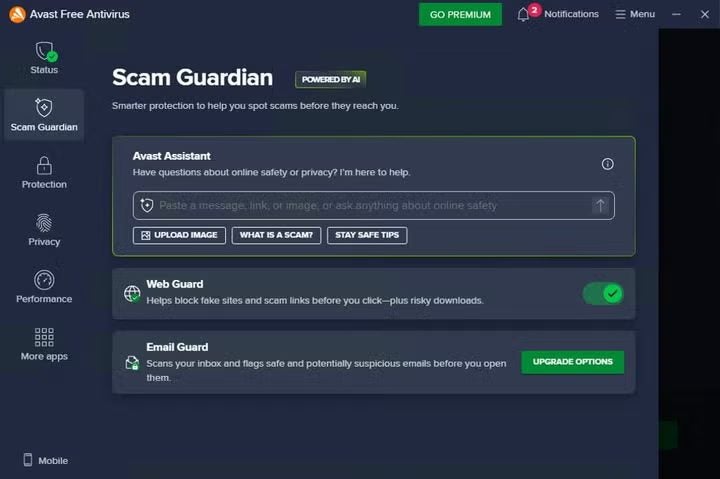
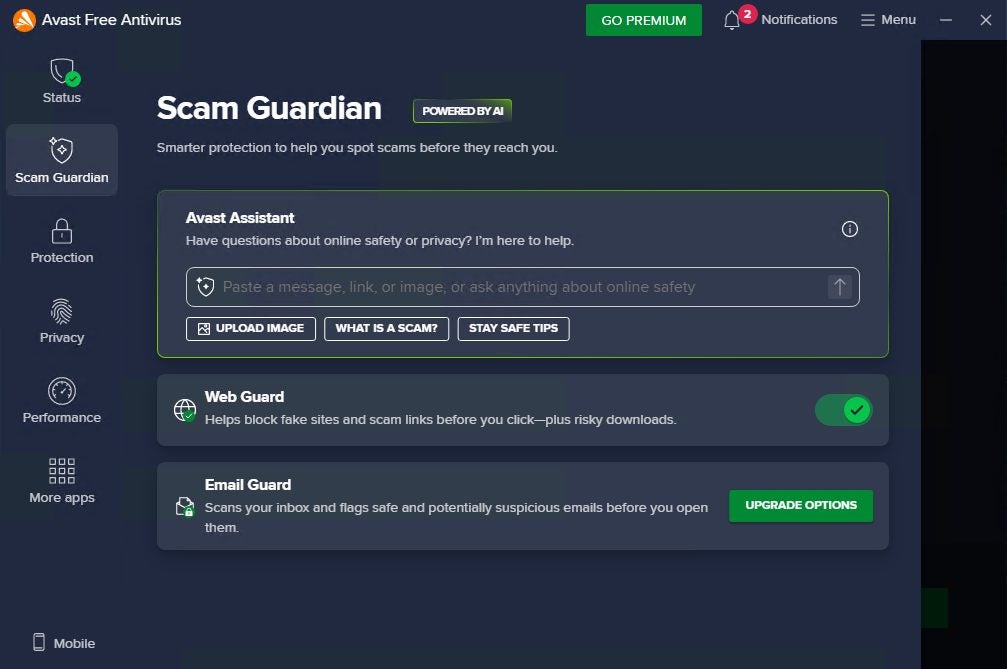
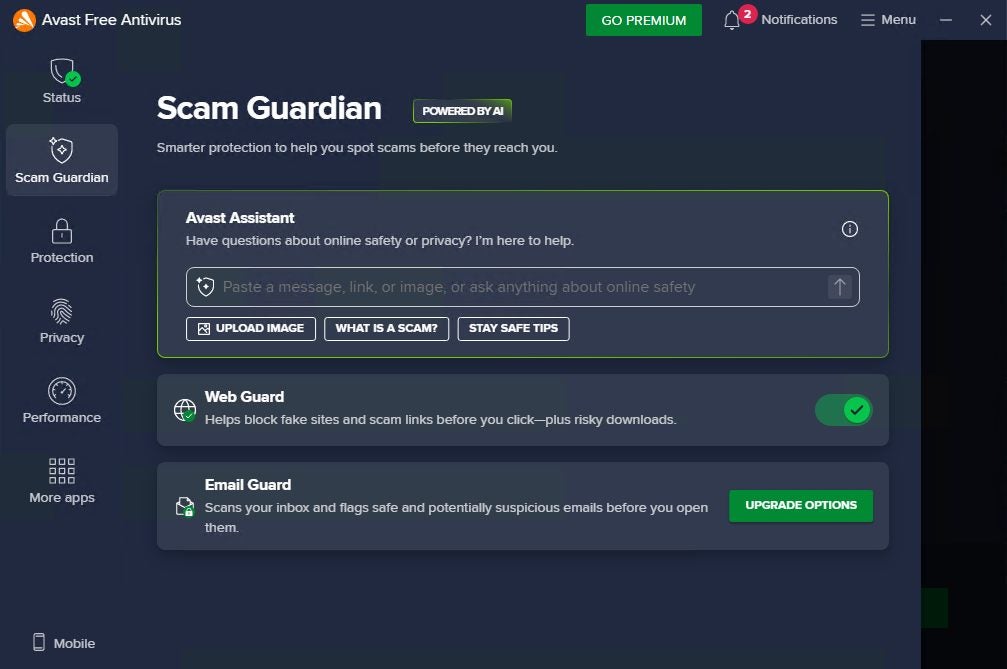
Rather than relying solely on static blacklists or known scams, Scam Guardian features Web Guard, which utilizes AI tools to analyse the content of web pages, identifying hidden scams and helping you avoid falling into traps.  into traps. 

For example, when you open a page offering an unmissable discount or receive a “delivery notice” email, Web  Guard quietly checks the website. If it detects anything suspicious like mismatched payment systems, suspicious redirects, etc,  it immediately flags the risk, helping you decide whether to proceed. This intelligent, adaptive approach is especially valuable during shopping events like Black Friday, when cybercriminals flood social media and inboxes with temporary scam pages that vanish as soon as victims catch on.

Avast Free Antivirus
Avast Free Antivirus DOWNLOAD

Within Scam Guardian you can find Avast Assistant, which provides quick, contextual advice when something feels off. Unsure about a deal that seems “too good to be true”? You can check with the Assistant to see if similar scams have been reported, or get guidance on verifying a store’s legitimacy. Together, these tools help you stay one step ahead of evolving scams- allowing you to browse, click, and shop with greater awareness and confidence. With Scam Guardian active inside Avast Free Antivirus, your digital shopping experience gains an intelligent layer of defense that adapts as fast as scammers do. It doesn’t replace caution, but it helps enhance your judgment, making it easier to recognize deception and enjoy Black Friday deals without the hidden costs of a scam.

Author Pedro DomínguezPosted on November 25, 2025December 12, 2025Categories News

Working from home? Find out what you need to know to keep your devices safe

In just a few years, the way we work has changed beyond recognition. The morning commute has been replaced by the walk from the bedroom to the desk, and the meeting room by the video call. For millions of people, the home has become both a living space and a workplace- a single environment where professional files, personal data, and private conversations coexist.

Avast Free Antivirus
Avast Free Antivirus DOWNLOAD

It’s convenient and flexible, but it also presents new challenges. The same laptop that holds your project reports may also store family photos and passwords. The same Wi-Fi network that connects your work tools may also stream movies or support smart devices. When everything converges, the importance of keeping your digital environment safe grows exponentially.

In this article, we’ll explore how to maintain both security and efficiency while working remotely and how helpful tools like Avast Free Antivirus and CCleaner Free can support that effort, alongside a few smart, everyday habits.

The New Reality of Remote Work

Since the pandemic, remote work has evolved from a temporary measure into a lasting cultural shift. Many companies have embraced hybrid models, while others have gone fully remote. Flexibility has its advantages- less commuting, more time at home, but it also blurs the boundaries between personal and professional digital life.

Your work laptop may now double as your entertainment hub, your banking terminal, and your household organizer. Every email, download, or online session becomes a potential entry point for unwanted software or phishing attempts. At the same time, home Wi-Fi setups often lack the advanced firewalls and monitoring tools that corporate networks rely on.

This doesn’t mean working from home is unsafe- it simply means that the responsibility for digital protection has shifted from the IT department to you. Fortunately, safeguarding your devices doesn’t have to be complicated; it starts with awareness and a few practical measures.

CCleaner Free
CCleaner Free Download

When Convenience Turns into Risk

The beauty of remote work lies in its simplicity: open your laptop, connect to the internet, and you’re good to go. But this very convenience can hide vulnerabilities.

Downloading files without verifying their source, leaving default router passwords unchanged, or keeping outdated software can expose devices to risks that accumulate quietly over time. 

Even harmless habits such as storing personal photos alongside business documents can create confusion that leads to mistakes, such as sending confidential files to the wrong person or clicking a suspicious link.

Clutter can also become its own kind of threat. Unused programs, cached data, and leftover installation files slow down performance, making devices less reliable at the moments you need them most. A cluttered system is more than an aesthetic issue- it’s a sign that maintenance and protection have been neglected.

Building a Safer, Smoother Home Office

The key to digital wellbeing at home is consistency. A few small habits can make a significant difference in your security, productivity, and peace of mind.

  1. Separate personal and professional use- Create distinct folders or even separate user profiles for work. This simple division keeps sensitive information organized and minimizes the risk of mixing personal data with business files.
  2. Protect your Wi-Fi network- Change your router’s default password to a strong, unique one. A secure network helps prevent unauthorized access and protects every device connected to it- from laptops to smart TVs.
  3. Stay up to date- System and software updates often include vital security fixes. Installing them promptly helps reduce vulnerabilities that attackers might exploit.
  4. Review browser extensions and apps- Outdated or unnecessary extensions can slow performance or even collect data without your knowledge. Take a few minutes to uninstall what you no longer use.
  5. Use trusted digital maintenance and protection tools- Once the basics are covered, specialized tools can strengthen your defenses and keep your system running smoothly. That’s where Avast Free Antivirus and CCleaner Free come in.

Avast Free Antivirus and CCleaner Free: Smart Companions for Remote Work

When your home becomes your office, security and performance go hand in hand. Your computer is no longer just a personal device- it’s your meeting room, your filing cabinet, and sometimes even your gateway to the entire company network. You need it not only to be safe from digital threats but also to remain fast, organized, and reliable throughout the day. That balance between protection and performance is where Avast Free Antivirus and CCleaner Free truly shine.

Avast Free Antivirus is designed to help safeguard your digital workspace against the kinds of threats that most people encounter while working remotely- from phishing emails disguised as meeting invites to malicious downloads hidden in shared documents. Its intelligent detection technology continuously observes activity in real time, helping to spot unusual behavior that could indicate something isn’t right. It goes beyond simple virus scanning: the system learns from global threat data to help recognize new and emerging risks, allowing you to work, browse, and collaborate with greater confidence. Whether you’re sending large files through the cloud, joining video conferences, or accessing confidential data over your home Wi-Fi, Avast helps you stay safer and focused.

What makes Avast Free Antivirus especially valuable in a remote work context is its combination of depth and simplicity. You don’t need to be a cybersecurity expert to benefit from it- the software quietly handles much of the complexity in the background. Its built-in web and email shields help monitor potential risks as you browse or communicate online, while automatic updates ensure you’re always using the most current protection. In an environment where work and personal browsing often overlap, that kind of seamless, intelligent defense can make all the difference.

CCleaner Free, on the other hand, complements Avast by focusing on the everyday health and speed of your device. Over time, computers accumulate digital residue- cached files, outdated logs, leftover installers- that quietly consume storage and reduce performance. CCleaner helps identify and remove this clutter, freeing up valuable space and helping your system operate more efficiently. The tool also assists with managing startup programs and unnecessary background processes, which can significantly improve boot times and responsiveness- something every remote worker appreciates when switching between calls, projects, and applications.

Beyond performance, CCleaner Free contributes to privacy as well. By cleaning browsing histories and temporary data, it helps reduce traces of your online activity, adding another layer of discretion to your digital routine. This is particularly helpful when using shared household devices or connecting to multiple accounts throughout the day.Used together, Avast Free Antivirus and CCleaner Free create a synergy that supports both safety and speed. One helps protect you from external risks; the other helps your system stay clean, quick, and dependable. The result is a streamlined home office environment where you can concentrate on your work, not on technical distractions- a setup where digital hygiene feels as natural and routine as tidying your desk at the end of the day.

Avast Free Antivirus
Avast Free Antivirus DOWNLOAD
Author Pedro DomínguezPosted on November 20, 2025December 12, 2025Categories News

Fraudulent Websites Are on the Rise: Here’s How Avast Free Antivirus Keeps You Safe

Have you ever received a suspicious email or a strange text message—or landed on a website that looked legitimate but just didn’t feel right? Online scams have been growing for years, and today they’re more widespread than ever. These aren’t rare incidents that “only happen to someone else”—anyone can become a target. According to Gen Digital, scam-related attacks and fake websites have recently hit record levels, making it more crucial than ever to know how to stay protected.

Avast Free Antivirus
Avast Free Antivirus Download

In just the past year, digital fraud led to reported losses of more than $10 billion. Every day, scammers send out an estimated 3.4 billion fraudulent emails and 1.6 billion deceptive text messages, according to Gen. More than half of the population is worried about falling victim to these traps, and one in five people has already experienced a scam in the last 12 months.

Why Online Scams Are Surging

The answer is simple: scammers know how to adapt. Cybercriminals continuously refine their tactics, exploiting trust in well-known brands, data breaches, and even the fast pace of our digital lives. It doesn’t matter if you’re a frequent user or only go online occasionally—everyone is at risk of receiving a suspicious message or visiting a deceptive website designed to steal your personal data.

Avast Free Antivirus—one of the world’s most trusted cybersecurity solutions—has just introduced a powerful new feature built specifically to help you protect against modern scams: Avast Scam Guardian.

How Digital Scams Are Evolving

Common Types of Online Scams

  • Phishing: fake emails or websites impersonating banks, retailers, or shipping companies
  • Smishing: deceptive text messages warning about fake package deliveries or locked accounts
  • Social media impersonation
  • Malvertising: malicious online ads
  • Personalized attacks using stolen data to craft convincing messages

Why These Scams Are Effective

These scams strike when your guard is down, use persuasive language, and create fake websites that look completely authentic. Scammers have also begun leveraging artificial intelligence to write more convincing messages, tailor content in real time, and launch massive-scale scam campaigns. This makes detection harder—not just for individuals, but also for traditional security tools.

Why Traditional Security Isn’t Enough

While AI powers many of these attacks, it also plays a key role in defense. Unfortunately, many conventional security solutions are no longer enough. Scam tactics evolve fast, and unless you have advanced protection, you’re exposed to higher risks. Today, it’s not enough to look out for typos or suspicious links—the scams are much more subtle and personalized.

Traditional Protection Isn’t Enough Anymore

For years, keeping your antivirus updated and staying cautious was often enough. But the digital landscape has changed. Scams now spread through emails, texts, social media, ads, and increasingly realistic websites. Even alert users can be caught off guard by the speed of online interactions and the overwhelming volume of information we process daily.

Scammers evolve faster than conventional defenses. Their messages are better written, their fake websites copy every detail of the originals, and their attacks come from more sources than ever. Traditional protection still helps—but it’s no longer sufficient to stop today’s sophisticated scams. What’s needed is a solution that stays one step ahead: analyzing messages and websites in real time and adapting to the pace of modern digital life.

How Avast Free Antivirus Helps Keep You Safe

In this new environment, Avast Free Antivirus delivers more than just basic protection—offering a robust defense against scams, with no cost and no hassle.

Key Features of Avast Free Antivirus

  • Real-time website scanning
  • Constantly updated threat database
  • Background protection with no manual updates

AI-Powered Scam Detection

Avast’s system uses artificial intelligence to detect scam patterns—even when the attacks are brand new or highly disguised. It helps to spot fraudulent websites and misleading links that traditional tools may miss.

Always-On Security

Because Avast runs in the background and updates automatically, users don’t need to worry about configurations or updates. It proactively blocks threats before they reach your personal data, enabling safe browsing, shopping, and social media usage.

Introducing Avast Scam Guardian: The Next Step in Scam Protection

To strengthen your defenses even more, Avast Free Antivirus now includes Avast Scam Guardian—a cutting-edge feature powered by Gen AI.

How It Works

This tool doesn’t just scan links; it interprets the meaning and context of messages, emails, and websites to detect brand-new scams that other systems might miss.

Features of Avast Scam Guardian

  • Avast Assistant: Provides guidance on suspicious links and offers
  • Web Guard: Scans page content and compares it to a database of over 11 million dangerous URLs

Cross-Platform Protection

Scam Guardian runs quietly in the background, updates automatically, and protects you even when you’re in a rush or distracted. It’s available across Windows, macOS, so your security travels with you—wherever you go.

Avast Free Antivirus
Avast Free Antivirus Download

Smarter Security, Just a Click Away

In a digital world where scams are constantly evolving, Avast Free Antivirus and Scam Guardian give you the edge you need to stay ahead. Together, they help you detect hidden dangers, bring peace of mind to your online activity, and make cybersecurity simple, accessible, and automatic.So if you want to browse, shop, and communicate online with greater confidence, don’t wait: download Avast Free Antivirus today and activate Scam Guardian for intelligent, up-to-date scam protection. Now more than ever, your digital security is just one click away.

Author Pedro DomínguezPosted on August 5, 2025August 14, 2025Categories News

Unplug This Summer Without Compromising Your Digital Security — Get Protected with Avast Free Antivirus

Summer is finally here, and with it, the long-awaited chance to unwind. Maybe you’ve been planning a trip for months, or maybe you’re just ready to unplug from work, social media, and your everyday routine. Honestly, it feels good to put the phone down, shut the laptop, and just live in the moment. But while you’re taking a break, your digital life keeps running in the background—whether you’re aware of it or not. So, here’s the real question: doesn’t your digital self deserve a peaceful vacation, too?

Avast Free Antivirus
Avast Free Antivirus DOWNLOAD

Even if you’re lying on the beach soaking up the sun, your phone, tablet, or laptop could be connecting to sketchy public Wi-Fi networks, receiving suspicious emails, or exposed to threats you never saw coming. Now, this isn’t about being paranoid or letting security worries ruin your time off—but just like you wouldn’t leave home without packing your suitcase, it’s smart to take a few minutes to lock down your digital safety before you fully disconnect.

Luckily, tools like Avast Free Antivirus make it easy to protect your digital well-being so you can enjoy your vacation stress-free. In this article, we’ll walk you through why digital security matters when you’re off the clock, the most common threats you might face, and practical tips to help you steer clear of digital drama while you relax. Ready to start your digital getaway on the right foot?

Why Digital Security Should Be on Your Pre-Trip Checklist

Before heading out on a trip, you probably double-check if you’ve packed your charger, passport, and house keys. But what about your digital security? It’s often the last thing we think about—right when we should be paying more attention. On vacation, we tend to let our guard down and use unfamiliar networks and devices, which opens the door to cyber threats.

Most of us rely on public Wi-Fi in hotels, cafés, or airports while traveling. Sure, it’s convenient—but it’s also a hotspot for cybercriminals looking to prey on unsuspecting travelers. We’re not just talking about people snooping on your photos or messages—this can include stolen passwords, unauthorized access to your accounts, or even identity theft.

Recent studies show that nearly 60% of European travelers connect to open Wi-Fi networks while on vacation, and more than half admit they take no extra security precautions. A small oversight can lead to big consequences—like losing digital memories or having your bank account hacked.

The solution isn’t to panic—it’s to stay informed. Digital security while traveling isn’t about fear; it’s about common sense. Just like you wear sunscreen to avoid getting burned, a little digital hygiene goes a long way toward ensuring your time off stays relaxing.

The Most Common Digital Threats Travelers Face

Cybercriminals don’t take vacations—and when you’re in vacation mode, your digital guard may be down. Here are the most common risks your digital life faces when you try to disconnect (or at least pretend to):

Public Wi-Fi: A Traveler’s Worst Best Friend

The moment you arrive at a hotel or café, what’s the first thing you ask for? The Wi-Fi password. But public networks are a playground for hackers. They can intercept the data you send and receive—messages, passwords, even banking info. Worse yet, some cybercriminals set up fake Wi-Fi hotspots that look legitimate just to trick you into connecting.

Lost or Stolen Devices: It’s Not Just the Hardware

With all the coming and going, it’s easy to leave your phone on a café table or lose your tablet by the pool. But the real risk isn’t the device itself—it’s everything stored inside: personal photos, login credentials, even sensitive work files. A single moment of carelessness could expose your entire digital identity.

Suspicious Emails and Messages

When we’re on vacation, we tend to skim notifications or open messages without thinking. Hackers count on this. They send phishing scams disguised as travel deals, urgent bank alerts, or fake giveaways. All it takes is one tap on a sketchy link, and you’re in trouble—sometimes without even knowing it.

Logging in from Shared or Public Devices

Sometimes you need to check your email or bank account from a hotel business center or public computer. But you never know what malware might be lurking on those machines. One quick login could hand over access to your accounts to someone you’ve never met.

These are just a few examples of how easy it is to put your digital well-being at risk while you’re on vacation. Fortunately, with a bit of planning and a few smart habits, you can avoid most of these issues altogether.

7 Easy Tips for Staying Digitally Safe on Vacation

So now that you know the risks, let’s talk about what you can do—without overcomplicating things—to protect yourself and enjoy a worry-free break. You don’t need to be a tech expert to stay safe. Just follow these simple tips:

1. Prep Your Devices Before You Go
Update your operating system and apps. Most updates include security patches that fix known vulnerabilities. While you’re at it, delete any apps you no longer use to reduce your exposure.

2. Lock Your Screen and Use Strong Passwords
Set up a screen lock using a PIN, pattern, or even better—biometric authentication like a fingerprint or face ID. Avoid obvious passwords and enable two-factor authentication (2FA) on your most important accounts.

3. Back Up Your Data
Before heading out, back up your photos, contacts, and important files to the cloud or an external drive. That way, if your device goes missing, your data isn’t lost with it.

4. Be Smart About Public Wi-Fi
Whenever possible, use your mobile data instead of open Wi-Fi. If you must connect to a public network, avoid logging into sensitive accounts and never enter personal or financial info. Bonus tip: turn off automatic Wi-Fi connections.

5. Watch Out for Phishing Scams
Don’t let your guard down. Be skeptical of unexpected messages, “too good to be true” deals, or emails asking for urgent action. If something feels off, don’t click or download anything.

6. Log Out and Avoid Shared Devices
If you use a public or shared computer, always log out of every service you access and use incognito mode if possible. Never save passwords or enter personal details on someone else’s device.

7. Use a Trusted Antivirus
Peace of mind is priceless. Install a reliable antivirus like Avast Free Antivirus to automatically scan for threats, monitor Wi-Fi safety, and alert you to suspicious activity—so you can relax while it handles the heavy lifting.

Avast Free Antivirus: Your Travel Companion for Digital Peace of Mind

You might think antivirus software only blocks viruses—but today’s cybersecurity tools do much more. While you’re enjoying some downtime, Avast Free Antivirus works in the background to support your digital life safe and help reduce exposure to cyber risk. Here’s what makes it the perfect travel companion:

  • Wi-Fi Network Scanning: Avast checks the security of any network before you connect, warning you about risky or fake hotspots—common in hotels, cafés, and public spaces.
  • Real-Time Threat Protection: It scans files, apps, and downloads on the fly, blocking malware, viruses, and other threats before they do damage.
  • Phishing Attack Defense: Avast flags suspicious emails and messages designed to steal your data or passwords, keeping you a step ahead of scammers.
  • Automatic Updates: You’ll always have the latest protection—no manual setup required.
Avast Free Antivirus
Avast Free Antivirus DOWNLOAD

And the best part? It runs quietly in the background without slowing down your device. Just install it, and it takes care of the rest—so you can focus on enjoying your vacation.

Ready to relax with greater peace of mind? Download Avast Free Antivirus on all your devices and take your digital security with you, wherever summer leads you.

Author Pedro DomínguezPosted on July 2, 2025July 2, 2025Categories News

Have You Ever Stopped to Think About How Much Personal Information You Share Online Every Day?

 From the moment we wake up and check our phone until we shut down our laptop at night, we leave behind a huge trail of data that, in the wrong hands, can turn into a real nightmare. In a world where you don’t need a masked thief to rob you—but rather a cybercriminal with some crafty skills—protecting our digital identity is more crucial than ever.

AVG AntiVirus Free
AVG AntiVirus Free Download

Online attacks designed to steal our identity happen all the time. These threats can put our bank accounts, social media profiles, or even our reputations at risk. Recent data shows that 74% of Americans have had their Social Security number exposed in the last year, and more alarmingly, one in four U.S. consumers has been a victim of identity theft. If it happens in a country with such advanced technology, who can say they’re completely safe?

The reality is that no one is free from risk. Identity theft can start with something as seemingly harmless as clicking on a malicious link or downloading an infected file. That’s why having tools to help us spot and avoid these digital traps is so important.

One such tool is AVG AntiVirus Free, a completely free program that can alert you when you’re about to visit a suspicious website or click on a link containing malware. But let’s not get ahead of ourselves. Before talking about solutions, let’s take a closer look at how this kind of threat works.

What Is Identity Theft?


In the digital world, “identity theft” doesn’t look anything like those spy movies with disguises and fake passports. Here, what criminals want is access to your personal information so they can pose as you. And what do they gain from that? They can open bank accounts under your name, apply for loans, make purchases, or even commit crimes—all while you remain completely in the dark.

It usually starts with data collection: your full name, date of birth, address, ID numbers, passwords, card details… any piece of information can be valuable. And the worst part is that, all too often, we end up sharing it without realizing it—be it on an unsecured webpage, a public Wi-Fi network, or by responding to an email that looks legit but isn’t.

Once attackers have your information, they use it to impersonate you, gaining access to your accounts, signing up for services in your name, or, in the worst cases, building an entirely new digital identity with your details. Recovering control after something like this happens isn’t always easy; the legal process can be long, frustrating, and sometimes costly. That’s why knowing how to prevent it from the start is so critical.

Which Digital Threats Can Put Our Identity at Risk?

There are many digital threats that can open the door to identity theft, and they’re becoming increasingly sophisticated. Let’s go over some of the most common (and most harmful) ones:

Phishing

Phishing remains one of the most widespread methods, involving emails, messages, or even calls that mimic real companies to trick you into handing over personal information. In 2023, for instance, thousands of people received fake emails supposedly from their bank, with a link directing them to a site identical to the official one. Many entered their login credentials, never suspecting they were giving them straight to a scammer.

Hacks

 Hacks exploit security gaps in computer systems to steal personal data. These days, a major breach happens almost every month. Through such breaches, criminals can compile a complete profile on you, which they then use freely in the digital world. A notorious example was the 2017 Equifax breach that exposed personal information of more than 147 million people, including Social Security numbers, birth dates, and addresses.

Malware Attacks

Malware attacks can stealthily install themselves on your device without you noticing, logging your keystrokes, taking screenshots, or collecting data stored locally. Public Wi-Fi networks lacking proper encryption are another minefield for anyone connecting without protection. Not only can you be attacked more easily with all kinds of malware, but it’s essentially like leaving your data out in the open for anyone to grab.

These aren’t hypothetical threats. They happen every day, everywhere. And the scariest part is that you don’t always realize you’ve been targeted… until it’s too late.

What Can We Do to Protect Our Identity Online?

Fortunately, there are also plenty of ways to keep your digital identity safe, and it all begins with a healthy dose of common sense: if something feels off, it probably is. With that in mind, your first move is to be wary of emails urging immediate action, shortened links you’re unsure about, and websites that don’t use encryption (yes, that little lock icon in the address bar does more than just decorate). Beyond that, here are some simple yet effective everyday measures:

  • Create Strong Passwords
    It’s essential to use strong, unique passwords for each site or service. Yes, we know remembering so many different passwords can be a pain, but that’s where password managers come in. These tools store your credentials securely and let you access them without memorizing every single one.
  • Enable Two-Factor Authentication
    Another key tip: turn on two-factor authentication (2FA) whenever possible. This adds an extra layer of security—so even if someone does get hold of your password, they still can’t log in without the second code (usually sent via SMS or generated by an app).
  • Keep Your Software Up to Date
    It might sound obvious, but it’s not always followed: keep your operating system and apps updated. Many updates include security patches that fix vulnerabilities criminals might exploit.
  • Install a Reliable Security Solution
    Naturally, you’ll want a trusted digital security tool as well; installing an effective free antivirus is a must for identifying threats before they can do any harm. AVG Antivirus Free, for example, scans links and webpages in real time, warning you if you’re about to fall into a phishing trap or enter a malware-infected site. In other words, it’s like having someone watch over your device 24/7.

AVG Antivirus Free: Your Best Ally for Protecting Your Identity

 When it comes to digital protection, few measures make as big a difference as having a tool like AVG AntiVirus Free. And no, it’s not just a simple virus detector. It’s a complete solution that helps keep your identity safe as you navigate the internet.

One of its standout features is real-time scanning of links and web pages. Thanks to this functionality, if you click on a link that leads to a suspicious site, AVG AntiVirus Free can block the page and warn you before it’s too late. It also shields your device from phishing attacks—one of the most common methods of stealing personal data—by identifying red flags that can slip past the naked eye.

Another huge advantage is its protection against malicious downloads. Sometimes you don’t even need to visit a dangerous website—just downloading a single infected file can put both your device and your data at risk. AVG Antivirus Free automatically checks files before you open them, preventing spyware or other stealth threats from sneaking in.

AVG AntiVirus Free
AVG AntiVirus Free Download

All of these benefits come at zero cost. Even better, AVG AntiVirus Free is light, fast, and easy to use. You don’t have to be a cybersecurity expert to stay protected.So, if you haven’t done so yet, now’s the time to take action. Download AVG AntiVirus Free and start safeguarding your online identity right away. Because when it comes to your digital security, it’s better to be safe than sorry.

Author Pedro DomínguezPosted on May 9, 2025July 25, 2025Categories News

Posts pagination

Page 1 Page 2 … Page 146 Next page

Recent Posts

  • The creators of Dishonored were about to make Thief 4… and a Blade Runner game
  • Park Chan-wook has been the jury director of Cannes and did not want to award the Palme d'Or to anyone for a good reason
  • Epic Games showcases Unreal Engine 6 for the first time with the most unexpected game
  • The best 'Star Wars' series is one that we will never see. George Lucas planned more than 400 episodes
  • No foreign series could pass the Iron Curtain… except the Muppets

Archives

  • May 2026
  • April 2026
  • March 2026
  • February 2026
  • January 2026
  • December 2025
  • November 2025
  • October 2025
  • September 2025
  • August 2025
  • July 2025
  • June 2025
  • May 2025
  • April 2025
  • March 2025
  • February 2025
  • January 2025
  • December 2024
  • November 2024
  • October 2024
  • September 2024
  • August 2024
  • July 2024
  • June 2024
  • May 2024
  • April 2024
  • March 2024
  • February 2024
  • January 2024
  • December 2023
  • November 2023
  • October 2023
  • September 2023
  • August 2023
  • July 2023
  • June 2023
  • May 2023
  • April 2023
  • March 2023
  • February 2023
  • January 2023
  • December 2022
  • November 2022
  • October 2022
  • September 2022
  • August 2022
  • July 2022
  • June 2022
  • May 2022
  • April 2022
  • March 2022
  • February 2022
  • January 2022
  • December 2021
  • November 2021
  • October 2021
  • September 2021
  • August 2021
  • July 2021
  • June 2021
  • May 2021
  • April 2021
  • March 2021
  • February 2021
  • January 2021
  • December 2020
  • November 2020
  • October 2020
  • September 2020
  • August 2020
  • July 2020
  • June 2020
  • May 2020
  • April 2020
  • March 2020
  • February 2020
  • January 2020
  • December 2019
  • November 2019
  • October 2019
  • September 2019
  • August 2019
  • July 2019
  • June 2019
  • May 2019
  • April 2019
  • March 2019
  • February 2019
  • January 2019
  • December 2018
  • November 2018
  • October 2018
  • September 2018
  • August 2018
  • July 2018
  • June 2018
  • May 2018
  • April 2018
  • March 2018
  • February 2018
  • January 2018
  • December 2017
  • November 2017
  • October 2017
  • September 2017
  • August 2017
  • July 2017
  • June 2017
  • May 2017
  • April 2017
  • March 2017
  • February 2017
  • January 2017
  • December 2016
  • November 2016
  • October 2016
  • September 2016
  • August 2016
  • July 2016
  • June 2016
  • May 2016
  • April 2016
  • March 2016
  • February 2016
  • January 2016
  • December 2015
  • November 2015
  • October 2015
  • September 2015
  • August 2015
  • July 2015
  • June 2015
  • May 2015
  • April 2015
  • March 2015
  • February 2015
  • January 2015
  • December 2014
  • November 2014
  • October 2014
  • September 2014
  • August 2014
  • July 2014
  • June 2014
  • May 2014
  • April 2014
  • March 2014
  • February 2014
  • January 2014
  • December 2013
  • November 2013
  • October 2013
  • September 2013
  • August 2013
  • July 2013
  • June 2013
  • May 2013
  • April 2013
  • March 2013
  • February 2013
  • January 2013
  • December 2012
  • November 2012
  • October 2012
  • September 2012
  • August 2012
  • July 2012
  • June 2012
  • May 2012
  • April 2012
  • March 2012
  • February 2012
  • January 2012
  • December 2011
  • November 2011
  • October 2011
  • September 2011
  • August 2011
  • July 2011
  • June 2011
  • May 2011
  • April 2011
  • March 2011
  • February 2011
  • January 2011
  • December 2010
  • November 2010
  • October 2010
  • September 2010
  • August 2010
  • July 2010
  • June 2010
  • May 2010
  • April 2010
  • March 2010
  • February 2010
  • January 2010
  • December 2009
  • November 2009
  • October 2009
  • September 2009
  • August 2009
  • July 2009
  • June 2009
  • May 2009
  • April 2009
  • March 2009
  • February 2009
  • January 2009
  • December 2008
  • November 2008
  • October 2008
  • September 2008
  • August 2008
  • July 2008
  • June 2008
  • May 2008
  • April 2008
  • March 2008
  • February 2008
  • January 2008
  • December 2007
  • November 2007
  • October 2007
  • September 2007
  • August 2007
  • July 2007
  • June 2007
  • May 2007
  • April 2007
  • March 2007
  • February 2007
  • January 2007
  • December 2006
  • November 2006
  • September 2006
  • August 2006
  • June 2006
  • May 2006
  • July 2001
  • January 2001
  • November 2000
  • September 2000
  • August 2000
  • July 2000
  • April 2000
  • March 2000

Categories

  • Affiliate post
  • Expert Review
  • Gaming
  • Guides
  • How to
  • Legacy how To
  • News
  • Noticias
  • Software>Security
  • Sponsored
  • Trucos y Consejos
  • Uncategorized
  • Windows software

Meta

  • Log in
  • Entries feed
  • Comments feed
  • WordPress.org
Softonic English Proudly powered by WordPress