Gacha Star review: Exciting and free dress-up RPG

Gacha Star is a free mod for Gacha Club that adds even more fun content to the original game. If you love designing adorable characters and creating elaborate scenes, this mod is for you. Gacha Star offers a variety of new customization options — you get new facial features, additional background details, and extra outfit options.

Gacha Star APK Download

The mod’s been through a few different versions, and now it’s better than ever. Compared to Gacha Star 1.5, Gacha Star 2.1 has additional content and runs a little more smoothly.

Get access to all sorts of new customization options

Gacha Star drastically increases the number of customization options you have in Gacha Club. As soon as you create your OCs, you’ll notice a lot of fun new hairstyles, facial features, and clothing options. The update also adds a lot of interesting new accessories, including wings, horns, scepters, and swords. You can stack these items to make an endless array of interesting and unique combinations. Some of the favorite new additions are fun–comedic options like a paper bag that you can put over your character’s head.

In addition to letting you create more personalized characters, Gacha Star adds a lot of background options. This is where the app really shines. There are buildings, greenery, furniture, and more. You can use presets or alter settings to match your preferred colors. These new features allow you to build full scenes for your characters to move through. This is essential for fans who want to use Gacha Club for roleplaying, edits, and videos.
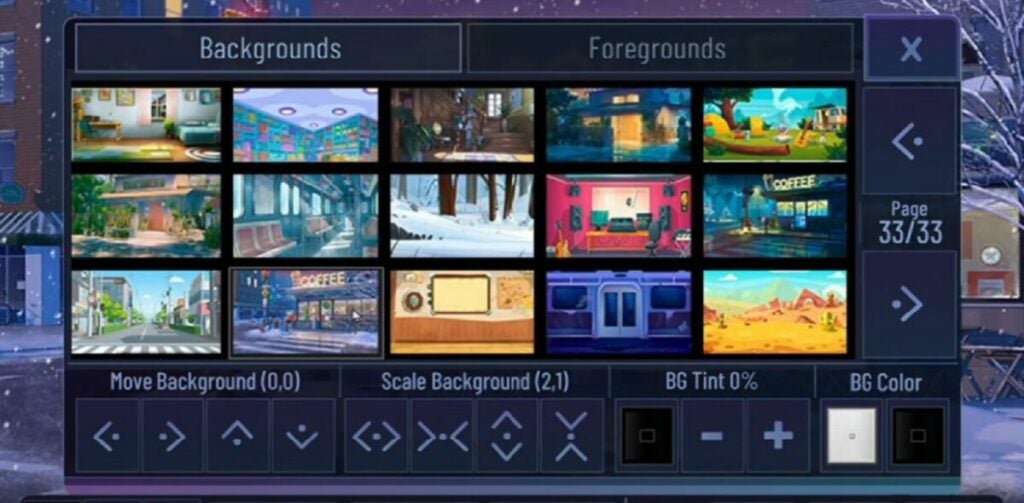
Explore new background options.

Enjoy extra gameplay features

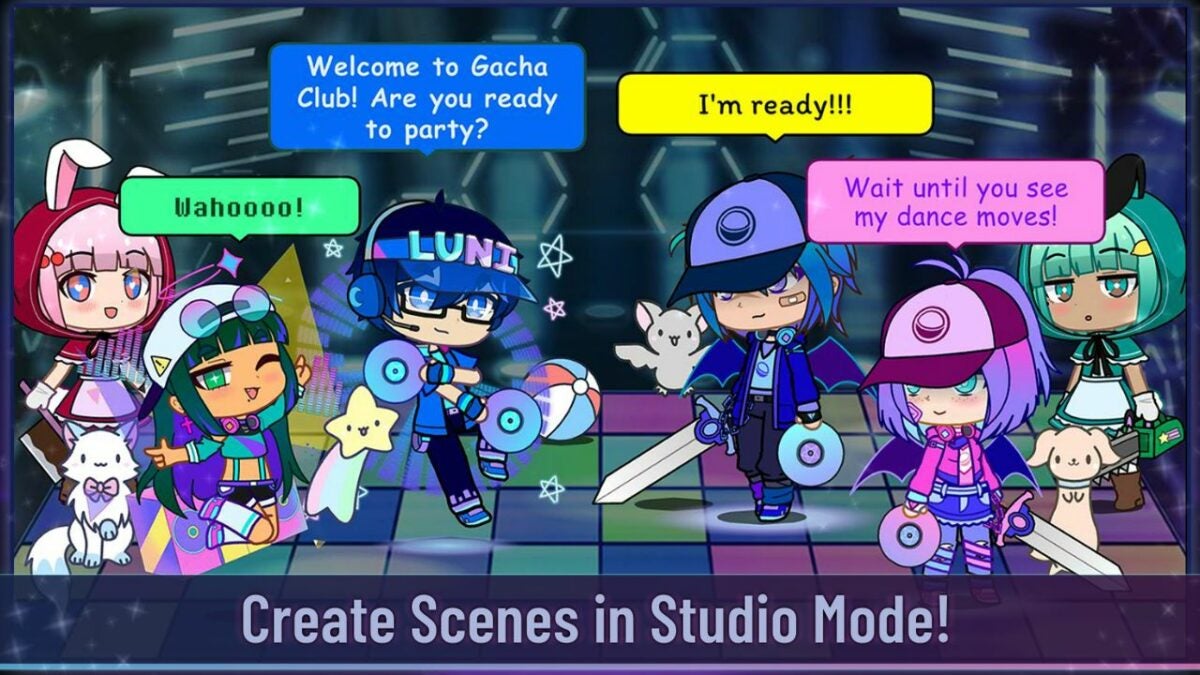
The app does more than just alter the look of things. Gacha Star also augments the base gameplay of Gacha Club. It comes with a Studio Mode that lets you put up to 10 characters on the same screen. You have the option of using custom text boxes and a narrator to tell a story. The app also lets you cycle between presets to quickly change characters’ poses and faces. This makes it easier to have your characters move around, talk, and react.

Gacha Star also contains some minigames that add a fun PvP element to the game. You get to hunt for rare items, buy items from stores, and battle other players. The new games tend to be fairly simple, and they mostly rely on luck to win prizes. Although they don’t add that much to the base Gacha Club game, they are entertaining to mess around with occasionally.

What you need to know about the Gacha Star interface

How does Gacha Star 2.1 handle all the extra content it adds? For the most part, the app’s interface is very straightforward. It uses the standard Gacha Club layout with a few extra tabs for the new categories of items. The simple interface with its neutral colors and lines of items helps keep all the content from looking too busy.

Though the interface itself is easy to use, users may have trouble finding specific items within the app. Accessories aren’t fully sorted, so finding some of the more unique additions like bags, weapons, and wings is often tricky. They frequently end up slotted into random categories that don’t quite make sense. Expect to spend a lot of time scrolling through the Special tab and the Other tab to find items.
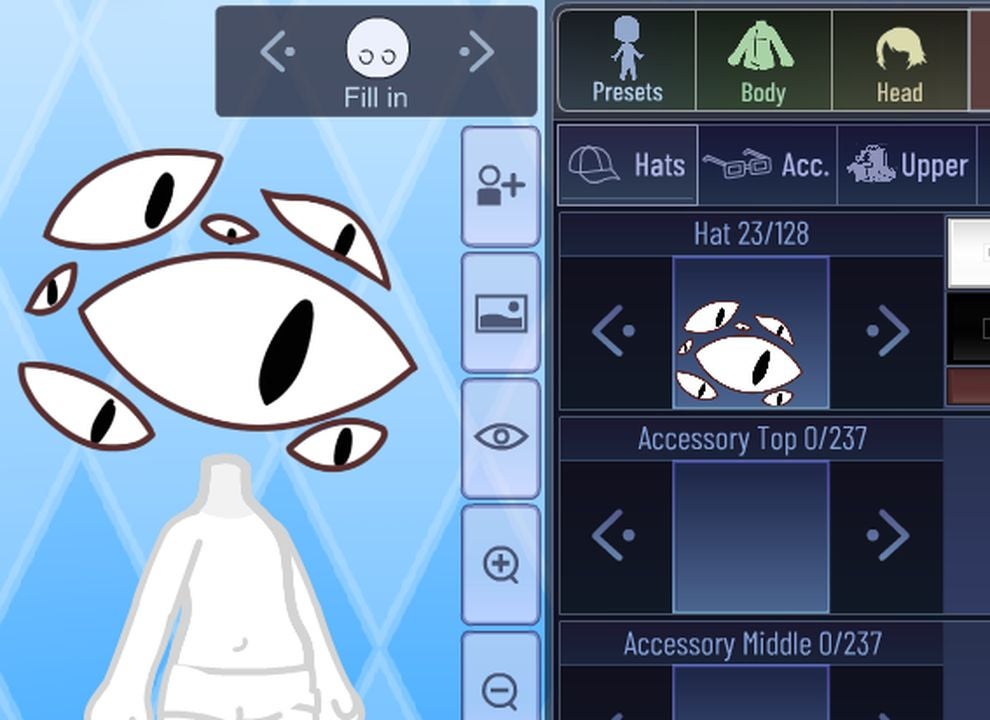
Gacha Star's interface is easy to use.

Is Gacha Star NSFW?

Some mods have been known for letting users add adult content to Gacha games. This isn’t the case for Gacha Star. For the most part, it remains true to the main design and concept of the original game. Unlike some of the updates for Gacha Club, Gacha Star is mostly a minor-friendly app. It’s all about adorable, anime characters, not erotic content.

Gacha Star doesn’t include any overt sexualization, but keep in mind that some of the outfits are a little more risque. This isn’t a true Gacha Club shirtless mod, but it does offer some crop tops and other revealing outfits. Extra customization options also offer body shapes you can’t find in the base game. If you prefer for your characters to look a little more adult, this is a neat mod to try.

How to add Gacha Star to your Gacha Club game

As with any mod, it’s important to understand how the updates integrate with the main game. Since this is a fan-made mod, there is always a risk that the mod will be poorly coded or confusing to use. Fortunately, this isn’t the case for Gacha Star. It seamlessly connects with Android phones, Apple computers, and Windows computers. There have not been any reports of the mod breaking the main game or causing any unfixable bugs.

Keep in mind that the mod is easier to install with a new Gacha Club account. Your best option is to download the mod, delete Gacha Club, and use the mod as its own version of the game. Adding it to your existing Gacha Club account with your current OCs will take slightly longer. You’ll need to replace specific in-game files with the modded files. This requires a little extra computer know-how, so make sure you have some free time before trying this method.

The bottom line

Ultimately, this free mod is an exciting addition to current Gacha Club content. Though most players will use it for the extra outfits, the different backgrounds and Studio Mode additions are also good enough to justify a download. If you use Gacha Club for videos or edits, Gacha Star is a must-have tool.

Interested in trying other Gacha games? Another favorite option for Gacha Star fans is Gacha Neon. Download it to check out the exciting neon-themed color palette.
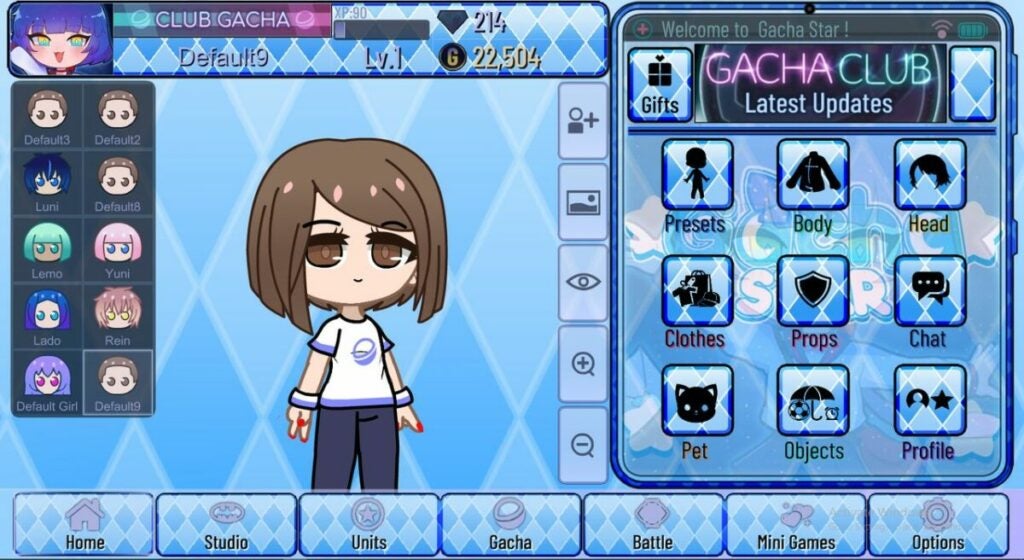
Make adorable characters with this Gacha Club mod.

Pros

• New hairstyles and clothes for your characters
• Way more background additions than the original
• Fun new gameplay elements and filming options
• Stays true to the original game’s vibe

Cons

• No version available for mobile Apple games
• Menu organization is often confusing
• Search abilities are limited

Developer: SpaceTeam

Publisher: Lunime

Game Modes: Story Mode, Tower Mode, Studio Mode
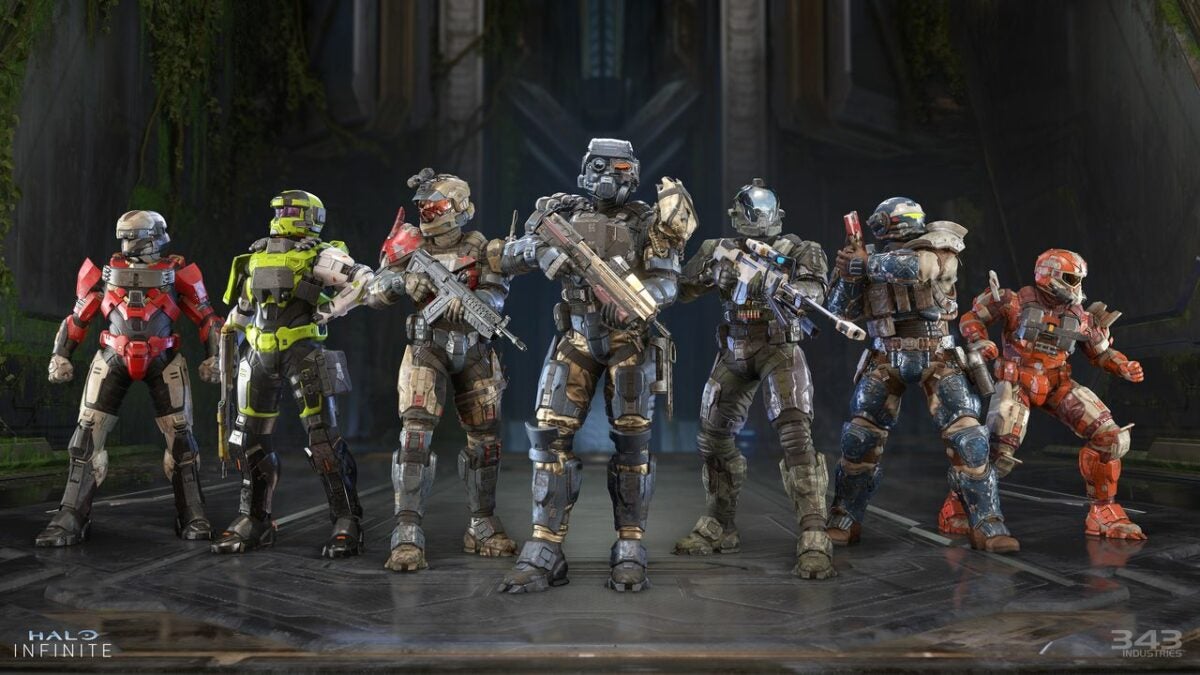
New game modes to try in Halo Infinite Season 2

One of the most exciting parts of each new Halo Infinite season is the new Halo game modes. These game modes add a lot of interesting mechanics and fun challenges to the game. If you were one of the super fans eagerly searching,”When is Halo Infinite season 2 coming out?,” you might’ve already tried a few of these new game modes.

Halo Infinite DOWNLOAD

However, there’s quite a bit of content to get through, so it can take a while to explore it. Which game modes should you try first? Check out our guide to discover the best game modes in Halo Infinite.

Land Grab

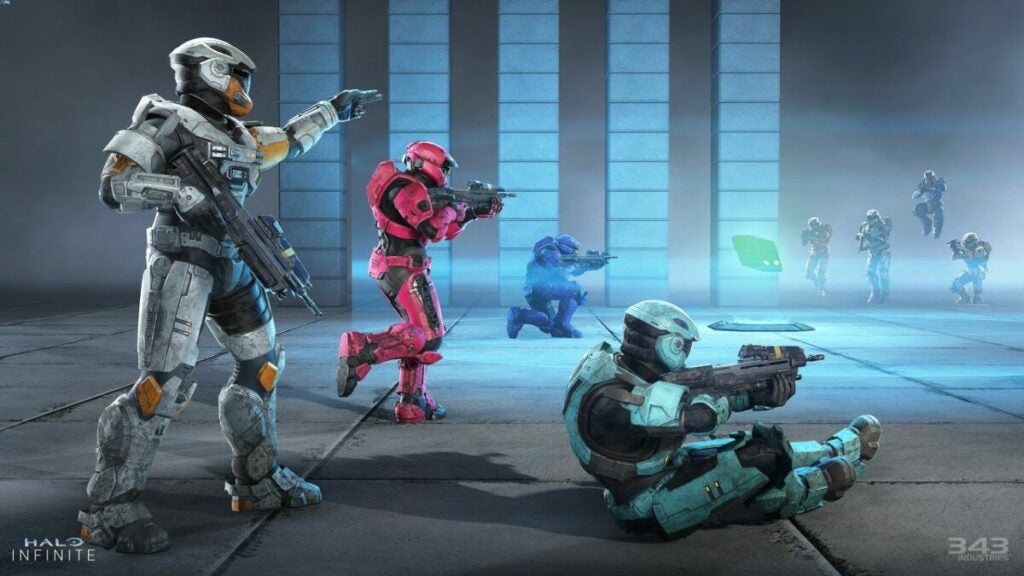
Land Grab is a fun multiplayer game mode that has you working alongside a team. The game involves two teams with four players on each team. Its main focus is on capturing zones of land scattered around a larger map. You start the game with three neutral zones somewhere on the map. Teams have to locate these zones and keep uncontested control of the area for at least a few seconds.

Once your team captures a zone, you get a point and the zone is locked down. After all the zones are captured, the game briefly pauses while three new points are set up. Players continue with this system of capturing zones until a team ends up collecting the 11 points they need to win.

When is Halo Infinite season 2 Land Grab coming out? The official start day is May 24, 2022, and it is part of the Fracture: Entrenched event. Completing this event will let you earn up to 30 customization items, including the new EAGLESTRIKE armor core.

Fight to capture map areas with Land Grab mode.

King of the Hill

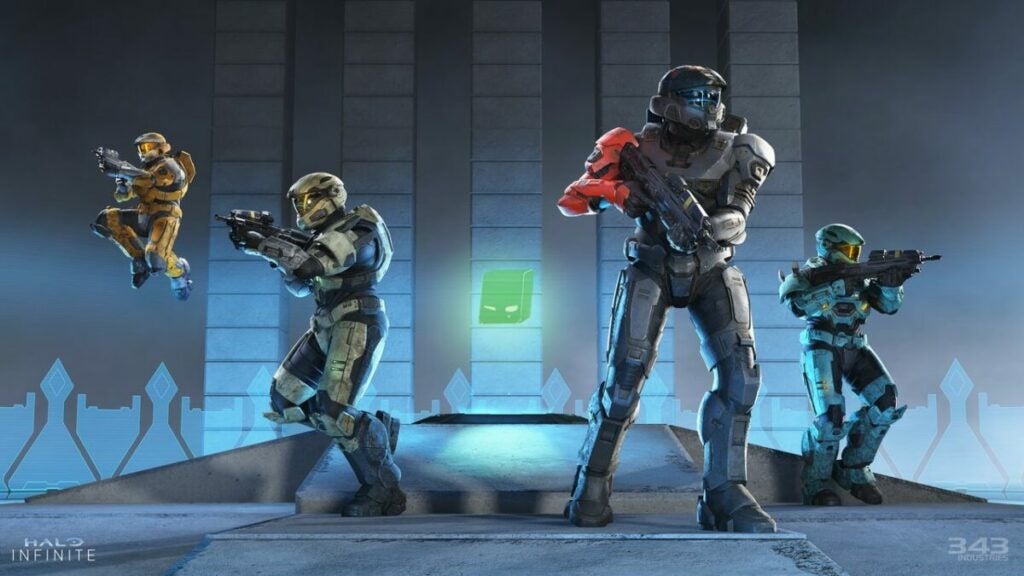
King of the Hill has been a favorite mode in past Halo Games, so people are happy to have it finally show up in Halo Infinite Season 2. King of the Hill in Halo Infinite will be about fighting for control of a certain point. Like the Land Grab mode, King of the Hill will have two teams with four players each.

When you start the game, you’ll see a capture point appear somewhere on the map. The teams then have to rush to this point and work to fill up a capture bar. You fill up this bar by having each player earn one point per second for each second they are on the hill. After the capture bar is full, the winning team scores a point, and a new hill spawns in another location.

The King of the Hill mode will be available in both ranked and non-ranked matches. In ranked matches, the hill locations always appear in the same spots. In non-ranked matches, hills are randomized. Whether you play ranked or non-ranked, you have the option of earning XP boosters and other perks by playing while season 2 events are live.

Battle for control of a neutral zone in King of the Hill.

Last Spartan Standing

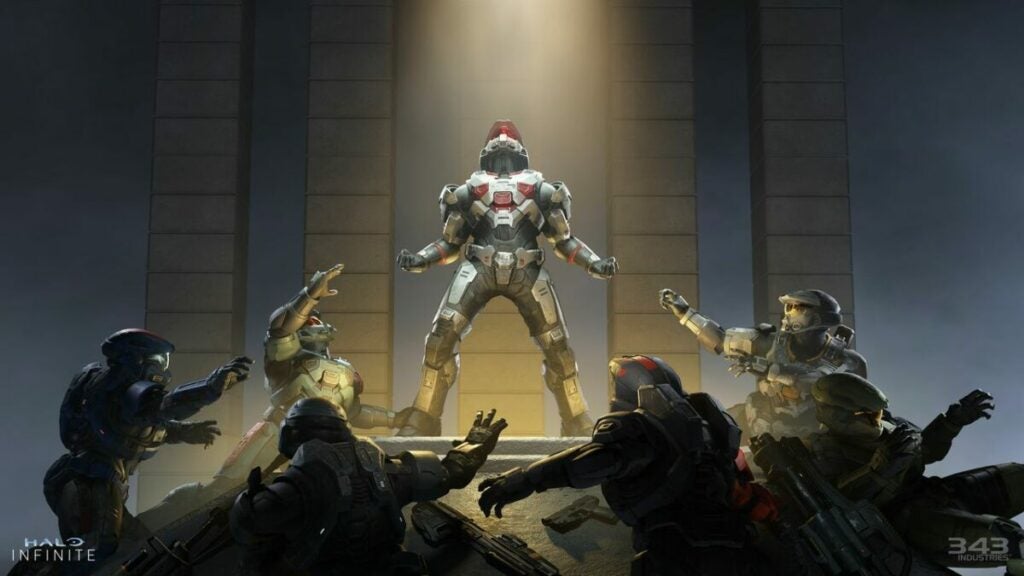
This is probably the most hotly anticipated of the new Halo game modes. Last Spartan Standing brings Battle Royale mechanics to Halo Infinite. You start the game with five respawns, a limited Disruptor, and a Sidekick pistol. As you kill and assist with kills, your score will increase. This provides you with better weapons that you can use to fight other players.

Keep in mind that this game isn’t exactly a Halo Infinite co-op mode. You can’t queue for the game with your friends. Instead, you solo queue and get dropped into an arena with 12 other players. However, it is possible to use the Custom Games setting to set up a Last Spartan Standing with friends.

Last Spartan Standing comes with a lot of rewards. As you play the game, the 12 players are slowly killed off until a single player is crowned the champion. In addition to bragging rights, you also get XP you can use for armor pieces and skins. Playing this mode also lets you complete challenges that allow you to progress through the Interference Event.

Last Spartan Standing provides a battle royale mode.

Your Turn to Try Halo Infinite Season 2

As you can see, these new Halo game modes add a lot of fun content. It can take a little time to get used to the new gameplay, but once you do, you have a lot of exciting opportunities to enhance your skills. And when you download the game, you may even meet a Halo Infinite Season 2 unexpected guest.

BrickLink Studio review | All about the new LEGO Digital Designer

Formerly called Lego Digital Designer, BrickLink Studio 2.0 is a useful and entertaining program. This virtual Lego builder lets you explore a digital library of Lego bricks. You use these bricks to build your own Lego creations on the computer. This free program is essential for Lego enthusiasts, but it’s also remarkably fun for casual fans.

Whether you want to figure out which bricks you need for a massive project or just tinker with some fun ideas, BrickLink Studio is a fascinating app to work with. Recent updates to this iconic Lego program add even more functionality and building options.

How does BrickLink Studio work?

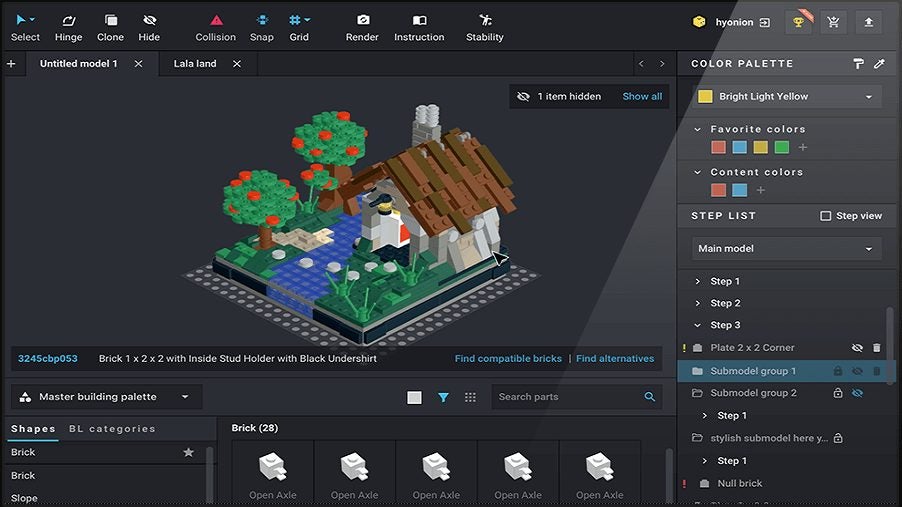
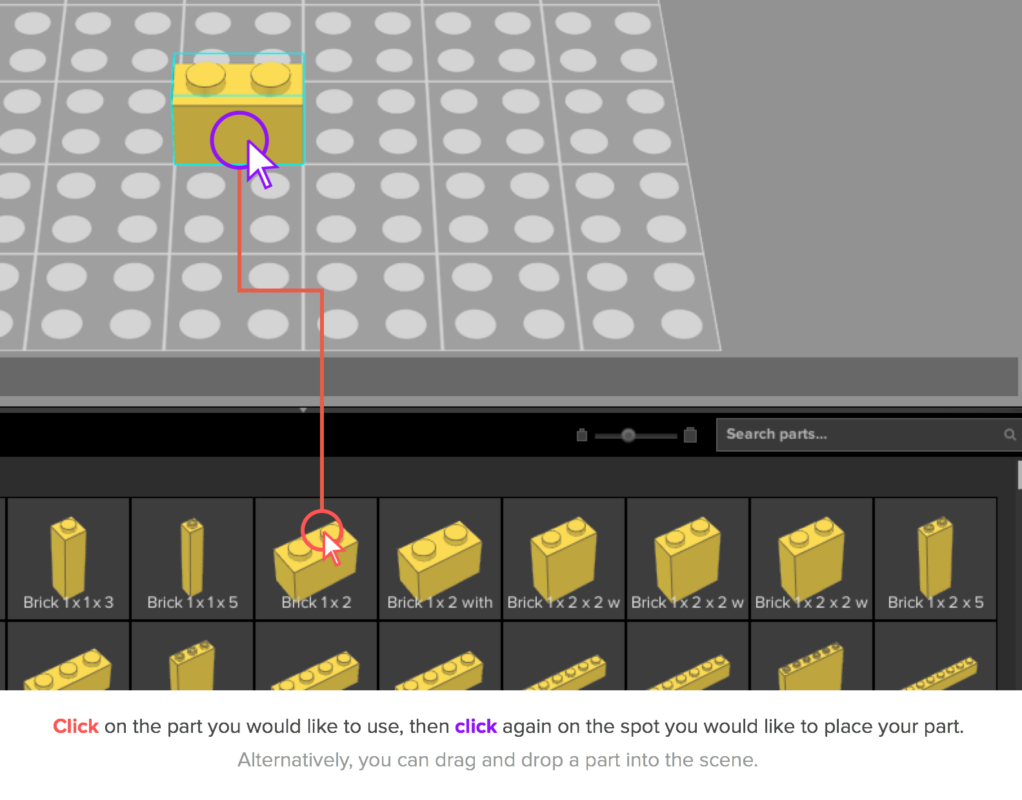
BrickLink Studio 2.0 essentially lets you build with Lego blocks in a virtual world. When you open the program, you enter a build space with a Lego grid. You browse a library of Lego blocks to select pieces and then place these pieces wherever you want.

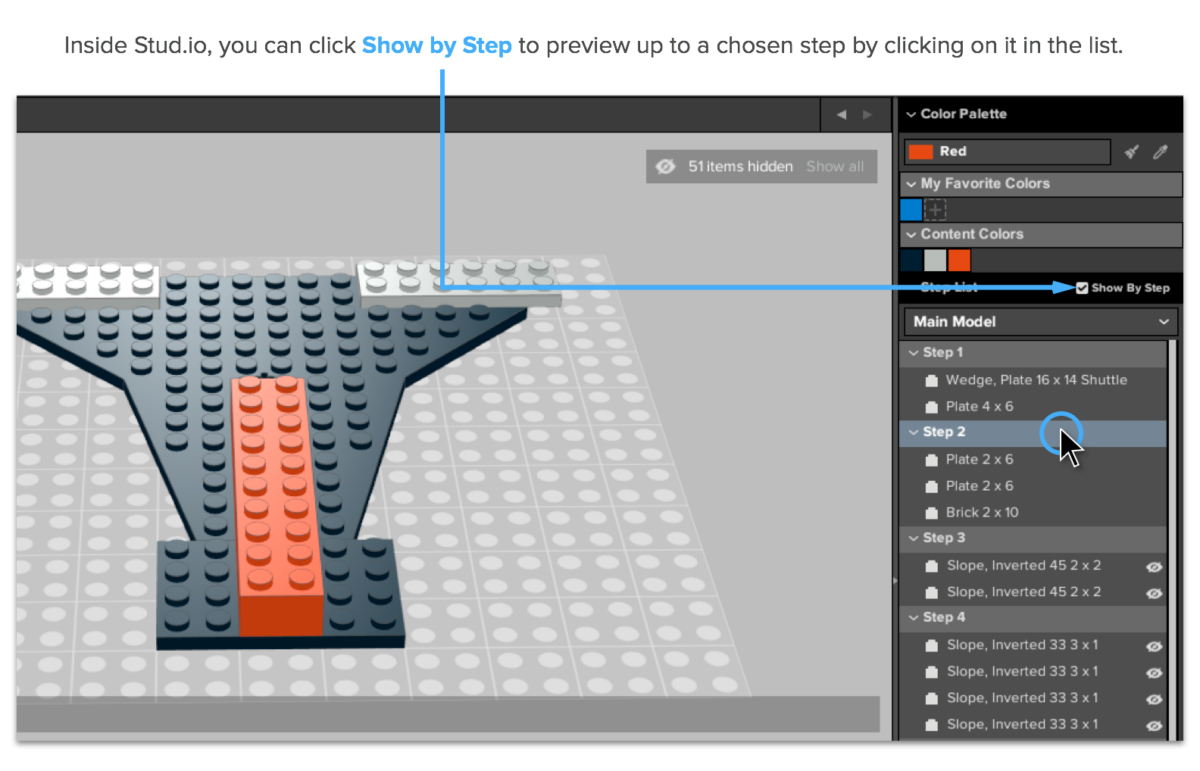
The Lego Digital Designer system includes the options to work with premade templates or choose your own design. As you build, the program generates steps. These steps are useful for either editing your build or making notes before you mimic the build with real-world pieces.

Features

BrickLink Studio 2.0 adds several useful features to the basic Lego Digital Designer program. Snap-to functionality lets you watch bricks clip to each other. The program automatically detects compatible connections and lets you run physical stability checks on virtual designs.

BrickLink Lego builder also includes photorealistic rendering. Based on FFmpeg code, the rendering is crisp, realistic, and fairly bug-free. The program is integrated with the BrickLink catalog, so you see information and prices on the real-world counterparts of your virtual blocks.

Community

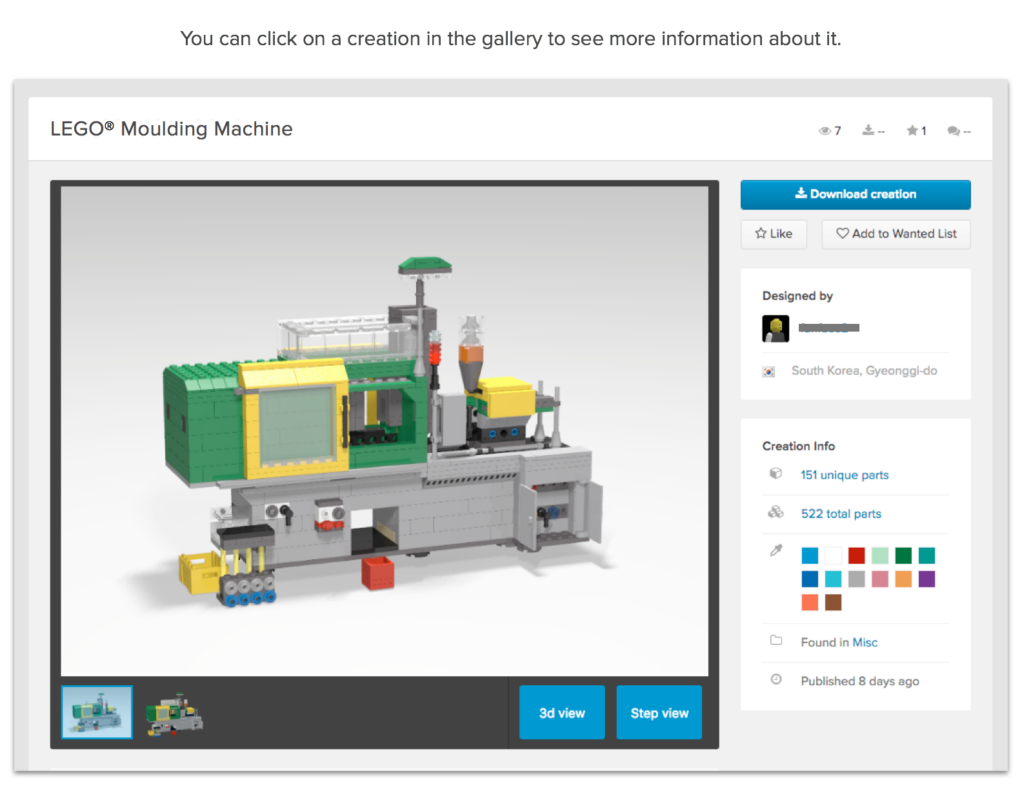
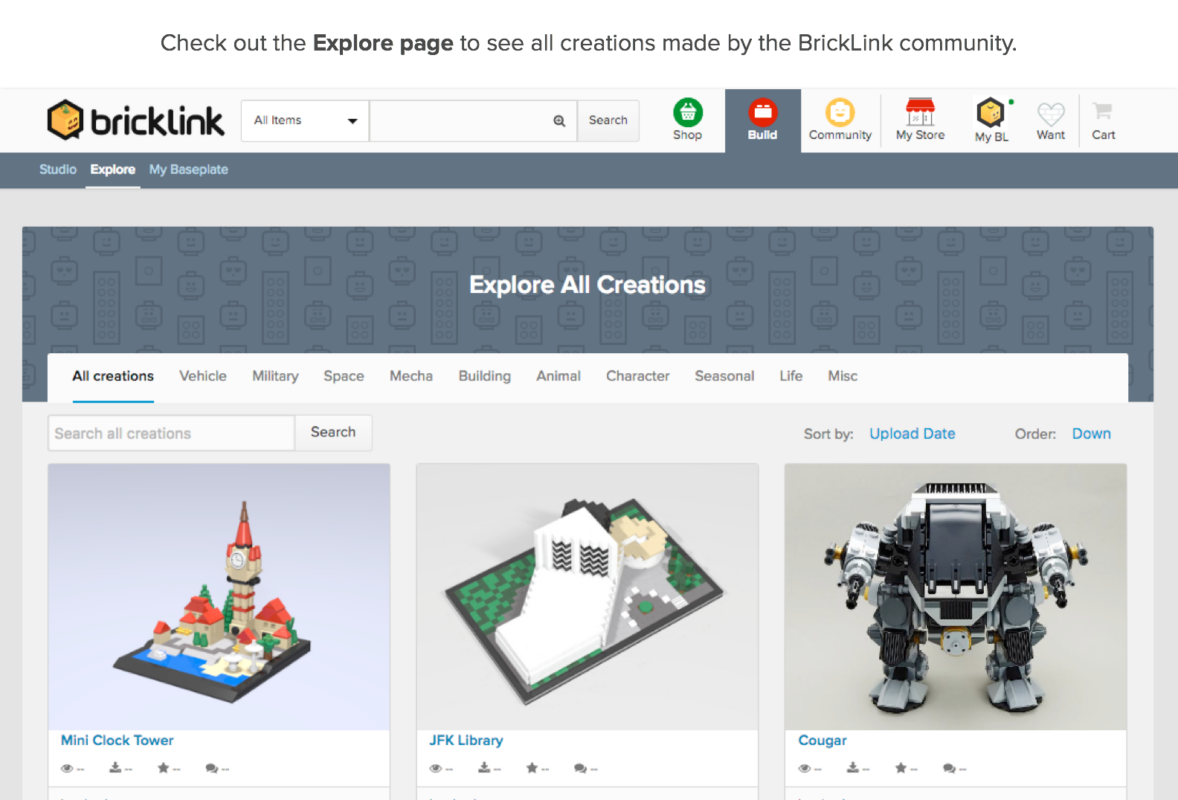
One of the interesting parts of this program is that it connects Lego users from around the world. You have the option of posting your builds for others to look at. People may also post build templates that others download and copy. Furthermore, there’s a forum where you get to discuss builds and ideas with users.

How did LEGO Digital Designer become BrickLink Studio 2.0?

This program got its start in 2004 as part of the Lego Design byME service. Though originally just intended to help users design custom Lego sets, the program quickly developed an enthusiastic following. In 2012, Lego moved away from the “Design your own set” model to focus on virtual building instead. The app continued to flourish for years, but in 2016, Lego officially defunded it.

Though Lego Digital Designer downloads still existed, there wasn’t any new content for a while. This changed in the early 2020s. Lego purchased BrickLink, a popular digital Lego building community that had existed since 2014. They integrated BrickLink features with the Lego Digital Designer program. The modern version of Lego Digital Designer, known as BrickLink Studio 2.0, has a lot of exciting functionality.

Is BrickLink Studio 2.0 easy to use?

So how easy and enjoyable is it to actually use BrickLink Studio 2.0? First of all, the controls are very intuitive. Mouse controls let you quickly select and place bricks, and an identical brick hovers over your cursor after you place a selected block. Blocks are quickly removed by pressing either Escape or Delete keys. Keyboard controls also let you rotate blocks or copy blocks with the arrow keys.

Finding blocks is also very easy. You have the option of browsing pieces by shape or searching for the name of a specific piece. Lego lets you toggle your controls to either only view the actual colors available for a piece or use any color with any piece. If desired, users have the option of selecting pre-built sections to copy, rotate, or delete.

User interface

The Studio 2.0 UI is decent but not perfect. At a glance, it does a solid job of putting essential features in obvious and easy-to-reach spots. However, the UI is a little crowded. There’s just so much detail and so many features that your screen may look busy. Until you get used to the program, it may be hard to recognize various icons and informational figures.

One of the biggest user complaints about this program has been its visual design. There’s nothing technically wrong with it, but the black background might look jarring to those who were used to Lego Digital Designer. The good news is that you can adjust this. Once you go to the Preferences section, select Appearances to alter the background color.

Minimum system requirements for BrickLink Studio 2.0

This program is available for both Windows and Mac computers. It does require Windows computers to have Windows 7 SP1 or higher, and Mac computers need OS X 10.13 or higher. There’s not an app version available for smartphones yet.

You don’t need a particularly good computer to run the program. It works even on very basic computers with limited processing capabilities. Just keep in mind that your image rendering runs slower if your computer has a weaker GPU or CPU.

Importing and exporting files

Studio 2.0 allows you to import .LXF, .LDR, .MPD, and .DAT files. This makes it very easy to integrate your old Lego Digital Designer content with your new BrickLinks content. Studio 2.0 also allows users to upload XML files from third-party software like Mecabricks. You’ll also be able to download files and open them with BrickLinks Studio 2.0 or other programs.

Just keep in mind that there are occasionally some bugs when converting other files to Studio 2.0 standards. The main issue seems to be that random bricks are converted to other brick types because different virtual Lego builders have slightly different software.

Final Thoughts

Ultimately, Studio 2.0 is a solid upgrade to the traditional Lego Digital Designer program. The newer version is targeted at adult builders instead of kids ordering Legos, so it’s a little more complex. However, once you get used to the controls and layout, BrickLinks Studio 2.0 is a very rewarding program to use.

This virtual Lego builder is a nice addition to your computer. It’s fun for the casual user who wants to play with Legos for a couple of hours, and it’s also very useful for a serious builder who wants to plan out a massive creation. Download the free program and let us know about the designs you create!

Pros

  • Extensive range of features and building options
  • Very realistic looking rendering
  • Seamless integration with real Lego parts catalogs
  • Simple yet effective controls

Cons

  • Slow renderings on older or budget computers
  • Requires internet for full functionality
  • Doesn’t always work well with XML files