WhatsApp is testing account-free calls: join from a secure web link

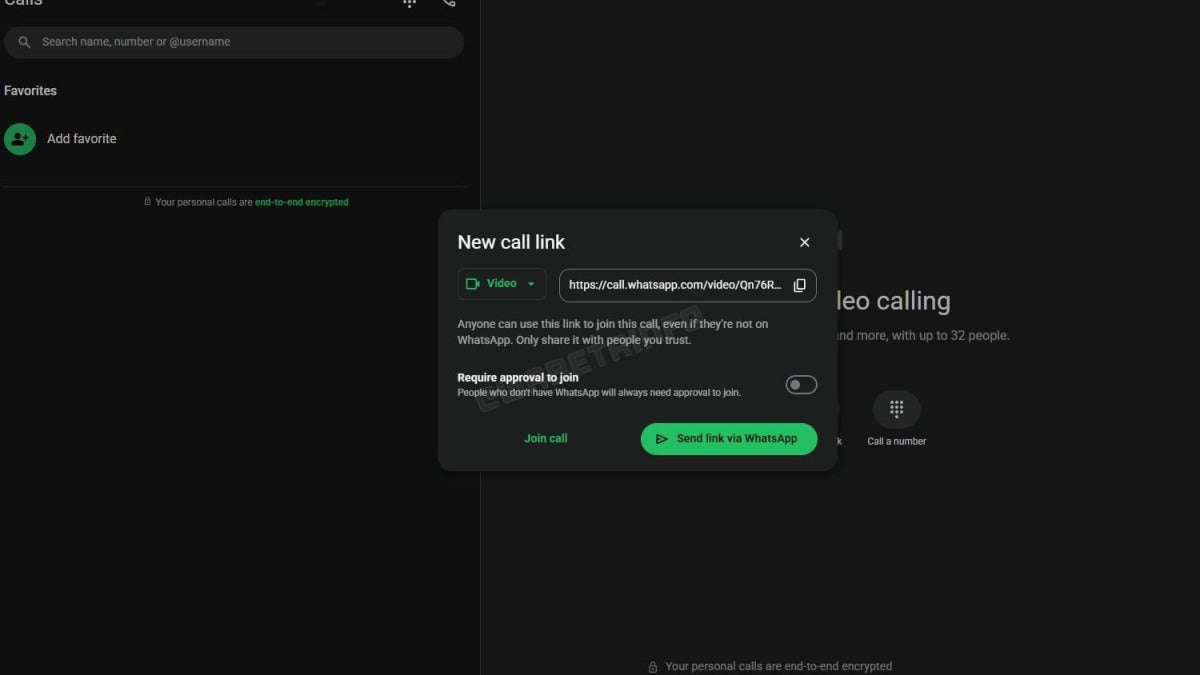
WhatsApp is testing a guest calling feature built around secure web links. The idea is simple: people could make or receive WhatsApp voice and video calls without setting up an account, downloading the app beforehand, or running into a signup screen before they can join.

WhatsApp Download

The feature grows out of guest chats, but it goes further than what WhatsApp currently allows without an account. Right now, account-free chats are limited to text. Guests can’t share media, can’t send voice notes, can’t place calls, and their chat history may disappear after a period of inactivity. Guest calling would change that by letting someone jump into a one-off conversation straight from a browser, in the kind of situation where a quick call makes more sense than a long message thread.

Meta hasn’t opened public testing yet, and it also hasn’t given any timeline for a release. Even so, the expectation is that WhatsApp guest calling would still use end-to-end encryption, that every guest would need approval from the host before joining, and that browser-session encryption keys would handle the privacy side of the interaction.

For businesses that use WhatsApp for customer service, support, bookings, or high-consideration purchases, this could matter quite a bit. Guest calling would make it easier to connect with customers who don’t have the app, smooth out the experience, and likely help conversions too. It could also make link-based, ad hoc calling more practical, while giving WhatsApp another way to compete with Zoom and Google Meet in places like India, Brazil, and Indonesia. That’s a meaningful audience: WhatsApp already has 3.3 billion monthly users and processes more than 150 billion messages every day.

WhatsApp itself is already available on iOS, Android, desktop, and the web. Guest calling, though, is still being developed, and you can’t use it yet.

Google Photos now adds Virtual Wardrobe and Manual Photo Stacks on Android

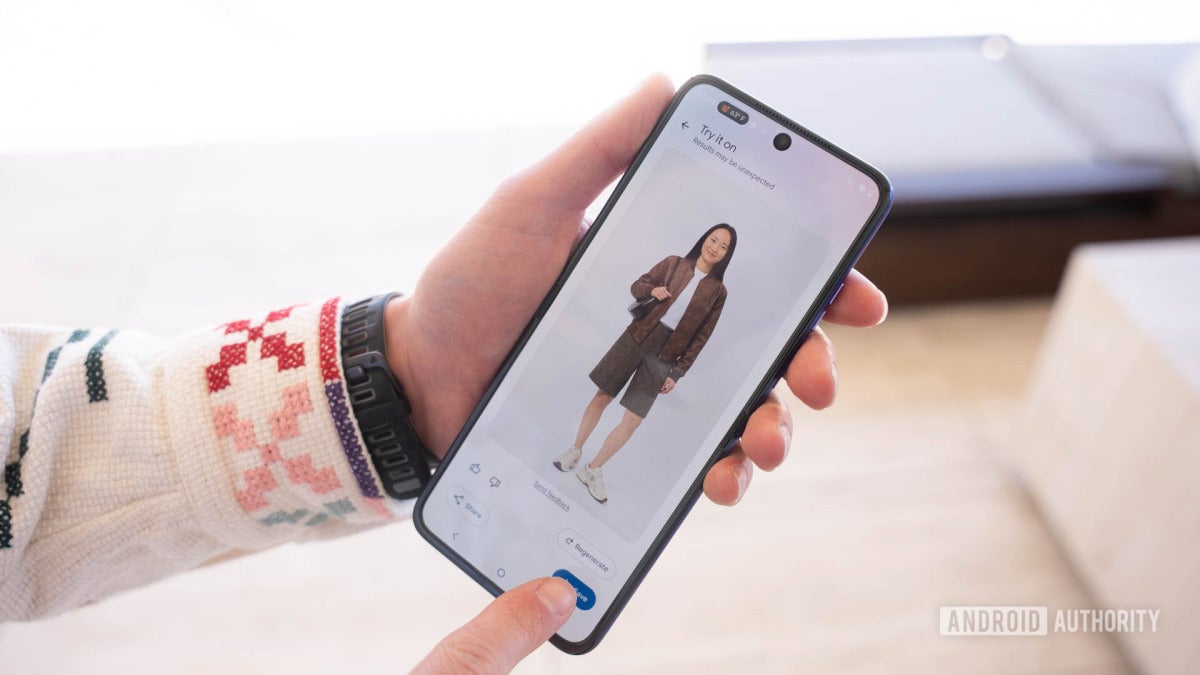
Google Photos is rolling out two new features on Android: Virtual Wardrobe and Manual Photo Stacks. One turns your photo library into a closet that more or less builds itself. The other gives you a lot more say over how similar photos get grouped.

Google Photos Download

Virtual Wardrobe looks through your Google Photos library, spots clothing items, and builds a searchable closet from what it finds. It can also suggest outfit pairings and generate preview images, which means you don’t have to upload every shirt, jacket, or pair of shoes yourself. The feature also fits neatly into Google’s broader push around shopping, visual search, and styling. That’s happening in a category some forecasts say could grow from roughly $1.8 billion in 2025 to $9.7 billion by 2034.

Manual Photo Stacks has already been on Google Photos for iPhone for almost a year, and now it’s coming to Android too. You pick several photos, tap Stack Photos, and group near-duplicate shots, burst sequences, or event pictures yourself when Google’s automatic stacking doesn’t quite nail it.

If Google Photos is something you use a lot, Manual Photo Stacks seems like the kind of feature you’ll actually use for regular cleanup. Virtual Wardrobe may have even more upside, simply because Google already has billions of photos sitting in its system to work with. Still, having Google analyze personal images that closely is going to make some people uneasy, and fairly so.

You can get both features in Google Photos on Android, though Virtual Wardrobe is only available right now to users in the US, Brazil, and India who are on select paid Google One plans. A wider rollout in the US is reportedly in progress, iPhone support is expected later, and even among eligible Google Photos users, the features won’t show up for everyone at the same time.

0patch extends Office 2021 security fixes into late 2029

0patch says it will keep shipping critical security micropatches for Microsoft Office 2021 until late 2029, after Microsoft confirmed that every edition of the one-time-purchase suite hits end of support on October 13, 2026.

Once that date passes, Word, Excel, PowerPoint, and the rest of Office 2021 will still open and run. What stops is the support around them: no Microsoft technical help, no bug fixes, and no security updates. Microsoft also says there won’t be an Extended Security Updates program for Office 2021, which means any new vulnerability discovered after that point could leave users more exposed to malware, ransomware, or data theft, especially in workplaces where Office files move back and forth all day.

0patch says it plans to cover that gap with critical security micropatches for at least three more years, taking support into late 2029, and maybe beyond that if enough people keep using it. That gives Office 2021 users another option besides moving to Microsoft 365 or buying Office 2024. Acros Security says its fixes are injected directly into memory instead of altering files on disk, so they can often be applied without restarting the machine. 0patch already does the same kind of coverage for Windows 10, Office 2016, and Office 2019.

If you’ve been putting off an upgrade because of the price, compatibility problems, line-of-business add-ins, or because you just don’t want another subscription, this looks like a practical stopgap. Running an unsupported copy of Microsoft Office can also turn into a compliance issue, cause trouble in audits, and complicate cyber-insurance coverage.

0patch Pro from Acros Security costs €24.95 a year, plus tax.

Huawei unveils Mate XT 2: its tri-fold phone lands just before Apple’s foldable iPhone

Huawei just unveiled the Huawei Mate XT 2, its latest tri-fold phone, and the timing wasn’t subtle. It landed two days before Apple is expected to show off its first foldable iPhone. Huawei is trying to seize the foldables story with a more complicated design, though who actually gets access to it will still depend on Huawei’s regional rollout, along with the software and trade restrictions that continue to shape the company’s reach.

By sticking with a three-section design instead of the book-style foldables and flip models Samsung, Motorola, and others keep polishing, Huawei is making the same bet again: that people want a phone that can open into a much larger screen for video, multitasking, and work. That three-part approach gives Huawei an early win in the news cycle, and it sends Apple a pretty direct message. Foldables have already moved past the stage of niche Android experiments. They’re thinner now, larger, and mechanically more ambitious, even if Apple is expected to take the safer path and concentrate on polish, software integration, and durability.

If you keep a close eye on premium phones, the Huawei Mate XT 2 is worth watching. Even so, tri-folds still look like products aimed first at early adopters , power users, and buyers willing to spend for a halo device rather than something built for the mass market. For everyone else, the bigger question is practicality, because foldables remain one of the few parts of the phone market where brands can still deliver real visual novelty now that yearly smartphone upgrades have started to flatten into one another.

Huawei is still strongest in China and still dealing with international software and trade limits, but the Mate XT 2 makes the company’s position pretty clear: Huawei isn’t stepping away from big hardware bets or from the fight to define where foldables go next. Whether that matters outside its core markets will depend on how far Huawei can actually roll this one out.