
Instagram photos can look a little cluttered when the description is covered with hashtags. But those hashtags are what get your image seen by a bigger audience. In order to avoid this clutter, but still be seen, the best thing to do is to hide these hashtags under a “see more”.
The process for hiding these hashtags is actually much simpler than you might expect. All you have to do is have 5 line breaks with a dot in each one.
Here’s an example:
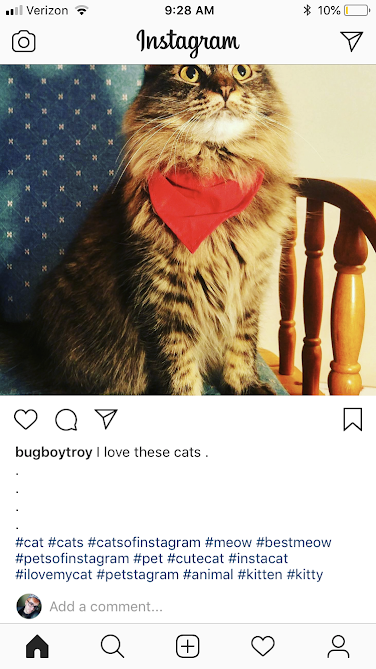
When you have the line breaks like this, the hashtags will be hidden like so:

Many people will put these in a note-taking app first, and then copy and paste them over to their Instagram post. This can be particularly useful if you have a themed Instagram, and are frequently using the same hashtags!
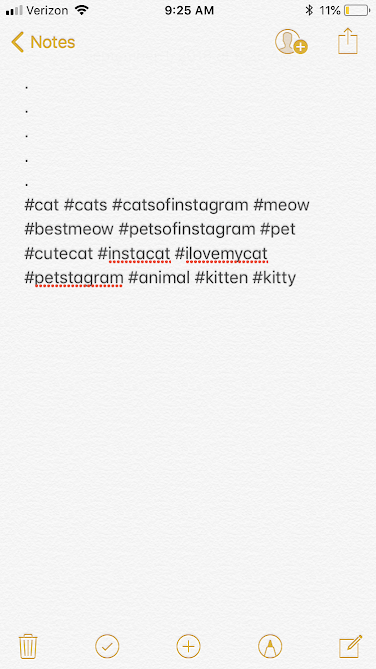
So there you have it! Enjoy a less cluttered post that gets more views!
