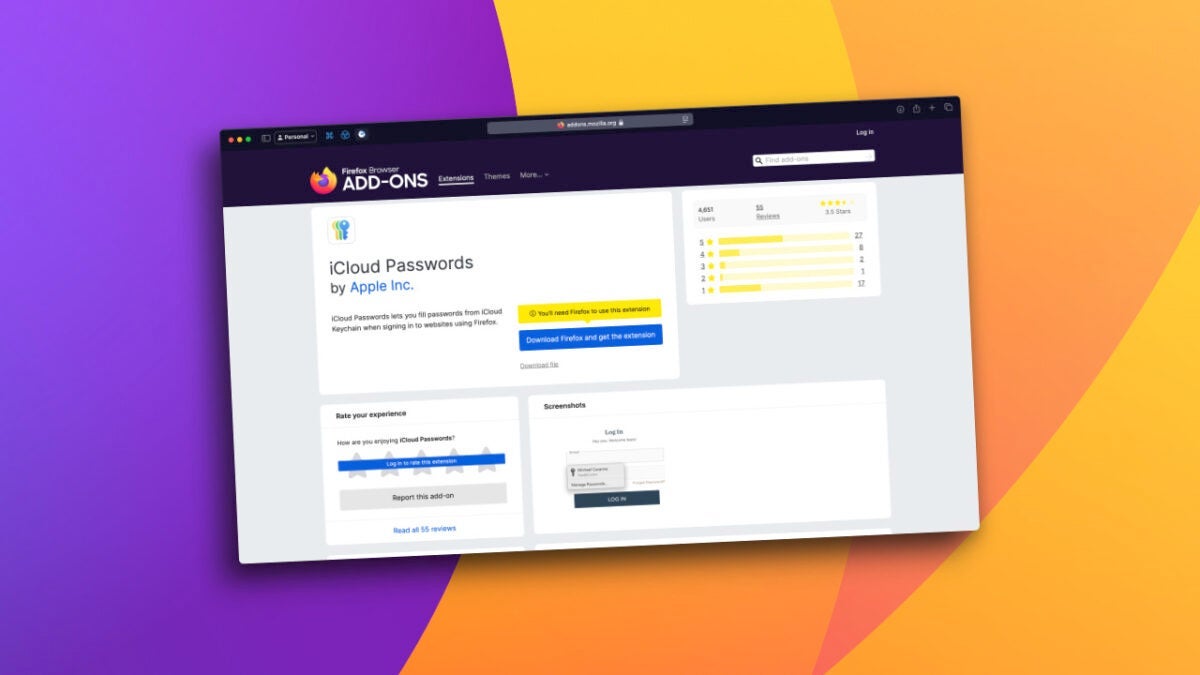
Apple has launched an official iCloud Passwords extension for Mozilla Firefox, further increasing the options we have to manage our passwords simply and securely. iCloud Keychain is one of the most interesting solutions for syncing passwords between Apple devices and for using them in Safari, but with this new tool, the experience also extends to Firefox on Mac. A simpler password management in Firefox The iCloud Passwords extension allows us to automatically fill in the passwords stored in the iCloud keychain directly in Firefox. Additionally, any new password […]
Apple has launched an official iCloud Passwords extension for Mozilla Firefox, which further increases the options we have to manage our passwords simply and securely. iCloud Keychain is one of the most interesting solutions for synchronizing passwords between Apple devices and for using them in Safari, but with this new tool, the experience also extends to Firefox on Mac.
Simpler password management in Firefox
The iCloud Passwords extension allows us to automatically fill in the passwords stored in the iCloud keychain directly in Firefox. Additionally, any new password we generate or modify will be automatically saved in our keychain, ensuring that the information will always be synchronized across our devices.
Apple has designed this extension to integrate with the new Passwords app in macOS Sequoia, introduced alongside iOS 18, but if we use the previous version, macOS Sonoma, we will also have access to our passwords and the verification code generation features.
The arrival of the official extension is an important step when choosing a password manager. In this case, the extension started as a third-party development, but Apple has acquired it and optimized it to launch it as an official tool. This ensures that the privacy and security standards we are accustomed to remain intact.
Using Firefox no longer means leaving behind our passwords stored in iCloud —although we can always copy and paste them from the Passwords app to any browser or application—. A small novelty, while we remember the passwords we should avoid if we don’t want to get hacked, which will surely be very useful when we browse using Mozilla’s software.

Author: David Bernal Raspall
{
"de-DE": "Architekt | Gründer von hanaringo.com | Trainer für Apple-Technologien | Autor bei Softonic und iDoo_tech, zuvor bei Applesfera",
"en-US": "Architect | Founder of hanaringo.com | Apple Technologies Trainer | Writer at Softonic and iDoo_tech, formerly at Applesfera",
"es-ES": "Arquitecto | Creador de hanaringo.com | Formador en tecnologías Apple | Redactor en Softonic y iDoo_tech y anteriormente en Applesfera",
"fr-FR": "Architecte | Créateur de hanaringo.com | Formateur en technologies Apple | Rédacteur chez Softonic et iDoo_tech, précédemment chez Applesfera",
"it-IT": "Architetto | Fondatore di hanaringo.com | Formatore in tecnologie Apple | Scrittore per Softonic e iDoo_tech, precedentemente su Applesfera",
"ja-JP": "建築家 | hanaringo.comの創設者 | アップル技術のトレーナー | SoftonicおよびiDoo_techのライター、以前はApplesferaで",
"nl-NL": "Architect | Oprichter van hanaringo.com | Trainer in Apple-technologieën | Schrijver bij Softonic en iDoo_tech, voorheen bij Applesfera",
"pl-PL": "Architekt | Założyciel hanaringo.com | Trener technologii Apple | Pisarz w Softonic i iDoo_tech, wcześniej w Applesfera",
"pt-BR": "Arquiteto | Fundador do hanaringo.com | Instrutor em tecnologias Apple | Escritor na Softonic e iDoo_tech, anteriormente na Applesfera",
"social": {
"email": "races_provost0x@icloud.com",
"facebook": "",
"twitter": "https://twitter.com/david_br8",
"linkedin": "https://www.linkedin.com/in/davidbernalraspall/"
}
}
View all posts by David Bernal Raspall