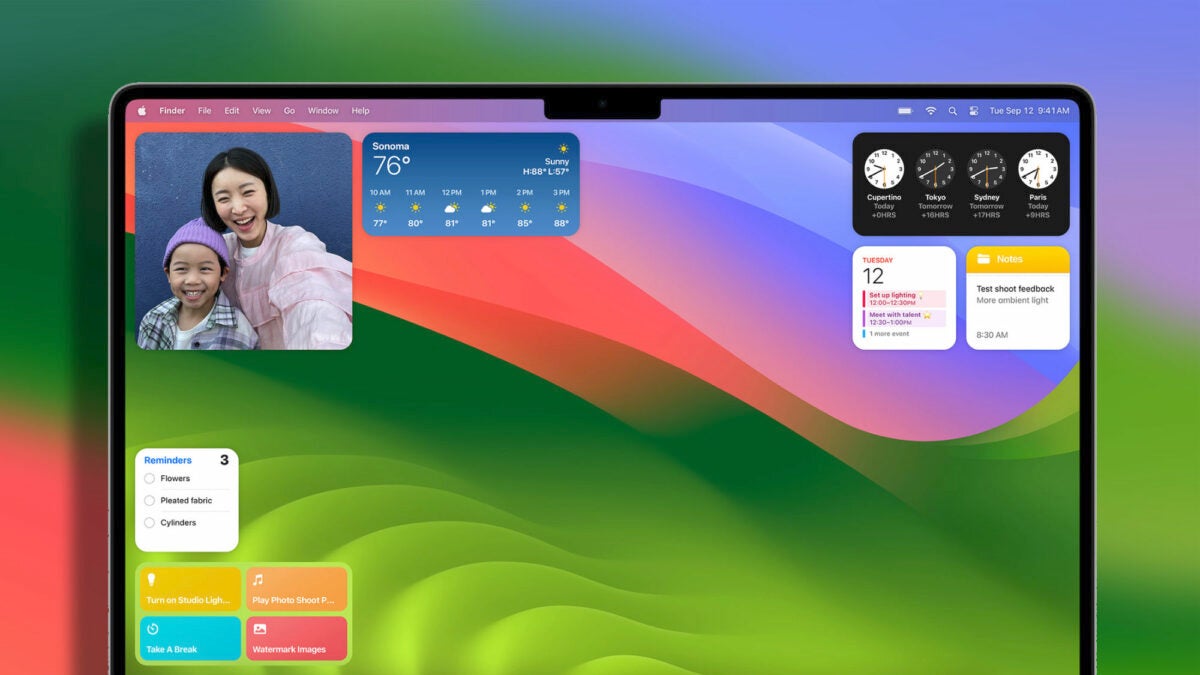
With the arrival of macOS Sonoma, Apple has revolutionized the way we interact with widgets on our Macs. They are no longer confined to the Notification Center; now we can place and use them in the vast space of our desktop, and best of all, they are interactive.

How to add widgets to your desktop and customize them
If we are among those who prefer to have widgets in the Notification Center, don’t worry. Apple has come up with a hybrid solution. We can keep them in their original location or move them to the desktop by simply dragging them. The first widget we place can go anywhere. Then, for the subsequent ones, macOS will show us a widget silhouette to indicate where we can place it to align it with the others.
In addition to being able to drag widgets from the Notification Center, we can also right-click on an empty space on the desktop and choose Edit Widgets. Upon selecting it, a gallery of widgets will appear that we can move to the desktop. It’s worth noting that, thanks to the Continuity feature that connects our different Apple devices, this gallery will also include widgets from our iPhone, in all their sizes.
Widgets are not just informational. Just like in iOS 17 and iPadOS 17, they are interactive. For example, in the Home app widget, we can control specific accessories with just a click, while in Reminders, we can mark as completed the ones we are interested in. Opening a specific item from the reading list, selecting a calendar event, or opening a stock value are other examples.
By right-clicking on a widget that we have already placed, a menu with customization options will appear. Here, we can choose, for example, between Small, Medium, and Large sizes and also select certain variables depending on the type of widget in front of us. If we ever want to remove one, we simply select the Remove Widget option.
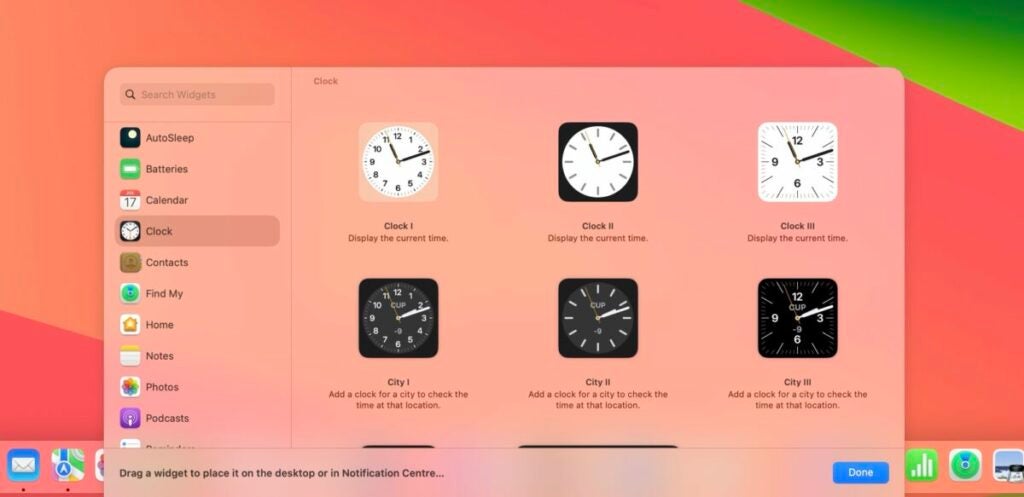
When we are not interacting with them and place a window in front of them, the widgets slightly fade away, adopting the color of the desktop wallpaper. It’s a mechanism to allow us to focus on the information we have on the screen, but it can also be configured as the default option in the macOS Settings app.
We just need to go to the Desktop & Dock section and locate the Widget Style option, where we can choose between Automatic, Monochrome, or Color, according to our preferences.
macOS Sonoma has undoubtedly transformed the concept of widgets, giving them the utmost prominence on our Mac desktop. It’s a way to have the most important information always at hand and the ability to interact with it with just a single click.
